#building-and-recc-chat
1 messages · Page 109 of 1
 potent portal
 upper condor
i have their micro center receipt and thats a good idea to try
potent portal
If it's not registered that'll totally work then
upper condor
been meaning to try it but theres its impossible to reproduce, will try now though for a bit
all i can do is play a game and wait 😢
man gigabyte just cannot spell

 fossil cedar
Lol
upper condor
ah its already registered unfortunate
fossil cedar
Shame
upper condor
if underclock fixes it ill just deal with it until next gen, or see if an insane deal pops up near me
not like the 5 extra frames will do anything
fossil cedar
Try contact them and get them to setup collection for your address maybe?
If underclock doesn't work
upper condor
after the horror stories ive heard from gigabyte RMA 😨
fossil cedar
Or just see if you can request repair
upper condor
what do i do for "failure photo"? not sure if I can
problem description should be good enough, and would i just put the micro center receipt in the invoice upload?
potent portal
Yep. Have hwinfo logging and when it crashes again take a screenshot of the graph for the failure photo.
(not just showing the stats but actually recording them to a log)
 autumn gulch
upper condor
after the horror stories ive heard from gigabyte RMA 😨
autumn gulch
upper condor
after the horror stories ive heard from gigabyte RMA 😨
So is buying a gigabyte gpu or mobo bad then?
upper condor
autumn gulch
So is buying a gigabyte gpu or mobo bad then?
i wouldnt say that, just heard the RMA process is super painful and takes a while
but that was during the GPU shortage mainly
and they ended up giving refunds anyways
 earnest olive
gigabyte rma goes by serial number, they did not ask me for proof of purchase when I rma’d my 3080 vision
autumn gulch
upper condor
i wouldnt say that, just heard the RMA process is super painful and takes a whil...
I mean I do have the option of a different card like msi or ASUs or even like maybe evga
earnest olive
wouldn’t go for evga if you’re strictly thinking about warranty, they’re bound to run out of replacement stock soon if they haven’t already and they’re not making any new cards
upper condor
^
earnest olive
asus definitely not, asus has the worst rma in the industry
msi is alright
gigabyte is not as good as msi but alright
upper condor
earnest olive
gigabyte rma goes by serial number, they did not ask me for proof of purchase wh...
my serial number is already registered with the previous owner, not sure how that'd work out then
earnest olive

 obsidian wolf
I need the actual reasoning as to why someone should skip a 6950 for 650$ with a 4070 ti that cost 800$
:/
upper condor
rtx!
obsidian wolf
No they are not
12gb of vram won’t even make the sense for me
Specially if I can not go ray tracing to its maximum capability
For 150$ more
Specially in cyberpunk 
Also 12 cores seems out of my deal, I don’t think I’ll future proof on that, if I ever needs more cores in my life I’ll just buy the cpu down the line that has that amount of cores
6-8 cores seems good enough for actual sense of gaming and streaming is what you want to do down the close line, more than that is for actual workload and I don’t see myself crunching anything for a good minute
earnest olive
then buy the 6950xt, you answered your own question
obsidian wolf
Seems the right answer I was seeing the capacity that it had and saw runs
There’s only some games where the 4070 ti will run better
Like some of those games no one plays outside of like something your friend or family bought for you
 vague oracle
earnest olive
asus definitely not, asus has the worst rma in the industry
vague oracle
earnest olive
asus definitely not, asus has the worst rma in the industry
Imma have to disagree with that lol
When my mobo died and sent it out to RMA it, they straight up replaced it and got a new one two days after I sent out the old one
Same with my laptop now
 south cliff
vague oracle
Imma have to disagree with that lol
south cliff
vague oracle
Imma have to disagree with that lol
depends on who your talking to imo
obsidian wolf
Men
Does anyone know where to find the Fractal North Design
Out of stock everywhere
goddamit
 stiff anchor
thanks
 verbal plover
everything but the aio, which is coming tmmrw. I'm excited
 verbal plover
I think I do need to go out and get zipties and stuff though, if the case doesn't come with any
south cliff
ehh you can just shove the back panel on
south cliff
bro same its a life style
obsidian wolf
verbal plover
everything but the aio, which is coming tmmrw. I'm excited
beautiful
About to accompanied you on the madness
but still so unsure about one thing and that's the case
I really wanted the Fractal north
but it's out of stock in virtually every place I have check
verbal plover
obsidian wolf
but still so unsure about one thing and that's the case
I went with the O11 white
just seems like a lot of space to work in, and I like the design
I like the power supply not being on the bottom of everything
obsidian wolf
what do you guys think of the Hyte 40
?
Seems like a hard one to build in for the first time
stiff anchor
@fossil cedar found this on facbook https://www.facebook.com/marketplace/item/657000052847062?ref=search&referral_code=null&referral_story_type=post&tracking=browse_serp%3Ac6436376-3ab1-42f6-852e-5d5be422af87
here it is on microcenter with positive reviews https://www.microcenter.com/product/485308/powerspec-750-watt-80-plus-bronze-atx-semi-modular-power-supply-active-pfc-sli-crossfire-ready-gaming-pc-computer-switching-psu\
potent portal
That's a low C tier unit
It won't explode at least but don't expect it to power a 3080
stiff anchor
https://pcpartpicker.com/list/pkP9Mb thats the rest of my parts
potent portal
6750 is only a 250W iirc so it should in theory be ok
I'd still rather get a B tier 650W over a 750W (low) C tier
stiff anchor
good to know
how did you know it was c tier i didnt find it on this list https://cultists.network/140/psu-tier-list/
potent portal
It's there

I search by brand because the model number isn't always exact on the tier list
 wicked frigate
Hey I just turned on my pc and got a message

And yesterday I had a message saying “USB Device Over Current Status Detected” and my pc shut down after. 15 sec
wicked frigate
wicked frigate
Hey I just turned on my pc and got a message
But today it let me turn on my pc and I used it but that kept popping up
south cliff
Disconnect all peripherals that are usb then restart your pc
potent portal
Are you using a USB hub
wicked frigate
Yah for fans
south cliff
Damn
wicked frigate
It just started
 south cliff
Are they all connected
wicked frigate
south cliff
Damn
Cause I have a 011
south cliff
To that one hub
south cliff
Connect them to the motherboard
potent portal
Do you have the sata power connected to the commander
wicked frigate
Yah
My fans all light up
And spin
So yah
I have 3 connect to mobo via splitter
And 6 in hub
potent portal
Ok that's not a "USB hub" then, that's a "fan hub"
wicked frigate
Oh my bad
potent portal
But still disconnect it for testing purposes
wicked frigate
I did yesterday
Still
Hater was different because after 15 sec it would just shut off
I tried to unplug usb and mouse and keyboard
Still didn’t work
And today it’s letting use it but that message pops up
And it has been for like a week
potent portal
When's the last time you cleaned dust out of your ports
wicked frigate
potent portal
When's the last time you cleaned dust out of your ports
Umm never but mostly my dust is on the bottoms fans
And other place there’s like nothing
potent portal
Take a can of air or handheld blower to the ports, sometimes dust build up causes a short circuit
Front and back
potent portal
Just the PC being off is enough
wicked frigate
K
potent portal
And devices unplugged from the ports obv
potent portal
Yeah
potent portal
Battery powered ones work great, big air compressors can kill things
Yep dust buildup just happens over time
 wicked frigate
potent portal
Battery powered ones work great, big air compressors can kill things
wicked frigate
potent portal
Battery powered ones work great, big air compressors can kill things
Yah that’s why I bought electric one
Lol
potent portal
I have one too. My wife borrows it for work sometimes too because her boss is a clean freak.
wicked frigate
And today it’s the other message but let’s me use my pc
wicked frigate
potent portal
I have one too. My wife borrows it for work sometimes too because her boss is a ...
Yah
But do you why this happens?
south cliff
I just built a system that has a ryzen 7 3700 pro 1660 ti 16 gb ram 3600 mhz 500 gb ssd and a 500 watt power supply someone guess how much I paid for it
potent portal
Dust conducts electricity. It can bridge a power and ground.
wicked frigate
potent portal
Dust conducts electricity. It can bridge a power and ground.
I see
stiff anchor
potent portal
I search by brand because the model number isn't always exact on the tier list
Another good tip, thanks
potent portal
I've also seen physical damage to a I/O shield cause one of the metal fingers to bend and get stuck inside the port
wicked frigate
Alr well I catch you when I do the cleaning
wicked frigate
potent portal
I've also seen physical damage to a I/O shield cause one of the metal fingers to...
Yah but mine doesn’t look like it’s stuck
 regal shard
south cliff
I just built a system that has a ryzen 7 3700 pro 1660 ti 16 gb ram 3600 mhz 500...
regal shard
south cliff
I just built a system that has a ryzen 7 3700 pro 1660 ti 16 gb ram 3600 mhz 500...
$400
 dusky hearth
more than 3 dollars
earnest olive
I’ve built something similarly powerful to flip for 300 so I’ll guess 300 
south cliff
regal shard
$400
130
regal shard
Wooow
That’s dirt cheap
And if u just want a pc to play pc exclusives you’ll be good with that
south cliff
Yup 50 for everything besides the gpu I bought it for 80 like a weak beforehand
south cliff
regal shard
And if u just want a pc to play pc exclusives you’ll be good with that
I’m reselling it already got me a decent system
regal shard
How much are you gonna sell it for?
south cliff
Idk I list it for maybe 100 than what i actually want for it so maybe 700 OBO
Everything used on eBay come to around 525
And I think I’m going to pick up a 1080 for 80 Thursday or tomorrow
And put it in this system and the 1660 ti in my mini pc
And could sell the mini for 400 and this one for like 650
And paid a total of 276 for both
earnest olive
130 😳
south cliff
Yeah Ik i got a crazy good deal
Came with ssd case cpu wraith cooler 7 fans motherboard and psu
For 50
And ram
and everything is working fine and a good thing it came with a Wi-Fi card
But obviously doesn’t look the greatest but performance is wonderful
stiff anchor
Good part? I think I found it on the list but I'm not sure
 languid nimbus
No cables included
stiff anchor
How did I miss that? Thank you @languid nimbus
earnest olive
well, for corsair psus you can buy cables pretty easily
regal shard
Especially since not all cables are compatible with every psu
earnest olive
could be a great deal for someone who wants to go cablemod especially
regal shard
earnest olive
well, for corsair psus you can buy cables pretty easily
Oh rly
earnest olive
yeah you just have to check which type, like type3 or type4
potent portal
Corsair has super standardized cables, other brands even use them sometimes
earnest olive
replacing cables can be a bigger issue for the less popular brands
but definitely not an issue for corsair for the right price
regal shard
How much are Cosair cables usually
earnest olive
cablemod custom cables even replace the stock cables anyways, so if you’re using cablemod you don’t really care about the stock cables
potent portal
Or buy a dead corsair psu off ebay and salvage the cables
earnest olive
that’s an idea as well
just gotta hope the failure wasn’t in one of the cables lol
regal shard
How many pcs have you guys made
regal shard
NAH
potent portal
I lost track ages ago
earnest olive
something like that
regal shard
You build a pc for all of your family members???
earnest olive
I built them to sell
regal shard
Ohhh ok that makes more sense
potent portal
I built a few for friends, my wife, but mostly for work.
regal shard
I just thought u did 50 has a hobby
earnest olive
lol
potent portal
I built a few servers and half the workstations at our building
earnest olive
I'm not rich unfortunately
regal shard
Lmao
regal shard
potent portal
I built a few servers and half the workstations at our building
Are the servers like super high end pcs
potent portal
earnest olive
can't afford so many pcs
Not with that attitude
regal shard
I know they have threadrippers in them
potent portal
regal shard
Are the servers like super high end pcs
No actual rack mount servers, epyc processors mostly.
earnest olive
you're right time to take out a student loan and use it to buy a bunch of 4090s
so I can game on them with my 1 hour of free time a week
regal shard
See that’s the thing
I wish I had to money to make a pc when I was kid
I’d have so much more time to play on them versus now I have barely anytime, and I really shouldn’t be spending most of my free time gaming anyways
potent portal
First PC for me was an old Windows 98 tower. I frankenstein built it with my mom's old XP that oddly enough had the EXACT same motherboard and ended up with an awesome gaming rig for Starcraft.
regal shard
Damn that dates back before I was born
potent portal
I still to this day wonder why a Windows 98SE machine built in 1999 had the same motherboard as a machine built in 2003
Although the reason my mom got a new XP was it was too slow for her so... makes sense ig
obsidian wolf
6950 xt/ ryzen 7 7700x/ msi 240 aio/ nzxt h5 flow/ 2 ssd 1 for window 1 for games and all the other bs/ ddr5 ram cl 36 / psu 850 gold 80+ / monito 1440p 144hz Lg ultragear

Call me the deal builder since everything has a deal lmao
the build came down a lot from what I wanted to build but
I gotta be honest I didn't go over 2000 due to monitor expense
or better said I didn't want too
Gotta add fans
from amazon
50$ more
seems like the ideal build
@austere condor
 obsidian wigeon
1.9k for all that?
Honestly it's not a deal lol
Not too bad tho, considering a 13600k rig with ddr4 costs similar
 cyan ravine
Hoping it's not the recalled msi aio that clogged up
obsidian wigeon
ye
obsidian wolf
:/
I can not see anywhere where I can find
Anything else for a close approx though
Either the board is to expensive
Or the cpu will need
A better cooling which adds a top 50$
obsidian wolf
cyan ravine
Hoping it's not the recalled msi aio that clogged up
Which one pls
Now I need to know
The monitor is what makes the build that price
- what's a better gpu option a 4070 ti with %2 improvement on top of the 6950 or a use 3090 ti with no guaranteed
cyan ravine
https://www.tomshardware.com/news/msi-recalls-mag-coreliquid-240r-360r-aio-coolers-due-to-sediment-build-up
But then
https://m.youtube.com/watch?v=U7uBkjehgQk

Tom's Hardware
Recall comes after investigations into reports of sub-par cooling capability.

SPONSORS: Thanks to Mailgun for supporting the channel! Head to https://mailgun.com/greg to try Mailgun today.
➡ Learn more about the be quiet! Pure Loop AIO: https://geni.us/injU
This isn't a Fix or Flop video, though we ARE going to need to fix these toasty temps in this viewer's gaming PC! MSI's recall on 240R and 360R AIOs isn't nearly wid...
As of 6 months ago it was still kind of a problem
It might be fine now? But I'm a bit of a skeptic and pessimist
Also @obsidian wolf how much is the monitor?
obsidian wolf
cyan ravine
Also <@483348312414617621> how much is the monitor?
250
everywhere else it was going 330 or 293
cyan ravine
Hm, 32"?
obsidian wolf
27
obsidian wolf
is va
cyan ravine
I think apart from that, my only comment would be the h5 flow yeah
obsidian wolf
later on them maybe consider changing stuff to a 360 io from corsair
obsidian wolf
cyan ravine
I think apart from that, my only comment would be the h5 flow yeah
yeah
H7 is also there
the difference is 30 bucks
cyan ravine
Ye
obsidian wolf
this one
cyan ravine
The 100$ corsair refurb kinda isn't worth
 cyan ravine
Hm maybe not that one
But for 90$ it's not great
AG620 would be easily better
$50 for the same or better perf
Or AK620 for a little more if you want a clean aesthetic
For the case tho, how much is the H5 flow?
obsidian wolf
air cooling will be sufficient them?
cyan ravine
Yeah for 7700x easily
It doesn't have a good IHS so heat transfer means the cooler doesn't work as effectively
You can really run a 7950x3d on a single tower
(would you? Not really)
So yeah, ag620 on 7700X I'd say we'd be getting up there for pushing the limits anyway
Going higher would be teasing out that last couple %
obsidian wolf
yeh
Initially the build was 7900x them I ask myself am i gonna use the 12 cores anyway
cyan ravine
By the sounds of it, apart from the cooler, list sounds fine
obsidian wolf
them I told myself do i want to go over 2000$ for the 360 aio
obsidian wolf
If I could find a deal to go with the mobo + ram at 500$
them I would go intel trust me

 cyan ravine
Fair enough
That deal looks fine yeah
Wait how did you get to 1900 with a deal like that

obsidian wolf
mmm, add the psu 150$
cyan ravine
Ooo 150? That can def be cheaper
obsidian wolf
add the graphics card 650$
obsidian wolf
cyan ravine
Ooo 150? That can def be cheaper
850 gold +
obsidian wolf
Is it atx (it's first build don't want to be your mobo burner and proceeds to spent college funds on nothing)
obsidian wolf
Sometimes you wish you go back in time an actually put attention on what your dad teached you while you where building the pc rather than having to go blindly naked into all of this with a bunch of yt tutorials on how to do it right and not f in the process
cyan ravine
Do you have a pcpp list
obsidian wolf
mmm let me do one really quick
obsidian wolf
Part List - AMD Ryzen 7 7700X, Radeon RX 6950 XT, NZXT H5 Flow ATX Mid Tower
obsidian wolf
cyan ravine
Windows?
Have my own flashdrive
Also have another one for the mobo as well in case is needed
obsidian wolf
obsidian wolf
https://pcpartpicker.com/list/gVJqv3
this without all the deals applied and stuff etc etc
potent portal
You can put manual prices
cyan ravine
https://pcpartpicker.com/list/vszG8r how's this instead
Part List - AMD Ryzen 7 7700X, GeForce RTX 4070 Ti, NZXT H5 Flow ATX Mid Tower
Some of the prices have changed since yesterday my bad
Also I wasn't sure if you were including tax
obsidian wolf
first sc i sent with all prices was tax included
obsidian wolf
Redragon S131 Wired Gaming Mechanical
Also this my bad
I have the mouse not a keyboard

This sc should explain everything
this is without the aio added

- i gotta add the 50$ for the 3 extra fans I'll buy from amazon
also a 750 ok for a 6950 or 4070 ti, I thought both of those graphic cards would go close to 850 while gaming
cyan ravine
Ok this works out $15 more than the list you if you included the msi aio
https://pcpartpicker.com/list/mqxkNc
Part List - AMD Ryzen 7 7700X, GeForce RTX 4070 Ti, NZXT H5 Flow ATX Mid Tower
4070ti is perfectly fine with 750
Technically a 650 would be perfectly fine here with one
4070Ti is like, 250W max?
Transients are far from crazy on it they're all overbuilt
If we went a solid 650w the price ends up being the same as 6950xt
https://pcpartpicker.com/list/C9sP4s
Part List - AMD Ryzen 7 7700X, GeForce RTX 4070 Ti, NZXT H5 Flow ATX Mid Tower
For 6950xt you wouldn't really do this though
obsidian wolf
Yeah I see the mark on the 6950 is 337 while the one on the 4070 ti is 223 so is cost effective on that remark
-50 from the psu
cyan ravine
Yeah
obsidian wolf
-40 from the aio cooler
cyan ravine
So gpu upgrade

And the storage too, we're up to 2tb with an a60
Instead of 1.25tb
obsidian wolf
I mean 1.25tb was more because 1 ssd was for windows
and the other one was for the games and stuff
cyan ravine
You can use 1 ssd for both
obsidian wolf
I know that
cyan ravine
It's not slower by any means
cyan ravine
People just opt for that as it keeps the os drive clean but really, if you just keep the drive like, under 75% it's fine
Generally speaking
obsidian wolf
wanna see my current drive
cyan ravine
Sure

 cyan ravine
Brrr
obsidian wolf
is at 20% right now
cyan ravine
Probably barely fine lol
obsidian wolf
left
450gb base msi laptop
Is crying out loud
what are the speed comparison between the soligdim and the silicon though
cyan ravine
Solidigm is kind of an upgrade for $15
obsidian wolf
is there an actual increase in going for the soligdim or is it simply not worth it
cyan ravine
Similarly sn770 is an upgrade over the solidigm for 10$ more
All 3 are good picks
If you're just gaming tho? $25 will barely change anything
obsidian wolf
mm okay
I mean let's be honest from the start there's some thinks to questioned
like ddr5 over ddr4 just for gaming
:V
obsidian wolf
But hopefully future proofing god is there hand me in the way that ddr5 will only get better
obsidian wigeon
high end ddr5 isn't faster than good ddr4, but you're forced with ddr5 anyway on am4
future proofing is a lie
obsidian wolf
obsidian wigeon
future proofing is a lie
true
cyan ravine
Technically you get the cpu for 200 and the mobo for 150 and ram for 150 so zen 4 in this discussion is fine
obsidian wigeon
^
obsidian wolf
mmm
I mean sure
500$ better than that
I tried searching earth and water
couldn't do the initial 13600k intended build
250$ from micro as well
so was cutting the price down on that as well
But couldn't simply founded
ddr4 mobo I guess because the cheaper ddr5 mobo is 200$
cyan ravine
Nvm I'm 50 short
obsidian wolf
and the ram stick would have to be a 2x8 gb i guess for the 60$
cyan ravine
Dang
obsidian wolf
32 gb cl36 ddr5 mobo and ryzen 7 seems to me that computer sellers are legit just getting this at such a cheap price
cyan ravine
Wait 250 for 13600K? I can do it with that
obsidian wolf
and that the buyer is just handing 100% the gain on that
obsidian wolf
I mean for the start yes them I'll go buy the 150 feet cable
cyan ravine
Damnn I'm 25 short then
Part List - Intel Core i5-13600K, GeForce RTX 4070 Ti, NZXT H5 Flow ATX Mid Tower

In an ideal world
obsidian wolf
That build actually looks cool is cutting on that 70$
cyan ravine
Are you deadset on the h5? Cos we can go g360 and it comes with fans
Or even focus 2 and you keep the blackout look
obsidian wolf
Nope h5 is last option base on looks
Im not deadset on it
I just wanted the north and couldn't get it before it went out out everywhere else
cyan ravine
Ok if we swap to g360a it comes out cheaper even with wifi
cyan ravine
Ah ok
cyan ravine
So what if you ran the pc on the mobo box until north was in stock?
obsidian wolf
showing me how to save money on it
cyan ravine
All g
obsidian wolf
cyan ravine
So what if you ran the pc on the mobo box until north was in stock?
jejejejjeej
My room going up 80 c
jejejjeejejejej
obsidian wolf
cyan ravine
Just until you got the case you want
Men I was one week short before it run out on walmart
 cyan ravine
https://pcpartpicker.com/list/pxhdk9
With this ram
https://a.co/d/3tpjFaJ
Part List - Intel Core i5-13600K, GeForce RTX 4070 Ti
Or if you want white? Give me a couple minutes
Part List - Intel Core i5-13600K, GeForce RTX 4070 Ti, Fractal Design Focus 2 RGB ATX Mid Tower
With the same ram as above
For the case, the psu shroud isn't covered however
You can easily fab one with some paint and a few bends of sheet metal
cyan ravine
Ye drill one hole or two for the screws
obsidian wolf

 obsidian wolf
lmao
cyan ravine
But you can cut the case out for now, get the parts, build it and actually set it up while you wait for the case
obsidian wolf
Who knows between tomorrow and friday
obsidian wolf
Hopefully I'll get this rig up and running no longer than this week and at max before the end of spring break
cyan ravine
You will pay a little more going the 13600K route but for all that extra multicore and like, 10% better performance? Hell yes
obsidian wolf
First thing I do in my rig, do the final I haven't done because I spent time building the comp and setting it up rather than finish the final

cyan ravine
13600K with good ram will slap a 7700x
obsidian wolf
cyan ravine
You will pay a little more going the 13600K route but for all that extra multico...
I mean let's be honest 13600k is a beauty
If I get to go on top of the 2000 for some god unhealthy reason that I know my mom will grab the chancla and slap me until I have no bones left
cyan ravine
13600K is closer to zen 4x3d parity
obsidian wolf
them my 13600k build is perfect
initially the 13600k build was 1800$ on itself with the ddr5 and everything and even better ram since it was on deal for a cl30 6000 mhz
cyan ravine
13600K 4070ti will run anything at high fps 1440p
Ye but the ddr4 ram I linked is b die
Especially if you tune the b die, you get high end ddr5 parity
obsidian wolf
The deal cutter in the build was the f monitor that are so expensive in 1440p mark
Understandable though
But I can try cutting some prices learning that a 13600k can also run with air cooling
cyan ravine
Try as much as you can to run that ram
The zen 4 deal is also, still perfectly good too
But if you can afford the upgrade def do it lol
obsidian wolf
I am looking to cut prices on the psu for a 650
mmmmmmmmmmmmmmm where did my deal for the 13600k
went
men
obsidian wolf
So 650w for the ryzen 7 right
cyan ravine
Ye
obsidian wolf
okay let me try
cyan ravine

obsidian wolf
Part List - AMD Ryzen 7 7700X, GeForce RTX 4070 Ti
but the 4070 ti though is out of stock there
 earnest olive
is that just an RGB AK620?
obsidian wolf
yeh
obsidian wolf
earnest olive
is that just an RGB AK620?
yep
earnest olive
neat
obsidian wolf
cuting out on the aio though
Quite the expensive thing when you think about it
Just buy it down the line when I feel is needed or when I just upgrade to a better cpu
As mentioned here is not needed for this cpu so why imma spent extra 50$ on it
for something that had problems V:VVV:VV
Thanks a lot nynDa
earnest olive
just get a $31 360mm aio like me and then it's not too expensive
obsidian wolf
is it actually good?
Saw one company actually selling 360 aio for 80$
But saw the reviews and it was like
heh heh he
:V
obsidian wigeon
earnest olive
is that just an RGB AK620?
it is but not quite, ak is more discreet on top with a cover plate
instead of the copper sticking out at the top
but they're the exact same thing apart from looks
earnest olive
ahh I see
earnest olive
obsidian wolf
is it actually good?
it's a lian li galahad 360
got a nice used deal on it
then I found a tiny scratch on it and asked for a small refund
they refunded like 2/3 when I was expecting $5 lol
I was mostly joking I know that's not generally reproducible
obsidian wolf
lmao
you got the perfect deal I guess
I can just not found a comprehensible price for the aio right now
Anywhere I go... the 140$ seems good
ngl
but
Not usable in this computer
at least right now
Just went an added my email to every alert for the north fractal
I'll just have all the components bought and them wait for the case
 weary galleon
earnest olive
then I found a tiny scratch on it and asked for a small refund
weary galleon
earnest olive
then I found a tiny scratch on it and asked for a small refund
Politely complaining can often yield decent savings when shopping online
I complained to dell about delayed shipping and got something like 10-15% of the price of my (already on heavy sale) laptop refunded :)
Can sometimes manage to get goodies or refunds from amazon as well
 fleet heron
weary galleon
I complained to dell about delayed shipping and got something like 10-15% of the...
fleet heron
weary galleon
I complained to dell about delayed shipping and got something like 10-15% of the...
daym i should do that
smart
potent portal
The key to that is to be polite but also make it clear how inconvenient it all is
weary galleon
potent portal
The key to that is to be polite but also make it clear how inconvenient it all i...
Exactly
fleet heron
seems like yall got experience
potent portal
I get $5 from amazon all the time because of delays. Sometimes that's more than the item cost lol
weary galleon
Yup
I think there are services that offer to write that stuff for you but I manage alright on my own
potent portal
There's a standard discount they're allowed to give out as compensation but it's discretionary. So it's up to the rep if you get it.
weary galleon
Yeah hence why being polite is key
fleet heron
MW2 wont load now idk what to do with my life
smh the second i said that it worked
ive got reason to not sleep!
potent portal
See all it takes is a little complaining
fleet heron
complaining can take to far in life
gets you discounts and makes games load
all everyone would ever need!
fossil cedar
stiff anchor
<@191276897227898880> found this on facbook https://www.facebook.com/marketplace...
I'd look for an A of B tier personally
 bold stone
@fossil cedar hey long time no see
 gentle pollen
obsidian wolf
what do you guys think of the Hyte 40
gentle pollen
obsidian wolf
what do you guys think of the Hyte 40
Lots of space for cables to go through. Watch a review you'll see what I mean.
fossil cedar
bold stone
<@191276897227898880> hey long time no see
Hi 👋
bold stone
fossil cedar
Hi 👋
Hru
 fossil cedar
bold stone
Hru
fossil cedar
bold stone
Hru
I'm doing fine thanks, you?
fossil cedar
verbal plover
waiting for AIO to come
 fossil cedar
Good luck
 paper summit
Yippee
paper summit
Just don't oc anything you'll be fine
obsidian wolf
I dont overclock
I’ll just go ahead and buy a 850 if I feel uncomfortable in the next days

But finally a dream made true
paper summit
Yea if you're not oc you'll be fine
7700 only draws a lil over 65w
And 6950xt will be like 400
cyan ravine
obsidian wolf
I’ll just go ahead and buy a 850 if I feel uncomfortable in the next days
go 750 now if you're going 6950xt
I was suggesting 650 with the 4070ti
6950 takes a fair chunk more power
RM750e
cyan ravine
well, hopefully he sees it
Really he's likely fine tho lol
We just like to be careful here
paper summit
Yea for sure
cyan ravine
it's an AMD reference 6950 so it's not one of the atrocious AIB ones
paper summit
300w 6700xt and oc 5900x on 650w bronze 🗿
cyan ravine
at least as far as power goes
paper summit
cyan ravine
it's an AMD reference 6950 so it's not one of the atrocious AIB ones
Yea some get close to 500w 💀
cyan ravine
prolly 500w seen spikes but higher transients ignored
so it's likely fine
me? I like to have a little extra tho
paper summit
Yea I prob should have gotten a higher power psu but as you know this build was a mix up
From the start
cyan ravine
my bad tho @obsidian wolf I sorta miscommunicated the 13600k/7700x thing, I thought we were clear committed to the 4070ti 💀
but again, it's probably fine
obsidian wolf
The 4070 ti is to expensive
obsidian wolf
And I was gonna cut ends on everything
cyan ravine
is it too late to swap psu?
obsidian wolf
Nope
cyan ravine
ok good, go rm750e
obsidian wolf
I can go to micro and just get another one later on
obsidian wolf
All good bro
At the end of the day you are trying to help me
I can not thank it enough to everyone that has talk to me in here for the past month
cyan ravine
np
a 6950XT build is still a hell of a crazy build imo
you'll run almost anything at 1440p
cranked as far as it goes
obsidian wolf
Is the thing
In 3 months from now or 5 I’ll buy a 4K monitor
And test cyberpunk
Btw the ending price came down to 1826 compare to the 1900 from yesterday
paper summit
I'd recommend seeing how you like the performance at 4k with amd super resolution before buying a new monitor lol
Either way tho that's a kick ass rig
 dusty cedar
verbal plover
waiting for AIO to come
dusty cedar
verbal plover
waiting for AIO to come
im waiting for my case to come. i have my motherboard and power supply comin today and no case to put everything in. i have everything plus my monitor and no case. 
paper summit
Open air build 🗿
verbal plover
dusty cedar
im waiting for my case to come. i have my motherboard and power supply comin tod...
dusty cedar
its estimated to be here tomorrow though but well see. i still need to wait for my fans that'll be here tomorrow also so it's no rush
oh sweet. my case will actually be here tomorrow.
tracking updated. 
paper summit
Fire
bold stone
@fossil cedar btw I found a new cheaper site should I try again getting a pc
 cyan ravine
it only goes in one way
obsidian wolf
Triangle with triangle
cyan ravine
yes and there are two divots that stop it from going in upside down
obsidian wolf
 paper summit
@ornate condor want some pc with your rgb?
dusty cedar
paper summit
<@922257692926574654> want some pc with your rgb?
Can I have some extra rgb with a small side of pc? I want it to look like a rave. Thanks
 ornate condor
paper summit
<@922257692926574654> want some pc with your rgb?
ornate condor
paper summit
<@922257692926574654> want some pc with your rgb?
RGB = more fps 
fossil cedar
bold stone
<@191276897227898880> btw I found a new cheaper site should I try again getting ...
🤷 up to you
dusty cedar
paper summit
Open air build 🗿
the temptation has been real ever since you said this
earnest olive
imagine having a case

 leaden mauve
im gonna rip your gpus out
earnest olive
so high airflow that you could even say there’s 0 air impedance
 leaden mauve
jokes on you, im not using any of my ddr3 atm
earnest olive
I didn’t mean out of a system
potent portal
earnest olive
so high airflow that you could even say there’s 0 air impedance
Objectively false, there's still a motherboard blocking part of the airflow
 earnest olive
potent portal
Objectively false, there's still a motherboard blocking part of the airflow
earnest olive
potent portal
Objectively false, there's still a motherboard blocking part of the airflow
you’re right
I am now on a quest to build a motherboard-less pc
potent portal
Nah just do risers and hang the GPU from the ceiling
leaden mauve
fatherboard
earnest olive
but then the risers are blocking airflow
smh my head
I just need wireless gpus
pcie over bluetooth
power over bluetooth
 dusty cedar
so is it true that this aio has fans that push 85.85cfm of air or nah? cause i'm callin bs right now. i cant even find any for sale by them in 120mm that push that much.
https://www.newegg.com/deepcool-liquid-cooling-system-ls720/p/N82E16835856219?Item=N82E16835856219
potent portal
Depends on how you measure it. Every manufacturer does it differently. We're sorely lacking in any kind of unified testing method and accountability for fans right now, until GN gets their fan testing rig up and running.
All I can safely say is that's one of the best liquid coolers on the market right now, and THE best for Intel LGA1700.
dusty cedar
i bought it and have it. im just really sitting here lookin at the box and like nah lemme look this up
languid nimbus
My buddy is looking for a good kit of ram for his 9700k rig, any suggestions? Needs 32gb/64gb
dusty cedar
if you go to the newegg site and look up case fans then deepcool and filter by air flow it stops listings at 70-75
potent portal
It's the same issue with the new P12 max fans. Their claimed static pressure is so much higher than everything else by far, but it still falls behind the Phanteks T30 by a lot in a radiator test.
potent portal
languid nimbus
My buddy is looking for a good kit of ram for his 9700k rig, any suggestions? Ne...
There's always old reliable. Compatibility was an issue on 9th gen but G.Skill is usually good.
https://pcpartpicker.com/product/zcH8TW/gskill-ripjaws-v-32-gb-2-x-16-gb-ddr4-3600-memory-f4-3600c16d-32gvkc
https://pcpartpicker.com/product/KYvqqs/gskill-ripjaws-v-64-gb-2-x-32-gb-ddr4-3600-cl16-memory-f4-3600c16d-64gvk

G.Skill Ripjaws V 32 GB (2 x 16 GB) DDR4-3600 CL16 Memory (F4-3600C16D-32GVKC)
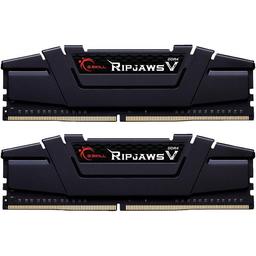
G.Skill Ripjaws V 64 GB (2 x 32 GB) DDR4-3600 CL16 Memory (F4-3600C16D-64GVK)
languid nimbus
potent portal
There's always old reliable. Compatibility was an issue on 9th gen but G.Skill i...
Is it worth the extra price for the typical consumer to get b-die?
potent portal
Absolutely not
potent portal
Especially on 9th gen, it's not like it'll be running at 4400 c16
earnest olive
b-die is worthless if you are just going to run it at xmp
potent portal
Sure the primary timings on b-die are low, but the secondary/tertiary are where it really shines and XMP won't set those.
languid nimbus
Awesome, thanks fellas
potent portal
Oh that memory kit also assumes he has a Z series board. Otherwise XMP is locked out.
earnest olive
not locked out, but capped at 2666 frequency
potent portal
Right, capped, that's the word I was looking for
earnest olive
basically you’ll get 2666 16-19-19-39 @ 1.35v instead of 2666 19-19-19-43 1.2v
lmao
 rugged swan
any help on a new computer build for gaming (and little work). Only issue is I have some old drives in my current computer that I would like to reinstall but they are from 10 years ago. My current has 5x drives in it and I wanted to keep same but worried they wont be able to be installed
earnest olive
if they’re 10 years old they’re probably sata
pretty easy to build a modern computer that’ll still support 6 sata
rugged swan
what would be the older version of sata? I think some of them had more pins then sata.
earnest olive
if it’s not sata it’s a lot older than 10 years old
 stoic island
Could be sas or pata
earnest olive
sata is 20 years old
leaden mauve
earnest olive
basically you’ll get 2666 16-19-19-39 @ 1.35v instead of 2666 19-19-19-43 1.2v
ddr3 better
rugged swan
just looking at some pics I see that sata has a slip over type plug but some have pins
earnest olive
what drives are they
rugged swan
stoic island
What drives do you have?
rugged swan
forget it. I am not smart enough to describe.... link didnt work either. I will have to check when at home as I was doing this on company time
Just really want a good gaming machine with lots of room for drives. I had my old one for 12 years but its on its last legs
dusty cedar
rugged swan
what would be the older version of sata? I think some of them had more pins then...
ide
you don't really need a lot of drives these days. a simple nvme drive can hold all 6 hhds worth of your stuff plus more
or you can get a single nvme ssd and then get an 18tb hdd
earnest olive
I find it hard to believe he bought ide drives 10 years ago
rugged swan
where does a NVMe install to? does it mount like a HD
dusty cedar
earnest olive
I find it hard to believe he bought ide drives 10 years ago
i built a pc years ago from scrap pcs left at the side of the road 10 years ago that had a mix of ide and sata
earnest olive
ide drives fell out of relevancy by the early 2000s
rugged swan
I am old...... and just kept old drives
earnest olive
rugged swan
where does a NVMe install to? does it mount like a HD
no, it goes directly on your motherboard
just a slot and a screw, no cables or anything
stoic island
Nvme drives usually come in the m.2 form factor that plugs right into the board
rugged swan
oh ok thanks. I think that is a better idea and then just copy old info over. Will then have a back up..... very smart.
earnest olive
rugged swan
I am old...... and just kept old drives
if these were old drives 10 years ago probably time to replace them
dusty cedar
everyone kept suggesting this for me so i'll suggest it to you.
earnest olive
avoiding e-waste is great but not sure you need to carry over drives that are of legal drinking age
rugged swan
ya I agree but I only store old stuff and just like having it at my finger tips... but if they were to crash I would be sad
earnest olive
if your drives are IDE they’re probably older than quite a few users here
I wouldn’t be relying on IDE drives, sounds dangerous
stoic island
rugged swan
ya I agree but I only store old stuff and just like having it at my finger tips....
Could be worth just throwing it on some backup service like backblaze if you want backup and don't actually need the data on your PC
earnest olive
dusty cedar
gonna be more storage than you'll ever need or use in your lifetime
that’s a pretty bold claim to make
rugged swan
as mentioned I am old so are my drives and basically all things in my house. but I am getting a new computer and want it to last as I am not a hard core gamer but do play often. My guess is to build a new one with this type of drive and copy old stuff over. Any recomends on a new machine?
dusty cedar
earnest olive
that’s a pretty bold claim to make
depends on usage tbh
earnest olive
what if he’s editing 64K raw footage in 20 years and 12tb is nothing lol
stoic island
What's your budget and what do you want to do with it?
earnest olive
something something nobody will ever need more than 640K of memory
rugged swan
$ 2000 canadian (so around $1500 US) - Home computer so I play games, some video and work (nothing too taxing)
stoic island
Everything from Canadian retailers, right?
rugged swan
ya it makes life easier without customs and stuff
dusty cedar
earnest olive
if your drives are IDE they’re probably older than quite a few users here
i'm 37 and still remember using them and being excite when sata became a thing. lol
potent portal
I'm not even 30 and I remember using pata drives
dusty cedar
potent portal
I'm not even 30 and I remember using pata drives
talking about IDE drives
earnest olive
I’m 24 and remember being excited to get rid of sata forever (that was last year)
stoic island
Pata is the standard and IDE was a marketing name iirc
dusty cedar
i just remember them being ide idk
potent portal
Different names for the same thing
dusty cedar
tomato tomato
potent portal
You know what I don't miss? IRQ resource allocation 💀
dusty cedar
rugged swan
$ 2000 canadian (so around $1500 US) - Home computer so I play games, some video...

earnest olive
Part List - Intel Core i5-13400F, GeForce RTX 4070 Ti, Fractal Design Focus 2 RGB ATX Mid Tower
rugged swan
thank you!
stoic island
If you could spend a bit more, I'd recommend a bigger drive
dusty cedar
or came down on the video card you could get a bigger drive and stay around the same price point
rugged swan
ya I think I may. Last one lasted so long for my use and I spent a lot then. Makes it worth it
dusty cedar
thats what i did at least
stoic island
GPU pricing is pretty terrible for cad, you'd lose a good bit of performance if you drop it down to like a 3070 or 6800xt to save money
earnest olive
$2040 if you want to double the p41 to 2tb
stoic island
yea
earnest olive
6900xt/6950xt/7900xt/7900xtx basically doesn’t exist
4070ti cheaper than all of them
stoic island
But yea, extra 60$ for p41 plus 2tb to double the storage and extra 20$ for ag620 for a bit better cooler are what I'd recommend if you can go above budget a bit
earnest olive
could also do 1tb ssd and grab a large hard drive to store the contents of your old drives
stoic island
that's another option
earnest olive
I think this cooler is already pretty overkill for the cpu tbh
stoic island
isn't 13400 skimped 12600k iirc?
earnest olive
I slapped an se-214-xt on a 13400f and it already felt overkill after looking at load temps lol
stoic island
huh
stoic island
smallffts
dusty cedar
wouldnt he need a cable that can convert ide into sata at least in order to transfer his data? because honestly, boards these days dont even have ide pins anymore
stoic island
do it
earnest olive
and default fan curve
stoic island
converters are cheap from amazon whenever they figure out what kind of drives they have
earnest olive
dusty cedar
wouldnt he need a cable that can convert ide into sata at least in order to tran...
can probably do it with the current pc
if it’s 10 years old it could even have an nvme slot lol
actually no that would be 9 years old not 10
but it’ll definitely have sata
for if he goes hard drive route
dusty cedar
he did say that he has the drive type that was before sata and the only thing that comes to mind is ide.
potent portal
stoic island
GPU pricing is pretty terrible for cad, you'd lose a good bit of performance if ...
A 3070 is about 60% of the fps at the same settings as a 4070 ti even
stoic island
prices are just pretty sad
dusty cedar
rugged swan
ya I think I may. Last one lasted so long for my use and I spent a lot then. Mak...
is it this drive that you have?
 rugged swan
yes that is a few of them
dusty cedar
 rugged swan
and yes that one too. I think it would be the time to copy that data over to a new drive so I no longer need a new computer with those avaiable.
dusty cedar
yeah you'll need a converter or adapter in order to transfer data from the hard drive in the first picture to your new computer
potent portal
Luckily those adapters are cheap
rugged swan
I have one of those usb type plug in's for the drive. It may take time but I think I can just copy over and
dusty cedar
rugged swan
I have one of those usb type plug in's for the drive. It may take time but I thi...
yeah you can also do that
gonna take absolutely forever but it can be done
rugged swan
time is something I can provide...
earnest olive
what’s the total capacity of your stuff in your old drives
potent portal
dusty cedar
is it this drive that you have?
https://cdn8.bigcommerce.com/s-a1x7hg2jgk/image...
Oh the jumpers, another thing I totally hated besides the IRQ. Cleaning your computer? You need to move the ribbon out of the way. Forgot which end went to which drive? Cross your fingers it works at all because if you plug a secondary master into the secondary slave it just won't detect.
rugged swan
Honestly not very much data. Just multiple old drives with info I would like to keep. I would say less then 1TB but really like this idea on the NVme drive. Never heard of it before and seems like a great one.
earnest olive
you could just grab a cheap 1tb sata hard drive to consolidate them if it’s not data that requires particularly fast access
which it probably doesn’t if you’ve been fine leaving them on IDE hard drives
verbal plover
Ok I got uh
earnest olive
well
just looked at the prices of hard drives in canada
and for those prices you might as well just do 2tb ssd lol
Part List - Intel Core i5-13400F, GeForce RTX 4070 Ti, Fractal Design Focus 2 RGB ATX Mid Tower
rugged swan
you get used to the fact we pay a hell of a lot more in Canada.
earnest olive
stoic island
smallffts
also I forgot to reply to this earlier but I don’t have the machine anymore
but if it was doing mid 60s in cinebench can't imagine it would go above 70s in small ffts
verbal plover
got the motherboard in
now I'm trying to do the cables that were in the case
big confused tho
 cursive wharf
earnest olive
6900xt/6950xt/7900xt/7900xtx basically doesn’t exist
cursive wharf
earnest olive
6900xt/6950xt/7900xt/7900xtx basically doesn’t exist
With CAN PCPP the prices are typically not great compared to looking at the sites themselves
 cursive wharf
Usually gotta goto CC/ME/BB site and search for good prices.
earnest olive

cursive wharf
Get a PDF version, search F_PANEL
 verbal plover
omg ty
earnest olive
👍
stoic island
earnest olive
but if it was doing mid 60s in cinebench can't imagine it would go above 70s in ...
Smallffts should saturate faster too
My old 3800x did like mid 70s in cinebench and jumped to 90s with smallffts lol
But that was r20, r23 might be better
verbal plover
is this the right hole

the plug itself has no label and I don't see it in the case manual uhh
dusty cedar
what does the actual plug look like or better yet, where is the other end of that connecting to?
verbal plover
one of the front io things
I'll take pic of the plug end

it seems like it goes in that hole
I'm doin it
cursive wharf
USB 3.2.2(x2) header, typically type C on cases
potent portal
It's not always x2 though a lot of boards are 10Gb on that port so it's x1
cursive wharf
Thus the brackets, meaning sometimes
potent portal
Ah that's what that meant
cyan ravine
@ornate condor so when are we gonna see your real build
potent portal
What, is there a 4th one now?
 verbal plover
the fan daisy chains are confusing me
dusky hearth
connect them together
verbal plover
why does the thing have 2 argbs
dusky hearth
plug one into mobo
verbal plover
like
it has one argb for the motherboard, and one that has pins
whats that one for
dusky hearth
for daisy chaining
dusky hearth
still probably for daisy chaining lmao
verbal plover
bruh
dusky hearth
each fan probably has like, 3 cables? fan, rgb, rgb daisychain?

 dusky hearth
hmm
kinda hard to tell what those connectors are from that angle lmao
it's likely to still be for daisy chaning another rank of rgb fans
there's not really anything else that it could be
verbal plover
So like
if u have 2 sets of 3 fans
nvm idfk
do u connect it to the second set of fans
cuz I have 6
dusky hearth
probably can be more? it seems like you connected that last cable to that last fan cable?
your images have made it more ambiguous lmao
dusky hearth
lmao
dusky hearth
yeah
i think that wide connector is a sata power connector? also ignore that one i think
verbal plover
so why does it have a sata
dusky hearth
probably for people that don't have a fan header? i'm not too sure
some fans used to come with a fan header, and molex
might be a similar situation as that
dusky hearth
yeah, but no fan speed control
dusky hearth
verbal plover
so sata can just power fans on its own?
it's the sata power, not the sata data cables lmao
verbal plover
gotcha
dusky hearth
if fans/rgb isn't working properly though, it might be the sata power, but it's highly probable that it's wired to be using one or the other
dusty cedar
did your motherboard come with a manual?
verbal plover
Are the screws for fans supposed to be hard to tighten?
verbal plover
dusty cedar
did your motherboard come with a manual?
Nope! Mine didn't, I was surprised
But you can just find the manual online
dusty cedar
what motherboard is it
verbal plover
z790 aorus elite ax
dusty cedar
after you have everything together and you boot it up youre gonna need these drivers....
https://www.gigabyte.com/Motherboard/Z790-AORUS-ELITE-AX-rev-10/support#support-dl-driver
also....

GIGABYTE
Lasting Quality from GIGABYTE.GIGABYTE Ultra Durable™ motherboards bring together a unique blend of features and technologies that offer users the absolute ...
the manual is gonna have a pin guide to your motherboard. just plug things in where they're supposed to go, hide the wires and you're ready to boot up for the first time, run your bios and get your drivers installed and then os
youre over thinking things. computers are easy to put together. its like lego bricks. they all snap together.
side note. unless you have 4 sticks of ram don't stack them right next to each other.
x-|-x-|
where the x means don't put anything there
verbal plover
@dusty cedar So uh
the rgb pins from the fans are 3 pin
all the led headers on the mobo have 4 pins
uh
well there's two 3 pin headers but they're taken by the case's 2 led plugs
bruh
I guess I have to choose between case rgb and fan rgb
until I get a fan hub or something
earnest olive
the fans all have argb daisy chain
do the argb cables coming out of the case not?
what case is it?
obsidian wolf

Will it burn?
Don’t mind cable management please I am just trying to get the computer running at this point
earnest olive
what do you mean by will it burn lol
cyan ravine
Preferably run 2 pcie cables instead of 1 daisied
earnest olive
what are we looking at
cyan ravine
It won't burn but you'll have more redundancy
dusty cedar
verbal plover
<@517014016682491916> So uh
sorry i was playing among us while waiting for a download to finish.
obsidian wolf
cyan ravine
It won't burn but you'll have more redundancy
Does this mean unplugging it again
paper summit
Yes
dusky hearth
verbal plover
Are the screws for fans supposed to be hard to tighten?
fans don't have threading, the screws self tap into the fan
verbal plover
earnest olive
do the argb cables coming out of the case not?
actually the case ones are both in one, and the AIO fans are in another. Case is O11 dynamic evo
earnest olive
if he managed to daisy chain the case rgb then it's fine
verbal plover
I think my old pre-built might have one actually
earnest olive
no controller needed
verbal plover
earnest olive
if he managed to daisy chain the case rgb then it's fine
nono they already were
earnest olive
then it's fine
earnest olive
?
verbal plover
like
cyan ravine
Something like this will help

The new MasterFan ARGB and PWM HUB is capable of connecting up to 6 sets of Addressable RGB (3-pin) headers and PWM headers simultaneously. It enables users to expand cooling capability and enjoy greater system performance. Its small and compact design allows you to control your PWM ARGB fans in high efficiency while still can keep your cables...
earnest olive
is the case rgb daisy chained or not
cyan ravine
earnest olive
is the case rgb daisy chained or not
The case doesn't daisy chain also it's like, 30 lights in the strip
verbal plover
earnest olive
is the case rgb daisy chained or not
yes its taking one of the argb headers, and the aio are in the other
and the other 2 led headers are 4 pins
cyan ravine
Yeah you need a hub mate
earnest olive
that should be fine? aio should only need one header for the whole thing
dusty cedar
verbal plover
actually the case ones are both in one, and the AIO fans are in another. Case is...
you should have more than enough headers to run your rgb and fans?
specs list and your manual says it has 2 rgb headers, 2 argb headers, 3 system fan headers, 1 cpu fan header and a pump header
cyan ravine
He wants his fans rgb to work too lol
verbal plover
hold on
earnest olive
the fans have daisy chain
verbal plover
my old pre-built has something ill send pic
cyan ravine
Yeah and how many fans are we talking?
earnest olive
cyan ravine
The case doesn't daisy chain also it's like, 30 lights in the strip
me running 132 leds off of one header: 
 cyan ravine
verbal plover
cyan ravine
verbal plover
You can literally take that and use it
dusty cedar
thats all argb right?
earnest olive
check the power cable on the bottom
verbal plover
 earnest olive
hopefully it's just sata and not some proprietary crap
verbal plover
its connected to sata i think
cyan ravine
Unscrew that and use it


 cyan ravine
Dragons how many fans have you got