#building-and-recc-chat
1 messages · Page 90 of 1
 maiden gulch
ah okay, think maybe moving to a different socket maybe help/
 cyan ravine
It can yeah
 toxic wraith
I’m not getting any hdmi signal from my pc anyone have any ideas on how to get rid of this
maiden gulch
okay cool i'll try that. familiar with TFORCE, any common issues with them? kinda petty but it matched my build is why i bought it hahhaa
video card working fine pheeny? or are you using on board graphics?
i just swithed over from AMD and i've been having troubles ever since lol
cyan ravine
maiden gulch
okay cool i'll try that. familiar with TFORCE, any common issues with them? ki...
More likely just something's up, a bad egg. We don't get them often here and it's rarely brand or model specific
T force ram is fine, just might be luck
maiden gulch
yeah that would be my luck. thanks bud i'll try my luck here
toxic wraith
Aaaa my aio pump isn’t lighting up is there a way to fix this
That might be the issue of my hdmi signal
toxic wraith
Bro I messed everything up and I spent two days building this whenever I power on my pc Thor fans won’t turn the rgb won’t turn on anymore either and the rams rgb doesn’t either I give up this is so annoying if anyone has any advice pls tell me Ty
maiden gulch
so it's a new build? are you sure you've got power at your GPU?
maiden gulch
toxic wraith
Bro I messed everything up and I spent two days building this whenever I power o...
Make sure you've got PCIE cables attacked to your GPU and it's seated properly.
 mossy venture
toxic wraith
Bro I messed everything up and I spent two days building this whenever I power o...
mossy venture
toxic wraith
Bro I messed everything up and I spent two days building this whenever I power o...
has it never powered on before?
is this the first attempt?
 edgy hazel
hey anyone on?
 limber oyster
new cpu cooler will be here tuesday
hopefully it fits my case and doesnt interfer with my gpu and ram
toxic wraith
mossy venture
has it never powered on before?
It has powered on before
toxic wraith
maiden gulch
Make sure you've got PCIE cables attacked to your GPU and it's seated properly.
Using an integrated gpu
 south cliff
He was trying the pc in a different part of his house
toxic wraith
Can anyone help me with my problem? My pc has been able to boot before and it had so hdmi signal so I was trying to fix it but something happened and now my rams rgb won’t turn on and my fans don’t turn anymore either
maiden gulch
take out the bios battery and try and reset that, could be a bad board bud
 desert thicket
Hey any build for 981$? Please send me recommendations or should I go with prebuilt
 languid nimbus
 coarse coral
desert thicket
Hey any build for 981$? Please send me recommendations or should I go with preb...
coarse coral
desert thicket
Hey any build for 981$? Please send me recommendations or should I go with preb...
what will you be using it for
mossy venture
desert thicket
Hey any build for 981$? Please send me recommendations or should I go with preb...
Part List - AMD Ryzen 5 5600, Radeon RX 6700 XT, Cougar MX330-G ATX Mid Tower
 upper condor
Having ethernet problems, I just got a brand new cable so I know it's something with my computer that's causing it

I have amazing download but little to no upload
 earnest olive
LOL i have never seen something like that before
try manually installing latest driver
upper condor
earnest olive
try manually installing latest driver
Every time I try to uninstall the drivers it instantly reinstalls one from 2021 😭
earnest olive
just install latest driver without uninstalling old one
upper condor
Then it doesn't install at all
earnest olive
windows hardware compatibility publisher does not like it when hardware sits there with no drivers
do you have an intel system?
upper condor
Yep
earnest olive
try using intel dsa
upper condor
Well, AMD but intel drivers for lan
upper condor
The drivers I have installed are from 7/28/2021 for Intel(R) Ethernet Controller I225-V
And I can't install the drivers on my MOBO page for some reason
earnest olive
https://www.intel.com/content/www/us/en/download/15084/intel-ethernet-adapter-complete-driver-pack.html driver from 12/19/2022

Intel
This download installs version 27.8 of the Intel® Ethernet Adapter Complete Driver Pack for supported OS versions.
try it
 potent portal
He tried that on another install and blue screened so bad recovery mode failed and had to reinstall so... Fingers crossed? Lol
My theory is the bad cable (physical damage) shorted the port
Hopefully I'm wrong
upper condor
Ok so for some inexplicable reason it worked
I restarted my PC
Back to the same problem as before lmao
potent portal
Well there's always the nuclear option, disable automatic driver installation
 empty pollen
you sure is not your provider?
upper condor
empty pollen
you sure is not your provider?
I'm almost certain because literally a week ago it was working perfectly on my old PC and 2 days ago on my xbox
empty pollen
like trying a speedtest on your phone just to be sure
upper condor
Oh yeah it works perfect on everything else
upper condor
potent portal
Well there's always the nuclear option, disable automatic driver installation
How exactly does one do this
potent portal
upper condor
How exactly does one do this
Are you on pro or home windows
empty pollen
can you do a speedtest on your phone and share the screenshot with us plz?
upper condor

LOL I was trying to send the image on the ethernet and it doesn't work cause no upload
upper condor
potent portal
Are you on pro or home windows
pro
potent portal
Super easy then, you can do it from gpedit
upper condor
Yeah I have a really good plan and I get the advertised download lol
upper condor
potent portal
Super easy then, you can do it from gpedit
Uhhh I'm in it just no clue how to actually do it lol
potent portal
Computer Configuration -> Administrative Templates -> Windows Components -> Windows Update -> Manage Updates offered from Windows Update. Double-click the policy “Do not include drivers with Windows Updates” in the right window. Click Enabled -> Apply -> OK
upper condor
I dont see "Manage Updates offered from Windows Update" but I do see configure automatic updates and turn on recommended updates via utomatic updates
Ah no I got it
Alright let me do this all over real quick
Ok well it still has 0 upload
But I don't understand why because it worked for like, 2 speed tests
Got 350-425 mbps and it went back to 0 after I restarted my PC
Which makes me hope its not a fried port?? idk lol
cyan ravine
Is this happening on other devices over ethernet?
upper condor
I used my xbox a few days ago with ethernet and it seemed fine, I can test a laptop real quick though
cyan ravine
Ye give it a try cos there might be something else to it
Try a different ethernet port on your router too if you haven't already
potent portal
Did it revert the driver again after you rebooted or did the new version stick that time?
upper condor
cyan ravine
Try a different ethernet port on your router too if you haven't already
Different port did the same thing, I'll try the last one rq
upper condor
potent portal
Did it revert the driver again after you rebooted or did the new version stick t...
It stuck which is the weird thing
potent portal
Your chipset driver is installed right?
upper condor
potent portal
Your chipset driver is installed right?
Should be? Where do I check that
Last port also did nothing
 potent portal
Yep installed
upper condor
Is there a way to just uninstall all drivers for everything lol? I used the gigabyte auto driver download thing
And that might've messed something up that I don't know about
 ornate condor
I got RM850x white ( 2021) but it including only 2x8pin gpu cable but 3x8pin cpu cable lol what the heck is that 
I need 3x8 pin 
potent portal
It's supposed to have more PCIe, weird.

It should have 4 plugs, 2 daisy chained. The Corsair Type 4 cables are fine to use the daisy chain.
potent portal
If it didn't come with the second set of plugs contact corsair and I'm sure they'll send you another free
ornate condor
it have 2xpcie with 2 ends . is it safe to connect 2 cable abd daisy chain 3th one to 3090 ?
upper condor
Windows really hates me don't they
I've tried every port with 2 ethernet cables nothing
Is there a way to check if it's the motherboard port not working?
It has the flashing lights and everything
potent portal
Boot Linux off a USB
upper condor
I have no clue how to do that
Do I just download linux onto a usb and put that usb #1 in boot priority?
ornate condor
3090 time 
 upper condor
Yeah just the 25 it shows
potent portal
Mint has a Windows-like interface if you you prefer that
 jagged ember
Probably mint tbh
cyan ravine
ornate condor
3090 time <:perfection:816740503038459964>
Urs?
upper condor
Alright downloading it rq
 ornate condor
cyan ravine
So why 4 16gb ddr5
ornate condor
cyan ravine
So why 4 16gb ddr5
For make it look good for pics lol I will remove 2 sticks later

 ornate condor
12900k
32gb 5600mhz
White Strix 3090
Built it couse I had lots of parts laying around
 fossil cedar
So last gen smh/s
potent portal
Just had a 12900k "lying around" smh
ornate condor
Yes it's my old 12900k lol
upper condor
potent portal
It's the same process as making a Windows install USB
Do I use rufus or just on its own it'll work?
potent portal
Rufus should do everything, extracting and making the boot loader and all
 cyan ravine
Damaged cable?
south cliff
It’s not even posting
cyan ravine
What is this curse
south cliff
Bro idk
cyan ravine
Please explain the picture it's blurry
south cliff
 cyan ravine
Ok tell me what's different about when he plugs the pc in versus when you plugged it in
Specifically inside the pc
What's different
cyan ravine
Then you shouldn't be disassembling the pc again because the pc itself works in your house but not his 💀
potent portal
Is that really the problem? It works in one house but not another? That's dirty power
A UPS would solve that
potent portal
You tried a UPS? Is that what you're saying?
cyan ravine
Yeah but the new one works at your house, no?
potent portal
Right, and if it works at one house but not another that's dirty power
Either bad voltage or bad frequency
cyan ravine
Absolutely
potent portal
And a line interactive UPS would clean up the power
cyan ravine
I agree with fal
south cliff
Ok what is a good psu for like 50
cyan ravine
You've demonstrated the isolated issue, a UPS would be the next step
No no not psu, ups
south cliff
?
cyan ravine
We aren't mixing up the letters
potent portal
uninterruptible power supply
cyan ravine

CyberPower Value Pro 1600VA/960Watt UPS, Line Interactive, Tower, 3 Input Only Battery and Surge, 1x Surge Protection Only, LCD Status Display at Scorptec.com.au, the online Gaming PC, server computer and technology experts. Fast delivery to Australia.
200 usd-ish
south cliff
We’ll
south cliff
Well he only got 50 bucks to spend
south cliff
So power supply is good?
upper condor
Dude @potent portal
I wiped my PC to see if it would work
It gave me 900 mbps upload
I restart its back at 0 😭😭😭
I’m actually so confused
upper condor
Why does it work perfectly then I restart my pc then not work at all
cyan ravine
Or the installed ethernet driver is just a bad driver for it
cyan ravine
south cliff
Because now it won’t even post
At your house?
upper condor
cyan ravine
Or the installed ethernet driver is just a bad driver for it
It’s the same driver both times is the thing
south cliff
No his
cyan ravine
south cliff
No his
Again, he should try a ups
cyan ravine
upper condor
It’s the same driver both times is the thing
No but wiping install will likely be a different driver, no?
south cliff
cyan ravine
Again, he should try a ups
Is it guaranteed to work?
cyan ravine
Fresh windows will have a set of basic drivers that allow it to work, but after any updates that can/may change
upper condor
cyan ravine
No but wiping install will likely be a different driver, no?
Yeah I checked and it was the same version
cyan ravine
Ima link you to a server that can really help with this
cyan ravine
south cliff
Is it guaranteed to work?
Can never guarantee anything, but I give it high chances it helps, if not, there's always returns
Ask about this in there, they're networking gurus
south cliff
cyan ravine
Can never guarantee anything, but I give it high chances it helps, if not, there...
I’m going to take it back to my house and see if it works
potent portal
south cliff
Well he only got 50 bucks to spend
Lowest cost line interactive UPS I can find is $65 https://www.newegg.com/tripp-lite-avr550u/p/N82E16842111031
potent portal
cyan ravine
Fal why
No links to other discords
cyan ravine
Oh
potent portal
potent portal
Lowest cost line interactive UPS I can find is $65 https://www.newegg.com/tripp-...
It needs to be line interactive or online to clean up the power, the third type, standby, doesn't
cyan ravine
Well if you google "homelab discord" it comes up straight away @upper condor
It's a very helpful place, I learned a lot there
south cliff
potent portal
Lowest cost line interactive UPS I can find is $65 https://www.newegg.com/tripp-...
I’m going to see if it works at my house and if it works out to him about it
To buy it
upper condor
cyan ravine
Well if you google "homelab discord" it comes up straight away <@330030025799761...
yeah i got in it before link was gone :p
ill try to figure it out there thanks for the help
cyan ravine

upper condor
I wanna say it's hardware and just go to micro center for the swap out lol
But why would it work then
Until I restart it
cyan ravine
See what they say and if they can't figure it out then I'd consider a board/ethernet card rma
upper condor
cyan ravine
See what they say and if they can't figure it out then I'd consider a board/ethe...
Did the Linux thing and it works perfectly in Linux lol
cyan ravine
So it's something windows is doing then
upper condor
Yeah I’m just like absolutely wiping my PC now
cyan ravine
Oh yeah I'm reading it back now, I'll try to remember that advice they gave you
@upper condor this is an intel ethernet controller?
toxic wraith
Pls help my fans on my aio rgb is working but the fans themselves aren’t spinning my rgb on ram won’t and it did earlier and my aio pump isn’t working
upper condor
cyan ravine
<@330030025799761921> this is an intel ethernet controller?
Yep
If anyone has problems with it send them my way lol!
cyan ravine
Ah yeah I've had flakiness from intel ethernet a few times
But that said, my experience has been otherwise good
upper condor
It worked fine for the first 20 minutes until I installed all my drivers
cyan ravine
Ok
cyan ravine
If it happens again I may know a trick
cyan ravine
upper condor
Should I do a local reinstall of windows?
Up to you really, probably the wiser idea to isolate it first yeah
Normal reset does drivers and apps only iirc
So your files stay
toxic wraith
toxic wraith
Pls help my fans on my aio rgb is working but the fans themselves aren’t spinnin...
.
 stoic island
Take picture
upper condor
cyan ravine
Up to you really, probably the wiser idea to isolate it first yeah
Alright well problem happened again. I know what caused it this time though
So I'll just wipe my PC again and make sure that problem doesn't happen lol
If anyone comes in with an aorus b650 pro AX and Ethernet problems
Tell them the drivers on the website are wrong and cause it to break lmao
Just go to the actual Intel website
cyan ravine
@upper condor you got it working now?
upper condor
cyan ravine
<@330030025799761921> you got it working now?
I did, until I tried to install the drivers from my MOBO website for LAN
cyan ravine
Yep that's happened to me before
toxic wraith
Bro now my pc doesn’t even have power now
upper condor
Guess they’re corrupted or something weird because it said “there was a problem installing this driver”
toxic wraith
What is happening
upper condor
And then it went back to before
upper condor
I’m just wiping my PC again and using official Intel drivers
toxic wraith
Very noce
cyan ravine
upper condor
I’m just wiping my PC again and using official Intel drivers
Yeah I roll back to the first driver, then I disable and reenable the ethernet clntroller in device manager, that's how I've managed to get it working before
Same idea just a different execution
And can vouch for gigabyte's intel ethernet drivers being broken to heck, I've had the same experience lol
toxic wraith
Help my pc went from no hdmi signal to fans not spinning to rgb on ram not working to the entire pc not turning on
 buoyant patrol
What’s a good price for a 3080 new
fossil cedar
Like 600-700$
Assuming you're actually in the US, it'll different in other countries
Especially when this is 730$
https://pcpartpicker.com/product/BM92FT/xfx-radeon-rx-6950-xt-16-gb-speedster-merc-319-video-card-rx-695xatbd9

XFX Speedster MERC 319 Radeon RX 6950 XT 16 GB Video Card (RX-695XATBD9)
buoyant patrol
I’d personally prefer amd too cuz raytracing and dlss is overrated to an extent
But buddy wants a Nvidia card
fossil cedar
Dlss isnt overrated tbh it's pretty good you can't just count on it tho
4070 ti's are cheaper than new 3080s now
So
south cliff
potent portal
It needs to be line interactive or online to clean up the power, the third type,...
Also the pc worked perfectly fine with his old gt710
In his room
potent portal
Which uses next to no power
Adding additional load caused the problem to appear. A new midrange GPU uses more power at boot than a 710 uses at full load
maiden gulch
So felix, i tried moving my ram to different slots, tried every slot with only one stick of ram, still blue screen
put my ssd and GPU in my buddies computer runs fine.
i'm wondering if theres a corrupted file somewhere but i cant keep the rig running long enough to diagnose anything
sad that this old 8350 rig keeps chugging along yet i've had problems with both my 10500 and 13600 rigs...
south cliff
potent portal
Adding additional load caused the problem to appear. A new midrange GPU uses mor...
Yeah, I brought it back home and it’s working
 quasi knot
What would I use to power this? Didn't come with power cord/adapter and only says to use 5V DC for voltage
 quasi knot
stoic island
Is it Corsair?
quasi knot
stoic island
Is it Corsair?
Brand is BTF Lighting, and model name is "WS2812B Led strip"
south cliff
potent portal
Lowest cost line interactive UPS I can find is $65 https://www.newegg.com/tripp-...
Will throw one work with 9400f and rx 6600
cyan ravine
quasi knot
Brand is BTF Lighting, and model name is "WS2812B Led strip"
Ah, alphacool uses the same rgb connectors as well as deepcool
stoic island
What does the manual say, does it come with an adapter?
quasi knot
Guessing I'll need to find either a USB to 5v dc adapter or wall to 3 pin 5v dc
stoic island
If you have a gigabyte board with a vdg header you should be able to plug it in there IF pinouts are as expected
cyan ravine
I'm pretty sure anyway, those are 5v argb led strips
quasi knot
Well I have a gigabyte aorus z590 pro, but I was planning on having it external, and since it's 16.5 ft and short power cable that would be kind of awkward to run
cyan ravine
16.5 ft how many led's is it??
quasi knot
Package said 300
quasi knot
That's what I was thinking, said 18-90W
cyan ravine
Yeah 90w full power would be an external source for sure
If you could limit the brightness to 80% you could find an rgb controller that does 300 lights
quasi knot
Do you have any recommendations on power supplies for it by any chance?
quasi knot
cyan ravine
Them suggesting 5v dc for voltage makes sense
Do you know if someone like this would work then?
https://www.amazon.com/dp/B07JW73KVR?tag=cals0b-20&linkCode=ogi&th=1&psc=1

2 Pack USB to 3-Pin / 4-Pin PWM 5V USB Sleeved Fan Power Adapter Cable, USB to 3 Pin / 4 Pin Case Fan Adapter Connector Cable (USB-3Pin/4Pin Cable)
cyan ravine
Not a clue
Ngl
It probably powers it but you'll get the basic colour profile
That would def be for a dc plug
 analog pulsar
Hmmmmmmm

 desert gulch
cyan ravine
It probably powers it but you'll get the basic colour profile
desert gulch
cyan ravine
It probably powers it but you'll get the basic colour profile
*color
/s
fossil cedar
desert gulch
*color
You funny Americans and your freedom units
desert gulch
We are indeed goofy
And then it's funny some of us realize our units are dumb so we double down to not let the metric weirdos win
Like here, we have 12 inches per foot, but some engineers use .xx of a foot, like .50 of a foot lol
So dumb
analog pulsar
@earnest olive @subtle halo i told you both for some reason openRGB never works for me never detects ram and some times loses mobo.....nevermind this

i have a warning

 analog pulsar
you think i can read
analog pulsar
okay it seems to work now 
 subtle halo
the error is quite windows side.. u must something that blocks its wingring0 setup
google how to until it starts xD
cyan ravine
Winwingringwing
 digital nebula

south cliff
@cyan ravine how does a ups work
cyan ravine
2 things
- Gives you extra power if the power goes out so you can turn off the computer safely
- Filters the power to the computer so it's much cleaner, fixing stability issues
 strong raft
10-100min depending on load & battery size. My 1500VA ups can do a 100w "idle" pc for maybe 40min.
south cliff
Well I don’t think that would be enough for him is there another option instead of use it a ups
He would be using it a lot
And playing video games a lot
cyan ravine
It only will kick in the battery power when the power goes out
You can run the pc for months, years with a ups
They use ups' in places like hospitals or servers where they can't afford downtime and must keep running
cyan ravine
ye and ye
south cliff
Ok so it will give it the power that is left
Or needed that the outlet doesn’t give
APC UPS 450VA Battery Backup Surge Protector, BN450M Backup Battery Power Supply
Would this one work
upper condor
@cyan ravine after a clean wipe and not even installing the drivers its back to no upload 😭
The drivers arent uninstalling though neither is nvidia software
even when i chose the like super clean wipe
But it was working on linux
For some reason even after wiping my PC I keep my drivers
Could it be backing up or something? I wanna just completely remove all drivers lol
 plucky timber
is it a prebuilt or a laptop?
upper condor
plucky timber
is it a prebuilt or a laptop?
Nah built it myself
upper condor
I have a hard drive? maybe its saving something on there idk
plucky timber
i've seen oem computers do that but not custom built
upper condor
Yeah what's weird is on linux it has normal upload and for a few minutes after I wipe my PC it has good upload
And then it goes back to 0 upload fast download
But I can still like, type messages in discord or join voice calls
Do I RMA the board just to see lol or what
cyan ravine
If linux is working fine but windows isn't it's def a windows driver problem
south cliff
cyan ravine
If linux is working fine but windows isn't it's def a windows driver problem
So the ups takes power from the wall and then uses its own power?
upper condor
cyan ravine
If linux is working fine but windows isn't it's def a windows driver problem
Yeah but windows worked fine for a bit and I only tried Linux for a bit
Might try to stay on Linux for like an hour tomorrow and see if it still works
cyan ravine
south cliff
Would this one work
Not my expertise area sorry, you'll have to do a bit of research
Just make sure you overprovision a bit
cyan ravine
upper condor
And now it's working LOL
On windows???
south cliff
cyan ravine
Not my expertise area sorry, you'll have to do a bit of research
Well on a budget
cyan ravine
upper condor
Being weird
As I said I've had it be flakey with me before too, specifically that ethernet controller
Intel i-225v moment
south cliff
But you think the 250 watt would be enough
cyan ravine
south cliff
But you think the 250 watt would be enough
No
I would go for like 650W or something far greater
But again, not my field of expertise
I just know they help a lot with dirty power, I don't use one myself. Lol
strong raft
Decent ups would be more like 600VA, and that's not watts btw. The battery isn't used until power goes out. UPS helps most when power goes out often or just momentarily. I consider myself lucky the many power outages didn't hurt part of my pc .
south cliff
strong raft
Decent ups would be more like 600VA, and that's not watts btw. The battery isn't...
So the 250 watt one would work
?
strong raft
Perhaps. A 450VA (255w) model would be good for around 10min backup w/ 150w-ish load.
south cliff
Yeah I don’t need it for a backup it’s that his outlet or house or whatever doesn’t run the pc
The pc works at my house but not his
strong raft
Idk, their place has issues. Need an outlet to charge the battery in the 1st place also.
south cliff
It’s just his room
So he could charge it in another room and plug it back in his room and it should work
But not just for 10 minutes
strong raft
Yea exactly, basically pointless. I'd be running a heavy duty extension cord if I needed to. 

south cliff
The thing I’m confused about is that it comes with a 3 prong cable to plug in right?
Does that just charge
strong raft
YES that charges the built in battery & the whole thing is just likea power strip. Your friend needs an electrician though to get that room fixed.
strong raft
Yea, for 7-10min. (If it was fully charged). I'm not kidding on that runtime.
south cliff
Wow so there is no way to fix it unless he gets his electricity fixed
cyan ravine
all good
 tough shell
@cyan ravine so my dad is looking to upgrade his pc. He's looking to getting into 3d printing, as well as 3d scanning using creaform3d. On this pc, it would also be used for business such as Sage accounting software, microsoft suite, and 3d modelling softwares. These are the main specs that have to be met. He also would need 2 monitors, and a large external disk (probably hdd?) for storage. He'd like to store as much as possible on ssd's to make for quick access. He was looking at some prebuilds that were like 10g's and thought that I should ask yall here first
creaform link: https://www.creaform3d.com/en/customer-support/recommended-system-requirements
prusa link: https://help.prusa3d.com/article/minimum-system-requirements_305250#operating-systems


Find out Hardware recommended system to ensure optimal performance of the Creaform 3D measurement solutions.
Hardware configuration…
 torpid fog
3 prongs? must be i2c 
cyan ravine
tough shell
<@101107951401455616> so my dad is looking to upgrade his pc. He's looking to ge...
budget?
for 10K he could basically go ham but question is how much he actually wants to spend
tough shell
somewhere between 5-7k probably? Like I said, the one he was about to buy was 10,000 but I said to him could probably do just as good* without completely breaking the bank
tough shell
yeah
cyan ravine
so I need you to ask him, how much storage is enough
tough shell
my pc with all the upgrades and initial cost is probably like 6k rn, but I bought my gpu for like 2200
cyan ravine
yeah we can do better than 6K depending on storage sunk cost
tough shell
probably looking at about 2tb overall
cyan ravine
ye
tough shell
it'll be like 10-15 mins
he's picking up my sister from work
lmao
sorry
he'd also need a perpetual windows license for home use if they still sell those
he despises subscription crap that they try to push
 obsidian wigeon
ms still sells normal license
idk what he looked at to assume that
since newegg doesn't endorse 3rd party sites imma just say to go official
it's only $100
pay once and use it forever
cyan ravine
perpetual is retail,
cyan ravine
@tough shell ?
tough shell
sorry he messaged me back, he has about 500gb of storage on his pc rn, with 300 free. So probably have like 1.5tb storage overall
 urban ruin

cyan ravine
@tough shell https://pcpartpicker.com/list/sbJd78
Part List - Intel Core i9-13900KF, GeForce RTX 4090, Phanteks Eclipse G360A ATX Mid Tower
Here's what "unlimited budget" needs
tough shell
@cyan ravine that list should meet those reqs I posted before, eh?
tough shell
probably get a full size case, these mid size ones are a pain in the ass for me to work on, and I have smaller hands than he does. Also makes it hard to fit gpu in xD
tough shell
is there an advantage of having KF suffix over just F when still running a 4080?
4090*
urban ruin
Looking to build my first pc, any tips on where to start? I feel like I’m learning a different language here! Got a head of myself and put a bunch of parts together on Newegg pc builder 🤣
cyan ravine
I had a fractal pop xl air originally
but took it out cos I wasn't sure if he had space
obsidian wigeon
urban ruin
Looking to build my first pc, any tips on where to start? I feel like I’m learni...
Best would be to start a list in pcpartpicker
tough shell
he doesn't even have a proper desk rn, he uses a table with folding sides xD
obsidian wigeon
What's your budget?
cyan ravine
Part List - Intel Core i9-13900KF, GeForce RTX 4090, Fractal Design Pop XL Air ATX Full Tower
lemme make a more budget conscious list
tough shell
what is ddr4-3000? haven't seen that b4
urban ruin
obsidian wigeon
Best would be to start a list in pcpartpicker
Ty will do 🙏🏻
obsidian wigeon
it's well ddr4
one of many speeds ddr4 runs at
ddr4 pretty much ranges from 1600 to something like 4800
tough shell
ahh, so its kind of middle of the road speed
desert gulch
tough shell
is there an advantage of having KF suffix over just F when still running a 4080?
With what CPU?
tough shell
cpu that felix sent me was i9-13900kf
cyan ravine
@tough shell https://pcpartpicker.com/list/v2Jd78
Part List - Intel Core i7-13700F, GeForce RTX 3090, Fractal Design Pop XL Air ATX Full Tower
more budget friendly
oops that's a ti
desert gulch
Yeah 13700f better value
cyan ravine
there we go, fixed it
you can find 3090's on places like r/HardwareSwap second hand for a very nice price, 24gb of vram and CUDA makes it very viable for 3d modelling
or you could go to 1000/1100 for XTX
3rd gen RDNA is good in these things as well
cyan ravine
what you want mainly is the buttload of ram (64) and the buttload of vram (24)
cyan ravine
obsidian wigeon
unless it's just blender
blender is actually the weak point of rdna 3
obsidian wigeon
huh
tough shell
with terms like 1000/1100 xtx and 3rd gen RDNA is where I start getting lost in tech talk 
cyan ravine
ok lemme do a secondary list
Part List - Intel Core i7-13700F, Radeon RX 7900 XTX, Fractal Design Pop XL Air ATX Full Tower
tough shell
xD
cyan ravine
didn't realise I was carried away in the abbreviations haha
tough shell
yeah the prebuild my dad was looking at had a new gen threadripper and im like nawww you don't need that
cyan ravine
threadripper honestly is in his area ngl
obsidian wigeon
what new gen?
 deep ginkgo
What’s a great pc build for 1000 dollars?
deep ginkgo
for beginner
cyan ravine
tough shell
yeah, and for a "beginner" setup its not realistic
fair
obsidian wigeon
if it's 3990x it instantly loses to 13900kf
tough shell
deep ginkgo
What’s a great pc build for 1000 dollars?
go check the ones felix @ me in above
obsidian wigeon
minmaxing would get you smth like
5600 and 6750xt
or maybe even 6800
if not 13400f and 6700xt
obsidian wigeon
fair enough
deep ginkgo
a motherboard?
cyan ravine
i'm nearly done
deep ginkgo
Okay thanks
cyan ravine
@deep ginkgo https://pcpartpicker.com/list/8N8csL
Part List - Intel Core i5-13400F, Radeon RX 6750 XT, Cougar MX330-G Air ATX Mid Tower
obsidian wigeon
a tad over budget
cyan ravine
take le cooler off
obsidian wigeon
i would swap le case imo but that's just me
 obsidian wigeon
i can get mesh cases here in thailand for only $30
cyan ravine
yes'
obsidian wigeon
mostly antec stuff
obsidian wigeon
got lots of fans included
cyan ravine

obsidian wigeon
ye dlm21 is nice
i might do case swap if i have enough
strix case too narrow for chonk coolers
i wanna slap 214xt in there 😭
 desert gulch
Idk if this is satire or not xD
urban ruin
It is literally not I have no idea what I’m doing
But please feel free to laugh
Bc I’m not sure how else I’m gonna get through this 🤣😅
cyan ravine
What's ur budget
desert gulch
I'm on mobile so can't currently make a list, but if you want to answer these questions, someone else will come along and help:
-budget
-any existing parts
-purpose
Also just to confirm you're in usa
potent portal
Ooh 1500 gets you a very nice PC right now
tough shell
I converted the lists that felix gave me from usd to cad, and the price nearly doubled xd
potent portal
Yep sounds about right
tough shell
damn weak canadian dollar
potent portal
Lists need to be made for each specific region, that's why we usually ask
potent portal
urban ruin
I’d like to stay under $1500 if possible
I have nothing
AMD option, leaves room to upgrade CPU later https://pcpartpicker.com/list/Jxrgfv
Intel option, technically better but no upgrade path https://pcpartpicker.com/list/kfHgfv
Both are dependent on you being ok with buying a used 3080 from what appears to be a miner for $550, which is fine. The card wouldn't be damaged in any way from mining.
Part List - AMD Ryzen 5 7600, Fractal Design Pop Air ATX Mid Tower
Part List - Intel Core i5-13600K, Fractal Design Pop Air ATX Mid Tower
potent portal
tough shell
damn weak canadian dollar
Do you need a list for cad? I can make one, what's your budget and any extra needs like wifi?
cyan ravine
tough shell
I converted the lists that felix gave me from usd to cad, and the price nearly d...
Oh sadge
tough shell
if u can base it off the ones above from felix anywhere up to like 5 or 6k is good, though lower if possible to make cheaper
but
I can still go with felix's
cyan ravine
The budget is basically uncapped
tough shell
they work great
cyan ravine
Nah canadian specific will be better
cyan ravine
cyan ravine
https://pcpartpicker.com/list/X8DvGL
Like this but more maple Fal
I gotta get back to installing KS kekw
potent portal
tough shell
if u can base it off the ones above from felix anywhere up to like 5 or 6k is go...
Here we go, better parts coming in around 3100$ cad https://ca.pcpartpicker.com/list/9NqnVw
Part List - Intel Core i7-13700K, Radeon RX 7900 XTX, Fractal Design Pop XL Air ATX Full Tower
You really want DDR5 on anything higher than a 13600, DDR4 actively hurts those ones enough to where AMD beats them.
cyan ravine
Part List - Intel Core i7-13700F, Radeon RX 7900 XTX, Fractal Design Pop XL Air ATX Full Tower
O
Ye he needs 64gb
It's 3d workstation
potent portal
IC
potent portal
Part List - Intel Core i7-13700K, Radeon RX 7900 XTX, Fractal Design Pop XL Air ATX Full Tower
potent portal
cyan ravine
It's 3d workstation
In which case non-F CPU is better for quicksync right?
potent portal
In some apps
cyan ravine
I thought that was just encoding
potent portal
Also you did non-K, which is weaker in all core
potent portal
It's more expensive ye but still, 9% is not insignificant https://www.cpubenchmark.net/compare/5163vs5060/Intel-i7-13700F-vs-Intel-i7-13700K
tough shell
@potent portal 13700k is good, don't need kf?
cyan ravine
I had this
https://ca.pcpartpicker.com/list/zgtTfv
Part List - Intel Core i7-13700KF, Radeon RX 7900 XTX, Fractal Design Pop XL Air ATX Full Tower
But then I changed mind lol
tough shell
also arctic p12 pwm pst's for case fans good?
potent portal
tough shell
<@396513761550270464> 13700k is good, don't need kf?
The F means it doesn't have the iGPU, which is used mostly for troubleshooting and encoding. You could save a few $ and get the KF.
Yes P12 is 
cyan ravine
tough shell
also arctic p12 pwm pst's for case fans good?
the best.
potent portal
(for the price the best)
potent portal
Only? How many are P14s by chance?
tough shell
You got a better suggestion for ram? He doesn't want/need rgb
u said he should have ddr5 tho right
cyan ravine
I put no rgb ram in the one I did
potent portal
Yeah the one on my list has no rgb and is DDR5
cyan ravine
Ddr4 vs. ddr5 isn't a big deal for 3d
tough shell
 @potent portal
 cyan ravine
It shows it's real chops in compression and decompression
But nothing wrong with ddr5 for the perf gains nowadays
potent portal
tough shell
<:LeTroll:913138372640374844> <@396513761550270464>
I updated the list to be 64gb
tough shell
ahh
potent portal
potent portal
https://ca.pcpartpicker.com/list/nskt2m
here
potent portal
I've got like 12 P12 and 8 P14 I think
tough shell
all he should need at most is a 13900kf? or 13700kf?
potent portal
Counting the ones on my LF2 420
cyan ravine
I9 will honestly help a lot if he wants the cpu power
Specifically 13900kf
The others are a pass on lga1700
tough shell
liquid cooling or air cooled better for workstation system?
cyan ravine
Whatever is needed
I9 desperately needs water
I7 can work stock on a good dual tower
potent portal
In 3D like blender using all core 13900k beats it by a little bit
 potent portal
I do agree that the 13900k on an all core workload pulling 400W alone at stock desperately wants water
tough shell
for i9-13900kf what aio would u recommend?
potent portal
Yep that one had REALLY good LGA 1700 performance, better than previous kings like LF2
cyan ravine
Deepcool my beloved
cyan ravine
Sadge cos LT looks better but they're identical underneath so it's fine
tough shell
yee seeing that now
potent portal
Here's what that would look like https://ca.pcpartpicker.com/list/vrDHFg
Part List - Intel Core i9-13900K, Radeon RX 7900 XTX, Fractal Design Pop XL Air ATX Full Tower
I might even recommend a 1000W at that point...
tough shell
you said kf is cheaper?
cyan ravine
I would step down to D4 there then go 1000W ye
tough shell
to d4? wdym
potent portal
DDR4
cyan ravine
Ddr4
potent portal
D4 is shorthand
tough shell
ahh
potent portal
Right KF is cheaper https://ca.pcpartpicker.com/list/GW4WsL
Part List - Intel Core i9-13900KF, Radeon RX 7900 XTX, Fractal Design Pop XL Air ATX Full Tower
OOF cheapest A tier 1000W in canada right now https://ca.pcpartpicker.com/product/43JgXL/nzxt-c-2022-1000-w-80-gold-certified-fully-modular-atx-power-supply-pa-0g1bb-us

NZXT C1000 (2022) 1000 W 80+ Gold Certified Fully Modular ATX Power Supply (PA-0G1BB-US)
cyan ravine
Part List - Intel Core i9-13900KF, Radeon RX 7900 XTX, Fractal Design Pop XL Air ATX Full Tower
What would 4090 look like here 
Actually not bad
Part List - Intel Core i9-13900KF, GeForce RTX 4090, Fractal Design Pop XL Air ATX Full Tower
tough shell
are whacky brands like that usually ok?
cyan ravine
See if I can edit the motherboard to somethint aesthetically better
Ye it's fine
Pny is actually usually really good
potent portal
DDR4 vs DDR5 in production bench using 13600k, differences will be greater for 13900k
 cyan ravine
Part List - Intel Core i9-13900KF, GeForce RTX 4090, Fractal Design Pop XL Air ATX Full Tower
potent portal
potent portal
DDR4 vs DDR5 in production bench using 13600k, differences will be greater for 1...
Keeping in mind that's also top tier 3600 c14 DDR4
cyan ravine
At this point yeah we could do d5
tough shell
yeah going up to 1000w psu and d5 is fine
cyan ravine
Part List - Intel Core i9-13900KF, GeForce RTX 4090, Fractal Design Pop XL Air ATX Full Tower
Wouldn't go any higher unless for quick sync or for mass storage
tough shell

cyan ravine
The chip gives you 3rd gen threadripper performance so you'll have more than enough cpu in this department
potent portal
Yeah you could add a nice 16TB storage like this if you wanted, for storing massive projects or long term https://ca.pcpartpicker.com/product/gRCFf7/toshiba-mg08-16-tb-35-7200rpm-internal-hard-drive-mg08aca16te

Toshiba MG08 16 TB 3.5" 7200 RPM Internal Hard Drive (MG08ACA16TE)
cyan ravine
Hell even just to store projects cold
cyan ravine
A single hard drive is enough then he moves it to the ssd to load it up
potent portal
Yep can be nice having all your old projects just in case you need them later
cyan ravine
Either way you're way under 10k like this
tough shell
yee
is this a good external backup drive? https://ca.pcpartpicker.com/product/f87wrH/seagate-external-hard-drive-stdr2000100

Seagate Backup Plus 2 TB External Hard Drive (STDR2000100)
potent portal
2TB is barely worth doing external for
tough shell
just stick with that toshiba drive then?
potent portal
That'll last a lot longer when storing projects yes
Also that 2TB external is twice the price of a 2TB internal
If you wanted to save a little on a drive https://ca.pcpartpicker.com/product/zn4Ycf/toshiba-x300-4-tb-35-7200rpm-internal-hard-drive-hdwr440xzsta
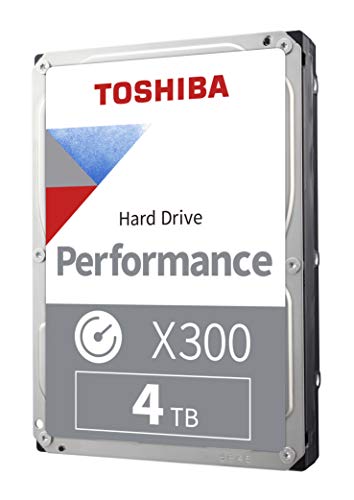
Toshiba X300 4 TB 3.5" 7200 RPM Internal Hard Drive (HDWR440XZSTA)
Or the 6TB/8TB version, all 3 are great
 dim forge
upper condor
dim forge
upper condor
@cyan ravine I can't win now lol
Back to no upload
But every time I restart my PC, it goes to normal speeds and working for probably 20-30 minutes?
Then it goes back to no upload which makes me think is there a software that might cause this
Hm after one run(of speedtest) it seems to go bad
This is confusing tryna troubleshoot lol
upper condor
Looks like the i225-v is known for having a lot of internet issues....yikes
empty pollen
most of the issues are related to bad drivers, and most are solved by downloading the right drivers from intel
maybe you had bad luck on your mobo 😦
my mobo has the i225 as well, and no problems so far
upper condor
empty pollen
most of the issues are related to bad drivers, and most are solved by downloadin...
ive wiped my pc twice and it does the same
and its the i225-v not the normal one 😪
i could RMA my board or return it but i dont wanna have to rebuild my PC
i might just uhhh get an ethernet card lol
 desert void
so my 6700k just fried the other day so i've decided to build a new pc, any tips on where to start (budget is 1200-1400cad and all i play is valorant)
im still gonna be using my 1080ti tho it seems to be still working fine
cyan ravine
upper condor
Looks like the i225-v is known for having a lot of internet issues....yikes
Yes historically it's been a very annoying little device lol
I feel like you've done enough steps at this point to consider an RMA if it's within warranty
upper condor
I got it like, 2 weeks ago
But at this point I’ve already rebuilt it once or twice to get it working
If an Ethernet card would work I’d rather just get that I’ve thrown enough money away on this pc 😭
 high yew
i got an offer to trade my 3080 12gb and my nzxt x53 + $100 for a evga 3090 ftw3.
dumb decision?
strong raft
Not worth it unless you truly need 24GB for some reason.
earnest olive
seconded as a 3090 owner
fossil cedar
Even if you needed the 24gb it's still not the best deal
strong raft
I was gonna say even just gpu + 100 w/o the aio is barely a deal, yep.
fossil cedar
Eeeee
 formal girder
so intel released the wifi 6e ax1690 module and was wondering if i could use that on a Z690 with 12th gen intead of 13th gen on Z790 since i do believe i too have a m.2 2230 that allows CNVio2
toxic wraith
My qled mobo lights won’t light up any solutions?
analog pulsar
strong raft
Not worth it unless you truly need 24GB for some reason.
Time to run chrome on 8k videos
potent portal
strong raft
Not worth it unless you truly need 24GB for some reason.
4th'd as a former 3090 owner that now has a 3080 ti that beats my old 3090 🙃
 tight tundra
what's better a msi 4090 suprim liquid or a gigabyte 4090 aorus extreme waterforce?
potent portal
Whichever has the higher power limit
Looks like the MSI has 30MHz higher boost out of the box but that means next to nothing in real world
They'll be functionally similar
upper condor
Should I be concerned about occasional crashes while playing games on high graphics settings
potent portal
Depends on why it's crashing
upper condor
Not like game crashes, blue screen that says “windows needs to collect data” or whatever
 open jungle
That’s not good 🗿
upper condor
It boots up and works fine right after 😭
potent portal
Blue screens are easy enough to diagnose, DM me the contents of C:\Windows\Minidump
There's no personal info saved in the crash dumps
open jungle
Should I accept a FR from someone I don’t know or share servers with
tight tundra
well it seems most 4090's are all within 50mhz of each other. My take on them so far is that you are kinda just paying for aesthetics in reality as you won't notice that 50mhz difference as well as with OC you are limited by voltage
potent portal
open jungle
Should I accept a FR from someone I don’t know or share servers with
Probably not a good idea
open jungle
Figured
potent portal
upper condor
It boots up and works fine right after 😭
Ok I see 4 kernel mode driver crashes, run DDU and install the latest version of drivers after
?ddu
 jolly riverBOT
DDU (Display Driver Uninstaller) Guide by Pato
https://github.com/NeweggTechie/Graphics-cards/wiki/How-to-use-DDU

GitHub
Contribute to NeweggTechie/Graphics-cards development by creating an account on GitHub.
upper condor
potent portal
Ok I see 4 kernel mode driver crashes, run DDU and install the latest version of...
I downloaded it and ran it in safe mode earlier today 😭
Should I go again? I'm just using the automatic drivers
On nvidia website
potent portal
It's probably another driver if you already did DDU
I'll do a deeper dive analysis
upper condor
It also once or twice has just turned the screen black then the gpu fans run full speed
but i can still hear and everything
upper condor
No wifi card, bios up to date and chipset should be up to date
I have built in wifi that I use? and my ethernet adapter has been super finicky causing problems
It's only happened in 3 games so far
toxic wraith
Is there a way to trouble shoot my qled lights on my motherboard not working?
potent portal
Hmm could be related to your network issues, Chrome is named as a faulting process accessing memory it's not supposed to
 upper condor
potent portal
Hmm could be related to your network issues, Chrome is named as a faulting proce...
upper condor
potent portal
Hmm could be related to your network issues, Chrome is named as a faulting proce...
Yeah I just disabled my ethernet adapter for now, I'll see if that's causing it
Is there a way to idk like, check chrome to make sure it's not doing anything it shouldn't?
It was 100% open at each of the times I crashed
potent portal
That was another thing I was going to suggest as well, disabling network adapters
Well according to the crash dump Chrome tried to delete something it didn't have access to and caused a memory fault
Here's the specific series of events
 potent portal
Chrome just hates everyone sometimes
potent portal
Not a bad idea, at least then it'll have less access to the gpu
Oculus setup was also named in one of the crashes
potent portal
That explains that then
upper condor
That time I also had changed my oculus resolution so it could've just not liked me having it so high
But the rest I wasn't playing something as intensive as VR afaik
potent portal
Steam is named in another dump
upper condor
Steams been a bit finicky as well but it mostly just takes a while to open for no apparent reason
potent portal
Alright that's the gist of the info I was able to pull. Does your memory have an EXPO profile or only XMP?
All 4 dumps were memory related in some way so that's a common factor
upper condor
It might've been XMP only, lemme boot into bios and check
potent portal
If it does only have XMP then it's likely your system just doesn't like it, since that's tuned for Intel
upper condor
Rn I’m on XMP/EXPO EXPO 1
potent portal
Ok it does have expo at least
upper condor
But it’s just all the auto stuff, I have no clue how gigabyte bios works so that’s all I touched
potent portal
Try running without expo or xmp on
If that solves it you will either need to return the memory or manually tune it
You can also do a memory test to be double sure
upper condor
How would one do that
potent portal
testmem5 is good at finding faults but it can take a while
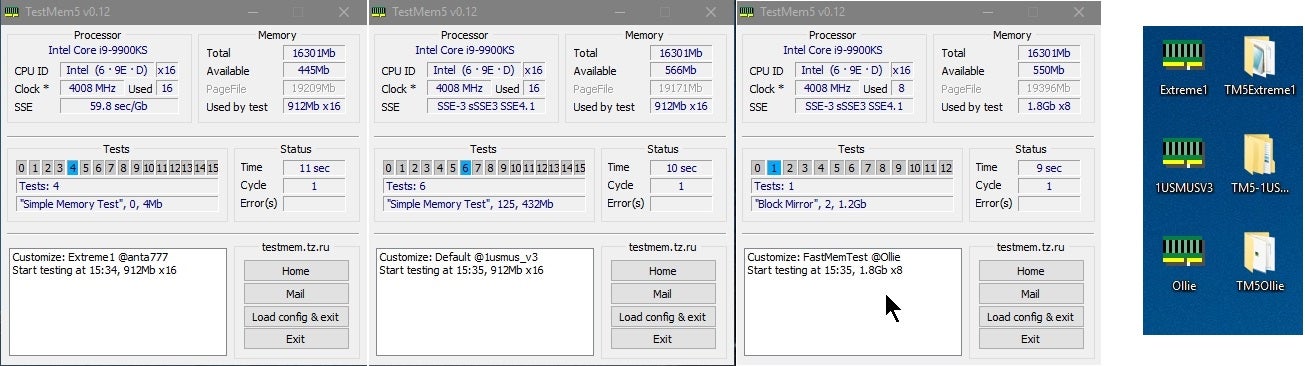
Overclock.net
Hello everybody
I am just making a very light tutorial with a collection of custom config files and a DOWNLOAD LINK for TM5 v0.12
anta777 absolut config Official Intel DDR4 24/7 Memory Stability Thread
None of the work is mine but it seems like a pretty good and fast testing app
You'll want to run the anta777 extreme profile
upper condor
potent portal
testmem5 is good at finding faults but it can take a while
Alright well I started running it, went to the bathroom came back and my pc was off 😭😭😭
potent portal
Uh oh
upper condor
Gonna look through the crash log rq
It's saying access to the DMP is denied 😭
Man I hate microsoft
upper condor
I mean discord was open I guess?
potent portal
There's no rhyme or reason to it so I have to assume it's the only common factor, which is the memory
Especially if it crashed mid test
upper condor
That was with XMP/EXPO on I will note
But I mean it should be able to do that
Lookin like the ram should be replaced maybe?
upper condor
yeah gonna do that rq
potent portal
Maybe even in minimum boot mode
upper condor
Could this cause ethernet issues by any chance? not sure how memory works
potent portal
Yes memory can affect everything
upper condor
potent portal
Yes memory can affect everything
Crashed again, looked like it was on number 6
Gonna go through one more time
Ok it’s on number 4 it bugs out
Turning off XMP now
Gonna rerun
Without XMP it gets further
Yep it runs fine without XMP
potent portal
Sounds like a classic memory issue then
upper condor
Yikes
Is that a RMA
Before it ran like, 2 minutes max
Without XMP it ran for 20 no problems
potent portal
Probably yeah. If you're in your return window you can get it replaced faster that way.
upper condor
Alright sweet thanks for all the help lol
strong raft
potent portal
4th'd as a former 3090 owner that now has a 3080 ti that beats my old 3090 🙃
Yea huh. Reminds me of this example when 1935 MHz isn't actually 1935 Mhz, haha. I'm on the right w/ a quick 850ish mV setting. To be actually on topic: Truly getting/keeping another 12400(F) so instead of z690 riptide there's these: (Kind of wanted another gigglebite mobo anyways).

 potent portal
No reason to not get the Z690 since it's the same price as those B660
Just leaves an upgrade option open for a 13600k later or something
Yeah it's assrock and VRM sinks are sorta puny but it'll work fine for a midrange chip
strong raft
A bit logical indeed. Ok, I'll go ahead and finish checking out w/ the ArseRock. "67 people have this in cart", lol. edit: 6 usb is pretty weak though. I use up 4 w/ KB, mouse, headset.
plucky timber
i think motherboards should include more usb 2 ports
or maybe include a usb addon card
fossil cedar
Well the 660 has wifi so there is a reason to go 660
fossil cedar
strong raft
Yea huh. Reminds me of this example when 1935 MHz isn't actually 1935 Mhz, haha....
If buying new I'd consider 13400f
 uneven goblet
Is 7 5800x good cpu with 3060ti
empty pollen
it is, but i should go 5700 instead
5800 just too hot, and both are pretty similar in performance
ofc that applies if you have an am4 mobo already, if not just go intel... better price/performance ratio
quasi knot
So what would happen if I were to use a 5V PWM header for an argb strip?
empty pollen
it will probably kill your strip, dunno, test it and tell us
the pin configuration is different on both
you will feed voltage to pins not supposed to be fed with that amount
 quasi knot
Well for the life of me I cannot find an adapter that would seem to work then
empty pollen
if you lack argb headers, then buy a hub or a splitter
and use one already on use in your mobo
quasi knot
Well I don't think the argb headers will support up to 90W
empty pollen
not going to ask, dont wanna know
potent portal
90W argb wtf
You sure you don't mean 90 LEDs? Most headers can handle 80
Most controllers would be limited to 50W or less because they use SATA power
mossy venture
why would he not get one that plugs into a wall
strong raft
Ah I canceled the AsRock. I'm not getting a K cpu anytime soon & might rather have a good b660 than a decent z690. Will mobo hunt for a quick min. Pato I didn't buy new, wouldn't pay $170+ for 12400.
obsidian wigeon
idk
 little osprey
Some guy is selling and he is wanting $1300 for it, is it a good price?
 fossil cedar
No
little osprey
Well if I could get all of those parts for a new build and it’s already built I don’t see what the problem would be
fossil cedar
little osprey
Also how is it not a good price for it?
Because this exists and you can just put a hdd in it if you want, possibly a 20$ id cooling se 214xt if you don't get a tower cooler
https://www.newegg.com/p/3D5-003P-00023
fossil cedar
little osprey
Well if I could get all of those parts for a new build and it’s already built I ...
It's the price that's the problem
fossil cedar
fossil cedar
Because this exists and you can just put a hdd in it if you want, possibly a 20$...
And you can add more ram too, still cheaper
little osprey
That’s refurbished, I hate refurbished things
little osprey
I’ve gotten something “refurbished”before and it still had someone’s account logged in
fossil cedar
Okay so return it then?
Or build something yourself that'll be better and cheaper
Also you'd literally be buying used
little osprey
That’s was the swapped one because the first one was too slow like it would barely run
fossil cedar
fossil cedar
Okay so return it then?
Also you can just wipe the install
 weary galleon
little osprey
What about this one? Is this computer good?
weary galleon
little osprey
What about this one? Is this computer good?
No
little osprey
Now I know y’all just have to be messing with me
weary galleon
little osprey
Now I know y’all just have to be messing with me
5600g is worse than 5600 if you have a dedicated gpu paired with it, only 500gb of storage
Also only a 550w PSU, should work for the build but would be hard to upgrade components
fossil cedar
little osprey
Now I know y’all just have to be messing with me
we really arent
not to mention bad case
little osprey
https://www.newegg.com/velztorm-fultix/p/3D5-000W-0SUC7?item=9SIA7ABHY81254 what about this one?
fossil cedar
plus a 3070 is a bit better than a 6700xt
3060 is a huge downgrade and 5500 is basically a 3600
little osprey
😐
fossil cedar
dont focus on it having 32gb ram thats literally a 40$ 2 minute upgrade
little osprey
I didn’t even look at that, I just want one good enough where it has enough storage to do what I need. to play Minecraft and maybe a few other games, and school work
fossil cedar
this is lowkey a pretty good snag
itll howl but its parts are decent for the price for a prebuilt
empty pollen

fossil cedar
do you mean resetting windows?
little osprey
 humble fossil
how to reset pc without delete windows ??
humble fossil
how to reset pc without delete windows ??
Hammer
humble fossil
fossil cedar
do you mean resetting windows?
yes i guess
fossil cedar
humble fossil
yes i guess
 humble fossil
??

 hallow glen
what do you want to do?
humble fossil
humble fossil
how to reset pc without delete windows ??
.
humble fossil
no i transfer what i want to portable ssd
hallow glen
ok then delete? why are u even asking
empty pollen
yeah just transfer your files or upload them to a cloud
and nuke that drive
sometimes a fresh install is the best
humble fossil
hallow glen
ok then delete? why are u even asking
without deleting windows
hallow glen
it still will have windows
humble fossil
ok
hallow glen
you can just look these things up anyway
empty pollen
why you want to save windows anyway?
humble fossil
you know dell laptop
empty pollen
any specific reason?
humble fossil
empty pollen
why you want to save windows anyway?
its 11
hallow glen
so?
empty pollen
aaaaand?
hallow glen
oh make sure to save your product key
weary galleon
fossil cedar
https://www.newegg.com/hp-tg02-0187c/p/N82E16883451426?Item=N82E16883451426
do you know if that's actually 15 liters?

guessing it's not but if it is it might have either itx mobo or sfx psu
empty pollen
at the very least is 15L
humble fossil
some times when i have alienware the game crash and chrome use to much ram (ik)
 weary galleon
do you know if that's actually 15 liters?
weary galleon
weary galleon
do you know if that's actually 15 liters?
just curious because I have a 21L case that just barely fits a matx board and atx psu
if it has itx or sfx those are usually worth more
or maybe its some crazy proprietary HP stuff


so uhh safe to say it is not itx
fossil cedar
weary galleon
do you know if that's actually 15 liters?
i doubt it
earnest olive
need to spoiler tag pictures of dells smh
I didn’t come in here to be ocularly assaulted
weary galleon
HP = Hardcore P***?
 lyric thistle
Pans are generally made of metal so I guess they would be hardcore 
 leaden mauve
Hp z440 
limber oyster
Built my next pc at work
 manic cloak
is the 4070 ti even worth lmao

