#building-and-recc-chat
1 messages · Page 80 of 1
 cold turtle
I have a crappy one
but I will surely get a new one
for the last time, do you think RX is my best bet at this point? For editing and occasional gaming?
it will be the biggest investment that I will be making probably
I want it to be perfect :)
 fossil cedar
Yep
 fossil cedar
np
cold turtle
one last thing
fossil cedar
Go for it
cold turtle
do you think the GPU will weight too much to carry in the bag (most likely in the checked in one), and how much is the chance of it getting damaged meanwhile?
 empty pollen
usually gpus are well protected inside their boxes, but some extra cushion outside will help as well
that extra cushion depends on you
 stoic island
Unless you throw it around, the GPU inside the sealed box it comes in is going to be just fine
empty pollen
true, most of them are well protected in foam inside the box
stoic island
cold turtle
do you think the GPU will weight too much to carry in the bag (most likely in th...
Weight shouldn't be too much of an issue, if it fits, it should be fine
cold turtle
empty pollen
that extra cushion depends on you
I will make that happen
cold turtle
stoic island
Weight shouldn't be too much of an issue, if it fits, it should be fine
no, I mean I will have a kilograms limit, most likely 21 kilograms of checked in bag
and my backpack
I don't trust anyone, so I will carry that in my backpack ahaha
stoic island
Just weigh it before you head to the airport
Take stuff from your bag and put into your luggage as needed
cold turtle
of course
empty pollen
should be around 4 to 6 pounds most of the time, but thats on you, weight it as well before setting your luggage
cold turtle
now, it is too late, I will go over RX models and pick the best one in a few days
but I narrowed down my broad searching path from RTX and RX, to only RX
which is awesome
performance is killing it as I saw benchmark as well
only thing is Ray tracing and DLSS
empty pollen
fsr is almost at par with dlss, and raytracing is meaningless on 30/6000 series anyway
cold turtle
empty pollen
fsr is almost at par with dlss, and raytracing is meaningless on 30/6000 series ...
nice
RX also costs more less
ops, did I say something wrong lol
 weary galleon
 cyan ravine
3080 is like the floor
cyan ravine
3080 is like the floor
At 4k maybe?
I'm playing the Metro Exodus PC enhanced edition which is fully raytraced on a 3060ti
Get about 60fps outdoors with DLSS set to quality
Mix of high and ultra settings, 1440p
 brittle spindle
I sold my old rx 570 for $40, but now I’m thinking it was undervalued, am I wrong?
 bitter mason
it's nice but I can't imagine shelling out $4600 like that
 analog pulsar
bitter mason
it's nice but I can't imagine shelling out $4600 like that
analog pulsar
bitter mason
it's nice but I can't imagine shelling out $4600 like that
Sorry about ping I'm just being dumb
 brittle tinsel
my brother wants to me save photos from his mac before blowing it out. will photos saved from mac be savable/openable on windows?
empty pollen
why not? if they are jpg sure
brittle tinsel
alright, thankks
 strong raft
That's the key, make sure are jpg or such instead some bs apple format.
bitter mason
analog pulsar
Sorry about ping I'm just being dumb
all good I don't get all up in arms about that lol
analog pulsar

 floral path
Do ultra graphics look the same on a every gpu at the same fps? I know ue5 has dynamic Tessellation so would a 4090 day at 60fps have more tessalation then a 3070 at 60fps? Or would they be identical give or take some fps
stoic island
floral path
Do ultra graphics look the same on a every gpu at the same fps? I know ue5 has d...
With every setting the same it should look the same
 desert gulch
Hwinfo64 or GPU-Z are both easy programs to check
brittle tinsel
its not in anyones systems
stoic island
Take a picture of it again if you can?
brittle tinsel


the sticker that says 570 doesnt seem to be in the right place as you can see where a previous sticker was. I got it from a shady company so I am skeptical about it
brittle tinsel
wouldnt matter, these came out of prebuilts when lyte technolgy sent us the wrong gpus, and 250gb hdds instead of the 1tb. terrible company, they did that with all 3 prebuilts
they eventually gave us the proper cards but then never provided the information or would pay the shipping to send these back
so 3 years later, I dont need em
cyan ravine
Well gpu-z is your friend for knowing
Or you could spend hours scouring techpowerup images
brittle tinsel
I know, I considered it, but nobody is around to help me swap em, I cant do it alone with cerebral palsy.
the other 2 cards are clearly marked rx570 4gb. but they are gigabyte with a heatplate. instead of the one msi
 cyan ravine
They're all the same?
brittle tinsel
2 of them are gigabyte rx 570 4gb with a backplate like above, the one I cant identify is msi
that when searched the numbers says its a 460, 570 or 580
I wish it would make up its mind
here,
the backside of the pcb has these
f-1 e305n6596bb
Model MS-v341
MSIP-REI-MSI-MS-V341
the fan side of the pcb says v341 ver 2.1
I think its this 480 4gb...
the stickers underlined in red is where there is glue showing stickers there before and the green is where the not so legit 570 sticker is placed.

the back of the card looks IDENTICLE to this
cyan ravine
If it looks identical then it'll be likely
brittle tinsel
I find it conveinant the stickers are in the exact same spot
well were, until they were replaced with scam stickers
thats what I get for not knowing much about computers when I ordered them
cyan ravine
It happens
brittle tinsel
black friday sale was too good to be true
 potent portal
570 is effectively the same as a 480 at least
brittle tinsel

eBay
MSI Radeon RX 570 4GB GDDR5 Graphic Cards (RX 570 ARMOR 4G OC). Was used in a 2009 Mac Pro, recently upgrades, was fully working.
stickers in the same spot
but where the bottom left stick is, is a red white and black Rx 570 sticker. why tf do they all look the same?
stoic island
It's most likely not 480, the heat pipe doesn't stick out as much on the 480

570 image from tpu for reference

Although 470 design looks basically the same from the front
brittle tinsel

ok, well if it is a 570. now the only question is 4gb or 8?
judging by the photos you posted im gonna say 570
 stoic island
Same thing on the PCB of 470 and 570 it seems, they might've reused the pcb
Although lemme check again
brittle tinsel
the one I have has 1 hdmi and 3 dp if that helps
stoic island
Both 470 and 570 has 3 dp 1 HDMI 1 dvi d
brittle tinsel
what was that software that would detect it? ill see if I can get someone over to swap em out temp
it wont mess up my nvidia drivers will it?
stoic island
Just don't download the Radeon drivers, use GPUz
brittle tinsel
are you able to put that on a usb
stoic island
Probably..? It's like 5mb
 woven horizon
Acer Bifrost a770 is back in stock https://www.newegg.com/acer-predator-bifrost-intel-arc-a770-oc/p/N82E16814553001
floral path
So the xt has 1 of the 6 xtx dies disabled is it has 17% less dies. So 17% of 999$ is 830 ish. So you are overpaying 70$. 40$ would be meaningless and I’m sure it has 30$ of value missing somewhere? Are the dies physical disabled, cut?, or is the max output limited and all 6 dies work ?
Nvm. McDaniel
cyan ravine
They said in reviews that the 7900 XT was basically an upsell for the XTX
 obsidian wigeon
^
Just don't think too much of it
XTX better value, period
Also disabling die doesn't mean cost is decreased accordingly to the amount remaining
It's not a linear curve
obsidian wigeon
7900XT shoulda been like a 799 card tops
potent portal
cyan ravine
They said in reviews that the 7900 XT was basically an upsell for the XTX
Just like the 4080 exists to make the 4090 look good
 elfin flame
 little osprey
magical night light
elfin flame

 west cloak
i like that case
 dim forge
elfin flame
dim forge
elfin flame
nr200 is so prettyyy ayee


 tidal moth
HE PULLS UP ON YOUR BLOCK… LETS IT RIP
THE CAT WITH THE GAT
CALL IT NINE LIVES
PULL UP ON YOUR BLOCK
AND UNLOAD THE NINE
CALL HIM THE CARPENTER
 leaden mauve
bro...

 frigid night
He's aight
tidal moth
Reorist you are a troll man
I can’t take you seriously
You just want to see the world burn dog
frigid night
How am I trolling?
tidal moth
Not my vibe
bitter mason
imagine building a computer where shoes go
frigid night
But aren't you a basic white girl already?
elfin flame
frigid night

bitter mason
lol @frigid night called you a basic white girl
elfin flame
 frigid night
I know she isn't white. I'm just bored.
frigid night
bitter mason
hence the fanning the flames
I just realized what that was.
bitter mason
well what seems to be the problem, Officer?
bitter mason
frigid night
I just realized what that was.
discord has a pretty limited selection of gifs for fanning flames
oh wooow
what's it like hitting tj max on stonk settings?
frigid night
Lol
bitter mason
"hardly" doesn't & "it doesn't" mean two different things lol
wait a few months lol
elfin flame
bitter mason
I know it's almost like putting those components as close together as possible combined with no front intake & little to no space for bottom intake isn't helping or something
I prefer omnipotent but close enough
now you're the telephonic one! how did you know they just hired me
elfin flame
bitter mason
damn where heatsink?
lol
hmm
sounds ripe for more excellent thermal performance
elfin flame
 bitter mason
but you heart air coolers
btw serious question
in the NR200, if you flip the back fan to be intake would it help at all? you have top exhaust so
since like CPU cooler would probably use the cool air coming in & stuff
I think I remember you telling me ya
what CPU is going in there?
oh alright so pretty much 3090 is the only real thermal concern I guess then
oh I impulse bought a 13600K
should be here Monday I think
after I beat the crap out of it for hw boints we can discuss it going in your fancy shoe box lmao
well heck when you put it like that...
will that bottleneck 3090 at some point?
lol DR bdie + 3090 + i3
(I guess you can likely guess where this conversation is about to go in 5... 4... 3...)
bdie when?
4k? 4k+?
niice
I haven't been tuning A-die for the past few days cuz I put 1080ti in 12900K build for hwboints
ya dunno why bios was so borked
okay I'll be here when you're ready to tell sad thermal stories
frigid night
What switches?
elfin flame
 frigid night
Also.. how does that v8 energy taste?
The ones in your pic look brown though?
Ah k
Rough
bitter mason
I've been using K55 more cuz the cherry silver or whatever on my other keyboard are so noisy. Membrane switches aren't thaaat bad
stoic island
Yea t1s aren't as good as u4t prelubed
 upper ore
Have they fixed windows 11? Should I update to it or stick to windows 10?
upper ore
I just remember awhile back that windows 11 had alot of problems.
obsidian wigeon
But imo I wouldn't upgrade just cause win 11 has some annoying changes to the ui
I got used to it myself
upper ore
What all changed?
obsidian wigeon
Some stuff are more buried inside menus
Like the context menu having less options on display, some pretty useful to have easily accessible hidden away in a button that brings up the rest
upper ore
What's good about windows 11 that windows 10 doesn't have?
obsidian wigeon
None honestly
upper ore
Alright lol
obsidian wigeon
It's pretty much a new skin
Tabs in windows explorer I guess, but that's recently added
strong raft
Win11 is really good if cpu has Ecores, otherwise indeed don't bother yet. Part of why I like the 12400 & such. Gonna be a while until I snag a 13600k or such.
obsidian wigeon
^
upper ore
Yeah I don't think it'll be as good for me since I have the 5800X3D
strong raft
Right. Personally some of ui changes would be a definite downgrade for me.
empty pollen
yeah sadly, e-cores need win 11 😦
 earnest olive
i like win11 ui better for the most part
the new right click menu and start menus not so much
but startallback fixes that
i believe some minor improvements in gaming performance have been measured on win11 even on cpus without e-cores
but it's nothing too crazy
strong raft
Good when a newer os improves performance for a change though. I actually found a $150ish 12600K on Ebay. My wallet hates me, but soon enough I can replace the old E8400 build also. 
tidal moth
Literally an itx case also the node 202> all cases
No doubt
With a little case modding it’s just so op
The pc gods need to nerf it
Beyond op
 tidal moth
Says right there
Itx
Look at the board layout right there
Itx
Right in the middle there

You need to instal an extension kit to support atx
You literally need an extra piece to instal an atx motherboard
You need to install an additional 2 inches of back space
Same width you need the bracket
Itx is a different width
Matx and atx are the same width. It only supports itx natively without a bracket that widens mounting space
WIDTH
Atx and matx same width
Itx not as wide
See
Without bracket


With bracket

You need more back space for an atx or matx board

 cyan ravine
Oh is this the changing the slots for different boards thing
 cyan ravine
What the heck is that
 cyan ravine
Mine doesn't have that
tidal moth
Terrible look
cyan ravine

tidal moth
Here is matx
cyan ravine
O11 mini air just accepts my ATX
tidal moth
It’s designed for itx

Both matx and atx require an additional bracket
Only supports itx natively
tidal moth
 cyan ravine
This case
tidal moth
It looks amazing
cyan ravine
It's as big as a mid tower
cyan ravine
It has a footprint wider than a mid tower, it's just not as tall lol
tidal moth
Not wider
cyan ravine
No it's footprint is as big as the o11 pretty much
tidal moth
It does not support a full size power supply
cyan ravine
The mini doesn't
tidal moth
That’s not true
cyan ravine
But the mini air does
cyan ravine
Yes
tidal moth
Does not rommy
tidal moth
cyan ravine
But the mini air does
Yes
cyan ravine
The mini air does
tidal moth
No
cyan ravine
But it's not inherently ITX
tidal moth
Only sfx power supplies
It literally is
Copage
Major copage
Rommy having regrets
Regretting pc case choice
 cyan ravine
O11 mini is just not as optimised
tidal moth
011 mini is beautiful
cyan ravine
Mini air better
tidal moth
The 001 d though that’s a basic white girl case
Mini has style
It’s different
It has a tiny footprint
cyan ravine
It has more volume than my corsair mid towers
tidal moth
I only build in itx
tidal moth
My main reason for changes cases was reducing the amount of size my pc took up on my desk
And i did
He has the air
With the atx psu
Wider footprint
tidal moth
It is
Sure
You can build itx in it
So it is a case -> that supports itx -> itx case


 tidal moth
I literally just went over this you need a support bracket to support anything other than itx
cyan ravine
For comparison here's the fractal pop
cyan ravine
Bracket doesn't mean it's not ATX
tidal moth
I can saw a hole in the node 202 and fit an atx motherboard in it
cyan ravine
tidal moth
It only natively supports itx
cyan ravine
We aren't sawing holes in the o11 mini tho
cyan ravine
But that's like how the evo will do a vert mount with an additional install
Or vented panels or upright gpu
tidal moth
I guess but it’s still an itx case
cyan ravine
LOL
 cyan ravine
Ok we can agree to disagree
tidal moth
Sure
fossil cedar
Wha happen
cyan ravine

tidal moth
it only natively supports itx
cyan ravine

tidal moth
You can make a ton of cases fit an atx motherboard if you change them
cyan ravine
Similarly the opposite too
tidal moth
But it only natively supports itx

You need the motherboard stand off widener

You should have used the mjolnir
MJOLNIR has everything you need in a compact mini-ITX case: mind-blowing hardware support, 120 / 240 mm AIO liquid cooling and jaw-dropping RGB lightning.
stoic island
 heavy atlas
anyone know a good mic that’s maybe on sale under 50$?
heavy atlas
anyone know a good mic that’s maybe on sale under 50$?
Do you want a mic or a headset
stoic island
I think cloud ii is 50$ rn
heavy atlas
Limited-time deal: Logitech G435 LIGHTSPEED and Bluetooth Wireless Gaming Headset - Lightweight over-ear headphones, built-in mics, 18h battery, compatible with Dolby Atmos, PC, PS4, PS5, Nintendo Switch, Mobile - Blue https://a.co/d/hrkfOyz

LIGHTSPEED wireless and low-lag Bluetooth connectivity let you play and talk on PC, Mac, PS5/PS4, smartphones and other Bluetooth audio-enabled devices. Gaming-grade sound, carefully balanced high-fidelity audio, 40 mm audio drivers and compatibility with Dolby Atmos and Windows Sonic provide ult...
i heard that’s a good q
1*
 frail valve
Ignore what I posted earlier, I was wrong
 shut rampart
Still getting out of memory fixing texture or something for my gpu
6700 xt already did ddu
 proven salmon
Yo anyone knows a good pre built pc for $700?
 mossy venture
proven salmon
Yo anyone knows a good pre built pc for $700?
mossy venture
proven salmon
Yo anyone knows a good pre built pc for $700?
there really aren't any around that budget
https://www.newegg.com/p/3D5-003P-00043?Item=9SIA08CJPG2698&Description=ABS&cm_re=ABS-_-9SIA08CJPG2698-_-Product&quicklink=true this i guess, but it's still overpriced
mossy venture
I'd just do this https://pcpartpicker.com/list/LjthLs
Part List - Intel Core i3-12100F, Radeon RX 6700, Cougar MX330-G Air ATX Mid Tower
if you're comfortable building
proven salmon
Okay thanks
 novel python
Here is a build I am working on. I will be using it for video editing and some gaming. The gpu I am looking at to get is 6800 or 6800 xt. Any suggestions will be appreciated
Part List - Intel Core i5-13600K, Fractal Design Meshify 2 Compact RGB ATX Mid Tower
earnest olive
novel python
Here is a build I am working on. I will be using it for video editing and some g...
depending on your video editing software, it's quite likely you'd be better off buying an nvidia card even if it's worse value for gaming
 limber oyster
Part List - AMD Ryzen 5 5600, Radeon RX 6600, BitFenix Prodigy M 2022 MicroATX Mini Tower
Opinions?
dim forge
Guys, any bugdet itx board to fix a 12400F?
empty pollen
budget and itx cant go in the same sentence 😛
little osprey
It can, if you consider asrock ☠️
potent portal
little osprey
It can, if you consider asrock ☠️
I don't consider $120 for a B660 "budget" when that's still $40 more than mATX
little osprey
budget for ITX standards
potent portal
Oh so now we're changing the rules? lol
little osprey
Mmk
cyan ravine
Pcie 3 x16 shouldn't bottleneck any gpu, only the cpu tied to it
empty pollen
yeah thats why i mentioned it later as well
found the z690i at 140usd price, even with all the "shortcomings" still a budget offer for an itx build
cause we all know itx is not budget-friendly at all
empty pollen
cyan ravine
Pcie 3 x16 shouldn't bottleneck any gpu, only the cpu tied to it
im still looking for your german instagram profile 😛 👀
 tawny fiber
4090 still doesn't really get effected by pcie gen 3
 forest leaf
When will deal cember will start?? I mean what date??
forest leaf
For me it’s saying “coming soon”
obsidian wigeon
Specs: Cat
 floral ore
Anyone know why my Pc clicks for multi minutes before turning on
Not anywhere really it just seems like the fans click on and off
While I hold it
Once it boots I’ll change it
U mean how long I hold it?
Because if I don’t nothing happens
After like 3 minutes of holding it it works
Oh
How do I quell this
What cord?
Sorry lol
mossy venture
lil two pin cable
floral ore
Oh

The green thing?
Oops it’s blurry hold on

I just don’t know which one because I don’t want to break it
stoic island
Look on your motherboard side, look at where you plug in front io cables too, and check that
stoic island
When you installed the motherboard into the case, there was a couple of wires from the case that you had to plug into the motherboard, out of those, one is for the power button
They're in like a cluster usually on the bottom right of the motherboard
stoic island
Yes, and check it's in the right place just in case
Polarity doesn't matter much but just make sure they're plugged into the right pins
 limber oyster
Does anyone know of any good ARGB fans that have a low base rpm setting
floral ore
@stoic island
stoic island
floral ore
Check manual for pinout or pinout might be printed below where the pins are there, and match up the connectors with what the pinout says
floral ore
The pin out would be in the manual for?
stoic island
What motherboard is it?
floral ore
B550-f
stoic island
floral ore
B550-f
Here's the pinout from the manual, the pins in red is what the power switch should be plugged into, so check if the connector plugged into these pins is the right connector, and make sure it has good contact

And also, just as a test, you could short those 2 pins and see if it starts up right away
floral ore
So me holding the button down for a few is normal?
floral ore
stoic island
Here's the pinout from the manual, the pins in red is what the power switch shou...
The cable labled “power” seems to be there
The word power is on the bottom of the cable. Should I flip it so it’s facing up?
I’ll turn it on and change fan speeds too
@little osprey what should I change the fan speeds too?
I’m just “calibrating them to be more optimized
stoic island
floral ore
So me holding the button down for a few is normal?
No, the only normal thing is if it takes a minute to boot after pressing the power button (sometimes memory training can take a while on first boot), you should not have to hold it down at all
The difference is
Press button (1 second) -> wait (1 minute) -> boot
Is normal
Hold down button (3 minutes) -> boot
Is not
 paper summit
Ik lmao
floral ore
Ok
Well after messing with cords and changing my fans output I got some rgb on a few fans that had never worked but it does now
Well I just turned it on and it went in like 4 seconds
So
Yes and that is either because I had just turned it off.. or I fixed it
Sorry I got sidetracked from doing something on my pc I needed to do so one sec
@little osprey
paper summit
Bros pc starts like an old cummins
stoic island
floral ore
What happens if you just press it for a second
stoic island
After they got it to work in 4 seconds instead of the usual 3 minutes, what happens when they just press it for a second now
 low path
question
heavy atlas
Part List - AMD Ryzen 5 5600X, Phanteks Eclipse G360A ATX Mid Tower
what’s a good pau for that bills?
build psu*
i need 2 know quickly
fossil cedar
heavy atlas
https://pcpartpicker.com/list/BDmgyK
What gpu?
fossil cedar
Yeah but it'll depend on what gpu you're gonna use
fossil cedar
What have you already bought and whats left of that budget?
Oh i see the stuff you have purchased
heavy atlas
yea
fossil cedar
What's left of the budget
fossil cedar
Yes
fossil cedar
Okay
heavy atlas
i’m getting the rest of the parts for christmas besides the boi
gpu
but idk what psu cus that one i’m using is out of stock
heavy atlas
i’m not sure
fossil cedar
If they are already ordered or not does that affect your 550-600$ budget for the gpu/power supply or is case and ssd included in that 550-600?
fossil cedar
Okay I'll do one if others gotten and ond if not
floral ore
stoic island
After they got it to work in 4 seconds instead of the usual 3 minutes, what happ...
It working like that was simply because I was just turned off now that it’s been off for a few hours back to the regular nonsense
stoic island
Try jumping the pwr pins to start instead of using the power button
floral ore
How?
stoic island
Just grab a screwdriver or something similar and tap the pins where the screwdriver would short between the pins
floral ore
Anything that’s metal?
fossil cedar
heavy atlas
ty
Sorry got distracted
If bought case and ssd:
https://pcpartpicker.com/list/TFWHZw
If not, case is optional but I'd do that the ssd is cheaper and better:
https://pcpartpicker.com/list/mC2Xqm
Part List - AMD Ryzen 5 5600X, Radeon RX 6800, Phanteks Eclipse G360A ATX Mid Tower
Part List - AMD Ryzen 5 5600X, Radeon RX 6800, Fractal Design Focus 2 ATX Mid Tower
floral ore
stoic island
Just grab a screwdriver or something similar and tap the pins where the screwdri...
The pins on the mobo or connected to power button
stoic island
On the Mobo
The two pins that the power button was wired to
The pins labeled pwrsw in the manual
floral ore
It doesnt boot only clicks like normal
stoic island
And if you hold the screwdriver there?
floral ore
Same reaction from pc as if I hold button
stoic island
Try plugging the PC into a different outlet
floral ore
If it’s relevant one time I unplugged everything cleaned my entire pc and stuff then it only needed to be pressed.
The next morning it was back to normal
desert gulch
@stoic island clicking as in PSU protections for shorting maybe?
Idk maybe check pcie and eps to make sure eps is in eps
stoic island
desert gulch
<@278694081440251905> clicking as in PSU protections for shorting maybe?
The video showed something that seemed like it just going on and off, power didn't seem like it was shutting off, just really unstable for some reason
stoic island
floral ore
Sorry I got sidetracked from doing something on my pc I needed to do so one sec
@desert gulch
desert gulch
Huh
stoic island
Before blaming PSU I'd try a different outlet
floral ore
It’d be hard because it’s plugged into power strip and rigged to all monitors
stoic island
Who knows, maybe the power strip is the issue lol
cyan ravine
floral ore
What the heck
cyan ravine
stoic island
Before blaming PSU I'd try a different outlet
Absolutely try this first
floral ore
Nope it does the same in the outlet directly
cyan ravine
Hmm
stoic island
Is it possible to do it in a different room? In case it's the circuit that does your room that has screwed up power
cyan ravine
It would suck
stoic island
floral ore
It’s my actual room
If that's the problem you might just need to get an electrician to fix whatever is wrong before it screws with other things lol
cyan ravine
But at least you'd know
stoic island
But first you should figure out what is wrong
floral ore
stoic island
If that's the problem you might just need to get an electrician to fix whatever ...
It’s been a year+ so if it’s that it’s already happened lol
Will it change anything in nothing is plugged into it?
stoic island
?
cyan ravine
Maybe
stoic island
Shouldn't matter with booting
cyan ravine
If something is shorting? Maybe
stoic island
Like USB devices can mess up booting but not having devices plugged in shouldn't change anything
floral ore
Does Wi-Fi adapter have any relevance I doubt it but it’s worth asking
cyan ravine
Not really
stoic island
If it's plugged into a pcie slot, no
USB devices always have a chance of being weird
floral ore
Ok because my one that came with mobo was DOA so I have a cheap one from Walmart
Took hours to realize
Dif. Outlet different room took 3 seconds
Original out let with only pc no power strip- instantly
But it was after it had recently been on @stoic island
stoic island
Turn it off and leave it for a few minutes and see what happens then
floral ore
Should I plug other stuff into it?
stoic island
Now it's more likely PSU issue but just wait for now
stoic island
floral ore
Should I plug other stuff into it?
Were everything plugged into the PC while resting previously?
floral ore
When it went instantly?
stoic island
The whole time
floral ore
It was when it took a long time yes
stoic island
Because things plugged in might be another factor
floral ore
All plugged into the mobo by usb
stoic island
Test one thing at a time ig, leave them unplugged for now, and see if you leave the PC off for say 10min and see how long it takes to turn it back on
stoic island
Unplug everything, might as well, unless you need something
floral ore
Is this common?
cyan ravine
No
I've never seen this before like this way tbh
But a dodgy usb item I could def believe
floral ore
How I determine which one
cyan ravine
You can plug in each usb one by one and power cycle test with each?
floral ore
In or out of power strip
floral ore
It works but I feel it’s because it was so recently on
If you count the Wi-Fi adapter 4
stoic island
Gotta test 1 thing at a time
First we're testing if just taking it off the power strip helped, whether it depends on if it's recently on, then we can test 1 USB device at a time
floral ore
It’s hard to know whether or not it’s been long enough to prevent the pc from Turing on instantly because it was on
proven salmon
Quick question are all Rx 6600 the same? Like does it matter if it’s from Msi or asrock
stoic island
Most perform similarly, as long as the cooler isn't trash
proven salmon
How can I tell if the cooler is bad or not
stoic island
Thin dual fan cards are probably going to be bad
Mech oc is trash for example
Although probably considering it's just a 6600
proven salmon
Alright thanks
 rich mason
Was trying to avoid asking here, but whatever. Trying to think of a final list of parts for a new computer build, but I have no idea what to choose that will fit well. Are any of you able to help out?
fossil cedar
proven salmon
Quick question are all Rx 6600 the same? Like does it matter if it’s from Msi or...
just get the cheapest for a 6600 you wont notice tbh
proven salmon
Alright thanks
fossil cedar
rich mason
Was trying to avoid asking here, but whatever. Trying to think of a final list o...
country and budget?
rich mason
In the United States, I guess the budget could be ~$1,000.
Will go over if I have to though.
 frank scaffold
Anyone know of a reliable way to check the value of my PC?
rich mason
rich mason
In the United States, I guess the budget could be ~$1,000.
Will go over if I hav...
I'd rather go into DMs and discuss, lol
fossil cedar
rich mason
In the United States, I guess the budget could be ~$1,000.
Will go over if I hav...
id do this https://pcpartpicker.com/list/2KnYY9
Part List - AMD Ryzen 5 5600, Radeon RX 6750 XT, Fractal Design Focus 2 ATX Mid Tower
fossil cedar
frank scaffold
Anyone know of a reliable way to check the value of my PC?
just asking basically you can kinda estimate from pcs/parts on ebay
frank scaffold
@fossil cedar I just don't like using fleabay cause the stuff on there is generally overpriced garbage
fossil cedar
theyre usually pretty accurate and best for buying/selling 2nd hand as it offers protection
also alternatively you can ask us

 austere condor
looking to bounce some ideas off of other people, to compare to what im thinking of doing.
$750 budget to upgrade this PC --> https://pcpartpicker.com/list/QKkVPX
usecase:
Livestreaming
Video editing in premier
1440p gaming, mostly modded minecraft with high end shaders
requirements:
mainly focused on getting better FPS in modded minecraft with shaders.
would like to still be able to reuse ram, CPU cooler has to be replaced for LGA 1700
needs more storage, preferably SSD.
Part List - Intel Core i7-8700K, GeForce GTX 1080, Cougar Panzer ATX Mid Tower
fossil cedar
austere condor
looking to bounce some ideas off of other people, to compare to what im thinking...
id probably do this https://pcpartpicker.com/list/JmJ6gb or could be stretched to 2tb kingston nv2/ silicon power a60 for like 30$ over budget
Part List - AMD Ryzen 7 5700X, Radeon RX 6700 XT, Cougar Panzer ATX Mid Tower
austere condor
@fossil cedar https://pcpartpicker.com/list/GsPR9r
Part List - Intel Core i5-13600K, GeForce GTX 1080, Cougar Panzer ATX Mid Tower
this was my thought on it
afaik we dont really need a GPU upgrade for the usecase
stoic island
Minecraft shaders can be GPU bound
fossil cedar
eh 1080 for 1440p isnt great especially with shaders and honestly i 5700x performs pretty well in MC iirc
stoic island
austere condor
<@191276897227898880> https://pcpartpicker.com/list/GsPR9r
Prob could do 12600kf with cheap b660 board and do freezer 34 duo
And use the rest of that money to find some crazy GPU deal
fossil cedar
ah okay
austere condor
gotta get off the GPU encoder
stoic island
12600k price isn't as good so maybe 13600k still but you shouldn't need z790
cyan ravine
Isn't this a good time for nvenc?
Could prolly just stick a turing or ampere in and be done methinks
stoic island
Just gotta do b660 w bios flashback, like ds3h
Qsv supposed to be really nice for editing
cyan ravine
Idk if I'd trust ds3h with an i5K tbh
Maybe b660 msi pro or a mid asrock
Gaming x ax?
Or bazooka
fossil cedar
no b660 msi has flashback
austere condor
stoic island
12600k price isn't as good so maybe 13600k still but you shouldn't need z790
im not building it. so the person buying it isnt very tech savvy and i dont want to put them in a position where they have to do a bios update without a CPU
woven horizon

austere condor
helping a youtuber friend out
stoic island
Maybe they could wait for b760 and how 13400 or equivalent works out?
cyan ravine
Z690 pro rs has flashback for 140 iirc
austere condor
potentially
but i think a 13600k would be a better long term investment
and maybe next year they'll do a GPU upgrade when they have the funds to do a upgrade again
to a RTX 4060 or something
cyan ravine
Or just, 12400?
fossil cedar
austere condor
im not building it. so the person buying it isnt very tech savvy and i dont want...
this seems like perf choice for nvenc then
cyan ravine
12400 + ds3h would work
stoic island
Or 12600k with cheap b660 for now if they can't wait
woven horizon
I love the 12100.
stoic island
E cores should help for editing
cyan ravine
About as high as I would go with ds3h
austere condor
fossil cedar
this seems like perf choice for nvenc then
QSV > nvenc
cyan ravine
Bit like pato's list
fossil cedar
austere condor
QSV > nvenc
much better? because without it they could get a 3060 ti or something in their budget
cyan ravine
Ah
austere condor
the vast majority of their time is spent playing minecraft
i dont really think a 3060ti makes sense'
fossil cedar
shaders can hit the gpu hard tho
cyan ravine
3060 Ti and RT MC makes sense to me
stoic island
Minecraft shaders usually just need raster, it's not true rt
cyan ravine
Wait what
fossil cedar
ye
cyan ravine
It's not even combined with the rest of it?
stoic island
Rtx is only bedrock
fossil cedar
the one everyone plays is java but the one with rt is bedrock
rich mason
fossil cedar
id do this https://pcpartpicker.com/list/2KnYY9
i'll look at it
potent portal
fossil cedar
this seems like perf choice for nvenc then
AMD's encoder caught up a bit ago, it's on par now with nvenc
cyan ravine
Then yeah I would say AMD then
stoic island
Qsv is also really good soo
fossil cedar
potent portal
AMD's encoder caught up a bit ago, it's on par now with nvenc
ik this but didnt know the exact use
rich mason
also damn i ain't buying anything from newegg's website directly 
cyan ravine
fossil cedar
ik this but didnt know the exact use
You need to get OBS to work with it
stoic island
Qsv will help for editing and might be good enough for streaming too
cyan ravine
I believe it's a mod, 1111 knows
austere condor
im trying to play around with the parts list, ive got the budget to potentially allow for a $330 GPU upgrade
but i cant see a 6650xt being a worthwhile upgrade over a GTX 1080
cyan ravine
330 would get 6700
stoic island
Never actually used amd encoder but obs will be able to use it
austere condor
Part List - Intel Core i5-12600K, Radeon RX 6700, Cougar Panzer ATX Mid Tower
im thinking something like this
with the extra budget coming from him selling me his GTX 1080
like $125~
fossil cedar
id still do this https://pcpartpicker.com/list/fMgk3y
Part List - AMD Ryzen 7 5700X, Radeon RX 6700 XT, Cougar Panzer ATX Mid Tower
cyan ravine
Change the cooler to a cheaper dual tower if you want to use that i5
austere condor
you lose out on a lot for content creation with that option though @fossil cedar
cyan ravine
I can't remember if PA120 non-SE is still cheap
fossil cedar
like what?
stoic island
Qsv
fossil cedar
cyan ravine
I can't remember if PA120 non-SE is still cheap
they already has cooler
stoic island
Qsv helps with acceleration and 12600k performs better than 5700x for content creation in general
Cooler wise freezer 34 duo is 10$ less if that makes any difference
cyan ravine
fossil cedar
they already has cooler
True, just getting the adapter would be better
potent portal
What cooler is on there? A lot of brands will give the bracket free
austere condor
AG620 would be the cheaper option
cyan ravine
That would add enough for the 6750XT
austere condor
over a 34 duo
cyan ravine
Nah if you must do dual tower do this https://pcpartpicker.com/product/476p99/thermalright-peerless-assassin-120-white-6617-cfm-cpu-cooler-pa120-white
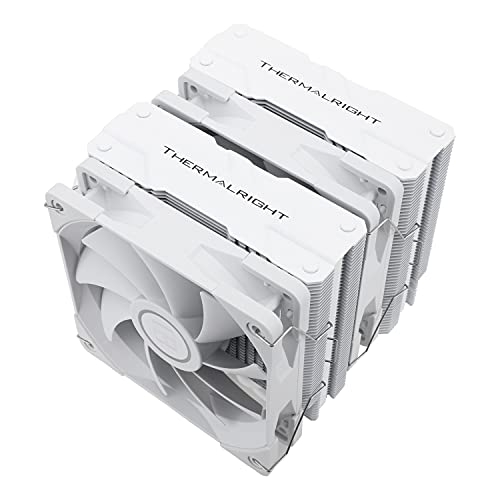
Thermalright Peerless Assassin 120 White 66.17 CFM CPU Cooler (PA120 White)
austere condor
the H100i V2 is not compatible with LGA 1700. corsair doesnt make a LGA 1700 bracket for it @potent portal @cyan ravine
potent portal
C*rsair strikes again
austere condor
they dont have a black pa120 at the same sale

big ole white CPU cooler looks weird in a all black build
austere condor
Part List - Intel Core i5-12600K, Radeon RX 6700, Cougar Panzer ATX Mid Tower
this is revision 2
oh shoot
the SSD
potent portal

"Paint It, Black” by The Rolling Stones
Producer: Andrew Loog Oldham
Composers: Mick Jagger and Keith Richards
Lyricists: Mick Jagger and Keith Richards
Associated Performers: Mick Jagger, Brian Jones, Keith Richards, Charlie Watts and Bill Wyman
Lyrics:
I see a red door and I want it painted black
No colors anymore I want them to turn black
...
cyan ravine
Push for the AMD XT
fossil cedar
austere condor
https://pcpartpicker.com/list/fY7mpH
id probably do this with the extra money then (NV2 just went backorder only) https://pcpartpicker.com/list/FRbBtn
Part List - Intel Core i5-12600K, Radeon RX 6700 XT, Cougar Panzer ATX Mid Tower
austere condor
the cooler is not compatible with the 12600k @fossil cedar
i just explained that
lol

h100i v2 is not on the list
cyan ravine
Ima have a look
fossil cedar
they need wifi @austere condor
cyan ravine
Wait did nv2 sell out?
fossil cedar
cyan ravine
Wait did nv2 sell out?
yeah backorder only
stoic island
I wish p41 plus price drops further
austere condor
$750
or potentially $125 on top if i want to buy his GTX 1080
but that would still be like $100, cause shipping and paypal fee
the SP-XD80 is the next best option @fossil cedar @stoic island
fossil cedar
id go a60
stoic island
5$ more I'd go for it for the bit better perf
fossil cedar
well its 10$ more but sure
cyan ravine
Part List - Intel Core i5-12600K, Radeon RX 6700 XT, Cougar Panzer ATX Mid Tower
austere condor
3400/3000 vs 2200/1600
cyan ravine
6$ over
austere condor
for $10 more
austere condor
cyan ravine
6$ over
$31 over
austere condor
- $100
austere condor
was thinking $125, but that gets cut down to nearly only $100 cause of shipping and paypal fee
naw
12600k
fossil cedar
austere condor
$31 over
what about this https://pcpartpicker.com/list/TMQXqm
Part List - Intel Core i5-12600K, Radeon RX 6700 XT, Cougar Panzer ATX Mid Tower
888 work?
could drop to a60 to save money
could also drop to b660 ds3h is needed
cyan ravine
Part List - Intel Core i5-12400, Radeon RX 6750 XT, Cougar Panzer ATX Mid Tower
Rip the 380 6750 is gone
cyan ravine
fossil cedar
what about this https://pcpartpicker.com/list/TMQXqm
Actually I like this one more
No idea how good silver soul is but it ticks the principle boxes
cyan ravine
Like if I took anything else out, I would go 12400 at that point
fossil cedar
i prefer the one slightly over budget but this would work too for slightly just over budget https://pcpartpicker.com/list/XCPR9r
Part List - Intel Core i5-12600K, Radeon RX 6700 XT, Cougar Panzer ATX Mid Tower
cyan ravine
Ooo a60 so cheap
cyan ravine
But I wouldn't do ds3h with that 12600k
austere condor
cause i can buy the 8700k/board/aio and 1080 from him
fossil cedar
sell the cpu board and cooler?
fossil cedar
bringing it to what exactly?
cyan ravine
960
rich mason
might actually try to pick out my build myself slowly
gonna ask for help making sure it is actually a good build lol
cyan ravine
Part List - Intel Core i5-13600K, Radeon RX 6700 XT, Cougar Panzer ATX Mid Tower
What about this
Yes, aware of the bios update
If he can pull it off, then he could fit a cpu in that will last many years
fossil cedar
or could do this https://pcpartpicker.com/list/J9Z6gb
Part List - Intel Core i5-12600K, Radeon RX 6750 XT, Cougar Panzer ATX Mid Tower
cyan ravine
What's 6800 start at?
fossil cedar
510 :/
cyan ravine
Kekek
fossil cedar
can be done but not with 12600k
fossil cedar
fossil cedar
id still do this https://pcpartpicker.com/list/fMgk3y
^ could have done this for 700
austere condor
Part List - Intel Core i5-12600K, Radeon RX 6750 XT, Cougar Panzer ATX Mid Tower
yeah?
i think thats the one
though im not keen on recommending a asrock GPU
cyan ravine
Asrock gpus are good
It's the boards that are bleh
And even then, this coming gen of asrock boards we're hearing better things for once
fossil cedar
cyan ravine
And even then, this coming gen of asrock boards we're hearing better things for ...
its because they have sanic board
 cyan ravine
Sonic sponsorship giving millions for better board /jk
little osprey
sonic mobo gives 10000 extra fps
potent portal
Gotta go fast
 jagged hill
hi i realized making a monitor an aio pc was not practical and took too much power
i ended up building a cyberdeck instead
 echo vale
Hello looking to build my 2nd PC only parts I have atm is an AIO and a 3080ti Im looking to build one for new popular game titles (4k) I need it to be able to render beefy sized blender projects for school is there anyone that can help ? 🙂
budget is up in the air tbh
 vague oracle
This was going so well until the proprietary front panel connectors 

Welp time to splice together some connectors
Took a couple boot loops but ITS GOOD
 vague oracle
I kinda wish I spent the extra $20 for the dark rock pro 4 just to match the pitch black aesthetic
 flint sapphire
vague oracle
I kinda wish I spent the extra $20 for the dark rock pro 4 just to match the pit...
flint sapphire
vague oracle
I kinda wish I spent the extra $20 for the dark rock pro 4 just to match the pit...
👀and that sweet screwdriver, the mounting is a nightmare on the dark rock tbh, I switched to a ak620
flint sapphire
Right? It’s a dream compared to most
vague oracle
Kinda was like, hmm this can go there
flint sapphire
If you have semi large hands, and the mobo is already in the case, good luck mounting the dark rock pro 4 
flint sapphire
They didn’t have enough for a sick screwdriver 
cyan ravine
Just get a noctua one
vague oracle
I kinda want my 3080 in this build, not a huge fan of the 2080 super
cyan ravine
Kekw
cyan ravine
vague oracle
I kinda want my 3080 in this build, not a huge fan of the 2080 super
I agree
vague oracle
Just looks wise, not talking performance here
cyan ravine
Any green text I hate
vague oracle
And it lights up green
flint sapphire
Imo the dark rock is the best looking tower cooler
cyan ravine
My old waterblocks had green lit up nvidia text
Yeah I hate that
Just, don't force the logos nvidia
It's garbo
vague oracle
…what’s the chance of a 650w PSU handling a 3080 12gb?
cyan ravine
Cpu?
cyan ravine
Eh no
cyan ravine
Can but no, wouldn't
vague oracle
Damn guess I’ll need to redo cable management then
flint sapphire
vague oracle
I have an HX750 that will work but it’s in a different PC
Or maybe I just go the kraken G12 route
cyan ravine
Hx750 is perfect
Nah wiring the psu will take as long as the g12 thing
I think we are repeating ourselves lol
cyan ravine
It is cringe
But it allows possibilities
Or you could get an eiswolf if they have one
(deja vu deja vu deja vu)
vague oracle
$250
vague oracle
Guess I can always just disconnect the LEDs
flint sapphire
Just do a complete custom Optimus water cooling loop if you’re gunna spend 250+ 
Wait
flint sapphire
vague oracle
Guess I can always just disconnect the LEDs
Actually big brain
vague oracle
What’s the chance of a 3000cl16-16-16 being B-die?
There’s a b die checker?
Can you send the link?
fossil cedar
vague oracle
What’s the chance of a 3000cl16-16-16 being B-die?
If it's like really old there's a chance
frigid night
vague oracle
There’s a b die checker?
Most of this site is in german, but if you know what Yes and No are then you can easily figure it out. This is what I use to see what is B-die.
Hardwareluxx
Die ultimative HARDWARELUXX Samsung 8Gbit B-Die Liste
Inhaltsverzeichnis / Table of Contents
» 8GB Module & 2x8GB/4x8GB/8x8GB Kits (SS, SR)
» 16GB Module & 2x16GB/4x16GB/8x16GB Kits (DS, DR)
» 32GB Module & 2x32GB Kits (DC DIMM)
» SO-DIMM 8GB/16GB Varianten (SR/DR)
» Häufig gestellte Fragen...
fossil cedar
Well any chromium based browser should detect that it's German and ask if you wanna translate
frigid night
fossil cedar
Well any chromium based browser should detect that it's German and ask if you wa...
My chrome doesn't even with my translator extension
fossil cedar
Really?
frigid night
yep
fossil cedar
That's weird I've never had a translator extension
frigid night
Huh, nvm after I accepted cookies it actually translated.
Although it isn't translating "Ja" right.. It's saying it's "and" when "Ja" is "yes"
vague oracle
It doesn’t have an option for 3000mHz
frigid night
vague oracle
It doesn’t have an option for 3000mHz
What brand?
actually what is the model #?
stoic island
Adata doesn't have nice identification for die afaik
vague oracle
It’s AX4U3000W4G16
frigid night
vague oracle
It’s AX4U3000W4G16
yeah not seeing anything adata on the site I linked.
stoic island
But 3000c16 has extremely slim chances of being b die, and if it is b die, it's terrible b die that wouldn't clock well
fossil cedar
vague oracle
It’s AX4U3000W4G16
AX4U300038G16 is actually b die
Nvm wrong model
What size is the kit
Not yet just wanted to search easier
frigid night
So it's Needle Spectrix?
fossil cedar
Not b die
Or at least not documented on the list
@vague oracle try see what typhoon burner guesses
stoic island
Typhoon is going to say no
Because typhoon only guesses
And the only reasonable guess for 3000c16 is not b die
fossil cedar
Yeah but at least typhoon will tell manufacturer
stoic island
Not accurately afaik
vague oracle
I need to install them first for typhoon
fossil cedar
It's only guessed manufacturer right as far as i seen, just hardly guesses the die right
vague oracle
It’s Hynix die, not sure what it is
fossil cedar
Ah well then
vague oracle
I slightly pulled back the heat sink on it and saw the SK Hynix on the die
fossil cedar
B die is samsung
vague oracle
Yeah I know
stoic island
It's probably like mfr lol
fossil cedar
It could still clock high possibly
Especially since it sounds like an old kit
Might be decent die
vague oracle
I got it back when the RX480 came out
stoic island
Good chance it's 4gbit mfr that doesn't do over like 3400