#building-and-recc-chat
1 messages · Page 67 of 1
 obsidian wigeon
yes
 potent portal
Make sure the memory is clicked all the way into the slot
obsidian wigeon
^

 obsidian wigeon
nope, it doesn't
potent portal
 vital pelican
Anything seem wrong?
vital pelican
Anything seem wrong?
Put your memory in slots 2 and 4
You have them in 1 and 3
potent portal
The backplate fell off
vital pelican

 potent portal
The backplate is just behind the motherboard
You probably need to pick up the board to get to it
potent portal
Screws are easy and you can leave the plugs
potent portal
I usually put the cooler on before I put the board into the case for this reason, unless it has its own bracket
potent portal
Understandable
 analog pulsar
@fossil cedar what ram would you get then???
It seems I have a buyer and I'll be able to get aorus mobo
analog pulsar
Like what are we doing keeping the ram or upgrading to DDR5 🤔
 drowsy zodiac
Or 360?
 cyan citrus
wave I've got a need for a recommendation on a X790 board. I've got:
Intel 13900K
RTX 4090
GSkill 32 GB (2 sticks) @6000MT/s
1000 Corsair PSU
who are we trusting these days on boards for the X790?
obsidian wigeon
z790? those aren't even out yet
obsidian wigeon
z690 is newest you can go
which should support 13th gen with bios update
many z690 boards has flashback
cyan citrus
Ok. Well, in the case of preorder -- who are the board mfgs of choice these days? I want something with PCIe 5 for the card and m.2 of course
I have a use case to stay bleeding edge. I do a LOT of benchmarks and we are seeing a somewhat solid amount of reduction with the 690 boards
so the 790 is likely overkill/pointless for most. But that's not my case
obsidian wigeon
Can't really say without reviews
cyan citrus
also, I'll be reviewing PCIe 5 PSUs, etc.
I've been using Aorus boards for a few generations, and I feel like it's an area where I might at least look around a bit...
obsidian wigeon
Aorus is almost always good
 proper ether
 obsidian wigeon
The extra band merely exists because 6 ghz band isn't very widely used yet
So there's very little inteference
 velvet yoke
I have an 8x8 sitting in the box.
 earnest olive
obsidian wigeon
z790? those aren't even out yet
earnest olive
obsidian wigeon
z790? those aren't even out yet
uhhh what
earnest olive
13th gen has been out for more than a month you think z790 wouldn't have launched yet?
obsidian wigeon
ah fair enough
earnest olive
yes they've been out for a while
obsidian wigeon
then it's working fine now
vital pelican
obsidian wigeon
then it's working fine now
i can use a m.2ssd for my computer right
nothing else
vital pelican
im not sure how to select as a boot device
but as long as i dont have to buy something else
its hard to believe that tiny m.2 has everything i need
vital pelican
obsidian wigeon
and install os on
erm its not letting me select the m2 as a boot device
obsidian wigeon
did it accept your input to select the drive?
if it does then it's working like it should
just needs to install an os
vital pelican
i go to bios which i dont know how to navigate and select nvme
 sleek ore
Could someone check out my build please! ➡️ https://docs.google.com/document/d/1kUurOSk5V8gxXJM5uLug_zRaf-BP-iRpbQuw9EBy7d8/edit

Google Docs
PC Build CPU $162 ($17 off) Motherboard $89 ($32 off) Memory $85 Video Card $510 (Brand New) $475 (Open Box) Case $70 Power Supply $60 ($40 off) Storage $58 ($5 off) Free shipping on all except the Video Card. Very good deals at the moment, could drop even lower during black friday.
 autumn wolf
@woven horizon im the opposite rn, i have an itx case waiting on a mobo
 steady remnant
hi
 fossil cedar
analog pulsar
<@191276897227898880> what ram would you get then???
fossil cedar
analog pulsar
<@191276897227898880> what ram would you get then???
I'd probably go ddr4 unless going like 13700k and 3090+ as it's a good bit cheaper
analog pulsar
fossil cedar
I'd probably go ddr4 unless going like 13700k and 3090+ as it's a good bit cheap...
Only thing I'm going is 13600k + 7900XTX
 remote haven
my friend just got a Tuf gaming motherboard Z790 Plus WiFi D4, and a i9-13900k, does he need to update bios? he’s getting blue screens, at first it was memory, i told him to swap it out and that went away but another one came up that says “system thread exception not handled”
 woven horizon
autumn wolf
<@274909044773355520> im the opposite rn, i have an itx case waiting on a mobo
woven horizon
autumn wolf
<@274909044773355520> im the opposite rn, i have an itx case waiting on a mobo
I’ve 2 b660 itx motherboards both waiting on cases 😦
fossil cedar
analog pulsar
Only thing I'm going is 13600k + 7900XTX
Eh I'd go 13700k ddr4 over 13600k ddr5
analog pulsar
fossil cedar
Eh I'd go 13700k ddr4 over 13600k ddr5
Well we were just gunna go with 13600k bc I don't need much more cores then 14
fossil cedar
remote haven
my friend just got a Tuf gaming motherboard Z790 Plus WiFi D4, and a i9-13900k, ...
He shouldn't but it might help with the blue screens, did they reinstall windows when they got the new motherboard?
analog pulsar
Plus 13600k can do like 5.1Ghz
fossil cedar
analog pulsar
Well we were just gunna go with 13600k bc I don't need much more cores then 14
Well then I'd just go ddr4
analog pulsar
Hm
@fossil cedar well only reason we going DDR5 is bc the mobo I want rn it's $200 that's $160 off it's MSRP rm
analog pulsar
I don't want that
https://pcpartpicker.com/product/bPYmP6/gigabyte-z690-aorus-ultra-atx-lga1700-motherboard-z690-aorus-ultra i want this

Gigabyte Z690 AORUS ULTRA ATX LGA1700 Motherboard (Z690 AORUS ULTRA)
fossil cedar
Any particular reason?
analog pulsar
https://pcpartpicker.com/product/pgKKHx/gigabyte-z690-aorus-elite-ax-ddr4-atx-lga1700-motherboard-z690-aorus-elite-ax-ddr4 its like this mobo but cheaper
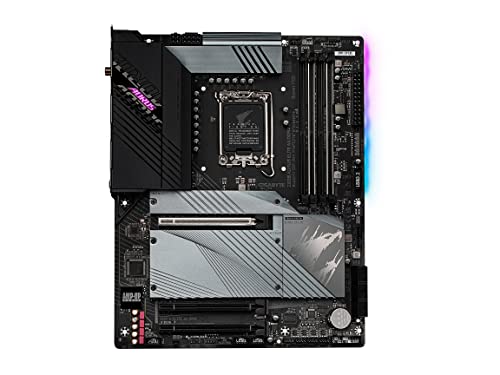
Gigabyte Z690 AORUS ELITE AX DDR4 ATX LGA1700 Motherboard (Z690 AORUS ELITE AX DDR4)
This mobo was $200 before
Idk why its $50 higher
analog pulsar
https://pcpartpicker.com/product/kZPQzy/gigabyte-b660-aorus-master-ddr4-atx-lga1700-motherboard-b660-aorus-master-ddr4 or i can get this but the the z690 is $20 more whole dollars

Gigabyte B660 AORUS Master DDR4 ATX LGA1700 Motherboard (B660 AORUS MASTER DDR4)
fossil cedar
I cannot help if you don't answer the questions....
remote haven
fossil cedar
He shouldn't but it might help with the blue screens, did they reinstall windows...
no
just installed the mobo and cpu and booted
now this
analog pulsar
fossil cedar
But any particular reason you want the aourus like?
Seemed to be more in my price range while still giving a pretty look also I like the sheild helps protect the ssds and the RGB is pretty 
fossil cedar
remote haven
no
Would very highly recommend doing a fresh install of windows 11, basically mandatory to do a fresh windows install when you swap motherboard, also make sure their ram is in slots 2 and 4 from left to right, tell them to turn xmp off too, but yeah bios update is a good idea too
remote haven
fossil cedar
Would very highly recommend doing a fresh install of windows 11, basically manda...
thanks for ur help, i’ll come back if i have any more questions from him
fossil cedar
Np
I mean up to you but some ddr4 alternatives that are decently priced are gigabyte z790 gaming x, nzxt n5 z690
@analog pulsar ^
analog pulsar
fossil cedar
I mean up to you but some ddr4 alternatives that are decently priced are gigabyt...
Nzxt is out bc it can't do bios update
fossil cedar
analog pulsar
Nzxt is out bc it can't do bios update
Yes you can they have flashback
analog pulsar
The website said it didnt
Also so did floppa

Tom's Hardware
BIOS Flashback boards let you update without a 12th Gen CPU on B660, too.
hm

ill just get this 

oh nzxt added buttons

? this is amd mobo

That's one expensive one
Brb
@fossil cedar https://pcpartpicker.com/list/wZn6Fg ill just do this and it will be still cheaper then going DDR5
Part List - Intel Core i5-13600K, Fractal Design Focus 2 RGB ATX Mid Tower
I think ddr5 build was $800 something this build is only $674
My work is making us work Saturday so I'll just earn $65 extra dollars to get mobo
fossil cedar
Whatever you want
 fossil cedar
analog pulsar
<@191276897227898880> what is performance jump from 13600k to 13700k 🤔
fossil cedar
analog pulsar
<@191276897227898880> what is performance jump from 13600k to 13700k 🤔

Sponsor: Crucial DDR5 Memory https://geni.us/XKQaQ
The Intel Core i7-13700K CPU review & benchmarks finally arrived, following-up our Intel i5-13600K and i9-13900K CPU reviews to give a full comparison of the Intel options. We had this one in the pipeline for a while, but kept getting delayed by other content (mostly the 12VHPWR cable research o...
 mossy venture
I'd say way more than fine
analog pulsar
Lol
mossy venture
I'd be fine pairing a 12400f with a 4090 for 4k
13600k with anything at 1440p will do more than fine
analog pulsar
oh
 upper ore
Does it matter if I get a m.2 without a heatsink?
fossil cedar
mossy venture
I'd be fine pairing a 12400f with a 4090 for 4k
Honestly i wouldn't, 12600k sure but only 6 cores is well sad for a 3080 + build imo
fossil cedar
upper ore
Does it matter if I get a m.2 without a heatsink?
Depends on the m.2 and if your board has a heatsink
upper ore
fossil cedar
Depends on the m.2 and if your board has a heatsink
This is my board Check this out on @Newegg: ASRock B550 STEEL LEGEND AM4 AMD B550 SATA 6Gb/s ATX AMD Motherboard https://www.newegg.com/asrock-b550-steel-legend/p/N82E16813157937?Item=N82E16813157937&Source=socialshare&cm_mmc=snc-social-_-sr-_-13-157-937-_-11242022
fossil cedar
The top slot has a heatsink anyway
upper ore
Which slot would my boot drive go to? Because this one that im getting will not be my boot drive.
 analog hearth
top
upper ore
Crap
analog hearth
top slots are usually the fastest. they usually have the latest PCIe version, while the lower slots are sometimes the previous PCIe version
upper ore
analog hearth
top slots are usually the fastest. they usually have the latest PCIe version, wh...
How much slower tho? Could I have my boot drive on the 3.0 (so the bottom one) without causing problems?
analog hearth
you won’t run into any problems. it would only really matter if say you had a PCIe 4.0 drive but you put it in the 3.0 slot. if it’s a 3.0 drive, don’t worry about it
obsidian wigeon
problems won't be stability
just limited speed
it just kinda defeats the point of using 4.0 drive on 3.0 even tho it works completely fine
upper ore
analog hearth
you won’t run into any problems. it would only really matter if say you had a PC...
I want to get a 2tb 850x for all my games. But I have mp33 that I was planning on using for my boot drive since it's a 3.0 it'll go in the bottom slot
analog hearth
it would be ideal, but it’s not required
upper ore
obsidian wigeon
it just kinda defeats the point of using 4.0 drive on 3.0 even tho it works comp...
It looks like the one with the heatsink is the 4.0 and the top one right?
 upper ore
What all will the slower boot drive speed limit?
analog hearth
upper ore
It looks like the one with the heatsink is the 4.0 and the top one right?
top is 4.0. bottom is 3.0. it’s weird that it doesn’t say anything for the middle slot
upper ore
analog hearth
top is 4.0. bottom is 3.0. it’s weird that it doesn’t say anything for the middl...

 upper ore
And I won't be using it lmao
upper ore
upper ore
What all will the slower boot drive speed limit?
@analog hearth can you answer this for me please.
analog hearth
the MP33 has speeds of 1500 to 1800 MBps. PCIe 3.0 goes up to roughly 1000 MBps
if you wanted my advice, I would say to just change the boot drive (the 3.0 drive) to the 3.0 slot and put the new 4.0 drive in the 4.0 slot
the boot times will probably be marginal, and loading screens probably take up the same time as boot times (assuming the same drive), but you’ll come across loading screens more often
so, the 4.0 drive will have 4.0 speeds, therefore quicker loading times than a single boot time that’s probably already quick enough
upper ore
analog hearth
if you wanted my advice, I would say to just change the boot drive (the 3.0 driv...
I plan on getting the 850x today which is a 4.0 and I was planning on using that for games and such.
analog hearth
ye. put that in the 4.0 slot
you’re not losing much performance by changing the 3.0 drive to the 3.0 slot
upper ore
analog hearth
so, the 4.0 drive will have 4.0 speeds, therefore quicker loading times than a s...
I don't care to much about how fast my pc boots up to be honest. And plus I'm just running a ssd for my current pc's boot drive.
analog hearth
oh then yeah for sure swap the slots
upper ore
analog hearth
oh then yeah for sure swap the slots
This is a stupid question because it's in the name. But does the boot drive only effect how fast the pc boots up?
analog hearth
I’m sorry I misread when I was reading about PCIe speeds. so, that PCIe slot is a gen 3.0 slot (that is, the one I’m recommending you switch your boot drive to). I believe that slot has two lanes, and PCIe 3.0 can go up to 1GB per second per lane. there are two lanes on the 3.0 slot on your motherboard, so that actually puts it at a maximum of 2GBps. your MP33 can go up to 1800MBps. therefore, you wouldn’t see a difference if you swapped the slots
sorry for the long paragraph lol
and, the 4.0 lane supports 2GBps per lane, and there are 4 lanes on that slot. so, 8GBps, and the 850x I think does around 7.3GBps(?)
upper ore
analog hearth
sorry for the long paragraph lol
It's fine I've never used m.2 nvme before so that's why I'm asking questions lol.
analog hearth
upper ore
This is a stupid question because it's in the name. But does the boot drive only...
the boot drive is sort of a term that PC hobbyists came up with. it basically just means that it’s the same drive that the PC uses to boot. it doesn’t mean that can’t save documents or games to it
upper ore
analog hearth
the boot drive is sort of a term that PC hobbyists came up with. it basically ju...
I was planning on using it for all of my OS type stuff and maybe some documents.
analog hearth
ye that’s how it’s intended to be used
upper ore
So do I need to get a heatsink for it since the 3.0 lane doesn't have one on the board?
analog hearth
the 3.0 slot has a heat sink
upper ore
analog hearth
the 3.0 slot has a heat sink
It does because before I was told that it doesn't?
potent portal
Heat sinks don't matter for 3.0 drives anyway
analog hearth
shows it on the box
 potent portal
It's only certain 4.0 drives that get hot enough to actually benefit during extremely large transfers
upper ore
potent portal
It's only certain 4.0 drives that get hot enough to actually benefit during extr...
How hot does the 850x get? Lol
potent portal
Fairly hot, if you're doing 100+gb transfers
(that's 100gb at full speed too, so copying from one 4.0 SSD to another)
upper ore
potent portal
(that's 100gb at full speed too, so copying from one 4.0 SSD to another)
I think I'll be mainly downloading games to it lol
analog pulsar
how tall is this

 elfin flame
Kenzie, for future reference of Freedom Units:
' indicates feet/foot
" indicates inches
analog pulsar
elfin flame
Kenzie, for future reference of Freedom Units:
' indicates feet/foot
" indicate...
Oh so that have 2 measurements listed here
potent portal
3 feet, 5 inches = 41 inches = 1.04 meter
analog pulsar
 paper summit
Did they not teach u this in school😭
paper summit
Did they not teach u this in school😭
Bruh after I left high school I proceeded to forget everything
It's somewhere in there I just don't know where
paper summit
UGHHHHHH tube at the top i dont wanna take it apart again 😭

Kenzie sais its ok💀
But i dont think 55 at idle is ok
When my room is cold
potent portal
That's a mount problem if anything but what's your load temp?
analog pulsar
paper summit
Kenzie sais its ok💀
I mean just don't let pump touch but with how aio goes I don't think its gunna be able to touch
upper ore
@potent portal Dude i had no idea how rare and hard to get the Ryzen7 5800x3D is to get now! Thank you so much for telling me about it before it got this way!
Also for those looking to get a new CPU Gamers Nexus just posted this. https://www.youtube.com/watch?v=qACIqmP8xgw

We sponsored ourselves! Use code THANKSSTEVE for 10% off on https://store.gamersnexus.net to commemorate the community's most upvoted company meme this year while getting a discount on GN Black & Blue Mouse Mats, Red & Black Mats, Coasters, Modmats, Toolkits, and more! This supports another year of testing for us in 2023!
Grab a GN Black & Blue ...
paper summit
potent portal
That's a mount problem if anything but what's your load temp?
70
Drawing 120 watts
paper summit
potent portal
That's a mount problem if anything but what's your load temp?
But its weird because it was fine before i moved the rad
I didnt take the block off while moving it
 brittle spindle
Can any ram work on any motherboard as long as it supports the speed?
 empty pollen
the mobo must have the correct socket
ddr4 for ddr4, ddr5 for ddr5, and so on
once you pass that check both your mobo and your cpu should support the ram kit speed
if not then your kit will underperform, it will work nonetheless
but as long as the socket is the right one then the ram should work
brittle spindle
Ok I see
fossil cedar
empty pollen
once you pass that check both your mobo and your cpu should support the ram kit ...
Don't use the cpus official site dor this though as it won't be correct
For example intel says their cpus support up to 3200mhz for ddr4 but it can go way higher
empty pollen
yup, ppl around here are very helpful to guide you on certain kits if they can be compatible with your cpu or not
and/or an upgrade, downgrade or sidegrade
brittle spindle
I want to get a 5600 and 3060 will a 500 watt psu be fin or should I upgrade
fossil cedar
Probably not
What country you in?
I don't know of any decent 500w psus so technically in theory but in reality no
empty pollen
5600 and the 3060 should suck as much as 350 both
550 should cover it
or at least i think that
paper summit
If you're not using rt or nvenc than try going for 6650xt or 6700
brittle spindle
The psu I have isn’t that good but it’s been running for a 3 years
I would usually go with amd but I found the colors to be better on Nividia
empty pollen
rt on onything below 3080 is almost non existant or non relevant anyway
not worth the fps drop
paper summit
brittle spindle
I would usually go with amd but I found the colors to be better on Nividia
Rlly thats strange?
Unless u have some weird color preset
woven horizon
MEH i have a 3070ti, its fine on my machine
brittle spindle
Yea the nvidia control panel got me better colors than using amd, I just used the slider for digital vibrancy
paper summit
Oh so just higher saturation lol
analog pulsar
could we do it

 strong raft
I got the $100 pro creator one from asus, lol. Seemed like a solid value.
analog pulsar
paper summit
But its pretty
wait newegg cheaper brb
 ornate condor
Newegg have asus prime b660 for 100$
analog pulsar
Send link
ornate condor
analog pulsar
Okay
ornate condor
Anyways my question was is 13600k better than 12700k ?
12700KF for 300$ or 13600KF for 275$ 
analog pulsar
@fossil cedar would the 13600k be okay on the asus prime
ornate condor
You'll need bios update
analog pulsar
If I get cheaper mobo I can maybe get the monitor its just the pc won't look pretty
earnest olive
ornate condor
12700KF for 300$ or 13600KF for 275$ <:hmm:885706594564841503>
13600KF
ornate condor
Or you can get 150$ z690 one https://www.newegg.com/p/N82E16813119511?Item=N82E16813119511
Prime mobos are good 

fossil cedar
analog pulsar
<@191276897227898880> would the 13600k be okay on the asus prime
Unless it's z790 no, like no asus boards have flashback
analog pulsar
fossil cedar
Unless it's z790 no, like no asus boards have flashback
Oh I forgot about

paper summit
Hehe my b550 does
analog pulsar
Bruh
fossil cedar
Yeah most b550 boards do but asus decided not to on lga1700 for some reason
paper summit
Strange
analog pulsar
fossil cedar
Yeah most b550 boards do but asus decided not to on lga1700 for some reason
So we have to look at msi or gigabyte
Or asrock
paper summit
analog pulsar
Or asrock
Assrock*
analog pulsar
No
analog pulsar
@fossil cedar the only really thing I was on a mobo is for the io slots to have that sheild over them personally for me makes the mobo look nicer
fossil cedar
analog pulsar
So we have to look at msi or gigabyte
The nzxt boards on sale should work too
analog pulsar
Ik but I had nzxt before and I don't like there nzxt cam software to control the RGB
paper summit
🤦♂️
analog pulsar
paper summit
🤦♂️
Bruh nzxt cam is bad I had a whole NZXT pc before lol
There software is incorrect
It was my gpu was 0C
paper summit
analog pulsar
Bruh nzxt cam is bad I had a whole NZXT pc before lol
I saw the unboxing 💀
analog pulsar

https://pcpartpicker.com/product/nGRYcf/msi-pro-z690-p-ddr4-atx-lga1700-motherboard-pro-z690-p-ddr4 what aboutr this

MSI PRO Z690-P DDR4 ATX LGA1700 Motherboard (PRO Z690-P DDR4)
fossil cedar
analog pulsar
Ik but I had nzxt before and I don't like there nzxt cam software to control the...
Just don't use it then
Use openrgb or something
analog pulsar
fossil cedar
Use openrgb or something
Open RGB doesn't work for me
fossil cedar
analog pulsar
https://pcpartpicker.com/product/nGRYcf/msi-pro-z690-p-ddr4-atx-lga1700-motherbo...
No flashback
analog pulsar
What mobo is it that does
fossil cedar
Also am sure open rgb or some other offer would work
analog pulsar
fossil cedar
Also am sure open rgb or some other offer would work
I tried it on a couple other pcs never worked for me
fossil cedar

MSI PRO Z690-A DDR4 ATX LGA1700 Motherboard (PRO Z690-A DDR4)
analog pulsar
 fossil cedar
I'm aware lol
fossil cedar
Doesn't have flashback
analog pulsar
A and P
analog pulsar
fossil cedar
Doesn't have flashback
Gosh darn it okay okay how bad would it be if we just go 13th gen
12th
 wintry crow
there any good Pre built black friday deals for 3060ti build?
or is it still way cheaper to build my own?
fossil cedar
wintry crow
there any good Pre built black friday deals for 3060ti build?
or is it still way...
Uh it'll basically always be cheaper to build your own or you get better parts for the price but if you don't want to build that's valid
fossil cedar
analog pulsar
Gosh darn it okay okay how bad would it be if we just go 13th gen
You can if you want yea
wintry crow
fossil cedar
Uh it'll basically always be cheaper to build your own or you get better parts f...
i can build this, which is an amazing deal tbh.
but if there was a good Pre built version for like 200$ more i'd do that.
https://pcpartpicker.com/list/XfCXZw
Part List - Intel Core i5-12400F, GeForce RTX 3060 Ti LHR, Cougar MX330 ATX Mid Tower
analog pulsar
@fossil cedar also sips isn't very pleased with nzxt bc they let cpu go up to 115C before thermal throttling kicks in
I looked at it on my z590 mobo it's bc of how bios is set
There default value is 115C
@fossil cedar how are asrock mobo generally
I found one for $109
ornate condor
Cheap b660 asrock = 
woven horizon
Anyone have any experience with this adapter? https://www.amazon.com/Duttek-Converter-Motherboard-Internal-Computer/dp/B09M8J7CNW
analog pulsar
I have cpu
ornate condor
analog pulsar
I have cpu
12th gen ?
analog pulsar
Yea
ornate condor
So any b660 mobo would work ? Whats the problem
Or do I missing something ? 
Why you guys looking for bios flashback
fossil cedar
wintry crow
i can build this, which is an amazing deal tbh.
but if there was a good Pre buil...
Ehh for 1k you can do better 1 sec
wintry crow
fossil cedar
Ehh for 1k you can do better 1 sec
oh
fossil cedar
analog pulsar
<@191276897227898880> how are asrock mobo generally
Depends
wintry crow
i can do up to 1,200$ as well.
fossil cedar
analog pulsar
https://www.newegg.com/p/N82E16813162041?
Too cheap for 13600k
fossil cedar
wintry crow
i can do up to 1,200$ as well.
Well how much you wanna spend?
ornate condor
Isnt prime b660 better than this one ?
wintry crow
max 1,299
analog pulsar
fossil cedar
Too cheap for 13600k
@fossil cedar I'm looking on hardware swap really quick
fossil cedar
wintry crow
max 1,299
Okay wbht how much you wanna spend?
ornate condor
@fossil cedar why is flashback important
fossil cedar
ornate condor
<@191276897227898880> why is flashback important <:thonk:781965693468803103>
Cuz 13600k won't work without bios update on anything but z790
ornate condor
fossil cedar
Cuz 13600k won't work without bios update on anything but z790
I think he said he have 12th cpu
wintry crow
fossil cedar
Okay wbht how much you wanna spend?
i want to spend 1,100-1,200.
i do not care about looks.
i just want the best performance.
fossil cedar
Okay
analog pulsar
@fossil cedar you said no o0ne of the asus mobos have bios updatge
ornate condor
analog pulsar
<@191276897227898880> you said no o0ne of the asus mobos have bios updatge
Do you have 12th gen cpu for boot it up and update bios ?
fossil cedar
Apart from maybe strix
analog pulsar
ornate condor
Do you have 12th gen cpu for boot it up and update bios ?
I have a cpu I can put in it
Would that change things
I thought you need button to update it

reddit
101 votes and 130 comments so far on Reddit
fossil cedar
wintry crow
i want to spend 1,100-1,200.
i do not care about looks.
i just want the best per...
Part List - Intel Core i5-12600KF, Radeon RX 6800 XT, Fractal Design Focus 2 ATX Mid Tower
ornate condor
No if you have 12th gen cpu to boot it , you can update bios and then put 13th gen so . Qflash bios is not necessary I think
Idk maybe I missing something on this gen
wintry crow
fossil cedar
https://pcpartpicker.com/list/T8sKgb
you sure AMD GPUs are good?
ornate condor
That's what I did with my z690 mobo
fossil cedar
wintry crow
you sure AMD GPUs are good?
Yes otherwise i wouldn't recommend them lol, 6800xt is equivalent to a 3080
analog pulsar
Hm
ornate condor
I updated my bios with 12900k and then put 13900k . Easy
empty pollen
tomorrow is the big day pato, you excited?
wintry crow
fossil cedar
Yes otherwise i wouldn't recommend them lol, 6800xt is equivalent to a 3080
theres just been so much bad PR around them for years and literally no one else buys them lol.
but i'll trust you.
ornate condor
Shopppinggg 
ornate condor
I love shopping
empty pollen
crossing fingers for a discount on the 13600k
ornate condor
I saw 13600kf for 275$ but
fossil cedar
wintry crow
theres just been so much bad PR around them for years and literally no one else ...
That's because their previous gen had some driver issues, before that they just weren't able to compete at the high end
And then there's just people you are brainless Nvidia fans
empty pollen
green team go brrrrrrrr
fossil cedar
empty pollen
tomorrow is the big day pato, you excited?
Hoping 13600k price drops a lil
ornate condor
fossil cedar
That's because their previous gen had some driver issues, before that they just ...
That gen also had it but after that 2 years I think it is good now lmao
fossil cedar
ornate condor
That gen also had it but after that 2 years I think it is good now lmao
Rx 6000 never had any issues
wintry crow
fossil cedar
That's because their previous gen had some driver issues, before that they just ...
i mean as long as i can run games at max settings i couldnt care less about brand/looks of a PC.
empty pollen
thats ma boi
ornate condor
I personally had hard times with 6900xt when it came out
fossil cedar
Yeah only thing it's not as good in is ray tracing but tbh RT isn't worth it
empty pollen
in doom it is
but then again.... its doom
you can safely trade 100fps out of the 500
fossil cedar
Best RT game is Minecraft but it's the bad version of Minecraft lol
wintry crow
i can see reflections in the water super clear! 
ornate condor
Games without RT looks like at minimum settings 
 ornate condor
So 13600k better than 12700k ?
wintry crow
fossil cedar
Best RT game is Minecraft but it's the bad version of Minecraft lol
Radeons gonna be fine for Streaming and stuff right?
ornate condor
For gaming I know 13600k is king but what about render performance
empty pollen
you got me there
ornate condor
12700k have 2 more P cores but 13600k have more e cores
fossil cedar
wintry crow
Radeons gonna be fine for Streaming and stuff right?
Yes
ornate condor
Lets check benchmarks
fossil cedar
ornate condor
So 13600k better than 12700k ? <:hmm:885706594564841503>
Yes
ornate condor
alright 13600k have more single core and more multicore performance as well
empty pollen
13600k is comparable to the 12900k
ornate condor
lets hunt some 13600kf then
ornate condor
empty pollen
13600k is comparable to the 12900k
for gaming yeah but theyre far away at render performance lol
or not wait
nvm its not 
rip my 600$ 12900k that I bought a year ago lmao
empty pollen

ornate condor
well 13900k is game changer
empty pollen
or the 13900ks next year
ornate condor
thats how intel catched up with amd I guess . 12th gen i5 better than 11th gen i9 and 13th gen i5 better than 12th gen i9
ornate condor
rip lga1700 platform lol
empty pollen
and that will be a beast
ornate condor
personally I dont think it will be game changer couse very small surface area of cpu , its verry hard to cool it
analog pulsar
@fossil cedar oooo it's still in warranty until 2024........sorry about this I did this last time I keep forgetting warranty comes with products I thought like if you buy something and it breaks you have to buy another one
ornate condor
I wish amd was good as their announcements lol I see tons of comments under that live like " intel destroyed " "nvidia destroyedd" and laughing like yeah wait for actual product lmao
empty pollen
gigglebyte 
ornate condor
gigabyte have trash products but they have fast rma
I think I got my 3080 back under 2weeks
fossil cedar
okey
 vague oracle
analog pulsar
And there RMA
vague oracle
analog pulsar
And there RMA
Horrible

 weary galleon
analog pulsar
How does RMA work will they accept if I caused a problem
weary galleon
analog pulsar
How does RMA work will they accept if I caused a problem
Rma is typically only for manufacturing defects
analog pulsar
Hm
wintry crow
https://pcpartpicker.com/list/T8sKgb
best monitor you recommend for this build?
Part List - Intel Core i5-12600KF, Radeon RX 6800 XT, Fractal Design Focus 2 ATX Mid Tower
noooo
got an amazon link?
its not, oof.
it available anywhere else? if not got another recommendation?
ahh newegg has one for 330
ill take it.
this is the correct one right?
wouldnt i want the warranty with IPS?
dont want entier thing to have Bleed and get screwed.
i dont care tbh, if it works ill take whatever.
just worried when it comes to IPS
if its fine, shoot me a link to the open box version or whatever.
i just want the best looking monitor with the best colors tbh.
if it gets over 120fps im fine.
i mean even 144hz would work for me, as long as it has the best color quality.
fossil cedar
wintry crow
https://pcpartpicker.com/list/T8sKgb
best monitor you recommend for this build?
hp x27q is like 190 rn i think
wintry crow
fossil cedar
hp x27q is like 190 rn i think
👀
fossil cedar

All play, every day. We've redefined high definition gaming with IPS technology, 165Hz, 1ms response, AMD FreeSync™ Premium, and more colors than ever before.
its a sick deal
wintry crow
fossil cedar
https://a.co/d/38uJOwM
is this a good looking monitor? QHD is quantum dot right?
wintry crow
ms?
fossil cedar
ms is marketing BS
wintry crow
you sure? LOL?
fossil cedar
absolutely
 open ferry
I got 3060 Ti 2 fans last year. Couldn't built a system. Now I want to go ahead and build with NewEgg. I already purchase CPU Ryzen 9 7950. I am naive about cooling and all. Budget 3.2k no tax state. https://newegg.io/43b2bbb - pls tell me how can I get white cabinet compatible with cooling, I want to stack all ssds (which good deal).
fossil cedar
the advertised one is a mode youd never wanna use
wintry crow
its actually crazy i can get 2 of these HP monitors for 300$ 💀
any recommendations on Keyboards?
crazy black friday deals or anything?
i have no idea lol.
is 100$ cheap is 50$ cheap. i dont know.
analog hearth
Royal Kludge is amazing if you’re on a budget
they have more than just 60% keyboards lol
wintry crow
tkl
analog hearth
I might foam mod my TKL RK
wintry crow
i hate loud switchs, but i dont want mushy.
no bump at the end preferably.
so prob silent linear.
analog hearth
the linears
wintry crow
if people can hear my keyboard through a mic i'll break the keyboard LOL
analog hearth
ye that’s why you foam mod and lay the keeb on a desk mat
analog hearth
yes
wintry crow
link
analog hearth
Black Friday deal too
https://a.co/d/hfXjv15

RK ROYAL KLUDGE RK87 Sink87G RGB 80% Mechanical Keyboard, Wireless 2.4G Tenkeyless Mechanical Keyboard with Programmable Software, 87 Keys, Tactile Brown Switches
wintry crow
wireless?
do i need to charge my keyboard? 💀
analog hearth
ye but you can use it wired if you prefer
wintry crow
phew, yeah ill do that.
analog hearth
wireless is via 2.4GHz and Bluetooth (if that matters)
wintry crow
never gonna use it, all good.
analog hearth
lmao
analog hearth
lmao now you’ll have a white keeb too
analog hearth
I kind of agree though. Keychron makes better quality keyboards. I thought i’d mention RK because they’re great for budgeting
wintry crow
so smooth and quiet.
man why are height adjustable desks so expensive.... am i actually gonna have to make my own ikea one
v.v
none of you got some good desk suggestions do you?
analog hearth
I need a new desk
wintry crow
man it sucks i actually have to get Height adjustable....
6'7" struggles.
yeah but look at the reviews.
they're literally just cardboard on a height adjust stand
idk, imagine something being quality made in 2022.
sigh.
yeah but i was thinking of getting a heigh adjust desk stand, then buying soild wood piece on Ikea or something
might be able to make one for like 350$
need desk itself to adjust sadly.
guess ill be on the floor until i find a desk lol.
the real issue is a Desk chair, they literally dont exist for people as tall as me.
alright, ty.
analog hearth
I need a new desk chair
wintry crow
analog hearth
I need a new desk chair
got that 1,000$ money for an Areon
wow that looks clean
getting that.
analog hearth

Keychron C1 Mac Layout Wired Mechanical Keyboard, Gateron Red Switch, Tenkeyless 87 Keys Double shot ABS keycaps Computer Keyboard for Windows PC Laptop, RGB Backlight, USB-C Type-C Cable
wintry crow
also yolo, https://www.amazon.com/gp/product/B085KBN2DN/ref=ox_sc_act_title_1?smid=A1L7F5DL4H71TK&psc=1

SHW Electric Height Adjustable Computer Desk, 55 x 28 Inches, Black
if its cardboard its cardboard ig.
lmfao
that gives me some comfort then.
damn, my first PC coming together nicely. all i need now is a chair.
either way thanks for the help, truly based.
no confusion.
in the end got 2 monitors for the price of 1 gigabyte.
😎

white pc build
 toxic schooner
Does anyone know how to do a bios update
Just installed a new motherboard and new cpu
Tuf gaming motherboard Z790 Plus WiFi D4
toxic schooner
@remote haven Hola amigo
remote haven
wintry crow
show me when it’s built 👀
wintry crow
remote haven
show me when it’s built 👀
will do 👀
remote haven
tbh i’m so high king idk if i’m of any help
go buy flash drive make sure it’s at least 8gb
toxic schooner
I can't find what I need to download and don't have another pc. So currently have to rely on a friend to do it that lives near me, think you could help by giving me a link ?
open ferry
I got 3060 Ti 2 fans last year. Couldn't built a system. Now I want to go ahead and build with NewEgg. I already purchase CPU Ryzen 9 7950. I am naive about cooling and all. Budget 3.2k no tax state. https://newegg.io/43b2bbb - pls tell me how can I get white cabinet compatible with cooling, I want to stack all ssds (which good deal).
toxic schooner
Okay
toxic schooner
remote haven
tbh i’m so high king idk if i’m of any help
You're good
13th Gen
Not sure
Intel Core i9 13900K
analog pulsar
empty pollen
 toxic schooner
Okay, yeah I'm not really experienced with this stuff
I appreciate it
I guess the issue mostly is the blue screen I'm getting when booting up
Yes
I was currently on windows 10 before switching motherboards. Would I need to just re install windows 10 or get windows 11?
Alright
Yes please
Alright thank you
mossy venture
toxic schooner
I guess the issue mostly is the blue screen I'm getting when booting up
What ram slots are you using btw?
toxic schooner
mossy venture
What ram slots are you using btw?
2 and 4
mossy venture
That sounds fine
analog pulsar
Oooooooo
 mossy venture
Thats more expensive than normal
 steep merlin
mossy venture
Thats more expensive than normal
steep merlin
mossy venture
Thats more expensive than normal
for mine?
mossy venture
Its normally $300
steep merlin
oh
vague oracle
…wrong link
analog pulsar
mossy venture
Thats more expensive than normal
Well KF is 319 for something but no igpu
mossy venture
analog pulsar
Well KF is 319 for something but no igpu
Read my last message
mossy venture
vague oracle
…wrong link
How?
analog pulsar
309
analog pulsar
mossy venture
Read my last message
I see
steep merlin
mossy venture
https://www.newegg.com/msi-codex-r-11tg-031us/p/N82E16883152770?Item=9SIA4P0HUZ9...
wait... is this 3060 ti for the same price?
analog pulsar
But I could go pick it up tommorow from bestbuy
mossy venture
And can add a 2tb hdd for $40 very easily
analog hearth
go for the better GPU. SSDs are cheap
mossy venture
Or 1tb ssd for $60
steep merlin
hmm
however if i buy from bestbuy i will get like $50 cashback
also i can do $40 financing from bestbu
mossy venture
The 3060 ti build has much better perf though
30% is a huge difference in real world performance
steep merlin
right
 mossy venture
Went up to $310 ig, but I also would never spend $340 on a 13600k when the 12600k is $224
Kf anyways
fossil cedar
steep merlin
https://www.bestbuy.com/site/hp-omen-40l-gaming-desktop-intel-core-i5-12400f-hyp...
if you dont mind refurbed then get this https://www.newegg.com/p/3D5-003P-00058?Item=9SIA08CJPG2713&quicklink=true otherwise if you dont want refurbed this works https://www.newegg.com/abs-ala282/p/N82E16883360247?Item=N82E16883360247
analog pulsar
I was looking for k processor might have to go without gpu for a little bit
steep merlin
fossil cedar
if you dont mind refurbed then get this https://www.newegg.com/p/3D5-003P-00058?...
it doesnt say refurbished on the website
fossil cedar

or this one actuallly https://www.newegg.com/p/3D5-003P-00048?Item=9SIA08CJPG2703&quicklink=true
fossil cedar
okay then grabbed the non refurbed one
analog pulsar
mossy venture
Went up to $310 ig, but I also would never spend $340 on a 13600k when the 12600...
Band H has 309


okay its not 309 its 314
also its "coming soon"
analog pulsar
Nevermind
 dim forge
that 5600 is cheap af and I have a 25$ coupon, but I need smt with iGPU bc I can't buy a proper one rn
😭
 merry spindle
When installing an AIO with the radiator at the top of the case, is it better to have the pipes coming out from the waterblock towards the front of the case, or towards the back? I saw a build video with the pipes coming out towards the back of the case, and the pipes kinda hang close to the rear fan, which makes me feel uneasy
 stoic island
Doesn't matter
Pipes are more resilient than you might think and fan blades are typically not that sharp
merry spindle
Aight thanks
analog pulsar
@fossil cedar @cyan ravine ahhh I got the money yall cpu tomorrow omg omg ahhhh I'm so excited I can't breathe
 warm cave
Heu guys. Quick thought on this build?https://pcpartpicker.com/list/
Choose Your Parts
woop
Part List - Intel Core i9-13900KF, GeForce RTX 3080 10GB, Corsair 4000D Airflow ATX Mid Tower
vital pelican
@drowsy zodiac
 languid nimbus
I’d like to suggest a m.2 nvme
stoic island
warm cave
https://pcpartpicker.com/list/nqdrfv
To start, what's the purpose?
It's kinda messy
vital pelican
stoic island
Ventus 3x 3080 at 1050$ is way too much, should be like 750$
vital pelican
why is aqua here
vital pelican
64 gigs of ram!?
stoic island
And with that kind of budget you should be able to afford like 3600c16
The storage situation is a mess
Primary storage could be like 2tb P41 plus
HDD storage could be like 4tb x300
merry spindle
Can an ASUS rgb fan go into an MSI motherboard? If so, can I control it with MSI's RGB software? If not, how about some kind of universal RGB program?
stoic island
Openrgb
stoic island
No rgb is best rgb though
 little osprey
Someone give me a link to a good motherboard for a Ryzen 9 5900x
Not overpriced
Not tryna spend 400$
vital pelican
asrock
drowsy zodiac
vital pelican
<@710324171175100477>
yo
vital pelican
hows your build
drowsy zodiac
so my case has a controller on the back for the fans and stuff and there’s a cord with a tag called pwm where does that go on my mobo?
vital pelican
pwm?
drowsy zodiac
yes
stoic island
drowsy zodiac
so my case has a controller on the back for the fans and stuff and there’s a cor...
Fan header
drowsy zodiac
so like a system fan header?
stoic island
Ye
drowsy zodiac
does it matter witch header or nah
stoic island
Nah
vital pelican
is it for one fan or all fans
drowsy zodiac
ok cool thanks
drowsy zodiac
vital pelican
is it for one fan or all fans
all them it’s connected to a controller
vital pelican
oh ok
warm cave
I use bolth CPU and GPU applications
vital pelican
warm cave
3D rendering
you need 64gb of ram for that?
warm cave
But my CPU is super lacking for rendering times
warm cave
vital pelican
you need 64gb of ram for that?
Aye.
vital pelican
good heavens
warm cave
I'd opt for more.
I actually have Most of the components already in another computer. Just minus the mobo, cpu, aio, M.2...And new case?
All the rest is an upgrade
little osprey
stoic island
Just do like
https://www.newegg.com/gigabyte-b550-aorus-elite-ax-v2/p/N82E168131...
Is there a white version of this
warm cave
I'm just not the most savvy, and wanted opinons
vital pelican
little osprey
Is there a white version of this
thats definitely something id suggest you look up
warm cave
I'm also slightly worried about power supply?
It looks like I'm below my wattage. but still
vital pelican

Experience next-level performance and connectivity with the ROG Strix B550-A Gaming, featuring PCIe® 4.0 and 2.5Gb Ethernet. Robust power and effective cooling make the ROG Strix B550-A Gaming the perfect partner for 3rd Gen AMD Ryzen™ CPUs. Futuristic aesthetics, intuitive software, and a reliab...
little osprey
That’s for the Ryzen 5000
vital pelican
warm cave
It looks like I'm below my wattage. but still
your below
too much and youll kill your pc
warm cave
Should I be safe within the range that I have?
brittle spindle
Will my frames increase if I upgrade from 8gb to 16gb ram, and also a ryzen 3 2200g to a ryzen 5 5600. My guess is yes but how big of a frame boost will that be
vital pelican
next wattage you can get is 850
vital pelican
brittle spindle
Will my frames increase if I upgrade from 8gb to 16gb ram, and also a ryzen 3 22...
a very big one
but whats the rest of your build looking like
whats it or
brittle spindle
I have a 1660 super also
drowsy zodiac
GUYS I DID IT
I DIDINT MESS UP
BIOS BOOTS
EVERYTHINGS GOOD
Or 360?
LOL
hey hey
i need to cable manage now ngl
this looks awful
languid nimbus
Good luck
drowsy zodiac
i’m so excited right now
drowsy zodiac
i do
lots
LOL
Shoutout to everyone who’s helped me find parts and everything means a lot!@fossil cedar @cyan ravine @elfin flame @mossy venture
vital pelican
do you have windows
drowsy zodiac
no i’m gonna cable manage first then boot windows
vital pelican
i made the mistake of forgetting to get a flashdrive lol
drowsy zodiac
oh yeah i got one ready to go
vital pelican
when i get home im just gonna download off my laptop and transfer
drowsy zodiac
just gonna mess w some the cords make the front look pretty and the back look disgusting then yeah ima boot windows
vital pelican
is your mobo flashing red at u
 leaden mauve
drowsy zodiac
Shoutout to everyone who’s helped me find parts and everything means a lot!<@19...
leaden mauve
drowsy zodiac
Shoutout to everyone who’s helped me find parts and everything means a lot!<@19...
say that again but ping 1 extra person this time (dont)
drowsy zodiac
nope
drowsy zodiac
leaden mauve
say that again but ping 1 extra person this time (dont)
who is the other person?
my memory is terrible
warm cave
vital pelican
your below
Should I be worried?
drowsy zodiac
ohhhh
vital pelican
if your total power is under 730 then youll be fine
your psu will take it like a man
warm cave
it seems the very TOP usage I can do is 771. Am I reading that right?
Corsair 850 platinum. RTX 3080 10g, and I9 13900fk
I don't usually overclock at all
 still roostBOT
 ThunderHamz#7168 has been warned
Reason: Bad word usage
warm cave
Woops
I just don't want my station to crash on me when using all 32 threads for rendering. Or using all my cuda cores etc
I just do rendering lol
So

That's dope. I don't have brains for stuff like that, so I just make visual stuff lmao
I'm currently in CG school. But I make all kindsa stuff
My latest render

Thank ya 🙂
Man..I'm not sure. I actually have to pick that major soon. It's pretty much a choice between film and video games.
And then a subchoice on what I want my focus to be there-in
And I have to pick in like..18 days, and I still have no idea, lmao
Working on a little backpack boi atm
 warm cave
Kiiiinda.
Once I pick a "Path" I can't go back and change.
Since they use different software and stuff.
stoic island
@warm cave updated the list from earlier for what I'd do
https://pcpartpicker.com/list/ffK2Nc
Part List - Intel Core i9-13900KF, GeForce RTX 3080 10GB LHR, Corsair 4000D Airflow ATX Mid Tower
stoic island
250$ might as well go z790 instead of z690, it doesn't change much, just no uncertainty from if you need to update bios or not
warm cave
Man. I'm so sorry, I feel dumb. So I shouldn't have to update bios with that Mobo?
strong raft
Correct. Might as well go ddr5 tbh unless price on 64gb is crazy. Ddr5 helps MT quite a bit in some tasks.
warm cave
strong raft
Correct. Might as well go ddr5 tbh unless price on 64gb is crazy. Ddr5 helps MT ...
I already have the ddr4
That's the reason for it.
I actually have everything BUT the M.2, mobo, cpu and AIO
So it's basically the best choice for those at this point
analog pulsar
languid nimbus
inb4 all sold out
Bruh
drowsy zodiac
terrible pic but i fixed the cord dangling in the front

take some better pics later
merry spindle
For a DeepCool GAMMAXX L360, do I use DC or PWM mode?
 hasty socket
How would this be for playing WoW and video editing? I’d like to go cheaper if possible
drowsy zodiac
hey so i have a wifi mobo how do i get the wifi to work lol
stoic island
merry spindle
For a DeepCool GAMMAXX L360, do I use DC or PWM mode?
whenever pwm is available, use pwm
drowsy zodiac
do yk @stoic island ?
merry spindle
Does the BIOS know if the cooler is capable of PWM? Or is that just a thing for all coolers?
drowsy zodiac
hey @elfin flame do yk how to get wifi on my pc i got a wifi mobo
stoic island
hasty socket
How would this be for playing WoW and video editing? I’d like to go cheaper if p...
I would do smth more like
https://pcpartpicker.com/list/btbT9r
Part List - AMD Ryzen 5 5600, GeForce RTX 3060 Ti LHR, BitFenix Nova Mesh SE ATX Mid Tower
5600 doesn't have nerfed l3 cache
stoic island
drowsy zodiac
hey <@468237272257527829> do yk how to get wifi on my pc i got a wifi mobo
might need drivers
stoic island
merry spindle
Does the BIOS know if the cooler is capable of PWM? Or is that just a thing for...
if the connector has 4 pins, it can do pwm, if not, it can't
merry spindle
gotcha
stoic island
the 4th pin is the pwm pin, if you set it to pwm mode, bios does stuff with signal via the pwm pin
if it can't do pwm, the fan will just run at full speed with no control
drowsy zodiac
yes how would i install them though? on a usb?
stoic island
never a need, but their budget can allow for 1000$, since previous list was 1200$, and I'd like to get them 3060ti
I just prefer giving 3060ti option
could do 6700 or go down to 6650xt if they really want to save that money
elfin flame
Part List - AMD Ryzen 5 5600, GeForce RTX 3060 Ti LHR, Fractal Design Focus 2 ATX Mid Tower
Part List - AMD Ryzen 5 5600, Radeon RX 6650 XT, Fractal Design Focus 2 ATX Mid Tower
Part List - AMD Ryzen 5 5600, Radeon RX 6700, Fractal Design Focus 2 ATX Mid Tower
stoic island
which is just
https://pcpartpicker.com/list/btbT9r
Part List - AMD Ryzen 5 5600, GeForce RTX 3060 Ti LHR, BitFenix Nova Mesh SE ATX Mid Tower
and basically the same thing as the 3060ti option
except case with more stock fans
hasty socket
stoic island
I would do smth more like
https://pcpartpicker.com/list/btbT9r
Perfect so why does it say some part of it is incompatible
So what would I need to do cause I’ve never built my own pc before
Cause I’m liking the list that I just heart reacted
obsidian wigeon
Nah, it's not a problem
You can update bios without needing the cpu
Just put bios file on usb stick and plug it into flashback usb port
And press flashback button
drowsy zodiac
easy i just did it first time building a pc!
flashing bios was the easiest part, hardest part in my opinion was getting my cooler on🤣
actually nah easiest was popping my ram in
obsidian wigeon
putting things together first time is easier than taking things apart first time in my experience
drowsy zodiac
wouldn’t doubt it lol
hasty socket
So if I have Newegg build the pc for me do you think they will install it all?
mossy venture
No, they do not have a building service anymore
brittle spindle
I want to upgrade my mb to support a ryzen 5000. Should I just get the newest patch or should I just get the one where it starts to support ryzen 5000
stoic island
Newest stable update
brittle spindle
How do I know if the update is stable?
Is there anything else I should knowledge before updating a motherboard, I will have everything plugged in and I will watch a video on how to flash a bios but is there someone that you guys recommend to disable for example xmp
stoic island
updating bios? don't need to do anything else
Bios flashback takes renaming the bios file, just flashing through the normal way through bios you don't need to rename the file
brittle spindle
Ok thanks guys
 rain goblet
hi guys i have a question
i just got this mobo ASRock B450M PRO4 R2.0 AM4 AMD
but i have a ryzen 5 5600g
will it boot out of the box?
hasty socket
I’m honestly just scared I’ll mess something up tbh. Unless there’s a decently priced pre built
drowsy zodiac
hasty socket
I’m honestly just scared I’ll mess something up tbh. Unless there’s a decently p...
i was scared too but i did it just take your time and focus and it will be ok
also youtube vids help a lot
hasty socket
Even if y’all have a prebuilt y’all would recommend I would even go that route
fossil cedar
drowsy zodiac
Shoutout to everyone who’s helped me find parts and everything means a lot!<@19...
You're welcome
empty pollen
 analog pulsar
@fossil cedar how much more performance is the 13600k or should I just save money and go with 12600k

 empty pollen
12600k vs 13600k is like day and night
analog pulsar
hmmmm
 empty pollen
if you have the money go 13th gen, they are way superior on single core and multicore
13600 is comparable to the 12900
ew 300 for the 12600
egg have it at 240
analog pulsar
That's why I look on best buy
fossil cedar
analog pulsar
<@191276897227898880> how much more performance is the 13600k or should I just s...
Look at reviews, if you're gpu bound you probably wont notice much
empty pollen
and 340 for the 13600... thats highway robbery
analog pulsar
Lol
empty pollen
hey pato, this will be the last time i bother you :3
600, mobo+ram+cooler+cpu :3 pretty plz
analog pulsar
@empty pollen the cheapest k processor is on b and H BUT it's "coming soon" and Amazon out of stock and wegg has 13600k for $319
Why no black Friday
 analog pulsar
empty pollen
wait for cyber monday then
analog pulsar
empty pollen
wait for cyber monday then
hm
strong raft
Yea 13600k was recently $280ish. I wouldn't pay any higher. Lower option than that is 12600K when $220-230. 20ish % price difference is solid.
empty pollen
so if i were to buy rn.... 13600kf at 305 or 12600kf at 240?
analog pulsar
If microcenter still on sale after work I'll drive there
It's like $270 buy in person
analog pulsar
is this gift worth it
 empty pollen
its a gift so...
 severe hull
How do you add pictures 😫
analog hearth
level up
severe hull
O wow
analog hearth
and then you can upload photos
severe hull
How do you level up
analog hearth
talk
analog hearth
and you can check your level using “!rank” in #ranks-and-levels
I mean I don’t make the rules
severe hull
I wanted to post a screen shot of my son's pc setup and ask what's a good recommendation on a graphics card upgrade
empty pollen
you can build your setup on pcpartpicker
analog hearth
severe hull
I wanted to post a screen shot of my son's pc setup and ask what's a good recomm...
you leveled up. send your photo
empty pollen
severe hull
That was fast lol

I've already upgraded the ram already that helped but now I'm looking to up the graphic card
empty pollen
how much are you willing to spend?
severe hull
Not really worried about the money but from my understanding I have to put a graphic card that can be handled by the rest of the pc
obsidian wigeon
we gotta know about the power supply
empty pollen
kinda, speaking of which that pc need a complete overhaul
and the psu as well, need to know which one you have
severe hull
Honestly not ready for that . It's been running really good for what he plays
obsidian wigeon
the pc seems fine honestly
looked up how it looked
it's skytech sure but the case actually seems to be mesh
 empty pollen
he can pretty much run into a heavy bneck on any 6000/30 series
obsidian wigeon
the psu is fine, c tier
yes, but if his son runs limited fps to the monitor's refresh its probably plenty fine
analog hearth
I would think a 3060 or something equivalent. then save a bit for a better CPU
obsidian wigeon
GPU first then cpu and case later
empty pollen
5600 is kinda cheap rn
obsidian wigeon
rx 6600 is a decent start
empty pollen
the cpu btw
severe hull
Why does the case matter
empty pollen
i will try 6600 for a gpu and 5600 for the cpu if your wallet allow
obsidian wigeon
just in case for future upgrades
analog hearth
obsidian wigeon
rx 6600 is a decent start
ye that’s what I was thinking
obsidian wigeon
but even if you put in better cpu it's fine honestly
5600 doesn't run hot
perhaps a little loud
empty pollen
overpriced for what it is
obsidian wigeon
rtx gpus aren't really good value
radeon is where you get bang for your buck, especially lower end
empty pollen
radeon cards can do the same as rtx cards for a 100usd less most of the time
severe hull
 empty pollen
and comes with 2 games
👍
if you can get a ryzen 5600 down the line, that will be a big upgrade to that system as well
big big
fossil cedar
Yeah if you're not gonna do the rebate though I'd get this model instead
https://pcpartpicker.com/product/D9ytt6/asrock-radeon-rx-6600-8-gb-challenger-d-video-card-rx6600-cld-8g

ASRock Challenger D Radeon RX 6600 8 GB Video Card (RX6600 CLD 8G)
empty pollen
cheap, capable and a big big upgrade over the 2600, just so you know for the future
 severe hull
I might do a 2tb ssd and the 6600 for Christmas then his bday is in January so I will do the cpu
empty pollen
look for yours on the green side and for the 6600 in the red side
thats a rough comparison
severe hull
Sheesh
Surprised his little 1650 runs so good
Just to confirm this fits I'm the case
empty pollen
most likely
severe hull
Lol
Why makes it not fit
As you can tell ima newb
Only got into it for my kid
I'm not even old I just suck with pc lol
I'm simple series x with a monitor
empty pollen
ehhh it will fit
using your photo as reference, it will fit any 2 fan card, 3 fan cards no
you can also google the size of the gpu and measure your clearance on the pc with a tape
warm cave
Howdy builder folks. Does anyone have any recommendations for some nice PMW fans?
empty pollen
p12s
 wheat locust
Good day everyone, I hope everyone had a great holiday yesterday. I have a question. Last time I was here, I had asked for build advise and I recieved a few build ideas. One thing I'm curious about is that in all the builds, even if the motherboards could support more ram, each build only had about 16gigs installed. Why is that? If the board can support 128gig, why not install 128gig?
warm cave

ARCTIC offers innovative solutions incessantly - changing impossible user requirements into new. Always focused on our customers, ARCTIC is devoted to deliver excellence through a strong dedication and a high sense of commitment. In light of the ever-changing consumer landscapes, we aspire to con...
warm cave
Sweet. What do rgb headers usually plug into?
empty pollen
wheat locust
Good day everyone, I hope everyone had a great holiday yesterday. I have a quest...
its a wild guess, but most likely to fit in your budget
 broken gorge
128 gb ram is insane lol
empty pollen
you can run 16gbs on a budget, 32gb as the sweet spot, anything above that should be justified (content creator, video editing, cad... etc) because the more ram you put the more difficult for your controller to handle, and that will result in a lose of performance
you can put 128gb if you want and your budget allows, but that would mean lower performance if you cant justify it
most games are pretty comfortable at 16gbs tho
empty pollen
warm cave
Sweet. What do rgb headers usually plug into?
to rgb headers on your mobo
warm cave
Ahhhhh nice
broken gorge
would you know a fix to my motherboards power connector randomly coming out
wheat locust
empty pollen
you can run 16gbs on a budget, 32gb as the sweet spot, anything above that shoul...
That makes sense. Thank you.
broken gorge
I checked like 10 times to make sure it was on correctly
empty pollen
not without some more info, like pictures
wheat locust
wheat locust
That makes sense. Thank you.
New question. Since I'm now aiming for 32gb of ram, is it better to install 4 8gb sticks or 2 16gb sticks? Other than cost, is there a major performance difference between ddr4, ddr5, and ddr6? My goal here is to build a pc that will last awhile. My currenty pc is going on 7 years so its time for an upgrade.
fossil cedar
2x16gb unless you're upgrading from a 2x8gb kit that you know what die (ram chip) it uses and can match that.
Ddr4, 5 etc are just generations of ddr (double data rate)
Ddr6 isn't a thing yet so if you see that it's probably GDDR6 or GDDR6X which is vram for your gpu (graphics card)
Honestly you probably won't want to hold on to a pc for seven years usually you're better buying for mid to high end now then in 3-4 years upgrading the gpu for example to a newer mid to high end gpu, will probably work out the same or cheaper than just getting the most expensive thing you can now and it will be outperformed by something way cheaper in a few years
wheat locust
fossil cedar
Honestly you probably won't want to hold on to a pc for seven years usually you'...
I did this with my last build. Swapped the gpu out a few years ago.
fossil cedar
Ah okay it's not really 7 years old then 😛
wheat locust
Mb was
Thanks for the help, I'll post my build idea once I look at some more stuff. Is there any performance issues if I have an amd processer and nvidia gpu?
Is it better to just go with amd with everything?
 shut rampart
https://www.newegg.com/amd-ryzen-7-5700x-ryzen-7-5000-series/p/N82E16819113735?Item=N82E16819113735
https://www.microcenter.com/product/647885/amd-ryzen-7-5700x-vermeer-34ghz-8-core-am4-boxed-processor-heatsink-not-included
is this the samething?

Micro Center
Get it now! Get the high-speed gaming performance of the world's best desktop processor. Encode faster. Render faster. Iterate faster. Create more, faster with AMD Ryzen processor.
obsidian wigeon
yes
little osprey
Okay, I've got a very, VERY basic question, being pretty dense when it comes to building computers, or upgrading them:
Assuming I were to get a:
- GOLDEN FIELD GPG750 Power Supply 750W Full Modular 80+ Gold Certified Computer PC ATX PSU 5 Years Warranty ( https://www.newegg.com/p/1HU-016G-00015?Item=9SIB30PFND8303 )
And a:
- MAXSUN GeForce RTX 3080 iCraft OC 10GB GDDR6X 320-Bit Computer Video Gaming Graphics Card (https://www.newegg.com/maxsun-geforce-rtx-3080/p/1FT-009J-000B8?Description=rtx 3080&cm_re=rtx_3080-_-1FT-009J-000B8-_-Product&quicklink=true )
...could I plug them into a custom PC that can already run the likes of Cyberpunk 2077, DOOM Eternal, and Borderlands 3 without any issues? Or would I need to upgrade the motherboard, too?
fossil cedar
little osprey
Okay, I've got a very, VERY basic question, being pretty dense when it comes to ...
Do not get that power supply, also that graphics card is very overpriced and ships from hong kong
little osprey
fossil cedar
Do not get that power supply, also that graphics card is very overpriced and shi...
Ah. What would you reccomend, then?
fossil cedar
You in the US?