#building-and-recc-chat
1 messages · Page 21 of 1
 little osprey
12400f is 180$ rn
 desert gulch
Sadly
little osprey
I got a month til then
desert gulch
Oh then don't even really bother looking at parts a month out
little osprey
To be exact the first
desert gulch
Pricing changes will happen by then easily
desert gulch
 mossy venture
5600 and b550 pro vdh wifi
mossy venture
5600 and b550 pro vdh wifi
Thought 5600 went back up
mossy venture
That's $300
desert gulch
Rip
mossy venture
Yeah 12100f ig
little osprey
mossy venture
5600 and b550 pro vdh wifi
I would if I wasnt mad at amd rn
desert gulch
Other than USB issues, I can't really see a reason
little osprey
Its a cpu socket problem
desert gulch
Lemme guess, pulled CPU out of socket with cooler and bent pin?

 desert gulch
Is that thermal paste?
little osprey

desert gulch
It's kinda a combination of how the socket is designed but also a hint of rtfm
little osprey
Rtfm?
 leaden mauve
mossy venture
leaden mauve
mossy venture
ultrasonic cleaner time
little osprey
leaden mauve
ultrasonic cleaner time

leaden mauve
what lol
little osprey
Idk
 drowsy zodiac
mossy venture
drowsy zodiac
mossy venture
how do you manage
 empty pollen
desert gulch
Is that thermal paste?
empty pollen
desert gulch
Is that thermal paste?
hopefully
 obsidian wigeon
What country and currency?
 last fractal
obsidian wigeon
What country and currency?
last fractal
obsidian wigeon
What country and currency?
us and money
 cyan ravine

 jagged ember
lmao
 dusk ginkgo
mossy venture
dusk ginkgo
mossy venture
what the heck
 stoic island
This is decent, the 3070 offerings are all pretty badly priced for some reason
https://www.newegg.com/abs-ali641/p/N82E16883360306
1300$ is also a bit high for a 3060ti prebuilt, would like 1200$ but prices are just not great rn for whatever reason, no actual sales
 high yew
how much extra power should my psu be over my components? expected wattage on my pcpp list is 650w, and i have a 750w gold psu, do i need to upgrade?
stoic island
Take a look at actual reviews for a better sense of actual power draw whenever possible
In general, should be fine assuming PSU is good and not sensitive to tripping
high yew
if i send build can you let me know if i need an upgrade?
stoic island
Sure
high yew
PC Builder - Intel Core i7-12700F, Radeon RX 6800 XT, Corsair 4000D Airflow ATX Mid Tower
upgraded from a 3060ti to a 6800xt
stoic island
You should be okay but might want to be careful with the PSU extensions
high yew
stoic island
You should be okay but might want to be careful with the PSU extensions
use regular psu cables for the gpu or?
and if i have to upgrade i can work towards getting a 850w sooner than later
stoic island
high yew
use regular psu cables for the gpu or?
You could, just depends on how much you trust the extensions, hope they're 16awg, although 18awg will probably work fine, it's just an extra risk factor
high yew
stoic island
You could, just depends on how much you trust the extensions, hope they're 16awg...
how do i check if they're 16 or 18 awg?

LINKUP - 30cm PSU PC Power Extension Cable Metallic Sleeved Silicone Coated Soft & Flexible to Route Custom Mod GPU & CPU w/Comb Kit┃1x 24P (20+4)┃2X 8P (4+4) CPU┃2X 8P (6+2) GPU┃300mm - Green
stoic island
Says 18awg in the description
high yew
am i gonna be fine with these? or just use the regular psu cables?
stoic island
Tbh 6800xt doesn't spike that badly and won't draw that much but keep it in mind for next time you're buying extensions, should be fine now, but keep it in mind
high yew
my buddy wants to grab some extensions so i'll maybe sell these to him. ill look for 16awg next time around when i buy extensions. thankyou
since i have you here, if you don't mind me asking. how would one go about wiping the nvidia driver from their computer
 still roostBOT
DDU (Display Driver Uninstaller) Guide by Pato
https://github.com/NeweggTechie/Graphics-cards/wiki/How-to-use-DDU
high yew
awesome, thanks. i read a review on the 68xt that mentioned that when he plugged is gpu in and turned his pc on, there was no video coming from the card. thankfully he had integrated graphics so he could install the drivers. is that gonna happen to me or why did it happen in the first place?
i'd like to assume all cards are set on a driver version, and then you update them when you install said software for said gpu, but wondering why his card did that. ill try and find the review
 stoic island
high yew
awesome, thanks. i read a review on the 68xt that mentioned that when he plugged...
stoic island
high yew
awesome, thanks. i read a review on the 68xt that mentioned that when he plugged...
Windows has a basic display driver that should make things at least display something, although maybe at a lower resolution at the start, shouldn't do that
GPUs don't come installed with drivers, drivers are like OS side, taking a GPU from a computer to another doesn't mean it keeps the drivers
high yew
okay gotcha, so should be like a plug in and update driver typa thing then. alright.
should i use control panel to uninstall the drivers before i use ddu? or just use ddu to begin with? i'm assuming i would ddu my nvidia card before i put my amd card so it clears all the nvidia drivers, however i could be wrong. let me know please
stoic island
Doesn't really matter, just follow the guide and when downloading new drivers use the new card
high yew
stoic island
Doesn't really matter, just follow the guide and when downloading new drivers us...
okay sweet, thank you so much.
one last question if you dont mind, if i were to horizontially mount my gpu, i would need a pci-e 4.0 riser cable? or something else?
 frank stirrup
high yew
okay sweet, thank you so much.
one last question if you dont mind, if i were t...
frank stirrup
high yew
okay sweet, thank you so much.
one last question if you dont mind, if i were t...
dont need a 4.0 , 3.0 will be fine too not any significant perf loss
stoic island
You'll want pcie 4.0, there can be weird issues if you use a 3.0 riser where you have to set it to 3.0 in bios first
frank stirrup
you might need the mounting kit for for your case as well
frank stirrup
stoic island
You'll want pcie 4.0, there can be weird issues if you use a 3.0 riser where you...
dummy easy to solve tho
stoic island
frank stirrup
dummy easy to solve tho
Ye but annoying
stoic island
frank stirrup
dummy easy to solve tho
If you clear cmos one day to troubleshoot something else, welp, you're screwed for now
frank stirrup
are 4.0 risers better now? i rember em being a lil problematic a while back
stoic island
They were just really hard to find (actual pcie 4.0 risers) at one point
Dunno if there's problematic ones now
high yew
i think i might just get a lil stand off amazon for like $20 so my gpu doesn't sag. i'd love to mount it horizontally lil expensive for me right now lol
stoic island
Legos are usually readily available
stoic island
Anything can work as a stand in general
Book, cardboard, wood, a fan, Legos, whatever
Anything that can support a bit of weight
frank stirrup
ive seen chopsticks be used
desert gulch

Here's a little bracket I built out of lego for my card
Tons of different ways people have approached designing one, kinda makes it more personalized
 icy crater
desert gulch
Tons of different ways people have approached designing one, kinda makes it more...
icy crater
desert gulch
Tons of different ways people have approached designing one, kinda makes it more...
That's hella cute.
Does anyone know if any pc part will wear down slowly over time even without use?
I'm thinking of buying parts I see for sale instead of buying everything at once. I was wondering if like say I bought case fans and I let it sit a year will it still last the same time if I put them in right away?
high yew
icy crater
I'm thinking of buying parts I see for sale instead of buying everything at once...
immense amounts of patience there wow. go you
 flint sapphire
icy crater
Does anyone know if any pc part will wear down slowly over time even without use...
flint sapphire
icy crater
Does anyone know if any pc part will wear down slowly over time even without use...
Just thermal paste would probably wear down overtime, maybe dry up a little. Unless you wait tens of years you'll see virtually no performance difference (besides thermals).
 fossil cedar
icy crater
Does anyone know if any pc part will wear down slowly over time even without use...
fossil cedar
icy crater
Does anyone know if any pc part will wear down slowly over time even without use...
Not really although if you don't test it at all you could get a dead on arrival part so it's pretty unadvised to buy parts one at a time apart from a dedicated gpu if you have integrated graphics
fossil cedar
flint sapphire
Just thermal paste would probably wear down overtime, maybe dry up a little. Unl...
That's usually due to the heating up tho tbh so it would dry but slower
 earnest olive
icy crater
I'm thinking of buying parts I see for sale instead of buying everything at once...
earnest olive
icy crater
I'm thinking of buying parts I see for sale instead of buying everything at once...
don't do this
pato already explained just want to +1 don't do it
unless it's something you can test with your existing pc
jagged ember
if it's an entirely new build absolutely not a good idea
 analog pulsar
https://pcpartpicker.com/user/Jayson1156/saved/cyp4pg what you think maybe i could get Intel Core i5-12600K its $279 on amazon also 10 core might be good enough
mossy venture
last fractal
Yall know a good pc for 1500 dollors
are you in the US?
and do you have a microcenter near you?
last fractal
mossy venture
are you in the US?
yes
fossil cedar
analog pulsar
https://pcpartpicker.com/user/Jayson1156/saved/cyp4pg what you think maybe i co...
I'd do this instead, you didn't have a psu so i added one, can ignore if you have one already ofc, maybe add a 5 pack of p12's cuz o11 comes with no fans
https://pcpartpicker.com/list/Q9xJBj
PC Builder - Intel Core i5-12600KF, GeForce RTX 3080 12GB LHR, Lian Li O11 Dynamic EVO ATX Mid Tower
mossy venture
 dim forge
I need some advice with building my first gaming setup
dim forge
I need some advice with building my first gaming setup
budget and country
analog pulsar
fossil cedar
I'd do this instead, you didn't have a psu so i added one, can ignore if you hav...
I didnt have power supply i forgot to add
dim forge
Colombia, 3.200.000COP / 750usd
been thinking about a ryzen gpu since a dedicated seems out of range (1650 is around 250usd and I need to buy a monitor)
fossil cedar
analog pulsar
I didnt have power supply i forgot to add
Personally i would get the g360a instead but i understand some like the look of the o11
analog pulsar
fossil cedar
Personally i would get the g360a instead but i understand some like the look of ...
Yea
@fossil cedar can I dm you
cyan ravine
You can also do o11 air mini if that saves a few, that one comes with fans too
Esp. with an ak620 that should be enough fans for it, maybe a couple extra P14's for the gpu
dim forge
this is what I currently have
-Ryzen 5 5600g (170usd)
-GIGABYTE/B450M AORUS ELITE.Mic.CROSS.A.V.R.4DR4.RY (110usd)
-Cougar GEX 650W 80+Gold (80usd)
-16 GB Patriot Viper Steel 3200mhz (8x2) (70usd)
-500gb SSD Crucial MX500 (60usd)
still not sure about the box/monitor, these are my monitor options
22" Samsung slim monitor (IPS/75hz) (145usd)
22" LG slim monitor (IPS/75hz) (130usd)
Without the box, the total goes around 630-650usd, which leaves me 100usd more or less to buy the box and maybe a 1tb ssd.
any recommendation?

fossil cedar
analog pulsar
<@191276897227898880> can I dm you
No reason not to talk here?
fossil cedar
dim forge
this is what I currently have
-Ryzen 5 5600g (170usd)
-GIGABYTE/B450M AORUS ELI...
You bought stuff yet?
dim forge
fossil cedar
You bought stuff yet?
nope
fossil cedar
dim forge
nope
Budget? And do you need 2 monitors? What's it for gaming?
fossil cedar

dim forge
fossil cedar
Budget? And do you need 2 monitors? What's it for gaming?
No, those are the monitors I have as options
dim forge
fossil cedar
Budget? And do you need 2 monitors? What's it for gaming?
750usd
empty pollen

empty pollen
feet pics are very private, let him be
dim forge
Also idk if I should wait for 7000g series to come out tho
empty pollen
not on that budget im afraid
7000 series seems very expensive
also not sure if the g series will be a thing, 7000 cpus will come with igpu as default
analog pulsar
empty pollen
feet pics are very private, let him be

empty pollen
jokes aside, you can talk freely about your setup here, some of us can help if not learn more with/about your setup after all
heck i even learned some tricks in pc building just by reading pato and bacca suggestions from time to time
mossy venture
empty pollen
heck i even learned some tricks in pc building just by reading pato and bacca su...
i learned 95% of what i know from pato, rawr, sips and a few others
dim forge
empty pollen
jokes aside, you can talk freely about your setup here, some of us can help if n...
It's my first setup 
empty pollen
word
i know xD it was directed at kenzie 😛
anyway welcome sannis to our little tech hellhole 😛
dim forge
Thank youu, I'm excited to finally have my own setup, been playing/working on a laptop and it's been good for awhile but I need an upgrade
fossil cedar
dim forge
750usd
If you can stretch a bit past your budget
https://pcpartpicker.com/list/BPfTFg
If not
https://pcpartpicker.com/list/g9CRnt
PC Builder - Intel Core i3-12100F, Radeon RX 6600, Cougar MX330-G Air ATX Mid Tower
PC Builder - Intel Core i3-10100F, Radeon RX 6600, Cougar MX330-G Air ATX Mid Tower
I assume you're gaming?@dim forge
If you are that 6600 will kick any integrated gpus ass
empty pollen
750ti beats it, change my mind
fossil cedar
empty pollen
750ti beats it, change my mind

dim forge
fossil cedar
I assume you're gaming?<@499758011146043392>
Not much, I only play league/val and other games that don't demand much resources, but due to my career I'll eventually need my pc for 3d modeling / python / data and signal processing
fossil cedar
dim forge
Not much, I only play league/val and other games that don't demand much resource...
The one i sent would be your best bet for that anyway
Coding is very light, signal and data same thing
3d modelling isn't gonna be the best but it will run just fine and it's a 750$ setup so what do you expect
If you can tho, the extra ~45$ for the 12100 is worth it
analog pulsar
how much can i get for a used M27Q and G34WQC
fossil cedar
Umm m27q maybe 240$ g34wqc maybe 350$ these are just rough guesses tho
analog pulsar
okay
how much for NZXT mic and NZXT mouse pad and razer huntsman TE and razer viper ultimate
analog pulsar
stoic island
rvu is the only good part of that
Just give me like an estimate or something I can start with
stoic island
for what
keyboard mouse mic and mousepad?
Keychron K8 Pro Razer viper ultimate fifine k669 Odin Infinity
120$ + 70$ + 30$ + 30$ = 250$ or so
analog pulsar
stoic island
keyboard mouse mic and mousepad?
All I wanna sell them
stoic island
dunno, who knows what people wants to pay for that
empty pollen
best bet is to research on your local fb marketplace, you could start from there
 modest bone
Hey one question i need a ryzen cpu for this computer setup but im not sure which one the budget is 150-170 for the cpu alone https://pcpartpicker.com/list/rv2sMb
PC Builder - Radeon RX 6600, Cougar MX330-G Air ATX Mid Tower
desert gulch
Intel motherboard
empty pollen
660 is for intel 12th gen cpuis
desert gulch
Grab a 12400f
empty pollen
yeah everything else seems ok
stoic island
I mean g6 650w is the same price so I'd do that instead of g5
and would personally do mp33 1tb whenever possible if it fits in the budget
empty pollen
plus you can go a msi b660m-a mobo... a bit better than the asrock one
desert gulch
Steel legend is great for the monies
But yeah 32gb and only 500gb of storage kinda a weirder pairing
empty pollen
yeah im not against it, just the msi is a bit better 😛
the 500gb drive yeah, kinda small unless you have an hdd already
man all those ddr5 mobos are kinda expensive
trying to fit that ddr5 kit with a good mobo to make any sense
modest bone
desert gulch
Grab a 12400f
i would but i need ryzen because im getting a amd gpu
fossil cedar
modest bone
Hey one question i need a ryzen cpu for this computer setup but im not sure whic...
would do this https://pcpartpicker.com/list/pYw4PX
PC Builder - Intel Core i5-12400F, Radeon RX 6600, Cougar MX330-G Air ATX Mid Tower
 stray stone
General question. My slim predator w/1070 is getting a bit old (~5yr). I don't think it can hold a newer vid card due to space and power issues. I would like to look for a long term solution, but also wondering if I should wait until the next gen comes out so the 30's aren't the same $$ as the rest of the system
fossil cedar
modest bone
i would but i need ryzen because im getting a amd gpu
no you just dont
empty pollen
modest bone
i would but i need ryzen because im getting a amd gpu
amd or nvidia gpu work well with either ryzen or intel cpus
stoic island
The laptop?
stray stone
Costco had something decent, but no customization made it hard to get everything in one box
fossil cedar
stray stone
General question. My slim predator w/1070 is getting a bit old (~5yr). I don't t...
gpu prices have dropped a lot, but if you can I would deff wait for next gen
stoic island
The predator laptop or the desktop?
stray stone
That's what I thought
empty pollen
you can game with an amd gpu on an intel cpu just fine, in fact 12th gen perform better than the amd counterpart
stray stone
You think the DIY will make a comeback?
empty pollen
even with an amd gpu
stoic island
stray stone
You think the DIY will make a comeback?
???
fossil cedar
stray stone
You think the DIY will make a comeback?
already has
stoic island
building your own desktop has remained popular
empty pollen
we use diy all the time
fossil cedar
stoic island
???
it was more cost effective to buy prebuilts than diy in the midst of the shortage
stray stone
OK. I will have to breeze by here, anandtch and maybe Tom's (if I hate myself) when the next gen comes around
stoic island
fossil cedar
it was more cost effective to buy prebuilts than diy in the midst of the shortag...
shuffle did make it feasible though
empty pollen
shuffle was a godsend on the shortage
stoic island
Ian cutress did leave anandtech so their future CPU reviews might not be great
stray stone
Oh, I know it is possible and popular, but the GPU shortage made it hard to get a good card separately.
fossil cedar
stoic island
shuffle did make it feasible though
Ehh that was a lottery tho
stoic island
tom's hardware is nice enough, hub, GN, TPU
stray stone
I am guessing that changed with bitcoin crashing
empty pollen
yeah but the gpu winter has ended
stoic island
fossil cedar
Ehh that was a lottery tho
ye I'm saying building it yourself never died out
fossil cedar
stray stone
OK. I will have to breeze by here, anandtch and maybe Tom's (if I hate myself) w...
Actually anandtech reviews are a bit wack, they use jedec ram
empty pollen
true
stray stone
stoic island
Ian cutress did leave anandtech so their future CPU reviews might not be great
I usually go to the forums to get info, so...
fossil cedar
I would recommend gamers nexus or hardware unboxed on YouTube
stoic island
I don't trust forums but uh
stray stone
empty pollen
yeah but the gpu winter has ended
So we dont need John Snow?
fossil cedar
stoic island
tom's hardware is nice enough, hub, GN, TPU
Tpu reviews are wack they don't standardise ram but yet compare to other cpus
stoic island
fossil cedar
Tpu reviews are wack they don't standardise ram but yet compare to other cpus
ye but its okay enough
I trust it over random posts by people
analog pulsar
empty pollen
best bet is to research on your local fb marketplace, you could start from there
Okay
fossil cedar
stoic island
I trust it over random posts by people
Yeah but toms, gn and hw unboxed much better
empty pollen
now that i think on it, yeah, most techtubers use videocardz for the youtube news
stoic island
fossil cedar
Yeah but toms, gn and hw unboxed much better
TPU just gives a much bigger dataset, easier to standardize
stray stone
Well, thanks for the info peeps. I will keep my eyes open and, for now, my wallet closed
fossil cedar
Fair
empty pollen
now im pretty excited for the "rumored" big cuts at the end of the month
im not sure if i can restrain myself
stoic island
get off the advertising newsletter lol
stray stone
Ya, 2-3 times a day is a bit much
fossil cedar
Pcpp only ad you need 
stoic island
sure its nice to know the deals but when you don't need them, it's just trying to bait you into buying stuff you don't need
stray stone
All these computer parts... then a vaccume cleaner and a tire pump
fossil cedar
Life spensiv
stoic island
hey they gotta diversify their portfolio :D
fossil cedar
stray stone
All these computer parts... then a vaccume cleaner and a tire pump
Don't forget the flowers
empty pollen
hey pato, any 690 mobo with ddr5 not that expensive but beefy enough?
empty pollen
isnt ddr4?
fossil cedar
Ddr5 variation
stoic island
has both varients
empty pollen
oh, lemme check
modest bone
fossil cedar
no you just dont
i would rather have a ryzen because of the boost of fps you get
empty pollen
im almost positive on that 6000c30 kit
stoic island
wat
empty pollen
but im counting my pennies
stoic island
if you're talking about SAM it doesn't really work
stoic island
oh that sale still on?
fossil cedar
Amz and gamestop
fossil cedar
stoic island
oh that sale still on?
Previous sale was on d4 variant afail
stoic island
nah this variant but last time was like 160$ actually
fossil cedar
Stonks
empty pollen
only the p one is at that price on pcpp
😦
still 195 not that bad on egg for the a pro
stoic island
empty pollen
only the p one is at that price on pcpp
?

MSI PRO Z690-A ATX LGA1700 Motherboard (PRO Z690-A)
this be ddr5, do you have compatibility filter on? the -p is ddr4
empty pollen
oh
true, im seeing only the ddr4 variants
well.. crap... seems like i cant see it from my isp... i guess
 stoic island
lolwut
fossil cedar
empty pollen
well.. crap... seems like i cant see it from my isp... i guess
It's on amz as well
 empty pollen
well i failed the saving gods
at least i have the 12700f on my sis pc to test the mobo and the sticks when they arrive
hope those 6000c30 perform good
 potent portal
DDR5 is weird, primary timings are only good for figuring out what die and bin it is. Secondary timings are where you get most of the performance gains.
empty pollen
the "free" drive was the deal for me, like pato said, its like a 160usd ddr5 kit counting the m2
cant be that bad a 6000c30 kit... or so i hope
2tb, not a fast pcie4 drive but its faster than the pcie3 variants at least 😛
have to blame forg for those combo ddr5 kits 
cyan ravine
Cos he's hunting for it too 
mossy venture
cyan ravine
Cos he's hunting for it too <:theri_smirk_apng:552429204105592842>
If I see one that equates to a $100 decent ddr5 kit, I might have to bite
Mainly because am5 is releasing earlier and I just want to build already
empty pollen
i feel your pain bro
now more than ever, last week i build my sis pc... man that effin thing is a beast
and it pains me to see it running.... tik tok
and ocasionally netflix
then i return to my trusty 4770... not the same anymore D:
 boreal notch
Is this a bad idea?
 empty pollen
?
having a cat?
yes... bad idea
those little tricksters secretly plan your demise
👀
boreal notch
having her bed right next to my pc?
leaden mauve
empty pollen
those little tricksters secretly plan your demise
No way, they're too busy sleeping
 potent portal
I'm a self proclaimed cat whisperer, and I can definitely say at least half of all cats have attempted murder.
At least half the ones I've talked to
empty pollen
 jagged ember
he owns two and those two are the only ones he's talked to
mossy venture
My cats are both war criminals
dim forge
is it better to buy each component separate and then assemble them, or buy them in the same store 
jagged ember
just buy them at the same time or as close to the same time as possible
if one part is doa you can return it
dim forge
also, does i3 10100f support 3200 mhz ram?
desert gulch
dim forge
also, does i3 10100f support 3200 mhz ram?
youd need to pair it with a motherboard that supports ram overclocking to achieve that
you could use a 3200mhz kit with it on any motherboard, but itd run at 2667mhz unless youre on a z490/590, or more reasonably, a b560
analog pulsar
Hello
dim forge
so, if I don't want to OC the cpu to support 3200, then, a 12100f is better, right?
 desert gulch
dim forge
so, if I don't want to OC the cpu to support 3200, then, a 12100f is better, rig...
desert gulch
dim forge
so, if I don't want to OC the cpu to support 3200, then, a 12100f is better, rig...
i would def reccomend a 12100f and b660 over a 10100f currently if that fits in your budget
dim forge
desert gulch
i would def reccomend a 12100f and b660 over a 10100f currently if that fits in ...
pato recommended that too, with a rtx 6600, but I can't find any cheap 6600 in my country (amazon charges a shipping fee of 80usd), so idk which dedicated gpu to buy
😭
icy crater
fossil cedar
Not really although if you don't test it at all you could get a dead on arrival ...
Got it thank you. 🙏
Someone please help my pc has reached the point where I’m unable to turn it on no matter what I do.
It just flickers on then off.
And huh I just heard like a pop sound from my pc or maybe it’s my tv everything is unplugged tho.
potent portal
Sounds like the power supply finally quit
icy crater
😭
dim forge
guys, do you think 5000 will drop in prices when the 7000 series come out soon?
leaden mauve
that doesnt look great lol
icy crater
Yeah. :(
leaden mauve
Did you just go to turn on the system and suddenly it started having that problem? Didnt randomly shut off while using it or anything weird like that?
icy crater
The thing is most of the time I can fix it by turning off power supply holding power button.
But now even when I reseat the ram and other cables it doesnt work.
mossy venture
What psu is it?
Also stop trying to turn it on
If its the psu it could make it worse
icy crater
It doesn’t randomly shut off I probably had like max 4 crashes in the lifetime of the pc.
The psu is a 750 watt 80+ gold coolmaster.
MWE gold v2 I think.
mossy venture
What model
Ah
Pretty sure that's a decent model too, on mobile and don't feel like looking through the tier list for it
icy crater
It’s like b tier I think when I last checked it but the model numbers were kinda off.
mossy venture
Imo it seems like psu issue
icy crater
Yeah idk I’ve been having this problem for a while but I was always able to turn it on eventually.
I guess I’ll finally do the coolermaster rma.
It says it has a 5 year warranty I hope they send me a replacement.
little osprey
Anyones estimate on price drops?
obsidian wigeon
we'll see 3090ti's below 1k soon
the price is dropping hard due to the market being flooded with used gpus
little osprey
Im talking in general for "old gen"
obsidian wigeon
and new inventory
ah, nah
they won't drop much tbh
cause they've already low
analog pulsar
mossy venture
Also stop trying to turn it on
 me just presses the button over and over again
@obsidian wigeon fox look what I found
 obsidian wigeon
that's not bad
analog pulsar
Oh is 11320h bad
potent portal
TP link Archer is usually a good value and decent range
icy crater
icy crater
If I sent this video along with my coolermaster rma is there some way they might reject me?
Idk like issues with how I'm placing my pc on the ground etc?
potent portal
analog pulsar
Well I have TP link rn but its AC not AX
That's fine, not a lot of devices can use AX right now anyways and AC is plenty fast enough for most people. I'm still using AC.
analog pulsar
potent portal
That's fine, not a lot of devices can use AX right now anyways and AC is plenty ...
Yea but I heard quest 2 likes AX better then AC when connecting to pc
potent portal
As far as I can see the quest 2 is limited to 150mb
Oh wait no it got upped to 500mb
AC1200 is more than capable of handling that
I do steam link on my tablet connected to my PC over a much slower connection than that
analog pulsar
Lol
 plain grove
Is it just me or a white pc is way more then a black pc
potent portal
It's lovingly referred to as the "white tax", it's definitely more expensive. There's also the separate "Strix tax" if you want a white Asus card.
plain grove
potent portal
It's lovingly referred to as the "white tax", it's definitely more expensive. Th...
I’ll stick with black then😅
potent portal
Me too. I'm also avoiding the RGB tax.
plain grove
potent portal
Me too. I'm also avoiding the RGB tax.
Rgb is ridiculous but I’m thinking about just having my fans and ram
 fleet heron
fossil cedar
dim forge
pato recommended that too, with a rtx 6600, but I can't find any cheap 6600 in m...
fleet heron
fossil cedar
dim forge
pato recommended that too, with a rtx 6600, but I can't find any cheap 6600 in m...
Oh what country?
You said usd so i assumed you where in the us, there's no point saying a currency in a country you're not in it just causes confusion all around really
empty pollen
he was from colombia last i checked
fossil cedar
Oh then through any US lists right out the window
 frank scaffold
Looking to add a PCIe 4.0 m.2 drive to my machine. What do you all recommend? Looking for real world performance. Probably just a 1TB. Something for windows and a few online games
empty pollen
pcie3 drives is more than enough for windows and gaming , the pcie3 king is the mp33 1tb... best value/performance
mossy venture
frank scaffold
Looking to add a PCIe 4.0 m.2 drive to my machine. What do you all recommend? Lo...
S70, p41, if on sale sn850 and 980 pro
Firecuda 530 when on sale
Last three only worth if cheaper than s70
fossil cedar
S70 blade
mossy venture
Ye s70
frank scaffold
Do you think there would be an issue installing it since my mobo has a built in heat sink
fossil cedar
mossy venture
Ye s70
There's s70 and s70 blade tho so I mentioned both
fossil cedar
frank scaffold
Do you think there would be an issue installing it since my mobo has a built in ...
The s70 non blade's heatisnk can't be taken off but you don't need to use the motherboard heatsink
frank scaffold
I'm assuming the blade is faster? What do you think of the Firecuda? @fossil cedar
mossy venture
fossil cedar
There's s70 and s70 blade tho so I mentioned both
Oh I thought they were the same thing
frank scaffold
Must be the heatsinks. They both have the same write and read speed
mossy venture
There's more to ssds than just read and write tho
Like for gaming the p31 is better than the s70 (they're very similar, but p31 is a tiny bit better)

Experience the breakthrough upgrade from a global tech pioneer. SK hynix Platinum P41 delivers the 176-layer NAND, fastest-in-class speed, easy data migration, and 5-year warranty. The latest innovation from the world’s second-largest memory maker, Platinum P41 is designed to provide striking per...
I'd get that, it's the best gen 4 ssd
On sale rn
frank scaffold
Due to some restrictions, I'm looking at the s70, s70 blade, or Firecuda
fossil cedar
frank scaffold
I'm assuming the blade is faster? What do you think of the Firecuda? <@191276897...
They're about similar, firecuda is a tiny tiny bit faster, not worth it, i mean heck most gen 4 drives aren't, I'd only put a drive that expensive in a 12900k build tbh
Or if you were doing like 4k video editing or something
frank scaffold
12600k system. The price difference is pretty negligible
Actually the Firecuda is cheaper than the S70
cyan ravine
You really need to use a gen 4 properly rn to really notice the difference
I mean if it's like, $5-10 difference? I could call that worth it for a bit of convenience and a slight boost
frank scaffold
Seems like most of them are around 120
cyan ravine
Loading scenes and directstorage api will like that
But compared to an mp33? It won't be much
120usd for 1tb gen 4 vs like 67usd for 1tb mp33 not worth imo for the normal user
You could spend 20 usd over the gen 4's and get a 2tb mp33 or adata swordfish and have twice the space
cyan ravine
cyan ravine
But compared to an mp33? It won't be much
To clarify what I mean by this I mean literally a couple seconds at most
frank scaffold
It's all good. Thanks for the input. Don't upgrade that often anyway. My current SSD is an 860. Last CPU was a 9700k before I got the 12600k. So this stuff will last a handful of years
fossil cedar
frank scaffold
12600k system. The price difference is pretty negligible
140$ vs 210$ for 2tb isn't a small difference at all
dim forge
fossil cedar
Oh what country?
Yeah, Colombia, I listed prices in usd bc i thought it will be easier to understand srry
dim forge
yeah, maybe I'll ask a friend to bring some components
is there any problem if I buy the gpu now and the rest of the components in a month or two? 
stoic island
would recommend you don't if possible
fossil cedar
fossil cedar
Not really although if you don't test it at all you could get a dead on arrival ...
@dim forge i explained why recently here ^
little osprey
So I have been hearing people say that Windows 11 is bad for gaming and whatever but I don’t see it but let me share my experience. I have a bad GPU and I haven’t experienced any frame drops. But updates suck if you unplug your computer from the wall Windows 11 will bootloop like 3 times because it wants to update. Idk why but it does that. Ive also experienced some weird lag spikes while just browsing the web or sitting on my desktop. But other than that gaming doesn’t have any effect. Maybe its because I am forced to play on lower end settings? Maybe windows 11 just cant handle high framerates and graphics settings?
I will have to test that when my 3070 ti comes
anyway tbh windows 11 is wannabe macOS by the looks and feel of the UI
fossil cedar
little osprey
So I have been hearing people say that Windows 11 is bad for gaming and whatever...
Windows 11 was having issues at the start but okay now
obsidian wigeon
^
potent portal
"Updates suck if you unplug your computer"
Why are you shutting down your computer by unplugging it? There's probably updates running in the background and if you don't let it shut down normally it needs to do repairs, that's the boot loop.
 fast plinth
Has anyone bought the abs i7 1100f 3070 build for 1599.99? I would like to see what it looks like
obsidian wigeon
i don't have it, but it looks exactly like the pics suggests cause those pics are real
fast plinth
I just wanted to know what the gpu looks like
obsidian wigeon
well not 100% exact due to gpu and mobo being randomly picked
jagged ember
little osprey
So I have been hearing people say that Windows 11 is bad for gaming and whatever...
what are any of these comments lmao
fossil cedar
obsidian wigeon
win 11 actually doesn't look anywhere close to macos
Eh i see their point there, aesthetically it kinda does look apple ish
obsidian wigeon
tru
fossil cedar
fast plinth
Has anyone bought the abs i7 1100f 3070 build for 1599.99? I would like to see w...
Btw unless that's 1600 cad that's a pretty large overay
obsidian wigeon
^
fast plinth
fossil cedar
Btw unless that's 1600 cad that's a pretty large overay
Wdym
fossil cedar
fast plinth
Wdym
For a 3070 prebuilt you should be able to get one for 1300-1400 usd
fast plinth
Really?
All I know is that my dad doesn’t want to build it and doesn’t want to have to buy anything extra
fossil cedar
There's no good non open box 3070 ones but there's this open box
https://www.newegg.com/abs-ali586-gladiator/p/N82E16883360221R?itemPosition=1-12&exactIndex=2&isPLP=true
Or
This pc has a 3060 ti, which is like 10% worse and is open box
https://www.newegg.com/abs-ali605-master/p/N82E16883360270R?itemPosition=1-12&exactIndex=4&isPLP=true
Or if you wanted new 3060 ti
https://www.newegg.com/abs-ali641/p/N82E16883360306?itemPosition=13-24&exactIndex=14&isPLP=true
3070 isn't worth the extra tbh
fast plinth
Okay
Thanks
Does open box guarantee everything in the pc
Like gpu and other things
Cause the open box agreement thing makes no sense
they are all i5
fossil cedar
fast plinth
Does open box guarantee everything in the pc
Yes
fast plinth
ah okay
fossil cedar
fast plinth
they are all i5
Little to no difference in gaming
fossil cedar
Open box just means someone sent it back but all the things are there
fast plinth
ig all my friends are stupid lol
fast plinth
fossil cedar
Open box just means someone sent it back but all the things are there
Okay
fossil cedar
fast plinth
What is the difference then
Amount of cores
fast plinth
but what’s the performance dif
fossil cedar
Like for example the 12th gen i5, 6 cores is better than the 11th gen i7, 8 cores
fossil cedar
fast plinth
but what’s the performance dif
Depends in what but maybe 5%, most people will be gpu bottlenecked tho
Np
fast plinth
what’s bottlenecked
mossy venture
Limited
fossil cedar
Np
fast plinth
One more thing
Can I add ram to the build
www.newegg.com/abs-ali641/p/N82E16883360306?Item=N82E16883360306&Source=socialshare&cm_mmc=snc-social--sr--83-360-306-_-08222022
This one
Sorry for link
fossil cedar
Yeah you can but if you wanted 32gb you might want to buy a 2x16gb kit instead of adding another 2x8gb kit
little osprey
potent portal
"Updates suck if you unplug your computer"
Why are you shutting down your comput...
I never said that is how I am shutting it down lol. I unplugged it because I was cleaning 💀
little osprey
fossil cedar
Windows 11 was having issues at the start but okay now
I agree. I don’t have that many issues with it. I love windows 11. Isn’t the full release coming in October?
empty pollen
wut?
yeah... of 2021
maybe you are running the early access 👀 but win11 was fully released last year
high yew
@stoic island https://www.amazon.ca/gp/product/B07P7SGBKP/ref=ewc_pr_img_1?smid=A2A4XZZKQVDB4S&th=1 these good for psu extensions? 16 awg like you had mentioned
 frigid night
high yew
<@278694081440251905> https://www.amazon.ca/gp/product/B07P7SGBKP/ref=ewc_pr_img...
frigid night
high yew
<@278694081440251905> https://www.amazon.ca/gp/product/B07P7SGBKP/ref=ewc_pr_img...
look into Asiahorse.
stoic island
Looks fine, 16awg is good
frigid night
I didn't think EZDIY-FAB was a good brand
stoic island
Dunno much about them, but 16awg is nice enough, terminals shouldn't be bad
high yew
frigid night
look into Asiahorse.
all the asia horse i'm seeing on amazon have 18awg, mr1111 suggested i get 16awg
only 16awg i come across are single exensions that are like $40 a pop
also when it comes to installing my 6800xt's drivers, do i download the auto-detect and install or?
stoic island
You can get adrenaline from AMD and use that for drivers
frigid night
high yew
all the asia horse i'm seeing on amazon have 18awg, mr1111 suggested i get 16awg
yeah I was looking around the ca amazon after I suggested and that was all I could find as well. That's odd that they don't offer 16awg on ca amazon
desert gulch
frigid night
yeah I was looking around the ca amazon after I suggested and that was all I cou...
Happy Bday! 🥳
frigid night
desert gulch
Happy Bday! 🥳
Thank you ❤️
high yew
Happy birthday!
high yew
frigid night
yeah I was looking around the ca amazon after I suggested and that was all I cou...
it's interesting they don't have them, i can try and find a direct role to the asia horse website. i might go w the ones i've linked
frigid night
high yew
it's interesting they don't have them, i can try and find a direct role to the a...
The ones you linked are probably fine. I just know for sure that the Asiahorse are good. I'm using them on a 450w GPU with no issues.
high yew
frigid night
The ones you linked are probably fine. I just know for sure that the Asiahorse a...
can't find a direct link to asiahorse, even checking on newegg are all 18awg as well
so weird
frigid night
yeah newegg only has 18 awg for me as well in the US
high yew
stoic island
You can get adrenaline from AMD and use that for drivers
whats the diff bewtween the autodetect and install vs adrenaline?
high yew
frigid night
The ones you linked are probably fine. I just know for sure that the Asiahorse a...

Asiahorse 16AWG Pro Power Supply Sleeved Cable for Power Supply Extension Cable Wire Kit 1x24-PIN/ 2x8-PORT (4+4) M/B,3x8-PORT (6+2) PCI-E 30cm Length with Combs(Dual EPS White)
LMFAO
stoic island
high yew
whats the diff bewtween the autodetect and install vs adrenaline?
No difference if you mean just manually getting the drivers from AMD, adrenaline just useful for more things and updating drivers later
frigid night
high yew
https://www.amazon.ca/Asiahorse-Extension-1x24-PIN-2x8-PORT-3x8-PORT/dp/B08KD9T7...
Those are the ones I have.
high yew
frigid night
Those are the ones I have.
the whites are the only ones in 16awg, the black and grey/black are 18 awg smh
desert gulch
id get adrenaline
high yew
im assuming the recommended adrenaline correct? https://gyazo.com/5f78f326f514dc0efe94de0d2ad84e00
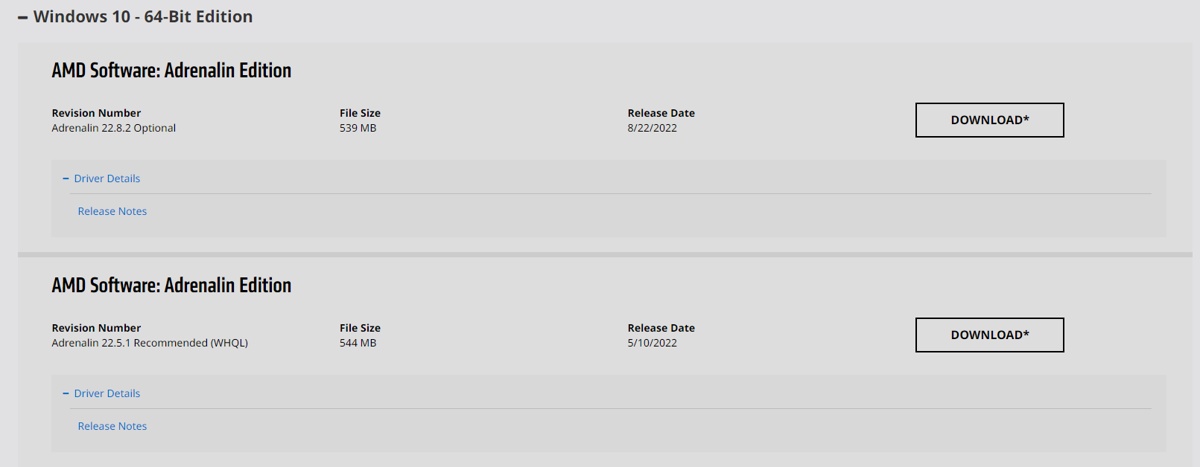 desert gulch
that top one of those works if youre on w10
empty pollen
frigid night
Those are the ones I have.
happy bday bro 🥳
high yew
desert gulch
that top one of those works if youre on w10
whats the diff between the 2?
desert gulch
ones older and ones newer
you want the newer version, just more fixes and crap
either one works tbh but may as well get the newer one and use it
 cyan plaza
Does anyone have a $750 build on hand I can use as a example?
mossy venture
cyan plaza
Does anyone have a $750 build on hand I can use as a example?
PC Builder - Intel Core i5-12400F, Radeon RX 6600, Cougar MX330-G Air ATX Mid Tower
cyan plaza
Tk
high yew
my 6800xt requires 12 inputs from my psu, i only have 2 pcie cables, however they both have split ends at the pcie ends of them, amount to 8 total inputs. is that okay for power delivery or should i look into ordering another pcie cable?
potent portal
12 inputs? What do you mean by that?
 potent portal
Triple 8 pin
potent portal
You should be ok using one of the daisy chains. It's not ideal but it works.
cyan ravine
All g
high yew
potent portal
You should be ok using one of the daisy chains. It's not ideal but it works.
so look into ordering another pcie cable preferably?
cyan ravine
Do you have a single version of that cable? Or do you only have 2 pigtails
Only use the cables provided in the psu box
high yew
cyan ravine
Do you have a single version of that cable? Or do you only have 2 pigtails
psu came with only 2 pcie cables with daisy chains at the end
cyan ravine
Ok then yeah just use one of the daisy chains
potent portal
Unless you plan on doing a lot of overclocking and pushing more than 400W into it you should be good as is
high yew
i have a cpu cable that amounts to 8 pigtails, buttt i don't think that's how that works
earnest olive
on a 750w psu
potent portal
CPU pinout is different from PCIe pinout
high yew
potent portal
Unless you plan on doing a lot of overclocking and pushing more than 400W into i...
no, just plug and play after ddu
high yew
potent portal
CPU pinout is different from PCIe pinout
exactly, so i'm not gonna do that at all lol
little osprey
Any 6core around same price?
 high yew
it possible to put the pcie end of the cable into the psu so i don't have a daisy chain end just sitting there?
mossy venture
you're not getting a 12400f for $106
earnest olive
do you like explosions
cyan ravine
high yew
it possible to put the pcie end of the cable into the psu so i don't have a dais...
Wat
little osprey
True, but is it better than that?
high yew
LMFAO
mossy venture
little osprey
True, but is it better than that?
yes?
little osprey
The 4 core is?
mossy venture
sigh
 mossy venture
yes, the 4 core cpu with the lower boost clock of the same generation and lower msrp is better than the 6 core cpu
potent portal
high yew
it possible to put the pcie end of the cable into the psu so i don't have a dais...
Cut the extra daisy chain off
mossy venture
mossy venture
that was sarcasm
@little osprey
high yew
potent portal
Cut the extra daisy chain off
like fr?
potent portal
Yes
little osprey
mossy venture
<@456226577798135808>
Oh
high yew
potent portal
Yes
can do lol, thank you
sorry for dumb questions, buy y'all a cupcake one of these days lol. thank you :D
 potent portal
I'm a cherry kind of guy
cyan ravine
U can ||have my cherry||
high yew
one*
cyan ravine

frigid night
empty pollen
happy bday bro 🥳
Thank you ❤️
mossy venture
cyan ravine
U can ||~~have my cherry~~||
hmmm
little osprey
Can I get plain vanilla
little osprey
cyan ravine
U can ||~~have my cherry~~||
Sus
high yew
fr though thank you for dealing with my questions even if they wanna make you smash ur face through your desk
still learning
 high yew
best way to do it
little osprey
(Sarcasm)
 random galleon
Question for anyone here, Ive had my build for about 2 or so years now and suddenly it just doesnt wanna Boot and the Mobo is stuck on the Orange DRAM Light, I have noticed my GPU fans arent spinning but its getting power and I really havent noticed any other issues than that
 coarse coral
random galleon
Question for anyone here, Ive had my build for about 2 or so years now and sudde...
coarse coral
random galleon
Question for anyone here, Ive had my build for about 2 or so years now and sudde...
how many sticks of memory installed, tried booting with 1 stick? if that doesnt work swap it and see if it boot
random galleon
coarse coral
how many sticks of memory installed, tried booting with 1 stick? if that doesnt ...
I have 2 sticks, Let me try it with just one Stick real quick so I can get back to you
random galleon
coarse coral
how many sticks of memory installed, tried booting with 1 stick? if that doesnt ...
Its gotten farther than it has, sorry it took me a bit, I have to remove my AIO to access my ram stick thanks to my case me on the smaller side
cyan ravine
How far did it go this time? Did it boot?
coarse coral
random galleon
Its gotten farther than it has, sorry it took me a bit, I have to remove my AIO ...
 did you try both sticks individually
random galleon
I tried both individually, one got as far as both the Green And White lights being on but went back to just the Dram right after testing it a second time
And now that I took the one that atleast went somewhere other than having the DRAM on, It boot right up
Does this mean the other stick is bad?
potent portal
Either the stick or the slot
cyan ravine
Try the stick that worked in the slot of the other one
random galleon
Hm, I tried all four slots with the Stick B and it only worked in one slot whereas Stick A seemingly worked with all of them, So maybe it is just a slot issue? My small brain is tripped up now lol
cyan ravine
Stick going bad it sounds like
 broken lake
what is the difference between the mp33 and the mp34?
 strong raft
Main thing is just the sequential speeds. Mp33 is around 1600MB/s like an sn550. Mp33 Pro & MP34 are more around 2500ish. (I might be a bit off on the latter info, but just a small example)
 ornate condor
what is good cooler choise for 12600k again ?
mossy venture
Peerless assassin 120 or ak620
ornate condor
what about cheap 240mm aios 
mossy venture
Theyre worse than the ak620
strong raft
Oh $50! That's pretty much the lowest I've seen.
empty pollen
last week was at 35
on one of the newegg live shows
one hour discount... but it was out of stock in less than 10 minutes xD
ornate condor

empty pollen
seems like it goes into discount at every newegg live for just one hour, been in the last 4 live shows, ak620 is always there
ornate condor
But I'll need another 2fan for top as exhaust 
 empty pollen
nothing a couple of rgb strips cant fix
ornate condor
Hope extra 2 rgb fans will fix darkness
empty pollen
argb p12s with zip ties 👍
cyan ravine
I prefer it without rgb tbh
The heatsink covers look great
Heatsink, tower, fin stacks

Whatever it be it still be mornin
strong raft
Center fan Is hidden mostly anyways.
cyan ravine
P12 argb
ornate condor
Expensive
 ornate condor
50$ air cooler + 50$ case fan = good 280mm or 360mm aio
cyan ravine
ornate condor
50$ air cooler + 50$ case fan = good 280mm or 360mm aio
Ah true
cyan ravine
cyan ravine
Try inwin sirius loops then
But try looking for these. They're a cultists recommended fan
ornate condor
Looking for cheap fans just as exhaust couse I think one exhaust fan will not be enough for ak620
Or should I go for aio idk
cyan ravine
The inwins are cheap
Hmm no one selling singles?
Maybe cooler master sickleflows

ornate condor
Hmm maybe I have some oldass fans around idk
cyan ravine
That'd work too
ornate condor
I think I can find some fans hanging around lol
high yew
thoughts on the antec p120 crystal? it would def look pretty, just unsure about airflow
cyan ravine
I feel like I've seen this case before and it's supposed to be alright with mid-tier or low-tier stuff
It's a little* expensive though
Wouldn't recommend it when you can get cases like the g360a for a competitive price
frank stirrup
cyan ravine
I feel like I've seen this case before and it's supposed to be alright with mid-...
Yo u mind testing a thing for me
 still roostBOT
Link to a general windows fixes and scans by Risen
https://github.com/NeweggTechie/Windows-Troubleshooting-Utilities/releases/download/v12/Windows.Utilities.and.Fixes.Latest.bat
cyan ravine
Okie
frank stirrup
put in ur profile password when it asks you for it
cyan ravine
frank stirrup
and then see if a task called ram_cleaner has been created in task scheduler
cyan ravine
error
hang on I turn off my vpn and try again
I ran it again and it said the cleaner already exists 
cyan ravine
it had an error on the bat executable
it was flashing so I couldn't get a pic
but it was saying like "Web request-" something something
frank stirrup
yep thats not error
thats just it downloading stuff needed to make everything worky
cyan ravine
whereabouts in the scheduler will I see ram cleaner?
frank stirrup
 cyan ravine
not seeing it no
cyan ravine
did not no
frank stirrup
ok 1 sec
frank stirrup
cyan ravine
did not no
open up command prompt with admin rights and copy paste this
@echo off
hostname.exe > __t.tmp
set /p host=<__t.tmp
del __t.tmp
echo %host%
then close the batch file and re run again
cyan ravine
error: could not find part of the path
roaming/ramcleaner/Ram_Cleaner.xml
at line 1 char 1
I'm tryna write the error out as it flashes
frank stirrup
1 sec
cyan ravine
invoke webrequest something something github.com
frank stirrup
there
this should pause every step
so it wont flash
itll stay till you press any key
 frank stirrup
hmmmmm
fossil cedar
Rawr you don goof
frank stirrup
It work good on my pc
cyan ravine
does not
I ran as admin tho
windows defender blocked it tho, said you were sus

high yew
@cyan ravine what we think of this guy https://www.newegg.ca/white-lian-li-lancool-ii-rgb-mesh-atx-mid-tower/p/2AM-000Z-00087?Description=lancool ii&cm_re=lancool_ii-_-2AM-000Z-00087-_-Product
high yew
i'd love a o11 dynamic evo
cyan ravine
actually
high yew
but expensive
frank stirrup
cyan ravine
does not
bruh
high yew
it's an okay case, canada computers is ridiculous for shipping costs though
frank stirrup
tf u doin with yo pc
frank stirrup
it always asks for admin
frank stirrup
ugh
cyan ravine
idk what else to tell you lol
cyan ravine
high yew
it's an okay case, canada computers is ridiculous for shipping costs though
hmmm
omg torrent nano is like 100 usd in canada

high yew
that is one interesting case lmfao
cyan ravine
hmm actually

Lian Li O11 Air Mini ATX Mid Tower Case (O11AMW)
https://ca.pcpartpicker.com/product/YNdrxr/phanteks-eclipse-p360a-atx-mid-tower-case-ph-ec360atg_dwt

Phanteks Eclipse P360A ATX Mid Tower Case (PH-EC360ATG_DWT)
also considerable options
honestly LC II Mesh is kinda worth
but that air mini price is also nice
especially when you like what an o11 looks like. That's just a shorter o11, still fits just about everything lol
it only won't fit a 360 aio but you can fix that (albeit slight scuff) with adapters
high yew
i have a 240aio anyway so not a worry
cyan ravine
240 would be fine in a mini air
high yew
i do like the way a o11 looks, its verrrrrrrrrrrry pretty imo
fossil cedar

Sponsor: Buy Thermaltake's Tower 100 Mini-ITX case on Amazon (https://geni.us/TuAASGt)
Arctic discovered a defect in its Liquid Freezer II coolers that we've heavily reviewed (and generally recommended), and now, it is offering repair kits (or replacements) for anyone affected. The defect pertains to the gasket breaking down and causing gunk bui...
Arctic being good company

high yew
that lc ii mesh c is lookin good though
cyan ravine
ye
If I were to pick between the two, o11 mini air
if I absolutely needed a bigger case, lc 2 mesh
high yew
the 4000d i have right now i'd consider to be too big
gonna watch a video on a o11 mini
see how it looks
cyan ravine
o11 mini air isn't so mini is the point
it's like the same size footprint as a full o11 just shorter
fossil cedar
It's atx in disguise as matx or large itx
cyan ravine

high yew
@cyan ravine think im gonna go for the lancool ii mesh
gamernexus had some stuff to say abt the o11 mini
high yew
air mini
cyan ravine
hmm ok
high yew
he said there was improvements from the older version of it, but it still has some upgrades that can be done to it
 undone saddle

high yew
actually pause, @cyan ravine - how is the airflow in the air mini?
that’s the one thing im most worried about if i were to get it
cyan ravine
just fine
if you get extra fans like a 5 pack of P14's it'll be good
GN had a point about the GPU thermals but if you do like, 6 intake, 3 exhaust on that system the thermals should be fine imo
or if a case mod exists, taller feet
what GPU is going in there anyway @high yew
high yew
i’d fill it with fans to the best of my ability for sure lol, i have 4 SP120’s currently and a 240mm corsair aio, i’d grab some more
high yew
cyan ravine
what GPU is going in there anyway <@851579194424950815>
6800xt
high yew
ballpark yeah
cyan ravine
I would still suggest a 5 pack of p14's if you don't mind losing the rgb
sp120's aren't bad tho
high yew
i keep looking at reviews but they’re all 11+ months old, i believe lian made upgrades to the air mini no?
high yew
oh no shot
cyan ravine
as long as the gpu stays horizontal it's not something I'd be too worried about
high yew
yeah it’ll be horizontal for sure
cyan ravine
if you aren't doing some crazy OC it shouldn't be concerning
high yew
as much as i’d love to mount it vertical as the fans look sexy on it, i don’t think having hot air blast into glass is gonna do me any god
cyan ravine
you can deshroud and fan mod those gpu's anyway if you had thermal issues
high yew
cyan ravine
if you aren't doing some crazy OC it shouldn't be concerning
12700f for cpu, and my gpu will probably be plug and play with a few tweaks
for performance
https://youtu.be/HLbHrM7sgW4, is this the old version or new version?

In this episode of our case testing series, Paul puts the LIAN LI 011 DYNAMIC MINI through it's paces, testing airflow, internal temperatures and more! We will be stress testing our CPU and GPU to get a max temperature and then measuring said temperatures whilst reconfiguring fan setups to see if we can better apply airflow throughout the case!
...
AIR MINI
hah
nevermind forget i said anything
cyan ravine
old
high yew
yes yes shhhh
cyan ravine
glass front is old, vent front is new
high yew
gotcha gotcha
you think it’s worth it?
the build would look hella good
i was thinking about going with the lancool ii like i mentioned earlier but you have so much extra space in those
lil compact case with some good airflow and strictly white is what i want. that’s what the air mini seems to be
cyan ravine
I mean either choice is good imo
but the mini air is just cheaper, that's why I'm nudging lol
high yew
fair enough i don’t blame you one bit lol
this guy here so i know it’s the right one lol https://www.newegg.ca/p/2AM-000Z-00081?Item=2AM-000Z-00081&Source=socialshare&cm_mmc=snc-social-_-sr-_-2AM-000Z-00081-_-08232022
correct?
high yew
im gonna go black and have a black/grey themed pc build, gonna get 6 black p14’s and maybe an led strip to have some rgb in there because of the fact i just bought RGB ram
switch to an arctic 240mm as well
cyan ravine
side mount 280 fits better too
high yew
last i checked i don’t think it does at all
it’s only a 240mm
yeah it’s only a 240mm aio for side aio
high yew
i think it’ll look pre clean on that side anyway, upside down as well so no air bubbles if it’s possible
would look hella nice imo
you think that’s a stupid idea to have a led strip in there somewhere? or no?
cyan ravine
I saw someone talking about a waterloop build in there and all they ever blabbed about was 280 rads so I believed it lol
high yew
i’m debating on just returning my rgb ram and keeping my 32gb of g skill, it’s black anyways
my g skill is
cyan ravine
high yew
you think that’s a stupid idea to have a led strip in there somewhere? or no?
led strip would look fine imo but stick it where it can't be seen
so like, ambient light
cyan ravine
behind the bottom/ top fans is a pretty default spot
uhhh depends
for this build I think phanteks neons would be better
they're small strips so won't be seen easily
also diffused so more consistent light
high yew
sweet, i love it
i was debating on going rgb fans but meh it’s too much money
esp if i’m getting 6 of them lol, which brings me to my other point. why not p12’s for fans?
cyan ravine
if you can fit p14's it's more worth getting p14's
also why not top mount rad?
too thick?
ah yeah I can see it too thicc
rip
cyan ravine
that's the best part tho
 languid plume
im sorry
frank stirrup
languid plume
im sorry
Dont worry about it, just ask ur question in the most relevant channel after going through the list
languid plume
noted well
 crystal berry
hello do l get spectrix rgb 3200mhz cl16 it has even a systen for rgb or kingston no rgb 3600mhz cl17 for 1 more dollar r sum

 frigid night
cyan ravine
ah yeah I can see it too thicc
frigid night
cyan ravine
ah yeah I can see it too thicc

crystal berry
crystal berry
hello do l get spectrix rgb 3200mhz cl16 it has even a systen for rgb or kingsto...
anyone??
languid plume
does anyone know how to get ROG Armor Cap for Strix
crystal berry
crystal berry
hello do l get spectrix rgb 3200mhz cl16 it has even a systen for rgb or kingsto...
@cyan ravine
fossil cedar
crystal berry
hello do l get spectrix rgb 3200mhz cl16 it has even a systen for rgb or kingsto...
For what cpu?
crystal berry
ryzen 5 5600x and rx 6600
fossil cedar
3600 kit
crystal berry
is it a lil better
yea l know 3600mhz is better but
my fans are only rgb rgb ram will be fire
fossil cedar
If you want rgb get the rgb
mossy venture
crystal berry
but how better is 3600
a decent bit, with a 5600x probably around 8% if i had to throw a guess out there
though you'll be gpu limited with a 6600 anyways
so won't impact fps much
mossy venture
the gpu will be the limiting factor in games
crystal berry
yea bought gpu cpu psu mobo case
mossy venture
do you have a parts list made?
mossy venture
then can you send it?
crystal berry
l cant send
carl doesnt let me
nvl ryzen 5 5600x rx 6600 ASUS DUAL MWE bronze 650W coolermaster psu prime B550 A mobo for ryzen case coolermaster idk what name forgot
@mossy venture do l get rgb sticks

3200mhz 2x8
crystal berry
its better by bit
undone saddle
Rgb = 10% more performance
analog pulsar
jagged ember
I'd still get 3600 cl16 sticks without rgb
Ew
jagged ember
no u
analog pulsar
jagged ember
only because I don't care about rgb

jagged ember
or something iunno
analog pulsar
Rgb makes performance go up
crystal berry
how tho
analog pulsar
Magic 🎩
crystal berry
ok then
analog pulsar

