#storage-devices
1 messages · Page 40 of 1
 blazing tangle
@untold grove This is a common practice? This is called shucking?
blazing tangle
@untold grove That is so odd that it costs WD more money to make the externals but they are cheaper, I do not understand that.
 blazing tangle
@untold grove When I buy them like this external, I believe WD installs some software on there for people USB plugging them in. Do I have to format them before I put them into the Synology or its fine?
 untold grove
blazing tangle
<@!730975292755279933> When I buy them like this external, I believe WD installs...
untold grove
blazing tangle
<@!730975292755279933> When I buy them like this external, I believe WD installs...
yeah format and test the drives
blazing tangle
@untold grove What in tarnation!? That is so stupid. They are 100% definitely the same drive in there?
untold grove
ye
blazing tangle
@untold grove Okay no you lost me a little bit. So before I put the drives into the Synology, I should plug them in as external hard drives into my Macbook and format them?
untold grove
synology will format them for you
i like to test my drives before i put them in anything
but that requires a windows pc
blazing tangle
@untold grove I feel like maybe you threw up in your mouth a little just now when I said Macbook lol
untold grove
nah the software i use just runs on windows
macs are great
one of my thinkpads runs macos
blazing tangle
@untold grove Okay haha thats good. Okay so if I do not format, the synology will do it for me, that is good. So
That synology above, and two of these?
untold grove
yeppers
and just know
the issue with 2 bay nas
is that you will only be able to use 10tb
not 20
blazing tangle
@untold grove Right, and then the other 10TB will automatically mirror?
untold grove
yep
its why i tell people to get 5 bay nas
because i have never seen anyone keep a 2 bay nas
blazing tangle
@untold grove And this is the way to go over like paying Apple or Google $10 per month for their cloud services?
untold grove
there is no cloud
just someone else's computer
i like keeping all the stuff i care about locally
now id do both
backup the nas to google drive
blazing tangle
@untold grove Agreed. Okay, my biggest worry was buying an empty synology nas enclosure and not being able to manually set it up. Its good to know Synology has preloaded some software in there to help me.
untold grove
yes synology are the software people
like honestly?
u can get a better nas for that price
but it doesnt come with the synology software
theyre like apple
where you buy it for the software
blazing tangle
@untold grove Yeah, I think with my level of expertise, it may be better I go with the software and support.
Oh wow okay, so back up the Synology to google drive too? That will cost me monthy, right?
untold grove
yes
if you care about the files
321 backup
3 backups, 2 different mediums, 1 different location
blazing tangle
Is there a way to automate the back up process from the nas to the google drive?
blazing tangle
@untold grove Love it!
It didn't seem like you really liked the white one. Which one would you pick 2 bay?
untold grove
well i didnt like the fact that it was 2 bay basically
like i said
you lose a lot of flexibility
blazing tangle
@untold grove I understand. I will take that into consideration. Thank you so much for all of your help!!!
untold grove
no problem!!!
any questions, just message me :))
and also if u plan to shuck
essential
blazing tangle
Just looking, shucking will save me a couple hundred bucks so I will definitely shuck and buy that. Thank you!
untold grove
:)))
 late vector
 halcyon hearth
which is the best storage device as of now?
 dusk turtle
In terms of capacity? Speed?
halcyon hearth
maybe both
dusk turtle
8 TB M.2 NVME drives are fast and new but expensive. $1300
NAS can hold a LOT of data
halcyon hearth
oh
dusk turtle
Capacity still belongs to the platter HDD's though
halcyon hearth
👍
dusk turtle
Speed belongs to the PCI-E M.2 drives
 desert acorn
can anyone reccomend a hard drive thats more than 2 or 3 tb
i want a hdd to store all my games and will last a long time
desert acorn
yeah
dusk turtle
and swapping games from one to the other
desert acorn
yeah
dusk turtle
Almost the same between SATA SSD and NVME
desert acorn
ill be putting my os on a gen 4
desert acorn
dusk turtle
Almost the same between SATA SSD and NVME
yeah, seen benchmarks and loading times are 1 second or less different
dusk turtle
Yep
untold grove
yeah toshiba n series is nas x300 is like xtreme gamer performance or smth
 lean quest
I feel like I should be able to get faster with 3 970s in raid 5
not sure if I just messed something up or what
 rough dagger
CPU could be a factor to speeds
 upper quiver
did you bench a single 970 to compare that to?
dusk turtle
Are those NVME drives or SATA?
upper quiver
at those speeds they gotta be nvme
 obsidian steeple
^ or a crazy raid set up
dusk turtle
Seems slow for a RAID though yeah?
obsidian steeple
i was thinking RAID Sata ssd
dusk turtle

Crystal Dew World [en]
CrystalDiskMark is a simple disk benchmark software. Download Standard Edition Shizuku Edition System Requirements OS Windows XP/Vista/7/8/8.1/10Windows Server 2003/2008/2012/2016/2019 Architecture x86/x64/ARM64 Installer does not support Windows XP/2003 (NT5.x). Not support Windows 95/98/Me/NT4/200...
upper quiver
it should perform similarly to a 2 drive raid 0
obsidian steeple
thank you!
upper quiver
so theoretically a 50% performance increase i think?
obsidian steeple
the whole covered in adds always throws me off
upper quiver
of course, that assumes the cpu isnt bottlenecking raid performance, which could happen, but with only three drives i kinda doubt it
if hes got money for triple 970 evos, then hes got money for a decent chip
dusk turtle
I'm thinking software raid
 wraith monolith
obsidian steeple
for crystaldiskmark
wraith monolith
obsidian steeple
for crystaldiskmark
its on microsoft store
untold grove
dusk turtle
I'm thinking software raid
yeah definitely
i feel like a properly configured raid shouldnt be that bad tho
lean quest
It’s raid from the mobo
Might not be nvme? I don’t get nvme options in bios sooo that might be it
It’s a 10850k
On the z490 msi meg
3 m-2 slots
upper quiver
no it is
did you raid them and then install windows onto the array?
oh, yeah you did
hmmm
lean quest
Yea exactly
upper quiver
ive never been a fan of putting your trust into a motherboard based software raid
untold grove
yep
upper quiver
your making it really easy to lose your data
lean quest
Raid 5 should be equal reads to raid 0
upper quiver
honestly, use a single drive for os and programs, then raid 0 your other 2
assuming you actually need these speeds...
untold grove
write will be slow
lean quest
Yes
untold grove
cause needs to calculate parity
lean quest
What do you mean easy to lose data with raid like this
untold grove
i never trust soft raid
upper quiver
the only thing saving your raid configuration data is some jank motherboard bios
lean quest
And the mobo comes with software and not hardware raid??? I might as well let Windows do it at that rate zzz
untold grove
not relevant
untold grove
lean quest
And the mobo comes with software and not hardware raid??? I might as well let Wi...
hardware raid requires a controller
lean quest
I thought this mobo had that but apparently not
upper quiver
most boards allow you to raid drives, but its never a good idea to install windows on one
untold grove
lean quest
I thought this mobo had that but apparently not
dedicated raid controllers are pcie cards
upper quiver
i have a raid 0 array on two of my hdds
 minor sun
bios raid is semi-soft raid
lean quest
Why not Windows on raid
upper quiver
then of course, windows raid shudder
untold grove
minor sun
bios raid is semi-soft raid
if soft raid was water and hw raid was a brick then mobo raid is jello
lean quest
Still has 1 drive of resilience
untold grove
upper quiver
then of course, windows raid *shudder*
windows raid is uh
minor sun
jelloo
untold grove
its fine
upper quiver
lean quest
Why not Windows on raid
because, if you're like me, you want windows to boot all the time every time, and you want to minimize the risk of windows not booting at all costs
untold grove
flashbacks to friends losing arrays
why are we still here
just to suffer
i can still feel my RAID
upper quiver
because when windows no boot, things can become frustrating to fix
lean quest
Meh
upper quiver
trust me, you dont need windows on a raid 5
lean quest
Agreed but I wanted it xd
It’s only a 3x higher risk of drive going out and in this case a drive going out doesn’t stop Windows from booting
upper quiver
what are you even storing on this array? do you need the read speeds that raid 0 offers?
lean quest
Sooo better than 1 drive
upper quiver
lean quest
It’s only a 3x higher risk of drive going out and in this case a drive going out...
its more than one of your drives failing, what if your motherboard fails? what if your configuration data just disappears
lean quest
If my mobo fails I have to take my whole computer apart anyway
And I’ll just reinstall Windows
Shrugs
upper quiver
if the motherboard fails you lose all the data on the drives
lean quest
Yep
upper quiver
so then why are you using raid 5?
whats so important that you need redundancy, even if you have no problem losing all your data anyway
untold grove

untold grove
upper quiver
or did you just want speedy game storage
want number be big
upper quiver
thats fair tbh
lean quest
untold grove
want number be big
Yeet
But yea just fast game storage
And also I had this misconception that mobo failed at a much lower rate than ssd
Which doesn’t seem to be true
upper quiver
windows on one, then you can do whatever the heck you want with the other two
raid em, use windows to combine them under one drive letter
use em as two separate drives, your games wont care, they will load all the same
 red jay
Lili I need u
red jay
@untold grove available for a few minutes?
obsidian steeple
Not 100% sure but this may be the fastest m.2 drive yet.
https://wccftech.com/pny-introduces-the-xlr8-cs3140-m-2-nvme-ssd/amp/
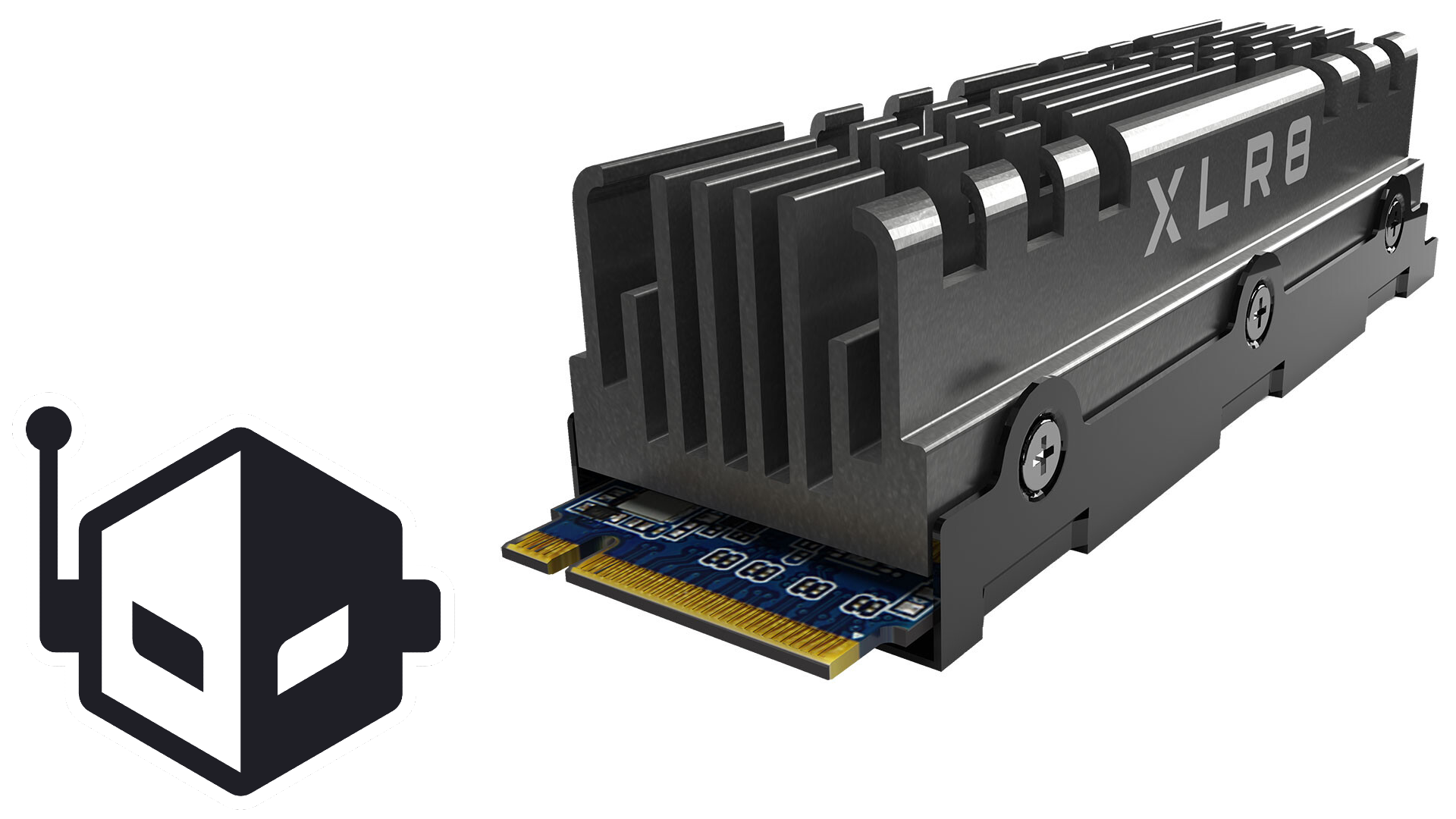
Wccftech
The XLR8 CS3140 M.2 NVMe SSD offers rapid data transfer speeds and can come included with a 45-gram aluminum heatsink.
7,500 MB R
6,850 MB W
untold grove
red jay
<@!730975292755279933> available for a few minutes?
was nap
untold grove
sure
red jay
I have a 4tb external hdd
I want to put this into my Pc
When I put it inside my Pc, it only shows 495gb
And 2 Unallocated 1.6tb storage as well
untold grove
wipe the drive
untold grove
Seagate.com
This article explains the Microsoft Diskpart Erase utility. The command that erases the drive during this process is
untold grove
yeah u can just extend the partition too
untold grove
id prefer to format the drive before doing that though
just in case its some weird filesystem thing 
 loud estuary
If they can
red jay
loud estuary
The rest is just unallocated
I’ve literally done everything to make it 4tb
I’ve extended it to its max at 2048gb
untold grove
loud estuary
If they can
yeah see since its 2 partitions it might be more annoying
which is why im saying to format the drive
then its one empty block
red jay
loud estuary
Ya
red jay
I’ve already done that
untold grove
complete format?
loud estuary
Delete your existing partition of 495gb
untold grove
ur telling me u deleted all the partitions
loud estuary
Make new one
red jay
Yep
untold grove
and it stayed at this weird config
loud estuary
Really?
untold grove
how old is the board ur using
loud estuary
Huh
untold grove
some can only do up to 2tb
untold grove
what cpu/board
 plush crag

red jay
But it says amd b550a promontory
red jay
It doesn’t have 24pin or anything
untold grove
depending on how bad the board is lol
red jay
I just@bought this pc
untold grove
you formatted the entire disk through cmd?
red jay
Yes I did
loud estuary
Do you have another system you can try, you could do that? A friend or smth.
red jay
But if I put the external back together with the external power etc
It registers as 4tb
The 4tb hdd is coming out of a wd my book
untold grove
lol what if ur board's sata controller is just that bad
that would be rly funny tbh
untold grove
and?
you got a prebuilt from a big oem
dont expect it to be good at all
what's the model name
red jay
Tg01-0023w
untold grove
honestly id return it that thing seems like a dumpster fire
red jay
Breh
untold grove
it looks like the sata controller cant handle drives over 2tb
which generally stopped being a problem in like
2010?
red jay
It’s got all newer@parts tho
 red jay
🤦🏻♂️
 quartz plaza
lili knows best
 raven furnace
hey all, need some help here, i ordered a usb 3.0 to sata external hard drive cable and trying to transfer the previous information of my hard drive to my new computer, but it can't detect it on my new computer, should i have anything plugged into my previous hard drive? other than the sata cable?
quartz plaza
@untold grove
HElp THIS peRSOn TEHCIE
REEEEEEEEEEEEEEEEEEEEEEEEEEEEEEEEEEEEEEEEEE
untold grove

untold grove
raven furnace
hey all, need some help here, i ordered a usb 3.0 to sata external hard drive ca...
sata data and power
raven furnace
power for the computer or the HDD?
untold grove
hdd
raven furnace
damn i really don't want to open my tight case lol
 small steppeBOT
 ViciousViper#0728 has been warned
Reason: Bad word usage
raven furnace
oops, my bad
 rancid pike
so what this fancy drive benchmarking software that ya'll use? i wanna test my sn750
 noble atlas
probably crystaldiskmark
untold grove
crystaldiskmark is nice
untold grove
its to be expected from that drive
rancid pike
ok
 mild sluice
Vroom
untold grove
https://www.newegg.com/crucial-2tb-p1/p/N82E16820156248 2tb nvme ssd for sale for almost an even $200, has dram and is alright for a budget drive. QLC, speeds at 2000/1700, ONLY 400TBW!!
id say this is a b tier deal on a c tier drive
 brisk dome
isnt QLC kinda ehh
untold grove
yeah
brisk dome
or is that only for OS drives or smthn
brisk dome
hold up weren't you the one arguing with me that games should just go on an HDD
untold grove
yes im not saying i advise this drive
i just post whenever wegg has a somewhat reasonable nvme sale
because there are ppl who dont listen to me
and think they need nvme game drives
untold grove
faster, worse endurance
obsidian steeple
SLC is best, but for a good one it costs too much for most, QLC is the worst. lili probably has more information on it though
dusk turtle
TLC is the best happy medium
brisk dome
ok
untold grove
so u want slc ideally
there arent too many mlc drives out
theres some samsung drives that have god tier tlc
and samsung just says its mlc because theyre binned to have the same endurance
brisk dome
untold grove
yep
im saying ideally as in
no drives that arent enterprise drives are slc
because unless ur an enterprise user u dont need slc
but its the best
rn the best mlc ssd is like
the mp500, 960 pro (hehe i have that one) or the 970 pro
 open gust
Guys what’s better sn 850 or Samsung 990 pro just wondering
mild sluice
Well one exists and the other doesn’t
rancid pike
lmao
 ashen aurora
brisk dome
isnt QLC kinda ehh
ashen aurora
brisk dome
isnt QLC kinda ehh
Split Gate QLC is better than TLC
obsidian steeple
What’s split gate qlc?
ashen aurora
obsidian steeple
What’s split gate qlc?

Kioxia Corporation today announced the development of the world’s first[1] three-dimensional (3D) semicircular split-gate flash memory cell structure
noble atlas
mild sluice
Vroom
what drive is this? Rocket 4.0 Plus++++++?
mild sluice
It’s a 980 pro
raven furnace
Quick dumb question, I asked yesterday if I can hook up my internal HDD externally if I have the necessary plugs, now if I have the hdd hooked up into my new pc, I would only need the data power and the data data, or would I also need the Pata 8 pin as well?
untold grove
raven furnace
Quick dumb question, I asked yesterday if I can hook up my internal HDD external...
how do you plan to hook it up
youre probably overthinking this
raven furnace
I am probably overthinking this
raven furnace
Ok so my internal HDD I forgot to backup and put on my new pc, and right now I have it so that my HDD is sitting on top of my cables
Um
This is what I have right now
God I'm so dumb, but hey, my PC turned on, so I think my PC is reading the old hdd
blazing tangle
@untold grove Hi there! You helped me the other day. I am still waiting for a good deal to come thru on the shuck web site. Does it matter elements vs my book vs easystore?
untold grove
blazing tangle
<@!730975292755279933> Hi there! You helped me the other day. I am still waitin...
no, its a different brand because best buy doesnt want to have to price match stuff
so they had wd make easystores just for them
blazing tangle
Okay great, so they all have the same drives inside?
raven furnace
Update: it main booted my HDD so I'm making a backup, question, if I make a backup, can I use an existing drive or does it have to be clean like an apple backup?
untold grove
blazing tangle
Okay great, so they all have the same drives inside?
yes they are all white label WD red drives
untold grove
raven furnace
Update: it main booted my HDD so I'm making a backup, question, if I make a back...
depends what software you use
raven furnace
Oh, what software can you recommend - oh great one
untold grove
i like aomei backupper
its like $50
with 30% off rn
lets you make backup images
and restore from them
also clones drives
raven furnace
Any software for the broke people in the back?
untold grove
macrium reflect
it is not stupid friendly so expect to learn
reflect an image of your pc
raven furnace
Ah, well the other idea would be to just save the important data and just wipe
I'll try to learn it tho
 bitter tree
ye
dusk turtle
Ye
 quiet sparrow
Peel the cover over the thermal pad and do NOT touch it
then make sure the pad is on the ssd when youre screwing it down
 magic cliff
I guess it's on
I peeled off the blue thing
Didn't know I even needed to peel it off so that could've been bad
 untold grove
yeah those are cool
untold grove
dusk turtle
SSD's don't really need coolers or heatsinks TBH
my drives beg to differ
tfw 70c idles
dusk turtle
You are special
magic cliff
My normal hd
Isn't working now
I know 2 sata port is disabled with a m. 2
I wonder if I got another sata port
I'm thinking that's why atleast
quiet sparrow
magic cliff
I know 2 sata port is disabled with a m. 2
What mobo
magic cliff
Gigabyte b450 aorus m
quiet sparrow
It has 2 SATA 3 connectors, did you ty both?
magic cliff
Uh
untold grove
inb4 seagate
magic cliff
Are they different from the normal sata port?
untold grove
no
magic cliff
Oh wait
untold grove
sata 3 is just the speed rating
quiet sparrow
Try 02
magic cliff
And the one beside of it
quiet sparrow
so you tried both Sata ports on the mobo and neither worked?
magic cliff
Yeah
quiet sparrow
Wait what did you change
dusk turtle
Thyere should be 4-6 ports on that board
dusk turtle
The other ports are sidways though
quiet sparrow
I saw two
dusk turtle
Not vertical like the first two
quiet sparrow
lemme go back
dusk turtle
magic cliff
Wait is 9 and 10 under my gpu?
magic cliff
Yeah the grey
dusk turtle
Theres more tho
magic cliff
I tried both ports
magic cliff
Oh
quiet sparrow
Both meaning 9 and 10?
small steppeBOT
 Never#4893 has been warned
Reason: Bad word usage
dusk turtle
Maybe
magic cliff
Cause it's blocking
dusk turtle
Yes
quiet sparrow
Yes you''ll be able to
magic cliff
Okay I'll try it out
magic cliff
Oh yeah thanks I didn't know about those 2 extra ports
Uh
The cover for
Blue is hot
Us that normal?
Is
dusk turtle
Dood
You NEED to screw that drive in!!
There's a hold down screw that goes on the end
magic cliff
Is it not screwed in all the way?
dusk turtle
The drive itself!
There's a screw to hold it down on the end
The cover doesn't hold the drive down lol
dusk turtle
huh, the drive looked like it was at an angle and not screwed in
KK, good
Pic just funky then
And yes, it's OK that it's warm
magic cliff
Just incase
noble atlas
yeah that looks wrong
there should be a small standoff supporting the end of the m.2 drive that the screw goes into
then you screw down the cover into whatever it goes into
the drive and the cover should be parallel
noble atlas
is there a standoff under it?
if there isn't a standoff, then thats what you need to fix it
noble atlas
turn it off. take the SSD cover off and look under the m.2 drive
red jay
@dusk turtle why are is my ssd back order taking so long lol
untold grove
?????
red jay
are ssd stocks low or something
untold grove
no
red jay
Yea idk why the SAMSUNG 970 EVO M.2 2280 500GB hasn't come into stock
Ik there is covid and all, but seems odd
noble atlas
did you find the standoff?
magic cliff
noble atlas
did you find the standoff?
thinking stand off is at my house in wv
noble atlas
amazon
also, its possible the standoff is in one of the shorter spots (like 2240 hole instead of 2280 hole like standard)
raven furnace
If I plug my internal HDD to my PC and take an external HDD and click and drag information in there (photos, videos, documents) and then wipe my old drive, unplug my internal HDD, unplug my hdd and boot into my m.2, and go to my external drive to extract my information, my information that I pulled is not in there
Did I do something wrong
noble atlas
did you make sure everything copied successfully and could be seen on the external drive before you wiped the old drive?
raven furnace
Yes
Did it matter that I had stuff on my external drive before or no?
And I left my external plugged in for the wipe process, don't know if that mattered
noble atlas
so you have three drives: 1. M.2 (boot?), 2. Internal HDD, 3. External HDD ?
raven furnace
So I think I'm making this sound confusing
raven furnace
I wanted to transfer my previous information from my old PC (internal HDD) to my external HDD, to my new computer, so I dragged and dropped information from my old hdd to my external so I can put on my new pc. When I finished copying what I needed to my external, and wiped my drive, and disconnected my internpal drive and booted into my other drive (m.2) I wanted to access my files on from my old hdd on my external HDD but I don't see them in there
noble atlas
I dunno
it sounds like it didn't actually copy, or you didn't verify it
wiping should always be the absolute last thing you do
need to verify you can see stuff ON THE NEW PC before you wipe anything
also, it sounds like you didn't NEED to wipe it if you were just going to stop using it
 rain harbor
is anyone familar with nvme temps
noble atlas
31
 heavy dagger
What drives are in Elements externals. Are they Reds?
 lyric escarp
does anyone know how to solve this issue with my external ssd? I bought an enclosure and a 2.5inch ssd for my laptop. When I plugged it in, it said windows recongnized that it had been plugged in. But when I went to disk manager, it said disk 1; removable (F;) No Media. Does anyone have any fixes?
Also when i went to device manager then went to volume in the enclosure, it came up with 0MB
untold grove
heavy dagger
What drives are in Elements externals. Are they Reds?
wd whites
they are white labelled red drives
same spec
anything below 8tb is smr
heavy dagger
Ok wanted to make sure they was the same as the easystores you told me bout a week or so ago 🙂
untold grove
yep!
best buy just had wd make a different sku
so they wouldnt need to price match
heavy dagger
10TB ones are $16/TB on the egg with a code right now
Was thinking of pulling the trigger on a pair for the unraid server
Ohhh thats smart of BB though guess that is why WD has 3 different enclosures for the same dealy
untold grove
yep
heavy dagger
Is $16/TB decent or should I wait. I only have 4TB storage with 4TB parity on my nas right now. Nowhere near filling it just yet
untold grove
heavy dagger
Is $16/TB decent or should I wait. I only have 4TB storage with 4TB parity on my...
$16/tb is good yeah
obsidian steeple
$16/TB?
brisk dome
best hard drive for storing photos and a bunch of short video files?
probably don't need more than 1tb
untold grove
2tb wd blue
 mortal ice
Hey I have a Seagate 2TB, It's running 100% just started tonight all of a sudden and won't load anything.
I've had it around a month.
It my Game Drive so, it won't hurt too much to lose. It's half storage.
mortal ice
100% Active TIme.
Not loading anything.
I found out it's only while it's trying to load something.
mortal ice
 untold grove
Download Hard Disk Sentinel, Professional, Trial, DOS, Linux versions
mortal ice
@untold grove everything is okay.
untold grove
ez
untold grove
it could just be that its seagate
aka bad
the drive tech they use to make their stuff means it chokes hella hard on small files
its why i tell people here to buy not seagate
mortal ice
I was suggested to get it here
untold grove
well whoever did that knew less than I do
lol
it shouldnt be this bad though
dumb question but have you rebooted?
mortal ice
Serveral times
untold grove
you run cdm on it?

Free download page for Project CrystalDiskMark's CrystalDiskMark8_0_1Shizuku.exe.CrystalDiskMark is benchmark software that measures the transfer speed of media data storage drive such as HD, S...
mortal ice
So, I don't know what fixed it truly. But my friend cholo had me delete my temp and empty my recycle bin and it is working fine now.
It's back to loading decently quick. It randomly started while play Phasmophobia.
untold grove
ahh that was what i was gonna try next
just wanted to make sure the drive itself was fine
untold grove
speccy is absolute ass
so
literal garbage program
sometimes calls hdds ssds
and gives ssd rpm numbers
mild sluice
I AM SPEED
 round shoal
my sdd temperature is broken, i think. cos it is showing 137 degree C on hwinfo64. i think i may have somewhat broke the sensor when accidentally knock over to the floor while switching desktop case. when i touch the ssd while pc is running, it is quite cold. so any idea how to fix the temperature thing?
dusk turtle
crystaldisk
magic cliff
wow it even shows
temperature
of the hard drive
idk how to see the speed of it though
untold grove
dusk turtle
Benchmark
they downloaded info lol

 magic cliff
wym
untold grove
magic cliff
https://gangshit69.xyz/F/gAkEz9.png
congrats you downloaded the wrong thing
Free download page for Project CrystalDiskMark's CrystalDiskMark8_0_1.exe.CrystalDiskMark is benchmark software that measures the transfer speed of media data storage drive such as HD, SSD, USB...
magic cliff
congrats you're a prick
 untold grove

lean quest
so if I've got hotswappable bays for 3.5 inches but the specs say they fit 2.5 inches... do I really need an adapter?
also the fact that the 860 evo is 50% more expensive on amazon is a little absurd to me
860 PRO oosp
untold grove
lean quest
so if I've got hotswappable bays for 3.5 inches but the specs say they fit 2.5 i...
what hotswaps
lean quest
idk what caddies means but it's a r720
untold grove
sff or lff?
untold grove
id get an orico adapter
lean quest
magic cliff
Anyone have the idea of what screw it needs
untold grove
lean quest
https://www.amazon.com/ORICO-Adapter-Mounting-Bracket-Interface/dp/B01LZWX6PD/re...
yes
untold grove
what u using the ssds for
untold grove
why such a big os drive?
untold grove
i just dont use consumer drives on servers lol
id say maybe 250
but 300 isnt the worst
lean quest
what drive would I put in then
I bet it's going to be >$40 no matter what you say though which is my option right now
untold grove
it doesnt matter tbh
was just wondering why such a big boot drive lol
i just use $20 120gb ssds
plush crag
$10 / each 80GB ssd lol https://www.ebay.com/itm/Lot-of-15-x-80GB-Intel-SSD-X25-M-2-5-SATA-SSDSA2M080G2GC-Solid-State-Drive/203247767036

eBay
80GB, 2.5in SATA 3Gb/s, 34nm, MLC.
Slow, but not that bad for the price https://ssd.userbenchmark.com/Compare/Intel-X25-M-80GB-vs-Samsung-850-Evo-120GB/m1145vs3484

Based on 66,019 user benchmarks for the Intel X25-M and the Samsung 850 Evo, we rank them both on effective speed and value for money against the best 1,040 SSDs.
ngl userbenchmark is great for getting a ballpark idea of obscure/oem ssd performance relative to something I'm familiar with
untold grove
those are great boot drives lol

these also arent the worst, cost more since theyre more useful

 split fern
untold grove
split fern
untold grove
bonus gb
raven furnace
is something going on with the newest update for windows 10?
untold grove
?
 steady dawn
raven furnace
is something going on with the newest update for windows 10?
steady dawn
raven furnace
is something going on with the newest update for windows 10?
yea i heard about that
raven furnace
what happened?
 verbal osprey
What’s up y’all. So I basically re built my pc the other day. New MoBo and new main drive. In re using my hdd until I can get a second m.2/ssd, and I went ahead and decided to just format it and re install my stuff. It was nothing too detrimental. Mainly because my cpu and MoBo are now different, and I also opted in for windows pro this go round. I started re installing GTA V yesterday. Like around 6-7 pm (on the HDD) and it’s now. At 11:36 the next day. Not even half done. My internet isn’t the super best but it’s solid. This wooo up KD have been the second time I formatted this hdd. Could it be damaged? I feel like something isn’t right.
Would** not wooo up KD. Lolol sorry.
raven furnace
wow f that s
thats messed up, i lost my game installation data
gotta redownload my game
untold grove
wrong
spoke to my actual software engineer friends
it just tells windows that maybe something is corrupt
you can just sfc the disk and its fine
literally just triggers the "oops we found corruption" thing on windows
anyone who says different is just fearmongering for no reason lol
steady dawn
i am sorry then
untold grove
not saying ur doing that
but im saying all those vids and stuff
yeah its no big deal
 onyx grove
I can’t get my pc to run, it keeps telling me to select a proper Boot device
dusk turtle
Did you install an operating system?
untold grove
inb4 no
onyx grove
It’s a i5 9400f
onyx grove
dusk turtle
Did you install an operating system?
Uuuuh noo
dusk turtle
You need to
onyx grove
I guess that is why
untold grove
"computers dont just come with windows?"


 dusk turtle
YW
 rough galleon
Got a 1tb and 500 Gb ssd sn750 for new build
untold grove
why 2 ssds lol
rough galleon
Boot and game drive
500 Gb boot and 1 tb game drive and 2 2tbs sea gates hardrive for others
rough galleon
People say that yet me and my dads have never failed us
rough galleon
😂how often do they fail for you
untold grove
50 seagate drives fail for every 1 wd drive
were the numbers when i did data recovery
rough galleon
I’m just saying from my experience they have never failed me, and I think 500 Gb boot drive will be plenty for me and 1 tb ssd for games and god damn
untold grove
yeah i dont trust seagate stuff
plus anything over 1tb is smr
which is bad
to oversimplify it
rough galleon
Ok
 karmic dagger
whats a good SSD for around $100 1tb m.2
untold grove
karmic dagger
whats a good SSD for around $100 1tb m.2
mp34
untold grove
mp34 is basically the same and is cheaper with higher tbw rating iirc
rough galleon
yea
karmic dagger
rough galleon
<@!713021747124895764> i got a 1tb and 500gb on sale for around 150
what ssd
rough galleon
sn750
untold grove
imo 970 plus > 970 > sn750/mp34 > Mushkin helix L
helix is bottom of barrel but its like $90 for 1tb of nvme
HMB tho
minor sun
Imo 970 = sn750 > mp34 > p1/p2/helix L
untold grove
and the 970 is above sn750/mp34 because clone program (useful to some) and better software in general for TRIM and stuff
minor sun
I personally prefer P1 over p2 and helix though
untold grove
id rather have qlc wirh dram than hmb tlc
so p1 goes over for me
if EXACT same price
minor sun
@untold grove sn750 outperforms 970 in testing iirc, but 970 does have software, so I lump them together
untold grove
i dont like wd nand/controller so ehh
minor sun
Yea that's why I personally prefer P1, but in terms of how much drive you get, they can be lumped together
minor sun
Smg
 thin atlas
Howdy! I'm hoping to upgrade the drive on my very old Macbook. Any recommendations on finding an internal SSD compatible with a Model number A1278? It's an oldie!
untold grove
thin atlas
Howdy! I'm hoping to upgrade the drive on my very old Macbook. Any recommendatio...
any sata ssd will work, you will need a specialized toolkit to get inside though
thin atlas
ok, thanks, my macbook does have a latch the pops the lid open in order to access the battery and drive though.
untold grove
iirc you need a kit to get the drive bay our
out
havent worked on many 2009 macs
2010 unibodies are more my thing, thats as far back as my apple cert goes
 deep shale
my download speeds are super slow and i don't know why they are so slow
its around 2 mbps. could anyone help me with this
thin atlas
untold grove
out
yes, for sure, tiny screwdrivers of some sort. I've updated once already but that was way back in 2011. A lot has changed since then. Thanks
untold grove
nah they should have a special bit
 olive wadi
untold grove
$55 for 512gb is nic
olive wadi
untold grove
$55 for 512gb is nic
$55 for a helix kind of sucks
E12/phoenix/2262en drives are like $5-10 more
and at that point it's like spend $20-30 more for a 1tb 2263xt/e13t drive
i'd clump 2262en/phoenix/e12 drives like the mp34 into B tier and stuff like sn750, p31 gold, etc into A tier
tiering SSD's is kind of goofy imo though since most people aren't going to notice the difference between a p31 gold and a silicon power p34a60
ashen aurora
when did you join  @olive wadi
olive wadi
ashen aurora
when did you join <:wuuut:598228820545503233> <@!261617855257116672>
a while ago

rancid pike
Too many new people for me to keep track of
mild sluice

 frosty condor
Looking to buy 1x gen 4 m.2 and 1x gen 3 m.2 for boot for a friend’s build. Any recommendations?
olive wadi
frosty condor
Looking to buy 1x gen 4 m.2 and 1x gen 3 m.2 for boot for a friend’s build. Any ...
gen 4 m.2's are completely irrelevant for most use cases
there are pcie gen 3 SSD's like the P31 gold which can outperform them in random performance
dont waste your money
or rather your friends money
frosty condor
olive wadi
there are pcie gen 3 SSD's like the P31 gold which can outperform them in random...
Random? Sure, try sequential read/write though. Gen4's are not irrelevant.
untold grove
gen4 is amazing at sequential yeah
olive wadi
frosty condor
Random? Sure, try sequential read/write though. Gen4's are not irrelevant.
Sequential read/writes are unimportant for most users
So outside of niche use cases yes they are irrelevant
It's all just cope with how bad flash nand is anyways
wake me up for pcie gen 4 3dxpoint SSDs
minor sun
Futureproofing
TM
untold grove
id take a good gen3 over a meh gen4 tbh
untold grove
i remember seeing some clowns here saying qnap is fine for NAS hardware

reddit
1,054 votes and 174 comments so far on Reddit
 jaunty elm
Yoooo
My 512GB m2 has been good to me. But I want more storage so my ssd can boot faster
I got this
untold grove
niceeeeee
jaunty elm
Desc just said old version lol
untold grove
run a test on it
jaunty elm
Yeah so that’s the thing
untold grove
hd sentinel is my wife
jaunty elm
I’ve never installed a hdd
So I need the SATA cables connected to my mobo right
What else
untold grove
just need sata cable and sata power
jaunty elm
Do I need a mount
Okay
Could I just see on the front of my mobo to see if both sata cables are connected
Or is it down the back
untold grove
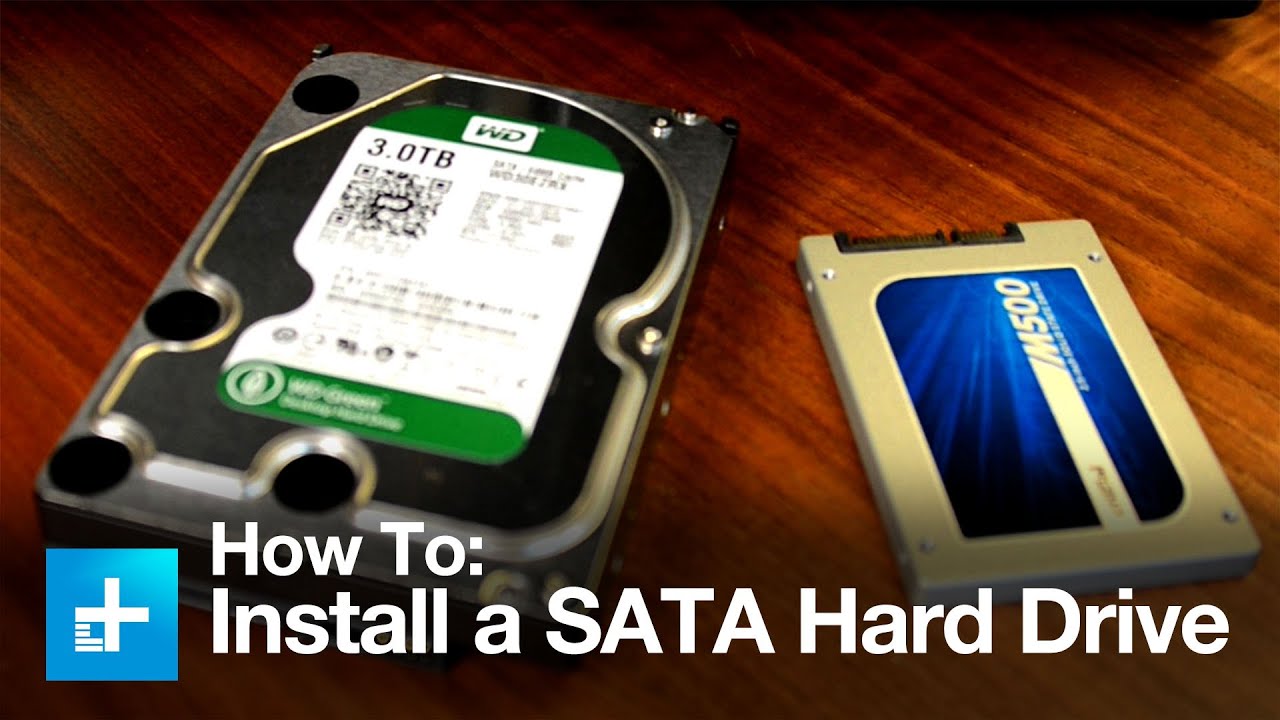
Adding a new hard drive to your existing system is an easy way to store more data on your computer. And the installation process is fairly simple.
When it comes to modern hard drives, you won’t have a lot of different choices, and chances are you won’t end up buying an incompatible drive. If you’re installing an SSD, you’ll want to go for a 2.5...
red jay
jaunty elm
what do you need 4tb's for?
red jay
oh
jaunty elm
Don’t ever want storage issues
red jay
alright
jaunty elm
Is that the right way?
untold grove
depends how ur case is situated
as long as you can plug it in then yes
if not the rotate the hdd
and @red jay 4tb small
untold grove
other way then
jaunty elm
You guys like my cardboard
untold grove
jaunty elm
Lol how much you have
250tb local, 0.8pb cloud
untold grove
800
jaunty elm
Why a mix
untold grove
redundancy
untold grove
might just be weird mounting
guess its other way
thats just not how id design a case lul
jaunty elm
Phanteks 300a
I’m indifferent about this case
Idk this seems different than what the video showed
Like
What goes in this
SATA power?
upper quiver
needs a sata power cable and a sata data cable
jaunty elm
Also is this right
red jay
Hi everyone , happy new year ! I have 4 HDDs 8 tb each , same model. Data safety is crucial and at first place, so I want to make RAID with them. RAID 0 is not good option or not as good as 5 or 6 , maybe 10.
also question is software vs hardware RAID, but software raids have perf penalty as it operates at os level.
in short , what can you recommend in my case?
in same time I want to be as faster as possible, compared to not raid)
untold grove
red jay
Hi everyone , happy new year ! I have 4 HDDs 8 tb each , same model. Data safe...
raid 5 is cute
and wdym recommend
looking for a nas?
what hdds also
hoping for wd

red jay
dont have server pc , its regular good one , so I will have to buy controller with nas , which I dont want to add.
so its regular 7200 wd blacks
untold grove
jaunty elm
yea babey
jaunty elm
Niceee
untold grove

jaunty elm
Lili
That right?
Also tf is this for
I had these connected already
Are those for my m2
red jay
I can request reds instead of blacks ...
but they are saying , those have same perf
ok at least I have chance to get reds
so , 4x 8tb reds in raid 5 is best right?
untold grove
red jay
I can request reds instead of blacks ...
where u getting from
red jay
from local store
untold grove
you paying or
untold grove
hmm
red jay
now trying to decide what is best
untold grove
so youre getting a nas?
untold grove
jaunty elm
check mb manual
red jay
tell him which is best at last)
untold grove
red jay
tell him which is best at last)
4x8tb red in raid 5 on a synology nas is ideal
no qnap
red jay
why nas is better ? higher rpm?