#storage-devices
1 messages · Page 27 of 1
 stuck nacelle
 plush crag
NAND flash likes to run hot. The controller does not, that's what can cause throttling.
stuck nacelle
no heatsink on there
plush crag
Honestly you're fine without a heat sink. SN750's are fine drives.
plush crag
I mean, are you writing 100GB of files often?
stuck nacelle
LOL nope
just gonna download windows and like 2 games on it, everything else on a 2tb harddrive
 red jay
anyone know how to make my games for now and on install on my hard drive instead of my ssd?
pls answer someone
 shut furnace
install on hdd instead? when installing game just change location. sometimes in launcher settings there is a location option as well
 minor sun
Ye launcher settings for steam / epic / uplay / whatever
It has a default download location

 cold bobcat
Not sure if this is the right place for this but i was hunting for some SSD's to upgrade some old platter HDD's of mine and i came across two of what looks like the same drives. The spec sheet shows them as identical except for the serial #, does anyone have any insight on the difference between this item (Seagate Model ZA1000CM10003) and Newegg Item # N82E16820248104 (Seagate Model ZA1000CM1A003)?
 loud estuary
I mean s/n is different for every item, it is a way for a manufacturer to identify a specific item
If they have the same Seagate model number it's pretty safe to assume they are the same
 azure edge
i think it might be one of those things if you guys have heard about it like how drive manufacturers are using shingled layering or whatever its called instead of the regular layering
idk for sure youd have to do more research
loud estuary
This is an SSD, not hdd
loud estuary
But $114 seems a little pricey for a cheap 1 TB sata
loud estuary
Mp34 is like $15 more for nvme
azure edge
ok @cold bobcat i think one of them is just more outdated
after looking at seagate's webpage they only list one of those model numbers
so im assuming one is older than the other
loud estuary
Yh, I stand corrected. Didn't realize that sata 1 TB were almost as much as value nvme
cold bobcat
that is the conclusion i came to, looks like the M1A version is from 2020 whereas the M10 one is from 2019
cold bobcat
r/w speed, iops, everything else seemed fine so i ordered it
i am kinda curious why the new edition is on sale but the older one is not
but $106 seems fine to me for a 1TB
comparable samsung was $20 more
loud estuary
Yeah, dat samsung premium
cold bobcat
i went with samsung for my nvme but i figured i'd try someone different for this SSD
loud estuary
Yeah. mp34 is literally $100 less than evo plus for a small dif in performance
cold bobcat
its the same thing with the seagate firecuda's, only difference i saw between the barracuda and it was +10k iops read for ~$80 more, didnt seem logical
 open gazelle
@loud estuary SATA pricing has gone down again. $86 or so for 1tb. I've gone against Sunbow for a bit but afaik 480gb+ is good. 1tb Sunbow is like $86.
VS $120 for EX950
minor sun
@loud estuary tcsb is bad because it's a bunch of different drives that get rebranded as just the sunbrow
so it's wacky
loud estuary
Ah, so it's kinda a gamble then
red jay
need a case for A HARD DRIVE
any recommendations?
don't care what it looks like as long as it works
open gazelle
I think it might just be the lower ends one that are whack. I think 480gb+ is good
But damn tho. 1tb Mushkin Helix L is $102, has HMB
and is NVMe
 craggy scarab
Hey guys im a first time builder is it a good idea to go only NVMe ssds?
minor sun
For what budget
craggy scarab
1000-1500
minor sun
If you have 3000$ to spend and want 2 2tb sticks sure I guess
Well how much storage do you want?
craggy scarab
2 TB
minor sun
Depending on how much of the budget you can spare, you might be able to fit in a 2tb sabrent rocket, but a safe bet is always a 512gb mp34 and a 2tb Seagate barracuda
craggy scarab
cool thank you for the help
loud estuary
I think this is looking pretty nice, I just need to actually add price checking
 kind sierra

Get $50 when you fund $500 on a new account with offer code LTTSAFRP on TradeStation at https://www.tradestation.com/promo/ltt
Save 10% and Free Worldwide Shipping at Ridge Wallets by using offer code LINUS at https://www.ridge.com/LINUS
Today we take a look at the Nimbus Da...
 dawn sand
When you have money to spend
 somber remnant
oh and he threw it
red jay
when i buy a tower for my pc, does it come with a place to install a hard drive?
open gazelle
@loud estuary the thing is, does that automatically pull any updates from the list? The list still does change from time to time
minor sun
nice
though how are you gonna pull prices?
does Newegg have an API you could call into or something?
loud estuary
Amazon has a API for affiliates, so I will see if they will approve my application. I'm also looking at some scraping options from PCPP, but that is a headache
Otherwise I am an Amazon seller and could potential pull data via the seller API, but I'd need write an external code or sheets app and to be careful not to try to pull to much at once
Basically it's really hard and I'm working on it 🙂
kind sierra
pcpp scraper wouldn't be that bad
open gazelle
I feel like pcpp scraper would be less of a headache then Amazon+Newegg+B&H+Best buy... Then all the other options if not US person
Tho I guess the other thing is that what happens if things are added or removed? It'll change the row order
loud estuary
Yeah, I'd need to keep an eye on that or find an automated solution. I'd also want to get permission from the original creators before I start linking it all over
PCPP scraping is easier than Amazon scraping, but not nessisarly easier than an Amazon API. And yh, that's also valid
If anyone here is a google sheets pro, I'm low-key stuck on the formula
open gazelle
I know one of my friends who isn't on this server is good with excel. Wonder if it'd be ideal to have him help
kind sierra
Excel is... less than ideal for something that needs to be live updated like this
loud estuary
Sheets doesn't handle a ton of functions like excel, but the accessablity is unmatched. I can post my issue on here later and see if someone can help :)
 heavy light
problem with my storage device not being recognize
its my hdd
i just installed windows on my new pc
i installed it on my m.2 but had the option to install it on the hdd as well
so i dont think its plugged in wrong
somber remnant
go to control panel
and then to create and format hard disk partitions
and then click create partition on your hdd
 exotic adder
Just ordered a new ssd finally. No more sshds!

Buy Team Group T-Force VULCAN 2.5" 1TB SATA III 3D NAND Internal Solid State Drive (SSD) T253TV001T3C301 with fast shipping and top-rated customer service. Newegg shopping upgraded ™
 indigo dune
my friend wants an ssd under 60$ with a minimum storage of 500gb but fast too
suggestions?
plush crag
Spend $65, get a wd black sn750 in #tech-deals
indigo dune
it's 70$?
kind sierra
ADATA XPG SX850
indigo dune
https://www.amazon.com/dp/B07YFF3JCN is that fine?
kind sierra
Does it have dram?
indigo dune
what's it do?
kind sierra
Makes the drive faster and last a lot longer
Without dram, you can see it die within a year
indigo dune
holy crap
how about that
wait a minute
why does the one without dram boot into windows in 3 seconds but the one i linked boots into windows in 20 seconds
but I think the P1 has dram
if im not mistaken
kind sierra
It does
indigo dune
how come it boots into windows slower if dram makes it faster?
indigo dune
it was in a verified purchased amazon review for it
and the guy listed his specs
idk if I fully trust it
kind sierra
They're probably fudging numbers
indigo dune
oh okay
kind sierra
Or reading the wrong number
indigo dune
I'll look at a video on the speeds of it on youtube and compare it
kind sierra
Yes
indigo dune
because for my windows to load up and all the apps I have installed it takes like 10 minutes
kind sierra
My guess is about 30 seconds to be logged in and loaded
indigo dune
okay I just disabled a lot of apps in startup for taskmanager
so I'm just guessing he should go with the P1
oh but https://www.newegg.com/p/N82E16820301427 what about that
kind sierra
Not available rn
Also HMB over DRAM, but will be a bit higher latency and use some of your ram. It's decent though
indigo dune
will the latency be noticeable?
indigo dune
hmm
when you say use some if you could estimate, what would you say the percentage it would use out of 100%
kind sierra
Maybe 64MB
indigo dune
hm, won't be that much
it's 7 seconds faster in boot time and 5$ less than P1
but uses some of my ram and has a little higher latency
indigo dune
ok
the one without dram is TLC
https://www.amazon.com/dp/B07XJ2P1LK that one is TLC, has DRAM and is cheaper, but I'm giving up some of the R/W speed
is it worth it?
kind sierra
Dram is better than tlc
indigo dune
@kind sierra wdym?
exotic adder
listen to bob, dram it
kind sierra
If you are given the choice of dram/hmb with QLC and no dram/hmb with TLC, take the dram
indigo dune
oh nono I said that the SSD I linked is TLC and has DRAM
kind sierra
👍
indigo dune
okay, thank you so much for the help 😄
also, my mb doesn't have a cover for the m.2 so do I need to take the sticker off of the SSD or can I keep it on
kind sierra
Just keep it on
indigo dune
ok ty
@kind sierra also I decided to just spend a little extra and just go for the MP34 since I'll be using it long term
 balmy cave
minor sun
balmy cave
minor sun
It's about 
kind sierra
Tech
loud estuary
We dunno what you are talking about... we definitely aren't all tech nerds 👀
azure edge
true
 plush crag

You have it set up for hardware raid?
What HBA?
Didn't want to set it to IT mode?
 upper quiver
running on an ASUS PIKE 2008
the bios config page didnt have very many options
also, I'm not sure what mode its currently running in, I havent flashed it with anything
oh, after googling, its in IR mode, I didnt want to mess with RAID through disk manager
 versed bane
new SSD shows up in device manager, but not in file explorer. Any thoughts on how to fix?
shut furnace
go to disk management, it is probably unallocated
right click and format if so
@versed bane
shut furnace
👍
exotic adder
1tb mp34 vs 1tb sabrent?
exotic adder
q
exotic adder
kinda the way I was leaning
 hushed wharf
I went way overkill on my storage lol
exotic adder
I'm going with 1 x 1tb m.2 and 1 x 1tb ssd backup
exotic adder
eventually i'll probably toss in a second m.2
whoa
i was looking at the 970 E+ originally
azure edge
fr?
I got mine for like 100 bucks
but then again that was during the pandemic and asia was affected
exotic adder
I'd love to have one, but, yeah, price
 shut pawn
So I ordered a 2 TB Western Digital ssd and it came with a free 120 GB ssd. I thought it would have came with some sort of software so I can move my OS and games from my Hard Drive to the ssd but there is nothing, anyone familiar and can steer me towards the right direction?
 pale torrent
Is Seagate Barracuda 1 TB and Kingston 240GB SSD good for a begging pc ?
open gazelle
2tb HDD is barely more then a 1tb and are you talking about the A400 SSD? Lot of kingston SSDs. The A400 is one of the worst SSDs on the market tbh. So not that ideal
exotic adder
upper quiver
1tb ssds are hard to justify cost wise. 512gb NVMe drives are the best price/performance wise
exotic adder
well I need more than 512gb of space
upper quiver
for?
exotic adder
games and stuff. I'm at. hold on
upper quiver
how much of this actually needs ssd tho
exotic adder
I'm going with an ssd only system
exotic adder
I don't have space for other drives
upper quiver
most files dont need ssd
exotic adder
this system is ssd only
exotic adder
because that is what I want it to be, lightweight. I can't deal with a heavy system anymore
upper quiver
a single 2tb HDD isnt gonna add enough to be noticable
exotic adder
ditching two sshds for a 1tb ssd 2.5, and eventually that will be the backup while an m.2 becomes the main drive
exotic adder
firecudas, and they are NOT an option
because they don't fit in the case with my psu
upper quiver
what case
exotic adder
just, nevermind.
upper quiver
what, im curious
exotic adder
iCUE 220T RGB The drive bay had to be removed for the PSU Cables to have any room at all. It was that or start bending things
shut furnace

minor sun
@echo pond which server is the right server
 echo pond
i would assume memory
 minor sun
lol
 mint mountain
so if i get an nvme ssd and a hdd will it still boot up fast?
well not fast but as the nvme speed
shut furnace
boot drive matters for boot speeds and system responsiveness, etc. for larger files like games photos videos and such you can use a hdd no problem, I keep the os and main apps on the ssd
mint mountain
ok thanks
 loud nest
 sweet badge
@loud nest dm me the links and i can send them and answer you
 nocturne valve
Hi whats the Mist repliable 2TO hdd? Seagate firacuda or Western Digital black?
kind sierra
The most reliable will be one of the data center grade helium drives. Personally I wouldn't trust the firecuda. The seagate barracuda compute is one of the best in my opinion
@nocturne valve
nocturne valve
@kind sierra even most reliable than Westen Digital blue (I think it equivalent to barracuda)?
kind sierra
What are you looking at storing on it?
 rugged socket
is a $100 1tb m.2 be worth it over a $55 2tb ihd?
 heady raven
if it is the only drive in the system? yes, a thousand times yes
minor sun
Depends on the exact SSD
rugged socket
one sec
minor sun
And the other drives (or lack thereof)
heady raven
and now the important question: Is it the only drive in the system?
rugged socket
it is
heady raven
then refer to what i said earlier.
rugged socket
are games/programs not able to be stored on a ihd or is it not fast for that
heady raven
@minor sun when it is the only drive in the system. HDD is NOT a logical/sane choice
minor sun
Yea
heady raven
@rugged socket games can be stored just fine on a HDD. Just please take my very short answer for it: SSD = snappier system, happier you.
I can give you the long answer, but it is very long.
rugged socket
haha long isn’t need right now
heady raven
fair :)
rugged socket
but thank you
 uneven jackal
The only stuff I keep on my HDD are steam game files, and because I don't care about losing game-files, I just buy these dirt cheap $15 used 1TB hard drives from Ebay.
Save your cash for the SSD.
 short lodge
Used storage is wack
but, there are some used 2TB HDDs going for $25 rn, and that's a pretty dang good deal
uneven jackal
If it still spins and doesn't get all clicky, it's all good
short lodge
lots of them have a few bad sectors sometimes
uneven jackal
Do a full disk scan once you get the drive, if there's bad sectors, the seller usually just does a full refund and don't even ask for the drive back.
short lodge
100% of the time, they have bad sectors, 75% of the time
nah, lots of sellers say that it will be at least 95% health or something, with a maximum amount of bad sectors
uneven jackal
I only got 1 drive with a bad sector before, out of around a dozen purchased, and they just refunded fully.
short lodge
lucky ducky
uneven jackal
It's not worth the seller's time to process a return, most of the bulk-sellers that sell a ton of these drives are getting the drives for free as part of e-waste, wiping them, and then flipping in bulk.
The 24 one from Esiso for example, those are all HP enterprise decomissioned drives coming out of servers that probably have gone all flash
those are gonna be 100% fine, trust me.
heady raven
@uneven jackal "that probably have gone all flash" <- normally its just normal drive rotation that does it. Depending on the setting ofc, it is more likely (easier on maintenance) to just force rotate drives out of the storage pools
nocturne valve
@kind sierra i want to install software ans Games. I got a 500 SSD for Windows, and my 1 TO hhd is almost full... 😩 I need a new hhd!
kind sierra
@nocturne valve For software and games, pretty much any drive will be reliable enough
The main thing for those use cases is performance, and the 2TB barracuda compute has pretty decent read/writes speeds
upper quiver
sweet badge
 vestal reef
🙃
shut furnace
red jay
So my 970 Evo plus won't register on my Asus Rog Strix b450 atx mobo
kind sierra
Does it show up in bios?
kind sierra
You will need to initialize it with the b450 motherboard, possibly reformat it
 normal lichen
Hi I bought from you a GIGABYTE BRIX GB-BRI7H-10710 Mini / Booksize Barebone System. I want to mount my existing 2.5" hard drive from my old Brix to the new one. The bracket on the existing 2.5" hard drive holes do not align with the new Brix's . What am I to do ????
 karmic flume
Computer data storage is a technology consisting of computer components and recording media that are used to retain digital data. It is a core function and fundamental component of computers. The central processing unit of a computer is what manipulates data by performing computations.
kind sierra
True dat
I prefer the simpler explenation though:
A computer is a tool that reads numbers to make numbers do things to other numbers
 smoky otter
Hi All,
I have a Dell Precision laptop, which my cat decided to spill an entire glass of water onto. The laptop works now that it's dried out, except that it won't boot up with the current hard drive card. I have a spare, but that doesn't have my programs or data files on it.
Is there a way to recover the files and programs?
I don't have a second slot inside the computer, and Dell doesn't seem keen to help me out...
 vapid path
@smoky otter There are USB drive cages you can get that allow you to remove the old drive and put it in that and plug it into a USB so you can copy files to your new drive. See https://www.newegg.com/orico-2139u3-bk-enclosure/p/0VN-0003-000Z5?Description=external drive cage manhattan&cm_re=external_drive cage manhattan-_-9SIA1DS4VX9128-_-Product&quicklink=true
smoky otter
Hi Duane' - Yes, but my concern is that I will further damage the drive. I've talked with a couple of data recovery companies, and they're talking $3-4000 to recover the files from it. I can't afford that...
Is there any risk of my damaging the SSD?
short lodge
I’d say the best way is to get one of those USB to SATA adapters. It won’t necessarily damage the drive when doing it.
You’re gonna want to take the old drive out, then put the new one in, then install windows, then use that USB to SATA adapter to plug in the old hard drive, and see what you can get off of it. It’s really your best choice right now.
vapid path
@smoky otter I'm a Systems Engineer with an IT company. Simply plugging the drive into a USB to Sata (adapter cable or cage) will not harm the drive. Nobody pulls platters out of Spindle Drives and reassembles them any more which is why the high price if you TRULY want data recovery. If the $10 cage I recommended doesn't work, you are out $10 and have learned an important lesson to have a proper backup of your data. There are several backup options available dependent on your ease of use; External USB multi-terabyte drive (typically under $100) or if using an O365 solution, you get up to 1TB of storage else you can go with a 3rd party Cloud solution like Jungle Disk or Carbonite.
kind sierra
It sounds like you have an SSD, which will be fine. At this point, it's either dead or not, so you have nothing to lose
smoky otter
I was able to see the drive in the BIOS, and I was able to see the c: at the dos prompt, and was also able to see the directories on the drive. So all hope is not completely lost yet.
Yes, this is a PCIe x 4 SSD card. The crazy thing (shoot me now) is that I have a backup drive (3, actually) but haven't backed it up in 3 years. I keep meaning to setup cloud backup, but never seem to remember.
I have a new drive already, with fully functioning Win 10 Pro on it. So it's just a question of getting a cable or box for the old drive, and see if the computer can see it as an external drive, I guess.
kind sierra
It might be necessary to use a data recovery tool if it lost the file system. Whatever you do, don't save anything to the drive
minor sun
Same basically
No real difference other than like warrenty difference or some rating difference
 frank copper
Do each come with software to clone? I saw the rocket can get hot too. But with good fans I don't know if that's a non-issue
vapid path
@smoky otter That cage I recommended will work with SSD or Spindle to recover your data from that drive. Windows 10 also has a backup option where you leave your external USB drive plugged in. Start | Backup Settings | More options | select the folders you want to backup.
 warm meteor
On that master list of ssd what would be best to look for? I'm sick of hdd now. Boots so slow. Could I copy everything over or should I use it as a slave?
loud estuary
**SSD Considerations: **
• DRAM/HMB: DRAM/HMB is basically ram on your SSD that stores metadata (google it). An SSD without DRAM can get much slower than a HHD as it fills up. HMD allows your SSD to use your system memory for this, but not all systems support it. DRAM/HMB is the pretty much the most important consideration when purchasing an SSD. DRAM >> HMB >>> DRAM-less.
• Bits per cell: SLC (1) > MLC (2) > TLC (3) > QLC (4). TLC is the norm, the more bits per cell, the less durable and fast.
• Interface: NVMe SSD > SATA SSD > HHD. NVMe drives are much faster than SATA SSDs, which are much faster than HHDs. Don't assume all M.2 SSDs are better than Serial ATA. M.2 is just the form factor, they can still be Sata drives and run slower.
• Law of Diminishing Returns: SATA SSDs with DRAM offer tangible speed improvements, but a HHD --> SATA SSD is a much bigger jump in performance than an SSD --> NVME or an NVME --> Gen 4 NVMe. Don't feel that you need to buy the newest Gen 4 NVMe, they don't offer that much more than a good Gen 3
• Brand: Don't shop for a brand, shop for the product. Some brands (AHEM Samsung) make good products but charge a premium for them.
• Speed: Faster is better, but keep in mind the Law of Diminishing Returns.
Use this master spreadsheet to find the above information: https://docs.google.com/spreadsheets/d/1B27_j9NDPU3cNlj2HKcrfpJKHkOf-Oi1DbuuQva2gT4/edit#gid=0
@warm meteor
It's best to do a clean windows install, but you can clone it if you really want to
MP34 and SN750 are generally some of the best value
open gazelle
@loud estuary fairly good round up, but controllers need some love as well. Can't say much for them as to how, in detail, they affect perf tho
 hollow sphinx
would there be any downside to using a NAS drive in a regular desktop
minor sun
speed is usually slower afaik
hollow sphinx
my understanding is that they're more durable and designed for RAID, but i can't find any info on whether they'd be explicitly worse at anything
as in 5400RPM?
minor sun
Ye
hollow sphinx
my current hard drive is 5400RPM anyways since i pulled it from a laptop
minor sun
Alright
minor sun
Yea afaik, wait for more knowledgeable people tho
loud estuary
@loud estuary fairly good round up, but controllers need some love as well. Can't say much for them as to how, in detail, they affect perf tho
@open gazelle Yeah. I should educate myself on all that too and add it in 🙂
 tough jetty
Can you buy heat sinks for NVMe's?
minor sun
You can, but you don't need to
tough jetty
I'm wondering if I should shell out for an extra 128GB NVMe for my OS/Applications and then a 500GB NVMe for my games.
kind sierra
I wouldn't bother
tough jetty
MP34 ?
kind sierra
Just stick em both on the same drive
minor sun
It's the model of a drive
 minor sun
But mp34 is always a solid option for great price to performance
upper quiver
also, games don't need nvme
tough jetty
So something liek that
minor sun
Crucial P1/P2 if you need to save more money
tough jetty
you can't post links? oops
minor sun
Get rid of https at the start
tough jetty
www.newegg.ca/team-group-mp34-1tb/p/N82E16820331309?Description=mp34&cm_re=mp34--20-331-309--Product
upper quiver
yeah, that's a good one
tough jetty
Mp34 ?
minor sun

Buy Team Group MP34 M.2 2280 512GB PCIe 3.0 x4 with NVMe 1.3 3D NAND Internal Solid State Drive (SSD) TM8FP4512G0C101 with fast shipping and top-rated customer service. Newegg shopping upgraded ™
tough jetty
It's an 2280 M.2 ?
kind sierra
Probably only need the 512
minor sun
512gb/1tb whatever you can afford really
Moar SSD moar stuff you can download yaknow
Oh you live in Canada?
kind sierra
Nope
tough jetty
Just an enthusiast geek, I respect that.
minor sun
The only ones who work for Newegg have orange names
upper quiver
the people with the Newegg staff role work for wegg
minor sun
Plus Mike
upper quiver
yes
minor sun
We're just enthusiasts having fun
upper quiver
pogging around
kind sierra
I'm actually a minor diety, but yeah
 kind sierra
😛
tough jetty
I'm looking at replacing an NVMe on a MSi laptop I have now with something smaller, probably a 128GB NVMe. Take the 500GB NVMe from the laptop & put it onto the new mobo sitting aside another NVMe of about 500/1TB.
!rank
 small steppeBOT
 notAndrew, that command is disabled in this channel.
minor sun
Sn750 is 180$ for 1tb free shipping
https://www.newegg.ca/western-digital-black-sn750-nvme-1tb/p/N82E16820250110
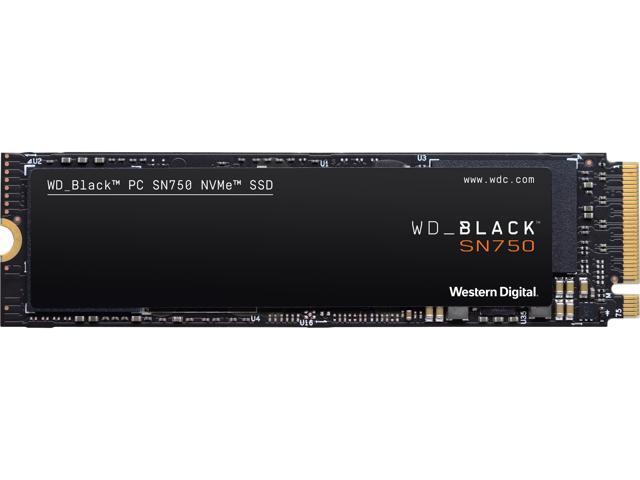
Buy Western Digital WD BLACK SN750 NVMe M.2 2280 1TB PCI-Express 3.0 x4 64-layer 3D NAND Internal Solid State Drive (SSD) WDS100T3X0C with fast shipping and top-rated customer service. Newegg shopping upgraded ™
tough jetty
yah I really like the WD Black, too.
minor sun
I'd keep the 500gb in the laptop and just buy a 1tb new SSD
(if you still use the laptop)
tough jetty
I'm throwing Linux on the laptop.
upper quiver
nice
tough jetty
Don't need the space.
minor sun
Bob we found one of your kind
upper quiver
I would suggest getting a 128gb for the laptop, but just getting a 2tb HDD for the desktop
kind sierra
256GB is usually just a bit more expensive than 128GB
tough jetty
I don't want a HDD, Sassy. Too slow.
kind sierra
HDD is good for bulk storage
upper quiver
too fast for most things
tough jetty
I honestly, use about, let me check.
upper quiver
a cheap 2tb drive for all your games is all you need
minor sun
Sassy it's nice to have an ssd for everything tho :p
upper quiver
sure, a few extra seconds for load times, but your overall games experience is the same
tough jetty
But do you get the same effective loading times with a platter as an SSD for the games.
I know my app loading times are way quicker on ssd???
upper quiver
seconds tho
kind sierra
Yeah
minor sun
Seconds rack up
tough jetty
Yah, well, a second lag is a frag.
upper quiver
not for load times
minor sun
Few seconds here few seconds there and you have a few minutes a day
kind sierra
That's load lag, not in game lag
minor sun
:p
tough jetty
SassyFish256: I could see for backups and stuff tho
kind sierra
Once the game is loaded, it'll be fine
tough jetty
Is that right, Bob.
minor sun
Anyways it's just really nice to have a responsive system with apps that load quickly
upper quiver
also, this is 2tb. you can install all your games
kind sierra
Yup. Basically everyone on this server games off of an HDD
upper quiver
save money, not have to worry about removing games to fit new ones
kind sierra
Yup
minor sun
500gb SSD is usually enough to put your most played games on, with games you rarely play on the HDD
kind sierra
^
upper quiver
also that
minor sun
That's the usual setup
tough jetty
MW is like 100GB.
minor sun
120gb now I think
tough jetty
heh heh
minor sun
Anyways I like my 1tb SSD, it's just really nice to have and to be able to fit a ton of games I want to play on
But it's not cost effective
kind sierra
Yeah
tough jetty
Do you think having a platter hard drive would restrict the air flow more so than if it wasn't there?
in the case, that is.
minor sun
What case is it?
kind sierra
Any decent case, not to any reasonable amount
tough jetty
Lian Li PC-O11 Dynamic ATX Full Tower Case
minor sun
Most cases have either drive cages somewhere that doesn't obstruct airflow or have mounting outside the cages
kind sierra
It'll be fine
minor sun
You're fine
tough jetty
This case is bad ass, it has a spot for the PSU aside the mobo and stuff, so I think the thermals would be better?
minor sun
O11 Is a great case once you fill in the fans lol
tough jetty
Like if you look at it, the PSU is in another compartmentalized section of the case I think.
I'm going Liquid cooled.
kind sierra
AIO or custom loop?
minor sun
Fans on the rad then
minor sun
All in one, one that's already closed loop
tough jetty
Yes, AIO.
The next one will be a custom loop.
Actually, very custom. I'll have my carpenter buddy put together a table/desk one for me.
minor sun
Ooh nice desk PC
tough jetty
They're so cool
tough jetty
yah man, just looks futuristic.
minor sun
But anyways I personally like having a good 1tb NVMe drive, but it's more cost effective for the conventional 500gb SSD + 2tb HDD
It's all about what you're willing to spend :D
tough jetty
Maybe since I've got a 512GB NVMe, and 2 m.2 mobo slots for it. I'll put those two in there, with a 2TB HDD as well.
upper quiver
yeah, 2tb HDD is only like 55
minor sun
Check your motherboard compatibility first, some motherboards have second m.2 slot only running SATA
tough jetty
whaaaaaaaaaaaat
upper quiver
oh yeah almost forgot
minor sun
But I assume since you have an o11 you don't have one of those cheap boards that only support 1 NVMe drive
Check just in case tho
tough jetty
blowing my mind here... I thought SATA was Serial Attached
upper quiver
it is
kind sierra
Yup
minor sun
The difference physically on the SSD is that SATA M.2 drives have the B+M key, and NVMe M.2 drives have M key
kind sierra
Basically, an m.2 slot has the pins for both sata connections and nvme connections
minor sun
Anyways if you give us your motherboard model we can check for you
upper quiver
and Non Volatile Memory express
minor sun
Oh and by the way my motherboard is really weird, and this can happen, where ONLY the first M.2 slot supports SATA and NVMe, but the second one only supports NVMe and not SATA
upper quiver
all pcie based
tough jetty
I'm just a little concerned with thermals and heat in my new rig.
I've bought a 1080
and it runs at like 82c at 98% load.
upper quiver
your SSD should be ok, looking at a pic of the board
minor sun
X570-p supports 3 m.2 drives, all of them can be SATA or NVMe
tough jetty
SassyFish256: Thanks
minor sun
What kind of cooler is on the 1080?
upper quiver
brand?
upper quiver
oh, isn't that a dual fan?
upper quiver
at least I thought the armor cards were dual fan
minor sun
Sassy do your thing I'm gonna go sleep now
All I know is MSI 1080ti Duke oc had triple fans
And the 2070 Duke oc has triple fans
tough jetty
Sorry, 2 fans.
minor sun
Fair enough good night
upper quiver
gn
tough jetty
Good night MR1111
upper quiver
ahh yes, as I thought
tough jetty
mr 4 bits
upper quiver
nice
minor sun
Mr1 works
upper quiver
Mr nibble
minor sun
Heh
tough jetty
nibble 😄
minor sun
Mr doesn't read manuals works too
upper quiver
lol yes
minor sun
Alright call me nibbles
kind sierra
Yeah
 woeful solar

 crisp thistle
 woeful solar
👍
 torpid adder
Not for boot drive, imo
As just a new tacked on volume, it's probably decent enough
Go for at least WD Blue for boot
 normal thistle
My laptop has a hard drive and it is grinding and driving me crazy
And I want it gone and have a ssd in it
torpid adder
I suppose you could go for Green if you really want to save a buck
normal thistle
Idk
What is a good 1t ssd for the money and it will be a boot drive
What about a Samsung?
T5
torpid adder
Those are external drives
normal thistle
Oh yup lol
torpid adder
The Blue 1TB is 115 USD
normal thistle
What about a Samsung 860 qvo
torpid adder
Good drive
normal thistle
The Samsung is?
torpid adder
The Blue, I don't think the QVO is that great
normal thistle
Ok
torpid adder
WD Blue uses TLC (triple level cell) flash chips, QVO uses QLC (quad level cell), which has more data per cell
That makes it cheaper than TLC, and gives it a shorter lifespan and slower performance
normal thistle
Ok
torpid adder
That's my quick and dirty understanding, there's more to it than just that
You can look at the pinned SSD spreadsheet
It's a list of most all consumer SSDs available, their shorthand specifications, and their prices/quality levels
If you are interested, take a peek, bunch of options
I think, of the three, the Green is the worst choice, QVO is second best, and Blue is best
 small whale
 hexed pasture
Best value for money NVMe drive? One that isn't super slow but it doesn't need to be lightning-fast either. I want a PCIe 4 one but they're still insanely expensive and not really worth the cost imo just yet.
kind sierra
@hexed pasture The teamgroup mp34 is solid
short lodge
And the WD SN750
loud estuary
Pretty much whichever of those two is cheaper.
exotic adder
I think the SN might be on sale right now
 final flame
I have an nvme drive I want to return
I havent really used it, I just partitioned it into two drive letters
heady raven
contact the seller then
final flame
BUt I want to return it to factory settings
before I return it
is there a best way to do this?
heady raven
just remove the partitions on it. that is all you realistically can/should do.
heady raven
if there are no partitions, then you are as close to stock as you will come.
final flame
how to remove the partitions?
heady raven
disk manager.
heady raven
you are very welcome, best of luck with the return.
 wind hazel
If I take my hard drive out of my laptop (with windows and a year of usage on it) and used it in my new desktop temporarily, would there be any conflicts?
kind sierra
Windows might deactivate, but besides that no
 clear raft
Very new to building a pc but I have 2 old 1t laptop hard drives I think one had a few virus’s I just wanted to make sure if I plug it into my pc and format it none of the viruses that may have been on it would affect my pc? Really sorry if this is wrong place to ask this also one was used on a Mac will this matter at all?
kind sierra
@clear raft Was it only used on a mac?
clear raft
Yes It was a replacement one I had got off amazon
kind sierra
So it's a virus from a mac that would be on it?
clear raft
Uhhhh not sure really it was 8y/o me downloading anything and everything lol
clear raft
There WD Scorpio blue if that helps at all
kind sierra
Do you know how powerful of a virus they would be?
clear raft
Prob not bad because I remember still being able to use the pc fairly fine
kind sierra
Do you have any old basically dead PCs you would be getting rid of soon anyway?
clear raft
No not really just my new build
clear raft
Uhhhh i couldn’t find any good reviewed anti virus so I only have a vpn currently
kind sierra
Windows 10?
kind sierra
Is windows defender working?
kind sierra
And all of the viruses would be at least 5 years old
I think you should be fine as long as you follow some basic safety precautions
clear raft
i was just gunna plug in and full format
kind sierra
Yup. Make sure defender is running, then plug in one of the drives at a time. Don't open them or anything like that, just format ASAP
5+ year stale viruses that started at low threat don't pose much of an issue to start with, so don't give them any extra paths in and you should be hunky dory
clear raft
these are 9-10 y/o
kind sierra
So even better
clear raft
alright thank you much 😄
@kind sierra should I have pc off or running while I plug it in?
kind sierra
Is it a USB drive?
clear raft
Sata I think it’s called
kind sierra
Should be off then
clear raft
Okay ty again lol
 white kiln
I guess this is where I should ask. I have a WD Blue 1tb SSD that is getting randomly disconnected. I have checked the firmware of the drive, I have checked and updated my MOBO BIOS, windows install is current. Scanned for viruses. I checked the cable was seated properly. It has to be the drive right?
short lodge
could be drive, or maybe the cable. might have messed up the cable itself, not the connection
are you bending it quite a bit?
white kiln
My father had a spare cable and so far(it's been about 2 hours) I have no had any issues after swapping cables. The old one is quite set in its shape as it is the older of the two and from an old Dell.
So it might have been bent to the point it had a short
wind hazel
@clear raft download Malwarebytes (it’s free and really good) and run a scan afterwards to be safe, it’ll quarantine and delete any viruses
 keen urchin
that it detects*
wind hazel
It’s updated constantly and should detect any well known viruses
Definitely any 10 year old viruses
kind sierra
Windows defender should also detect any well known viruses that old
wind hazel
True, however isn’t as reliable as other anti-viruses
kind sierra
[citation needed]
Any antivirus can be bypassed
Malwarebytes in particular had a really bad vulnerability recently
Not exactly a good sign when an "anti-malware" software can be hijacked and made into malware itself
wind hazel
Hmm, haven’t used it in a while but had it recommended.
kind sierra
The TL;DR is that the best antivirus is d.d.d.s., and just run a relatively lightweight one behind that to catch any stragglers
 copper lance
Um... could anyone possibly help me with a storage issue I’m having?...
heady raven
@copper lance ask your question, and if someone has the time/knowledge to help, they will answer you :)
minor sun
@kind sierra 3.0.4 fixes the whitelisting issue, but gets another issue
Overall Malwarebytes is decent as an antivirus, it's got problems for sure, but so do other antivirus programs. d.d.d.s. protects you from most crap anyways
copper lance
I’m having a hard time getting anything at all to save to my HDD, everything keeps going to my SSD which is full and I’ve tried everything I could think of and Idk what to do anymore
heady raven
@copper lance take a screenshot of your disk management window and send it as a pm to me
minor sun
Check default download settings in like chrome, and move the windows download folder to your HDD
 abstract moon
hi guys i wanna build my first pc and was considering buying a ssd but idk much about them in terms of what to look out for when selecting one any help or recommendations would be appreciated thanks
minor sun
Mainly Dram, and then having TLC and not QLC.
I can find you a good drive if you give me a price and capacity needed
abstract moon
I'm thinking 500gb my price range is 100usd max
cheaper is better for me on a budget
sweet badge
you can get a good nvme 1tb drive for like 130, or a 500gb for like 60-75
plush crag

reddit
 lilac patrol
Is pwm worth it?
i can get a single one of these pw, for 10 but i can get a 5 pack of non pwm fir 20
*PWM
open gazelle
you can control 3 pin (non PWM) fan speed via DC Voltage control
4 pin (PWM) was only made for efficiency stuff
and possibly for fans spinning at really low RPM
open gazelle
meaning if you really want to you can use non PWM fine
lilac patrol
but is the 5 pacl something i should be jumping on?
is pwm worth it it tho
5 fans for $20
non pwm
open gazelle
depends, PWM vs non PWM says almost nothing about fan quality
lilac patrol
i see
would i want to buy a fan controller for these? amazon.com/dp/B07GB6D7VQ/ref=twister_dp_update?_encoding=UTF8&th=1
open gazelle
depends how many fan headers you have on your mobo
minor sun

plush crag

minor sun
Forky is that your mspaint one?
plush crag
ghost's
minor sun
Ah
abstract moon
ok understand
sweet badge
😤 i drew that in mspaint thank you very much
plush crag
All yellow names are the same
 eternal crow
Stupid question: Can I just move everything from one hard drive to another manually, or do I need to find a cloning software?
kind sierra
You can move basically everything except for operating system files manually
eternal crow
Cool Thanks
Im building a PC for my dad and Im moving like 4 different hard drives onto one big one
 half flint
See you in 10 years once those hard drives are done copying files lol
rugged socket
Hyundai 960GB 3D NAND SATA III 2.5" Internal SSD (C2S3T/960G) https://www.amazon.com/dp/B01NGYKQOV/ref=cm_sw_r_cp_api_i_k2BpFb5SCD4R4
hyundai gang
small whale
transfering my Steam Games to the second nvme m.2 drive.. im not impressed with the transfer speed
Anyone ?
NM.. must have been compressed files... it jumped to 1.5 gbs a sec halfway threw
 crude orchid
anyone know an ssd with a similar performance to the 970 but cheaper?
torpid adder
Keep in mind, raw transfer speeds between two drives is only as good as the slowest drive
I'm sure they're both pretty speedy though...
 lone spear
well yes but a “faster” drive can still bottleneck it bc drives have different speeds for reading and writing
torpid adder
Yuh Tru Tru
small whale
These where similar 3x4 nvme m.2s. From what I was seeing I suspect the first half was compressed data. But idk. Let’s just say the 1.5gbs made my eyes bug out
torpid adder
Hehe
 wild violet
hi all, i'm trying to find a storage device to use at my home office. Looking for at least 8tb that i can work off of(video editing) and possible watch some movies from there as well. Any recommendations? Budget $500 max. I also have the option of buying a nas device with 12tb. wasnt sure if it made sense to just buy a docking station and use that. I use a macbook 2018 so usb-c is preffered. Last questions: does a adapter or e-sata to usb -c cable means faster transfer speeds?
small whale
No. Speed will be limited to the Sata speed. But unless your ok with mechanical hard drives (HDD). You are going to go way over budget. Look for HDDs with 7200 rpm preferred. I think two separate ones at 4tb ea would be fine. I’m not a expert in optimizing tho. I think if you threw a good SSD in the mix with a big cache and set them up for Raid you could really increase speeds.
@wild violet
Actually I hope someone more qualified answers your question. If you do this right it should be decently fast
heady raven
@wild violet a good scratch disk is imo what you need (scratch disk is the one that your video editing program works from)
wild violet
Thanks Cru4y and Naed. Can you dm a recommendation or two via DM? I was advise by a friend that g tech was a reliable source but still mechanical. Thanks in advance!
small whale
@wild violet
Actually found a good one that is 8tb in one for 209
This is about as good as it gets
This is a NAS.. idk if you wanted a external one or internal now.. This is a internal
@wild violet newer version for 20$ more
 kind belfry
can anyone help me i bought a hdd from newegg and it wont initialize i moved its sata ports 4 times and it still wont read it only my ssd works
it says unknown on the disk management but on bios it recognizes it
 carmine spear
Format it
rugged socket
yeah
 winter hedge
Does anybody know if there are M.2 standoffs that are different between motherboard manufacturers? I’m upgrading to an M.2 and lost the standoff like most people. I bought a package from micro center that has standoffs but it is for gigabyte and MSI motherboards while I have an Asus and they aren’t fitting. I’ve double checked and they are not motherboard standoffs
 supple yew
Asus and Gigabyte/MSI have different standards... Asus ones are smaller, and i think Intel, Asus and Asrock have the same.
 upper osprey
Sooo my hdd got cucked by Windows, unable to format it or set permissions to control it
Any suggestions?
upper osprey
I ended up doing a DBAN on it
 acoustic hound
dumb question, mostly because im too lazy at 5am to google the answer, what is the fastest 8tb+ drive. I know there some thing a while back about Shingled Magnetic being secretly used or mis-interpreted, mostly having to do with raid/nas solutions (which I am setting up a raid/nas) Which drives are the good ones?
 mint lagoon
I say look for a WD Black (Western Digital Black) 8tb @acoustic hound
acoustic hound
one, do they make black in 8tb? and two, i thought black was still not great for NAS for some other reason I can't remember right now...
ill go look
acoustic hound
yeah there is no 8tb black...
there is a 6tb...
sometimes im tempted to get a 16x nvme pcie card and run a raid 5 on 4x 2tb nvme drives lol
mint lagoon
lol
acoustic hound
it's not that I need that fast access to data...
I just want redundancy, and it would simplify the build
mint lagoon
Right, I understand
acoustic hound
I suppose I could use 2tb sata m.2...
acoustic hound
to cut cost... i would still need a 16x m.2 card probably... i wonder if they have sata controllers.
im running windows off of a sata 3.5" drive (i think 500mb i can't remember)
mint lagoon
Ah
acoustic hound
and I have a 128gb 3.5... and a 2tb nvme pro for games
and a 4tb WD blue for storage of music, videos, photo, roms...
but its very slow...
i think its one of the SMT drives
mint lagoon
Rip
acoustic hound
and there's no redundancy on my system :/
mint lagoon
That sucks..
acoustic hound
so im going to be rebuilding as soon as the 3000 series comes out
with a budget of like... 5k
mint lagoon
Damn!
acoustic hound
I tend to do expensive builds, but only a build every other GPU generation
so this PC is... quite old now >.>
mint lagoon
I just built mine w/ a 3k budget.
acoustic hound
it's a 32gb ram x99 build, originally it had 970sli but the 970 didnt really have enough memory for 4k, so it was upgraded, especially since they ended up dropping SLI
I won't necessarily spend 5k. I just have that as my absolute upper limit
like... 3090, probably NOT going to go with an enthusiast platform... Might even go AMD for extra lanes, get the 16x card for storage...
mint lagoon
I tent to be an Intel Nerd
acoustic hound
me too but intel is really strangling things i like to do with it's lane limits
mint lagoon
Yeah
acoustic hound
i like doing SLI when possible, I like having a bunch of add in cards
mint lagoon
understandable
acoustic hound
I have to constantly talk my self out of TR >.> but I really won't get the mileage out of TR for what it costs...
mint lagoon
Right
acoustic hound
also I prefer 4k to high refresh rate... so I wont need the absolute best single core performance...
mint lagoon
yeah, I've been stuck with 1080p, although I'm fine with the graphics, I don't need anything too high quality
acoustic hound
I have a bunch of awesome tube monitors if i want low motion blur
i managed to score a Sony W900
1900x1200 72hz 16:10 tube
24"
very rare...
mint lagoon
Nice!
acoustic hound
theres a better FW900 but they have a lot of problems with the flyback transformer... so the W900 is more a daily driver option where FW900 is more for people who wanna gamble 3000 bucks+++ to flex
but it will do 2k at 85hz... if you find one in working order.
We didn't know what we were losing when we gave up tubes... they have some shocking advantages.
mint lagoon
Right
acoustic hound
like... 2048x1536@85hz with no motion blur and they are self emissive so they keep up with oled (not counting HDR)
when it comes to dynamic range*
we just didn't have the hardware to push them to their limits back in 2006
mint lagoon
Understandable
acoustic hound
and that upper 85hz limit... could be surpassed easily it was just "but why?" back in the day
on that monitor, if you drop the resolution to 1600x1200 you can do 190hz
Lacie Electron Blue
mint lagoon
Lol how does that work?
mint lagoon
I can't even set 1600x1200 on my monitor lol
WHAT?? ITS 6AM ALREADY
there goes my sleep schedule
acoustic hound
i have examples of how it works in displays channel >.>
 bright grove
hey guys so i have a 1 tb ssd almost full so i got another one of the exact same kind, but how do i combine them without losing all my contents??
 boreal wing
@bright grove u could upload the first one to cloud and then redownload it on the new one
heady raven
@bright grove when you say "combine", what exactly do you mean?
bright grove
raid 0
i wanna somehow raid 0 my drives but keep my contents
all of them
i want the exact same pc i had before
boreal wing
that wont really work i dont think
minor sun
They want a combined volume or whatever it's called
heady raven
why would you raid them?
minor sun
(afaik raid 0 runs everything in 1 partition/volume)
heady raven
what do you think you are going to actually gain (that you can notice)?
boreal wing
why dont u just put the second ssd in the second m.2 place
minor sun
It's nice to have, but is it going to be that troublesome Naed?
bright grove
well i like just having one drive for everything
if i just let it be ill have 2 drives for things
minor sun
(please explain storage pool
and how to activate it via software/bios)
heady raven
at its core, its "just" having the drives appear as one.
But, i remembered wrong on the drive number needed for it
(it needs 3)
minor sun
Can you still explain how you could activate it?
bright grove
oh well i like the sound of this
tbh idc about the tiny extra speed of raid
i just want one 2tb drive
heady raven
from a consumer POV, i would strongly recommend that you just learn to live with 2 drives
minor sun
You can use Storage Spaces to group two or more drives together in a storage pool
?
heady raven
OR go out and buy a 2tb drive.
ah, might be server version that is 3 drives then (that is what i normally deal with)
minor sun
You can probably try that than Chiller
just stop if it tells you to format or something
heady raven
However, do backup things BEFORE you try
because we are NOT responsible for any data loss from advice given here.
minor sun
Of course, whatever can go wrong goes wrong xD
bright grove
thats all i care about tbh
bright grove
ill back up my tax fraud
🧠
only one drivbe is popping up
so what is the poiint of this
im confused
heady raven
refer to what i said about consumers
bright grove
but why cant i just make it work
minor sun
Naed, do you know if partition managers could merge partitions without deleting things?
heady raven
@minor sun its one of those: It can be done, but dont. Kind of things
minor sun
Can you explain why?
heady raven
because of how the data might be spread across the drive.
and the partition tool wont "care"
"this section goes there"
minor sun
ah, so issues with cross-drive communication?
heady raven
kinda yes
bright grove
how do i move my whole pc from one drive to another?
bright grove
nad have it stil be exactly the same
minor sun
And next, is it a decent idea to have 2 clean drives to run raid 0 and run in a single volume?
heady raven
for security/reliability, mirror is better than nothing @minor sun
minor sun
uhh are you talking about raid 1 mirroring?
bright grove
okay so i have a storage pool on one drive
how do i combine them now
because when i choose add drives my main drive doesnt come up=
heady raven
@bright grove read the info on the site i linked :)
this is the part where you do a LOT of reading
and then you make a choice about IF/HOW you want to use it in your setup
minor sun
oh shooot
minor sun
AHHHHHHHHHHHHHH WHY WINDOWS
minor sun
am sorry
bright grove
then return my extra one'
heady raven
the simple solution to your "problem" (which imo is not really a problem) is to buy a single drive with more storage.
then you can setup your system like you want.
because, as i said. from a consumer pov. learn to live with more than 1 drive letter.
it is just simpler to do.
bright grove
alright well thanks for thw help
so i was to get a 2tb drive now
actually nvm
lol
red jay
What's the best RAID setup (if any)in your guy's opinions? For arrays less and greater than 6.
Me, for >6, I think RAID 5 sounds nice, and either RAID 10 or 1 for <6.
 misty rover
Is it possible to mount my mom's old 640GB HDD to my new PC once I get it built, in order to recover YEARS worth of valuable files, photos, videos, and all that without reformatting it, and wiping all of the data off of it?
heady raven
@misty rover in theory yes
 south wadi
Looking to upgrade the 256gig Hard drive on an msi gf63 thin 10th gen laptop, and i cannot find any hard drives for it, i want at least 1tb
possible?
heady raven
@south wadi what are you searching for specifically?
minor sun
(I found the manual, just says "2.5in HDD", no height requirement mentioned, I assume any 2.5in drive fits)
@south wadi by the way, there is no specific HDD that only fits in that laptop, these parts usually are interchangeable with consumer components unless otherwise listed.
heady raven
and afternoon to you @minor sun
minor sun
Good afternoon Naed.
I'm gonna wait before linking a drive because people like to just not read and buy what people link :P
heady raven
indeed
minor sun
Well, I guess they disappeared for the day, might see them tomorrow morning (for me).
heady raven
@somber remnant there is absolutely NO need for language like that here.
upper quiver
i think the clown aspect of that is the fact that he spammed it in a bunch of other chats
heady raven
does not matter @upper quiver
it is not language that is ever needed for things like this
upper quiver
idk i thought it was funny
 native zenith
I got a new psu and plugged both my ssd and my hdd in with the sata cables for the first psu not the second one. The computer wouldn’t boot up so I used the new cables and now both drives act like they’re not existent. Are they done? Is there any way to fix it? Thx
torpid adder
You should use only one power supply
native zenith
I only have one currently being used by the pc. The other one is boxed away
Probably gonna have to buy new l drives
minor sun
P1 for the speeds. @red jay