#storage-devices
1 messages · Page 26 of 1
 nocturne burrow
are the PCIe cards that have the m.2 slots on them worth getting?
@plush silo depends, the main thing to consider is "speed", as long as your speed is consistent across m.2 device, the adapter, and the mobo then you good. First you identify how fast the m.2 storage can go for, they can go up to 24Gbps (about 2000MB/s) then just get a compatible adapter that will handle that speed finally the correct pcie bus, different length got different speed. The key here is as long as you're not losing speed then its good.
 worn karma
Is the nvme on this build good? Should I add more space? https://pcpartpicker.com/user/Ny0l92/saved/#view=c6hCzy
 somber remnant
owoverpriced 🙂
but if you think samsung's reliability is worth the extra 50$ per drive go ahead
you could prob get 2 1tb A80s or something similar and get a 2 sata ssds 2tb
also thats an expensive case damn
 woven jolt
guys i need help, I bought a silicon power 512gb ssd but it has two notches on the end that it connects instead of one, is there any way i could still get it to work
 compact sentinel
You are right it is a 15+ year pc and It already is running XP but the DVD drive quit seeing disks in it even though OS and Bios say drive is ok. I replaced the drive and cable but still no luck, had a pc shop check it out, but they had no luck too. So next step is to go with a PCI IDE controller to see if that will work. Unless someone has a miracle for me to try.
 loud estuary
There are cheaper qlc options tho. This is only $10 less than mp34

 steep abyss
lol yea
 drifting hornet
@upbeat forge https://www.newegg.com/western-digital-blue-1tb/p/N82E16820250092?Item=N82E16820250092&cm_mmc=snc-twitter-hotdeals-_-shell-shocker-_-N82E16820250092-_-052720 this one is from WD and it's slightly cheaper
 upbeat forge
Thanks!
drifting hornet
I'd say it's a better bang for your buck, I know WD is good for hard drives/ssd's i've had a few myself, and trust their stuff
but overall go with your gut, just trying to help
the other one, could have better read/write speeds, making it slightly better but you can't really tell by what it says in words
loud estuary
The WD blue is a sata drive, the intel one is NVMe and much faster @upbeat forge @drifting hornet
upbeat forge
True
loud estuary
The intel is QLC tho. If you have $20 to spare, I'd just get a MP34. It's TLC, not QLC with better write speeds
 kind sierra
I believe the 1TB 660p is currently on sale right now on newegg for $109 or so
kind sierra
Ah, okay. You need the email promo code for the 109 price
loud estuary
I mean they are both fine, but I wouldn't use QLC as boot drive b/c endurance and I'd say it's worth an extra $20-30 to get TLC nvme w/ dram over sata if you have it
 minor sun
I mean at least its got dram
 buoyant frigate
 red jay
i'm looking to buy a 1 tb ssd for my desktop for the games i am going to be playing. should i get one of the nvme drives people have been linking in here or should i get a 2.5" instead?
minor sun
depends on budget
if you can get nvme, might as well, it's like 20$ more. If you really really cannot fit a 130$ drive in your budget, Sata is fine
red jay
so the teamgroup is what i should go for? or should i go for a adata or such?
that $130 would be okay for my budget but more the top end for now
red jay
ok
 fresh crypt
@here anyone selling ddr3 1600mhz ram for under 60$ need 8gb
 vestal reef
We don't sell on this server but that shouldn't be to hard to find on ebay
 little thistle
best £50 ssd?
whats the difference between m.2 ssd's and stats 6 ssd's?
and which is best for load times
 novel fractal
m.2 is way better for multiple reasons
if you have many drives, they usually are all on the same bus, so the more you have, the more bottlenecked you can get, m.2 uses PCI lanes, which is incredibly fast
technically m.2 is just the type of connection, likek mSATA, but m.2 is almost always PCI-E
 lone pier
You really don't need nvme, it's just something nice to have in your pc, if you have a high budget
 plush crag
Sata and NVME are nearly the same price
lone pier
Well
It depends
A high end sata ssd will cost about the same as a low end nvme
@little thistle make sure if you're getting an nvme, it actually says nvme, not just m.2
Because there are sata m.2 ssds
lone pier
Ok
lone pier
Ok
 crisp root
more like 43
lone pier
Ok
crisp root
I got that wrong
lone pier
For around that price you could get a 460/512gb sata ssd
The speed differance wouldn't really be noticable
crisp root
yeh but I don't rly need all of that storage and i'd much prefer 2 have a cache
crisp root
ok
lone pier
Look at the read and write speeds
And cache
Also I heard the mx has a ton of features
crisp root
I could get slightly better ram if I was to get the cheap 1 but tbh I don't think thats worth it at all
ok then
thnx 4 the help
lone pier
Not bad but get rid of that evga br
Unless you only plan on using your pc for a few months
Go with something like a corsair cx
Back in my day you could get the ryzen 5 2600 for the price of that 3300x
Also, does that b450 motherboard support 3rd gen ryzen?
minor sun
BR is decent lol
slightly worse than cx yea but if thats all you can get it ain't one of those that dies
lone pier
It's not really the reliability that's bad about it
Dont expect to overclock
If you have an extra 10 or 20 dollars it's worth getting a better psu
lone pier
I know that but it's power delivery is not great
minor sun
It has a decent warranty, high 12v ripple, low holdup time but not a huge issue.
lone pier
Then why did everybody freak out when I said I was gonna a get a br
lone pier
Oh, ok
 warm moss
hello
loud estuary
Hi
 upper quiver
lower
 normal thistle
Ok
upper quiver
higher clock speed, lower timing
for price performance on 3rd gen ryzen, get 3600 CL 16
normal thistle
Ddr4 3600 timing 18-22-22-42 that not the best is it?
upper quiver
i mean, for a few dollars more, at least for 8gb modules, you can get cl16
i think its 16-19-19-something
normal thistle
I want at least 16gb but thinking of 32
upper quiver
what do you plan to use all that ram for
normal thistle
Gaming and some video editing
minor sun
Basically
18-22-22-22-42 bad
16-19-19-19-39 is good
16-16-16-16-38 is great
14-14-14-14-34 is amazing
normal thistle
Ok thanks
upbeat forge
How is 15-17-17-35?
upper quiver
at what speed
minor sun
I'm talking at 3600mhz mainly
 short lodge
Whats a good boot drive SSD for cheap (DRAM?)
short lodge
I mean 60-120gb
 eager epoch
that or sn750 is slightly better if you can find it on sale for same price
short lodge
like the real cheap stuff
eager epoch
mp34 has small options but id go like 250 if you could
 shut furnace
i guess look for a ssd you like then check it on the ssd spreadsheet pinned
short lodge
K
 open gazelle
Seems like it's this for 120gb
https://pcpartpicker.com/product/XDdxFT/adata-xpg-sx850-128gb-25-solid-state-drive-ssd-sx850-128g
 dark perch
i just bought a ssd and plugged it in and it wasnt saying anything in bios i switched the plugs with my hdd and still didnt work, any suggestions?
 narrow sorrel
like it wasnt showing in bios?
short lodge
Gotta be level 3 MEE6 to post links/images
 haughty hill
Just picked up Intel entry server chassis SC5295-E and was wonder what type of serverboard that I could use in this
red jay
I'm looking for at least 1TB of either SSD or preferably HDD right now. I was looking at Seagate for the solution, but some sources said they were trash due to the higher probability of Disk Malfunction. Then I looked at the WD Black and was told that WD is having a Lawsuit filed against them due to something about threading? Anyways what is a good SSD or HDD for Gaming mainly, odd video/streaming here and there.
short lodge
@red jay for a boot drive or a secondary drive?
red jay
Second Drive @short lodge
short lodge
ooh long link
Anyways it's seagate and 2TB for the price of 1TB. It's a good drive, even thouhg you've heard bad things about seagate. I use it personally and it's great.
red jay
I would want to get a 2TB SSD, but man they are expensive. I seen some up to $250.
I guess this Seagate will have to do.
short lodge
well as a secondary drive HDDs are plenty fast
red jay
Yeah?
short lodge
they get very fast since they aren't running an operating system all the time
 uncut bramble
yeah a big honkin 7200rpm HDD is fine for game storage, I'm using a 2TB one myself, and it's fine
short lodge
2Tb HDD gang
red jay
And ordered
short lodge
good stuff
red jay
Thank you for the help @short lodge
short lodge
anytime my man
red jay
Oh and before I forget do I need anything special cable wise?
short lodge
or female aquaintance
uh not really just SATA power from your power supply and SATA DATA
red jay
I see my other Hard Drive Port or where I plug it in at
short lodge
wdym
red jay
On my MOBO
short lodge
Yep you plug one end into motherboard and other into hard drive
red jay
So I just need to slide it into the rack, plug it in to the PSU and then the plug on the MOBO. Seems easy enough...
short lodge
and screw it in of course
red jay
I just kinda slide them in the rack...
red jay
When I was building my dads PC I just slid it into the rack and called it a day..
Ofc when I built his I forgot to plug it into the PSU and was wondering why it wasnt showing up xD
short lodge
screws are definitely usually needed my man/female aquaintance
short lodge
aw crap
red jay
Nah I am joking with you xD
short lodge
I don't know how to dp that
Oh okay phew
I usually just say my man but am now deciding to be careful
open gazelle
screws are definitely usually needed my fellow human acquaintance
open gazelle
welcome
loud estuary
Now you can say my human instead of my man
So you'll sound like you're an alien invader 🙂
short lodge
Thank you for the advice my fellow human acquaintance
loud estuary
Lol, you're welcome my human
 torpid adder
How do you do fellow kids
loud estuary
What's popping my fellow teen
shut furnace
hello fellow boomers
loud estuary
This server is on fleek
short lodge
vestal reef

normal thistle
How good is 16-18-18-38 ram timing
normal thistle
64gb
normal thistle
Yes 2x32
upper quiver
what are you using 64gb of ram for
normal thistle
Video editing and streaming
normal thistle
I am also looking at 32gb as well
upper quiver
and video editing depends on resolution and the like
like, are you working with 4k video
and what software are you using
upper quiver
i feel like 64gb is seriously overkill
minor sun
2x32 be way overkill
Do 2x16 and upgrade to 4x16 as needed. The chances of you needing 4x32 is very very low
Unless you do professional video editing, you don't really need 64gb of ram
normal thistle
Ok
minor sun
I'd just suggest you get a kit of 2x16 trident z neo 3600mhz cl16 if you want rgb, or a kit of 2x16 ripjaw v 3600mhz cl16
Ya that or neo if you want rgb
Cl18 sassy
Neo cl16 is usually around 180$
upper quiver
oh oops
normal thistle
Mostly everyone is saying 3200 speed is best for ryzen9 3900x
minor sun
minor sun
Who
upper quiver
srry i copied the wrong one lol
minor sun
Most every testing of 3200mhz vs 3600mhz on 3rd gen Ryzen say 3600 is perceivably faster
normal thistle
How's 16-16-16-36
minor sun
Good
shut furnace
muy bien
normal thistle
The problem with it is it's the gskill trident z royal
upper quiver
not worth the cost
 upper quiver
just get one of the sets we suggested
normal thistle
184.99$ 32gb
shut furnace
for bling ram, id pay anything 
normal thistle
What is funny is the ram I was talking about first is better then both of the other ones timing on yours was 16-19-19-39 mine was 16-18-18-38
Found one thanks for the help
upper quiver
subtimings arent super important
the main factors of performance are memory clock speed and CAS
the one you were talking about first was 3200MT/s
the ones we suggested were 3600MT/s
normal thistle
I found one that was 16-16-16-36 and 3600 speed
upper quiver
then who cares
normal thistle
How about a m.2 500gb for almost $70
upper quiver
thats an average price
normal thistle
Really I have found a ton like 500 for 200-300
upper quiver
yeah, but WD blue is garbage tier SSDs
would suggest the WD black SN750 as the cheapest WD M.2 ssd
normal thistle
And I can't go with a hdd because I will be moving my computer every week
open gazelle
WD blue is "garbage" when compared to NVMe because it's SATA. But still one of the best SATA SSDs
also how harsh are moving conditions? HDDs when powered off can take a fair bit without issue. Still no as durable as SSDs but good enough for most types of moving. I mean I've been moving weekly with two HDDs in my desktop without issue by car on decent conditioned asphalt road
just put my PC back in the case box with the original styrofoam, which is decent thickness. With that + car shocks + making sure PC cant slide around you'll probs be fine
normal thistle
Some of the roads I go on to my friends house it would be less I'm theory if you drove in the field
I have a 3 seater truck so it would sit next to me on the seat
open gazelle
well idk how harsh the conditions are for you but going at a decent speed it'll most likely be fine
normal thistle
We go like 10 miles per hour but I would rather just be on the safe side
open gazelle
ah, ye that. Yeah basically garbage tier NVMe. Tho that's when comparing to other NVMes. Still a viable option and not that bad if prices are right (which they basically never are, $5 for a much better NVMe is worth)
loud estuary
I wish I knew about mp34 drives before I went and bought two evo plus drives a year ago
loud estuary
I literally spent $100 more on like mild r/w speed upgrades
Glad I didn't buy some trash ssd from a trusted brand tho
minor sun
the more you know, the better choices you make :P
loud estuary
Yeah lol...
open gazelle
34 seems new. Never seen them last year, only 33
 charred goblet
I need some advice on upgrading my hard drives. I currently have (MSI Z97 PC Mate LGA 1150 Intel Z97 HDMI SATA 6Gb/s USB 3.0 ATX Intel Motherboard) with a 250G SATA drive that houses the Windows 10 OS and all other apps. Then I have a 1T SATA drive to which all storage (music, pics, vids, docs, etc.) is routed. I would like to upgrade to two 8T SATA drives and run them in RAID-1 configuration. I don't know if my system is able to support or recognize the larger hard drives and/or able to support the RAID-1 configuration. Can someone please help?
 limpid atlas
Hello! I need some assistance. I need some help getting data off of an older SAS 2.5 drive. I am not a hardware guy. What do I need to purchase in order to read the driver?
The business of a friend of mine burnt down and these drives are what remains.
 noble iris
hey guys i have a msi z390 godlike,if i use 1 m2 drive everything works fine if i add a 2nd then my pc locks up quite often,any bios setting i need to change when adding a 2nd drive
 craggy pollen
dont think
 sinful glacier
https://www.newegg.com/western-digital-black-sn750-nvme-500gb/p/N82E16820250109
is the heatsink needed?
(my mobo doesnt have a heatsink)
red jay
I have a Seagate Business Storage 4-Bay NAS. Would WD Drives work in this system? If so, what drives do you guys recommend for this system?
torpid adder
Make sure it isn't a...
red jay
ok, SMR bad?
torpid adder
For NAS it is especially bad
red jay
do they fail a lot?
torpid adder
I think it requires knowing what to do with an SMR drive, and what software to use with it, for it to work smoothly
red jay
that's too much work
torpid adder
Easy enough to make sure it's not SMR rather than gamble
They do fail when you don't treat it like an SMR drive I guess
kind sierra
You can use them, they're just very very different
red jay
i'd rather not
kind sierra
Yeah, you don't want to
torpid adder
Look for Perpendicular Magnetic Recording drives, PMR, I think
Or whatever the normal magnetic recording is called
Just something you should definitely look out for though
red jay
so even though it's a Seagate device, I can put WD drives in there?
kind sierra
If it's sata, it's sata
torpid adder
Should be able to
red jay
yep it's SATA
loud estuary
Can someone help me find out if the sk hynix sc313 has dram? Not on the master spreadsheet and I can't find it online
 mighty furnace
Hello all
torpid adder
😔
Idk how to know whether it has dram
Maybe check review of it?
Could also just not go for it
Do you know what flash it has?
@loud estuary
loud estuary
I can't find a review. I'm not gonna buy it, it's already in a laptop I have. I think it is TLC
The sk hynix data sheet is useless
torpid adder
Ah
shut furnace
lol
torpid adder
Of course it is 😔
You could try taking it apart
Or whatever
To get to the PCB so you can see all the chips
normal thistle
How good is Samsung 860 qvo 1tb for 99.99
shut furnace
not good deal
shut furnace
660p is also qlc, has better r/w tho
torpid adder
Better than 860 QVO 
 leaden wagon
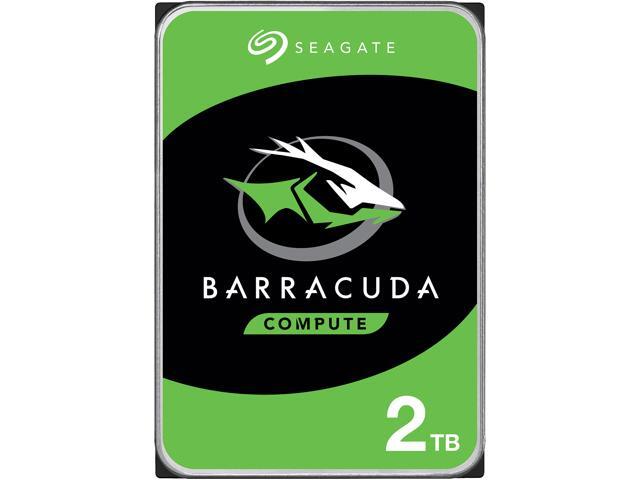
Newegg.com
Buy Seagate BarraCuda ST2000DM008 2TB 7200 RPM 256MB Cache SATA 6.0Gb/s 3.5" Hard Drive Bare Drive with fast shipping and top-rated customer service.Once you know, you Newegg!
is there any reason why i shouldn't get this
red jay
I just got that
leaden wagon
this seams almost too good to be true
red jay
I also got it for my dad and the Disk Crashed on him...
He recovered it, but I wouldn't recommend putting important things like a Operating System on it.
leaden wagon
im getting it for games and file storage
leaden wagon
i mean 50$ for 2 tb i just thought something might be wrong with it or it might be made for like specific tasks or something
red jay
Should be fine.
leaden wagon
nvm
short lodge
@leaden wagon I have it as my game drive. Works really well for me
 half flint
I just got mine today
 small whale
whats a mobo have to do with gbs?
somber remnant
a60 :((
upper quiver
A60 bad
 finite widget
whats A60 mean?
finite widget
ah
upper quiver
SP A60
finite widget
what would you suggest
im looking to spend around $40 ish
256Gb should be sufficient
upper quiver
finite widget
kinda awhile until that would get here
finite widget
yea its meh read/write
upper quiver
wait
finite widget
but would be fine
upper quiver
actually, yeah, that would be alright
it uses HMB instead of DRAM, but they pretty much do the same thing
finite widget
small whale
Im looking for a great m.2 boot drive.. it can be as low as 128gbs
finite widget
I found the mp33 on newegg
dont know how much it would cost me to get that july 7th shipping tho
eh actually
idk
upper quiver
the one i linked was cheaper
upper quiver
yeah, 40 free ship
yeah, its actually decent
i thought it wasnt, turns out its good
plus its got a heat spreader
upper quiver
lmao yeah
finite widget
so my pc cost is around $300 rn
looking at buying my friends gpu for maybe $70 but gonna try to talk him down some
its a 1060 3gb
was gonna buy a 970 for $45 but the guy on fb ghosted me
red jay
i got ghosted on two monitors from two different people, ended up spending 4 hours in a town 1 hr from where i live just to end up getting one
shut furnace
Samsung 860 evo VS wd blue VS SK Hynix gold s31
Looking for opinions, need 512gb sata
minor sun
860qvo?
shut furnace
No evo
shut furnace
Alright ty
 gaunt agate
Bought 2 of the 500 Gb SSD from new egg they shipped via ups they delivered it to the post office and the post office cant find them
 tawdry hedge
has anyone had experience with semaphore timeout and how did you fix it ?
tawdry hedge
or rather, have you guys ever gotten disk usage 100%, but read/write speed only 0 KB/s ? (windows 10's task manager)
when I looked at the processes at the time, no file transfer or anything, total disk usage in the processes tab was only ~25%
but it took maybe 20 seconds before I could open folders
What gives ?
I ran Disk check no (more) errors (it had before but disk check fixed it)
minor sun
Might be windows being slow indexing things
shut furnace
I’ve seen it happen before with hdds, idk any details tho
kind sierra
Windows search is very slow
 shell onyx
Windows default search engine (the one embedded in File Explorer) kinda sucks. I used (to use) Everything by voidtools for searching random stuff in Windows. Free and fast, I recommend it.
https://www.voidtools.com/support/everything/
 jovial cypress
i have a wd black 2tb 7200rpm and it only shows 1.81gb instead on like 1.9 or something close to 2tb is it normaly like that?
shut furnace
Ye seems fine
 rustic mountain
Yes its normal, manufacturers use 1gb = 1000mb instead of 1024mb so 2tb would be 2000gb / 1024 = ~1.9 and then they are allowed to have dead space and drive reserved area so 1.81 sounds reasonable.
tawdry hedge
thanks guys I ran tests with SeaTools, HardDriveSentinel and checked CrystalDiskInfo all seems fine no errors
drive's only been running for 2 months/5TB written
could be just on the software side like you guys said
https://www.voidtools.com/support/everything/
oouu thanks very interesting
speaking of that, is there a tool that'd make data management/categorization easier ?
Like a file explorer that'd automatically create tags 🤔
tawdry hedge
Update: I used another mobo's USB 3.0 port and it seems fine so far
that's gonna be a bigger problem if there were a defective mobo port 😢
minor sun
I found it quite interesting I was about to double my seq write speed back to a more normal value after cleaning up the free space on the drive
upper quiver
huh, nice
minor sun
it was ~950mb/s seq1m write
 terse forge
anyone know what pcie m.2 expansion card i could use with a 3900x,1080 ti, and ROG Strix X570-F Gaming together?
it seems i cant use that fancy asus card for w.e reason
 gleaming escarp
How much space did you clean up on the drive Mr1111??
minor sun
@gleaming escarp none, I just used software that rewrote all the free space as 0s
gleaming escarp
0 rather than a blank?
minor sun
when you delete files
gleaming escarp
So would that make it faster for the drive to write out everything on it?
minor sun
it doesn't rewrite what is there
it just erases the pointers that point to there
I guess actually getting rid of all the crap thats on there really helps with write speeds
shut furnace
yup, then when you download new stuff it just overwrites the old
minor sun
makes sense
because it would allow the drive to write straight on, instead of having to erase whats there first
gleaming escarp
So if downloading and deleting larger files using the software would be a good idea? Or like a seasonal clean up type deal.
Ahh
Can skip the pointers leading to nothing because 0 is a clean canvas to work with.
minor sun
ye you could use the software to completely delete files but
I'll be doing it more seasonally and rewrite the free space
gleaming escarp
hmm. Cool. Not too important for me since I'll mostly be gaming but could see how it would make sense for users that move a lot of files.
minor sun
Makes sense how it made a large difference for me because I had 20tb total written
so all the empty space was prob written on at some point
gleaming escarp
20TB total written so far on the drive?
So that means it keeps track of the amount it has written out?
minor sun
Yea drives keeps track and software like CDI tells you
gleaming escarp
Could you then use that number to cross reference with what manufactures spec the drives lifespan to be in terms of total writeable TB
So its like an electronic odometer
gleaming escarp
Cool, thanks! May your drives spin long and prosper. Unless its SSD.. No spinning happening in there I hope.
lol

 red jay
can i partition a flash drive and still be able to choose which one to boot, cuz i have my windows recovery on here and i was wanting to try to put linux on it too?
 unborn plover
I too am now curious. Never thought to try
terse forge
i dont see why not. ive done things like this with linux, but that was 2 diffrent linux distros.
 kind steppe
what are your opinions on pcie x16 storage? iss it gonna become bigger in the future?
terse forge
its already pretty big now in the server industry for certain builds
kind sierra
@red jay It's do-able, but tricky
 untold citrus
Anyone ever ran m.2 or sata on windows xp as a boot drive? I have an older alienware I want to put an ssd or two on. Ive got an m.2 and a sata. Whats a good cheap m.2 adapter and also if it does not have sata now whats the cheapest sata adapter. And also do I need special boot disc or drivers or bios settings to install to sata. I think i tried before on xp and had an issue back n the day
loud estuary
Why XP
Does that oem Mobo have no non-m.2 Sara ports?
If that m.2 is a nvme, I wouldn't waste it by limiting it with the sata ata interface
 vagrant steppe
I can store my drivers and os on an ssd and have games on an hdd right
eager epoch
yes
kind sierra
@untold citrus If the laptop is from the xp era, it is likely not useful to use an nvme ssd, since the chances of it supporting an nvme drive are slim to none
kind steppe
^
 noble atlas
terse forge
noble atlas
terse forge
@plush crag so something great happened lol
got that 6tb WD Black in and moved like 90% of the non essential things off of my nvme raid
and re ran CDM
minor sun
good writes now eh
terse forge
idk what % full is the sweet spot but taking it from 89% to 13% bascially made it run top notch
good everything compared to what it was doing lol
thats what it was lol
was even worse at like 89% full
minor sun
this was mine last night
I can prob get seq1m write back up to 2gb/s
this is what it was before
terse forge
yeah its a bit nutty how much this effects it
you run a 1pass erase on you ssd?
should i do that on my nvme now that i have it where i want
minor sun
erase empty space
terse forge
does it matter if i use cc cleaner? for single pass
terse forge
bout to find out lol
minor sun
it writes 0 in all the empty space
terse forge
do you think with ryzen 3900x benchmarks
there will be a decent driffrence in score with 3200 and 3600mhz ram?
minor sun
Yes
terse forge
okay so that explains why my friend gets like 5% better scores than me with litreally a copy of the same OC profile lol
minor sun
yea
plush crag
Nice
terse forge
@plush crag is it possible to take some of my normal sata ssd and have it act as cache for my 6tb mechanical drive?
plush crag
Not easily, no.
terse forge
is there any option to boosting the mechanical drive in any way?
plush crag
I would use the HDD as long term storage, where you don't need to quickly seek through files.
For stuff that needs faster r/w or i/o - put that on the ssd/nvme drive.
terse forge
gotcha. i had planned to do long term streaming recordings there and low end games
@minor sun
lol looks worse?
leaden wagon
so is there any program i need to install to make an smr drive work better?
terse forge
its raid 0 nvme gen 4 lol
terse forge
yup
terse forge
bit better this time
almost 8
im happy with it lol. now i just need to re download like 600gb worth of games lol
plush crag
GPT
plush crag
Usually, ya
terse forge
i know for like nvme drives 128 is recomended so wasnt sure
vestal reef
Whats the cheapest 2.5" 500gb ssd ya'll would recommend?
minor sun
@vestal reef does it have to be 2.5in? The cheapest 2.5in drive with dram I'm seeing is Team Vulcan at 56$, but Crucial P2 is 52$ for 500gb.
P2 has HMB but still faster
minor sun
yw
 granite hemlock
I building a new pc and my 1st requirement is raid 6. Do any motherboards support that built in, if not any recommendation on a reasonable raid card? Planning on 1tb ssd's for the raid storage.
kind steppe
@granite hemlock why not raid 10
granite hemlock
@kind steppe I had not considered that but I guess it serves the same purpose of 2 drive failure tolerance and the same total space. (Although it depends on which 2, so 75% the reliability of raid 6) If I can live with 10 that includes just about every motherboard. Now my only other consideration is nvme if $ will allow.
kind steppe
Well
nvme fast
@granite hemlock
But like
How much?
I think most high end mobos have 3 slots, and midrage ones have 2 (like mine)
 pastel notch
How much do you guys recommend for storage?
minor sun
For doing what
Only a few light games, 512gb ssd
For a fair few games but nothing else, 1tb ssd
pastel notch
Ok thanks
minor sun
Gaming and video editing or file storage, 512gb SSD + 2tb HDD
pastel notch
Do you have any HDD you can recommend?
minor sun
That's my thoughts at least
pastel notch
Ok
pastel notch
Ok thanks
 lone girder
Is it bad to have two different types of NVME SSD's?
lone girder
Ok cool
loud estuary
But is some raid configs different sized drives make a dif
Like a raid array with a 500 GB and several 1 tbs will be limited by the 500GB
 flat kite
I finally managed to make my new HDD show up! God Bless lol
granite hemlock
@kind steppe Even 3 slots is not enough for raid 10, but it is enough for 1 or 5. So I guess my choices are: lower my expectations to 1 or 5 using nvme and motherboard raid, sas/sata raid 10 using motherboard, buy a raid card for sas/sata raid 6, or go all out$$$ and get a card and external box for nvme raid 6. I don't even know if or what is available. In case anyone wants to know: this is for personal use. I plan to build a box with a minimal linux OS and virtualbox, then make a few machines inside it for actual use. Windows 10 for every day use. Windows 7 to just make a container for my current machine, a Linux box just because, and what I call an "Impunity machine" that I can clone and use to browse with impunity, then destroy with each use. (And maybe an XP machine because I have some old development tools that I will never update but could be useful) I know that my storage needs will grow to meet capacity, and now that I am into low TB sizes, encountering a URE when restoring a raid becomes a much higher probability, thus the desire for raid 6. I don't do gaming so top end video, GPU and CPU are not required, but might need to come along for the ride in order to meet my storage desires. As to my skill level in the world of computers: I write code and have been doing so probably longer than most of you helping me have been alive. I used to know a lot about hardware. Now I feel I barely have a clue.
kind steppe
cool
@pastel notch I wouldn
t use a hdd
as a boot drive
make sure u have ssd for boot drive, either nvme or sata
kind sierra
Raid five with three disks is fine
plush crag
But that gives a 40% chance of an unrecoverable error if one drive fails.
kind sierra
How's that?
Just drop in the new disk and rebuild
As long as none of the other drives fail as you're rebuilding, you're fine
plush crag
Depends if the real-world read URE rate matches the spec, varies I guess
I'd just rather either go with raid 1 + spare or -
If one has the money for 3 drives, getting a 4th for raid 10 would really be the best way to go
kind sierra
Raid 10 you still need to rebuild the array when a drive fails
The trick is making sure that the MTBF of a disk is significantly larger than the time it takes to image that disk
A a decent 1TB nvme disk will take less than an hour to image, so as long as you don't have drives failing that frequently it will be fine
granite hemlock
Thanks for the posts. I think a plan is starting to coalesce in my brain. 1 small nvme for the OS + virtualbox. (Maybe 2 for raid 1 if slots allow) The OS will be fairly static so a simple backup will work even if it is out of date because the only thing missing will be patches that can be reinstalled. Raid 6 card and 4 sata drives for everything else. This will give me the high probability of 2 drive failure survivibility so that I probably don't need to fall back on a slightly out of date backup. I would also like a hot spare for the sata raid, but don't yet see how that connects to most of the raid cards I have looked at. Most have a sas port, and sas-to-4-sata cables is just enough for the 4 drives needed for the raid.
normal thistle
What y'all think of ssd that plugs into a pci like a gpu?
kind sierra
@granite hemlock Sounds like a good plan
normal thistle
I have that's how I found out about them and there not that bad for price
kind sierra
General rule of thumb is if you're a gamer, you don't need flagship
granite hemlock
@normal thistle I have no experience with them yet, but from what I have read, the specs on paper are really fast, the real world experience is that for most things you will barely notice a difference if at all. One thing that should be noticeably faster is copying large files if both are on the nvme storage. Otherwise, the most I've heard to expect is to maybe shave a second or 2 off boot time. (Assuming you use this for the boot disk.)
red jay
Since I only need a 128gb ssd, what is the fastest 128gb ssd for a decent price
 sweet badge
980 evo++
red jay
Only really need 128gb, its only for a minecraft/terraria server pc lol
upper quiver
256gb is like, not even that much more expensive
and basically performs twice as fast
vestal reef
Ya
 drifting hedge
Image of an Apple Samsung NVMe drive here.
Do you think this would fit a standard M.2 socket?
Looks like Key E?
upper quiver
we already told you no in general
upper quiver
no, we
sweet badge
yeah its proprietary to macbooks
upper quiver
its an mSATA, i own a few
it can be found in LGA 1155 and 1150 motherboards
and most laptops from that era
but, high end 1150 boards began to come with the M.2 slot
kind sierra
It's definitely not m.2, I can tellyou that
sweet badge
yeah its pcie 3.0 x4
kind sierra
bung you apple
pastel notch
smh my head
Just why. Why. smh is shaking my head. Why say shaking my head my head?
kind sierra
Yeah idk don't know
 WHY IS THIS AN EMOJI
kind sierra
WHY IS THIS AN EMOJI
kind sierra
tbh be honest idk don't know why
loud estuary
Lol
kind sierra
lol out loud
loud estuary
Idk know
kind sierra
lmk me know if you think of any more
kind sierra
ofc course, most people would look at you funny if you used these in an actual conversation, but idc don't care
 pale torrent
What does rpm means in hdd ?
 latent smelt
 kind steppe
@pale torrent the speed of the disk.... faster usually means better, but no hard drive can ever compare to a sata ssd
pastel notch
U mean
No you.
red jay
How do I setup an SSD and a Hardrive to run in tandem?
I have them both plugged In and windows registers the second drive but won’t let me use them both
minor sun
@red jay check which sata port you have the HDD in
some sata ports are disabled when you have a m.2 SSD installed on boards
 wary mantle
does it use emlc or like 20% overprovisioning?
wary mantle
2.2PB is pretty high for consumer
minor sun
@kind sierra I'm just really confused because that's the highest I've seen on any consumer 1tb 3rd gen SSD, doesn't look like overprovisioning, as it still advertises 1tb not like 960gb on the MP510...
really weird
kind sierra
Oh, I was reading it as a european spec sheet
Could be that it has a few extra nand chips, so raw capacity is 1.2TB or such like?
minor sun
possible, but that setup is very uncommon with an e12
e12 reference design was 960gb
w overprovisioning
minor sun
says tlc
kind sierra
What is this
minor sun
@kind sierra https://www.transcend-info.com/Products/No-991
also I'm wrong
it's not e12
it's SMI SM2262EN
 bitter tree
should i get a mx500 1tb sata ssd, sabrent rocket 500gb nvme ssd, or sn750 500gb ssd
shut furnace
For the price prob sn750
If it’s the pcie 4.0 sabrent that is very fast, but also expensive and not everyone needs
Also only works to full speed on pcie 4.0 mobos
@bitter tree
shut furnace
Link plz
bitter tree
shut furnace
I’m seeing the sn750 has a bit better speeds
 dry zephyr
anyone know how to test to see if a sata ssd died, or if its the sata cable (its in a laptop, so i need to tkae the ssd to my desktop, i just dont want to corrupt data when putting it to a new system)
lone girder
ayy
vestal reef
nice
lone girder
Thanks
What’s a fast way to see where things are saved and move them to a different place?
Like a different disk
red jay
is a hard drive good enough for today?
short lodge
No problem
 orchid wharf
I have a weird problem maybe someone here can help. Recently I upgraded my motherboard and my cpu. So I had to install windows on it again, however my 1TB SSD is somehow formatted to just have windows on it. Meaning it won't let me save any games to it. Before I upgraded the MB and the CPU I had windows and some games on it as well. Anyone know why it won't let me save games to it now?
somber remnant
partition issues?
 fierce comet
Hey I just installed a new SSD and I want to move my currently installed games to it. Do I simply copy the files like "SteamLibrary" to it or do I have to uninstall and install it to the new SSD?
minor sun
In steam there is an option to change where it is stored @fierce comet
 vivid zodiac
I have an HDD and a new SSD, What Do I need to do to make my os boot from my SSD instead of my HDD?
 small steppeBOT
 Trimco#7993 has been warned
Reason: Bad word usage
vivid zodiac
The hdd has all the STUFF in it and the ssd is clean (Hdd is 465.76 gb and the SSD is 476.94 gb in disk management)
The only other storage device I have rn is a usb stick with only 7.43 gb available
What should I do?
minor sun
Clean install Windows, move needed stuff over, re-format hard drive
That's what I'd do at leadt
There are tools like macrium reflect to copy over the partitions
vivid zodiac
Welp, time to suffer
Thanks for the reccomendation
Wait is there a way for me to use the current windows 10 I have rn for the new clean install?
red jay
Buy Seagate BarraCuda ST2000DM008 2TB 7200 RPM 256MB Cache SATA 6.0Gb/s 3.5" Hard Drive Bare Drive with fast shipping and top-rated customer service. Newegg shopping upgraded ™
many people are saying it is in the reviews
vivid zodiac
Not sure what an smr is, but I know its a non barracuda, seagate hdd without looking in my pc
500gb
Its a regular sized 3.5" if thats what its asking about
red jay
a smr is basically a rip off of a regular hdd, it uses less amount or the same amount as a cmr drive (a regular drive) but can hold more. When you do this, it becomes VERY SLOW the drive
vivid zodiac
Well Idk, but Rn Im just trying to know if I can use the windows 10 license for when I reset my stuff
You know what ima just put this in OS and software
 iron horizon
How much will a Petabyte cost?
minor sun
@red jay Seagate isn't being upfront with their SMR drives, all we know is that some are mixed in
 azure edge
ok quick question
i have a 2 tb hard drive and i want to upgrade to an ssd
currently, the hard drive has like 750 gbs of data stored, so i bought a 1 tb ssd
could i still clone it even with the smaller capacity?
minor sun
Depends on the software
Some software doesn't like copying a bigger partition to a smaller drive
But some can just copy over actual data not the entire thing including empty space in the partition
kind sierra
How much data do you currently have on the HDD?
 neat thorn
if the total amount of data that you want to move does not exceed the useable space on the new drive then yes you can. there are a lot of programs to help you accomplish it depending also on how you want to get it done. macrium lets you reorder and resize partitions .... i don't recall if it allows you to move just that partition in any order if there is more then one partition on the source drive (forgive me its been ages since I have used that software) there are other options like Gparted, clonezilla , easeUS , aomei, acronis come to mind I use a mix of Gparted and Clonezilla mostly myself. each option has pros and cons and various levels of flexibility and some are free while some stuff is pay walled.
you will just have to do one of two things. shrink the partition / partitions to a point where they use less space then the new drive has then move them (note you may run into issues with doing this due to fragmented data on the drive so it wont shrink enough till that is resolved) ... then after the shrink is complete then clone the drive to the new one.... or if the software you pick gives you the option you can clone particular partitions if there is more then one on the drive @azure edge
hopefully that helps you a little
 balmy cave
What is the difference between ssd and hdd
kind steppe
@balmy cave ssd stands for solid state drive, vs hdd is a hard disk drive. a hard drive stores information on a spinning disk, whereas a ssd stores it in nanoscopic diodes. ssds are much faster, about 3x or 4x the speed, the most expensive being 9 or 10 times faster than the best hard drives.
also, hard drives are large, and break easily... If you drop one, it's toast. they are only good because you can have WAY more storage- a hard drive can easily have 12, 16, tbs of stoage, whereas a ssd can usually have a few terrabytes at most, under the cost of 1000$.
somber remnant
12 16 gigabytes!??! wow so much
somber remnant
lol u had a typo
kind steppe
no...
somber remnant
terabytes not gigabytes
somber remnant
also seagate has made a 60tb ssd
its just uhh
slightly expensive
or uhc silo 50tb ones
red jay
what is a good hdd that is 2tb and not a scam smr under $75CAD ($55USD)
red jay
the thing with that drive is that seagate hides some smrs between their regular drives
@somber remnant
gleaming escarp
Would a good way to tell the difference be to check the cache?
ie... 64mb for SMR cache and a 256mb for a NON SMR drive?
 coral notch
What’s a good size to have for a boot drive
coral notch
So is it better to have a drive just as a boot drive
Or is it fine for it to be like 2tb holding other things
kind sierra
It depends
Unless you have a lot of money to spend, it's usually best to have a small boot ssd and a large HDD for storage
coral notch
Gotcha
 fringe iris
i run a 4tb with octane memory
 hushed wharf
optane is nice, but it doesn't replace a true ssd
wary mantle
optane m.2 or dimm?
i wish amd had something similar, their tiered storage isnt really working imo
balmy cave
@kind steppewhat is better than 1tb if hdd or 512ssd
neat thorn
depends
this a main boot drive?
if you purely need storage then that answers itself
if its a boot drive then SSD all the way
if you are doing editing / other data intensive stuff SSD all the way
HDDs work good for anytime you need a lot of storage but dont need to get to it very fast
(relative to price per gb)
short lodge
HDD good for secondary game drive
neat thorn
in mobile workstations hdds are also more prone to failure depending on the series of the drive and what kind of vibration was it designed to deal with
and in laptop installs SSDs will typically pull a little less power which helps when your on battery but there is some exceptions to this
@balmy cave
short lodge
I like how you write a full on essay when someone asks a question :P
short lodge
It’s useful but I mean idk if they needed all that yknow
neat thorn
well how am i supposed to answer such a open ended question otherwise
the only useful answer to that question was to cover the bases
short lodge
Basically to sum up what he said:
For boot drive: SSD
For secondary drive not very speed-based: HDD
For laptop: SSD probably
For video editing and stuff like that: SSD
Also SSD pulls a little less power usually
neat thorn
some of them actually dont
some HDDs are really power efficient
but its also a power / time calc
use less power but for longer vs more for less time
(pcie 4.0 ssds not withstanding)
those things just eat power up due to the speed
the lower power states are still not bad though
red jay
nice essays for a person who doesn't know this you would have gotten a A+++
short lodge
Just for future reference, it might be less time consuming to ask them what their use case is instead of typing up all the use cases and advantages to each of them :P
red jay
is a sd card faster than a usb 3.1 or type c
short lodge
Don’t think so
coral notch
Mobo too much
red jay
ok
short lodge
Overpriced mobo
coral notch
^^^
red jay
the mobo was 350
coral notch
Other than that looks pretty good
short lodge
And overpriced 60Hz monitor
short lodge
Lol
short lodge
Yeah mobo overpriced anyways
coral notch
You can find similar b550 for cheaper
red jay
do you know any b550s
coral notch
Check this out on @Newegg: MSI MPG B550 GAMING PLUS AM4 AMD B550 SATA 6Gb/s ATX AMD Motherboard
That ones pretty good
red jay
yea
 analog rain
So I’m getting a really good prebuilt like really good and it says it comes with a 240G SSD + 1T HDD. Don’t I only need one?
coral notch
You need both of those storage devices
SSD will be good for boot drive hdd will hold everything else like games and stuff
kind steppe
@balmy cave depends. If you need the extra storage, go for the hard drive. But, if you need a boot drive, go with the ssd. If you're gonna play valorant, you need the ssd.
coral notch
Gotta pick Reyna before my stupid teammates do
coral notch
I love when people pick someone instantly only to not use their abilities and only use their ult
M.2 > Sata > hdd
normal thistle
How many hours of video can a 120gb ssd hold?
I want to do a time lapse and I want to take at least 3 to 4 hours of video so what would I need for that?
shut furnace
depends on res and framerate
timelapse usually has a lower framerate, maybe like 1 frame per 15 or 30 seconds or something like that, so i don't see why 120gb couldn't hold 3-4hrs
somber remnant
if thats your boot drive remember that its gonna be like 70gb left after windows
wary mantle
Has anyone used Memory Extension drives?
normal thistle
@Meep are u talking about someone else or my post?
iron horizon
Is this good

Emergent Systems Exchange
Configuration Includes: - 1 x 4U, Storage Processor Enclosure (SPE) o Quad Intel Xeon E5-2600 8-Core 2.7GHz Processors o 256G Ram - 1 x 2U, 2.2KW Dual Standby Power Supply (SPS)- 16 x 2U, 25-Bay 2.5” Disk Array Enclosure (DAE)- 300 x 600GB 10K (includes 4 x Vault Drives – 125T...
wary mantle
nah overpriced
 stray swan
is it possible to move everything from a hard drive to an ssd just by copying everything to it?
wary mantle
@stray swan sure
if you mean for moving the OS over you need to use clone software
like clonezilla
wary mantle
if its game date you will need to set the mount points in game after
so it will know where to look for those files
stray swan
oh ok, thank you
 indigo dune
would an ssd as fast as an mp600 really matter when games are on it only?
minor sun
no
loud estuary
I posted this in build chat but it already got burried and I spent like 20 mins writing it up:
**SSD Considerations: **
• DRAM/HMB: DRAM/HMB is basically ram on your SSD that stores metadata (google it). An SSD without DRAM can get much slower than a HHD as it fills up. HMD allows your SSD to use your system memory for this, but not all systems support it. DRAM/HMB is the pretty much the most important consideration when purchasing an SSD. DRAM >> HMB >>> DRAM-less.
• Bits per cell: SLC (1) > MLC (2) > TLC (3) > QLC (4). TLC is the norm, the more bits per cell, the less durable and fast.
• Interface: NVMe SSD > SATA SSD > HHD. NVMe drives are much faster than SATA SSDs, which are much faster than HHDs. Don't assume all M.2 SSDs are better than Serial ATA. M.2 is just the form factor, they can still be Sata drives and run slower.
• Law of Diminishing Returns: SATA SSDs with DRAM offer tangible speed improvements, but a HHD --> SATA SSD is a much bigger jump in performance than an SSD --> NVME or an NVME --> Gen 4 NVMe. Don't feel that you need to buy the newest Gen 4 NVMe, they don't offer that much more than a good Gen 3
• Brand: Don't shop for a brand, shop for the product. Some brands (AHEM Samsung) make good products but charge a premium for them.
• Speed: Faster is better, but keep in mind the Law of Diminishing Returns.
Use this master spreadsheet to find the above information: https://docs.google.com/spreadsheets/d/1B27_j9NDPU3cNlj2HKcrfpJKHkOf-Oi1DbuuQva2gT4/edit#gid=0
wary mantle
that is all good info
short lodge
Pin?
 alpine tapir
Does anyone have a source for the plastic (or metal) stand that holds up external hard drives and hard drive cases? I bought a nice case from Newegg and it came with little plastic stand that I'd like to get a few more for other cases and drives that didn't come with them.
 heavy dagger
Hey looking for help on something. I just bought an Ironwolf drive used. Just guy I bought it from shipped it in possibly the worst pack job ever (wrapped in newspaper loose in a box)
Im trying to verify that it still works but cant get it to be detected using my external dock
Anyone have any ideas on how I might be able to see if this thing actually lives
ah nvm 4th time is the charm I guess. Hooked it up to the other mac and it seems to live.
sigh of relief
 grizzled jolt
what are some decent cheap ssd brands
 hollow sphinx
how cheap are we talking
ADATA XPG SX850 is a $35 256GB SSD with DRAM
beyond that i'd go Team MP34
minor sun
Don't look at brands, look at model
kind sierra
Any given brand can have good cheap and crap cheap
minor sun
Team MP34, SN750 for NVMe SSDs
 exotic adder
I'm getting the MP34s
hollow sphinx
https://www.amazon.com/dp/B077ZJ5ZPG i bought this for a customer's $400 build
minor sun
Team Vulcan, Team L5 lite 3d for 2.5in
kind sierra
Basically look for DRAM
hollow sphinx
good choice for super budget ssd
kind sierra
If it's nvme, TLC would be good
minor sun
Look for dram/hmb and TLC
kind sierra
If you find a PLC or HLC drive, let me know
minor sun
Read writes don't matter too much if they're similar
Bob what ever is HLC
I assume plc is penta
hollow sphinx
hexa
minor sun
Ah
hollow sphinx
prob doesn't exist yet
but idk
what is HMB btw
i've seen some drives with HMB but no DRAM
minor sun
Don't remember what it stood for, dram replacement that uses system ram
hollow sphinx
seems bad for budget systems with 8gb ram
loud estuary
I don't think hmb uses much ram
I think HMB only helps with frequently accessed files, so stuff you rarely access would transfer at DRAM-less speeds
somber remnant

MemoryTen
Check out the deal on HLC 120GB SSD SATAII SLC 2.5in, Ultralock at MemoryTen
HLC drive
red jay
I’m trying to put my ssd into an ssd tray but I can’t is there anything I need to do to put it in?
rustic mountain
Old velociraptor drive tray/heatsink makes perfect sata ssd tray for a 3.5” drive bay.
 stuck nacelle
Is it worth going for the WD SN750 500gb (heatsink) for $95 or just using a Crucial P2 500gb for $65?
Ok better question
red jay
yeah go without
stuck nacelle
bet bet
stuck nacelle
do those actually work @plush crag ?
plush crag
Yes?
stuck nacelle
aight thanks
plush crag
Though a lot of modern mobo come with nvme heat sinks.
stuck nacelle
cause i've heard of there being ones that dont do anything for you or even make temps higher
plush crag
And not every drive in a "normal", consumer workload will throttle at all, or significantly.