#storage-devices
1 messages · Page 14 of 1
 cloud kiln
not paper, it's actually an aluminum sticker basically
like a heat spreader that is also a sticker
 rich wadi
cloud kiln
not paper, it's actually an aluminum sticker basically
like a heat spreader tha...
rich wadi
cloud kiln
not paper, it's actually an aluminum sticker basically
like a heat spreader tha...
Oh alright
Yeah i remember being told not to peel it off lol
I just assumed warranty or something
cloud kiln
i was going to say that it voids the warranty but technically speaking, voiding warranties from a sticker is illegal
but it's not beneficial to remove it
 formal tusk
cloud kiln
i was going to say that it voids the warranty but technically speaking, voiding ...
formal tusk
cloud kiln
i was going to say that it voids the warranty but technically speaking, voiding ...
That's why they call it a "heatspreader"
💀
cloud kiln
💀
i guess that's a legal loophole lmfao
"you see this sticker? well, it's not just any sticker..., BUT A HEATSPREADER"
dun dun dun
scary pipe organ noises
rich wadi
I mean its not wrong
cloud kiln


 sharp folio
Anything new in reliable high speed and storage SSDs that aren't expensive? Or is the P44 Pro still one of the best if not the best?
 blazing musk
That one hasn't been a good price in ages, it's more expensive than Samsung right now
blazing musk
sharp folio
Anything new in reliable high speed and storage SSDs that aren't expensive? Or i...
If you really need about ~7000 MBps then check out the MP44Q
sharp folio
Are those as reliable as Samsung and Solidigm SSDs (excluding the firmware problems)?
blazing musk
The NAND has half the endurance rating but that doesn't matter when that still equates to writing 300GB per day for 5 years straight
sharp folio
Know anything about whether or not it actually lasts that long the majority of the time?
blazing musk
Not from firsthand experience, I've never used more than 3% of a drive's endurance rating
If anything, the controller goes out on a SSD before anything else, and it has a decent controller
sharp folio
blazing musk
Not from firsthand experience, I've never used more than 3% of a drive's enduran...
Yeah I think my OS drive is sitting around 30 TBW right now after at least two years?
blazing musk
Cheap SATA SSD I got about 5 years ago, casual 20k hours of power on time
 sharp folio
My original OS drive was a 480 GB KODAK drive that I'm surprised is still alive
Four years of use, I have projects on it now
blazing musk
I just did the math and I've had that drive powered on the equivalent of 2.26 years continuously
SSDs just don't die under normal use
If there's a power surge, that'll kill it
sharp folio
Surge protector 
blazing musk
I also managed to kill a drive by plugging it in without realizing the power supply was on
sharp folio
lol
blazing musk
sharp folio
Surge protector <:verycool:739613733474795520>
Doesn't help when the surge is caused by your power supply
blazing musk
Same, absolutely a great PSU
I grabbed the special cable for the 30 series FE too so I don't need an adapter
sharp folio
Nice
The amount of M.2's I can have plugged in without losing USB and SATA ports should be documented in my motherboard manual, right?
blazing musk
Ideally, but not always
iirc B650 has 2 dedicated SATA ports and anything more is optional and can be shared
USB is a toss up
blazing musk
Worst case you just get a USB hub tbh
You can technically have 255 devices on a single USB controller
LTT tested that and I think their finding was at around 100 it starts to get buggy
sharp folio
If you're using 100 I'd be concerned
blazing musk
That device count does include any hubs since those need to be addressed as well
But yes 100 is rather excessive, and most motherboards will have at least 3 USB controllers too
 white orbit
Got a question about hooking up more hard drives to my pc, hope this is the right channel for discussing it. I have a evga 750 GT psu, and it comes with a 2x6 pin modular connector with 3 sata power adapters on a single cable. I currently have 2 HDDs and my case's aRGB lighting connected to those 3 adapters. I want to be able to hook up a 4th device (SSD) and potentially a 5th drive in the future. My PSU only has 3 6pin outs on the back, marked SATA1, SATA2, PERIF. If I get another 2x6pin with 3 adapters, does it NEED to be plugged into both 6pins? I was assuming that was done for less current load on the connection but I don't know for sure. My other option is to use a molex to sata power adapter, but I've heard those can be dodgy. (It will only be powering the aRGB controller though). Any advice? I hope it wasn't too confusing; I can provide pictures if I need to.
cloud kiln
white orbit
Got a question about hooking up more hard drives to my pc, hope this is the righ...
i'm assuming you're asking if your sata ssds/hdds need to be connected to the sata power cables, and the answer is yes
iirc the sata data cables only carry data signal and dont have any power pins
molex to sata should be fine
white orbit
No, that's not at all what I was asking
cloud kiln
the issue is mainly when people try to use molex or sata to pcie power which those arent rated for those currents
rgb and drives would only be using maybe like 20 watts for each device
white orbit
My issue was that I am using up all available sata adapters, and wanted to add more, but my PSU only has one remaining 6pin out

So my sata power cables use both SATA1 and SATA2
I was just wondering if I get another one of those cables, if there's harm in only plugging in 1 6pin
I'm assuming evga has it use 2 ports to limit current? but my SSDs shouldn't be drawing all that much power
cloud kiln
looking at the keying, perif looks to have the same pinout as the sata so you might be able to grab a sata power cable (make sure it is for/compatible with your psu model) and it should work
white orbit
Okay awesome. I've seen some online that claim compaitibily but only have 1 6pin connector, vs my cable's 2x6pin.
Was just unsure if it was bad to use one of those
wasn't sure of EVGA's reasoning for using 2 connectors for 1 cable
 white orbit
The only thing I can think of is better power management or less current for 3 spinning HDDS
but idk
cloud kiln
spinning drives draw barely any power (though more than ssds)
blazing musk
white orbit
wasn't sure of EVGA's reasoning for using 2 connectors for 1 cable
Probably due to either having more SATA connectors on one cable or for a safety margin type thing because a lot of high power stuff uses SATA now, like RGB
white orbit
Yeah that's why I was confused by it
cloud kiln
iirc max wattage for most hdds are like 20w
or 30?
excluding the ancient ones ofc
yeah rgb is probably the reason
or maybe like a fan hub
white orbit
Well, one of my connections is the aRGB controller, which runs 2 strips (look up be quiet! pure base dx)
cloud kiln
those also might use sata power
white orbit
I can't imagine addressible RGB lights use a ton of power, really
blazing musk
white orbit
I can't imagine addressible RGB lights use a ton of power, really
You'd be amazed, I've seen cables melt
white orbit
Yeah my computer is like that lol
but its only 4 strips total, 3 rgb fans
Right now its no RGB because I had to unplug that power adapter to install my new storage SSD
cloud kiln
yeah that's rookie numbers
white orbit
and only 2 strips actually run on that connection, the rest are through USB, I think
Do you guys know if EVGA posts compatibility lists for psu cables?
cloud kiln
you would find the compatibility in the product listing
blazing musk
You can't expect EVGA to list every compatible third party cable
The first party ones will say what units they work for on the page
white orbit
Oooookay. Apparently I am just really blind or distracted. Apparently there were 2 separate cables, I just never saw the other one because I installed it 4 years ago and wrapped it up into a ball and shoved it behind the psu in case I ever needed it on the future. So those 2 6pins were not leading to one sata power cable, it was 2 all along. So now I have 3 extra headers to connect to. Just a dumb mistake that set me back like 6 hours today.
Anyway thanks for your help, I know a bit more about this for the future.
 frigid flicker
Hey guys, what's the proper way to transfer all data from one NVMe to a new NVME when my motherboard has 2 slots?
I have a new 4TB Gen 4 NVMe SSD. I current have all my files stored across a 500GB Gen 3 NVMe SSD & a 1TB HDD.
On my motherboard, I have a Gen 4 NVMe slot and a Gen 3 NVMe slot. The plan is to put EVERYTHING I currently have on both my current storages and put it into the new 4TB NVMe SSD, leaving the old ones for emergency overload storage only. What's the proper process for this? Where do I even begin? I can't wrap my head around Windows OS transfers to start
blazing musk
frigid flicker
Hey guys, what's the proper way to transfer all data from one NVMe to a new NVME...
Macrium Reflect will transfer the OS and critical files, as well as give you the option to expand the main partition to fill the new drive. Then the other drive is just cut/paste to transfer it over.
cloud kiln
Or you can use clonezilla
 outer garnet
I've just Purchased an NVME with the Heatsink on. Would I be able to remove it and use the motherboards provided heatsink just fine? NVME: Crucial T705 / Mobo: Asus Strix 870E -E Gaming.
blazing musk
outer garnet
I've just Purchased an NVME with the Heatsink on. Would I be able to remove it a...
Looks like the heatsink just has clips holding it on. You can effectively pry it off, but be aware you might damage the heatsink in the process. The SSD will be fine as long as you don't bend it much.
There's no glue to worry about, it's just the thermal pads
 slim gust
besides the storage amount, which one of these is better? Silicon Power ACE A58 SLC Cache Performance Boost 2.5" 2TB SATA III or Team Group T-FORCE VULCAN Z 2.5" 1TB SATA III. ive never heard of silicon power before
 minor sun
Both are pretty meh sata drives, both dramless with just decent nand and controller
slim gust
what would you recommend for 1-2 tb between $50-$75?
slim gust
no, needs to be sata
minor sun
Prices are not great and the drives aren't great, the classic mx500 is almost $80, addlink s20 can be decent depending on the variation, but otherwise if you don't care much about access time, you can get any of the meh drives, cheapest looks to be cs900 right now
 dense merlin
https://pcpartpicker.com/product/nXF48d/silicon-power-a55-1-tb-25-solid-state-drive-sp001tbss3a55s25

Silicon Power A55 1 TB 2.5" Solid State Drive (SP001TBSS3A55S25)
bit better than the cs900
id do the same one for 2tb
minor sun
I mean it's still just 64l micron TLC, just with a slightly different controller
dense merlin
i thought pny had been swapping parts on the cs900
minor sun
Afaik it's the higher capacity one that can have the qlc
dense merlin
hm alright
minor sun
A55 can also be variable hardware so it'd be a bit of a gamble either way
 sleek harbor
Does anyone have suggestions for best ways to add more SATA drives (6 ideally, but 4 would still be good) to a mobo with only one a free PCI x1 slot? Doesn't have to be a RAID card, but that'd be fine of course
(pls @reply/ping)
cloud kiln
sleek harbor
Does anyone have suggestions for best ways to add more SATA drives (6 ideally, b...
https://www.amazon.ca/StarTech-com-Port-SATA-PCIe-8P6G-PCIE-SATA-CARD/dp/B09KCH846V?th=1 smth like this ig

This 4-port SATA III (6Gbps) controller enables you to add four SATA 6Gbps Hard Drives (HDDs) or Solid State Drives (SSDs) to your computer system or server via an available PCIe x4 card slot. The card supports SATA III and PCI-Express 3.0 Specifications. ASM1164 to Deliver 4-Port SATA 6Gbps Perf...
4 drives is the max for 1x slots
6-10 drives is a 4x slot
sleek harbor
cloud kiln
https://www.amazon.ca/StarTech-com-Port-SATA-PCIe-8P6G-PCIE-SATA-CARD/dp/B09KCH8...
So cards like those are pretty reliable? I've heard some accounts that anything over 2 sata drives can be inconsistent, but that might just be with some software or other details I'm missing
Most of what I've seen suggests RAID cards like the dell H310 but those are all x8 of course
sleek harbor
interesting, why is that if you don't mind me asking?
cloud kiln
idk about the reliability of that specific card, though i've had good experiences with the value of startech so that's why i linked it
sleek harbor
Fair enough yeah, I've only used them for cables years ago lol
cloud kiln
well, depending on your application, you might need a HBA to make the best use out of it, like with truenas, that uses zfs which works best when you have multiple drives, while the raid controller would show like 4 drives as one for example to zfs which negates the feature of it
and if the raid card dies, you may lose your data and it would be very difficult to recover
HBAs on the other hand basically just convert pcie to sata (or more commonly, SAS since HBAs are mainly used on servers)
sleek harbor
Gotcha gotcha, hadn't considered that about a raid card
Well thanks, that's super informative!
 worn trail
Samsung 990 EVO 4TB for $239 is that good?
Looking for a large capacity work drive that I will temporarily also likely store some games on.
Options within $239:
4TB Capacity
- Samsung 990 Evo
- XPG Gammix S70 Blade
- Lexar NM790
- Addlink A93
formal tusk
worn trail
Options within $239:
4TB Capacity
- Samsung 990 Evo
- XPG Gammix S70 Blade
- Le...
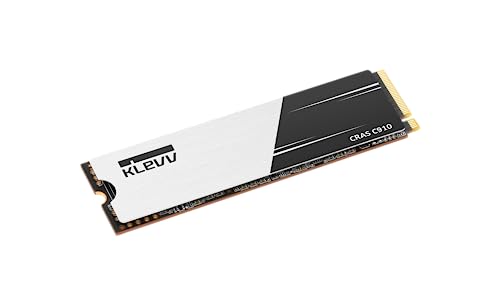
Klevv CRAS C910 4 TB M.2-2280 PCIe 4.0 X4 NVME Solid State Drive (K04TBM2SP0-C91)
worn trail
formal tusk
https://pcpartpicker.com/product/Fd3NnQ/klevv-cras-c910-4-tb-m2-2280-pcie-40-x4-...
I'd like to get one that is on par or close to something like a SN850X.
I will be using the drive for a long time (3-4+ years) granted my current speed of SSD upgrades.
Uses will be primarily video rendering/editing followed by Blender and till I get a second 4th drive for games I might put a few games on there.
formal tusk
It's more than enough for that
More importantly any speed upgrade isn't worth the extra $45
Like ever
Lol
You shouldn't base an SSD performance over the "Up to X speed" because that's just marketing
worn trail
formal tusk
You shouldn't base an SSD performance over the "Up to X speed" because that's ju...
Hmm alright.
But performance wise how does it fair?
I am the type who doesn't mind spending a buck or two extra if it provides a pleasant user experience and quality.
formal tusk
worn trail
Hmm alright.
But performance wise how does it fair?
In my experience
Basing heavily on metrics beyond the basics and reviews leaves you expecting a million things that sample variation will ruin completely anyway
My fastest SSD is a gigabyte 5000MB/s aorus
I have SN850's, KC3000's
It doesn't matter even when it counts
Going for pure read write speed matters if you either run a full on enterprise server or you're working rendering as a full time well paid job
And even then
Superlative
Exaggerated benefit
Gen 4 is about the peak even for the most elite use cases in the industry
You really don't need more
Nay
The speed b enefits aren't even really leveraged by hardware these days anyway
worn trail
So your point is I likely won't notice the difference and even if there is a difference it would not matter because it is very small.
formal tusk
Yep
worn trail
Am I following?
formal tusk
Like, blink and the difference is passed, difference at best
Things that actually matter
Random read write
Sustained performance rather than peak
The type of componentry on the SSD
Whether it's good TLC and dramless or not
These are the things you don't see any of on the box
Like a psu, the outside selling metrics mean jack all
worn trail
Understood.
worn trail
formal tusk
https://pcpartpicker.com/product/Fd3NnQ/klevv-cras-c910-4-tb-m2-2280-pcie-40-x4-...
How do you feel about this SSD in particular?
formal tusk
worn trail
How do you feel about this SSD in particular?
It's the current value winner so I like it
Nothing wrong with Klevv
Next week when a new SSD wins on value I'll like that one more
worn trail
I mean as far as sustained speed and random write speeds go.
formal tusk
More than enough
Thing is you'll rarely actually use peak speed anyway
Cos file sizes aren't often in that capacity anyway
So the SSD will throttle between each new file anyway
Anywayanywayanyway
worn trail
Alright thank you. I am adding it to the cart.
outer garnet
Happy Holidays everyone! Quick question. Anyone know the fastest Gen4 NVMe for just the operating systems boot drive?
cloud kiln
a good gen 3 is plenty for OS operations lol
outer garnet
I'm currently considering Samsung Pro 990 and Cricial P310. Please don't factor price in as well as storage space as this is purely for Windows 11 storage. I'm aware Gen 5 is the fastest, but only have room for gen 4.
outer garnet
cloud kiln
a good gen 3 is plenty for OS operations lol
If there is no difference at all then Yes, but if there is even a second then No. I would rather get Gen 4
Solidigm P44 sounds like a competitor.
 soft ravine
Is the samsung pro 990 good?
soft ravine
For sure
soft ravine
Would there be a noticeable difference from the Leven JPS800 1TB 4x4 nvme?
dense merlin
are you just gaming?
soft ravine
Pretty much
dense merlin
do you alr own the leven?
you might notice some small differences but for the most part itll be identical in gaming
but if you don't own the ssd yet, i wouldn't buy a sata when there's $55-60 nvmes that are still great

TEAMGROUP MP44Q 1 TB M.2-2280 PCIe 4.0 X4 NVME Solid State Drive (TM8FFD001T0C101)
soft ravine
dense merlin
do you alr own the leven?
Yeah, It’s the ‘Leven JPS800 1 TB M.2-2280 PCIe 4.0 X4 NVME Solid State Drive’. My girl got the samsung 990 pro for free & she is going to give it to me. So I was wondering if it was any good but I’ll probably just save it for my next build.
soft ravine
True, but I probably won’t make another build anytime soon haha. The current one I have I made last year.
dense merlin
Id 100% use it then
More storage is always great
Even if you didn't swap windows over
soft ravine
I mean I really only play a handful of games right now but also I don’t think it comes with a heatsink.
Do you know if I would be able to use the one that came with my mobo?
dense merlin
Yeah definitely
soft ravine
& the samsung ssds are also good for recording / streaming right?
 small carbon
That 1 is plenty, yes. Depending on recording, the ssd will be far from being the bottleneck. I run a somewhat similar sn850x & no issues at all recording w/ obs.
soft ravine
For sure, thanks. I run a 7600x with a RX 6800. Would there be a bottle neck there?
with recording etc..
blazing musk
Not a concern if you're recording at less than 16k resolution
outer garnet
Just curious. Would a Gen5 NVMe outperform a Gen4 NVMe on a PCIe 4 lane?
I understand the drives is limited to the PCIe bandwidth, but since M.2 are backwards compatible will they provide more consistent Read and Write speeds than Gen4 drives?
cloud kiln
actually, most drives arent limited by the pcie bandwidth, but the nand flash and controller on the drive, which is why there are slow gen 4 drives and very fast gen 4 drives
there are gen 4 drives that perform worse than a good gen 3 drive
outer garnet
From what I've gathered. Fastest M.2 Gen4 read speed is 7,300 MB/s. A single Gen4 lane has a max bandwidth of 8 GB/s. So if this is true then a Gen5 M.2 could potentially use the max bandwidth and have Read and Write speeds of 8,000 MB/s. Am I correct?
cloud kiln
pcie gen 4 4x has a max speed of almost 8gb/s, gen 5 4x has a max speed of almost 16gb/s, gen 6 4x has a max speed of 30gb/s
minor sun
outer garnet
Just curious. Would a Gen5 NVMe outperform a Gen4 NVMe on a PCIe 4 lane?
They're going to perform effectively the same, better or worse will depend on the implementation
blazing musk
outer garnet
From what I've gathered. Fastest M.2 Gen4 read speed is 7,300 MB/s. A single Gen...
There's overhead in the protocol that prevents it from reaching the theoretical peak speed
cloud kiln
i just noticed that they said "A single Gen4 lane has a max bandwidth of 8 GB/s" lol
i did say 4x in my response but a single lane definitely cant do 8gb/s 
i can see why somebody may see it as a single lane though, due to the form factor basically being the same/similar width (or length?) as a 1x slot
formal tusk
No human being should even care about a gen 5 ssd anyway
They're faster for basically 0 benefit rn unless you export 8K footage all day for a job or run enterprise
cloud kiln
gen 6 drive 
worn trail
Why is my SN850X (4TB) not showing up in file explorer???
 worn trail
@dense merlin may I have an moment of your time?
worn trail
dense merlin
ahh, just gotta initialize the ssd in disk management
How do I do this? If I've done it before I no longer remember. Thank you and my apologies.
dense merlin
ive honestly never had to lmao, yt should have a tutorial
im in the kitchen making food otherwise id go to my pc
worn trail
Understood.
worn trail
It's working!
dense merlin
Nice
I'm now doing storage management myself lol
I've got a lot of games that I don't play often but id like to keep, I had an hdd but it died, got a new one put in so now im playing music chairs with my downloads
Since i have a 2tb nvme with windows, 512gb nvme, 1tb sata ssd, and 4tb hdd it's a lil odd
worn trail
dense merlin
Since i have a 2tb nvme with windows, 512gb nvme, 1tb sata ssd, and 4tb hdd it'...
I have:
2x1TB NVMe
1x4TB SN850X (the new drive)
1x512GB Hybrid SSD
 fringe mesa
I'm shocked normal hard drives are still expensive today. Would have thought they would be fazed out for nvme. I stopped using them myself a few years back, after seeing how much they slowed my system down.
Well, not expensive compared to the 800mb drives early 80s that sold for $4k lol
blazing musk
Neodymium is the most expensive part of the hard drive and it only gets harder to get
cloud kiln
arent there a few other rare earth metals on the platters
iirc theres a tiny bit of platinum or whatever on the coating of the platters or smth
well, it's in such small quantities that would be worth less than the neodymium probably lol
blazing musk
Platinum is still cheaper than neodymium and it uses less of it
It's like when something is "gold plated" and there's a one atom thick layer lol
cloud kiln
lmao
tbh i didnt realize that platinum is cheaper than neodymium by weight
wait no it isnt?
blazing musk
It depends on purity
cloud kiln
i guess, but well, the platinum in a hard drive is just a thin coating and apparently would only be a few cents worth on each hard drive lol
blazing musk
Yeah basically
fringe mesa
blazing musk
It's like when something is "gold plated" and there's a one atom thick layer lol
When I worked for Best Buy Geeksquad In 2010 for some extra spending $$, and for their awesome employee discount, I got humbled on how I don't know everything. Yeah yeah I know. I should have figured THAT out when I ceased being a teenager. I kill hard drives at home, grinding or sanding the platters. When I worked for BB, I did not know that some hard drives now use glass platters. They look exactly like the metal ones. You could call them the Squid Games Hard drive platter game. Customer paid to have their hard drive destroyed, and wanted to witness it, so I took the drive out of the other associates hands who said they were busy, opened it up, unscrewed the platters and in front of the customer, went to bend the platters in front of them. Imagine my shock, as it desintergrated in my hands, leaving large shards in every part of my hand, that was dripping blood over the counter. Think I was actually in shock lol. Can't exactly put pressure on a wound with 20+ pieces of glass stuck. My Customer ran out the store. Obviously he got the proof he wanted. Me, a rush to the ER to get the glass out. Hard to do when both hands are injured. Man, that was embarrassing. They used a tape instead of stitches, on all but one large cut. Side of hand they used about 5. Now a days I just drop them to see if they shatter first lol.
 acoustic nest
I just use good old DD
Takes forever but it zeroes out the drive and they'll be recyclable afterwards
fringe mesa
Every so often a tiny shard like fiber emerges that gets damned annoying that was overlooked years prior. I use my micro telescope to find and remove them. Usually tape does the trick.
Micro telescope I use to check lands and solder connections on circuit boards. Great for splinter removal.
fringe mesa
acoustic nest
I just use good old DD
DD, crap, I can't recall what it is. I use my old geek squad utilities disk to do that. One of the few things that still run.
acoustic nest
dd is a copy utility
It's a very literal tool
It copies the entire partition bit by bit
fringe mesa
Gets annoying when I can recall what I ate and wore on certain days when I was 7, yet can't recall names of utilities I used an hour earlier.
blazing musk
It's affectionately referred to in the linux community as "disk destroyer" because if you type one wrong letter, bye bye data
Oops I mixed up of= and if=, there goes that drive
acoustic nest
So if you do
sudo dd if=/dev/zero of=/dev/sdX bs=100M
you're effectively zeroing out the entire drive
acoustic nest
blazing musk
It's affectionately referred to in the linux community as "disk destroyer" becau...
It's very good at that
fringe mesa
blazing musk
It's affectionately referred to in the linux community as "disk destroyer" becau...
Been there done that with my Steam Deck. Found out the hard way trying to use an external nvme on both windows and steam deck Linux platform. I know like 1% of linux.
acoustic nest
Sharing partitions is not fun
microsoft and linux file systems are not that cross compatible
fringe mesa
I was being lazy. Not like I have a shortage of nvmes.
acoustic nest
Maybe ZFS?
ntfs has some metadata that doesn't like getting moved to non ms file systems
blazing musk
Linux likes zfs but not windows so much without a third party tool
Exfat is decently cross compatible, still not ideal for linux but at least most distros support it out of the box
fringe mesa
As for drive cloaning, I use Macrium Reflect, and forgot the other. My short term memory is shot.
fringe mesa
Partition magic!! Think that's it.
blazing musk
Easus partition master?
I used that one for a bit until they removed features from the free version
acoustic nest
I usually just use gparted + dd
fringe mesa
I bought family versions a few years back. It's when I did that huge multi build in 2023. New windows 11 licenses, needed to clone the boot drives from ssd to nvme.
Which became a chore after I chose to stick with nvme only. God it sickens me seeing I paid $499 for a 2tb sk hynix platinum, and few months later, they dropped to $149. Murphys law.
Only thing that bothers me about nvme, is data recovery. Swapping platters or pcb on a dying drive to save data is simple. A dying nvme, no such option. Least none I know of.
acoustic nest
redundancy is your best buddy
cloud kiln
Redundancy but staggered

 cloud kiln
It's upside down so you can chug it all
formal tusk
Gravity advantage got me downin
No wonder we're so drunk as a country
It's like ireland but the beer goes down quicker
cloud kiln
cloud kiln
Redundancy but staggered
Also to elaborate on this, due to how NAND Flash is, if you deploy a bunch of SSDs on the same day (and often they would be of the same model because pretty much only crazy homelabbers put like 10 different drives for the same pool), the chances of multiple failing at the same time are slightly more likely than if you stagger the ages
Or at least that was what I was taught
Hard drives don't matter as much though since they are like spilling a nitrogen fertilizer on your clothes and you have no idea when it'll spontaneously combust
cloud kiln
formal tusk
It's like ireland but the beer goes down quicker
Real
Y'all be hanging bags of wine on a clothes line thingy and spinning it
Isn't it called gooning or smth like that
Goon of fortune
formal tusk
cloud kiln
Goon of fortune

 turbid crater
why does my ironwolf nas used as hdd for games/movies/tv shows check drive a lot?
blazing musk
What do you mean by that
What's checking the drive
Or what's telling you the drive was checked
turbid crater
i mean why does a nas often check the drive
every few hours it spins very fast and ends with a bing
i ran crystaldisk and seatools it shows nothing is wrong with my hdd
so i am overracting
blazing musk
Just sounds like something on the network's sending a "hey do you still exist and are your disks working" query regularly
Windows will do that for example
worn trail
How do I solve this? I recently deleted and redid the partition of the drive this was located on and now I can't uninstall it.
 blazing musk
worn trail
How do I solve this? I recently deleted and redid the partition of the drive th...
blazing musk
worn trail
How do I solve this? I recently deleted and redid the partition of the drive th...
Ccleaner should be able to help with that. There's an option for deleting the application from the installed list.
 shut furnace
turbid crater
i mean why does a nas often check the drive
shut furnace
turbid crater
i mean why does a nas often check the drive
if this is a nas they usually have automated smart tests, scrubs, etc they will run to make sure there are no errors
 cinder crescent
What's the difference between Wd sn7100 and WD sn850x?
Both seem like identical SSDs but idk
I assume speeds but for someone who isn't trying to milk every bit of performance from their build I assume the difference is negligible
cloud kiln
cinder crescent
What's the difference between Wd sn7100 and WD sn850x?
Higher (peak) r/w speed on the newer 7100
Looks like sn850x has dram, but 7100 doesn't?
worn trail
cinder crescent
What's r/w speed?
Read and write speed.
worn trail
cinder crescent
And does having dram benefit that much?
DRAM is very helpful for sustained loads.
worn trail
worn trail
Read and write speed.
Read is essentially how quick you can open up (read) information.
Write is how quick you can download new information.
minor sun
The sn850x has a slightly better controller, sn7100 should be cheaper
cinder crescent
worn trail
DRAM is very helpful for sustained loads.
I assume that means applications that are open?
So getting the 850x is prolly the go to due to the dram
I feel like that would make more of a difference than the minor peak r/w speed differences
worn trail
cinder crescent
I assume that means applications that are open?
Yes/no. What I mean is for when the drive is actively being used under heavy sustained load
minor sun
cinder crescent
I assume that means applications that are open?
It's for sustained performance after it runs out of pslc cache, it's not applicable to most tasks
worn trail
Like if you are rendering something
minor sun
On the sn850x for example, the pslc cache runs out after ~300gb of writes
worn trail
Is a excellent example
cinder crescent
I see I see
minor sun
Unless you're moving 10gb+ files constantly, it's not going to be applicable to you
Like video editing with raw footage or something similar
worn trail
Editing, CAD, AI, etc
cinder crescent
So 7100 it is then lol
worn trail
Indeed
minor sun
Do note I don't think there's reviews for the 7100 yet
There could be something funky with it that we don't know about yet
minor sun
About a month
minor sun
cinder crescent
Amazon has 20k reviews for it
Pretty sure Amazon piles all of the reviews for all of the options together
Like it'll count sn770 reviews for sn850
cinder crescent
Ohhhhh ok
So then which would you recommend for just basic gaming?
Cause if it's that new idk if it's worth getting right away
minor sun
TechSpot
The top tier drive boasts sequential read speeds of up to 7,250 MB/s and 6,900 MB/s sequential writes, with random read and write IOPS of 1000K and...


Lemme check prices
cinder crescent
I'm seeing $84-$79 for them
minor sun
cinder crescent
I'm seeing $84-$79 for them
Equivalent for a good bit cheaper
https://www.amazon.com/dp/B0C4KRMKFW

Team MP44 M.2 1TB PCIe G4x4 2280 SSD
assuming you want 1tb
2tb is $117
would probably start with 2tb
cinder crescent
Team group is a solid brand I assume?
I'm only really familiar with crucial wd and Samsung lol
But if it's worth idc
dense merlin
minor sun
would probably start with 2tb
Is the mp44 better than the mp44q?
I mightve asked you that before
minor sun
ye, tlc not qlc
dense merlin
And yeah teamgroup is almost always my ssd suggestion atm, not that I'm loyal to them they're just very consistently well priced
minor sun
and mp44 is supposed to have a very nice new variant with bics6
minor sun
nah mp44>mp44q>mp44l
mp44l is like old gen 4 speeds, e16 speeds
5000/4500
mp44 is 7400/6900, mp44q is 7400/6500
cinder crescent
Awesome thanks!
dense merlin
Do you like the g70 pro?
minor sun
cinder crescent
Team group is a solid brand I assume?
They use pretty standard parts like most companies, WD and Samsung are the outliers making their own controllers
dense merlin
It looks like a better gm7000 (slightly) to me
minor sun
team g70? no idea what the hardware is like
dense merlin
I researched it a while back and it's the same controller as gm7000/fx900 pro
minor sun
G70 pro hardware looks good from what I can see on tpu
dense merlin
I'm typing with one hand sorry for the typoes
minor sun
it's fine
this all is good enough

did hynix recently start making 176l actually
dont think I've seen hynix 176l before
cinder crescent
minor sun
They use pretty standard parts like most companies, WD and Samsung are the outli...
That's good to know!
minor sun
As usual, every company makes both good and bad parts, team just makes a good number of well priced parts that do well
 ionic garden
So I noticed that some of these new motherboards have a sort of metal plate that goes on top of an NVMe drive and that they have a removable film. I presume it's a thermal pad and the plate is a sort of heat sink.
Do you need to remove the cover sticker from the top of an NVMe drive for that pad and sink to work properly?
minor sun
Generally no, because most of the time, that 'sticker' is also a heat spreader
ionic garden
I'm actually a little frustrated without how little explanatory documentation is included with two new MOBOs I've been working with. A few years ago they came with manuals that more or less had all the detailed information I wanted. Is this a new cost cutting trend or just bad luck in which manufacturers choose to include such things?
minor sun
ionic garden
I'm actually a little frustrated without how little explanatory documentation is...
It's all online now because it's "environmentally friendly" (saves money)
cloud kiln
ionic garden
So I noticed that some of these new motherboards have a sort of metal plate that...
Removing the sticker may void warranty (because it's considered a heat spreader instead of a "warranty void sticker")
ionic garden
Would be nice if it was labeled as such
cloud kiln
Most nvmes I've seen say warranty void if removed on the sticker
ionic garden
I think I slightly bent the nvme before noticing and correcting the mistake with the MOBO's mounting system. Think that will have caused any permanent damage? It was only a slight bend if it was even there. I've since corrected the mount.
ionic garden
Total failure of the device?
cloud kiln
pretty much
ionic garden
Good to know. Thank you.
blazing musk
minor sun
It's all online now because it's "environmentally friendly" (saves money)
It's also online so they can serve you ads while you look for the manual and make 3 cents off you every time you open the site
cloud kiln
There are ads?
I guess I haven't noticed since I do have an adblocker
Technically
(Malwarebytes browser plugin)
blazing musk
I have 3 myself. Pihole, Hosts file, browser plugin.
acoustic nest
I really should set up pi-hole in a proxmox lxc
minor sun
I haven't seen any ads while looking for mobo manuals at least
ionic garden
So I am one of the few people who actually uses optical media, and I’d like to be able to rip Blu Rays in addition to DVDs and CDs.
Does anyone have a recommendation for a good internal optical drive that can read and write all Blu Rays (standard, UHD, 3D)?
I’ve tried finding reviews but most of the results are for external USB devices.
blazing musk
ionic garden
So I am one of the few people who actually uses optical media, and I’d like to b...
This should cover your needs. It does quad layer BDXL-R writing up to 16x speed. Also does DVD and even M disc writing. https://www.amazon.com/dp/B00E7B08MS

LG Electronics WH16NS40 16X SATA Blu-ray Internal Rewriter, Face panel of actual product received may be slightly different from the image above.
ionic garden
Does that include UHD and 3D BDs? I'm a bit fuzzy on all the different types of BD. I just want to have the one option to rule them all in my backpocket.
I've also read some things here and there about firmware revisions of certain drives limiting functionality, though flashing to older firmware seems to be an option for some.
blazing musk
Those aren't different kinds of discs, just different formats for video
ionic garden
What are BDXLs and does this drive require some firmware rollback to do everything?
blazing musk
BDXL is a quad layer disc that holds up to 128GB of data
ionic garden
As someone who does still collect some shows and movies on disc, it'd be kind of nice to have an entire season of something on a single disc instead of a massive box set.
Though I imagine no one has used those for video playback in movie players.
blazing musk
Yeah support for that will depend on the software used to burn it and the player used
ionic garden
But do you know about the firmware issue as it applies to this particular drive and if it affects whether you can read/rip UHD and 3D formatted discs?
blazing musk
That will depend on when the drive was made from what I'm seeing
If it was made after 2015 it will be able to do UHD (4K)
ionic garden
I'm watching a video on the flashing process and it mentions this one too.

The product is multiple voltage compatible, that voltage arrange is 100-220V
At only $15 more now, I might go for it if it genuinely does better with problem discs.
At the time of filming it was like $65 vs. $100, but now it's $85 vs. >$100.
So the NS40 has gone up over the years apparently.
acoustic nest
Some of these ones can rip ps3 discs too
If you're interested in archiving video games you could do that too
ionic garden
That certainly does interest me.
blazing musk
acoustic nest
Some of these ones can rip ps3 discs too
That would most likely be the feature that newer firmware removes support for
acoustic nest
they still update ps3 firmware?
ionic garden
He's referring to the optical drive firmware I believe
blazing musk
No, I mean the blu ray drive
blazing musk
Or a drive compatible with older firmware
ionic garden
Or to flashback. Since I won't know what firmware I have until I get it I may just have to order one then see what my options are.
Also as an aside, I had to pull all the 3.5" bays out of my case to fit the GPU. Are there any good 3.5" to 5.25" adapter brackets for putting an HDD in one of the larger bays?
blazing musk
Yeah definitely
acoustic nest
Most of them are good
Most of them are just a piece of metal/plastic
Pretty cheap too
Unless you want hot swap
cloud kiln
3d printed bracket 
ionic garden
Hot swapping is no concern. I actually would prefer to leave the front panel on that bay alone. I just want to throw one of my old high capacity HDDs in to supplement all the SSD storage I have just as a nicety.
Here's the video I found on the firmware flashing if anyone else is interested.

Today, we're going to be looking at flashing the firmware on LG WH14NS40 and Asus BW-16D1HT Blu-Ray drives to become 4K UHD capable. It's so easy, even we optical media using cavemen can do it...
Stuff Links (Affiliated; I earn a small commission on these links):
LG Drive ► https://amzn.to/3E2RtWn
LG Drive 2 (first link keeps going out of stock...
@acoustic nest
Actually, you might be able to help answer this question. I think I found a bracket solution that is better than a 3.5 to 5.25 adapter.
I'm using this case:
I had to pull both stock cages (each having three bays) to fit the RX 7900 XT GPU I have.
I searched for Phanteks specific brackets and found this.

Phanteks 3.5” stackable HDD bracket. Our kit includes 2X 3.5” HDD bracket to help maximize your storage capacity. The 3.5” HDD brackets are equipped with anti-vibration dampeners and can be stacked together for more flexibility.
It looks like it should be able to fit under the card especially if I just go with one instead of a two stack. Think it'll fit?
 ionic garden
The card was just so long that it wouldn't fit with the cages in.
acoustic nest
These don't seem to be the right cages for the enthoo pro

Reddit
Posted by trumee - 2 votes and 2 comments
This might help

Reddit
Explore this post and more from the homelab community
ionic garden
Basically what I'm trying to do is find a bracket that fits one or two 3.5" drives that fits in the same place the original cages did, but is lower profile so it will fit under the long card.
If such a part exists, it'll be nicer than using a 3.5 to 5.25 adapter
blazing musk
If you knew the hole spacing for the original bracket you could try to find one that matches, even if it doesn't list your case specifically
acoustic nest
Ironically enough they do stackable drive cages for the Enthoo Pro 2
Sad that the original isn't as versatile
The Enthoo Pro 2 is my favourite case of all time
doesn't look like there's much parts online for the enthoo pro
hmmm
ionic garden
I need to be heading to bed, but I appreciate all the input.
I'll check back here sometime tomorrow in the event you happen to have found anything. Perhaps I can find a bracket that will fit despite not being marked as Enthoo compatible.
ionic garden
There were some Amazon questions and answers that suggested the bracket I found might fit the Enthoo Pro, so I ordered it to try. If it works I'll let you all know.
 jaunty elm
plugged in my second hdd, both sata cables, all good. not showing up. i dont have to initialize it in bios or anything right? been a lot time since I had to install a hdd
Not sure
 blazing musk
jaunty elm
plugged in my second hdd, both sata cables, all good. not showing up. i dont hav...
blazing musk
jaunty elm
plugged in my second hdd, both sata cables, all good. not showing up. i dont hav...
Is this a new drive or an old one you're repurposing? Does it show up in BIOS at all?
jaunty elm
blazing musk
Is this a new drive or an old one you're repurposing? Does it show up in BIOS at...
just seeing this. brand new drive. i'll try to see it in bios hold on
jaunty elm
initialized and formatted. thanks
acoustic nest
In y'all's opinion

An this Seagate Nas 2-bay handle 2x8TB hdds?
It has a 32bit armv7 cpu and 512mb of ram
cloud kiln
possibly? i dont think ram or cpu is what limits the capacity lmao
oh wait, 32 bit
hmmm
that might be a limiting factor on drive size?
2tb is the limit for 32bit systems it seems
not sure how seagate does it, but on windows, a 32 bit os will not be able to handle volumes of over 2tb; though you can format it to be several 2tb partitions
acoustic nest
cloud kiln
not sure how seagate does it, but on windows, a 32 bit os will not be able to ha...
I'm running debian on it with ext4

I found this
hmm
cloud kiln
hmmm
acoustic nest
the kernel.org source seems to have better info
cloud kiln
so theoretically possible
acoustic nest
I got one drive in the nas at the moment
I can read on and off it
the cpu is maxed out when I look at the dashboard
but I don't know if it's the overhead of my setup
since when it starts on the dashboard it's reading all the stats
cloud kiln
it being maxxed would just be a limit of transfer speed basically? shouldnt affect if you can add more storage or not
acoustic nest
I am moving files at the moment so
that might also have something to do with it

looks like most of it is being up by nfs
so just file transfers
that's a relief
not overhead
I'm going to ssh into it and use btop

yeah btop says the same thing
it's bottlenecking the nfs file transfer speeds
but otherwise it seems fine
in theory 2x8TB drives should work
just a bit slow
just means that I'll have to upgrade the nas before anything else
I wonder actually...
Do y'all think if I use a usb enclosure instead on say a skylake laptop
it'll have better performance?
in theory even with the overheads of transferring files over usb it'll still be less bottlenecked right?
acoustic nest

could also get one of these...

this one is actually the same price since it has free postage
oh no ram no cpu
🤡
skylake


Another skylake...
this one does look promising
sigh

Really considering just running it off usb on a skylake laptop now...
I do have all the hardware on hand so the startup cost is literally $0
It should be an i5-6200U iirc?
That'd outperform this nas by miles right?
Even if I'm running the drives through the usb into the laptop
acoustic nest
I have decided to cope with the crappy nas until I could afford a proper nas setup (optiplex or something else that can run 3.5" drives without enclosures)
after that I'll probably convert it into a backup server
maybe I'll set up a LVM mirror or something
 brazen needle
Is downloading Samsung's Magician Software worth it? I got my first Samsung SSD today.
blazing musk
brazen needle
Is downloading Samsung's Magician Software worth it? I got my first Samsung SSD ...
It's worth using to update the firmware and then uninstalling
fringe mesa
Curious to know if there is a SATA controller that leaves hard drives off during boot process, and only turns a drive on when it's needed.
cloud kiln
fringe mesa
Curious to know if there is a SATA controller that leaves hard drives off during...
i believe the BIOS is what turns them on to detect them, though you can spin down a drive after boot
if you have a bunch of spinning disks, i would recommend making a NAS so it can be on 24/7, and have them spin down after a period of inactivity
blazing musk
fringe mesa
Curious to know if there is a SATA controller that leaves hard drives off during...
Turn on hot swap in the bios and you can plug the drive data cable in after it boots when you need them
Keep the power plugged in though, it's a good way to kill a drive by surging it
cloud kiln
i dont think that's what they're asking though
blazing musk
It's not, but it might be the solution to the problem
cloud kiln
maybe
 wet rain
hello, i need 100 external hdd 20TB x 100, i need best price.
cloud kiln
wet rain
hello, i need 100 external hdd 20TB x 100, i need best price.
for orders of 100, you might be able to get a bulk discount from a wholesaler for enterprise or NAS rated drives
make sure they're CMR though
or at least not SMR
there are some newer drive tech, though they might be a bit more expensive
wet rain
👍 thank you
acoustic nest
cloud kiln
for orders of 100, you might be able to get a bulk discount from a wholesaler fo...
Iirc aren't the sub-8TB WD Reds SMRs
8TB+ WD Red/WD Red Pros of any capacity = CMR?
cloud kiln
acoustic nest
8TB+ WD Red/WD Red Pros of any capacity = CMR?
i believe all wd reds are smr, and red pro or plus are all cmr
oh
i see
they did a rebranding ish
red plus is the old wd red so they're all cmr
and the current wd red line is only up to 6tb
which are all smr
acoustic nest
I got 8TB Red that's CMR
Maybe they didn't feel safe putting SMR on 8TB drives at the time
It was on the same lineup as the SMR drives too
WD80EFAX
cloud kiln
acoustic nest
I got 8TB Red that's CMR
yeah that's what i mean by rebranding
acoustic nest
Ah
cloud kiln
apparently all wd red used to be cmr, then they put smr into the line
acoustic nest
hmm
cloud kiln
and then the old wd red turned into the wd red plus line
acoustic nest
So they gradually moved the CMR drives up to red plus
cloud kiln
iirc didnt red get a bunch of flack for secretly selling smr drives without rebranding it lmao
i feel like they only added plus because of the backlash lol
acoustic nest
I think it's the exact lineup
That I have
The WD60EFAX is SMR
While the WD80EFAX is CMR
cloud kiln
yeah it probably is the same lineup
wd's justification for it is like, smr barely makes a performance impact for nas or whatever
(which is technically true if all you do is read off the nas and not do alot of write operations)
acoustic nest
WD moment
dense merlin
storage management irks me
ive spent today and yesterday moving stuff between my drives, finding files i didnt even know exist and im still not done
cloud kiln
Lmao
This is why you should be organizing as you go
(I don't do this)
Well, for personal files
I organize my school files
dense merlin
i thought i was fine
but then i wanted to wipe my os drive
and now ive been playing musical storage finding out what I want where
cloud kiln
i did a similar thing on my laptop, thankfully i was planning on upgrading the SSD and had 2 m.2 slots
dense merlin
ive got my hdd im backing games and other stuff up on atm, 1tb cs900 for general games, and then 2tb p41 plus as my boot drive with demanding games
well, specifically demanding games that i use often
cloud kiln
i just installed a new windows install on the new drive and slowly whittled away at the files on my old os
dense merlin
i had a 512gb 660p with stuff on it but thats being taken out
i just found almost 400gb of stuff i didnt even know existed on my hard drive
adhd is my worst enemy
cloud kiln
lmao
worn trail
cloud kiln
This is why you should be organizing as you go
Mhmm one of the few things I am very good at. Albeit damned Epic Games kept me from over organizing since you can't keep games in a file path longer than 32 characters.
My storage is split up into:
- 1tb MSI 370 Boot Drive
- 1tb Samsung 980 Game Drive
- 4TB SN850X Work/Creative Drive
- 1TB Hybrid SSD cold storage
I want to upgrade my game drive to a SN850X at some point
 brisk dome
dense merlin
ive spent today and yesterday moving stuff between my drives, finding files i di...
brisk dome
dense merlin
ive spent today and yesterday moving stuff between my drives, finding files i di...
If you don't have it already, Wiztree is awesome
WizTree is the fastest disk space analyzer for Windows. Download the latest version here. Use it to quickly locate and remove space hogs from your hard drive and free up valuable disk space.
sharp folio
What's the actual difference in an SSD with DRAM vs without?
worn trail
sharp folio
What's the actual difference in an SSD with DRAM vs without?
Only noticeable if you do a lot of heavy workloads. In other words not gaming. Stuff like 3D Modeling and Video Editing and or Rendering.
There are exceptions but it's minor.
sharp folio
How exactly does it make a difference for those?
worn trail
Iirc it comes down to how much data the drive can store on the cache
And how fast it can use/clear it
DRAM being ram for the SSD essentially
The more you have, the more you can store in one go
Without clearing
Over simplified answer but long story short, mid-range gen 3 and gen 4 drives are still plenty for gaming.
Could get better drives but you'd pay a lot more for much smaller gains
blazing musk
sharp folio
How exactly does it make a difference for those?
RAM is faster than NAND, so for bursts of write activity it can write to the RAM and then flush it to NAND, making it appear that the drive is running faster.
minor sun
dedicated dram vs hmb on drives can have mean maybe a ms of latency difference, instead of using dedicated dram to store mapping information for example, it has to check the records in system ram
usually it doesn't affect how much pSLC you get and how fast your pSLC cache is
 quiet gust
Thinkpad R40, I wonder how many of these dvd drive latches broke.
So fragile it broke in two points, hopefully superglue fixes it, otherwise I'll have to 3d print a new one

For reference it is about 5×30mm
quiet gust
A simple disassembly became a multiple hour one after 2 screws were left out :PepeHands:
But I'd rate that a 9 out of 10, quite straightforward and intuitive disassembly process
 open gazelle
sharp folio
What's the actual difference in an SSD with DRAM vs without?
open gazelle
sharp folio
What's the actual difference in an SSD with DRAM vs without?
There is an okay amt of talk about this due to old info. This use to be much more important when SATA SSDs where the common thing. Now-a-days, the HMB protocol exists which allows NVMe SSDs to use the computer's RAM for the SSDs metadata. However SATA cant do HMB, thus requires the SSD to have DRAM for fast metadata caching. Without fast metadata caching, SSDs can become slow pretty easily. There is still a small benefit to having DRAM on an NVMe SSD compared to using HMB, but it isnt large and sometimes isnt even outside margin of error for testing (depends on workload).
So ye, dont really need to worry about it now that NVMe SSDs are the common thing
brisk dome
Yeah Sata ssds with no dram were real poopy
quiet gust
I was thinking about setting up 6 OSs on the thinkpad r40, w grub4dos, and I thought of this layout to manage space allocation on the 100gb hdd (I will later change it for a 120gb ssd):
PcDos7 or MsDos6.22? - fat16 2gb
Win3.11 - fat16 2gb
Shared Dos&3.11 - fat16 1gb
Win 95 osr2 - fat32 10gb
Win 98 se - fat32 15gb
Shared 95&98 - fat32 10gb
Win2000 - ntfs 20gb
Win xp - ntfs 20gb
Shared - ntfs 20gb
The space is likely not managed very efficiently and im not sure if I need such big shared partitions. Any changes I should make? What would be best PcDos7.0 or MsDos6.22?
I have no idea how to install dos and 3.11 and I'm not sure about compatibility with the more "modern" hardware of the r40
blazing musk
quiet gust
I have no idea how to install dos and 3.11 and I'm not sure about compatibility ...
The major "compatibility" issue I see is the number of partitions you're trying to use with operating systems that don't support GPT, and MBR has a limit of 4. Some of those won't work with extended partitions, which was the classic workaround.
So you'll need several drives. I think 3 minimum.
The good news is one of those can be a USB since DOS doesn't really care where it boots from.
quiet gust
😭 i had forgot about this limitation of mbr disks
so I guess I'll go for 95, 98, 2000 and XP without shared partitions
I could try installing dos and 3.11 on the pcmcia hdd
nvm the pcmcia hdd is dead
but it did last 27 years
quiet gust
the cpu is 32bit so there is no xp professional 64bit and no gpt drive, but still I'm left with many partitions I wanted to add that I'll have to sacrifice
would have i used those shared partitions anyways? probably not much. I wanted to include those since I had read online that some of the os I want to install won't be able to use others partitions because of file systems and such
do you recommend switching win95 for 3.11?
I'm already going to have win98. 95 is similar to 98 with extra bugs afaik
blazing musk
95 and 98 are quite different. There's lots of changes under the hood.
As for what things to sacrifice, I can't really speak to that
quiet gust
blazing musk
As for what things to sacrifice, I can't really speak to that
do you recommend MsDos or PcDos? assuming you know more about those than I do
blazing musk
quiet gust
do you recommend MsDos or PcDos? assuming you know more about those than I do
Not really, that was a little before my time lol. Windows 98SE was my introduction to computers and I haven't had a need to use DOS except in DOSbox to play old games.
How old do you think I am 😭
cloud kiln
Not a day over 95
quiet gust
blazing musk
Not really, that was a little before my time lol. Windows 98SE was my introducti...
I'm way too young, i started off with Windows 7 & XP for the few systems that did not run well 
I'm quite sure you have seen more os transitions that I have. like... twice as many
blazing musk
I'm old enough to remember that there was another OS between 98 and 2000. Burn in hell Millenium Edition.
Oh and XP SP3 really should have been a separate OS between XP and 7, there were SO many changes that made it much much better, like native SATA support in the installer
cloud kiln
im glad i never had to deal with needing to load a driver while installing an OS
blazing musk
Really? Because I've had to do that with Windows 10, and occasionally 11 when the network drivers are missing
Guess you're just lucky
cloud kiln
maybe
blazing musk
Not even a OOBE\BYPASSNRO ?
cloud kiln
well, wifi never worked oob for me but i just installed those after the fact
but usually i'd have a patch cable
that's the only driver that i "need" but never installed during installation
specifically while the os was being installed was what i meant
blazing musk
So yeah just lucky
blazing musk
Chipsets are intended to use the generic driver until you get into the OS by design. Modern innovations.
quiet gust
blazing musk
I'm old enough to remember that there was another OS between 98 and 2000. Burn i...
when considering what OSs to install on the thiccpad I immediately removed Win Me from the list after reading what people thought of that os
apparently it was terrible, probably more than Win 8 compared to the alternatives you had
only good thing I found about Win Me might be the startup sound
blazing musk
Being based on Windows 98 meant that it would have been easy to just download and use that startup sound on your 98 machine and it would have been loads better
It's what, a 3KB wav file?
Could download that in a few minutes over dial up
quiet gust
few... minutes
98 startup sound is good enough
yesterday I managed to run a few old dos programs with windows 2000 and read some 30+ year old satellite images my dad used to capture via radio waves
and now he asked me if we can set up all contraptions to read whatever gets transmitted nowadays
quiet gust
blazing musk
Oh and XP SP3 really should have been a separate OS between XP and 7, there were...
I do have xp sp3, still sealed.
I could use that but it's the Italian version, is it possible to change to English after installation?
not sure because previous os language could only be whatever the installation image used
blazing musk
quiet gust
I do have xp sp3, still sealed.
I could use that but it's the Italian version, i...
Yes but some things will still use the original install language, like system folder names and some settings
quiet gust
guess I'll install using an English iso
don't want to deal with mixed languages everywhere. already have that on my main pc
quiet gust
I have a tiny problem with the r40... it has no support for USB boot :|
do I really have to burn the ISOs on actual dvds 
Hopefully the 700mb ones are enough
blazing musk
Oh I almost forgot, you might need a floppy disk to boot some of those installers like 95 and 98 
quiet gust
blazing musk
Oh I almost forgot, you might need a floppy disk to boot some of those installer...
do I install 95, 98, 2000 and xp in order? then I'll overwrite the boot manager with grub4dos as long as that's fine
is there any way I can boot via USB using some sort of bootloader on a floppy?
because I just realized 95 and 98 require the img file to boot, which I would have used on a floppy, but I can't have the dvd drive at the same time
any way to have the .img file on the same dvd where the iso is written to?
blazing musk
It's not just an img file, the contents have to be written to a drive
Ehhh you could try using ventoy maybe?
quiet gust
blazing musk
Ehhh you could try using ventoy maybe?
you mean writing ventoy to a dvd and have all iso there, including boot images?
I got a few 4.7gb rw dvds. not too sure if ventoy will work on one
also it's the first time I use ventoy since I haven't found much use in it up until now. should be quite easy from what I've seen
quiet gust
blazing musk
Ehhh you could try using ventoy maybe?
https://forum.thinkpads.com/viewtopic.php?t=51288
it -should- have a setting to boot from usb in the hdd section
Thinkpads Forum
quiet gust
finally got it to work after dealing with the img file and the usb boot support...
it was difficult but eneded up writing it to a floppy and booting from it using an external adapter. now I have this screen

the iso is burned on a dvd rw currently in the thinkpad
it finally worked
quiet gust
kind of
the setup worked fine, but when it came to booting it didnt work and always returned windows protection error.
I made small changes to some files, tried adding himem to config.sys, using fix95cpu (which likely solved the main problem) and i am now able to boot into safe mode, normal windows shows booting win 95... shows the boot screen and back to booting win 95... before hanging there without hdd activity.
so at this point I'm assuming somethings wrong with the drivers... who would have guessed that?
in safe mode i removed the pcmcia reader from device manager as it had a red X on top. maybe there's something else that's conflicting
blazing musk
Check your resource allocation settings too
That could have been the red x cause, lack of addresses to assign
95 had pretty bad management, being the first real attempt at letting the OS handle it, 98 was a bit better, then 2000 eliminated the system entirely.
quiet gust
how do I exactly do that?
shouldn't removing it from device manager have solved the issue?
I think himem did nothing as 95 should be designed to work with up to 2gb
so fix95cpu likely solved the main booting problem
but now comes the driver part
blazing musk
I haven't used 95 that much but I do have a 98 system I can show
 quiet gust
one thing I should mention is that I made the installation with few different bios setting (iirc parallel port was disabled) and I reset to defaults as I made other changes after and some things might have been reenabled. maybe it doesn't know how to handle the new devices that popped up? in this case it should only be the parallel port
blazing musk
95 did not handle hardware changes well at all
Even 98 was pretty picky, even though it was technically plug'n'play
quiet gust
should I try reinstalling? it was quite easy after all.
this time I'll keep default bios settings and just use fix95cpu to make it work
I should probably enable every device in bios so it can hopefully handle all drivers and hopefully it doesn't care if I later disable one
I should also check what drivers it installs during setup
quiet gust
blazing musk
95 had pretty bad management, being the first real attempt at letting the OS han...
Hopefully this helps, didn't know you could check what drivers are loaded during startup

I'll have to try it tomorrow as this whole installation was tough enough and I'm quite tired
 floral stratus
 quiet gust
blazing musk
95 did not handle hardware changes well at all
quiet gust
blazing musk
95 did not handle hardware changes well at all
back to reinstalling... what should i do this time? do I still go for the second option -no, i want to change the hardware list?

remember the pcmcia had an error in device manager last time
not sure if it matters
quiet gust
this time i clicked yes, it asked me to set up a few devices manually and so i did. i changed the keyboard layout to IT and now it displays this message which i assume is related to that
 quiet gust
uuuuuuuuh
third times the charm... well... no.
i kept us layout, all default values that could conflict, but this time it hangs on starting windows 95...
rich wadi
Breaking the celery streak
quiet gust
there are all sorts of problems. nothing up to windows 2000 has worked, i either have problems with usb, booting, driver, not finding a dvd drive to write the ISOs to... jeez its difficult
rich wadi
Is it normal for an ssd to freeze up when unzipping larger files? Like after a minute itll just freeze the whole system, say (not responding), take 30 seconds or so and start going again and repeat the cycle
I doubt its overheating, it has a heatsink and thermal puddy
minor sun
rich wadi
Is it normal for an ssd to freeze up when unzipping larger files? Like after a m...
It's more likely that it's the CPU doing the work unzipping it and just hitting near 100% utilization
But look at the speeds while unzipping of you still think it's the SSD, see if the speeds drop to native TLC speeds, it's possible it's just running out of pslc cache and becoming slower until it clears the cache
rich wadi
Maybe, ill look into it
Also if it is the cpu is there a way i can stop it from doing full utilization and just slow down a bit?
cloud kiln
Some archive applications could set the speed/util to not bog down the whole system
I like using peazip
quiet gust
I am going insane.
I feel like the label "designed for windows xp" is telling me that xp is the only thing that runs on this thiccpad
none of the other os worked
quiet gust
98 se and XP pro SP3 somehow worked.
 bronze current
I'm looking into purchasing the "ABS Cyclone Aqua Gaming PC Powered by Asus - Windows 11 - Intel i5 13400F - GeForce RTX 4060 8GB - DLSS 3 - AI-Powered Performance - 32GB DDR4 3200MHz - 1TB M.2 NVMe SSD - CA13400F40602"
It says it comes with a 1TB SSD. I'm not sure how to check if there is a way to put in a 2nd SSD?
dense merlin
bronze current
I'm looking into purchasing the "ABS Cyclone Aqua Gaming PC Powered by Asus - Wi...
Yes, you can, but how much does it cost?

eBay
IBuypower, Y40BA7N4701. Model: Y40BA7N4701. Processor: Ryzen 7 7700. Manufacturer: iBUYPOWER. Series: Y40. Video Card: NVIDIA GeForce RTX 4070. We are sure that we can provide a solution that makes you happy.

eBay
CyberpowerPC, GMA6900WST. Series: GamingPC. Model: GMA6900WST. Processor: Ryzen 5 7600. Manufacturer: CyberPowerPC. Video Card: AMD Radeon RX 7600. We are sure that we can provide a solution that makes you happy.
 sudden beacon
looking for storage to use with my home media server, anyone have suggestions for what to use?
I think ill run two 2TB hard drives in raid 1
 sour wadi
sudden beacon
looking for storage to use with my home media server, anyone have suggestions fo...
sour wadi
sudden beacon
looking for storage to use with my home media server, anyone have suggestions fo...
If you have an old pc lying around... That works great?
sudden beacon
Well I have a desktop to use, just no storage options besides a faulty 2.5in 2TB hdd
It keeps throwing errors and crashing the system so that ones a no go
sour wadi
Sorry i misread
sudden beacon
All good
sour wadi
Honestly sort low to high on 2tb hdds they're all pretty good, id go with a 7200rpm drive
Assuming hard drive and not solid state
sour wadi
No problem
cloud kiln
sudden beacon
I think ill run two 2TB hard drives in raid 1
honestly
3 drives and do raid 5 so that you dont halve your storage with raid 1
you'll instead have 2/3 of your storage
sudden beacon
is this a common route to take?
i've done raid 0 and raid 1 before but never raid 5
cloud kiln
raid 1 is mirroring so all the data on one disk is copied to the other drive, so 2 drives will have the capacity of 1 drive
raid 5 only has the downside of requiring to calculate parity data, so the cpu would be used more (for software raid)
but yes, raid 5 and 6 are fairly common
(6 has 2 parity drives rather than 1)
raid 6 requires 4 drives
sudden beacon
so with raid 5 i'd get 4tb usable space out of 6tb total drives
cloud kiln
yep
 cloud kiln
i'd avoid white label drives tbh
(white label means that the manufacturer didn't put their logo on it, mainly to sell to OEMs and such)
sudden beacon
I think I have enough of those at home already from random old laptops
They've proven their quality or lack thereof i suppose
cloud kiln
lmao
sudden beacon
looks like the cheapest option here is the barracuda
cloud kiln
used/refurb "enterprise" drives may be a good choice as well, with warranty
though you're unlikely to find 2tb drives lmao
also try to avoid stuff like 3tb drives because those are notorious for having an average lifespan lower than pretty much everything else

eBay
Seagate Exos 7E8 ST4000NM000A 4TB 7200RPM 256MB Cache SATA 6Gb/s (512e) 3.5" Enterprise Hard Drive is ninth-generation drives lead the industry with a range of high-capacity enterprise drive options.
sudden beacon
2x storage for about the same price, ill take it
Is it recommended to buy multiple of the same drive?
I know these are refurbished so they're probably less likely to be from the same manufacturing batch but my question still stands
cloud kiln
sudden beacon
Is it recommended to buy multiple of the same drive?
i don't think there's any preference or not from only sticking with one vendor
i mean, a company like backblaze uses pretty much every manufacturer, but they also have like at minimum several hundred of a single model of a drive, and i'm not sure how they set up their storage servers
in terms of hard drives dying, it's much more rare for a bunch of hdds to die at the same time compared to flash storage AFAIK even from the same batch, so it shouldn't be a concern, at least for spinning disk
also i was looking through ebay and it seems like that drive may be one of the better ones, i saw some for cheaper though with only 1 year warranty, while that one listed has a full 5 year
sudden beacon
I dunno if i need 8TB usable raid 5 storage though
cloud kiln
if you're just storing easily replacable data, you can also just put the drive in a pool with no RAID
sudden beacon
its just various photos and maybe some personal documents
sudden beacon
i could probably shell out like $90 ish for 3x 2TB drives
Not too keen on dropping $180 to use up like 1% of it though 😂
cloud kiln
lmao
understandable
i mean, does anybody in your family use a bunch of storage and relies on a cloud solution to store their photos and videos?
sudden beacon
Not any time soon, they still use icloud for now and will continue to until the world ends
sudden beacon
Yeah .. One day i'll get them hooked on self hosted stuff

Anyway thoughts on these?
I have no idea what MDD is
sudden beacon
sata 3.0 though
cloud kiln
sata 3 is the most recent sata revision
if you want SAS you'll have to shell out a bit more and also need SAS HBAs
cloud kiln
looking at forum posts, MDD should probably be avoided?
sudden beacon
Alright
Maybe i'll just hold off on this until I have a little extra 💵 to throw around
cloud kiln
tbh if you don't want to buy 3 4tb drives, i guess you could just do raid 1 with the 4tb, and you'll get the same amount of storage as with 3 2tb drives in raid 5
with the benefit of being able to buy one more drive if you need to double the storage and switching to raid 5
though this does require a bit of effort since you have to delete the raid group and make a new group for raid 5
sudden beacon
ill probably end up doing raid 1 with 4tb as my storage upgrade, i dont see myself accumulating that much stuff to back up or host anyway
Ill keep those seagate drives you sent in my bookmarks, thank you for your insight here
cloud kiln
no problem
 crimson fjord
I’m getting an external ssd for a family member to store their family photos and videos and stuff and the one we came to is the Samsung t7 shield 1tb. I can’t find any non conflicting answers on whether or not this drive lasts longer than a year and a half. My goal is to get a drive that won’t fail for like 5-10 years and it won’t really see heavy usage ever. It’ll only be used to view 720 1080 and very rarely 4k videos shorter than maybe 2-4 minutes so the load wouldn’t really be that heavy. Is the t7 up for that task for that many years or should I look at something else yall think? It’s cool if it gets warm or slow as long as the data is intact and I don’t have to do too much work to transfer it to another drive once the time comes. There are four copies of this data so I’m not too afraid of losing it but this one specifically i need to last a long time as it’s not going to be at a safe site and I don’t want to be constantly toying with it.
 unreal bough
where do i get used enterprise gear please and thanks i would lile to buy a 100tb unraid
blazing musk
unreal bough
where do i get used enterprise gear please and thanks i would lile to buy a 100t...
They sell recertified drives for decent prices
unreal bough
ok would you trust used cpu and circurt boards
blazing musk
Currently I would trust used AMD CPUs and I personally avoid used motherboards because bad pins are common
Intel CPUs i5 and i3 are probably ok, avoid i7 and i9. There's a chance they're internally damaged.
(This is all assuming modern platforms, AM5 or LGA1700)
unreal bough
ok. where can i get used 45 drives case
blazing musk
That sounds like you want a JBOD
unreal bough
stornaitor can be used as a nas too i thought i am a rookie so i dont know much please help me im eager to learn
blazing musk
Storinator seems decent. Basically a JBOD with more server capability.
TrueNAS would be good to install on it
unreal bough
i have 6k budget thats for hard drives case and gpu upgrade for my streamer pc. ill need a camera sd card too. ill probley go unraid since i used unraid on my gaming computer just for the lols
blazing musk
Unraid would do the trick too
You can get 24TB recertified Seagate drives for $325 each, and you can add more as you need them if you configure it right
You can also save some money by getting the barebones version of the storinator and building it yourself
blazing musk
I'll poke around a bit
unreal bough
ty
blazing musk
unreal bough
ty
How fast of a network card do you need and how many ports
unreal bough
10GB RJ45 2 port
blazing musk
Ok so you'd be looking at about $4000 for the full build if you went for the storinator av15
Including 96TB of drives
unreal bough
ok
blazing musk
These things are hard to find third party for reasonable price
unreal bough
found the 60 bay for 2600
unreal bough

eBay
• (1) - 45DRIVES STORINATOR XL60 60-BAY 4U SERVER. SSD's have been wiped. • (4) - LSI LOGIC SAS9201-16I 6GB/S 16PORT INT PCI-E 2.0 X8 SAS/SATA HOST BUS ADAPTER H3-25373-01J. • (1) - PAIR OF RACKMOUNT RAILS.
unreal bough
kk
cloud kiln
I would not recommend using 10gbase-t
Use a SFP+ direct attach cable instead, or fiber
My recommendation is to try to find an empty chassis, maybe with hotswap bays and a sas backplane preinstalled, then install a good quality consumer motherboard plus cpu, and buy a used HBA and 10gig 2 port SFP+ nic (buy 2 of the same vendor if you want to directly connect it to your PC)
And as for the drives, used sas or sata drives will work, like the ones falcie said about (sas backplanes can connect both sata and SAS drives, but sata backplane can't connect SAS)
If you need more solid reliability/ enterprise level tech though, you may want to look at used xeons that have support for ECC memory
I don't remember if 45drives chassis used standard ATX mounting or not
cloud kiln
looks like they do
reusable parts from this (assuming they all work)
$160 HBA (ebay ~$40 each, 4 of them in the case)
$30 dual sfp+ nic
$120 intel 100gb ssds
hard to put a price on the chassis since there's not really a public price for it, but i'll just assume around $1k for an empty chassis to buy
total recovered: $1310~
i dont think it's worth using that ebay listing to upgrade since buying the same parts would cost about half the price, and leave you way more budget to use either a higher end consumer board, or a last generation (or maybe slightly older) server/workstation cpu
unreal bough
i have comcast how do i use sfp+ ? i was aslo thinking about using fiber but theres no sfp port eaither on the router for the fiber provider
cloud kiln
unreal bough
i have comcast how do i use sfp+ ? i was aslo thinking about using fiber but the...
your network switch can have SFP+, you can find used enterprise 10 gig switches for fairly cheaply
unreal bough
how would i connect it . sorry networking noob
cloud kiln
you have 2 options

SFP DAC can only go up to certain lengths, so if you have a longer run, you should use fiber
unreal bough
ok
cloud kiln
looks like 7 meters is the longest for passive sfp+ dac (the cheap kind), and if you want to go longer, then you would need an active optical cable (AOC)
unreal bough
ok
cloud kiln
also just so you know, pros of option 1 is you can add more devices in the future if need be, while option 2 is cheaper, but has less expansion options
also you can get a network switch with only sfp+ connectors, and for the few devices that you need rj45 for, you can buy some rj45 to sfp adapters, but rj45 isnt really designed for 10 gig (which is why i don't recommend using that for your 10g connection)
actually, i drew the 2nd diagram a little wrong, your client pc should also probably be connected to the router, for easier internet access rather than setting up a routing path through the nas
unreal bough
i was going to connect the PC to switch via DAC if it works
unreal bough
i need pice gem 3 sas card that can be fast enough for and 4k media server the case has 24 lff drives
unreal bough
?
blazing musk
unreal bough
i need pice gem 3 sas card that can be fast enough for and 4k media server the...
How many PCIe slots and how many lanes are available to each? You'll need at least 3 hba cards for 24 drives.
unreal bough
i have msi b550 mpg amd r9 5900x
unreal bough
msi mpg b550 gaming edge
blazing musk
Ok so you have 2 slots on that motherboard to use, one x16 and one x8. You could possibly bifurcate the x16 into x8+x8 so you can use the requisite 3x hba cards.
Or was this going to be the gaming system?
unreal bough
i was going to use it for gaming maybe since all i need is a gpu.
i would go for epyc
blazing musk
Oh ok then all you need on this board will be the network interface upgrade and a couple M.2 drives
The hba cards will go on the epyc system
unreal bough
ok
blazing musk
You could go with 3 of these https://www.ebay.com/itm/134321902898
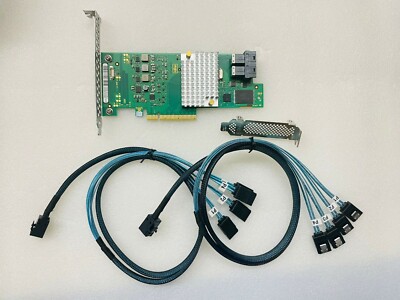
eBay
Microsoft Windows, Linux (SuSE, Red Hat), Solaris, VMware, FreeBSD See the downloads page for details on versions The HBA supports Solaris 10 and Oracle® provides a built in driver; installation of an LSI driver is not required.
unreal bough
i really dont want to buy anything out of the us i had bad experince
unreal bough
USA
blazing musk
9300-8i models will be faster than lower numbered models and aren't too expensive compared to newer ones so I think they're a good option here
9211-8i for example uses half the PCIe lanes
unreal bough
Will it be good for 4k media server
blazing musk
Definitely
unreal bough
ok
quiet gust
when testing old ide hdds using an usb adapter I often find ones that cause windows file explorer, disk management and diskpart to hang and not detect the drive. are those likely faulty? despite the spinning noise and no strange clicking sounds. all tested with jumper as master, slave and even cs
unreal bough
how much was the av15 with 15 drives and sfp+
rich wadi
Is it normal for my ssd to just freeze up when its extracting large files? Like it'll be going fine for a little bit, freeze for a minute and my unzipper says not responding, and then unfreeze and continue on and freeze again at some point


Btw crucial p3 plus
minor sun
rich wadi
Is it normal for my ssd to just freeze up when its extracting large files? Like ...
yea it's pretty normal behavior once you run out of pslc cache, performance falls off a cliff once you have to be writing to native qlc, it's trying to recover its pslc while writing more, take a look at this from the review for example

The hiccups from it freezing and suddenly being faster for a little bit is it trying to recover its pslc cache, it's not very good at it but you can see the spikes here on the same sustained test but longer timeframe, like it recovers a bit of pslc, uses it and therefore is faster for a little bit, and then runs out of the pslc again
 rich wadi
Damn thats really interesting, appreciate the explanation
minor sun
You're welcome
rich wadi
So is there a way to kind of slow it down so it doesnt hiccup?
minor sun
It's generally not something to worry about because it has like 200gb of pslc or something like that to burn through while empty, it's just that writing to native qlc is always going to be a lot slower than pslc, especially if it's not great qlc
Not much you can do, other than maybe doing larger transfers one bit at a time and give it a few minutes to recover pslc
rich wadi
Are there any storage types that try to avoid this buffer at all?
minor sun
I mean the only thing is the old samsung mlc only drives
or drives that use different tech like 3dxpoint
if you're using a drive for larger transfers, tlc (and mlc if you can find it) drives will write faster natively after you run out of pslc
slc only drives are really rare and expensive and usually reserved for servers only
or really tiny
rich wadi
Interesting, i think i remember hearing about that a bit
I know intel wanted to launch its optane stuff
minor sun
yea optane was 3dxpoint but died
minor sun
really fast, really cool, really expensive, really hard to expand on, and there wasn't enough demand in the markets
minor sun
rich wadi
Curious why
You can take a look at this and related articles
https://www.anandtech.com/show/17515/intel-to-wind-down-optane-memory-business

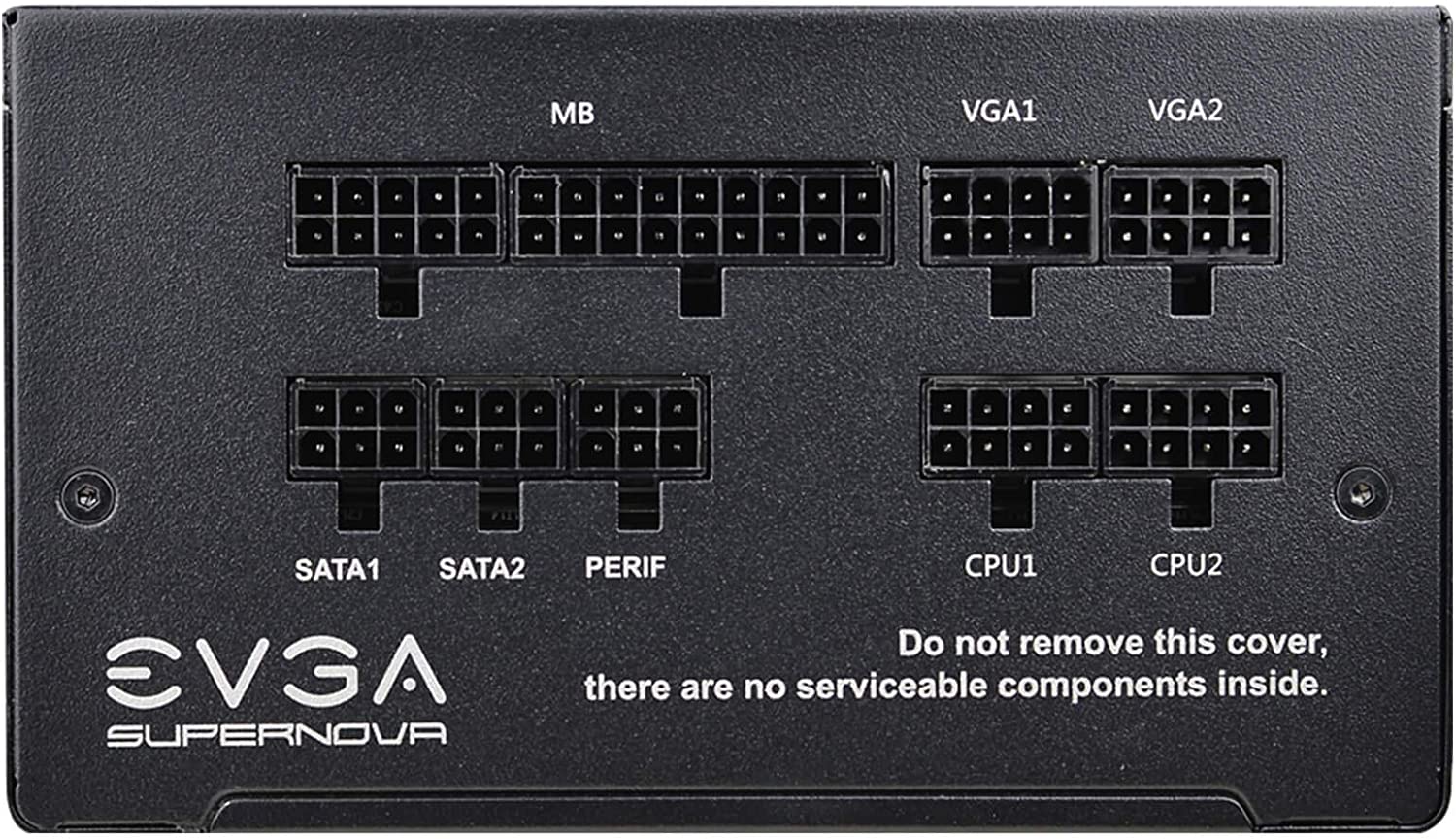 rich wadi
minor sun
You can take a look at this and related articles
https://www.anandtech.com/show...
rich wadi
minor sun
You can take a look at this and related articles
https://www.anandtech.com/show...
Im pretty sure it was like non volatile ram
Thats what i remember learning about it
Its a very interesting idea
Its honestly much cheaper than i expected it to be
I wish they worked more on it
Wouldve been such a cool jump in tech
minor sun
cool but I don't think it was ever able to compete on density and capacity
rich wadi
Yeah that's what I'm seeing here
It's cool tech but it's just cheaper flat out getting everything seperate if its structure doesn't support your workload in any way
Im curious what will come after the ssds we have now
Seeing as prices have settled a lot for current gen m.2 i expect opportunities to shake up the market to be somewhere on the horizon
minor sun
I'm guessing some kind of actual 3d nand instead of "3d" by just stacking 2d cells over and over again
you can only stack so many, even if companies keep stacking more
rich wadi
Youre saying i cant have a ssd the size of my pc??? 😮
minor sun
hey the controllers themselves aren't actually that big or powerful yet
can't wait for 3d ssd controllers
rich wadi
Ill wait until the hypes gone and pay a fraction of the price
Storage in general feels like it has so much room to grow upon
minor sun
hey it's a pretty decent time to get pcie 4.0 drives now because the prices have gone down so much since their launch
just gotta be 1 gen behind
rich wadi
For sure
Ive seen 2tb options hover around 80 bucks
Thats about as much as i still see sata hang around
Is the difference between 4.0 and 5.0 even that much better honestly?
 sinful salmon
It depends
It ranges from "Absolutely not" to "It might be measurable but you wouldn't feel it" @rich wadi
rich wadi
🥹
brisk dome
rich wadi
Is the difference between 4.0 and 5.0 even that much better honestly?
For gaming and general use, I don't think so
Heck, even a decent 3.0 is plenty for gaming
acoustic nest
You can run a lot of hard drives off the bandwidth of one pcie gen 5 slot
cloud kiln
Hell
One PCIe 5.0 lane
Probably can run 4-5 sata 3 drives with max bandwidth off of one lane
(sata 3 is 6gbits/s, which is 750mb/s, and each lane of PCIe 5.0 is almost 4gb/s)
acoustic nest
I wonder how many hard drives you can run on a modern X870 chipset on paper
cloud kiln
acoustic nest
I wonder how many hard drives you can run on a modern X870 chipset on paper
amd set a maximum of 4 sata drives on the mobo
 acoustic nest
what about with a sata controller card
cloud kiln
well, you get 36 total lanes for adding a HBA to add more sata or sas
acoustic nest
are there even any gen 5 HBAs
cloud kiln
acoustic nest
are there even any gen 5 HBAs
there's probably even gen 6 ones in development at this point, considering that it was ratified back in '22 iirc
acoustic nest
I wonder
if you can run an entire server off consumer grade hardware these days
with the stupid amount of bandwidth available
cloud kiln
yeah gen 6 was ratified back in 2022
no cpus or devices exist yet for use, though im fairly certain some are being r&d
also well
yes and no?
i mean, many gaming orientated servers often use consumer hardware, especially minecraft ones
due to it preferring single core performance due to how much minecraft, even the server version relies on the main thread
but servers for supercomputers? not really
especially since it doesnt have support for ECC
acoustic nest
cloud kiln
i mean, many gaming orientated servers often use consumer hardware, especially m...
I wonder if a 4790k is still good
for a minecraft server
you can overclock the hell out of that thing
power consumption won't be ideal
but still
or a 9700k even...
cloud kiln
probably would be fine