#storage-devices
1 messages · Page 12 of 1
 verbal snow
Later on I'll be swapping my other m.2 for a more quality for my blender stuff
 formal tusk
They used to be way cheaper
 blazing musk
Load time comparison in Forza https://media.discordapp.net/attachments/500102614680338456/1115505510154768404/image.png
 verbal snow
It's just COD and future games for the SSD my mains are on good drives just want to slowly phase out my hard drives
formal tusk
We get it, I'm just saying, a sata ssd is fine lol
Even with the direct storage stuff the resulting improvements are minimal
It'll be a looooonnnnggggg time before sata is truly out of fashion
blazing musk
formal tusk
Even with the direct storage stuff the resulting improvements are minimal
The hilarious part is when you remove the directstorage library from the game folder and it runs BETTER
 verbal snow
I might also snag up that 4tb 2.5 just to get my blender stuff off my external
formal tusk
blazing musk
https://www.reddit.com/r/pcgaming/comments/15fku1f/ratchet_and_clank_rift_apart_...
You don't suppose this was a core issue with a number of ps5 ports
perhap
blazing musk
Nahhhhhh
PS5 has it's own directstorage thing anyway, it's why they require fast drives
verbal snow
https://pcpartpicker.com/list/DtLs4M this seems doable, solid 8tb and a new mouse for under $450 I'll take it
Part List
formal tusk
Give the lads in #peripherals-and-displays an ask about mice
They might know of a good one for a better price
 drowsy night
So I screwed up and created a pool with a ssd that I just installed. I haven't formatted it. How do I undo the pool? It is in GTP.
 outer pecan
so are sata SSDs not really being manufactured anymore? was going to look for SK hynix's SSDs but they only have their NVMe drives unless youre buying off neweggs business site or ebay so far and looked more and also saw someone saying theyre becoming obsolete essentially? i was looking into getting one over a HDD and i cant really use another NVMe as im out of slots
blazing musk
outer pecan
so are sata SSDs not really being manufactured anymore? was going to look for SK...
They definitely still make them but they're secondary
https://pcpartpicker.com/products/internal-hard-drive/#c1=di_sata.60&A=800000000000,24000000000000&t=0&sort=price&page=1
Choose Storage
outer pecan
Oh they just don't do higher than 2TB...
 real lava
4tb exists too
blazing musk
outer pecan
Oh they just don't do higher than 2TB...
They do, that was just the filter I set. You can adjust the size filter on the left.
There's as much as 16TB but 8TB is the most you can consider reasonably priced
https://pcpartpicker.com/products/internal-hard-drive/#c1=di_sata.60&A=7680000000000,24000000000000&t=0&sort=price&page=1
Choose Storage
outer pecan
Oh I meant sk hynix doesn't do higher
 kindred ether
Hi, can the SSD Black SN770 M.2 PCIe Gen4 replace an SN730 NVMe SSD PYRITE in my Lenovo Yoga 6 laptop? Current drive has started buzzing (DOOM!), and I'd like something that works a little faster with my NAS anyway. Also, should I be able to just pop and swap it? The current laptop runs a little hot, so that was the only aspect I wasn't sure about. Thanks for any help!
blazing musk
kindred ether
Hi, can the SSD Black SN770 M.2 PCIe Gen4 replace an SN730 NVMe SSD PYRITE in my...
You'll need to clone the old operating system or install windows fresh and transfer your license to the new install, but otherwise that should be fine
If you're worried about heat then get a PCIe 3.0 drive instead like the MP33/34
kindred ether
blazing musk
You'll need to clone the old operating system or install windows fresh and trans...
Thanks! Looks like those would as slow or slower - is it basically a tradeoff of speed and heat?
And also, I have a recovery drive and did a Create Media for Win 10 - I should be able to boot from either one and reinstall on the new drive after I pop it in? I looked up my win10 key.
blazing musk
That's the gist of it. 4.0 drives have faster sequential speeds but run much hotter. 5.0 is even hotter.
Unless you're copying lots of large files from one SSD to another or editing 8k video you're probably fine using 3.0.
kindred ether
Great - thanks so much, @blazing musk !
 olive glade
Is this good enough https://us-store.msi.com/PC-Components/Storage-Devices/SPATIUM-M480-PRO-4TB

Pretty much for laptop don't need slowest or lowest buy don't need highest either or fastest either
real lava
ye
 glad oxide
question, can I get an adapter, sata to m.2, my MB only has sata and m.2 are faster and usually cheaper, will it be faster or equal to the sata ssd if I use the adapter?
formal tusk
Equal if it works
Just be careful with those
Ngff you enter the middle ground between jank and normal
Would opt for a sata drive personally if that's what the board takes
Maybe 2.5 if you want it to carry over to the next pc more easily
blazing musk
glad oxide
question, can I get an adapter, sata to m.2, my MB only has sata and m.2 are fas...
An adapter like that will only work with SATA M.2 unless you get a super expensive converter, and even then it'll be limited to SATA speeds. I'd recommend a PCIe to M.2 card instead, so you can use the faster speeds available.
glad oxide
does it matter if the mb is a bit older?
blazing musk
Nope. I booted from one of those PCIe cards on my FX-8300 system, and I think that's 10 years old by now? If it's even older than that it'll still work but you can't boot from it.
Not without BIOS mods at least
glad oxide
because I kind need more storage, 500gb isn't enough anymore
and a 1tb sata ssd isn't that cheap
blazing musk
What processor is on the motherboard? That'll give me an idea of age
Or better yet, what model motherboard if you know it
blazing musk
glad oxide
because I kind need more storage, 500gb isn't enough anymore
This will work with any motherboard from the last decade https://www.newegg.com/glotrends-pa09-hs-pci-express-to-m-2-card/p/17Z-00SW-00004
glad oxide
blazing musk
What processor is on the motherboard? That'll give me an idea of age
i7 2600, its a fujitsu mb
glad oxide
is that a good or bad thing?
blazing musk
glad oxide
i7 2600, its a fujitsu mb
Ok so it will work as a storage drive at the maximum speed the PCIe slot allows, which I believe will be 2.0 x4. That's still much faster than SATA.
You will not be able to boot from the M.2 drive.
blazing musk
It will work perfectly for that
Here's someone that did exactly this and tested speeds https://www.reddit.com/r/samsung/comments/8m5e1c/intel_i72600k_samsung_970_pro_nvme_performance/
For reference, most SATA drives top out around 500 MB/s
So it is still faster than that
Especially considering you likely only have SATA 2, which is half that speed
blazing musk
Wow they made detailed specs easy to find on that https://sp.ts.fujitsu.com/dmsp/Publications/public/DS_D2990-A.pdf
PCIe 2.0 x1, a little disappointing but still twice as fast over sata 2.
blazing musk
Correct
That's SATA 2
I can see that the bottom PCIe slot has a cutout to allow you to put longer cards than the x1 interface supports so you can still use that $10 adapter card I linked
Plus one of these 1TB drives
https://pcpartpicker.com/products/compare/zR3H99,64MTwP,nJCFf7,QJHqqs/
Or 2TB if you want larger, just make sure you have 64 bit OS to support larger than this size of drive.
https://pcpartpicker.com/product/FVTZxr/adata-xpg-gammix-s60-blade-2-tb-m2-2280-pcie-40-x4-nvme-solid-state-drive-agammixs60-2t-cs
ADATA XPG SX8200 Pro 1 TB M.2-2280 PCIe 3.0 X4 NVME Solid State Drive vs. TEAMGROUP MP33 1 TB M.2-2280 PCIe 3.0 X4 NVME Solid State Drive vs. ADATA XPG GAMMIX S7 1 TB M.2-2280 PCIe 3.0 X4 NVME Solid State Drive vs. ADATA XPG GAMMIX S60 Blade 1 TB M.2-2280 PCIe 4.0 X4 NVME Solid State Drive

ADATA XPG GAMMIX S60 Blade 2 TB M.2-2280 PCIe 4.0 X4 NVME Solid State Drive (AGAMMIXS60-2T-CS)
glad oxide
will it run at 3Gbit with the adapter?
 dense merlin
olive glade
Is this good enough https://us-store.msi.com/PC-Components/Storage-Devices/SPATI...
dense merlin
olive glade
Is this good enough https://us-store.msi.com/PC-Components/Storage-Devices/SPATI...
probably too hot for laptop
for a laptop id prob just do ud90 or mp34
unless you need high read/write speeds
glad oxide
blazing musk
So that's what it will run at
but it doesn't fit any m.2 ssd right?
blazing musk
That's what the adapter card is for
PCIe is a very cross compatible spec so different speeds and generations work interchangeably, and that's what NVMe M.2 drives run on.
olive glade
dense merlin
unless you need high read/write speeds
Probably not I mean few games but not high fast and no things like editing videos and Adobe stuff
blazing musk
3.0 drives will use less power and generate less heat so they're more ideal for laptops
Plus gaming doesn't care what SSD you're on
Even SATA drives are fine
olive glade
Ok ya that sounds good
 fallow nest
File explorer stuck on calculating when deleting files from x10 pro 
 uncut cosmos
What are some good 2tb SSD recommendations?
Currently Crucial T500 2tb is listed for like 130€ in Germany, is it a recommended piece?
maybe a 4tb?
blazing musk
uncut cosmos
What are some good 2tb SSD recommendations?
This is a B tier drive and one of the best priced 2TB drives right now
https://de.pcpartpicker.com/product/dntLrH/lexar-nm620-2-tb-m2-2280-pcie-30-x4-nvme-solid-state-drive-lnm620x002t-rnnng
For 4TB options maybe
https://de.pcpartpicker.com/products/compare/2BvD4D,cDJp99/
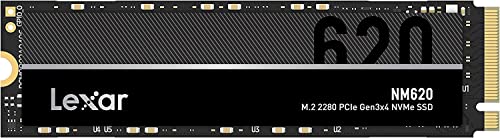
Lexar NM620 2 TB M.2-2280 PCIe 3.0 X4 NVME Solid State Drive (LNM620X002T-RNNNG)
Silicon Power UD90 4 TB M.2-2280 PCIe 4.0 X4 NVME Solid State Drive vs. Lexar NM790 4 TB M.2-2280 PCIe 4.0 X4 NVME Solid State Drive
 novel turret
I'm looking at Lexar 4TB
I wonder if i want to save money and go for gen3 4tb?
Gen3/4 speeds won't matter because it'll be my gaming storage drive primarily
 dense merlin
novel turret
I wonder if i want to save money and go for gen3 4tb?
dense merlin
novel turret
I wonder if i want to save money and go for gen3 4tb?

TEAMGROUP MP44 4 TB M.2-2280 PCIe 4.0 X4 NVME Solid State Drive (TM8FPW004T0C101)

Silicon Power UD90 4 TB M.2-2280 PCIe 4.0 X4 NVME Solid State Drive (SP04KGBP44UD9005)
novel turret
dense merlin
https://pcpartpicker.com/product/2BvD4D/silicon-power-ud90-4-tb-m2-2280-pcie-40-...
Thanks 😄
 vague oxide
Mp33 or nm620 512gb ? 
vague oxide
 minor sun
But 512gb tend to be just barely cheaper than 1tb
minor sun
But 512gb tend to be just barely cheaper than 1tb
Yep nm620 50$ and mp33 1tb 75 $
Go with mp33 better ?
minor sun
Nm620 512gb vs mp33 1tb? Go mp33 1tb for the extra space, nm620 is just a bit better
vague oxide
Okey thanks
formal tusk
Below 90-ish
 quiet sparrow
90C????
formal tusk
Mhm
quiet sparrow
Jesus ok
quiet sparrow
Yeah I just don’t have heatsyncson my ssds now
All my temps seem kinda wack now with the new mobo idk why
formal tusk
Drank some monkey blood and came alive, did it
quiet sparrow
Seems like it
When downloading a game how what’s a good write speed
I feel like it’s objectively slow
90mb/s
blazing musk
quiet sparrow
When downloading a game how what’s a good write speed
It'll be limited by your download speed
quiet sparrow
blazing musk
It'll be limited by your download speed
Sometimes the game is fully downloaded and it’s only write
blazing musk
At which point it's limited by your CPU extracting the compressed files
quiet sparrow
Drive temps at 78 for some reason ugh
 fringe mesa
There a reliable utility that can handle scanning 16tb hard drives? Like 15 of them to restore about 4tb of image and sound files? My network pc I use for family network, got an update it shouldn't have, which resulted in half the hard drives reassigning letters, and worse, dropped several folders that have 19 years of family movies, images, all gone. Was in hospital when it happened, but thankfully my son pulled the plug before anything could be written. 2/3 luckily are backed up, but 1/3 that was lost, also was a backup. Looked up a lot of different programs, but only ones that looked promising, only support up to 3tb drives, and I got to scan 15 drives, because I got zero clue which is which do to the letters being reassigned.
blazing musk
fringe mesa
There a reliable utility that can handle scanning 16tb hard drives? Like 15 of ...
Try Recuva.
Large files may be unrecoverable if it's NTFS formatted, that's just how the file system works. What defines a large file varies, it's up to the file system to decide.
 cloud kiln
if the data is very important, i might even would recommend bringing it to a data recovery service since they probably have better tools
also shouldnt be as expensive since there isnt any broken hardware; just a large amount of lost files
cloud kiln
On a different note, why were you using windows for a file server
 rigid folio
can i use a regular external hard drive as a windows 11 boot drive?
cloud kiln
rigid folio
can i use a regular external hard drive as a windows 11 boot drive?
I wouldn't recommend it but theoretically yeah
fringe mesa
blazing musk
Try Recuva.
Large files may be unrecoverable if it's NTFS formatted, that's just...
Windows 11, and I think it was NTFS. The image files can go as large as 8.5 mb. After for why windows? When I built 3 new I7s, and my own I9, I was quick to notice how much the speed of the PC was dragged having sata drives in same system with the nvme. Painfully evident. So I moved all the drives to my older gigabyte system and used it for storage of things I don't use often, like my movie library or steam library. Found out the update failed and screwed up the drives, because the cr2032 died and when the system powered off, it lost its settings, once of which needed to be on to make it windows 11 compatible. That motherboard eats those batteries up every 8 months. Hence why I built new systems in 2022. I had a really good utility for restoring files, but sadly, it's on the drive that lost it's folders. Sorry for late reply. This android is sending me zero notifications from discord.
real lava
No, NTFS is the windows' file system. It never disappeared
fringe mesa
I found the utility, on my old IDE pin drive. 2005. Definitely not good to use today lol. The only time I ever lost files, was in 2005 when I went to install msdos on another drive, and it installed wrong drive. 2tb, and worse, had to find a tool to fix it first because the system was picking it up as another hard drive type. I like old Sierra and Ultima games lol
fringe mesa
cloud kiln
not a great filesystem for a fileserver
It is if only family is using it. If I ever get back into game making, I'll consider differently.
Be back in a bit. Got a lot of research to do. Looks like most utilities once they scan, destroy chances of anything else working.
cloud kiln
fringe mesa
It is if only family is using it. If I ever get back into game making, I'll cons...
you can set up a SMB server and use like, raid 5 or whatever with zfs
using truenas
(SMB allows your windows pcs to discover the network share easily)
blazing musk
rigid folio
can i use a regular external hard drive as a windows 11 boot drive?
Not without some serious tweaking of the operating system. Windows doesn't allow it normally.
blazing musk
fringe mesa
It is if only family is using it. If I ever get back into game making, I'll cons...
You missed the point entirely. NTFS is fine for a single PC, but once you have critical files, backups, and other users, you want a more robust file system designed for that. Like ZFS.
That way you don't have to worry about losing drive letters, the file system itself knows what disk goes where.
 civic sparrow
Any suggestions on ssd 1tb fr ps5
blazing musk
civic sparrow
Any suggestions on ssd 1tb fr ps5

TEAMGROUP MP44Q 1 TB M.2-2280 PCIe 4.0 X4 NVME Solid State Drive (TM8FFD001T0C101)
Should be plenty fast enough to make the PS5 happy
civic sparrow
blazing musk
https://pcpartpicker.com/product/HJ4Zxr/teamgroup-mp44q-1-tb-m2-2280-pcie-40-x4-...
Thx 🙏
 crimson brook
Is it possible/pretty easy to get another ssd in this https://www.bestbuy.com/site/lenovo-legion-slim-5-16-gaming-laptop-wuxga-ryzen-5-7640hs-with-16gb-memory-nvidia-geforce-rtx-4060-8gb-512gb-ssd-storm-grey/6534469.p?skuId=6534469? If so what should i be lookking at for brands
blazing musk
Looks pretty standard https://youtu.be/Bh0YIhKLFu0?si=EOMnfb-Lx3xf1RFR

🔬 In-depth Review: https://laptopmedia.com/review/lenovo-legion-5i-16-gen-9-review-it-crushes-the-competition-with-a-record-breaking-gpu-stress-test-result/
📈 💵 Specs and Prices: https://laptopmedia.com/series/lenovo-legion-5i-16-gen-9/
✅ LaptopMedia.com
🎮 Please SUBSCRIBE to our new channel for GAMING BENCHMARKS:
https://www.youtube.com/cha...
 nocturne valve
hi! Did KingSpec are good reliable SSD? And how about support?? thanks is advance 😃
cloud kiln
blazing musk
Looks pretty standard https://youtu.be/Bh0YIhKLFu0?si=EOMnfb-Lx3xf1RFR
i hate listening to this tts
though that's also mostly because of people using it for narrating things that didnt need to be narrated
and/or literally just "information" they made up
☠️
blazing musk
nocturne valve
hi! Did KingSpec are good reliable SSD? And how about support?? thanks is advanc...
No they're a bargain brand that sells low quality drives and you won't be able to RMA it because their support doesn't speak anything but Chinese.
nocturne valve
blazing musk
No they're a bargain brand that sells low quality drives and you won't be able t...
that's a clear answer!!! 🤣
Thank you, lokking for soemthing else
Any problem with Crucial? Or should I stay with Samsung and WD black, more expensive? I need a second SSD, C: is more then 70% full...
blazing musk
I'd recommend team group, their MP33 and MP34 drives are good and cheap. I use one personally.
nocturne valve
ok gonna take a look 🔍
 torn palm
hello, so i was thinking of doing a fresh install of windows and i was wondering: since i have two m.2 drives; one with the windows OS and games on it, and another drive with work files. Would it be possible to just remove the work drive from the PC so it doesnt get wiped? and then what would be the process for putting the drive back into the PC? do i put it in after wiping and before installing windows again? or do it put it in after installing windows?
 woeful solar
For a more straightforward wipe, put them in after you install windows
Obviously don't plug them back in while the PC is running
woeful solar
torn palm
hello, so i was thinking of doing a fresh install of windows and i was wondering...
And also yes, you can just remove the drives from your PC before you wipe the boot drive
blazing musk
woeful solar
And also yes, you can just remove the drives from your PC before you wipe the bo...
This is 100% my preferred method. If I'm messing with drives I make sure only the one I want to change is active in the system. This way Windows doesn't decide randomly "I'll install the bootloader on this random drive".
torn palm
@woeful solar @blazing musk thank you guys for the help!!! time for me to get to work
(i love waiting for windows to install  )
)
 turbid crater
will i lose my data on my 2 nvmes and 1 hdds when i upgrade to win11?
real lava
no
i've honestly not heard of such a thing happening
unless you clean install and manually format all of your drives that is
 brisk dome
yeah a normal upgrade/update from 10 to 11 will retain all your files
 cerulean monolith
what's a good DISK cloning software again? my old HDD is losin it's speed, i think it's dyin soon. had it for almost 10 years, also refurbished too
cloud kiln
Clonezilla if you know how to use a tui
blazing musk
cerulean monolith
what's a good DISK cloning software again? my old HDD is losin it's speed, i thi...
Macrium Reflect if you don't feel confident with Clonezilla
brisk dome
Seconding Macrium Reflect. Very easy to use for a clone
blazing musk
The biggest thing is there's effectively no limits to the free version a home user would run into
Other ones have arbitrary limits like a 20GB max size
 full basin
can i get some help on a M.2 I'm looking to buy one but want to make sure I don't buy one that's not compatible with my motherboard as i had bought one that I believe was a nan-d and it would not detect the m.2 i ended up buying a regular nvme m.2 so I don't want to end up buying something and it not working again.... I'm currently running a B350 Tomahawk MB which if i remember correctly is Gen3 x4 though i want to buy a Gen 4 x4 as i will be upgrading i am just currently needing more storage space on main HD as 1tb is not enough to work with
dense merlin
full basin
can i get some help on a M.2 I'm looking to buy one but want to make sure I don'...

TEAMGROUP MP44Q 2 TB M.2-2280 PCIe 4.0 X4 NVME Solid State Drive (TM8FFD002T0C101)
TEAMGROUP MP44Q 1 TB M.2-2280 PCIe 4.0 X4 NVME Solid State Drive (TM8FFD001T0C101)
Also any 2280 size nvme ssd would work with that motherboard
NAND is what ssds are made out of
full basin
ok yea not sure about the details just know a little bit though i gave it to a relitive and it works for them but didnt for me not sure why
cloud kiln
full basin
can i get some help on a M.2 I'm looking to buy one but want to make sure I don'...
nand? that's just what ssds store data on
you wouldnt really even notice any benefit of gen 4 ssds from gaming or such use
idk why it wouldnt detect on your mobo... maybe it was a sata m,2 ssd? and then your mobo has that weird thing that it doesnt follow the standard and doesnt support sata?
the mobo page doesnt say it doesnt support sata on the m.2
full basin
well at one point it was shutting down my Sata ports
blazing musk
full basin
can i get some help on a M.2 I'm looking to buy one but want to make sure I don'...
You don't need a gen 4 drive. B350 only supports gen 3 so even if you put a gen 4 drive it'll run on 3.
full basin
yes i know i am getting a Gen 4 x4 mb later its temp running on Gen 3x4
cloud kiln
full basin
yes i know i am getting a Gen 4 x4 mb later its temp running on Gen 3x4
the thing is, even when you upgrade to a gen 4 board, you still dont need a gen 4 drive
99% of the stuff you would be doing would not notice any difference
well, this is just me assuming that all you're doing is gaming and regular office work
full basin
yea i dont do any graphics designing though i am dabbling in some for certain games
 steady dawn
shoulld i get the Toshiba Canvio Flex external drive
a webite said it can Read speeds up to: 1050 MB/s (5Gbit/s) how is that possibly its not an sdd ?
woeful solar
It is a hard disk lol
That's the theoretical limit of USB 3.0
It's technically up to 4.8GB/s
you'll never reach anywhere close to that, just look at any reviews of it
Usually 150MB/s or something is pretty common
cloud kiln
steady dawn
a webite said it can Read speeds up to: 1050 MB/s (5Gbit/s) how is that possibly...
interface speed

also 1050 megabytes a second isnt 5 gigabits a second?
blazing musk
steady dawn
a webite said it can Read speeds up to: 1050 MB/s (5Gbit/s) how is that possibly...
Sometimes they'll fudge the numbers by enabling the write cache and using the burst speed in the specs.
Basically they're lying.
 honest pawn
Sup guys im having trouble with an external solid state of mine. The drive seems to be corrupted but i cant seem to trouble shoot it at all. Reason being every time i try to plug in the drive to my laptop to trouble shoot file explorer and eventually windows stops responding, as soon as i unplug the drive everything goes back to normal. All my drivers are up to date. I was wondering if there was anything that you guys would know how to do that would help me with my issue. I am open to wiping the drive completely as all i have on there are a couple movies and games
cloud kiln
honest pawn
Sup guys im having trouble with an external solid state of mine. The drive seems...
Do you have a different PC to test on
honest pawn
i do not
honest pawn
unfortunately i dont have the adapter to connect to my phone
cloud kiln
You could possibly try to access it with a live Linux usb
But that would require another drive that is empty and at least.... 8gb? 4gb?
One thing you can try before this is to try using another usb cable if possible for your ssd
In case of a faulty cablr
honest pawn
i already switched cables so im 90% sure its the drive itself
honest pawn
cloud kiln
In case of a faulty cablr
I got ahold of another device and im currently running chkdsk on his laptop, anything else you could think of that i should try while i have access to another device?
cloud kiln
honest pawn
I got ahold of another device and im currently running chkdsk on his laptop, any...
Since the data on the drive isn't important, you could try and see if you can format the drive
How old is the drive? And has it ever been dropped or such
honest pawn
cloud kiln
How old is the drive? And has it ever been dropped or such
drive is rougly 6 months old
it has been dropped once or twice, but it was working fine, then today it just crapped out trying to load up garry's mod
honest pawn
cloud kiln
Since the data on the drive isn't important, you could try and see if you can fo...
unfortunately formatting the drive is not working
cloud kiln
honest pawn
drive is rougly 6 months old
In that case, you might want to RMA?
You could try using Linux to try to format it, but that's a bit of a pain especially since I don't remember all the commands needed, nor am I even 100% sure if it would work
cerulean monolith
What would be some reasons for a m.2 ssd (samsung 980 pro 1tb) shut down?
recently clean installed
drivers and firmware up to date
graphic intensive games usually lead system/ssd to crash
Adequate cooling, gpu is 72c, m.2 has a heatsink with the b550 aorurs pro p motherboard
dense merlin
cerulean monolith
What would be some reasons for a m.2 ssd (samsung 980 pro 1tb) shut down?
>recen...
Samsung had an issue with firmware killing their ssds
Stock with said firmware is still mixed in with current stock
That's a possibility
cerulean monolith
dense merlin
Samsung had an issue with firmware killing their ssds
That was only the 2tb model of 980 and all 990s in market isn't it?
dense merlin
Not from what I know
Could've sworn it was all 980 variants, and 970 evo/evo plus
And 990*
cerulean monolith
thing is, i've had it since 2021, i've been able to read and write into it for these past years and samsung software deems it in "good" health with "91.3 tb written" (though i don't really move software or files alot, probably for forced shut downs it had).
so im not sure as to what else could've been the problem atm
and crystal disks say 92% health
cerulean monolith
Maybe the preformance settings in the samsung software will help?
Im tryin that
dense merlin
cerulean monolith
thing is, i've had it since 2021, i've been able to read and write into it for t...
ahh alr
thought it was a new drive
cerulean monolith
It crashed around 60c...
usually, sound in game would mute first, but im still able to play for a few more seconds before the other programs would follow with irresponsiveness, then crash to a blue screen.
often after crashing, the m.2 boot drive wouldn't be recognized until i do a hard power reset on the psu.
cerulean monolith
Would the motherboard m.2 slot be a possible fault? Maybe it could also be due to the heat from the system havin an effect on the motherboard?
cerulean monolith
Maybe its just the m.2 heatin more than its supposed to, even with motherboard tools its not doin good.
So whats a really good active cooling m.2 ssd heatsink that i can use?
cloud kiln
usually a heatsink/spreader + case airflow is enough
60c is rather cool
my ssd can go to 90c and thermal throttle while doing downloads
though without a heatsink
i do have to turn up my case fans and then it drops down to 85 which is enough for it to speed back up
cerulean monolith
then maybe it's a motherboard problem, where it's already been through some stress that the m.2 slot fails at a certian heat point then...
brisk dome
I doubt the slot would be affected by heat unless there's like a short or something
Heat is going to be coming from the chips on the ssd
Not the m.2 key
cerulean monolith
then im not sure why my system is crashing from the m.2 side. system os runs for a quick while before sound cuts off, workin off memory for a while, then blue screen crash from a unknown hardware error.
part of the reason i inisit it on bein the m.2 is because the m.2 is always not recognized after every crash and can't find the boot device until i hard reset the psu to let the m.2 be found again
brisk dome
Like bacca said, could be firmware
cerulean monolith
its up to date, can't exactly roll back firmware off a 2021 device
cerulean monolith
i believe i have fixed it, it was overheating due to other parts in the case. seems like the pad on the motherboard issued heatsink is bad now. may as well go for a new heatsink anyways
 still bay
Hello, I'm sorry if this is a dumb question but I want to know if I'll run into bandwidth issues with something like this expansion card.
https://www.newegg.com/glotrends-pa09-hs-pci-express-to-m-2-card/p/17Z-00SW-00004?Item=9SIAMKHATW8724&Source=socialshare&cm_mmc=snc-social-_-sr-_-9SIAMKHATW8724-_-07142024

I currently have an Asus strix b550-f Wi-Fi Mobo with a 5600x (I'll soon upgrade to a 5700x3d not sure if it has more pcie lanes or if I'm just bound by chipset)
Will I have enough pcie lanes to be able to run one or two of those nvme cards?
minor sun
still bay
Will I have enough pcie lanes to be able to run one or two of those nvme cards?
You'll have enough to run 1 at x4 using the second pcie x16 slot, but the x1 slots will not be usable
minor sun
still bay
I currently have an Asus strix b550-f Wi-Fi Mobo with a 5600x (I'll soon upgrade...
CPU upgrade that way will not give you more lanes
still bay
Ah okay, so I'm just bound by chipset
minor sun
Although iirc b550 all chipset lanes are gen 3 so you'll be stuck with gen 3 on the second pcie slot
still bay
minor sun
You'll have enough to run 1 at x4 using the second pcie x16 slot, but the x1 slo...
Would this work instead then?

This has 4 pcie 3 slots
I don't mind the slower speeds
minor sun
I'm guessing it's a card with 4 m.2 slots?
That's meant for x16 slot dividing into 4 x4, might not support x4 dividing into 4 x1
still bay
still bay
minor sun
That's meant for x16 slot dividing into 4 x4, might not support x4 dividing into...
Ahhh okay I understand, but I shouldn't have any issues with a single SSD card like the first one I sent on the x16 right?
minor sun
A single x4 card supporting a single m.2 drive using 4 lanes should work fine up to the normal gen 3 x4 bandwidth
Pcie is backwards compatible so gen 4 drives should be fine running at gen 3 speeds in that slot
still bay
minor sun
Pcie is backwards compatible so gen 4 drives should be fine running at gen 3 spe...
Alright, that's good to know, just wanted to clarify this before I bought them.
Thanks!
If I upgrade later to a x670/x670e platform I should be able to use them all right?
minor sun
I will have to warn you I haven't been able to see the product that was linked due to mobile data, so I'm not completely sure so you might want to double check it
(Looks okay at a glance, the page hasn't loaded past the first image)
minor sun
still bay
If I upgrade later to a x670/x670e platform I should be able to use them all rig...
X670 will be new chips on a new socket with the chips themselves having more lanes
still bay
minor sun
I will have to warn you I haven't been able to see the product that was linked d...
No problem, I'll double check before I buy.
still bay
minor sun
X670 will be new chips on a new socket with the chips themselves having more lan...
Alright thank you
minor sun
(2 x4 from CPU and 1 x4 from chipset typically dedicated for m.2 slots on x670 boards)
blazing musk
still bay
If I upgrade later to a x670/x670e platform I should be able to use them all rig...
If you do go this route later we'll be happy to point you towards motherboards that support your needs
Not every board supports every feature after all
still bay
Thank you both for the help! Will def ask if I eventually upgrade the board and cpu instead of just the CPU and stay on the same platform. If I do upgrade Mobo too, I might as well just wait for the next gen.
blazing musk
AMD has their next gen coming at the end of this month so you won't be waiting long
X3D chips come a couple months later, along with the new motherboard chipset
 hearty wyvern
It's an MSI GE Series GE76 10UG-031CA Raider 17.3"
cloud kiln
still bay
Would this work instead then?
There is a good chance of that requiring PCIe bifurcation support, so make sure your mobo supports that
Though falcie kinda mentioned it
still bay
blazing musk
X3D chips come a couple months later, along with the new motherboard chipset
Alright thanks, since I'm in no rush to upgrade I might as well hold on the 5700x3d and just wait for my Christmas bonus and make my choice then. But I'll probably get the nvme pcie card and a 2tb nvme now since I'm running low on storage.
blazing musk
Intel is expected to launch in December so by then hopefully we'll see AMD 9000X3D sales
dense merlin
still bay
Alright thanks, since I'm in no rush to upgrade I might as well hold on the 5700...
Mp44q is $104, or if you need a high end ssd adata premium is $130
Mp44q is still great, but if you need it for professional use the extra would be worth it
*depending on what professional use
still bay
dense merlin
Mp44q is still great, but if you need it for professional use the extra would be...
Nah, it'd just be for a game drive haha
That and maybe media
Not a very demanding use
still bay
dense merlin
If you wanted to go 4tb, it's $225
Yeah just saw that, it's a pretty good price for 4tb
Would it be worth the extra $5 for this one since it's TLC?
https://www.newegg.com/team-group-2tb-t-force-g50/p/N82E16820985144?Item=N82E16820985144&Source=socialshare&cm_mmc=snc-social-_-sr-_-20-985-144-_-07142024
dense merlin
Yes, I haven't seen that before
1300tbw
Funilly mp44q 2tb is cheaper on tiktok shop
still bay
Alright, so if I go for 2tb the g50 is better, but if I go for 4tb I should get MP44Q
dense merlin
$94
still bay
dense merlin
$94
Tiktok shop?
dense merlin
Yeah, they added a storefront a while back
It's actually sold by newegg through tiktok shop in this instance
still bay
Ahhh ok, that's cool. I didn't know I don't use tiktok.
 near trellis
hey guys, if im getting an SSD to edit off of (on a mac), which one is more worth it:
Samsung T7, 1050mb/s, $142
Samsung T9, 2000mb/s, $237
both are 2TB
basically asking if i need the 2000mb/s or will 1050 be sufficient
blazing musk
near trellis
hey guys, if im getting an SSD to edit off of (on a mac), which one is more wort...
Which mac exactly because a lot of the recent ones you can't upgrade the storage on
near trellis
blazing musk
Which mac exactly because a lot of the recent ones you can't upgrade the storage...
oh it wouldnt be to upgrade storage internally, it would be an ssd that you like plug in yknow
or can those ssds not plug in?
blazing musk
They do but they're exceptionally slow and expensive. You're far better off getting an enclosure with a drive of your choice.
near trellis
blazing musk
They do but they're exceptionally slow and expensive. You're far better off gett...
sorry im kinda new to this, whats an enclosure?
blazing musk
A shell to hold the SSD and connect by USB
Which model mac, so I know what speed your USB ports run
blazing musk
Alright that has USB 4.0 ports so you can get a MUCH faster drive. It'll be worth it for editing so you don't have lag while you're scrubbing through footage.
near trellis
ohh okay, what do you recommend getting?
blazing musk
Hang on, I'm grabbing links
near trellis
i will spend up to like $250 probs if its worth it but hopefully less
blazing musk
Definitely under $200 total
near trellis
okay awesome
blazing musk
near trellis
i will spend up to like $250 probs if its worth it but hopefully less
This enclosure https://www.amazon.com/dp/B0B14QY7MZ?th=1
Plus this drive https://www.amazon.com/dp/B09QVD9V7R?th=1
Ends up just under $200, and it's one of the best SSDs you can get.

ORICO M208 M.2 NVMe Enclosure, engineered for exceptional speed and performance. Utilizing the 40Gbps USB Type C interface, it offers extreme data transfer speeds up to 40Gbps, with theoretical read and write speeds reaching 3000MB/s, perfect for transforming your internal SSD into a portable ext...

Experience the breakthrough upgrade from a global tech pioneer. SK hynix Platinum P41 delivers the 176-layer NAND, fastest-in-class speed, easy data migration, and 5-year warranty. The latest innovation from the world’s second-largest memory maker, Platinum P41 is designed to provide striking per...
near trellis
blazing musk
This enclosure https://www.amazon.com/dp/B0B14QY7MZ?th=1
Plus this drive https:/...
ohhh okay so i put the SSD inside that enclosure and then connect it?
blazing musk
Yes
near trellis
very cool. thanks so much for your help!!!
woeful solar
blazing musk
This enclosure https://www.amazon.com/dp/B0B14QY7MZ?th=1
Plus this drive https:/...
I can also vouch for the sabrent nvme enclosure
SABRENT USB 3.2 10Gbps Type C Tool Free Enclosure for M.2 PCIe NVMe and SATA SSDs (EC-SNVE) https://a.co/d/br8Enp2

Oh wait, hang on we wanted faster speeds didn't we
blazing musk
Much faster for video editing yes. A full 40Gbps port exists so I wanted to take full advantage.
woeful solar
This is absolutely fair, I was more than okay with a sub 1000MB r/w cause mine is a game drive
And also a light video editing drive but it's just game recordings
Maybe when I find it not enough I'll get the orico one lol
 small carbon
I run my MP34 in that exact sabrent enclosure & feels pretty fine to mine (game usage). It's not even a bottleneck for many games that won't go over 1GB/s on the P41 plat in mobo.
near trellis
@blazing musk hey so i got the enclosure and ssd, but i wasnt sure where to put the cooling pad (i think its called that). it looks like the ssd already has one built in, but the enclosure comes with one and says to place it on top of the ssd. i dont think it really fits. should i still be putting it on or should i just put the ssd in alone?
i can send pictures if that helps
blazing musk
You can take off the one that's on the SSD already
near trellis
ok and replace it with the one the enclosure gives me?
blazing musk
Yes
near trellis
okay awesome thank you!
 serene laurel
I need a good external SSD that will be used for photo backup and long term storage- 1TB. I’m guessing a good option would be a standard m.2 nvme with a usb C enclosure. I’m looking for recommendations for both the drive and the enclosure- reliability is important. Any good suggestions?
dense merlin
serene laurel
I need a good external SSD that will be used for photo backup and long term stor...
I don't know much abt enclosures, but here's some ssd reccs
https://pcpartpicker.com/product/VhbTwP/hp-fx900-pro-1-tb-m2-2280-nvme-solid-state-drive-4a3u0aaabb

HP FX900 Pro 1 TB M.2-2280 PCIe 4.0 X4 NVME Solid State Drive (4A3U0AA#ABB)

TEAMGROUP MP44L 1 TB M.2-2280 PCIe 4.0 X4 NVME Solid State Drive (TM8FPK001T0C101)

Western Digital Blue SN580 1 TB M.2-2280 PCIe 4.0 X4 NVME Solid State Drive (WDS100T3B0E)
Fx900 pro is on par with high end ssds like the 980 pro, gm7000, p41, etc
serene laurel
Thank you so much!
cloud kiln
serene laurel
I need a good external SSD that will be used for photo backup and long term stor...
Long term? I'd use hdds
I would recommend archival tapes but those have way too high of a price of entry
blazing musk
HDDs are no more reliable than a good SSD at this point. The difference is when a HDD is dying, you'll often notice a problem in how it sounds or performs. When a SSD is failing, your data goes POOF.
cloud kiln
blazing musk
HDDs are no more reliable than a good SSD at this point. The difference is when ...
im making the assumption that the data isnt going to be accessed frequently, though idk if ssds have improved on the data-retention-while-not-being-powered front
blazing musk
If it's left plugged in and just not accessed frequently then the SSD is fine, but if not your right the cells need to be refreshed once in a while
cloud kiln
blazing musk
If it's left plugged in and just not accessed frequently then the SSD is fine, b...
yeah that was what i was thinking, since chip asked for external ssds, which concerned me about the drive probably being left without power for potentially over a year? though that really does depend on how often you access your data, though i cant really imagine "long term" image storage being accessed frequently
though i guess if it's being written to frequently enough.... hmmm
serene laurel
I should clarify. My fiancée is a photographer, and she wants to keeps copies of all her galleries on an external drive as well as her MacBook. That way she’ll have them backed up to the cloud in her gallery website, on the Mac, and on a drive. The drive could be used in different devices like the iPad Pro as well. It would be accessed maybe once a week. I would like to get her an ssd for the speed sake, but it doesn’t have to be the fastest out there. The fx900 one that bacca recommended looks alright to me so far
cloud kiln
ah
in that case, yeah ssds are fine
though tbf, it's not like hdds are that slow for cool/cold storage like this
just photos and maybe some videos
blazing musk
Decent HDDs can easily copy at over 150MB/s
But if your videos are in the high double digits of GB then you might want faster
cloud kiln
I mean, most photographers don't really take many lengthy video shots?
Idk
The wedding photographers I see generally only take photos
And only for certain things may take a video
It's not like cinematography where basically everything is a video
woeful solar
then again, with an ssd you wouldn't have to worry basically at all about vibrations or impacts dislodging something in the HDD
and it's way smaller to carry around
well, way might be a slight exaggeration but still, it's definitely smaller
cloud kiln
lmao
yeah true, i would walk to my classes with nothing but a ssd in my pocket because all my rooms for my tech courses all have pcs at every desk
so i ended up not even needing my laptop
left it in my dorm except for maybe 1 or 2 classes
 hushed timber
Yo can someone help me? Im trying to figure out where i can install my hdd its too big and theres no space in my case
blazing musk
What case is it
hushed timber
https://gnmstore.com/products/Highend-Covid-55-White this is the only place i could find it the page is in arabic
It says it supports hdd 2.5 and 3.5
I could dm you a pic of my case from behind if you dont mind
blazing musk
Ok
cloud kiln
foam tape mount goes hard
cerulean monolith
cerulean monolith
What would be some reasons for a m.2 ssd (samsung 980 pro 1tb) shut down?
>recen...
Update, bought a chonky thermalright m.2 heatsink. It worked out well, cooling it down a good amount for the summer. 55c peaked durin hot gpu gameplay. Only thing is that it barely gets any good air... but as long as its stable, works for me

 bitter thunder
I think she’s dead
blazing musk
2009? That's fairly likely. They tend to use magnets with an expected life of 10 years.
bitter thunder
Haha yeah it’s a clients drive he dropped off…we are sending it out for data recovery for him to clean room ha
 plush crag
blazing musk
2009? That's fairly likely. They tend to use magnets with an expected life of 10...
plush crag
blazing musk
2009? That's fairly likely. They tend to use magnets with an expected life of 10...
The magnets fail? How? Degauss from shock? But they're mounted to the HDd housing, no?
Even so, wouldn't that just slow down the drive over time?
blazing musk
Magnets naturally lose their magnetism over time
Which results in incorrect bits being read or written
plush crag
That's so negligible - aside from external influence, like hard acceleration. Or do you mean the platter?
blazing musk
It is negligible, that's why they have an expected life span of 10 years but regularly hit 15+
plush crag
I thought it was like a percent / 100 years
Maybe that's enough to throw things out of wack, given hdd tolerances, but idk
brisk dome
This says 1% per year for magnetic field strength
https://superuser.com/questions/284427/how-much-time-until-an-unused-hard-drive-loses-its-data

Super User
Do you guys know how much time needs to pass until the data stored on a hard drive starts to degrade?
To keep the data intact for long periods of time, I heard you need to periodically rewrite it...
plush crag
That's referring to the storage medium itself
cloud kiln
1%/y would be incredibly fast for neodymium
blazing musk
You'd be running on the assumption they sprang for neodymium
There's a lot of cheap magnets that claim to be but aren't really
cloud kiln
I doubt they would be using cheap magnets in a hard drive though?
blazing musk
If they can save money anywhere you know they're going to do it
It's a business after all
cloud kiln
Seems like the factor that makes neodymium magnets degrade fastest is temperature, depending on the grade of magnet https://www.first4magnets.com/tech-centre-i61/information-and-articles-i70/neodymium-magnet-information-i82/how-does-temperature-affect-neodymium-magnets-i91

Here you will find key information on how temperature can affect the performance of neodymium magnets.
cloud kiln
blazing musk
If they can save money anywhere you know they're going to do it
Fair
But I feel like that probably would make for a hugely unreliable HDD
blazing musk
Only in the long term
cloud kiln
Seems like neodymium is more stable with higher temperatures though
Less magnetic strength loss (reversible) per degree than the other materials
As temperatures raises I mean
Idk how important a consistent magnetic strength is for a HDD, but maybe that's a reason why they may go for neodymium
woeful solar
As I see it it's fairly important since that's the main mechanism in which they store data
cloud kiln
 sharp folio
Any reason not to get a 4TB 990 PRO instead of a 2TB?
sharp folio
Any reason not to get a 4TB 990 PRO instead of a 2TB?
is there any reason why you want a 990 pro specifically
blazing musk
990 pro is one of the drives known to spontaneously die due to bad firmware
There was 3 or 4 bad versions
sharp folio
cloud kiln
is there any reason why you want a 990 pro specifically
I figured why not get one that supports PCIe gen 5
sharp folio
blazing musk
990 pro is one of the drives known to spontaneously die due to bad firmware
I entirely forgot about that
cloud kiln
sharp folio
I figured why not get one that supports PCIe gen 5
pcie is backwarda and forwards compatible
for the most part
sharp folio
Isn't there a speed difference?
cloud kiln
the majority of home users dont need anything more than a gen 3 drive imo
cloud kiln
sharp folio
Isn't there a speed difference?
more bandwidth yes
which means you can get more data in/out faster assuming the nand and controller can handle it
but the problem is, most consumer applications dont need this speed, and the drive is really just idling most of the time
it may speed up downloads and stuff, but that's stuff that isnt happening on a frequent basis, at least for files that are large enough to matter
also isnt a 990 pro still a gen 4 drive
yeah it's a gen 4 drive
990 evo is the gen 5 drive it seems
dense merlin
cloud kiln
it may speed up downloads and stuff, but that's stuff that isnt happening on a f...
you'd need incredibly fast internet for that to make a difference
small carbon
You really need a single 4TB drive right now? Perhaps go something like sn850x or a gen 3 option is MP34. I have the later actually. 990 evo is 2 lanes so it acts like some gen 4 drives.
blazing musk
sharp folio
Isn't there a speed difference?
Not for gamers, this is load times


The only people able to use the potential of a 5.0 drive are people editing long 8k+ videos
dense merlin
I'd suggest
https://pcpartpicker.com/product/pFNYcf/teamgroup-mp44q-2-tb-m2-2280-pcie-40-x4-nvme-solid-state-drive-tm8ffd002t0c101
https://pcpartpicker.com/product/4KRYcf/western-digital-2-tb-m2-2280-nvme-solid-state-drive-wds200t3x0e
https://pcpartpicker.com/product/mnxRsY/hp-fx900-pro-2-tb-m2-2280-nvme-solid-state-drive-4a3u1aaabb
TEAMGROUP MP44Q 2 TB M.2-2280 PCIe 4.0 X4 NVME Solid State Drive (TM8FFD002T0C101)

Western Digital Black SN770 2 TB M.2-2280 PCIe 4.0 X4 NVME Solid State Drive (WDS200T3X0E)
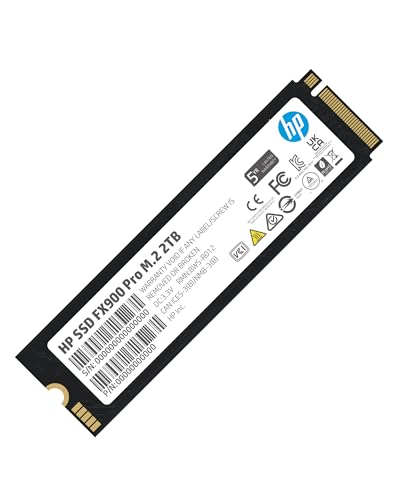
HP FX900 Pro 2 TB M.2-2280 PCIe 4.0 X4 NVME Solid State Drive (4A3U1AA#ABB)
this is the singular best gen 4 ssd as far as i know https://pcpartpicker.com/product/X8nypg/solidigm-p44-pro-2-tb-m2-2280-pcie-40-x4-nvme-solid-state-drive-ssdpfkkw020x7x1

Solidigm P44 Pro 2 TB M.2-2280 PCIe 4.0 X4 NVME Solid State Drive (SSDPFKKW020X7X1)
small carbon
Perhaps skip p44 pro if it's got the eventual low write speed issue that P41 plat has. Can confirm, but it's only on my peak sequential speed. The "4K" & such write speed numbers are still great (similar to my sn850)
minor sun
small carbon
Perhaps skip p44 pro if it's got the eventual low write speed issue that P41 pla...
Wdym eventual low write speed? How filled is the drive?
P44 pro does have updated firmware if there's some bug with p41
small carbon
New firmware might not fix it. Mine is 80% full, but similar to this pic from this post:
https://www.reddit.com/r/pcmasterrace/comments/181msgy/my_second_sk_hynix_platinum_p41_has_failed_after/


Reddit
Explore this post and more from the pcmasterrace community
minor sun
Mine is around 2000mb/s write but that's to be expected being 95% full lol

I'll go clean it up and see how much storage I can save
minor sun
small carbon
New firmware might not fix it. Mine is 80% full, but similar to this pic from th...
Is there another version of the post with the image still avaliable? Image no longer there
small carbon
That's why I tried screenshotted it from the title, haha.
minor sun
2000mb/s is what it should be getting if it's just writing to native nand and not pslc cache
It's probably just once its filled up beyond x% it'll just write to native nand
small carbon
Here we go
 minor sun
I'm just suspicious because that is the normal sustained write speeds when you run out of pslc cache on a brand new fresh drive
 small carbon
1+ year old drive, pretty sure did minimal writing when pic was taken so write cache should've been fine, unless it's definitelya % thing also like you mention. The speed doesn't bother me though.
https://www.reddit.com/r/pcmasterrace/comments/181msgy/my_second_sk_hynix_platinum_p41_has_failed_after/
minor sun
I dunno, but I wouldn't blame the drive yet, it might be a firmware issue that makes you use native too early when it could still be using pslc maybe?
sharp folio
Can you pull the heatsink off of a 980 PRO?
Samsung has a 1TB for $25 cheaper than anyone else does even without a heatsink
nvm Amazon has it for $90
dense merlin
sharp folio
nvm Amazon has it for $90
For 1tb that's crazy expensive lol
Fx900 pro matches it at $68
sharp folio
dense merlin
For 1tb that's crazy expensive lol
But it's also Samsung
dense merlin
sharp folio
But it's also Samsung
....ok?
Is it 2015?
Samsung had one of the biggest F ups I can think of in the last few years with ssds
sharp folio
Yeah, with the 990 Pro
sharp folio
What about the 980 Evo Plus?
sharp folio
Evo Pro maybe
dense merlin
Fx900 pro just as good and cheaper. P44 pro is better and cheaper
sharp folio
Yeah Evo Pro
dense merlin
P44 pro is the singular best gen 4 ssd, unless it's been dethroned
sharp folio
Solidigm?
dense merlin
And the 990 pro being pcie 5.0 x2 doesn't exactly give it a head up over the p44
Yes
Which is a sub division of hynix
Samsung uses some hynix things lol
 sharp folio
dense merlin
Which is a sub division of hynix
sharp folio
dense merlin
Which is a sub division of hynix
Is Hynix really that good? I seem to remember some of their things having problems, or maybe I'm crazy and that's not the case.
sharp folio
I think it was memory that I'm thinking of
dense merlin
Nothing comes to mind for me
woeful solar
I still remember when Samsung SSDs had an issue
 sinful salmon
dense merlin
P44 pro is the singular best gen 4 ssd, unless it's been dethroned
sinful salmon
dense merlin
P44 pro is the singular best gen 4 ssd, unless it's been dethroned
do TBW factor into that statement?
cuz something like the Silicon Power US70 has like 3× the TBW of the P44 Pro
or that don't really matter?
But also like the P44 Pro is like 30% cheaper and faster in writes and reads so
US70 claimed: 4400MB/s writes, 5000MB/s reads, 3600TB TBW
P44 Pro claimed: 6500MB/s writes, 7000MB/s reads, 1200 TB TBW
does TBW even matter?
cuz claiming 3× the endurance at relatively comparable speeds seems kinda too good to be true
Like I'm genuinely willing to pay a little more for endurance
But if it's not going to give the endurance they say then it's literally pointless to pay more
blazing musk
sinful salmon
cuz claiming 3× the endurance at relatively comparable speeds seems kinda too go...
Think of how long it will take the average user to write 1PB of data though.
My game drive has been in use for about 5 years now and it's got a little over 9TB written to it.
sinful salmon
my 1tb P41 Plus that I've used for over a year is still 99% health
tho Solidigm software doesn't show how much a drive was written
 sinful salmon
This is in bytes?
 blazing musk
idk for that software
sinful salmon
Synergy Toolkit
sharp folio
woeful solar
I still remember when Samsung SSDs had an issue
Yeah, I had entirely forgotten about that
My EVO Plus is at 25TBW
I don't know how
Oh wait
build tools
Also runs the hottest because of where it is
How many M.2s can you have on a B650 before you start losing USB ports or SATA ports?
Specifically Aorus Elite AX
870 QVO is already dropping health when it was never really used at all before a few months ago :/
small carbon
QLC drives never had a great rep, and that's 1 of them.
dense merlin
My pny cs900 is still doing ok
Been in use almost 4 years I think?
Still in the 90s I believe
minor sun
sinful salmon
does TBW even matter?
Tbw is just whatever they feel like covering with warranty
Both nand itself is rated for the same 3000 p/e cycles
Bics4 and Hynix's 176l tlc
minor sun
sinful salmon
cuz something like the Silicon Power US70 has like 3× the TBW of the P44 Pro
Also it seems us70 is reaching end of life, bics4 in general it seems, no more production, only old stock
sharp folio
minor sun
Both nand itself is rated for the same 3000 p/e cycles
What are p/e cycles?
sinful salmon
minor sun
Both nand itself is rated for the same 3000 p/e cycles
So TBW effectively does not matter?
Damn, in that case yeah spending more is stupid
minor sun
sinful salmon
So TBW effectively does not matter?
it's more reflective of warranty policy than actual endurance
beyond a certain point its just marketing
sinful salmon
I guess saving 30% it is then
sinful salmon
minor sun
Also it seems us70 is reaching end of life, bics4 in general it seems, no more p...
As for this, we usually get the new stuff with a significant delay
Most vendors don't order the new stuff until old stock is cleared
And they don't exactly move very large volumes of SSDs so stuff tends to sit for a while
woeful solar
minor sun
it's more reflective of warranty policy than actual endurance
yeah pretty much this
how much writes they are willing to warranty you for
cloud kiln
real lava
Guess what, it's still healthy
I guess you could say..... You're still in the green
real lava
lmao
 cloud kiln

sharp folio
dense merlin
Fx900 pro just as good and cheaper. P44 pro is *better* and cheaper
Any idea why the P44 Pro 1TB is only about $30 less than the 2TB?
minor sun
1tb prices can be wack sometimes
sharp folio
Anything I should know about 512GB Micron 2400 NVMes?
 dusk turtle
Very slow for a gen 4 drive
sharp folio
Do they last?
formal tusk
I just generally don't recommend them unless they're ridiculously cheap
dusk turtle
I wouldn't get one, those writes are horrendous
formal tusk
Particular ones like the P3(?) are horrible performing
QLC with longevity in mind but nasty perf
dusk turtle
150 TBW
There's a Hynix drive that's twice as fast for less than I can find the Micron 2400's for. Looking for a TBW tho. The Gold drives I have are 1,200 TBW
formal tusk
P31 gold is still a nice buy on a good sale
If you want cheap @sharp folio , it has to be better than these, otherwise jps600 is ok, or mp44q/vp4300 lite*
dusk turtle
Just as fast as those Micron drives too, despite being different gens
sharp folio
formal tusk
I just generally don't recommend them unless they're ridiculously cheap
It's what came in the laptop I got today
sharp folio
Probably going to wait until Black Friday and get a Solidigm NVMe
sharp folio
dusk turtle
Very slow for a gen 4 drive
Apparently they were VERY early gen 4
Which would explain that
dusk turtle
Musta been because 1800 MB's writes is really slow. That's even slower than Gen 3
sharp folio
Well I guess you can trick some people by saying you have the first gen 4 NVMe and providing absolutely no speed
sinful salmon
@dusk turtle @dense merlin is Solidigm P44 Pro still the meta SSD choice?
small carbon
It's in the group of top ssds, yeah. Sn850x is also great if it's price is similar.
dense merlin
sinful salmon
<@618616722840223754> <@654444344274845698> is Solidigm P44 Pro still the meta S...
If you're just gaming there's cheaper options
sinful salmon
dense merlin
If you're just gaming there's cheaper options
In terms of percentage numbers for price to perf (for a dummy like me)
How much do you give up?
cloud kiln
sinful salmon
In terms of percentage numbers for price to perf (for a dummy like me)
How much ...
none
ssds barely affect performance in games
they just affect loading times
and the games that require an ssd to run well also dont really care
they're just taking advantage of the random iops speed that ssds have compared to the slower seek times of hdds
sinful salmon
cloud kiln
none
ssds barely affect performance in games
So what's the meta?
minor sun
Whatever is the cheapest decent drive at the moment
Depending on needs it could be anything from mp33 to mp44q and others
 tender phoenix
Hello
cerulean monolith
what ssd is better than a samsung 980 pro overall? especially with firmware
dense merlin
cerulean monolith
what ssd is better than a samsung 980 pro overall? especially with firmware
1tb or 2tb
And are you in the us?
cerulean monolith
US and maybe 2tb upgrade
dense merlin
cerulean monolith
US and maybe 2tb upgrade
Last question. Are you just gaming?
dense merlin
cerulean monolith
yes. 4k
Sorry got side tracked. If the video editing is high level a high end ssd makes sense
https://pcpartpicker.com/product/X8nypg/solidigm-p44-pro-2-tb-m2-2280-pcie-40-x4-nvme-solid-state-drive-ssdpfkkw020x7x1
Solidigm P44 Pro 2 TB M.2-2280 PCIe 4.0 X4 NVME Solid State Drive (SSDPFKKW020X7X1)
cerulean monolith
still havin issues with m.2 crashin in games, monitored temps and didn't seem to be part of it. so frustrated i wanna swap to something else. ty for the rec
dense merlin
cerulean monolith
still havin issues with m.2 crashin in games, monitored temps and didn't seem to...
What cpu do you have
cerulean monolith
ryzen 3900x
dense merlin
I thought my ssd was failing too, turns out intel is just silly goofy
Ah ok just wanted to check that first
cerulean monolith
it's all gen 4 parts, paired with a Aorus B550M pro P motherboard.
still unsure why it's crashing despite the case not bein hot
dense merlin
cerulean monolith
still unsure why it's crashing despite the case not bein hot
?
Oh i misread that
What power supply and gpu?
And have you checked windows event viewer after any crashes?
cerulean monolith
NEVERMIND! i don't know anymore!
Even on HDD the system crashes. Maybe the motherboard is bad
cerulean monolith
dense merlin
And have you checked windows event viewer after any crashes?
Event reader doesn't even record it. Just crashes and straight reboots without any data
dense merlin
cerulean monolith
Event reader doesn't even record it. Just crashes and straight reboots without a...
That's power supply
I'd say 97% confidence
What gpu and power supply do you have
Also don't continue doing what's causing it to restart for right now
cerulean monolith
3080ti and a 750W corsair
dense merlin
If it is psu, it can cause damage. Sounds like it hasn't since pc still turns on, but I wouldn't continue trying it
cerulean monolith
had a similar problem before in june, then i swapped out the CPU cable as it had problems
dense merlin
It's known to trip even some good 850s.
What model 750 is it, rme, rmx, etc?
And esp with a 3900x, a fairly power hungry cpu
cerulean monolith
850W PSU, the RM850X, mb
cerulean monolith
i've had 100 watts to spare though, i was sure the 100 watt headroom would save it
dense merlin
I would still check all psu connections
And for the gpu, are you using separate cables from the psu?
cerulean monolith
again, i swapped the CPU cable, then there wasn't an issue... if anything, since I've been thinking. maybe the motherboard cable maybe damaged then?
dense merlin
Or using 3/4 connectors from 2 cables
cerulean monolith
been using seperate cables for the gpu, no daisy chain stuff/ 2 x 8pin plugs for the gpu
dense merlin
I doubt mobo is the issue here
I would see if felix is around tmrw I'm too tired to be of more help right now
cerulean monolith
so then it's possibly the cables or the wall plug socket then?
dense merlin
Probably
Try power limiting gpu with msi afterburner
And double check every cable, on both ends
cerulean monolith
am kinda usin an old school pc plug station too...
dense merlin
Try it without
cerulean monolith
oki, time to do the power set up again with a different hub, coolio
dense merlin
cerulean monolith
Event reader doesn't even record it. Just crashes and straight reboots without a...
(Directed to felix) this sounds like ocp trip to me
Rm850x 3900x 850w rmx
cloud kiln
Crashes as in like, black screen?
cerulean monolith
flash blue screen, whea incorrectable error, then instant reboot
all within 1 second
cloud kiln
Within 1 second? Impressive that you managed to read the error code lol
cerulean monolith
i filmed it when it happened again, in multiple attempts just to read the error
dense merlin
Oh that's ram
cerulean monolith
no, did an intensive ram test, came out all clean
cerulean monolith
like 6 hours
dense merlin
Ram can be very funky sometimes
What ram kit is it?
Tbf I doubt it would be as consistent of a crash as it is if it were ram
Consistency and the way it's crashing still sounds like some type of power issue to me
cerulean monolith
corsair dominator 3600hrz
cloud kiln
Ddr4 Corsair hmm
dense merlin
Corsair is infamous for mixing ram dies in their kits, literally the only brand with that common of an issue
Add disabling xmp to the list of things to try
cerulean monolith
cause the way my system and room is set up, my pc can't really get to any other plug without rearranging the walls
dense merlin
cerulean monolith
cause the way my system and room is set up, my pc can't really get to any other ...
Any way you could hook it up to a TV or smthn
Or bring monitor to another room too
cerulean monolith
could try, also did test every system spec before in june. we tried RAM, SSD, PSU stress, and GPU+ CPU stress, all came out clean via OCCT
again, before in june, due to ryzen master overclock, the CPU PSU cord did come out damaged and had to be replaced with another in the box. GPU is default
dense merlin
Oof ryzen master
dense merlin
cerulean monolith
could try, also did test every system spec before in june. we tried RAM, SSD, PS...
I would def try a different outlet for the pc then
cerulean monolith
again as of now, the system is in all defaults and in a clean install, though all it seems now is probably the wall socket
actually, would a UPS be good to serve as the hub?
formal tusk
dense merlin
Oh <@101107951401455616>
What am I doing
cerulean monolith
hey, same problem with rando shut downs, probably a power issue with the socket
cerulean monolith
it was 2 months ago
but uh... workin on tryin to set up in a different wall socket/off my old pc socket hub
formal tusk
cerulean monolith
NEVERMIND! i don't know anymore!
Even on HDD the system crashes. Maybe the mothe...
Have you tried disconnecting the sata 3
Sata 3 often causes freakout shutdowns as the cables go bad
cerulean monolith
like the HDD sata data plug?
formal tusk
Yep
cerulean monolith
There was nothin in sata 3. Though i will say i was lazy to remove a free sata cord from my system after i took a drive out.
Same for psu cord until recently. So both are out now.
cerulean monolith
unused cables pluged in shouldn't have caused problems before should it?
real lava
nope
cerulean monolith
Ima change to a different power strip tomorrow
dense merlin
real lava
nope
rmx isnt multi rail is it?
formal tusk
Single rail
cerulean monolith
cerulean monolith
Ima change to a different power strip tomorrow
i have swapped out the power strip for something else, tryin it out.
And i crashed again. Probably the psu then...
cloud kiln
idk if this would be a psu issue though because it bluescreens
at least from what you said yesterday
cerulean monolith
This is a new install, every peice of testable software on CPU, GPU, RAM, STORAGE, and PSU was tested via OCCT and crystal disk/samsung magician...
Only hardware issues remaining is the motherboard, PSU, or PSU cables...
Fresh install btw
again, unless if there's a software to test motherboard, PSU CABLE, or the PSU, then im open to using that
cloud kiln
cerulean monolith
flash blue screen, whea incorrectable error, then instant reboot
this symptom makes me feel like it's probably not the psu; unless the voltage for some reason randomly dips and causes the system to crash? but if the psu is faulty and randomly trips on some sort of protection, normally that takes like a second or 2 minimum to un-trip, and i somewhat doubt that your system would immediately try to reboot? i personally feel like the mobo would be a more likely culprit in this scenario than the psu
when do the crashes happen exactly?
like, just randomly, or when you launch something?
cerulean monolith
now, the sound cuts off/jitters while gameplay is going, after a few seconds later, it crashes into blue screen "whea uncorectable error" within a second and then reboots instantly from black. overall within 4 seconds
sometimes it does a mercy and bluescreens instantly from within load
got the aorus b550M pro-p specifically cause gamers nexus recommended it as a well built, rounded, and touch gen 4 mid core board
cloud kiln
hmm
cerulean monolith
again, it's usually high game workloads that crash it, sometimes mid loads too
cloud kiln
strange indeed
i assume you dont have another psu that you can borrow from a different system or smth to test with?
cerulean monolith
my whole 2020 upgrade system is cursed...
no, nothing that can handle this power. i have a used 650W PSU that got damaged during the power failure of the house. the fact that it ran from used since 2015 till 2020 was a miracle on its own too
cloud kiln
wait, how do you know it's damaged
cerulean monolith
i heard it spark...
cerulean monolith
it can TECHNICALLY power on... but i'd rather not
i would rather have this system last for 5 more years... but i feel like i may need to upgrade to gen 5 then...
or maybe just a better gen 4 board for micro ATX
dense merlin
cerulean monolith
now, the sound cuts off/jitters while gameplay is going, after a few seconds lat...
have you tried a gpu power limit yet?
cerulean monolith
yep, nothing
i'd just wish theres someone who i can take it to around LA to check on it... but again, there's no technicians around. least any good ones that don't know less than i do
cloud kiln
hmm
you could get an even lower load if you have an older gpu ?
idk if you would still have one or if you ever had one
cerulean monolith
no other GPU, i have sold em
cloud kiln
ah
igpu in the cpu? or is it a.... f series or non-g series pre 7000 series ryzen cpu
 cloud kiln
ah no igpu then
cloud kiln
cerulean monolith
This is a new install, every peice of testable software on CPU, GPU, RAM, STORAG...
what's strange is that you tested cpu and gpu with occt and had no issues? did you try stress testing the cpu and gpu at the same time to see if it had bluescreened, or did you test them seperately?
cloud kiln
what the hell is wrong with this system lmao
cerulean monolith
again, i've tested everything, i have no idea. that's why it's so infuriating and this $3k build is kinda worthless and i have no help in this city!
cloud kiln
im starting to doubt that it's a psu issue more now since it was able to handle a stress test fine with both cpu and gpu at the same time
there is some off chance that it could be some intermittent issue on the psu side, but i somewhat doubt that
cerulean monolith
Or it could be the PSU cords, again. I've had the problem in june where the cpu cord was causing failures instantly cause it was damaged. Maybe another cord is damaged, BUT, that would've failed the power test after! Im not sure man!
Maybe the motherboard is messed up cause of the heat in the system in june?!
I have no idea!
cloud kiln
is the crashes happening from specifically in a game? and not the stress tests?
this is so strange
cerulean monolith
from games that have high loads with 4k resolution. basically any AAA game
cloud kiln
i wonder what is different about the games vs a stress test
i mean, i know that games and stress tests are a bit of a different load, but would it be different enough to be perfectly fine in stress tests vs in a game?
cerulean monolith
FF:XIV, jedi fallen order, FF:XV, MH WORLD, they all crash
even HOT WHEELS! FREAKIN, WHEELS!
cloud kiln
lmao
i hesitate to recommend to try to buy anything to see if it fixes it because i have no confidence in any guesses of what could even be causing this
it could really be anything at this point 💀
cerulean monolith
technicians, please come to Los Angeles, you'd make huge bank cause we have no technicians
cloud kiln
@formal tusk lend me your brain
what could cause random crashing specifically in heavier to run games, except also doesnt crash from regular stress tests on everything simultaneously, with a fresh windows install
and the crashes are blue screens with the whea uncorrectable error, with an audio glitch prior to it, and goes from the blue screen to black screen and reboots
cerulean monolith
Now cpu + gpu test kills it...
cerulean monolith
Of all times... now it does
i think i only have one VGA cord left and i don't think usin the daisy chain is a good idea...
cloud kiln
vga cord?
cerulean monolith
probably power cord is damaged if im following the same as before in june
cloud kiln
wait oh the power cable for your gpu?
cerulean monolith
probably, again, im just following off the problem i had in june
cloud kiln
daisy chain is technically fine; psu manus wouldnt include it if it would cause a fire 100%, but it's not as recommended
but for testing/troubleshooting, it's fine
cerulean monolith
but stress testin ain't rec... which is what im doin with OCCT...
Or what if its the 10pin converter of the gpu thats damaged???
There's no way to get a new cord from nvidia
cerulean monolith
it was back in june after resolving the issue, yes
cloud kiln
though the way your pc failed could potentially be caused by the gpu randomly losing connection or whatever?
seems a bit more likely than the psu imo
cerulean monolith
i have the PCIE secured in, the cords are secured, even into the PSU it is secured...
i can buy a whole set of new PSU cords for $40... if the stress test fails on either CPU or GPU, i have to get the cords...
cloud kiln
i have my doubts about the cords being the issue, because usually on something static on something like a pc, you either have a connection or you don't
well, unless heat makes the cables start to sag, maybe that could cause some intermittent issues, but i would say that is pretty rare
cerulean monolith
i mean... it's a small case, it's summer, and it happened to the CPU cable... so it may not be far out of the question
cloud kiln
hmm
do you have a multimeter so you could test cable resistances to see if they're about equal on all strands on a cable of the same length
cerulean monolith
no
cloud kiln
oh well
cerulean monolith
Cpu stress test went good btw
cerulean monolith
It passed the solo gpu test... but fails in cpu+gpu combo...
ima just buy the whole set of cables, i don't wanna wait on a RMA for the psu...
dense merlin
cerulean monolith
It passed the solo gpu test... but fails in cpu+gpu combo...
Try checking cpu pins
And mobo socket
And ye trying a new cpu power cable is a good idea
cerulean monolith
Pins are fine, Can't really see the pin socket with the plastic shield in the way. I don't really mess up either. Always been with great care. So not sure of the cpu
The last of the cpu cable was just used, so i either gotta RMA for new cables or buy the cable set off corsair
Supposedly i hear corsair customer support isn't good
cloud kiln
Would be strange if the cables are the issue though since stress tests works fine separately
 indigo arch
What's peoples thoughts on the Samsung 870 ssd these days? Is it still sen as a good drive, or is there better choices these days now?
cloud kiln
indigo arch
What's peoples thoughts on the Samsung 870 ssd these days? Is it still sen as a ...
there have been better value options for years now
dense merlin
indigo arch
What's peoples thoughts on the Samsung 870 ssd these days? Is it still sen as a ...
Ye what he said ^^
Here's some options that are far far better
https://uk.pcpartpicker.com/product/YVytt6/western-digital-1-tb-m2-2280-nvme-solid-state-drive-wds100t3x0e

Western Digital Black SN770 1 TB M.2-2280 PCIe 4.0 X4 NVME Solid State Drive (WDS100T3X0E)

Silicon Power UD90 2 TB M.2-2280 PCIe 4.0 X4 NVME Solid State Drive (SP02KGBP44UD9005)
Also 2tb sn770 at 110
And 4tb ud90
indigo arch
Goes to show how long it's been since i bought new SSDs for my PC then doesn't it 😂
dense merlin
indigo arch
Goes to show how long it's been since i bought new SSDs for my PC then doesn't i...
Lmao yeah the 870 evo is just a tad outta date
If you need a sata drive there are other options as well btw
indigo arch
Oh i just rrealised, the options you've provided, they are m.2
I am interetsed in m.2 as well but I am looking for 2.5 NVME ones still
What's peoples feelings around patriot?
There is another brand I'm trying to think of too but can't remember right now
dusk turtle
2.5" SATA ssd you mean?
indigo arch
😅 Yeah i do
Sorry, i didn't sleep last night and my brain isn't running very well at the moment
dusk turtle
Get a Teamgroup or PNY. No reason to spend more than ~$50 on a 1 TB
indigo arch
NVME is only M.2 isn't it
Perhaps for yourself 😛 But I'm a storage hog that likes to have large drives (I have spinning rust as well before anyone suggests that too at all)
dusk turtle
Yes, NVME is M.2
indigo arch
I'd like to get a few 2TB - 4TB 2.5 SSDs pretty much
dense merlin

TEAMGROUP T-Force Vulcan Z 2 TB 2.5" Solid State Drive (T253TY002T0C101)
dusk turtle

TEAMGROUP T-Force Vulcan Z 4TB SLC Cache 3D NAND QLC 2.5 Inch SATA III Internal Solid State Drive SSD (R/W Speed up to 550/510 MB/s) T253TY004T0C101 Performance enhanced by fourfold, ready to start a game anytime TB-level large capacity for worry-free gaming storage
lol
indigo arch
Wise minds think alike
dense merlin
In terms of 2.5 ssd 870 evo, 870 qvo, and mx500 are "top of the line"
But top of the line doesn't mean much with 2.5 ssds anymore lol
indigo arch
dense merlin
In terms of 2.5 ssd 870 evo, 870 qvo, and mx500 are "top of the line"
Well the 870 evos are what I have existingly had before
dusk turtle
If that's what you want then buy it but you're just paying an extra $150 for the name
I've got Crucial, Samsung and Teamgroup Sata SSD's in my PC along with an 8 TB platter and they all perform the same
dense merlin
dusk turtle
If that's what you want then buy it but you're just paying an extra $150 for the...
It's actually ntb in the UK
indigo arch
Yeah no I'm not saying I want to go with Samsung. I'm just stating that the 870 evo is what I have had in the past. And 860 evo as well actually.
But I understand that new options have come along since then so trying to see what i can get that's worth the money and is between 2TB - 4TB because I'm greedy with my storage
dense merlin
Only around 20-30 extra I think it was
dense merlin
indigo arch
Yeah no I'm not saying I want to go with Samsung. I'm just stating that the 870 ...
What do you use the storage for?
indigo arch
Anything and everything really.
Programming files, general files, games, media like films, tv shows, music, photos
I split things up on my PC per drive to specific things. I've got one drive that is dedicated to a particular hobby
Down the line i will probably have 3D printer CAD files or whatever it is seeing as i intend to get one of those at some point
I'm a slight horder ish if it wasn't obvious already 😂
dense merlin
indigo arch
Anything and everything really.
Programming files, general files, games, media ...
Want to go hdd for the films, TV shows, music and photos?
It wouldn't make a difference usability/experience wise
indigo arch
Oh actually hold up, theyre already on a HDD that i shucked those ones. Completely forgot for a moment
dense merlin
Ahh
Well if you want any more hdds
https://pcpartpicker.com/product/9gDJ7P/toshiba-mg07aca14te-14-tb-35-7200rpm-internal-hard-drive-mg07aca14te

Toshiba MG07ACA14TE 14 TB 3.5" 7200 RPM Internal Hard Drive (MG07ACA14TE)

Seagate Enterprise Capacity 8 TB 3.5" 7200 RPM Internal Hard Drive (ST8000NM0075)
indigo arch
I'm good for the moment but i will keep that in mind
I learned that getting externals like the WD elements and shucking them can be quite good to do actually, so the HDD in my PC is a shucked 14TB i think
Ok so lets circle back here
The options given to me for 2.5 SSD are what now? because alot of things were thrown around but I'm not sure if anything was exactly agreed upon between the two of you with the conversation 😂 and i got a little lost and confused 😂
Looks like maybe the TeamGroup T-Force Vulcan perhaps? and the Crucial MX500?
formal tusk
@blazing musk @dense merlin vp4300 lite now qlc
cloud kiln
 half gust
After some googling it seems 2TB 870 EVOs had a bad batch?
half gust
After some googling it seems 2TB 870 EVOs had a bad batch?
anything can really have a bad batch
just depends on if their QC was able to catch it or not
but yeah that doesnt look good
half gust
The rest of the numbers look proper but it feels so slow for a SSD. The other values look okay, 3 reallocated sectors and smart claims healthy though I know that's not super reliable
At this point with thpse ECC errors and these speeds I guess I should just get another drive
https://cdn.discordapp.com/attachments/704765534427676694/1277112366462533712/image.png?ex=66cbfb13&is=66caa993&hm=687d389b84ca86e3f90b3225627ad4869a1091ad87eaaea18c0b02913ec3d698&
blazing musk
half gust
This is bad right?
ECC errors are often caused by loose or bad cables. Also make sure the firmware is up to date.
Until you get that figured out, consider all data on that drive to be corrupted. There's no real way to make sure it's not until you try to open each individual file.
half gust
Oh okay I'll try that, I can even swap the cables. I dind't realize firmware was something you have to keep up with like drivers
It's still acting okay, it's my C drive and nothing has been broken yet. I only ckecked because startup was taking about as long as an old HDD
cloud kiln
half gust
Oh okay I'll try that, I can even swap the cables. I dind't realize firmware was...
yes and no
firmware is usually fine to not keep always up to date
like, the bios on your mobo, you dont really ever have to upgrade the firmware for that unless you need a specific feature or some security patch
firmware updates are usually pretty rare as well, so you technically really only need to check for updates like once a year at most lmfao
half gust
Well Magician won't recognise it and neither will the firmware updating iso. I tried another cable and the other SATA ports on the motherboard and the ECC Error Rate still goes up by about 10,000 errors per minute so I guess I'll contact Samsung. The drive is only 16 months old and I have the box it came in
blazing musk
Sounds like a controller malfunction to me. RMA is warranted.
half gust
I'm just surprised that the only symptom is a slower than usual operating system. I'm partitioning my HDD now to back it up before that changes
dense merlin

TEAMGROUP T-FORCE G50 2 TB M.2-2280 PCIe 4.0 X4 NVME Solid State Drive (TM8FFE002T0C129)
5000mbps TLC at $110
The g70 pro graphene is 7400 iirc at $135
dense merlin
dense merlin
The g70 pro graphene is 7400 iirc at $135
Same controller as gm7000 and s70
7400mbps same controller as gm7000 and newer nand

 dense merlin
Just realized I said the same thing in three separate sentences
formal tusk
Nope, I'm still a young chicklet in this
Lol
It's a whole topic dive, I'll get to it some day
dense merlin
We'll lean together
 dense merlin
Yes
formal tusk
Lol
half gust
Turns out that 870 evo was a clever counterfeit so I'm in the market for a 2.5" SSD
I was planning on getting a (real this time) Samsung 870 evo but I haven't kept up with SSDs. Are they still top picks?
dense merlin
half gust
Turns out that 870 evo was a clever counterfeit so I'm in the market for a 2.5" ...
Do you have an nvme slot available?
half gust
No my motherboard is too old
half gust
Preferably a 2TB
I have an 8TB WD Black HDD with cache for all my games/files/programs that aren't hard drive limited
dense merlin
TEAMGROUP T-Force Vulcan Z 2 TB 2.5" Solid State Drive (T253TY002T0C101)

Inland Platinum 2 TB 2.5" Solid State Drive (2TB PLAT SATA)
I'd choose one of those
Mx500 and 870 qvo/evo are all good choices as well, but are overpriced atm
If you wanted 4tb
https://pcpartpicker.com/product/b9Kscf/teamgroup-t-force-vulcan-z-4-tb-25-solid-state-drive-t253ty004t0c101
TEAMGROUP T-Force Vulcan Z 4 TB 2.5" Solid State Drive (T253TY004T0C101)
half gust
Impressive, that 4TB goes for the same as the 870 2TB does
And it's pretty much just as good?
dense merlin
Yep
half gust
I'm not familiar with Inland so I'll probably go with the T-Force
Thank you for your knowledge! I hadn't realized how much more expensive Samsung was and how well received T-Force was
 open gazelle
1GB dollar store USB stick
formal tusk
 pulsar solar
it was once the best ssd
pulsar solar
it was once the best ssd
Oh I know this, it's what this guy is holding:
 formal tusk

 pulsar solar
thats old now
formal tusk
pulsar solar
thats old now
 woeful solar
Why are they're massive capacitors on it
Is this one of those audiophile SSDs again
formal tusk
woeful solar
Is this one of those audiophile SSDs again
Hahaha
cloud kiln
woeful solar
Is this one of those audiophile SSDs again
I will never forget it
Also those caps and barrel jack if I remember correctly isn't actually even connected to anything
It's as snake oil as it gets
Iirc the argument is that the SSD can't play audio stably and the power from the mobo would add noise to your music
So they put some high quality caps and an external power supply
pulsar solar
omg
minor sun
lmao
it's all snake oil
at some point they're going to make audiophile ram that has zero difference than normal ram
blazing musk
It won't be no difference, it'll be worse. They'll take the worst binned kits and try to play it off as "it's slower because lower frequencies don't mess with the audio"
minor sun
blazing musk
It won't be no difference, it'll be worse. They'll take the worst binned kits an...
they're going to reinvent ECC
but with none of the error correction
cloud kiln
minor sun
at some point they're going to make audiophile ram that has zero difference than...
i thought that already exists
didnt a while back we all laughed at some like audiophile media server that had some like audiophile psu with audiophile cpu and audiophile ram and audiophile storage
or something crazy like that
blazing musk
Wasn't that a LTT video
pulsar solar
cloud kiln
didnt a while back we all laughed at some like audiophile media server that had ...
yea
it was 20k for something worth
not
20k
blazing musk
Here's what I was thinking of https://youtu.be/JMAu_mCxoII?si=FO_MO75B2c5Y4xqq

Join us in War Thunder for FREE at https://playwt.link/joinltt Get an exclusive bonus using our link - thanks for supporting the channel!
The Trash Network on Floatplane: https://www.floatplane.com/channel/TheTrashNetwork/
DankPods: https://www.youtube.com/@DankPods/
Garbage Time: https://www.youtube.com/@GarbageTime420
The Drum Thing: https:/...
pulsar solar
ok nvm it was another video
cloud kiln
i dont even remember who i saw it from, but i just remember seeing it once
and being absolutely baffled
 turbid torrent
My 8TB game and media drive has failed after just 9500 powered on hours
That makes me sad
pulsar solar
turbid torrent
My 8TB game and media drive has failed after just 9500 powered on hours
rip
turbid torrent
My other HDD, the one that is solely for my download folder, has 37,000 powered on hours and has no reallocated sectors
Windows gave me a notice on setup that it was "reallocating sectors on G: drive" and I went to check and it had to reallocate 96 sectors 😢
blazing musk
Yikes. Sounds like a head fault. If that breaks it can start skipping off the platter causing bad sectors. Usually vibration would cause that.
 tame geode
i just got a new m.2 ssd and its not working. i got as far as going into disk manager and formatting it but file explorer doesnt recognize it and task manager says its only 2mb instead of 2 tb
blazing musk
tame geode
i just got a new m.2 ssd and its not working. i got as far as going into disk ma...
Take a screenshot of disk management and DM it to me
 analog goblet
My hard drive is popping up as a 1tb when it's a 2tb, any ideas?
blazing musk
Is this a new drive?
blazing musk
What version of windows
blazing musk
32 bit or 64
analog goblet
64
blazing musk
Ok so that's not it
Same for you then, take a screenshot of disk management
Since you have a green name you can put it here
analog goblet
 blazing musk
Which drive is it supposed to be
 analog goblet
Okay, that sounds good lol
blazing musk
Right click on the F drive and select extend volume
analog goblet
 blazing musk
It will probably detect the free space and move it to the selected column...
yeah like that
Hit next
dense merlin
analog goblet
YOUR A GENIUS!!;
Ohh that's what happened to my drive too and i did not realize until fal answered that. Thank you for asking this bc I would not have ever realized lmao
analog goblet
Lol heck yeah!
blazing musk
Happy to help
dense merlin
blazing musk
Happy to help
Tyy
analog goblet
Is there any way to hide system reserved drives in windows?

I just don't wanna see them in file explorer lol
blazing musk
They shouldn't be showing up there unless you assigned them drive letters (or it glitched and did it for you) since those contain protected OS files that should NEVER be accessed
analog goblet
Interesting, I never assigned them any letters
blazing musk
You can remove the drive letters from disk management as well
analog goblet
But both the 1tb hard drive and the 2tb hard drive used to be main drives
Just delete volume?
blazing musk
Right click the drive, change drive letter and path, remove, ok
If they're on old drives that you aren't booting from you can delete them
analog goblet
 blazing musk
Make double sure they're correct though because Windows sometimes doesn't put the bootloader by the C drive
analog goblet
It's saying I don't have any storage on these drives so I guess I'm just restarting over the downloads lol
Isn't the windows boot an efi system partition tho?
blazing musk
Not always


