#storage-devices
1 messages · Page 9 of 1


 indigo condor
Hello, when I download anything on my pc gaming wise.. my high end PC seems so slow down and lag and freeze so bad what did I do wrong? i have very fast internet 1200mbps up and 100mbps down.. PC specs on profile
like right now im trying to scan for malware and I keep pressing scan now and nothing happens.. its like i didnt press the button at all
 plush crag
Steam uses a lot of cpu power to decompress downloads, check task manager. It's not normal for the system to feel sluggish, but you could rule out malware.
1200mbps download on steam will use about a 3900x worth of cpu and saturate the i/o on most "gaming" nvme drives
indigo condor
alright thank you
 unborn axle
can I ask you guys a question about hard drives?
 torpid adder
if it isn't a hard question to really drive the point home then it isn't a hard drive question
 blazing musk
unborn axle
I don know what you mean by that
blazing musk
unborn axle
I don know what you mean by that
Just a bad pun. Ask away.
torpid adder

 real lava
well i suppose that's solved
 acoustic nest
lol
 sand tartan
Guys without using pcie ports or other m.2 ports. Is it possible to use a Y cable and combine the two sata ports into one port and get 12Gbps speeds?
blazing musk
sand tartan
Guys without using pcie ports or other m.2 ports. Is it possible to use a Y cabl...
No
real lava
What you're thinking is raid setup
Specifically raid 0
But raid 0 is a bad idea anyway
blazing musk
It sounded to me like they were looking at a 12Gbps SAS drive
Which is not compatible with SATA without an adapter, and would be limited to 6Gbps with one
real lava
Yeah, right
 half flint
@blazing musk that m.2 enclosure you recommended to me was a major success. All 170 gigs of msfs2020 transfered in 10 minutes!
blazing musk
Wow that's pretty good, glad it worked out
 formal tusk
Weird question
Were there ever any examples of usb hubs off of sata?
I'm guessing not but I'm curious how sata varies from usb input
blazing musk
I know there's combo eSATA and USB ports
blazing musk
formal tusk
Were there ever any examples of usb hubs off of sata?
Yeah here it is https://www.pcmag.com/encyclopedia/term/esata-usb-hybrid-port

PCMAG
What does eSATA USB Hybrid Port actually mean? Find out inside PCMag's comprehensive tech and computer-related encyclopedia.
Doesn't look like the signals are compatible so it is still separate internally
Besides there's no way to supply 5V through the SATA data cable for the USB
blazing musk
It was really cool back in the Vista days. External hard drives weren't as much of a thing so being able to use a single eSATA like that for data and power was awesome.
 raven plinth
anyone have any opinions on these three drives?
https://www.amazon.com/gp/product/B0BF7FGRZ6/
https://www.amazon.com/gp/product/B0921RKRDH/
https://www.amazon.com/gp/product/B0C7TR7H27/
was looking for something under 100 with a phi-18 controller but i dont really know the differences between these. any input would be helpful

Fantom Drives VENOM8 Solid State Drive with PCIe Gen4 x 4 interface is one of the fastest solid-state drives in the consumer market—with sequential read speeds up to 7400MB/s. It provides plug-and-play compatibility with all PCIe 4.0 motherboards and PS5. Using the latest 3D TLC NAND technology, ...

The T-FORCE CARDEA A440 PCIe 4.0 SSD delivers awesome performance at lightning speeds. It supports the PCIe Gen4 x4 specification and the latest NVMe standard, reading and writing up to 7,000/6,900 MB/s, and addresses the high temperatures generated by high-speed operations with two different hig...

also wondering if its a bad idea to put it on the back of my mobo where i probably cant fit any heatsink unless its flat... thats the only place i have a slot open. i heard heatsinks on nvme drives arent necessary unless its pcie5 tho so idk
 worn trail
raven plinth
also wondering if its a bad idea to put it on the back of my mobo where i probab...
worn trail
raven plinth
also wondering if its a bad idea to put it on the back of my mobo where i probab...
Unless it's gen 5 you really don't need a heatsink. Also even on gen 5 you still don't actually need one.
 small carbon
Fullspeed extended writes is the general cause of throttling, & plenty if gen 4 drives don't throttle even w/ a 600GB write.
 red jay
So I know this is pointless and a waste of money, but hear me out
If pcie devices are backwards compatible
And gen 5 nvme ssds are rated to run at 10GB/s+
Whereas gen 4 nvme theoretical max is 8GB/s, but gen 4 nvmes don't actually run faster than 7.6GB/s
Obviously they're a lot more expensive, and there is overhead so theoretical max is kind of a moot point, but do you think a gen 5 nvme in a gen 4 nvme slot would run closer to 8GB/s, like maybe 7.8?
Not planning to actually do it, since gen 4 is like, less than half the price of gen 5 cost per GB and 200 MB/s sequential is not even remotely worth the price premium, but I'm really curious about it
real lava
Eh honestly even gen 4 ssds are pointless unless you move big files to and from places for a living
A budget dramless gen 3 drive is very fast for anything you do, gaming included
A gen 5 ssd would certainly hit the maximum theoretical bandwidth pcie 4.0 could deliver within 4 lanes
But it's pointless to use such speeds when they come with massive amounts of heat as a result
Just a decent/high end gen 4 drive is plenty for everything, even for moving huge files
It's a fun question to ask tho
torpid adder
It's like using a sata3 ssd in a sata2 system
small carbon
"Losing" 20% of rated sequential is maybe a nonissue, and RND specs wouldn't really be effected. Still, this is why gen 5 so far for many of us is quite uninpressive since it's pretty far from 13- 14GB/s (I mean like how much gen 4 stuff is 7+ GB/s. -- prices regardless, besides heat is the main reason many of us won't bother.
red jay
real lava
But it's pointless to use such speeds when they come with massive amounts of hea...
Wouldn't it running at only like 75% of it's max speed keep it from getting as hot though?
Iirc it's the nand that has the heat problem and not the controller
(I feel the need to reiterate that obviously I'm not gonna waste the money, especially since all I really use my PC for is gaming and literally any nvme gets pretty much the same rnd4k speeds anyway. Kinda just surprised that there isn't more information on this online)
real lava
That helps with the heat, yeah
Easier to keep under control with just a heatsink
Which many modern boards already has anyway at least for main m.2 slot
Secondary on more expensive ones
It's just a bit silly to be doing such a thing rather than waiting on better gen 5 designs
Gen 4 drives in early days suffered similar fate
blazing musk
red jay
Wouldn't it running at only like 75% of it's max speed keep it from getting as h...
You're wrong about the nand being the issue btw. The nand packages don't have a set max temp and actually seem to increase in performance with greater heat, because physics. The controller usually has a max temp set between 70 and 85 Celsius.
 dense merlin
so I've been having random stutters in games, it's between most games I play so I think it is hardware related or windows related. I don't think it's windows, sfc/scannow and chkdsk come up clean, and there's no other issues like blue screening. Crystaldiskinfo shows drive at 13k hours uptime, and 97% health. SSD is pny cs900, has 275gb free.
any ideas?
blazing musk
How's your memory speed
dense merlin
it looks like it's being used between 5-30% up and down while doing nothing but running val and a few small tasks
memory is 3200c16
blazing musk
AMD right?
dense merlin
13600k
blazing musk
Oh yikes, yeah that one doesn't like DDR4 lol
dense merlin
it's only started recently though
It could be related to my temps, since that's gotten worse recently due to 13th gen contact, which i still need to fix
but it's still only at or around 70c max during gaming
it is rev E, I could likely get 4000c16 stable if not 4000c18, if you think that would help
blazing musk
It would certainly help
Check if your bios is up to date too, and chipset drivers while you're there
dense merlin
alr ty, time to lose my brain to ram tuning
bios last was updated january, so could use one
I might see how easy it is to get 3600c16 running and leave it there if it fixes it
blazing musk
I know that the 13600k loses up to 10% of its performance using DDR4 3600 so 3200 would be even worse
dense merlin
though i dont think the stutters seem like cpu/ram speed issues, im teleporting at times
while not dropping frames
sorry, just wanted to put this here as well, it's doing this while just playing val
 torpid adder
seems like normal disk usage
though, this is me circa 5 seconds ago

I'm just idling
blazing musk
dense merlin
sorry, just wanted to put this here as well, it's doing this while just playing ...
You might have a background process or antivirus running
dense merlin
ill check av, ty
red jay
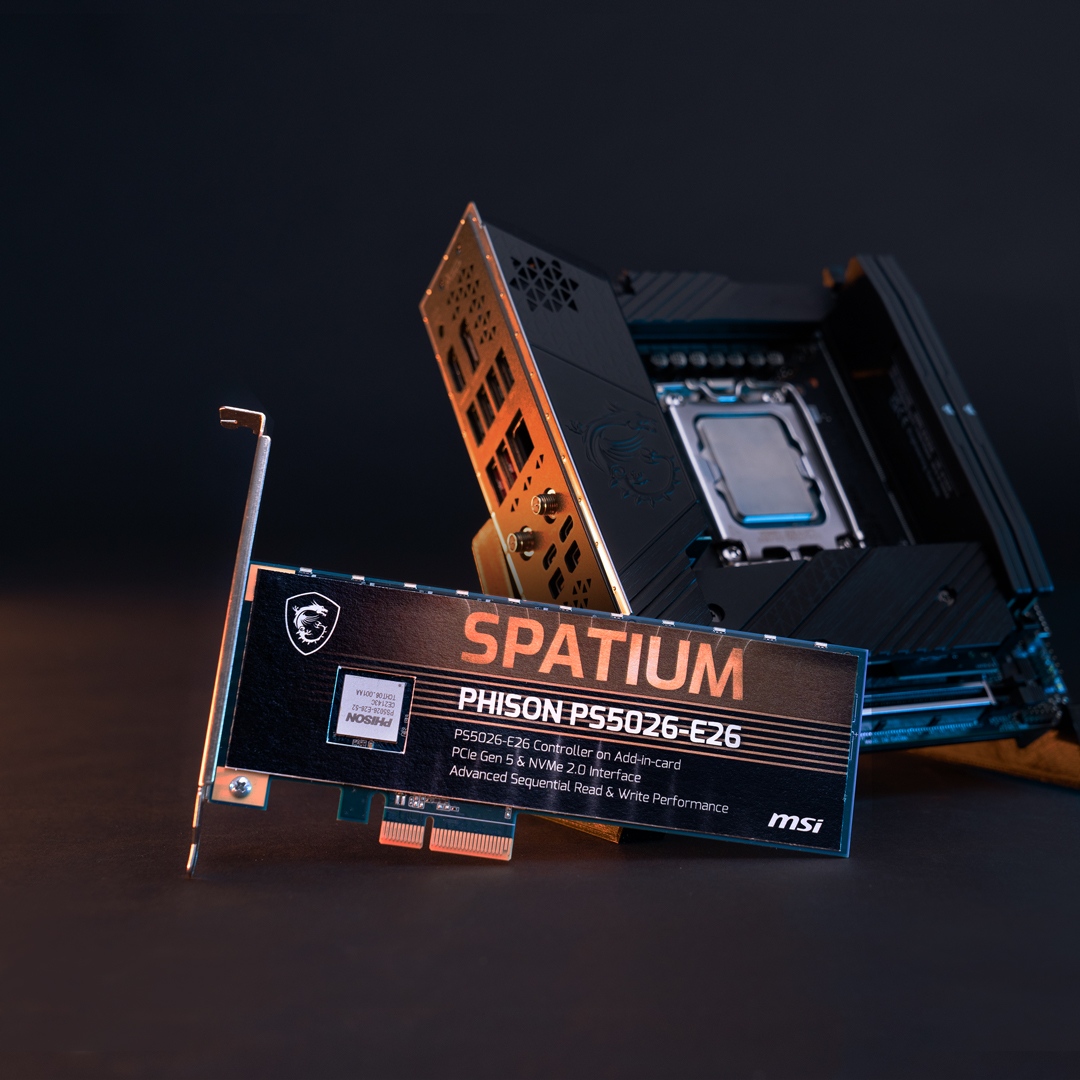
Wccftech
Phison has reiterated how PCIe Gen 5 NVMe SSDs will feature higher temperatures and require active cooling solutions.
"According to Phison, NAND typically operates up to 70-85 Degrees Celcius and with Gen 5, the SSD controller limits have been set at up to 125C but NAND temperatures can only go up to 80C after which they will go into critical shutdown."
blazing musk
Sheesh. I guess the controllers are only getting hotter. That's a lot more than previous gens.
This is probably referencing different nand packages than what I was looking at before too. The ones I saw were good over 100C.
red jay
Yeah I heard the same thing with gen 4 nvme, about the controllers running hot, and then heard the opposite for gen 5
blazing musk
Interesting
real lava
It's always the controller that gets hotter
red jay
Yes but apparently (at least with gen 5 nvme) the controller getting hotter isnt an issue because the controller can function up to 125° and the nand throttles at 80°
This is coming from phison, who is the one making the controllers
real lava
That's the thing really
As controller is allowed to run hotter, nand inevitably gets hot from excess heat and load
m.2 form factor is absolutely tiny after all
Everything is tightly packed together
red jay
That's the reason for heatsinks
real lava
Exactly
red jay
Don't tell me, tell phison
plush crag
Good writeup on usb ssd enclosure speeds https://dancharblog.wordpress.com/2022/11/29/list-of-ssd-enclosure-chipsets-2022/

[2023/07/24 added ASM2464PDX] IntroductionSSD enclosure chipset list with real-world speedsReferences Introduction There are four main vendors of chipsets used in external SSD enclosures: ASMedia, …
 ebon dome
2TB 970 Evo Plus for $80 a good buy for gen 3?
small carbon
$10 less is the Team MP34, for reference.
 sour wadi
ebon dome
2TB 970 Evo Plus for $80 a good buy for gen 3?
sour wadi
ebon dome
2TB 970 Evo Plus for $80 a good buy for gen 3?
Terrible assuming you're in the US

Intel 670p 2 TB M.2-2280 PCIe 3.0 X4 NVME Solid State Drive (SSDPEKNU020TZX1)
ebon dome
You guys are the GOATs, seriously can’t express how grateful I am for this community! Ya, it’s U.S.
red jay
i love retiring hard drives i bought from Newegg with new ones
 small carbon
Yep, and just make sure no extra standoff is underneath the ssd. Some mobos do that.
 small carbon
Idk, extra standoffs & the washers for some reason. Mobos often just maybe have an extra screw.
 tribal jackal
small carbon
Idk, extra standoffs & the washers for some reason. Mobos often just maybe have ...
tribal jackal
small carbon
Idk, extra standoffs & the washers for some reason. Mobos often just maybe have ...
Just use the screw?
small carbon
If ssd is going on a normal mobo, yep
tribal jackal
K thanks
 trail flame
I just purchased m.2 2280 PCIe storage for the first time (MSI M461 with Maiwo enclosure) and surprisingly it's not plug and play... my computer (win 10, Asus G752) isn't recognizing the drive at all :/
it does recongnize when connected (sound plays, LED turns on) but yeah, not showing up in Disk Management. Possible hardware issue or user error?
trail flame
Solved (functioning at least) different cable allowed it to be detected and the drive to be initialized. The other cable (supplied by Maiwo) still won't work to access the drive after formatting.
 granite ore


In between these two
Should i worry about gen 4 speeds? All i do is play games on my computer
granite ore
This will be my boot drive
real lava
yes, and my recommendation both offer better value and performance
granite ore


So these two
That intel 670p does look enticing for 65$
But the solidigm is gen 4? So decently fast?
real lava
Both are pretty fast for all cases of usage outside of moving very large files regularly
dense merlin
Gen 3 v 4 doesn't matter for gaming, but it depends on the price difference
real lava
^
dense merlin
If its within $5 I'd go for p41 plus
granite ore
Cheap price for reliable drive thats good to use as boot
real lava
Samsung has long lost their value proposition frankly for ssds
granite ore
670p is 65 solidigm is 80$ but solidigm doesnt come in till the 5th
dense merlin
Then 670p
real lava
670p it is
granite ore
Yep 670p comes in tomorrow
dense merlin
Mp44l might be worth it at $72, I'm not sure how that measures up
Basically gen 4 better mp33
real lava
I run mp33 as storage drive, it's very snappy
dense merlin
The 670p might be better in random write speeds though
real lava
It works as boot too but my laptop already has a gen 4 micron drive
dense merlin
Which would mean "better" for gaming
granite ore
I have a wdsn550 as my second drive wonder if i should just use it as my smaller boot drive now that i have to wipe it for windows anyway
real lava
sn550 is perfectly usable as boot
I had a desktop with sn530
550 is the non oem version basically
dense merlin
You could technichally do two of these as well, $28 each after a $10 rebate
https://pcpartpicker.com/product/XzgFf7/msi-spatium-m450-1-tb-m2-2280-pcie-40-x4-nvme-solid-state-drive-sm450n1tb

MSI SPATIUM M450 1 TB M.2-2280 PCIe 4.0 X4 NVME Solid State Drive (SM450N1TB)
granite ore
I already swiped right on the 670p. Too good of a value vs anything else i saw
dense merlin
Fair enough
granite ore
Plus i will forget about the rebate lol
granite ore
I promise i will still forget
 brisk dome
Ok so I got a new SSD and the old one is (at least temporarily) going into an external drive thing
Problem is the chip is a lil too tall

I can push it down and it fits but the edges of it will be in contact with the aluminum housing

Would that be an issue?
The other option is to install this clip differently which leaves the SSD bent backwards a bit
torpid adder
I'd want a different drive enclosure tbh
 torpid adder
Oof
small carbon
The case will act like a slight heatsink if it's touching tbh. I wouldn't worry. Wish there was some adapter that almost literally just clips to the ssd connector, lol.
small carbon
Yea definitely nothing higher than the controller or mem chips so should be good.
brisk dome
small carbon
Yea definitely nothing higher than the controller or mem chips so should be good...
Yeah that chip is the only thing high enough to touch the aluminum
 sacred fossil
so I just finished building my PC and installed windows yesterday, using my home network with an Ethernet cable. next day I move to my apartment with no Ethernet, only my mobo wifi, and turn on PC to find the SSD is empty. I did an SSD secure erase before because I was having trouble with windows and wanted a clean start, but windows worked fine after that when I installed it the final time. SSD shows up in bios, but windows doesn't, and when I plug in windows installation media, it acts as if the SSD is completely empty and can't find any Windows files to repair or anything... could I have maybe broken something during my build? just tryna figure out what happened and how to prevent it from happening in the future when I actually have files I need on this computer
formal tusk
So like, you installed to the ssd, and the files disappeared?
sacred fossil
so, I built the PC, then installed windows like 3 times bc I was having trouble with windows itself, not the hardware, then I secure erased the SSD from my bios to get rid of all the Windows files. then I installed windows again, and it worked fine. so I power off my PC for the night and move it to my new place, then boot up the next night, and it's now seemingly empty and won't boot to windows
formal tusk
Fascinating
sacred fossil
could the erase have done something to it maybe?
formal tusk
The erase is just a higher level of formatting
 bitter tree
Maybe your bios is wiping it every time it boots?
formal tusk
It's normal
Nah
Is the ssd any smaller in size?
When you go to install windows, it should show up slightly smaller
sacred fossil
couldn't be because I was able to restart and install windows updates and stuff, even with the final install that's now wiped. so I restarted it before and it was fine
I'll check size, bios says it's the same tho
formal tusk
I suspect something like the boot manager partition is deleted
And it's actually still there
I've been through this before with my old laptop
sacred fossil
what's the boot manager partition, and is there a way to recover it (?)
formal tusk
So, when windows is installed, it creates like, 3 or 4 "partitions"
Allocated parts of your ssd to draw from in order to run windows
Those are locked and can't be changed
It's basically like, the backbone of windows
sacred fossil
ohh ok, so maybe the one that is set aside for booting is gone somehow?
formal tusk
Possible ye
That's why I thought if you check with the windows installer how much space the ssd has, it will probably show up with some used space
Like
Instead of 480gb
It now says, say, 462gb
I can see this happening if you were having install troubles and just trying again and again, it's easy to find yourself making multiple versions in the one ssd
I've done it plenty of times
sacred fossil
are any of these supposed to work? they all say there's no windows files detected
 formal tusk
Startup repair
sacred fossil
just "Couldn't repair your PC"
formal tusk
Are there any important files on the ssd right this moment
sacred fossil

none so I can reinstall windows, but I'd like to figure out why it happened so it doesn't happen again
formal tusk
Alr so I could give you a long list of things to do which I believe would fix it, but between explaining and doing I feel this would take about as long as just starting from scratch
sacred fossil
hmm okay. would doing those thing potentially let me find out if there's a permanent problem with the drive? if so I'd prefer doing it even if it takes longer, in case the drive is bad or smth
formal tusk
There's a lot to unpack to make right of wrong and that's under the guess of it still being on the ssd
formal tusk
sacred fossil
hmm okay. would doing those thing potentially let me find out if there's a perma...
Which ssd is it
sacred fossil
silicon power xs70 2tb
formal tusk
Ok the odds of it being a fault are really low then
sacred fossil
was recommended from someone here
formal tusk
Ye I believe it
I would do another secure erase, try install again right then and there
sacred fossil
okay, I DID pry off the heatsink from the top of it? it was stuck and I had to heat it up a bit and use a pick to get it off so I could've damaged it maybe?
sacred fossil
okay give me like 10 minutes or so it's hard to get it out
formal tusk
All good
Just be warned, this may affect your warranty status of the drive (I'm not a newegg/sp rep but one might interpret that as user damage)
But if it's fine then I wouldn't even freak out
Easy to reattach those things
sacred fossil
oh I removed it to use my mobo heatsink instead of the one it came with
formal tusk
Yeah I can see how that happened
sacred fossil
okay hold on cuz it's kinda complicated:
so the SSD has a bottom metal casing and the top stock heatsink
sacred fossil
and I removed the stock heatsink to use my mobo one instead by heating it up and prying it off with plastic pick
sacred fossil
but not the bottom metal part that has the warranty void sticker removed, so I can argue and say I didn't remove it so warranty is fine lol, also bc it was stuck harder and didn't wanna damage it
yeah with a blow dryer
formal tusk
Right ok
Send me a pic when it's out I'll have a look
Close ups, details appreciated
sacred fossil
so this is it without heatsink and
 sacred fossil
heatsink is barely too wide so I have to pry the sides a bit to push it down when installed.
yeah I'll get better pics now
 formal tusk
Guessing this is an asrock mobo

 formal tusk
All I can really see and that looks like manufacturer qc

Ok two more questions
- Is the ssd, flat? Like, was it flat after the heatsink was removed?
- How hot did you heat up the ssd
Like, burn fingers hot? Or just really warm
sacred fossil
it was hot, not injury inducing hot but hot enough I didn't want to hold it too long. more than warm, heated for maybe 30 seconds up close, but it was cooled down in less than 2 mins
and it looks perfectly flat to me
formal tusk
Ok so it doesn't sound like it could be physically damaged unless the bga under the nand or controller was damaged
i.e prying
Which in any capacity of strength is possible really
So I'd say for now, pop it back in, secure erase, install windows one more time
If it happens again, secure erase, take it out, I'd wager a fault is possible at that point
sacred fossil
I tried it up like this, on this chip, pushing pressure down. it was warm enough to where it came off pretty easy with not too much pressure.
 sacred fossil
okay, so you don't think it's physical damage then? I'll try and boot it up, see if it lasts the day or week
formal tusk
I would say it's unlikely
Like, I can't see inside the chips or under them
But pcb really doesn't look abused
So I think ATM it's likely fine
Yea give it another go and just wait and see
We're here if you still have further issues

sacred fossil
alright, tyy
formal tusk
Np
sacred fossil
yeah hm, same space as when I first installed. it's just gone lol. hope it doesn't happen again

 clear matrix
Is the WD-Black SSD the 2TB better than my p41 plus?
sour wadi
And only if it's sn850x
sacred fossil
any recommendations for good external ssds? 500gb-1tb works. I wanna use it to either run a Linux VM and take it between my desktop and laptop, or just to share all my files between the two, or both. or if there's a better way to do that (offline) lmk too :)
torpid adder
Get a good internal SSD and put it in a USB enclosure
dense merlin
sacred fossil
any recommendations for good external ssds? 500gb-1tb works. I wanna use it to e...
M450 is an nvme ssd that's $28 after a $10 rebate, and MSI has paperless rebates
And then I'd buy an nvme enclosure
If not wanting to deal with a rebate, https://pcpartpicker.com/product/3s92FT/solidigm-p41-plus-1-tb-m2-2280-pcie-40-x4-nvme-solid-state-drive-ssdpfknu010tzx1

Solidigm P41 Plus 1 TB M.2-2280 PCIe 4.0 X4 NVME Solid State Drive (SSDPFKNU010TZX1)
sacred fossil
oh true okay thanks, does just any enclosure work or are some better than others for that too?
dense merlin
I know f all about enclosures lol, I'm sorry
I'd wait for someone else's input for that
sacred fossil
all good haha, ty for recommendation tho :)
small carbon
I do suggest ssd w/ dram for enclosure use generally, can't use hbm. --hmb*
sour wadi
small carbon
I do suggest ssd w/ dram for enclosure use generally, can't use hbm. --hmb*
Good point also it's hmb*
torpid adder
Does using hmb functionally shrink your pool of system memory
small carbon
Under 50MB probably.
torpid adder
That seems like a tiny amount considering the common dram numbers
sour wadi
It's tiny amount yeah like 50mb ish
ebon dome
I lost the M.2 screws that came with my motherboard, anyway I can install it without them or should I just order some?
small carbon
I'd order some, don't like the ssd hanging out at an angle.
ebon dome
Well there is a heatsink cover built into the motherboard that would probably hold it in place
small carbon
if so then probably don't have to worry about the screw on the ssd itself.
torpid adder
would be good to know where it is exactly
not too much of an issue if it's not lost within the computer at least
ebon dome
torpid adder
would be good to know where it is exactly
There wasn't an M.2 drive in when I build it and the screws never left the motherboard box which I have since lost
torpid adder
yeah 👍
sour wadi
ebon dome
I lost the M.2 screws that came with my motherboard, anyway I can install it wit...
You should just be able to buy an m.2 screw online
 remote crystal
duct tape works
torpid adder
just stick it down with gum
 kind salmon
super glue it
kind salmon
sacred fossil
yeah hm, same space as when I first installed. it's just gone lol. hope it doesn...
i had something like this happen to me as well, i think it was the mobo heatsink shorting the ssd and/or a bad M.2 slot on the mobo
worn trail
Honestly you don't even need to screw the SSDs down.
I went two years with my ssds dangling.
torpid adder
I mean I just saw in a RGIHD video that the random B450 board he was using in a build used a fixture mechanism that reminds me of the inflating mouthpiece you find on a beach ball/inflatable pool
sacred fossil
(sorry for the huge text wall in advance) Hey so I've got some questions about SIlicon Power, specifically their SSDs, and more specifically the one I got and was recommended here, the xs70. From the bit of research I've done, the company has mixed reviews on reddit, but in this server I haven't seen anything bad about them. For my drive, xs70, apparently they used to come with the Phison E18 controller and Micron NAND, but then they switched it up to use the Innogrit IG5236 controller, with YMTC NAND. According to some reddit threads I've found, this controller with this NAND can cause some issues with drive failures and stuff happening, with people saying that the failure rate is pretty high for Silicon Power SSDs. It's not everyone on reddit, just some people, but in this server I haven't seen anything bad about them so that's why I'm kinda wondering who I should trust regarding this issue. Also, since I already had that issue with my drive being wiped, I'm wondering if it could've been because of this, the Rainier controller and YMTC NAND combo? I checked and confirmed that's the controller mine has, and that it's not the old Phison controller. (note I don't actually know anything about controllers, NAND, other stuff, only about the issues or lack of issues caused by them that I've read on reddit, which is why I'm asking for more opinions here, so I can decide if I want to keep this drive, or just get an sn850x)
Here's some of the threads I'm referencing. Note that these are only threads with bad reviews of the company/drive, talking about the reliability or failure rates of it. Many other threads didn't note any issues, so they could be isolated incidents, but it seems like it's a higher failure rate than other drives regardless.
...changed the controller on this to the Innogrit IG5236...
https://www.reddit.com/r/buildapcsales/comments/14c1w8v/comment/jokougv/?utm_source=share&utm_medium=web2x&context=3
...more of an issue of the IG controller paired with Micron 176L NAND dying prematurely in several other brands using the exact same combo.
https://www.reddit.com/r/buildapcsales/comments/14c1w8v/comment/jomszxo/?utm_source=share&utm_medium=web2x&context=3
...their SSDs are garbage. I work in IT so we have gone through lots of SSDs and have used various brands. Silicon Power has the highest failure rate of any brand we've used...
https://www.reddit.com/r/buildapc/comments/z3lziq/comment/j2y75zz/?utm_source=share&utm_medium=web2x&context=3
... I bought an SSD recently from them and it wouldn't always be detected at boot...
https://www.reddit.com/r/buildapc/comments/z3lziq/comment/jrvmgif/?utm_source=share&utm_medium=web2x&context=3
...I installed some games on it and run battlfield 1 and it just disappeared from disk manager, files explorer and bios...
https://www.reddit.com/r/buildapc/comments/z3lziq/comment/jqvz13s/?utm_source=share&utm_medium=web2x&context=3
I have an XS70 what are the issues with it?
Seems like the controller likes to die, that's what happened to mine and I see people say "isn't that the one with the bad controller
https://www.reddit.com/r/buildapc/comments/z3lziq/comment/jxppi1r/?utm_source=share&utm_medium=web2x&context=3
...2 out of 5 failure rate according to some of these comments, within the first year...
https://www.reddit.com/r/buildapc/comments/z3lziq/comment/jx7d3oh/?utm_source=share&utm_medium=web2x&context=3
So... anyone have any input on this? Are these threads just completely isolated incidents, and the company and drive is actually pretty good? Or should I just get the WD drive instead, just in case? I'm going to have important info on my drive (it will be backed up, but still), and I don't want to deal with losing it. Seeing as how I've already had issues with the drive, that's why I'm concerned and considering switching.
TL;DR:
Some reddit threads say Silicon Power has some issues with their drives, and that they can be unreliable, but I haven't seen anything bad about them in this discord. My drive has that Innogrit IG5236 Rainier controller, which some say has some failure issues. Are these widespread issues, or can I safely trust this drive (xs70 2tb) with my data? (or is reddit just untrustworthy when it comes to this stuff??)
 minor sun
sacred fossil
So... anyone have any input on this? Are these threads just completely isolated ...
minor sun
sacred fossil
So... anyone have any input on this? Are these threads just completely isolated ...
Supposedly there's a wave of IG5236+YMTC 128l drives shipped with firmware issues, with some mentions of a possible firmware fix (?)
You might get a xs70 with e18 + B47r or ig5236 + YMTC nand, I'm not sure on probabilities, but you could just look at it when you receive it and see which hardware revision you get. If you're looking for problems, you'll definitely find some people with some problems on reddit, people post about random problems they may or may not have caused, and blame it on what other people are talking about. I just haven't heard of any problems with people with xs70s here.
as a side note, afaik the ig5236+ymtc combo is only possible on the 2tb xs70, not on 1tb or 4tb models
or at least only been spotted in 2tb xs70s so far
sacred fossil
yeah, i have the ig5236 according to hwinfo64, not sure about the nand tho. i've got the 2tb model so that's why im a little apprehensive about keeping this drive
minor sun
Can always just take off the heatsink and look at the physical chips to be sure if you'd like
the e18+b47r varient looks like this

ig5236+ymtc nand looks like this
 sacred fossil
yeah this one's mine

but should I be worried? is the supposed failure rate high enough that I should just return it and get the sn850x instead?
minor sun
Failure rates should be relatively low, but it is something to keep an eye out for
formal tusk

@sacred fossil i will note and remember this all for later, but did your windows work out after all the steps we did the other day?
I'm hoping yes but *with all this extra research I'm guessing no
 fresh bough
Frick, I tried to open chrome, it crashed the pc, and the drive I’ve got all my boot stuff and windows on is no longer being detected

Any suggestions to try?
fresh bough
Red light blinking in time with my storage indicator light on the front of my case, so it should be working?

Still not being detected though
After 10 minutes of just idling on bios settings, this stick is ridiculously hot, under my normal use it’s also been sitting near my gpu which has been heating up my case a little bit. I need to look into better airflow I think actually I’m about to buy by new case but even without anything the drive is hot for not being under any real load
Might have shorted?
Or something
sacred fossil
formal tusk
<@496913047844028438> i will note and remember this all for later, but did your ...
it's been working so far, but not heavy use yet cuz I've been worried, maybe 10 hours of uptime
I installed a 45gb game yesterday and it ran fine, haven't booted it today yet but it seems fine so far. I'm only worried it just gets randomly wiped again for no reason
sacred fossil
yeah, lots of backups this time
formal tusk
you can check ssd health by installing crystaldiskinfo
it might tell you something
if it comes up 95%+ and good then it should be fine
sacred fossil
21 or so unsafe shutdowns according to hwinfo, , I'll install crystaldiskinfo when I get home tonight and check.
although "unsafe" apparently can just mean forced shutdown? idk, maybe one of those happened at the wrong time and wiped it.
formal tusk
unsafe shutdowns never really been my focus tbh
sacred fossil
ok yeah just figured I might mention it
formal tusk
I've had failing ssd's before but crystaldiskinfo will report those things
it reads from
S.M.A.R.T (yes this is the real name)
which is just a log of events reported by the ssd
things like terabytes written, bad sectors
write corruption?
sacred fossil
oh okay good, yeah I'll check it out tonight then, thanks
formal tusk
power on hours
yeah it's very useful
it might give you some insight as to whether it was the ssd on the fritz or just a stream of bad luck windows installs
both very possible
sacred fossil
haha I'm hoping the latter
 dense merlin
not a good deal
if thats usd

Silicon Power UD90 4 TB M.2-2280 PCIe 4.0 X4 NVME Solid State Drive (SP04KGBP44UD9005)
or xs70 for $200
 reef flume
it is usd
minor sun
sacred fossil
I installed a 45gb game yesterday and it ran fine, haven't booted it today yet b...
From what I've read, the ig5236+ymtc issue is that the firmware has a problem where it just tries to hammer itself with reads over and over again, so if it had the problem, it would just be really accelerated wear causing damage, which you should be able to see ahead of it failing on you with signs of blocks dying and errors on cdi or anything that reads SMART data
sacred fossil
oh that's really good to know, thank you! I'll keep an eye out
sour wadi
reef flume
ive seen the p3 plus 4tb go for less new lol
 zinc path
https://pcpartpicker.com/products/compare/t7BTwP,XD848d,q9GhP6
Should I consider going with ironwolf instead since all ill be using it for is data backup anyways?
Seagate IronWolf Pro 14 TB 3.5" 7200 RPM Internal Hard Drive vs. Seagate EXOS Enterprise 14 TB 3.5" 7200 RPM Internal Hard Drive vs. Seagate IronWolf Pro NAS 16 TB 3.5" 7200 RPM Internal Hard Drive
zinc path
This first one vs This second one, which should I go with?

Samsung 980 Pro 1 TB M.2-2280 PCIe 4.0 X4 NVME Solid State Drive (MZ-V8P1T0B/AM)

Solidigm P44 Pro 1 TB M.2-2280 PCIe 4.0 X4 NVME Solid State Drive (SSDPFKKW010X7X1)
https://pcpartpicker.com/products/internal-hard-drive/#A=3800000000000,4500000000000&c1=di_m2.pcie_40_x4,di_m2.pcie_50_x4&X=0,22500&sort=-price&page=1
Which of these should I go with?
Choose Storage
3 seperate questions for 3 seperate drives
dense merlin
Xs70 or ud90 for 4tb
P44 pro is better than the 980 pro and sn850x
Only non gen 5 ssd that beats it I think is 990 pro, and that's by a small margin
Though 980 pro being $10 cheaper
zinc path
dense merlin
P44 pro is better than the 980 pro and sn850x
Oh damn I have no idea what these stats mean then https://pcpartpicker.com/products/compare/DDWBD3,FsqPxr,vrTp99/
guess ill prob go P44
Samsung 980 Pro 1 TB M.2-2280 PCIe 4.0 X4 NVME Solid State Drive vs. Samsung 990 Pro 1 TB M.2-2280 PCIe 4.0 X4 NVME Solid State Drive vs. Solidigm P44 Pro 1 TB M.2-2280 PCIe 4.0 X4 NVME Solid State Drive
dense merlin
990 pro is def not worth it
zinc path
zinc path
https://pcpartpicker.com/products/compare/t7BTwP,XD848d,q9GhP6
Should I consider...
Anyone have thoughts on this though?
sour wadi
There's generally not a big difference in hard drives apart from the cache and rpms so I'd just go with the enterprise
Should be better for reliability too
zinc path
Gotcha thanks
Damn good thing I remembered I was in this discord or else I wouldve ended up using buildapc exclusively for help and gotten a Corsair MP600 CORE XT 4 TB instead of the Silicon Power XS70 4 TB
dense merlin
Xs70 is def the better ssd
Mp600 core xt is decent, just not as good as the xs70
Rn for 4tb ud90 and xs70 are the two logical choices
zinc path
yeah am going with xs70
 quiet gust
cloned the first hdd, need to clone the other one on the 2nd partition of the destination disk, but how?
 torpid adder
I'm guessing by selecting the second partition
quiet gust
nope
blazing musk
quiet gust
cloned the first hdd, need to clone the other one on the 2nd partition of the de...
You can use easus partition master for that, there's a free version that lets you copy partitions. Or boot Linux and use GParted.
Macrium is nice for cloning but limited in general
quiet gust
nvm it's mainly steam games so i probably wont need to clone them
i can just reinstall them later
blazing musk
Oh that's easy, create a partition and copy/paste the data
Then tell steam about the new library location
quiet gust
oooh ok. I wasnt sure if that was possible because i know certain apps dont allow you to copy files from a place to another
blazing musk
Steam is an exception. If it needs to reinstall something, it'll do it automatically when you go to launch it.
quiet gust
ok, thanks. how can i tell steam the location of the lib after i'll reinstallint on the new windows?
blazing musk
People use that feature to create a portable library all the time so they can carry their games around without their pc
It's in settings
quiet gust
good, thanks a lot
blazing musk
The setting moves around a bit but right now it's easy to find under storage, just hit the "+" to add a new location
quiet gust
do you know if these games/programs can be just copied and then work fine after? -AutoCAD (2024) -CoD WarZone -Enlisted
blazing musk
Yeah, it'll handle that automatically
quiet gust
oh wait i said something stupid... its not steam its epic games stuff
will that work too?
quiet gust
ok, good. i could reinstall those too if it was necessary
 proven thistle
Is that SSD recommended? https://www.mindfactory.de/product_info.php/1TB-Crucial-MX500-2-5Zoll--6-4cm--SATA-6Gb-s-3D-NAND-TLC--CT1000MX500SS_1219929.html

SATA 2.5 Zoll SSDs von Crucial | 1TB Crucial MX500 2.5" (6.4cm) SATA 6Gb/s 3D-NAND TLC (CT1000MX500SSD1) :: Lagernd :: über 47.420 verkauft :: 26 Jahre Kompetenz | Hier bestellen
small carbon
Can run m.2 in a pcie slot adapter, but generally not boot to it (easily)
proven thistle
torpid adder
if the cpu is a 2700k ig not
The PC i planned the SSD's for is a PC with a Intel Pentium CPU
As a NAS for Windows Backups
small carbon
Yes it's 1 of the best ssds. Most similar is 870 evo which is often overpriced. I have 3 of them btw. 2x250 & a 1TB.
torpid adder
it's at a decent price too, 48 bucks
proven thistle
If I use 4 in the recommended raid setup, would it be bottleneckedd by the cpu?
torpid adder
I have 3x 250 and 1x 500 WD Blues
small carbon
My 3550 for example was just a bottleneck for installing a steam game, but didn't effect various CDM tests. If getting 4, also check price of 2x2TB.
proven thistle
Ok 🤔
Well I need of I use 4 drives that: https://amzn.eu/d/4woJFAS

Cable Matters 3er-Pack 4-Pin Molex zu Sata StromKabel (Molex SATA Adapter Kabel, Sata zu Molex) - 15 cm
small carbon
Ugh, don't use molex to sata adapters.
proven thistle
But if i take just 2x2TB Drives i don't need one.
proven thistle
small carbon
Ugh, don't use molex to sata adapters.
May i ask why?
small carbon
Molex is finicky. There's an old comment: "molex to sata, lose your data"
proven thistle
oh, if it is a Good one, it shouldn't actually haappen ig 🤔
And if i take the 2x2TB i need about 197€ Round up
small carbon
Hmm 2x2 is similar price to 4x1 it seems. Yea, Dependent on those 4 big pins being well connected & never getting bumped or such is all.
proven thistle
small carbon
Hmm 2x2 is similar price to 4x1 it seems. Yea, Dependent on those 4 big pins bei...
The PC is supposed to just stand there and some times Turn on for making a Backup
Because if i use my External Drive, it takes Half a day to Backup
like, Seriously
acoustic nest
proven thistle
May i ask why?
Fire hazard
A lot of these adapters are cheaply made
proven thistle
What SSD uses that much power to be a concern?
proven thistle
acoustic nest
Fire hazard
Like seriously, a SSD doesn't take that much power.
blazing musk
It's not the amount of power, it's the ground being short to power
Those things melt all the time
A lot of amateur GPU miners made that mistake and burned down their rigs
proven thistle
blazing musk
A lot of amateur GPU miners made that mistake and burned down their rigs
Because maybe that it is being used for something it wasn't designed for?
blazing musk
Power is power, the issue is the cheap plastics and metals
proven thistle
Molex was for Storage, not for GPU's...
blazing musk
Molex was not originally for storage
proven thistle
Okay, it was for Optical drives, right? (because there it is too)
blazing musk
It was made in the 50s, optical was still a dream then
It was originally used in home appliances
proven thistle
Anyways, it doesn't change that Cheap ones aren't up to snuff for safety and that it is not For GPU's.
small carbon
Fal did say that. Actual point was that molex isn't great for much besides fans, although that sort of wastes 2 wires.
dense merlin
What are you using the ssd for?
formal tusk
How full is the 670p
 keen wave
OS and running VMs copying files
dense merlin
Is it almost full?
keen wave
formal tusk
How full is the 670p
Empty
keen wave
Can't it's a laptop ryzen 5th Gen
dense merlin
Hm
In a laptop you'd want a p31
And that's same level as 970 Evo plus
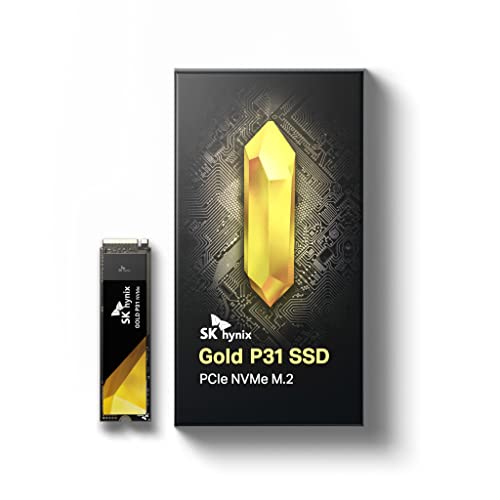
SK Hynix Gold P31 1 TB M.2-2280 PCIe 3.0 X4 NVME Solid State Drive (SHGP31-1000GM-2)
It's expensive for a 1tb ssd with current pricing
It's also the lowest wattage ssd anywhere near its tier, so it's great for laptops
keen wave
970 Evo plus was 30% off
dense merlin
How much is it?
keen wave
60cad 1tb
keen wave
But will it make a big difference
dense merlin
I'm not really sure, it will definitely sustain higher speeds in what you're doing but I dont know if gen 3 is just simply not enough for what you're doing
I doubt it but it's possible? Maybe?
Felix could prolly weight in on that better than I could
keen wave
I mean it's copying files at barely 100mbs
dense merlin
That sounds like it could be thermal throttling?
Try downloading crystaldiskinfo and view drive health on that
Just download and launch it and it's on the first screen that pops up
keen wave
Laptop is brand new so
dense merlin
Then I think hwinfo64 can view ssd temps?
dense merlin
keen wave
Laptop is brand new so
I'd still check just in case
 proven thistle
small carbon
Fal did say that. Actual point was that molex isn't great for much besides fans,...
proven thistle
small carbon
Fal did say that. Actual point was that molex isn't great for much besides fans,...
That is true to be honest. 😐
Should we go against the old Drive connector? (That one that was before SATA Power)
reef flume
I’m about to buy 3x 32gb micro sd cards
torpid adder
Me neither
small carbon
Also $50+ more than sm850x. Sammy late to the 4TB gang & as usual priced their stuff like it's coated in Silver.
proven thistle
reef flume
I’m about to buy 3x 32gb micro sd cards
ok, don't wonder when they get full too fast.
Is Sata 2 Enough for making Backups?
dense merlin
Sure but depends on price
proven thistle
dense merlin
Sure but depends on price
Ok, i would do the Apropiate RAID config.
blazing musk
SATA 2 is still faster than your network connection most likely, even without raid.
 nocturne valve
Hi!
My main SSD ( WD_Black SN850X 2TB) is less than 50% free... What a good complimentary SSD? i already have an HDD for static file and video, but games thoses days always recommand an SSD... and their size is inflating!!!!
thanks
kind salmon
Solidigm p41 plus is good
dense merlin
nocturne valve
Hi!
My main SSD ( WD_Black SN850X 2TB) is less than 50% free... What a good comp...
Depends on your country and budget
You can get a 4tb ssd for $160 now, and 2tb for $65
nocturne valve
Canada
dense merlin
dense merlin
You can get a 4tb ssd for $160 now, and 2tb for $65
Ah, this was usd but they're still pretty cheap compared to what they used to be
nocturne valve
i don't need a Formula one 🏎️ SSD neither a snail 🐌 😂 Something in between
nocturne valve
well... I fill 1 to in 6 months...
formal tusk
What motherboard do you have and how many storage devices
dense merlin
Sorry felix I gotta run, apt for college
formal tusk
Alr
nocturne valve
I got one M2 SSD and one 4 TO HDD
nocturne valve
Gigabyte Z790 UD AC
formal tusk
Oh ok
How much storage do you think you want in this second ssd?
I'd keep the hard drive, it is useful always
nocturne valve
one is not enough. 2 Iguesss, 4 if not expensive!
formal tusk
Ok lets have a look
One or two of these @nocturne valve
https://ca.pcpartpicker.com/product/C3xbt6/team-mp33-2-tb-m2-2280-nvme-solid-state-drive-tm8fp6002t0c101

TEAMGROUP MP33 2 TB M.2-2280 PCIe 3.0 X4 NVME Solid State Drive (TM8FP6002T0C101)
It's the best cheapest way to do it
Good drive, not a formula one
dense merlin
Seconded, cheapest decent 4tb is mp34 for $230 (I was wrong I didn't have to go yet)
nocturne valve
did I need an heatsink???
nocturne valve
ok thanks!
formal tusk
If you find you need it tho

EKWB - Premium Liquid Cooling solutions
EK-M.2 NVMe Heatsink is a passive heatsink for M.2 NVMe Next Generation Form Factor SSDs. The heatsink is ribbed, so it`s not just a flat aesthetical cover, it also acts as a very effective passive cooler.
(not from this website, try amazon or something. Will be cheap)
Good luck
dense merlin
Ye heatsinks are only needed on speedy drives like p41, sn850x, etc and even then it's unlikely to be throttling
I cant think of a single gen 3 ssd that would benefit from a heatsink
dense merlin
Really? Thought just the sticker worked as a heat spreader fine enough
formal tusk
If it's the evo plus that uses the 980 pro controller I would wager yes
You know what I'm probably wrong
Nvm
I assumed and failed
💀
dense merlin
formal tusk
I assumed and failed
Wowwww techie giving out false info, smh
formal tusk
Hey, I'd put a sink on a 980 pro, so I'd put a sink on a 970 evo plus with 980 pro parts 
dense merlin
Tbf I don't really know much about ssds beyond what's needed to suggest for use cases, so I'd trust your word over mine 9 times outta 10 on stuff like that
dense merlin
formal tusk
Hey, I'd put a sink on a 980 pro, so I'd put a sink on a 970 evo plus with 980 p...
Dude how did you fit a sink in your pc
Does it work?
formal tusk
Yeah
dense merlin
W
formal tusk
Yours doesn't?
formal tusk
dense merlin
Tbf I don't really know much about ssds beyond what's needed to suggest for use ...
I still have a long way to go
dense merlin
No but I did put a sprinker system in it
 dense merlin
Yeah its voice activated so if I scream at a game it forcibly shuts my pc down
formal tusk
Fire alarm
formal tusk
acoustic nest
I'm mostly worried about a really good gen 4 ssd overheating in my laptop
Tom's hardware posts thermal tests of ssds
Worth checking that as well if you need it
Or if you have the space, the ek nvme heatsink is dirt cheap and can fit in some laptops
I have one in my tuf
Snug fit
formal tusk
Food for thought anyway 
acoustic nest
yeh that's going in the word doc
slowly building up my summer holiday shopping list
formal tusk
Poggies
small carbon
laptop ssd = Plat p41 perhaps. 
acoustic nest
hmm
that's probably gonna be the boot drive replacement
thinking of a gen 4 primary and a gen 3 secondary
acoustic nest
I'll probably use dd
hopefully it'll scale it correctly
if not i'll have to use macrium
but yeah I'll probably have to get an enclosure
and if I'm cloning the boot drive I'll have to boot off a linux live install
proven thistle
Update: i have a Adapter for Molex to Sata
small carbon
"molex to sata, lose your data"
sour wadi
small carbon
"molex to sata, lose your data"
Molex is rated for more power than satat my dude
small carbon
not the point muh ddude, lol
sour wadi
What is your point lol
small carbon
Not power capacity.
blazing musk
sour wadi
What is your point lol
Most of them are pretty poor quality and have a tendency to melt due to poor connection, much like the 12VHPWR connector
torpid adder
Why even have an adapter anyway
PSUs have more sata power than your motherboard has SATA ports
acoustic nest
Am I having deja vu or did we have this exact debate before
formal tusk
DEJA VU
WE JUST HAD THIS DEBATE BEFORE
HIGHER ON THE STREETS
AND I KNOW IT'S MY TIME TO GOOOOO
real lava
accurate
sour wadi
blazing musk
Most of them are pretty poor quality and have a tendency to melt due to poor con...
Thought that was sata to molex?
My b
small carbon
minus techie pts, haha. Will be good when we wouldn't need that sata to molex adapter.
formal tusk
Combine them with the legendary sata to pcie
And you will achieve the highest quality bonfires technology has to offer
🔥
 cold leaf
Yo I just had an ssd stop working randomly (this one https://a.co/d/f511iUk) and I want to see if I can get it working again. I was just using it normally and then my PC stopped detecting an ssd, I felt it and it was hot. Wondering if this is normal or if I can get it working again.
brisk dome
Not normal
I mean they'll get warm during use but shouldn't shut off
Let it cool down, maybe take it out/put it back in again, see if it shows up
 old rock
Is there a software that works like Samsung magician but works with non-Samsung stuff and is free? If not I’m likely just going to upgrade from Samsung to Samsung (currently used a 1 TB sata and just need more space with two open m2 slots)
blazing musk
old rock
Is there a software that works like Samsung magician but works with non-Samsung ...
That depends on what features you're looking for. Most of what it does is SMART monitoring, which crystal disk info does nicely.
old rock
Mostly just the cloning part, but I decided to just grab a samsung drive since they're on a good sale rn
Is there one I should have in my back pocket?
blazing musk
Macrium reflect does cloning pretty well
worn trail
Does the Adobe Suite, or more specifically Premier and AE benefit from 5.0 nvmes?
blazing musk
That depends on how large your projects are, and even the large ones it would mostly affect load times and not latency
formal tusk
If you do works in the scale of 16K, 8K projects, sure
Otherwise there's nearly zero benefit whatsoever
worn trail
My projects range from 10-30gb on average with the biggest being around 80-100.
formal tusk
or rather, benefit in the magnitude of price spent
formal tusk
worn trail
My projects range from 10-30gb on average with the biggest being around 80-100.
16K or 8K resoultion my guy
worn trail
No, not doing 8k or beyond.
worn trail
Currently working with FHD and looking into doing 4K in the near future.
blazing musk
100gb is nothing tbh, that loads in seconds on a half decent 4.0 drive
worn trail
Gotcha. Wanted to ask because I need to get more storage and was debating going 4.0 or 5.0.
blazing musk
Yeah they've been really prone to overheating even with heatsinks or motherboard plates
worn trail
What 4tb drives do you guys recommend? I was thinking of going with the SN850X 4TB.
worn trail
Gotcha.
blazing musk
$200 rn and S tier https://pcpartpicker.com/product/gLXJ7P/silicon-power-xs70-4-tb-m2-2280-pcie-40-x4-nvme-solid-state-drive-sp04kgbp44xs7005

Silicon Power XS70 4 TB M.2-2280 PCIe 4.0 X4 NVME Solid State Drive (SP04KGBP44XS7005)
 blazing musk
s70 is also S tier
 worn trail
Oh just wanted to make sure.
Thanks for helping out.
Think I am gonna pick up two of those in the near future.
 harsh sage
For some reason my truenas install always gets stuck at starting zfs. Haven't been able to figure it out.
It installs to my nvme drive just fine but gets stuck there when booting. All my drives are good. cant find any relevant info on the internet

 sinful salmon
Does anyone know what the difference is between the CT2000P5PSSD8T and the CT2000P5PSSD8?
Both are 2tb Crucial P5 Plus SSDs, the only difference is in the model number and I can't find out what it actually is
real lava
probably revisions
sinful salmon
I see
blazing musk
harsh sage
For some reason my truenas install always gets stuck at starting zfs. Haven't be...
Looks like a kernel bug causes that, revert to older version like 12U7
red jay
looking for help getting a new drive my my mac mini late 2014
blazing musk
red jay
looking for help getting a new drive my my mac mini late 2014
From what I can tell that uses a standard SATA 2.5" drive. I'd recommend this https://pcpartpicker.com/product/h3tQzy/crucial-mx500-1tb-25-solid-state-drive-ct1000mx500ssd1

Crucial MX500 1 TB 2.5" Solid State Drive (CT1000MX500SSD1)
blazing musk
I know vulcan z has worse randoms, regular vulcan is good.
Not sure about A55 so I didn't recommend it.
They would technically work ofc, and would be noticeably better than the HDD it came with.
dense merlin
From what felix has said a55 is very nice
blazing musk
If that's the case then yeah, it would be a few bucks cheaper https://pcpartpicker.com/product/nXF48d/silicon-power-a55-1-tb-25-solid-state-drive-sp001tbss3a55s25

Silicon Power A55 1 TB 2.5" Solid State Drive (SP001TBSS3A55S25)
formal tusk
sm2258xt/ micron tlc
64 layer
ok sorry a60 is slightly better
vs
2263xt/96L TLC
blazing musk
Still, SM2258 is good for SATA
dense merlin
Yeah seems like the best option for sata rn
blazing musk
Detechie'd for misinformation smh
formal tusk
it's in the Crucial BX500
so yeah basically dramless MX500
yeah same specs on BX500
it's fine
blazing musk
Ooh dramless on a mac though
formal tusk
about all it deserves if you ask me
💀
jk
ooo interesting
team mp33 pro is SP A60
same specs
so A60 is slightly better than vanilla MP33
 unique loom
Having an issue with one of my flashdrives and was hopin for some help. I previously used it to install linux, didn't really like it, so uninstalled it and deleted it. But seems like now windows doesn't recognize it as a flash drive, and kinda as an actual drive? But it still doesn't show up in file explorer or anything.
This is what it shows up as in disk and volumes

And this is it in disk management
 blazing musk
unique loom
Having an issue with one of my flashdrives and was hopin for some help. I previo...
blazing musk
unique loom
Having an issue with one of my flashdrives and was hopin for some help. I previo...
It's just a file system that windows doesn't recognize
You can format it from disk management
formal tusk
Yeah or secure erase with bios, OR (with instructions and care) diskpart
blazing musk
Diskpart clean has saved a few of my drives yeah
unique loom
blazing musk
You can format it from disk management
What file system would I do?
I already deleted all the linux files off of it, I just did like the default NTFS default allocation unit size etc etc
Shows these when I format it BTW


It's like, a crappy 16gb flash drive so if it's easier I'll just buy a better one
blazing musk
unique loom
It's like, a crappy 16gb flash drive so if it's easier I'll just buy a better on...
FAT32 is often best for smaller drives like this. Did you try deleting the partition and recreating it with the new simple volume option?
unique loom
Yeah, I delete it so it's all unallocated and make a simple partition. still being weird and saying it cant
but then it says the space is allocated just not visible
Mightve messed up the drive somehow, keeps saying windows cant recognize it and it might be corrupted
blazing musk
unique loom
Mightve messed up the drive somehow, keeps saying windows cant recognize it and ...
Ok sounds like diskpart time.
Open an admin command prompt, and enter diskpart
list disk
select disk X (where X is the number for the disk, you can tell by it's size)
clean
Then you can close it and go back to disk management, where it will ask to initialize the disk
unique loom
blazing musk
Ok sounds like diskpart time.
Open an admin command prompt, and enter `diskpart...
Sweet! That fixed it 💪
blazing musk
Diskpart ftw
unique loom
You're my computer help 🐐
 blazing musk
That's an easy fix if you have the install disk ready
 rare lintel
just wondering does the m.2 samsung 970 plus have any noticable real world differences with the 980 pro when just playing games on in? sorry this is my first time buying an M.2 since I moslty use sata drives and HDD's and both my drives are getting full
formal tusk
rare lintel
just wondering does the m.2 samsung 970 plus have any noticable real world diffe...
what's the drive being used for lad
rare lintel
just storing games, since I used to store my games on an HDD
formal tusk
is this your first m.2?
rare lintel
yeah
formal tusk
what pc is this going into?
rare lintel
I have 1 ssd for a boot drive and used my other 2 HDD for storage of files and games
formal tusk
oh what motherboard is this going into
rare lintel
an msi b450 gaming carbon ac
formal tusk
so pcie 3.0
ok
one sec I'll find you a good value one
@rare lintel how big do you want the ssd to be and how big is your budget
rare lintel
just 1TB storage is fine
formal tusk
ok that makes things easy
p41 plus is like, kinda 980 territory but better and much cheaper
and a pcie 3.0 motherboard is fine with this
the performance difference is almost negligible
rare lintel
ok thanks for the recommendation and might order one in a few days
formal tusk
no worries
rare lintel
btw why do I see some brand m.2 have heatsinks, is it recommended?
formal tusk
formal tusk
the performance difference is almost negligible
to clarify, peak speeds will be limited to 3500 instead of 4125, but at the same time, that sort of speed only runs for like 10 seconds anyway on an ssd so, beyond 10 seconds it's basically the same
formal tusk
rare lintel
btw why do I see some brand m.2 have heatsinks, is it recommended?
a lot of the fast stuff these days need heatsinks, it varies per ssd but, without sounding too confusing, ssd's that use over about 4 watts of power in use I would say deserve a heatsink in some form
it gets a bit more specific than that but really it's like, lots of watts = lots of heat so they want a heatsink to stay at good running temps without slowing down
rare lintel
ok thanks for the info
formal tusk
np
oh
one more thing @rare lintel
I would suggest migrating your windows to this new ssd
will make things a fair bit snappier
but if your windows is already on an ssd it won't be too much of a difference
rare lintel
ok, I'll note that
 turbid torrent
I need a good 2TB SSD for a steam backlog as my 8TB HDD is full, going to move my more played games to the SSD. Any recommendations? Anything over 2GB/s reads
dense merlin
turbid torrent
I need a good 2TB SSD for a steam backlog as my 8TB HDD is full, going to move m...
M371 on tiktok shop
Or adata premium
turbid torrent
I've never used tiktok before, didn't even know they had a shop
blazing musk
turbid torrent
I need a good 2TB SSD for a steam backlog as my 8TB HDD is full, going to move m...
dense merlin
And prices on some things are already lower than other sites
Like adata premium is $55 after the coupon
I got a p41 plus 2tb for $34 after tax
turbid torrent
blazing musk
https://pcpartpicker.com/product/RqTp99/solidigm-p41-plus-2-tb-m2-2280-pcie-40-x...
That's absurd performance for that price wtaf
Does it have dram cache?
blazing musk
No cache but it's still a good drive
sour wadi
✨HMB✨
 sacred rock
Hello all... I have a dell latitude 7420 i got from work but it has no hard drive on it. can anyone suggest one that I should get?
minor sun
sacred rock
Hello all... I have a dell latitude 7420 i got from work but it has no hard driv...
What's your budget? I'd recommend grabbing a SSD for boot if it has no drives at all inside
 viral yew
Looking for a SSD for boot drive, 1tb under $100. Going in a b650e-i mobo. Was looking at the solidigm p44 but wondering what else is out there that might be noticeably better
real lava
viral yew
Looking for a SSD for boot drive, 1tb under $100. Going in a b650e-i mobo. Was l...
p41 plus is plenty
don't need anything fancy
the only case i'd buy one of the fastest drives around is video editing, 3d work, all that workstation stuff
on newegg tiktok shop, you can get nice deals on the p41 plus atm
even outside deals, you can get 2tb version for just 65
viral yew
Thanks, been trying to get that new user discount but never shows up for me after making two accounts but I'll probably pull the trigger anyway, too good to pass up as is
real lava
that's a shame, seems it's not applicable to everyone lol
but still, 65 for 2tb is nice
 olive glade
Once you hit a certain speed you don't fully notice it
It's not like your going from hdd to ssd although I do recommend at lest 1tb for os.
Too much junk that goes there
quiet gust
Server's hba is cooler than ever before

3d print didn't come out so good but good enough to support the card without breaking
quiet gust
Removed the previous 80mm fan, smaller 40mm one is in since it's much quieter

It's a big mess of cables, soldered stuff, sata splitters, voltage regulators... but at least it's compact
 regal rain
Hello I have a Compaq Presario C300 and I need to find/order a hard drive for it. What do you all reccommend?
dense merlin
regal rain
Hello I have a Compaq Presario C300 and I need to find/order a hard drive for it...
Do you have an ssd in it already?
regal rain
No it is an older one.
regal rain
Anything more than what is has now like 500 GB to 1 TB if possible\
Should I go to Newegg?
dense merlin
I got you, one min
$71 for the 2tb model
@regal rain
First link, 1tb for $40, same model 2tb is $71
Then 480 for $22
regal rain
Why thank you very much. I didn't know if it was supposed to have programs on it already or what it is supposed to start out with.
dense merlin
regal rain
Why thank you very much. I didn't know if it was supposed to have programs on it...
Nope, but you will have to install windows on it
You can download windows to a USB drive from your laptop before replacing the drive with windows media creation tool
dense merlin
Yeah thats fine, though if it's running on windows xp I'd look into potentially replacing it soon, if possible
You can get stuff as cheap as $50-100 on fbm
With fairly new cpus, I got one for $80 with an 8th gen i3
regal rain
The original problem was that it would not boot up and it it said that it did not have a hard drive.
There are har drives with Windows 10 and such but I'm afraid that the RAM couldn't handle it.
I put Windows 7 on a computer once that was running XP and now it's so doggone slow.
dense merlin
How much ram does it have?
torpid adder
10 and 7 are different
dense merlin
And what's the cpu?
regal rain
I Ram is 512 MB
I don't know the CPU. I didn't take the machine apart that far. Unless it is under one of the panels on the bottom.
dense merlin
Ah yeah
That's not running windows 10
I would not spend the money to put a 1tb ssd in that unless you plan to carry it over to another machine in the future
regal rain
I'm just going to get a standard 5400 rpm drive in there. It is a computer that I got for nothing and it's worth the money to get a hard drive and then see if it works.
dense merlin
500gb ssd and hdds are the same price so it's actually kinda pointless to go for an hdd
regal rain
Alright, then I'll try that. Thank you for your help. I must go attend something now. Good bye for now.
 lapis island
If anyone can help i bought a ssd for my pc and it wont show up in disk management
small carbon
reseating would be my next thought.
dense merlin
There's something you have to do to it but I don't remember what it is for it to show up
Pretty sure it's in bios but I'm not sure
blazing musk
lapis island
If anyone can help i bought a ssd for my pc and it wont show up in disk manageme...
Is it SATA or NVMe?
lapis island
Nvme
blazing musk
What motherboard do you have and what other devices do you have attached to PCIe, like GPU and wifi
lapis island
I have a aorus b550 elite ax v2 hdd,500gb m.2 and a rtx3060,
lapis island
Top
blazing musk
Hmm. So technically that configuration would be perfectly valid.
Try the bottom slot. I know it's under the GPU, sorry.
lapis island
I tried it and it worked
blazing musk
Great! That bottom slot will be functionally the same, except it'll run at PCIe 3.0 and not 4.0 if your M.2 drive supports it.
If you do have a 4.0 drive we can try to figure out why it didn't like the top slot, or we can leave it as is since 4.0 doesn't help gamers anyway.
turbid torrent
How much does OP help with a dramless drive?
I've never had one without a dram cache before
 open gazelle
OP just helps with WAF (write amplification factor), basically rewriting more data to the drive to completely fill the data blocks. DRAM cache doesn't have direct ties to WAF afaik (wouldn't be surprised if it does affect it tho). WAF slows down write and writes more data to the drive (1gb file written to the drive with 2x WAF will be a 2gb file write to the drive).
Controllers use to suck in the old days when it came to managing WAF, which is why OP use to be highly recommended. Now-a-days it isn't as bad.
HMB helps a lot with dramless drives, but that is PCIe only. No SATA drives can do HMB.
turbid torrent
I was told that without a cache the drive tends to move a lot more data around so I figured over provisioning would help
Looking at it, it seems to only be the case with ones that don't use a host memory buffer
Also is it possible to change the amount of HMB a drive uses? I swimming in ram
torpid adder
Pretty sure it just uses 64mb
small carbon
Yep, usually about that. Majority of ssds indeed either have hmb or dram.
blazing musk
turbid torrent
Also is it possible to change the amount of HMB a drive uses? I swimming in ram
More cache does not equal more speed, it's basically just a directory of where files are located
quiet gust
How much can I sell each for? They're not exactly the same but I also can't find what differs in these two models (they're sas ssds)

I see that online they sell for 70 up to 100 but I feel like it's an exaggerated price and they likely don't sell many for that price
dense merlin
Depends on market for your country, in the US you'd be lucky to get $20 for them unless I'm missing something
quiet gust
Idk, I've been looking at EU listings mainly, 70-100 that's the range but I guess I'd not sell much for that high of a price
quiet gust
I'm not too sure, I know sas drives are meant to be accessed by multiple "users" at the same time if I remember correctly, this one even if it's 9 years old is able to achieve 1.2GB/s sequential rw speeds but idk if that makes it more special
small carbon
The 1GB+/s spec is common for some sas drives, basically sata-4 speed in a way. Sas pros don't do much in a normal pc & obviously they don't use a typical sata cable. Worth more than a sata ssd, but tbh probably not over $50 each considering other options nowadays. At the mercy of the market

 bitter timber
Hello people, so i'm trying to add these 2 unallocated spaces together, but for some reason that isn't working at all, and I keep getting an error saying the drive is too small, or It makes it a dynamic drive and then proceeds to not work, if anyone could help me that would be amazing. I'm currently trying to make this my main drive as well so if anyone has good free programs that can help me with that, that would be cool too

I managed to fix the first issue, but I don't know how to do a system clone, because apparently it aint free
quiet gust
What is it?
bitter timber
everytime I clone it puts unallocated space
and i can't extend the volume for some reason
changes it to dynamic and then says its out of space

even though I want to move the unallocated to the backup
quiet gust
There should be an option in Macrium that allow to fill the space if the destination drive is bigger, doesn't that work? Don't remember exactly what it's called
bitter timber
i really hope there is an option somewhere
because everytime i do it on a different program its like oh sorry you gotta pay for our pro thing
quiet gust

This option is included with the free version, I've used it several times for hdd to ssd transfers
bitter timber
okay so now I need to figure out how to put all of this back to unallocated

because i can't delete those other partitions in windows
it wont let me
quiet gust
bitter timber
okay so now I need to figure out how to put all of this back to unallocated
Right click on the allocated space in disk management and you should be able to delete it from there...?
bitter timber

No option too
how i did it last time
was by getting ANOTHER program
to delete everything
so i might just do that again
quiet gust
Uhh
I've had this one problem when using SD cards or usb pens for either windows mobile or windows installers and the efi couldn't be deleted, for some reason I was able to set everything to unallocated space only after I rewrote the windows installer (using Rufus) and then deleted the partition
quiet gust
Alternative is to try diskpart in cmd
But I often find it not effective with this type of problem
bitter timber
you know what would be amazing
if I can just do this all in disk management
without having to get a third party tool
quiet gust
I wish it was that easy too
quiet gust
Nice
bitter timber
bro it should just be like that by default
if this works, which it should, thank you
small carbon
In the most recent pic you only right clicked on the efi part btw.
bitter timber
and after this i'm unplugging that drive from my motherboard because when I did a factory reset I thought it was going to do it on my windows drive but it didn't
it put it on my old drive and thats why I came here because I haven't did this in like forever
bitter timber
small carbon
In the most recent pic you only right clicked on the efi part btw.
idk what that means, but it should be all good now
small carbon
Re read what I typed and look again at your previous pic. If you right clicked suitable partition you'd see more clickable options.
bitter timber
ohh
Yeah I don't know much about this storage stuff
Because I don't usually have issues with this kinda stuff but i'm just gonna unplug my old drive, so that if I do need to factory reset again, it should put it on my new drive next time
yesss it worked correctly this time

 amber quail
Anyone know how to move games from launchers to a hdd? I have games on my ssd in my laptop and I wanna move them to an hddd and from hdd to new ssd in pc
blazing musk
amber quail
Anyone know how to move games from launchers to a hdd? I have games on my ssd in...
https://www.epicgames.com/help/en-US/epic-games-store-c5719341124379/launcher-support-c5719357217435/how-to-move-an-installed-game-from-the-epic-games-launcher-to-another-directory-on-your-computer-a5720215231515
https://www.partitionwizard.com/resizepartition/how-to-move-blizzard-games-to-another-drive.html
https://help.steampowered.com/en/faqs/view/4BD4-4528-6B2E-8327#:~:text=Library folder above)-,Navigate%20to%20your%20Steam%20client%20'Settings'%20menu.,wish%20to%20move%20are%20located.

MiniTool
How to move Blizzard games to another drive? If you have no idea how to do it, this post is just for you. You can try the methods listed in this post.
 dense merlin
w
amber quail
Have a problem tho
My cpu power cable from the psu is stuck to the mobo
How do I take it out

 manic dagger
 amber quail
Got it

 torpid adder
Bro has a chocolate bar
 visual tulip
It's a 2 TB chocolate bar
torpid adder
Cronch
You can put it in one of two slots, the piece of metal that says "m.2 armor" is the primary slot
visual tulip
Did I do it right?
 torpid adder
Yea
visual tulip
Ok, I don't know if I use the extremely small screw or this one
 visual tulip
torpid adder
Yea
visual tulip
torpid adder
Yea
Do I need a specific m.2 ssd to use the hyper, or will any work?
torpid adder
No, they're both just ssd slots
visual tulip
OK, so it'll work perfectly fine
torpid adder
👍
visual tulip
Bet
torpid adder
visual tulip
Ok, I don't know if I use the extremely small screw or this one
This is a standoff, you put the standoff underneath the SSD in the screw slot where it will hold the SSD in place, and then you fix the SSD to the standoff with the screw
 atomic thicket
Any good priced SSDs 1 to 2TB
real lava
mp33/34, a60, m450, p41 plus, 670p, ud90
atomic thicket
real lava
mp33/34, a60, m450, p41 plus, 670p, ud90
Ok I just want to have more storage also Windows next
Which is going to be a pain
atomic thicket
real lava
mp33/34, a60, m450, p41 plus, 670p, ud90
Do you know what an M2 locker is?
blazing musk
That could mean a few different things, maybe the swivel clip that MSI puts on some motherboards to make M.2 installation easy?
atomic thicket
blazing musk
That could mean a few different things, maybe the swivel clip that MSI puts on s...
Ya I found our while putting in the ssd anyway is it ok if I am missing a mobo screw
8 instead of 9
blazing musk
That's fine
Most cases have a guide peg to help align the motherboard that would take the 9th hole
atomic thicket
blazing musk
That's fine
Is there supposed to be a gap?

 blazing musk
Yes


 blazing musk
I'd do the triple 120 intake in front, rear 140 exhaust, top rear 140 exhaust
Reason being 120mm fans are generally higher pressure than 140mm
atomic thicket
Are these good they are not pwm tho
 blazing musk
DC fans are still ok, PWM is just slightly quieter
Rosewill fans are pretty mid generally but usable
atomic thicket
I cant get the 140mms out some of the screws are stripped
blazing musk
That's fine, they can stay
atomic thicket
Then what about the 120s
blazing musk
You can do one on the rear, 2 on top as close to the rear as you can
atomic thicket
The top ones pulling air out or pulling in
blazing musk
Normally you wouldn't want more exhaust fans than intake but it shouldn't be a problem in your case, and if it is a problem just run the front fans faster
blazing musk
atomic thicket
How do I know which way
The side with the frame is the direction of airflow
atomic thicket
Ok
blazing musk
So the frame side would be up against the case for exhaust
atomic thicket
What do I use this for or do I not use this?
 atomic thicket
The fans are not threaded
 real lava
you have to manually thread them with the screws
atomic thicket
This good enough?
 real lava
yes
 atomic thicket
real lava
yes
atomic thicket
real lava
yes
Is this a good spot? Or do I go higher?
 real lava
doesn't really change much how you place it
but go higher
some of the screw holes are blocked
atomic thicket
real lava
some of the screw holes are blocked


