#storage-devices
1 messages · Page 2 of 1
 cloud kiln
What will the additional storage be used for? Games? Just general file storage?
cloud kiln
How much does loading times matter to you in games
cloud kiln
Then I would recommend a large hdd, like, 8tb
Make sure it is a CMR drive though
 wind tide
cmr?
cloud kiln
Conventional magnetic ring.... or something like that
It is the method of how data is stored
wind tide
oh
cloud kiln
Smr can hold more data but writes much slower
cloud kiln
Ah cmr was conventional magnetic recording
wind tide
lmao
cloud kiln
Close enough lmao
cloud kiln
Np
If you get western digital drives, get either wd black or wd blue
For Seagate, get barracuda, or firecuda
For toshiba, get x300
wind tide
alr ty
wind tide

With capacities up to 10TB1, Western Digital Black Hard Drives let you download the latest AAA titles while also keeping your ever-growing catalog of classics and favorites ready to play. Don't compromise on your game collection. Store more and game more with Western Digital Black. Advanced workl...
this is what im going for
what do u think?
wind tide
yeah i have found a 2tb wd blue hdd for $80 but im not sure if its cmr or not
ill try to fing a seagate one
 real lava
it doesn't matter if it's smr or cmr for storing stuff
real lava
even in games it's fine
real lava
yeah
wind tide
alr
real lava
hdds can't get very fast anyway
wind tide
alr i think this is what im gonna get
https://www.amazon.com.au/gp/product/B08VH8R94B/ref=ox_sc_act_title_1?smid=ANEGB3WVEVKZB&psc=1

WD Blue internal hard drives deliver reliability for office and web applications. They are ideal for use as primary drives in desktop PCs and for office applications. With a range of capacities and cache sizes, there’s a WD Blue internal hard drive that’s just right for you.
 small carbon
Glance at a 4TB though, might not be much more.
wind tide
Alr

WD Blue internal hard drives deliver reliability for office and web applications. They are ideal for use as primary drives in desktop PCs and for office applications. With a range of capacities and cache sizes, there’s a WD Blue internal hard drive that’s just right for you.
I think I’ll just stick with the 2tb since I don’t think I’ll fill it up anytime soon
Eh I’ll keep this in mind
Ty
small carbon
True. I have a barely filled 6TB WD black mostly because it was a great sale. I have 3TB of ssd space, barely used 1/2 so far.
 sturdy idol
top three 512gb nvme SSDs under $100(tax included?) I am looking for at least 512gb with the best performance for video editing/windows boot for under $100. Do you have any recommendations?
 blazing musk
sturdy idol
top three 512gb nvme SSDs under $100(tax included?) I am looking for at least 51...
blazing musk
sturdy idol
top three 512gb nvme SSDs under $100(tax included?) I am looking for at least 51...
Saved Part Lists
That's from the pinned tier list https://github.com/windshields/stoRAGE-consumer-SSD-buying-guide/blob/main/SSD tier list.md

GitHub
SSD buying guide & tier list, maintained and updated by select editors - stoRAGE-consumer-SSD-buying-guide/SSD tier list.md at main · windshields/stoRAGE-consumer-SSD-buying-guide
That S70 is a top tier 4.0 drive for $100, great deal
 fringe mesa
I'm copying my 600+gb steam library from NVME0, to NVME1, as I'd rather not waste backup space, grabbing my steam library each time, and noticed, unlike when copying over the Ethernet, where you can see up to 3gbs a second transfer rate, copying from NVME 0 to 1, is slow going, like copying to or from a spindle drive. Any clue as to why the rate would be this slow? They are Kingston Fury, rated 7300mbps read, 7100mbps write.
Wonder if these Z690 mothetherboards are capable of running MSDos.
Been so long, forgot the maximum. Have an old system I used in past to make them, then transfered the drive and just selected it. Should see the chaos it does to a Windows system today, should you try installing it to even a 1tb drive. Made that mistake years ago, took me days to find the right utilities just to fix the drive so it could be picked up as the correct drive again.
Anyways, seems Windows 11 must be using older code from past versions, that just can't keep up. According to what it's showing, transfer rate is 22mbps average, says will be done in a day, yet copying is almost complete.
Wasn't thinking when I copied it off the spindle last night. That took 8 hours to do. Then realized, that's going to slow down the boot process, so moved it to my second NVME.
 kind sierra
fringe mesa
I'm copying my 600+gb steam library from NVME0, to NVME1, as I'd rather not wast...
kind sierra
fringe mesa
I'm copying my 600+gb steam library from NVME0, to NVME1, as I'd rather not wast...
A big write like that you're going to seeing the native read/write speeds that the nand on the SSD supports, which will be much lower than the maximum rated speed
 minor sun
For the fury, it means dropping to about 1000mb/s after about 60gb
kind sierra
So 22mb/s is still a bit low
 open gazelle
Depends if lots of small files or few big files
minor sun
yea
kind sierra
That's true
minor sun
with some games lots of small files can be messy
kind sierra
So native TLC write times combined with small files. It still seems like it would be a bit higher than 22Mb/s, maybe it's 22MB/s?
minor sun
possibly, but even 176mb/s seems low
 quiet gust
Should I buy a 1TB BX 500 for 60€ (Amazon prime discount)?
I'll need a SSD for my new smol build and I was wondering if this one is acceptable... Or should I wait for something else to pop out?
 south vector
Watch out on some of those Amazon shipping of hard drives. I just got my WD drive yesterday, and it wasn't packed in a box just shipped like you bought it off the shelf in the manufacture's box.
blazing musk
SSDs especially will be fine, they're really shock/drop resistant
You have to hit it hard enough to snap it in half basically
blazing musk
quiet gust
Should I buy a 1TB BX 500 for 60€ (Amazon prime discount)?
I'll need a SSD for ...
BX500 is not very good but acceptable for applications that you don't need more than slightly above HDD levels of speed. MX500 is the good SATA drive.
quiet gust
Well, I can't go m.2 since the motherboard I'm using doesn't have one and I'm going to use it for games + CAD/3D stuff
Thanks, unfortunately here prices and discounts are always a bit higher and I don't want to spend 100€ on SATA SSDs
 cyan needle
blazing musk
You have to hit it hard enough to snap it in half basically
cyan needle
blazing musk
You have to hit it hard enough to snap it in half basically
Or tear it apart with @dawn sand's teeth. 
 signal rivet
If I have a 2 TB SSD do you think I still need a HD? I know it depends on how many games and all that I have but I am new to pc so I don’t know how quickly that will fill up.
blazing musk
signal rivet
If I have a 2 TB SSD do you think I still need a HD? I know it depends on how ma...
You're probably fine unless you're in need of mass storage for things like movies and photos
signal rivet
blazing musk
You're probably fine unless you're in need of mass storage for things like movie...
Nope exclusively for gaming
blazing musk
Then unless you're installing every CoD game or other huge AAA titles 2TB should hold about 100 games
Probably a lot more
small carbon
For example I currently use about 1.5TB, maybe 40ish installed games of various age. Would have to double check.
 foggy cliff
What a good ssd storage because I have a 500gb m.2 but I don’t have much storage left but I also have a 1tb hard drive but it takes a while for my big games to load In that
minor sun
foggy cliff
What a good ssd storage because I have a 500gb m.2 but I don’t have much storage...
What's your budget and do you have another m.2 slot
foggy cliff
minor sun
What's your budget and do you have another m.2 slot
I only have 1 m.2 slot and I don’t really have one Im just looking for a cheap one
small carbon
Mx500 is $43/500GB, $75/TB. https://pcpartpicker.com/product/h3tQzy/ There's obviously cheaper options but still worth a mention. -- just for storage they can probably be fine w/ a variety of other models though.

Crucial MX500 1 TB 2.5" Solid State Drive (CT1000MX500SSD1)
blazing musk
One man's cheap is another's luxury
 sour wadi
minor sun
How cheap is cheap lol
sour wadi
minor sun
How cheap is cheap lol
7$ take it or leave it
 worn trail
small carbon
For example I currently use about 1.5TB, maybe 40ish installed games of various ...
worn trail
small carbon
For example I currently use about 1.5TB, maybe 40ish installed games of various ...
Seriously?
All it took for me we're like 5 games to take up like 0.7-0.8tb
blazing musk
You're playing larger games then
foggy cliff
blazing musk
One man's cheap is another's luxury
Exactly
worn trail
blazing musk
The Halo MCC is massive
Lmao true.
foggy cliff
I play some large games
worn trail
I have Halo MCC and Infinite.
 dense merlin
worn trail
All it took for me we're like 5 games to take up like 0.7-0.8tb
dense merlin
worn trail
All it took for me we're like 5 games to take up like 0.7-0.8tb
I've 5.5tb in my system and use maybe 1.5
I'd be fine with 1tb, as a lot of that is games i don't play
worn trail
dense merlin
I've 5.5tb in my system and use maybe 1.5
I currently have 3 and still need to delete video files after I am done recording to ensure I don't run out of space.
Out of 3tb with all videos removed I only got 600gb of space left.
 turbid torrent
I use 6TB of my 8 TB game drive for games, but I have literally every game I ever bought on there or my 1tb priority game ssd
it's nice being able to load up any game you have whenever you get the urge
fringe mesa
Prior to my new system builds, I purchased two Seagate 16TB HDD Exos X16, which actually came out to about $150 each, since Amazon refunded me for one. I got them because two of my 8TB drives were getting to their limits, and cloned them onto the 16tb drives. Only just discovered now I never actually needed the drives, as both older drives weren't jam packed with family pictures and videos, they were packed with 8 years of DVR backups of Naruto Shippuden!!!! My system would do a file history backup, every day, to backup my gaming servers and PHP and SQL data bases, and an image of drive C, once a week. Seems at some point, when Macrium Reflect did it's automatic backup, it turned on file history as well, and thought the DVR, was an OS drive. Just found out, 33tb of drive space wasted, was due to repeat Naruto backups. Only just found out, because I forgot where the DVR was saving to, so did a search for Naruto, and was just shocked at how many backups of the same exact show there was. Was about to delete it when I figured, I better wait to see if search brings up my DVR. I had it networked for years so any home PC can just watch it on any device, so only know the network address, not the real location, and I had a 8tb drive sata just die recently, so quite possible, the DVR was on that one. Murphy's law, if I delete the backup without checking first, it will be on the dead drive. File history, won't be an issue to restore. Some very old shows, I backed up, I can't for the life of me remember what I used.
 rotund nexus
Why is a Dramless QLC NVMe SSD bad / rarely ever recommended?
small carbon
Dramless isn't necessarily the problem. What is might be often not cheap enough to bother with and/or there's simply plenty of better options.
minor sun
rotund nexus
Why is a Dramless QLC NVMe SSD bad / rarely ever recommended?
In general, dramless is a bad sign that points to a bad controller and a bad design, extra wear and tear from metadata probably having to be stored on the drive itself. With qlc, it's just really slow when you try to write to native qlc nand, and with dynamic slc, you'll run out of slc cache faster as you fill it up since pslc mode on qlc means only 1 bit per cell instead of 4 bit normally. It's in general just slower, quite a bit slower writing to native qlc, it can even be slower than HDDs.
For a somewhat 1:1 example of tlc vs qlc, look at what happened when wd changed the tlc on the P2 with qlc
https://www.tomshardware.com/features/crucial-p2-ssd-qlc-flash-swap-downgrade

Tom's Hardware
Crucial’s P2 now ships with QLC flash, making it a poor performer and an even worse value.
rotund nexus


i was doing some testing and was shocked to see basically the same performance numbers across the board from 0% to 95% capacity used @minor sun
minor sun
rotund nexus
i was doing some testing and was shocked to see basically the same performance n...
The main thing is for sustained writes, iirc its atto that's good for testing that
If it uses pslc, when you use more storage, less slc cache it has to work with
and the less slc cache, the more likely you'll run out of cache while writing something
but ofc there's a small chance it has dedicated write cache where that wouldn't matter as much
minor sun
no
rotund nexus
no?
minor sun
hmb uses like 5mb
minor sun
minor sun
In general, dramless is a bad sign that points to a bad controller and a bad des...
like for example that p2 there, the qlc version has 130gb of pslc cache
while empty
oops typo
130 not 300
but anyways that makes sense if you think about it as ~130gb while slc (1 bit per cell) -> ~130*4 (520gb) while qlc
 subtle mountain
Howdy ho
Anyone know a good free HD clone software, I'm give a brat my older 1tb to replace his 1tb hd
blazing musk
Macrium reflect
Clonezilla if you're comfortable with a TUI
 heavy light
can anyone help me format my hard drive that already has stuff installed on it?
i just reinstalled windows on my ssd, but i still have games and stuff installed on my hard drive, is there a way to bring all of that onto my new windows install ?
I was gonna wipe it but I got a message saying " Virtual Disk Service error: The device is in use."
I don't get how im currently using it when only my ssd is formatted
 indigo arch
heavy light
I was gonna wipe it but I got a message saying " Virtual Disk Service error: The...
indigo arch
heavy light
I was gonna wipe it but I got a message saying " Virtual Disk Service error: The...
What are you using to try and format it?
heavy light
I think I got it figured out, ty tho
 red jay
can anyone help me decipher what the best sub 20~ ssd I can get rn is
piss broke but its also for a piss poor machine so
max is like exactly 20$ including tax
dense merlin
red jay
can anyone help me decipher what the best sub 20~ ssd I can get rn is
https://pcpartpicker.com/product/mK97YJ/silicon-power-a55-256-gb-m2-2280-solid-state-drive-su256gbss3a55m28ab about the best you can get

Silicon Power A55 256 GB M.2-2280 SATA Solid State Drive (SU256GBSS3A55M28AB)
assuming you're in the us
red jay
not m.2

VULCAN Z SATA SSD 2TB, 1TB, 512GB, 480GB, 256GB, 240GB 3D NAND best upgrade option for gaming Equipped with a 3D flash memory chip for a fast and seamless gaming experience superior to traditional HDDs, making it the best entry-level SSD for new gamers venturing into the world of gaming. Enhanced...
was looking at this
small carbon
At this price they'll all be similar. Silicon Power or the 240GB Teamgroup is probably my pick. SP for reviews, but the Team for price.
 red jay
is a 256 worth it over a 240?
small carbon
Not when they're worse value and you're trying to stay under $20. Maybe the 240 models are older but idk.
red jay
alright
especially given I already use a Vulcan regular in my main rig I'll go ahead and get that
has served me right for the years I've had it
red jay
red jay
has served me right for the years I've had it
er, rq
is 128 dram > 240 dramless?
I know dram is p important with ssds
minor sun
Depends
red jay
minor sun
Depends
on the needs I assume?
https://www.amazon.com/dp/B075DJ2D6X this the only one I found at the price

addlink S20 SSD is specially designed to enhance performance of PCs and laptops. Powered by the latest 3D NAND technology, S20 can deliver a greater level of performance and endurance. By using only high-quality flash chips and enhanced firmware algorithms, the S20 is guaranteed to deliver greate...
its on newmaxx so
red jay
minor sun
There's a decent chance it doesn't have dram
p sure it does? 🤔
minor sun
red jay
p sure it does? 🤔
Look on newmaxx sheet
Look to the right
It may have the cheaper s11 controller
Which would mean no dram
red jay
I dont see the thing you refer to but ill take your word for it
is it like just a gamble if it does or doesnt
small carbon
Idk why even looking at a $16 120GB with what I showed yesterday. Dram options aren't usually that cheap unless maybe an old 860 evo from Ebay.
red jay
small carbon
Idk why even looking at a $16 120GB with what I showed yesterday. Dram options ...
Was making sure because I saw that ssd listed in the "mid range" section on newmaxx
[which usually means it has dram]
minor sun
@red jay from the newmaxx sheet
 minor sun
The sheet
red jay
this is what im looking at
minor sun
red jay
thanks
small carbon
Well it does have dram according to that sheet, remember 120GB won't hold too many games alongside the OS and some stuff.
red jay
small carbon
Well it does have dram according to that sheet, remember 120GB won't hold too ma...
am aware, the machine its for would probably not need that much storage
the May is worry some though
like I asked earlier are they just sent out in batches and some have it and some dont?
I have an osu tablet and I know it used to come in two forms, and at checkout you could specify to get the one you wanted
is it smn more like that? 🤔
minor sun
nah, with SSDs manufacturers just swap parts around without announcing it
happens pretty often
you don't know what you're going to get
outside packaging is probably going to be the same
red jay
minor sun
outside packaging is probably going to be the same
this was more or less how it was with the os tablet
you could put a shipping note or buy note or w/e to get the specific revision
red jay
minor sun
nah, with SSDs manufacturers just swap parts around without announcing it
but I see, hmm
 harsh sage
I got some low-end optane drive for free lol
 minor sun
Revive 3dxpoint
 empty juniper
Am i actually gonna notice a difference between a sata ssd and nvme if im only using it for games
empty juniper
Ok thx
dense merlin
In time for the game to launch, a few seconds
 pallid orchid

 small carbon

 slate girder
Am I allowed to post a link to a video cuz a hard drive I bought is having problems
blazing musk
DM it to me, links are blocked until your name turns green
Update: It's dead. Head failure from shock/drop damage.
 plucky cape
Not anymore thanks my nvm drive was not showing up but i fixed it
fringe mesa
Noticed that the new system, when not being used, is constantly showing the hard drive being used, by the activity light clearly showing it's obviously reading something. Not easy to compare with the other two Z690s as those two cases don't have hard drive activity LEDs, and have a feeling they are fazed out, because of what Im seeing now.
Do a Google search, only brings up why a hard drive won't show, and why the LED is constantly on, which looking at the second, isn't the behavior I'm seeing, it's about the LED just being stuck on steady. Even went as far as restoring an image before anything was added, like Steam, Discord, things like that, and see it's something with Windows 11.

 sour wadi
Nope
fringe mesa
 dawn sand
<@396513761550270464> i dont remeber but did you say this Mx ssd is bad
dawn sand
<@396513761550270464> i dont remeber but did you say this Mx ssd is bad
I have two of those, and both died in under a year.
sour wadi
dawn sand
<@396513761550270464> i dont remeber but did you say this Mx ssd is bad
Mx500 is good, bx500 is the one that's just eh
sour wadi
fringe mesa
I have two of those, and both died in under a year.
That would be very unlucky
dawn sand
sour wadi
Nope
are you saying nope to the samsung thing whats V-NAND ssd mean does that help with performance at all


 fringe mesa
They are part of what led me to decide to build three new Z690s. My kids systems were originally ASUS Z97 gamers, and what at first I thought was a comparability issue with Windows 11 turned out to be my daughter not uninstalling older Starbound mods, so game kept crashing. The two SSDs, purchased in February 2021, both died in June of this year. No warning, they just stopped being picked up.
GameMax PSU as well, so that could have been what led to their demise.
dawn sand
is this okay for price
 fringe mesa
Kenzie, does your motherboard support M2 NVME?
fringe mesa
We talking a laptop?
dawn sand
no

SearchStorage
The sixth generation of Samsung V-NAND SSDs uses the first 3D NAND chips that stack more than 100 layers of cells, promising to deliver capacity, speed and efficiency.
sour wadi
dawn sand
theres these but only 1TB sadly
Why only bb?
fringe mesa
I have several Z690 and keep the SATA drives, including the SSD disconnected now, because I learned quite fast, having a SATA drive of any type, slowed the systems down 75%.
dense merlin
sour wadi
Why only bb?
I have a guess but I'll wait for kenzie to say it
Well two guesses
dawn sand
sour wadi
Why only bb?
well the ssd i wanted to get I would have to go back work the day Iwould get it im okay sending a little more to get it now
dense merlin
That sentence is not english
dawn sand
okay
dawn sand
dense merlin
That sentence is not english
i fixed it
i just woke up and didnt have my breakfast seems my brain is missing some words
fringe mesa
Bit of advice, if you stop by a Best Buy, do not let them talk you into a free virus scan. Most that go there only have issues with system being slow due to what they installed, and end up leaving with an infected PC, that wasn't infected in the first place
dawn sand
@sour wadi i also looked at walmart but they didnt have anything
sour wadi
dawn sand
i fixed it
Still doesn't make much sense
sour wadi
So you need something you can buy in store?
dawn sand
yea
sour wadi
Amazon next day shipping not good enough?
dawn sand
sour wadi
Amazon next day shipping not good enough?
its doesnt apply to the order
fringe mesa
I was going to say the same thing Pato
dense merlin
Amazon doesn't have next day on p31, s70, mp33, mp34, sn550, or sn570?
fringe mesa
Kenzie, Best Buy uses shrink wrap machines. Your not always getting new. I don't trust them with any hardware.
dawn sand
bruh
fringe mesa
Easy to spot, if you look at an item in plastic, and it has a line on top and bottom, not tucked in like a gift, it's a rewrap.
dawn sand
Would be nice to get free ssd from microcenter
fringe mesa
Now if you work for them, the 10% above cost employee discount is quite nice.
Sadly doesn't apply to video game systems or their games
My kids systems got the free 2tb NVME drives when I got the ram package. Those NVME were actually better than my 2TB rockets.
dawn sand
seems prices on BB are same with amazon

 fringe mesa
Not sure why, but mixing Kingston fury with the rockets, did strange things.
Look up the 2tb Kingston Fury NVME. That's what all my new systems boot off of. When no SATA connected, Im in windows login from cold boot up.
7300mbps read/ 7000mbps write.
Kingston FURY Renegade 2TB PCIe Gen 4.0 NVMe M.2 Internal Gaming SSD | Up to 7300 MB/s | Graphene Heat Spreader | 3D TLC NAND | Works with PS5 | SFYRD/2000G https://a.co/d/etv3JT1

Kingston FURY Renegade PCIe 4.0 NVMe M.2 SSD provides cutting-edge performance in high capacities for gaming and hardware enthusiasts seeking extreme performance for PC builds and upgrades. By leveraging the latest Gen 4x4 NVMe controller and 3D TLC NAND, [Kingston FURY Renegade SSD] offers blazi...
Check this out on @ornate obsidian: Kingston FURY Renegade M.2 2280 2TB PCIe 4.0 x4 NVMe 3D TLC Internal Solid State Drive (SSD) SFYRD/2000G https://www.newegg.com/kingston-2tb-fury-renegade/p/N82E16820242656?Item=N82E16820242656&Source=socialshare&cm_mmc=snc-social-_-sr-_-20-242-656-_-10212022
dawn sand
I'm just gunna go pick something up
fringe mesa
SK hynix Platinum P41 2TB PCIe NVMe Gen4 M.2 2280 Internal SSD l Up to 7,000MB/S l Compact M.2 SSD Form Factor SK hynix SSD - Internal Solid State Drive with 176-Layer NAND Flash https://a.co/d/cW3h7N3

Experience the breakthrough upgrade from a global tech pioneer. SK hynix Platinum P41 delivers the 176-layer NAND, fastest-in-class speed, easy data migration, and 5-year warranty. The latest innovation from the world’s second-largest memory maker, Platinum P41 is designed to provide striking per...
Do you not have a working boot drive? If you do, a few days wait for something like the above, is definitely worth the wait.
Heh, had this hardware existed in 1998, I'd have made a small fortune in pixel sales.
dense merlin
fringe mesa
Do you not have a working boot drive? If you do, a few days wait for something l...
Kenzie cannot wait
Physically he cannot
fringe mesa
Lol, know the feeling. I at least waited to get the EVGA PSU for my system. My luck, the one Z690 out of 3 that was bad ends up the one I got. Least, in the end it all worked out.
fringe mesa
Bullying me or someone else?
dense merlin
Kenzie
fringe mesa
Most likely, they just want to buy whatever it is at the moment, knowing if they wait, the funds will be gone. Lot of states got special stimulus payments recently, so people are off Xmas shopping already.
fringe mesa
Ok, I got to get coffee. Was a out to say who would watch a movie about folding tables, then a few brain cells in me said shut up Xan, get your coffee before I say anything worse.
dawn sand
Haha
 hollow carbon
980 pro is not single sided with flat back it has 2 unlevel sides. I saw a laptop video guy install different sized heat pads on 980 pro and shared the overheat throttling difference between the 2 identical laptops 1 with heatsink pad and 1 without. temps were different
sort of all that I heard of in general 2tb manufacturers make model m2 drives are double sided and no flat back. I used the default thick pads on my 2tb m2.
What I don't know is anything over 2tb how does it all go together. Ive seen people movies with these huge mechanical 6tb hard drives and up 8 maybe
The storage drives can be combined as a single volume under windows still only C drive is where the programs go. What drive is it does it matter anymore?
storage drives under linux are different they dont combine I think
real lava
There's a little something called RAID array
No matter what OS, you can actually combine different drives into one cluster with RAID
So it doesn't differ from os to os, it's simply a raid setup
And double-sided ssd doesn't mean it's two drives, it's just one whole drive with extra nand soldered onto the other side of the pcb
small carbon
Artemid, the unlevel part is because nand and controller are different heights. Indeed a good heatsink can be a big deal in laptops. In my desktop on the other hand, my airflow is good enough my ssd could live w/o heatsink. 🤣
hollow carbon
The raid storage is interesting. Motherboards manual has Commandline instructions setting up redundancy array independent/inexpensive disks aka RAID. Oh on the mention the command line level sets up raid before you install the os operating system. There could be movie on how to do that.
blazing musk
The only part that needs to be cooled on a high performance SSD is the controller anyway, the NAND prefers being warm.
hollow carbon
Yeah the conroller on the nand if it has a thick heatsink then its good Even if its uneven sided. hehe I heard from youtube video
.5 and 1.5 I think were cut to fit 980 2tb for laptop movie. My manufacturer couldnt tell me the specs on the stock heatsinks. Oh well anyway it maybe 1.5 I'm guessing
blazing musk
A lot of people on youtube don't know what they're talking about and don't cite sources for their info. Also common is taking legitimate information and twisting it to be misleading.
hollow carbon
ah heres the movie. https://www.youtube.com/watch?v=I8Z09nU554Q

How to stop your Samsung M.2 NVMe SSD from Overheating and Thermal Throttling. Stop your NVme SSD from overheating. Stop your NVme SSD from thermal throttling. Samsung 970 EVO Plus overheating. Samsung 980 PRO overheating. How to properly apply thermal pad on Samsung M.2 NVME SSD. How to apply Grizzly thermal pad on M.2 NVMe SSD. How to solve NV...
or any m.2 aka nvme that is over 1tb in size
blazing musk
It'll only heat up enough to be a problem if you're writing large (100gb+) files
hollow carbon
I've got the thicker than .5. My desktop stock pads are thicker than .5 maybe lil & arent really much looking on 2tb manufacture model
small carbon
I did what that vid shows to my P41, just for fun. For winter if I feel like it, might actually see if the heatsink will come off ez. 1 of the pads is generic and 1 is thermal grizzly. Plus it hides the ssd. 
open gazelle
blazing musk
The only part that needs to be cooled on a high performance SSD is the controlle...
Do we have any sources of desired temps for NAND? I remember looking into it before but couldnt find much. Could get too warm on PCIe5 drives (for lifespan) for example, cuz all we know is that we shouldnt cool NAND.
kind sierra
I'd think it would mostly be the controller that's running hotter on the gen 5 drives
blazing musk
NAND is happy up to 85C and if it's at room temp or lower you can lose performance
minor sun
For example, b47r is rated for 0-70c, I think there's white papers on performance at temperature
https://www.micron.com/products/nand-flash/3d-nand/part-catalog/mt29f8t08ewleem5-t?login
Just making an educated guess, but since it's rated from 0-70c, it'll prob perform best at somewhere around 35c
small carbon
Too bad controller height doesn't simply match nand height. Great thing is how sharing heat/cooling is good for both. Just gonna yank the heatsink so nand isn't too cool.
minor sun
Newmaxx would probably have better sources
minor sun
open gazelle
Do we have any sources of desired temps for NAND? I remember looking into it bef...
blazing musk
Found some sources stating that NAND prefers to be around 40C and at 25C or below you get twice as much bit rot over time
No idea if said sources (jedec) are 100% accurate but GN agreed with it
minor sun
From quote from above source,
"We expect that the RBER (raw bit error rate) decreases with higher temperatures because higher programming temperatures decrease the number of program variation errors."
Well it's quoted from newmaxx, who quoted from the paper, I'm too lazy to read the actual paper
blazing musk
So to recap: controller cold, flash warm
open gazelle
Going to read those things soon, but basically I found sorta same thing with an equation that didnt have much of a max temp. So technically 180c would be better then 80c (I mean there was a curve with some sort of asymptote, just giving an example as I cant recall exact details. Also wanted to exaggerate the details to show why I didnt have 100% trust in that curve if extrapolated), which I doubt it is.
minor sun
from glancing at the paper I sent, it looks like the answer is really just "it depends"
there's also this which is interesting
 blazing musk
It really does scale all the way up to the standard 70C rating for consumer NAND. Enterprise grade NAND is rated up to 85 and I wonder if that scales too.
 haughty notch
So not sure how to go about this, but this weekend I had to deal with a ransomware attack on my home media server, didn't lose anything major and have handled it since. But I am kind of afraid of losing all my data if this happened again, is there any sort of reasonable way of having drives that can hold backups of stuff without always being connected? I understand I can use external hard drives but I don't necessarily trust those after some bad experiences a few years ago
Kinda looking for mass storage that I can put away after backing up my stuff
dense merlin
could use an enclosure, but that's basically an ehdd
haughty notch
Just looking for something rugged that can be left for a while and retain the data
That might not be bad, since I could pick the drive
dense merlin
could also do an external ssd enclosure, but would likely be too expensive for you
haughty notch
My data is priceless lmao, down to spend as much as I need, but I don't necessarily need the speed of an ssd
If that is the best option I could go down that route
dense merlin
how much storage do you need?
haughty notch
I am only backing up important data, so like my unity projects, video projects, stuff like that, so if anything 4-6tb
My server has about 8tb for this reason, but it's local and anything can happen, this weekend was an example of that
 bold niche
Anyone got experience with Samsung SSD warranty in Canada?
fringe mesa
Have something wierd where one of the efi partitions seem to have been assigned a drive letter, yet drive management doesn't show the drive letter at all. Most strangest thing I ever seen.
blazing musk
Does it show in diskpart?
fringe mesa
Yes, and get this, I remove it, reboot, and system adds it right back in. It nocks the other drives out of kilter, so even tried naming it M as it keeps changing to F. It's a clone of my boot drive. Oh, I did a fresh format, family share the PC shows up, but moment I turn on the SATA drives, that's when the computer name vanished off the network, but people can still connect. Going to try something different.
fringe mesa
All fixed 🙂
I used minitool partition wizard, which forced the entire drive 1 deletion, which it had to do a reboot. After system rebooted, use Macrium Reflect to clone 0 to 1 and then once done, went into drive manager and disabled drive 1. That stopped the (F) reappearing, plus prevents Windows from sneaking more efi partitions on it. Put the SATAs back online and reordered the drives to their proper letters. This is so I can transfer rest of programs and data to NVME. Family share for my PC showed up, after I fixed that reoccurring F drive. Also took an SSD offline. Going to try something shortly.
.
Is it true, that there are going to be 20tb and 30tb NVME's? Saw an article I sure as heck not clicking on, especially with the GCW or Game Copy World link. That place used to be reliable for backup software for the Amiga and C128, used to buy a lot of their programs. Sadly, now that they only seem to keep public domain and trainers, the utilities there are almost as bad as their heavily infected banner ads.
blazing musk
fringe mesa
I used minitool partition wizard, which forced the entire drive 1 deletion, whic...
It's already launched https://www.tomshardware.com/news/kioxia-launches-first-pcie-40-enterprise-ssds-up-to-30tb-14-million-iops-69-gbps

Tom's Hardware
Unleash the IOPS

 blazing musk
Now if you mean 30tb in a M.2 2280 form factor then no we're a ways away from that
Casual 14 mil iops too nbd
 formal tusk
Let him run 60TB of ssd's in his PCIe slots
blazing musk
That article was two and a half years ago too so there's already competition at that size from Samsung
formal tusk
Man that thing is probably worth like 5 grand at least for one
Real baller status would be a threadripper build filled with these
sour wadi
Tbf nvme is the standard not the form factor lol
 quasi sinew

formal tusk
Threadripper sleek black sleek fast pcie brrr fast
sour wadi
formal tusk
Server brr bicc but also green sticc green board buh
I see your brr but i raise you brrrrrrrrrrr
cyan needle
sour wadi
I see your brr but i raise you brrrrrrrrrrr
Ha. Thats nothing compared to brrrrrrrrrrrrrrrrrrrrrr
 sharp hamlet
Hey I just installed my ssd and it shows somewhere in my bios that it's there and it's there in my task manager but it doesn't show up as a bootable drive
cyan needle
sharp hamlet
Hey I just installed my ssd and it shows somewhere in my bios that it's there an...
Right click Start Menu > Disk Management > Right Click the SSD > Format > File System (NTFS) / Allocation Unit Size (leave as default) > Check Perform a Quick Format > Click OK
Make sure you are formatting the right SSD.
blazing musk
It'll probably prompt to initialize the disk when you open disk management too. Set it up as GPT.
cyan needle
blazing musk
It'll probably prompt to initialize the disk when you open disk management too. ...
Thanks Fal, I knew I was forgetting something.
sharp hamlet
Ik this sounds really dumb but what's the start menu?
blazing musk
The button on the bottom of the screen with the windows logo
Far left
(Or middle left on 11)
sharp hamlet
Feeling dumb fr
sharp hamlet
cyan needle
Right click Start Menu > Disk Management > Right Click the SSD > Format > File ...
It says I need to initialize disk
Before doing anything in disk management
blazing musk
blazing musk
It'll probably prompt to initialize the disk when you open disk management too. ...
.
cyan needle
sharp hamlet
It says I need to initialize disk
yep, read Fal'Cie's comment.
sharp hamlet
Sorry about that, should've read it 😅
It says my ssd is unallocated, I right I right click the little box and there's no option to format it
sharp hamlet
cyan needle
Right click Start Menu > Disk Management > Right Click the SSD > Format > File ...
Should I setup a new simple volume?
blazing musk
Yes
sharp hamlet
blazing musk
Yes
ohhh that was the simple volume thing
thanks for the help!
Hate to be a bother again but even after having my ssd show up in windows and stuff I still can't change the boot priority
blazing musk
The bios will only list detected operating systems that meet the requirements for booting with current settings
sharp hamlet
So my ssd can't boot windows? 😭
blazing musk
It can if windows is installed to the drive
Were you trying to move windows off of another drive?
sharp hamlet
blazing musk
It can if windows is installed to the drive
i really don't know why i thought windows would be able to boot off a drive that doesn't have windows i am SO sorry
blazing musk
Lol it's fine. You can copy your current windows install using macrium reflect so you don't need to totally reinstall
sharp hamlet
@blazing musk I got everything running but now I think everything is installing on to my ssd, do I just manually change where everything goes?
blazing musk
The default program install location will be the programs folder on the drive where windows is installed.
Steam is easy to fix, just make a new library where you want it and tell the games to install there
cyan needle
Can even tell Steam to transfer your games to that new folder.
also called Directory.
sharp hamlet
Alright
So for stuff other than steam though do I just manually choose where to install stuff?
blazing musk
Yes
You can technically change the default install location but I don't recommend that
It can break Windows Update for one
sharp hamlet
im trying to install lightroom and it doesn't ask where i want to install it, instead it goes straight to the ssd, how can i change that?
minor sun
sharp hamlet
im trying to install lightroom and it doesn't ask where i want to install it, in...
If you're downloading through a browser, look at the browser settings
fringe mesa
Just saw the above. Didn't even think to look if that clickbait was ssd or M2.
6gbps looks comparable to a Fury NVME at 7300mbps.
open gazelle
sharp hamlet
im trying to install lightroom and it doesn't ask where i want to install it, in...
Have to look at Creative Cloud settings for default program location. If CC isnt installed or is being weird then sometimes one needs to install X program [Lightroom in your case], change the settings, and then reinstall it. Adobe is absolute trash and does literally nothing correct, should be paying people to use their product half the time.
sharp hamlet
minor sun
If you're downloading through a browser, look at the browser settings
that fixed it thanks
sharp hamlet
open gazelle
Have to look at Creative Cloud settings for default program location. If CC isnt...
this too lol thanks guys
open gazelle
Ye welcome. Adobe being whack is nothing new sadly
 turbid crater
Is difference between m2. Nvme on pci 3 and 4
Minimal?
As well as nvme that has pci 3 or pci 4 standard built in
cyan needle
turbid crater
Is difference between m2. Nvme on pci 3 and 4
Depends on your use case. If you are just gaming. Nope. If you are transferring lots of small files.. nope. If you are transferring large files constantly.. Yes.
cyan needle
turbid crater
As well as nvme that has pci 3 or pci 4 standard built in
same as above.
turbid crater
Lets say u moving tv shows and blue ray movies
cyan needle
turbid crater
Lets say u moving tv shows and blue ray movies
how often you gonna be doing that?
turbid crater
cyan needle
how often you gonna be doing that?
Not much just a lot once i set up my build
cyan needle
turbid crater
Not much just a lot once i set up my build
If it's a once and done kind of deal, I'd suggest getting a gen 3. No reason to pay way more for performance you won't experience beyond here and there.
and it's not like gen 3 won't be super quick anyways
kind sierra
On top of that if you're moving all of them at once you'll either end up limited by the read speed of the source device or the native nand write speeds of the target
quiet gust
Are there particular SATA-to-SAS hdd/ssd adapters I should get for a sas drive? I've read online they use different voltages and also saw one that looked like a simple adapter with just a different connector on one end. Shouldn't there be some sort of controller or particular adapter that changes the voltages to the ones the drive actually needs?
blazing musk
quiet gust
Are there particular SATA-to-SAS hdd/ssd adapters I should get for a sas drive? ...
Voltages are given by the SATA power connector. It has every standard voltage.
What I think you mean is the signal wires are different, but SAS is more like SATA+ where it can communicate on both protocols and should auto detect when it's only getting SATA speed.
harsh sage
Chad SAS connector
 craggy drum
What hard drive should I buy
craggy drum
Just to storage old minecraft clips and Imma use my ssd as a primary/main thingy
I need around 1-2 tb
blazing musk
Ok so just a mass storage drive. Easy enough.
blazing musk

Western Digital Blue 2 TB 3.5" 7200 RPM Internal Hard Drive (WD20EZBX)
craggy drum
blazing musk
https://pcpartpicker.com/product/gHNxFT/western-digital-wd-blue-2-tb-35-7200rpm-...
Ty
small carbon
That's a good "normal" hdd. I've got 2 of the 1TB from previous setups. Funny last one was $60/TB.
blazing musk
Yeah the WD gold was a little cheaper but not really intended for desktops
quiet gust
blazing musk
Voltages are given by the SATA power connector. It has every standard voltage.
W...
Ok
Guess I'll just buy a simple and random adapter I find online
 upper quiver
currently attempting to buy 48TB of HDDs at $2.50/TB wish me luck
 foggy lichen
hey, so i just purchased an asus hyper x16 card and i went to go install it into my gigabyte x570 board. I know I need to bifurcate the 2nd x16 slot into 4x4 but im not sure how to get there in gigabyte BIOS
anyone have an idea?
formal tusk
if you have 16 lanes and 4 m.2's it'll auto 4x4
if you only have 2 m.2's it'll only do 2x4
however
if you have a GPU, it'll bifurcate into only 8 lanes to begin with
so it'll be 4x2 really
if you have 4 gen 3 drives in it, it'll work at full speed
but 4 gen 4 you won't have the bandwidth for all 4 at full tilt
tho I really doubt in any universe where you'd need that much bandwidth anyway lol
turbid crater
i have an old ssd 1tb sata that i want to add to my new pc. I have m2. nvme ssd to boot windows. How would i got about reformatting my old ssd?
my old ssd used to boot my old pc
cyan needle
turbid crater
i have an old ssd 1tb sata that i want to add to my new pc. I have m2. nvme ssd...
If you no longer want anything off that Sata SSD then hook it up to your PC then follow these steps: Right-Click Start Menu > Disk Management > Find the Sata SSD in the list labeled "Volume" > Right-Click that Drive > Format > Choose NTFS and keep Allocation Unit Size at default > Perform A Quick Format > OK.
If it prompts you to "Initialize" the disk when you open Disk Management, be sure to set it up at GPT. Although I don't think it will do this since you've already used the SSD.
turbid crater
cyan needle
If you no longer want anything off that Sata SSD then hook it up to your PC then...
thx
 low yew
Hi, I'm looking to build and external storage solution using M2 SSDs and an enclosure. I am a videographer and video editor and storage is my main issue. I've already filled up a 16tb G drive raid in the past couple of years.. Wouldanyone be able to advise on what options might be worth looking into. ideally looking to hit around 1000mbps speed wise. Thanks
minor sun
low yew
Hi, I'm looking to build and external storage solution using M2 SSDs and an enc...
On the ridiculous side for 8tb drive:
https://www.amazon.com/dp/B09WZK8YMY
If you're fine with multiple 4tb drives:
https://www.newegg.com/team-group-4tb-mp34/p/N82E16820331702
If you're fine with multiple 2tb drives:
https://www.newegg.com/solidigm-2tb-p41-plus/p/N82E16820329022

SABRENT 8TB Rocket 4 Plus NVMe 4.0 Gen4 PCIe M.2 Internal SSD Extreme Performance Solid State Drive R/W 7100/6600MB/s (SB-RKT4P-8TB)
low yew
minor sun
On the ridiculous side for 8tb drive:
https://www.amazon.com/dp/B09WZK8YMY
If yo...
thanks, i'm not to fussed about number of drives, just need about 1000Tb to future proof myself again piles of 4k and 6k footage 🤣
minor sun
Actually the rocket 4 Plus is way overkill if it's an external solution, I don't think you'll really be able to take advantage of those speeds through USB lol
But if you're setting up an array of drives, it will probably depend on the cost of whatever external enclosure you're using whether it's cheaper to go with many cheaper smaller drives or fewer more expensive larger drives
dense merlin
low yew
thanks, i'm not to fussed about number of drives, just need about 1000Tb to futu...
Did you mean 10000mb/s or 1000?
I'd probably look at faster drives than 1000 if you're doing 4k video transfer, but ig depends how fast you need stuff to transfer/download
Sn850x and s70/blade are good choices for fast drives
low yew
Thanks for the info, in an ideal world if i can work off it as well that would be great but i've got a couple of internal drives that can handle that side of it. So would probably just be used as an archive/backup
minor sun
The main thing still ends up being price tbh, if you are moving a couple TB of footage at a time, faster drives will be quite helpful, but that comes at a price
For example, xs70 is faster, but 200$ for 2tb, when like a P41 plus is 130$ for 2tb, so for mass storage, it'll make a big difference when one drive is 50% more expensive than the other
1000tb is a lot
low yew
minor sun
1000tb is a lot
i don't relly need 1000TB just feels like it sometimes 🙂 . i think another 16-20tb will do for now. I've hit a point of having to shuffle stuff around and worried i'll start losing footage and projects etc if i'm not careful and price isn't too much of a concern if it's worth it.
kind sierra
I approve of this username
fringe mesa
I now have to wait 14+ hours, for 8TB of info, to restore back to one of my SATA drives. I'm used to drives not showing in their correct order when running from repair, or other windows utilities, but first time I ever nailed the wrong drive, because windows shows in one order, but shell swapped two drives around, or so it appears.
Think the portable drive with its own EFI, threw me a curve ball lol.
low yew
kind sierra
I approve of this username
laser fam
 crystal pebble
I want to upgrade my predator 300 315 55 95ns ssd to a wd black ns850x 2tb will it fit
cyan needle
crystal pebble
I want to upgrade my predator 300 315 55 95ns ssd to a wd black ns850x 2tb will ...
Will it fit what?
fringe mesa
Have a slight issue, that's normally easily corrected with a registry change, but looking at onedrive now, am missing a step somewhere. I keep my documents and image folders on a separate NVME, as they are close to if not over 1TB, and rather keep the OS partition separate, so when I screw things up, which I do often during testing, I'm not stuck waiting for all the other data to restore as well. OneDrive is misaligned to my documents folder. Windows won't let me move the folder, over to my other drive where it is supposed to be, which shows me the data it has, is not correct. Changing the location via registry edit works to a point, but leaves one drive on wrong location, and edit it via registry, resets back to drive C after reboot. Info on Google is what I already do if I don't use OneDrive, but since it's no longer acting like a stupid DVD writer, and losing all my data re-indexing like it used to, figure I give it another try.
fringe mesa
Of all the utilities for windows, desktop ok been very handy, and hope it works with 11. My desktop looks like a game of minefield, and I have icons grouped in a way I know where any utility is. Once in a blue moon, some window update scrambles the icons all over, making it hard to find my applications. DesktopOK, saves an image of the desktop, so if icons turn into puke city, you can restore them to their proper place, with one press of the key.
blazing musk
Windows won't let you change the library location? I've had that issue a couple times and the only fix I found was reinstalling windows, not even a PC reset fixed it.
You'll get that problem if you accidentally put 2 libraries in the same place. Ask me how I know lol.
cyan needle
blazing musk
You'll get that problem if you accidentally put 2 libraries in the same place. A...
How do you know?
 true tiger
I'm new to this, so please forgive my ignorance. I'm trying to hook up two external USB hard drives so they are accessible to anyone on my home network. They are currently hooked into only one computer. I think I need a NAS but if something else will work and is simpler, please let me know. But I see NAS enclosures that allow additional drives with USB connections. Will one of those work without any installed drives?
 serene laurel
Is this worth it?

Samsung T7 Shield Portable SSD delivers high performance on-the-go, not matter the terrain. It has an IP65 rating for water** and dust* resistance, with Dynamic Thermal Guard to manage heat control. Transfer huge files instantly. USB 3.2 Gen 2 and PCIe® NVMe™ achieve soaring sequential read/write...
Or for the price, would it be better to get an m.2 NVMe and an external enclosure?
blazing musk
true tiger
I'm new to this, so please forgive my ignorance. I'm trying to hook up two exte...
You can do a network share instead and save money. It basically turns your computer into the nas.
small carbon
serene laurel
Is this worth it?
Until someone says more, I'll give you another possible option. Sure 550ish MB/s "limit", but it's a good drive.
 fringe mesa
blazing musk
Windows won't let you change the library location? I've had that issue a couple ...
fringe mesa
blazing musk
Windows won't let you change the library location? I've had that issue a couple ...
Unlike older versions of windows, the earlier windows 10 like builds 1903 and before, they moved the documents folders with no issues. But 11, forces OneDrive up, and that seems to cement the folder where it is. Worse, my attempt at messing with the registry like I normally did, caused a secondary branch of folders, and deleting that branch became a problem, as the programs accessing them, are either using the correct branch, or incorrect one. Terminating the programs using the wrong branch is simple fix, but it's the protected system files using wrong branch that's a bit irksome. Actually, just realized, if I shut all systems down for that account, I can delete the bad branch through my phone, then restore the image prior to registry edit.
serene laurel
small carbon
Until someone says more, I'll give you another possible option. Sure 550ish MB/s...
I was actually asking for a friend, but I’ll pass this on
turbid crater
I need a hdd to play movies should i get wd enterprise 4tb for around 55 usd?
true tiger
small carbon
Until someone says more, I'll give you another possible option. Sure 550ish MB/s...
Thanks for the help. I'll look into the network share.
My computer is an MS Surface, everything I do will need to be external. Thanks again for the ideas.
fringe mesa
I finally found out, why my documents folder, has one drive misaligned. Seems two days ago, Windows forced an update while monitor wasn't on, which caused that 5 beep error. I totally forgot I found my system In the bios screen the next day, and forgot to check out why. The update never completed, so it booted into my emergency drive, which is an earlier clone and before I tried moving the documents folder. Next time I booted, it ran an error check and then loaded into normal drive, hence the files appeared a folder off.
I'll just format the second drive and put an updated image. Quicker fix than going through all those folders.
 green wharf
What’s a good external ssd, one that’ll be good to store videos on
 bronze parcel
green wharf
What’s a good external ssd, one that’ll be good to store videos on
bronze parcel
green wharf
What’s a good external ssd, one that’ll be good to store videos on
Probably best to go with Samsung T5/T7 lineup. Some other brands will work as well such as Buffalo.
green wharf
Ok thx
sour wadi
green wharf
What’s a good external ssd, one that’ll be good to store videos on
Crucial also have the x6
 real lava
it's fine
sour wadi
Storage just effects screen loading times
 knotty drum
Ah okay if I put in os in sdd that would be better?
real lava
^
ya
it won't be an issue
you just gotta wait for games to load longer than on ssd
other than that it's usable
sour wadi
knotty drum
Ah okay if I put in os in sdd that would be better?
Yes, OS on your ssd is basically mandatory nowadays
knotty drum
 sour wadi
knotty drum
Now I get blue screen for automatic recovery
sour wadi
knotty drum
Now I get blue screen for automatic recovery
Do you want to do anything for recovery??
Just click continue if you want to go to windows
 sour wadi
Uh what did you do?
knotty drum
So basically my 1tb I have has an os
I switched it with the new
Hdd
@sour wadi if I were to put back my HDD and install os on sdd
sour wadi
knotty drum
<@191276897227898880> if I were to put back my HDD and install os on sdd
Oh you had your OS on your old hdd that you took out?
knotty drum
Yeah
sour wadi
Yeah put your old hdd in, get a usb stick that has at least 8gb of storage (this will be wiped) google and download the windows media creation tool or i think for windows 10 you can only get the iso now (if only iso, download rufus and use that to burn the iso) if media creation tool, just follow the steps for installing on a usb drive. Move anything you want to keep from your ssd to your hdd's. take everything but your ssd out of the pc, plug in the usb and get into bios and boot to the usb and follow the install instructions
knotty drum
@sour wadi okay I'm in the setup and I am trying to do windows 10 into my sdd
And it says windows cannot be installed the disk select is got
Gpt*
@minor sun could ya help me out?
blazing musk
knotty drum
And it says windows cannot be installed the disk select is got
How old is the motherboard? Or at least what processor is in it?
knotty drum
@blazing musk Ryzen 5 5600x
blazing musk
Definitely new enough to support GPT then, try enabling UEFI only mode in bios, sometimes also called disable CSM
knotty drum
Okay
Should I try to setup windows 10?
Ok Im in the setup
Im actually just going to give up
 blazing musk
Press shift+F10 to bring up command prompt and enter diskpart
Then you can do list disk and find the new drive, then select it (replace X with drive number) select disk X and then attributes disk clear readonly and online disk convert gpt
 blazing musk
online disk and convert gpt are separate lines
 small steppeBOT
 Snowy#2531 has been warned
Reason: Bad word usage
knotty drum
For my disk 2 (sdd) it says I can't convert
I have another sdd but it has photos in it
Would it remove all my photos? @blazing musk if I were to put that as my windows 10?
blazing musk
Probably since it needs more than 1 partition to run windows and it'll need to re-partition
 blazing musk
Try doing select disk X again before converting
blazing musk
Right, first we'll double check if it's the correct disk since the next command will destroy any data on it
list partition
If there's nothing listed then it's safe to clean
knotty drum
Uh there's one listed
blazing musk
pic? It might be the wrong drive selected
 blazing musk
Huh, a single 5GB partition. Weird.
Well if the new drive is a 1TB and you don't have any other 1TB drives then that was the right one
blazing musk
Now try to online disk and convert gpt again
knotty drum
Finally
blazing musk
If that's successful you can exit and close command prompt
It'll go back to the installer and the disk should be listed as unallocated space, select the space and hit next
blazing musk
I take it that worked then lol
knotty drum
3 hours of that bs
Nearly 4 😂
.......
.....................

I've just installed it, I need to take usb out?
blazing musk
Yes when it reboots you should remove the USB
If you close that window it'll reboot
knotty drum
@blazing musk also I knows it's abit late but thanks for taking your time for helping me out, just one question is it possible to recover photos if you accidentally formatted the wrong drive?
If not :/
blazing musk
It's possible
There's software to help with that and you'd want to do it before putting any more data on the drive to avoid writing over bits
knotty drum
What's the Percentage that I can recovery it?
Okay I will check it out tomorrow, good night and thank you
blazing musk
It depends on various factors but mostly luck
blazing musk
The way that SSDs erase data isn't by immediately deleting it, but flagging it to be erased during normal garbage collection
So unless the drive has been on and mostly idle for a long time or you write a bunch of data to the drive and it writes over the old data, odds are good things can be mostly recovered
fringe mesa
Crazy question. I diskpart cleaned two NVME drives going back, both only had the OS on it, a clone I copy on all my NVME boot drives, so I don't waste hours having to reinstall drivers and only need to sign in for that systems key to take effect. Anyways, the first NVME I cleaned, took 6 hours to complete, yet the second one only 28 minutes. I'm just curious to know, if it took that long, if that could be a sign it's a bad drive, or going bad? I can understand it taking longer if it had a lot more info to wipe, but it has the same exact data, as all the other systems, and want to include a note not to resell if it's going bad.
blazing musk
fringe mesa
Crazy question. I diskpart cleaned two NVME drives going back, both only had the...
What does the SMART data show? SSDs don't really slow down when they're going bad they just throw errors.
 tranquil finch
Full format vs quick format for hdd
blazing musk
Full format does a pass that tries to delete the data (and does so badly but enough to corrupt anything recovered), quick just marks the space as available for reuse.
blazing musk
If you really want data to be unrecoverable you need something that'll "shred" it
tranquil finch
So full format will delete everything so that it not be able to be recovered
blazing musk
Partial recovery would be possible, scraps of pictures and documents, things like that
blazing musk
CCleaner has a shredder you can use, and it'll explain the level of shedding too, up to the full DoD compliant passes
 blazing musk
3 will be enough for all but the most determined FBI agents
7 is DoD standard
35 is for before you burn the drive because it has things that no one should ever see
tranquil finch
Lol, when I say 35 passes I was like that is alot
blazing musk
Yeah that would take a couple days to finish too probably lol
tranquil finch
Why would they have 35 passes
blazing musk
Paranoia, they didn't used to have that. It topped out at 7 last I used it.
Also never do that to a SSD, it'll kill the life of the drive
tranquil finch
Okay but it I wanted to do the same thing with my ssd how many passes for 1tb ssd
blazing musk
Nah really it'll kill your SSD
They're only rated for so many write cycles and that would write the entire drive capacity several times over for a single pass
What you can do is run the TRIM command after diskpart cleaning the drive
That initiates the automated garbage collection process that wipes all deleted data without damaging the cells
minor sun
blazing musk
They're only rated for so many write cycles and that would write the entire driv...
Don't underestimate nand like that smh, it can take much more than that
Just writing over the drive like that will NOT kill the drive
fringe mesa
blazing musk
What does the SMART data show? SSDs don't really slow down when they're going ba...
To be honest, I didn't bother to check. The one in question came from the PC that had bad ram. The one that had a stick that kept triggering a C4 error once warmed up? Newegg let me return both 32gb ram sets, not just the defective, and buy the more expensive 64gb Dominator ram. Since two sets were bad, the first DOA, the second after 2 weeks, didn't want to wait for third possibly dying, so bought the more expensive Corsair 64gb Dominator ram, and sent the bad back, which meant I also had to return the two free 2-tb T-Force NVME, so after copying the image onto two new 2-TB Kingston Fury NVME that I also purchased from Newegg to replace the ones going back, used diskpart to wipe both drives, one 6 hours, other about 28 minutes. I'll run a check on the 6 hour one and see, before they go back tomorrow. My daughter's system, the first to have ram and NVME replaced, runs a LOT more faster with the new ram and NVME, which is a bit of a shocker, because the more expensive ram, is rated slower than the failing T-Force. Even with SATA drives attached. Heh, she only owns 3 SATA drives, unlike my previous system with 14.
..
Oh, crazy question. I really don't like Windows 11 power management, especially for SATA drives. Was wondering if there is a SATA controller out there with its own power management. Something that keeps the hard drives actually off, until they need to be accessed.
I'm down to 5 hard drives, 14tb models, the other 9 I left in my z390 to use as a NAS system. If I can find a PCI Express card, that controller does both SATA and SATA power management, would be an awesome plus! Would keep my Z690 top speed until a drive was needed.
Reason I need this, a MMORPG I'm working on, the server and game client fit easily on NVME, but the sections it has to load, universe, maps, fill up 2tb of info. I'd like to keep the maps on the SATA, left off, then when needed, get loaded into ram. Figure there has to be a controller like this somewhere.
 edgy abyss
is it possible for a hard drive to make strange whirring sounds that can be mistaken for one of your fans hitting a loose wire or something?
blazing musk
edgy abyss
is it possible for a hard drive to make strange whirring sounds that can be mist...
It's possible yes, that would be the head loading/unloading/skipping probably. If it does it frequently that can be an early sign of failure.
I'd look at the smart data with crystaldiskinfo. It'll tell you if the drive has reported any errors.
edgy abyss
thanks
fringe mesa
I missed out twice on two of my SATA drives warning signs the bearings were going bad. The warning sound like a jet plane taking off, I didn't hear was happening, because I live next to an airport, so I'm to used to hearing it.
fringe mesa
Saw 16tb at $450, and was glad I got a few right after the crypto crash when they were $190. Didn't think they'd go back up in price that fast. Did you know early 1990s a 2gb ide was about $4500?
I ran a CNet BBS off a 500mb SCSI that ran me $700.
My first BBS ran off a 10mb Lt Kernal, and I bust my brothers chops to this very day because he was the one who told me to get it, instead of using an sfd1001, saying 10mb would last me forever.
 tawny goblet
Anyone got any experience with m.2 expansion cards? Looking to add more storage to my computer (with my case being matx space for more ssds is getting rare). I got 6TB between my ssds but I’m filling em up and need more room. Games, dlcs and mods take up allot more room than they used to
 minor sun
tawny goblet
Anyone got any experience with m.2 expansion cards? Looking to add more storage ...
minor sun
tawny goblet
Anyone got any experience with m.2 expansion cards? Looking to add more storage ...
What motherboard?
tawny goblet
minor sun
What motherboard?
msi pro b660m-a both my existing m.2 slots are already in use
minor sun
tawny goblet
msi pro b660m-a both my existing m.2 slots are already in use
Second pcie x16 slot is x4, getting a x16 expansion card is probably going to be wacky
formal tusk
it'll work just not at the full speed ig
minor sun
dunno if the card could do x1 to each drive
formal tusk
if just for more room sure, or use a big hard drive and save a bunch
 mental plaza
Would replacing an ssd on a laptop void the warranty? I feel like 512 gb is too small
blazing musk
mental plaza
Would replacing an ssd on a laptop void the warranty? I feel like 512 gb is too ...
It depends on the brand but opening it tends to void warranties in general, and they can often tell by the broken clips on some brands because they're designed to break off easily.
Ask the support team for the brand of laptop.
mental plaza
ok cool. I'm just going to hold off on customizing then
fringe mesa
tawny goblet
Anyone got any experience with m.2 expansion cards? Looking to add more storage ...
You do know you can easily add more M2 cards, either by PCIEXPRESS adapter card, or USB. Your better off with using the PCIEXPRESS slot for fastest speed. Something else you might want to test. If you also use SATA drives, disconnect their power and see how your system performs without them from bootup. I found out a few weeks ago, having five sata drives slowed my systems performance 70%. I'm looking now for a controller that can shut the power to them as windows power management In windows 11 doesn't have a manual option for SATA control and want to keep the drives connected, but offline until needed. Some servers I use, take over 1TB and using an NVME just isn't feasible for me. If you go pciexpress card route, make sure they support more than one NVME. I seen some that hold up to 4 NVME drives.
Oh, when I say sata slows my system down, that includes sata SSDs.
kind sierra
fringe mesa
You do know you can easily add more M2 cards, either by PCIEXPRESS adapter card,...
Wait, what? How did having sata drives connected slow down your system?
real lava
I don't understand that either lmao
Sata is controlled by the controller in the cpu and mobo
It doesn't even mess with the cpu itself
open gazelle
Lot of the issues I see Xanthor have seem kinda cursed tbf
Stop cursing your hardware Xanthor
fringe mesa
kind sierra
Wait, what? How did having sata drives connected slow down your system?
This is what's taking place with my Aorus Master Z690 I9. With no SATA drives connected, power on, your at the windows login screen instantly. System is damned fast, as long as no SATA drives (Spindle and SSD). Connect the 5 SATA drives, boot up takes 55 seconds. I'm playing Eastwind, pretty good game actually. Keep it and it's save data on the NVME. If I connect the SATA drives, which basically all I'm doing is unplugging the power supply line that covers all 5 drives, the game loads very slowly, and I'm sure it's the Steam client doing this, as moment I run that game, or any game for that matter, it checks those drives, even though not a single component for that game exists on those drives. I only use them for image backups now, so there not on, unless I need one, which is why I'm looking for a separate controller as I said above. One that not only controls the SATA data, but power as well, as Windows 11 power, can't be manually changed. Power has to be cut. Just taking them off line in drive management doesnt speed things up
knotty drum
hey whats a good pirated windows recovery data app
real lava
we don't talk about piracy here
knotty drum
is it for free?
real lava
yes
knotty drum
okay i got it, it says it found 24 files and 0% progress would that mean there a chance to find more files? @real lava
real lava
yeah
knotty drum
honestly there was a software that took me 5-7 hours to find my deleted files
but i had to pay to recover
kind sierra
knotty drum
hey whats a good pirated windows recovery data app
I only know ones that run in Linux
fringe mesa
Only time I ever had to use a data recovery, was in 2013, when I was trying to make a MSDOS boot drive, and didn't catch it in time, that what it was showing me wasn't the 500gb hard drive I got for that very purpose, but my 3tb drive, and it killed all partitions on it, plus wrote info that can't be easily fixed, making it think it was another hard drive model.
dense merlin
500gb 980 non pro worth $40 for a boot drive?
sour wadi
It's okay deal 980 pro is like b tier
formal tusk
You're an okay deal uwu
sour wadi
But personally if going 500gb i would just get the cheapest decent m.2
Like 32$ for an mp33 or a60 or something
dense merlin
Alr ty
 bleak glacier
Hi guys, I bought a "Crucial P2 2TB 3D NAND NVMe PCIe M.2 SSD" and I don't want to make a mistake choosing a compatible USB-C case. I'm not a tech guy and there's many specs differences. Can someone help me ?
blazing musk
bleak glacier
Hi guys, I bought a "Crucial P2 2TB 3D NAND NVMe PCIe M.2 SSD" and I don't want ...
Does your USB C port support thunderbolt?
bleak glacier
blazing musk
Does your USB C port support thunderbolt?
I think so, it's the last MacBook Pro M1
blazing musk
Ok cool, if you want to be able to use the full speed of the drive over the USB you want a thunderbolt to M.2, let me see if I can find you a good deal. They're a tad pricy but have gotten better lately.
bleak glacier
blazing musk
Ok cool, if you want to be able to use the full speed of the drive over the USB ...
Cool thanks, I'd like the full speed to make fast backups on this drive.
blazing musk
bleak glacier
Cool thanks, I'd like the full speed to make fast backups on this drive.
Looks like the sale on one I found previously ended so this is the best I can find right now, $79 https://www.amazon.com/OWC-Envoy-Express-Thunderbolt-Enclosure/dp/B08LYQPRPJ

World’s first Thunderbolt certified bus-powered ‘add your own drive' enclosure. History-Making DIY Pocket-Sized Storage Solution While small in stature, the OWC Envoy Express is big news. For the first time ever in the history of Thunderbolt, you can buy a bus-powered Thunderbolt certified enclos...
bleak glacier
blazing musk
Looks like the sale on one I found previously ended so this is the best I can fi...
You rock ! Thank you very much.
bleak glacier
blazing musk
Looks like the sale on one I found previously ended so this is the best I can fi...
Hey, just to understand : Is this kind of cheaper product just not compatible or will be slower ? (looks like it's thunderbolt too) https://www.newegg.ca/maiwo-k1688p/p/2BN-00EG-00017?Item=9SIB2HGJE76420&Description=thunderbolt to M.2&cm_re=thunderbolt_to M.2-_-2BN-00EG-00017-_-Product
blazing musk
That one is rated for much lower speed, 10Gb instead of the 40Gb of thunderbolt
It's technically "thunderbolt compatible" in that you can plug it into a thunderbolt port and it'll work but not at full speed
bleak glacier
I see 👍
 waxen flax
I need some help about what kind of storage drive I should add to my pc, I just don't have enough space but I don't know which drive I should add
blazing musk
waxen flax
I need some help about what kind of storage drive I should add to my pc, I just ...
What motherboard, case, and storage do you currently have? Particularly so we can tell how many M.2 or sata slots you have open
waxen flax
Motherboard I have is asus prime z390-A LGA 1151, I have 1TB of Samsung 970 EVO PLUS M.2 SSD. I don’t remember what’s the case I have but it still has a lot of room
blazing musk
waxen flax
Motherboard I have is asus prime z390-A LGA 1151, I have 1TB of Samsung 970 EVO ...
Ok good, you have one free M.2 slot then. I'd recommend the MP33 1TB for $56 or the silicon power A60 2TB for $120 right now.
https://www.amazon.com/dp/B07XHMBQK3
https://www.amazon.com/dp/B07ZQ97H3W

TEAMGROUP MP33 M.2 PCIe Solid State Drive uses a high-speed PCIe Gen3 x4 interface and complies with the NVMe 1.3 standard. With 3D NAND flash memory, the transfer speed is 3 times faster than SATA III. Suitable for players who have needs in speed, and it is the top choice when it comes to upgrad...

The P34A60 is an affordable storage solution that doesn't skimp on performance. It's designed for novice users, DIY system builders, purpose-built system manufacturers, and simply those who are looking to upgrade their PC. But with a PCIe Gen3x4 interface, which means four lanes are used for tran...
If you just need a ton of extra space for movies and stuff and not games there's always WD Blue, old reliable. $90 for 6TB. https://www.amazon.com/dp/B07MYKZGVX

WD Blue internal hard drives deliver reliability for office and web applications. They are ideal for use as primary drives in desktop PCs and for office applications. With a range of capacities and cache sizes, there’s a WD Blue internal hard drive that’s just right for you.
waxen flax
blazing musk
Ok good, you have one free M.2 slot then. I'd recommend the MP33 1TB for $56 or ...
If I add A60 2TB, do I need to add anything else to make it run more smooth or will it work just fine
blazing musk
Nope you should just be able to pop it into the board and it'll work. Remember to initialize the new drive in disk management and create a simple volume.
cloud kiln
I need a USB 3.0 (USB A, and maybe C compatibility) SSD for use for storing a VM or 2 for my classes
Budget is ideally under $100 CAD
sour wadi
cloud kiln
Budget is ideally under $100 CAD
try crucial x6
cloud kiln
Damn everything above 500gb is above my budget lmao
Though 500gb is more than enough since it's just for practicing server and user configuration
Vm is currently hosted on this $10 usb stick from Walmart and it's arguably worse than a good hdd
 sour wadi
cloud kiln
Damn everything above 500gb is above my budget lmao
sour wadi
cloud kiln
Damn everything above 500gb is above my budget lmao
fr 1tb
or even stick a 500gb drive in there might work out cheaper and more pef
perf
cloud kiln
Yeah 500gb should be good, rather have speed than capacity in this instance, also spending a bit less would be ideal lmao
Hmm the mp33 512gb is currently on sale on Newegg.ca for $40 and $5 shipping (sold and shipped by newegg)
Hmm the mp33 pro is $76 with $10 shipping
Yeah mp33 it is lmao
sour wadi
cloud kiln
Yeah 500gb should be good, rather have speed than capacity in this instance, als...
Both x6 and the a60 probably would be unnoticeable really
cloud kiln
Hmm, looks like Newegg also has a m.2 nvme enclosure for $25, the maiwo m.2 name ngff ssd enclosure
Usb 3.1
Looks like the same enclosure as the one you linked to me
Slightly different colors, but base design seems the same, so I'll probably get that and the mp33 512gb
sour wadi
Yeah they're all basically the same
 craggy heath
Well priced 1tb M.2
blazing musk
MP33
blazing musk
craggy heath
Well priced 1tb M.2
TEAMGROUP MP33 1 TB M.2-2280 PCIe 3.0 X4 NVME Solid State Drive vs. TEAMGROUP MP33 PRO 1 TB M.2-2280 PCIe 3.0 X4 NVME Solid State Drive
craggy heath
is the regular mp33 load games like rust quickly
blazing musk
Yeah the pro is a slight improvement but the regular is perfectly fine
craggy heath
ok, ill prob get during black friday or cyber monday
i was planning on buying/upgrading parts like a new case, ssd, cpu cooler
blazing musk
That current $56 is the lowest we've seen the MP33 ever
craggy heath
hmmmm, i've dont got the money till next week tho
blazing musk
Fair nuff then
That's consistently the best value SSD no matter when you buy anyway (in the US)
fringe mesa
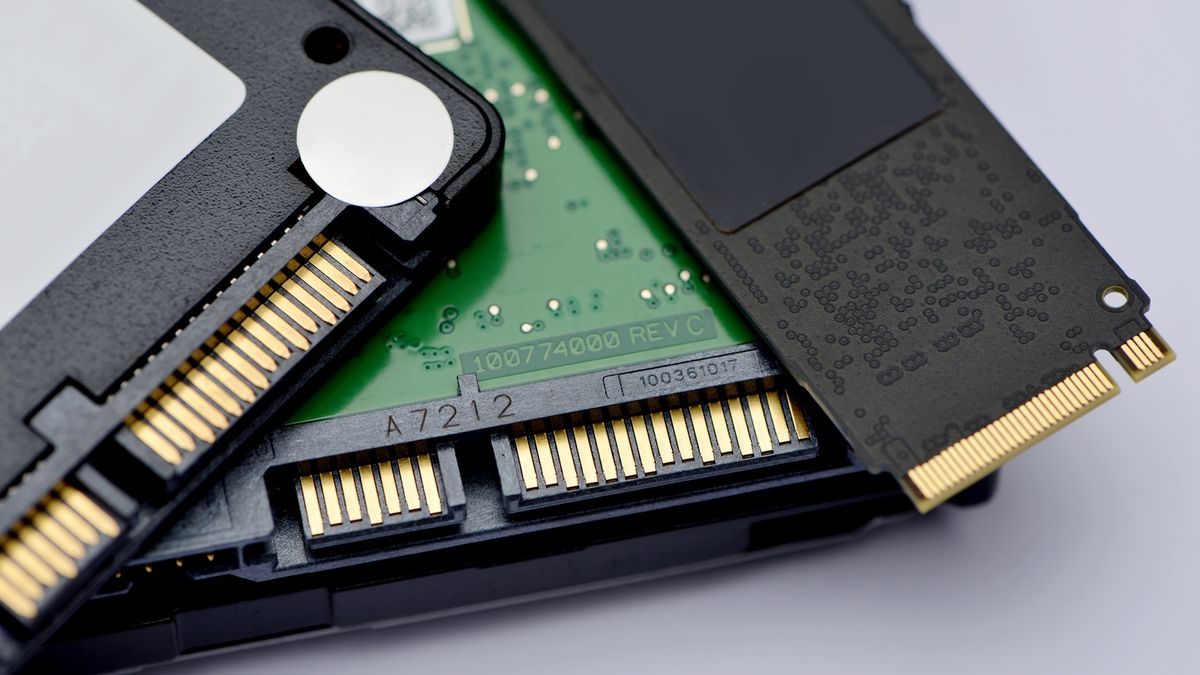
Tom's Hardware
Flexing NAND muscles in a decreasingly HDD-focused storage world.
turbid crater
fringe mesa
https://www.tomshardware.com/news/solidigm_61tb_ssd
but how expensive will that be several thousand?
and who is gonna buy a 30 or 61 tb ssd anyways.
fringe mesa
Hard to say. Depends on demand, how much they can produce, and if their intentions are to take over the storage market. Obviously, first run will always be expensive. Then price will drop as generic clones hit the market. Since I'm seeing new articles on how one can make their own M2s, they may not be that expensive, at least the 10tb models.
I would definitely buy. My Z390 server ran off of 14 SATA drives totaling 140tb.
cloud kiln
i mean, generic clones.... that depends on if the cloners can even make the nand flash lmao
bulk of the cost probably is just in the nand so
it's likely HDDs will still be the de-facto choice for cold storage solutions
hmm, what about tape lmao
fringe mesa
I was looking at 1tb chips, similar to what M2s use on Digikey, with a price tag of $25. Was thinking of trying to build my own, then realized to do that, I'd have to write an OS, something I know nothing about. Making game mods is one thing, but memory os, that's way beyond me.
fringe mesa
It's actually called something else, but unfortunately for me, I have some damage that stops me from recalling things. Can see it clearly, so substitute what comes close to describe it. That's why half of what I say, doesn't always make sense. It makes sense once I finish what I was working on, which is funny, as some of my employers tell me I should have said so I the first place lol.
cloud kiln
honestly a mood lmao
i think you meant firmware? i have no idea if there is any additional code or whatever though
fringe mesa
Thank you!!! Yes, firmware!!
fringe mesa
Just like late 1980s in order to use an SFD1001 or a LTKernal 20mb hard drive on a C64, you had to buy an interface from Skyles Electric Works that had the firmware so both hard drive or sfd could communicate. This seems to be for any drive, including NVME.
I ran a BBS off a C128d and then multi user Amiga 1985-1995, using C-Net Amiga. BBS died out when world wide web took over.
I could always build the electronic side, but always fell short on the code, mostly because I got distracted.
My kids now doing what I did long ago, but not exactly as I expected. My daughter who built her first I7 server, switched to art design, and my son just out of the blue, suddenly built his Z690 recently. Only difference between his system and mine, about 80tb of storage space. If I could make an NVME to store at least minimal 10tb, and fast like the fury, that would be awesome.
Bbl, wife a callin. She is strong In the force. Things tend to take flight when angry lol.
blazing musk
turbid crater
and who is gonna buy a 30 or 61 tb ssd anyways.
Data centers that need to pack as much info into as few servers as possible
fringe mesa
We all know about the fake 11 and 18tb hard drives for $100+, but figured I mention the scammers got very creative doing an old eBay scam. You will see the hard drives on Amazon with 200+ posative ratings to trick the unwary into thinking it's real. Those votes were for a cheap $1.00 item so after 200+ gave good ratings for junk, they jacked the price up with a relisting and swapped photos so people will pay $100 for a fake 11tb drive, and the seller like Happy Shopping runs with the money.
Took screenshot
Didn't want to post link and have someone get ripped off not reading my warning, so this safer.
 fringe mesa
I have done work for loss prevention both retail and state for many years. Even taught my kids how to avoid getting scammed. The above upsets me a lot, because we're nearing the holidays, and many people are still struggling since the pandemic. I can easily see many kids or young adults not street smart as the saying goes, and desperate because their computer OS drive is dying or already died, sees not just the large storage for fraction of a price which many experienced PC owners would know it's a scam immediately, but because they see over 200+ feedback, believe they actually have a chance to get a real 11 TB drive, not knowing unless they read the feedback, that it's for another item. Scammer only edited the image they are hosting on their own server, and edited the info. The above is getting yanked as I type this. Hope no one lost money.
turbid crater
blazing musk
Data centers that need to pack as much info into as few servers as possible
I meant for normal gamers
fringe mesa
turbid crater
and who is gonna buy a 30 or 61 tb ssd anyways.
People who travel far from home, especially people with children, like downloading a lot of TV shows and movies (Legally) to portable computers or portable TVs to entertain family while on the road where there is no internet, or to avoid high roaming data charges. A few good high definition movies can take up 1TB quite easily. People like buying digital downloads now a days instead of hoarding 100+ movie DVDs on their shelves. A 10tb NVME SSD would be perfect for that type of application. It's not just faster with no lag spikes, there's no moving parts to cause a platter to scratch while driving on bumpy roads.
Come to think of it, a new HD format of The Stand I believe was 86gb. Need to double check, but I know Im close.
I purchased all the old doctor who seasons, prior to the 2005 reboot. Took up almost 2TB drive space.
Only one not happy about me downloading 2tb of info was my provider lol.
The only TV show/movie I want so badly that I never see sold in the USA is BBC The Tripods, Seasons 1 and 2. So many want that show, yet BBC never bothered to remaster it and sell on HD.
Actually, add Blake's 7 to that list.
Way movies and TV shows are sold now a days, it will most likely turn out, that a 20TB drive will be standard in most homes in only a few more years
I refused to get Dish Network almost 10 years ago, when they wanted an extra $100 a month, just to add a 250gb DVR, and no options to save to my computers hard drive.
waxen flax
blazing musk
Nope you should just be able to pop it into the board and it'll work. Remember t...
Thanks for the help, sorry for the late reply
turbid crater
Is the solidigm p41 plus 2tb nvme for 110 a good deal
 brisk dome
For sata drives QLC had issues iirc, is that less of a problem with nvme drives?
maybe it was QLC specifically without dram cache, idk
 azure moat
Anyone have any HHD recommendations? I'm looking for mostly long term file storage but also some space for the miscellaneous game library
kind sierra
brisk dome
For sata drives QLC had issues iirc, is that less of a problem with nvme drives?
It's more the type of QLC. Old QLC was pretty bad, but the new high layer count chips are significantly better. Still not as good in terms of raw performance or longevity as comparable TLC, but it's usable
brisk dome
got it
turbid crater
azure moat
Anyone have any HHD recommendations? I'm looking for mostly long term file stora...
how big?
azure moat
turbid crater
how big?
I think I'm looking around 10TB, maybe a bigger if theres a good deal
turbid crater
azure moat
I think I'm looking around 10TB, maybe a bigger if theres a good deal
gl. i never own anything bigger than 5tb. only companies i know is seagate and western digital
azure moat
Haha me neither, any preferences with those two? sku wise or whatever?
turbid crater
azure moat
Haha me neither, any preferences with those two? sku wise or whatever?
whatever is cheaper lol
azure moat
Fair enough
turbid crater
azure moat
Fair enough
what u need it for movies tv shows anime stuff like that
azure moat
I have a ton of old docs and a bunch of steam games that I dont play often enough to put on ssd but would like to have downloaded
small carbon
Wd black is good & I have the 6TB which was $95 on sale lol. Wd Blue is probably 5400rpm for instance & mainly lower warranty, but generally quite cheaper than the black 7200rpm models. There's other models I'm not sure about also, wd red, wd gold. Glance at Toshiba X300 also. 👍
red jay
man i only got a 250gb ssd and 2tb hdd 😭
turbid crater
red jay
man i only got a 250gb ssd and 2tb hdd 😭
Wait til next week
red jay
turbid crater
Wait til next week
why?
azure moat
Black friday sales are coming up
red jay
will cpu and gpu prices drop?
i dont got any money saved up and if theyre low i might have to take a loan
blazing musk
CPU maybe but I wouldn't count on GPU much. Maybe a small discount.
azure moat
Older ones maybe but I highly doubt anything new
blazing musk
Definitely not the new gens yeah. They still can't keep them in stock so why discount them?
red jay
what about the ryzen 5 5600
blazing musk
Might see that close to $100
turbid crater
red jay
what about the ryzen 5 5600
It was like 119 a few weeks ago
azure moat
Yeah those have seen some pretty good sales already
Not sure why I'm still running my 2600x tbh
turbid crater
@red jay u building a new pc?
red jay
turbid crater
It was like 119 a few weeks ago
£135 online
red jay
turbid crater
<@456226577798135808> u building a new pc?
yuh, i got the case but no other stuff
blazing musk
I upgraded from a 2700 to a 5800X and doubled my fps in CPU heavy games
red jay
my current pc is working off an i3 with intergrated graphics 😭
blazing musk
Definitely a good time to upgrade that 2600X
azure moat
Honestly looking for HDD first
turbid crater
red jay
my current pc is working off an i3 with intergrated graphics 😭
What gpu u looking at
red jay
turbid crater
What gpu u looking at
6650xt
turbid crater
red jay
6650xt
Why not 6750xt for 400 next week?
red jay
turbid crater
Why not 6750xt for 400 next week?
i dont have the money for it
i dont know if im able to take a loan because im under 18
azure moat
I don't know of any banks who loan to under 18
red jay
azure moat
I don't know of any banks who loan to under 18
i dont think any do, i might ask relatives
see if i can get a loan from em
azure moat
And as fun as gaming is, I'm not sure it worth loan payments. Unless youre using the power for income or something
turbid crater
red jay
i dont know if im able to take a loan because im under 18
Christmas
red jay
turbid crater
Christmas
just finna put a 6650xt on my wishlist XD
grandparents come in clutch
turbid crater
red jay
grandparents come in clutch
Nice. I will pay everything myself budget around 1500 before tax. 4 my pc build im building a 4k gaming pc 5600 and 6800xt i will only get the gpu and cpu that comes with free games
red jay
turbid crater
Nice. I will pay everything myself budget around 1500 before tax. 4 my pc buil...
6800 does 4k?
turbid crater
red jay
6800 does 4k?
Friend has 6800xt does 4k60 in most games
red jay
turbid crater
Friend has 6800xt does 4k60 in most games
nicee
blazing musk
I was able to get a line of credit from a jewelry store at 16, but they'll want to see income for a loan
turbid crater
blazing musk
I was able to get a line of credit from a jewelry store at 16, but they'll want ...
As a teen no such luck. Teenagers depend on parents for income for the most part
I will probably start ordering my parts on sunday
red jay
If I wanna go for NVME whats my best $/perf option rn, more so on the budget side tho
if 1TB can be had for around 60 (which I assume is a no) then sure, otherwise 512 is fine
turbid crater
red jay
If I wanna go for NVME whats my best $/perf option rn, more so on the budget sid...
R u gonna use nvme as a boot drive and whats ur budget 4 nvme drive?
red jay
65 buckaroonies
and yeah, boot drive
dont use windows so boot times arent much concern tho
minor sun
red jay
if 1TB can be had for around 60 (which I assume is a no) then sure, otherwise 51...
P41 plus 1tb for 60$ rn
red jay
minor sun
P41 plus 1tb for 60$ rn
actually mb, I do ask, I'd be going from a regular T-Force Vulkan, would this be slower? considerably? or nil/faster
minor sun
red jay
actually mb, I do ask, I'd be going from a regular T-Force Vulkan, would this be...
The Vulcan sata drive? it's a decent sata drive, p41 plus is a lot faster seq and a bit better rnd, while moving files around, it'll be considerably faster, in general tasks like loading games, it'll be a bit faster, but may or may not be noticable
red jay
okay cool, assumed that the P41 would be low end nvme so
Wanted to make sure I wasn't down grading in speed
Good to know I'm not
minor sun
red jay
okay cool, assumed that the P41 would be low end nvme so
nah it's pretty mid-range
low end is like mp33, and that's still faster than sata drives seq wise
red jay
 Guess I just assumed NVME was far more expensive
minor sun
only the really really crappy nvme drives are worse
minor sun
red jay
<:ThinkingEgg:598228793836044298> Guess I just assumed NVME was far more expensi...
True a year ago, not so true nowadays
red jay
Good to hear then
minor sun
Technology goes on
 signal lotus

The WD_BLACK™ SN770 NVMe™ SSD ensures even faster gaming. Now experience a completely gaming designed SSD with up to 40% higher speed and 20% higher energy efficiency at maximum speed than previous generation. Immerse yourself in fast-paced action without being stopped by annoying charging times.
ig this is a good deal?
sour wadi
signal lotus
https://www.amazon.de/-/en/gp/product/B09QV692XY/ref=ewc_pr_img_1?smid=A3JWKAKR8...
thats pretty standard pricing
only a lil bit of a discount
turbid crater
Check kingston nv2 or solidigm p41 plus in ur region @signal lotus
cloud kiln
cloud kiln
Hmm, looks like Newegg also has a m.2 nvme enclosure for $25, the maiwo m.2 name...
can confirm it is fast
formatting disc
 red jay
i really need to save some cash on storage, ive got £60 for storage and i need atleast one HDD and one SSD.
https://uk.pcpartpicker.com/product/FnYmP6/kingston-nv2-1-tb-m2-2280-pcie-40-x4-nvme-solid-state-drive-snv2s1000g
this any good?

Kingston NV2 1 TB M.2-2280 PCIe 4.0 X4 NVME Solid State Drive (SNV2S/1000G)
sour wadi
red jay
https://uk.pcpartpicker.com/product/FnYmP6/kingston-nv2-1-tb-m2-2280-pcie-40-x4-...
It's a fine drive, nice for 52 quid tho
 blazing musk
dawn sand
What does directstorage optimized for gamer bar do
blazing musk
dawn sand
What does directstorage optimized for gamer bar do
Directstorage is only supported in 1 game I know of so far. It streams the assets straight from the disk to the GPU memory, skipping the CPU and RAM. Theoretically it can improve load times but the effect is small so far in practice.
The PS5 does something similar, that's why it really strongly recommends a gen 4 SSD and tests your speed.
dawn sand
Oh
blazing musk
Seems they have an update for it coming too that improves things. Maybe devs will be more willing to use it with actual benefits now. https://devblogs.microsoft.com/directx/directstorage-1-1-coming-soon/
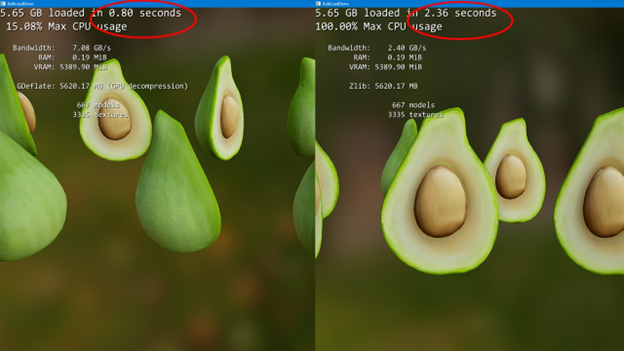
DirectX Developer Blog
When we shared our first public release of DirectStorage on Windows to reduce CPU overhead and increase IO throughput, we also shared that GPU decompression was next on our roadmap. We are now in the final stretch of development and plan to release DirectStorage 1.1 with GPU Decompression to developers by the end of 2022.
real lava
avocadoes ready in only 0.8 sec
formal tusk
The only way you want it tbh
dawn sand

 gray wyvern
PC Builder - Intel Core i5-12600K, GeForce RTX 3080 10GB LHR, Phanteks Eclipse G360A ATX Mid Tower
Is this ssd in here worth it
I think it went up in price
turbid crater
Will samsung 980 pro work with motherboard with m2 heatsink
cyan needle
turbid crater
Will samsung 980 pro work with motherboard with m2 heatsink
If you got a m.2 nvme without a heatsink: Yes, it will work with your motherboards heatsink.
If you got a m.2 nvme with pre-installed heatsink: No, it will not work with your motherboards heatsink. However, you can just leave the motherboard heatsink off since the nvme already has one.
dense merlin
gray wyvern
https://pcpartpicker.com/list/BVWm78
P41 is the same price now
If spending $170 on ssd, get p41
Otherwise a60 2tb is $120
sour wadi
Anyone have a review on the mushkin tempest? Its looking pretty cheap at 50$? for 1tb and 110 or something for 2tb
minor sun
Looks like a decent above average hmb drive from specs alone
dense merlin
turbid crater
What is the premium m2 ssd? Samsung 980 pro?
P41 or sn850x
They are indisputably the two best gen 4 drives afaik
real lava
980 pro is premium but overpriced for what it is
turbid crater
dense merlin
P41 or sn850x
Thx.
empty juniper
Should i steall the ssd out of my xbox lol
I kinda need the storage
All tho i Should prob just spend 30 bucks on a ssd
Idk
 cursive sleet
I been wondering for a SSD upgrade a Kingston KC3000 it's a good option?
The another options around that price point it maybe Adata Legend 850, WD Blue SN570 or XPG Spectrix S40G... Any comment about it?
I had one S70 Blade but got faulty pretty fast so i don't wanna deal again all that.
turbid crater
empty juniper
Should i steall the ssd out of my xbox lol
dont do that. That would destroy ur xbox if its a series x. I would just buy a new sdd.
empty juniper
Destroy is a strong word
turbid crater
Which xbox
empty juniper
Series s im aware i won't be able to use it without the ssd
turbid crater
U do know that if u attempt to open up the xbox u will destroy any hope of xbox replacing it for u
turbid crater
I never opened up my xbox at all ever
empty juniper
turbid crater
U do know that if u attempt to open up the xbox u will destroy any hope of xbox ...
And thats not legal that lil sticker doesn't mean sqaut
empty juniper
empty juniper
Ive taken my xbox's apart multiple times
To clean and repaste
Thx for looking out tho
turbid crater
I dont open it up to clean. I just use air duster on the outside
@empty juniper how big a ssd do u need and is this a nvme ssd that u need
turbid crater
Solidigm p41 back order on newegg for 2tb at 110usd
blazing musk
sour wadi
Anyone have a review on the mushkin tempest? Its looking pretty cheap at 50$? fo...
This is all I could find, from a Newegg review. Not too bad for a TLC HMB drive. Too bad it's only a 3 year warranty.
 red jay
https://uk.pcpartpicker.com/list/bQYvcb
good storage price?
PC Builder - AMD Ryzen 5 5600, Radeon RX 6650 XT, Phanteks Eclipse G360A ATX Mid Tower
dense merlin
red jay
https://uk.pcpartpicker.com/list/bQYvcb
good storage price?
no
p2 isn't good

TEAMGROUP MP33 1 TB M.2-2280 PCIe 3.0 X4 NVME Solid State Drive (TM8FP6001T0C101)
mobo will almost 100% come with the riot bios
empty juniper
What wrong with p2?
empty juniper
dense merlin
mobo will almost 100% come with the riot bios
Yea and cooler isnt that needed
empty juniper
dense merlin
it's a terrible ssd
Good to know lol
dense merlin
PC Builder - AMD Ryzen 5 5600, Radeon RX 6700, Phanteks Eclipse G360A ATX Mid Tower
dense merlin
seconded
real lava
ah don't give him 6700xt
it's that guy who looks at techpowerup's relative performance numbers
empty juniper
real lava
it's that guy who looks at techpowerup's relative performance numbers
LMAOO
Nah keep the riser actually
cursive sleet
It's that relevant going for a higher end SSD? I'm between a Kingston NV2 or SN350 or just going for a KC3000 the price diference it's around 30%~40% but my mobo just have PCI 3.0
 hazy prawn
What channel do I ask questions about upgrading my Hard drive for my laptop that I purchased through New Egg?
Please Private message me if anyone would like to chat about this.
turbid crater
cursive sleet
It's that relevant going for a higher end SSD? I'm between a Kingston NV2 or SN3...
Dont get kingston nv2 thats a pci 4.0. No point of getting that if ur mobo cant run it at pci 4.0 speed
sour wadi
red jay
https://uk.pcpartpicker.com/list/bQYvcb
good storage price?
Ehh not really, also I'd do this instead (wouldn't recommend vertical mounting as it's pretty bad for thermals and very expensive for what it is, secondly you get way more way better storage, more ram and a better power supply too, the cooler in that list isn't great and coolers come with thermal paste so getting more is a waste of money
https://uk.pcpartpicker.com/list/TJbBJM
If you want a 3rd party cooler I'd get this instead
https://uk.pcpartpicker.com/product/Zr8bt6/id-cooling-se-214-xt-682-cfm-cpu-cooler-se-214-xt-argb
PC Builder - AMD Ryzen 5 5600, Radeon RX 6650 XT, Phanteks Eclipse G360A ATX Mid Tower

ID-COOLING SE-214-XT 68.2 CFM CPU Cooler (SE-214-XT ARGB)
sour wadi
dense merlin
https://uk.pcpartpicker.com/list/T7bmv3 fixed
That's a c tier psu btw
turbid crater
cursive sleet
It's that relevant going for a higher end SSD? I'm between a Kingston NV2 or SN3...
Dont get kingston nv2 thats a pci 4.0. No point of getting that if ur mobo cant run it at pci 4.0 speed
sour wadi
cursive sleet
It's that relevant going for a higher end SSD? I'm between a Kingston NV2 or SN3...
What country
sour wadi
turbid crater
Dont get kingston nv2 thats a pci 4.0. No point of getting that if ur mobo cant...
Nv2 is not gen 4 or if it is it can't even reach gen 4 speeds so
turbid crater
sour wadi
Nv2 is not gen 4 or if it is it can't even reach gen 4 speeds so
Really. Everywhere i looked says its pci 4.0 or its a selling glimick
cursive sleet
NV2 it's the cheapest m2 that i can find right now it's on deal, but yeah it says it's 4.0 i'm from mexico
sour wadi
Well then it's more of a fake gen 4 drive cuz iirc it doesn't actually do better than gen 3 speeds
sour wadi
cursive sleet
NV2 it's the cheapest m2 that i can find right now it's on deal, but yeah it say...
Go for it then
turbid crater
So p41 plus is gen 4.
cursive sleet
I mean thats my question i should stretch the budget for something like a KC3000 (Also on deal but at $85, NV2 at $60)
sour wadi
cursive sleet
I mean thats my question i should stretch the budget for something like a KC3000...
Like i said get the nv2 then
cursive sleet
Thanks
turbid crater
Is msi m480 a good pci 4 m2 drive?
turbid crater
My bro is helping me build pc. He says either msi 480 or samsung 980 2tb
dense merlin
I disagree on both of those. If you're going 1tb, either mp33, nv2, or s70
turbid crater
Im going 2tb
sour wadi
Get the p41 plus if they want high end it's like 170 atm
dense merlin
2tb, a60, p41, sn850x, xs70

Experience the breakthrough upgrade from a global tech pioneer. SK hynix Platinum P41 delivers the 176-layer NAND, fastest-in-class speed, easy data migration, and 5-year warranty. The latest innovation from the world’s second-largest memory maker, Platinum P41 is designed to provide striking per...
This is one of the two best gen 4 drives
980 pro is a waste of money, and the msi one is mediocre
sour wadi
980 pro is on sale atm but p41 plus is better
turbid crater
Thx
cloud kiln
cloud kiln
formatting disc
First day of class using the ssd for vms, and it has been good, could recommend.... if anybody is in the same situation as me lmao
 olive glade
Is b & h a reliable store?
 olive glade
Games
olive glade
Microsoft Flight Simulator for one example but other games as well
formal tusk
You don't need gen 4 for games, it wouldn't be any faster than maybe a second or two
If at that
And that's saying so including any directstorage implementation
 formal tusk
Don't want to do a sata ssd?
Again, only a couple seconds at best
Or hell 2 4tb ssd's would be much cheaper
olive glade
Kinda depends right now, currently I only have a stat ssd and m.2 open
Both hdd are taking up both spots and really like to get rid of at lest 1 hdd
formal tusk

TEAMGROUP MP34 4 TB M.2-2280 PCIe 3.0 X4 NVME Solid State Drive (TM8FP4004T0C101)

Crucial MX500 4 TB 2.5" Solid State Drive (CT4000MX500SSD1)
Combination of both would save you 700$
And be pretty much equally fast
Gen 4 you want for like, 4K video editing or large file moving etc.
Not sure if I'm allowed to mention that last one lol
For games you want iops but that helps up to a point due to windows limitations
Even with direct storage the difference becomes very diminishing depending on the scenario
olive glade
Isn't direct windows 11?
olive glade
Ya I'm still on 10, skipping 11
It's this mess is why I want to a hdd, and hoping both one day
 formal tusk
I'm reading that direct storage will also be a windows 10 thing
olive glade
O ok
formal tusk
olive glade
It's this mess is why I want to a hdd, and hoping both one day
Let me pick your brain a bit, is those few cables and a cage worth $700+?
You could get a nice new gpu or cpu for that lol
I realise it's a bit annoying but you could also stick those drives in a separate NAS
And that's also a cheaper idea