#old-monitors-and-tv
1 messages · Page 57 of 1
 warped night
 keen nebula
hmm interesting
warped night
People do it all the time, it's especially common with Ultrawides.
keen nebula
any monitor arm recomendations for the heavy ultrawides ?
i have a dell one that was recomended for it but it sags : /
 dusky goblet
I have a pc that displayed on a monitor before and i gave my sibling the hdmi cord and now it wont display once i plugged it back in
warped night
Did you plug it all the way in?
warped night
keen nebula
any monitor arm recomendations for the heavy ultrawides ?
https://www.amazon.com/VIVO-Monitor-Stacked-Vertical-STAND-V002T/dp/B00DGTP57A/ref=pd_di_sccai_5 This should work if you can clamp to your desk.
They are capable of using dual 34" Ultrawides.
One reviewer had a 16lb monitor and a 15.5lb monitor on this mount without any issues.
If you want more adjustment you could get https://www.amazon.com/Monitor-Adjustable-Grommet-Mounting-Monitors/dp/B08BHJP422/ref=psdc_490624011_t2_B00DGTP57A
 fading wyvern
Eh I think oled will catch on. Considering tons of phones, smart devices and TVs use it. The pixel response times are insane and it’s production cost seems to be trending down. You should check out some of rtings burn in tests.
warped night
fading wyvern
Eh I think oled will catch on. Considering tons of phones, smart devices and TVs...
Eh, I'd rather never have burn-in issues. IPS panels look perfectly fine, and I'd prefer my blacks to actually NOT be fully black when Gaming, because that makes things harder to see!
fading wyvern
Oh I totally agree. Overtime though I’m sure variations of the tech will come out making darker grays more visible for gamers
warped night
So, little review of the Acer Nitro XV240Y.
Colors: Really solid! Looks gorgeous
Refresh Rate: Works fine out of the box at 165hz as advertised!
G-Sync Compatibility: Compatible, and works but....
Overdrive: sigh So close to perfect... At the "Normal" and "Extreme" Overdrive settings there are Coronas, and Freesync mode locks you into "Normal" Overdrive, meaning you are locked into either Coronas, or No G-Sync/Freesync. I don't know if this is explicitly my singular unit, or not.
Overall: Great monitor, just wish the Overdrive setting wasn't locked in when using Freesync/G-Sync so I could have the best of both worlds.
 visual pilot
good nuff for customer review
 raw ingot
But well, I guess
fading wyvern
Allow me to review my terrible display, the omen x25. It goes real fast out the box looks gamer 240 bazillion hertz. It’s faster in every metric then other displays. And uh it’s the worst display type.
Rtings put it much better


RTINGS.com
The HP X 25f is a decent 1080p monitor with great gaming performance. The 240Hz refresh rate delivers outstanding clear motion, with an incredibly fast response ...
 maiden wedge
guys I just got the LG 27GN950-B and it is amazing! 😄
fading wyvern
As a LG fanboy I approve of this message
maiden wedge
YAYY XD
 tropic kite
what do you guys think about the gigabyte G27Q because i just ordered it
fading wyvern
It’s pretty alright, a ton of people in here think the m27q is a bit better. It’s usually the go-to 27inch 1440p display (I’m in the m27q camp)
visual pilot
M27q is better, but G27q is still good
warped night
Ok, addendum to my review on the XV240Y
HDR: I think I only have 2 games in my library that actually support HDR mode, but Monster Hunter World looks absolutely GORGEOUS with HDR Mode enabled. Dark areas look really dark, Colors are more vibrant, etc. Sure, the panel can't hit 1000 Nits Peak Britghtness, or even 300, but it still looks better.
 slate hamlet
If it has a good minimum brightness the contrast can still look nice
warped night
I'm not sure of the minimum brightness.
maiden wedge
Can you guys recommend some good ultrawide monitors, 1080p 144hz? Preferably around 30in
fading wyvern

warped night
maiden wedge
Can you guys recommend some good ultrawide monitors, 1080p 144hz? Preferably aro...
Ultrawide 1080p is basically nonexistant
Just get a high quality 1080p 144hz IPS monitor.
visual pilot
I mean, they do exist but
 limber crest
how big a difference is displayhdr 1400 over displayhdr 1000
400 nits sounds like a lot in my head
Im tempted to upgrade my monitor but downsizing the screen is gonna hurt :c
Just saw this and Im currently using the 43" hdr1000 version
https://store.asus.com/us/item/202103AM260000004/ASUS+ROG+SWIFT+PG32UQX+4K+HDR+Gaming+Monitor

ASUS Official Store | Free Shipping and Financing Available
ASUS ROG SWIFT PG32UQX 4K HDR Gaming Monitor, 32-inch 4K (3840 x 2160) mini LED HDR gaming monitor offers 144 Hz refresh rate, Display Stream Compression technology for super-smooth gaming
Not concerned about money whatsoever, just the screen size vs brightness tradeoff
warped night
I mean, if you aren't concerned about money and already own an RTX 3090 then go for whatever the hell you want.
I doubt the extra 400 nits is going to be THAT much better.
slate hamlet
there literally isn't hdr content above 1000 so like??
also uh... step inside please
 limber crest
warped night
I mean, if you aren't concerned about money and already own an RTX 3090 then go ...
limber crest
warped night
I mean, if you aren't concerned about money and already own an RTX 3090 then go ...
yes i have two lol
im more worried that downsizing the screen is going to hurt, I reaaaaally like working on a 43"
if you dont think its gonna be a noticeable improvement, will wait for a 43" version
warped night
Jesus, 43" is gigantic. Are those 43" panels mini LED?
If they aren't, the step up to MiniLED would be pretty massive.
limber crest
I dont think so

ASUS Official Store | Free Shipping and Financing Available
Gaming Display ASUS Official Store | Free Shipping and Financing Available ASUS ROG Swift PG43UQ 43” 4K HDR DSC Gaming Monitor (3840 x 2160) 144Hz G-SYNC Compatible 1ms Eye Care DisplayHDR 1000 DisplayPort HDMI USB Aura Sync, 43-inch non-glare 4K (3840 x 2160) gaming monitor, 1ms (MPRT) and 144Hz refresh rate for super-smooth gaming visual
thats the current one
I really like the size tho. 32 is much smaller 😦
it looks pretty beautiful as is fwiw
slate hamlet

 warped basalt
How can you play on 43 inch
 hazy warren
yeah lol thts a weird native
warped basalt
You sit like 2m away?
 ebon zenith
is there any way its hardware problem that my monitor basically crashes and glitches in all kinds of ways with freesync on but works pretty much fine with it off? i was trying to make sure the unit was good before my return window ends and all the problems stopped when i just gave up on freesync but idk if thats like something i should just give up so easily or if it could indicate something else or thats fairly normal. its a lg 32gk something or other .. 650f i think
slash is there any way non display problems ie not talking about dark light spots color off etc but more like big black lines flashing or the screen turning on and off, are monitor fault or basically always going to be driver, software or cables themselves? i got a refurb unit so im kind of trying to put it thru its paces to make sure its all good since it seems like more of a hassle to get service if theres a problem vs having a manuf warranty
fading wyvern
ebon zenith
is there any way its hardware problem that my monitor basically crashes and glit...
I’ve had issues with a g sync/free sync monitor similarly to what you’re describing. In specific games the screen would abruptly turn black for a few seconds. The only way it seemed to work was with g sync off. It’s not exactly a answer but I couldn’t figure out the issue. Game was Modern warfare (the newer cod)
ebon zenith
yeah that sounds like it. the main thing was the screen blacking out every few seconds over and over, like it was having to pause to load every mouse movement except that often even being completely still the image never made it and it would just stay black for a long time. there were also weird issues where it would be slightly more stable with 60hz vs i think 75hz is the highest it can set to without freesync, which seems kinda off itself but shrug... so im locked to 75/100 hz and no sync tech and im like wondering if i should just accept that it wouldnt be better if it was a new unit or if theres any chance its a sign that the unit is defective in ways that potentially could expand and threaten what is under these currently limited conditions a very stable experience. i tried going thru newegg about this and their chat service was just aggravating and useless.. literally the company i gave 300 dollars to for a monitor told me to join a discord channel for feedback about my tech problem..
fading wyvern
Ah yeah, there is a customer service account in the server NeweggService#3472 as a follow up what kinda graphics card are you using? Some monitors can’t handle g sync at lower frame rates without glitching out
@ebon zenith
fading wyvern
ebon zenith
yeah that sounds like it. the main thing was the screen blacking out every few s...
Well if you can return the monitor the go to ~$300 option suggested here is the 27 inch 1440p m27q by gigabyte. 170hz great color out the box and IPS.
warped night
limber crest
I really like the size tho. 32 is much smaller 😦
I'd upgrade to the new panels if money is no object. The Mini LED displays are going to look SO much better.
 eternal shard
I currently have a samsung-U28E510 (3840 x 2160) and thinking about getting a new monitor and using this one as a secondary.
I have a nvidia 1050ti and was wondering what would be a pretty good monitor that has a decent refresh rate (144 maybe?) while still performing well with my gpu.
Budget is around 500
slate hamlet
You need a stronger gpu dude
 quartz sandal
You can't run a ultra wide 1440p and a high refresh 1440p on a 1050 ti
eternal shard
Ah, okay. Any suggestions? I would like to stick with nvidia and then maybe have a budget of 800 for the gpu? (Im gonna guess 800 for both a gpu and monitor would be a bit too low?)
quartz sandal
Ehh a 3060, 3060 ti or 3070
For a decent gpu atm and a 1440p monitor maybe could squeeze if you get a 450-500$ gpu
eternal shard
So if I get the 3060 (around $500) what monitor would be decent for it while having a higher refresh rate and possibly 2k?
eternal shard
Hm, has freesync. I dont know much about monitors but wouldn't I need (or would like to) have g-sync since I have a nvidia gpu?
eternal shard
Oh, alright! It says it has FreeSync premium and doesn't mention gsync so was just confused.
I'll check out the 3060 (maybe 3060 ti, though will have to see which is better for my needs) as well as the M27Q
visual pilot
Rtings makes good reviews
https://www.rtings.com/monitor/reviews/gigabyte/m27q

RTINGS.com
The Gigabyte M27Q is an excellent 1440p gaming monitor suitable for a wide variety of uses. It has a large 27 inch screen that provides an immersive gaming exper...
eternal shard
Thank you! Still a bit confused on the gsync part.
eternal shard
visual pilot
<@344076586057859073> it's g sync compatible.
It says it only has FreeSync premium? Doesnt mention gsync. Im guessing you just mean it still works with nvidia monitors? But then again, unsure lol
warped night
Nvidia has tested it to be Compatible with G-Sync
Theres a list of "G-Sync Compatible" displays.
visual pilot
Well, with M27q, it's all the reviewers tested it to be working with g sync, not sure if it's on the Nvidia list
warped night
Yeah, not 100% sure about it being on the Nvidia list.
 celest lark
so I've been looking at getting a triple monitor stand but all my monitors are different but I have been looking at replacing my 3nd monitor (some 60hz I found in the basement) with a monitor that has the same ship and size of my 2nd monitor (benq zowie xl2411p) is there any thing that is a similar to that benq?
warped night
Another one of that BenQ
celest lark
like the exact same model?
I'm trying to save a little bit of money if I can find a monitor that is the same shape ish as the benq for a little less of the benq that would be great
visual pilot
Pretty sure skiptrace is saying try another xl2411p
warped night
visual pilot
Pretty sure skiptrace is saying try another xl2411p
Yes.
@celest lark You're never going to get a different monitor to exactly match the bezels of another monitor.
visual pilot
I feel like 6xx doesn't have uefi boot with bios it ships with
 river edge
It doesn't
visual pilot
might lead to issues with booting, dunno tho
river edge
It will
It won't boot UEFI for WIndows 8 or 10
So if WIndows 10 is UEFI boot (it most likely is) it will not work.
 floral path
So I just got a new computer with an EVGA gtx 660 and for some reason it's not connecting up to the monitor. I connected it up to another one and it's working fine. Ideas?
river edge
One monitor works and one doesn't? Need more details on the monitors
GTX660 isn't UEFI compatible either and will lead to boot issues with WIndows 8 or 10
Card needs a VBIOS update from manufacturer
river edge
If it works with one monitor and not the other, i'd assume the GPU port is bad, cable is bad or monitor is bad. If same cable, might be a monitor issue
Or are you saying the monitor works on another pc
but not the one with the GTX660
floral path
hmm, it worked fine with the 650 before i got the new pc
river edge
What was the old PC
floral path
the monitor worked fine before the mobo ram and cpu switch, but now even with the same gpu as before the monitor doesn't work
river edge
have you confirmed the new PC is booting at all?
Because it sounds to me like the PC isn't POSTing and this isn't a monitor issue
floral path
yes, we can get into the bios
river edge
Ah
floral path
with another monitor
river edge
Are you trying to use the Windows installation from the old hardware to boot?
floral path
right now we're having issues with getting the boot order so we can install windows
river edge
What was the old motherboard?
floral path

eBay
Find many great new & used options and get the best deals for Dell Optiplex 7010 Motherboard 0YXT71 Intel No CPU Included - Tested at the best online prices at eBay! Free shipping for many products!
it was an old work computer that we had put a gpu into
river edge
I see. I think the issue is UEFI. Need to turn off Secure Boot in the BIOS.
Enable Legacy boot
Enable CSM
floral path
Nothing
river edge
mmmmmmm
Try secure boot off, disable legacy and disable CSM
If that doesn't work
Card might not be compatible without a BIOS update
If you have a Legacy Options Rom setting, turn it ON
 potent gust
I’ve got around $200-$350 for a 27 inch, 144hz 1440p g-sync monitor. I just don’t know how to look at/organise my options and what to consider when deciding
Also any recommendations would be appreciated
quartz sandal
M27q
potent gust
I’ll look into that, thank you
 sick plume
yes
 inland badger
I see
potent gust
The m27q’s slightly too expensive for me, is there any other good 144hz 1440p 27” monitors for around $200-$300 ish
 dusty island
M27q great
warped night
potent gust
The m27q’s slightly too expensive for me, is there any other good 144hz 1440p 27...
The only one that is good enough to buy is the M27Q, 10 more dollars ain't gonna break the bank.
visual pilot
@potent gust here's the thing, M27q is a great panel that can easily rival 400-500$ 1440p165hz panels, but if you go cheaper than M27q, there's a decent gap downwards for something like a G27q, not only in terms of refresh rate, but in terms of actual color pixel response time, color accuracy, brightness, etc.
potent gust
Yeah, I'm aussie so I didn't take into consideration the currency conversion when I said $300
So that monitor's like $400-$450 for me
potent gust
indeed
visual pilot
@potent gust The cheapest decent panel I'd say would be a G27qc starting at 380aud
potent gust
I might just fork out for the m27q tbh
It's my own fault for not leaving room in my pc building budget for a monitor lmaoi
visual pilot
Here's the G27qc that's a bit cheaper
https://www.centrecom.com.au/gigabyte-g27qc-27-qhd-165hz-1ms-hdr-freesync-g-sync-gaming-monitor
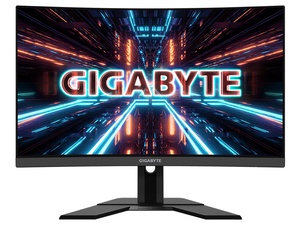
|| 27" VA 1500R Curve Non-glare, True Resolution
2560 x 1440 (QHD), Viewing Angle 178°(H)/178°(V), HDR Ready
|| Signal Input HDMI 2.0 x2, Display port 1.4 x1, USB 3.0 x2
|| Tilt(angle) -5°~+20°, Height Adjustment: 130mm, VESA Wall Mounting: 100*100mm, Kensington lock: Yes
It's a step down but a good amount cheaper
potent gust
So now I have a rtx 2070 super running on a monitor I got in a $20 bundle lmao
visual pilot
(M27q looks to be 450aud)
(M27q link anyways:)
https://www.centrecom.com.au/gigabyte-m27q-27-ips-qhd-05ms-170hz-freesync-kvm-gaming-monitor
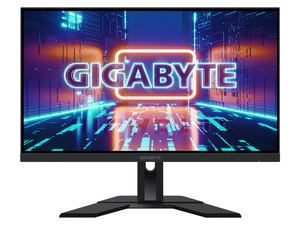
|| 27” SS IPS, 2560 x 1440 (QHD), Response Time: 0.5ms (MPRT), VESA Display HDR400
|| Unique Features: OSD Sidekick, Aim Stabilizer, Black Equalizer, Dashboard, Crosshair, Timer, Counter, Crosshair, PiP/PbP, Auto-pdate, KVM
|| Signal Input: HDMI 2.0 x2, Display port 1.2 x1, USB port(s): USB 3.0 x2, USB C x1, VESA Wall Mounting(mm): 100*100mm
potent gust
Thank you, you've been a big help
visual pilot
:)
rtings has very nice reviews if you want to check
https://www.rtings.com/monitor/reviews/gigabyte/m27q
https://www.rtings.com/monitor/reviews/gigabyte/g27qc
RTINGS.com
The Gigabyte M27Q is an excellent 1440p gaming monitor suitable for a wide variety of uses. It has a large 27 inch screen that provides an immersive gaming exper...

RTINGS.com
The Gigabyte G27QC is a great budget gaming monitor. It shares many similarities with its bigger sibling, the Gigabyte G32QC, as it also features a VA panel with...
potent gust
tyvm
 lucid flax
I have an MSI G241 I still need to figure out how to make sure I have all the settings right
visual pilot
You could find someone with same panel that has calibrated it for a possibly decent color profile
celest lark
are freestanding monitor mounts more realiable then the ones that clamp to your desk
 misty gyro
Look at reviews, each one is slightly different and has different pros and cons
 bitter marlin
any techies able to assist. I just bought two Gigabyte M27Qs hooked them up and have noticed that when i go inactive the monitors essentially turn off it seems.. everything from my second monitor gets swapped to my primary monitor and i have to move them everytime.
The only things that changed from previously was new monitors and using DP cables now
river edge
Windows power settings - Advanced Power Settings - Display timers
If not that, check in the monitor menu itself for a Sleep setting
bitter marlin
it is set to go to "sleep", but like the settings were that way before, and it never moved all my stuff
is it just monitor based as to why it moves everything on these new ones compared to my oollld one?
river edge
Check the Display power as well as PCI-E suspend settings in Windows Power Settings
bitter marlin
okay ty ill look at it
slate hamlet
Funny cuz I think they said windows just had an update trying to fix stuff like that
figures
 noble sky
fading wyvern
noble sky
fading wyvern
It’s perfectly okay 👍
 lofty acorn
Anybody ever used the Samsung Odyssey G5?
warped night
It's a good Monitor. The M27Q is better though (I think the G5 is a 1440p monitor.
quartz sandal
warped night
It's a good Monitor. The M27Q is better though (I think the G5 is a 1440p monito...
Pretty sure it its bur iirc it's curved so not really a fair comparison if they want curved
warped night
The G5's curve is not as much as a G7 or G9
quartz sandal
Ahh ntb, tbh the g7 and g9 curve is way way too much imo, i think even a tiny curve looks meh but they g9 would almost surround you XD
maiden wedge
Anyone have a good 1080p 144hz monitor that has cross hairs?
quartz sandal
why would you use a cross hair on you monitor and not just an ingame one lol
warped night
maiden wedge
Anyone have a good 1080p 144hz monitor that has cross hairs?
Just buy a good 1080p 144hz monitor. Most of them come with those stupid hardware crosshairs. I tried to use one, but it's just bad.
slate hamlet
G242
 slow bronze
slate hamlet
G242
slate hamlet
slow bronze
slate hamlet
G242
slate hamlet
Yeah that's a pretty good one
I recommend watching hardware unboxed videos to see which one you'd want
 summer obsidian
Yes I like my g242 but I had to file my vesa bracket to fit it
summer obsidian
M27Q is highly recommended
maiden wedge
summer obsidian
M27Q is highly recommended
but it doesnt have a gsync or freesync compatability
summer obsidian
Yes it does?
RTINGS.com
The Gigabyte M27Q is an excellent 1440p gaming monitor suitable for a wide variety of uses. It has a large 27 inch screen that provides an immersive gaming exper...
maiden wedge
just checked it does sorry my bad lol
summer obsidian
You're good lol
maiden wedge
it didnt show in the amazon description thats why
summer obsidian
I was just super confused
maiden wedge
but even if i have an nvidia gpu, i should be good with freesync right?
summer obsidian
Yea, g-sync works over displayport and I've never heard of anyone having issues with it.
quartz sandal
Dp has it all tbh
summer obsidian
For the M27Q* I've heard of people having problems with really garbage free-sync monitors
quartz sandal
I mean gsync is an option on my 3 or 4ish year old aoc monitor
That was freesync capable but as long as it can do variable refresh should be fine
maiden wedge
true that
slate hamlet
There is a new gaming champion for 1440p
But it's exactly $500

Support us on Patreon: https://www.patreon.com/hardwareunboxed
Join us on Floatplane: https://www.floatplane.com/channel/HardwareUnboxed
Buy relevant products from Amazon, Newegg and others below:
LG 27GP850 - https://geni.us/9sTgfY
LG 27GP850 (LG.com) - https://bit.ly/3veUOeP
LG 27GL850 - https://geni.us/SqkTB
Asus ROG Swift PG279QM - https://...
visual pilot
Lol
quartz sandal
slate hamlet
There is a new gaming champion for 1440p
What makes it worth 200$ extra over m27q apart from the extra 36hz may i ask?
slate hamlet
it has the best response time for a 1440p nano ips at the moment, highest refresh
whether or not that's worth it for you is a personal question
quartz sandal
aren't response times a bit of a marketing gimmick?
Also the extra 36hz is trivial tbh
Oh nice steal
Tbh I'm happy with my aoc g2460pf 1080p and probs tn
10/10 monitor naming btw
Yeah it's tn lol still think it looks fine
fading wyvern
I’ve always said I’m a huge fanboy of LGs displays. Always nice to see them refreshing the line up
slate hamlet
quartz sandal
aren't response times a bit of a marketing gimmick?
"1ms" is
quartz sandal
Fair
slate hamlet
the lg gets an average 4.65ms on it's "fast" preset, at 180hz, with decent colors
quartz sandal
Interesting
warped night
Even with the mediocre HDR10 certification on this monitor I have. The HDR Compatible titles I do own look GORGEOUS in HDR.
Those being Forza Horizon 4, Battlefield 1 and 5, and Monster Hunter World.
 hot zephyr
My new Acer ED276U just arrived and I can't say I'm very impressed.
Can't complain considering the 130€ I paid for it (new) but I was hoping for better colors out of an IPS panel. Also the stand sucks.
Actually, I'm not sure if the colors are off or I'm just too used to my VA monitors.

Here's a picture of just white:
 fading wyvern
Welp the one on the right looks blue and the one on the left looks yellow 
warped night
Yeah looks like both monitors are off. Time to dig up ICC Profiles and proper Color Settings on the Monitor.
Or just buy a Colorimeter.
hot zephyr
I was considering that, but I just looked up the price of a three-monitor stand 😳
 late junco
Thoughts on Gigabyte AORUS FI27Q-X vs LG 27GN950-B? I’m mainly looking for a color accurate monitor for video game development (texture making/scenes etc.) as well that has more than 144hz for gaming to not downgrade myself from my current monitor. Are the pros/cons on the resolution/color accuracy really differ that much? What should I take notice of?
visual pilot
Could go cheaper and grab M27q lel
But FI27Q-X is nice
 wild coralBOT
 TheSunCat#1007 has been warned
Reason: Duplicated text
hot zephyr
hot zephyr
Here's a picture of just white:
Looking to buy a monitor stand to have these two next to each other
And another smaller one vertical for devving
Here are some that I've found which seem affordable (I am in France):
Anything I should look out for, or can I just buy the cheapest one?
fading wyvern
late junco
Thoughts on Gigabyte AORUS FI27Q-X vs LG 27GN950-B? I’m mainly looking for a col...
id say the m27q unless you really want 4k
 pallid patio
anyone able to dm me, need help with a monitor issue
late junco
fading wyvern
id say the m27q unless you really want 4k
It being much cheaper aside, any other reason to go for the m27q and not the FI27Q-X?
visual pilot
Well, the price is the main thing, and M27q in general is already a great panel.
fading wyvern
Color accuracy out the box great response times and 1440p.
hot zephyr
warped night
There's plenty of cheap yet good monitor arms on Amazon
It seems that they are much more expensive on baguette amazon: https://your-face.is-ne.at/Lddsfi.png

What separates a "good" monitor arm from a bad one?
slow bronze
what do you guys prefer?
24 inch or 27 inch
i’m thinking of getting one of these monitors
or
 waxen arrow
Ok so I got a 1440p 144hz main panel rn and I want a side panel that’s just for discord and Spotify and etc. Should I get 1080p with 144hz or 1440p with 60hz ish?
warped night
slow bronze
24 inch or 27 inch
24" for 1080p 27" for 1440p
I'd get the G241 for 1080p.
fading wyvern
The msi g242 is great. 👍
pallid patio
is anyone here able to help with an issue im having with a monitor
misty gyro
Describe the issue and maybe we can
fading wyvern
Welp he left the server 
misty gyro
Yeah I don't get why people do that so often, don't ask to ask, just ask
fading wyvern
Maybe they fixed it on their own and figured out it was a really dumb problem 😮

Sammi knows
misty gyro
Or my semi-sarcastic response scared them off
fading wyvern
Was a very safe response imo
hot zephyr
hot zephyr
What separates a "good" monitor arm from a bad one?
any recommendations for this? Don't want to overspend but I also don't want to end up with a useless chunk of plastic with a VESA mount.
 nova cloud
hot zephyr
any recommendations for this? Don't want to overspend but I also don't want to e...
nova cloud
hot zephyr
any recommendations for this? Don't want to overspend but I also don't want to e...
Just look at YouTube videos/Amazon reviews tbh
hazy warren
honestly just do tht and refund if u dont end up liking it
ebon zenith
my new/refurb lg monitor is having huge video playback problems its extremely choppy
what should i do
slate hamlet
Only on video?
fading wyvern
ebon zenith
my new/refurb lg monitor is having huge video playback problems its extremely ch...
What graphics card/processor are you using
ebon zenith
yeah only on video, like any random youtube video. im on a laptop running a gtx1650 max q with integrated 630, i believe it just runs the max q all the time at my settings but not positive
i restarted my computer and it worked better but why would that happen in the first place? im worried about it happening again and my return window is getting shorter, having trouble working out just hiccups with monitor-laptop tech versus identifying potential actual hardware problems..
ebon zenith
im not sure, where is that
fading wyvern
Also when it’s unplugged it could get a bit choppy, since power settings might be set to save power
ebon zenith
its plugged in
using like a desktop these days since i couldnt build one this last year, im aware i might be pushing it a little hard to display, its a 2k monitor at 34 inches
but i didnt expect like huge stuttering on basic videos after it runs like games like control quite smoothly
slate hamlet
Say for example does it ocurr on different browsers
ebon zenith
i havent tried any others, unfortunately when i restarted it went away so i cant diagnose it as much, i didnt expect that otherwise i would have waited to do that
as i said im concerned about it being indicative of hardware side issue but i dont know, this is my first time using an external monitor with a laptop and im not well versed enough to tell whats hardware side versus compatibility stuff or drivers software etc
ebon zenith
ive had a lot of huccups from freesync basically crashing the monitor unless its turned off to difficulty with settings changing themselves and now this. yeah im on chrome
fading wyvern

how to turn hardware acceleration on and off in chrome
How To Disable Hardware Acceleration In Google Chrome
Enable Hardware Acceleration In Google Chrome
Enable Hardware Acceleration
How To Disable Hardware Acceleration In Google Chrome
When hardware acceleration is enabled in Chrome, it passes most of the graphical intensive tasks within the ...
ebon zenith
would video stuttering ever be a monitor hardware problem or basically always something else? ive tried to get feedback on this issue of determining if the monitor has problems vs it being other things and no one will really respond to me
fading wyvern
It’s probably a hardware issue,
If the monitor has performed other tasks fairly normally and expected should probably start to expect other bottlenecks like ram or graphics
Like your gsync issue before was probably caused by the monitor going below it’s minimum rated gsync frame rate
ebon zenith
wouldnt that come with actual framerate dropping? nothing i ran was like overloading the computer at all, it all ran smooth when i turned off freesync but with it on the monitor flashes black over and over and sometimes just stays black
fading wyvern
Well if your game was going under 60fps which it probably did at times if you were running it at 1440p on a 1650
ebon zenith
nothing particularly demanding
fading wyvern
Like what games
ebon zenith
like even slay the spire did it
it actually.. lemme see i think sometimes it happens with just on windows
yeah it blackwed out
fading wyvern
Maybe you bumped the cable? That could cause the screen to go black
ebon zenith
i didnt
fading wyvern
Well then it’s the monitor
ebon zenith
it blacked out turning on freesync, i hear the disconnect sound, then i turn it back on using the monitor button and its back
ok well. is there some way i can prove that because i was told if i send it back and its not actually defective then i just eat the cost of all of that
shipping and restock as if it was just a return
i dont want to ship back a huge monitor if its not broken but i especially dont want to ship it back if theyre just going to say its fine
when i messaged newegg they were incredibly unhelpful and basically made it sound like they can do whatever they want
im actually maybe too late already because my window was only 30 days but i would hope a company selling a defective monitor like has some kind of policy that isnt just screwing me over, i couldnt figure it out going thru newegg
fading wyvern
I don’t know how to help you there, I’m sorry.
ebon zenith
i might be lucky and still have a few days
youre not newegg? how can i get someone to listen to me there
i was literlaly referred here from the newegg chat thing
ok fortunately i have another 15 days
is there someone i tag here
i thought this was like a respectable company this expereicne has been fully hell
fading wyvern
NeweggService#3472
This discord is just filled with slightly helpful people... And some Newegg employees
ebon zenith
@true iron
thank you @fading wyvern for confirming that freesync crashing with nearly no programs open is monitor side hardware problem, its very helpful to know that now
slate hamlet
Keep freesync off and see how it does
ebon zenith
yeah i have been keeping it off and its fine but uh
i dont think if i give a company 300 dollars for something that only works when i turn off a major feature they should just keep all that money -__-
like.. they sold me something defective
im trying to find someone at this company who will take responsibility for that and make sure i dont get hung up with the bill if i send it back
river edge
1650 max q mobile?
Does it have an HDMI or a Displayport output?
The reason I ask is that Freesync/Gsync isn't supported over HDMI, need to use USB-C output or Thunderbolt (Displayport) for it to work
fading wyvern
Completely blanked on that, good point.
ebon zenith
its hdmi
river edge
yeah, freesync won't work with nVidia over that
ebon zenith
nobody in the last two weeks has bothered with that one thanks
river edge
It needs to be USB-C out
USB-C to Displayport to be exact
Your laptop may or may not have it, have to check it
ebon zenith
usb c to the display port on the monitor
ebon zenith
usb on monitor?
river edge
USB-C to DP on your laptop, then Displayport to the monitor
If you don't have a USB-C port, it won't work
river edge
yes
ebon zenith
ok. are ther other issues you might expect over hdmi?
i thought hdmi was like the standard
river edge
Mmmm, depends on the HDMI cable you're using
There are a ton of different versions from 1.0 to 2.1
Different cables can handle different amounts of data so using an older, slow cable can cause issues at high resolution or high refresh rates
HMDI is confusing, DP just works
ebon zenith
and if the laptop doesnr have dp usb c to dp is just as good? or at least better?
ebon zenith
its hdmi 2
river edge
Your USB-C port can be used as video out
ebon zenith
2.0
river edge
not all can so check it
ebon zenith
oh yeah im not sure about that
river edge
What is HDMI 2
ebon zenith
monitor is 2.0 not 2.1
ebon zenith
ohh yeah im just using the one that came with which is probably bad
river edge
It should be labeled Ultra High Speed or at the very least High Speed
ebon zenith
how can i check if my usb can do video? and if not whats a hdmi cable youd suggest, it seems hard to find somewhere thats consistent from what ive seen online
river edge
Need to look at your laptop manufacturers website to see if it's supported OR next to the USB-C port there will be a monitor symbol
A little rectangle inside another rectangle
Or a D like this
 ebon zenith
missing that symbol. im looking up the laptop, does thunderbolt 3.0 mean anything or its a further distinction?
it looks like people have connected these to monitors thru usb c im still trying to find the distinction from the manufacturer themself
river edge
Thunderbolt is a spec that CAN carry video but the issue with laptops is that often the thunderbolt port isn't connected to the GPU
It needs to be hardwired into it and it's often a "premium" feature
This is a Certified HDMI 2.1 cable, should be good for what you need https://smile.amazon.com/48Gbps-Compatible-Netflix-Playstation-Samsung/dp/B07S1CGQ9Z
Buy Zeskit Maya 8K 48Gbps Certified Ultra High Speed HDMI Cable 1.5ft, 4K120 8K60 144Hz eARC HDR HDCP 2.2 2.3 Compatible with Dolby Vision Apple TV 4K Roku Sony LG Samsung Xbox Series X RTX 3080 PS4 PS5: HDMI Cables - Amazon.com ✓ FREE DELIVERY possible on eligible purchases
Time for bed. Hope you got a little bit of help here. 🙂
ebon zenith
hmm im trying to lookup if its hard wired seems like not exactly on a spec sheet
river edge
I would imagine with a 1650 Max Q it isn't
Especially if it doesn't have the symbol next to the port
ebon zenith
ok. thanks for the direction ill tamp down my frustration another day and look into some other connecting options
river edge
Google your laptop model name and Thunderbolt Video Out and see what you get.
ebon zenith
power delivery up to 100w and display port alt mode for 4k external monitor support 🙂
 fickle fulcrum
Monitors are not my strong suit, would I have any issues running a 3 monitor setup with:
2x Dell U2721DE (sides)
1x LG 27GP950-B (middle)
fading wyvern
fickle fulcrum
Monitors are not my strong suit, would I have any issues running a 3 monitor set...
What gpu are you using
slate hamlet
It's 2021 and usb c is still a mess
fading wyvern
Any recent gpu 2080+, 3070, 3080, 3090 will have absolutely no issues prob even a 1080ti honestly, running those screens. @fickle fulcrum
 glossy lichen
Can anyone recommend a monitor? I got a budget of around $500 I’m looking for a 34” ultra wide and I’d prefer 1440p but I’d be okay with 1080p
fading wyvern
https://www.amazon.com/gp/product/B08GFN64F2?tag=rtings-mn-r-20&ie=UTF8 ultrawides are generally pretty expensive here’s a pretty cheap gigabyte va panel, was well reviewed and recommended on rtings
@glossy lichen
fading wyvern
👍
fickle fulcrum
fading wyvern
Any recent gpu 2080+, 3070, 3080, 3090 will have absolutely no issues prob even ...
running a msi 3090 surpim X, but I was referring too like, I usually hear that running different refresh rates etc can be bad for the system
fading wyvern
fake news itll be fine
 olive pollen
Hey all, I was just referred here by New Egg staff- looking for an HDMI splitter (Extender NOT mirror) for adding a third monitor to my laptop. I've got a VGA port already spoken for and one monitor through the only HDMI port in my Think Pad. Any suggestions for a splitter? Thanks!
quartz sandal
Mose likely your laptop won't support 3 monitors I'm guessing because that's 4 displays it would have to power
olive pollen
It supported the additional screen as a mirror
river edge
Can't do what you want with what you have is the short answer. You'll need a USB to HDMi output if you want to extend your displays
slate hamlet
you just want 1440p in general?
 foggy flame
yep
slate hamlet
seems ok
 charred saffron
Quick question. Now I am in the process of checking displays for probably 1-2 months since everything else is ok 😄 For 22 23 inch, what p is ok?
1080, 1440?
visual pilot
What's the budget?
charred saffron
There isn't a fixed budget, I will try to get one of the best.
charred saffron
That doesn't mean I will spend 5000k on a display 😛
 eternal torrent
1080 doesn't do so good on anything over 24 inches or something I think?
charred saffron
I want under 24, due to dual screens, and the setup I like.
visual pilot
M27q is the go-to panel for anything high end for me :(
charred saffron
I mean, i have a TV at about 3 meters I can watch sporadically over the displays.
visual pilot
Very rare to see 1440p144hz panels at 24in
charred saffron
If I pick too big displays, I mess up the setup, and my neck will cry in dual screens setup 😄
visual pilot
Sad
charred saffron
Indeed :))
I am still pondering if I can go over 24 in 2 screens, but I would have to test the setup at least 1 week.
slate hamlet
charred saffron
I am 40, my neck is not perfect, with c2 to c6 a bit damaged in a car crash.
charred saffron
Interesting, I will write it up in the excel I use. As I said, it will take a few weeks at least to decide 😄
Thank you
So basically it's 24+ 1440, 24 under, 1080.
And I suppose Benq, Samsung, are good choices of brands.
slate hamlet
to put it shorter, for 1080p don't go bigger than 24"***
charred saffron
Absolutely not, if it's 24 or more, 1440.
Thanks again.
I need multiple confirmations because the www is full of contradictory advice 😄
visual pilot
For non-ultrawide panels, >24in should go for 1440p or above
 viscid spindle
newegg has an open box m27q and I'm tempted
$264...
yeesh I think I bought this 1080p monitor for around that much
That's annoying, at least someone took it? lol
they say since it's open box it doesn't come with accessories and I'm like what if it doesn't have a stand 
lol their open box wording is very aggressive

I mean I should get some arm mounts anyway, but still lol
h*ck
river edge
Who doesn't have a couple extra power cords laying around?
viscid spindle
depends on if it needs a brick haha
but I don't think they'd sell it if it was that screwed
even though they say...
misty gyro
Gigabyte monitors don't need bricks, standard PC plug.
 edgy lagoon
what’s one of the best 24in to buy
fading wyvern
Like 1080p? And for what... gaming, color accuracy? @edgy lagoon
Is there a budget?
The msi g 242 is a great budget option, the hp x24ih is also a great panel
If your just going for cheap speed as in input lag and pixel response times the hp omen x25f is insane. Color accuracy takes a hit though
 forest portal
Is the m27q the best overall 1440p monitor in its price range? I see some very mixed reviews on Amazon
I'm running a 3070 and want to really utilize it to full potential for gaming mostly
 especially for 300
nova cloud
misty gyro
Gigabyte monitors don't need bricks, standard PC plug.
especially for 300
nova cloud
misty gyro
Gigabyte monitors don't need bricks, standard PC plug.
Uhh mine did
 brazen ridge
whats a cheap 1080p 144hz monitor
quartz sandal
What's cheap to you?
nova cloud
brazen ridge
whats a cheap 1080p 144hz monitor
I believe the g242 is recommended
brazen ridge
k that works
charred saffron
Hm, aren't there 22inch displays with 144hz?
Or for 22inch you can't see the differences.
I am looking at multiple shops here and the most they have is 75
misty gyro
Refresh rate is noticeable at any size, it's resolution that makes less difference according to size
charred saffron
misty gyro
Refresh rate is noticeable at any size, it's resolution that makes less differen...
Thanks, so I definitely want 144.
slate hamlet
almost anything freesync works fine with gsync, the particulars vary from model to model though
visual pilot
..?
how is it not g sync compatible
It's not g sync ultimate
but it's g sync compatible
visual pilot
oh then it doesn't matter
g sync compatible is g sync compatible :P
yeye Nvidia dummy so
brazen ridge
so it doesn't matter which one I get? im confused
nooe
nope*
its in stock
on newegg
its in stock
shipped and sold
by newegg
i just looked it up on google and clicked first link


damn she thicc
almost as thicc as my old mac that has a computer in it
ty
yea
quartz sandal
Maybe some revisions only come with 1 hdmi?
 onyx ether
a friend of mine was looking for a new monitor when he stumbled across this
https://www.newegg.com/black-acer-nitro-ed270-xbmiipx-um-he0aa-x01-27/p/N82E16824011367?Item=N82E16824011367&quicklink=true
He doesn't do that much competitive gaming, but the upgrade in size and refresh rate has caught his interest
think its worth it for him to get it?
 wispy stump
I can get a used Acer predator xb271hu 27in in 1440p for $315 plus shipping. Like $340 total. Should i do it. I game mostly with light graphic design.
fading wyvern
wispy stump
I can get a used Acer predator xb271hu 27in in 1440p for $315 plus shipping. Li...
m27q would be a excellent alternative. 1440 170hz and maybe even cheaper then the acer. Brand new.
wispy stump
nice ill check it out then thank you. I kept reading there were better monitors nowadays jusr disnt know which
fading wyvern
onyx ether
think its worth it for him to get it?
Thats a tough question. the price is good, but the pixel density is bad yes it does have 240hz but the panel might be pretty bad color wise. I dont personally think its worth it
onyx ether
@fading wyvern I'll forward that to my friend. Thanks
this the one you're talking about?
https://www.newegg.com/p/N82E16824012018?item=N82E16824012018&source=region&nm_mc=knc-googleadwords-pc&cm_mmc=knc-googleadwords-pc-_-pla-_-gaming+monitors-_-N82E16824012018&gclid=EAIaIQobChMIz_W_rOfF8AIVAeazCh2SdwvMEAQYASABEgLmdvD_BwE&gclsrc=aw.ds
wispy stump
I wouldnt do full hd. Im pretty tired of the one i have now
fading wyvern
Thats the one. Always check for better prices on alternative sites
fading wyvern
wispy stump
I wouldnt do full hd. Im pretty tired of the one i have now
as a bonus the m27q has excellent color accuracy out the box for your light graphic design btw
wispy stump
It looks legit. Brand new its cheaper too.
wispy stump
@fading wyvern Thanks dude it beats the predator in literally like all but 2 things. You saved me some money, appreciate it www.rtings.com/monitor/tools/compare/acer-predator-xb271hu-bmiprz-vs-gigabyte-m27q/490/19668?usage=3623&threshold=0.10
 fast ivy
is anyone against someone having 3 monitors? i am contemplating it lol
viscid spindle
3 monitors? In this economy?
warped night
fast ivy
is anyone against someone having 3 monitors? i am contemplating it lol
3 monitors isn't a bad idea. But unless you do work where you need it (and you work from home) or are a Streamer or something, you don't really need 3 monitors.
fast ivy
i am doing college, and am having to flip through school, zoom meetings, and alot of other stuff even with 2 lol
quartz sandal
Just realise the desk space you're taking away with adding an extra monitor and you don't mind loosing a few frames while gaming
dusty island
is this a decent monitor?
I’m considering getting it just to have for if/when I get back into competitive gaming but if it’s a notably bad/sketchy monitor then meh
warped night
It probably isn't garbage.
quartz sandal
 heady briar
for 600https://lytetechnology.com/product/lyte-delta-diy/
heady briar
for 600https://lytetechnology.com/product/lyte-delta-diy/
Meh also not a display lol?
heady briar
sry lol
quartz sandal
You would be correct afaik
quartz sandal
Yeah ips or tn for high hz
charred saffron
quartz sandal
Yeah ips or tn for high hz
For work, does it matter?
Doing apps, websites, stuff like that.
quartz sandal
charred saffron
For work, does it matter?
just whatever you fancy either va or ips usually
charred saffron
Thank you.
quartz sandal
but hell if you like tn panels look go for that
misty gyro
Does your work require high color accuracy?
charred saffron
Hm, not really, because I am the opposite of an artist 😄
I totally lack the skills
misty gyro
Then the panel type has little effect on that
charred saffron
I mean, for me it's the basic colors, and that's it. And paintings, all are the same for me 😛
charred saffron
misty gyro
Then the panel type has little effect on that
Thanks
wispy stump
Gigabyte M27q or rog swift pg279q? For mostly gaming some photoshop and coding. Both are close in price m27q averages slightly cheaper.
slate hamlet
m27q has significantly better color accuracy, 279q has better ergonomics
I'd go m27q between the two and get a vesa stand if it bothers you that much
m27q on the right
 wispy stump
Yeah i think youre right. I have the vesa stand already too. Plus its cheaper. $269 compared to like 330$
I can game any game in hdr with it?
The only game i play is like 10 years old. Starcraft 2
slate hamlet
hdr support is dependent on the game
wispy stump
Ahh ok, everyone keeps suggesting the m27q, cant really find anything better and ive been trying, Probably wil pull the trigger, thank you!
nova cloud
wispy stump
Ahh ok, everyone keeps suggesting the m27q, cant really find anything better and...
yes can definitely attest for m27q, and if you have thunderbolt capable laptop you can use the kvm switch to go between pc and laptop and still use the same keyboard and mouse
 brave cipher
i wanna know for the ppl who use the lg cx as a monitor.. wtf you all thinking.. i tried it and terrible blurr in cyberpunk
misty gyro
Usually that's solved by turning off freesync/gsync and turning down "overdrive"
brave cipher
whats the point of using it without vrr and gsync then
i returned it and put my g7 32 back up
 lusty wadi
Looking for a monitor around 300 with decent spec
Any recommendations
Ideally looking for a 1440 monitor
slate hamlet
New viotek 1440p, will need more information to see how it stacks up
fading wyvern
Welp rip lg cx and your instant pixel response time and perfect blacks
slate hamlet
what happened
fading wyvern
Someone if you scroll up a little had serious issues with it in cyber punk
Was prob a mix of sitting real close and g sync not being on.
 upbeat summit
looking for displays
one 240 hz 1080p
other 144hz 1440p
or something close to tha
2 144hz 1400p monitors also work
fading wyvern
M27q 
upbeat summit
anything else
fading wyvern
any budget?
 unreal portal
fading wyvern
M27q <:pepeCool:810619290469662751>
unreal portal
fading wyvern
M27q <:pepeCool:810619290469662751>
Should you ever opt for the more expensive M27q?
Like 165 hz
I’m thinking not because I barely notice a difference
misty gyro
The difference between 144 and 165 hz is unnoticeable
unreal portal
Aight
fading wyvern
the m27q is just highly recommended. https://www.rtings.com/monitor/reviews/gigabyte/m27q
RTINGS.com
The Gigabyte M27Q is an excellent 1440p gaming monitor suitable for a wide variety of uses. It has a large 27 inch screen that provides an immersive gaming exper...
unreal portal
I was just wondering if there were any other differences other than refresh rate
unreal portal
fading wyvern
the m27q is just highly recommended. https://www.rtings.com/monitor/reviews/giga...
Yea
Pin that please
Lol
misty gyro
We really should lol
fading wyvern
yeah actually
misty gyro
We give that same recommendation like 10 times a day
upbeat summit
fading wyvern
any budget?
sorta
misty gyro
OLEDs do be nice tho
river edge
fading wyvern
the m27q is just highly recommended. https://www.rtings.com/monitor/reviews/giga...
Done
 waxen root
Trying to decide between the LG 34GN850-B and LG 34GP83A-B but not sure the 850-B is worth the extra $200
thoughts?
fading wyvern
https://www.rtings.com/monitor/tools/compare/lg-34gn850-b-vs-lg-34gp83a-b/13261/18229?usage=3623&threshold=0.10 ill let you know my opinion in a minute after going over this

RTINGS.com
The LG 34GP83A-B and the LG 34GN850-B are almost identical in design, features, and performance. The main differences are that the 34GN850-B has slightly better response time at max refresh rate, and it gets a bit brighter in HDR, although not by much.
doesn't seem to be worth a extra 200$, slightly better HDR content and slightly better overshoot
waxen root
Yea that's what I'm thinking
wispy stump
LG27GN850 nano ips or m27q? Im basically wondering if nano ips is worth the extra hundred bucks. It does show on rtings that the m27q beats it in almost every way though
slate hamlet
The m27q is nano ips as well isn't it
visual pilot
@slate hamlet 'superspeed IPS' iirc
slate hamlet
Hmm
slate hamlet
The LG is technically better at everything, just significantly more expensive
visual pilot
is it tho
slate hamlet
I'll end up getting the LG because I want the SPEEED
visual pilot
M27q might have better color, too lazy to check
pretty sure LG has better response time
slate hamlet
Yes the LG has better response time and higher refresh by a smidge
slate hamlet
Did you mean the gp850?
I thought we were talking about the new gp850
Which is 180hz
visual pilot
they said GN850 so
slate hamlet
Numbers 
visual pilot
haven't been paying attention to new monitors
that's why we embrace M27q
good panel, good price, good name
slate hamlet
Will the world implode should they ever release an m27q-2???
visual pilot
OH NO
slate hamlet
Imagine they do somehow
slate hamlet
"yep it's hdr 600 now and 240hz, deal with it"
wispy stump
Damn yeah im trying hard to find a better deal then m27q
I cant its been weeks
Lol
slate hamlet
I'm still gonna go with the LG cuz I want that response time
visual pilot
but are you going to notice it
slate hamlet
Yes 
visual pilot
@slate hamletthink of how many UR40s you can buy with the extra money you spend >:D
slate hamlet
I don't want more ur40s
visual pilot
skiptrace will always ask for more
slate hamlet
I want bigger pads for phoenix 
visual pilot
lol
slate hamlet
I'm straight up going to staple the backing to a bigger pad meant for Beyers
visual pilot
bigger pads for beyers that are meant to stop the treble from making your eardrums bleed?
visual pilot
ah
slate hamlet
Like it should be entirety possible to mod them like I said just lame to have to need to do it
Oh yeah, monitors
If the lg gp850 ever gets a price dip I think it'll be a worthy cop
slate hamlet
Exactly $500 same as the gn850 was but better
visual pilot
ah
slate hamlet
Doesn't matter anyway till we can actually get good gpus
visual pilot
400$ for it would be nice
a year ago, mag272cqr was the best price to perf 1440p144hz panel, and it was va at 400$
M27q is just so neat
slate hamlet
I was previously drawn to the Dell for $460 because of its response time and ergonomics but the gp850 is nicer looking AND faster for just a bit more
Technology moves fast
slate hamlet
I seriously wouldn't doubt it if in 10 years a 360hz could be had for less than $400
Support us on Patreon: https://www.patreon.com/hardwareunboxed
Join us on Floatplane: https://www.floatplane.com/channel/HardwareUnboxed
Buy relevant products from Amazon, Newegg and others below:
LG 27GP850 - https://geni.us/9sTgfY
LG 27GP850 (LG.com) - https://bit.ly/3veUOeP
LG 27GL850 - https://geni.us/SqkTB
Asus ROG Swift PG279QM - https://...
visual pilot
if we don't move to a different standard before that
visual pilot
maybe, who knows
 visual pilot
rip
slate hamlet
Yeah but like we said
The first 360hz was 2k at release as well and now they're already significantly cheaper
In 10 years...
visual pilot
ye
 visual pilot
neat
slate hamlet

fading wyvern
I do own that elite... 
 wraith surge
dumb question but im really stuck. Right now I have a 1920 x 1080 144hz. and another with 60hz as my secondary. They arent the same panels, so one is darker and deeper in colors than the other. How should I go about it if I want to get 3 matching or similar monitors that wont be different?
slate hamlet
either get 3 cheap-ish monitors or just spend a lot of money
fading wyvern
wraith surge
dumb question but im really stuck. Right now I have a 1920 x 1080 144hz. and ano...
If you’re looking to replace the 60hz displays you could look for a similar panel from the same company as the 144hz
You’ll just have to check the display type and find something cheap
wispy stump
too good to be true?
slate hamlet
I think that might be a bork cuz when I search it, doesn't come up
or it could be a local store oddity like what happens at microcenter
slate hamlet
oh I assumed that was a typo of just "target"
wispy stump
juust put https:// in front of the url
slate hamlet
WOW
wispy stump
you may return "most" new
so if i get the packaging as beat up they wont take it back
gigabyte has the 3 year warranty tho
damn
i'm gonna delete that link, everywhere says its a fat nope
slate hamlet
yeah figures
if it was like 250 that'd still be crazy but somewhat believable
165 though? absurd
slate hamlet

maiden wedge
whats the best montor under 170
misty gyro
maiden wedge
whats the best montor under 170
If there's any flex in that budget at all, MSI Optix G242 is $190. 24" 1080p 144Hz
 whole sorrel

any decent 1920x1080 75hz ips with dp under 120usd
pls @ me I have this channel muted
misty gyro
whole sorrel
pls @ me I have this channel muted <:ssadge:827702421279080468>
https://pcpartpicker.com/product/Dnbkcf/lg-24mp59g-p-238-1920x1080-75hz-monitor-24mp59g-p
https://www.rtings.com/monitor/reviews/lg/24mp59g-p

RTINGS.com
The LG 24MP59G-P is a decent 1080p IPS gaming monitor with great wide viewing angles and good gaming features, including AMD FreeSync VRR support. It is limited ...
misty gyro
Can't really afford to be picky at that price, better off looking for used locally
whole sorrel
yea
I'm gonna be waiting a long while before I buy monitors anyway so guess I might as well wait longer
I think I'd still go with the vp229q tbh
about the same but a little nicer
vesa mounting is cool
might want to vesa mount in the future
maybe I'll instead try to get some cheap dell monitors at a university warehouse
 raven laurel
Does anyone have one of the new Alienware monitors? There not many big Tech YouTuber(Like Linus) reviews on it.
quartz sandal
Just get an m27q tbh
quartz sandal
Think it's 144hz but trivial diff tbh, and if they looking at Alienware it should be 1440p right?
Or if it was 1080p it would be the same price as the m27q cuz Alienware 🤑💰
maiden wedge
misty gyro
If there's any flex in that budget at all, MSI Optix G242 is $190. 24" 1080p 144...
Sorry i cant stretch the budget
So theres no good 144hz monitors under 170?
quartz sandal
maiden wedge
So theres no good 144hz monitors under 170?
https://pcpartpicker.com/product/HBRzK8/aoc-c24g1-240-1920x1080-144-hz-monitor-c24g1 this one looks fairly decent
Cs and qc?
My aoc has done me well
Oh
Well I've no probs with mine ¯_(ツ)_/¯
Also in eu we deal with the retailer not manufacturer unless it's an extended manufacturer warranty that you get by verifying sometimes
maiden wedge
quartz sandal
https://pcpartpicker.com/product/HBRzK8/aoc-c24g1-240-1920x1080-144-hz-monitor-c...
Lmao 155 dollars with 200 dollar shipping
quartz sandal
quartz sandal
G24c4 is 173 i think
Get this one @maiden wedge then
whole sorrel
@modest palm I found some Acer refurbished VA ones that are vesa compat, and have displayport
About the same price as those
VA should be nice enough 
wispy stump
Guys look on mercari for monitors theres a ton of good deals. I just got an m27q for $+198
slate hamlet

fading wyvern

wispy stump
Buyer protection
river edge
Yeah.....thats what they say.
 untold idol
should i have my monitors right next together, or should they just be separate
quartz sandal
Whatever you like better
untold idol
quartz sandal
Whatever you like better
my monitors are too big for my speakers, and i cant adjust them because of how tiny my desk is
quartz sandal
Fair
untold idol
one of my monitors isnt even on the desk all the way
part of the base is sticking off the back
quartz sandal
Oof
 pine falcon
Which should I get (price aside): dell 3220DGF or Samsung Odyssey G5 C32G57T
Dell has better refresh rate but Samsung has better response time
slate hamlet
personally I would find the 1000r curve on the odyssey to be annoying
fading wyvern
Go for the response times tbh but yeah the curve seems a bit excessive
Who knows might even end up liking it
slate hamlet
guess that depends on your particular setup
pine falcon
Is 4ms too slow for gaming?
slate hamlet
4ms is fine for 144hz as long as it's staying within that range

so it's up to you if you want better colors, or if you want more response
and if you want more response, will you mind the curve
pine falcon
Thanks. I have the dell monitor on the way but I’m checking again and notice the response time. I also have an nvidia card so the free sync is useless
slate hamlet
are you used to 60hz per chance?
pine falcon
This will be my first monitor so I’m not sure
slate hamlet
oh it's gonna feel great then
be sure to enable the refresh rate fully in nvidia control panel
and to use the best overdrive setting, which will likey be "fast" but not "extreme"
pine falcon
Not sure how to do that but I’ll figure it out
slate hamlet
right click anywhere on desktop to access nvidia control panel
slate hamlet
pine falcon
Thanks. I have the dell monitor on the way but I’m checking again and notice the...
also, this isn't true, you can still enable it through the control panel
results may vary
sick plume
slate hamlet
right click anywhere on desktop to access nvidia control panel
anywhere on the desktop
pine falcon
And yeah pretty excited got all my pc parts w me just waiting for the monitor

 sick plume
slate hamlet
make sure it's set to 165 or whatever
sick plume
slate hamlet
make sure it's set to 165 or whatever
better to do from windows settings tbh
pine falcon
If I see ghosting should I lower the refresh rate?
sick plume
doesnt always work from the control pannel
sick plume
pine falcon
If I see ghosting should I lower the refresh rate?
no
mess with pixel response
slate hamlet
usually "fast" is the best balance
sick plume
in the monitor settings. not windows
slate hamlet
yeah I'd have to take a picture of my monitor to show that
sick plume
slate hamlet
usually "fast" is the best balance
fastest bad yes
pine falcon
Thanks
river edge
Almost your monitor model number...... https://www.rtings.com/monitor/reviews/viewsonic/vx2758-2kp-mhd

RTINGS.com
The ViewSonic VX2758-2KP-MHD is a good 27 inch, 1440p monitor with great peak brightness and wide viewing angles. It delivers a great gaming experience, with low...
 cunning fog
can a 1080ti and i5 11400 run well on 1440p or should I just go with 1080p
quartz sandal
Could probs go 1440p but depends on games and settings
slate hamlet
 junior hinge
ViewSonic VX2768-2KPC-MHD 27 Inch 1440p Curved 144Hz 1ms
junior hinge
ViewSonic VX2768-2KPC-MHD 27 Inch 1440p Curved 144Hz 1ms
M27Q
cunning fog
quartz sandal
Could probs go 1440p but depends on games and settings
I mostly play fps games and hope for them to run around 100 fps
quartz sandal
Warzone might not but any eSports titles will run 1440p
cunning fog
my main game is apex but I also play csgo and valorant etc.
I would be fine with 1080p but my concern is buying a 1080p 27 inch monitor
I've heard it looks like crap
quartz sandal
cunning fog
I would be fine with 1080p but my concern is buying a 1080p 27 inch monitor
Yeah you'll be able to run them 1440p just fine
I'd get an m27q
quartz sandal
M27q is like 280-310$
cunning fog
quartz sandal
M27q is like 280-310$
400€ here
quartz sandal
cunning fog
400€ here
Ohh you're in europe
It's default for us
It's still like 350 on Amazon de iirc
390 big oof
360 nvm
@cunning fog what country?
cunning fog
Finland
quartz sandal
Ohh
Ehhh
No import and shipping inside eu
Well shipping mb
We already pay tax on products in eu included in price
quartz sandal
It's aoc which i know rommy dont like but it's 300€
Fair lol
Next cheapest 1440p 27" is tuf as 369
@cunning fog is 300€ monitor okay?
cunning fog
yea
quartz sandal
quartz sandal
https://fi.pcpartpicker.com/product/KDmFf7/aoc-q27g2ubk-270-2560x1440-144-hz-mon...
This one then
cunning fog
gotta save a bit but I don't need it immediately
cunning fog
alrighty
thanks alot, friendly strangers of the internet, I'll go find myself a job and start saving
guys
this is on sale
Acer Nitro VG270UPbmiipx
250€
is it any good
quartz sandal
Ehh send a link?
quartz sandal
slate hamlet
m27q would still be better
At 400€ tho nah
quartz sandal
cunning fog
https://www.amazon.com/Acer-VG270UP-Freesync-Monitor-Widescreen/dp/B07K8SHDDB
They look decent, but thats the .com link not Finland?
slate hamlet
idk for 250 yeah that should be pretty good
huh, that's actually really funny, the acer despite it's 350 listed nits can peak at 462 nits in hdr mode
quartz sandal
Nice
cunning fog
quartz sandal
They look decent, but thats the .com link not Finland?
Ye but I'm gonna buy it in Finland where it's 250€
cunning fog
music to my ears
junior hinge
slate hamlet
M27Q
M27Q what?
I meant is it good for it's price. I am paying 200 USD for it.
slate hamlet
oh $200 usd for a 1440p ips 144hz is fantastic yes
quartz sandal
Where you finding m27q for 200 damm
slate hamlet
no he's talking about the viewsonic
visual pilot
M27q ftw
slate hamlet
budget?
 queen halo
Just like a inbetween of midrange and budget
best of both worlds
Just give a recommendation
slate hamlet
do you care about panel type or want the fastest of the fast
queen halo
ips 1ms preferably
queen halo
Does the optix have ghosting
cause I have an optix monitor and it has very bad ghosting
slate hamlet
here's what rtings says

 gilded cloak
Gotta love this feeling
 slate hamlet
Oh yeah baby, we gamin
fading wyvern
 144hz+ gang
slate hamlet
Wish I could swear ngl ngl
Hopefully all the cryptos crash for real and we can buy gpus again
misty gyro
Nah they're starting to bounce back already, hedge funds are buying in bulk
slate hamlet

misty gyro
Well bitcoin bottomed out at 30k less than 24h ago, and it's already back up to 38k, with experts predicting it hitting 70k by the end of December.
Unless Elon tweets again
fading wyvern
Elon is like yo so you know spacex? We don’t accept crypto for space travel anymore
 winged meteor
WHY is every splitter I find only support 30hz on 1080p but 60hz on 4k???
I wouldve assumed youd get more hz on lower res
it makes me sad
maiden wedge
Who knows go back to crt
2k resolutions at 120hz split without issues
Hardware couldnt handle it ofc
No its probably an issue with knock off brands
winged meteor
idk what brand offers a 1 to 2 splitter with 60hz
I just want to set up my second monitor!
anyone know of a good 1 to 2 HDMI splitter that supports 60hz?
 mystic light
I just got a 1080p 144 hertz monitor and its only letting me stick with 60 hertz I am using a gtx 550 ti because its all I have at the moment because my rx 570 broke, does anyone know how to fix this refresh rate issue?
also I had to get this cable in order to get my gpu working with my monitor could this be the limiting factor?
Amazon.com: Amazon Basics High-Speed Mini-HDMI to HDMI TV Adapter Cable (Supports Ethernet, 3D, and Audio Return) - 6 Feet: Home Audio & Theater
slate hamlet
that graphics card might not support the hdmi standard necessary for that
misty gyro
A lot of hdmi ports are limited to 60hz
slate hamlet
yeah considering it's like 5 generations behind
misty gyro
Usually DP works
mystic light
my gpu does not have dp support am I going to just have to stick with 60 hertz until I can get a better gpu?
misty gyro
Which model gpu do you have exactly?

 misty gyro
I can't find a single reliable source that will tell me what hdmi version that card has.
Even the technical spec sheet from MSI only states "mini-hdmi"
summer obsidian
I would assume that gpu won't support above 60 Hz on the premise my old gtx 650 struggled to output 60fps at 900p so they probably didn't see any reason to have support for higher refresh rates at the time
 tough wren
what would be the best monitor under 200? Not looking for 1440p, just monitor size mainly
 worn spire
24” minimum for most people, pretty standard now
slate hamlet
so your metric of best is big?
if that's the case I'm sure the used market would be satisfactory
worn spire
Just buy a used 40” flatscreen tv
slate hamlet
haven't read invincible but I hope Mark eventually gets to like, rip Omni man's head off or something
worn spire
You see the whole show? Its real good
slate hamlet
yeah