#old-monitors-and-tv
1 messages · Page 49 of 1
 trail sparrow
 gleaming drum
also 1440p is like 77% higher resolution for reference
 urban epoch
I am going to keep the monitor for a long time it might even see 4000 series
urban epoch
I also use 1080p PLS panel some old generic samsung I think its S24D3 something wich I got tired from even Vsync doesnt help nomore also how bad is it to for example use 1440p but downscale it to roughtly 1080p levels?
trail sparrow
yeah
urban epoch
what about something like Asus TUF Gaming VG259Q vs the m27q? 1080p vs 1440p for gtx 1070 wich might be upgraded to 2070 or 3060 in a year or 2
trail sparrow
im gonna be honest
i dont know much abt displays
i just pop in here every now and again when no one else is helping
urban epoch
I mean I aint the hardcore gamer aswell I have 60hz monitor and I upscale every game anyways right now, just to make it run around 70 fps withouth vsync. I cant really tell if 120 fps is actually worth it for my eyes, or if just making the game look better is more worth it
 wild coralBOT
 B_Ræd15#0674 has been warned
Reason: Duplicated text
gleaming drum
How was that duplicated text lol
long message short, how good are the 1440p 144Hz panels from viotek, westinghouse, and Pixio? does anyone have them? are they any good?
Not looking to spend more than $300 so those look like they could be good deals but should I just go with ACER's or even wait for the Viewsonic IPS to be back in stock
 visual pilot
M27q at 320$
gleaming drum
I think that was out of stock too when I checked
I'll check again
thats the gigabyte one right?
gleaming drum
oh I was looking at the other ones I think I didn't notice the $40 off promo
thats definitely worth it thanks
A KVM will be sweet too do many other monitors have that?
visual pilot
kvm switch? usually not afaik
gleaming drum
oh lol shouldve scrolled down to the marketing stuff they have, answered my question
WORLD’S FIRST KVM GAMING MONITOR
 novel edge
Has anyone dealt with an Asus monitor rebate before? Had to return my defective monitor to Newegg within a week, and just got my replacement. The problem was that when I bought the thing it had a $40 Asus rebate that had to be redeemed within 30 days of purchase (which just passed). Am I SOL?
 unique flax
Sounds like it, if it passed
unique flax
I decided on the 27GL850. It had a $50 discount which was hard to pass up since I'd been eyeing it as my first monitor
 sleek trench
anybody know about a good hdmi switch
my monitor only has 1 hdmi in and im looking for something that supports 1440p at 75Hz
 coral path
anyone can recommend a display port 1.4 vesa certified?
 tame swallow
where at @unique flax did you get that monitor on discount if i may ask?
 errant meadow
So i'm looking for a 27 inch curved monitor with 144hz or higher but under $350. Any suggestions?
errant meadow
preferably
i mean i have a ASUS MG248QR which is a tn panel. Just looking to get a better one than that picture-color wise.
errant meadow
I was actually looking at the G27qc, saw something about it having trouble with inverse ghosting?
yeah, i'm sure if i'm not breaking the bank there's gonna be something
errant meadow
yeah, this asus one is the only one ive ever had
unique flax
tame swallow
where at <@!359432478211178499> did you get that monitor on discount if i may as...
Amazon prime
errant meadow
@dusky nebula I mean...but how big is the difference?
 dusky nebula
its just color and angles
unless u view your monitor from the side a lot
if you view ur monitor from the side ips will hold up fine
not tn tho
i would stay tn
would save money aswell
only BIG difference is color
errant meadow
would va be a good medium?
 rough flame
Hardware unboxed made a great video explaining the differences between TN IPS and VA displays, i recommend watching that if you're in the market of getting a new monitor
 river edge
I have a VA 1440p 144hz monitor. Honestly, I'm happy with it
rough flame
Yeah in general for the average gamer a VA panel type is best because of it's good color and good refreshrate. When it comes to competitive gaming like esports titles, then a TN panel is what would work best.
VA is a good all around panel type
I gotta get on that 1440p set up soon
unique flax
rough flame
VA is a good all around panel type
Except I heard VA panels suffer greatly from black smearing
river edge
Mine doesn't
river edge
The MG27 or whatever?
river edge
Ye, for $200, seems good
 dry temple
Ite thx
rough flame
yeah thats a p good deal for that monitor
dry temple
Just wanted to make sure cuz I was gonna go to costco in person to check it out
Recently upgraded from said specs in my name to a 10100 and Im gonna upgrade from my rx 560 and sell it
unique flax
river edge
Mine doesn't
Which one are you using? I'm debating getting a second monitor down the line for watching movies and such, so I'm leaning towards VA for deep blacks. Just hesitant because of the smearing
urban epoch
Should I get the LG 32GK650F-b ( 295 eur) or the gigabyte M27Q (350 eur) ?
 rocky sphinx
anyone heard of a monitor flickering like crazy when I crank up the hz past 60hz only in windows desktop, browser etc but not in games
oh also it only happens when I'm overclocking the gpu, even by 1 digit, like from 1070 to 1071
rocky sphinx
hmm, yeah, as soon as I set it back to defaults on Afterburner it works fine at 144hz
rocky sphinx
sucky
so was the monitor bad?
I really don't feel like sending mine back
come to think of it, I had the same problem when I hooked up an old crappy monitor as a 2nd monitor a few months ago. it would flicker the same way on the 2nd monitor only when I had the overclock on
so I feel like the problem is with my card or amd drivers or something
but who knows, it's weird for it to only happen in windows while it seems fine in games
so maybe it's a windows thing
 knotty lotus
is the MSI Optix G32C4 a decent montor for 210$
 spring sequoia
well... I bought it and regretted it
knotty lotus
Rip
spring sequoia
it is HUUGE and is 1080p you can easily see the pixles
just getting close to it your mind forgets it is all one picture
spring sequoia
i think about 210
knotty lotus
U no any that around same prize and gud
knotty lotus
Alright ill check it out
spring sequoia
yeah
knotty lotus
To late
Rip i wish i had more money
I saved for the past 5 crimases
Safe
Same
I dont have a computer yet...
I got a phone
From 2014
spring sequoia
i get it
 west knot
might as well go all out and go 4k 32inch
tame swallow
Is g-sync worth it for gaming? Should I go for a g-sync monitor or get a m27q
tame swallow
I have a gigabyte card. Does that count as a nvidia card?
Same thing? Different brand?
tame swallow
GIGABYTE GeForce RTX 3060 Ti DirectX
tame swallow
Thanks
river edge
YW
 fossil gust
27in monitor?
knotty lotus
Ye fir around 2k
fossil gust
for $2000? or $200
knotty lotus
$2000
fossil gust
what currency
fossil gust
you dont need to spend anywhere near that
knotty lotus
Ye but i have to spend 2k and i only have room for 27 in
knotty lotus
Any like 8k like also bet just better states
Meh friend say if u can find a monitor for 2k ill buy for u
fossil gust
i dont think there's any 8k 27in
knotty lotus
Lol
tame swallow
knotty lotus
LOOKS SUPPER GUD
 sick pivot
if i have a vga monitor how would i make it plug into my laptop that has hdmi
dusky nebula
@visual pilot is there anything else like the monitor u showed me?
its out of stock rn
 mossy kindle
what is the best option for 2k res monitor on market rn money can buy?
 smoky thicket
@mossy kindle for what use case? gaming, work, color accuracy?
and what size
24" 27" 32"
mossy kindle
smoky thicket
<@!211653239198842882> for what use case? gaming, work, color accuracy?
27 and gaming also watching film
smoky thicket
@mossy kindle do you have a specific price range
mossy kindle
not actually
smoky thicket
freesync or gsync prefered?
mossy kindle
doesnt matter now all comptatible @smoky thicket
smoky thicket
curved or flat?
 dark ingot
When using the display ports on my GPU (power color red dragon rx 5600xt) the screen has a red tint to it? This happened on one port, now it’s on 2 how do I fix this?
gleaming drum
dark ingot
When using the display ports on my GPU (power color red dragon rx 5600xt) the sc...
Well duh theres a red tint you have an AMD card Do you have another dp cable to test if thats the issue?
Also just realized that 1440p is 16/9 the pixel count of 1080p and my mind is blown
 mild vortex
Anyone have the Acer Nitro XV0 XV340CK Pbmiipphzx and notice any ghosting?
knotty lotus
gleaming drum
Also just realized that 1440p is 16/9 the pixel count of 1080p and my mind is bl...
Omg u just blow my mine
 prisma igloo
Looking for the best 240 hz monitor and want to see if anyone has personal recommendations. Been looking for a reasonably priced one for months
 buoyant prism
I own an aw2521hf and I am quite pleased with it, but this is the only 240 hz monitor I have had so take my opinion as you want
 cosmic wasp
Are most amd free sync monitora also able to do G-sync?
buoyant prism
At least for the aw2521hf, activating the freesync allows me to activate gsync in nvidia control panel.
 brave spindle
Does anyone know if newegg price match if the seller is third party?
cosmic wasp
Is there a way to tell if G-sync works on a free sync monitor?
 sage trail
it most likely will
usually a monitor will be branded as g-sync compatible, but most freesync monitors arent
regardless, i am yet to come across a freesync monitor that fails to run gsync
 haughty shard
brave spindle
Does anyone know if newegg price match if the seller is third party?
haughty shard
brave spindle
Does anyone know if newegg price match if the seller is third party?
I have never seen Newegg promote that. I am interested in this also.
cosmic wasp
@buoyant prism how do you activate free sync when you have an Nvidia card?
river edge
Which card?
10 series or 2000 series?
Either way, just open up nVidia Control panel and set up G-Sync
buoyant prism
@cosmic wasp I have to activate freesync through the monitor osd. Then I can activate gsync through control panel
cosmic wasp
It's a 1660 super
 novel merlin
@cosmic wasp BTW Gsync doesn't work throught hdmi unless you have a gsync ultimate monitor.
cosmic wasp
@novel merlin that's it! It's currently hdmi, I'll get it switched. Thank you!
novel merlin
You are welcome. Use display port!
You can also buy gsync monitors that are monitor side freesync. My VG248 allows freesync on playstation even because it won't display partial frames.
urban epoch
LG 32GK650F-B or M27Q?
 maiden wedge
i'd get M27Q
urban epoch
32" too big?
 rotund thorn
Still trying to buy a monitor.... I have 2 1080ti's but I mine crypto 24/7...
I mainly trade crypto and code, but I do play games, all while mining.... what screen would work best 1-27" Samsung or Dell curved 4k
Or 2 dell 4k screens...
Or is it not good to do 4k while mining and playing games so htz would be more benificial.... any info is appreciated
visual pilot
@rotund thorn for gaming, 1440p is the sweek spot (sometimes also called 2k resolution)
rotund thorn
@visual pilot for more coding and trading
I'm considering Samsung CRG5 C27RG50
Samsung u228E590D 28" 4k
Samsung ur59C series U32R590C
Or side by side dell p241H 23.8 inch
I hear smaller screens are better for gaming and 2 screens would be good for coding but also 1 really nice screen would be ideal
visual pilot
I'd prob go with a single UW 1440p panel
lemme find smth
@rotund thorn This is usually my go-to suggestion for a monitor for a decent PC
https://www.newegg.com/p/N82E16824012018
lemme find an UW panel tho
rotund thorn
Over a Samsung c27HG70, is the one im listing not able to connect other monitors? And I use 2 1080tis
visual pilot
Hm?
M27q has better color than the c27HG70, IPS panel over VA panel
and connecting other monitors, not sure what you meant by that
@rotund thorn either way, I don't recommend 4k for gaming because it's hard to run, your 1080ti will struggle, and 4k 120/144hz panels are expensive as heck
rotund thorn
Adding another monitor so I can have some code on one screen and move it over to another screen in the future
visual pilot
I know you mainly want to code/work, but higher refresh rate is nice to have either way
@rotund thorn that bit doesn't have to do with the panel itself, any panel should be able to do that (Be able to drag things from one screen onto another, it's more software than needing hardware support)
Anyways, something like this would be an option for a single large screen
https://www.newegg.com/black-lg-ultrawide-35bn75c-b-35/p/1B4-008M-001W4
rotund thorn
So mainly ips thats not 4k with 120+hz is what I'm looking for correct?
I'll probably go with your opinions but 27-32 inches is what I was thinking
visual pilot
Resolutions are usually 1080p, 1440p (2k), or 2160p (4k)
1080p pixel density at 27in or larger looks very bad, so that leaves us with 1440p and 4k as the main options to look at for a large panel
The 4 main resolution&size bits to think about for you I think would be
2 x 24 inch 1080p/1440p/2160p
1 x 27 inch 1440p/2160p
1 x 32 inch 2160p
1x 34 inch Ultrawide 1440p
All my opinion of course, the end decision is yours to make
rotund thorn
Is gigabyte or some other company better then Phillips, Dell or Samsung?
I see its ms is .5 which seems to be way faster then Phillips or another others I were considering
 rotund thorn
And I see gigabyte is freesync, is there a company thats as good as that thats g-sync since I have nvidia
visual pilot
Basically all freesync panels have G-sync compatibility
Lemme think who here has a M27q
rotund thorn
Your the sheet thanks, I guess ill go with the gigabyte m27q..... and in the future ill be able to daisy chain them together when I snag another without issues correct? Or would that be tougher in my gpus
visual pilot
Hardware unboxed's review says it'll do g sync fine anyways
https://youtu.be/uNIqwxAZ-MQ?t=205

Support us on Patreon: https://www.patreon.com/hardwareunboxed
Join us on Floatplane: https://www.floatplane.com/channel/HardwareUnboxed
Gigabyte M27Q - https://amzn.to/39Fdfl7
AOC AG273QXP - https://amzn.to/38NwecL
MSI MAG274QRF-QD - https://amzn.to/3lrh5Sb
Dell S2721DGF - https://amzn.to/36DHd7P
LG 27GL850 - https://amzn.to/2He30s2
Pixio PX27...
Hm, daisy chaining monitors is interesting
@rotund thorn Can you just use the different ports on the back of the GPU? I mean, per 1080ti it'll have like 3 DP and a HDMI port
rotund thorn
I thought you could buy a box and link them monitor to monitor then 1 dvi to the motherboard
Do they not make a good cheap curved monitor thats IPS? Is see a lot more people bought a VA G27QC then they did a M27Q
visual pilot
I don't think so, M27q is also quite a bit better than g27qc in terms of all the performance
rotund thorn
Ill most likely go with the m27q then
So you typically have to plug the dvi cords into the gpus to get them all connected? How are people getting 3 screens connected just have a 3 gpu rig?
visual pilot
@rotund thorn you see all the ports on the back of the GPU? Each can be connected to a panel
And even after that, you could go for like DP hubs for even more panels
FE 1080ti io
rotund thorn
Ah just the hdmi ports? I built my own desktop but still learning, thanks for the imput ill probably snag that
visual pilot
:)
rotund thorn
And lastly I know its not display question... but if I'm downloading games on steam, should I be looking for an external something to store my games on so I don't bog down my desktop
visual pilot
Doesn't matter what kind of question, but what kind of storage do you currently have?
as in, say you have a 512gb ssd and a 2tb hard drive, or like just a single 1tb ssd installed
rotund thorn
I have 1TB ssd if thats what I needed
rotund thorn
I dont know about the hard drive if it wasn't needed in an original build I probably didn't buy one
visual pilot
@rotund thorn general rule of thumb is don't go over 80% usage on a SSD unless you want it slowing down
 flat beacon
river edge
Power plugged in?
flat beacon
river edge
Power plugged in?
Yes
river edge
Fully seated in the slot?
visual pilot
So you could fill it up to like 800gb of stuff without much worry
rotund thorn
I can't check the specs currently not home.... but I believe itd 1TB and I should look up a 2tb external hard drive and move my games to that?
flat beacon
river edge
Fully seated in the slot?
I think so but I’ll check again, also the fans aren’t spinning does that point to any specific issue
river edge
Yes. Either it's not installed correctly or the power is incorrect
flat beacon
I recently installed a new motherboard like last week so maybe that’s the issue
river edge
Possibly but it's one of the two
flat beacon
river edge
Possibly but it's one of the two
You have saved me like 3 times in 30 minutes thank you
I removed and replaced the card and everything seems to be working fine again
flat beacon
5 star service
river edge
❤️
visual pilot
@rotund thorn Well, if you need a lot more storage, sure, but if you're only gonna use say 600gb of the SSD, no reason to buy another drive. And also, you could get a internal 3.5in drive as long as you have a bay in your case and another sata power connector.
trail sparrow
visual pilot
<@!648367752331001877> Well, if you need a lot more storage, sure, but if you're...
did someone say STORAGE
spring sequoia
gah
trail sparrow

spring sequoia
GAH
visual pilot
yes
@trail sparrow which WD drives are good and bad for consumer use, and then for nas use?
internal
trail sparrow
well wd internal nas drives are bad value
spring sequoia
black for preformence
visual pilot
idrc about performance
spring sequoia
blue for normal people
trail sparrow
red if u want nas stuff
spring sequoia
green for big and slow
spring sequoia
purple for security
trail sparrow
white if u want nas stuff but dont want to pay way too much
green for nothing because green drives dont exist anymore
spring sequoia
ooh
trail sparrow
gold for enterprise stuff
visual pilot
green ssd sucky
spring sequoia
purples are odd, not exactly sure what makes them good for cams
trail sparrow
their dramless ssds are under green label
trail sparrow
spring sequoia
purples are odd, not exactly sure what makes them good for cams
they dont go "oh oops let me go back" if they miswrite a sector
spring sequoia
the white ;ables are new
trail sparrow
theyre designed for writing constantly
spring sequoia
ooh
trail sparrow
and never stopping
cause thats what surveillance does
white label wd drives are king @visual pilot
spring sequoia
LiKe iN AmOuNg Us
trail sparrow
killing u in my head rn

@visual pilot https://shucks.top/

Shuck 'em if you got 'em
visual pilot
okai
 shy tinsel
Do you just copy paste that link? Lol
trail sparrow
shy tinsel
Do you just copy paste that link? Lol
?
visual pilot
@trail sparrow you shuck a lot
brave spindle
Anyone have an opinion on the 27 samsung odyssey g7?
visual pilot
 native zenith
thx
 blazing ingot
Hey geniuses - my main monitor is a 27" ips 1440 165hz I got for around 400.
If I didn't want to reuse and old monitor for my second monitor and wanted to get a new one (mainly for discord/youtube/communication while I fill my main screen, probably run it vertical style), Any recommendations?
Only reason I'm not getting same again is it doesn't swivel portrait
visual pilot
just find a swivel 1080p panel on wegg or amazon
blazing ingot
you dont get messed up by 2 different resolutions?
sage trail
its messed up, but easy to deal with
river edge
165hz on one, 60 on the other
sage trail
obviously your best option would be another 27" 1440p panel at 60hz
river edge
Yeah
I just line up the top in the display configuration since that's where you click and drag anyway
sage trail
https://www.amazon.com/dp/B0749R9Q3J also an IPS so the colors look relatively the same as the other one
its also 220 tho, which might be a bit much for just a secondary monitor
my secondary is a 16:10 monitor i got from goodwill for 20 dollars, i would suggest you do something similar
 wary barn
Wait but when i run a monitor with two different hz's both go down to the lowest one
sage trail
wary barn
Wait but when i run a monitor with two different hz's both go down to the lowest...

might wanna take a look at that
im running a 240 and a 60 side by side
wary barn
I have an msi 1660 ti it might be because of what the second monitor is, it's a little portable laptop monitor that I'm connecting through my mobo and that's probably doing the weird cap
river edge
Ahhhh
 worthy oak
@river edge no amd gpus do that atleast that I’ve used
500 and 5000 series
144+60 worked fine on my 5700xt and 590/580s
worthy oak
Probably an older generation, never heard of RX doing them atleast
Yeah
Lmao had the same thought
wary barn
It's probably just the usb c monitor on the mobo causing the cap then
river edge
Ye
wary barn
I haven't used it since I saw it was keeping me at 60 so eventually a second monitor will be bought
errant meadow
Umm...
visual pilot
you can rma/return most of the time
 dusty sail
it was the only one they had at the store
eh whatever its right on the top of the screen i cant see it unless im actively looking for it
 nimble patrol
Are there any good monitors under $60 i can use as a secondary screen?(Must have a hdmi port)
The image quality and hz doesn’t have to be really good
I just need a screen for my old surface go
errant meadow
So if I have a 24 inch, 1080p, TN, 144hz, 1ms monitor. I should definitely use that for my gaming monitor but should I even get a 27 inch if it’s just for chat/etc??
 covert solstice
errant meadow
So if I have a 24 inch, 1080p, TN, 144hz, 1ms monitor. I should definitely use t...
covert solstice
errant meadow
So if I have a 24 inch, 1080p, TN, 144hz, 1ms monitor. I should definitely use t...
depends if you want a bigger monitor, most people prefer 24” at 1080p
 sage nacelle
i have 2x 1080p 60hz and am looking to upgrade to at least a 1440p 144hz under 250 usd
is that possible
errant meadow
@covert solstice I mean I’d like a 27 inch ips but I would think it’d be better to play on the tn
 sullen dock
im lookin for either a 27 in gaming monitor that is around $350, i have a 3600x and a 3070
sullen dock
any recommendations?
 spark bison
Notice this monitor was on sale and looking to enter the 1440p space. Is this a solid monitor? Is it worth spending a bit more? A lot is better than my tn 1080p monitor however lol.
https://www.newegg.com/black-acer-ei272ur-pbmiiipx-um-he2aa-p01-27/p/N82E16824011355?Item=N82E16824011355&Source=socialshare&cm_mmc=snc-social-_-sr-_-24-011-355-_-01012021
visual pilot
Just get a Gigabyte M27q
@sullen dock @spark bison
https://www.bestbuy.com/site/gigabyte-27-ips-led-qhd-freesync-monitor-with-kvm-hdmi-displayport-usb-black/6438287.p

Best Buy
Shop GIGABYTE 27" IPS LED QHD FreeSync Monitor with KVM (HDMI, DisplayPort, USB) Black at Best Buy. Find low everyday prices and buy online for delivery or in-store pick-up. Price Match Guarantee.
 teal fulcrum
I currently have dual 27inch curved msi 1080p monitor but looking to upgrade to dual 27 1440p what should I run? Ideally trying to stay around the $300 range per monitor
shy tinsel
^^
teal fulcrum
Run the gigabyte?
spark bison
Yeah I think I will get the gigabyte after consideration. I can afford the extra dollars. Thanks for the suggestion 🙂
brave spindle
Any monitor recommendations that support HDMI 2.1, 4k and at least 144hz? Looking for something that would also pair with the Series X. Looks like it might be a case of waiting to see what drops in Q1.
maiden wedge
im currently on a 8 year old 39" 1080p TV
setting at about 3 feet away because of my desk
looking for a good 4k monitor, atleast 39-43"
everything below 39" is way too tiny for me,
ive been so many years on a 39", gaming on a 27" is like trying to play on a phone screen
60hz is fine for me as im not a hardcore FPS player, and alot of games only get as high as maybe 80 fps at 4k ultra on a 3080 anyway
any recommendations?
 real saffron
So I have 3 27in 77hz monitors and I didn’t account for my desk space and when I set up all three monitors it just felt to overwhelming should I give one of my monitors to my little brother because he’s getting a ps4 soon
spring sequoia
@real saffron umm... yes i guess. The used monitor market is slow so i guess go for it. As long as it has HDMI it will work and even not adapters are cheap
 fading wyvern
@brave spindle you’re just gunna have to settle for a LG oled lol “LG OLED48CXPUB” 2.1 hdmi and 120hz 48”.
dusky nebula
https://www.bestbuy.com/site/hp-21-5-led-fhd-freesync-monitor-hdmi-vga-black/6408813.p?skuId=6408813

Best Buy
Shop HP 21.5" LED FHD FreeSync Monitor (HDMI, VGA) Black at Best Buy. Find low everyday prices and buy online for delivery or in-store pick-up. Price Match Guarantee.
should get his
this
only thing making me not want to buy is it being 21 inches
sullen dock
that looks like a solid monitor
which is better for the price, that one(above), or the m27q?
covert solstice
i think that monitor is just kinda meh id get the m27
sullen dock
yeah im reading reviews on it rn and ppl say its just ok
covert solstice
also the stand sucks https://www.rtings.com/monitor/reviews/acer/vg271up

RTINGS.com
The Acer Nitro VG271U is a good 1440p IPS monitor with an excellent 144Hz refresh rate. It has good motion handling, variable refresh rate (VRR) support, and inc...
sullen dock
does the m27q come with a display port or would i have to buy one separate?
covert solstice
if u mean a dp cable i cant watch it rn but it show if it does or not https://m.youtube.com/watch?v=9QKE5tBiv5U
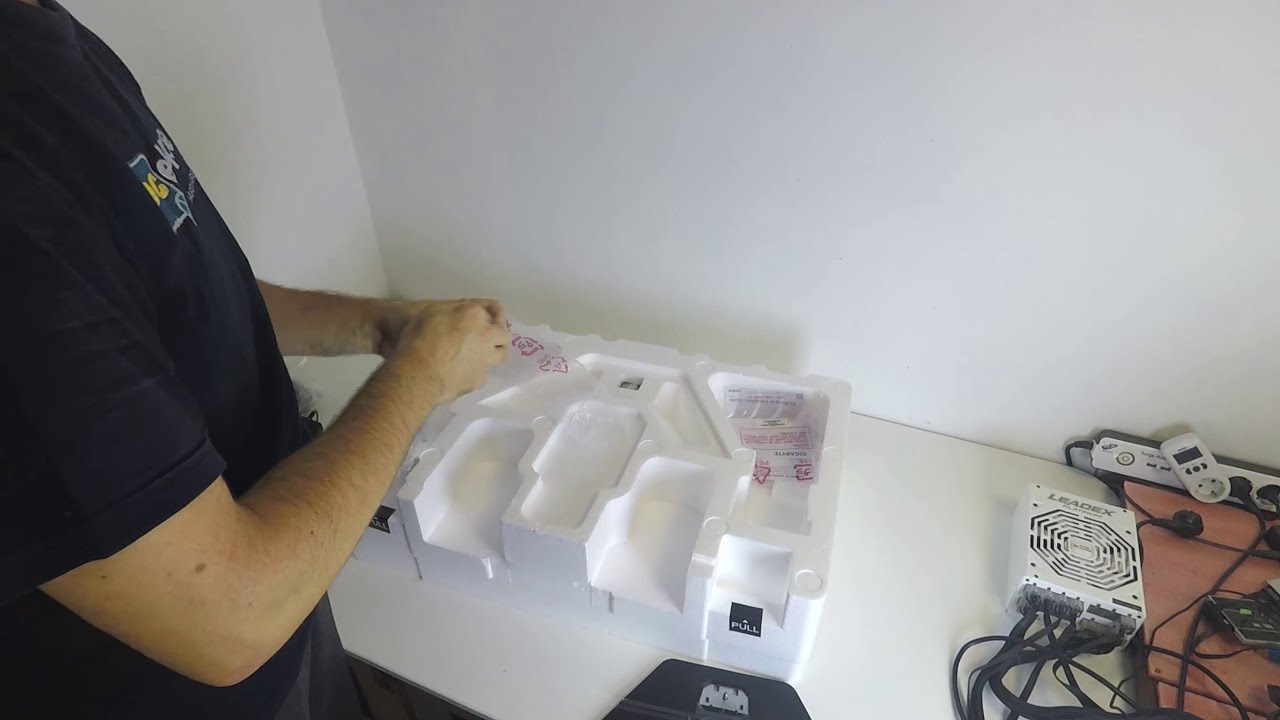
Unboxing the Gigabyte M27Q monitor. 27" SS IPS panel with 170 Hz refresh rate, HDR400 support, AMD FreeSync support, 0.5ms response time, 140% sRGB coverage and 2560 x 1440 resolution.
Review in Croatian: http://www.pcekspert.com/clanak/gigabyte-m27q-recenzija/
sullen dock
yeah i meant the cable, and it looks like it does, thanks!
 gilded notch
whcih monitor is better viewsonic xg2405 or the 2401 vs tuf gaming vg24vq
spring sequoia
I am personally a Viewsonic fan
gilded notch
and of those 2 which one will you choose
maiden wedge
Would the BenQ Mobiuz 24.5 inch monitor be good for the ps5?
Or the 27 inch one .
 desert mauve
Is there any decent mid range 144hz displays available?
 shadow flare
any recommendations on a 27” 1440p monitor?
 cinder prism
Could use a recommendation too for that
visual pilot
@shadow flare @cinder prism Gigabyte M27q
nooo best buy is out of stock for 330$ so it's back to 360$ on wegg
still good monitor tho
cinder prism
Gonna be a minute before I buy it but I have the 1080p version of that monitor. So I at least know it’s good lol
 astral trellis
just realised i still have stuff to spend even after buying my new pc, so im thinking about a monitor
prolly a 1440 75-144hz
coming from a 1080p 60hz
also, its gonna be in a 3070/3600 system
so if theres something else i should go for lemme know
sage trail
1440p@144hz is pog, should be around 250-300
get something 27" and under, theres this cheapish one floating around thats 32"
avoid that
unless you sit really far from your monitor
visual pilot
I think it's Cad pricing for them
sage trail
oof, thats right
astral trellis
also, was gonna get a 24" cause i was gonna use my current one as a secondary
and 2 diff sized monitors would be wonky
astral trellis
hmm
sage trail
en_gb
AOC AG241QX 23.8 inch monitor. Enjoy the most thrilling gaming experience you could ever have on this ultra-responsive, 24-inch AGON gaming monitor.
unless you can find one of these
its an older monitor, so its a TN panel
astral trellis
the only ones i can find searching that name are 1080's
sage trail
another thing to consider is HDR. I know a lot of people are saying not to consider HDR unless its HDR1000, but even HDR400 makes a difference, and looks really good
astral trellis
ngl, im pretty ok with a 75hz 1440, just cause the 144hz are looking expensive
sage trail
yeah, they cost quite a bit
astral trellis
would monitors be the kind of thing i could buy used without too many issues?
sage trail
im sticking with my monitor until high refresh rate oleds are common
sage trail
astral trellis
would monitors be the kind of thing i could buy used without too many issues?
yeah, its all just DP or HDMI
plug in monitor, monitor work
when you buy used, either its damaged or its not, but sometimes they have issues that appear inconsistently
well, any monitor will
like mine has intermittent backlight flickering every other day for a few mins
getting a replacement through lenovo soon
so theres always a risk of something like that
astral trellis
woah

Kijiji
Mint 25 1440P monitor for sale, $200 FIRM https://www.bestbuy.ca/en-ca/product/benq-25-qhd-ips-srgb-designer-monitor-pd2500q-grey/12568519
this is the next best thing on kijiji

Kijiji
For your consideration is a Dell S2721D monitor in like new condition with no dead pixels. All accessories (power cord, HDMI cable, and stand) are included and unused as the monitor was mounted to an arm. Retail box is included. Pick up downtown Toronto. Asking $300. Full specs in the link below: https://www.dell.com/en-ca/shop/dell-27-monitor-s...
well, theres also this but it mentiones some artifacting at the bottom

Kijiji
No missing pixels but has some new visual artifacts at the bottom of screen from the WIndows 10 taskbar. It may go away eventually. Otherwise, it has excellent colours, and superb smooth motion at its native 144hz refresh rate. Also has G-Sync which makes motion even smoother when gaming, especially at lower frame rates. Has DisplayPort and HDMI...
this would probably be my non-used option
 rustic basin
so many links
astral trellis
the kijiji ones are just stupidly big
 versed bridge
 feral igloo
is it just a second monitor?
feral igloo
for new its fine
sage trail
i paid 20 for mine at goodwill
feral igloo
lmao
astral trellis
same
feral igloo
used is much cheaper, but for new its fine
sage trail
144hz is only like, 30 more at that point
astral trellis
except i paid $42 for 720p
versed bridge
I've already looked around for used. Basically anywhere in the area only has 720p or 4:3
sage trail
versed bridge
I've already looked around for used. Basically anywhere in the area only has 720...
i literally do not believe you, i live in central new york, a.k.a. the middle of nowhere
tons of em
all over the place
everytime i look
versed bridge
We have a decent number of people and a couple very large organizations that moved entirely to remote work
One of the biggest subsidized monitor purchases
sage trail
facebook and craigslist are the two big ones, im sure you can find something
because 100 for a bog standard monitor is nuts
versed bridge
It's cheaper than 130, that's the big thing
sage trail
its all packaging, shipping and material costs, the bare minimum for a new monitor lmao
its not even ips 
versed bridge
How bad is the image on VA compared to IPS?
I had thought that VA had a better contrast but sightly worse accuracy and coverage
covert solstice
it does
river edge
I have an IPS and VA side by side
covert solstice
depends a lot of the monitor, a ips with really bad colors will probably look noticeably worse than a solid va
versed bridge
So considering I don't really care about refresh rate or latency and I don't do any photo editing or such like, would there really be that much of a difference for me?
versed bridge
Okay. Honestly, if I were to spend more on a monitor I would rather get a higher resolution than slightly better image quality
sage trail
yeah, nowadays VA and IPS are kinda really similar, but my current ips really does look better than my last VA
but its also HDR400, which adds a little something else into the mix
versed bridge
Best I could find from craigs was a 22" TN for $110 and about a one hour drive
versed bridge
Last time I was at goodwill they had the options of small square and big square
sage trail
yeah, but only because it was 32"
its totally fine if you're into that sort of thing
kinda defeats the purpose of 1440p tho
versed bridge
How's that?
sage trail
just get 24" 1080 and sit closer smh
versed bridge
1080p at 32" would be kinda pixely, wouldn't it?
sage trail
versed bridge
1080p at 32" would be kinda pixely, wouldn't it?
1080p at 27" already sucks
but 1440p at 32" is only an improvement over 1080p at 24" in that it offers more screen real estate for windowed applications
for gaming, you sit too close and have to move your head all around too much, you back away and it looks the same as a 1080p at 24"
so that westinghouse is good if you do a ton of office related tasks and gaming
versed bridge
sounds like someone I know 🤣
sage trail
top is 2560x1440 at 32
bottom is 1920x1080 at 24
literally the same
you gain more pixels in your game, but the pixels are just as big and blocky
i want a 1440p at 24
at a little over 2 feet away, your eyes can no longer distinguish pixels. why we dont have 1440p 24" gaming monitors is beyond me
so like, a normal desk width
 hot zephyr
What's a decent 22-24in 1080p display I could recommend to a friend? They didn't give any other criteria, but I presume their budget is pretty limited. I don't want to make an uninformed recommendation..
 wanton musk
hey my 2nd monitor isnt detecting. its plugged in with hdmi and its powered on.
 night snow
@wanton musk Make sure that you have multiple displays enabled. If that isn't the issue, try turning off and on again / unplugging + plugging in again / try a different HDMI cable. If that doesn't fix it, I don't know what else you could try. Good luck!
hot zephyr
Have you checked the windows projection menu (Win+P) to make sure it's set to Extend? Sometimes Windows doesn't select that automatically.
Also, which monitor are you using?
What's the cable connected to in your PC?
wanton musk
i tried switching hdmi, restarting pc, unplugging and plugging.
md is enabled
@hot zephyr
hot zephyr
Hmm.. does your GPU support VGA?
wanton musk
yes
hot zephyr
Also, does the monitor do anything when you plug in the HDMI cable?
Might be worth trying VGA to see if that works.
night snow
Hey I have that same monitor in the 22" size!
wanton musk
my dad figured it out
hot zephyr
Ah sweet. :)
sage trail
finally got some images of my monitor acting up to prove I need a replacement
this is the monitor right as I turn it on. there is no signal from the pc
the image is literally stuck in the screen
and it fades away over the course of like 20 mins
 dusty shale
Looks fine to me
visual pilot
@sage trail you know you want mozzie burned into your screen
maiden wedge
best display 22+ high hz under 200usd new from newegg
 wicked hatch
i got 27 inch 144hz 1440p monitor anyone looking buy one
 wintry loom
guys
I have been having a problem with my monitor
I don't really know if it's a problem, lack of configuration or just how it works
But I have been noticing some anti ghosting problems on some colors like black and white
Especially the very light/darks one
Like, when I have a window open and I move it around, I can clearly see a white trail between the black title of the window and the white background (forgive for I haven't bought windows and can't use dark mode)
Is that a driver thing or just my monitor? And is there a fix?
By the way my monitor is a Samsung 75Hz 1920x1080 24 inch monitor if it matters.
wintry loom
I already set it to "Fastest"
rustic basin
hm
wintry loom
The monitor is advertised as 1ms response time, lowering the response time would increase that to up to around 8ms right
rustic basin
ghosting is caused by slow response times
wintry loom
huh
well
it worked
I switched it from Fastest to Faster
and that completely removed the problem
How so?
Shouldnt it be the opposite?
Fastest = Lower response time = No ghosting
rustic basin
i think you had what's called "inverse ghosting"
wintry loom
There is no more weird white trail
when I move black text in contrast with a white color
aka file explorer window
rustic basin
if u read this scroll down and see waht it says https://levvvel.com/monitor-ghosting-fix/

LEVVVEL
Learn what monitor ghosting really is, how exactly you can prevent it from happening, and how you can reduce or remove it completely if you already have it.
you turned ur response time too high
wintry loom
Huh
So, what would be the response time on the "Faster" option if "Fastest" is 1ms?
Would it be like 2-4ms?
rustic basin
something like that ig
 proud yoke
Anybody have any good 1440p gaming monitor recommendations?
sage trail
wintry loom
So, what would be the response time on the "Faster" option if "Fastest" is 1ms?
if you already havent figured it out, run the panel on standard. use it this way for like a day, if you notice any ghosting at all, change it to faster. fastest almost always never works properly, it overworks the pixels and makes them switch too fast, causing them to miss their target and overshoot, causing ghosting.
wintry loom
sage trail
if you already havent figured it out, run the panel on standard. use it this way...
I didnt try standard, I switched it straight to faster, why? Does faster also cause problems? And, if you know, is fastest lower than 1ms and standard is 1ms or is fastest the advertised 1ms?
sage trail
wintry loom
I didnt try standard, I switched it straight to faster, why? Does faster also ca...
the speed at which the pixels change color should not matter to you
pick one of the three settings that looks best to you
wintry loom
sage trail
pick one of the three settings that looks best to you
What do you mean looks best? Are you referring to ghosting or literally color/image quality? Sorry if I sound stupid, I am kind of new into monitors.
sage trail
the response time is nothing but advertising
wintry loom
wdym
river edge
They all use different methods to obtain the lowest number to make it seem like theirs is best
Response time is just...... oof. Refresh rate and panel type are more important
Same for COntrast ratio
etc
wintry loom
Huh
So, why do most people advise others to set it to Standard instead of Faster
I know Fastest doesn't work, but what abt faster?
river edge
Faster is typically an "overclock" of the monitor. They don't always work at the "faster" setting
sage trail
wintry loom
What do you mean looks best? Are you referring to ghosting or literally color/im...
im literally referring to which setting you like the look of the most. thats the only thing that matters
wintry loom
river edge
Faster is typically an "overclock" of the monitor. They don't always work at th...
So your saying it depends on the quality of the monitor. The better it is, the most likely faster and fastest will work.
river edge
Mine, for example, is rated at 144hz but has a factory "overclock" optin to 165hz
if it starts giving me issues, i'll back it down to 144hz
They're not all the same but that's just an example
fossil gust
For my monitor the middle of the 3 response time options has the least ghosting. Still ghosts a lot anyways in high contrast areas lol
I think its cause its a VA panel, not sure though
not very noticeable in games, usually its like when you have a white cursor on a dark page
sage trail
the longest a pixel can take to change color is going from black to white or white to black
no light vs all light
 somber temple
Looking for a 4k display that is good balance between competitive fps gameplay and single player campaign gaming. Any recommendations?
Been looking at the lg27gn950
It’s one monitor or go craxy and buy two for different games xD
river edge
Honestly, if you want high FPS for competitive gaming, go 1440p
sage trail
1440p@240hz would be better, considering you are looking to drop 800 on a monitor
somber temple
I’ve been looking at that but. I watch movies, tv shows and browsing on the 4k display. While i enjoy high fps competitive gaming with 1080p 240hz. Definitely got enough for one monitor, the second is for another day.
I may be weird
But it makes me feel comfortable 😅
sage trail
get a 240hz monitor
put a 4k tv somewhere else
if you're already using 240hz, you dont really wanna go back to 144
somber temple
sage trail
if you're already using 240hz, you dont really wanna go back to 144
oh im using 144hz right now with my 3 year old monitor
but image quality is meh
sage trail
somber temple
I’ve been looking at that but. I watch movies, tv shows and browsing on the 4k...
then don't put this in the present tense?
if your already using 144hz, thats fine. not many people benefit from 240 anyway
plus, there are more important features than resolution when it comes to monitors
somber temple
https://www.mwave.com.au/product/benq-zowie-xl2411p-24-144hz-1ms-gaming-monitor-ac10488#detailTabs=tabReviews what im currently using

Mwave
Buy BenQ ZOWIE XL2411P 24" 144Hz 1ms Gaming Monitor - XL2411P online with fast shipping and top-rated customer service. Mwave.com.au
sage trail
4k is nice, but i would take a fully featured 1440p panel over a low end 4k panel any day
yeah, older TN panels look like crap
somber temple
Heard TN has better refresh/response and IPS has better image quality?
sage trail
pretty much
sage trail
yeah, brand isnt too much of a factor
its all dependent on what you are looking for your monitor to do
and what gpu you have
you can spend 700+ on a monitor that does everything, or spend considerably less on a normal monitor
imo, the cheap option here is 1440p 144hz for like 300
somber temple
WELL my gpu if i recieve it is a 3090😋
sage trail
cpu?
somber temple
5900x
sage trail
yeah you can pretty much get whatever monitor you want
somber temple
PG259QN and 27GN950 were like the best of both worlds for me and im drooling. But after what my gf did to get the 3090 i can't splurge all on myself.
sage trail
do you play FPS games with an extremely high sensitivity?
somber temple
my sens are low
somber temple
BenQ XL2546K this was alternative
i always trusted my benq monitors
served me so well
sage trail

Buy ASUS ROG Strix XG27UQ 27" 16:9 144 Hz IPS Gaming Monitor featuring In-Plane Switching (IPS) Technology, 2 x HDMI 2.0 | 2 x DisplayPort 1.4, 4K UHD 3840 x 2160 Resolution, 1000:1 Contrast Ratio, 350 cd/m², 178°/178° Viewing Angles, 1 ms Moving Picture Response Time, 1.07 Billion Colors, 144 Hz Refresh Rate, Supports Adaptive-Sync. Review ASUS...
i think this would be worth it
somber temple
i'll defintely have a look into it
if only there were displays at the comp store 😫
 neat nova
Is this a good monitor
maiden wedge
anyone know a good 32" 16:9 4k monitor? low latency...60hz is enough
dry temple
60Hz will always have a minimum latency of ~16 ms
maiden wedge
Is the benq mobiuz 24.5 inch worth it?
spring sequoia
@maiden wedge well it looks good- but for the price I would look at
the first one is the biggest ( and prob my pick ) the middle is the highest refresh rate ( 165! ) and the bottom is a solid curved low latency by MSI
maiden wedge
spring sequoia
the first one is the biggest ( and prob my pick ) the middle is the highest refr...
I’m getting a monitor for my Ps5 and I’ve heard certain ones only work for right now .
hot zephyr
What's a decent 24in (1080p@60fps is okay) display I could recommend?
They didn't give any other criteria, but I presume their budget is pretty limited.
I don't want to make an uninformed recommendation, and I'm not very familiar with monitor buying.
hot zephyr
ooh nice
I don't know much about FreeSync/G-Sync. I assume FreeSync is AMD-only?
They have a nvidia GPU. I don't think they need G-Sync tho.
river edge
Freesync does both, yeah
hot zephyr
What's the benefit of G-sync vs just enabling Vsync in the graphics settings?
Does vsync not do that?
huh
I've never used gsync, maybe I've been missing out haha
ah
I'm only on 75Hz
I only buy used monitors bc I'm a student, I've got some pretty good deals on my own purchases.
The VG245 I'm using rn was 60€
I think it is 👀
noiiice
I don't see an option to enable Gsync 🤔
I'll send them the link ye, they're in class rn so after that
yes
Also yes.
lolrip
huh
river edge
Don't you need an HDMI 2.0 cable for that?
hot zephyr
I've never used DP
river edge
I don't think it works with HDMI 1 or 1.1
hot zephyr
I don't think it has a DP port
river edge
I think it needs to be 1.2 or higher
hot zephyr
There's two HDMI ins, and one VGA
river edge
Oh yeah, I can GSync over HDMI too
But it needs to be a certain spec
I had to buy a new cable because mine was too old
"NVIDA GeForce GTX 16 series/RTX 20 series (Turing) and higher will support variable refresh rate over HDMI on displays which support this feature over HDMI 2.1."
"NVIDIA GeForce GTX 10 series (Pascal) and higher GPUs supports VESA Adaptive-Sync variable refresh rate over the DisplayPort 1.2a standard. "
So a couple different things to note there
Specifically, GPU models and DP vs HDMI
So 10 series is basically DP only
20 series is HDMI and DP
Yes, read text
I posted XD
If buddy has 10 series
won't work with HDMI
LMAO
@hot zephyr important information here
"NVIDA GeForce GTX 16 series/RTX 20 series (Turing) and higher will support variable refresh rate over HDMI on displays which support this feature over HDMI 2.1."
"NVIDIA GeForce GTX 10 series (Pascal) and higher GPUs supports VESA Adaptive-Sync variable refresh rate over the DisplayPort 1.2a standard. "
https://nvidia.custhelp.com/app/answers/detail/a_id/4764/~/do-g-sync-compatible-displays-work-on-both-displayport-and-hdmi-with-geforce
hot zephyr
I'm on a 3060Ti so should be fine
river edge
if it's a 10 series card, it won't work over HDMI
K
Probably old
Needs to be HDMI 2.1 cable as well
And so does the display
If it's an older Freesync display, will need DP
But monitor doesn't ahve it from what I read
So does mine
royal PITA
Little poopoo heads
Still poopy heads
Of course!
They know, and atk
oof
spring sequoia
ok, stupid Q but I worry too much lol
so I recently bought a really expensive monitor used for a great deal, and the kid had some really crappy cologne that STINKSS, and since my new build is still "out of stock" (kinda wish I stuck to intel) I banished it to the garage
spring sequoia
anyway, as I have said I live in Alaska and its like 10f RN so....
is the cold bad lol
river edge
I would bring it in
spring sequoia
Argh i keep cleaning the monitor but i still see cleaning steaks and I am useing a microfiber cloth
astral trellis
hmmmm
1440 75ish hz or 4k 60hz
(3070)
the 4k is actually cheaper
by about $75 cad
spring sequoia
@astral trellis depends on size
astral trellis
1440 is 27" i think
spring sequoia
yeah that is a good spot
spring sequoia
Maybe
fading wyvern
Perhaps 
 wicked arrow
does the brightness slider only show up if you have a windows key? or does it also depend on my monitor?
they aren't available for me
yeah
then
yup
wdym
dang
why doesn't it work normally?
3070
no it works in nvidia but i was just asking why it doesn't work in settings
 timber wolf
My video playback is dim but not on all of my monitors. The rest of the display looks normal, but when dragging a video to the problem monitor, the video immediately goes dim when it's more than halfway over. It's not specific to one monitor, and switching cables doesn't affect it. What do I do?
 proud thorn
is the lg 27gl850 still worth it? It seems like it's a good option but it is still $500 and there are newer models from other brands that are comparable around the same price.
river edge
VA, IMO, isn't bad. IPS has better color accuracy which only really matters for photos and videos, editing and rendering, etc.
 surreal quarry
Can I use this monitor with an nvidia card
https://www.newegg.com/p/N82E16824012015?Description=1440 p&cm_re=1440_p-_-24-012-015-_-Product&quicklink=true
 dense bone
Yes
 magic lotus
What monitor can I get that's 32' curved and 1MS response time with more then 165 Hertz and is 2K/1080 that my ROG 580 graphics card would support
magic lotus
Wdym why?
visual pilot
every single requirement is confusing me
magic lotus
I want to buy one
I want a monitor that is
32' Inches Curved
Response time is 1ms
165 hertz
and resolution is
2K or 1090/1920
magic lotus
I want big monitors
visual pilot
why 165hz when it's basically indistinguishable from 144
magic lotus
It's better 144?
visual pilot
165hz barely
magic lotus
So then I'll look for a monitor that's 144hz
visual pilot
and a 580 isn't going to have fun with 1440p144hz, so 1440p will likely be off the list
and if you need 32in
magic lotus
So then what resolution so my 580 could support?
visual pilot
16:9 1080p 32in looks terrible, 21:9 UW is the only real option left
river edge
O.o
visual pilot
smth more like this, overpriced, lemme see what else is there
https://www.amazon.com/LG-34GL750-B-inch-Ultragear-Compatible/dp/B07R5R9VR9/
 keen scarab
Ah yes le LG
keen scarab
visual pilot
smth more like this, overpriced, lemme see what else is there
https://www.amazon...
That’s actually not too bad no?
visual pilot
@keen scarab I'd expect it to be closer to 300$
 plain coyote
1440p with 3060ti good???
spring sequoia
@plain coyote yeah should be amazing
maiden wedge
3080 with 1440p good? 😂
plain coyote
Thx
 gusty thistle
maiden wedge
gusty thistle
maiden wedge
can someone link me the cheapest 144hz monitor that i can buy in europe/netherlands?
 quiet spear
Maybe check the aoc store they have cheap monitors
urban epoch
LG 32GL650k or AOC Q27G2S, would say m27Q but here its 430 eur... same price as VG27AQ
 opaque osprey
is it better to have 2 or 3 monitors for gaming?
wanton musk
aye what should i use to clean my monitor screen
dusty shale
opaque osprey
is it better to have 2 or 3 monitors for gaming?
Depends on need, 2 if you want a second for discord or web browser. 3 for surround gaming
 halcyon elm
Hi everyone, I'm looking for a monitor or a brand of monitor that can be completly dimmed to zero "pitch black". it must be done by the display and not by a 3th software. 🙂 any suggestions? Thanks
urban epoch
Whats the diffrance between gigabyte G27Q and M27Q? beside the KVM
tame swallow
urban epoch
its unavailable in EU
urban epoch
how is dell s2721dgf and LG27GL850? are they really worth their price compared to like m27q ( all of them are practicly at the same price 420 eur) ? I do play quite late at night in a I guess rather dim room, will the dell stand out with its low contrast for exmaple in like arma 3 night op? as a side note, is samsung oddysey g5 garbage for its price at 320 eur?
 solemn parrot
Looking for a monitor arm for the Gigabyte 34WQC. Does anyone has any suggestions?
urban epoch
How is dell's 3220dgf?
 crude galleon
henlo
 waxen scroll
Hello guys ! Any ideas for an arm to support my monitor and a laptop stand, that in a future can be switched for another monitor mount ?
 vagrant inlet
Ok @crude galleon what is the spec of ur pc build
vagrant inlet
Ok just asking cuz might not be able to run 1440p on 144hz
 mossy tendon
to make sure you are making the right choice
mossy tendon
You can check everything you need to know in Task Manager (mostly GPU and CPU)
I asked him this earlier and he did this too
just left
vagrant inlet
@crude galleon the AOC CU34G2X 34 inch curver monitor is a good choice I have a AOC monitor and it's really good no dead pixels for a really long time it's for 600 Canadian dollars so about 500 USD
It's 34 inches and has freesync
And height adjustable
crude galleon
oki thx is there any lg or samsung or asus monitor that is relly good
vagrant inlet
Um I can check
crude galleon
cause theyhave g sync
vagrant inlet
Ok
I don't have g sync but I have freesync on my monitor but I can somehow use GSYNC somehow
vagrant inlet
Ok
crude galleon
thx agin
vagrant inlet
Ok I found a LG monitor that has g sync
The LG ultragear 27" IPS QHD @crude galleon
It also has HDR
vagrant inlet
That's wut is in the best buy description
Just search that up o best buy looks high quality like everything from best buy
And has HDR and G sync
I gtg now
urban epoch
Oddysey g7 is held as one of the best 27" 1440p VA monitors unless you care about hdr or panel type
astral trellis
found this on kijiji for $225 cad, perfect condition
i think it's worth
i really just dont want to spend more than $300 on a monitor lul
and im ok with the 60hz, all i've ever known anyways
 dusk basin
if your pc can run 4k
but i would more go with your budget with 1080p 24ich 144hz or 165hz
 heady estuary
dusty shale
vagrant inlet
And has HDR and G sync
heady estuary
dusty shale
vagrant inlet
And has HDR and G sync
I wouldnt say that monitor has HDR its only HDR10
 wise ridge
What would people recommend for vesa mounting 2 24 inch monitors? Looking to spend as little as possible, but definitely willing to spend on quality.
 dense oracle
for mounting two monitors because i was looking for one two can i do two portrait or do i have to do one portrait and one landscape
wise ridge
I was looking into 2 portrait, but to each their own
river edge
Mounting to what? Wall or Desk?
dense oracle
preferably a desk
wise ridge
^
 cloud grove
vagrant inlet
cloud grove
vagrant inlet
I have that monitor, I’m not versed in monitors but I really like it. A little expensive so Idk value wise but I’ve only seen it get good reviews and I like mine
mossy kindle

pcgamer
If this panel looks as good as it lets on, I may have found a new gold standard.
sage trail
small monitors are better for games where refresh rates such as 275hz are actually helpful
that monitor is a contradiction
mossy kindle
visual pilot
275hz
whylmao ?
sage trail
i mean, yeah you can just sit farther from your monitor
sage trail
but we all dont have gigantic desks
visual pilot
hm
mossy kindle
27inc ideal for most
visual pilot
I want a bigger monitor so it's easier to see things lol
sage trail
big monitor puts things farther out of your peripheral vision
meaning your eyes have to dart around the edges of the screen more
visual pilot
most games idc about peripheral vision
sage trail
you should
mossy kindle
omg this topic going definetly irrelevent side
visual pilot
what i need to see is what's in front of me, and I need to see it easier
sage trail
good luck with that lmao
visual pilot
thanks
cloud grove
I play lots of fps’ and 144hz feels like enough and 27” is nice to feel more like I’m in the action
And have zoom meeting and notes open on same screen xD
 left oak
any recommendations for 1440p 144hz or 165hz monitors under $500.00?
I was looking at this:
sorry i should have specified 27"
dusty shale
What are you doing with this monitor?
left oak
mainly gaming
I have been looking at QD's, but people are giving them mixed reviews regarding color saturation
visual pilot
Gigabyte M27q
dusty shale
https://www.bhphotovideo.com/c/product/1590055-REG/acer_um_hx2aa_v02_xv272u_vbmiiprx_27_wqhd.html
This is a good one, but with how many options are out there it could take a while if you want to find the absolute best

Buy Acer Nitro XV272U Vbmiiprx 27" 16:9 FreeSync QHD IPS Monitor featuring 27" In-Plane Switching (IPS) Panel, HDMI 2.0 + DisplayPort 1.2 Inputs, QHD 2560 x 1440 Resolution @ 170 Hz, 100 Million:1 Contrast Ratio, 400 cd/m² Brightness in HDR Mode, 178°/178° Viewing Angles, 2 / 0.5 ms Response Time (GtG), 16.7 Million Colors | DisplayHDR 400, AMD ...
 stuck mulch
Anyone know a reliable cheap monitor? I don't have any particular specs I need. I'd like it to not be garbage for gaming and video watching. This is just to hold me over since one of my monitors died today.
visual pilot
Well, is it going to be a main or secondary monitor
stuck mulch
Honestly I'd be fine with either, but wouldn't mind a slight upgrade... My surviving monitor is from 2011 and was a budget option back then
visual pilot
hm, monitor pricing went all wack too
@stuck mulch try this, 144hz panel nice for gaming
https://www.newegg.com/matte-black-samsung-crg50-series-c24rg50-24/p/N82E16824022761
stuck mulch
Wow. That's a lot cheaper than I would've expected 144hz to be. I don't even know if I could drive that with a 760. Thanks for the link
visual pilot
I mean, a month or two ago, good 144hz panels were 180$, and cheap ones more like 150$
stuck mulch
Dang. What happened to bump prices?
visual pilot
just market fluctuation and I'm guessing high demand from the holiday season
stuck mulch
Makes sense.
 primal trail
Hello, looking for a gaming monitor with at least 144hz. Possibly under $200. I found a 23.6” LG with 144hz for $180. Wondering if anyone knows of any better deals. TIA
 deep fern
msi g241 was nice, but not sure if the price went wack and is over 200 now, also mr1 linked another above
 scarlet linden
whats a cheap 120 -144hz monitor
 kindred umbra
primal trail
Hello, looking for a gaming monitor with at least 144hz. Possibly under $200. I ...
kindred umbra
primal trail
Hello, looking for a gaming monitor with at least 144hz. Possibly under $200. I ...
pixio or aoc ips options are really good
 signal spindle
Hello all. Looking for opinions here please. My current monitor has finally given up the ghost. ☠️ It was an Asus VG248QE 1920x1080 144hz TN. I want to step up to the 2k "sweet spot" of 2560x1440 and I have a 1660ti GPU. Like everyone, trying to get the most "bang" for my $$$ My budget is $350 max. I have found this monitor, and it seems like it's a good monitor with great features for the price, just not in stock anywhere currently. Gigabyte G27Q 27" 144Hz IPS 2560x1440 Is there another monitor in this price range that I should be looking at, or is this the one to get with my budget restraints and features I want?
covert solstice
m27q is preferred over the g27q iirc
signal spindle
covert solstice
m27q is preferred over the g27q iirc
Excellent, tyvm for the reply, I will look into it
crude galleon
henlo is threr a very good 1440p 144hz g sinc 27 inch ips or va gaming monitor rn
mossy kindle
4k 144 monitors reasonable ? with 6900xt
mossy tendon
radeon GPUs are better at lower resolutions
Nvidia is better for higher resolutions
so I would go 1440p 240hz
but that's just me
mossy kindle
river edge
I think there's only 1 on the market
yes
mossy kindle
mossy tendon
so I would go 1440p 240hz
any suggest ?
mossy kindle
mossy tendon
https://www.newegg.com/black-samsung-odyssey-g7-lc27g75tqsnxza-27/p/N82E16824022...
dont like va panel i would rather ips
mossy kindle
this monitor does have freesync support ?
alienwares always been pricey
over price actually
mossy tendon
pretty good price actually IMO
mossy kindle
out of stock