#old-monitors-and-tv
1 messages · Page 45 of 1
 dim jasper
I know this one
however it is not CERTIFIED G-SYNC some people just say it works, but its mainly for freesync, however it is under 300 and IPS
 upbeat summit
@dim jasper thanks i almost stoppd on this https://www.newegg.com/black-viewsonic-elite-xg270qg-27/p/N82E16824116908
which is pretty good but $500 
dim jasper
but i'm still deciding myself if I should buy that
which is also y i'm asking at the top
 celest lark
would a 4k monitor on the side really affect fps?
 full moat
if its just sitting on the desktop? no
if you are telling it to do something that puts a load on the GPU? yes
 deep estuary
Anyone familiar with the gigabyte g32qc?
 dense bone
Best 24in 1080p 144hz monitors under 200 preferably va or ips
 covert solstice
@visual pilot whats that ips monitor u like
covert solstice
i think its msi but idk
dense bone
How different is the g27qc
dense bone
Ok thanks I think I might do primary g27q or g27qc and secondary 24in
 tropic kite
g-sync*
 wild coralBOT
 WALTER#7625 has been warned
Reason: Bad word usage
 dusky nebula
What panel is most similar to LED panel?
 pseudo heart
 wary barn
Hey I just got my g27q
wary barn
Hey I just got my g27q
How are you liking the monitor?
 west knot
Idk if this is the place to ask but im trying to see if the acer xv253qx exist because google search isnt leading me to any store page
 west knot
Maybe ill try my luck on Acer XB273U GX whenever that becomes available
 solemn bronze
@west knot is that a predator monitor?
west knot
Ye
west knot
If im going 27in i might as well go 1440p as well
west knot
1440p 240hz are just starting to come out so im considering my options
Ips panel anyways
 maiden wedge
my eyes are hurting after long exposure to my monitor (online classes, school work, games..)
is there any way i can at least partially solve this problem ?
like installing filters maybe ?
i have no idea
solemn bronze
there are apps that can tint the screen to daylight mode
or just lower brightness
both helped me out a lot
covert solstice
turn on a blue light filter if ur monitor has one
west knot
Hard to decide on xb253q gx and the mag251rx
wary barn
pseudo heart
How are you liking the monitor?
I haven't gotten to try it out need to finish the build
 tidal stump
The Dark Matter™ 34" Curved Gaming Monitor features a vast 3440x1440 (UWQHD) resolution and an ultra-wide 21:9 aspect ratio, providing 35% more desktop real estate versus a traditional 16:
Are monoprice monitors good? Haven’t heard of them
 worthy oak
I would try and look at a review
Because really budget VA panels aometimes have bad ghosting if it’s not a reliable manufacturer
Though your mileage may vary
 native quartz
best 144hz monitor that could be found under about 200
i am looking for the most smooth experience not the best colors
 dark condor
is there a 1440p and a 144hz flat monitor for less than 279$
cause there is one but it curved
tropic kite
@dark condor I cant find one that is. But, there is a $310, IPS, 1440p, 144hz, and flat monitor
tropic kite
yessir
 visual pilot
@dark condor do you prefer flat or curved?
tropic kite
do you prefer any type of panel (IPS, VA, TN)?
dark condor
ips perfered
tropic kite
good good
dark condor
@visual pilot i perfer curved but it will look weird with my flat monitor rn
visual pilot
flat 1440p144hz IPS panel, 290$ after promo code
https://www.newegg.com/p/N82E16824012015
dark condor
honey?
tropic kite
I see that the price has weant up since I last looked: https://www.newegg.com/p/N82E16824012015?Description=g27q&cm_re=g27q-_-24-012-015-_-Product&quicklink=true
went*
dark condor
thank you
visual pilot
Curved 1440p165hz VA panel, 260$ after promo
https://www.newegg.com/p/N82E16824012013
not honey, it's just there
tropic kite
But use 2BFSTNW256
dark condor
oo ok
tropic kite
It also isn't g-sync certified, but it still works fine with g-sync
visual pilot
smh there's like no monitors that's actually certified lel
dark condor
ok cool
 sacred trellis
I'm looking for a 27in 144hz 1-2ms 1080p monitor for gaming under $270ish. got any recommendations?
dark condor
that gonna be kinda ez
dark condor
sacred trellis
I'm looking for a 27in 144hz 1-2ms 1080p monitor for gaming under $270ish. got a...
what panel
sacred trellis
va prob
upbeat summit
looking for ips 144hz-165hz 1440p 1 ms g-sync compatible monitor
upbeat summit
curved
upbeat summit
g-sync?
dark condor
upbeat summit
thank
dark condor
decent
sacred trellis
think i should get it
dark condor
maybe
sacred trellis
whats stopping it from being a yes @dark condor
dark condor
im busy rn
sacred trellis
all g
dark condor
im in school rn so i cant really check
sacred trellis
its cool
dusky nebula
I would get it
maiden wedge
maiden wedge
i already got it lol just wanted to see if it was alright
west knot
i think all the asus monitor have bad input lag at 60hz
visual pilot
all monitors would at 60hz :P
maiden wedge
^
 young canyon
I am feeling regret. I got a 24 inch 1080p monitor a while back, now I want to get a second one that is 1440p but all good 1440p monitors are 27+ inch so they won't be even
visual pilot
Hm, I don't have any issues with my g sync compatible curved monitor
worthy oak
It all depends on brand
And model
Some have better support from what I’ve seen
They’re all “compatitable” to a certain degree but to what degree is up to manufacturer
visual pilot
@worthy oak ofc it's on a model to model basis, but I'm commenting on the MSI Optix curved monitor bit, I have a mag241c
 dense aspen
can someone recommend a 27" flat 144hz monitor that is VESCA wall mount compatible? or at least can be wall mounted?
pseudo heart
dense aspen
can someone recommend a 27" flat 144hz monitor that is VESCA wall mount compatib...
1080p or 1440p?
 spark sorrel
pseudo heart
1080p or 1440p?
spark sorrel
pseudo heart
1080p or 1440p?
1440
pseudo heart
I'd recommend the Gigabyte G27Q (1440p 144hz) compatible with VESA Wall Mount 100x100mm
https://www.newegg.com/p/N82E16824012015
$290 after you use the promo code
spark sorrel
thanks, where can i find the promo code?
pseudo heart
Code is 2BFSTNW256
spark sorrel
thank you!
pseudo heart
No problem
 dusky mauve
Are there any displays on the market with good built in speakers?
The speaker bar under my dell UltraSharp U2410 is the main reason I've held on to it for so long.
24-27" 1080 or 1440
 warped night
Just use headphones
Built in speakers are always going to be literal garbage
Ultrasharps have separate speaker units on the bottom.
They are slightly better than average.
 limpid hemlock
https://www.newegg.com/p/N82E16824012013?Item=N82E16824012013&utm_medium=TraEmail&utm_source=TEMC-New-Order-Confirmation-USA&cm_mmc=TEMC-New-Order-Confirmation-USA-_-N82E16824012013 Just brought this today, feel like this is a good middle ground.
maiden wedge
What the cheapest 1440p 144hz monitor?
 autumn pumice
i have a gigabyte m27 which is 165hz 1440p
 grizzled lava
Should I get a https://www.newegg.com/black-asus-tuf-gaming-vg24vq-90lm0570-b011b0-23-6/p/N82E16824281027 or https://www.newegg.com/p/N82E16824475043?Item=N82E16824475043&nm_mc=AFC-RAN-COM&cm_mmc=AFC-RAN-COM&utm_medium=affiliates&utm_source=afc-Future+Publishing+Ltd&AFFID=2294204&AFFNAME=Future+Publishing+Ltd&ACRID=1&ASUBID=tomshardware-us-6053462718580238000&ASID=https%3A%2F%2Fwww.tomshardware.com%2Fnews%2FMSI-Optix-G27C4-165Hz-Curved-Monitor-169-at-Newegg%3Futm_medium%3Dsocial%26utm_campaign%3Dsocialflow%26utm_source%3Dtwitter.com&ranMID=44583&ranEAID=2294204&ranSiteID=kXQk6.ivFEQ-dCeWa_pIAhEiI_Nx__9ibg ? They are both 1080p but im not sure what to get
If someone responds please @ me
 torn night
https://www.newegg.com/p/N82E16824475091?Item=N82E16824475091&quicklink=true been eyeballing this one lately....
anyone have it yet? it's somewhat newly released....
warped night
I would just save more up for an Odyssey G7.
 candid zinc
https://www.centrecom.com.au/gigabyte-g34wqc-34-curved-wqhd-144hz-freesync-gaming-monitor I've been eyeballing this one
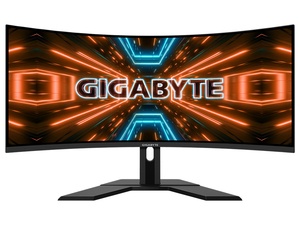
|| Gigabyte G34WQC 3?4" 3?440 x 1440 VA 1500R Non-glare type VESA Display HDR400, Speaker 2?W x2, VESA Wall Mounting(mm) 1?00*100mm
|| Signal Input: HDMI 2.0 x2, Display port 1.4 x2
Which for 729 Australian dollars seems pretty good to me
full moat
@ocean jasper best bet, try and contact LG support?
torn night
@candid zinc I was eyeballing that one too, or a similar gigabyte.. for 399 US dollar...
just looked, same one....
full moat
i have never toyed with that model @ocean jasper so i am going to pass.
full moat
at 5:44 in the morning, i am going to pass on things that will have me digging into manuals for X amount of time.
 sage trail
^
 north moat
just picked up a LG CX 55inch from best buy for 1200$
maiden wedge
In a few years from now, shape shifting robots will be the new smart phones. They'll fit in your pocket, grow to sizes larger than a human and have the ability to mesh morph into nearly any object or shape. It's like a hologram that can actually pick stuff up, R&D is coming along well, I have two shape shifting robots on my desk right now, we're still working on finishing the surface before going public, right now it's just a closed matrix of robotic polygons, looks like a skeleton. I'll try to post some pics or videos over the next month or two, not tryna spoil the launch but it's a sick technology, can't keep my mouth shut lol. Just sayin maybe don't spend too much money on a 2D monitor or VR headset lol, they're already outdated technologies.
sage trail
maiden wedge
In a few years from now, shape shifting robots will be the new smart phones. The...
based
 night shale
maiden wedge
In a few years from now, shape shifting robots will be the new smart phones. The...
night shale
maiden wedge
In a few years from now, shape shifting robots will be the new smart phones. The...
i’m batman
maiden wedge
:0 dm me batman, we need u
night shale
:O
north moat
based schizo poster.
sage trail
too many words
 flat saffron
does the samsung g7 24inch 244hz curved have good color or do the lg ultra gear monitors have better color?
sage trail
G7 is curved
iirc its VA?
the color accuracy differences between VA and IPS are minimal for most gamers
you are free to leave
its 3 am for me rn
im drunk
not now lol
flat saffron
its about to replace my main monitor so the color kinda matters
sage trail
i see, what monitor do you have now?
are you doing any work that requires accurate colors?
if so, then IPS is the way to go
G7 and G9 are both VA, just checked
flat saffron
how do i check what monitor i have
sage trail
are you getting paid for any work you are doing on this monitor?
flat saffron
i wish but no
sage trail
then VA vs IPS really doesnt matter
most modern monitors are very good with color accuracy
however, if you have a TN panel, then thats a different story
because TN colors just suck, regardless of what you do
sage trail
now that i actually took the time to read this, we arent paid, we help people when we can, if we cant, or if we dont want to, we dont. EOD.
sage trail
flat saffron
gimme a sec im checking
ok take your time
flat saffron
found it
LG - 34WL500-B 34" IPS LED UltraWide FHD FreeSync Monitor with HDR (HDMI) - Black
sage trail
EOD
sage trail
flat saffron
LG - 34WL500-B 34" IPS LED UltraWide FHD FreeSync Monitor with HDR (HDMI) - Blac...
thats a really good panel
the G7 wont be much of an upgrade
as far as color is concerned
then shut up
flat saffron
60hz to 244hz will be a big difference right?
 raven onyx
scrern
sage trail
i love how hard you're trying to troll, but im drunk so i literally dont care lol
sage trail
flat saffron
60hz to 244hz will be a big difference right?
in gaming? absolutley
sage trail
you too
flat saffron
are the alienware 240hz monitors any good for their price?
sage trail
its all about the panel
is a 240hz monitor good? yes, now where can you get it the cheapest
there are many other factors that go into choosing a monitor tho
brand is not one of them
dusky nebula

 waxen root
Honestly is 27in 4k even worth it, feel like having a big screen TV is a lot better for 4k gaming than a small monitor
west knot
4k 32+in would be the starting point i guess
 velvet pivot
Not even 32" tbh, unless I'm wrong about how big it is
Would be much better at 40"+ imo
 pearl tide
I want like the best but cheap ppi monitors with good enough colors so a small 4k monitor would be nice for me
 smoky bear
Well, I got 2 at 27” - lol 🤷♂️
warped night
Oof
maiden wedge
@warped night my last monitor was a 32in 1080p
O.o
i wish they made more 24 inch 1440p monitors
 granite chasm
So I don’t know much about monitors but I’m trying to find a 2nd monitor for my setup preferably something for more video/livestream watching for my current/first monitor I’m running asus tuf 27inch 2560x1440 165hz monitor any recommendations for a 2nd monitor or should I just get the same one?
maiden wedge
Budget and required/wanted features? I always recommend people buy a $150, 1080p 60hz display for their second monitor unless they actually need something better. You're gonna lose preformance if you throw a 1440p second display in and use it to watch 1440p-4k music videos and live streams, decoding anything more than 1080p will significantly impact your preformance.
People still argue whether or not 1440p or 144hz is actually worth the money for a main display, if all you're doing is side tasks on your second monitor do you really need it to be 1440p 144+hz? If you have the budget go for it but, you're looking at a lot more money plus less preformance for a 1440p 144hz display.
visual pilot
@granite chasm I'm gonna start off with suggesting a 370$ Gigabyte M27q for 1440p170hz that tend to be cheaper than the Asus options. But what are you trying to do on the second monitor? That determines what second monitor you should get. For example, if you want to do like photo editing for work, get a dell ultrasharp, if you just want to use it for discord, get a monitor that has pivot, if you want another monitor to play games on, maybe for console or smth, maybe you'll want a 1080p/1440p 144hz panel.
warped night
@maiden wedge 24" 1440p would be nigh pointless. 27" you can already barely see the pixels as-is
24" 1440p is about as stupid as a 13" 4K laptop display.
Which is really forking stupid.
maiden wedge
No you're wrong, 24" 1440p gives you far superior DPI, comparable to 4K at 27-32", but it's easier to run and you can actually see the entire screen.
27" requires abnormally large distance between the user and display to be able to see all data on the screen, meaning that you're wasting your 1440p by sitting so far away from it
warped night
But that DPI is pointless. You can't physically see pixels at 24" 1440p at any range beyond point blank.
maiden wedge
That's the point, you're not suppose to see the pixels. thats how you transcend AA
warped night
And that is far from true for 27"
No, the point is not over cramming your display.
And at 24" 1440p you are over-cramming the display.
maiden wedge
You can't over cram your display, but you can waste dpi by sitting too far away from the screen
warped night
Yes you can over-cram a display.
maiden wedge
"overcramming" means that anything more than 1440p is pointless, which its not
warped night
At 24" 1440p is a pointless resolution. That's why people don't make 24" 1440p displays.
maiden wedge
if 1440p is over crammed, then whats your min size for 8k screens?
even 8k is not pointless
maiden wedge
8k on a 6 inch display is what I'd call a proper DPI, anything less is a compromise
If you disagree you don't understand AA, unless you have a proper argument against it
You can't display diagonal lines on anything less than a 8K 6inch display without using AA, which not only takes processing power but inherently reduces image sharpness
8K for 6 inches is quite an exageration, I'm pretty sure the currently accepted theory is 1440p for sub10 inch displays, 8K for anything 10-32 inch and 16K+ for anything bigger, although I believe I have enough data to argue double that resoluton.
I actually set up a 16K display last month, at ~220" it's clear it'd ideally be 32-64K
warped night
All of those are insane ideas. You physically couldn't see the detail of the display at a 6 inch 8k display.
8K at anything smaller than 60" is pure insanity
maiden wedge
you don't understand diagonal lines and AA, im not trying to be rude. At 4K 27", you still need AA to see diagonal lines, which again reduces image quality/sharpness and wastes computational power.
Try looking at a fence in CSGO on a 4K 27" monitor, it's physically impossible to see on such a low DPI screen. You either see a jagged mess w/ no AA or a blurry mess w/ AA.
granite chasm
@visual pilot it’s for watching videos and watching live streams but I will have discord and some basic stuff I need like charts and other necessities for hardcore raiding in wow I have like a budget of $550
warped night
Have... You seen a 4K 27" display yourself? Because I have, and without AA there's no jagged mess like you describe.
Not compared to a 24" 1080p
That without AA is definitely a jagged mess.
maiden wedge
You're simply wrong I'm sorry, while it might be hard to distinguish there's an objective difference in image quality and accuracy, diagonal lines simply cannot be rendered accurately on such a low DPI display, it's a known fact amongst fellow display researchers, I'm trying to find a paper on the subject give me a few minutes.
The suggested DPI for artifact less display is 300-600 DPI, with some researchers suggesting DPIs of higher than 600 are necessary for accurate image replication.
Just because you can't comprehend the difference doesn't mean an objective, noticable difference doesn't exist. I can easily differentiate 300 DPI from 600 DPI, because I'm a display researcher and I know what to look for.
wild coralBOT
 Owen#9960 has been warned
Reason: Bad word usage
maiden wedge
I messed up my math but my point holds true, dpi is a variable in the function of display quality, it's not the sole metric
velvet pivot
Hm.
west knot
there will always be noticeable difference, you just dont see pixels anymore at the recommended resolution
also ui scaling is a pain
 grand grove
anything have any opinion on the samsung CHG90 Series? 49 inch?
warped night
It that the Odyssey G7 or G9?
Both the Odyssey G7 and G9 are excellent monitors.
Apparently there's also an Odyssey G5
That honestly might be my next monitor.
1440p 27" with Freesync and HDR10/HDR600? All for 300? Not a bad deal.
warped night
Ok, the HDR performance of the G5 is... Meh at best.
Lame...
It's still an excellent gaming monitor with great color accuracy, it just has bad viewing angles due to being a VA panel.
sage trail
maiden wedge
8k on a 6 inch display is what I'd call a proper DPI, anything less is a comprom...
thats 1468 PPI tho
so maybe, like, 30 years from now, sure, maybe thats reasonable
but also, a 4k 27" panel at 2 feet away is "retina" or at the point where your eye can no longer distinguish individual pixels. I see no reason to make pixels any smaller than that tbh
give me a 27" 4k 360hz OLED for my desk and i will be the happiest man alive lmao
maiden wedge
It all looks the same when you have horrible eyesight lmao
 patent lagoon
lmao
sage trail

Buy ASUS TUF Gaming VG259QM 24.5" 16:9 280 Hz Adaptive-Sync IPS Gaming Monitor featuring In-Plane Switching (IPS) Panel, HDMI | DisplayPort Inputs, 1920 x 1080 Full HD Resolution, 1000:1 Static Contrast Ratio, 400 cd/m² Brightness, 178°/178° Viewing Angles, 1 ms Response Time (MPRT), 280 Hz Refresh Rate, 16.7 Million Colors. Review ASUS VG259QM
280hz 
 split anvil
There's a $330 display on best buy rn- 32" 1440p 165hz, should I pull the plug or wait for some better black Friday deals?
Normally $450
visual pilot
Which exact one
G27qc as a 27in 1440p165hx monitor hovers around the 300$ mark usually
split anvil
Model:S3220DGF
Dell
It looks pretty good! But I'm not too seasoned on displays so I'm looking for second opinions. Leaning towards pulling the plug
visual pilot

Best Buy
Shop Dell 32" LED Curved QHD FreeSync Monitor with HDR (DisplayPort, HDMI, USB) at Best Buy. Find low everyday prices and buy online for delivery or in-store pick-up. Price Match Guarantee.
split anvil
Yeah
visual pilot
Welp, rtings review here, read it and make your own decision
https://www.rtings.com/monitor/reviews/dell/s3220dgf/

RTINGS.com
The Dell S3220DGF is an impressive 1440p gaming monitor. It has a curved design and it doesn't take up much room, even with the support stand attached. Gaming fe...
 neat nova
I would rather go for 1080 p since I don’t see a huge difference in 1440p on 24 inc
split anvil
Thanks! Appreciated 😎
 flint dome
 stoic scarab
need a monitor with hdmi 2.1 and dp 1.4..suggestions? screen size 27" or above
120hz +
warped night
Uhh, HDMI 2.1 on Monitors is going to be a bit rough right now.
HDMI 2.1 is currently more a TV thing.
I think the Odyssey G9 has HDMI 2.1?
Can't confirm though
Ok, can confirm, Odyssey G9 does NOT have HDMI 2.1
I wish that LG would make an IPS version of the Odyssey G9 and G7...
 flint stirrup
Even though I build my PC last Tuesday, my screen is a Samsung 1080i LCD of a sort. What is considered a reasonable price for an OLED desktop?
 thorn panther
having a tough choice between the LG 27GL850 27GN850, what do you guys think?
warped night
@flint stirrup OLED doesn't exist for the monitor market.
You would need to purchase a TV for OLED.
And, it's a really bad idea to use OLED on a PC anyways.
You will burn your OLED in with the Desktop Background and taskbar.
OLEDs don't like static images for long periods of time.
velvet pivot
OLED is used on phones and TVs because no one has either one on for the entire day for many days in a row
warped night
Well, OLED on TV also makes sense due to TV's never really displaying a single static image for extended periods of time.
There's always something moving with a TV
flint stirrup
I found out that my GPU enhances the monitor to 1080p, so I guess I don't need to replace anything.
velvet pivot
OLED on monitors may be possible, but they have to figure out how to make it not die out so fast
warped night
1080i is... not really great.
I'd recommend replacing that monitor/tv/display
OLED on monitor is getting skipped in favor of MiniLED and MicroLED
flint stirrup
I made a mistake when I said 1080i, though.
I checked afterward and realized it works with 1080p after all.
Sorry for the misinformation.
warped night
Still, a cheap 144hz 1080p monitor with an IPS display would be a vast improvement over that display.
velvet pivot
^
flint stirrup
Make this one my backup monitor?
warped night
Yeah
flint stirrup
Okay!
warped night
Having 2 screens on Desktop is, fantastic.
flint stirrup
I was considering having two for different things
warped night
Let me grab a good 1080p display.
flint stirrup
I'd use the backup one for Switch as well.
velvet pivot
IPS is sexy smexy ☺️ no reason to consider something else over IPS unless prices
flint stirrup
Speaking of IPS, my Game Boy Color has a backlight of that format.
velvet pivot
Or some other different benefits no IPS has yet
warped night
https://pcpartpicker.com/product/pXMTwP/msi-optix-g241-238-1920x1080-144-hz-monitor-optix-g241 This is an excellent 1080p monitor.
flint stirrup
I'll keep this one for now, but I'll turn it into my backup monitor.
I'm also trying to get it under 100 USD used.
warped night
If you can't seem to get that one at MSRP, then https://pcpartpicker.com/product/G9LwrH/viewsonic-xg2405-238-1920x1080-144-hz-monitor-xg2405 is a good alternative.
Under 100 USD?
flint stirrup
Unless people learned what they have.
warped night
Yikes
flint stirrup
Am I being too cheap?
warped night
Good monitors start at 170 to 180
That's for an IPS 1080p 144hz monitor
Which is where your life starts getting changed.
You get good colors, super fast response times, and just a butter smooth experience overall.
flint stirrup
Here's the problem: even used sellers learned what they have on eBay.
So they sell them only slightly under new prices.
warped night
That MSI Optix G241 I posted earlier is an excellent cheap display.
velvet pivot
Only people with half an IQ in PCs know what they have lmao
flint stirrup
They're not common?
velvet pivot
I mean, it was a bit satire, but you're probably not going to see any 1080p 144hz IPS under 150$
velvet pivot
After all, it's a very good panel to have, and people would probably price it not so much under what they paid for
 timid herald

This curved monitor is ideal for avid gamers. The full HD resolution and 1 ms response time create a high quality viewing experience even in fast paced games. Enjoy fluid motion and avoid stuttering by enabling AMD FreeSync technology.
 harsh anchor
May someone suggest a second monitor that will go well with this one? AORUS CV27Q-SA 27" Frameless Curved 1500R Gaming Monitor
mainly using this Aorus monitor for gaming, but want a second monitor for watching movies/shows on that is vesa compatible and preferably frameless and cost less then my Aorus
patent lagoon
@harsh anchor a tv
harsh anchor
wheres the downvote.
harsh anchor
im looking for a monitor
harsh anchor
wdym.
https://www.newegg.ca/p/N82E16824012009?Item=N82E16824012009 i got this it says frameless
patent lagoon
pixio sells one
ya but you also spend almost double as what i spent on mine for some rgb
*spent
like actually lmao
harsh anchor
im looking for a monitor not a t.v
harsh anchor
i want a frameless
patent lagoon
there's plenty
the specs you're looking for are so vague
and you have a very wide selection to choose from including the "frameless" section
thats why i suggested a tv
visual pilot
It's impossible atm for using the gaming monitor tech we have today to have completely frameless monitors, Manufacturers just try to get the frame as thin as possible and market it as "frameless" compared to others @harsh anchor, so True frameless isn't gonna be a good.. requirement, but thin frame is achievable.
patent lagoon
but just get a 32" @harsh anchor since you seem like to have some desk real estate
exactly
my monitor is similarly specd. for about half the price :l
mm ya
harsh anchor
im looking for something similar to what i have but much less as a second monitor
patent lagoon
just a 32" would be good tho
patent lagoon
mm
then go for a 27"
you dont need the high end specs cause of your main one
unless you do
but i need more info than 27" and "frameless"
harsh anchor
27" monitor
- thin af bezels
- not my main monitor
- use for dual monitor
needs to be vesa mount compatible
-primary use movies/video editing
sage trail
so youre looking for screen real estate, and dont really need the highest quality image
harsh anchor
-cheaper then my aorus
sage trail
no
visual pilot
Movies no
velvet pivot
Nah
patent lagoon
no
velvet pivot
Only for gaming it does I guess, but w/e
visual pilot
Color accuracy might, so do you need color accuracy?
sage trail
as a secondary, 1080p 60 is all you need, but color accuracy might be important
harsh anchor
was looking at this but wasnt sure https://www.newegg.ca/p/N82E16824475062?
 hardy idol
https://www.bhphotovideo.com/c/product/1425397-REG/acer_um_kx0aa_c01_25_xf250q_widescreen_lcd.html****
hey, i was wondering if anyone can review this monitor and see if its actually real and is good for the price

Buy Acer XF250Q Cbmiiprx 24.5" 16:9 240 Hz FreeSync LCD Monitor featuring Twisted Nematic (TN) Technology, HDMI & DisplayPort Inputs, Full HD 1920 x 1080 Resolution, 400 cd/m² Brightness, 170°/160° Viewing Angles, 1 ms Response Time (GtG), 240 Hz Refresh Rate, 16.7 Million Colors, NVIDIA G-Sync Compatible, Dual 4W Speakers. Review Acer XF250Q
patent lagoon
go 1440p if you're gonna be that close and you hardly have a budget
@hardy idol why you need 240hz for lmao
hardy idol
im planning on getting a new build thats made for 240hz gaming
harsh anchor
the one i posted is 300 dollars cheaper so not sure
patent lagoon
what you talkin bout @harsh anchor ?
patent lagoon
why 240 tho? @hardy idol
harsh anchor
wdym
harsh anchor
secc
patent lagoon
asks for help then ignores me 
patent lagoon
so look it up on canadas amazon lmao
just look up the name and it'll give you similar results
im not gonna do everything for you 
patent lagoon
 sinful junco
Vertical Digital Frequency: 47 Hz - 145 Hz does this mean Freesync will perform better? Or is it unrelated
sinful junco
nevermind
 white olive
When it comes to hooking a newer GPU to an older monitor that lacks display or hdmi ports an HDMI to dvi adapter would do fine correct?
 tribal nymph
Soooo I’m looking to get a monitor arm and the ones in stock are up to 27” but I’m getting a 32” monitor, will that bork it?
Namely this one
I’ve currently got a 24” thing that I’m gonna use as just a secondary monitor to put extra stuff on
solemn bronze
white olive
When it comes to hooking a newer GPU to an older monitor that lacks display or h...
it will work
native quartz
i have a gtx 1650 super and i mainly play esport titles so any advice on a good 144hz monitor i am fine with a tn panel i just need one with virtually no pixel ghosting
waxen root
I think most monitor mounts are universal? Mostly it just depends on the weight
I have 2x 1440p on mounts and it works well enough
What I have
I just wish the height was higher
native quartz
wait does that stand have hieght adjust
waxen root
yea that's what sucks about it lol I mean it can go up/down but maybe like 8-10 inches
 rustic halo
is 144hz good
waxen root
yes but only if you can achieve it
white olive
@solemn bronze thanks bruv I read somewhere the adapter should be "active" rather than "passive". Is this true?
waxen root
3090 was a lucky best buy drop, 5900x was pre-ordering on antonline early when it popped
Was originally trying for a 3080 but just got what I could, and decided to keep it because I got it with the 10% off Best Buy birthday coupon lol
rustic halo
can i have the 3090 when u get the 3080
waxen root
I'm not switching anymore, sticking with the 3090
 fringe osprey
Hey I’m looking for a high refresh rate monitor around $160. Any recommendations?
 open veldt
fringe osprey
open veldt
fringe osprey
Thanks. Any real difference between them?
 wispy rain
https://www.newegg.com/p/N82E16824012018?Item=N82E16824012018 anyone else have this? i just bought it
 jaunty ferry
^
 covert sluice
wild coralBOT
covert sluice
wild coralBOT
 BrayFirer89#9271 has been warned
Reason: Bad word usage
fringe osprey
Way too big though
fringe osprey
 tropic egret
https://www.walmart.com/ip/Acer-32-Curved-1920x1080-HDMI-DP-165hz-1ms-Freesync-H...
tropic egret
https://www.walmart.com/ip/Acer-32-Curved-1920x1080-HDMI-DP-165hz-1ms-Freesync-H...
How did you find that? That’s an amazing price
Too big for that res though
Personally
 kindred umbra
you guys know how the pixio px277 prime compares to the msi g27q
theyre both 1440p high refresh monitors
and ips
 pearl mason
Having some issues with my Acer xf250q
What looks like screen tearing + some funky static that's colored green
It happens on startup and upon alt tabbing out of some games but not all. I have it ran though an amazon DP cable but it appears higher end at 240hz and I have V sync enabled when possible
It seems to occur on Civilization VI, Rainbow six siege, PUBG, Saints Row 3 & 4, and a few others
 round python
anyone got any good dual monitor mounts? i have a 27in and a 24in
kindred umbra
@round python i have a dual monitor mount, but i would recommend 2 single monitor mounts
 kind bloom
i think this is a dumb questionm but
if u get a 144 hz monitor for example
does that mean the most fps u can raelly get is 144
maiden wedge
has anyone used aoc before? they seem to be in good quality on amazon reviews
visual pilot
@kind bloom no
 storm pawn
maiden wedge
has anyone used aoc before? they seem to be in good quality on amazon reviews
storm pawn
maiden wedge
has anyone used aoc before? they seem to be in good quality on amazon reviews
i personally havent used one before, but i think LTT did some reviews on some aoc monitors
pretty reputable brand
maiden wedge
awesome, thanks!
 shrewd summit
i just got my AOC 24" 165hz monitor to use with my ps4
next up: pc
the monitor is great
i would definetly recommend it
maiden wedge
is there a noticeable diff between 144 and 165? i'm currently rocking a 60hz dell, so hopefully it'll outperform that
shrewd summit
anything higher than 60 will outperform
but im still playing on 60hz cause im using my ps4
the 165hz version is cheaper than the 144hz version, so i would just go for the extra refresh rate
but if you dont have a pc that'll get you to maximize the refresh rate, its useless
maiden wedge
dang so a mac with 60hz display can't use the 144hz screen?
maiden wedge
dual core i5, 1536mb gpu?, and 8gb ram
shrewd summit
dont waist money on a good monitor then
maiden wedge
csgo and mc
shrewd summit
whats the average framerate you get in csgo
shrewd summit
huh?
maiden wedge
lowest settings: 35-40
shrewd summit
then dont get a monitor, get a pc
maiden wedge
anything 30+ is a miracle
building a pc seems too catastrophic after seeing that verge guy building it
 deep fern
Over hdmi iirc it can 120hz, but only desktop lol, you arent getting high refresh in any games
But maybe very old mac cant even support 120hz
maiden wedge
offerup seems to have good deals, but i hardly have any frame of reference to determine whether or not if a pc is a good deal or not
shrewd summit
ok whats your budget?
maiden wedge
at most is 1k, but preferably in the 600 range
shrewd summit
ok we can settle at about 800 then?
maiden wedge
erm i would say so
shrewd summit
ok give me a second then
 vernal orchid
What monitors would you guys recommend if I just bought a R5 5600x with an asus dual 5700 ?
deep fern
Msi g241 also a nice 144hz ips
vernal orchid
Ty
maiden wedge
i think i got scammed by apple
shrewd summit
first time?
maiden wedge
why is this pofs 2k?
shrewd summit
lol
 unborn cedar
anyone know a good 144hz monitor in 1440p under $200
maiden wedge
aoc might have something in your range
 stray shore
Oh shoot I could've got that instead of dell lol
 naive basin
west knot
naive basin
west knot
seems decent enough
 astral trellis

 hoary nacelle
its a great price
 gaunt wraith
Yall might flame me for this, but can I use 2 monitors, one off the gpu, and the other on the mobo?
maiden wedge
No, not unless your cpu has onboard graphics, Maybe... I’m a little confused
 keen scarab
@gaunt wraith I don’t think you can because the computer is going to display one or the other
If the GPU is displaying then on board graphics will lose priority but it will still be running because it’s a part of the CPU
So it may work but I doubt it
The only way to properly disable on board graphics is to disable them in the bios
 muted quest
couldnt you have a virtual machine run off the integrated and just have it on the one monitor? idk if that would meet other requirements though
gaunt wraith
I am completely lost
 dull flower
@gaunt wraith YES! again yes you can do that from gpu and mobo just need to look up how but it is possible
maiden wedge
Does anyone have recommendations of a 1080p - 1440p 32" Minimum Monitor?
 hoary pagoda
what do you guys think is the best budget 1440p 144hz moniter
patent lagoon
@hoary pagoda theres a sick deal for a 1000R one
idk how you feel about curved
and it being that deep
but its a great deal
especially being that its a samsung monitor

Slickdeals
Samsung.com has 27" Samsung LC27G55TQWNXZA Odyssey G5 2560x1440 144Hz Curved VA Gaming Monitor on sale for $229.99. Shipping is free. Thanks bjgfromthe703 and AGrimm687
Best Buy also has 2 ...
 dawn karma
best 1440p 144/165 monitor? no video editing or stuff like that just pure gaming, around 300 usd thank you
patent lagoon
@dawn karma look at that link i put
harsh anchor
Received my monitor today but its got two scratches on it. They can only offer a refund or I keep the monitor what do you guys think ?
patent lagoon
refund
 sonic saddle
Could ya'll help me decide between the Viewsonic TD2455, the Dell P2418HT, and the TD2230. I'm been flip-flopping for days! I'm stucckkkkk.
covert solstice
@harsh anchor if it bothers you refund it. if it doesnt keep it
patent lagoon
@sonic saddle links
 icy owl
so is samsung's shipping usually fast or slow
bought a odyssey g5 on sale annnd it's coming December 21st
 sullen perch
@icy owl interesting I ordered my yesterday and it said 1-5 days
sullen perch
Yep
My model is the 27 inch 1440 p 144hz so we might have gotten different models
It was $230 us
I am just trying to get a 3070 at this point
patent lagoon
that monitor is a great deal
sullen perch
Have all of the stuff that has deals bought already ordered
patent lagoon
one of the best i've seen
sullen perch
It is a VA panel but it is going to be my middle and main monitor so I don’t care because I am going to be looking at it straight on
icy owl
Samsung hella drunk then
sullen perch
Yep
icy owl
I’m in SoCal so idk if it’s a region thing
sullen perch
I am in California
icy owl
Wack
sonic saddle
I can't decide!! Viewsonic TD2455 or Dell P2418HT? I'll be using it as a secondary monitor and with a monitor arm, so the included stand doesn't play into my choice.
 hasty dune
can someone tell me the difference between the nitro vg271u and nitro xv272u?
kindred umbra
@dawn karma go with viewsonic, pixio or gigabyte
pixio px277, gigabyte g27q or viewsonic vx2758
 solemn sapphire
Hey gang, got an issue where my display is no longer working with DP (display not found). Tried a few things, such as unplugging my monitors and rig for a bit with no luck. Also updated drivers. Anyone have any suggestions?
Hdmi works and it is an issue with both monitors
 slow needle
Found this, not sure if it helps for the same problem
could it be the cord?
have you tried a differente DP cablee?
@solemn sapphire sorry. Thought I'd tag you in case
For everyone else, I haven't been keeping up with this chat. Has the discussion for the GL850-B and Dell S2721DGF been discussed in this discord?
solemn sapphire
slow needle
Found this, not sure if it helps for the same problem
I did that. Haven't tried different dp cables as it isn't likely to have two cables spontaneously go bad. Thx tho
 odd abyss
kindred umbra
odd abyss
kindred umbra
@odd abyss did you look into the viewsonic option i mentioned?
odd abyss
hardware unboxed doesnt have a review for the m27q yet but he did say keep an eye on it so im torn
yea i did
kindred umbra
its 300 on b&h
rn

Buy ViewSonic VX2758-2KP-MHD 27" 16:9 144 Hz FreeSync IPS Gaming Monitor featuring In-Plane Switching (IPS) Panel, HDMI | DisplayPort Inputs, 2560 x 1440 WQHD Resolution, 1000:1 Static Contrast Ratio, 350 cd/m² Brightness, 178°/178° Viewing Angles, 1 ms Response Time (MPRT), 144 Hz Refresh Rate, 1.07 Billion Colors. Review ViewSonic VX2758-2KP-M...
dense bone
does g sync do much or is it worth it to go for a monitor with it
maiden wedge
@dense bone It helps with the picture quality. You should probably get a monitor with Freesync, and then just enable gsync manually. (almost every freesync monitor works with gsync)
dense bone
Yeah most that I am thinking of have freesync
Are these monitors good for the price https://secure.newegg.com/wishlist/sd/qtjW9S2PKDtFWJdCYwcU9Q==
maiden wedge
yeah, i actually just bought the asus one for my build
odd abyss
i think im going to go for the pixio monitor because its right in between them performance and price wise
and also there isnt really any reviews on the m27q so im a little bit sus
this was after some very long thinking
kindred umbra
odd abyss
i think im going to go for the pixio monitor because its right in between them p...
im split between the pixio and viewsonic rn
odd abyss
i was as well because they are almost the same but ultimately the 165hz pushed me towards the pixio
i mean the pixio was designed to fight the viewsonic for the spot of best value
kindred umbra
yea, depending if the amazon listing for the viewsonic goes down to msrp tonight, ill pick it up. If not then the pixio
odd abyss
yea but then again the viewsonic wins in some areas that seem pretty crucial for gaming
kindred umbra
yea, it has a wider color gamut while the pixio has a slightly higher refresh rate. I think the viewsonic doesnt have a power brick tho
odd abyss
yea thats another thing about it
odd abyss
huh ok
 amber spoke
Can any please recommend a monitor 100-125$?
kindred umbra
i think benq has an ips monitor in that budget
odd abyss
@kindred umbra so looks like im going for the viewsonic only because the pixio monitor is too big for my desk
kindred umbra
you getting it off of amazon or bh?
odd abyss
bh because amazon doesnt have stock 
kindred umbra
its in stock for me but a 60 dollar markup
odd abyss
ah
kindred umbra
amazon's return policy n stuff is so nice, its the only thing stopping me from getting the viewsonic from bh
candid zinc
Thoughts? Seems like a fairly solid monitor to me
And it's 210 dollars cheaper than normal
That's in Australian dollars
kindred umbra
@candid zinc 100hz seems to be on the lower side
kindred umbra
@odd abyss the viewsonic sold out on b&h gg lol
candid zinc
@kindred umbra Is there really going to be a huge difference though
First time getting a monitor so I wouldn't really know how major the difference would be
kindred umbra
candid zinc
<@!222211061175156736> Is there really going to be a huge difference though
its a pretty noticeable and considering youre getting an ultrawide, you probably wont be upgrading until the panel dies out on you
I would jus go with something with a minimum of 144hz
candid zinc
so something more along these lines?
kindred umbra
@candid zinc can you link me the website youre using, ill help look
candid zinc
|| Gigabyte G34WQC 3?4" 3?440 x 1440 VA 1500R Non-glare type VESA Display HDR400, Speaker 2?W x2, VESA Wall Mounting(mm) 1?00*100mm
|| Signal Input: HDMI 2.0 x2, Display port 1.4 x2
Is the link to the monitor but yeah you can see the other stuff from there
kindred umbra
@candid zinc i would either go with that or aoc's option
kindred umbra
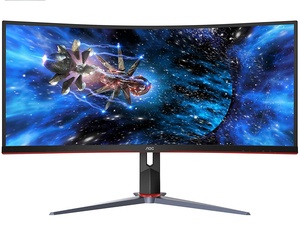
|| Monitor size: 34 inch | Resolution: 3440x1440 | Refresh rate: 144Hz | Response time (mprt): 1 ms | Curved screen | Frameless design
|| Signal input: HDMI 2.0 x 2, DisplayPort 1.2 x 1, USB 3.0 x 4, Headphone out (3,5mm)
|| Swivel 30° ±2° ° | Tilt 3.5° ±1.5° ~ 21.5° ±1.5° ° | Ergonomic height amount 130mm | Base removal | Vesa 100x100
candid zinc
Actually yeah that one does look like a good option
Might go for that
@kindred umbra Also just one last question cause I've been confused by this for a while
You can use freesync with an nvidia gpu through displayport right?
Or something along those lines
I've read a lot of conflicting stuff and a lot of it seems outdated so just trying to get the record straight
kindred umbra
I may be wrong, but I'm pretty sure nvidia cards are now capable of using freesync
and always use dp to get the most out of your monitor, chances are you wont be able to get your full 144hz thru hdmi
candid zinc
Alright cool thanks for the help
Wouldn't have spotted that AOC one
I think I'll grab it while it's still on sale
kindred umbra
np, enjoy your new monitor
 vast dove
Hello i want to know from how used this monitor how the color is and in dark room or black scene how it's preform.
https://www.amazon.sa/dp/B088MKF848/ref=cm_sw_r_cp_apa_fabc_-U4VFbW1XEDG2?psc=1
maiden wedge
Anyone here got a recommendation of a 1080p or 1440p monitor 144 hz i can get for 180 or less
I want it to also be above 22 inches
no max cap, bigger the better
wow so its my gpu and my monitor that bring my cost up xd
totalling everything including keyboard came out to 918.22, the gpu is 500, the monitor is 189, then we add taxes on this total
 thin swallow
 raven spade
happy thanksgiving love you all 🥰
 earnest oak
1440p monitor recommendations? Was looking at the odyssey g5 and the LG27GL83A-B
kindred umbra
@earnest oak i would aim for an ips monitor, px277, g27q and viewsonic has an option
so does lenovo
 prime patrol
guys whats the best 240hz ips monitor with extra low response time
400$ - 500 range
dawn karma
i dont know if i should buy a 1440p 144/165hz or a 1080p 240hz, can someone guide me on what i should get
maiden wedge
are u conservative on ur electricity bill?
dawn karma
no... @maiden wedge
dawn karma
i have a 5600x 3070
 mental basin
I need a 27", 144hz (minimum), 1440p, IPS, 1ms response monitor for no more than $350 USD. This will be for an RTX 3080.
dawn karma
5600x, 3070x, i play fortnite, apex, overwatch, cs go, warzone, rocketleague, those kind of games, im not planning to play on the highest settings
maiden wedge
dont rlly need that extra mile
kindred umbra
mental basin
I need a 27", 144hz (minimum), 1440p, IPS, 1ms response monitor for no more than...
px277, m27q, g27q, viewsonic vx2758, lenovo y27q
maiden wedge
unles su can look at me in the face and say u can tell differnece between the 2 refresh rates
mental basin
the g27q i was told has issues with bleeding and dead pixels
maiden wedge
that are above 60 fps
kindred umbra
you can take it off the list then
maiden wedge
cuz i rlly cant see the difference past 60
dawn karma
maiden wedge
unles su can look at me in the face and say u can tell differnece between the 2 ...
i dont think anybody can tell the difference between 144/165
maiden wedge
right so save ur money and go 144
mental basin
I always view pixio and view sonic as off brands
kindred umbra
they make good monitors
maiden wedge
my mind cant see anythn different beyond 60 fps, i must have poor vision
so im chillin on a 144hz monitor
kindred umbra
viewsonic has a wider color gamut but is rarely in stock at msrp
pixio's color gamut isnt as wide but has higher native refresh rate
and is in stock
then the lenovo option cost more than both but it has a good display, uses lg's nano display or whatever im p sure
mental basin
@kindred umbra The Viewsonic is out of stock, the gigabyte I'm hesitant on, the Pixio I could potentially, but I personally view it as an off brand, and the Lenovo is way over my budget. None of those work
kindred umbra
with coupons, the lenovo came to 350 usd for me
and if youre willing to wait, the viewsonic is on backorder on b&h for msrp
have you checked out hardware unboxed? they have really good monitor reviews
mental basin
I'm building my computer in 2 weeks
kindred umbra
i would recommend checking them out, they do in depth testing of monitors
and they have a review on both the viewsonic and pixio
 past peak
I Really need help i need a monitor under 150 that has good color accuracy im a graphic designer 🙂
Any thoughts/
 frosty hazel
Hey, I am building my first pc with a 2060 and was wondering if this might be a good budget monitor
research panel types if that important to you
past peak
is this a good monitorhttps://www.bestbuy.com/site/acer-27-ips-led-fhd-freesync-monitor-hdmi-vga-black/6401007.p?skuId=6401007&ref=212&loc=1&extStoreId=664&ref=212&loc=1&gclid=Cj0KCQiAwf39BRCCARIsALXWETzNczWFyDHYK2I8yFcy_gQ2MIMmQccxOYzLwEEjGlvphgtOZV9RgHkaAi7QEALw_wcB&gclsrc=aw.ds

Best Buy
Shop Acer 27" IPS LED FHD FreeSync Monitor (HDMI, VGA) Black at Best Buy. Find low everyday prices and buy online for delivery or in-store pick-up. Price Match Guarantee.
torn night
@candid zinc I was looking at the MSI and Gigabyte monitors you were looking at/linked... the MSI even with 100mhz still had a good size.. i'm on fence if I hit the order button... it is a bit newer generation too... 359.99 USD is a good price I think..
prime patrol
@dawn karma bro lmk what ur going for cuz I'm in the same situation as u
patent lagoon
For what @past peak
past peak
patent lagoon
For what <@374515811941089281>
Graphic design and some mild gaming
patent lagoon
No
past peak
because of the refresh rate?
past peak
ohhhhh ok
patent lagoon
And it doesn't look good
past peak
how does it not look good?
past peak
;l all the reviews say it has amazing colors........
patent lagoon
Almost feels like there's gaps in the screen if you're real picky
past peak
that stinks
patent lagoon
Sharpness isn't colors lmao
past peak
oh very tru
patent lagoon
I'll put the image over the white washing of a panel
past peak
This curved monitor is ideal for avid gamers. The full HD resolution and 1 ms response time create a high quality viewing experience even in fast paced games. Enjoy fluid motion and avoid stuttering by enabling AMD FreeSync technology.
patent lagoon
Np
 late sky
Is anyone able to help me with a display issue?
I recently bought a new computer and everything turns on fine but the display is not showing up. Does anyone know of anything that could help
late sky
no
i bought it from newegg
i turned it on for the first time and no display was showing up
tried every hdmi and display port
 wild grove
Any good monitor deals ya'll would suggest? I currently game on a 27" 144hz dell from about 6 years ago, it's good, but I'm looking to get something with HDR preferably
~27" prefered, 1440p resolution
 mystic oracle
whats a good cheap 1080p 144hz monitor
 north sand
@late sky you sure you’re plugging into the graphics card?
late sky
@north sand Graphics card wasn’t plugged in all the way
visual pilot
@wild grove M27q is good if you're not too worried about HDR, on sale for 320$ right now. There's the pixio prime px7 or whatever, I'll find it, that's more expensive but can do HDR better.
PX7 is out of stock sadly
kindred umbra
@visual pilot px277 basically replaced the px7
lenovo has a good option but its 350 before tax
covert solstice
px7 prime babyyyyyyyyyyyy
kindred umbra
if its in stock lol
wild grove
I've never heard of Pixio before
covert solstice
they make decent monitors
 wraith timber
Question: what type of panel would be best for gaming and content consumption? VA or ips?
visual pilot
IPS has better colors than VA, in general IPS is preferred over VA at the same specs.
wraith timber
Alright ty
wild grove
What do ya'll think about the samsung odyssey G7?
maiden wedge
I wish I had the money
 maiden idol
apparently there is a trend of pc monitors listing themselves as 'bezel less' but really they just cut the frame out and dont extend the display to match the fame.
so your 'bezel less' pc monitor still has an ugly 8-10mm border on the edges making stretching the screen across multiple displays ugly and displeasing
maiden wedge
Lenovo got my black Friday money.
All 300 maple dollars. For a 31.5" 1440p with 1500r @ 75hz with freesync.
dawn karma
Aw2518hf vs AW2521HFL which one should i get?
 tame swallow

Buy Acer HA270 Abi 27" 16:9 FreeSync IPS Gaming Monitor featuring In-Plane Switching (IPS) Technology, VGA | HDMI Inputs, 1920 x 1080 Full HD Resolution, 100,000,000:1 Dynamic Contrast Ratio, 250 cd/m² Brightness, 178°/178° Viewing Angles, 4 ms Response Time (GtG), 16.7 Million Colors. Review Acer HA270
Is that a good monitor?
 green portal
i think it depends on your budget, pc specs, and what you wanna do with it
past peak
tame swallow
https://www.bhphotovideo.com/c/product/1444411-REG/acer_um_hw0aa_a01_ha270_abi_g...
how many hz is it i couldnt find the hz.....
tame swallow
173? Lol
tidal stump
Can you guys see the difference between 100 and 144hz? Like would I regret a 100hz monitor for non competitive games?
green portal
tidal stump
Can you guys see the difference between 100 and 144hz? Like would I regret a 100...
from what i've heard, the difference is not that big (compared to 60 vs 144 at least) and since you are not playing competitive games, the refresh rate aint gonna bother you
 worn tusk
(Samsung Odyssey C27JG56 VA 1440p) or (MSI Optix G271 - 27" FHD IPS 144 Hz)
maiden wedge
isn’t the G271 a 1080p monitor though ?
tidal stump
ok cool, but now all the good monitors are gone or not on sale lol
maiden wedge
you’re comparing two monitors that are hard to compare in my opinion
at least you should choose the resolution and also, what are you planning to do with the monitor ?
@worn tusk
worn tusk
im gaming but i alsow do a lot of digital drawing. thats why im considering the ips pannel
maiden wedge
Does anyone have data on lifespan of VA vs ips vs TN displays?
patent lagoon
What are you using them for? @maiden wedge
 quick stirrup
Anyone know anything about displays? If my gpu works best at 1440p 144hz, will it be able to handle dual 1440p 60hz monitors well?
[3070 Founder's edition]
patent lagoon
Why not one at 144hz and the other 60?
 trim citrus
What is a good monitor that has a Black Friday deal? Budget is ~$150
maiden wedge
Hey @kisuske mostly audio editing /office but some light gaming. Curious about long term viability of ips panels.
 brave cipher
samsung g7 monitor on sale at samsung 599
32 inch 599 27 inch 549

g9 is too but friggen wont let u buy on the site
oh wait it will now 1249 for the g9
patent lagoon
@maiden wedge ips is considerably better than tn
Whatever you do
Just don't get tn
They look nasty
covert solstice
there are good tn panels with decent colors and everything but yeah id highly recommend a ips panel
 forest seal
Hey all, not sure if it’s been asked previously but, what monitor options do I have that would be the best to use with a ps5, $200 and under? Thanks in advance
Or maybe a tv that would utilize the ps5 output, same price point.
My son wants to upgrade his tv to a monitor, unfortunately the cost of some of the recommended ones are steep after buying a ps5 and other things money is thin. Any advice is appreciated.
maiden wedge
I just went with a Lenovo VA panel. It's for office/studio so will be directly looked at. Separate setup for movies etc. I had been toying with the idea of an ultrawide IPS but couldn't find anything with good reviews in budget. Settled on 1440p at 75hz
 eternal shard
so I'm able to upgrade my monitor and have 2 choices.. either a TUF gaming VG279 ($399) or ASUS ROG Swift PG279Q ($600) both 27". any suggestions on which one?
please ping me to get my attention
patent lagoon
@forest seal a lot of models are under $200 for 144hz but it's only 1080p
The chances of finding a TV for under $200 with 120hz refresh are probably sold out by bow and would have to wait till cyber Monday
visual pilot
@eternal shard alright, you want 1080p240hz or 1440p144hz? For 1440p144hz, I'd recommend the M27q, 320$ with code BFRDAY47
https://www.newegg.com/p/N82E16824012018
for 1080p240 I'll have to take a second to look around again
 marble wharf
What do you think about the Samsung S34J55oWQM?
 supple plover
Well my new monitor arrived, and the screw to mount the stand is missing 
full moat
you certain it isnt integrated in the stand instead @supple plover ?
earnest oak
Is 32in for 1440p too big? That’s what I’ve been seeing and was looking at dell s3220dgf
supple plover
full moat
you certain it isnt integrated in the stand instead <@!164898441007333377> ?
It's missing, couldn't find it anywhere in the packaging. Fortunately I found a somewhat compatible screw, it isn't perfect but it's a good temporary solution. I ordered a stand for two monitors figured I may as well.
supple plover
I haven't, I'm sure they could send me one no problem. But I'm not too fussed over tbh
full moat
fair enough
i know (from experience on the vendor side) that i would appreciate the knowledge that there is a potential QA issue on that suppliers side of things @supple plover
patent lagoon
@earnest oak imo yes
forest seal
@patent lagoon thanks for the info, any advise on finding a 120hz tv? I’ve tried to search for it specifically with out any luck.
 long trout
so i have an old dell inspiron aio ive torn it down and still have the monitor, it has a lvda ribbon cable for the display is ther anyway i can adapt that to hdmi
maiden wedge
https://www.amazon.com/Philips-Frameless-Monitor-Full-FreeSync/dp/B08FNYJLWV/
Is this a good monitor?
maiden wedge
Looks fake to me ngl
maiden wedge
need help finding a display under 180
144hz IPS 1080p
and the biggest screen

Best Buy
Shop ASUS TUF Gaming VG249Q 144Hz 23.8” IPS LCD FHD 1ms FreeSync Gaming Monitor (DisplayPort, DVI, HDMI) Black at Best Buy. Find low everyday prices and buy online for delivery or in-store pick-up. Price Match Guarantee.
i am debating between these 3
smoky bear
@maiden wedge check this one...
AOC G2790VX 27" Frameless Gaming Monitor, FHD 1920x1080, 1ms 144Hz, FreeSync Premium, 122% sRGB / 90% DCI-P3, VESA, 3Yr Re-Spawned Zero Dead Pixels, Black, 27 inch Full hd https://www.amazon.com/dp/B08FJH5WWD/ref=cm_sw_r_cp_api_fabt1_xFFWFbW08E3GB?_encoding=UTF8&psc=1
maiden wedge
im onto this one now
wow thats nice @smoky bear
but how does that compare to mine
i like frameless
but i cant tell if this is TN or VA or IPS
i think ima go with mine cuz its ips
patent lagoon
Go with that @maiden wedge
 lethal flicker
I seek a monitor
Spare me thy wisdom
For I seek good color quality, good picture, and 1080p
oh yeah, and no higher than $350
 urban epoch
Is 1080p good for 27"?
maiden wedge
@lethal flicker look at one i linked
24-27" is good for 1080p
its only one thats 24 inch and 1080p and in stock
so many are out there but u have to wait till january
it rly doesnt have bad stats for a price of 180
@lethal flicker the stats u are looking for
color- ips (panel type)
144 hz, 1080p
size of screen- unknown
price- up to 350 but do you want the thing to be around 350 or do u prefer under 180
urban epoch
Should I buy a 27" 1080p for like 200 or a 1440p for like 600 or so in summer?
maiden wedge
i mean if u go to a bigger screen, u will want to get a higher resolution screen
that's totally your choice : 1080p and 1440p is a big difference and the price of the two monitors are totally incomparable
1080p on a 32 inch isnt the same as it is on a 24 inch
but dont go 1440p cuz rlly eyes cant detect that difference and this whole 4k stuff too
24 inch panel is pleenty
ppl say its a big difference, it only adds another couple nore pixels to refresh, it really isnt that big of a deal when you consider the size of the monitor
@urban epoch
but idk of a monitor that is good that u will get for 27" at 1080 for 200...
ur ganna have to settle for 24 inches
you don't feel any difference between 1080 and 1440 ?
@maiden wedge i really dont
hmmm
my friend has both types
the movement in screen is quiet similar
i use 1080p on a daily basis...
and when i just switch to 1440p i sense quite a big difference
300 pixels changes ur eyes... cmon lol
that are disperesed accross the screen
it rlly doesnt, i think its the fact that u bought somethn new that u never had, your mind gets fooled into thinking its great
thats the first stage of happiness till you realize there rlly is no big difference
hmm
1440p would be good for bigger screens
because itll need those extra pixels
ah that might be it
but for a small screen it is completely useless
24 inches at 1080p is ore than enough
yeah, never used 24 1440
whats ur screen size
24 1080 is what i personally own, never thought of upgrading
good and keep it that way
no need to go heavy on a monitor
im an electrical and computer engineer