#old-monitors-and-tv
1 messages · Page 36 of 1
 idle oyster
for me i dont notice a difference between my 24 and 27 inch screens they both 1080p. my eyes are probs just too bad to notice lol
 patent lagoon
and the only reason you're considering getting a 32" is for the 1440p cause it wont look as bad at 1080p??
idle oyster
truthfully im just looking for 144hz+ since i can finally get that fps. Then only reason im considering 2k is also my new computer can run that well for ther 32 inch i just feel like a bigger screen would be nicer maybe i should go to microcenter to feel how a 32 is tho
idle oyster
yea i was looking at the one my only problem with that was the 5ms response time
patent lagoon
not fast enough?? lmao
 proven oasis
Amazon.com: Alienware NEW AW2720HF 27 Inch FHD IPS LED Edgelight 2019 Monitor - Lunar Light (Full HD 1920 X 1080 240 Hz, AMD FreeSync): Computers & Accessories
idle oyster
dam 240 hz
proven oasis
i'll probably get 2 27 inch 75hz monitors and use one of them as a main
240hz and 280hz
patent lagoon
y lmao
proven oasis
oh, 75hz is to save money
patent lagoon
save money 4 what
proven oasis
instead of getting 3x 450$
patent lagoon
just get a 144hz and a 60hz
proven oasis
I don't wanna hold down a 2080 super doe
proven oasis
like cap it's potential
because i'm gonna be running competitive settings on a lot of games
idle oyster
yea i got a 2080 super also
proven oasis
oh nice
proven oasis
so which of the 2 monitors?
or should i just go with what you said and go with 144hz
idle oyster
go with 144
patent lagoon
yeah you'd be holding back your gpu getting a 75hz
proven oasis
alright, i'll go with the monitor i was originally going with
idle oyster
yea i would
proven oasis
like you'd mind or you don't care
patent lagoon
he does lmao
proven oasis
oh okay because a lot of people sometimes say yes to a question like that when they mean they don't mind
idle oyster
yea i would get a referb one if it was good
proven oasis
SEE
patent lagoon
i found one the other day
and it was worth like $450 but was down to $300
i was gonna snap on it cause it was perfect except it didnt have a curve
just keep and eye on acer's ebay refurbed store
thats where i found it
idle oyster
is a curve really worth it?
patent lagoon
depends on the curve and how big the monitor is
thats why i can actually find a non-curved at a nice price over curved
idle oyster
ah yea i never had a curved one before
patent lagoon
neither have i but im basing that on the prices i've seen
i really want an ips but i might have to settle with a va
idle oyster
i gotta pickup more shifts to afford this
patent lagoon
lmao
yeah i mean if you dont want the curve then ya you could find a nice refurbed
idle oyster
just paid 950 for my new pc yesterday
patent lagoon
whats it got
and plus you'll be looking at 5ms for most monitors in this price range
its just standard for va panels
no way around it
idle oyster
r5 3600 32g of 3600 ram 570x motherboard and 2080 super from my computer i had
patent lagoon
why the 32gb ram lmao
idle oyster
16 was not enough for me
idle oyster
i like my chrome lol has all my stuff for me waiting for the 4000 series to come out to upgrade the cpu
patent lagoon
i mean i normally run some tabs with some music playing in the background and playing games with no struggles
idle oyster
ive seen eft use 12 gigs alone before playing it. dam demanding game
patent lagoon
never even heard of eft lmao
idle oyster
escape from tarkov
idle oyster
not the gigabyte i was looking at first?
 maiden wedge
Would this be a good place to ask about monitor mounts?
 placid kestrel
whats your q
maiden wedge
I am looking to desk mount my new monitor I got. My mount is built for both grommet and a clamp. Is one more preferable than the other?
My monitor weighs about 33lbs
So between the monitor and the mount, that's a decent amount of weight on a clamp
placid kestrel
the clamp will work if you can really tighten it down
i find if you dont they start sagging over time
the grommet mount is more stable imo
id use large washers also if you do the grommet mount
maiden wedge
Yeah, my thought was grommet would have more stability, but it would also bring the monitor closer to me, and ideally I'd like to maximize the difference.
placid kestrel
which mount did you get?
maiden wedge
It's a Loctek Model D7L
placid kestrel
i think as long as you have the arms in a V shape the clamp should be fine
placid kestrel
i cant link the pic
its the default pic on amazon
the farther away the monitor is from the base the more it will sag
maiden wedge
I don't need it to move away from the base. The monitor is huge. I don't need it to move closer.
placid kestrel
then u should be good with the clamp
maiden wedge
Should I be concerned about the end of the desk breaking under that much weight? It doesn't look particularly thin, but I really don't know.
placid kestrel
really depends on the desk i guess
u can try adding a block of wood to reinforce the strength
like under the desk between the clamp
maiden wedge
You think that would help?
placid kestrel
yeah ive used that trick before
maiden wedge
Guess I'll have to see where I can find a block of wood that shape/size.
placid kestrel
damn i cant link anything here
maiden wedge
crap, the link disappeared
placid kestrel
no luck
maiden wedge
Can you private message it?
patent lagoon
Is there any noticeable difference between VA and IPS??
Like I know there is but I can't find one lower than $400 for the specs I want
 olive token
yeah
IPS best panel
for colors
but you gonna pay out the rump for high fps IPS
what specs are you looking for?? @patent lagoon
 slim onyx
Btw. What do y'all think about that upcoming EVE Spectrum monitor?
 storm saddle
@Kisuske🌸 I got my 27 inch ips 1440p 144hz monitor a week ago off of Facebook market place for 250, just gotta stay looking for deals, it was refurbished but it came in all original packaging all cables no dead or stuff pixels works great, you got this 👍
Stuck*
olive token
wow nice score
proven oasis
is there a big difference between 1ms and 2ms response time for competitive gaming?
proven oasis
out of these 3, which would be best, https://www.newegg.com/p/N82E16824281027 , https://www.amazon.com/dp/B07KGMQGDT or https://www.amazon.com/dp/B083K17XLH
lmao
 old hearth
So I woke up this morning and one of my monitors has a verticle line down the left side of the screen about a pixel wide, one a white backdrop it turns yellow, a dark background it turns blue, assuming it may be a dead or 'stuck' pixel, anyone have a fix the doesnt require a new panel?
 versed bridge
Probably isn't an easy one
proven oasis
@versed bridge you got an answer? it's okay if no 🙂
versed bridge
I can't think of anything that wouldn't be more expensive than a panel replacement
proven oasis
ohh lol
well, if you were in my eyes (playing games) which would be best?
I'm trynna stay under 200 for a monitor
 nova estuary
How big ya want @proven oasis
nova estuary
Only ones your really gonna find are 24" there's a few 27" but they have a refresh rate of about 75hz. There's a ViewSknic 27" for 199.99
Viewsonic
proven oasis
I want thin bezels, plan on going with a triple monitor setup
nova estuary
Then the 27" Viewsonic
proven oasis
how come 75hz?
nova estuary
Thats What Most of them are. The Higher the refresh rate the more you are gonna pay
Im going to be paying 257 for a Westinghouse 27" 144hz 1080p Monitor
proven oasis
but the 3 monitors i listed were 144hz 1ms for 180$
nova estuary
Oh Im sorry I didnt see that was on my phone
proven oasis
oh it's alright
nova estuary
I would go with either the Sceptre or the MSI
proven oasis
how come not asus?
nova estuary
Yeah thats why they had 2 different Refresh Rates listed on the title. Both had 165hz 144
Sorry the Sceptre had that. I was clicking to fast for my own good
Thats the one to go with then @proven oasis
nova estuary
Yeah IPS offers better color.
proven oasis
I'll go with the MSI one 😄
nova estuary
But it looks like the bezels are a little larger than the Sceptre
proven oasis
smaller bezels or ips?
@nova estuary what's the difference between an LED monitor and an IPS monitor
nova estuary
Honestly I don't know. I just know IPS is better
nova estuary
No problem
proven oasis
@nova estuary so i found out the sceptre one is TN
nova estuary
Oh yeah that's low end then. Go IPS
proven oasis
oh alright ty
patent lagoon
It's the g1 series and too big for me but thanks 
 fossil obsidian
Anybody have the MSI Optix MPG341CQR?https://www.newegg.com/p/N82E16824475035?Description=MSI Optix MPG341CQR&cm_re=MSI_Optix MPG341CQR-_-24-475-035-_-Product&quicklink=true
 novel prism

Buy ASUS VG278Q 27" Full HD 1920 x 1080 144Hz 1ms DisplayPort HDMI DVI Asus Eye Care with Ultra Low-Blue Light & Flicker-Free AMD Free Sync G-Sync Compatible Built-in Speakers LED Backlit Gaming Monitor with fast shipping and top-rated customer service.Once you know, you Newegg!
Thoughts?
fossil obsidian
Looks like a nice fast monitor. 27" at 1080P is a bit large for some people tho something to consider
 novel prism
Is it actually overpriced?
 deep fern
Ye that is expensive 1080p 27” monitors are usually very cheap near 150ish
 magic lotus
@Kisuske
placid kestrel
8K is still too expensive for consumer use
hell even 5K is pretty expensive still
magic lotus
Ahem
patent lagoon
@magic lotus what you need it for
Gaming?
Just looking at?
And I thought you need cheap Lmao
You're not spending less than $300
 spark pond
Hey all. Looking for some recommendations for a display upgrade. Currently going back and forth between the LG38GL950 vs the PG35VQ. I want to get into the ultrawide world. Going the 3000 series GPU route once they are available.
maiden wedge
Depending on your budget you may want to wait for the 38GN950 at the end of the month. Specs are upped a bit and power consumption down.
spark pond
I appreciate that heads up. I was unaware of that upcoming release. I'll go look it up.
 narrow bobcat
4k oled or qled
novel prism
oled basically able to make itself darker for more contrast
QLED screens are brighter, which is better for areas with a lot of light
maiden wedge
What is a good 60Hz secondary monitor (1080p and plus) ms time 5 or under
22 inch plus
 deep dust
why are artisan keycaps so expensive
versed bridge
why are artisan keycaps so expensive
@deep dust Keyword there is artisan
deep dust
they look so cool but for a full set of ones i like i’m looking at like $800 😔
 covert solstice
cause theyre hard to make and made by solo people
also people usually just buy 1 or 2
 onyx vault
good cheap monitors?
onyx vault
i love how $220 is cheap
nova estuary
Sadly for a Decent monitor that isnt TN Panel it is cheap
patent lagoon
^^
deep dust
29” 1080p 😳
 sharp ivy
I have ASUS VG279Q monitor and switching to 24 inches because it's too huge for me, is VP249QGR a good choice??
 cobalt glade
Does anyone know where to buy an Samsung odyssey g7?
 heady drum
I have a question Do any of you have experience with this monitor? Sceptre E248W-19203R (Note: I’m using this for a ps4 and then later on using it as a second monitor once I get a pc)
novel prism
@deep dust They make em by hand
nova estuary
@novel prism Is that Why Sceptre has High QUality Monitors is they make them by hand?
Or Is it the Viotek
novel prism
i was taking about artisan keycaps lmao
 tame swallow

Product IdentifiersBrandMSIMPNOPTIXG27C2Ean0824142146514UPC0824142146514ModelOptix G27C2eBay Product ID (ePID)2302135264Product Key FeaturesRefresh Rate144 HzAspect Ratio16:9Video InputsHDMI Standard, DVI-D, DisplayPortBrightness300 cd/mFeaturesTiltable, Slim Bezel, Headphone ...
I feel like something isn’t right
nova estuary
Yeah it has a ebay Product ID
tame swallow
What is that?
nova estuary
the ePID in the description
@tame swallow Where is that Website From cause thats a hell of a deal
nova estuary
Like The Prices are Amazing and It has Free Shipping
According to what Im seeing its a Scam site
tame swallow
Makes sense lol. To good to be true
nova estuary
They had a $900 monitor priced under 70 bucks. Yeah I would say to good to be true
tame swallow
Yeah lol. If only
nova estuary
Right
Goog thing I looked first cause I would have ordered 2 of them fur under 200 Bucks and had 54 inches of screen space
tame swallow
😂😂
nova estuary
Yeah That would have been something
tame swallow
Yeah
patent lagoon
what specs?
nova estuary
Newegg has a Viotek 29" Widescreen for 219.99 and its a VA panel at 1080p
tame swallow
I know I want a 144hz or higher. Screen size doesn’t matter, 1080 or a 1440p that isn’t very expensive.
nova estuary
Specially on a TN panel. Be better on a VA and the best on a IPS
old hearth
so I bought a cheap temp replacement monitor for the one that ended up with the dead pixel line and for some reason I once got it to display 1080p but now it keeps defaulting to its max native res and I want it to display in 1080p any ideas?
 flat glen
I'm in the market for a monitor and OMG it's been frustrating, looking in the 34" space for a 1440p and they seem to be either really dim or end up really pricey
I'm almost to the point of getting a decent LG 49" TV that's native 120Hz and call it a day.
Anyone have any thoughts or input to help point me in the right direction?
nova estuary
@old hearth You have to make sure its setup in the GPU settings along with the windows settings so that it stays.
@flat glen Im looking at a 29" Viotek Widescreen on Newegg. Its 1080p but its 120hz Refresh 1200R Curve and For where im Located with Tax its only 230.00
patent lagoon
@flat glen you need a curve or no?
nova estuary
Id wait as there have been problems apparently with the Samsung Monitors
cobalt glade
Yeah they fixed the 27 and 32 inches
But now the 49
Not
But it’s sells out fast I can’t find any store that have h them in stock
patent lagoon
Nope
tame swallow

eBay
Viotek GFT27DB 27" Curved Monitor 1440P 144Hz. Viotek GN24C 24” Curved Monitor 1080P 144Hz. Viotek GN27CB 27" Curved Monitor 1080p 144Hz. Viotek GN27D 27” Curved Monitor 1440p 144Hz. Viotek GN27DW 27' Curved Monitor 1440p 144Hz.
nova estuary
Yeah But I wouldnt trust ebay. To Many Scammers on there
flat glen
@patent lagoon I don't care if it's curved or not, just something reputable with really good specs, that's why I've been looking at a TV instead my Radeon VII will push the 120Hz through HDMI if necessary. Trying to keep it under $650. It appears my best option so far is this one.
https://www.lg.com/us/tvs/lg-49nano85una-4k-uhd-tv

LG USA
Get information on the LG 49NANO85UNA. Find pictures, reviews, and tech specs for the LG 49NANO85UNA LG NanoCell 85 Series 2020 49 inch Class 4K Smart UHD NanoCell TV w/ AI ThinQ® (48.5'' Diag)
patent lagoon
Okay I'll look after work
@nova estuary eBay is fine lul
@tame swallow I think that has a TN panel
There should be another one that's really similar but with a VA
patent lagoon
How big does it have to be? @flat glen
nova estuary
He didn't. Just has to be under $650
flat glen
@patent lagoon looking around at least 34” monitor but would go larger.
@nova estuary I said in my original question
 fresh pagoda
Hi there
I'm going to by a BENQ EX3203R, it requires a special wallmount kit that apprently newegg sell, is that true?
a quote "VESA wall mount transfer kit"
 charred rain
yea
fresh pagoda
and where can I find one of these babies on newegg web site?
patent lagoon
Uhhh
I know they have certain vesa mounts maybe if you could find the name of it wherever you're buying the BenQ monitor at
Darn @flat glen
I found a 32"but not a 34"
I'll keep looking
fresh pagoda
thnk you for you help, it's appreciated
flat glen
@patent lagoon I’ve been looking for weeks! Not easy, found a decent MSI 100Hz but wasn’t bright enough, then found a 144Hz but was too pricey, lol
patent lagoon
I'll try Lmao
flat glen
Thanks, I’m still looking too!
 left raven
hmm any particular recommendations on a good performance 27 inch monitor?
patent lagoon
what specs you looking for?? @left raven
 dusty tendon
@left raven a pretty decent one is an Acer KG271 bmiix
left raven
I'm kinda debating whether I want another 4k, or if that's not worth it
it's really hard to find much over 1440p, seems to be the standard for high def gaming
 lucid flax
I've got this on backorder:
https://www.newegg.com/p/N82E16824475047?Item=N82E16824475047&quicklink=true
left raven
2 smol tho
I have 2 1080 monitors already, definitely looking to upgrade them
except a much older version
lucid flax
For you. For me, that'll be the biggest computer monitor I've ever had. My old desktop monitor was not very big and this laptop only has a 17 inch screen.
left raven
congrats on the upgrade then. there was a time that I got my first 24 inch too
I just accepted a fully remote job for a big pay raise, and thought I'd treat myself to a new monitor setup, make it easy to work too
flat glen
@patent lagoon I think I’ve decided to go with a 43”4K Sony TV native 120Hz
lucid flax
Plus, considering the age of said old desktop monitor... the resolution is likely crap by today's standards and it uses an obsolete connector.
flat glen
Yes it is, but I have the space and it’s a better price than a lot of the monitors with lesser specs
left raven
just make sure to keep ppi in mind when going large like that
flat glen
Scratch that! 49” LG that is 120, the Sony is not, BB ppl are idiots!
left raven
for example, a 1080p monitor at 24 inches has more ppi than a 49 inch tv at 4k
patent lagoon
^^^
left raven
unfortunately 4k at 27 inches is not a very good area for monitors it seems
flat glen
True but the 49” will still be beautiful
If I can find a 43” at 120 native I’d do that instead
left raven
one good thing is to just go a store where you can see them in person if you can
and if you stand at a distance that you'd normally be at on a computer, and it looks fine, you're golden
I knew my 32 inch monitor looked a bit funky at 1080p and so close, but I got used to it anyway
the only thing I can find is overpriced asus or acer monitors, hmm, maybe I should just get more of the AOC, would be nice to get something over 60 hz though
flat glen
Except they didn’t have any 43s or 49s in store
 civic igloo
@flat glen nice pfp
flat glen
@civic igloo yes
civic igloo
Lotr is the best
versed bridge
It is mine now
flat glen
Lol
civic igloo
My precious profile picture
nova estuary
@versed bridge Ah Crap He has the Eye of Saron
flat glen
The all seeing eye!
patent lagoon
does any displayport cable work for 144hz
 opal goblet
depends on the resolution @patent lagoon
its a bandwidth question
depending on what revision of displayport or HDMI a cable is rated for it will support different resolutions at different framerates based on bandwidth
1080p 144hz is a low less data to transfer then 3440x1440 144hz for example
 visual pilot
Also do realize DP 1.0 has a lot less bandwidth than 1.4
You can run 4k120 on 1.4 but not 1.0
covert solstice
i think like every modern monitor ships with 1.4 rn
opal goblet
issue is they dint specify when the qu was asked
versed bridge
@jolly portal RMA time
 jolly portal
Through MSI or through Newegg?
versed bridge
I'd contact newegg first
jolly portal
Okie
covert solstice
do msi because newegg needs 8 or more dead pixels to rma it
jolly portal
Oh wow
covert solstice
ya its a lot
jolly portal
Never knew dead pixels were a common problem.
 wary plover
Das a lot of death
covert solstice
yea i think it used to be lower but idk
its the main issue with monitors, not much else to damage easily in shipping
jolly portal
Icic. I did notice a a ding on the box upon arrival.
Same size as the dead pixel
*Same side
covert solstice
probably what caused it
jolly portal
Purolator delivery driver almost dropped it before he handed it too me. Maaaan what a headache
covert solstice
that doesnt sound fun, my monitor is out for rma rn cause of dark pixels :/
wary plover
I’ve been loudly. Out of the 4 monitors I’ve bought no dead pixels
I mean idk if that’s lucky or not but seems like a common problem so I’m glad it didn’t happen to me
jolly portal
The pixel is stuck on black
jolly portal
Damn my DOT policy for black is > 5 Dots
jolly portal
Honestly... the dead pixel is way off to the left and doesn't even pull my attention with a white background. Might just have to live with it. I try to avoid RMA and any warranty related issues like the plague. It always turns out to be a huge waste of time and incredibly stressful. Also the people on the phone are usually miserable and one time I had a guy who could barely speak english lol.
Has anyone ever had a dead pixel evolve into something worse?
 maiden oasis
i have a 24" Dell w/ a single dead pixel, has been just that one single dead pixel for maybe 3yrs, nothing worse
onyx vault
Honestly... the dead pixel is way off to the left and doesn't even pull my attention with a white background. Might just have to live with it. I try to avoid RMA and any warranty related issues like the plague. It always turns out to be a huge waste of time and incredibly stressful. Also the people on the phone are usually miserable and one time I had a guy who could barely speak english lol.
@jolly portal you could always break a couple more pixels
lol
jolly portal
Thought about it, however that is just a waste of time and resources. One pixel off to the left is really not the worst that could happen. What if I was sent another monitor that had more dead pixels even closer to the centre? Wouldn't want to keep sending things back to be RMA without a 100% guarantee of 0 dead pixels. Should have done more research into displays. Thought I was is informed enough to make a decision however I was mistaken. IF anyone is diehard about their displays being 100% you MUST look into monitors that state a 0 dead pixel somewhere in the warranty. Will probably be more expensive but it's the price you pay for perfection. Or if you have OCD...
maiden wedge
Is it worth getting an ips or should I just stick to tn
I edit videos for my YouTube channel and photoshop for thumbnails and game so I’m not sure what to get
nova estuary
@maiden wedge TN is Low End. VA is Mid Range and IPS is top tier
So Go with either a VA or a IPS
flat glen
@patent lagoon Made my decision, now just need to order it!
https://www.bestbuy.com/site/lg-49-class-nanocell-85-series-4k-uhd-tv-smart-led-with-hdr/6401880.p?skuId=6401880
patent lagoon
Nice
jolly portal
VA may present a better colour contrast. Also shows a truer black so if that is of concern then go VA. However I suggest really digging deeep into the google and research as much as you can then ask questions when decided upon what display fancies your taste.
lucid flax
grins
Just got the notice my monitor is processing to be shipped and I've been charged. I could have it as soon as sometime next week.
flat glen
Nice!
 hasty river
Any suggestions on 27inch 1440p
patent lagoon
Mine was supposed to come net week but it's coming Friday
flat glen
My new “monitor” should be here on the 29th!
left raven
what do you mean, there is no "quotes"
charred rain
no he said it like it's not actually a monitor
civic igloo
He said it like “monitor” because it’s actually an LG tv lol
charred rain
o
flat glen
Because I bought a TV instead of a monitor!
wary plover
@patent lagoon found you a 4K 20Hz 33” TV for $3000 you want?
patent lagoon
Sub $500
flat glen
@patent lagoon You really can't go wrong with an LG OLED TV, I only went with the Nanocell because of price
Does it have to be 120Hz?
wary plover
Lol ik it was a joke
patent lagoon
Thought so
flat glen
ok
patent lagoon
But some people in this discord really got it like that 
flat glen
I don't spend enough time in here, thought you were serious
patent lagoon
me too lmoa
*lmao
some people are tho
one time homie was talking about another guy in here like "yeah i don't like him"
i was like wut
never even seen his face b4
flat glen
LOL
maiden wedge
Any monite at 144hz, 1440p, Nvida Gsync, and 1ms?
the only one i found is the 500$ LG one
If anyone fidns anything please tag me
maiden wedge
0-500
patent lagoon
@maiden wedge you dont want adaptive sync ??
 copper swan
That back panel looking fat
Has anyone bought a Asus TUF Gaming VG27AQ 27” Monitor before?
It’s around $514
flat glen
I think @patent lagoon works for LG! Lol
patent lagoon
Lmaoo
magic lotus
I need 3 monitors of 27' each and for gaming curved
Some sort of cheap
Like lets say
a budget of
300 under
Or maybe 350
But less then 400$
and more then 165hz
 silk vigil
Why curved?
magic lotus
?
 trail yew
Looks better in a triple layout I presume
silk vigil
Ah
magic lotus
Its for a triple layout
silk vigil
Sounds great! I don’t have more than 1 monitor wish I could help but I’m not experienced enough to give you my word
magic lotus
But do you guys or anywon know if theres a wall stand for 3 monitors 27' to 36' curved wall stand
@silk vigil My friend has the 3 triple monitors for gaming and it looks cool with the RGB.
silk vigil
Ah ya my pc doesn’t have RGB wish It did but I got it 2 years ago for Christmas and don’t judge me but it’s a cyber power prebuilt 🤢
magic lotus
Tbh. mine is cyberpower prebuilt too
I jsut changed the Graphics card, power supply, and ram.
silk vigil
Ah
Ive got 1%
What are your specs?
All I remember off of the top of my head is it’s a intel core i7 7700k and a Rx 580 gpu
magic lotus
CORE AMD: FX 6 core
Graphics card: Rog Strixs 580
Ram: Vuper 16GB
PSU:N/A
Like you use it for gaming???
silk vigil
Mhm
magic lotus
Get AMD if your gaming, its better then intel, i fell intel is for like Office/work computers.
silk vigil
Yea that’s what I’m doing
silk vigil
I’ve got a pc part picker list
magic lotus
Cool
silk vigil
Maybe we should go to a different chat other than displays lol
magic lotus
Yea lol
maiden wedge
What’s the best 240hz monitor under $400
 vital steeple
alienware
vital steeple
oh lol \
yeah more than likely but hes making a 10900k so maybe he has the money
this one is well but over
same as alienware
while in stock
heard it aint half bad
cheaper than most but really good
i hear it feels very respondsive
but the first 2 are perfers to me @maiden wedge
patent lagoon
Why you need 240hz @maiden wedge
vital steeple
hes making a i9 10900k and 2080 super i think @patent lagoon
patent lagoon
Rather 1440p at 144hz
vital steeple
^
maiden wedge
I found another monitor , but it won’t let me send in links , can someone help me decide it’s good
Alienware 25 Gaming Monitor: AW2521HFL
That’s the name

 tranquil tapir
i would highly recommend that monitor @maiden wedge just make sure to buy it through dell and sign up since it gives a significant discount... i think i got mine for 330. It also is ips and has incredible refresh rate with rlly low motion blur from out of the box
compared to any other 240hz 1080p monitor it pretty much wins in every catagory... or just splurg and get a 1440p 240hz since those are out now
not sure how large your budget is
lucid flax
I'm good with a 24" 1080p 144 hz monitor. I don't think I'll visually be able to tell a difference any higher than that with my poor eyesight.
maiden wedge
Can someone find me a good primary monitor for gaming 144hz and 24”
@ me if you do please
lucid flax
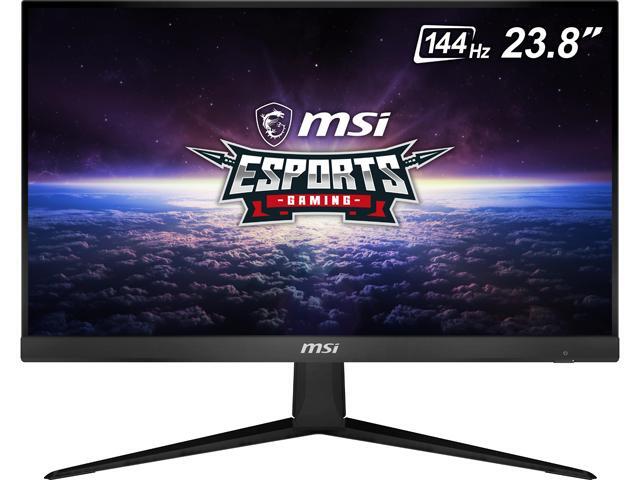
Buy MSI Optix G241 24" (Actual size 23.8") Full HD 1920 x 1080 4ms (GTG) / 1ms (MPRT) 144Hz 2 x HDMI, DisplayPort AMD FreeSync Anti-Glare Frameless Design Backlit LED IPS Gaming Monitor with fast shipping and top-rated customer service.Once you know, you Newegg!
visual pilot
nice
lucid flax
That's the one I'm getting... it's supposed to be delivered Thursday
 gaunt vigil
Yo
wary plover
Yo
gaunt vigil
Xb273 or AW2720HF?
I sent the yo bc my discord bugged and wouldn’t let me send anything a second ago lol
wary plover
Aaaaah this is #old-monitors-and-tv I’m not good at monitors 😰
Why am I in this channel lol
gaunt vigil
😂 all good
wary plover
Y’know what I’ll see what I can do
gaunt vigil
Much appreciated
wary plover
Ooh Acer. I have an Acer monitor
gaunt vigil
I was sold on the Alienware one but my local Walmart has the Acer one for 369 and idrk what to pick lol
wary plover
Gotcha
gaunt vigil
Need 240hz tho Bc building a 9900k 2080 ti build
Well don’t really need but ya get what I mean
wary plover
Yeah
Btw I’d actually wait to build until Ryzen 4000 series and Nvidia 3000 series but you do you I guess
gaunt vigil
Also curious about the xb273 says .1 millisecond delay which is practically no delay
Yea I should prob wait but I’m super impatient😂 I decided to go on and build and just upgrade around Christmas or so. Might get the wife to pitch in
wary plover
Looks like they have very similar specs. I’d get The Acer just because it’s a bit cheaper.
gaunt vigil
Bet, thanks
wary plover
👌
gaunt vigil
Do we have a price range for 3000 series yet? Doubt it but worth an ask
wary plover
Honestly, I haven’t done a lot of research on 3000 series. I’d guess it’s gonna be a bit more expensive than the 2000 series though
gaunt vigil
So prob sub 1k but over 700 give or take? Like 2080 super prices
wary plover
And people think 2000 series prices will drop once 3000 series comes out, but they might “pull an Intel and keep normal MSRP” -Hei
maiden wedge
Aren't they basically ending the 2000 series production?
wary plover
Well considering 2080 TI is like $1.1k I’d think 3080 is gonna be more? Maybe?
gaunt vigil
I read somewhere that the already ended production on all 2000 series
Idk how true tho
covert solstice
i cant see them being more than turing since turing was the first one with the rtx stuff and that cost a lot to develop
gaunt vigil
Youtuber mentioned it’d bring a 2000 series drought before the 3000 release
gaunt vigil
Hey nachos
covert solstice
hm
gaunt vigil
What’s your opinion on my monitor question, xb273 vs AW2720HF
wary plover
Acer one is like $60 less btw nachos
gaunt vigil
Yea
I can’t send pics but xb273 is 369 at local Walmart and Alienware one is like 430
covert solstice
id go xb273
wary plover
I was right 
maiden wedge
Does Acer still have light bleed issues?
covert solstice
wait theyre both 27 in heck
gaunt vigil
Yam for techie lol
wary plover
Nah I couldn’t get Techie even if it tried
gaunt vigil
Yea both 240hz 27 in 1080p
gaunt vigil
1ms
covert solstice
reading the reviews the acer doesnt have a bunch of bleed issues
gaunt vigil
Both g sync too
maiden wedge
Haven't used one in a long time.
maiden wedge
And tbh the ones I did have experience with were cheapo ones for a non-profit.
covert solstice
yea the acer doesnt say what tier gysnc it is so thats kinda annoying
wary plover
I have an Acer monitor as my primary and it is really nice
gaunt vigil
Anyone know anything on the tuff 280hz? I almost full sent that but figured bad idea lol
covert solstice
the specs look good on paper
maiden wedge
So many hertz
covert solstice
has eh contrast, besides that its solid https://www.rtings.com/monitor/reviews/asus/vg279qm

RTINGS.com
The ASUS TUF Gaming VG279QM is an excellent gaming monitor. The 280Hz refresh rate delivers exceptional motion handling, with extremely fast response time, low i...
gaunt vigil
I might just do the xb273 Bc I don’t have to order
On the xb273 it says .1 ms delay, is that legit Bc that’s practically no delay at all
covert solstice
thats gray to gray
gaunt vigil
?
wary plover
Response time is how fast it switches from color to color
covert solstice
MPRT typically means a form of backlight strobing to reduce perceived motion blur and simulate a 1ms response time.

Both methods are ways to advertise reduced visual ghosting and should not be confused with input lag, but they often are confused for the latter.```
basically gray to gray isnt as important as mprtAh
covert solstice
gray to gray is usually done with the highest overdrive settings (to get the lowest number) but people usually wont use that because it ghosts really bad
covert solstice
@visual pilot mr monitor can u help me answer that
gaunt vigil
Between those 2 which you thinks better? And I’ll compare that one to what you think is best😅
visual pilot
Gigabyte FI27aq
gaunt vigil
That an i or an L
maiden wedge
F127aq, that sounds like something that should be -bleep-ed
gaunt vigil
1440p 165 hz one?
I’m a bit slow ngl I can’t find an aq
Just q and some other ones by gigabyte
covert solstice
:v were looking at 1080 240hz
gaunt vigil
Ah ye lol
lucid flax
Also, I settled on the the model I did because I can't spend 3 or 4 hundred bucks on a monitor.
gaunt vigil
What’s your opinion on best 240hz under $500
I’m looking at xb273 and AW2720HF atm but open to others @visual pilot
visual pilot
VG279QM
covert solstice
thank u mr monitor
visual pilot
lol
gaunt vigil
Where you seeing a price on one? Can’t find one anywhere
maiden wedge
@here does anybody have experience with the Acer Nitro VG270UPbmiipx because it’s £300 and is 1440 144hz and 27 inch
Actually I’m deciding between the 27GL84A-B and the VG27WQ
patent lagoon
@maiden wedge link
maiden wedge
@patent lagoon the acer?
patent lagoon
Ya
ok i found it @maiden wedge
i was actually gonna buy that monitor but it wasnt curved
if you care about the curve then i'd say its a solid option
even has an ips panel
maiden wedge
@patent lagoon yeah i was thinking it was a solid choice but i recently looked at the reviews and people were saying there is a lot of backlight bleeding issues
i think i'll go with the VG27WQ
patent lagoon
gg
 blissful moon
Got a small inquiry
Can I run a second monitor off my motherboard HDMI? I don't have an iGPU since I have a 3600 and wanted to know if it's possible
maiden wedge
@blissful moon bios usually disables on board graphics when a gpu is hooked and gpu graphics don't run to motherboard display ports
maiden wedge
What are the inputs on the monitors and the gpu? Is there a way to adapt a port?
 vernal timber
@patent lagoon
nova estuary
@maiden wedge They Make HDMI to DP adapter and cables
vernal timber
Damn
patent lagoon
and also what resolution u going for??
vernal timber
Idk 1080
maiden wedge
@nova estuary yeah I was thinking that would be a good option
patent lagoon
what kind of gpu do you have
vernal timber
1650
vernal timber
But YouTube and stuff
vernal timber
Ye
patent lagoon
you want a curve or nah?
covert solstice
u can get 144hz ips for like sub 180
patent lagoon
^^^
well it depends on what you want
@vernal timber look into the curve and their radius and decide if its for you
that way i know what im looking for
maiden wedge
@vernal timber best or cheapest?
vernal timber
Best around 200
visual pilot
lol
maiden wedge
bucks?
maiden wedge
27 is better in my opinion
maiden wedge
i currently have 24 and i find it too small
vernal timber
Yep
visual pilot
stretching 1080p to 27in is gonna make pixel density bad
vernal timber
How bad
maiden wedge
its not very noticable
visual pilot
I can notice pixels on my 24in 1080p monitor, but most believe it to be fine
24in vs 27in
is quite different
maiden wedge
but i agree if you want to go for 27 inch get 1440p
visual pilot
27in 1440p monitor has the same pixel density as 24in 1080p
1440p is what, 60% more pixels
maiden wedge
the asus TUF lineup is very good at a reasonable price @vernal timber
vernal timber
Then ok
vernal timber
1440p flat 27’ around 200
maiden wedge
no i think it is
patent lagoon
not for 144hz
maiden wedge
maybe
maiden wedge
depends what settings he runs on games
patent lagoon
its gonna look bad lmao
visual pilot
1650 is not gonna do 1440p lmao
visual pilot
ips
patent lagoon
nice
maiden wedge
but he got the overpriced rog swift now
patent lagoon
yeah go with that @vernal timber
vernal timber
Link?
maiden wedge
bit off topic but is there a way to set the default browser when opening links to chrome because i hate edge
patent lagoon
change it in the settings
maiden wedge
whereabouts
maiden wedge
ah i thought it would be in discord setting
maiden wedge
i dont think ive opened a link outside of discord on this pc lmao
patent lagoon
wtf lmao
 primal mortar
primal mortar
primal mortar
that’s going to be hard the one in the pic is 200
and can go sideways and have new stand
primal mortar
i think so
blissful moon
Anyway to output 2 different resolutions for my monitors?
I got a 21:9 display for a monitor and a 16:9 pen display
But whenever I plug in my Pen Display my main converts to 16:9
maiden wedge
Right click the desktop and choose 'display settings'
You can select a monitor and change the display resolution there
primal mortar
how do i run 2 monitors to one pc
covert solstice
have 2 cables from the gpu one to each monitor
maiden wedge
@primal mortar once connected windows key + p
 nocturne python
anyone know if the BenQ ZOWIE XL2540 ever goes on sale?
nocturne python
well if it has gone on sale then it probably will go on sale again
so I'm asking if it has gone on sale I guess
 gentle flume
Hi I have a xfx 580 and for some reason it wont work with a regular monitor but when I used my dads monitor that had 144hz and freesync it worked immediately I was just confused and was wondering if I just needed to buy a monitor with freesycn or what the problem was
I just didnt want to go and buy a brand new monitor and end up finding out it doesnt work at all with it etheir
deep fern
make sure you plug into gpu not the mobo display output
freesync is just a feature not needed
deep fern
try testing the monitor with your dads pc or as a second monitor on your pc with dads monitor on as well
gentle flume
The motherboard is a x570 rog strix and it had the error code saying no out put display
It works with my dads monitor everytime
Just everytime I switch it to a different monitor I get no signal
visual pilot
What is the "regular monitor"
gentle flume
Do you mean my dads?
visual pilot
And what model is your father's monitor
gentle flume
My dads is an hp's
visual pilot
And are you sure that "regular monitor" works at all?
gentle flume
My monitor was some cheap hp one from walamrt, then I tried my tv
I just didnt know if it wasnt I high enough refresh rate or what was wrong
My dad says it's a hp 25x
visual pilot
Refresh rate doesn't matter
gentle flume
Ah okay
visual pilot
What is yours
Have you tried plugging your father's computer into the cheap monitor?
visual pilot
Because all we know so far is that the computer works to some extent, but we don't know if the display is broken
gentle flume
Hmm well I built my friend a PC using the same graphics card and he had the same problems with monitors
Except he has onboard graphics so he could swap to that and it would with cpu
 tall crypt
Hey
gentle flume
Ooo its levi
visual pilot
A graphics card shouldn't work with one monitor and not another
visual pilot
HDMI is HDMI, if it works, it works
gentle flume
Its the first graphics card to show up on amazon if you look it up
visual pilot
So I'm guessing monitor issue
tall crypt
Yeah I think it’s a monitor issue
If both don’t turn on it’s a graphics card problem
Levi is never wrong well most of the time
gentle flume
I was thinking kf getting the Acer monitor that's on sale on newegg
Then getting the asus monitor later on that has freesync 2 that is 32 inch when I saved up enough
tall crypt
How much is it
gentle flume
200
tall crypt
Wow not bad
gentle flume
Just need something to do my work on
The Acer one is
It's got freesycn premium and 165hz refreshrate
The asus one is that but bigger and rgb
tall crypt
ケニー
gentle flume
And 244hz but double the price
tall crypt
That’s a good deal in my opinion
gentle flume
Sooo gonna take me a bit longer
tall crypt
What’s your pc like
gentle flume
Yeah really good deal just hope it doesnt sell out before I can get to the bank
tall crypt
The components
tall crypt
Wow
gentle flume
Took me a couple months
tall crypt
 or
or 
gentle flume
X570 motherboard
tall crypt
It’s still good but there’s lot of problems with it
gentle flume
Agreed
gentle flume
Ryugin 360mm rad
tall crypt
So I’m still new to most stuff
gentle flume
I understand same here I get confused af on stuff my dad programs a lot of this stuff and goes just type this code in and suddenly it all works and I'm like dah f you do
tall crypt
Yea
gentle flume
My dads been collecting computer parts for a while so I got the genral idea just takes me a bit
Aight ima head out levi senpai
tall crypt
Ok bye imma head out too
vernal timber
can someone find me a 27 inch 1440p 144hz monitor for under 300
visual pilot
Very hard to find a good one under 300
vernal timber
is dis one gud
Viotek GN27DW 27-inch Curved Gaming Monitor 1440p 144Hz Samsung VA Panel(White)
visual pilot
Why are you going 1440p for 300$ budget?
visual pilot
.. 24 inch exists
visual pilot
Eh, it's just a lacking display, it's what you get for the price I guess
vernal timber
Used?
visual pilot
?
visual pilot
Refurb is, used is always iffy
Lemme go check I think mag271cqr refurb was 300$
Not anymore I guess
Ima go now, you can prob find decent 1440p 144hz displays used, just make sure it's a creditable seller
eBay has fairly good buyers protection
 solemn sapphire
eBay has insane buyer protection, too much imo
 willow hemlock
 normal ibex
anyone know any good 144hz monitors for $200 or under
visual pilot
G241
 ocean narwhal
Looking to get a 27-34” curved monitor, any suggestions under $500
visual pilot
I assume 1440p?
ocean narwhal
Yeah
maiden wedge
I need a 27 or 28 inch monitor 144hz 1080-1440p for under 350?
ocean narwhal
G271
visual pilot
?
this looks good for the both of you, if you can stretch your budget a bit @maiden wedge @ocean narwhal
https://www.amazon.com/dp/B07YGZL8XF
maiden wedge
Damn that looks good for the price
ocean narwhal
That’s actually perfect, I think I’ll get 2
ocean narwhal
Is curved really that much better than flat?
visual pilot
not really
it's a nice-to-have thing
feels a bit more natural with multi monitors afaik
ocean narwhal
@visual pilot what do you think about this one. LG 34WN80C-B
visual pilot
doggo!
flat glen
She's the best!
lucid flax
Well, my monitor should arrive tomorrow.
flat glen
Nice
visual pilot
:D
lucid flax
I know in the peripherals channel that one guy was spouting off about how IPS is no good for gaming
patent lagoon
What for? @magic lotus
magic lotus
Gaming @patent lagoon
patent lagoon
Then no
magic lotus
k
patent lagoon
You have that one?
patent lagoon
Why
magic lotus
Gaming
patent lagoon
But like why
magic lotus
?
patent lagoon
It's not gonna have enough pixels
magic lotus
Oof
patent lagoon
Stretched that far
magic lotus
I need one like 144hz
covert solstice
get 24”