#old-monitors-and-tv
1 messages · Page 27 of 1
 balmy radish
 maiden wedge
I would just stay at 1080p-1440p
Because most people don't want to go into the 20 series cards, they are just overpriced and not that great, the 2070/2070 super are pretty good for their price
balmy radish
Yeah I got an 8gb 1080 ti
But a i5 3570k
I feel a lot of bottlenecking in that cpu
maiden wedge
Yeah there is lmfao
maiden wedge
I have a 1070ti with an i5 6400 and I get a %50 bottle neck I can only pray for the cpu lmao
it's probably working its ass off
Ok, so first things first. Get your cpu first.
mobo*
then cpu
balmy radish
3600
balmy radish
balmy radish
Because zoomer. I’m grown and that was a purchase I made on Newegg before you were even in school.
maiden wedge
lmao
 solemn yarrow
There is no fighting here and i am correcting him cause i would assume he would think that everyone here is in their teens to early 20's
balmy radish
Looooool
balmy radish
You gonna rage when I start talking about monitor in pc builds tho?
Then try to strike up small talk
Nah, I’m good.
solemn yarrow
who is raging?
maiden wedge
He's just trying to see if ya are gonna hop on him for talkin in there
balmy radish
Ecks tells us about your heavy trinitron days.
What baud rate did you LAN at back in college?
maiden wedge
I have a laptop (Lenovo Y520) with a USB 3.1 Type C port, and a monitor that supports G-sync. I'm currently using a HDMI cable which I know doesn't support G-sync. If I was to buy a USB 3.1 Type C too Displayport adapter, would I then be able to use G-sync? Thanks!
 river edge
I don't think so, looking into it. Looksl ike it's limited to 60hz
@maiden wedge it sounds like your Laptop should have a Display Port connection, does it?
maiden wedge
Don't think so. I'm using an external monitor that supports G-sync.
maiden wedge
GTX 1050
It has a USB 3.1 Type C on it
lenovo legion y520 (80wk00remx) is my laptop
I has HDMI, but G-sync won't work through HDMI
river edge
Right
Reading up on a few things
You should be able to but you will have to disable the integrated Intel GPU from within the Lenovo software
maiden wedge
Yeah, ok. I read about that but I could not get into the BIOS so I'm trying to download drivers for my BIOS now.
maiden wedge
Lenovo core? I can't find it
river edge
Yeah, I don't think that's right
stand by
Does this make sense?
The first way is to go to Clevo Control Center > Switch GPU > Discrete (for G-Sync)
maiden wedge
I've never heard of Clevo control center
river edge
Well poo
maiden wedge
I can try too download it from the Microsoft store
river edge
is there an option to force 1050 in the nVidia control panel?
maiden wedge
Yeah. I've already set it too run programs on the GTX 1050 and not the integrated card
maiden wedge
Cool, thanks for the help!
river edge
Welcome!@
maiden wedge
I don't have display settings in my NVIDIA control panel though
Will that appear when I buy a USB C too Displayport adapter maybe?
river edge
The Gsync line?
maiden wedge
I don't have an adapter right now so I'll need to buy one, so I'm using HDMI right now.
I'm the Nvidia control panel I don't have any display settings, just 3D settings.
river edge
Yeah, nVidia does things oddly like that. I don't have a section labeled display either
Resolution
Color
eD
3D, etc
maiden wedge
Do you think NVIDIA control panel will detect my monitor once I get an adapter and let me turn on G-sync? Cause up until now I've had change settings on my monitor in the Intel program
river edge
That's because the HDMI is connected directly to the Intel GPU
So, the nVidia GPU just displays through that. The USB-C should be different
maiden wedge
Ok, I see now. Thanks!
That's how my control panel looks. And this should change once I get an adapter for USB C too Displayport?
river edge
That I don't know, I don't have a Gsync monitor
Lemme see if I can find something
Is your Lenovo an IKBN by chance?
maiden wedge
Yeah. It's a Legion Y520-15IKBN
river edge
Ah, important information
The IKBN's don't support Gsync
From a Lenovo support specialist
I'm using a y520 ikbn ( 1050ti, 16gb ram, i7 7700hq) and I'm using an AOC g2590fx monitor with it, soon I will get a type c - displayport cable so I will be able to use the monitor with freesync, but for that I will need to enable GSync in the nvidia control panel. Sadly i ...
Glad I asked about that!
maiden wedge
Ah, that's a shame. Good thing you asked that question, yes. Why would they make a gaming laptop use a IGPU no matter what? That seems kinda stupidity
river edge
Money. Costs extra to make extra connections for the dedicated GPU
maiden wedge
Ah, ok. Kinda makes sense. Is there any benefit to using a USB 3.1 too Displayport then?
I have an ASUS VG278QR by the way. Is Displayport required for ELMB?
river edge
No, just FPS is required
"For best results, an ELMB Sync display should be combined with a graphics card capable of pushing around 100 FPS in your favorite games."

ASUS TUF Gaming monitors with ELMB Sync pair variable-refresh-rate and strobing backlight technology for a blur-free, tear-free gaming experience.
maiden wedge
Ok. Thanks for all the help!
river edge
You're welcome!@
 river sorrel
Yae or nay
Actually that’s a bad deal
Can get it for cheaper off of HPs website
balmy radish
What is the best p4p price per performance 1080p monitor with all of the bells and whistles ? Desired size would be around 24” - 30”.
For further clarification, it’s only going to be used to play PUBG and CSGO.
balmy radish
That is exactly what I was looking for. Thank you for this gem.
 covert solstice
yeah zowie makes pretty good gaming and esports monitors
covert solstice
maiden wedge
@ JuiceByHarry
Look into if DyAc is something you'd be interested in - BenQ models often carry 1 of the 2- DyAc or G-hardware g-sync.
The XL2546 carries DyAc, wheras the XL2540 is the g-sync equivalent iirc.
Neither model strikes me as a go-to for price-performance min/max , but they certainly check off the "bells and whistles"
balmy radish
Monitors are so complicated these days
Thank you.
I saw that as a feature on the 1440 BenQs
maiden wedge
What gpu/cpu btw? Also any strong preference for either CSGO/PUBG?
Do you prefer 100% competitive setup - or for more of a all-around performer?
balmy radish
1080 ti + 3700x + 3600 ddr4
I feel like I just need someone to hold my hand here.
I used to be competitive in CS Source, I won’t even be playing that hard anymore.
It’s just to not have that to blame when I get struck down. Lol
I play 3 hours a week tops.
So, I’m not even looking at it that often.
maiden wedge
Nice, plenty of horsepower in the pc then.
I'd say 240hz 1080p is by far the most common csgo/overwatch/competitive fps gaming config -
but if on a budget, and when other use cases are valued, 1440p, 144hz freesync/g-sync make for great options as well.
balmy radish
Yeah “budget”
I’m mostly trying to keep it under the radar with the wife. Lol
This wasn’t any kind of budget. Just a complete unplanned expense.
Thanks for the info
 river blade
Best 1440p 144hz display in your guys opinion?
Nothing over 550$
Please and thank you
 smoky thicket
Asus TUF Gaming VG27AQ
@river blade

RTINGS.com
The ASUS TUF VG27AQ is the best FreeSync monitor that we've tested so far. At 27 inches, the 1440p resolution delivers a crisp image with exceptional motion handling, thanks to its high refresh rate and low response time.
im going to buy one eventually
river blade
Will freesync work on that
smoky thicket
well its native freesync and also gsync compatible
smoky thicket
no prob
 hoary pasture
i have 5700XT and i need a monitor. i have two in mind Benq ex3203r 427$ and Asus xg27vq 399$ what should i buy ?
 clear island
@smoky thicket why does the review say it's 2k rez, but Amazon says 1080p?
I confuzzled
 ebon beacon
most likely slightly different model on amazon
clear island
Ahhhh
Yeah maybe you can hit one of the buttons or that particular one is out of stock
ebon beacon
the benq is looking better to me
larger, higher resolution, HDR
28 dollars is a small price to pay
hoary pasture
thank you @ebon beacon
ebon beacon
is my pleasure, sorry, i went to sleep
 hazy condor
Should I buy g-sync for a 2070s or is 144hz good enough for 1440p
If so what is a good 1440p gaming monitor for a 2070s
 somber cloak
Is the Spectre 75hz 24 inch a good display its on sale for 89 dollars currently
balmy radish
Try using rtings.com to research
There is an abundance of information there to help you make a decision.
Linus did a review on a 144hz budget 1440p Spector and was surprised by the products performance.
river edge
I can confirm RTings is awesome
maiden wedge
whats the recommendation on a GIGABYTE AORUS CV27Q-SA 27"? im not sure which monitors to look at, I know I want at least 144hz and 1ms response
maiden wedge
What would be the best resolution for this set up? I was told it would be perfect for a 2k resolution but im also wanting a 240hz refresh rate. It looks like 1440p 240hz is what I might get.
 sick pumice
 rotund crane
yo guys, i need help
whenever i change resolution on my pc, it slowly makes the screen darker
i was wondering if there was a solution?
maybe a reason/inference?
im honestly not sure but my "monitor" is actually a tv if it does anything
It comes back when i tab out of the game but it comes back
 sharp canopy
this good budget monitor for gaming ? https://au.pcpartpicker.com/product/bVzkcf/lg-24mk400h-b-240-1920x1080-75-hz-monitor-24mk400h-b
balmy radish

RTINGS.com
The LG 24MP59G-P is a decent 1080p IPS gaming monitor with great wide viewing angles and good gaming features, including AMD FreeSync VRR support. It is limited ...
It looks like it’ll do the job.
 neat cosmos
@sick pumice $100 for a decent GPU? Look at the used 580 market my man. Even new a RX570 is sometimes under 120
 hasty pebble
I’ve been stuck between 2 monitors for a while (mainly will be used for gaming and schoolwork) just don’t know which one to get. Which one do y’all think I should get?
 visual pilot
@hasty pebble I'm pretty sure I have that MSI monitor, it's very nice, but what's the refresh rate on the second one?
They're both different sizes and different resolutions
5ms is not the greatest for gaming
ebon beacon
second one i feel like is 60Hz because it doesn't advertise the refresh rate
visual pilot
So basically if you game, go with the first. If you don't, there will be better image quality with the second.
 granite tulip
Has anyone used a g2590fx
On sale for $220 cad, been looking at it for a while
Want to know what some fellow users think about it
visual pilot
Personally I think 1080p each pixels would be a bit to visible above 24 inches
@finite kite
balmy radish
This is an amazing site - https://www.blurbusters.com/faq/120hz-monitors/
This is the Blur Busters Official List of 120Hz, 144Hz and 240Hz computer monitors, including LightBoost monitors, gaming monitors, and overclockable monitors, including 1080p and 1440p monitors, for PCs and for XBOX ONE gaming consoles. Highest Refresh Rates - 165Hz, 180Hz,...
river edge
Also, RTINGS is great for any kind of display
balmy radish
Yeah ULMB is something very important to understand when doing research for gaming monitors.
Or just blur reduction in general
That feeling when my monitor happens to be on the list as being the best scenario
I just literally found this site days after ordering my display, too. Lol
granite tulip
Both those sites don't have g2590fx 
visual pilot
It should be fine
granite tulip
Hmm
hasty pebble
The second one has a 75 hz refresh rate (sorry for late response was out with my family)
 leaden forge
@hasty pebble If you’re gaming I would recommend the higher refresh rate monitor
 plush shard
I'm stuck between two different monitors, the AOC C32G1 and the MSI Optix AG32C. I'm pairing them with an RTX 2060S.
I intend to use it for gaming, general content consumption and occasional image/video editing.
And work.
visual pilot
I liek msi
maiden wedge
Asus.
visual pilot
Aoc isnt asus last I checked?
 steel phoenix
AOC = ASUS lol
/s
leaden forge
Really ?
visual pilot
I dont even know
leaden forge
Aren’t they two separate companies
Because I just Crtl F the Wikipedia AOC but don’t see any « asus »
visual pilot
AOC is a standalone company it seems
steel phoenix
" /s "means sarcasm
visual pilot
Oh
steel phoenix
inwas tryin to be funny
visual pilot
Thats also new information
leaden forge
Ye new info lol
leaden forge
I would cop the MSI monitor.
steel phoenix
yah
rotund crane
are there any good gaming monitors that are 120 or lower, tryna keep my budget, if you can, link me the cheapest one for the best quality/
please ty bye gb
gn*
rotund crane
Not a good one, almost 8 years old but I'm planning to get a gtx 1060/1660
balmy radish
ok, I'll look.
leaden forge
The cheapest 144hz are around 140$, don’t know if you can stretch your budget
I think that a 144hz is worth it if you’re upgrading to a 1660
 odd echo
i got my 144hz monitor for $99 
balmy radish
@rotund crane - 21.5" - AOC G2260VWQ6 - 75hz - https://pcpartpicker.com/product/hqmxFT/aoc-monitor-g2260vwq6
rotund crane
I might be able to stretch it a bit
144hz is worth it for 20 more bucks I mean why not
balmy radish
YMMV, but it's in your price range for sure and it's 144hz. It's a VA panel and the few reviews on  look promising so far.
leaden forge
5ms isn’t the best for gaming
And the link you sent has a TN Panel
I would personally opt for this one, VA, 1ms, freesync but no built in speakers
But built in speakers aren’t great anyways
 languid turtle
^
balmy radish
@leaden forge you're right. I had that backwards. I meant to send the MSI for sure.
leaden forge
Yup, I’m sure going for the ViewSonic one is a bad idea
The MSI one is worth it for the price
 warm token
So, do IPS monitors with good black uniformity/no backlight bleed exist?
I just want a good 1440p monitor I can use in a dark room, but it doesn't seem to exist.
ebon beacon
AOC is a taiwanese monitor manufacturer who makes some really horrid monitors and some really good ones
also @warm token get a VA panel
it's got kind of the best of both worlds of TN and IPS
warm token
I'll see if I can find one, @ebon beacon! Any suggestions?
ebon beacon
hmm a lot of VA panels are curved and used in 144Hz gaming monitors
https://www.amazon.com/Acer-ED323QUR-Abidpx-FREESYNC-Technology/dp/B07DR5PG8S this is a nice VA panel, 1440p/144Hz
Amazon.com: Acer ED323QUR Abidpx 31.5 Inches WQHD (2560 x 1440) Curved 1800R VA Gaming Monitor with AMD Radeon FREESYNC Technology - 4ms; 144Hz Refresh Rate; Display Port, HDMI Port & DVI Port: Computers & Accessories
i've got to hit the sack now i'm not very tired but it's very late
warm token
Thanks for your help!
maiden wedge
Hey guys, I have an Acer Z35P Predator Ultrawide 1440p 120 hz. There is an extreme overdrive mode that appareantly overclocks pixels to reduce ghosting... Does anybody have experience with it? Will leaving it on extreme overdrive affect the longevity of the monitor?
visual pilot
Usually extreme overdrive causes ghosting and lowers responce times, idk tho
 normal mulch
are you really going to tell a difference between 1ms and 5..... not really lol
i went from a 1ms TN panel to a 5ms VA panel and i notice nothing in terms of input latency . Color quality is much better and the display is brighter.
steel phoenix
Newer VA panels, you cant tell a differnce between the latency compared to TN imo
ebon beacon
this is my first VA panel after using exclusively IPS for years
i'm pleased with the high refresh rate, response time, and I think equivalent colors to the IPS
neat cosmos
I currently have a decently recent VA panel at 7ms G2G response time and being 100Hz. Def notice some ghosting
feel like a 5ms G2G 144Hz VA panel will get ghosting
ebon beacon
i haven't noticed it but i'm not super particular
i.e. i purposely don't look for that stuff and thus i don't find it
steel phoenix
Acer Predator XB271HU bmiprz 27" WQHD (2560x1440) NVIDIA G-SYNC IPS Monitor, (Display Port & HDMI Port, 144Hz), Black https://www.amazon.com/dp/B06ZXZ3QBD/ref=cm_sw_r_cp_apa_i_UzocEbHXG4AC2
A little over budget buts those are the ones i have saved that meet you standards
Ill look for another
 slate surge
It just has to be compattable with gsync, not gsync
Like the one i have is freesync/gsync
river edge
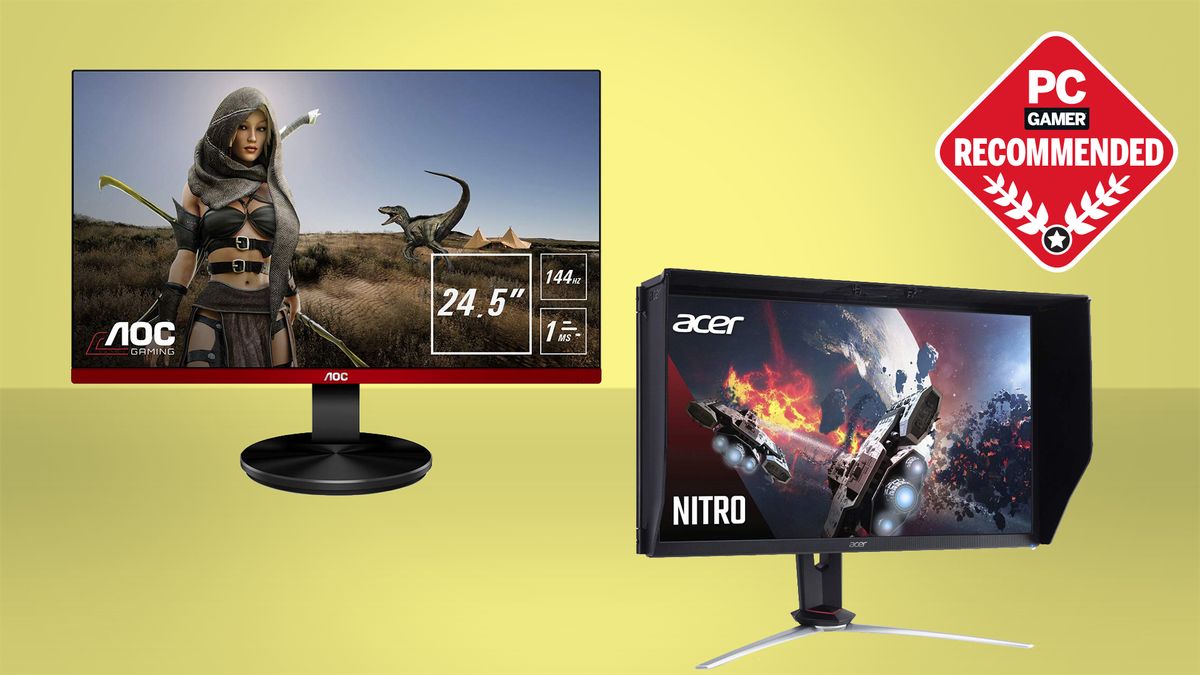
pcgamer
Here are our picks for the best G-Sync Compatible FreeSync monitors available right now.
granite tulip
I see that g2590fx 👀
river edge

Windows Central
We rounded up all the NVIDIA G-Sync Compatible monitors certified so far.
slate surge
None meet my specs that i want, ips 144hz 1440p
 deep fern
at what budget? those can start to get pretty expensive
steel phoenix
he said 400
steel phoenix
Thats is his only option
Its on gysnc list of compatible freesync monitors
@slate surge
deep fern
ye that's all I can find under 400
ebon beacon
i kind of want a new display ;;
i don't mind if it's only freesync because i'm getting an AMD GPU
but my monitor now is very nice
ebon beacon
you don't just buy things if you're poor, you look at everything very carefully and buy things months after looking into them
ebon beacon
also this display is curved and would not play well with others
oh it's fine
i like the curve but i wouldn't buy one again
my desk doesn't have room for two 27" monitors anyway
 magic root
You could buy a VESA
ebon beacon
so if i replace this monitor i just give it to a friend or family member
magic root
Fair enough
ebon beacon
i'd like one of those regardless of monitor
i'd just need to get an adapter
because acer are terrible about that
nothing is VESA standard
none of their monitors are
i'd like a VESA arm and all that but my desk is pretty awful too
it has a bar like not far below the bar on the back and it might interfere with a VESA mount
 full moat
"nothing is VESA standard" <- wrong
they do make monitors with VESA mounts
yes, some of their models dont have it. But some do.
full moat
that you bought one without one? you can only blame yourself for that
magic root
Bruh
ebon beacon
you can get an adapter anyway
magic root
Most of the time monitors won't list if they're VESA compatible or not
That's 100% the manufacturer's fault
full moat
No, you just have to actually look.
magic root
I don't think you do in that case
magic root
I've seen maybe 1 or 2 monitors that actually list VESA compatibility
full moat
I have no idea where you guys are looking for this info, but it is simple to find
ebon beacon
there's no power in this stand, and the panel isn't really thin (but it is curved)
magic root
And a lot of monitors that aren't VESA compatible still have an integrated PSU
I have 3 such monitors
ebon beacon
this has a separate adapter
full moat
Ignis : power in stand is what i am talking about. not integrated psu in the panel casing
ebon beacon
i don't want to bother with a vesa mount because i've got a desk that might not cooperate
ebon beacon
i mean i want one, but the desk is just weird in how it's designed
full moat
let me grab a link Ignis
ebon beacon
oh i could mount the arm on the side of my desk
ebon beacon
well it would change the weirdness on the back of my desk
where it has two bars like 3cm apart
full moat
Get a drill and mount it in the cinderblocks. simple to do too
ebon beacon
getting permission from the apartment management is not so simple
they will not permit much less serious things
full moat
that is a different statement to it not being possible :)
ebon beacon
i'd love to drill holes
though
and just pull my desk out a little bit
have a really nice tilt and swivel
full moat
@magic root i for the life of me cannot find those monitors again. Imagine having the power plug directly into the stand itself. That is what i was talking about.
ive dealt with them in company settings a number of times over the years
they normally got purchases because "so pretty"
(and so very very useless)
ebon beacon
Acer ED273 (the 144Hz ED273, not the silver 60Hz one)
full moat
https://www.acer.com/ac/en/GB/content/model/UM.HE3EE.005 <- that one @ebon beacon ?

Acer
Discover more about Acer ED273. (Full HD)1920 x 1080@75 Hz - 16:9 - Yes - 4 ms - Yes - Yes - A - 16.7 Million - 40 kWh - 3.71 kg - 4.47 kg - 250 cd/m² - 178° Horizontal - 178° Vertical - VA (Vertical Alignment) - Tilt (-5°~15°) - 2 x 3 W - VGA - DVI-in - HDMI® - 3.71 kg...
ebon beacon
no, the 144Hz
full moat
yes, but that construction of the back etc?
ebon beacon
Acer
Discover more about Acer ED273Awidpx. (Full HD)1920 x 1080@144 Hz - 16:9 - Yes - 4 ms - Yes - Yes - A - 16.7 Million - 44 kWh - 30 W - 38 W - 500 mW - 500 mW - Yes - 100 x 100 - White - 466 mm - 613 mm - 168 mm - 3.84 kg - 4.60 kg - 250 cd/m² - ED273 Widescreen LCD Monitor1 ...
yes same construction
full moat
that has a vesa mount under the stand attachment plate
ebon beacon
oh it is vesa compatible
full moat
so can we perhaps agree that looking before stating is a good thing? :)
ebon beacon
also this thing was $330 for me and now there's a 1440p version for $330 that just came out
i've only had this for 6 months, technology sucks
it's not like 1440p didn't exist when this was released
full moat
a bit of info on the VESA mount
the 100 x 100 is the norm for a lot of desktop monitors
ebon beacon
jesus those ergotrons are expensive
full moat
they are also very very good
their MX arm is divine
https://www.ergotron.com/sv-se/products/product-details/45-214#/ <- the desk version
Hone in on the best, ergonomic view with the MX Desk Monitor Arm. Easily move heavier monitors and all-in-one computers into the best viewing position—higher, lower, extended, retracted, tilt or 360-degree rotation—to help ward off eye, neck and back strain. Say no to the...
full moat
amazon etc is normally around 150 iirc
been a while since i looked at them on amazon
but that fits with the local price here
ebon beacon
yeah ergotron actually sells direct in the US
if you change it to US english you get an order button to click
full moat
aye, i know.
ebon beacon
also it apparently supports a wide variety of mounting holes so that's good
full moat
yes
ebon beacon
need to get a different monitor? you can just easily mount whatever unless it's huge
full moat
however. keep in mind. USE the screws that come with the monitor
do NOT just grab some random ones that "look like they fit"
the length of the screws is very important :)
ebon beacon
yeah i generally do not use random screws for jobs like that
there's a plastic bit that comes off
probably that screw is just long enough for the vesa mount
when using with the arm
and all that
the white plastic bit is for compatibility with the stand
it helps to lock it in place
full moat
that is for you to figure out
ebon beacon
yes
full moat
i have not worked on your specific monitor :)
ebon beacon
i am not asking for help
but it was nice of you to show me things
i did not know
i likely would never think to mount this monitor on a VESA arm had you not showed me that stuff
full moat
not saying that you are asking for help Anni. Just saying that i dont know :)
and you are very welcome
ebon beacon
i've never had a dead pixel and i never will
 somber patio
If I were to buy a 144hz monitor, could I use that for gaming and still use a 60hz for other stuff (movies, shows, google) and not have an issue with tearing? Or would both monitors still be limited to 60hz?
ebon beacon
well g-sync or freesync wouldn't work on just one monitor
you'd need both to be that
unless you have them as totally separate displays independent of each other
and you can't drag stuff between them
somber patio
that's what I'd want. 1 gaming and the other movies, etc
ebon beacon
then i think it works
somber patio
ohhh...so for them to be completely separate I'd need two gpus?
ebon beacon
no
you'd just need to set them that way
i don't know how to do it because i've never had to
somber patio
ahh ok, something in settings so they're separate gotcha
maiden wedge
Whats the best 240hz monitor for a low price?
 uneven stone
nvm
leaden forge
@maiden wedge This is the cheapest 240hz with 1ms you can find on PCPP
I would say there are better products if you pay a little extra.

 mossy kindle
@ancient wing asus vg27aq
maiden wedge
does anybody know why this happens? https://gyazo.com/8db7298b6aac53035fe70f2a243cf0fb


its like a visual pixelation that slowly happens but goes back to normal when i select the window. i have a 2080 ti lol
 zealous wigeon
latest drivers installed?
@maiden wedge It looks like defective memory in the GPU
maiden wedge
yeah latest drivers. it only does this with some applications
like with streamlabs
or origin launcher
zealous wigeon

The image above is what happens anytime I go live after two updates ago. If I hover over the app the lines and blurriness will go away. But as soon as I click off the app it comes right back. I’ve tried changing my settings in NVIDIA control panel and uninstalling and reins...
looks like the same issue
they reinstalled GPU drivers
I would DDU and reinstall gpu drivers and see what happens
maiden wedge
okay
zealous wigeon
Guru3D.com
Here you can Download Display Driver Uninstaller, this Display Driver Uninstaller is a driver removal utility that can help you completely uninstall AMD/NVIDIA graphics card drivers and packages from your system, with...
maiden wedge
thank you
zealous wigeon
makes me think the GPU is fine if it only happens in those two apps no problem
maiden wedge
yeah, it is just certain apps that it does it with...
zealous wigeon
if the reinstall doesnt work I would first reinstall OBS and see if that changes anything and then if still happening I would RMA the GPU
maiden wedge
I just dont get why itd be the gpu even if it persists after the drivers... games run perfectly
zealous wigeon
@maiden wedge download and run heaven benchmark for like 30 minute loop and see if there is any artifacts

Performance benchmarks by Unigine
if not than yeah I agree not the gpu
did you reinstall OBS also?
zealous wigeon
yeah thats pretty much all I've got too seems weird
 ancient wing
@mossy kindle why the tuf monitor?
maiden wedge
Odd
Yeah i can run my 2080 ti hard, on assassains creed odyssey or ark for hours with no artifacting... does heaven bench count artifacts?
@zealous wigeon
zealous wigeon
yo
no it doesnt you would have to see them
but if you can play those games without issue then I would say its fine
did you reinstall streamlabs OBS?
hazy condor
What's a good budget 1440p 144hz 24/27inch g sync monitor
hazy condor
For gaming and video watching
 vague zinc
1440p and 144hz don't go very well together
budgetwise I mean
especially with gsync
itll be hard to find one under 400
you could do gsync compatible which is just freesync that works with nvidia
 rare fiber
Is a cheap 144hz 1080 good or should an upgrade be considered to something that wont have as much smearing
granite tulip
I think a decent budget 144hz 1080p will leave you more satisfied
Smearing, performance, build quality, viewing, will be better than the cheapest/cheap 144hz 1080p's
Depends what ur playing as well, if you hard-core fps, the ghosting and smears will be more annoying than say playing an mmo or moba
granite tulip
Cuz they're the trend these days
Similar to how 1080p 144hz monitors were expensive a few years ago
 safe crow
Ill just wait till a 1440p 120+hrtz ultrawide monitor goes below 500 bucks
 urban laurel
add it on school debt
maiden wedge
Anybody know a good touchscreen display thatll hook up via usb/hdmi to my pc
Need it for photoshop and video editing
Preferably one that can lay flat or on a slight angle.
hazy condor
Is gync worth the extra money for an average 1440p 144hz gamer
leaden forge
You could get Adaptive Sync with a cheaper monitor @hazy condor
hazy condor
leaden forge
It’s not a G-Sync, it’s 27 inches, it’s 1080p
I’m not sure the specs match your requirements @hazy condor
hazy condor
Yeah I noticed that
river edge
That lg is gsync.
leaden forge
What would you prefer ? 1440p monitor or 1080p ?
Isn’t it G-Sync compatible so Adaptive sync = Freesync ?
leaden forge
Compatible is fine indeed
If I’m not wrong "G Sync compatible" means it’s software based and "G Sync" means the feature comes with the monitor
Correct me if I’m wrong
river edge
NVidia has supported freesync since January of this year
And you're wrong
It's all hardware
It's freesync vs gsync
leaden forge
Oh alright
river edge
All of the syncs are. It's in the hardware
vague zinc
o
hazy condor
 dawn karma
should i overclock my monitor to 165 hz?
vague zinc
if it's at 144 you won't see much of a difference
dawn karma
oh so i think i will just play on 144
i have the samsung c24fg7
can someome reccomend me about settings, like should i enable low input lag or turn the respone time to faster or fastest
??
rare fiber
I dont think enabling low input lag should even be a question lol
 astral ferry
does anyone know if BenQ ZOWIE 27" QHD XL2730 is gsync compatible?
 analog shell
@hazy condor I have it and it’s pretty good but you can get the DGF version which is cheaper
astral ferry
the list doesnt cover everything
dawn karma
@rare fiber but if i put low input lag on wont it effect other things?
and what about response time? normal faster or fastest?
can anyone suggest me what to do?
vague zinc
fastest for everything
but don't oc it
I think bekora said it loses color accuracy or skth
smth
dawn karma
ok thanks dude
 exotic wolf
are MSI monitors worth the buy?
I was thinking of splurging and getting this
https://www.amazon.com/MSI-Non-Glare-FreeSync-Optix-MAG271C/dp/B07F9YJK76/ref=sr_1_29?keywords=curved+monitor+144hz&qid=1578002199&sr=8-29#
covert solstice
this monitor goes on sale 250-300 frequently and is 1440p+144hz if you want to spend around that much https://www.dell.com/en-us/shop/dell-24-gaming-monitor-s2417dg/apd/210-aizs/monitors-monitor-accessories
or ive heard good things about this one too https://www.newegg.com/p/N82E16824475006?

Dell
Dell 24 gaming monitor - S2417DG, with its razor-sharp graphics capability and productivity boosting features, delivers an exhilarating gaming experience.
 real gazelle
My display flickers, goes black for an instant then it's normal for a second or two then it goes black again for an instant
It's the Samsung Syncmaster 710v
Light on the display's status light goes off too
 winged elbow
What do y’all think the best 1440p 144hz freesync monitor is. Budget of about 550$
 silk bough
so i have a 1920X1080 ASUS monitor how come any 1920X1080 backgound goes pixels
full moat
elaborate?
full moat
what actual size is the source file?
silk bough
1920X1080
full moat
can you send me the actual source file in a pm?
silk bough
but this works well tho
full moat
yes, because that file has the actual resolution it needs
the summit picture is 300*168 pixels
full moat
the nvidia one is 1920*1080 pixels
as close to 1920*1080 as you can get really
it being above that resolution is fine
scaling a picture down is fine for your use
scaling it up? not so much
the result will be what you saw previously
silk bough
1920X1080 still doing it
full moat
no
you are just not reading that it tells you :)
when you get the above picture in google
right click and open it (the image itself) in a new tab
@zealous wigeon its the change to deep linking pictures that google did a good while back
(was guessing you were going to mention stuff along those lines)
silk bough
im a dumb one lolm
full moat
fair enough, i was of the opinion that teaching him "how" would help for the future too :)
you see why it happended @silk bough ?
silk bough
yes
full moat
good
 whole ice
Hm, It's 2:30 AM. Do I want to set up my monitor now?
ebon beacon
of course
whole ice
lol
vague zinc
yes
whole ice
Nope, nevermind, this is a morning thing.
 wild coralBOT
 DV#5543 has been warned
Reason: Bad word usage
full moat
lazy bones @whole ice
river blade
What do y’all think of this monitor
maiden wedge
Is there any good 32 inch 144hz monitors?
well obv there is but do you guys know of any?
w/ vesa mounting
whole ice
New monitor is good. Now I need a VESA mount for 3 monitors so I can get it lower than the stand will allow.
full moat
ergotron @whole ice
whole ice
HM, thanks.
full moat
mind, they are not cheap
but they make lovely arms
for single displays, the mx one is fantastic
and dont be too shocked at the prices on their own store. it is cheaper on other storefronts
whole ice
On the other hand, I finally have a 3-head setup. 😄
whole ice
Lol the minimum brightness on this new monitor is way higher than the old ones. Let me see....
OK, well it's hard to tell because the colours aren't calibrated the same, but whatever.
Yeah, thanks. Now I just need the keyboard.
full moat
:)
now you just need to start using it for daily marathon streaming sessions of minesweeper @whole ice
whole ice
I dunno if my new graphics card can handle a game that intense. Might have to step it down to something like space invaders.
full moat
i think if you run it at 1080p, you might be okay
 brittle field
tbh i am gonna sell my pc and buy a apple mac stand
rare fiber
Nice
analog shell
Anyone got a budget 27” 4k IPS panel? if it’s not IPS that’s fine but it is preferred.
leaden forge
What’s the budget though
astral ferry
there really is nothing budget around 4k lel
are you not concerned about refresh rate? or adaptive sync? or response time?
leaden forge
There is a budget lol maybe he’s wants to buy the cheapest one as possible (matching his requirements) or maybe he would like more features by spending more I can’t know
And also, is 1ms OD monitor worth it for a 1080p 144hz ?
dawn karma
So apparently there is now a 360hz display
analog shell
Just cheapest 4k IPs or not monitor, refresh rate not worried about as long as it is 60
a 1440p 27” IPS panel would work too
But I’m not trying to drop $600 on a 144hz 1440p 27” iPs panel I don’t need the high refresh rate rn
leaden forge
@analog shell the cheapest 4K ips I found is this one https://pcpartpicker.com/product/grgzK8/sceptre-u275w-4000r-270-3840x2160-60-hz-monitor-u275w-4000r
60hz, IPS, 27 inch
 astral saddle
Does anyone know of a good budget 1080p144hz monitor that also has an identical 60hz monitor? I need a dual monitor setup and wondering if thats a budget option.
 spring tulip
I’m Looking at this behemoth
Not going to buy it anytime soon, gotta get my GPU first
 celest lark
what is cheapest 240hz g sync monitor on the newegg site right now?
neat cosmos
@spring tulip I mean..
https://www.amazon.com/dp/B07G5FCR6X?tag=pcpapi-20&linkCode=ogi&th=1&psc=1
Cheaper and higher res
spring tulip
But that’s 8ms and doesn’t have Gsynch
 stable trout
And it’s 100hz not 144
solemn yarrow
Hope next month this would still be on like special
maiden wedge
does anyone know of a 144hz or higher height ajustable freesync/ g sync compatble monitor oh and 1080p 27 inch
i cant find any
full moat
@maiden wedge easiest way to get that is with a vesa arm (edit:spelling)
maiden wedge
@full moat thanks
astral ferry
@maiden wedge 27" with 1080p? might as well get it 1440p
maiden wedge
i only have a gtx 1060 3gb i cant run 1440p
maiden wedge
solemn yarrow
That one is out of stock
If this one stays the same price next month i am buying it https://www.newegg.ca/p/N82E16824025942?Item=N82E16824025942
astral ferry
https://www.newegg.ca/p/N82E16824737004?Description=pixio&cm_re=pixio-_-24-737-004-_-Product i was able to snag this before it went out of stock and i must say it is pretty good
and now im looking for second hand or refurbished monitors that are 1440p, 144hz, with any adaptive syncs
solemn yarrow
I don't like curve
solemn yarrow
besides i am sticking with 1080p cause that is just me
The bezels doesn't bother me
astral ferry
you doing a 1 monitor setup?
solemn yarrow
This is what i am using now https://www.staples.ca/products/2963135-en-samsung-24-inch-led-lcd-flat-monitor-with-amd-freesync-ls24f354fhnxza

Featuring an ultra-slim and sleek profile the Samsung SF354 monitor measures 10mm thick. Make a stylish statement while staying productive. The simple circular stand will add a modern look to your space.
For streaming i use my laptop as a second display cause if i mess up on something i could tell easily through that 😛
ebon beacon
people are talking about VESA arms
ergotron MX series
$200 of pure goodness, i intend to buy one sometime in the near future
clip to my desk, enjoy freedom of monitor movement
 balmy owl
So what would you guys say is a high quality monitor in terms of pixel density
balmy owl
Also you guys would say there's really no difference from 8 bit and above, right
Color depth
balmy owl
Noticable
ebon beacon
a difference is a difference
differences are noticeable because they are differences
i've seen an HDR10 TV before and i'll tell you there's a big difference
however, if you're just playing games you probably don't care
solemn yarrow
@astral ferry the only reason why i need to replace my monitor is because i can't use freesync since my monitor has no DP
and using a 1660
ebon beacon
good pixel density, 10bit, freesync (60Hz)
you can use lower resolutions for gaming if need be
astral ferry
4k 60hz yikes thats no way to game
ebon beacon
it's no way to game unless you've got serious money
but i mean for a lot of games
even a 5700 (non XT) will push 4K 60Hz
solemn yarrow
It can depending on the game
 severe depot
I'm looking to get a new monitor and am deciding between a 1440p 144hz or a 1080p 240hz monitor. I casually game so I don't know if the 240hz monitor would be necessary
odd echo
1440p 144hz would be the way to go
240 is for esports typically
having that higher res will make games look nice
and 144hz is plenty
severe depot
Thanks @odd echo
odd echo
yeah np
ebon beacon
unless you have a good GPU most games aren't gonna hit 240fps anyway
only like, LoL
and rocket league
spring tulip
@astral ferry Hard to get Freesync when I’m not even getting an AMD card
astral ferry
@spring tulip lmao dude you dont need an amd card to use freesync. im using a freesync monitor rn with a rtx 2070 super
freesync works with amd and nvidia cards while gsync is locked to nvidia
spring tulip
Hm
solemn yarrow
But you need to use a DP cord instead of HDMI
plush shard
Can anyone recommend me a good 144hz, 30-32" monitor for ~$400?
Preferably VA or IPS.
I'm pairing it with a 2060S.
 toxic sorrel
Is it possible to overclock a monitor past its limit? That's something I've been pondering on for a good while
river edge
It is but color quality usually degrades
and it's only good for a few hz
It's not really worth it
 toxic bluff
TIL, once you go IPS you can't have anything else. Had the cheap Dell SE2717HX (great display for the price FWIW)...1080p, 75hz, IPS panel. Got a Asus VG27VQ...1080p, 165hz, VA panel. Had to return it....colors just don't pop like the IPS.....Took it back and got the Asus VG279Q...1080p, 144hz, IPS. What a difference! IPS is where it's @ peeps!
 dreamy thicket
Good deal or no? Can’t decide, need help!
 blissful juniper
i think that’s good
or
if you have an extra $50 you can get a Alienware New AW2720HF 27 Inch FHD IPS LED Edgelight 2019 Monitor - Lunar Light (Full HD 1920 X 1080 240 Hz, AMD FreeSync)
both is good i think
if you buy the extra $50 monitor you are upgrading the Hz from 144hz to 240hz
covert solstice
yeah but u go down in panel resolution, but ips is nice
blissful juniper
yea
 onyx ether
So I assume this chat here, you can ask for recommendations on displays/what to upgrade to?
leaden forge
Yes you can 😀
onyx ether
So, I'm trying to game ok? I feel as if I need an upgrade, but I'm tight on cash due to being in college. Anyone hot any recommendations?
The thing I'm currently using, you know it's just a little old but it gets the job done, even if it does have some ghosting
leaden forge
Could I ask you what is your budget and if you can, the specs of this Samsung monitor ? @onyx ether
onyx ether
I don't know the specs on that, I just dug it out of my basement. The thing is 1280 x 1024, is an oll Samsung syncmaster, that's all I know. As for my budget, I don't got one :/. I'm just looking at all options and figuring out which one is the most worth it at it's price. Dont wanna spend $100 on a monitor only for it to be crap
 whole sorrel
look at the back of it, find a model num
it's probably a 60 or 75 Hz monitor

CNET
Xerox XG-71D - LCD monitor - 17" overview and full product specs on CNET.
here's mine
leaden forge
What GPU do you have ? Would you mind switching the resolution to 1080p ? @onyx ether
Or would you prefer 1024
astral ferry

#monitors #actualconsumeradvise #Iknowright
In this video, I try to answer: Is 1080P good enough for 27-inch gaming monitors? Also, is 1440P worth the extra money over Full HD at 27-inch?
Amazon affiliate links for the monitors in this video
(In or...
For people trying to stretch 1080p resolutions on larger screens^. Conclusion: just choose a higher resolution if you want a larger display 😒
astral ferry
@onyx ether hit up ebay or local craigslist. You can probably get some good deals on 1080p 144hz monitor. I see alot of people transitioning to 1440p
onyx ether
Makes sense
leaden forge
Imo if you’re on a tight budget a 75hz would be fine too for a RX 570
But maybe you’ll want to buy a better GPU in the future
In that case 144
onyx ether
I mean, I do have a 1080p smart TV that I use as a PC monitor back at my college dorm, but here at my house that Samsung SyncMaster 912T 19" (that's the model on the back) is what I got
Eh, I don't think I'll need 144hz any time soon.
No wait, I said rx570, I meant to say rx560
onyx ether
Hopefully that shouldn't make too big a difference
leaden forge
1ms response time, 75hz and Freesync which is good for AMD GPUs
astral ferry
You can also try looking for refurbished or open box products
leaden forge
For sure
leaden forge
Please keep in mind that there are no speakers built in the monitor (the link above)
Yep, no worries ‘
ebon beacon
I have a wonderful 27" 1080p display
i want a larger resolution but i'm not likely to follow through as i'm tired of spending money
money is kind of tight and i still have a couple big purchases to make
toxic bluff
@onyx ether I would suggest the Dell SE2717HR. 27", 75hz, 1080p, IPS panel. Under $150 most places. Beautiful display I've been using for over a year.
Also has Freesync for your 560 (nVidia cards wouldn't work 'cause no Displayport)
 tidal yarrow
Are there any 4k hdr 100+hz gsync monitors other than the asus and acer models that came out last year?
maiden wedge
https://www.amazon.com/gp/product/B07GD7H18F/ref=ox_sc_saved_title_2?smid=ATVPDKIKX0DER&psc=1 best 1080p 144hz monitor
maiden wedge
best budget monitor
solemn yarrow
maiden wedge
5 ms tho
solemn yarrow
TN is better though
covert solstice
ips master race
solemn yarrow
If you have over 200$ to spend
https://www.newegg.com/p/N82E16824025971 cheapest IPS 144Hz monitor
maiden wedge
1080p 27 inch is not good 24 ibch 1080p is ok but if you go with 27 inch do 2560x1080 or 1440p
solemn yarrow
Um 27" is the sweet spot what are you talking about
full moat
going to vote for 27inch 1440p personally.
widescreen (imo) is not that useful unless you have specific needs for the width
astral ferry
id say Tn has got to be the worst of the three
full moat
there are people that really like TN
astral ferry
i posted a video earlier about 1080p vs 1440p both on 27" and 1080p is much more suited on a smaller sized monitor
full moat
i dont personally
full moat
i had a boss some .. 10 years ago, if you could get a 12 inch laptop with a 4k display, he would be all over that
astral ferry
lmao
astral ferry
what a guy lmao
full moat
well, aside from that, he was a lovely boss :)
so on the scale of things, i would prefer that
 jade ruin
can anyone recomend a budget 144hz monitor?
leaden forge
I suppose it's for gaming. https://pcpartpicker.com/product/HBRzK8/aoc-c24g1-240-1920x1080-144-hz-monitor-c24g1 @jade ruin
Cheapest one for 1080p, 1ms RT, and 144Hz.
 sand fiber
Can someone help? In apps I get almost an over sharpening/grain effect. It's fine in games. How do I fix this. I9-9900K rtx2080ti
languid turtle
so im not sure if this classifies as a "displays" question, but i just got a new monitor that is 75hz and for some reason CoD is the only game that i can tell the difference between 60 and 75hz
 neat pilot
My cpu is a ryzen 2600 with a Radeon HD 6970. While installing windows 10 to the build at friends place we had it hooked up to a 60 inch lg 4k tv as a monitor via hdmi Everything ran fine and was stable while testing heaven and superstition. Why would it crash and not be stable on a acer monitor which resolution is 1680x1050 via vga connection? Current monitor is vga connection only
neat pilot
27 vs 32 inch 1440p with 144hz at 1ms thoughts? 70 dollar difference same brand one is 250 and the other is 320
leaden forge
It’s personal preference I would say
 jade anvil
If I was looking to buy a 120hz curved ultra wide monitor in the $500ish range, what should I go with?
astral ferry
@languid turtle thats because there isnt much diffeerence between 60 and 75 LOL. Thats really not an upgrade whatsoever. 60 to 144hz is where you want to make the jump
trying to find a difference between a monitor with 60hz and one with 75hz is like trying to differentiate a 10 fps difference
144hz is the sweet spot for performance and cost
whole sorrel
15
astral ferry
@neat pilot 27" for gaming 32" for movies and videos.
(hope this doesnt offend) People gaming on extremely wide monitors be like
whole sorrel
lol
this offends my dog's uncle's friend's state governor's daughter's dentist who has a lazy eye
neat pilot
OK have bad eye sight another reason why I was looking at 32 vs 27 inch. But probably going with a 27 inch 1440p 144hz AOC curved monitor w 1ms time for 250 @astral ferry
astral ferry
thast a pretty POG specs for cost
languid turtle
@astral ferry then if there isnt much of a difference then why can i tell between 60 and 75 on cod
but nothing else
unless my settings are messed up
astral ferry
@languid turtle i have no idea. It might be your settings but a good test to see if the refresh rate is making a big impact is doing very basic stuff like moving your cursor around or responsiveness in a browser etc. I was using a 60hz and i recently jumped to 144hz and everything that i do even non gaming stuff is significantly better than before when i was using the 60hz monitor
gaming in specific, refresh rate isnt the only thing you need to look out for. You need to look at response time, and if you have an adaptive sync tech in your monitor
 fallen aspen
i noticed a drastic improvement from 60 5ms to 95 1ms lol
it makes me wanna get a 144 so much more though
astral ferry
dont forget to check that it has freesync atleast
fallen aspen
mine does but i cant use it
astral ferry
why is that my dude
fallen aspen
gtx 970 doesnt support it 😦
my next upgrade is a new gpu though but i gotta wait a bit
fallen aspen
unless ofcourse i can buy an omni directional treadmill at a good price cause then ima blow my money on that instead 
fallen aspen
do you nkow what an omni directional treadmill is
astral ferry
vr
fallen aspen
a vr thing yeh lol
astral ferry
you doing vr on a 970?
fallen aspen
they have em at my local dave and busters but id rather have my own
oh yeah it runs great on 970
970 is the reccomended spec lol
astral ferry
id want to break into vr as well to play half-life alyx and i know i can run it great its just that vr is out of the budget atm
fallen aspen
try to find an old rift if you wanna deal with the set up
i want the rift s cause no set up lol
astral ferry
id prob need to do research on vr before i get into it
fallen aspen
i mean thats a good idea lol but i do recomend oculus over any other competitors. its cheaper and works better
astral ferry
yea my friend said the same thing
htc is a rip off and the valve one is good but uber expensive
fallen aspen
the problem comes in when you have to decide if you wanna go og rift, rift S, or quest lol
see ive heard the valve one has some bad problems, and vive is super good, but super expensive and requires a better pc than oculus
fallen aspen
i mean fair but they rarely go on sale lol at least that ive seen
astral ferry
my bud got samsung one on sale any idea from that manufacturer?
ebon beacon
samsung isn't trash, it's just not facebook
whole sorrel
wait
ebon beacon
oculus is trying to get people to log into facebook pretty much all the time while using rift
whole sorrel
oof
ebon beacon
it's so they can collect data
they want metrics about rift and how it's being used
i would buy the original rift though just for cheap
fallen aspen
the controllers are bad tho and ive heard theyre not nearly as good as oculus, and the mixed reality i used was horrendous. From what ive seen, samnsung is just that but more expensive.
you can opt out of fb stuff but you need it to do fb hangout or something, but also idc about the whole using my data for targeted ads cause it keeps the internet free lol
maiden wedge
Whats a really good monitor for under $200?
fallen aspen
the internet would change pretty drastically without that though. most big sites like that are free because they make money that way. if they cant make the money, they have to start charging money directly to you, and idk about you but i dont wanna pay for fb or youtube lol
fallen aspen
@maiden wedge thats the monitor i use
fallen aspen
you can probably get 144 maybe but i chose that due to ultra wide lol
maiden wedge
Nice :)
maiden wedge
@fallen aspen around 21-25 inches 1080p and 144hz
fallen aspen
it also depends on if your pc can handle 1440p doesn't it anni? idk what F4AFKAsian's specs are lol
but my pc i dont think can handle a 1440p monitor atm
ebon beacon
yeah, i'm just saying at 27" 1080p looks a bit like a mass of pixels
24" 1080p is good
it has good pixel density
maiden wedge
@fallen aspen ty :)
fallen aspen
no problem
jade anvil
If I was in the market for a curved ultra wide monitor and was willing to spend ~$500. what would you suggest?
neat pilot
What would be a recommendation for a good 27 inch 1440p 144hz monitor be with 1ms response time that's 300 or less?
visual pilot
MSI MAG27CQ should be pretty good
toxic bluff
neat pilot
@toxic bluff ya I was looking at that monitor was curious about it n others I was originally looking at 1080p 144hz but would like not to have to buy another panel down the line why I chose to try n get a 1440p instead
toxic bluff
I would actually recommend this one over the AOC....didnt know they had lowered the price
It's 1080p...but I've saw both up close and the Asus is better quality IMO
visual pilot
this is more expensive, but its a nice display anyways, I like MSI but thats just me
https://www.bestbuy.com/site/msi-optix-mag27cq-27-led-curved-qhd-freesync-monitor-black-red/6211722.p?skuId=6211722&cmp=RMX&irclickid=0PNRDexLtxyOU2DxTSQPxVT4UknWWhwa0yCJ0U0&irgwc=1&ref=198&loc=0PNRDexLtxyOU2DxTSQPxVT4UknWWhwa0yCJ0U0&acampID=633495&mpid=79301
toxic bluff
But if youre stuck on 1440p the AOC is my rec.
@visual pilot those MSI are slick looking
toxic bluff
32 is too big for 1080p
neat pilot
OK why's that?
toxic bluff
you'll start seeing the pixels because theyll be bigger
27" is max for 1080p for my eyes (and I'm 40 lol)
full moat
as said previously, personally i prefer 1440p for 27inch monitors
neat pilot
Since I'm going to be trying to upgrade my gpu that's a HD 6970 why I was thinking about 1440p vs 1080p at 144hz
Going to try and get 1660ti that's on sale since 5700xt to high right now for me
toxic bluff
with 1660ti, I'd plan on stayin at 1080p
neat pilot
So unless I'm buying a 700 dollar gpu its pointless to get a 1440p panel?
toxic bluff
you can get the 5700xt for $350 and it'll do 1440p
visual pilot
yea
neat pilot
Sorry I meant like a 2070 or bigger
visual pilot
700 dollars is 144hz 1440p gameplay and more
I have a 2070, drives 1080p fairly well, idk about 1440p
neat pilot
So what's the lowest gpu that will run 1440p
visual pilot
prob 2070 or 5700xt
toxic bluff
i wouldnt rec. anything under a 5700xt or 2070 for 1440p
visual pilot
yea
toxic bluff
i have 2060 super and im stayin at 1080p
neat pilot
So what's the thoughts about a 1080p panel at 165hz vs 144hz
visual pilot
because it somewhat struggles with 144fps 1080p ultra
toxic bluff
yep...mine too
toxic bluff
I would def. rec the VG27VQ for 1080p....My wife uses one...its nice...I have the VG279Q if you want to spend a tad more for the IPS luxury 😉
Comes down to prefernce at that point though
neat pilot
I take a look but I know I don't want anything smaller than 27
toxic bluff
they are both 27s
toxic bluff
The VG279Q is an IPS panel...that's were the price comes in...
neat pilot
OK ips that much better?
toxic bluff
IPS looks that much better, yes. But if youre doing competitive e-sports gaming then looks don't matter as much as fps and thats where your 240 FPS TN panels come in
neat pilot
Going to try and do a bit of mixed gaming of older titles and current triple a games as welk
toxic bluff
Really comes down to what you prefer...I like my games to look good and although I don't want to lack performance (fps,Hz), it's not as important to me as visual clarity and color accuracy. So i went with the VG279VQ and kinda got the best of both worlds though I did pay a tad more for that luxury. After having the Dell SE2717H 27", 75Hz, IPS panel. I could not use a TN or VA panel. Looks too washed out after using an IPS
neat pilot
Ya I don't have any experience of ips vs a TN I think my old monitor is VA but not sure it's a res of 1680x1050
toxic bluff
For someone that never had an IPS, I think I could suggest the VG27VQ. It is honestly the best looking VA panel I've seen up close. And the 1500R curve is pretty sweet too.
neat pilot
Ya that was another thing I was wondering was curved vs flat. I'm use to flat but a curved panel looks like it would be nice
toxic bluff
Gotta admit. I kinda miss it
neat pilot
@toxic bluff a curved panel?
toxic bluff
Yup
neat pilot
OK thx I take another look into ips panels more bf decision. Thoughts on a VA vs TN panel if I don't get a ips and why? @toxic bluff
toxic bluff
Stick with VA....colors are terrible on TN and TN only advantage is super high response times, which is not necessary for anything but super competitive gaming.
neat pilot
OK thx but looking at something that's 1ms time still good to do right
toxic bluff
yes but they only adervertise the "minimum" response time. you can search monitors here ( scroll down a tad to the "find" box on the right side to search) and it will tell you the Total, Average and Minimum. which gives a much better actual representation of the response times
Our 2019 best gaming monitors picks will give you the best gaming experience. If you want a more seamless, more immersive experience, pick up one of these best gaming monitors.