#old-monitors-and-tv
1 messages · Page 24 of 1
 odd echo
 surreal veldt
says it works with gsync not officially but customers says it works
odd echo
i wouldnt trust that
 mossy fjord
what even is gsync
mossy fjord
oh nvm i know what it is just had forgotten the name
 covert solstice
but more expensive cause its nvidia and not amd
mossy fjord
lol
odd echo
thats accurate
 maiden wedge
gsync is nvidia and freesync is AMD.
covert solstice
^
odd echo
^
covert solstice
but nvidia cards work on freesync
mossy fjord
and what is vsync
odd echo
vsync is meant to regulate the framerate
so youre not getting like 60 then 79 and then 86 then 72
surreal veldt
vsync came first then gsync then freesync
odd echo
they are two totally different things
mossy fjord
when its not on there is so much screen tear
 mossy fjord
cya
maiden wedge
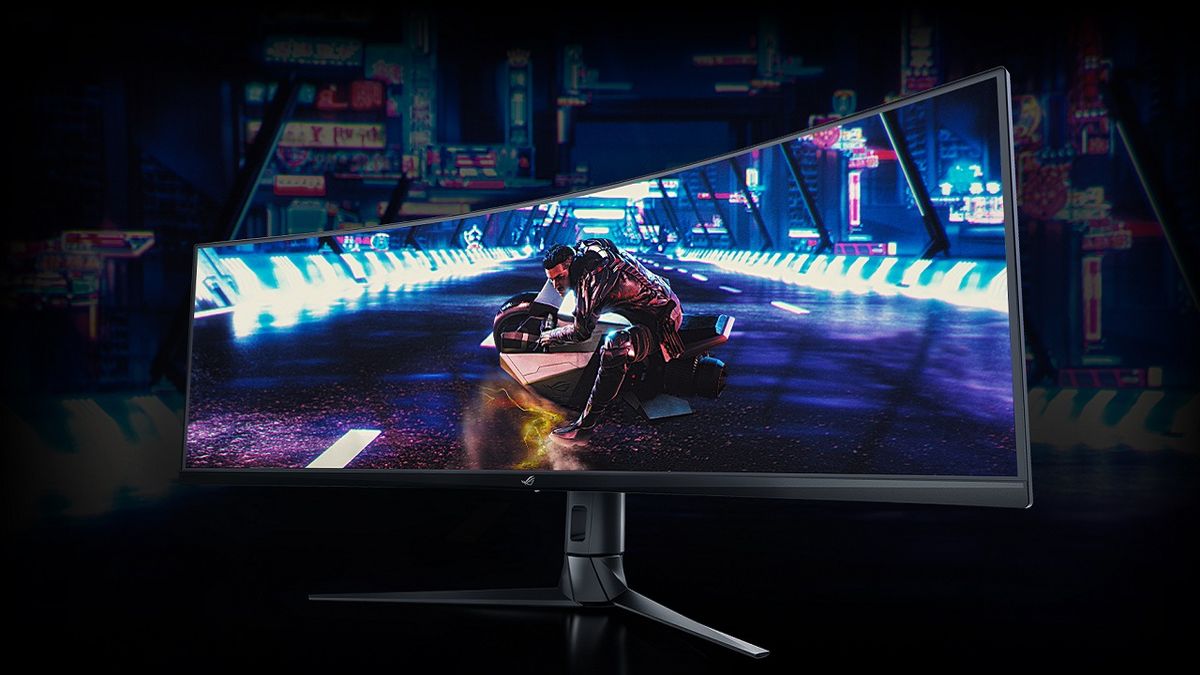
gamesradar
Some of PC gaming’s most common display tech terms demystified
mossy fjord
oh i get it @maiden wedge Freesync is like v sync but doesnt cap your fps to your monitor refreshrate
surreal veldt
freesync also stops screen tearing
i mean id rather get freesync than gsync cause atleast u might be able to use gsync with it but if you get a gsync monitor im sure no gsync monitors work with freesync
 late hatch
That links explanation of freesync and gsync is not quite right. Tearing Happens when your monitors refresh rate (hz) doesnt match the fps from your gpu. The monitor ends up drawing the same frame twice (stutter) or you end with parts of two different frames drawn on the screen at the same time, but one frame will be on the bottom part of the screen and the other frame is on the top. Sometimes with stutter you can end up with the same frame being drawn twice, but bottom part of the picture would be at the top (like you cut someones legs off the bottom of a picture and put it on top of their head) With freesync and gsync the card and monitor work toghether and will change the refresh rate of the monitor in real time to match your fps from your gpu as long as your are within its range. It will not draw a frame on the screen unless its a complete frame unless you are outside the range. it will either wait for the next frame or with some monitors it will draw an entire frame twice so you dont get flickering on the screen from blank frames. The official range for freesync is something like 9 to 240hz coming from the gpu, but most monitors cant go anywhere near that range. Most of the cheaper freesync panels that you see with 144hz refresh rate only have a freesync range of somewhere around 50 to 150fps. most of the ones you see with 75hz refresh only have a range of 48-75hz which is very narrow. Like my monitor can sync anything from 38hz up to 148hz.
if I go outside of that range I will start getting tearing again. I cap my framerate in games to 140hz to keep it from going too high since I have a 2080 (gsync works on this monitor) on a 1080p monitor and it will go too high. Some monitors have an extra chip built in that will double the refresh rate of the monitor to 2x the fps and draw the same frame twice in a row if your frame rate drops below the minimum freesync range. So if your monitors minimum freesync range was 40, but you dropped to 30fps, then the monitor would double the refresh rate to 60fps and fill in those extra 30 frames by drawing every frame twice.
odd echo

late hatch
it told me I had too many word zack
 odd echo
or can i
mossy fjord
bluff
 gilded ivy
lol
covert solstice
Well it was a good read, but pretty long 👀
maiden wedge
@mossy fjord @late hatch Sorry, I hadn't read the article, I assumed they got it right but I guess not.
 merry kindle
Interested in that one purely because of the $240 savings
I realize it's a refurb. I'd look it over as soon as I got it and return if necessary
but anyone else use the X34? it says 120Hz refresh but the Acer site says it needs to be overclocked to get to that/
surreal veldt
yep
im looking for 1080p 144hz but 200 or less with 350-400 nit, anyone have any good links?
 gloomy escarp
This exists, I don’t know what nit is though https://www.amazon.com/MSI-24-Inch-Led-Lit-Monitor-MAG240VC/dp/B07K444K56/ref=mp_s_a_1_1?keywords=msi+optix+mag240vc&qid=1565670335&s=gateway&sprefix=msi+optix&sr=8-1
 olive token
ew amazon.
covert solstice
it’s 250cd/m but idk the nits
 smoky thicket

 amber sigil
I just bought an ibuypower from newegg. It came with the hdmi port in the video card active and the onboard hdmi port inactive. I'm having trouble locating this in the control panel/bios. Does anyone have experience with this?
maiden wedge
do you mean you're not getting any video output from the HDMI output on the motherboard?
@amber sigil
that is by design because that is for integrated video, i do not believe there is a way to route output from your video card through that port, so you will just have to use another port on your video card if you are looking to hook up a second monitor
 barren agate
does dp to hdmi give sound ... if not how would i get it to my monitor
smoky thicket
like adapter? not sure. dp does do sound tho
 wise mountain
4k or 1440p 144hz or 1080p 240hz (I like my refresh rates)
gilded ivy
since i personally dont really care about res and am satisfied with 1080p, id say 1080p 240hz, but everyone has their own tastes
wise mountain
is 240hz worth the upgrade over 144hz
 cloud seal
Nope...
wise mountain
is 2k worth the upgrade over 1080p
cloud seal
It’s cleaner and crisper... but unless you are doing photography or video crap... you will not see a massive difference.
gilded ivy
ye
gilded ivy
ye, thats a pretty decent midground
 gusty bloom
1440p is amazing
gilded ivy
i have a 1080 144hz monitor and im fully satisfied
cloud seal
👆👆👆👆
gusty bloom
yeah honestly even when i played R6 in college i was fine on 144hz
gilded ivy
if im satisfied with that, imagine my reaction to something higher than that
gusty bloom
and i played it in 1080 anyways so i could get frames
wise mountain
yes, i have 1440p display on my phone and i sometimes wish i had it for my computer, i may go with that
wise mountain
I play 1080p and get excess of frames lol, thats why im considering upgrading
smoky thicket
you need a really beefy pc to push to 240+ hz anyways
gusty bloom
if you get 1080p 25" is the max size
gilded ivy
how much are 1440p 144hz monitors usually
smoky thicket
300+
gusty bloom
mine was 400
gilded ivy
what is the average
smoky thicket
400
gusty bloom
350-400
wise mountain
I see most for like 350
gusty bloom
theyre around 350-400
gilded ivy
so it's similar
wise mountain
same price, most are more expensive if you go like ROG or some crap
gilded ivy
for me, i really like my frames, but im genuinely totally satisfied with my monitor that i havent even paid off my mom yet lol
gusty bloom
1440p 144hz is really amazing tho
gilded ivy
doubt ill get a 240hz anytime soon
gusty bloom
for games like withcer 3 it looks beatiful
gilded ivy
you just misspelled two things
gusty bloom
and i still get my 200fps playing raibow
gilded ivy
UNACCEPTABLE
gusty bloom
in 1440p
gilded ivy
how long did you play
wise mountain
whats ur cpu and gpu
gilded ivy
when did you start playing
gusty bloom
i have charms from Y1S2
gilded ivy
i have more than 1.1k
i see
nice
i started grim sky
bought my first elite skin a few days ago
gusty bloom
which?
 errant meadow
So I’m looking for a 1080p, 144hz, 1ms response time with AMD freesync. Suggestions? Lol
gusty bloom
@errant meadow MSI Optix MAG241C
I wouldnt go any larger than a 25" monitor
The pixel density of 1080p will make it look bad at anything bigger
errant meadow
Alright, good to know. Thanks!👍🏻
errant meadow
I’m back. I looked at reviews and it seems like VA panels aren’t the way to go because it like flickers to get that 1ms response time?
gusty bloom
I use a va panel and havent had issues
 solemn yarrow
I used a VA panel once and it bothered my eyes
For me i have to use TN, IPS or PLS panels
errant meadow
Yeah, I’m looking for a TN panel. What are considered “the best brands”
maiden wedge
Let's flip the question - what are your targets in terms of fps and resolution and budget?
Cuz a lot of brands use panels from just a couple major manufacturers, so at a point the differentiating features are not always the panel itself
Oops. I see your first post above asking that lol. That msi monitor is one of my first suggestions too, although I haven't used one personally
errant meadow
I’m new to the PC world and I’m building my first one. It will be mostly for streaming while I play on Xbox but I will play on the PC sometimes too. Yeah I thought about that one but I looked at reviews.
solemn yarrow
Other pretty good brands out there is Acer and LG
errant meadow
Yeah friend told me to look at Acer Predators but that’s outta my price range.
maiden wedge
Being Frank, with more entry level stuff, you're going to have to compromise somewhere. I've never noticed VA flicker but clearly ymmv
errant meadow
I just saw a review of it
solemn yarrow
Hi Frank
maiden wedge
I don't know much about an xbox, can they run uncapped fps at 1080? Cuz if they're capped at 60 fps in 1080 resolution, and you don't have a PC powerful enough to pump out high fps at 1080, you would be fine with a 60hz panel
solemn yarrow
For consoles depending on the game there will be a locked cap
some can be locked at 60 while others are locked at 30
maiden wedge
Ok, the net result is the same, the xbox won't be outputting more than 60 fps
What kind of GPU are you running in your computer @errant meadow ?
errant meadow
GTX 1660 Ti 6GB
maiden wedge
What games will you mostly be playing on PC? If they're things that you'll be getting way over 60 fps in regularly, or not?
Cs:go, rocket league? Or more graphically intense stuff
solemn yarrow
This is a pretty good monitor https://www.newegg.com/viewsonic-xg240r-24-full-hd/p/3C6-0081-00007
errant meadow
Umm I’d say shooters like PubG and Siege but also things like Subnautica
solemn yarrow
That monitor you should be able to get FreeSync out of it for your 1660 Ti
When looking around i looked at what can be affordable and what fits his needs and also since he wanted a FreeSync monitor it would need to have a DP in it as well
and besides View Sonic is still a good company as well
maiden wedge
https://m.newegg.com/product/9SIACTN8YK6460?m_ver=1 would be just about where I started and where I finished
But throw a dart at the ~$200 range and you're bound to hit a good 1080/144hz tn panel
covert solstice
errant meadow
I mean I can spend 250-300ish
maiden wedge
You can almost step up to an IPS panel with $300 budget
ASUS VG279Q Black 27" 1ms MPRT , 3ms(GTG) HDMI Widescreen Gaming Monitor, Full HD, IPS, 144Hz, Adaptive-Sync 400 cd/m2 ASCR 100,000,000:1 (1,000:1) https://m.newegg.com/product/N82E16824236942?m_ver=1
But that's not "1ms" response time
maiden wedge
I digress. I think the Dell panel and the view sonic linked will be solid, that AOC is also fine although my personal experience with their monitors has been poor - not due to panel quality, but the pot metal screws they put in the stand to keep the monitor standing up shattered for me as an AOC monitor was on my desk, monitor fell, broke
If you want to do a GPU shuffle, a 5700 would be a tangible upgrade but then you deal with all the hassle of locating a new card and selling your current card
errant meadow
I haven’t bought anything. Was gonna buy it all at once
maiden wedge
Do you have a pcpartspicker list I could review and advise you on?
Or if you want just dm me a budget and I'll throw something together quickly for you
solemn yarrow
I have used a lot of monitors in the past so i tend to get what i like the most
Samsung is good and they use a PLS panel but they can also get pretty expensive and then there is LG which i liked using back in 2011 to 2014 and View Sonic i never really had issues with
I recently bought as well for 5$ a view sonic 19" 4:3 monitor but that is cause of my arcade bartop i am building
@errant meadow for monitor wise you have a lot of good options
errant meadow
@maiden wedge https://pcpartpicker.com/list/FDVtXP
solemn yarrow
It is a pretty good build
I would say if you don't plan on overclocking stick with the 2600X but if you want to overclock you can go with the non X model
@errant meadow Also good choice on the motherboard
I know a lot of people using that one and they have had no issues at all
errant meadow
Idk how to overclock lol
solemn yarrow
Well overclocking there are guides that would show you the safest overclocking
maiden wedge
At a certain point, it's LG, AUO, and Samsung making the actual panels for the overwhelming majority of monitors out there, so it's going to fall to budget and aesthetic preference, and that build looks fine other than the lack of drives. But I presume you're scavenging other drives from your current pc?
solemn yarrow
@errant meadow The one thing i would suggest as well for your build is adding something like this in it https://www.newegg.com/cooler-master-hyper-212-evo-rr-212e-20pk-r2/p/N82E16835103099
errant meadow
@maiden wedge no, this is my first ever PC. That list isn’t finished yet.
maiden wedge
i'd really, really strongly recommend getting a SSD of some sort, i think the intel 660ps are pretty good for a general use drive, something like this https://www.newegg.com/intel-660p-series-1tb/p/N82E16820167462
you can get a 500gb one for a little less if you're trying to stay under $800
solemn yarrow
Or could use a 500gb NVMe and a 1TB HDD
maiden wedge
but i think you'll feel like you're running out of space with 500Gb
platter drives are dinosaurs but are cheap
solemn yarrow
@maiden wedge There is also that thing with AMD to merge a SSD with a HDD
maiden wedge
at that point just get a SSD, they're cheap enough nowadays
solemn yarrow
i forgot the name for it cause i haven't talked about it in a long time lol
maiden wedge
a hybrid drive
solemn yarrow
No no not a hybrid drive
maiden wedge
a ramdisk?
cuz that's not with a SSD, that uses your RAM as a super fast ssd, in essence
solemn yarrow
StoreMI
maiden wedge
cuz WD and i think seagate have been making drives that kind of use a SSD as a cache of sorts for a platter drive, and if that's not what you mean i dunno what you mean
...that doesn't even apply to b450 motherboards
solemn yarrow
It actually does
@maiden wedge https://www.asrock.com/MB/AMD/B450M Steel Legend/#Specification look at the unique features

AMD AM4 Socket; Supports DDR4 3533+ (OC); 1 PCIe 3.0 x16, 1 PCIe 2.0 x16, 1 PCIe 2.0 x1; AMD Quad CrossFireX™; Graphics Output: DisplayPort, HDMI; 7.1 CH HD Audio (Realtek ALC892 Audio Codec), Nichicon Fine Gold Series Audio Caps; 4 SATA3, 1 Ultra M.2 (PCIe Gen3 x4), 1 M.2 ...
StoreMI works mainly with X370, B450 and X470 and so on
It is B350 that it doesn't work
errant meadow
My brain lol
solemn yarrow
Sangy this is all a dream lol
maiden wedge
seems like a bunch of work for something kind of irrelevant, i would just get that 660p and go from there
or some other entry level nvme drive
solemn yarrow
Well not really a lot of work just a simple click
As AMD explained how it works is that when you are playing a game or using a video editor for heavy work loads everything would be moved to the SSD and when things are done it will go back to the HDD
also when using a 500gb SSD and a 1TB HDD when using that Windows will see a single 1.5TB drive
maiden wedge
so, why not get just a larger capacity ssd that costs as much as a small ssd and platter drive would and avoid all this?
i don't see the need to complicate things
make things easier
solemn yarrow
Nothing is really complicated
maiden wedge
alright
solemn yarrow
If my system wasn't mainly SSD's and SSHD i would be using that as well lol
Trust me when using thing like StoreMI you just open the app select the drives and then click to merge it
maiden wedge
adding more parts, more points of failure, especially with something as unreliable (relatively speaking) as a platter drive IS complicating it
he doesn't want all this
he just wants something to put together and play with
errant meadow
So in conclusion; I should get ____
solemn yarrow
You could just get a NVMe but i would suggest getting a heatsink for it as well
maiden wedge
i don't think fiddling with any of that extra stuff will benefit you that much, when just getting that 660p will give you what you need
solemn yarrow
Anyways this topic should be in the #building-and-recc-chat
since we're talking more than just displays at this point
 dawn phoenix
Anyone here know anything about HDMI?
my dad got new tv, its HDR, so its HDMI 2.0. now are all cables the same, or is there HDMI 2.0 cables
 dim granite
AS far as ive been aware, ive been able to use my older cables with HDR just fine
dawn phoenix
ok thanks
 old flame
The endless search for a good 1440p 144hz ips (or good VA) low refresh rate & latency monitor
old flame
From what I've researched it seems like I should wait a month or two, the industry is changing rn
gusty bloom
old flame
does yours have good color accuracy?
old flame
lol, I do 3d modelling and stuff so I need good color
gusty bloom
¯_(ツ)_/¯
maiden wedge
will i ever find a 1440p 144hz ips
with 1ms latency
 little locust
can you guys give advice for a 1440p 144 hz monitor
 tame grove
Predator
little locust
predator ?
tame grove
yee
little locust
is vioteck a good one
tame grove
check the model number in youtube and see if theres a review
little locust
what kind of monitor do you have?
tame grove
A acer predator 27 inch IPS 1440p gsync 144hz
little locust
how much was it
tame grove
uh like 600 bucks
little locust
could you help me find something that would not kill my wallet ?
tame grove
I usually just hunt for IPS quality 4ms or better 27's
 spare egret
IPS 1ms is expensive
tame grove
monitor model numbs are the most incoherent naming schemes on the market for consumers so I cant just tell you one off the top of my head
spare egret
That'll immediately put you like $500+
little locust
ROCKSOUL RSGM-27M3C QHD 144Hz 27 inch Curved Gaming Monitor 2560x1440 2K Widescreen; Adjustable Stand, 1440P Resolution & FreeSync Samsung VA Panel
hows this its the first resualt
little locust
VIOTEK GFT27DB 27-Inch WQHD Gaming Monitor with Speakers, 1440p 144Hz 1ms, FreeSync & Works w/G-SYNC, TN Panel 115% sRGB, DP HDMIx3 VESA
how does this sound
maiden wedge
price?
little locust
$299
maiden wedge
yo Mera, what's your monitor?
little locust
BenQ GL2706PQ 27 inch 1440p Gaming Monitor | 1 ms (GtG) response time
there is this
tame grove
BenQ RL2455, and my main being a XB271HU
BenQ is ancient at this point but still works fine
maiden wedge
imma search that real quick brb
tame grove
probably newer better stuff
little locust
oh no its only 60 hz
maiden wedge
oh that's quite nice
little locust
oh wow
tame grove
2 identical monitors would be amazing. having a 2k and a 1080p is really anoying when swapping monitors with a mouse
little locust
i found that acer renewed by amazon for 299
maiden wedge
huh wym
tame grove
resolution differences when going from 2k to 1080p can make your mouse get caught on a invisible ledge
little locust
Acer Nitro VG1 27" LED Widescreen LCD Monitor WQHD 2560 x 1440 1ms 144Hz (IPS) (Renewed)
by Amazon Renewed
Be the first to review this item
With Deal: $299.99
maiden wedge
so it's like stuck there and you have to drag it up a bit?
tame grove
yep
maiden wedge
oh that sounds painful
little locust
are renewed items okay to buy ?
little locust
you found it ?
tame grove
so referbs, preowned, open box stuff
they test them to make sure they work as advertised
little locust
so those are good?
tame grove
Always a gamble with referbs. Could mean its perfectly fine, could mean dead pixels
little locust
ohh
tame grove
but I got a dead pixel in my main monitor after 2 days...and its brand new
sooo, luck of the draw
luckily if you only have 1 dead pixel you would probably hardly notice it unless its dead center screen
little locust
ill probably get the vioteck one
spare egret
My 2 dead pixels are around the middle of my screen and I can't get my eyes off them
 surreal veldt
viotek supposedly uses samsung va panels so it should look good
surreal veldt
can you overclock a monitor thats 1080p to get 2560x1440 so 2k?
and will it look same as if i had bought a 1440p?
covert solstice
you can only overclock the refresh rate on some, none can oc the resolution
surreal veldt
it let me set a custom resoltution of 2560 x 1440
just wouldnt let me change refresh rate
maiden wedge
it would be cool to add several hundred thousand pixels to my display though 
To be fair, that is how subpixel rendering works.
 remote ice
i went ahead and bought https://www.newegg.com/p/N82E16824475006?Description=1080p 144hz monitor msi&cm_re=1080p_144hz_monitor_msi-_-24-475-006-_-Product from microcenter at 149
maiden wedge
👀
 placid fog
I'm looking for a curved monitor with free-sync capability and crisp texture
budget is $300
cheaper is good though
gilded ivy
1080p or 1440
placid fog
1440
gilded ivy
mine is curved free sync and 1080
and i was just about to send that.
L ol
nvm
im just too lazy to research anything
placid fog
I mean, I want a 1440, but if it costs more than $300 I'll just go for 1080p
 copper jungle
Look at Samsung they have some good freesync 1440p monitors
placid fog
will do thanks
gilded ivy
?
copper jungle
@placid fog like the website
placid fog
ohhh okay
little locust
what would you guys recomend more ?
Samsung CJG5 Series, C27JG50, 27
or
Acer XF270HU Cbmiiprzx 27”
??
 maiden hollow
ok guys, just built my pc. it has an i9-9900k and an rtx 2080ti. now i need a monitor for it. help haha
maiden wedge
What games, budget?
maiden hollow
i mostly play rpg games. and overwatch casually. and id rather not go over $300 is possible
if thats unlikely i can wait for a sale
maiden wedge
<Check the two dells I posted in tech deals, I would use https://rtings.com , https://tftcentral.co.uk , the blurbusters forums and https://reddit.com/r/monitors as a resource to compare>
maiden hollow
ok, thank you
 thin rock
LG has one on sale for 299 1440p 144hz. Don't know how good lg are but just throwing it out there
copper jungle
Can you send link?
thin rock
Get fast delivery of everyday essentials from stores like Costco, Walgreens, and Petsmart.
@copper jungle
copper jungle
Thansk
odd echo
 empty crow
Thanks
odd echo
yeah
odd echo
?
odd echo
usd
empty crow
Rip
odd echo
hold on a second
empty crow
K
odd echo
actually im not sure if newegg has an austrailian site
odd echo
you can shoot a dm to @true iron during the weekdays with any customer service questions you may have
yeah no problem
i think they have monday off though so maybe hold off till tuesday
 sacred furnace
Hey I was wondering what are the best 1920x1080p 144hz monitors for under $200 usd
odd echo
maiden wedge
I'd save for $250 and get 2560 x 1440 144hz VRR
surreal veldt
covert solstice
overpriced
this one is good monitor for those specs https://www.amazon.com/MSI-Non-Glare-FreeSync-Optix-MAG241C/dp/B07FB6SY6Z?tag=edit-tech-round-up-20&ascsubtag=8a618c8a-eac8-49ff-a98b-2f676921c991
spare egret
I have that one ^
It's pretty good
Color is nice and all
Minecraft to display the color
covert solstice
Yeah it’s a va panel
odd echo
you guys playing minecraft without me 
maiden wedge
Any good 240 hz 1440 displaysz
solemn yarrow
Pretty sure China has 240hz 1440p monitors lol
tame grove
seems like a meme
theres very few games that could realistically utilize that
its hard to drive 240 let alone 300
maiden wedge
CS GO
 frail tide
It's only made for CS GO really
Even in Pubg, Fortnite and similar games 300hz won't make any difference
tame grove
I mean your really really hard pressed to notice above 240
and even like 144-165 is pretty cozy imo
i guess its good for marketing since it would be considered a halo product
maiden wedge
Linus did a video on it,yep it seems csgo would be the choice
 modest pollen
Isnt it like 3k, rather buy a pc lol
maiden wedge
CSGO / Overwatch also benefit from higher framerate due to how the engine is coded. A lot of people tweak overwatch to 400+ fps
spare egret
if you're wanting max FPS you should probably go 1080p 240Hz not 1440p because of the performance drop
unless you have some behemoth GPU
maiden wedge
Is 2070 super behemoth
spare egret
nope
maiden wedge
What’s behemoth then
spare egret
2080 Ti
spare egret
but like if you're going for high FPS because of game engines whatever you should probably just get a 1080p 240Hz monitor
unless you're playing on min settings and lowering resolution to get better performance, in which case why are you using 1440p for that
maiden wedge
Rtx Titan lel
spare egret
Or Titan
 compact plinth
hello, is there anyone that has moment, and knows more about computer than I do, to answer what I hope is a simple question.
covert solstice
would 1440p at 27in look any better than 1080p at 24in cause they have very close ppi density?
surreal veldt
ill be getting this next month https://us.aoc.com/en/gaming/products/ag273qcx
spare egret
these colors are so nice 😄
 tame mirage
 minor fable
i love them to
surreal veldt
im gonna get the aoc agon. its 400 nits and the sceptre is only 250 if i remember right
 obsidian jetty
hello I need help please

Why does everything look worse at 1920x1080 than it does at 1360x768?
((ignore image))
obsidian jetty
anyone here?
Im buying a new monitor, narrowed it down to 8, hoping to get an opinion on which is best:
https://www.newegg.com/p/pl?N=100898493 4814 600012673 600030985 600417886 601318855 4018&d=computer monitor&PageSize=96
odd echo
@obsidian jetty please no offering rewards for help
obsidian jetty
aww I gotta rely on pure altruism? 😦
obsidian jetty
I was looking at that! that was second in line!
I chose this instead:
https://www.newegg.com/p/N82E16824236821?Item=N82E16824236821&Description=computer monitor&cm_re=computer_monitor-_-24-236-821-_-Product
but it was very close!
Thank you for your advice
odd echo
yeah, no problem lol
 stray flax
Are curved monitors worth it?
stray flax
Gotcha
spare egret
Is it anti glare? I feel like curved monitors are horrible if they aren't anti glare.
stray flax
I’m not sure but not a lot of light enters my room anyways
obsidian jetty
Hello all, I just got an ASUS VG278Q today -- used display port to hook it up -- the volume is incredibly quiet at 100% 100%, I can barely hear anything, anyone have any idea why?
maiden wedge
Volume from the display's speakers? or?
obsidian jetty
from the monitor, I have no speakers
for instance I can hear people talking, but not the music in the background
maiden wedge
Have you adjusted the volume both in windows and again on the on screen display?
obsidian jetty
yes
maiden wedge
What GPU?
obsidian jetty
On my old monitor all I needed for volume was the HDMI cable plugged in, this came with a green audio 3.5mm cable
gtx 1060 3gb
maiden wedge
You can send audio over DP
obsidian jetty
Thats what Im doing now, would it be louder ya think if I somehow got it through the green tipped cable?
or maybe I just need to buy speakers?
maiden wedge
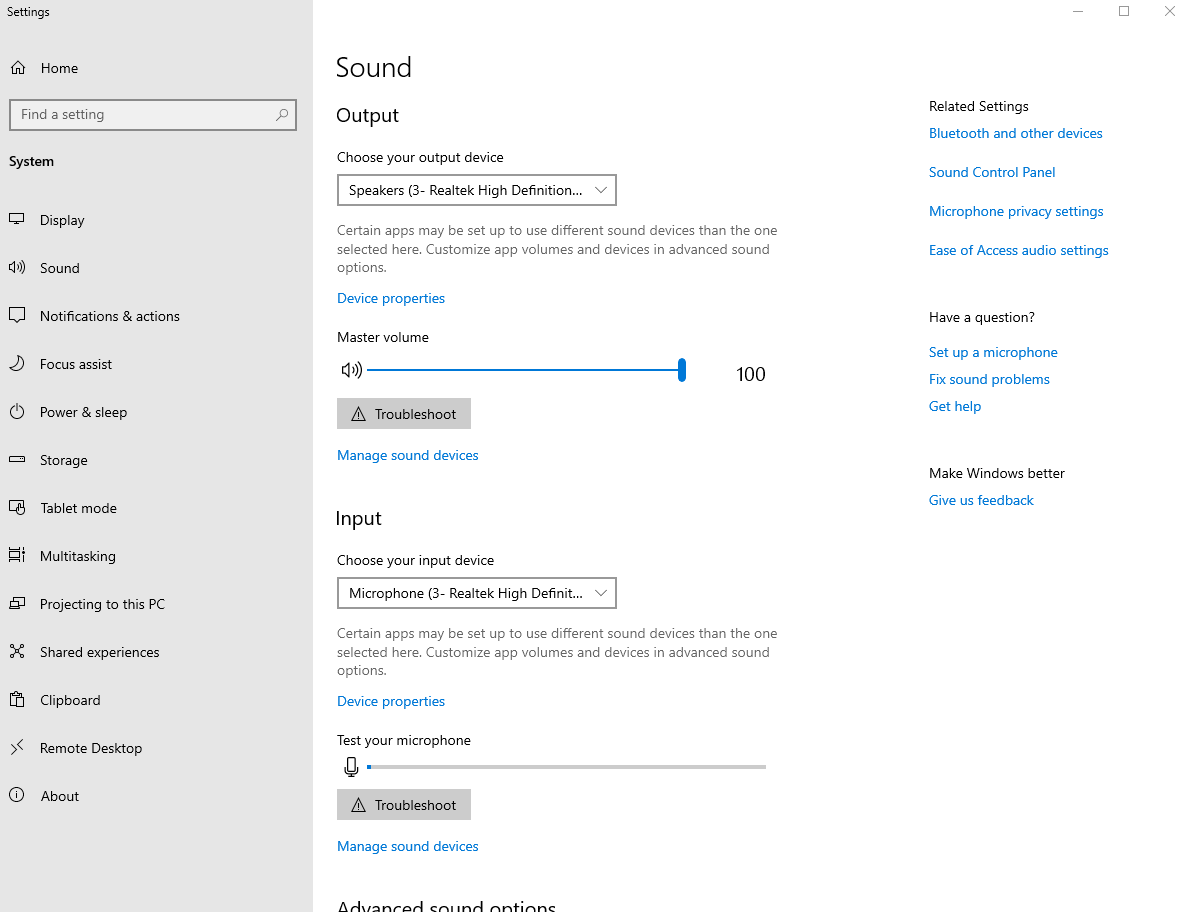
Possibly, what does your volume in windows look like under sound control panel?
obsidian jetty
maiden wedge
Have you looked around in there? Maybe audio ducking is on
solemn yarrow
@obsidian jetty look in these settings https://i.gyazo.com/b97d4bcaf1c38c54895e439cf4a89fe6.png

Also another thing is with monitor speakers is the display panel press the settings button on it which should give you an option for speakers
@maiden wedge you can confirm this right?
obsidian jetty
thanks guys
I found out it is just naturally less loud than the tv/monitor I used before
Can Ia sk one last question, this is gsync capable, I've googled it but nothing is the same for me
How do I make sure gsync is enabled and on?
its supposed to be in here but I don't see it
maiden wedge
For sound, this is what I meant by sound control panel, not volume mixer. Idk why it took until this update for people to realize this windows utility exists lol. https://puu.sh/Eg8A1/ba42d218d2.gif


How do you like the monitor so far?
obsidian jetty
The colors were incredibly bright at first, but I googled it, others had same issue, some guy found good settings, copied them, and it looks good
just wish I could wall mount it :(
takes up so much space on desk
solemn yarrow
Just buy a wall mount then
should be like 20$ for it is your monitor isn't that big
obsidian jetty
27in, ty all
maiden wedge
On my asus PG279QZ, the power light is red in g-sync mode, white in fixed refresh. The on screen display menu will show that as well.
obsidian jetty
ahh, ty
maiden wedge
rtings.com, blurbusters, and tftcentral , then maybe tomshardware are good places to find color/mode settings.
Lastly, this sounds dumb, but download the monitor driver
 unreal moat
how do i use my yamaha electronic piano as an audio input device
obsidian jetty
you are a great help
unreal moat
?
obsidian jetty
i dont have a setup gsync option, oddly it was there an hour ago, then I updated the driver now its gone
maiden wedge
Use a DP cable
obsidian jetty
I am
maiden wedge
436.15? What about the on screen display
obsidian jetty
apparently others have had issue with gsync option disappears after an update
436.30
It just downloaded it when I was trying to look around for more options
it was in 436.15
think I should roll-back?
the good news is I did turn it on before I installed 436.30 -- Im just not sure if its still on and working
maiden wedge
Interesting. No idea, I run 440.23, and 430.86 on my windows volumes
obsidian jetty
how weird and inconvinient
Im going to assume its on
see if a reboot after class does it
take care
i already did my homework last weekend!
Im back!
I need to get this gsync working, tthe reboot did NOT make it show up, should I roll back my geforce driver?
apparently I cant roll it back?
maiden wedge
What does the on screen display say?
obsidian jetty
what do you mean?
obsidian jetty
nothing except a steady white light
maiden wedge
Press a bunchof the buttons
obsidian jetty
near the power button
just gives me settings
turned it off and on 'says asus display port'
I see an option for adaptive/freesync
Is that the same as gsync?
maiden wedge
yes
obsidian jetty
Ok, so turn that on?
maiden wedge
You have a g-sync compatible monitor, not hardware g-sync. Nearly the same effect, but you save $100
maiden wedge
Now follow these instructions https://www.blurbusters.com/gsync/gsync101-input-lag-tests-and-settings/14/

Many G-SYNC input lag tests & graphs -- on a 240Hz eSports monitor -- via 2 months of testing via high speed video!
Countless people spew un-informed fake news about "v-sync = input lag" etc
obsidian jetty
thanks a ton brother
tame grove
I always have v-sync on with my gsync monitor. Never have input lag
gilded ivy
eW
maiden wedge
But v-sync on where
In game or in nvcp
How can you be measure your input lag with precision?
tame grove
Because I used to play with Vsync off. Most games barely hit 144 fps at ultra 2k. so it doesnt tear or anything reguardless
the only games that it would matter that I play would be like CS:Go, and even then I couldnt tell any input difference
 long citrus
Can anyone help needing to replace screen on ideapad 145s.. dont know whats compatible
 near bough
Could use help if someone knows MSI's MAG271CQR monitor....Is it 220V compatible so I wont fry it up? MSI's support isnt answering for over 3 days..
 wild grove
the MSI website says that it's "100~240V, 50~60Hz "
however if you want to be completely sure, there should be a voltage sticker either on the monitor itself, or on the power brick that was included with it
as long as that voltage reads 100~240V, 50~60Hz, and not something like 105-125V 60 Hz, you should be fine with 220V power
obsidian jetty
Now that I have a 144hz monitor instead of 60hz, should I be shooting for above60 FPS? Does hz = FPS? Please help
surreal veldt
hz isnt fps
it also does motion blur and screen tearing
only time ur fps is locked to ur framerate is when u use vsync
i dont use it as i have a 60hz so if i turn on vsync my frames will go from over 120 to just 60
so like if you play a game on a 60hz and shake the mouse fast ull get blur but with a 144 its not there
spare egret
Stop nitpicking what I say
old flame
Anyone know when the AOC 24G2 is coming?
 lean ermine
upgrading be like
errant meadow
Anybody know anything about this monitor? https://www.newegg.com/p/N82E16824236413
maiden wedge
Gotta be really commited to 1080p to spend that much imo, hard sell without getting 240hz, but that's a big price jump
It's up to preference, but 27" 1440p 144hz freesync is hard to beat for $300 level
gilded ivy
^
gilded ivy
whats your budget
errant meadow
250<
gilded ivy
you can get a decent 144hz monitor for that and below
errant meadow
That one I posted up there was 144hz
old flame
the one I linked is IPS
it's the same exact thing as what he linked
but better
Stop correcting me if you're blatantly wrong
I see you doing that in all the chats
you don't know anything xD
maiden wedge
That's certainly not my intention, if in fact he does want a high end 1080p, I have no doubt your suggestion is a great option, I often endorse your advice IIRC. My point was - hey, have you also considered getting a larger, higher res panel for the same, or not much more? if not - give it a 5 minute read, can't hurt
Haha damn, he left the server. I know kenny from the techdeals server, I actually remember telling him he gave good parts recommendations. Oh well
gilded ivy
poor guy
errant meadow
Oh, well I’m just saying I’m trying to buy a monitor, keyboard and mouse for 400$
maiden wedge
TN vs IPS isn't really objectively better one way or the other - IPS usually costs more though. I'd explain the differences, but this does it better and saves me the typing https://www.techspot.com/article/1788-display-tech-compared/
spare egret
IPS color is better :3
gilded ivy
no crap lmao
errant meadow
I know about the panels. TN is usually what pro gamers play on because of the low refresh rates but the angle views and colors aren’t as good as IPS
gilded ivy
i have a va panel
maiden wedge
@errant meadow Spot on. The rabbit hole goes deeper since modern IPS is often technically an "AHVA" panel as named by AU Optronics, but that's not relevant here haha.
List your ssytem specs, games, apps, use, preferences etc, more info = better recommendation
But what I tell everyone, check out https://rtings.com for reviews, https://tftcentral.co.uk and the blurbusters forums
errant meadow
@maiden wedge
https://pcpartpicker.com/list/rNQv6R
It’s more for streaming but I will play on it and stream sometimes as well. I play shooters, sports and RPGs
maiden wedge
That build looks familiar, I think I commented on it in another channel
errant meadow
Yeah😅 I’ve been asking people’s opinions
maiden wedge
Haha well, idk if I'd change anything in my original recommendation
errant meadow
But didn’t you say 300+? I wanna spend 250 or less
stray flax
are there any curved monitors with high refresh rates and low latency all at a good price
asking a lot i know
maiden wedge
@stray flax Check out the two links above
stray flax
3ms at most and 250
maiden wedge

RTINGS.com
The Samsung C27HG70 is the best curved monitor that we've tested so far. It's a great gaming monitor, thanks to its fast response time, flicker-free backlight, excellent low input lag, and FreeSync support.
It's just a useful resource when researching monitors
stray flax
Thanks dude
spare egret
Anyone have 4K HDR monitor recommendations?
odd echo
mrc has some 4k monitors, not sure if theyre hdr but you could ask him
refrains from 5700xt joke
covert solstice
display display display 1050 ti display display display 8700 display display 1070 non strix or ti display display
 uncut badge
Heya peoples I was wondering if this might be the place to discuss how to fix a tv that i have that is broken. It is an unreasonable 70 inch Vizio 240hz 4k tv. I have a pretty good idea about what is actually wrong with it but before i jump the boat on a 90$ repair i wanted to collaborate with some techies.
covert solstice
@surreal veldt those aren’t 4k tho. Those are ultra wide 1440p
surreal veldt
i only picked those samsungs cause they have the highest nit count and hdr rating they will most likely look better
uncut badge
the confusing part is this it says it has a 4k 60fps port and 3 4k 30fps ports
but wouldnt it being 240hz mean that it should be 240fps?
its a m70-c3
 tacit fulcrum
anybody else have a msi mpg27cq and get terrible tearing? even with games capped? it just started recently, cant move in a game without it tearing or textures like slightly flickering, is this it going bad? its only a month old thinking of returning for a gsync predator ips 144hz, or would i be better with a swift rog 240hz tn gsync?
 radiant wraith
Any recommendations for a g sync 144 or 240
covert solstice
1080p?
surreal veldt
so i have a 4k tv it says its 120hz refresh but when i play games its just 60hz, i wonder can i overclock the refresh rate and get maybe 120-144hz?
covert solstice
Is v sync on?
radiant wraith
@covert solstice 1080 or 1440
wild grove
@surreal veldt Most of those TV refresh rates are fake
covert solstice
well 240hz is only on tn 1080p panels rn, and what kind of budget/panel type?
radiant wraith
Budget is like 300 but im not sure about the panel
surreal veldt
whats a good brand for aftermarket cooler rx 5700xt?
like the actual card?
2-3 fans
covert solstice
sapphire, msi, powercolor
 last anvil
Are those gaming g monitor tv's hitting soon? I cant stand monitors size. Even wide or 3 or 6 monitors but damn they look good and play even better
spare egret
@surreal veldt Sapphire and Powercolor. MSI has heat issues with their super budget micro thermal pad things.
maiden wedge
4k hdr monitors leaves eyou with like
maybe a half dozen choices
maybe a dozen
i dunno, not a lot of panels, but i have an acer x27 and it's phenomenal
but it was also $1800 so if it was anything less than incredible it would be pretty poopy
spare egret
dang
maiden wedge
also the one linked above is the 400 nits, the x27 is 1000 nits and full "gsync ultimate"
i didn't send that message
but apparently i did
maiden wedge
that being said, if you're actually looking at these super high end monitors, let's see when they're releasing the ones that have more backlighting zones
cuz they were supposed to be updating and releasing the newer models that had like 50% smaller backlighting zones for less bleed on dark and highly contrasted content
maiden wedge
I like it cuz early adopter and all. But it's hard for me to really encourage it for anyone but the most enthusiastic enthusiasts cuz you're looking at 3k USD at least to do all that. Just for a GPU and monitor. Which is two reasonably beefy rigs
It's really nice playing stuff in 4k at 100+ fps. But it's pretty much only esports titles you're getting that kind of performance in
covert solstice
yeah
That’s why i picked 1440p 144hz, still expensive but not 1.8k expensive
and still looks+runs amazing
spare egret
2K 144Hz is good for noe
solemn yarrow
I am sticking with 1080p monitors for now until they bring out 8K monitors so you know 1440p will be a lot cheaper after 😛
covert solstice
🤔
maiden wedge
@solemn yarrow same
maiden wedge
i definitely feel stepping up to 1440 is worthwhile, but again refer to my previous statement lol
i'm a foolish E N T H U S I A S T
surreal veldt
since newegg dont have it i bought this one https://www.amazon.com/gp/product/B07V39QHMY/ref=ppx_od_dt_b_asin_title_s00?ie=UTF8&psc=1
144hz 1440p 27'' 1ms and $250
surreal veldt
actually he said it wasnt a bad monitor. he compared it to a ips 10 bit aorus and its just a tad dimmer than that one. he said u just gotta adjust the screen to the way you like them
Visit https://www.squarespace.com/LTT and use offer code LTT for 10% off Use code LINUS and get 25% off GlassWire at https://lmg.gg/glasswire 1080p too old-s...
plus its got to be better than my 10 year old 60hz 5ms lcd 21''
maiden wedge
honestly, the dell 1440 144hz monitor is often on sale at or near that price
and that is likely a superior monitor
although i haven't compared them side to side myself
uh, apparently i am mistaken but i recall with great accuracy that i had a friend buy one for himself and it was $270 or so i think and I'd feel that $20 is very well spent
apparently i am very wrong lol https://www.reddit.com/r/buildapcsales/comments/b5kpj5/monitor_27_dell_s2719dgf_2560x1440_155hz_freesync/

reddit
Posted in r/buildapcsales by u/Thondre3000 • 180 points and 106 comments
cuz it was $350 with a $50 gift card
maiden wedge
oh but that one is curved vs the non curved dell one
and a VA panel compared to TN
neeeeeevermind to everything i said, they're in different brackets even though similar price
wild grove
I think saying that aoc monitor is "just a tad dimmer" is a severe understatement. In the video the lack of brightness was very noticeable.
 lavish kite
you guys think i should get a 32 inch monitor or a 27 for my upgrade
they have the same specs the 32 is like 60$ more
maiden wedge
should be fine with either
you of course get lower pixel density with the larger monitor
but for a 1440 monitor that's probably inconsequential
for a 1080 it may be a problem
lavish kite
its 1440, 144hz
maiden wedge
right
i was just remarking as an aside that you would probably notice the lower pixel density more readily on a 1080 compared to the 1440 you were looking at
lavish kite
oh gottcha gottcha
surreal veldt
monitor isnt too bad for only 250
just needed to adjust brightness and colors and such and its not too bad
 prime python
and anyone suggest me a 144hz monitor?
surreal veldt
this is the one i bought and recieved today i bought it mainly cause its cheap just takes tweaking to get it set right\
spare egret
1080p or 2K?
maiden wedge
People need to come armed with better questions lol
What's your budget? What resolution
covert solstice
^
there should be a format like
budget -
resolution -
refresh rate -
panel type -
what will you use it for -
general comments -
maiden wedge
i know a ton of people here are more than willing to help but sometimes it's hard to know how to help with very little info to go on
just trying to be constructive
i am sure there are some people who have no idea what resolution they want or can adequately support but that can usually be deduced from other stuff
maiden wedge
at a minimum, i think budget, GPU/CPU being used, and what games are played is needed to give really solid advice for a panel
and at a minimum, even if people are very unfamiliar with all the crazy monitor tech, we can lead them to what they need
cuz to be fair, there's an overwhelming amount of monitor choices out there, moreso than other components
i.e. if someone is looking to play bfv with RTX on and everything but only has a 2060 it is silly to suggest a 1440 144hz (yeah, i realize how unrealistic a scenario that is but just for the point i'm trying to make)
covert solstice
looks at my 1070 ti and 1440p 144hz monitor yeah
maiden wedge
oh you can definitely do lots with that, i was just saying i think someone would be giving...unsound advice if they suggested a 1440 144hz for someone coming in with that extremely specific and unlikely use case
covert solstice
i got it mainly for futureproofing
like i dont want to buy 2 more monitors in 3 years, i just want a solid monitor that will last a long time and still look/run nice
maiden wedge
yeah
i was really hesitant to get my acer x27 but then i realized i'll have this monitor for 6-7+ years so
i am still using an ancient asus 1080/60hz panel as my second monitor that i got way back in 2010
so even when 16k/500hz monitors are out i'll still find a use for it lol
surreal veldt
the aoc 27'' 1440p 144hz 1ms monitor i got for 250 isnt bad
its no 500 dollar aorus or predator but its not too bad , no screen tearing at all.
and uses gsync
well freesync but u know what i mean lol
 queen star
I am trying to figure out correct laptop monitor to buy to replace my husband's broken one.
 merry gyro
Hello everyone.
Can someone tell me what the difference is between Gorilla Glass and "NTSC:72%, wide 100% sRGB color gamut" displays?
Is one better than the other (for a laptop touch screen)?
tame grove
Gorilla glass is scratch and scuff proof. its mainly used in phones and touch devices
the other I am unfamiliar with
merry gyro
if the only difference between two (identical) laptops was the display, where one had gorilla glass and the other didn't, which one would you pick?
[it is a 2-in-1 laptop]
tame grove
if its touch probably the tougher gorilla glass
merry gyro
what if it's a $300 difference between one device and the other?
tame grove
the other one is just a standard display
thats why the price is so different. if your worried about protecting the screen than get the gorilla glass one. if your not than get the cheaper standard LED display
merry gyro
I see. Thanks!
queen star
If any one is willing I need help trying to figure out what screen to replace the one that broke on a laptop.
olive token
maiden wedge
Do you have an AMD or nvidia gpu?
Or rather do you want freesync or gsync?
I'm fond of these ASUS VG278Q 27" Full HD 1920x1080 144Hz 1ms DisplayPort HDMI DVI Asus Eye Care Technology G-SYNC Compatible Built-in Speakers LCD Gaming Monitor https://m.newegg.com/product/N82E16824236821?m_ver=1
You can find cheaper ones but those are quality panels
radiant wraith
I do have an nvidia Gpu
This is kinda perfect
I already have 2 VG248’s that look the same
maiden wedge
My suggestion is ge 1440pt
solemn yarrow
I assume he meant to get a 1440p monitor
maiden wedge
The jump up in resolution is definitely worthwhile if you have the GPU for it
 boreal island
Best monitor under 200 for media consumption?
gilded ivy
what refresh rate do you want
solemn yarrow
@gilded ivy if it is for media then 60hz
gilded ivy
got it
solemn yarrow
which i would say to get a TV instead lol
gilded ivy
but he could get a 144hz for that price know whati mEan
but if he wants something much bigger just get a big boi tV
solemn yarrow
Yes but what movie have you watched that is 144hz
solemn yarrow
darn right im right 😛
 gilded ivy
lol
solemn yarrow
https://www.newegg.com/p/12K-01R1-00014 150$ 1080p 32" and also has Roku built in which is perfect for media
gilded ivy
that looks very g00 D
solemn yarrow
brb windows update which you should have as well
solemn yarrow
@gilded ivy There is a new one right now
solemn yarrow
which was like 2 hours ago 😛
 rose shuttle
solemn yarrow
rose shuttle
solemn yarrow
Should delete that message
 upbeat granite
Does anyone know if this is a good monitor? https://www.amazon.com/gp/product/B00VRCLHYS/ref=as_li_ss_tl?ie=UTF8&linkCode=sl1&tag=highgroundgaming-20&linkId=8573d72b928da6668f2d1801fb0f3ceb
 north vigil
looking now. Acer is a decent brand, 1440p is not bad. 27 inch is nice.
cant see if its 60 or 144 though
144 herts
its not a bad monitor IMO
north vigil
@odd echo lol
gusty bloom
1440p is just okay, nothing good
north vigil
I run mine in 1440p, but they are 4k monitors
I have nothing special though. Just some HP's
odd echo
i wanna get a 1440p 144hz monitor and mount it on an arm
but thats expensiveee
something like this
Acer Gaming Series ED323QUR-A 31.5" 2560x1440 2K Resolution 144Hz 4ms DisplayPort HDMI DVI AMD FreeSYNC Backlit LED Curve Gaming Monitor https://m.newegg.com/product/N82E16824011234?m_ver=1
solemn yarrow
Well zack you're in school right now so you can only cry in chromebook lol
upbeat granite
@north vigil Do you think I should go with that, or a 240hz 1080p?
north vigil
if you really want the 250hz get that, but I would prefer the 1440p. If it was me I would get it.
covert solstice
240hz is really only for competitive esports imo
 cold willow
Is the dell s2419hgf a good monitor
It’s priced around 150 (not including taxes)
Please @ me I need to make sure if I’m not wasting money
solemn yarrow
It is a decent monitor not the greatest but can do what it can do
@cold willow I would suggest this one instead https://www.newegg.com/sceptre-c248b-144rn-24-full-hd/p/0JC-007F-00038
The panel on that one is VA which would have more colors and better viewing than the dell one
cold willow
@solemn yarrow thanks man that helps a whole bunch
 fickle quail
What is the best price 1080p 120hz+ monitor you guys know of?
Thinking of asking for a monitor for Christmas
solemn yarrow
@fickle quail if you look above to the link i posted you can see a pretty good one for a good price that is 144hz
fickle quail
That one looks nice. It's not all that important, but do you know if it works well with gsync enabled?
solemn yarrow
From comments i have read on their official site it says it does
fickle quail
Cool
radiant wraith
Thoughts and suggestions?
Im leaning towards the asus one the 165 hz
Is that too much to pay?
 fallen totem
hello
 umbral pasture
@radiant wraith I have the msi optix mag and i find it works very nice and i have not had any issuses with it. The only trouble i have had with it was the stand becasue it is not the best design. You can't over clock it or anything but it does 144 hz out of the box and has freesync. It has hdmi dvi and display port. personaly i would go with something bigger than the 24 but it is sufficent for me.
it also has no speakers if that is something you care about.
olive token
I've got the 27in curved 144hz version of that msi optix and it's amazing
radiant wraith
@umbral pasture @olive token
Im think of getting one of these 3
Ive heard a lot of good things about msi
Idk if its worth paying extra for a g sync compatible monitor
maiden wedge
Yes on g-sync compatible/freesync - except every monitor will be unless you buy something really strange.
As for the size/res/panel eh- your call
umbral pasture
@radiant wraith why do you want 165 when you could go for 200 or 144 instead? its probably not going to be much of an inprovement in gaming
the non glare on the msi is pretty good. I can see it just fine pointing a really bright flashlight at my screen
radiant wraith
@maiden wedge @umbral pasture
Tbh i want this one, they all look the same and idk whats the difference between the third and the second
I play overwatch and fortnite and have a 2060 super is getting a 240 hz an overkill?
maiden wedge
no
maiden wedge
Damn - I was about to dismiss this as another "why does this person want a $300 27" 1080" 144hz" haha
Ya, high level competitive overwatch is a good use for 240hz 1080p 24" IMO.
But 27" 1440p 144hz is preferable to some
 novel merlin
If you're just playing competitive refresh rate is going to be key
odd echo
i want a 27" 1440p 144hz display, but eh, not worth the money
OH WAIT
shoot
LOL
hmmm
brb
 vague zinc

maiden wedge
silly zack, displays have RGB, no one tell him
radiant wraith
There are soo many options and i cant choose
novel merlin
^
vague zinc
Rgb monitor
maiden wedge
radiant wraith
High refresh rate or 1440p
vague zinc
High refresh for overwatch
novel merlin
I got my monitor for $4 at a thrift store. It was an Asus gaming monitor, 1080p 75hz. Worth $220 when I bought it in January
vague zinc
sounds like a good find
maiden wedge
then, if you're really picky, go to the blurbusters site, spend far more time than you'll want to admit reading every article and much of the forums to learn all the marginally useful nuance to monitor specs. I know a friend...
novel merlin
It's sick af, it's my primary monitor cause I poor
vague zinc
Someone posted an awesome pic of their rig once with these monitors that had like crystalized wings on the back that were rgb
maiden wedge
Ya, go check out rtings.com
maiden wedge
Anything you get will be like going from a slingshot to a handgun - debating if it's a 9mm or a 45 - you're gonna be happy either way
vague zinc
Viewsonic elites seem pretty good
errant meadow
I’m back lol but I’m still looking for a 24 inch monitor with the following: 1ms, 144hz, 1080p, FreeSync under 300$
Had to re-post because someone^ post blocked me lol
vague zinc
This was what I wanted originally but it couldn't fit into the budget
There's probably room to upgrade the hz up to 200 if you wanted to reach the ceiling of your budget
radiant wraith
@maiden wedge thanks for the websites i just found out the rog asus one has clouding issues
maiden wedge
Glad you read around
errant meadow
@maiden wedge can I get your opinion?
maiden wedge
get a 1440p 27" 144hz on sale
radiant wraith
Final two contenders if someone owns or knows anything about these two please let me know! Imma go ahead and start reading
errant meadow
I have some friends that have that Predator one and they says it’s GREAT
 too expensive
covert solstice
too expensive
covert solstice
and the second one is 240hz, which isn't really needed unless high level esports
radiant wraith
@covert solstice any suggestions?
@vague zinc i wanna sell my kidney and get that gigabyte looool
vague zinc
you think that's a lot
there's an omen monitor they sell for 5k
it's not even 144hz
radiant wraith
Is that the 65 inch one?
errant meadow
@maiden wedge not really looking for a 27’😅 wanted more of an opinion/suggestions for what I inquired about
maiden wedge
That's why I did't reply originally.
errant meadow
Oh....
maiden wedge
Good for them. More R/D money to the engineers to develop cool stuff that we can afford down the road.
radiant wraith
😂😂😂😂
maiden wedge
That said, I'd much sooner buy a few more GPU's and an epyc, but to each their own 🙂
errant meadow
Was thinking this one but was told it’s too much for a 24 inch
maiden wedge
Competitive FPS right? Overwatch?
Check out the XB272, I know a couple who streams together on 9700k's 2080's, apex
errant meadow
Is that under 300$?
maiden wedge
What's the current price on google shopping?
I ask not with the intention to be rude - but to show others how I go about parts research.
errant meadow
469$ on Amazon..
maiden wedge
I made this long gif to show a bunch of stuff, then upload crashed haha
errant meadow
Or this one
covert solstice
@radiant wraith what res/refresh rate do you want and what kind of panel (tn, va, ips)?
radiant wraith
@covert solstice i dont know much about panels but ive heard that tn is great. G sync compatible. 144 hz or better
24 in is my preference of size but i dont mind a bigger monitor
wild grove
Are you planning on staying with 1080p or going higher?
24" is the max I would recommend for 1080p
radiant wraith
@wild grove the only thing stopping me from going to 1440 is that they get really expensive especially if i want g sync
olive token
gsync anything is expensive
but the "g-sync capable" is a nice feature, and cheaper.
well the monitors that are verified to do such anyways.
maiden wedge
From all that I've seen, including that giant community "did g-sync work on my free sync display - here are my specs " spreadsheet
Almost al panels with displayport can. Probably because it was added to the displayport spec years ago.
Few exceptions are monitors that wouldn't be in the question anyway unless justified because cheap
e.g. that 25" hp omen that can't do 144hz it's advertised at and has to run 120, some samsung CG70, idk
wild grove
I think nowadays gsync monitors aren't worth it with how much cheaper the compatible freesync monitors are
radiant wraith
Yea im looking for a g sync compatible
Like i saw an alienware monitor
The g sync version is 100 dollars extra
The same exact model
So now im just looking for a 144 g sync compatible
vague zinc
I did some research and apparently the monitor I have rn is g sync compatible
it's the dell s2419hgf it's 144hz if you turn it on 1ms response time and 1080p
Its should be around $140
So far no complaints from me
@radiant wraith
maiden wedge
TL:DR - pretty much anything that's a good recommendation will have the variable refresh rate capability.
I'd liken it to asking the dealership staff if the car you're interested in comes with a radio, well, ya
If your budget was to get a 19" 60Hz TN 1280 x 1024 LCD ccfl backlight dell thiccboi off a craigslist "curb alert" , no, probably can't expect VRR
Look into scanline sync in that case 🙂
 naive swan
I am receiving “input signal not found” when using either DisplayPort or hdmi port. I just got a new gpu and new display port cables. I’ve tried the method of unplugging the monitor and DP and waiting 1 min. I’ve connected the monitor to my MacBook Air and it works fine. But when plugged into my PC it receives no signal.
maiden wedge
do you have the cables plugged into the video card as opposed to any disaply ports/hdmi out on the motherboard?
also are you positive that you have the GPU correctly installed? proper cables running from the power supply to the GPU?
naive swan
I have the DisplayPort cables plugged into the gpu, the gpu is correctly installed as well
maiden wedge
that happens more than you'd think so sorry if that sounded patronizing
naive swan
I thought it was a problem with the gpu so I got a new 2070 super, had a 1070ti previously
But still having the same “no signal” on both of my monitors
maiden wedge
have you tried putting the video card in a different pcie slot?
naive swan
One monitor is connected via a HDMI and receiving “no signal” and the other is connected via DisplayPort and same “no signal”
maiden wedge
your old card was working fine and then just stopped from what i'm gathering?
naive swan
Yeah old card was working then just stopped
naive swan
I haven’t tried putting it into a different pcie slot, I can do that
maiden wedge
if it works, then the first port is bad i'd wager
naive swan
If not what else should I look for or do ?
maiden wedge
if you try other ports and it's still borked, it's probably an issue with the motherboard
 coarse trail
is 4ms vs 1ms response time very important in moniters?
 frigid bane
firstly, the 1ms thing and 4ms thing are both BS
it isn't too important if you're a casual gamer
coarse trail
alright and would this be the best 2k ips g sync 144hz 27 inch moniter?
https://www.amazon.com/dp/B0772CP7GC?ref=emc_p_m_5_i this one the other was tn version
coarse trail
@odd echo is that the tn version
frigid bane
I wouldn't recommend a TN myself
but if you only care about gaming then sure go ahead
LG 27GL850
that's nearly the ultimate monitor
it's not widely available yet
gilded ivy
if you dont care so much about colors unless you use special programs and you need to see colors then they arent that important
frigid bane

Support us on Patreon: https://www.patreon.com/hardwareunboxed Merch: https://crowdmade.com/hardwareunboxed LG 27GL850 - https://amzn.to/2NXOMNi Asus XG438Q ...
if you want a review
maiden wedge
The 27GL850 would be what I'd buy today instead of the PG279QZ I have. Benefits of the hardware g-sync module are diminished and hard to notice for the vast majority of users.
covert solstice
also @odd echo that is way overpriced
maiden wedge
Seems like it has hardware g-sync, also curved tax? If the buyer wants to pay the premium for 3 year old tech (basically my monitor) - the best we can do is to give them the most accurate /relevant info from which to do so.
maiden wedge
so i'm one of just a small handful of people who would need this functionality but how hard would it be to write a script to change display settings with one button? according to nvidia, they have included the capability of changing these settings through their API, but i'm not sure where to start
what i want to do is have a couple buttons keybound to swap between 144hz/8 bit color to 120hz/8 bit and then 98hz/10 bit
 river sorrel


 covert solstice
new or used?
 summer zephyr
Anyone know a good 27 inch curved monitor with gsync? Price doesn’t matter
olive token
@summer zephyr Aorus