#old-monitors-and-tv
1 messages · Page 22 of 1
 winged meteor
but aside from that having crisper and more vibrant color on my monitor along with solid brightness would be nice
 visual pilot
I think there's usually a way to mark it as sdr to make it look normal? If that's the main concern you have
winged meteor
not the main concern just one
i used handbrake to convert them but theyre still all wonky looking compared to the original
visual pilot
Anyways if $500 is your limit, you'll want to look at some 1440p240 OLED panels
winged meteor
but again just one of my many concerns
visual pilot
Prices look higher than usual right now, usually should have some in the ~$400 range
winged meteor
damn I wonder why
 jade burrow
Guys i bought asus tuf vg27aq1a and i got this cable and i cannot plug it in its thing should i buy any cable from amazon or what?

I think its called c5 and the cable i have is c7
jade burrow
 fossil gust
But yes I believe the 3 circle is c5
fossil gust
But yes I believe the 3 circle is c5
so should i ask for a refund or just get a cable from amazon
fossil gust
jade burrow
so should i ask for a refund or just get a cable from amazon
Did you buy used/refurbished from ebay or something?
jade burrow
fossil gust
Did you buy used/refurbished from ebay or something?
no its from amazon
fossil gust
New?
jade burrow

TUF Gaming VG27AQ1A Gaming Monitor – 27 inch WQHD (2560 x 1440), IPS, 170Hz (Above 144Hz), 1ms MPRT, Extreme Low Motion Blur, G-SYNC Compatible, FreeSync Premium, HDR 10.
yes
fossil gust
Weird. It should come with all cables
You could return the whole thing but personally I'd try contacting Amazon and asking for a partial refund to cover the cost of buying a cable
jade burrow
fossil gust
You could return the whole thing but personally I'd try contacting Amazon and as...
aight i'll see
jade burrow
fossil gust
You could return the whole thing but personally I'd try contacting Amazon and as...
What cable do you suggest
I checked amazon and it says
 fossil gust
jade burrow
What cable do you suggest
fossil gust
jade burrow
What cable do you suggest
Any. It's a super common standard
 jade hatch
hello
sorry im not knowledgeable enough when it comes to monitors and new technologies about them, but im thinking of buying a new monitor and im aiming for a 34" QD OLED, however recently i found out about Micro LED tech, and how it eliminates the problems QD OLED have, question is how far are we from getting this type of monitors ?
visual pilot
Only ever one breakthrough away, but as long as we're not there, we could be a month away or it might never happen
jade hatch
visual pilot
Only ever one breakthrough away, but as long as we're not there, we could be a m...
I see
Ty for your help
jade burrow
jade burrow
Guys i bought asus tuf vg27aq1a and i got this cable and i cannot plug it in its...
Aint no way i returned it and reorder it and i got the same cable!!
 errant flax
@graceful tree if I recall you have an ASRock board yes? If so than this article is likely worth a read.
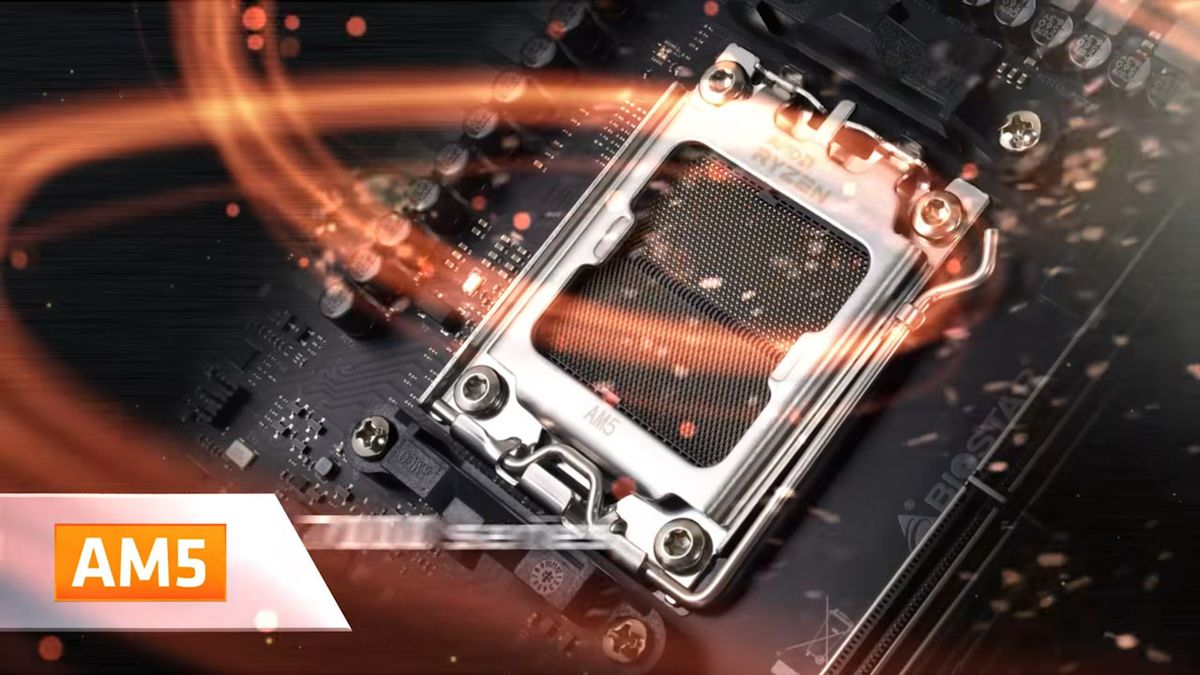
Tom's Hardware
New BIOS will reduce PBO limits.
 graceful tree
errant flax
<@122901618369757184> if I recall you have an ASRock board yes? If so than this...
graceful tree
errant flax
<@122901618369757184> if I recall you have an ASRock board yes? If so than this...
wrong channel?
but yes I am already on newest bios
think it was almost exclusively on x870, I checked out of curiosity after updating bios and motherboard TDC/EDC didn't change
errant flax
graceful tree
wrong channel?
Whoops my bad.
I thought I was in the overclocking channel.
 cursive dawn
Can I get discord on a smart TV? Specifically Samsung 55” Class Crystal UHD U8000FB 4K Smart TV 2025 - UN55U8000FBXZA
 slender kraken
The Samsung odyssey g50d Vs the benq EX2710Q, which monitor is better? Both are the same price
 final agate
so i have a gaming monitor i think its 144hz but i want another monitor just to simply watch videos or movies on it so what kind should i buy and my budget is really cheap preffered around 100 dollars do i need more than 60 hz?
 hidden cairn
 mighty dew
If you can hold out Corsair is making their own it should be Q3 for it to release. It'll be pricy but at least you know you ain't getting nothing jank lol
 maiden wedge
not first
maiden wedge
Btw is 75Hz worth it in 2018?
 timber rover
Ye
maiden wedge
60hz is DEAD
timber rover
lol no
maiden wedge
1hz monitor xdddd
 sand terrace
Long live 144
sand terrace

 shut panther
But mine is 60hz
 lucid ether
Just like Theo...
lucid ether
Lol
 harsh halo
maiden wedge
harsh halo
maiden wedge
nice
maiden wedge
nio
no
you need 2 GB of Video ram per monitor
so u can only run 1
with that video card
 half sonnet
I am running 2 currently.
half sonnet
Ok thanks
 dull thunder
you dont need 2 gb of vram per monitor, no idea where you heard that
it would really depend on what youre doing, with a 1060 i wouldnt display a game on all 3 monitors but as long as you were just gaming on one it would probably be fine
the only thing you could run into a problem with is if some of the ports share lanes, a lot of the time one of the dvi ports and an hdmi or display port output will share the same lane on the card so you can only plug something into one of them but not both
you would have to read the manual for your specific gpu to find out which tho
 olive token
2gb per monitor? lol.
maiden wedge
waat?
 wide shell
hahaha
 heady shore
def wanna change that power supply
maiden wedge
get a 750-800w
 analog shell
800 is prob a bit much but if you can get it, get it
wide shell
lol
 gilded ivy
lam 0
 serene yoke
does anyone know if I get a free-sync monitor if it will work with a GeForce RTX 2070 8 gb card?
 minor ledge
Yes it will
 severe epoch
Ok so I goofed
I was attempting to hook up my second screen back up and well no magic happened.
Now my main monitor won't even display.
olive token
he doesn't "need" g-sync for it to work.
depending on the monitor he could get the "g-sync compatible" they have out now for some free-syncs.
gilded ivy
yeah
my monitor isnt officially g sync
but i enabled compatible for it
and it works
minor ledge
Free sync works on 10series and above nvidia gpus
gilded ivy
yeaah
serene yoke
So if I’m getting a 2060 card does free sync work?
minor ledge
yes
 unkempt kite
Hello, was just wondering, are Newegg refurbished monitors guaranteed to not have any dead pixel or they might sitll have some?
 marble yacht
I don't know but Newegg is usually really good with refurbished items
can you help this guy out @true iron
olive token
there should be an explanation on what to expect on whatever it is he is looking at I think
I will say I ordered an open box monitor from newegg and it was perfect.
buying refurbed anything is always a toss up.
@steep badge I meant to say that here. haha
 steep badge
I figured 😄
olive token
need to seperate the discords a bit.
I have them right next to eachother, gets confusing.
 smoky thicket
AOC U2777PQU @errant sigil
 errant sigil
@smoky thicket cheers
 vast cloud
this is absurd
https://www.youtube.com/watch?v=FwBBQhKKm4g

Thanks to SamsungUS for sponsoring today’s video! Check out their #QLED8K TVs at https://smsng.us/LinusQLED8K The Samsung Q900R QLED 8K TV offers a top class...
I mean
I use a tv for a monitor because I don't game much (if at all)
but I can't see buying that tv.
 keen crypt
i got a 4k and it's nice but 8k is a waste of time
 odd echo
honestly 1080 is fine for me
cheap monitors, good enough display resolution, especially since im not doing video or photo editing
 mossy comet
pops in 2 2080 ti’s running in sli with nvlink
Now I can run 8k
odd echo
gaming in 8k seems dumb to me
odd echo
i can barely tell the difference between 1080 and 4k, so why spend all that money for 8k
mossy comet
If I had a pc that can run 1440p
odd echo
is that like 2k?
mossy comet
It’s the best of both worlds
mossy comet
High refresh rates, okay price, great visual quality
odd echo
2160p is 4k right
odd echo
oh
mossy comet
4k is like 3880 I think
mossy comet
Or something like that
mossy comet
I have bad vision too, but 2k or 1440p is like the best
 next minnow
I can see 4K monitors being a thing back then. Since 1080p displays were technically made way before they were mainstream public
odd echo
we have 4k tvs tho
mossy comet
Probably for production. Couldn’t be consumer grade
The 4k monitors from 10years who
Ago
odd echo
we have an 80 inch 240hz 4k tv
mossy comet
Wait Nani
next minnow
Phill Swift here... that’s a lotta damage
mossy comet
Wait. But why do u have that big, expensive, and powerful of a tv
odd echo
its also a big flex
because why not
(i thought it was stupid and unnecessary but my dad likes to go big or go home)
hold on let me find a picture
its wall mounted too
mossy comet
When you bring your friend over and you’re casually is like, “oh yeah. Later we can also watch some Minecraft let’s plays on our 80” 240hz 4k tv”
odd echo
with a special arm that can move up and down
hell yeah
and that was an upgrade from our 65 inch 1080p smart tv
mossy comet
The sound bar looks so small because of the tv 😂
odd echo
its a big soundbar but yea next to the tv its a midget
mossy comet
Like that’s prob a 40” sound bar
odd echo
we have a sonos setup with 3 speakers for surround sound
mossy comet
Which is what I have
odd echo
yep
odd echo
“hey wanna come over and watch minecraft lets plays on my 240hz 80 inch 4k oled smart tv with 5.1 surround sound”
we have like 6 sonos speakers + 1 sonos sound bar + one dedicated subwoofer
theyre all alexa enabled
mossy comet
That can’t be 5.1 surround sound then
odd echo
?
only the soundbar and 2 speakers and the subwoofer are being used for the surround sound
odd echo
the sound bar itself is 3 channels
mossy comet
I saw the 6 sonos speakers and was like
odd echo
if u want ur ears to burst, simply say ‘Alexa, volume 10’ and start playing some music
mossy comet
Oh no
mossy comet
Oh. It’s the sonos smart home speaker?
odd echo
yeah
odd echo
heres what the 6 smaller speakers look like
heres the soundbar
heres the subwoofer
ok there is an explanation to this madness
odd echo
my dad and stepmom were having a wedding reception in our backyard because it was way cheaper than renting a space, and he bought the speakers to play music because our deck is huge and good for dancing
o yea vizio speakers are good too
odd echo
oof yea
ok i dont have one picture capturing it all
but
heres on the right
heres on the left
it looks different because that was before and after we stained it
but yea thats where they had the reception
mossy comet
Cool
olive token
@odd echo nice deck.
odd echo
thanks 🤣
 snow rain
Can I get a bit of advice from people who know what they're talking about?
I currently use a very wide (2560x1080) monitor
LG, not sure of all the specs
I know very little about monitors
(Which is why I'm here lol)
I've been thinking about getting a dual monitor system, with both being on telescoping wall mounts. My desk is a built in cavity with a window in the middle, so the mounts would be to the left and right of the window
Problem is I have no clue where to start looking
Nor what to actually look for
I mostly do software development and internet browsing with this, as well as a little bit of gaming (nothing hardcore, mostly Kerbal Space Program and Minecraft)
odd echo
do you want two ultrawide monitors?
snow rain
I think what I'm mostly asking is what specs matter and what can I ignore
Not sure if two can fit in my desk without more angling than I want
Probably 1920x1080
snow rain
Resolution?
snow rain
I mean I'm sure it would be nice but I'm not doing like graphic design or high spec games
So I honestly won't notice it probably
snow rain
Yes and I am not rich lol
odd echo
so when looking for monitors to buy, make sure they’re compatible with an arm
also make sure your computer is good enough to drive two monitors at once
snow rain
Ah so it wouldn't necessarily be included
I sure hope it is
I should check up on that
odd echo
hold on let me go check something
snow rain
Only time I've ever experienced issues with the computer is when RAM gets full (usually from KSP)
Never had an issue with this GPU
But then again I'm not driving 2 monitors haha
snow rain
The one I have rn
odd echo
your current processor is 2 cores
id say upgrade to at least an i5
also i cant find any information online about that card
idk if its any good
snow rain

The Radeon HD 7000 series, codenamed "Southern Islands", is a family of GPUs developed by AMD, and manufactured on TSMC's 28 nm process. The primary competitor of Southern Islands, Nvidia's GeForce 600 Series (also manufactured at TSMC), also shipped during Q1 2012, largely d...
odd echo
does the gpu have multiple ports on the back?
 balmy dirge
lol thats becaus 7900 is part of the 7000 series
snow rain
I can go see if I still have the box
odd echo
yeah thats probably due for an upgrade too
snow rain
See which specific one I have
odd echo
can you go to the back of your computer and see the ports it has?
snow rain
Lol
"Hey guys I'm looking for some monitors"
"So you'lre gonna need a new computer"
Yeah kinda
odd echo
oof
odd echo
you dont have to
odd echo
but chances are if theres 2 of the same type of port it supports dual monitors
snow rain
Yes GPU has 2 ports
odd echo
are they the same type?
balmy dirge
im sorry but what is the question you are asking?
odd echo
o oof
snow rain
I'm just trying to figure out what to look for in monitor specs @balmy dirge
odd echo
yeah you wont be able to do dual monitors on that
odd echo
maybe not cpu
odd echo
but pentium kinda sucks
snow rain
^
 kindred cape
i wish i could get 3 displays working with my pc again
snow rain
That isn't news to me lol
balmy dirge
wait wait wait... what card do you have
odd echo
radeon 9700
snow rain
The Radeon HD 7000 series, codenamed "Southern Islands", is a family of GPUs developed by AMD, and manufactured on TSMC's 28 nm process. The primary competitor of Southern Islands, Nvidia's GeForce 600 Series (also manufactured at TSMC), also shipped during Q1 2012, largely d...
79--
kindred cape
ever since i stated using ubuntu i never was ablle to
odd echo
wait shoot
snow rain
Not sure which one
odd echo
7900*
kindred cape
started*
balmy dirge
umm
you on windows 10
if on windows 10 in the search type dxdiag and then run it
click on the display tab
we can find the exact gpuyou have
snow rain
Oh you right
That's good because
I couldn't find the box it came in
I did find an AMD Athlon II CPU and a Radion HD 6870 GPU though
And a lot of ram lol
balmy dirge
lol
i meant exact gpu
i feel like all of the 7k series have multimonitor support
like you will probably have a vga and hdmi
odd echo
i was under the impression you only had one vga and thats it
snow rain
Nah the 2nd vga is why I at first thought it had 2 identical ports
The vga are on top of each other but I couldn't see that under hdmi was just vents
balmy dirge
you should be ableto run two monitors
snow rain
There's a 4th port there too
odd echo
i thought you only had one vga port and that was it
balmy dirge
probably display port
balmy dirge
you are good then lol
odd echo
yes
 warped sigil
yes
balmy dirge
display port and hdmi
snow rain
Oh yeah that
odd echo
displayport is good
snow rain
I looked it up lol
Okay
Nice
So
We never actually discussed monitors lol
Besides deciding that I didn't need 4k
balmy dirge
i mean what do you want to do?
odd echo
any one that can be mounted to a arm and isnt crazy heavy is good
balmy dirge
you want pretty or you want fps
snow rain
I don't do any graphics intense stuff
odd echo
and is actually a name brand
snow rain
Idk a decent balance really
Certainly at least 60fps
Being able to do more would be nice
snow rain
But I don't want to sacrifice pretty (and money) for also speed
balmy dirge
how much you willing to spend
snow rain
Yeah 75 seems okay
odd echo
144hz gets more expensive though
snow rain
Idk not that much
odd echo
it goes
odd echo
60hz, 75hz, 144hz, and 240hz
odd echo
those are the standard ones
balmy dirge
hmm low end .. 100
snow rain
I would settle for 60 though
balmy dirge
i wouldn't go anything over 100
snow rain
Okay I'd probably be willing to put 150-200 in
odd echo
oh also
balmy dirge
100hz
odd echo
make sure you get monitors that have the same video connector as your gpu <very important lol
snow rain
Lol
I must remember that I have 1 hdmi, 1 dp, and 2 vga
Wait so
If they have different connections
balmy dirge
you are going to want to stick to hdmi and display port
snow rain
Would there be any slightly noticeable lag between them?
balmy dirge
newer monitors will have a dp and an hdmi
balmy dirge
no you won't notice anyhting like that
snow rain
It does have dp
odd echo
really just make sure you get the right cables and make sure they all are compatible
snow rain
Also I just realized I think this monitor can remove the base
So it might actually be mountable to an arm
odd echo
most monitors dont come with the stand pre-connected
snow rain
Makes sense
balmy dirge
later
balmy dirge
idgo if you want something not very expensive just stick to 60hz get the same brand. you can probably get something that will soot your needs for $100 each
balmy dirge
240hz is pointless
balmy dirge
he will be good with 60 since he's not really doing anything special
 pale coral
if your on console or something ye 60 is what u want
pale coral
high refresh IPS monitors are $$$
balmy dirge
yup you will be fine
pale coral
so ye stay lower 60-75 hz ips monitors since u want color accuracy
snow rain
What is PBP?
balmy dirge
that's like two pictures on one monitor
snow rain
2 inputs splitting the one mon?
Cool
That's what the icon makes it look like
It's a monitor with a line down the middle
balmy dirge
yup
snow rain
I was trying to see what monitor I currently have
balmy dirge
it's a fun feature... though i never really use it lol
snow rain
Comp just sees Generic PnP
Yeah I'm sure it could have uses
Especially on such a wide monitor like mine
balmy dirge
my ps4 is connected to my pc monitor so sometimes i do that
usually i just do pip though
snow rain
Found it
That's not a lot of specs but that's the same string as on the back of mine
balmy dirge
oh ok... that's a nice monitor
snow rain
Apparently lol
It's the 55-d
So don't look at the wrong one cause newer versions exist
But this says Mar 2015 on the sticked
So it's not that old
55-d isn't on their website anymore
But there are a lot of 29UM things
balmy dirge
i noticed lol
snow rain
Which I assume is 29" ultrawide monitor
Theres' the 55-P
What might P and D stand for?
The P has one more hdmi port
balmy dirge
i would assume that is what it means... just a design change in that regards
snow rain
Huh neat
So this is actually a pretty good monitor
It's 29 diagona
11 vertical
26.8 horizontal
snow rain
Including borders it's 27.5"
My desk cavity is 48"
So to fit two ultrawides, I'd need to shorten it to 24"
They'd have to be 29 degrees angled back
That's more than I'd like considering it's in a cavity so they're further back from me than if they were sitting on a desk right in front of me
Wouldn't feel immersive like less angle does
So either I have two different sizes (shiver) or I replace this one
(Or I just don't get a second monitor haha)
 crisp bear

maiden wedge
I just purchased myself an Aorus AD27QD. Now I just have to wait half a month for it to be delivered to my APO address
 undone mason
What do you all normally use to clean your monitor screens?
gilded ivy
prob a damp cloth is the best way
odd echo
microfiber cloth lol
gilded ivy
yeah
best not to use chemicals, never know if that crap might screw up your monitor
wAter is beSt
odd echo
also dont push too hard on the screen while ur wiping it down
snow rain
After a thorough incineration, I've never had a dirty monitor
undone mason
Kk thank you, that's what I figured but didn't know if anyone had anything special they use
 bold basalt
I have a 1440p 75Hz AOC 32'' monitor.
1080p 60Hz is the Standard these days for gamers.
 ashen frigate
i mean, like @bold basalt said, that is pretty standard. 1080p at 60hz. Since it's a tv, it might have some input lag but you probably won't notice it if you're a casual gamer.
 limpid lintel
@river sorrel not terrible but at 60 Hz you will be maxed at 60 fps as thats all screen will handle
 river sorrel
Ok, I’m not really a hardcore gamer
 mossy herald
1440p with 75hz?
 prisma crypt
1080p 144hz gang

 heavy pumice
What refresh rate are you on?
 = 60Hz
 = 120Hz
 = 144Hz
 = 240Hz
gilded ivy
144hz is the sweet spot for middle ground between all refresh rate monitors
240hz expensive, 120hz is a bit choppier but still very smooth, and 60hz is a slideshow
minor ledge
woah, can't have you be dissin the 60hz gang like that @gilded ivy
gilded ivy
sorry fam
we all know
we may all come from 60, but we gotta move on from the old slideshows my friend
odd echo
wheres 75 😭
gilded ivy
pfffff
odd echo
lol
odd echo
the price difference between 144 and 75 was a lot
gilded ivy
144hz is like 170-180
and though i owe my mom 200 bucks for the monitor with tax, it isnt anything you cant afford with enough saving
im most likely gonna pay her back throughout 2020
gilded ivy
yeah
 wind osprey
Wat kind of monitor you have
wind osprey
I see I see
gilded ivy
was one of the cheapest 144hz monitors i could find
wind osprey
I need a new monitor honestly lol
gilded ivy
and i grew to love curved monitors
wind osprey
I see I see
I was looking at 1440p 144hz monitors yesterday and the prices were too much to look at
gilded ivy
because whenever i see a flat monitor, i think its curving backwards
1080p is fine for me
gilded ivy
lol
wind osprey
If I get a good graphics card and CPU, would it be worth upgrading to 144hz monitor
wind osprey
Ok!
heavy pumice
144hz is life, 144hz is love
 void mulch
OUr EyeS CaN OnLy SeE In 30 FpS YoU BafOOn
I got a rtx 2070, I really need a better monitor that can actually take in displayport, I have to use 3 converters for my 3 monitors and its pain
 floral wyvern
yeah i have to use adapters for 3 of my 4 monitors as well
gilded ivy
oof.
 wild grove
Once you switch to 144hz, you can't ever go back
gilded ivy
so can i
 kind sequoia
as can i lol
 vagrant goblet
I have been looking for a 1440p VA or IPS high refresh rate ultrawide monitor, I have been looking at the Monoprice monitor, do you have any recommendations, I would like to keep it around $400
maiden wedge
i did a quick search on that monitor and came across some posts saying it's not actually an IPS
 brave belfry
Asus mg278q 2k 144hz is G-sync compatible and has AMD FreeSync
maiden wedge
he's looking for ultrawide
 mild glen
Hello, I've been looking to get a new monitor, I have a dual setup. I'm looking for one that's good for gaming, and can handle 2K 100ms, and good refresh rate, but not crazy in price, anyone can recommend one? I have a NVIDIA GeForce GTX 1060 6GB graphics card.
maiden wedge
if you're talking about response time, you're looking for MUCH less than 100ms, more like 10ms. input lag should also be way lower than 100ms
mild glen
yes you're right
maiden wedge
budget, GPU?
 lofty widget
i need friends (:
 median crow
i'll be your sociopathic assassin
I don't know about freand
#JD, are you asking me if a need a recommendation, or if you need a recommendation?
maiden wedge
yeah are you looking for suggestions?
median crow
thats what I was asking you about... I need a moniter not a gpu.
maiden wedge
well i was asking about your budget and GPU because a suggestion would be kinda pointless without knowing those
maiden wedge
you could get that asus i linked earlier, but do keep in mind that the 1060 is a bit low for QHD 144 HZ in every game
odd echo
@sharp copper his gpu has 6gb of ram not 5
median crow
well, I am using the cpu for cading rather then gaming, and yeah I get the fact that the gpu is a bit low in performance comparatively, but cading requires a fairly good cpu, and realyes heavily on that rather then the gpu. And as I am not rendering, it actually makes a bit more sense, to buy a better cpu and weight to buy a better card later.
 spice orchid
Any good budget monitors? I have RX580 8gb version and looking for an upgrade on monitor
floral wyvern
what size do you prefer?
maiden wedge
that site is complete nonsense and should be taken down. if he plays e-sports titles, the 1060 will be totally fine at 2560x1440
 surreal veldt
ok so my issue is im gaming on my 4k tv which is good and all but i want to game on a 144hz or higher monitor. im buying a computer desk on the 3rd but my question is to get started should i go with a cheap 144hz 1ms 1080p monitor for temporary use (on a budget) till i can afford a 1440p gaming monitor with gsync? the 1440p will be over 300 and id have to save for few months, if i buy the 1080 for now which is like 150 i can use now and save for more expensive one?
olive token
save until you can get that 1440p
buying something now just further makes you wait for that 1440p
surreal veldt
whats a good one thats still cheap? dont wanna spend 500 on one was looking at 2560x1440 1ms 144hz
are refurbs good?
olive token
you get what you get. I've bought a few refurb'd items, i've been lucky
surreal veldt
was looking at ultra wides but they dont have many at 144hz
surreal veldt
yea im tryin find 144hz 1ms
surreal veldt
4ms
surreal veldt
probably save up for something like this https://www.newegg.com/black-red-acer-xg-series-xg270hu-27/p/N82E16824009769
olive token
surreal veldt
wow thats cheap
maiden wedge
umm, unless you have a ton of input lag going on, 4ms to 1ms won't be noticeable difference. i'm not liking the colors on my samsung UF750 however. if you could, i would suggest avoiding those samsung / innolux panels
surreal veldt
ill most likely get the prism on wednesday when i get paid, im on disability so i only get so much to spend per month
can anyone explain what a vesa mount is?
odd echo
for mounting to a wall or an arm
odd echo
i think so
maiden wedge
i don't know the QC on that monitor, might be worth saving up for a more respected brand
it does but not always, sometimes partly
odd echo
well youre 100% garentueed to get a display with freesync, but im not sure if it will use the freesync technology
surreal veldt
so that monitor nogood?
maiden wedge
i don't know
maiden wedge
wait it says TN panel, i thought he posted a VA. yeah, it's bad
surreal veldt
something wrong with tn?
maiden wedge
not worth $300, bad viewing angles and colors
surreal veldt
over half the 1440p 144hz monitors are tn lol
maiden wedge
cause it's cheap to manufacture, if you're paying over $300 for one, you should get a VA at least
surreal veldt
was trying spend under 300 for now till i can afford one better
was thinking of saving for a samsung qled
surreal veldt
ill just save up for a swift https://www.newegg.com/black-asus-rog-swift-pg278qr-27/p/N82E16824236797
maiden wedge
get its IPS though
surreal veldt
no thanks lol
maiden wedge
how about no? you're literally posting one of the most expensive monitors out there
surreal veldt
for 2k i bet i could find a 144hz tv lol
maiden wedge
you can't but this makes far more sense from a price standpoint https://www.amazon.com/Acer-Predator-XB273K-Pbmiphzx-Certified/dp/B07LCDTRN4
besides, you don't need that either. just get a 144HZ VA or IPS QUAD HD monitor. not 4k.
 robust salmon
it was a joke lol]
maiden wedge
i want the predator for myself though.. 🙂
maiden wedge
looks good
maiden wedge
or
I am getting into coding and game creation in UE4
as well as doing the usual gaming
IPS or no
surreal veldt
@maiden wedge the swift is 525 on newegg atm. not the same exact one but its cheaper and a swift
its 1440p 165hz 1ms
maiden wedge
@surreal veldt that's a TN though. The reason I have the Swift on there is because it's IPS
^
maiden wedge
if you want less accurate colors then sure i guess
I'm probably going for the IPS TBH. I need some moderate color accuracy for the game design stuff
surreal veldt
watched a few video reviews and looks fine to me
 sharp copper
https://www.newegg.com/asus-mz27aql-27-wqhd/p/N82E16824236908?Description=asus designo ips&cm_re=asus_designo_ips-_-24-236-908-_-Product
I bought two of these open-box earlier this year for like 350 total.
Not the best monitor, and I don't even use the speakers but...I like them, they're sleek and nice and I have no problems.
surreal veldt
only 60hz
floral wyvern
i run all 60hz panels
surreal veldt
made up my mind im buying this one its brighter than any of the other 144hz 1ms 1440p and its a va
it runs as high as 600nits
all the other monitors i checked out are 350 to 400 nits
 covert solstice
how much for a 1440p ips 60<hz? trying to find a budget one if possible
surreal veldt
they have cheap 1440p 144hz 1ms for 279
offbrand names but theyre cheap
thats for 27'' tho
surreal veldt
the qled samsung nah. its 600 easy cause every review i do gives positive feedback and the nits on those panels are like 350-400 some even 300 600 is way brighter and it also has 3000/1 contrast the other monitors have 1000/1
the samsung your speaking of is it the qled version?
i dont like the ultrawide resolutions.. and they cant get over 100hz some 120 but i want 144hz or higher
the 144 utrawides are over 1000 dollars.
 swift spoke
I planning on getting stadia
What screen would guys suggest
I dont know my budget but pretty sure they are on the borderline
 ionic reef
look at the QX2710 LED, its a 1440p samsung IPS panel and I overclocked it to 105 Hz, I got it a few years ago for around $200. its not in stock anymore so nevermind
gilded ivy
is it used?
floral wyvern
that's about how much they're going for on other sites
gilded ivy
better new than used, but yeah, your choice and gl
olive token
I'd say... 36% off is a decent deal.
wind osprey
240 hz wow
 crystal laurel
olive token
crystal laurel
olive token
Never heard of that brand.
 rocky bane
Is there a website too know whether or not the monitor you have doesn’t bottleneck your cpu and or gpu
 stoic pilot
 rocky bane
Ok cool thanks 👍
rocky bane
Yeah I am I’m just trying to decide whether 1440p is recommended for gaming or stick with 1080p
odd echo
1440p is great
rocky bane
Yeah but it seems a 1440p with 144hz might be to pricey for me
odd echo
true
rocky bane
Since most of my budget is going towards the CPU and GPU
rocky bane
Lol naw I’m an all rounder maybe a little on the strategy gaming side like paradox games
rocky bane
😂 you right I’m gonna go with 1080p with 144hz
odd echo
good choice
floral wyvern
1080p 144hz is so cheap now
rocky bane
That’s great maybe I can get 2 side by side 😂
floral wyvern
for sure
 glad pollen
Looking for a decent monitor and not able to pay more than $120. Any recommendations
odd echo
@glad pollen
do you have a monitor size you want?
Also do you have a preferred resolution or refresh rate?
glad pollen
Umm, anything. I'm currently using like a 15 year old Dell
odd echo
OOF
AOC 22V2H 21.5" Full HD 1920x1080 Ultra-Slim Monitor, Edge-to-Edge Frameless IPS panel, 5ms, 75Hz, AMD FreeSync, FlickerFree, HDMI/VGA https://m.newegg.com/product/N82E16824160374?m_ver=1
theres a decent one
that actually looks pretty good 👀
there also this one
AOC 24B1H 23.6" Full HD 1920x1080 monitor, 3-sided frameless, VA Panel, HDMI/VGA, AOC Flicker-Free, ClearVision, 20M:1 contrast https://m.newegg.com/product/N82E16824160346?m_ver=1
its a bit bigger
glad pollen
Thanks. Will definitely take into consideration
glad pollen
Ok, will note
odd echo
just one last note id go with the first link i posted but its up to u
im gonna go now
if u have any other questions theres a lot of people here lol
good night 🙃
glad pollen
GN and thanks again
surreal veldt
thats what im saving up for @stoic pilot im going to get the qled samsung but its the 70 series https://www.newegg.com/dark-blue-black-samsung-chg70-series-c32hg70-31-5/p/N82E16824025164?Item=N82E16824025164
floral wyvern
dude, stop asking for free stuff
it's against rule 9, #rules
asking even once is against the rules
 drifting burrow
and stop saying smh you have no right to talk \
your luckey your not band
banned
sorry im working on a computer now
im not
how
is making money agents' the law oh wait you dont know the law your stupid
i do
so
I'm] not taking a quiz this is a discord server i don't need to use proper grammar
so be quit
ok
like i said this is a discord server
 quartz spoke
I dont even have a pc
drifting burrow
do i have a point
floral wyvern
alrighty, find something else to talk about
drifting burrow
@abstract pine i will knock you out in one punch. my arms are the size of your head
quartz spoke
F
floral wyvern
threats of violence will not be tolerated
drifting burrow
am i saying i will kill him im not
quartz spoke
U said u can knock him out
drifting burrow
i don't take trash talkers if you talk trash i will talk back
quartz spoke
👌🏻
smoky thicket
cut the crap out
everyone
▶️ 6. Just be cool, we are all here to have fun and share our love for games and hardware. Don't be a jerk, jerks suck.
drifting burrow
do you hear that @abstract pine
smoky thicket
dont encourage him
quartz spoke
F
drifting burrow
im not
quartz spoke
@drifting burrow what kind of pc do u play on
quartz spoke
Nice i play at a library on a dell
drifting burrow
haha how many fps
quartz spoke
80
drifting burrow
better then expected
quartz spoke
But i dont really care because its better than nothing
drifting burrow
i got lucky and work super hard
quartz spoke
Im saving up 4 a custom setup
drifting burrow
whats you budget
quartz spoke
1500
drifting burrow
oh
quartz spoke
Rent is like 3k 4 1 room
drifting burrow
here is a good intel 1500 rig
MSI GeForce RTX 2070 8GB Graphics Card
Intel Core i5 9600K Processor
Enermax ETS-T50 Fan Cooling ETS-T50A-WVS
ASUS Prime Z390-A Gaming Motherboard
Corsair Vengeance LPX 16GB DDR4 RAM 3000
EVGA 600 BQ 80+ Bronze Power Supply
WD Blue 500GB SSD
Seagate BarraCuda 2TB Hard Drive
CORSAIR CARBIDE SPEC-06 RGB ATX Computer Case
if you want Ryzen tell me i can find it
quartz spoke
Thx @drifting burrow
drifting burrow
are you going to stream
quartz spoke
Might start
drifting burrow
if you spend i tiny bit more i would go with a https://www.google.com/shopping/product/3216906602910755023?rlz=1C1SQJL_enUS837US838&biw=1920&bih=1007&q=best+ryzen+cpu+for+streaming+and+gaming&oq=best+ryzen+cpu+for+s&prds=paur:ClkAsKraX25qaiazQ9_ACpineQfGq6F6i_1ehvFuyjO_HpR0c-E1zhbjze2b2bZvp-LW_eku1g2IGaNHAWxZ5L3N_x6hfK6dIQU8PxsqsO8bUtXMSNrJeGED2RIZAFPVH722o2nqTDwUDhinDm0hylDltZ7-RA&sa=X&ved=0ahUKEwjuyvySjZ3jAhXrAp0JHTo_B3EQ8wII0AQ
drifting burrow
yea its better for multikey tasking
with more cores an a higher boost
yea
but you have a ssd and get to spend more money on a cpu
i got to go to bed now
olive token
rEeEeEe
odd echo
@quartz spoke clinton didnt do much research
AMD RYZEN 7 2700 8-Core 3.2 GHz (4.1 GHz Max Boost) Socket AM4 65W YD2700BBAFBOX Desktop Processor https://m.newegg.com/product/N82E16819113498?m_ver=1
this ones cheaper and better
its the same line of processor
clinton linked the 1700
the one i just put is a 2700
its on sale for now on newegg
olive token
but this is Displays.
odd echo
yeah
idk what they were doing
just figured id keep the convo here since thats where they were having it
sorry
drifting burrow
he wants to stream
gilded ivy
it is
this n0rmie recommended a 1700 for more than the price the 2700 is at the moment on newegg l0l
no hard feelings
odd echo
OOF
we need a mod in here
@north vigil or @olive token
when
...yes but youre escalating the situation more
idk
bye bye :)
olive token
whatd i miss
odd echo
ill dm u
olive token
slide right in!
odd echo
👀
 pseudo yacht
Thinking of upgrading display from benq gl2460, trying to choose between asus pg279q and gigabyte aorus ad27aq powered by rtx 2080. Any advice would be appreciated.
pseudo yacht
Between those two mostly, recently built system had an old ben q, want something better to work with. Did a ton of research, best two were these. Aside from gaming plan to do some adobe software tasks as well
floral wyvern
i'd go for the ASUS tbh
G-Sync is better suited to your 2080, and it's higher refresh rate
 junior gust
For when you hook up the display cord to the graphics card I have a display port to hdmi so can I just plug the other side into the hdmi port and it will work?
Plug in the display port and then plug the hdmi side into the monitor
?
 latent canopy
Refurb 1440p Monitors - good idea or bad Idea?
 midnight dust
hey, I'm on a real tight budget, dose anyone know any good monitors under 150?
gilded ivy
yeah
almost all 60hz 1080p monitors go for under that
just look at a decent brand with some features that fit you
gilded ivy
yeah
floral wyvern
Freesync on IPS
midnight dust
ok thanks
 novel merlin
Just set up a second monitor for my setup. I needed another monitor for college work. I got this one at a thrift store for $2. A whopping 60hz 1440x9000 resolution!
Best specs ever
novel merlin
Yeah
 slate hamlet

novel merlin
It's honestly a pretty good deal. No dead pixels or scratches.
It uses dvi-d, which happens to be a port on my 1060
slate hamlet
I had to get an adapter for that cuz my new gpu doesn't have it
novel merlin
^
I had a 2008 1080p monitor that used dvi-d. Like there are decent resolution monitors with that port so I don't know why all the graphics cards are dropping them
The poor display fried one day so I got a 1080p 75 hz "gaming" monitor
gilded ivy
oof
slate hamlet
wdym why are they dropping them
hdmi can do everything DVI-D can do AND throughput audio
and if you want higher than 60hz, it's gonna be hdmi or displayport
novel merlin
Like, there's room on a lot of these cards for mout outputs.
just give us all the options
slate hamlet
it's just not necessary
gilded ivy
yeah
slate hamlet
if you're still using an old port like me, get an adapter
gilded ivy
could take up unnecessary space
slate hamlet
That's valuable real estate that can be used for more hdmi
slate hamlet
our demands only continue to grow
at least they're staying consistent in form factor now
slate hamlet
hdmi 2.1 is physically identical to it's predecessors for example
so you can technically use it
gilded ivy
but it seems like people's opinions can change over time and new technologies will be developed
slate hamlet
can't wait for everything to be USB-C
novel merlin
I still remember booting up my ibm ps/2 and using mcga .-.
novel merlin
uhm '87 pc
gilded ivy
ok
novel merlin
Maybe I'm just losing my touch on technology.
 violet crystal
DisplayPort is the future, abandon that garbage hdmi
olive token
hdmi is still valid today.
odd echo
lol yeah
dang i am really tired
i caught my typo un usb c
but 'thinderbolt'
my vr headset uses hdmi 👀
gilded ivy
hdmi is still relevant and gets the job done for most people
but if you want more bandwidth refresh rates etc, go for a better hdmi or dp
glad pollen
i have to use a VGA cable cause im using a freaking old monitor
odd echo
my dad still uses dvi