#old-monitors-and-tv
1 messages · Page 19 of 1
 rocky cypress
 errant flax
i wish to remove the blurring i have lately noticed
errant flax
text and small details have been blurrier on my monitor as of late
and it's on mine specifically
rocky cypress
Do you have clear type enabled in windows
errant flax
Let me check
rocky cypress
Try switching it to off or on to see if it improves it or makes it worse
 rocky cypress
Yeah
rocky cypress
Np
rocky cypress
Honestly speaking, I would leave them on default unless you have an hardware colour calibrator that can do it accurately
errant flax
alright. only things I have changed are enabling free-sync premium, upped brightness, and disabled gamma.
rocky cypress
If you go in the search menu, you could find (I forget the exact name) windows colour calibration tool that does it by eye
rocky cypress
errant flax
alright. only things I have changed are enabling free-sync premium, upped brigh...
Hmm... I suspect disabling gamma may be an issue lmao
Gamma is like a brightness curve of colours or smth (I forget what it does exactly)
errant flax
Toggle
rocky cypress
Hmm
errant flax
Off, 1.8, 2.2, 2.4
1.8 was okay but had blurring, 2.2-2.4 just made every thing look like a mess.
rocky cypress
What about now that clear type is on
errant flax
lemme try
mn


rip
screenshot can't capture the difference
Gamma is helping with distinguishing 1 color vs another but has lowered my overall brightness. Blurring is the same
rocky cypress
Hmmm
Bad colour accuracy shouldn't be causing blurriness theoretically
It should just look like
Unnatural
rocky cypress
Like if you have a yellowish lut for a movie or whatever colour lut
I'd try resetting the monitor to factory defaults
I wonder if you somehow changed some setting that would cause this or smith
Honestly have not many ideas on why things would look blurry? Screenshots seem to be in the right resolution
errant flax
I restarted the monitor, that helped a little.
Could it just be that my monitor is getting old?
rocky cypress
I've never experienced this so probably not
4 years isn't that long for a monitor honestly
errant flax
It's been powered pretty much 24/7.
errant flax
I do have my screen set to turn off about 20m of inactivity
errant flax
rocky cypress
Or in standby mode most of the time
On from usage about 12-14hr a day and standby the rest of the time.
rocky cypress
20m should be fine
Maybe I'll try an image retention thing
I forget what the site is called
Trying to find it
https://youtu.be/4RY3v_UazW4?si=kmJHBgGTg0GnyhPM oh well just try this lmao

This video contains a pattern that transitions pixels between activated and deactivated, including a fade for smaller gray-to-gray transitions and full black-white-black jumps.
It is intended to clear static within pixels to remove image retention. Using color patterns for this is useless because the pixels are individual elements, and it only...
Basically turns the pixels on and off and hopefully makes it reverse any weird image retention issues
Assuming that it even has occurred
 visual pilot
rocky cypress
I forget what the site is called
visual pilot
rocky cypress
I forget what the site is called
this wacky thing prob?
https://www.jscreenfix.com/
Repair stuck pixels using the JScreenFix algorithm.
rocky cypress
Oh I think that was what I was thinking of lol
I guess I was remembering the wrong tool since that only does stuck pixels specifically
It didn't fix my dead pixel though ...
But when I gave my monitor to my friend for free, it fixed itself magically
Probably during transport
Lmao
visual pilot
be enginer
whack thing
it fixed
rocky cypress
rocky cypress
https://youtu.be/4RY3v_UazW4?si=kmJHBgGTg0GnyhPM oh well just try this lmao
But yeah try running this in full screen for like 20 mins and see if that helped at all
Percussive maintenance somehow works on so many things
errant flax
rocky cypress
https://youtu.be/4RY3v_UazW4?si=kmJHBgGTg0GnyhPM oh well just try this lmao
so just play this when I am not at my computer?
errant flax
rocky cypress
Percussive maintenance somehow works on so many things
lmao tell me about it. Roky Remotes are an excellent example.
rocky cypress
errant flax
so just play this when I am not at my computer?
I mean, you could stare at the pattern but it's pretty boring lmao
You don't have to run it everyday, just run it and see if it improves anything
errant flax
Gotcha. I will do that once I am off work in a bit.
errant flax
@rocky cypress the video thing definitely helped.
Not perfect but it's a noticeable difference.
rocky cypress
Colour me moderately surprised
If image retention really is the issue, then run that clearing pattern for longer and see if that resolved the problem
Also you can turn your gamma back on
I think 2.2 is the standard gamma
errant flax
Gotcha.
 torpid geode
how expensive are oled monitors usually? I've seen comparison pictures and I can't help to be intrigued
I probably won't have enough budget for that, but I am still looking for a 27" 1440p +144hz IPS monitor that doesn't break the bank
max budget would be $250-$300 but I'll gladly accept anything way lower that is somewhat recommendable
I've heard about the M27Q by Gigabyte and I wonder if it still is a top pick nowadays
visual pilot
Right now, $400 is the cheapest decent oled panel
torpid geode
Also would like accurate colors as I do video editing and creative work, and just do casual gaming
 small warren
If you're good with oled care and avoid constant high brightness, they're second to none
torpid geode
$400 for oled is not bad honestly
small warren
Lowest they've gone is $300
torpid geode
small warren
If you're good with oled care and avoid constant high brightness, they're second...
Oled who and the what now? lol
small warren
Oled care
So like
Letting the panel refresh itself
Not playing the same game for 10 hours a day without rest
Leaving HDR off most of the time
Making sure to avoid static pictures
visual pilot
A refresh cycle is recommended every for 4 hours of continious use, required every like 16-24 hours of continued use
small warren
Things like that
torpid geode
I'm not that big on HDR, mostly cause I haven't really looked into it but yea
torpid geode
visual pilot
A refresh cycle is recommended every for 4 hours of continious use, required eve...
so how would you do that?
visual pilot
if you just use it on and off, it usually automatically does a cycle when it sleeps and it might not even be noticeable
small warren
If these things don't bother you OLED is good, if you worry about burn-in though, Mini-LED is very competitive
visual pilot
torpid geode
so how would you do that?
every 4 hours, it'll have a small popup
torpid geode
ah, do you have to turn off the pc? or perhaps just the monitor
visual pilot
you can choose to refresh it there and then or choose to put it off and do it manually afterwards
small warren
The monitor just needs a couple minutes
visual pilot
it takes around 5 minutes
torpid geode
oh, honestly fine w that. but it may not be for me as I tend to leave my monitor on for long periods
visual pilot
If you want to leave your monitor on all day, mini led va is probably a better option
torpid geode
I'll stick to the 27" ips 1440p +144hz options I have for now
visual pilot
Mini led options can be pretty cheap
https://www.bhphotovideo.com/c/product/1784672-REG/acer_um_hxxaa_302_27_wqqhd144hz_va_monitor.html
torpid geode
I'd be fine with VA as well, seems more than good compared to my current TN lol
I'll look into mini led as well, the link you sent looks good
visual pilot
Mini LED achieves half of the way to OLED using local dimming zones, but without burn in, and still has a little bit of the downside of VA
torpid geode
I'll take it over whatever I have currently
yeah it looks great! I'll search up a few more options, this one is good
visual pilot
Yea
small warren
Very very good monitor for the price, head and shoulders above anything else in it's price category
visual pilot
connectivity isn't great but it's doable
small warren
No other alternative exists at sub 200 afaik
torpid geode
yeah pretty much
small warren
I think the I/O loss is a huge gain for the screen itself
I'll always advocate a good i/o but it's an amazing price for what it is
visual pilot
only dp 1.2 lol
torpid geode
what's up with its connectivity?
visual pilot
but yea it's doable
torpid geode
ah, what about it?
small warren
torpid geode
what's up with its connectivity?
Cheaper parts = cheaper price
It helps it be cheaper
So they'll be making money at $190
Nothing wrong with the connectivity options as long as you hit the bandwidth limits
torpid geode
well how would I exceed bandwidth limits?
visual pilot
It's just that you don't get enough bandwidth to do 10 bit color
small warren
You can't is my point
small warren
visual pilot
It's just that you don't get enough bandwidth to do 10 bit color
4:4:4?
If so then meh
Not really a loss
visual pilot
and iirc hdmi 2.0 only does up to around 1440p144 with 8 bit color
can do 1440p170 over dp 1.2 with 8 bit though
not that it's a big difference
torpid geode
I mean, I would be asking too much for 10 bit but thinking about it yeah it'd be something good to have. though I haven't really cared too much on color depth
for now my goal is pretty much just upgrade my monitor to be set for at least 3 years, then until I have some income I'll save and invest on good screen
until then I'll wait for newer releases and just cop the acer one 🤷♂️
small warren
I use qled
Which is like
A step down from mini led?
Paid good money for it years ago
I think it's excellent for what it is, I still daily it
I think mini-led would last you that long
At least by then you could probably afford oled for 200
And they'd likely be much better
small warren
For clarification btw qled is like mini led, but it uses many zones, not individual LEDs
Similar but not quite the same
torpid geode
yeah I've researched a bit in the past, should refresh myself on em though
as long as it's better than my old tn i got nothing to complain about lmao
thanks a lot techies I appreciate it much 
rocky cypress
Afaik miniled does use zones, but the zones can be smaller or bigger depending on which price category the display is competing in
Qled is as far as I can tell, doesn't have to do with how big the local dimming zones are, but is a LCD display with a quantum dot sublayer for better colour accuracy and contrast ratio
small warren
Dunno who this helps but a small PSA
Old AOC monitors on the low end used terrible manufacturing glue
24G2 is a common one for this, the screen commits self-delaminate
Just in case we end up discussing one for some reason
(Are they even still in retail?)
 olive lily
Anyone know if the 57" Odyssey Neo G9 is Gsync compatible?
rocky cypress
olive lily
Anyone know if the 57" Odyssey Neo G9 is Gsync compatible?
Nvidia gpus support freesync
Aka VESA adaptive sync
small warren
It does indeed
Those samsung monitors also ship with free monitor cracking and a refused warranty if it happens
rxddit.com
🖼️ Gallery: 4 Images
Previous threads:


 rocky cypress

small warren
Here's a compilation of them all cracking
Samsung says "User error"

I'd pick something else personally
olive lily
rocky cypress
Aka VESA adaptive sync
Wow I didn't know that, that's awesome
 past spoke
https://a.co/d/hgHlkmQ
Thoughts on this as a second monitor to replace my old one?
Old one is around the same size but 75hz and I can't use a monitor stand with it.

being able to use a monitor stand is the main reason I want it, I don’t want anything over the top as in for gaming or anything else
 errant edge
past spoke
https://a.co/d/hgHlkmQ
Thoughts on this as a second monitor to replace my old on...
errant edge
past spoke
https://a.co/d/hgHlkmQ
Thoughts on this as a second monitor to replace my old on...
Computers.Woot
MSI PRO MP253P 24.5" IPS Monitor


Id grab that
olive lily
After much research. These 2 monitors is what I'm considering. Any comments, problems, pointers is welcome. Note: I originally wanted a 4k OLED Curved Monitor, but the Odyssey Neo G9 52" was too large for my desk.
 small warren
olive lily
After much research. These 2 monitors is what I'm considering. Any comments, pro...
small warren
olive lily
After much research. These 2 monitors is what I'm considering. Any comments, pro...
Yeah a few tbh
Here's a compilation of them cracking under their own weight and heat:
https://www.rxddit.com/r/ultrawidemasterrace/comments/zsszrb/update_2_conclusion_regarding_my_broken_samsung/
rxddit.com
🖼️ Gallery: 4 Images
Previous threads:
Samsung won't honor the warranty if this happens to you btw
They'll say it's user error even though this happens a lot
The design of the later models post-neo are suspect to these issues since the panels get very hot on top of already being heavy and secured at just one point
Creates a huge amount of flexing with the panel cantilevering off both sides, and one day they just literally start cracking before someone's eyes
A little googling finds that many people who buy these talk about (I'm impressed I can even say this) this panel basically being a lottery to get a genuinely good one
I would avoid any that aren't the original QLED variety imo
We know of a few "lottery" type skus in the pc space just like this, especially with SSD's, they're just plain "Avoid" tier
small warren
I should note that this isn't officially a widespread issue on the OLED specifically, however the OLED and QD-OLED variants also produce a lot of heat, and people have already been talking about symptoms like the "popping", so I wouldn't consider them personally since they don't inspire confidence knowing that
olive lily
Thank you @small warren... I'll probably go with Asus then. Helps that most of my core components are Asus. Hopefully they won't pull a Samsung on the monitors
small warren
olive lily
Thank you <@101107951401455616>... I'll probably go with Asus then. Helps that m...
I love that you were listening but I guess this part also needs explaining
Lol
The asus is the samsung but rebranded
If the mounting system looks a lot better though....then maybe you'll be potentially more ok...
I'd still call those sus personally cos it's mounted at one point
olive lily
Ooof
small warren
If you want a big 49", the old QLED G9 non-neo did 1440p 240hz
And that didn't have issues
It was nice too, QLED
olive lily
Hmmm the G9 has a PPI of 110 VS Asus of 108
small warren
The older non-neos didn't have the crack issue
So that's the only real reason why I'm saying it
Otherwise, go with a 4K 42"?
olive lily
I think thus is the non Neo
small warren
Nope, the oleds are newer
rocky cypress
olive lily
Hmmm the G9 has a PPI of 110 VS Asus of 108
A difference of 2 is pretty much imperceptible
small warren
They're effectively in the same boat
And the oled/qd-oleds are already reporting similar symptoms
(The fabled "popping")
They also exhibit as much if not more heat than the neo variants
I'm pretty much saying it's all but confirmed these big 49" will have issues at some point
The only truly vetted ones are the older QLED types
Which btw, still nearly impossible to drive with a gpu
They're still ridiculous
olive lily
Ya I'm waiting on the 50 series before I upgrade my 3090
small warren
If you're considering one of those be prepared for a price jump
That's another "all but confirmed" situation
olive lily
Ya, going to have to sit and stare at my phone to buy on lunch
small warren
My personal take on this, uwqhd is...not unreasonable for a 5090, however
A 4K oled, normal 16:9
Much more screen real estate
Much easier to run
No problems like outlined
You just remember standard oled care and it's even cheaper iirc
Much nicer personally, considering I've tried all this
You can use the screen management to split everything up so well and coordinated too, just like if you had several screens
Some support pbp which means you can split screen
No end to good things about them imo
olive lily
Sorry I'm pretty much set on to 1 of these 2 monitors
small warren
I'm serious lol, like compared to the looming risk of the screen literally fissuring like the rapture
Those big tvs are just plain bigger, easier, better
I mean suit yourself if you're dead set, just remember they crack and "pop", very dodgy
olive lily
Will purchase a heavy duty mount
small warren
And samsung in particular won't honor that
small warren
olive lily
Will purchase a heavy duty mount
Moun them at both corners underneath to the desk would help a lot
So 3 points instead of 1
That's about the best you could make do of the situation cos the single point will still cause bad flex
olive lily
Like mounts that just holds it up?
small warren
Mhm
olive lily
Might be difficult cause of the curve
small warren
If you hear any popping at all, I'd immediately warranty/return
Not worth trying to persist with these if it comes to that
olive lily
Think the prices will go up after the holidays?
small warren
Yes
olive lily
Dang
small warren
Also think they'll unveil a new generation of it
Good chance
Usually happens yearly
olive lily
When did they last come out?
small warren
That one may even have the fix
About...2 years ago?
Actially
Bi yearly
Just occurred to me the older ones are nearly 4 years wth
Lol
olive lily
Hmm I might just wait then. Since I don't have a strong enough GPU
small warren
Samsung revealed their last new gen G9 at the XTX event
 indigo berry
I just got the Amazon Basics fhd 165Hz ips monitor for 80€ and I must say it is crazy good value
 fossil gust
Just snagged a Koorui 24E3 for $50 off FB marketplace
nothing wrong with it as far as I can tell
should be a solid upgrade from my brother's 75hz crappy IPS
olive lily
Anyone have suggestions for Samsung G9 49" Desk Mount?
Currently Considering: https://www.amazon.com/Secretlab-Magnus-Monitor-Heavy-Duty/dp/B0DF7S2NXV

Made exclusively for ultrawide gaming monitors, including the Samsung Odyssey Neo G9 gaming monitor. Securely mount heavier and wider displays (up to 35.2 lbs and 57”) and move them into the optimal position with ease. Free up even more space on your desk with the Secretlab MAGNUS Monitor Arm (He...
rocky cypress
The monitor is a little bit over 20lbs
There are a bunch of cheaper options that can handle that
Oh wait neo g9
34lbs it seems
olive lily
Not sure if its the Neo, but ya I've heard its heavy
rocky cypress

ARES WING Ultrawide Monitor Arm for 17 to 49 Inch Heavy Duty Curved Monitor, Holds 44 Lbs, Adjustable Gas Spring Monitor Arm Desk Mount with C Clamp, Grommet Base, 75/100 Vesa Mount, Black
Appears to have decent reviews
olive lily
I don't think that can work. I've seen review's where they complain about Heavy Duty mounts saging

Is your ultrawide monitor sagging? The Secretlab MAGNUS Monitor Arm (Heavy Duty Edition) fixes that for @PeteMatheson, keeping his Samsung Odyssey Neo G9 securely in place. See why this ultrawide arm is unlike anything you’ve used before. secretlab.co/heavydutymonitorarm
rocky cypress
You'll likely have to do a bit of deeper searching
50" ultrawide monitors are quite a rare thing
 misty gyro
Both of which are known to die spontaneously
olive lily
Sorry @misty gyro the Price and Free 990 Pro was too tempting
The Asus model has it for $1500
rocky cypress
How much was "under 1k" anyways
misty gyro
I hope for your sake that Samsung takes your warranty claim(s) because they're known to decline
olive lily
$963.89 With Taxes
olive lily
misty gyro
I hope for your sake that Samsung takes your warranty claim(s) because they're k...
Me too, but luckily I haven't really seen bad reviews for it.
rocky cypress

Samsung Odyssey G9 G93SC 49.0" 5120 x 1440 240 Hz Curved Monitor (LS49CG932SNXZA)
olive lily
No Sir

Samsung Electronics America
Discover the latest features and innovations available in the 49 inches Odyssey OLED G9 (G91SD) Dual QHD 144Hz 0.03ms Curved Gaming Monitor.
This is the same version but 144Hz Vs 240Hz
rocky cypress
Hmm
Couldn't really find a good price history but tbh $250 off a 1.2k monitor isn't really a tempting deal for a monitor with a history of killing itself
olive lily
It's the best offer I can find at this size. I was originally opting for the Asus, but it was around $1,500.
rocky cypress
Why do you want an ultra wide monitor
You could get a pretty good tv for a similar price
olive lily
Primarily for Gaming and Ya I was also considering the LG Flex
rocky cypress
Would even have more monitor space
Gaming doesn't really work on ultrawide though
Most games don't really know what to do for it lmao
olive lily
Not all Titles, but future titles will mostly support it
rocky cypress
That's what they said like a decade ago
olive lily
Plus I got the $$$ to burn.. lol
Oh playing Space Games like Star Citzen on Ultra Wide is amazing
rocky cypress
I'll be honest, burning money on a nice tv or home theater setup would make a bit more sense than an ultrawide monitor lmao
olive lily
Yaa.. already have those covered
rocky cypress
Always are improvements
olive lily
I'm suprised I'm not using my LG C1 as my monitor
I tend to just use my Monitor with PC
rocky cypress
You could have done that instead yeah
olive lily
Yaa. dk why.. I'm weird I guess
rocky cypress
There is definitely a reason why even Linus managed to figure out that a tv worked better than using an ultrawide
olive lily
65" 4K OLED Vs 50" 2K Monitor.. No competition
rocky cypress
The CEO of bad financial decisions: Mr Linus Sebastian
olive lily
I just gotta have the best things I guess
rocky cypress
The best but also cost/effort cutting
Always ends up biting himself in the ass
Lmao
olive lily
Ya I do agree, but hey it's a better addiction than the alternatives
rocky cypress
It's not too late to cancel or refund the monitor and switch to getting a tv instead
olive lily
Already got the TV lol
rocky cypress
You would get quite a bit more screen for your money
You could get another tv to use as a monitor
olive lily
LG Flex was the closest, i think the price is what trough me away or Specs
Oh ya it was the price
rocky cypress
If you insist on the ultrawide, I can't stop you, but I do believe that a tv would be often be better value for your money to use as a computer monitor of significant size
olive lily
a 42" LG Flex is $1,600
olive lily
rocky cypress
If you insist on the ultrawide, I can't stop you, but I do believe that a tv wou...
Oh no Doubt. I've already done it a few times. but I seem to use the monitor the most. Only time I use the TV is for Movies and PS5
I do appreciate you looking out for me, but I really do want an Ultra Wide for my Games. Now I just hope this monitor isn't broken and won't brake from the weight for a long time.
rocky cypress
Yeah hopefully there won't be issues
rocky cypress
Well, more importantly, if there are any issues, even if unrelated to it breaking itself, you manage to get Samsung support to RMA
small warren
As I mentioned myself, samsung just has a really dodgy service
You pay for the "Apple that isn't apple" brand and product but then you don't get the service like apple gives for support or warranty
rocky cypress

Blur Busters UFO Motion Tests with ghosting test, 30fps vs 60fps, 120hz vs 144hz vs 240hz, PWM test, motion blur test, judder test, benchmarks, and more.
Rtings and blur Busters worked together and now the rtings standardized test pattern is public
 prime sun
Best <200 mini-LED atm?
Ive seen a lot of em going around but finally want to pull the trigger
errant edge
acer nitro xv275u p3 only mini led under $250 afaik
that doesn't have panel failure issues, cough cough cooler master
prime sun
How is it in terms of quality?
Eh if its the general recommended im sure its fine
Ill grab it for sure then, appreciate it
errant edge
prime sun
Eh if its the general recommended im sure its fine
felix knows more abt it than me
from what someone else told me, it's good until youre getting less than 120hz
prime sun
Ghosting?
errant edge
I'm not sure, I'd probably look at a review between the two
i have the AOC one and only have good things to say
well, except viewing angle, but that's meh on any VA panel
prime sun
How much is that atm
errant edge
$250
prime sun
errant edge
well, except viewing angle, but that's meh on any VA panel
Idc bout viewing angles so no worry
prime sun
errant edge
$250
Does the price fluctuate at all?
errant edge
i got mine at $280, but technichally only $160 or so outta pocket
prime sun
Ill check on pcpart
errant edge
it's alr $30 off, it's still a new release and we haven't seen it lower
prime sun
Id be fine paying a bit more if the quality dif was worth
errant edge
I'd love to be able to suggest this, but it has widespread panel failure https://www.amazon.com/Cooler-Master-Tempest-Quantum-FreeSync/dp/B0CX6M86JM/ref=sr_1_4?

The Tempest GP2711 is a marvel of technology and is tailored to meet the high standards of avid gamers and demanding creative professionals. Adopt Cooler Master Innovation, with unique cooling design to boost 30% more durability. Featuring Mini LED, QHD resolution, and a 165Hz refresh rate, it el...
errant edge

eBay
Enjoy better console gaming. The ergonomic (height, swivel, tilt & pivot adjustable) stand is VESA compatible.
prime sun
Oo that looks good
prime sun
errant edge
https://www.ebay.com/itm/405387666859?
Any issues you have with this monitor?
errant edge
none whatsoever, you gotta mess with settings a bit but that's any monitor
errant edge
hdr is absolutely amazing on it
errant edge
i upgraded from the hp x27q, and the difference in hdr is like night and day
almost as big of a difference as going from 1080p 165hz va to the x27q
prime sun
Im curious how it compares to the oled on my phone
Ik it wont be true blacks but
Seeing some mixed reviews online on the color? Guess its not a very plug and play HDR
fossil gust
errant edge
I'd love to be able to suggest this, but it has widespread panel failure https:/...
Also bad firmware iirc
errant edge
prime sun
Seeing some mixed reviews online on the color? Guess its not a very plug and pla...
Thats any monitor though
And it was pretty easy for me to adjust settings
fossil gust
I think HDR on windows can sometimes just be weird no matter the monitor
prime sun
@small warren sorry to ping ya 😭 think you could give me your opinion here?
small warren
?
small warren
prime sun
<@101107951401455616> sorry to ping ya 😭 think you could give me your opinion h...
What do
prime sun
Two monitors
prime sun
errant edge
https://www.ebay.com/itm/405387666859?
Dis one
Oop sorry for pinging
Forgot to turn it off rip
prime sun
errant edge
acer nitro xv275u p3 only mini led under $250 afaik
And the nitro
Is the extra money worth it?
small warren
prime sun
Is the extra money worth it?
For maybe $20?
Not much more
The P3 is really good as is, if you don't need I/O ofc
prime sun
so theres no difference in panel quality?
prime sun
Its 225 for me
prime sun
Lol im fine with a bit more extra spent
I just want to know if its an even noticable difference

Ill just get the 225
Thank you felix
small warren
Again, there is
prime sun
✨
small warren
Lol
But like
Both are parity value at those prices
So pick on what you'd prefer
Little better for little more? Or raw value lowest entry
Pick on emotion
prime sun
The emotions have settled
 elder scaffold
Replacement for MAG274QRF-QD: My one monitor went dead. I'm trying to figure out if I should swap it out for something else, an E2 or see if I can find remaining stock somewhere.
errant edge
elder scaffold
Replacement for MAG274QRF-QD: My one monitor went dead. I'm trying to figure out...
From what felix mentioned to me, the e2 has panel issues
This is very nice
https://pcpartpicker.com/product/7QsV3C/acer-nitro-xv275u-p3-270-2560-x-1440-170-hz-monitor-umhxxaa302
And this is a step up
https://pcpartpicker.com/product/kJP8TW/aoc-q27g3xmn-270-2560-x-1440-180-hz-monitor-q27g3xmn

Acer Nitro XV275U P3 27.0" 2560 x 1440 170 Hz Monitor (UM.HXXAA.302)

AOC Q27G3XMN 27.0" 2560 x 1440 180 Hz Monitor (Q27G3XMN)
If you're looking for cheaper, then this
https://pcpartpicker.com/product/vyqrxr/dell-g2724d-270-2560-x-1440-165-hz-monitor-g2724d

Dell G2724D 27.0" 2560 x 1440 165 Hz Monitor (G2724D)
elder scaffold
Thanks. Who is AOC? Not heard of them before.
prime sun
errant edge
This is very nice
https://pcpartpicker.com/product/7QsV3C/acer-nitro-xv275u-p3-...
Hows the vrr flicker?
On the aoc
Oh also i cant find anywhere that says if its gloss or matte
rocky cypress
elder scaffold
Thanks. Who is AOC? Not heard of them before.
they use the same panels as most other larger companies, and are generally pretty good for the price
 knotty oasis
Hello! Anyone good with TVs? Im looking to get a new TV for my loft and I was wondering if any of these tvs are good and what one I should get.
- https://www.amazon.com/gp/product/B0CY4TQ91Q/ref=ox_sc_act_title_1?smid=ATVPDKIKX0DER (Hisense U8 Series 55U8N 55-Inch ULED 4K Smart TV)
- https://www.amazon.com/gp/product/B0CZMC1YXY/ref=ox_sc_act_title_2?smid=ATVPDKIKX0DER (TCL 55-Inch Q65 QLED 4K UHD Smart TV with Google TV)
- https://www.amazon.com/gp/product/B0CZML9HLC/ref=ox_sc_act_title_4?smid=ATVPDKIKX0DER (TCL 55-Inch QM7 QLED 4K Smart QD-Mini LED TV with Google TV)
rocky cypress
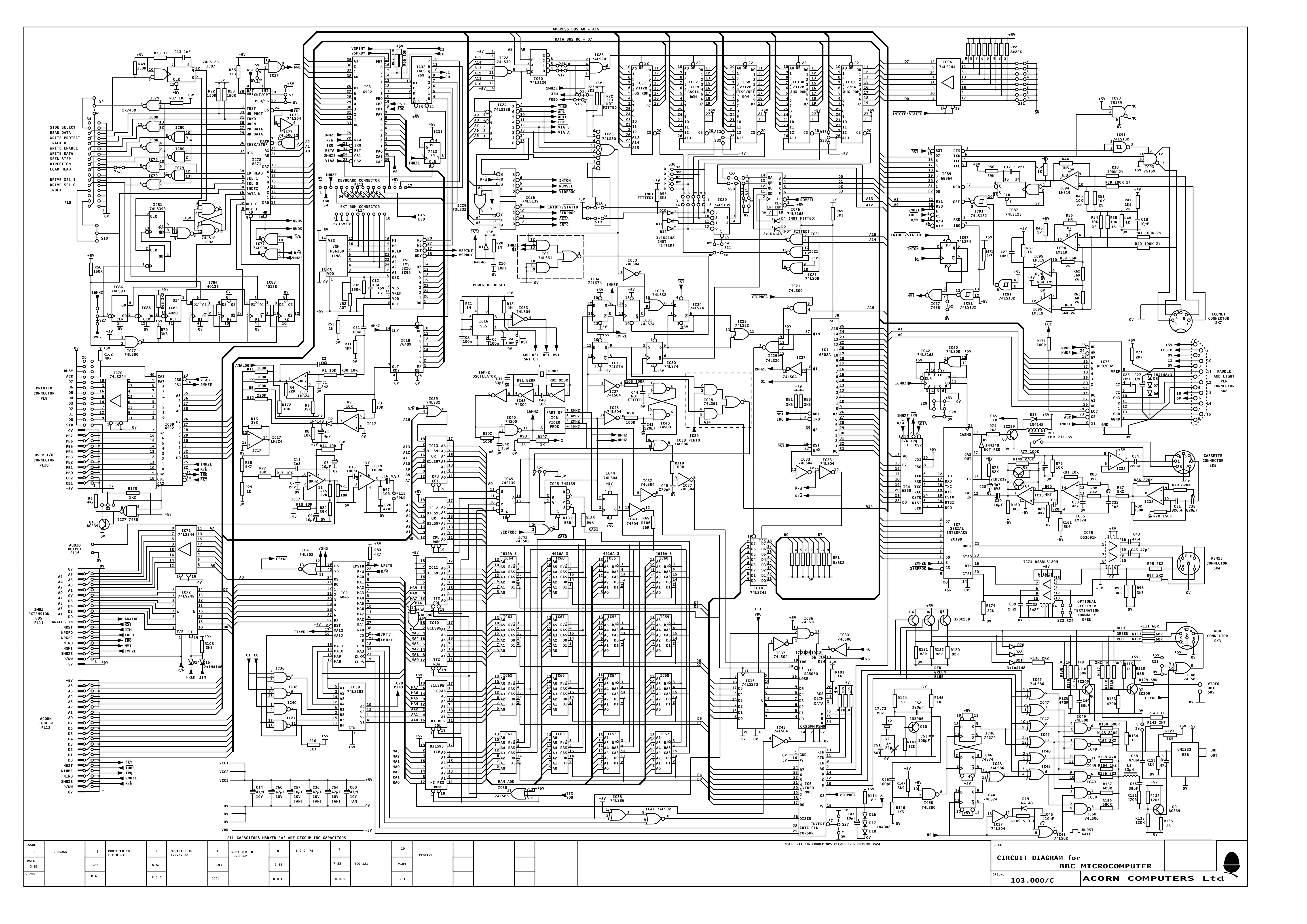
this is going to be a really niche question but is anybody familiar with the BBC micro (model b)'s display? do you know of any adapters that can change some relatively modern standard of video output (e.g. composite) and turn it into whatever digital RGB signals it uses, or any useful information on how the signaling works?
so far i know the digital signals go between 0v and 5v, the pinout of the connector, and that it's digital lmao
i have a friend that wants to revive a monitor for fun


this is the schematic for the bbc micro
dont have anything for the display
that i could find anyways

 errant flax
Have there been any UHD OLED monitors within $500 lately?
small warren
Not anything worth buying
errant flax
Or WQHD.
small warren
You could get a used LG C1 or C2 for maybe $600
errant flax
small warren
Not anything worth buying
What do you mean?
Also any oled I feel would be a tremendous improvement over my $120 24" FHD Pixio monitor haha.
small warren
errant flax
What do you mean?
Well 4K only makes sense on OLED due to the clarity beyond 32 inches
Like 0% improvement unless you have eyesight good enough to fly as an airforce pilot
So 1440p is the play for a monitor generally speaking
If you want 4K get a TV sized screen for an oled monitor
And even then I can't really vet those completely due to burn in
errant flax
Burn in is still an issue even with the screen refreshers?
small warren
Yes
Rn I can vet the 1440p 240hz OLED/QD-OLED screens
Or the 1440p UWQHD 34" 165+Hz QD-OLEDs
The rest aren't vetted for long term burn in testing at this stage
errant flax
I'd really like to get better clarity so I am undecided if I should go 4K 32" for clarity or QHD 27" for speed.
small warren
Again, 0% difference in clarity at OLED 1440p 32"
errant flax
small warren
Again, 0% difference in clarity at OLED 1440p 32"
By clarity I mean like being able to see the pixels.
I am able to spot pixels on my monitor despite having my head about 3.5-4ft away. Same for laptop screens.
errant flax
So 32" or under there is no difference in clarity just color and response time?
Also brb
small warren
No there's no difference at all unless you have extremely good eyesight
That's what I keep trying to say

On OLED the screen is so much more clean and fluid the difference is even harder to notice pixels vs a different panel type
errant flax
I plan to get a monitor then buy a psu along with the 5090 unless a good PSU sale comes up sooner
small warren
Ok don't buy a 5090 unless you go for a big 4K screen
That's actually a waste of gpu
You'll never use it
By the time that makes sense on 1440p the market will have gone through 2 generations and you could buy a mid range gpu to lap it by then
Even the 4090 is overkill for most of anything unless you make really good money out of your daily render work
errant flax
Isn't the 4090 barely able to do 140fps on QHD ultra with no dlss?
small warren
No???
Whoever told you that both doesn't own a 4090 and doesn't do their settings properly
small warren
As a 4090 owner I'm telling you
That it's hard for me to even reach 4K 60 in most situations
Which is akin to near 1440p 100
I'm most of the time at 120fps
So with that in mind let me clarify
A 5090 is a waste for two specific reasons
#1 it's a massive bottleneck for 1440p
Like you won't use all the gpu regardless
The cpu is going to bottleneck it that much
The 4090 has this issue
Both the 7800X3D and 13900K demonstrate this problem thoroughly
#2 the pure power is way beyond the weight of that class of performance
Some techniques that are game changing for your experience
Go look up DF guides for games
Optimise per game
Don't just slap max settings
Max settings often makes no significant difference and they throw a lot of extra in that doesn't do anything to the visual fidelity
misty gyro
small warren
Ok don't buy a 5090 unless you go for a big 4K screen
Even then it's probably not really worth it because of compression artifacts. Most 4k165+ monitors don't have full bandwidth DP ports and HDMI can't handle it so you need to use DSC.
misty gyro
(plus the GPUs don't have full bandwidth ports)
small warren
They bypassed the limit by just using 2 ports now
So less screens you can use
But I can very confidently tell you from 1st hand experience
Anyone saying the 4090 is a 1440p card either doesn't own one or has some absolutely ridiculous standard
misty gyro
The person saying that probably also never saw the 7900 XTX beat it in CoD
small warren
Likely didn't yeah lol
The 9800X3D can like
kinda
Saturate a 4090 at 1440p
So good luck fitting an extra 50% more cuda cores into that bottleneck lmao
It's just highly unrealistic
errant flax
I get your points.
small warren
If you really want a 5090 go get a 42"+ screen lol
That will genuinely give you a real experience and you will make proper use of the hardware
errant flax
I am trying to decide between 3440x1440 34" or a 4K 32" screen depending on which I can get within $600
errant flax
I know MSI also has one
small warren
If you paired that with a 9800X3D you could kinda saturate a 4090 somewhat well
Still way under what a 5090 will be able to do
You buy the monitor to suit the gpu, either can bottleneck the other
And we don't talk bottlenecks around here, but this is a genuine case of it
misty gyro
In a case of extremes like this it's like buying an aventador and only using it for grocery shopping
errant flax
Quick question. How does 21:9 affect recordings? I know in softwares like OBS and others I can set a custom resolution but I am wondering like does that mean I will need to put my game into a 16:9 aspect as well?
small warren
errant flax
Quick question. How does 21:9 affect recordings? I know in softwares like OBS ...
You get either stretched or black bars if you stream or upload
Some softwares let you set the aspect ratio
But if it's gaming you get the ui cut off
errant flax
So I will need to tell the game what resolution to run at then gotcha.
errant flax
How does that look on a ultra wide?
small warren
Two sides are just black
More black bars
The best way to do ultrawide recording in my experience
Do triple display
Bypass the middle one with the capture card
But even then you still get ui issues
The safest bet is always just a normal 16:9
Least trouble
errant flax
I need to go cook now but I will read what you are saying when I come back.
olive lily
misty gyro
In a case of extremes like this it's like buying an aventador and only using it ...
I'll do it for the ladies... 
misty gyro
What ladies? The single moms carting their toddlers around the grocery store?
olive lily
As long as their 🔥 😆
olive lily
They do virtually
small warren
Virtually existing but not actually existing doesn't count

Rarer than a pot of gold
olive lily
@small warren I plan to buy a 5090 or 5080 to pair with the 9800x3d and my 49" 1440P OLED. Will I still be bottlenecked?
small warren
Not on that screen
Though I wish you luck it doesn't crack down the middle
You really should support the sides
olive lily
Seen a YouTube review for it and he hasn't had issues
small warren
olive lily
I purchased a heavy duty mount from secret labs
Not enough imo
Allow me to draw what I mean
olive lily
I'll need to look at supports that will work for me right now it should be alright
misty gyro
olive lily
They do virtually
You know what they say about women on the Internet...
small warren
small warren
Allow me to draw what I mean

You could also do it halfway along
But it's basic physics you definitely should do this to protect the display
olive lily
small warren
Yup I get you. I'll look for something estheticly pleasing. Hoping Corsair might have some accessories that can work
misty gyro
olive lily
I don't 😆
Well the saying is that women don't exist on the Internet, and anyone claiming to be one is a man on the other side of that screen
small warren
Fr
small warren
olive lily
Yup I get you. I'll look for something estheticly pleasing. Hoping Corsair might...
I got nothing against an odyssey at the end of the day btw
I just vastly reject these screens from the cracking unless they're cared for properly
Nothing is more scary than samsung turning around and saying "You broke it, no warranty" on a 1500 dollar monitor
Because that's what they do
olive lily
Understood and thank you for pointing it out. I'll definitely look for something
small warren
Awesome
olive lily
Hmm maybe some small cheap speakers
small warren
That could work
olive lily
Are there actually accessories for supporting ultra wide screens?
small warren
Uh
I'm not sure tbh
Propping it up with speakers is a good idea tho
Measure the height you roughly need
Buy to that and use rtings and reviews to work out if they're nice
Buy on that
You get sound and a stand
Inexpensive idea with utility
I like it
olive lily
I probably won't use the speakers for sound, but if it looks good I'll use it just for the looks and support
misty gyro
Hmm I could really use some speakers too. Monitor speakers just aren't loud enough.
misty gyro
Now that my kids like to play on my computer and watch me play, I have to use the monitor speakers instead of my headset.
small warren
misty gyro
Now that my kids like to play on my computer and watch me play, I have to use th...
Portable speakers can be nice
JBL, Sonos? There's a few decent picks
Rom knows the good ones
Ask her
misty gyro
My wife has one I can borrow but it'll only connect through bluetooth, I don't think it has an aux port
Besides onboard audio is a PITA
small warren
Don't you have a dac you can pair to?
misty gyro
I guess I could run it through my monitor and plug into that
The only dac I have is the one that came with my cloud II
small warren
You deserve a dac lol
misty gyro
I deserve a lot of things I can't afford
olive lily
Ohh I think i might go with this option instead.

Provides a cabinet space under the monitor
small warren
If you can make it look nice sure
olive lily
 small warren
The specifics of what goes under doesn't really matter as long as that monitor is supported yeah
olive lily
I can place it right under and it would look normal
This might just be it

Too tall... but I like this idea better
small warren

 misty gyro
Is it "photoshopping your product into pictures makes your product look bad"?
olive lily
I'm a dummy. I can just easily mount the desk bracket lower and sit the monitor on top of the riser...

 surreal quarry
Using HDR
how do I fix something like this where when I look at the sky or something bright everything gets darker
I tried to calibrate using the windows HDR calibration but this still happens
misty gyro
That'll be in your monitor settings, look for something like automatic brightness leveling
surreal quarry
misty gyro
That'll be in your monitor settings, look for something like automatic brightnes...
i think the setting is disabled in hdr on pg42uq
could i calibrate my brightness to a lower amount (200 nits??) in the windows hdr calibration tool?
 turbid star
HDR requires full brightness
If you set it the HDR won't be HDR
It'd just be sRGB or whatever
But I guess you can try
HDR is just still not well implemented on most things
fossil gust
Some games have a feature like that
Meant to simulate how your eyes adjust to light
That looks like something else though, or a really borked implementation
rocky cypress
surreal quarry
is the implementation about the monitor or the game?
both ish
monitor firmware needs to support it (as well as the display being good enough to properly display HDR)
game also needs to support it (the content needs to be mastered for HDR in order to give the monitor the information required to display HDR)
alot of HDR monitors can't actually display even a fraction of what the content is mastered for (hdr10 monitors pretty much always just means that it's not worth using)
you want something certified by vesa to be sure
 cerulean mountain
how long would you all recommend waiting to power on a monitor that was in 20 degree weather for like 6 hours. Its an old CRT monitor and its condensating like crazy.
 gilded aurora
Okay i got a very big strange issue lol- im using the gigabyte m27qx monitor on eft but when i use full screen it runs like crap when i use bordleess it does the same but feels sorta better but when i use a 144hz 1080p on eft the game runs smooth lol like wtf is going on
rocky cypress
cerulean mountain
how long would you all recommend waiting to power on a monitor that was in 20 de...
Probably at least 48 hours if it's getting that much condensation
Assuming that it was in the car previously, I honestly probably would have used the car heat + ac on to warm it up without the tv being at the dew point
Which then would have made it safe to bring inside with minimal risk of condensation
 fading wyvern
gilded aurora
Okay i got a very big strange issue lol- im using the gigabyte m27qx monitor on ...
fading wyvern
gilded aurora
Okay i got a very big strange issue lol- im using the gigabyte m27qx monitor on ...
What kinda gpu do you have
1440p is pretty hard to run
3.6m pixels versus 2m
gilded aurora
fading wyvern
What kinda gpu do you have
4080 super
fading wyvern
Welp that’s weird, add a framerate cap, odd question what kinda mouse do you have
Specifically is it a 8k hz mouse

 bright silo
Hello I'm looking to get a new monitor. I'm thinking 240hz ips because I'm afraid to get oled due to possible burn in
Any recommendations?
visual pilot
What's your budget?
visual pilot
bright silo
Any recommendations?
And what will you be using it for? Current OLED panels are very resistant to burn in for most uses
 severe depot
Do you guys know of any 4k 144hz oleds, I’m looking to upgrade to an oled but im only finding 4k 240hz and I don’t really care about high framerate
fossil gust
gilded aurora
Okay i got a very big strange issue lol- im using the gigabyte m27qx monitor on ...
Little late but is this maybe a bad display cable? Like it isn't able to fully support 1440p165 but can do 1080p144 fine?
small warren
severe depot
Do you guys know of any 4k 144hz oleds, I’m looking to upgrade to an oled but im...
Really only worth it for big TVs tbh
severe depot
like oled itself is only worth it for tvs? or 4k 240? I saw my friends oled and i liked it more than the 4k monitor I have now
fading wyvern
I know a ton of 4k 120hz tvs 
Oled is great in general think he means there’s no decent value deals for 4k oled atm
severe depot
yeah ik im hoping the new ones push prices down for older models
I missed all the holiday sales so now everything is back up again
fading wyvern
I’m not actually sure if they are manufacturing anything less then 240hz atm
severe depot
yeah its just my 4090 has like a black flickering issue with dsc that i could never fix so i wouldnt be able to use the full 240hz and I don't usually get 240fps at 4k anyways
small warren
Ok well having a 4090 at least justifies more than basic 1440p
But using a normal 27" would be completely pointless for 4K
severe depot
I have a 32inch 4k right now I just wanted a 4k oled
fading wyvern
Just looked over rtings oled list, the lowest hz besides lg tvs is 175 in ultrawides
Gunna have to do a 240hz
small warren
OLED masks the clarity difference quite well so it's very hard to notice the difference to 1440p at 32"
So really the best choices imo would be a 34" uwqhd qd oled
severe depot
oh like the alienware one?
small warren
Or a 42"+ 4K
Yea
The aw3423dwf is like the only mildly justifiable 1440p display for a 4090
But it's also a monitor size
Otherwise 42"+ 4K just makes perfect sense
fading wyvern
https://www.rtings.com/monitor/reviews/msi/mpg-341cqpx-qd-oled <-rtings pick for ultrawide

RTINGS.com
The MSI MPG 341CQPX QD-OLED is a 34-inch 1440p ultrawide gaming monitor with a QD-OLED panel. It competes against other ultrawide OLED monitors like the LG 34GS9...
small warren
fading wyvern
https://www.rtings.com/monitor/reviews/msi/mpg-341cqpx-qd-oled <-rtings pick for...
Essentially the same thing
fading wyvern
Yeah just giving them an idea
severe depot
do oyu guys think like ultra wide 1440p vs 4k at 32inch is a noticeable differene
fading wyvern
$700 on Amazon ain’t bad atm
small warren
severe depot
do oyu guys think like ultra wide 1440p vs 4k at 32inch is a noticeable differen...
I can't tell the difference myself
And I have 1st hand experience
severe depot
my friend had the aw3423dwf and i liked it but idk if like 4k oled vs 1440p oled is noticeable
small warren
I can barely notice any pixels at 43" sitting 2.5ft away from my face lol
My vision is pretty good too, and I'm on QLED which is more noticeable for screen door
severe depot
I'll probably get the aw3423dwf then cause its one sale still on amazon too
fading wyvern
It’s about 138 pixels per inch in a 4k 32in vs 110 in a ultrawide
small warren
The thing is even if you can even notice a mild difference, the fact that games run so much easier anyway more than makes up for it
fading wyvern
It’s a bit less then you’d be use to
small warren
A 4090 is a 4K card imo, but uwqhd can be justified somewhat
severe depot
I didn't really notice a big difference on my friends like I do between my old 1080p monitor
small warren
Oh yeah 1080p is easily noticeable
For 4K tho I can't tell to 1440p
Like really almost at all on <32"
Which really you can just sit a little further away and it's fine
OLED makes it even harder to notice
severe depot
yeah thats the only thing holding me back is the 4k i do kinda want i feel like if i go down to 2k I'd want like a higher refresh rate i may get that 2k 500hz monitor they just released
fading wyvern
You have any local friends or like a Best Buy you can check out some monitors at?
severe depot
I know like optimum said it was like looking through a window
Yeah i have a bestbuy nearby i can check out
small warren
severe depot
I know like optimum said it was like looking through a window
This is exactly my first impression
severe depot
do you have like a 360hz + monitor?
fading wyvern
I do
small warren
But don't consider 1440p a downgrade if you literally can't tell
severe depot
in this case would you go 2k 500hz oled over like a 4k 240hz
fading wyvern
I have a good old 1440p qd oled 360hz
small warren
severe depot
do you have like a 360hz + monitor?
Going over 240 makes no sense for 99.99% of people
Including that dummy above
Lol
severe depot
yeah ik i barely noticed 240hz when i had it on a 1080p, but hearing its like looking through a window does sound appealing
fading wyvern
It was the best deal for the best rated monitor 
small warren
severe depot
yeah ik i barely noticed 240hz when i had it on a 1080p, but hearing its like lo...
OLED in general looks like this
500hz isn't needed
severe depot
oh I thought it was exclusive to the high refresh rate
small warren
fading wyvern
It was the best deal for the best rated monitor <:P_hmmgun:930567925344129024>
Still won't convince me
fading wyvern
Well the minimum you can buy Felix is 120hz in a 43in tv
fading wyvern
Moving from there you jump to 175hz ultrawides normal size monitors start at 240hz
small warren
Do you want your screen to have over 30% dsc
small warren
Cos you will actually see a difference if you have that much dsc
severe depot
yeah I was planning on selling my 4090 when the 50 series released just to get the new display port
small warren
severe depot
yeah I was planning on selling my 4090 when the 50 series released just to get t...
Basically no monitors on the market use the new dp yet
fading wyvern
Dsc ain’t nuffin
small warren
What some use are dual ports
severe depot
Oh i didn't know you could do that
small warren
So even if you buy now you're still capped
small warren
fading wyvern
Dsc ain’t nuffin
Say that again when your 4K looks like 1080p
fading wyvern
small warren
Say that again when your 4K looks like 1080p <:kekw:741678350791081994>
I already watch all my YouTube videos in 1080p
small warren
We also need to establish something here
fading wyvern
It looks like 480i
severe depot
oh i didn't know that
small warren
165+hz is going to look good regardless
fading wyvern
Yeah the pixel response time is insane
severe depot
is dsc actually that bad i havent used it yet ive just been using hdmi 2.1
fading wyvern
No ghosting
small warren
severe depot
is dsc actually that bad i havent used it yet ive just been using hdmi 2.1
It really is, also use dp 1.4a
Dp still better
severe depot
yeah i used dp 1.4a but my screen would go black for like 2-3 seconds randomly and switiching cables didn;t fix it
small warren
Sounds like hdr
fading wyvern
Huh maybe a bad port
severe depot
but switching to hdmi stopped it so i just stopped using it
severe depot
I used the cable from msi and then bought an invanky one off of amazon
no it was like the second month of having the monitor
fading wyvern
That’s true, like you said hdr can cause that when switching apps
small warren
severe depot
I used the cable from msi and then bought an invanky one off of amazon
Sounds like a dead cable then
small warren
fading wyvern
That’s true, like you said hdr can cause that when switching apps
If there's one thing I've seen almost the whole gamut of it's cables
severe depot
no i mean like i tried switching cables and it didnt resolve the issue
severe depot
but ill try turning off hdr but like it would just flicker black mid game without switching apps
small warren
severe depot
but ill try turning off hdr but like it would just flicker black mid game withou...
That's definitely is a bad cable or port
fading wyvern
Sounds like a bad connection somewhere
severe depot
i know in some games when you alt tab you can expect a black screen but i would just be playing a game and lose signal in only that monitor
fading wyvern
I back that statement
severe depot
I'm pretty sure its the port i just dont know if its on the monitor or the gpu
and im praying its not on the gpu
small warren
Well you got 3 dp ports on the gpu
fading wyvern
small warren
Only one way to find out
fading wyvern
Plenty of options
severe depot
i read a post on reddit where for the asus 4090s only a specific dp port works with dsc correctly so I'm hoping the port isn't broken
fading wyvern

severe depot
hold in i'll find it
fading wyvern
That sounds terrible
small warren
Wtf
fading wyvern
The hell
severe depot
ik you guys don't have the coil whine
small warren
Strix is such a joke now wtf
fading wyvern
You have coil whine on a strix?
severe depot
yeah apparently they use higher capcitance capacitors or something but they create a more audible coil whine
small warren
We need to go back a couple generations when strix actually meant something
severe depot
so newer models use the older lower capicitance caps but the older models which i have have like really loud coili whine
fading wyvern
The card in my brothers pc is a tuf 4090 and it’s solid
severe depot
Reddit
Explore this post and more from the nvidia community
fading wyvern
Welp
small warren
severe depot
https://www.reddit.com/r/nvidia/comments/15nyrqv/new_inductor_on_asus_strix_4090...
You know how you fix it
Buy thermal putty, try and locate the part that vibrates, suffocate it
severe depot
I just turn up the volume on my headphones and hope my roommate can't hear it
fading wyvern
 small warren
It's quite fixable but you need to catch it
I'm thoroughly stunned if that dsc part is true though
That's just
fading wyvern
That sounds like so much work on the manufacturing end
small warren
Like it's one of the most expensive 4090's and it's just demonstratably worse than a suprim lmao
severe depot
idk if its true but it was on r/oledgaming couldn't find an actually source from asus or nvidia so i guess its just anecdotal
Reddit
Explore this post and more from the OLED_Gaming community
The google ai is telling me that hdmi 2.1 can use dsc is that true is it just like wrong
fading wyvern
So dp1.4a or w.e just has higher bandwidth dsc is just compression when you don’t have enough bandwidth
severe depot
oh yeah i heard but like they were saying hdmi 2.1 would have a lower dsc ratio
than using dp 1.4
fading wyvern
Weird
fading wyvern
Well w.e works
severe depot
whats w.e
fading wyvern
Whatever works is my catchphrase
severe depot
oh lmao
fading wyvern
Ram suddenly boots at xmp and wouldn’t before? W.e works 
small warren
small warren
Dp still better
Every day I learn something new
Turns out I'm wrong about dp 1.4
Keep using hdmi 2.1
 severe depot
I would have to switch to dp im pretty sure if i got 4k 240hz cause i need dsc
small warren
fading wyvern
hdmi 2.1 is better?! <:clown:926621571303506070>
32.4 vs 48
small warren

 small warren
Idk man my brain managed to fart out the concept somehow
fading wyvern
Lemme check if I have 2.1 on my 3080ti
Lmao
Okay it has 2.1 and my monitor has it
I’m a fool
small warren
The more you know
LOL
It's been many years since I started saying that so I have NO idea where it came from
fading wyvern
I have a super nice 2.1 cable sitting in a drawer 2
Oh god
I’ve been spreading this info
Oh no
small warren
You know what's even weirder
I used to use graphic pixel calculators
I would've noticed this
Somehow I didn't
Anyway
small warren
Live and learn, we own up to it
 fading wyvern
On hdmi*
small warren

 fading wyvern
Just confused the crap outa me missed .6 dp generations
small warren
fading wyvern
Just confused the crap outa me missed .6 dp generations
Do you really expect cable standards to ever make sense
small warren
severe depot
The google ai is telling me that hdmi 2.1 can use dsc is that true is it just li...
It's true btw
fading wyvern
Besides that one time with the m27q
fading wyvern

small warren
Xv275u pgktbdkfkgkrndrixx
You have to wonder if they just let the cat finish the name
severe depot
small warren
It's true btw
So i can keep using hdmi 2.1 with the new oled and still get dsc if needed
small warren
severe depot
So i can keep using hdmi 2.1 with the new oled and still get dsc if needed
Ye
fading wyvern
We are dumb
severe depot
thank god
I think there has just been like to much display port propaganda cause i remember when I first got the 4k monitor everyone was telling me to use dp
but dp 2.1 is like double hdmi 2.1 so its fair ig
small warren
If it's dp80 yes
Only gpu on the market rn with dp80 is the w7900
You can buy dp40 and it meets spec at half rate
misty gyro
small warren
Xv275u pgktbdkfkgkrndrixx
Acer does that on purpose. They flood the market with similar model numbers and send reviewers the good ones, hoping you'll see that review and buy the "cheaper version" that's really a VA panel even though it's one letter off from the IPS model.
Warehouse workers often send the wrong monitor too because they don't check that closely.
For these reasons I never recommend Acer.
 white niche
Monitor color calibration tip????
misty gyro
Unless you need it to be perfectly calibrated for work or something, just go with what looks good to you
And there's color settings in your gpu driver app too
white niche
misty gyro
And there's color settings in your gpu driver app too
Thanks
small warren
white niche
Monitor color calibration tip????
Colorimeter highly encouraged or things will look off
rocky cypress
default calibration would often be better than what you can do by eye
like felix said, you need a colourimeter in order to increase accuracy, but it's quite expensive for just one use if you're not doing photo work professionally
you may be able to find a rental unit for much cheaper but it's not very common
fossil gust
Sometimes reviews or forums will have reccomended settings if it's a popular panel
misty gyro
Even then there's panel variation, so the settings are often invalid for units besides the one the profile is made for
 wanton compass
My TV is failing and I’m looking for a new one but not great with display knowledge. How can you tell what TVs are good for a certain value?
misty gyro
I recommend rtings, they review a lot of the major ones and publish articles about which ones fit what budgets
wanton compass
Yeah I was gonna get a Q60D because it looked good instore
for my budget
but then again all TVs here look like that
cerulean mountain
Anyone here do any retro gaming on old hardware? Trying to figure out the best way to convert to VGA. I saw displayport, HDMI, USB 3.0 type A(?), and USB C. I got a CRT monitor that has a little higher refresh rate if that matters (85hz). I saw some powered adapters but not sure what the perk of that would be.
rocky cypress
vga is an analog video signal
hdmi, dp, usb (which is really just displayport again) are all digital video signals
you'll need an active converter to change from vga to dp and hdmi
cerulean mountain
Thanks
fossil gust
If the CRT has DVI you can use a cable without active conversion
misty gyro
Assuming it's a DVI-A or DVI-I port. If it's DVI-D then that's digital only.
fossil gust
well that still works, no? HDMI and DP are digital
misty gyro
Correct, but you'd need another active adapter to go from DVI-D to VGA
visual pilot

pcgamer
OLED adoption on the PC much faster than with TVs.
fossil gust
Hmmm
22% of $ sales maybe
Considering oleds are $500+, say average slae price was $650; and the common 1080p/1440p picks are maybe $175 on average 175/650=0.269
22*0.269= 5.9% of gaming monitors sold were oled which seems more believable to me
I guess add in some 4k panels and maybe that average price for non OLED goes up
So then maybe 8-10% of monitors sold were oled
 tribal spire
@fossil gust you can go 1440p OLED for lime 350
It's very barebones entry-level feature wise
But still a QD-OLED panel
fossil gust
? Is the $500 AOC not the cheapest
fossil gust
Ok but still, talking average selling price. The majority aren't getting it for $350
tribal spire
OLED prices are falling and people are moving up from 1080p pretty rapidly
The OLED revolution is legitimately happening already
fossil gust
I mean, even 10% of monitor unit sales being OLED is a lot
I just find it hard to believe 22% of unit sales were oled
tribal spire
It's getting there
visual pilot
fossil gust
22% of $ sales maybe
At least 22% of all LG gaming monitors sold are OLEDs now, not by $. It might be total market too, but it's hard to check the numbers since it's one guy relaying what LG said during a press brief
fossil gust
visual pilot
At least 22% of all LG gaming monitors sold are OLEDs now, not by $. It might b...
I could believe 22% of LG unit sales
misty gyro
It sounded more like 22% of new monitor models are OLED, not anything to do with sales
(I did not read the article)
I have now skimmed the article and I did not see anything about sales numbers. I believe my first impression to be correct.
rocky cypress
Oh
fossil gust
Oh like new model releases
visual pilot
misty gyro
It sounded more like 22% of new monitor models are OLED, not anything to do with...
"OLED is already sitting at 22% of the total gaming monitor market share" is the original quote from the video that the article links to, and I would think the best way to interpret it is 22% of all models sold, although it seems more likely that it's only LG numbers and not the entire market
 light stirrup
Hey everyone. I am currently in a predicament. A supplier I know can offer me an open box of any of the following models for 750 CAD (pls do conversions to USD if needed)
LG 45GR95QE-B
Practically any 4K 240hz OLED. Currently LG, ASUS UCDM, Alienware, MSI. What do I go for? What is the best bang for my bucks?
misty gyro
light stirrup
Hey everyone. I am currently in a predicament. A supplier I know can offer me an...
Is this for gaming or...?
light stirrup
misty gyro
Is this for gaming or...?
🙄
errant flax
light stirrup
🙄
Is this meant to be a yes or a no? We try to ask genuine questions to give proper answers. Thank you for understanding.
prime sun
light stirrup
🙄
People use monitors for more than just gaming lol
Different use cases for each
light stirrup
errant flax
Is this meant to be a yes or a no? We try to ask genuine questions to give prop...
That is a yes
light stirrup
prime sun
People use monitors for more than just gaming lol
Gaming/movies/multimedia…modtly everything EXCEPT office
I’ll be using my 1080 24 inch high ppi monitor for that
 olive crescent
I have an XV272U I think? looks close enough to this https://www.ebay.com/itm/276240245047

eBay
Acer Nitro - 27" Gaming Monitor WQHD 2560x1440 180Hz IPS 250Nit HDMI DisplayPort.
I have this KTC monitor on the way (I can cancel though) https://a.co/d/0bSuGHb for 125$ ish new, should I get the Nitro refrub to match my current monitor

27 inch Wide Quad High Definition 2560 x 1440p, 1500R, Curved HVA Fast Panel, 120% sRGB, HDR10, 180Hz, 1ms(MPRT) Ultimate eSports Gaming Monitor. Experience the next innovation in PC gaming performance. With FreeSync Premium & G-Sync Compatible,the graphic card and monitor refresh rates are synch...
or just wait for this KTC
olive crescent

Elevate your gaming experience with the Acer Nitro 27-inch gaming monitor. This renewed gaming powerhouse combines high performance features with stunning visual quality. The WQHD resolution (2560x1440) provides crystal-clear image quality while the 144Hz refresh rate and 2ms GTG response time en...
XV272U Vbmiiprx
checked my amazon history, but mine doesn't have the side ports
misty gyro
Oh you even got it from amazon
They're notorious for being lazy and not checking the full model number when they pull from the shelf
So people get sent the wrong one all the time, and product pages are a mess
olive crescent
well, it was shipped by amazon
sold by acer refrub
or maybe it was S&S by acer
but they have the same exact thing on ebay too at the time
olive crescent
olive crescent
I have an XV272U I think? looks close enough to this https://www.ebay.com/itm/27...
i'm just wondering now if I should let KTC come in or reorder and buy this for a 2nd monitor
cause possible panel difference, etc etc, since it's va vs ips, list goes on
misty gyro
It depends on how much the colors not matching exactly would bother you
olive crescent
misty gyro
It depends on how much the colors not matching exactly would bother you
not too crazy, unless it's like there's a BIG tint difference
but I also have night mode or the yellowish tint on monitors after 9 pm so
misty gyro
Low blue light mode
It's mostly placebo in my experience but it's supposed to help you get to sleep
Most research on it is inconclusive
turbid star
I think the studies on blue light damaging your retinas were using light intensities way beyond what you encounter in real life
The sleep bit yeah inconclusive
rocky cypress
Sleep part may be true, eye fatigue part may be true
Though at the same time, it's not really the blue light glasses that help
It's putting a mexico filter on your display to mute colours slightly and to make it less bright
I think brightness is the cause of most people's issues
But at the same time, it's a pita to adjust brightness on desktop since you need to do it on the OSD
Or install an app to lower the brightness
olive crescent
or like me, put some light next to your desktop and have brightness all the way down
I usually turn it up when i'm playing games but otherwise it's at 0
nothing crazy
olive crescent
rocky cypress
Sleep part may be true, eye fatigue part may be true
Though at the same time, it...
mexico filter?? nvm I see what you mean
speaking of stuff being put on monitors, the privacy screens cost so much for no reason