#old-monitors-and-tv
1 messages · Page 17 of 1
 small warren
So that one also sucks
Not even mid, it's just really outdated for a recent monitor
Panel is over 5 years old, it's beaten by the XV272U in every facet
And AQA1A is old style VA so yeah that has nothing going for it tbh
After thoroughly researching this, I'd not pick either TUF, at all. Lol.
Of the ones I listed, the KTC is a monitor junkie's wet dream
QPF has been a solid well received panel for a long time
XV272U is a latency chasers ol' faithful pick
LG is really nice overall
XV275U should be an extremely good pick as well
There's a lot of false positives in the monitor market. Sometimes the really budget picks wipe the floor with the name brands
Ultimately most of these panels come from several oems and all these brands purchase from them
For example both ktc and Asus buy innolux panels
Ktc however prices aggressively with extra features and uses up to date innolux panels, unlike asus that charges a premium for the same thing
 uneven bluff
small warren
LG is really nice overall
uneven bluff
small warren
LG is really nice overall
thanks a lot but I did search for that already and its nowhere on amazon
the xv275u
I found the 272U but its for $500.. isnt that a bit much for a 1440p
with HDR400 💀
uneven bluff
small warren
Ktc however prices aggressively with extra features and uses up to date innolux ...
I seen these Ktcs but im doubting the quality as its new
small warren
That one panel I've seen recommended a ton by monitor nuts
uneven bluff
lol which
small warren
The ktc
They sell the cheapest and also nicest 240hz oled on the market at 550
It comes with a kvm
a kvm
Value big
uneven bluff
oh whats kvm what am i missing
small warren
Also, I'd try not to hyper fixate on one store, that mini led has shockingly good reviews for 190
Kvm, it's on their oled
Basically lets you run one keeb and mouse for multiple pcs
Multitask madness
uneven bluff
small warren
Also, I'd try not to hyper fixate on one store, that mini led has shockingly goo...
unfortunately outside amazon I have to pay extra fees
a lot of fees
uneven bluff
drop shipper for what
uneven bluff
small warren
You live like middle east or something?
yes
small warren
Ok figures
small warren
uneven bluff
drop shipper for what
You can send the device in the us to them, then they send onwards to you
uneven bluff
small warren
You can send the device in the us to them, then they send onwards to you
ohh
still they make profits by the hundreds I wouldnt consider
small warren
Newegg is an option too btw
Well, pick from the cheapest I put there tbh
Or wait a couple weeks and it'll all change
uneven bluff
they dont do free shipping on monitors
small warren
You are likely going to be paying a lot for the shipping
Yeah they won't
The shipping is going to be mad expensive
uneven bluff
lol 100 min
small warren
I'm surprised amazon would even offer free
uneven bluff
yea they got lots of mini stores, warehouses they be missing out if they make shipping expensive
small warren
Well monitor sales shift regularly
If you can refer to the main review sources, I'd keep an eye out for a particularly good one
Pay attention to places like rtings and display ninja
Rtings has very deep testing
Places like display ninja list panel type
So you can find what panel was in where
uneven bluff
got it
small warren
Not like, va or ips
I mean the brand and product
For that specific screen in say, acer nitro blah blah monitor
Very useful knowledge
Cos then you'll find things like what I did with both those tuf screens using ancient monitor tech
Or a related review that gives you a better picture of a different monitor brand but same screen
Not trying to dump the choice on you but given my experience with shopping for saudi arabia specifically I find it's better to teach people to fish from that region
Not a lot of easy info to find on price information for middle east area
Unfortunately
uneven bluff
small warren
Not trying to dump the choice on you but given my experience with shopping for s...
lol amazon.sa got some nice deals but not many monitor options
small warren
I've helped a few people from there tho, the consensus is like, 1.6x-2.5x the USD price iirc for pc hardware
I see
Yeah it can be tricky
uneven bluff
https://amzn.eu/d/hKDOz6Q wdy think about this one
small warren
If we can answer specific questions unrelated to price then we should be a little helpful
That's an awesome screen
That's the lg oled panel iirc
uneven bluff
havent seen other oleds since they came out guessing they still above $700?
small warren
600 for you??
uneven bluff
total
small warren
Wow
uneven bluff
ye
small warren
That's actually amazing
uneven bluff
cheap or what
uneven bluff
lol still more than usa
small warren
You won't match
Usa doesn't include tax
They're always cheaper lol
And even then you have distribution channels, making it even less likely to be equal
uneven bluff
ye I kinda calculated the tax but sometimes its different
small warren
600 is an amazing price
And if you want like a "Buy one, buy never again" kind of screen, oled is amazing
I dig the suggestion tbh
uneven bluff
small warren
600 is an amazing price
did I mention its without tax
uneven bluff
oke
small warren
small warren
They just don't slam the brightness anymore
350 nit peak brightness is the safe limit
uneven bluff
oh thats low no?
uneven bluff
how am I gonna see
small warren
350 is bright on oled
uneven bluff
lol
uneven bluff
aha
uneven bluff
ok then
uneven bluff
but is it 350 max or advised to not go over that
small warren
Advised
You can go over, won't die instantly, take months and months of it constantly
But highly recommended
Stay under 350
uneven bluff
small warren
Just avoid direct sunlight
lol I got 2 1.5x2.5m windows in 3.5x7m room
got curtains so not a prob
sometimes
uneven bluff
you really like oled lol
 misty gyro
It's just that much better
small warren
uneven bluff
you really like oled lol
Lemme give you the tl;dr
The latency gain is equivalent to that of upgrading your gpu several times over
The colour is nearly perfect
Contrast is unbeatable
The motion clarity is nearly perfect
The only drawback is coating for some people
uneven bluff
but there is no way all oleds are that good
small warren
No ofc not
It's this specific panel
This is one of the fixed ones
You just keep the brightness low and it's beautiful
Oled has had horrible burn in for years
uneven bluff
so I shouldn’t look further?
small warren
You could... I'd say that's an excellent start already tho
small warren
Started off with an endgame pick
misty gyro
small warren
Oled has had horrible burn in for years
It turns out reports were a bit exaggerated on that. Some of what was called "burn in" was temporary image retention caused by poor testing methodology. New data shows it likely won't be noticeable for at least 2 years of normal use.
small warren
Yes
But it still held up somewhat
Some of the screens recovered extremely well
Not all tho
uneven bluff
misty gyro
It turns out reports were a bit exaggerated on that. Some of what was called "bu...
lol then noticeable after warranty ends
uneven bluff
small warren
Some of the screens recovered extremely well
lol self healing screens
or improved models?
small warren
Better self care for the screens
They do refresh cycles to prevent tft burn in turning to permanent burn in
In a way yeah self healing
That's recent tech btw
uneven bluff
nice
small warren
Prior to that all oled was completely garbage
uneven bluff
yep
misty gyro
uneven bluff
lol then noticeable after warranty ends
Barely
uneven bluff
too bad that ktc is only 100hz now I gotta completely wreck my budget with that oled
misty gyro
And only if you have lots of static elements on screen like a HUD
uneven bluff
misty gyro
And only if you have lots of static elements on screen like a HUD
nah I make sure to close when im not using
uneven bluff
lmao imagine having a monitor more expensive than the gpu (7900 gre)
misty gyro
It makes the GRE feel like the XTX tho
small warren
Fr
uneven bluff
small warren
Hide taskbar, run black background
fortunately I don’t stare at the homescreen long enough to require a black wallpaper
small warren
Anyway, if you want a quick synopsis of that oled, watch this
https://youtu.be/hMzCnEhfB18
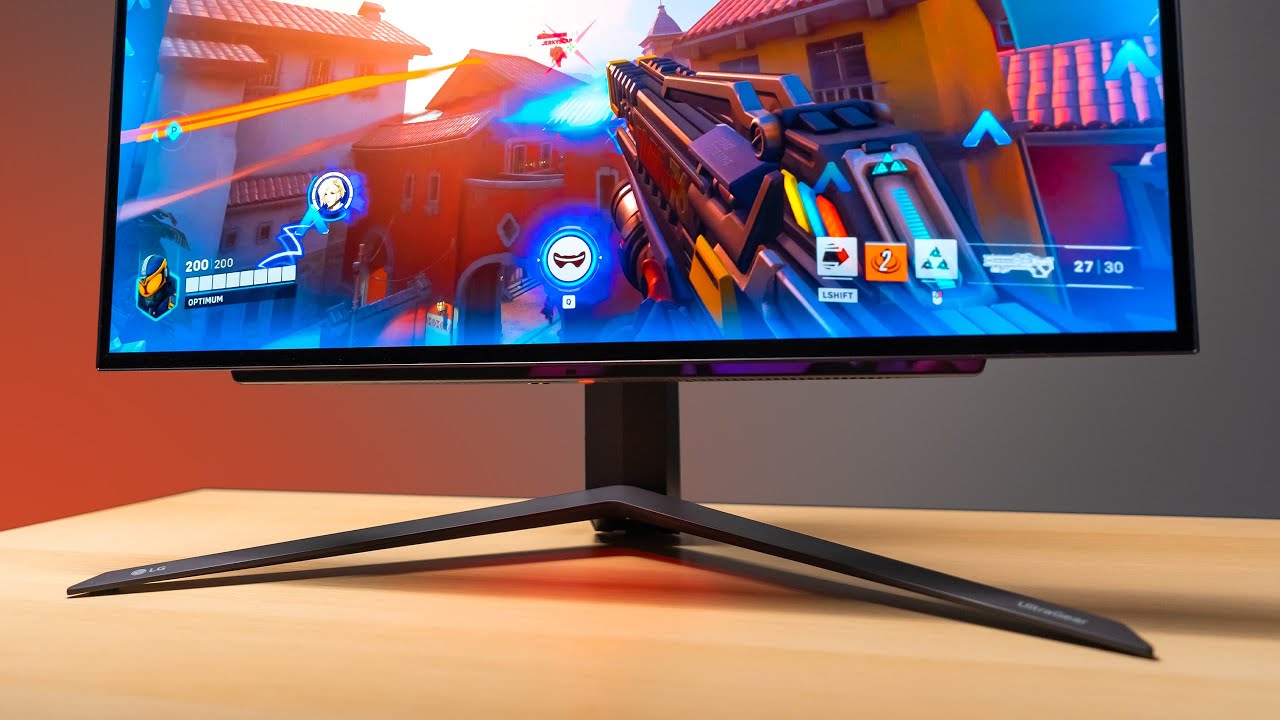
Check prices on Amazon below
LG OLED 27": https://geni.us/Rc1Ocr
ASUS 1440p 360Hz: https://geni.us/zbGIBZ1
Great value 1440p option: https://geni.us/Dnd4lo
Zowie 360Hz: https://geni.us/Nqa8
LG 27GR95QE on LG.COM: https://bit.ly/3XInv26
OLED has finally made it's way into a 27" form factor. The result is almost perfect.
need a new wallpaper? ...
Same panel
Potentially different screen coating
uneven bluff
what the purpose of the coating
small warren
LG's has a bit of a blur coat
small warren
uneven bluff
what the purpose of the coating
Light dispersion
uneven bluff
so no crisp resolution? 😦
uneven bluff
lol why discord use the emoji instead of (
small warren
But it can make text a tiny bit blurry
Realistically it's still glass, still a massive uptick over a plastic film coating over an ips
But yeah, subtle differences at most
The part that matters most is there
uneven bluff
ok Im really considering oleds now
 fading wyvern
Oleds are very cool 😎 can confirm
small warren
@keen helm I'm one ping away from some more advice what's going on mate?
 keen helm
small warren
<@298240739438231562> I'm one ping away from some more advice what's going on ma...
keen helm
small warren
<@298240739438231562> I'm one ping away from some more advice what's going on ma...
Yo wassup
small warren
keen helm
Yo wassup
I got a dm request, which is ok, but just give me a ping in here when you got any questions lad, I'll answer within a day
I get a lot of pings, so keeping them in here means others who I trust, will give at least very decent advice on top, so you can get 2nd and 3rd opinions 👍
Also allows for a greater dialogue as I might forget something or someone else might notice something that has a much greater impact
And vastly improve the outcome
 narrow tree
anyone with the new asus 1440p 480hz monitor have an issue where a white static line appears across the screen at each power on? https://streamable.com/3jbfh4
misty gyro
narrow tree
anyone with the new asus 1440p 480hz monitor have an issue where a white static ...
That may be caused by a loose/bad video cable. You can swap that out and see if it helps. If not, and it's working fine otherwise, I'd ignore it. If it bothers you or gets worse, ask Asus support for a RMA.
uneven bluff
VG249Q3A-J good side monitor? I think its a better version of VG249Q1A no?
or cocopar USB-C Portable Monitor - 15.6 Inch FHD HDR FreeSync?
small warren
Call me weird, but I like the idea for a 2nd monitor being portable
That is only if you have a usecase for this
Like taking it on a vacation with a Series S for example
If not that then a normal ho hum screen you've always had and don't spend money on it
uneven bluff
small warren
Call me weird, but I like the idea for a 2nd monitor being portable
valid
so the cocopar?
but its only 60hz
double the price for a portable unfortunately
misty gyro
If it's only used as a discord/youtube/chat monitor then Hz doesn't matter
uneven bluff
misty gyro
If it's only used as a discord/youtube/chat monitor then Hz doesn't matter
yes but feels weird looking at different refresh rates at the same time
small warren
Once you're adjusted to multimonitor you'll not see the need to spend extra on the 2nd
misty gyro
You wouldn't even notice. I don't. My primary is 165 and secondary is a 4:3 60 hz I have vertical.
small warren
Spend more on the primary if you have budget
uneven bluff
oke
uneven bluff
about that aoc monitor.. is it possible to be incompatible with my wall voltage? mine is 220 and it says US, there is a UK option but is $200 more
220v US is 120v, just wanna make sure
amazon doesnt do full refunds anymore yk
 quartz sandal
Amazon deff does do full refunds they have to by law in most countries?
And usually things are built nowadays to go between 120 and 240v but I'd check on their site/reviews
Worst case scenario you get a converter for like a tenner
misty gyro
uneven bluff
about that aoc monitor.. is it possible to be incompatible with my wall voltage?...
The power brick it comes with is compatible with the full range of input voltages. Worst case you just need a different cable between the brick and the wall.
uneven bluff
quartz sandal
And usually things are built nowadays to go between 120 and 240v but I'd check o...
visited the site and found lotta nothing and it having hdmi 1.4 like its a flex
and the refund part im not joking I ordered a keyboard for $322 and cancelling refunds only 278
small warren
If it doesn't need 2.0 then I don't see why you're looking for it
misty gyro
Even HDMI 2.0/2.1 won't do the full 1440p240Hz, especially not with HDR on
uneven bluff
small warren
If it doesn't need 2.0 then I don't see why you're looking for it
its 240hz doesnt hdmi 1.4 only support upto 165 or something at 2k
small warren
DP 1.4a is good enough and basically all GPU's you can buy rn are capped to it
Or as the real spec goes, UBR40
You don't use hdmi if you have the option to not use it
Hdmi is the copium pick
uneven bluff
misty gyro
Even HDMI 2.0/2.1 won't do the full 1440p240Hz, especially not with HDR on
yep dp better but still a negative
small warren
Rarely is hdmi the better spec on a monitor
DP has so much more going for it
Hdmi 2.1 can even be misrepresentative
Same with dp 2.0
You can have different bandwidth specs for both
uneven bluff
ok thanks
misty gyro
They can call it HDMI 2.1 if it supports the features (like DSC) but only has the bandwidth of 2.0, and the HDMI forum officially recognizes that BS as valid.
small warren
Hdmi 2.1 has the same spec designation
Ya
Or hdmi 1.4
So you buy it thinking you get better but the interface is still the same underneath
misty gyro
DP 1.4 has higher bandwidth than HDMI 2.0 so it's a moot point really
small warren
Yep
uneven bluff
ok got it but I need a tip with something else pls
H100x RGB Elite 240mm good for 7600x? does it need core xt or whatever its called, I got a controller that came with my 4000x will that work?
misty gyro
Corsair coolers are not compatible with most stock controllers
uneven bluff
didnt have any corsair cooler before
misty gyro
They're also generally bad coolers
small warren
Is this an old cooler
misty gyro
The 7600X is perfectly happy with a single tower air cooler
small warren
Ok no
misty gyro
For $20
small warren
H100x is like, worse than probably some single towers now
uneven bluff
lol fr?
small warren
Ya
The science is not just in the size
But the design of the metal plate that sticks to the cpu
The paste used as well
And the efficacy of the fins, fans, all of it
uneven bluff
ok Ill scrape the paste I got some noctua left
misty gyro
There's far better liquid coolers for $45-55
small warren
Cooling, despite people's claims how little it's changed, has changed a lot over time
uneven bluff
which pls
uneven bluff
asrock b650m pro rs cool piece
small warren
Ok yeah if you want pbo, a thermalright phantom spirit
But you won't really need that much
misty gyro
One of the best AMD coolers if you want liquid cooled https://www.ebay.com/itm/355773832670

eBay
COOLER THAN OTHER AIO WATER COOLERS: The ARCTIC Liquid Freezer II has a more efficient cool plate, pump and radiator that makes a difference among other AIO water pc fan coolers.
small warren
Any thermalright 120mm single tower works
About $17
Phantom spirit just covers a massive gamut
uneven bluff
small warren
About $17
lmao no way only that much
misty gyro
The processor uses like 50W under full load lol
small warren
Cos 7600 can make do with less for barely any performance loss
uneven bluff
misty gyro
One of the best AMD coolers if you want liquid cooled https://www.ebay.com/itm/3...
found iii 240 for $10 more is it worth?
small warren
no
small warren
You get arguably the best for AMD, in the process you spent a lot more for minimal gains
uneven bluff
but its worth 10bucks for sure 2c is a lot
small warren
It's not
uneven bluff
thats like 10%
misty gyro
2C gets you literally no extra performance
small warren
Just dial the cpu power down 5 watts
uneven bluff
ok 5%
uneven bluff
misty gyro
2C gets you literally no extra performance
but feels nicer
small warren
Bruv
uneven bluff
ok ok
 misty gyro
We're talking 54C or 56C, it's not worth it
small warren
Thermalright assassin spirit for $17 is an easy pick
uneven bluff
alright getting that one are you totally sure I shouldnt go for the iii
small warren
Otherwise phantom spirit for $36 and never buy another for am5 again
I'm positive the 3 is a waste of money
misty gyro
small warren
Thermalright assassin spirit for $17 is an easy pick
^ plus rgb this way
small warren
If you want to spend more, phantom spirit
uneven bluff
small warren
Thermalright assassin spirit for $17 is an easy pick
brb
uneven bluff
small warren
Thermalright assassin spirit for $17 is an easy pick
the v2?
misty gyro
rgb for $19 https://www.amazon.com/dp/B09LHLS4V4

Thermalright Assassin X120 Refined SE ARGB CPU Air Cooler, 4 Heat pipes, TL-C12C-S PWM Fan, Aluminium Heatsink Cover, AGHP Technology, for AMD AM4/AM5/Intel LGA 1150/1151/1155/1156/1200/1700 (SE ARGB)
uneven bluff
small warren
If 7600 is cheaper get that one instead of 7600x
bro the x IS cheaper lmao
small warren
By how much
uneven bluff
5 bucks
uneven bluff
idk forgot
small warren
You could go non-x for 5 bucks and you get a free cooler that works
Up to you
Roughly same result
uneven bluff
nah nasty wrath my ahh cooler
misty gyro
Newegg has the non-X for $182 vs $210 for the X
small warren
Alr
uneven bluff
misty gyro
Newegg has the non-X for $182 vs $210 for the X
ill stick to amazon its 205 for x
misty gyro
Ok, amazon for $182 then

AMD Ryzen 5 7000 7600 Hexa-core (6 Core) 3.80 GHz Processor, Retail Pack, 32 MB L3 Cache, 6 MB L2 Cache, 64-bit Processing, 5.10 GHz Overclocking Speed, 5 nm, Socket AM5, Radeon Graphics Graphics, 65 W, 12 Threads.
uneven bluff
misty gyro
https://www.amazon.com/dp/B0BMQJWBDM
thanks all for the help appreciate it
 errant edge
uneven bluff
bro the x is cheaper omg
errant edge
uneven bluff
bro the x is cheaper omg
? I mean it isn't
$20 extra for the same cpu that runs hotter/pulls more power and not coming with a stock cooler
small warren
I'm a little confused too tbh but honestly just whichever is cheaper
They're identical chips
One has an X on it and different default settings
You can make them behave like each other
uneven bluff
errant edge
? I mean it isn't
on my local amazon its cheaper
small warren
Would you do aliexpress
We can get it even cheaper
$123
And some random cents amount I never remember
uneven bluff
small warren
Would you do aliexpress
nah this build for my lil bro I aint giving him no gpu
uneven bluff
small warren
$123
dont say it
small warren
Eh?
uneven bluff
no 7500
uneven bluff
lol
small warren
Is this not a gaming pc?
uneven bluff
alr got it thanks
small warren
@misty gyro @errant edge beware the innocn

A mystery oled for thee
$550 price but deceptive to he
Poor quality mayhaps, their history rings true
Strong chance this monitor could be ass too
errant edge
Smh
small warren
Yeah my recent readings on innocn look really sketch tho
Ah gdi
Lmao
Ok where were we
Yes dodgy brand has LG partner now

errant edge
If it were noticeably cheaper than the aoc one I'd consider it more, but at like $20 cheaper just seems pointless
small warren
Yeah, their prowess at monitor software is already a big red flag
Not just one but seems like all now
I have blips on at least 3
KTC just seems to remain the goat
AOC seems good too but lacks a kvm afaik
errant edge
What is kvm?
small warren
It basically lets you switch your keyboard monitor and mouse to a different pc without unplugging anything
Kvm = keyboard video mouse
Basically
Usb hub with 2 video and usb inputs is the other way to look at it
Very handy for multitasking or if you want to just run everything to a plug in laptop or maybe docked handheld like steam deck
errant edge
small warren
It basically lets you switch your keyboard monitor and mouse to a different pc w...
Oh cool
Doesn't seem like something I'd need to consider for myself tho
small warren
Oh yeah, but it's very very useful for that one day you might later
Great selling feature
errant edge
True
small warren
The usb pd charging as well
It's like 65w on the monitor
If it was a straight shootout of all of them the KTC would be up there just on paper specs lol
errant edge
My rule of thumb with tuf
Likely not horrible, likely a bit more expensive than the competition
 steep bobcat
Its not that bad its $150
errant edge
1080p?
That's pretty bad

MSI G255F 24.5" 1920 x 1080 180 Hz Monitor (G255F)

MSI G244PF E2 23.8" 1920 x 1080 180 Hz Monitor (G244PF E2)

MSI MAG 275QF 27.0" 2560 x 1440 180 Hz Monitor (MAG 275QF)
steep bobcat
errant edge
https://pcpartpicker.com/product/3fzXsY/msi-g244pf-e2-238-1920-x-1080-180-hz-mon...
I bought 2 E2s from microcenter and both of them developed a pink hue within 30 minutes
In different ways too
steep bobcat
Yeah it was brutal
 steep bobcat
Second one I got basically had color zones split up in thirds. Center third of the screen was warmer red and the outer 2 thirds were cooler. First one did something similar but still differently
steep bobcat
errant edge
https://pcpartpicker.com/product/DqQKHx/koorui-24e3-240-1920-x-1080-165-hz-monit...
Idk maybe I am full of poopookaka because I got this and it was super greenish and looked weird
Either cloud L or really bad luck
 fossil gust
Uuuuuuugghhhhh
Bought another refurbished monitor from Acer ebay store
Thought it was fine, used it for a few weeks
Then

Dead R subpixel
errant edge
Ripp
 prime sun
Rip
 turbid star
ip
small warren
p
 agile hatch
Wassup everyone. I’m trynna get an OLED 1440p monitor. I currently have a g6 & I don’t like it. I had the ultra gear 27” oled that was hdr10 and I loved it but they don’t make it anymore. What oled monitors u guys think is the best right now?
 rocky cypress
rtings rates the samsung odyssey g8 as the best oled monitor they've tested so far

RTINGS.com
If you're looking for the best OLED gaming monitor for competitive esports gaming, then look into the LG 32GS95UE-B. It's a 32-inch, 4k 240Hz monitor.
agile hatch
What about any 27” inches
I also rather stay away from the Samsung oleds
& at 1440p
rocky cypress
samsung is the only company that makes QD-OLED
(the panel, other companies buy their panels for their products)
agile hatch
Ik but their monitors arent the best. I saw an msi (uses Samsung panel) that looked better
But I was wondering if there was something better than that
rocky cypress
for 27", and 1440p, this is what rtings rates as best for that category https://www.rtings.com/monitor/reviews/dell/alienware-aw2725df
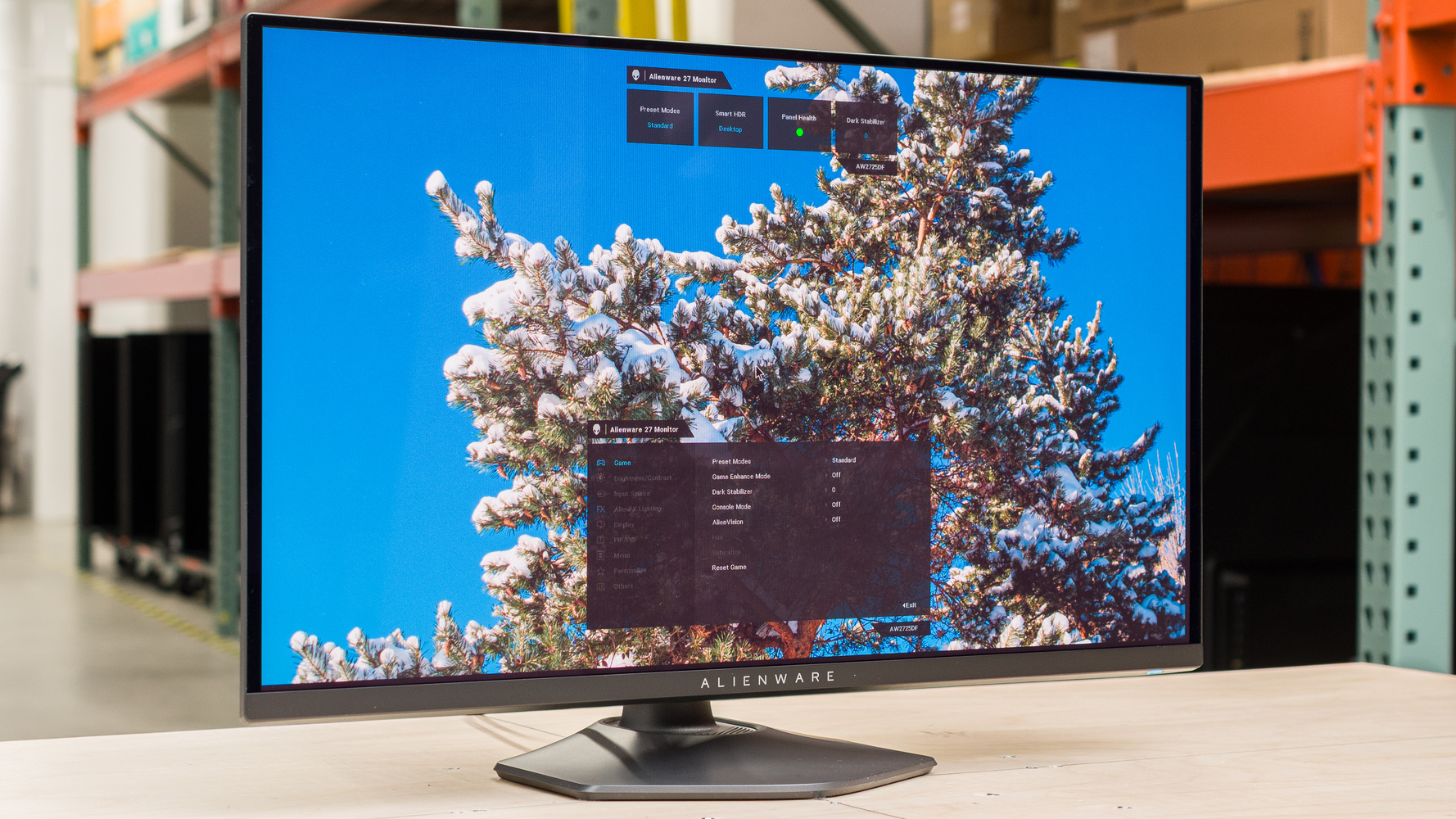
RTINGS.com
The Dell AW2725DF is a 27-inch 1440p premium gaming monitor with a QD-OLED display. It's one of several new QD-OLEDS of this size that are entering the market in...
also qd-oled
agile hatch
Doesn’t necessarily have to be qd-oled cuz I’m not going higher than 250fps
Tbf I wanna stay away from the Samsung ones
rocky cypress
qd-oled isnt about fps, it's for colour
agile hatch
Bad experience with all of em
Qd is the only one that does 360hz
But WOled is still better
Since QD the black won’t be as black as the WOled
rocky cypress
the quantum dots layer is for better colour accuracy, it just happens to also have a high refresh rate
agile hatch
U can still see very little grayish when it goes black
The WOled has the white & makes it looks better than qd oled
But the 360hz is very tempting
 rain latch
Is LG c4 a good buy or nah
rocky cypress
c4 oled? rtings rates that as one of the best tvs
misty gyro
If you have the money for it then by all means, that's easily one of the top 3 on the consumer market
 smoky thicket
my lg c1 feels old now 
small warren
smoky thicket
my lg c1 feels old now <:PepeHands:603695171527245824>
You are old
misty gyro

 tribal spire
rain latch
Is LG c4 a good buy or nah
tribal spire
rain latch
Is LG c4 a good buy or nah
You could get away with the B4 if you want like 90% of the performance
That's significantly cheaper apparently
But there are sizes that's only available with the C4
rain latch
tribal spire
You could get away with the B4 if you want like 90% of the performance
Thanks
errant edge
@rocky cypress different personal question on the topic of mini led
Do you think this is worth the upgrade from an x27q? I want to replace my side monitor and get an upgrade while I'm at it
https://www.newegg.com/acer-xv275u-vymipruzx-27-wqhd-170-hz-nitro-ips-black/p/N82E16824011465?Item=N82E16824011465&Source=socialshare&cm_mmc=snc-social-_-sr-_-24-011-465-_-10132024
rocky cypress
errant edge
Do you think this is worth the upgrade from an x27q? I want to replace my side m...
The VA panel is on rtings (though that model apparently is displayhdr1000 while the IPS version is only displayhdr 400)
https://www.rtings.com/monitor/tools/compare/hp-x27q-vs-acer-nitro-xv275u-p3biipx/27159/62843 and it costs around the same
Honestly having a better contrast ratio would probably be quite nice
Unfortunately the IPS version isn't on rtings though so there's not a proper comparison

RTINGS.com
Compare the HP X27q and Acer Nitro XV275U P3biipx monitors
The VA version
errant edge
I have gift cards for wegg so has to be there, and I typically use lowish brightness since I mostly play at night, and my monitor is alr too bright for my partner to sleep lol
Not sure if that would change anything
rocky cypress
Lmao
 visual pilot
OLED prob theoretically best for that
rocky cypress
You definitely wouldn't be finding a 1440 170hz OLED for $200 though
visual pilot
Yea, so only theoretical, unless there's some crazy deal
rocky cypress
Probably not a 1440 60hz either, but yeah lmfao
errant edge
Initial plan was waiting for black fridayish for an oled but id still have to spend out of pocket for it, and my gpu is needing replacing too
rocky cypress
Having local array dimming definitely would be much better than the edge dimming on the x27q
errant edge
So I'd rather a cheaper monitor that's still an upgrade
I could also push monitor off again and get a $450 refurb 6900xt
But that means $150 out of pocket and id rather not atm
errant edge
Real
prime sun
I used a 1440p monitor with intel integrated graphics on my laptop for the longest time
Could barely run so if i played any games (the few i could play) id have to play at 720p on a 1440p monitor 🥲
 ebon garnet
Does not being able to run the right adaptive sync on a monitor prevent you from being able to run it @ max refresh rate? My current monitor is an ancient relic, Acer XB270HU (1440p, 144hz, Gsync compat) from 9yrs ago, but after swapping out my 3060 Ti yesterday for a new 7900 XTX, my display settings no longer show 144hz as a selectable option, my options cap out at 120hz. Is it just bc the monitor doesn't have AMD Freesync?
I'm replacing this fossil in January when I can hopefully afford a nice 1440p OLED, but until then if anyone has any idea what's going on here please let me know 🙏
visual pilot
ebon garnet
Does not being able to run the right adaptive sync on a monitor prevent you from...
Most likely has to do with cable bandwidth, not adaptive sync
ebon garnet
visual pilot
Most likely has to do with cable bandwidth, not adaptive sync
I'm using the exact same DisplayPort cable that I was using with my 3060 Ti though, so that doesn't seem right unless I'm misunderstanding how that works
visual pilot
For example, iirc DP 1.4 will only do 1440p120 if you do 10 bit color
Higher with 8 bit color
Check what you're setting the monitor to
ebon garnet
 small warren
Interesting
Dp 1.4a should do 240hz if it's supported
Think that's with dsc if 10bit but 120 is really short
ebon garnet
Yeah I thought it seemed kinda odd, I tried reading up on other people having the same issue with this same model online, and there were quite a few but I couldn't find any solutions
a lot of them also being with AMD cards, but old ones since this monitor released in 2015 lol
ebon garnet
so a lot of the answers in these threads are like "idk maybe the RX390 just can't run 144hz?"
small warren
And uses an old gsync module
1.2 should do 144
But it might have some catch 22
That monitor is old af
It uses og gsync modules, those things don't even exist anymore lol
ebon garnet
Yeah for the past 9yrs I've def been running it @ 144hz with my Nvidia cards so that was why my hunch was maybe it not having Freesync or something haha
small warren
It def won't have freesync
You'd have to use vsync I think
I don't know about adaptive but I wouldn't hold my breath
ebon garnet
Yeah when I was playing around with different games yesterday, Vsync seemed to work great and I never noticed any screen tearing in my games. So not a huge deal really just a mild annoyance, I'll be replacing this poor old thing soon anyways
visual pilot
You can try setting a custom resolution in adrenaline with 144hz
small warren
ebon garnet
Yeah when I was playing around with different games yesterday, Vsync seemed to w...
Well I can definitely assure you that it's capable of way more as a gpu lmfao
ebon garnet
haha yeah definitely, I haven't tried any super demanding games on it yet, but in FFXIV I uncapped the framerate and it was hitting 200fps  crazy. Temps on the card have been good too so far, happy with it 🙏
I'm still fumbling my way around learning how to use Adrenaline's features but I just found the custom resolution setting  how does this work
Do I just change both refresh rate settings to 144 like this and hit create?
 visual pilot
Yea, try running it, if it doesn't work, just switch back
ebon garnet
I'm not sure if it worked tbh. Nothing weird happened at least, so that's something
I opened a game to see what would happen, in FFXIV I play with it capped to my monitor's refresh rate which is still locking in @ 120. Idk anything about this feature really so idk how it works, do I just need to uncap my framerate since my monitor still thinks it's locked to 120hz?
visual pilot
If you just created it, you will need to apply it somewhere, after you applied the custom resolution, just check windows settings and see if windows reads it as 144


 visual pilot
Welp, guessing the monitor has some weird timings or something
ebon garnet
oh well it's okay, I'll just live my best 120hz life for the next 2 months til I can finally put this poor old thing to bed
I appreciate the help though even though it didn't quite work
visual pilot
Unfortunate
 rotund jolt
I have a ROG STRIX G17 laptop that I want to play with on my monitor. The laptop only supports HDMI and mini display port (thunderbolt) which i have a cable for and use to connect to my monitor. However, it only works sometimes. Majority of the time, either the monitor does not recognize the laptop, or vice versa causing my monitor to just turn off when it does not recognize any inputs. My monitor is a ASUS TUF Gaming VG259QM (240hz 280hz OC) and it has 2 display ports.
I connect to it using a USB C - Display port cable. I also know that my laptop supports this because there is a lightning thunderbolt symbol next to the port. I want to fix this ASAP. Any way to fix this? I've tried the basic troubleshooting like unplugging the cable and plugging it back in, as well as restarting my laptop & monitor multiple times.
 median mantle
rotund jolt
I have a ROG STRIX G17 laptop that I want to play with on my monitor. The laptop...
median mantle
rotund jolt
I have a ROG STRIX G17 laptop that I want to play with on my monitor. The laptop...
Have to trouble shoot, I'd start with the drivers. Uninstall then reinstall, if that doesn't work try another adapter.
turbid star
rotund jolt
I have a ROG STRIX G17 laptop that I want to play with on my monitor. The laptop...
The lightning doesn't always mean its thunderbolt tho
But yeah might need another adapter if a driver reinstall doesn't work
Also its technically displayport over USB c, not mini displayport
Mini display port is a weird lookin square-ish one
 elder monolith
rocky cypress
elder monolith
rocky cypress
wild amount of curve for a 27"
dont get curved 27" monitors tbh lol
maybe at 32", but 27" is still a bit small
curve is just a gimmick, completely useless
fossil gust
rotund jolt
I have a ROG STRIX G17 laptop that I want to play with on my monitor. The laptop...
The symbol may just be there to signify it supports power delivery, not that it meets thunderbolt spec. I'd look at a specs page for your laptop model to clarify what the port is
 quiet finch
rocky cypress
curve is just a gimmick, completely useless
quiet finch
rocky cypress
curve is just a gimmick, completely useless
I have curved 34" for a few years now, had 27" too, its more comfortable
 visual ocean
Hi guys I have a monitor issue. I got a Samsung G95SC and a RX 7900xtx graphics card. My screen occasionally disconnects and sets resolution to 720p @ 60fps (see pictures). I have tried updating graphics card drivers, resetting to factoring default on gpu, reinstalling samsung's monitor drivers on the pc, checking for monitor firmware updates & trying different cords. I bought 3 different company's DisplayPort 2.1 cords off Amazon but it still happens. Only way to fix is unplug & replug the DP cable (power cycling monitor has no effect). Any pointers?


Happens about once every 5 days. I turn off the monitor when I put my pc to sleep. I restart the pc weekly but this issue happens before I restart it.
rocky cypress
visual ocean
Hi guys I have a monitor issue. I got a Samsung G95SC and a RX 7900xtx graphics ...
Did you try uninstalling with ddu for a full uninstall of the GPU drivers?
visual ocean
let me try that, thanks
visual ocean
Nope, didnt work sadly, happened when I opened microsoft word
rocky cypress
Hmm
Could be a few things still, maybe see if you get the issue with a different PC (laptop, or borrow a friend's PC or bring the monitor to a friend's house to test)
small warren
@visual ocean does it pop up when windows switches to hdr?
There's a couple possible steps
Need to know a bit more about the nature of it, like how it happens (every bit of detail), when it can happen and then if you maybe have any OC dialed in
visual ocean
small warren
<@172897912328683531> does it pop up when windows switches to hdr?
I have HDR disabled on Win10 Pro. I did a fresh install of gpu drivers by using DDU today. The screen blacks out for ~4 seconds then comes back. Sometimes the monitor instead searches for input and fails to find it like the pictures I provided. The computer doesnt freeze when this occurs and audio still plays from downloaded mp3's, youtube or a game. It occurs when my gpu is running stock and overclocking it the problem still occurs. The black screen and 'mode not supported' can cycle multiple times (3 times in a minute) when I have microsoft word open, discord, steam library and a google search. Toggling gpu hardware acceleration doesnt seem to make a difference either.
small warren
visual ocean
I have HDR disabled on Win10 Pro. I did a fresh install of gpu drivers by using...
Oh interesting
So what I suppose could be happening is you get auto hdr kick in and it makes the monitor cycle?
Have you tried cycling monitor inputs
Some monitors and TVs aren't very good at detecting input changes, my FV43U is guilty of this on both my xtx and 4090
It could be that the card did switch over but the monitor just isn't detecting
Which is very fixable
The other thing is auto hdr off
If you leave it always on or always off the monitor won't have to switch as often
The less the monitor needs to switch, potentially could mean the far better the results here
visual ocean
small warren
The other thing is auto hdr off
Thank you for the help! I run the monitor in hdr off typically and the black screens and "mode not supported" typically happen within 30mins of turning it on (but sometimes it is hours into use). Hdr might be auto turning on? I have a 2nd monitor running off the gpu but i do not have 2 inputs being used on my g95sc, could that be the problem? I can try hdmi as input and see if it still occurs if needed swapping which displayport is used on the gpu and it doesnt help... Idk if im just overthinking but it seems to happen less when running at 240hz instead of 120
Would Adrenaline features such as super resolution or anti lag cause the black screens and input problems?
small warren
visual ocean
Would Adrenaline features such as super resolution or anti lag cause the black s...
Yes
small warren
visual ocean
Thank you for the help! I run the monitor in hdr off typically and the black scr...
Is it random?
Oh yeah true
Does G95SC accept dual input from 1 GPU? I remember the older neo does that
Both my questions pertain to a potential cable or bandwidth problem
Anti-lag is fine btw
But super resolution can and will cause input lag
The Frame Gen variety anyway
FSR 2.x is fine
visual ocean
small warren
Is it random?
Seems random yea can happen regardless of app used I think it happened when I was on desktop once
visual ocean
small warren
Both my questions pertain to a potential cable or bandwidth problem
I tried 3 cables, it happened with the stock one, a JSAUX DP 2.1 cord and an Amazon basics DP
I have frame gen off
I think the G95sc supports dual input I would need to check
small warren
visual ocean
Seems random yea can happen regardless of app used I think it happened when I wa...
I would try using dual input if it's supported
Cos insufficient bandwidth can lead to that sort of problem on other monitors in my experience
Long cables or shaky bandwidth
Random black screens
Kind of checks out if it's supported
Especially since G95SC is like dual 4K 240hz?? Insane amount of bandwidth
tribal spire
Wow that'd need dual DP 2.1 without DSC
visual ocean
small warren
Long cables or shaky bandwidth
Only a 10ft cord also tried 6ft and 5ft but no difference, and 5120x1440 @ 240hz so ~90% of single 4k
For some reason the monitor supports DP 1.4 not DP 2.1
But I was having these issues at 120hz and 240hz (although it seems to happen less at 240hz might just be bias though)
I'll try dual input tonight
 languid badge
anyone have a DP cable recommendation that is rated for the absolute limits of DP1.4?
I got a new 240Hz 1440p HDR monitor but my cable isn't rated for the absolute limits of the 1.4 spec
and I can't dual input
small warren
amazon's brand
Cable creations?
Makes great fibre cables for dp and hdmi
If you want a suggestion
Fibre isn't cheap tho, I'd stick to another brand like UGREEN
small warren
visual ocean
But I was having these issues at 120hz and 240hz (although it seems to happen le...
Hmmmmmm
While you're at it try this
?ddu
 dapper socketBOT
DDU (Display Driver Uninstaller) Guide by Pato
https://github.com/NeweggTechie/Graphics-cards/wiki/How-to-use-DDU

GitHub
Contribute to NeweggTechie/Graphics-cards development by creating an account on GitHub.
small warren
But this time, do it and then pick nothing else other than to just disable overlay
And enable anti lag
If it defaults to the wrong monitor hz, do that too but only once
In this process, the repeated issue should disappear if it's related to what the GPU is doing, otherwise yeah, dual input might be the way to go
Dual 1.4a should be able to do dual 4K 240Hz with DSC
small warren
Ya try it again
But follow the specifics I gave
If you mess with radeon settings too much you can introduce instability
visual ocean
Oh ok, I can try that
small warren
Ya just one more time
If it keeps happening after that then we can rule out drivers
visual ocean
small warren
Dual 1.4a should be able to do dual 4K 240Hz with DSC
It's 5120x1440p not dual 4k
visual ocean
Nope
small warren
Isn't the new one supposed to have 4K?
visual ocean
That is a different monitor
visual ocean
small warren
In this process, the repeated issue should disappear if it's related to what the...
Ran DDU and did the specifics, im going to run this for a while before trying anything else to see

could be the Adrenaline Game Overlay? I never messed with that option before (defaults to On)
languid badge
visual ocean
could be the Adrenaline Game Overlay? I never messed with that option before (de...
Oh you have an AMD GPU, yeah I had random black screens, settings changes, and even crashes when I has a Radeon VII even getting it RMA'd didn't help
it kinda burned my bridge with AMD GPUs
never found out what it was
I tried literally everything imaginable the only thing that worked was not using the high refresh monitor at all
visual ocean
yea my name has my pc haha 🙂
i had terrible luck with my RX 6750xt but this one has been great
ive had this gpu since last September
small warren
visual ocean
could be the Adrenaline Game Overlay? I never messed with that option before (de...
As I instructed, overlay off, unlikely to be that but I run it off anyway
small warren
languid badge
I tried literally everything imaginable the only thing that worked was not using...
I kinda doubt it's anything related to pre-RDNA
Radeon VII no less being one of those "Cool spec but commonly full of problems" cards
fossil gust
5700xt was a huge fumble from AMD
great value card at the time (in theory) but the sheer amount of driver issues tarnished the reputation of AMD cards for a lot of people
misty gyro
Not to mention the issues with the hardware itself
Most of which has been mitigated with driver updates by now
visual ocean
I still get black screens after following recomendations
small warren
visual ocean
I still get black screens after following recomendations
Did we try turning hdr to always on or always off
No more auto
Auto will flick it back and forth
Which can make a monitor flicker off and on once (Or even multiple times)
rocky cypress
visual ocean
I still get black screens after following recomendations
wait, is your screen randomly going black for like a second?
it might be because of VRR
try disabling VRR
aka adaptive sync
aka freesync
aka gsync
small warren
aka vertically synced (adaptive)
aka sync (wait for pixel) refresh
aka sync with me bro, heh, vertically
small warren
Anyway jokes aside, it's definitely like some sort of bandwidth protocol or handshake in play here causing this
Odyssey monitors have a little bit of a running reputation for weird settings needs with Radeon over the years
So if you end up doing something like Freesync off and it's all better then yeah, it's likely the monitor
rocky cypress
but yeah, if your current issue is only a random flicker of the screen randomly, that could be vrr flicker, but if it's still doing the weird resolution/fps drop randomly, it wouldnt be caused by vrr
visual ocean
rocky cypress
wait, is your screen randomly going black for like a second?
The most recent was like 5 seconds but yeah
visual ocean
rocky cypress
try disabling VRR
Ok I can try that next
rocky cypress
5 seconds i would doubt it was vrr, but worth a try ig
visual ocean
rocky cypress
but yeah, if your current issue is only a random flicker of the screen randomly,...
So thus wouldn't be caused by vrr?
 rocky cypress
unsure
visual ocean
More rare than black screens but has happened at least 12 times now
I'll try turning off freesync pro with it tomorrow after work, thanks!
Picture was taken 2 days ago
languid badge
My new DP cable came and my artifacting went away, it really was a signal integrity problem from using a DP1.2 cable for the outer limits of 1.4

errant edge
So uhhhh
New aoc mini led
It was super glitchy when I booted, turned hdr off, and now no signal
Rma time ig
:(
Oh it's back
Weird
small warren
Lmao
turbid star
errant edge
Oh it's back
Did you try a hammer
 brittle hollow

If you want to download the pack : https://discord.gg/TTTRXxssQD
tags:
fivem realistic graphics,
fivem realistic graphics pack,
fivem realistic graphics mod,
fivem realistic graphics mod low end pc,
fivem realistic graphics pack for low end pc,
fivem realistic graphics pack free,
fivem realistic graphics pack fps boost,
fivem realistic graphi...
small warren
Why
rocky cypress
turbid star
Did you try a hammer
meet the engineer
oh wait it has the s word 💀
damn newegg server
small warren
rocky cypress
meet the engineer
*techie
 jagged basin
Hello. Is this where I go for help with stereoscopic 3d gaming options?
I am looking for an external 3D syncher adapter.
Not 3d printing. 3d video
I have a PlayStation 3D TV but it's too laggy in gaming. I have a 1ms Low-ping Lenovo g25-10 monitor.
I'm hoping an external syncher could be hooked up between an HDMI frame packed source and a 2D monitor, and alternate frames and turn a 2d low ping monitor into a 3d one
Sega proved you can add 3d to a 2d tv
I heard the latest obstacle for an add on 3d tv adapter in the 2010s was that TVs had various ping times, none of them close to zero, and the best TV, the PS3DTV, was not fast enough
Now that ping times are practically equal to CRT TVs (except Light Gun Games) and therefore no need to factor the ping in active shutter 3d timing
I know people get 2d projectors and use an add on to convert them to 3d
Maybe I can appropriate that tech to make a low ping 3d monitor add on.
Hello is anyone reading this? I was recommended to go to Newegg from a dealer in California, and I called in Ohio, and Newegg still couldn't help me.
Is this the right department?
visual pilot
jagged basin
Hello is anyone reading this? I was recommended to go to Newegg from a dealer i...
Hey, I just wanted to note that most people here in this discord do not work for Newegg, and that this is a pretty obscure topic so very few people know would be familiar with these equipment. I did some looking around and this is the closest thing I can find that seems available. I'm not sure what exactly this does to the 3d input signal, and I'm not convinced it does what you want since the output is only 1080p 24/30hz with frame packing, but it might be a lead for you.
https://www.converters.tv/video-scaler/hdmi-displayport-vga-3d-2d-scaler-with-3d-bypass-786
Another thing is this, which seems to do what you want, but is discontinued and I haven't see it available anywhere.
https://www.wagneronline.com.au/3d-demultiplexer/av-format-converters/av-tv-sat-installation/ch-322-36236/963448/pd/
The HDMI DisplayPort VGA 3D-2D Scaler with 3D Bypass is a high performance video processor which allows 3D movies to be watched on a 2D display. When 3D to 2D conversion is not required, the 3D signal is passed thru. Besides 3D manipulation on the HDMI channel, the device can scale and switch HDMI, DisplayPort, PC, and Component inputs to its HD...
Left eye and Right eye demultiplexer makes 3D contents display on your existing equipment or take 3D contents and convert it to 2D. The 3D demultiplexer can split a HDMI 3D content into two HDMI v1.3 content, one for the left eye and one for the right eye and with two 2D projectors to recreate the 3D content on the projection screen. Automatical...


 silent epoch
brittle hollow
https://www.youtube.com/watch?v=YBgadcvf8MY
silent epoch
brittle hollow
https://www.youtube.com/watch?v=YBgadcvf8MY
The future of graphics is AI overlay. Graphics aren’t really getting better
jagged basin
I found my processor, and an HD Fury X4.
The problem is I need an infrared shutter signal transmitter.
I found the PS3DTV glasses work right for my monitor, but I need a way for an HD Fury to communicate with Sony IR glasses
The HD Fury should convert framepacked 60hz to alternate frame 120 Hz and my monitor (I think) can do 1280x720x120 AF
rocky cypress
jagged basin
I found my processor, and an HD Fury X4.
The problem is I need an infrared shut...
imho not worth it in this day and age
no content is really mastered for stereoscopic 3d anymore, due to how niche it is
if you want to play around with 3d enviroments, get a meta quest 3
jagged basin
Thanks for the suggestion. I'll consider it once I make some money. The problem is If found a way to be stream 3d fixed perspective 3d on YouTube and and Twitch
I don't know how to stream out Oculus Quest on Twitch
Also it's the POV camera that's more disorienting than the 3d
rocky cypress
few methods of streaming VR
some games have a built in camera, some games have LIV intergration https://store.steampowered.com/app/755540/LIV/
or you can stream POV

LIV is the #1 VR toolset that empowers YouTubers, streamers, VTubers, and other content creators to capture professional-quality VR content. LIV is known for mixed reality capture which lets you film yourself inside games, but it has a wide selection of features that will take your VR content to the next level.Key FeaturesSupports most VR headse...
and some games have POV camera but with smoothing so the audience doesnt get motion sick
though, this is specifically for when you're playing games in PCVR (using a pc for the game, rather than running it on the headset)
jagged basin
- I usually use consoles. 2. I already twitch Virtual Boy games once a month in 3d
rocky cypress
LIV allows you to have a virtual avatar or have a mixed reality with a greenscreen and a camera so you can look like you're in the game
jagged basin
How do you stream Quest?
rocky cypress
ah since you use consoles, you might not currently have a good enough pc for pcvr then
jagged basin
I figured how to stream "frame packed " 3d games like Sonic Generations Xbox 360
rocky cypress
meta does have an app that can stream standalone gameplay to like a pc or phone which then you could mix via obs or something, then stream it to twitch, though imo it's better to use pcvr to stream, so that you aren't limited to the quest library, and so that you can change to a different vr headset and still have your games
jagged basin
In 360. I'm just trying to get a lower ping monitor to play it on
The PS3DTV may be a good 3f movie tv, but I'm always late with Sonic's jumps unless I "Lead the move"
I'm trying to find a 3d IR sync emitter
Let's get back to the original subject.... An external IR 3d sync emitter with The HD Fury (XLR/Done, not sure which) hole for suncher
Din 3
ebon garnet
kind of a hypothetical, but are OLEDs likely to keep going down in price in the coming year or few months? I've been monitor shopping to scout out what I might be looking to grab in December-Feb when I have more money, and there are some great deals out there but I don't currently have the funds for them and am not really sure if it's super worth it to pay $550+ for a good 1440p OLED when there are 1440p HDR1000 monitors around the $300 range
If I saw an OLED in person I'd probably be more sold on the difference but I'm a little unsure about them given the price difference and the potential for burn-in
misty gyro
The trend has been prices going down and I don't see them hitting the bottom any time soon. But I'm just some random guy on the Internet.
Lowest I've seen so far is a little over $400 for 1440p 240Hz and I'm sure others will drop at least that low eventually
ebon garnet
Computers.Woot
LG 39" Ultragear OLED Curved Gaming Monitor


I really want this but I'm way too broke bc I just bought a GPU last week lmao
if there's still stuff like this at that price range in a few months I'll probably grab one, but idk if it will be
misty gyro
Oh and as far as burn in goes, it's not nearly as much of a concern on modern panels, especially under normal usage. If you edit videos or something that has a lot of static elements on screen then you'll start to see burn in somewhere between 2-3 years. If you do a variety of things and games then you likely won't notice for several years.
ebon garnet
Yeah my primary monitor I pretty much only use for games, so that's good to know. I have side monitors I use for browsing and other apps etc
The only OLED screen device I've ever owned was the old launch model PS Vita, and I never had any burn-in issues with it (I used it a lot) but I always hear horror stories of people having burn-in on OLED monitors after like a couple months and that scares me a bit lol
especially since some (or most?) OLED monitor warranties don't cover burn-in.
misty gyro
If you want to jump into the rabbit hole https://youtu.be/Fa7V_OOu6B8?si=VJw27Dp0Zs_cGmzN
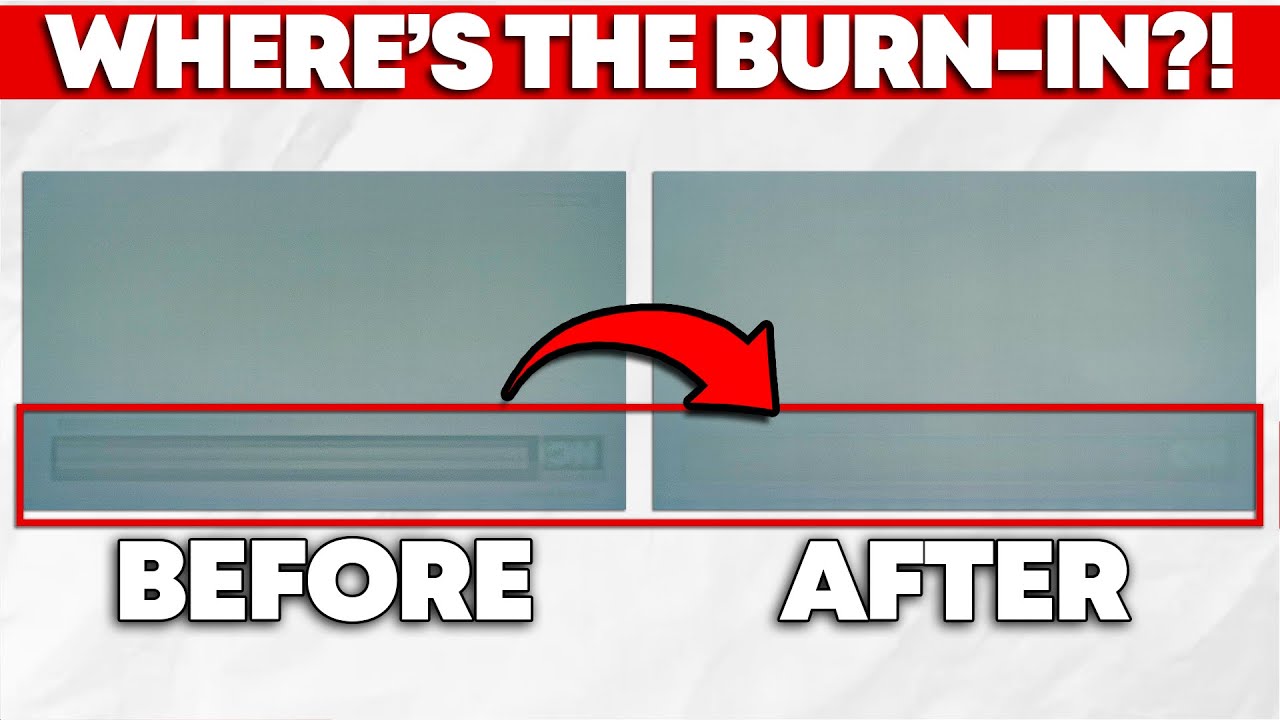
While burn-in is inherent to OLED technology, manufacturers can compensate for it through software designed to improve the useable life of your panel. Fortunately for you, manufacturers implement this well, meaning that permanent burn-in isn't that big of a concern for most folks—unless you're using an ultrawide OLED monitor, that is.
In this ...
Turns out what people thought was "burn in" turned out to be temporary image retention
ebon garnet
oh neat I'll def give this a watch
ah ok
oh other kind of related question I was gonna ask but I didn't wanna make a text wall lol
I've only ever owned matte finish monitors, and a lot of the cheaper OLEDs I've looked at are matte finish, which I see people seem to generally not prefer
is it really that much of a diff between matte to glossy? or is it kind of just super picky people making mountains out of molehills
misty gyro
Matte vs Glossy is entirely up to preference. Generally speaking:
Matte has slightly worse colors, but handles bright rooms better.
Glossy has slightly better colors, but handles bright rooms worse.
The difference is quite small but enough that the vocal minority got loud enough for the manufacturers to start offering both
ebon garnet
huh ok interesting, I prob won't worry about it especially if I end up going OLED since the color quality will be improved over what I currently use anyway
I also have a window almost taking up the entire wall adjacent to my desk so matte might be the play lol
I basically never have glare issues on my current screens so I'll stick with what I know I guess
ebon garnet
ebon garnet
https://computers.woot.com/offers/lg-39-ultragear-oled-curved-gaming-monitor-1
another question I just thought of, how much more of a burden does it tend to be on the GPU going from a 1440p 27" screen to an ultrawide like this? with a 39" that's like a 30% increase in pixel count on the monitor and I know it definitely makes at least some difference. I know my GPU can do 4K easily so it probably isn't a big deal but I'm just curious bc I've only ever used 27" screens
misty gyro
When you're gaming, it'll be like going from 1440p to 4k because the increase in horizontal screen area also means you'll want to use a wider FOV, and more things will be rendered on screen at a time.
ebon garnet
well I'm glad I asked because if that's the case I'll probably stick with standard sized 27" monitor instead
errant edge
misty gyro
When you're gaming, it'll be like going from 1440p to 4k because the increase in...
question abt this
1440p uw is about 5m pixels while 4k is 8.3m
i can't phrase a question with that
turbid star
ebon garnet
well I'm glad I asked because if that's the case I'll probably stick with standa...
Do remember you can set custom resolutions
To emulate the widescreen experience
2560x1080
3440x1440
misty gyro
errant edge
i can't phrase a question with that
Would the question be along the lines of "how does that math work if it's a similar load but less pixels?"
errant edge
yeah thats it
misty gyro
You've got nearly a 4k screen's worth of pixels on the horizontal
But less on the vertical
But what usually renders above and below your character?
Ground and sky, which are low load
Most of the load is coming from the objects to either side or in front of your character
ebon garnet
turbid star
Do remember you can set custom resolutions
great point actually thank you, I hadn't thought of that. And if I get an Ultrawide I guess I can just do the opposite on any games I have performance issues on by lowering them down from 3440x1440 to 2560x1440. Not sure if standard scale resolutions would look jank on an ultrawide though, with the curve and all. I imagine it probably looks fine but 
misty gyro
You can always set it to DLSS balanced and it still looks fine
Or FSR depending on game
turbid star
ebon garnet
great point actually thank you, I hadn't thought of that. And if I get an Ultraw...
Standard to ultrawide looks fine
So it might be the same
I regularly set my 27" to 2560x1080
visual ocean
visual ocean
So thus wouldn't be caused by vrr?
It was chrome graphics acceleration and whenever it was alt tabbed to a full screen chrome tab (even if 'new tab') when i had a game or discord open my screen would black screen and change to "mode not supported" if i tried to work through it

so as long as i dont use chrome on this monitor it wont crash
wait i only had discord open and my monitor had 'mode not supported' i think its discord
2 inputs doesnt help either btw
trying with this off

 near zinc
nay or yay?
 errant edge
near zinc
nay or yay?
errant edge
near zinc
nay or yay?
For what use case
near zinc
gaming
near zinc
Is it because of the 60hz ?
errant edge
near zinc
Is it because of the 60hz ?
Partially
Aside from that, 97% of people are better off running 1440p than 4k
near zinc
I've had a look at other monitors, what you think about these options?

TUF Gaming VG27AQA1A is a 27-inch WQHD (2560 x 1440) gaming monitor with an overclocking 170Hz refresh rate and 1 ms (MPRT) response time for extremely immersive gameplay. It features exclusive Extreme Low Motion Blur (ELMB) technology and AMD FreeSync™ Premium to eliminate ghosting and tearing. ...

Der AOC Gaming CQ27G2E besticht durch seine Schnelligkeit und Genauigkeit bei actionreichen Spielen.
misty gyro
errant edge
Aside from that, 97% of people are better off running 1440p than 4k
(The primary exception to that is when using a 4090, but even then you want more than 60Hz)
errant edge
near zinc
https://amzn.eu/d/2JVdAM6
Id take this instead
https://uk.pcpartpicker.com/product/LfzXsY/asrock-pg27qft1b-270-2560-x-1440-180-hz-monitor-pg27qft1b

ASRock PG27QFT1B 27.0" 2560 x 1440 180 Hz Monitor (PG27QFT1B)
quiet finch
im looking to buy a curved 4k monitor, but the best one, atleast 144hz
https://a.co/d/6O1rMiG is this the best one?

Samsung's 2022 32-inch Odyssey Neo G7 curved 4K gaming monitor has a 165Hz refresh rate, 1ms response time, NVIDIA G-Sync and AMD FreeSync Premium Pro support.
size - 32" - 40"
quiet finch
aint qd-oled is risky coz burn-in?
errant edge
No
quiet finch
errant edge
https://pcpartpicker.com/list/XY3dnp
the only relevant options in that list are from msi but they aren't curved, i had a 27" curved and non-curved and i cannot go back to non-curved... its less comfortable
is there anything else? perhaps upcoming?
also why the msi options are better than what I first suggested?
errant edge
quiet finch
https://a.co/d/6O1rMiG is this the best one?
Wait is this the oled version
I thought it was the VA
quiet finch
this isn't the oled verison its the mini led version i think they are the same tho
errant edge
No they're not
Oled and qd oled have much faster response times and smoother overall. Felix or jp could give more details
Mini led has the brightness, hdr, and colors of oled and oled variants
This is curved but 1440p
https://pcpartpicker.com/product/PrBG3C/alienware-aw3423dw-342-3440-x-1440-175-hz-curved-monitor-aw3423dw

Dell Alienware AW3423DW 34.2" 3440 x 1440 175 Hz Curved Monitor (AW3423DW)
Cheapest curved 4k oled is $1200 lmao
https://pcpartpicker.com/product/RwXV3C/alienware-aw3225qf-316-3840-x-2160-240-hz-curved-monitor-aw3225qf

LG UltraGear 39GS95QE-B 39.0" 3440 x 1440 240 Hz Curved Monitor (39GS95QE-B)

Dell Alienware AW3225QF 31.6" 3840 x 2160 240 Hz Curved Monitor (AW3225QF)
quiet finch
errant edge
Same
https://pcpartpicker.com/product/qxqrxr/lg-ultragear-39gs95qe-b-390-3440-x...
The last one has hdr 400 T_T
why one cannot have the perfect monitor
errant edge
I didn't know that's how hdr works, I just thought if a monitor had a certain brightness that's what hdr it had
quiet finch
errant edge
I didn't know that's how hdr works, I just thought if a monitor had a certain br...
Do the Dolby Vision along with the hdr 400 makes it like hdr 1000 or 1500 or 2000?
in the AW3225QF
errant edge
quiet finch
Do the Dolby Vision along with the hdr 400 makes it like hdr 1000 or 1500 or 200...
I'm not the right guy to ask I'm sorry
fossil gust
quiet finch
Do the Dolby Vision along with the hdr 400 makes it like hdr 1000 or 1500 or 200...
I might be wrong but from what I remember hdr400 is pretty bad (you want hdr10 or 10+), but Dolby vision is as good as hdr10+
quiet finch
fossil gust
I might be wrong but from what I remember hdr400 is pretty bad (you want hdr10 o...
yeah i have hdr400 right now and its just ok nothing fancy but it might be just me
fossil gust
I think up untill recently any monitor over 400nits could get that cert
Now you need over 400nits and a certain contrast ratio (still no local dimming though)

RTINGS.com
The VESA DisplayHDR certification program is a list of requirements developed by a group of display and computer companies to categorize HDR performance on monitors, tablets, and laptop screens, but not TVs.
quiet finch
fossil gust
I might be wrong but from what I remember hdr400 is pretty bad (you want hdr10 o...
Responsiveness aside, speaking of picture quality, what looks best, what I suggested (https://a.co/d/6O1rMiG )
or this one? https://pcpartpicker.com/product/RwXV3C/alienware-aw3225qf-316-3840-x-2160-240-hz-curved-monitor-aw3225qf
Samsung's 2022 32-inch Odyssey Neo G7 curved 4K gaming monitor has a 165Hz refresh rate, 1ms response time, NVIDIA G-Sync and AMD FreeSync Premium Pro support.
Dell Alienware AW3225QF 31.6" 3840 x 2160 240 Hz Curved Monitor (AW3225QF)
with HDR on
and does the difference is small?
fossil gust
I honestly don't know much about high end monitors. Maybe look to see if rtings.com has reviews of them
 restive carbon
sorry if this is asked alot but what are some of the best 4k monitors in the market rn
budget to midrange
rocky cypress
https://www.rtings.com/monitor/reviews/best/by-resolution/4k-ultra-hd-uhd
https://www.rtings.com/monitor/reviews/best/gaming-monitors-4k

RTINGS.com
The best 4k monitor we've tested is the Acer Nitro XV275K P3biipruzx. It's versatile for a number of uses, including office work and gaming.

RTINGS.com
The best 4k gaming monitor we've tested is the Samsung Odyssey OLED G8/G80SD S32DG80. It's a class-leading QD-OLED monitor with a 4k, 240Hz display.
if you need a monitor for gaming, you should aim for a 27" 1440p rather than 4k
errant edge
restive carbon
sorry if this is asked alot but what are some of the best 4k monitors in the mar...
Would wait for the 5080/90 if targeting 4k
rocky cypress
even so, pixel density with 1440p on a 27" monitor is already more than enough for the proper viewing distance from your monitor
if you want a bigger monitor, then yeah 4k
errant edge
^^
prime sun
Also depends on what you play or do, for pro shooters and fighting games or just general web browsing 1440p or even 1080p is more than fine, unless you need that extra screen space
And even then second monitor moment 🙏
If youre worried about budget id probably get 1440p, i remember seeing a good value q led 1440p 240hz (i think) going for about 200 bucks recently
 thick scaffold
LFM
1440p or better
27”-32”
$200 USD (roughly)
165hz+
<1ms response time
High quality panel
Black
misty gyro
thick scaffold
**LFM**
1440p or better
27”-32”
$200 USD (roughly)
165hz+
<1ms response time
Hig...
https://www.newegg.com/asrock-pg27qft2a-27-qhd-180-hz-ips-black/p/N82E16824028007
https://youtu.be/L97Ak-VfqGY?si=GstVS3M9k_9ESqWj

Support us on Patreon: https://www.patreon.com/hardwareunboxed
Join us on Floatplane: https://www.floatplane.com/channel/HardwareUnboxed
Buy relevant products from Amazon, Newegg and others below:
Asrock PG27QFT2A - https://geni.us/997k
Asus ROG Strix XG27ACS - https://geni.us/KqDRa
AOC Q27G3XMN - https://geni.us/iaqBe
MSI G274QPF-QD - https://...
Even cheaper now than when it was reviewed as a great value
thick scaffold
misty gyro
https://www.newegg.com/asrock-pg27qft2a-27-qhd-180-hz-ips-black/p/N82E1682402800...
Worth to wait for Black Friday?
thick scaffold
Ok
thick scaffold
What’s a WiFi antena do on a monitor?
misty gyro
That depends, what monitor?
thick scaffold
misty gyro
That depends, what monitor?
The one you recommended
misty gyro
thick scaffold
The one you recommended
Ah, so what that will do is move the wifi signal away from your computer where there's lots of interference, and possibly up higher where you typically get better signal than under the desk.
 thick scaffold
Oh so it’s a WiFi extension for my Pc
Awesome
If I don’t have a WiFi card in my motherboard, I would need to get one to utilize the WiFi antenna right?
misty gyro
Yes. They're pretty cheap, $25 for a good 6E card.
Something with Intel AX210

WiFi 6E AX5400 & Bluetooth 5.3 PCIe WiFi Card for PC Driver and Intallation Install the hardware and driver following the Quick Installation Guide, easy as ABC. Spec,Feature and Benefit This 11ax wifi card adopts AX210 chipset, it supports 2x2 WiFi 6E technology, 2402Mbps at 6GHz, 2402Mbps at 5GH...
thick scaffold
I think my Ethernet is fine
fossil gust
Koorui with another W
https://youtu.be/QVRsUz37yGw?si=0zXdO9bVEUiwu2CX
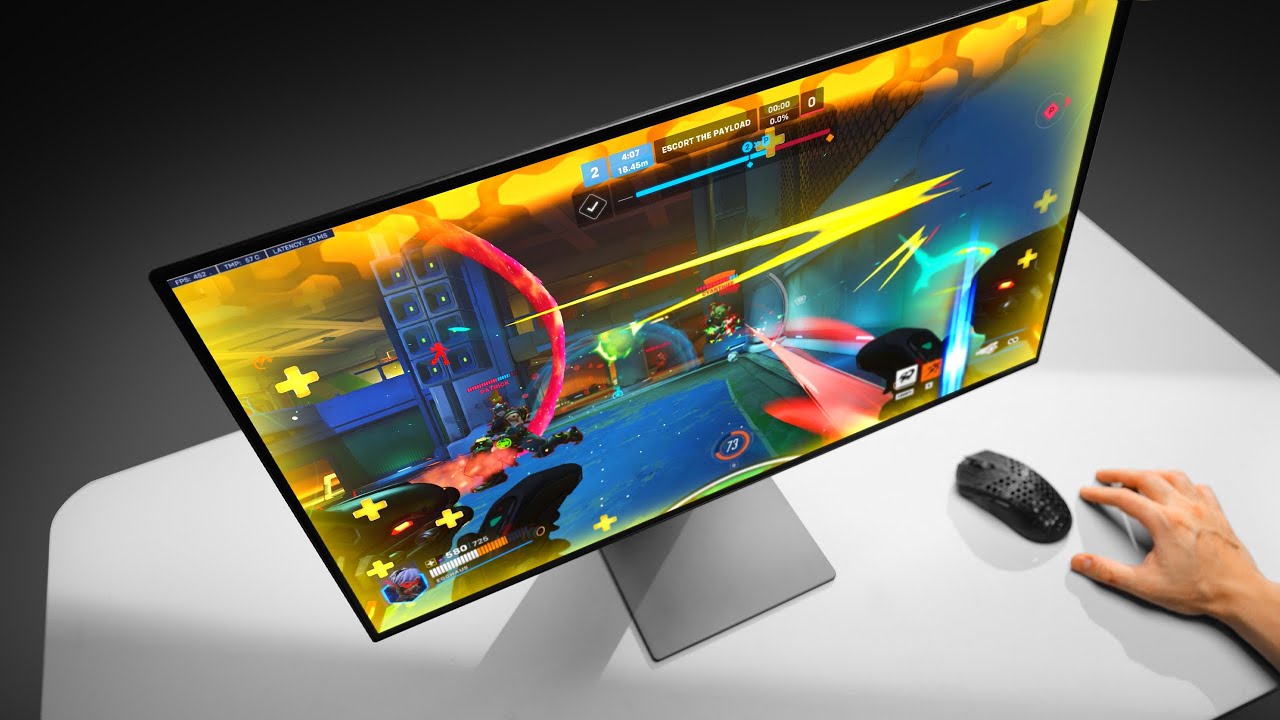
Check prices on Amazon below
Koorui 27E8QK: https://geni.us/szLU
How bad is the cheapest OLED gaming monitor on Amazon?
Need a new wallpaper? https://optimum.store
Video gear
Camera: https://geni.us/5YfMuy
Primary Lens: https://geni.us/pWnoPBr
https://www.instagram.com/only_optimum/
https://www.twitch.tv/optimum
https://twitter.com/OptimumTe...
 lunar field

errant edge
What's fast hva?
https://www.amazon.com/KTC-Gaming-Monitor-DisplayPort-AdaptiveSync/dp/B0D5QN27CY/ref=mp_s_a_1_2_sspa?

This monitor 1440p is ideal for monitor 2k and other platforms. With its impressive 240 hz monitor and 1ms response time, it guarantees an ultra-smooth gaming experience.This budget-friendly 1440p 240hz monitor features two HDMI 2.1 monitor ports and one DisplayPort 1.4 interface, allowing easy c...
visual pilot
seems like Chinese VA, but slightly better than VA?
https://en.tclcsot.com/Innovativetechnology/315.html
HVA technology refers to the PSVA (Polymer Stabilized Vertical Alignment) technology independently developed by TCL CSOT, "H" is taken from the initials of CSOT (Huaxing in Chinese pinyin). PSVA refers to that by adding a small amount of polymer monomers (Monomer) to the liquid crystal molecule, resulting in the liquid crystal polarization dumpi...
rocky cypress
hva deez
turbid star
HyperVA
prime sun
I know this is probably a frequent question, but genuinely how bad is burn in on oleds nowadays? Or say ones like the one up a bit in tech deals
I dont think i could go through with an oled if its burning in 5 years in, and i hear people getting it MUCH sooner
prime sun
I wouldnt ever use it like this but hypothetically 8 hours a day every day just for a general sideline
misty gyro
A lot of what people think is burn in is actually fixable temporary image retention also
While burn-in is inherent to OLED technology, manufacturers can compensate for it through software designed to improve the useable life of your panel. Fortunately for you, manufacturers implement this well, meaning that permanent burn-in isn't that big of a concern for most folks—unless you're using an ultrawide OLED monitor, that is.
In this ...
prime sun
misty gyro
A lot of what people think is burn in is actually fixable temporary image retent...
Hm i see
misty gyro
Also of note is that edge lit LCD monitors die a lot faster than most of the OLEDs they have tested, but that's what you get for being cheap

Thin LCD TVs using edge-mounted lighting are inherently prone to significant durability issues and fail faster than other LCD TV designs. The issues manifest in the form of warped reflector sheets, cracked light guide plates, and burnt-out LEDs. These problems occur after prolonged use at maximum brightness, posing a significant risk to their lo...
thick scaffold
Which monitor should I get?
MSI MAG 274QRFW 27" at $140 USD (180hz 1440p)
MSI 27" Gaming Monitor at $136 USD (170hz 1440p)
rocky cypress
The mag ig
 next dagger

Samsung Electronics America
Explore 34" G85SB OLED Ultra WQHD 0.03ms(GtG) 175Hz Curved Smart Gaming Monitor. Feel the immersive gaming experience at home. Buy today!
thoughts on this monitor?
available for $500 through the app
misty gyro
next dagger
https://www.samsung.com/us/computing/monitors/gaming/34-g85sb-oled-ultra-wqhd-0-...
For 500 that's pretty nice
errant edge
thick scaffold
Dell 27 Gaming Monitor - G2725D good?
Depends on the price
thick scaffold
errant edge
Depends on the price
$160
$170
Is there something better under $200?
I do get 6% cash back at DELL for being a club member lol
errant edge
thick scaffold
$160

eBay
MSI G274QPF 27" 16:9 WQHD (2560 x 1440) Rapid IPS Flat Gaming Monitor, 400 HDR Ready, 170Hz Refresh Rate, 1ms (GTG) Fast Response Time, Contrast Ratio 1000:1, Anti-glare, Wide Color Gamut (Adobe RGB 96% DCI-P3 93% sRGB 121%), Anti-Flicker and Less Blue Light, Frameless Design, 178° Wide View Angle, 2 x HDMI v2.0b, 1 x DisplayPort v1.4a, 1x Type-...
Mini led VA
https://pcpartpicker.com/product/7QsV3C/acer-nitro-xv275u-p3-270-2560-x-1440-170-hz-monitor-umhxxaa302

Acer Nitro XV275U P3 27.0" 2560 x 1440 170 Hz Monitor (UM.HXXAA.302)
thick scaffold
errant edge
Refurb
https://www.ebay.com/itm/145613148025
Enticing
thick scaffold
errant edge
Mini led VA
https://pcpartpicker.com/product/7QsV3C/acer-nitro-xv275u-p3-270-25...
Not too concerned about mini led
The pros and cons don't seem important enough
 astral tendon
Any obvious downsides to this monitor? looking for a cheaper 32" 4k solution
My dad is currently running 32" 4k@30hz so I figured I'd upgrade him to 32" 4k@60hz at least
prime sun
For the price you can get it its a bit hard to judge, its hardly much of an upgrade but if hes using a single monitor it might be worth it to get it and use that as the main and the old one secondary
Says 1bil colours so im guessing hdr10 but it doesnt specify
What gpu is he running?
astral tendon
prime sun
For the price you can get it its a bit hard to judge, its hardly much of an upgr...
I think the low 30hz refresh rate was bothering him
astral tendon
prime sun
What gpu is he running?
whatever is integrated on his work laptop
I doubt it can run higher than 4k60
astral tendon
Just doin work stuff and browsing yeah
prime sun
Hm, i dont see why it wouldnt be worth it
astral tendon
Ya I mean dudes been using his current one for a while I figured it would be an easy xmas gift
prime sun
Its a va panel so i doubt itll be delivering movie theater cinema but id say its not a bad monitor for that price at least
astral tendon
Good to hear, thanks for your input
prime sun
Hows he feel about a smaller monitor?
I think there are some better 1440p monitors valuewise imo
27-28"
thick scaffold
this a good monitor? https://www.amazon.com/AOC-Q27G4XN-Adaptive-Sync-Adjustable-Zero-Bright-dot/dp/B0CPHW5JQY/ref=?th=1

Unleash your potential and win sweet victories with the AOC Q27G4XN gaming monitor- a sleek battle station with QHD resolution, 180Hz lightning-fast refresh rate and 1ms GtG rapid response time. With Adaptive-Sync, you get low latency, high refresh rates, and incredibly smooth graphics that react...
I think this may be my last choice
Its AOC which has great reputation for warranty and customer service
180hz 1ms
Adaptive Sync
 patent lagoon
okay so i got a 34" ultrawide and plugged it in and it worked for a minute then the screen went black
the pc still detects it but i've tried different cables and everything
any solutions?
 outer ember
Help me pick a budget friendly monitor for gaming.
Mostly on PC with RTX2070super and some ps5 and Nintendo
I got to:
r27-qe asus
vg27aq (on sale)
dell g2724d
no idea what to pick
errant edge
outer ember
Help me pick a budget friendly monitor for gaming.
Mostly on PC with RTX2070sup...
The Dell at $150 is great but you might run into some gpu limitations at 1440p
If you've any plans to upgrade gpu relatively soon I wouldnt go 1080p tho
outer ember
errant edge
If you've any plans to upgrade gpu relatively soon I wouldnt go 1080p tho
Yeah I am thinking about it. And also think maybe to stay with a 1080p…
Currently all monitor cost the same for me. You would still go with the dell?
errant edge
Yeah
outer ember
errant edge
Yeah
Because of VRR or something else?
quiet finch
is qd oled way better than nano ips? or just slightly? from the comparison videos I see they are the same
errant edge
Oled qd oled and woled are all way better than nano ips
misty gyro
The problem with comparison videos is they're limited by both video compression and the quality of the screen you're looking at it on, so yes it will look the same. The difference in person is dramatic.
quiet finch
Ah I see now
tribal spire
It's like
Legitimately world-changing
Once you see an OLED and like a GOOD quality IPS
You'll never be able to go back
misty gyro
Go to a best buy and check out the oled TV displays
quiet finch
errant edge
Oled qd oled and woled are all way better than nano ips
way better than miniled as well?
misty gyro
Nano IPS is great for midrange, but OLED of any kind is the final boss. It's impressive how cheap they're getting now.
$400 for 1440p 240hz is insane
quiet finch
yeah i bought mine at 2021
 queen meteor
Okay so looking for a new monitor on Black Friday deals (Specifially one with good HDR) and found this one
https://aoc.com/us/gaming/products/monitors/ag276qzd2
soooo is this a Gen3 QD-OLED? heard Gen1 and 2 had problems but Gen3 fixed a lot of them
AOC-Global
Fallback is the Mini-LED AOC model (https://www.newegg.com/aoc-q27g3xmn-27-qhd-180-hz-144-hz-va-black-red/p/N82E16824160516?srsltid=AfmBOopOir9Ld14U_WP2fWNYPzlbVNyB9JegFW1f71a7Koo8DVion5ez), but getting a Gen3 QD-OLED for 150$ more is pretty worth it i'd say as it fixes all the deficiets with the budget mini-LED panel (also gives it Quantum Dots)
fossil gust
thick scaffold
180hz 1ms
the ms values are all marketing and not standardized. I'd look at rtings.com for their testing if you want to judge panel quality
thick scaffold
fossil gust
the ms values are all marketing and not standardized. I'd look at rtings.com for...
dont worry i got a 240hz oled lol
fossil gust
Didn't realize that was an old message my bad
thick scaffold
fossil gust
Didn't realize that was an old message my bad

Get into the world of E-Sports and become the next legend with the AGON PRO AG276QZD 27-inch class OLED gaming monitor, equipped with all the features you need to claim victory as the next legend. Its QHD 2460x1440 resolution, OLED display panel offers superb picture quality and sharp imagery to ...
i think i got the best possible one
better than mini led
fossil gust
there's only a few oled panels out there that all the brands use and i think they're both good.
$400 is pretty nice
queen meteor
thick scaffold
also its gen 3 QD-OLED like alovon was talking about
For real? 
Was mainly asking if it was but there's a way to confirm it is?
 queen meteor
Well 3rd-Gen QD-OLED is this

The printing method in Gen3 and the retuned display controller apparently help a lot on the fringing and "Faux-Burn in" issue Gen1 and Gen2 had
thick scaffold
cool
queen meteor
Like from what can be told it being 16:9 should make it a Gen3 QD-OLED
thick scaffold
as long as its better i dont care
queen meteor

 tiny narwhal
can someone tell me which would be better between https://www.bestbuy.com/site/asus-rog-strix-27-oled-qhd-240hz-g-sync-freesync-gaming-monitor-with-hdr-hdmi-displayport-black/6588550.p?skuId=6588550 and https://www.bestbuy.com/site/msi-mag271qpxqdolede2-27-oled-qhd-240hz-0-03ms-adaptive-syncgaming-monitor-with-hdr400-displayport-hdmi-usb-c-black/6583876.p?skuId=6583876
thick scaffold
tiny narwhal
can someone tell me which would be better between https://www.bestbuy.com/site/a...

Get into the world of E-Sports and become the next legend with the AGON PRO AG276QZD 27-inch class OLED gaming monitor, equipped with all the features you need to claim victory as the next legend. Its QHD 2460x1440 resolution, OLED display panel offers superb picture quality and sharp imagery to ...
It’s $400
tiny narwhal
Alright thank you
tribal spire
thick scaffold
also its gen 3 QD-OLED like alovon was talking about
"3rd Gen QD-OLED" is just a 2nd gen panel with a better firmware
The catch is that most of the issues with 2nd gen appears to have been firmware issues
So it's better, but not like it's gonna change the world
But that QZD2 is genuinely a bargain
Exactly the monitor I'm intending to get
turbid star
The world if everyone had 3rd gen oled
tiny narwhal
anyone know what's up with this monitor, is it bad or something? or just an actual deal https://www.amazon.com/Corsair-XENEON-27QHD240-27-Inch-Monitor/dp/B0C3SFTL1X/ref=sr_1_3?crid=30UKJQEQLJYS3&dib=eyJ2IjoiMSJ9.SE9dy3qV-EmSye4jGoYjo8vxMokwMW6ddmKs9nO2qW6-AaU7B89_c-ndpTJYryWEjsWZNTJUgZaQiHyN7qRIs4HJId6dJ37cgg6zTl7vT5TZR-YhNuK2QkBqHc25YJ64VqSKegYmfjPNyq7M8enAestiBkkjzAe2bW0JA5jdFHRbyE7GeFtEbv6bfKCuTn3aftPQ8ZjRUKZ9QBhZjVrthY6PAaoJlaKz8I-zBs233wIqBtnm7MSibhUQ9s1mkKtg5adAEH-l8rhIT08B7OSfPCk_Me-rLrVOYbRq8rNEgaw.UT4AruDpt702BY-iUppMMuOffn8xYF0LQEcetyKMD4Y&dib_tag=se&keywords=gaming%2Bmonitor&qid=1732252017&refinements=p_n_feature_twenty-one_browse-bin%3A73824522011%2Cp_n_feature_eight_browse-bin%3A24003449011%2Cp_n_feature_two_browse-bin%3A23595220011&rnid=23595186011&s=electronics&sprefix=gaming%2Bm%2Caps%2C111&sr=1-3&ufe=INHOUSE_INSTALLMENTS%3AUS_IHI_5M_HARDLINES&th=1
turbid star
Holy link
misty gyro
tiny narwhal
anyone know what's up with this monitor, is it bad or something? or just an actu...
It's great, hard to pass up at that price. Other comparable OLEDs are on sale for as low as $400 today.
queen meteor
yeah, although thinking of wanting a 4K panel for my case which is giivng me a tiny bit of pause (As I want to do more work in UE5 but my 1080p secondary monitor hates it beucase window scaling makes it so the details tab is unusable without breaking into it's own window  )
)
Apparently Rtings says this is decent but MonitorUnboxed says it lacks proper profiles for SDR/HDR mode switching so it breaks a lot of stuff unless you manually retune every time?
https://www.bestbuy.com/site/acer-nitro-27-mini-led-uhd-160hz-1ms-freesync-gaming-monitor-with-hdr1000-displayport-hdmi-black/6539416.p?skuId=6539416
thick scaffold
I had a dream about my OLED
 dull mortar
I was looking for this monitor. Have anyone I here have this monitor and want to share they experience?
 misty gyro
dull mortar
I was looking for this monitor. Have anyone I here have this monitor and want to...
misty gyro
dull mortar
I was looking for this monitor. Have anyone I here have this monitor and want to...

RTINGS.com
The ASUS TUF Gaming VG259QM is an excellent IPS monitor that delivers a smooth and responsive gaming experience. It shares many similarities with its bigger brot...
 surreal quarry
thoughts on going form m27q --> https://www.newegg.com/corsair-27qhd240-27-240-hz-xeneon-oled-black/p/N82E16824710007?Item=N82E16824710007
theres also this $400 qdoled that like just came out
https://www.amazon.com/AOC-AG276QZD2-Tournament-2560x1440-Compatible/dp/B0D682HF6R/ref=sr_1_1?dib=eyJ2IjoiMSJ9.q2W5kMbcr1iQRx2sloJqMAcswmfIIIvAREgdEYZjag4aLxCW6ICmEYYOA-S-KX6aJMeFqzbOgH1tOo7AQDyiHOwEV0FTa6zbFkvfCtHixMEzM5F9df1U98tCCOylslX-.Wg9_iLKaKbxNacielzp9xjjb4eLySHlHvK3SxCTgfv4&dib_tag=se&keywords=AG276QZD2&qid=1732305871&sr=8-1

Get into the world of E-Sports and become the next legend with the AGON PRO AG276QZD 27-inch class OLED gaming monitor, equipped with all the features you need to claim victory as the next legend. Its QHD 2460x1440 resolution, OLED display panel offers superb picture quality and sharp imagery to ...
misty gyro
Any one of those 3 would be good I think. Here's a quick comparison (271QPX is the same as the QRX but lower Hz, one less USB port and no USB PD)
https://www.rtings.com/monitor/tools/compare/msi-mpg-271qrx-qd-oled-vs-corsair-xeneon-27qhd240/47131/39531
RTINGS.com
Compare the MSI MPG 271QRX QD-OLED and Corsair XENEON 27QHD240 monitors
surreal quarry
misty gyro
Any one of those 3 would be good I think. Here's a quick comparison (271QPX is t...
msi one seem to generally score better
How does qdoled compare to woled
wait GLOSSY TOO
OMG <3<3<3
misty gyro
They have a page for that too https://www.rtings.com/tv/learn/qd-oled-vs-woled

RTINGS.com
If you're an avid tech enthusiast, you've likely heard the terms WOLED and QD-OLED a lot in recent years. These terms refer to specific types of OLED display technology, but what's the difference between them, and which one should you buy?
surreal quarry
i have a pg42uq (i think? the big asus one) at home but i really miss oled at college
misty gyro
That's the down side of going OLED... you can't go back lol