#old-monitors-and-tv
1 messages · Page 16 of 1
 rancid cedar
 misty gyro
Yes, flat panels will have IPS options around that price which are better for most things
Curved monitors only start to make sense once you get into ultrawide or otherwise massive screens
 errant edge
This is good value rn, refurb
https://www.amazon.com/HP-Freesync-Compatible-DisplayPort-Mountable/dp/B0CLPLHR48/

Introducing the OMEN by HP 27 inch QHD Gaming Monitor - the perfect addition to your gaming setup or office desk. With its sleek 16:9 aspect ratio and high resolution, you get a stunning picture quality that will enhance your gaming or work experience. Its impressive 165Hz refresh rate ensures sm...
 pastel cedar
Ended up between these two, is the q oled worth?

 fading wyvern
pastel cedar
Ended up between these two, is the q oled worth?
fading wyvern
pastel cedar
Ended up between these two, is the q oled worth?
I just picked up this if you want a crazy in between option https://www.amazon.com/dp/B0D1DPFZLZ/ref=sspa_dk_detail_0 $670

SAMSUNG 27-Inch Odyssey G6 (G60SD) Series OLED Gaming Monitor with QHD 360Hz 0.03ms, Anti-Glare, Sleek Metal Design, LS27DG602SNXZA, 2024
It’s not qdoled. It’s just oled but it’s $100 less.
pastel cedar
There are now 3 options
That's actually like the epitome of the perfect in between option
pastel cedar
fading wyvern
I just picked up this if you want a crazy in between option https://www.amazon.c...
How are you liking it so far?
fading wyvern
I’m loving it honestly, only got to mess around with it for the past like 30 minutes but it’s great
It does have a silver border tho so it doesn’t actually match my setup 

That background sucks btw 
The weird contrast artifact is the oled panel the one that is clear is on a ips. If an image sucks you’ll find out fast

 pastel cedar
fading wyvern
I’m loving it honestly, only got to mess around with it for the past like 30 min...
pastel cedar
fading wyvern
I’m loving it honestly, only got to mess around with it for the past like 30 min...
Oh you JUST just got it hahaha,
pastel cedar
fading wyvern
The weird contrast artifact is the oled panel the one that is clear is on a ips....
Oh wow yeah that's rough
pastel cedar
Yeah now that I've consolidated to one monitor at higher price points especially now there's a ton of deals. I'm undesisive as it is but now I feel like a kid in a candy store haha
fading wyvern
Its a great pick and pretty cheap for what it is
pastel cedar
fading wyvern
My one gripe so far is the power brick tbh
Is it towards the end of the connector at least?
fading wyvern
So one sec I’ll grab a pic

Who does that
The L shaped connections
It’s also huge
pastel cedar
Oh wow that's as large as my laptops brick
fading wyvern
There’s no context there but it’s bigger then my old laptop brick
pastel cedar
Going with the AW2725DF
All in after black friday + student + rackuten rebate is should come out to somewhere around 580 which is a steal
Thanks for the advice and convincing me haha
fading wyvern
Gratz on the sick display
 terse yoke
my desk doesn’t really have any flat edges, but i wanted to mount my monitors on an arm, does anyone think a desk riser would be able to hold the weight of two monitors? or how else could i go about this?
 river edge
Like one of the standing desk riser platforms? This is just an example https://www.wayfair.com/furniture/pdp/mount-it-height-adjustable-standing-desk-converter-48-wide-tabletop-desk-riser-with-gas-spring-nncb1301.html
Another option is to bolt a post to your desk that you could mount arms on
river edge
terse yoke
more of something like this
Oh yeah, monitors will fit on that, provided you measure properly.
terse yoke
river edge
Oh yeah, monitors will fit on that, provided you measure properly.
how about the mount tho
i feel like it might topple over unless i were to somehow drill the riser into the desk
river edge
Nah, it'll be fine. My wife has a single monitor on one and it's solid. Just be sure it's wide enough
My 2 24" monitors would need a base 30" wide for example
terse yoke
i can’t send pictures here
but imma see if works
i’m just scared the desk riser will move or fall back with the monitors if i use a dual mount like this one https://a.co/d/1xzk599
with something like this
 solar girder
 mighty tide
First OLED…the difference in blacks is insane.

 raw ingot
welcome to the oled experience
rancid cedar
for monitors, is there a "best" settings guide. or just what ever your eyes like ? haha
misty gyro
rancid cedar
for monitors, is there a "best" settings guide. or just what ever your eyes like...
What one person considers "best" usually won't match what another's "best" is.
Generally speaking the highest overdrive setting should be avoided, though. Too much inverse ghosting/overshoot.
rancid cedar
misty gyro
What one person considers "best" usually won't match what another's "best" is.
G...
when you say overdrive, are we talking the fps settings?
misty gyro
rancid cedar
when you say overdrive, are we talking the fps settings?
No I'm talking about the setting named "overdrive." It's in the monitor settings.
What it does is reduce the response times so it appears to react faster, but if you set it to max then you get weird image artifacts.
river edge
Huh, that's weird
rancid cedar
would mprt be the same thing?
misty gyro
 river edge
I've been running my Dell on 165 hz overdrive for years with no artifacts.
rancid cedar
i have a msi monitor
misty gyro
rancid cedar
would mprt be the same thing?
What options does the setting show? It might call it fast, faster, fastest.
river edge
Does G-Sync help with the artifact issue? I'm curious now
river edge
So did I just get super lucky?
misty gyro
Some monitors are fine at the fastest setting but they're the exception, not the rule
rancid cedar
 misty gyro
Yeah that looks right
Fast should be fine
You can try fastest but you sacrifice picture quality typically
 rancid cedar
Tbh I'm not currently playing any games that require 60fps. Highest demand atm is blender and meta. For 3d modeling. (Soon hoping I can jump back on games)
misty gyro
I wouldn't worry about it then, just make sure the color is accurate
rancid cedar
Yea I noticed I gotta play with settings. Greens don't show to well on gaming settings haha
 wanton carbon
How do I know which monitor to get, Hz wise? I’m using a RX 6750 XT
errant edge
wanton carbon
How do I know which monitor to get, Hz wise? I’m using a RX 6750 XT
Part List
 unkempt quarry
What is a high end all rounded monitor 4k with hz. I’m using full amd+xbox series x+ PS5
errant edge
unkempt quarry
What is a high end all rounded monitor 4k with hz. I’m using full amd+xbox serie...
m32u or m32u
don't expect great performance on xbox or ps
errant edge
m28u* sorry
unkempt quarry
I still take m32u
 obtuse tendon
boomer question from a non boomer... i have cheap dual 27" displays. i game, edit photos, and have always been used to the productivity of 2 monitors. i know i want a solid, premium monitor upgrade. what do i do... single 32" monitor? dual oleds at 27"? something else? the single large monitor concept is interesting to me but 90% of the time on my PC i am gaming with a browser open on my other screen... can i even accomplish that with a single monitor. any input welcome thanks!
fading wyvern
Personally I just went with a single oled and kept a secondary not as nice 27” for other random stuff. Super Ultrawides are also a pretty okay option especially with borderless window options in like every game. They take a little to get used to but it’s basically a dual 27” in one display. https://www.amazon.com/SAMSUNG-DisplayHDR-FreeSync-Adjustable-LS49CG932SNXZA/dp/B0CDQMQQS2/ref=asc_df_B0CDQMQQS2/?

Samsung's Odyssey OLED Curved Monitor powered by Quantum Dot Technology provides the absolute immersive gaming experience. The 49" Dual QHD screen in 32:9 with super ultrawide display features 1800R curvature, DisplayHDR True Black 400, AMD FreeSync ™ Premium Pro, 240Hz Refresh Rate, and 0.03ms r...
You could go with a smaller option like a 39” and just have a tiny secondary thing up 
errant edge
obtuse tendon
boomer question from a non boomer... i have cheap dual 27" displays. i game, edi...
What gpu do you have, and what do you use your pc for?
I would just get one of these for your main
https://pcpartpicker.com/list/kzBQmD
Part List
fading wyvern
^all excellent options
obtuse tendon
Ty. Gaming/photo editing are the use cases… 90:10 split
errant edge
obtuse tendon
Ty. Gaming/photo editing are the use cases… 90:10 split
What gpu?
fading wyvern
Out of personal cope id like to put this monitor forward for consideration  https://www.rtings.com/monitor/reviews/samsung/odyssey-oled-g6-g60sd-s27dg60

RTINGS.com
The Samsung Odyssey OLED G6/G60SD S27DG60 is a flat 27-inch, 1440p gaming monitor with a 360Hz refresh rate and a matte screen finish. As a part of Samsung's Ody...
obtuse tendon
errant edge
What gpu?
3080ti
errant edge
Nice, any of those would serve you well then, and would be a nice upgrade
 rain latch
Okay I need help
and i dont know if im using my DWF to it's full potential
ATM
issue is
HDR is on
but 165hz and 8bit
its not showing at least 10bit
 visual pilot
likely just bandwidth limitation
try setting it to 60hz and see if 10bit is an option and go up from there
river edge
They had 10 bit at 100hz but not higher
visual pilot
yea sounds like just bandwidth
river edge
misty gyro
We really need DP 2.0 on more things with this trend of rapidly increasing specs
rain latch
Question for DW/DWF owners
if i turn off HDR in windows
and use Monitor settings Display
Smart HDR
Game HDR
so when i run a game, it'll do HDR?
misty gyro
Depends on the game
Some look at the global windows settings, some don't
Odds are if the game doesn't have HDR settings in game then it's using a global setting (or doesn't support HDR)
 fierce geyser
Does this tv get 120hz at 1080p https://www.bestbuy.com/site/sku/6551174.p?skuId=6551174
raw ingot
fierce geyser
Does this tv get 120hz at 1080p https://www.bestbuy.com/site/sku/6551174.p?skuId...
yes
states up to 120 VRR
so it's capable of 120hz
 smoky thicket
 smoky thicket
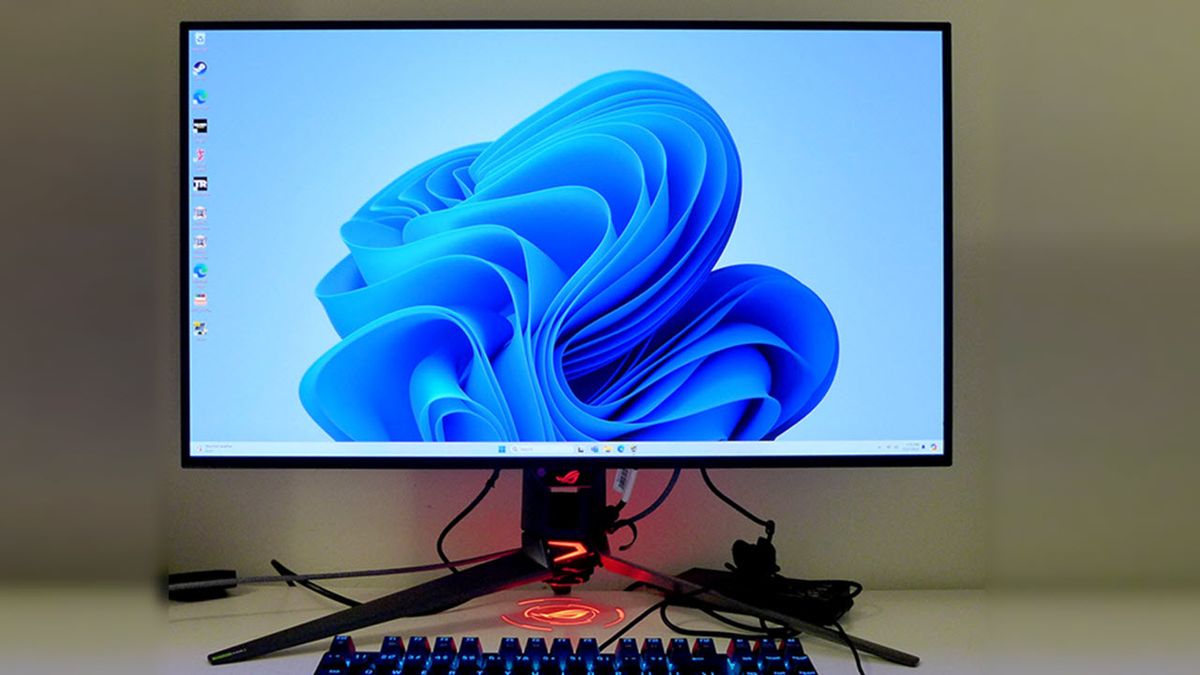
Tom's Hardware
32-inch 4K OLED gaming monitor with 240 Hz, 480 Hz at FHD resolution, Adaptive-Sync, ELMB, HDR400 and wide gamut color.
fading wyvern
That’s a pretty sick display 
 visual girder
What’s a decent ips monitor that can handle a 3070ti+5600x?
Refurbished/used is fine
errant edge
visual girder
What’s a decent ips monitor that can handle a 3070ti+5600x?

eBay
MSI G274QPF 27" 16:9 WQHD (2560 x 1440) Rapid IPS Flat Gaming Monitor, 400 HDR Ready, 170Hz Refresh Rate, 1ms (GTG) Fast Response Time, Contrast Ratio 1000:1, Anti-glare, Wide Color Gamut (Adobe RGB 96% DCI-P3 93% sRGB 121%), Anti-Flicker and Less Blue Light, Frameless Design, 178° Wide View Angle, 2 x HDMI v2.0b, 1 x DisplayPort v1.4a, 1x Type-...

KTC H24T09P 23.8" 1920 x 1080 165 Hz Monitor (H24T09P)

eBay
BenQ MOBIUZ EX240N Gaming Monitor 24" FHD 1080p 165Hz 1ms | VA | HDRi | Color Optimizer | Light Tuner | Black eQualizer | Freesync | Eye-Care Tech | Tilt | HDMI | DisplayPort | Built-In Speakers. FreeSync Premium.
visual girder
Ty @errant edge
 visual quail
I'm looking for a high refresh rate 1440p monitor. Should I go MSI G274QPF or LG 27GR75Q-B?
errant edge
visual quail
I'm looking for a high refresh rate 1440p monitor. Should I go MSI G274QPF or LG...
M27q

Gigabyte M27Q 27.0" 2560 x 1440 170 Hz Monitor (M27Q)

Dell G2724D 27.0" 2560 x 1440 165 Hz Monitor (G2724D)
 prime sun
My parents touched my monitor when i wasnt home and unfortunately now it has a scratch on it that glows a bit white whenever the lcd is dark. Ive heard nail polish can help clear it up a bit?
 river edge
Is the screen a gloss or matte finish?
 river edge
If you use nail polish, that's glossy and will leave a shiny spot
river edge
The coloration is due to the clear screen damage, leaving a white scratch
Do you have liquid car wax in the garage?
river edge
Put a little bit on a Q-Tip and rub it on the white spot to see if it clears up
Kinda like how auto wax hides scatches in paint, might work here too
 turbid star
Genius
 gritty yacht
Hello, I hope someone here is able to help me. How can I determine if my new monitor has a protective film on the display? According to Copilot the PA24ACRV does come with a protective film, but it does not have any corners tabs to remove it. Any suggestions on ways to remove it without damaging this display would be appreciated.
Thanks
 fossil gust
gritty yacht
Hello, I hope someone here is able to help me. How can I determine if my new mo...
fossil gust
gritty yacht
Hello, I hope someone here is able to help me. How can I determine if my new mo...
Don't refer to a LLM for facts like that, pretty high chance it's just hallucinating an answer
turbid star
gritty yacht
Hello, I hope someone here is able to help me. How can I determine if my new mo...
Copilot is literally so stupid
Most LLMs are stupid and hallucinate answers
I wouldn't trust em with information that critical
visual girder
errant edge
Otherwise
https://pcpartpicker.com/product/vyqrxr/dell-g2724d-270-2560-x-1440-1...
.
 swift saddle
I can't send a pic because I dont have permissons, but I just got the FYHXele monitor from my Aunt and I plugged it in and it's only displaying "EZCast Dual" and won't connect to my phone or laptop or anything (Laptop is what I want it for)
I dont have ezcast or whatever it needs to connect, just the wires?
(now ive set it in another language)
misty gyro
swift saddle
I can't send a pic because I dont have permissons, but I just got the FYHXele mo...

FYHXele 28" Gaming Monitor, 4K 144Hz Monitor, Fast IPS, 1ms, UHD 3840 * 2160 Computer Monitor with Remote, Free-sync, DSC, HDMI 2.1/2.0, DisplayPort 1.4, USB Type C, HDR400, VESA/Low Blue Light
swift saddle
no, its 15" I believe
the box is not very descsriptive
i think the product number is on the quickstart guide
MNTM156A05 ?
misty gyro
This one then? https://www.amazon.com/FYHXele-Portable-Touchscreen-Extender-Mini-HDMI/dp/B09DP9DH3J?th=1

FYHXele 15" Portable Monitor Touchscreen, Portable LED Screen Extender, FHD 1080P IPS Travel Monitor, Mini-HDMI, USB C Portable Touchscreen Monitor for Laptop PC Phone, Eye Care, Touch Not for Mac OS
swift saddle
Yes, except it isnt touch screen
swift saddle
no, i can send u a pic in dm if u want? it says FYHXele on it
maybe its touchscreen and jsut broken?
it looks like the touchscreen one
misty gyro
The exact model makes little difference at this point
What are you connecting to it with
swift saddle
usbc to usbc and also a regular big usb and usb c
misty gyro
Does the laptop support USB DP alt mode? That's required for connecting to a monitor over USB
A lot of phones can support that officially but have the feature disabled too
swift saddle
is there a way to check? im unsure. its a gaming laptop so id assume so?
misty gyro
What model laptop
swift saddle
HP OMEN 15
misty gyro
Only one of the USB ports supports alt mode, try different ports
I'm not sure if it will give enough power through that port so you might need supplemental power as well
swift saddle
if u get a hdmi will it bypass all of this ?
also it keep switching back to cast on every usb port
do i have to do anything on my latop to make it mirror (im very new to this, thank u for the help)
misty gyro
Mini HDMI is one of the worst connectors ever conceived
They break constantly because it's so fragile
Make sure your video drivers are up to date, for both GPUs if you have multiple
There should be a button on the keyboard that tells the laptop to switch between mirror/extended/etc modes for external displays, usually you have to hit "fn" and one of the F keys on top. Often fn+F4.
It'll look something like this
 swift saddle
that does nothing, but the monitor is on cast input right now
i have the usb cord in the right plug on the laptop for sure
could the cord be bad?
misty gyro
That's possible
Looks like it wants a USB connection even if you use the mini HDMI port
 swift saddle
so i just gotta get a different wire and try that ig
is there any way to factory reset the monitor
that u know of
misty gyro
I don't see any kind of a button that might be used to switch input modes
swift saddle
its in settings
swift saddle
theres reset but that just changed the language to something i cant read
ig thats it but ?
it didnt restart
yea it just keeps saying no signal for the usb c connection
misty gyro
Several reviews on Amazon complain about this exact problem,
"When turning on some connected devices, the monitor turns on in a nonworking "ezcast" input mode, forcing me to manually change the input to the desired input every time I turn it on."
swift saddle
atleast im not alone
misty gyro
Also once you do have it working don't let the laptop go to sleep
It won't reconnect and it'll stay on in the broken "ezcast" mode
misty gyro
Until you unplug it from power
swift saddle
i really appreciate the help
im going to get a hdmi/mini cord and see if it works and if it doesnt ill just pretend i have money and buy another monitor
do u have any suggestions
?
on monitors?
misty gyro
Do you need something specifically portable like this one or will a standard one do?
swift saddle
I would like a portable one, but it isnt necessary
misty gyro

Specifications: Display size: 23.8 inches Resolution : 1920 x 1080 Brightness (Max): 250cd/m2 Screen technology: IPS Response Time: 1ms MPRT Refresh rate: 165Hz Connections: HDMI1.4*2, DisplayPort 1.4, headphone output Audio input: 3.5mm mini jack Contrast Ratio (DCR): 20000000:1 Contrast Ratio:1...
swift saddle
🙏 thank you
 glass prism
guys is it a good time to buy an oled 1440p Monitor? or do I wait maybe the oled technology will be better and the problems such as the burn-in will be less
misty gyro
glass prism
guys is it a good time to buy an oled 1440p Monitor? or do I wait maybe the oled...
This is a good time. Burn in isn't nearly as bad as initial reports said.
glass prism
misty gyro
This is a good time. Burn in isn't nearly as bad as initial reports said.
what do u think about this one?
https://www.newegg.com/msi-mag-271qpx-qd-oled-27-qhd-360-hz-metallic-black/p/N82E16824475360
misty gyro
Decent, but what are you playing that actually needs 360 fps?
glass prism
misty gyro
Decent, but what are you playing that actually needs 360 fps?
nothing really but its the same price as the 240fps model
misty gyro
Here's a few other options then https://pcpartpicker.com/products/compare/cRNxFT,qfpQzy,3NFmP6,BR7scf/
LG 27GR95QE-B 26.5" 2560 x 1440 240 Hz Monitor vs. Acer Predator X27U bmiipruzx 27.0" 2560 x 1440 240 Hz Monitor vs. Alienware AW2725DF 26.7" 2560 x 1440 360 Hz Monitor vs. MSI MAG 271QPX QD-OLED E2 26.5" 2560 x 1440 240 Hz Monitor
glass prism
misty gyro
Here's a few other options then https://pcpartpicker.com/products/compare/cRNxFT...
is the oled same as the w oled?
misty gyro
Technically no. WOLED gets brighter since it has the extra white LED, but it's also slightly worse text quality.
glass prism
misty gyro
Technically no. WOLED gets brighter since it has the extra white LED, but it's a...
Do you have a video explaining the difference between W-OLED, OLED, QD-OLED, glossy type, and matte type? bec am lost rn
misty gyro
https://www.rtings.com/monitor/tools/compare/lg-27gr95qe-b-vs-dell-alienware-aw2725df/36349/46678?usage=4112&threshold=0.10
https://www.rtings.com/monitor/tools/compare/msi-mpg-271qrx-qd-oled-vs-acer-predator-x27u-bmiipruzx/47131/37881?usage=4112&threshold=0.10

RTINGS.com
The LG 27GR95QE-B and the Dell Alienware AW2725DF are both 27-inch OLED gaming monitors. The Dell has a QD-OLED display, while the LG has a WOLED. The Dell has better gaming performance and image quality, a higher refresh rate, and more vivid HDR colors. However, the LG is still fantastic at gaming and media consumption. Additionally, the Dell's...
RTINGS.com
Compare the MSI MPG 271QRX QD-OLED and Acer Predator X27U bmiipruzx monitors
Matte vs glossy is going to be completely a personal decision. If you're in a darker room, glossy has slightly better picture quality, but more glare. Matte is better for well lit rooms due to reduced glare.

Support us on Patreon: https://www.patreon.com/hardwareunboxed
Join us on Floatplane: https://www.floatplane.com/channel/HardwareUnboxed
Buy relevant products from Amazon, Newegg and others below:
Dell Alienware AW2725DF - https://geni.us/N7Wk
MSI MPG 271QRX - https://geni.us/BHFHlM
AOC AG276QZD - https://geni.us/0JNSHZS
Asus ROG Swift OLED PG2...
glass prism
misty gyro
Matte vs glossy is going to be completely a personal decision. If you're in a da...
I have a light bar above the screen will that make a difference?
misty gyro
Above in front or above behind
glass prism
misty gyro
Above in front or above behind
above
misty gyro
Is it in a way that the light shines directly onto the screen
glass prism
misty gyro
Is it in a way that the light shines directly onto the screen

Amazon Links:
Xiamoi Mi Monitor Light Bar:
US: https://amzn.to/3MTaYFL
CA: https://amzn.to/3ZsyCN3
UK: https://amzn.to/3LNV0NI
International: https://geni.us/GIL2xC5
Today, I'm doing a video on the Xiaomi Mi Computer Monitor Light Bar Review. In this video I'm doing a full review of the Xiaomi Mi Computer Monitor Light Bar! If you enjoyed ...
misty gyro
Ok so yes it shines directly onto the screen, so a matte screen would have better quality due to reduced glare
glass prism
misty gyro
Ok so yes it shines directly onto the screen, so a matte screen would have bette...
ya and i also play with the lights on
misty gyro
Definitely lean towards matte finish then
glass prism
misty gyro
Definitely lean towards matte finish then
but doesn't the glossy have better colors?
misty gyro
Only when there isn't an external light interfering with those colors
glass prism
misty gyro
Only when there isn't an external light interfering with those colors
but is it worth to change my setup for?
i mean the light bar and play in darker room
prime sun
river edge
Put a little bit on a Q-Tip and rub it on the white spot to see if it clears up
If youre speaking from experience, any specific bottle youd recommend?
Im not sure if theres a difference between brands and the like
Plus making my monitor worse is a bit of a fear
I might intentionally scratch my old tv and use it as a test run to see
Maybe something like this?
 misty gyro
He's gone sadly so you won't get a response from him. I'm not sure if anyone else here would have tried a repair like this before.
It makes sense in theory, and practicing on an old (preferably broken) screen is a good idea
The tricky part is getting the excess off without doing more damage
errant edge
misty gyro
He's gone sadly so you won't get a response from him. I'm not sure if anyone els...
Oh I didn't know he left, did smthn happen?
misty gyro
Quietly quit, no one seems to know
prime sun
misty gyro
It makes sense in theory, and practicing on an old (preferably broken) screen is...
Its an old unused tv that is i recall 32" 720p lol, nothing to miss
Broken however would be an issue since the scratch itself im not bothered by but the light peaking through a bit since it cant seperate
Not sure if wax would even help what i want
Resending just so you can see what im talking about

 west hedge
can someone reccomend me a good monitor that i can use at school? I kind of wanna jump up to 1440p but idk if ill need 144 hz or 165. My specs are a 5600x3d and 3080
misty gyro
What kind of budget do you have? 1440p would be ideal using a 3080
west hedge
prolly nothing over 250
misty gyro
Easy recommendation then. https://www.amazon.com/dp/B08JWCHR5N

27” 2560x1440 IPS Display with 165Hz Refresh Rate, 0.5ms (MPRT) Response Time Smooth Gameplay with AMD FreeSync Premium Studio Grade VESA Display HDR400 and 92% DCI-P3 (140% sRGB) Color Gamut GIGABYTE Classic Tactical Features with OSD Sidekick GIGABYTE Auto-Update.
misty gyro
Yes. IPS has better colors and motion performance than VA or TN. It's only weak point is contrast ratio, so very dark areas on an otherwise bright screen will appear gray. This generally doesn't matter for gaming, only in movies.
misty gyro
I have a 3080 ti personally and it can get around 165 fps is most games I play at 1440p
west hedge
w
misty gyro
Usually I aim for a little more than 165 so my 1% lows look smoother
I set a frame limit to 200
west hedge
gotcha

Made for intense, fast-paced games, the ASUS TUF Gaming VG27WQ1B is a 27” curved display with a 1ms (MPRT) response time and blazing 165Hz refresh rate to give you super-smooth gameplay. With ASUS ELMB and FreeSync technology, VG27WQ1B eliminates ghosting and screen tearing for an impeccable imme...
just besides the ms
misty gyro
Curved monitors usually have a worse VA panel
west hedge
ahhh
misty gyro
If you wanted something cheaper with a few less extras,
https://www.newegg.com/asrock-pg27qft2a-27-qhd-180-hz-ips-black/p/N82E16824028007
west hedge
prolly will just spend a few extra bucks so i can also get it faster lol - i move in on thursday
 rocky cypress
west hedge
prolly will just spend a few extra bucks so i can also get it faster lol - i mov...
rocky cypress
west hedge
prolly will just spend a few extra bucks so i can also get it faster lol - i mov...
Or you can wait 4 days until you move
Or 3 days
Could even just buy now and send it to where you're moving into so you'll have it soon after you arrive depending on how long the delivery timeline is
west hedge
rocky cypress
Could even just buy now and send it to where you're moving into so you'll have i...
That’s what I did end up doing
 trail path
Anyone got thoughts on monitors and monitor setups? I have an existing Ultragear 32GP38B-B. I'd like to upgrade and get three monitors, and I'd like monitor arms to support them.
I'm weighing if I want to get two more of the same make and model as they are on sale for $300 each, which is favorable pricing. However I've had this monitor for a few years and I'd like to upgrade to get a better model or maybe a better brand. I know a whole discord exists for monitors, but anyone got any good recommendations for 1440p, 32" ish?
Monitor arm wise I'm looking for like something of quality. Price really isn't an object. I've been eyeballing humanscale for a while as I heard they are very good, but definitely expensive. I also don't know if it's better to get one arm to support three monitors, or three seperate arms.
Anyone care to share some thoughts? All are welcome.
misty gyro
trail path
Anyone got thoughts on monitors and monitor setups? I have an existing Ultragear...
That's a good model and there isn't really much competition for it that is 1440p and ~32". Maybe consider the GS32Q, but 3 matching monitors would be good.
https://pcpartpicker.com/product/BkzXsY/gigabyte-gs32q-315-2560-x-1440-170-hz-monitor-gs32q
The real upgrade for you would be OLED monitors but there isn't a 1440p 32" OLED panel, only 4k at that size.
I don't know much about arms but I know it's hard to find good ones.

Gigabyte GS32Q 31.5" 2560 x 1440 170 Hz Monitor (GS32Q)
errant edge
There's 34" oled
misty gyro
Ultrawide yeah
 keen sequoia
Ok, stupid question, but should I buy a 240hz 1080p 55" 3d TV for $150? I have no use for it, but wondering if it's worth something
Model number is samsung u55h7150AF
misty gyro
Is it actually 240Hz? Because there's techniques they use to trick you like backlight strobing. And what viewing distance would you be at?
keen sequoia
Cannot get further back than Abt 6-7ft, and I have no idea if it's actual 240hz
misty gyro
It's going to look like a blurry mess at that distance
keen sequoia
Like I said, I have no use for it anyways, but is it worth something to someone who might really want a 3d tv.
I think it's 120hz, but because of the 3d effect they call it 240hz, just a guess tho
misty gyro
Looks like it's real 240 with backlight strobe at 960
And the 3D only works with the included glasses so make sure they have those
keen sequoia
They do not have the glasses, but shouldn't cost too much
misty gyro
The glasses are $30 each
keen sequoia
Yeah not bad, but if I do buy it I'll sell it by itself
misty gyro
Looks to me like it's worth more in pieces than it is all together
Motherboard - $75-100
PSU - $75
LED strip - $40
etc
keen sequoia
Lol, cant find it sold as one piece anywhere tho
misty gyro
Probably because it's more than 10 years old
 limpid slate
Got any about $130 monitor reccs?
misty gyro

MSI G2412F 24.0" 1920 x 1080 180 Hz Monitor (G2412F)
limpid slate
https://www.newegg.com/p/3D4-005Y-00008 Is this panel any good?
 small warren
The one fal linked is good
misty gyro
limpid slate
https://www.newegg.com/p/3D4-005Y-00008 Is this panel any good?
The panel is fine, but the build quality and firmware are atrocious
Defaults to Chinese so you need to get google lens out to figure out how to change it to English
turbid star
or just hope for the best
prime sun
Or just speak Chinese
turbid star
Impossible
small warren
The panel can't speak back...?
turbid star
He gets it
small warren
turbid star
He gets it
I actually didn't read what you wrote but you're so right 💀💀💀
prime sun
I was outplayed 
 pearl otter
Can someone help me find a computer Monitor? I want a secondary monitor for video I don't have a lot of space but its really important that at odd angles I can still see the video without the dark colors mirroring or being unable to see?
rocky cypress
pearl otter
Can someone help me find a computer Monitor? I want a secondary monitor for vide...
If you want to save money for a second monitor, for 2nd monitor content, you could always also go to a thrift store to see if they have some old but not too old monitors
(Sometimes you get lucky)
Otherwise, perhaps like https://www.rtings.com/monitor/reviews/asus/vg246h
Somebody else probably has better reccs for specifics but this is just an idea

RTINGS.com
The ASUS VG246H is a pretty basic 24 inch monitor with a 1080p resolution. Marketed mainly as a gaming monitor, it has outstanding low input lag for a responsive...
errant edge

MSI PRO MP2412, 24", 1920 x 1080 (FHD), FreeSync, 100Hz, TUV Certified Eyesight Protection, 1ms, VGA, HDMI
 ornate cloud
Hey! Does anyone recommend a good (decently priced and good quality) Monitor Arm that is Able to support a 32” 4K monitor and a 1440x3440 Ultrawide monitor stacked on top of each other?
Or is there other good solutions to stack one monitor on top of another?
I plan to use the ultrawide Monitor as my main and then move the 4K monitor above the ultra wide for watching movies etc.

Thanks in advance
rocky cypress
Honestly not too big on stacked monitors personally
Also damn is that the 4th gen Scarlett 2i2
ornate cloud
rocky cypress
Also damn is that the 4th gen Scarlett 2i2
yessir
trail path
So... it's that time for a new monitor. I currently have an LG 32GP83B-B.AUS
I wanna upgrade. I looked at LG's 45GS96QB-B.AUS in person and the PPI was just horrible. The 39GS95QE-B.AUS looked decent, but ehh. Samsungs QD-OLED panels looked nice. Samsungs LS49CG954SNXZA just looked too wide for me.
I stumbled across Dell's Alienware AW3225QF. 32" curved, 4k QHD, 240hz, Nvidia-Gsync. It looks like it's got some great reviews, I just saw it has quite a few software and firmware bugs people talked about.
Any ideas if this dell is a good pick? Should I go for something else? Budget isn't an issue.
errant edge
trail path
So... it's that time for a new monitor. I currently have an LG 32GP83B-B.AUS
I ...
what country are you in?
id typically suggest https://pcpartpicker.com/product/xgxxFT/msi-mpg-321urx-qd-oled-315-3840-x-2160-240-hz-monitor-mpg-321urx-qd-oled
or
https://pcpartpicker.com/product/RwXV3C/alienware-aw3225qf-316-3840-x-2160-240-hz-curved-monitor-aw3225qf

MSI MPG 321URX QD-OLED 31.5" 3840 x 2160 240 Hz Monitor (MPG 321URX QD-OLED)

Alienware AW3225QF 31.6" 3840 x 2160 240 Hz Curved Monitor (AW3225QF)
oled instead of qd oled https://pcpartpicker.com/product/2xpQzy/samsung-odyssey-oled-g8-320-3840-x-2160-240-hz-monitor-ls32dg802snxza

Samsung Odyssey OLED G8 32.0" 3840 x 2160 240 Hz Monitor (LS32DG802SNXZA)
misty gyro
Ultrawide might be worth considering too
errant edge
fair point
rocky cypress
i think it would be hilarious if you watched a welding video w/ hdr on a 1000 nit monitor
would need welding goggles for it
true immersion
how does it look so bright even on a regular ass like 250 nit monitor
💀
turbid star
Welding is bright af
rocky cypress
Well yeah, but how does it look so bright even on a cheap ass monitor with a peak brightness of like 250 but or whatever
Brighter than discord light theme I swear
rocky cypress
what's currently the best bang for buck ips 27" 1440p monitor
looking for something under $500 cad
under $400 is more ideal
i glanced at the m27q and that's currently 329 cad
though im not much of a gamer and i dont actually really need that high of a refresh rate
i want something with at least 75hz and colour accurate i guess
wait
i could ask rtings for reccs
i have insider 
errant edge
rocky cypress
i glanced at the m27q and that's currently 329 cad
This would be better value
https://ca.pcpartpicker.com/product/W6QKHx/msi-g272qpf-270-2560-x-1440-170-hz-monitor-g272qpf

MSI G272QPF 27.0" 2560 x 1440 170 Hz Monitor (G272QPF)
rocky cypress
damn memory express is out of stock

just looked at it and it seems like shipping would have made it cost the same as the amazon so i'll just get that ig
errant edge
rocky cypress
just looked at it and it seems like shipping would have made it cost the same as...
M27q is still a good choice btw
It is objectively better
Imo not worth more than $40-50 extra tho
errant edge
rocky cypress
how's the hdr on it
or is it not really usable
It's about as good hdr as you'll get in the budget
rocky cypress
i see
errant edge
I like hdr on my x27q, which is kinda like an HP branded g27q
Which is below the m27q
The msi one I'm not sure how the hdr is
misty gyro
rocky cypress
how's the hdr on it
or is it not really usable
HDR on anything below about $600 is meh. They don't get bright enough for true HDR so you get HDR400, maybe HDR600, and even then it's only faked by the EDID. If things aren't calibrated correctly in the game itself, you get weird washed out colors.
rocky cypress
ah
fading wyvern

 tidal hatch
Guys what do yall recommend for ps5 gaming under 120? https://www.amazon.com/Acer-Monitor-FreeSync-Technology-ZeroFrame/dp/B0B6DFG1FQ/ref=mp_s_a_1_7_vs_ar?crid=KSAD6CDYCP6W&dib=eyJ2IjoiMSJ9.uJL-1aUQN593k5_dZP7GlbFih7YCOrQTetgBjFwX4ohIcTpvxsXldjWxwDKuhOQ-6bhV8rKFl7Ch9BYiYYRPcntayLNnVqmBdtGYNnn-nwK92es9ZNYIVOlzi3kDQsgtYClpKP75wN7M1YhzmrNw7cZU5xU9F81xCCFp6_hePXMgUaK5wlNSTf23b85AgHpDe8OSf2DXCijo0RZcgyiJVw.uXGwAy5S1eW-36BPGQUakM-uWNBbR5umghkxc4ZzHFw&dib_tag=se&keywords=1080p+144hz+monitor&qid=1724874725&sprefix=%2Caps%2C710&sr=8-7

In competitive gaming, every frame matters. Introducing Acer's KG241Y gaming monitor - the Full HD (1920 x 1080) resolution monitor that can keep up with your game play. Through AMD FreeSync Premium technology, the game’s frame rate is determined by your graphics card, not the fixed refresh rate ...
Is this one good?
fossil gust
If you can stretch the budget a tiny bit there were some refurb 1440p panels on Ebay for $130ish
misty gyro
tidal hatch
Guys what do yall recommend for ps5 gaming under 120? https://www.amazon.com/Ace...
Do you need speakers on the monitor? Or will you be using a headset?
tidal hatch
misty gyro
Do you need speakers on the monitor? Or will you be using a headset?
Headset
fossil gust
100hz, $104 after code
https://www.ebay.com/itm/276265496034?_nkw=1440&epid=6064737673
170hz, $112 after code
https://www.ebay.com/itm/256365232386?_nkw=1440&itmmeta=01J6D9XYZSVA19K2T3VX2N82PD&

eBay
Acer SB272U E - 27" Monitor WQHD 2560x1440 IPS 100Hz 1ms 250Nit HDMI DisplayPort.

eBay
AOPEN 27HC5UR - 27" Monitor WQHD 2560x1440 VA 170Hz 1ms 250Nit HDMI DisplayPort.
165hz, 400 nit (vs 250 on the other 2), $120 after code
https://www.ebay.com/itm/256116374357?_nkw=1440&epid=11061262251

eBay
Acer Nitro XZ272U V - 27" Monitor WQHD 2560x1440 VA 165Hz 1ms VRB 400Nit HDMI.
misty gyro
If ebay isn't an option or you want new you'd be looking at 1080p
https://www.amazon.com/dp/B0CRLXF6GW

MSI FHD Rapid IPS Gaming Free Sync 1ms 1920 x 1080 180Hz Refresh Rate 25" Gaming Monitor (Optix G255PF E2)
tidal hatch
Thank guys ill have a look
tidal hatch
misty gyro
If ebay isn't an option or you want new you'd be looking at 1080p
https://www.am...
Is odyssey g3 24 inch 1080p good?
misty gyro
tidal hatch
Is odyssey g3 24 inch 1080p good?
Which one? There's exactly 5 monitors that fit that description
They're all VA though so I would say probably not
tidal hatch
misty gyro
Which one? There's exactly 5 monitors that fit that description

Best Buy
Shop Samsung Odyssey G3 24" LED FreeSync Premium 165Hz 1ms Gaming Monitor (DisplayPort, HDMI) Black at Best Buy. Find low everyday prices and buy online for delivery or in-store pick-up. Price Match Guarantee.
This one
misty gyro
I love how best buy doesn't even know how to define this

Anyway it's a VA panel so it's less than ideal. You can find IPS around the same price.
prime sun
Va panels are outdated imo
No point going anything that isnt a variation of LED or IPS
errant edge
With the exception of mini led VA
misty gyro
prime sun
Va panels are outdated imo
They still have a place, and that's for purely media consumption on the cheap since they have good contrast ratios, or office work. Everything else, IPS is way better.
 brisk idol
hay if i was looking for a simple battery operated poctet projector for a phone for watching shows at night in a tent what would be a good option?
i dont need speakers or anything just a decent hd or full hd ress projector
been looking at the tank phone with a built in one but it would be kinda annoying to have 2 phones
also decent dust proof rating and idealy waterproof rating would be ideal
brisk idol
maybe willing to spend $325 if its got minimally a IP5X rating
Ideally ip68 but doubt ill find that
rocky cypress
im honestly not sure if you would be able to get anything even decent
not from your budget, but from your size constraints
i have not used any pocket sized projector that was even near half decent
also im unsure if there is really any projector that has an IP rating of more than ip3x or 4x because they get quite hot, especially the decent ones
https://www.rtings.com/projector/reviews/xgimi/mogo-2 rtings rated this projector as the best budget portable projector, but it's still meh

RTINGS.com
The XGIMI MoGo 2 is a lightweight 720p HDR projector. It's small and light, making it easy to carry around, and it's easy to install and use with Auto Keystone c...
not very bright
also way larger than pocket sized
and only 720p
oh it also doesnt have a battery so yeah that wont work for you
brisk idol
was looking at dlc stuff
rocky cypress
https://www.rtings.com/projector/reviews/kodak/luma-350 this probably fits your budget (is more expensive than the mogo2 though), has a battery, but is even worse than the one above
with 480p and with way worse brightness 💀


RTINGS.com
The KODAK LUMA 350 is a basic 480p portable pocket projector. It's designed to be small enough to fit in your pockets, and its integrated battery lets you take i...
i honestly wouldnt recommend either of these
 silver wyvern
buy used projector???
rocky cypress
true, but the form factor hasnt really had any good quality projectors
even at the higher end of pricing
brisk idol
need it to be small enough to bring tent camping
brisk idol
probably should just get a tank 3 pro and sell my curent phone
rocky cypress
in comparison, https://www.rtings.com/projector/reviews/epson/epiqvision-flex-co-w01, a typical sized projector, for cheaper than both of these portable options is literally so much better
but yeah
portable is hard
rocky cypress
brisk idol
probably should just get a tank 3 pro and sell my curent phone
only 100 lumens, it's going to be pretty terrible
brisk idol

8849 Tank 3 Pro Rugged Phone
rocky cypress
 brisk idol
its tent camping tho so like no light at all at night
rocky cypress
i've tried a 100 lumen projector before even in pitch black, on a white wall, and it's very dim even in that scenario
that projector has just been sitting in a box
actually, it was 150 lumen?
something like that
brisk idol
oof
rocky cypress
it only worked with a decent brightness when you used it like, half a meter away lmao
so the image was tiny
rocky cypress
but yeah, any "led" projector tends to be barely bright
you need a laser projector or the more typical like, halogen or whatever projectors
i forget which type of bulb they used
but those draw more power and/or are more expensive
well, let me clarify, any cheap led projector tends to be barely bright
there are units at $1k and such that are led and ARE good
brisk idol
OOF
silver wyvern
led is the most efficient type of light generating thingy
so anything else would need a much bigger heatsink
brisk idol
i just want something to watch anime episodes at night in a tent during boyscout trips XD
brisk idol
what about this https://www.amazon.com/AAXA-Technologies-P8-Projector-Smartphone/dp/B09VMP72WG/ref=asc_df_B09VMP72WG/

The AAXA P8 Mini Projector is a power next-generation solid-state mini projector that fits in a pocket. The AAXA P8 Mini HD Projector incorporates a compact 4th generation Texas Instruments DLP imager mated to an Android 10.0 operating system supporting wireless screen mirroring, Bluetooth connec...
its charger is 12v dc, any idea on if there are plugs to power that?
from a larger battery brick

The SLC450 is designed to compete directly with its “copycat” 1LCD Projector cousins. It’s priced the same but is brighter, smaller, more colorful, more power efficient and better in every way. AAXA Technologies SLC450 is a 450 LED Lumen 1080P Native Resolution mini projector based on Silicon Liq...
either of these seem decent to anyone?
misty gyro
If Amazon reviews are at 3.5 stars you can bet anywhere else it would be 1.5
I would strongly suggest you buy from anywhere but Amazon since all the legit brands have mostly jumped ship
turbid star
Amazon is all bots and cheap fake sellers
I mean, have you seen their names?
Aaxa?
Duug could be their next name
Just slam on the keyboard and you have a new name
And amazon doesn't even care what is being sold even if it's legit dangerous or harmful
misty gyro
Which is exactly why the US government is trying to hold them accountable for the literally lethal products they have on the marketplace
Fake CO detectors that don't work? You're going to kill someone. 2A fuses that don't blow until 10A? Fire hazard.
Hopefully it's a fine that hurts and not just 0.2% of their monthly revenue
rocky cypress
silver wyvern
so anything else would need a much bigger heatsink
not even a heatsink
just more airflow
those glass bulbs aint got no heatsink on them lmfao
well, actually, the LEDS are more likely to have heatsinks
also the lasers
but not the lamp type of projector; the most common type
those things are terrifying
they have very thin glass for thermal transfer
and they're pressurized so they can explode
silver wyvern
rocky cypress
just more airflow
yea
but i mean leds are significantly more efficient
silver wyvern
yea
rocky cypress
brisk idol
either of these seem decent to anyone?
considering the price and the specs that it lists, it's almost certainly a scam
misty gyro
And the lack of any real brand
brisk idol
rocky cypress
considering the price and the specs that it lists, it's almost certainly a scam
im realy just looking for the tank 3 projector but as a stand alone
brisk idol
rocky cypress
considering the price and the specs that it lists, it's almost certainly a scam
staples carries them?
 rocky cypress
brisk idol
staples carries them?
rocky cypress
brisk idol
staples carries them?
Sold by staples? Or just the marketplace? Alot of these online stores are marketplace items nowadays
Though the reviews are pretty bad on it as well
Probably from being very dim
brisk idol
yah, there's going to be absolutely no other light besides the moon and stars so being dim isnt much of a concern i think
really just looking for something that will be better than a phone screen for watching maybe 1 movie per charge and can fit inside a already desently full camping pack
the highest rres id use would be fhd and likely only 780p hd
rocky cypress
brisk idol
yah, there's going to be absolutely no other light besides the moon and stars so...
it being dim just meant the image quality is terrible due to a lack of contrast
if you want to know what it would kinda look at, lower your brightness on your monitor to the lowest, as well as the contrast, and that's a good parallel of these projectors
it honestly would still be a bit better
ususally the image is also a little fuzzy due to lens quality
well, lens or something
im unsure of what causes it exactly, asides from the low resolution
misty gyro
brisk idol
yah, there's going to be absolutely no other light besides the moon and stars so...
Remember: if it says 100 lumens, that's the total for the entire screen. So it's more like 25 per quadrant.
turbid star
misty gyro
Which is exactly why the US government is trying to hold them accountable for th...
Meanwhile FTC is just like "stop that don't do it" and they walk away
rocky cypress
turbid star
Like legit it's probably going to look like crap
Not probably, but definitely
For a dark room, for it to start looking good, you have to get something that has like 400 lumens minimum
Which will give you like 100 lumens per quadrant
Good projectors for regularly lit rooms have at least 2k lumens
Which is like 500 per quadrant
Well, good enough to be viewable, but still a bit more washed out than if you have the lights dimmed or off
misty gyro
Oh, fun fact too, 25 lumens is the equivalent of 2 candles
rocky cypress
lmfao
fossil gust
brisk idol
really just looking for something that will be better than a phone screen for wa...
Cheap tablet
rocky cypress
^ would be so much better
misty gyro
It would be equally easy to break a projector
rocky cypress
instead it's a small fat fragile thing
misty gyro
Cases exist too
 icy badger
Can someone give me some monitor recommendations for 1080p gaming <$120, >=144hz, (good panel preferebly IPS), reliable
please @, reply or dm me, thanks.
misty gyro
icy badger
Can someone give me some monitor recommendations for 1080p gaming <$120, >=144hz...
MSI G2412F 24.0" 1920 x 1080 180 Hz Monitor (G2412F)
No speakers, just so you're aware
Speakers https://pcpartpicker.com/product/tgWJ7P/msi-g255pf-e2-245-1920-x-1080-180-hz-monitor-g255pf-e2

MSI G255PF E2 24.5" 1920 x 1080 180 Hz Monitor (G255PF E2)

Designed for intense, fast-paced games, the ASUS TUF Gaming VG249Q1R is a 23.8” IPS display with 1ms (MPRT) response time and blazing 165Hz refresh rate to give you super-smooth gameplay. It features FreeSync Premium and ASUS-Exclusive Extreme Low Motion Blur (ELMB) technology to eliminate screen...
rocky cypress
monitor speakers are pretty much always bad anyways
icy badger
thoughts on this?
https://www.amazon.com/MSI-Refresh-Monitor-G244F-E2/dp/B0CRLXS8ZH

MSI FHD Rapid IPS Gaming Free Sync 1ms 1920 x 1080 180Hz Refresh Rate 24" Gaming Monitor (Optix G244F E2)
errant edge
Just realized
Would be really hilarious if a company made an all in one with an oled display
visual pilot
Why's that?
misty gyro
They make laptops with them, why not?
errant edge
That's fair, just typically all in one's are pretty low end and are moreso aimed at office work or old people stuff
 topaz kiln
would this be a good monitor to use even if i have a amd graphics card?

The 24” Asus VG248QG delivers a blistering Fast 165Hz refresh rate and 0.5ms response time to a full HD resolution The ergonomically-designed stand ensures ultimate viewing comfort during gaming while Asus Eye Care technology minimizes eye fatigue Asus exclusive game visual and game plus technolo...
errant edge
topaz kiln
https://www.amazon.com/VG248QG-G-Sync-Compatible-Gaming-Monitor/dp/B07TNM8L6S/re...
Not at that price
What gpu do you have
visual pilot
This at $110 should be a better choice https://www.amazon.com/dp/B0CRM48855

MSI FHD Rapid IPS Gaming Free Sync 1ms 1920 x 1080 180Hz Refresh Rate 24" Gaming Monitor (Optix G2412F)
 errant edge
https://pcpartpicker.com/product/vyqrxr/dell-g2724d-270-2560-x-1440-165-hz-monitor-g2724d
https://pcpartpicker.com/product/Fw26Mp/msi-g244f-e2-238-1920-x-1080-180-hz-monitor-g244f-e2
Dell G2724D 27.0" 2560 x 1440 165 Hz Monitor (G2724D)

MSI G244F E2 23.8" 1920 x 1080 180 Hz Monitor (G244F E2)
Get 1440p for sure
The Dell g2724d above would be great
visual pilot
Yea if you have 7900 GRE it's a better idea to get 1440p if you can
errant edge
If you'd spend another $30 you can get one of the best 1440p high refresh rate monitors
topaz kiln
which
topaz kiln
alr
errant edge
Gigabyte M27Q 27.0" 2560 x 1440 170 Hz Monitor (M27Q)
errant edge
errant edge
https://pcpartpicker.com/product/k8GnTW/gigabyte-m27q-270-2560x1440-170-hz-monit...
The g27q is a step below this, which is comparable to the Dell one
topaz kiln
170hz
errant edge
I can grab a comparison actually one second
topaz kiln
alright
visual pilot
Seems like the M27q rev 2 is significantly worse than rev 1
and rtings has added more testing that shows pixel response from 0 to 255 is not great, while it had great pixel response in general previously
errant edge
I had a comparison pulled up on rtings but for some reason it linked that instead
Idk how to link the comparison I was looking at instead
topaz kiln
https://www.amazon.com/Gigabyte-Monitor-Display-Response-FreeSync/dp/B08JWCHR5N?ref_=ast_sto_dp&th=1

27” 2560x1440 IPS Display with 165Hz Refresh Rate, 0.5ms (MPRT) Response Time Smooth Gameplay with AMD FreeSync Premium Studio Grade VESA Display HDR400 and 92% DCI-P3 (140% sRGB) Color Gamut GIGABYTE Classic Tactical Features with OSD Sidekick GIGABYTE Auto-Update.
i think this one would be good
errant edge
topaz kiln
https://www.amazon.com/Gigabyte-Monitor-Display-Response-FreeSync/dp/B08JWCHR5N?...
You planning to order rn?
Pato is the resident m27q expert
But I believe he's sleeping rn
It's like 2:30 am his time
topaz kiln
i havent ordered anything yet
probably wont be set on something until like next week
wednesday
 quartz sandal
errant edge
You around?
quartz sandal
errant edge
You around?
No twas 2am lol
The m27q is nice, haven't looked at pricing in a while
I'd consider this tbh looks decent
https://pcpartpicker.com/product/4gGhP6/msi-mag-275qf-270-2560-x-1440-180-hz-monitor-mag-275qf

MSI MAG 275QF 27.0" 2560 x 1440 180 Hz Monitor (MAG 275QF)
topaz kiln
quartz sandal
I'd consider this tbh looks decent
https://pcpartpicker.com/product/4gGhP6/msi-...
bought it
comin in thursday
0.5ms
what i like to see
thanks
 lethal flicker
Hey I need help
So there's a monitor I'm looking at, would it be worth the price it's at

I looked up the model and it shows an OLED display, but the paper says 8 at the end instead of B (what the website says)
misty gyro
I hope those aren't stickers
lethal flicker
Tape I think?
But would this be a good deal?
Well, is it the OLED model that I'm thinking of
misty gyro
I'm guessing the 8 is a typo
Someone read it wrong
If that's in new condition yes that's a good deal
small warren
Wth buy that
Buy it right now
Check with the salesman it's oled
That's an incredible buy if there's nothing you can find wrong with it
misty gyro
Or check the model number on the back and make sure it matches
small warren
$440 for a top quality oled is solid
The coating might be hit or miss for you but value wise KTC is the next closest pick at $600
errant edge
there's this at 575, but still, $135 difference for nothing https://pcpartpicker.com/product/BBhv6h/aoc-ag276qzd-265-2560-x-1440-240-hz-monitor-ag276qzd

AOC AG276QZD 26.5" 2560 x 1440 240 Hz Monitor (AG276QZD)
lethal flicker
I got the monitor, it looks so good
turbid star
misty gyro
Someone read it wrong
Bro thought the B was an 8 fr
 honest canopy
I'm having trouble finding specific information on FreeSync/G-Sync. I need a new monitor and I plan on getting a new PC later this year. I'm not yet sure what GPU I'm going for, so I want to be completely sure about compatibility and performance.
From what I've read, AMD GPUs work with G-Sync. Is that definitely true? Is there difference to FreeSync Premium?
Is there any difference in performance/function between native G-Sync and G-Sync compatible with Nvidia GPUs? I found it's "wider variable refresh rate (VRR) range, marginally lower input lag and variable overdrive"
So is it just better to get G-Sync if it works the same or almost the same as FreeSync with AMD?
rocky cypress
honest canopy
I'm having trouble finding specific information on FreeSync/G-Sync. I need a new...
Monitors with an actual gsync module is rare, it's often just "gsync compatible"
Freesync monitors works with both amd and NV gpus
Proper gsync monitors aren't worth it anymore
I dont think there's even new models with gsync modules anymore
honest canopy
So it's not worth it to sweat over G-Sync?
rocky cypress
Yeah
honest canopy
Now I'm going to sweat over which monitor to pick out of the 40 that fit my criteria
Too much choice is just as bad as no choice...
Damn, found a good deal but it's not G-Sync compatible
@rocky cypress does the adaptive sync not work if there's no "G-Sync compatible" certification?
rocky cypress
honest canopy
<@297812853174566913> does the adaptive sync not work if there's no "G-Sync comp...
It will still work
As long as it is freesync
honest canopy
Ah
rocky cypress
Not that some monitors have VRR flicker (the screen flickers to black every time the display changes refresh rate)
It won't say it on the specs
What is your budget for a monitor?
You can look on rtings for suggestions, though I have a insider subscription so I can check prices as well easier
honest canopy
Around 250 USD, max around 300
Lenovo Legion Y27h-30 is on sale for around 300 with a deal that I'd get 4 games with it
2K 144Hz+ 27" is what I'm looking for
With FreeSync ofc
rocky cypress
AOC Q27G3XMN

Unleash your potential and win sweet victories with the AOC Q27G3XMN gaming monitor- a sleek battle station with QHD resolution, 180Hz lightning-fast refresh rate and 1ms GtG rapid response time. With Adaptive-Sync, you get low latency, high refresh rates, and incredibly smooth graphics that reac...
honest canopy
Ah in my country it's slightly over budget
rocky cypress
Hmm
Also yeah it's slightly higher than 250
https://www.rtings.com/monitor/reviews/aoc/q27g3xmn here's the review if your curious

RTINGS.com
The AOC Q27G3XMN is a 27-inch budget gaming monitor. Competing with the Acer Nitro XV275U P3biipx, it's rather unique for a low-cost monitor as it features Mini ...
honest canopy
honest canopy
Ah in my country it's slightly over budget
Slightly more than slightly - 385 USD
rocky cypress
A tip on rtings, is if you run out of free reviews, you can clear your cookies so you can view more
Ahh
What country
honest canopy
Poland
rocky cypress
Dell G2724D

RTINGS.com
The Dell G2724D is an entry-level gaming monitor with a 27-inch screen and 1440p resolution. It has a 165Hz refresh rate, and it's designed for gamers who need a...
honest canopy
Yeah almost $500
Or exactly
At first it was like $1000
But I removed the space
So yeah for now either Dell G2724D or Lenovo Legion Y27h‑30
Ehh
There's no rtings review of this model
Only previous
But the previous model is much highly rated than the Dell
honest canopy
@errant edge in my country it's over budget
errant edge
ah mb
honest canopy
I have a dilemma
errant edge
honest canopy
I have a dilemma
What is said dilemma
honest canopy
should i get a mini led HDR monitor that costs almost 50% more than my initial budget? will it be worth it?
the AOC Q27G3XMN
instead of a standard backlight IPS
errant edge
Imo not really
rocky cypress
honest canopy
the AOC Q27G3XMN
the monitor in your region is quite overpriced
honest canopy
the 2nd cheapest DisplayHDR 1000 is double my budget
rocky cypress
would be fine for 250usd, which was within your budget, but due to your region, with it costing nearly 400usd, it's not worth
but alas
honest canopy
so annoying how electronics can be so much more expensive here especially with a weaker currency
errant edge
The mini led monitor in the US was just well priced, but the difference won't be as big as ips to oled
honest canopy
heard its a huge difference, although definitely not as good as oled
errant edge
Miniled is a weird in-between where it has real hdr, which ips typically doesnt, but doesn't have the much better response time and smoothness of oled
Felix knows panel types better than I do
Or fal cie
honest canopy
found out about IPS black, would be nice to have double the contrast, but there's barely any monitors with this technology that i could find
basically non-existent
at least for gaming
errant edge
ive never heard of that
rocky cypress
i assume you mean like, dual layer lcd?
might be something else
i just remember there being some dual layer tech in the past to increase contrast ratio, but it was quite expensive due to there being 2 screens lmao
ah it appears that ips black is just a single lcd
honest canopy
honest canopy
f it i dont care anymore
im getting the DELL G2724D
peer pressure wins
maybe there's a better one but this seems one of the best for this price
turbid star
It's a good budget monitor
Other than the normal IPS grey blacks there isn't much to complain about it
turbid star
honest canopy
But the previous model is much highly rated than the Dell
Also keep in mind the different test methodologies
The dell is v2.0
The others might be 1.2 or earlier
 keen helm
Anyone have the alienware aw2523hf 360hz 1080p monitor?
keen helm
Is it good quality? Or would there be better options?
Also does it come with a 1.4 display cable?
misty gyro
keen helm
Is it good quality? Or would there be better options?
Eh, average https://www.rtings.com/monitor/reviews/dell/alienware-aw2523hf
It does come with displayport and mini-displayport cables.

RTINGS.com
The Dell Alienware AW2523HF is a 25-inch, 1080p gaming monitor with a 360Hz refresh rate that's part of Dell's Alienware lineup. It replaces the Dell Alienware A...
keen helm
misty gyro
Eh, average https://www.rtings.com/monitor/reviews/dell/alienware-aw2523hf
It do...
Is there anything better you’d recommend? Preferably 360hz 1080p around $300 or less.
misty gyro
keen helm
Is there anything better you’d recommend? Preferably 360hz 1080p around $300 or ...
Maybe this one, it's a newer model so not a lot of reviews yet but the ones I see are positive https://www.amazon.com/dp/B0BT4ZL24J

Overview,The Lenovo Legion Y25g-30 gaming monitor takes e-sports players and pro gamers to a whole new level in interactive performance. The monitor pushes the envelope with its 360 Hz refresh rate - currently leading world's top speed - and 1ms response time. Built-in NVIDIA® G-SYNC® technology ...
The previous model, Y25-30 (no g) got favorable reviews as well
errant edge
Not 360 but also a good choice
https://pcpartpicker.com/product/xNTZxr/dell-g2524h-245-1920-x-1080-280-hz-monitor-g2524h

Dell G2524H 24.5" 1920 x 1080 280 Hz Monitor (G2524H)
keen helm
Alright thank yall
small warren
keen helm
Is it good quality? Or would there be better options?
I wouldn't bother tbh
24 inch at 1080p in general at high fps, the gains aren't really worth the prices you pay imo
Blurry-ish screen, IPS usually has terrible colour profile
IPS is good otherwise but for the value of one of those high hz screens it's pretty poor, relatively speaking
If you have a good enough gpu, the real endgame is oled:
https://youtu.be/hMzCnEhfB18
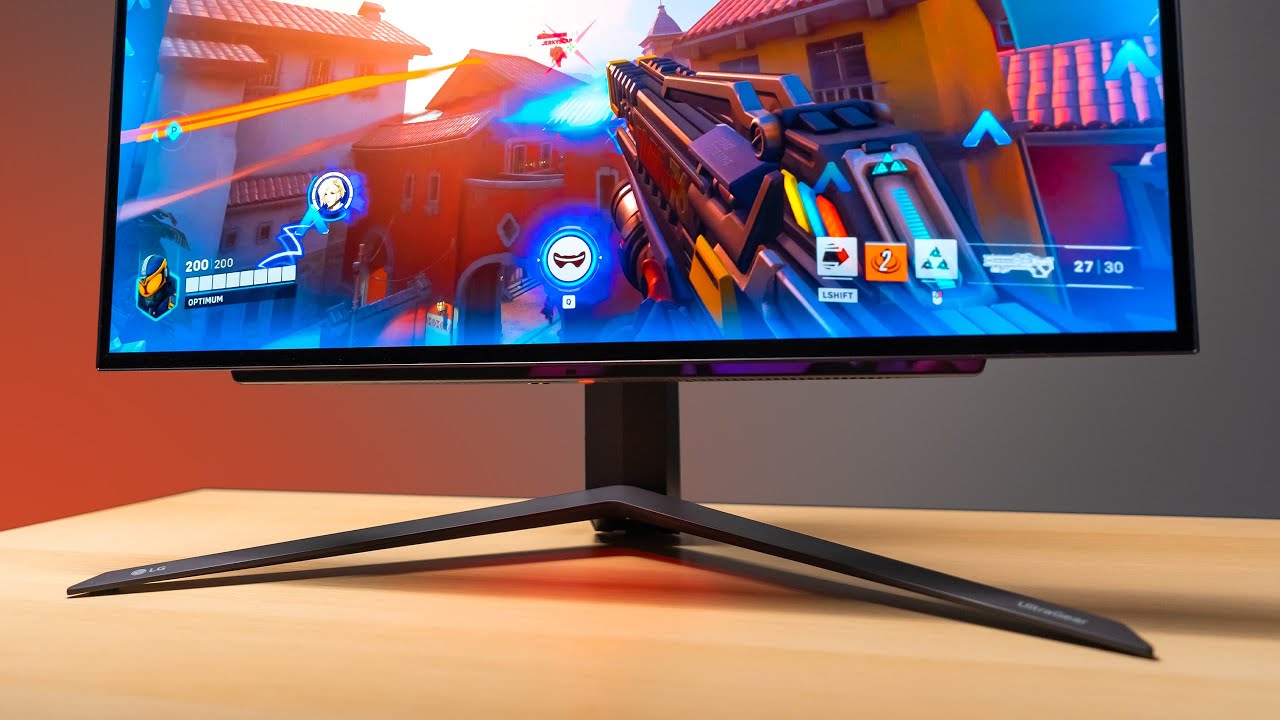
Check prices on Amazon below
LG OLED 27": https://geni.us/Rc1Ocr
ASUS 1440p 360Hz: https://geni.us/zbGIBZ1
Great value 1440p option: https://geni.us/Dnd4lo
Zowie 360Hz: https://geni.us/Nqa8
LG 27GR95QE on LG.COM: https://bit.ly/3XInv26
OLED has finally made it's way into a 27" form factor. The result is almost perfect.
need a new wallpaper? ...
The latency improvements from OLED are the equivalent of several magnitudes of PC upgrades by itself
The latency improvements are that big
misty gyro
$300 budget though
small warren
If you have something like a 3080, 7800xt, 4070/super, 6800/xt, something of that level or better, would suggest that instead tbh
Oh I didn't see 300
Mmm, I'd still do 1440p 240hz at that range
Or 1440p QD
Hopefully the GPU isn't like a 3060 or something
Probably this
https://pcpartpicker.com/product/Lv4Zxr/acer-acer-nitro-xv272u-w2bmiiprx-270-2560-x-1440-240-hz-monitor-umhx2aa201

Acer Acer Nitro XV272U W2bmiiprx 27.0" 2560 x 1440 240 Hz Monitor (UM.HX2AA.201)
Just cos once you hit a certain hz, the latency gains are minimal vs other factors (hint hint oled)
fading wyvern
 double your budget ez
small warren
small warren
Just cos once you hit a certain hz, the latency gains are minimal vs other facto...
So resolution can be a big change as you can more easily see the person approaching
misty gyro
Probably wants 1080p for esports
small warren
I know
fading wyvern
Take out a small loan for that weird dual mode 420hz oled or w.e the refresh rate is
small warren
fading wyvern
Take out a small loan for that weird dual mode 420hz oled or w.e the refresh rat...
That one is even more stupid
fading wyvern
small warren
Like cool, but stupid
You can get both sides of the coin in two monitors for the same price basically
fading wyvern
Take that back it’s perfectly justifiable
small warren
Nuh uh
fading wyvern
Uh huh
fading wyvern
YAH YAH
small warren

fading wyvern
YANNY YANNY YOO YOO
small warren
@keen helm take a look at a wooting HE as well as a viper v3/v2 pro, or some razer 8K sensor mouse or an op18k
If you want some peripheral suggestions to up your game on latency
fading wyvern
I’ll have you know my 360hz Samsung qd oled totally uses all 360hz most of the time 
small warren
High hz 1080p imo is a bit of a meme, having tried it
small warren
fading wyvern
I’ll have you know my 360hz Samsung qd oled totally uses all 360hz most of the t...
Since when did you upgrade again
Sorry your brother
fading wyvern
It’s very pretty but I’m like nervous to leave static images on it…
misty gyro
small warren
High hz 1080p imo is a bit of a meme, having tried it
Honestly yes, few people can tell the difference in the latency so things like input latency become more important
fading wyvern
I can also highly suggest the lemokey 8k mouse I think it’s like the m3 or some bs number
small warren
M3 iirc is good
fading wyvern
It works and is like $69
small warren
But the razer mouse sensors are accurate af
So similar price I lean that way
Use them without synapse
fading wyvern
Eh
small warren
Just program once and uninstall
small warren
I agree that's nice but the razer sensor accuracy is proven
Accuracy also important
fading wyvern

Lemokey
Lemokey G1 wireless mouse provides the best Pixart sensor with an 8KHz polling rate. It supports 2.4 GHz, Bluetooth, and a USB connection. Lightweight at 55g, it packs all the essential features ideal for gaming, work, or other scenarios.
Big number good sensor
And 69 (nice) dollars
small warren
Hey I ain't knocking it
Lol
As long as the sensor is really accurate (8K ≠ accurate) then it's a good idea
M3 iirc is pretty good
fading wyvern
Yeah I just forgot the number/name
small warren
fading wyvern
small warren
Value that hits you like a tank ye
Oh wait you mean the rifle
☠️
Those 4 characters are just so cool to say tho
It just reeks of like, adrenaline lmao
M 4, A 1

 small warren
Don't worry, those kinds of rifles have a tendency to gravitate towards presidents lately
As long as you resist the pull ur fine
fading wyvern
I need my schiit audio and my m4 a1 aiming device

https://www.keychron.com/products/keychron-m4-wireless-mouse?variant=40702236098649 for context, you’d need to select the 1k hz polling version

Keychron | Mechanical Keyboards for Mac, Windows and Android
Keychron M4 Wireless Mouse with 4000 Hz and 1000 Hz options. It supports 2.4 GHz, Bluetooth, and a USB connection. All the essential hardware features in an ultra-lightweight mouse are ideal for any use case, whether it’s work, gaming, or anything else.
keen helm
small warren
24 inch at 1080p in general at high fps, the gains aren't really worth the price...
Would it be any worse than a Asus Tuf Gaming VG249Q1A? (my current monitor) 1080p is still good for me, kinda dont wanna make that 1440p jump just yet.
keen helm
small warren
<@298240739438231562> take a look at a wooting HE as well as a viper v3/v2 pro, ...
Yeah heard the viper v2 pro is great, thanks for the suggestions.
small warren
keen helm
Would it be any worse than a Asus Tuf Gaming VG249Q1A? (my current monitor) 1080...
What gpu are you on and what game is this for
keen helm
XFX Rx 6800 just bought it new back in April & I only play competitive fortnite but I play other esports titles casually too idk if that matters.
I also play on dx12 low settings because performance mode on AMD sucks
small warren
Yes that's right
Dx12 pro is much better on amd, you've done your homework

A 6800 will work with one of these 1440p screens, and tailored correctly will give you strong fps results
Should get some pretty high fps
I would go with the route the gpu can really cater to
Cos as I said earlier, past a certain point, fps gains make very minimal difference
Other parts make a more significant impact
It's all in the pursuit of lower latency, that's the big thing for higher fps
But many other parts to the pc also give that
So, and especially with long distance fights in things like fortnite, or the mad building combinations those guys do, better clarity, to see amongst the faced paced insanity imo would be really worth it
The 360hz will be fast and a bit more clear at highly intense moments, but lower res leaves you more suspect to missing something on screen
Vs maybe a slightly more smeared but clear person
Once you get to 240hz I feel the gains realllyyyy drop off
That's when you should look at better peripherals imo to cut latency down
Or ram tuning, or X3D/Intel 8 core
Debloating etc
Much bigger gains vs a bigger number better hz
If you could save up for oled, I would do oled personally
If you're really serious about this game
keen helm
Hmmm yeah I see where you are coming from but to me 1080p doesn’t seem that blurry because it’s all I have used so far, my monitor only goes up too 165hz, so I am bound to see a difference no matter what. Yeah latency is huge part but I feel like I have already done what I can with that. Ram is 6000mhz cl30, ping is around 30 sometimes lower, I think I have pretty good settings for the most part.
small warren
Yeah but tuning the ram is an additional step
Reducing latency to peripherals is another
Accuracy to the sensor - many mice have sub 98% accuracy
Debloating windows to low process counts give massive fps gains
Going x3d/tuned intel cpu is massive as well
Using optical board does a lot
The monitor change to oled is a huge drop
Forget 360hz
A 240hz oled is more like a 540hz ips
The latency improvement is just that big
But you also get perfect clarity
There's quite a lot available that can get as big or bigger results than jumping to a high hz low reso monitor
Cos improving your 1% lows and 0.1% lows are huge in fights
Absolutely massive especially in fortnite build fights
Cos you can walk around the map at say 300 fps right?
But then you find a guy, build a tower 5 storeys tall
Your fps is throttling down to 80fps dips
And that moment is where fps counts the most
Frame caps are massive too, they give your gpu room to boost in heavy loads
So instead of a dip to 80, the gpu can ramp up and you only dip to maybe 180
I'm not tryna tell you a 360hz is the worst thing ever to buy, but having been there, played pro, personally I kinda don't see the value in it, especially with something like a 6800
keen helm
small warren
Cos you can walk around the map at say 300 fps right?
I’d say the highest I see my fps go to is about 330 fps when I build fight goes down to 260
small warren
Yeah so 360 then isn't even worth
You want a smooth fps and a gpu cap to prevent big dips
So 240 as an artificial cap makes a lot of sense
Means you may not even dip

If you can't maintain the 360 solid then going up that high won't do much more for you than a 240 when it counts
small warren
That would be my play imo
A ktc oled 240hz is around 600-ish, and a huge improvement
Plus you'll never find yourself wanting better again
keen helm
But also is there anything I can do on my current monitor to get my latency lower? I feel like it’s pretty smooth but not 100% sure.
small warren
What cpu you using?
keen helm
small warren
A ktc oled 240hz is around 600-ish, and a huge improvement
For 1080 or 1440?
keen helm
small warren
What cpu you using?
7600x
small warren
1440
7600x alr
I would consider an fps cap
You dip to 260 right
I would cap to your monitor fps for now since you can't maintain double
keen helm
Sometimes but my monitor is 165hz so if I dip I dont really notice any stutters or anything in my experience
small warren
Huge amount of overhead left in the gpu
But that's good
The 0.1% won't appear ever lmao
You could cap a bit higher if it still feels fine
Say 210 fps
Or 247fps (1.5x native)
keen helm
Cause I tried capping my fps before to my native hz but I started stuttering like crazy
keen helm
In game
 dapper socketBOT
DDU (Display Driver Uninstaller) Guide by Pato
https://github.com/NeweggTechie/Graphics-cards/wiki/How-to-use-DDU

GitHub
Contribute to NeweggTechie/Graphics-cards development by creating an account on GitHub.
small warren
Then try cap again, you may need to redo your amd settings
keen helm
Oh wait u just reminded me
I just used it not that long ago
but I didnt try capping my fps again after that
small warren
I see, well I'd give that a whirl now see if it works
Then maybe have a look into ram oc for ryzen
There are some great easy guides if you have hynix ram in your system
Huge gains to your fps lows with ryzen ram oc
keen helm
I use the fast timings feature on adrenaline but I also enabled XMP in the bios
keen helm
For sure thanks
small warren
Ram oc is via bios
keen helm
Also, should my gpu utilization be around 90% while gaming? Or it doesn’t really matter?
small warren
For you? I would target an average of about 80%
Leave extra for big fights
Then it can ramp to 100
Ideally 100 is best
keen helm
small warren
Ram oc is via bios
Ye I used XMP but I didnt mess with the timings or anything just default xmp
small warren
But for fps games, 100 means no headroom for big loading scenes
So you get dips
Adding redundancy by going down on utility fixes that
keen helm
I see because rn I’m usually around 90-95% but thats only because I dont cap my fos
Fps
small warren
keen helm
Ye I used XMP but I didnt mess with the timings or anything just default xmp
Ye messing with the timings if you're interested
95 is a bit impressive given it's 1080p
I wonder if that will change with ram oc
In cpu bound situations, increasing the cpu performance lets the gpu run faster
So ram tuning will let that gpu run to 100
Rather than 90-95
Suddenly 330/260 becomes 363/292

Now 280hz screens start making sense
Hint hint
keen helm
And then whenever I cap my fps to 360 or 240 (in game) Im only at 50-60 gpu utilization
keen helm
small warren
Now 280hz screens start making sense
For sure, I see I see. I’m still learning the overclocking thing. At first I was too scared cause I didnt wanna fry my stuff lmfao
small warren
Understandable
Take your time to take everything in, pc isn't going anywhere, just remember to back everything up when you finally begin
Ryzen 7K is pretty easy relatively speaking
keen helm
small warren
In cpu bound situations, increasing the cpu performance lets the gpu run faster
Thats also another thing I dont think I can OC my cpu with my current motherboard because its a a620m
small warren
Pro rs?
keen helm
Yee
keen helm
But also I see my cpu go up to 5ghz on its own sometimes
small warren

Yeah it'll boost randomly
Cpu doing cpu things
Debloat will do a ton for you too
Less background stuff
Less rgb apps
No homework websites open in the background
keen helm
Wait so if it boosts randomly then why aren’t you technically allowed to overclock it on a620 motherboards?
small warren
You're allowed to for different reasons
It's technically a b650
Your board
So a bios mod turns it into one
But cpu boosting behaviour is not related as long as it's in spec
Which it is so
keen helm
small warren
Debloat will do a ton for you too
I already turned off background apps, & start ups. Not sure if thats what you meant.
small warren
Ye that's the idea
Disabling all the bgm nonsense
Microsoft teams and crap
Turning your windows into something very tailored makes a massive difference to game performance
Anyway I gotta wrap up, I'll leave you with these thoughts for now, have a think about everything first
keen helm
For sure thanks for your help
small warren
No worries mate, have a good one, ping me another time if you want to keep learning about this stuff
👋
keen helm
Bet, will do. 👋
 uneven bluff
VG27AQA1A or VG27AQ3A
misty gyro
uneven bluff
VG27AQA1A or VG27AQ3A
Neither tbh, they're both below average for the price
This is a fair bit better for gaming and cheaper for example https://www.bhphotovideo.com/c/product/1784672-REG/acer_um_hxxaa_302_27_wqqhd144hz_va_monitor.html
That's a mini-led VA
The good kind of VA
uneven bluff
misty gyro
The good kind of VA
still bad backlight dimming and firmware
cheap design
thick bezels
I don’t mind the price I just want something worth it
rocky cypress
uneven bluff
still bad backlight dimming and firmware
overall pretty good for the price
build quality is good for the price, and the included monitor mount has height, swivel, tilt, and rotation
for slightly more, perhaps the dell http://www.amazon.com/gp/product/B0979KQTDD


High-definition versatility: The All New Dell G2724D gaming monitor, with a 27-inch Fast IPS with 2560x1440 QHD resolution, 165Hz refresh rate and 1ms GtG response time; supports up to 120Hz @ QHD resolution with compatible game consoles. Four unique overlays for improved in-game visibility.
also the bezels arent that bad honestly
 keen helm
How come some monitors are labeled OLED but in the specs it's WOLED. What is the difference if anything?
fossil gust
keen helm
How come some monitors are labeled OLED but in the specs it's WOLED. What is the...

RTINGS.com
If you're an avid tech enthusiast, you've likely heard the terms WOLED and QD-OLED a lot in recent years. These terms refer to specific types of OLED display technology, but what's the difference between them, and which one should you buy?
small warren
keen helm
How come some monitors are labeled OLED but in the specs it's WOLED. What is the...
WOLED is a type of OLED
A revision on the older tech with an added white LED for illumination iirc
uneven bluff
rocky cypress
overall pretty good for the price
build quality is good for the price, and the i...
apretiate it but I have decided on A1A its the cheapest one here and none of your options are on amazon, or at least for a reasonable price
turbid star
Whoaled
small warren
uneven bluff
apretiate it but I have decided on A1A its the cheapest one here and none of you...
This will be nicer
https://pcpartpicker.com/product/RktLrH/msi-g272qpf-e2-270-2560-x-1440-180-hz-monitor-g272qpf-e2

MSI G272QPF E2 27.0" 2560 x 1440 180 Hz Monitor (G272QPF E2)
Asus tuf screens have been pretty mid for a long time
In fact, scratch that

Display Ninja
The KTC H27T22 is a 27" 1440p 165Hz IPS gaming monitor with a fast 1ms GtG response time, wide color gamut, ergonomic stand, MBR, VRR and more!
Even better

KTC H27T22 27.0" 2560 x 1440 165 Hz Monitor (H27T22)
Also

RTINGS.com
The LG 27GN800-B is a great gaming monitor from LG's UltraGear lineup. It's very similar to the LG 27GN850-B/27GN880-B with a nearly identical panel but a much c...

LG 27GN800-B 27.0" 2560 x 1440 144 Hz Monitor (27GN800-B)
Acer Acer Nitro XV272U W2bmiiprx 27.0" 2560 x 1440 240 Hz Monitor (UM.HX2AA.201)
All these should be better
AQA1A is an older VA panel so should have pretty poor performance
XV275U looks excellent