#old-monitors-and-tv
1 messages · Page 15 of 1
 errant flax
 fading wyvern
Qd is a bit better atm compared to Woled
I’m probably pulling numbers from thin air but like the original oled monitors were all under 280 nits of peak brightness
(Not good)
fading wyvern
Yes it’s very low
errant flax
thinking that is probably best for me if so to make it better suited for things beyond gaming
fading wyvern
I will say a bit of a curve doesnt hurt thattt much
errant flax
My main use for a Ultra wide is I want a ton of horizonal screen realestate for coding. with entertainment/art as secondary use
fading wyvern
For things like professional art I’d steer clear of it
errant flax
I've tried for example 40in 16:9 before, the height benefit was non existent for me. actually made the experience worse because I kept cranking my neck.
errant flax
fading wyvern
For things like professional art I’d steer clear of it
Art in my case would be Blender which I am still learning and digital painting which I use a graphic tablet for.
fading wyvern
You’ll be fine
errant flax
Aight. So I guess the target is to save about $1,000 for a ultrawide then.
fading wyvern
🫡 gl on the journey
errant flax
Much appreciated.
Do you think I can run Warframe and CoD around 100+ fps on my rig?
High settings
fading wyvern
Yeah about; 3440x1440 on my 3080ti in warzone hits a pretty consistent 160ish fps
Shouldn’t have any issues getting over 100
errant flax
Okay good, was worried I would upgrade pre-gpu and hit only 60fps which bugs me a lot.
am I reading this right? 1,000 nits in HDR mode
 fading wyvern
Yeah you are
errant flax
Guess I better save up for sunglasses as well.
fading wyvern
It probably won’t really be that bright, and blah blah burn in
errant flax
Noticed that they mention their 3 year warranty includes burn-in.
fading wyvern
Yup seems pretty standard for oled panels to come with at least a couple years of coverage
errant flax
Rtings makes it sound like the samsung one does not come with burn-in protection
fading wyvern
They might be talking about how lg has screen refreshers or preventative care type things built in
There’s only two major oled techs on the market atm qdoled/samsung and woled/lg everyone buys the panels they each respectively make
I don’t have any experience owning a Samsung based qdoled atm so I can’t really comment or compare
errant flax
Aight.
 west orchid
Is it normal that my skin feels warm when close to my tv when the screen is cold
errant flax
I'd assume your computer is near you?
Is the back of the monitor or TV cold as well?
west orchid
errant flax
Is the back of the monitor or TV cold as well?
Yes. It feels more like UV radiation. Like when you start getting a sunburn.
 tribal spire
I'm still debating whether to get a 1080p 170hz monitor for my 6700 XT
Or jump straight to 1440p 165hz
Both IPS
Would the 6700XT drive 60+ in 1440p?
 errant edge
Yeah
tribal spire
errant edge
Yeah
The issue is that 1440p 165hz costs like 3 times the 1080p 170hz screen I can get
So it's like
Actually a question
And not just a case of "higher res+bigger panel better"
 misty gyro
tribal spire
The issue is that 1440p 165hz costs like 3 times the 1080p 170hz screen I can ge...
misty gyro
tribal spire
The issue is that 1440p 165hz costs like 3 times the 1080p 170hz screen I can ge...
It depends on what you're playing. If you're playing high detail single player games, 1440p. If you're doing esports or other fast paced games, 1080p.
tribal spire
I'd like a mix of both
Though I primarily play somewhat older games lately, or modern strategy games
Classics like 2000s NFS games, Total War games, EU4 and HOI4, older COD games @misty gyro
misty gyro
What I'd do then is get a decent 1080p that I'd be happy with for now, and when I feel the itch to upgrade it that's still an option down the line.
tribal spire
Yeah that was the plan anyway
 granite chasm
Hey does anyone have a recommendation for a 1440p or 4k monitor 27-32 inches budget of about 200-500 165-170hz refresh rate
 quartz sandal
granite chasm
Hey does anyone have a recommendation for a 1440p or 4k monitor 27-32 inches bud...
quartz sandal
granite chasm
Hey does anyone have a recommendation for a 1440p or 4k monitor 27-32 inches bud...
200-500 euro? dollar? What country you in? It effects it significantly
granite chasm
Sorry $200-500 US dollar @quartz sandal forgot to mention that my apologies
quartz sandal
granite chasm
Sorry $200-500 US dollar <@191276897227898880> forgot to mention that my apolog...
What gpu will you be using with the monitor?
granite chasm
I’m using a 6800 then upgrading to a 7900xtx in a month or 2
quartz sandal
Alright well 6800 would struggle with 4k but xtx would be really well with it, could be used for higher refresh 1440p though so depends what you want
@small warren you seen anything about the gigabyte gs27q? Can't find anything on it but its like 170 and looks like a g27q refessh specs wise
 small warren
Fal seems to know the most about it
Seems to be a budget cut down variant of the old model
no kvm etc
Apparently the curved ones are still pass
small warren
granite chasm
I’m using a 6800 then upgrading to a 7900xtx in a month or 2
can you stretch to $640
KTC has a 240HZ OLED with a KVM that regularly is on sale on amazon for 640
Pair that with a 7900XT instead you'd love life a lot more imo
Just cos sub 500 doesn't have many decent options for the high end gpus yet
small warren

AOC AG276QZD 26.5" 2560 x 1440 240 Hz Monitor (AG276QZD)
sorry this is the KTC one

Introducing the KTC G27P6 OLED Gaming Monitor - the ultimate display for gamers, designers, and office workers who demand the highest level of performance and quality. With a sleek and modern design, this 27 inch OLED monitor boasts a stunning 240Hz 1440p resolution, offering crystal clear visual...
It's not on sale rn
but usually is for 640
the AOC is the same panel but 650 atm
So if you can't wait it's decent
All traces of the mini-led gone now
Lol
granite chasm
Yea I’ll check it out when it’s cheaper I have a asus tuf vg27aq but it’s dying out the color is fading out but do you guys recommend gigabyte monitors I’ve seen a couple on sale for the refresh rate and resolution I want but I’ve read reviews about ghosting
small warren
the ghosting affects their va panels
Not their better IPS ones I've found
like the M27Q/Q X etc
Nowadays tho we don't really recommend them much
MSI has a QLED called the QPF at about
$270
It's probably the best in the 200-500 category rn
but it's just
so weak for an XTX lol
XTX will play on a much higher spec monitor than that, you don't want to bottleneck yourself with the monitor imo
Better to get a 650-700 7900XT imo than a 930-ish XTX and use the extra on the OLED
7900XTX isn't worth the 33% price jump, you don't get that much fps out of it
granite chasm
I’m buying the xtx from a friend for 700 and yea If I buy the MSI monitor you mentioned I would use it on my gaming pc until I upgraded to the xtx so I don’t bottleneck myself
small warren
I'd ride with what you have rn until you can get the oled imo
the VG27AQ really that bad rn?
granite chasm
Yea it’s super bad idk if it got damaged when I was moving or what but the color is super bad and the monitor is flickering and randomly blacks out
small warren
have you tried changing the display cable
when old cables die you get weird stuff like that
granite chasm
Yea I switched from a new display port cable to another then even tried hdmi and none worked
granite chasm
Yea other monitors work but theyre work monitors at 1080p
quartz sandal
small warren
Seems to be a budget cut down variant of the old model
Neither does g27q tho so
small warren
quartz sandal
Neither does g27q tho so
wat
quartz sandal
small warren
wat
Sorry meant to reply to the kvm bit
quartz sandal
small warren
kvm just one example
No i mean like g27q non s version has no kvm either so that's not new
Cuz for 170$ it's looking like a banging deal
small warren
quartz sandal
No i mean like g27q non s version has no kvm either so that's not new
I-

I knowwwww
Look at M27SQ
reeeee
quartz sandal
Ohhh
errant flax
How bad is text clarity on oleds compared to IPS
fading wyvern
Depends on the oled
Woled the newest implementation has the best text clarity so far
Last gens is pretty bad, qdoled has a weird magenta shift
ips as long as it’s normal subpixel will have great text clarity
errant flax
ahh gotcha. I was wondering because I am going to be reading code for many hours a day.
errant flax
https://rows.com/calculators/pixels-per-inch-calculator
So so just did the PPI for a 34in ultra wide at 3440x1440. The result is 110ppi and I was wondering if that is low for text clarity?

Rows — The new way to spreadsheet
Calculate the pixel density of a digital device based on its screen size and number of pixels.
Same price and resolution which would provide a better experience? Gaming and Coding:
- VA 160hz with HDR10
- IPS 144hz with HDR400
Debating on doing a smaller upgrade to a IPS or VA monitor first to test out how I like Ultra wide and it being curved then save up for a OLED upgrade down the line if I enjoy it.
 visual pilot
HDR10 is proper HDR, HDR400 is more of a haphazard thing that's slapped on just because the panel can do 400nits, but I'd prob get the IPS panel still
errant flax
Even with HDR10?
Here are the two I am looking btw.
https://www.amazon.com.mx/gp/aw/d/B09GWDJ7JD/ref=ox_sc_act_image_2?smid=A1G99GVHAT2WD8&psc=1

MSI MPG341QR, monitor para juegos de 34 pulgadas, 3440 x 1440 (UWQHD), IPS, 1ms, 144Hz, compatible con G-Sync, HDR 400, HDMI, Displayport, USB tipo C, inclinación, giratorio, altura ajustable,

Sumérgete en la acción con este monitor curvado QHD ultra ancho para juegos. Vea objetos en movimiento en la visualización con mayor claridad gracias a una alta frecuencia de actualización nativa de 160 Hz y una reducción de desenfoque de movimiento de 1 ms. El soporte AMD FreeSync Premium elimin...
 fossil gust
errant flax
Same price and resolution which would provide a better experience? Gaming and C...
fossil gust
errant flax
Same price and resolution which would provide a better experience? Gaming and C...
IPS if you want better motion clarity/less smearing, VA for like everything else: better contrast, HDR, black levels, refresh rate (though 144vs 160 isn't a huge jump
The smearing kinda depends on the quality of the VA panel
Uhh, also Rtings is saying the LG 34GP83A-B is IPS?
Maybe there's a VA variant idk
errant flax
fossil gust
Maybe there's a VA variant idk
is it really possible for a $450 monitor to be Curved, IPS, 144Hz (160Hz OC), and have HDR10?
I won't complain if so, just seems like a stretch.
errant flax
fossil gust
The smearing kinda depends on the quality of the VA panel
smearing as in images becomming blurry?
fossil gust
errant flax
smearing as in images becomming blurry?
Sort of, it's usually seen on dark areas of the image
IMO the blur from TAA is far worse than the VA smearing on the 2 panels I have
Iirc it's the black to grey transition that is slow
 misty gyro
visual pilot
HDR10 is proper HDR, HDR400 is more of a haphazard thing that's slapped on just ...
misty gyro
visual pilot
HDR10 is proper HDR, HDR400 is more of a haphazard thing that's slapped on just ...
Eh, sort of. HDR10 certification only requires it to be able to accept the signal and hit 600 nits peak. HDR10+ requires 1000 nits and lots of dimming zones and that's true HDR.
visual pilot
misty gyro
Eh, sort of. HDR10 certification only requires it to be able to accept the signa...
Well, still better than hdr400 by quite a bit
visual pilot
errant flax
Looked up VA smearing then this showed up
depends on the panel, can be better, can be worse, some va panels can have pretty bad ghosting, some are just fine
misty gyro
Yes better than the super entry level version
errant flax
errant flax
Here are the two I am looking btw.
https://www.amazon.com.mx/LG-Ultragear-34GP6...
anyone know about these panels?
visual pilot
btw the rtings review is on the 34gp83a-b not the 34gp63a-b
hence the rtings review says ips
visual pilot
misty gyro
Eh, sort of. HDR10 certification only requires it to be able to accept the signa...
weirdly enough, it seems hdr10 actually has no mininum peak luminance, that panel that has hdr10 is only rated for 300nits for example
seems to just say that it can do 10 bit color
looks like hdr10 and hdr10+ are more TV standards with kinda set requirements for the content but doesn't seem to have a hard limit for the monitors
misty gyro
Hmm that makes sense actually
visual pilot
rtings says content for hdr10 is mastered for 400-4000nits but uh this says hdr10 and it can't hit 400nits
 misty gyro
Maybe it's not VESA certified
visual pilot
misty gyro
Maybe it's not VESA certified
yea that seems to be the main thing, HDR10 and HDR10+ are done by an alliance, HDR400 and up are separate VESA certifications
misty gyro
Gotta love confusing, arbitrary standards
visual pilot
found a better source
"According to the CEA's Video Division Board, a TV, monitor or projector may be referred to as an HDR Compatible Display if it meets the following criteria:
-
It must have at least one interface that supports HDR signaling as defined in CEA-861-F, as extended by CEA-861.3.
-
It must receive and process static HDR metadata compliant with CEA-861.3 for uncompressed video.
-
It must receive and process HDR10 Media Profile* from IP, HDMI or other video delivery sources. Other media profiles may also be supported. [*The HDR10 Media Profile is defined as a) EOTF: SMPTE ST 2084; b) Color Sub-sampling: 4:2:0 (for compressed video sources); c) Bit Depth: 10 bit; d) Color Primaries: ITU-R BT.2020; and e) Metadata: SMPTE ST 2086, MaxFALL, MaxCLL.]
-
It must apply an appropriate Electro-Optical Transfer Function (EOTF), before rendering the image."
HDR10 has no brightness requirements
the Consumer Electronics Association is in charge of it
wacky standards are wacky
So basically, HDR10 is only better than hdr400 in terms of guaranteed 10 bit, that's it
errant flax
visual pilot
So basically, HDR10 is only better than hdr400 in terms of guaranteed 10 bit, th...
well that's messed up.
So long story short, go with the IPS one then.
misty gyro
Seems that's the move yes
fossil gust
errant flax
That seems pretty extreme imo

This is a good example of what it can do to dark foliage
errant flax
gotcha
 tall coral
What type of channel is this? Is anyone online?
errant flax
tall coral
What type of channel is this? Is anyone online?
Channel: to talk about screens
Activity: Usually so long as someone asks about a screen
errant edge
Just got this for $50 after a $25 gift card for a side monitor
https://www.amazon.com/dp/B07TNM8L6S?psc=1&smid=A2L77EE7U53NWQ&ref_=chk_typ_quicklook_titleToDp

The 24” Asus VG248QG delivers a blistering Fast 165Hz refresh rate and 0.5ms response time to a full HD resolution The ergonomically-designed stand ensures ultimate viewing comfort during gaming while Asus Eye Care technology minimizes eye fatigue Asus exclusive game visual and game plus technolo...
It's replacing my 1050p TN panel
Dub?
Was between that, g27f 2, and a koorui 1440p 144hz VA monitor, all used on amazon warehouse
tribal spire
errant edge
Just got this for $50 after a $25 gift card for a side monitor
https://www.amaz...
Holy crap that's the same as my current crappy 75hz IPS cost
That's a definite dub
errant edge
I just found out it's a TN panel and canceled the order
tribal spire
Ah yeah that makes sense
 turbid kayak
errant edge
I just found out it's a TN panel and canceled the order
turbid kayak
errant edge
I just found out it's a TN panel and canceled the order
just saw this lol
still a great deal
 near zinc
looking for a 4k monitor thats preferrably around 200-250 144hz any suggestions?
errant edge
Gl with that one chief

Dell G2724D 27.0" 2560 x 1440 165 Hz Monitor (G2724D)

Gigabyte M28U 28.0" 3840 x 2160 144 Hz Monitor (M28U-SA)
misty gyro
Not gonna find anything worth getting at that price
You can barely find acceptable 1440p at that range
quartz sandal
misty gyro
You can barely find acceptable 1440p at that range
Actually good options are creeping under 200
 woeful badge
good 1080p 24inch? as high refresh rate as possible & budget under $250
errant edge
woeful badge
good 1080p 24inch? as high refresh rate as possible & budget under $250
What cpu and gpu do you have
And do you play very, very competitively
Like tournaments and the likes
woeful badge
i5 12400f 6700xt
Its for when i go to college so not very competitively
but still good enough so that im running smooth frames
i have a aw2521hf but its a bit chunky
errant edge
Part List
 visual girder

The Acer KA242Y E monitor displays enhanced content with its 1920x1080 FullHD screen at a 100Hz refresh rate. Port connections are available with a VGA and a HDMI input, just plug and play. It also has a strong, ergonomic stand and wide range of color-enhancing technologies. Featuring AMD FreeSyn...
visual girder
Are there any 120-144hz IPS monitors below $80?
visual girder
I had this one priced at $80, but I cannot find why
 errant edge
Try amazon warehouse
 errant edge
Meh
 odd umbra
I assume this channel is closest to monitors/tv as any other…
Anyone have experience with using one of these for switch games? Never owned a projector and not familiar with the tech specs.
https://a.co/d/bz7sUn6

YEZMEK Native 1080P Projector With 5G WiFi and Bluetooth 5.1 Specifications: Native Resolution: 1080P1920 Max Resolution Supported: 4K Contrast Ratio: 10000:1 Brightness: 300 ANSI Speakers: 25W built-in speaker WiFi: 5G&2.4G Bluetooth: Bluetooth 5.1 Product Size: 4in Installing Mode: Front/Rear...
misty gyro
Cheap projectors are very much "you get what you pay for"
odd umbra
Yeah, I mean generally. For example then, what would be the budget alternative that would make a for a good switch gaming projector?
misty gyro

RTINGS.com
The best cheap projector is the Epson Home Cinema 1080, which delivers surprisingly good performance for the price. It projects a sharp 1080p image and is very bright, so it can easily handle moderately lit rooms.
The ones worth recommending are over $400
Anything less than that you make SERIOUS compromises like low brightness (which is what the one you linked suffers from, 300 lumens is not a lot and you need a pitch black room and a very short throw to the projector screen to see it clearly)
 rocky cypress
odd umbra
Yeah, I mean generally. For example then, what would be the budget alternative t...
rocky cypress
odd umbra
Yeah, I mean generally. For example then, what would be the budget alternative t...
the question is why do you want a projector for switch gaming
and yeah, 300 lumens on a projector is essentially useless
you would be better off buying a computer monitor than that
if you need a cheap projector, look at the used market for some epson, benq, panasonic, or whatever projectors
you may need to replace the bulb though since most of those projectors are using high pressure bulbs
 lucid spindle
https://a.co/d/3vIrmT7 is dis a good monitor
errant edge
lucid spindle
https://a.co/d/3vIrmT7 is dis a good monitor
its ok
best youd find around that price, but if you can spend around $40-50 more you'd get a pretty nice monitor
one of these three https://pcpartpicker.com/list/ZRXqMV
Part List
 vocal aspen
Looking for a good monitor for 3440x1440 for gaming and work. Do I need to be worried about burn in with OLED?
misty gyro
vocal aspen
Looking for a good monitor for 3440x1440 for gaming and work. Do I need to be wo...
What budget for the monitor?
OLED burn in is negligible on modern panels. It's barely noticeable after a year and a half of constant stress testing.
vocal aspen
$1200 ish give or take
visual girder
vocal aspen
$1200 ish give or take
For the monitor?
that buys my entire wishlist build twice over
vocal aspen
visual girder
For the **monitor**?
*that buys my entire wishlist build twice over*
yes lol
misty gyro
vocal aspen
$1200 ish give or take
You could go for this then. It's a great monitor overall, OLED response times are fantastic for gaming plus 240Hz. Unless the work you're doing needs straight lines, those might appear curved a little due to the aggressive curve, it should be fine for that.
https://pcpartpicker.com/product/CFJgXL/lg-45gr95qe-b-445-3440-x-1440-240-hz-curved-monitor-45gr95qe-b
If you want something a little smaller and/or prefer flat panels, https://pcpartpicker.com/product/FFLdnQ/lg-ultragear-34gs95qe-b-340-3440-x-1440-240-hz-monitor-34gs95qe-b
You might find this interesting/informative for burn in: https://www.rtings.com/tv/tests/longevity-burn-in-test-updates-and-results

LG 45GR95QE-B 44.5" 3440 x 1440 240 Hz Curved Monitor (45GR95QE-B)
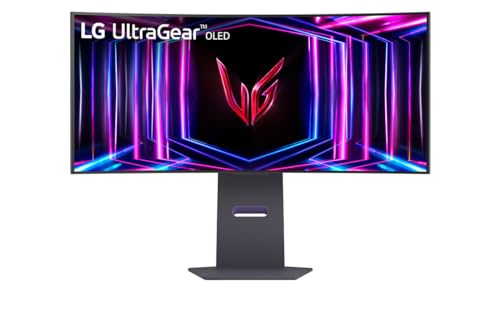
LG UltraGear 34GS95QE-B 34.0" 3440 x 1440 240 Hz Monitor (34GS95QE-B)

RTINGS.com
Our accelerated longevity test has been running for over a year now, and we've already encountered some very interesting results.
vocal aspen
Thanks for the help
visual girder
vocal aspen
Thanks for the help
Spend the rest on me 
fossil gust
- No sweepstakes/ giveaways, e-begging, trading or selling on this server.
Not to minimod but it's a little weird to be asking random people for handouts
misty gyro
He's right, I know it's a bit but it's getting a little annoying
fossil gust
Yeah I guess part of what I meant by random people was those who don't know it's a bit
 cerulean mountain
Do they make a chromecast or other device you can cast to with A/V out instead of HDMI? Trying to watch some old anime on my ancient crt TV.
visual girder
misty gyro
He's right, I know it's a bit but it's getting a little annoying
It was supposed to be a running joke of me being poor, I’ll ease up on it
visual girder
fossil gust
Not to minimod but it's a little weird to be asking random people for handouts
Thanks for callin me out, I’ve been pushing the joke a little too hard
misty gyro
cerulean mountain
Do they make a chromecast or other device you can cast to with A/V out instead o...
You can get a powered adapter. It's important that it's power since it's converting digital to analog.
https://www.walmart.com/ip/onn-HDMI-to-Composite-AV-Adapter-2-6-Mini-USB-Cable-4-1-USB-Wall-Adapter-Black-100008628/438464292?athbdg=null%26athbdg%3DL1600_L1600
vocal aspen
misty gyro
You could go for this then. It's a great monitor overall, OLED response times ar...
https://www.bestbuy.com/site/lg-ultragear-45-oled-curved-wqhd-240hz-0-03ms-freesync-and-nvidia-g-sync-compatible-gaming-monitor-with-hdr10-black/6530356.p?skuId=6530356. This one is available with open box for $930 plus tax. Damn this monitor is huge in person lol
vocal aspen
vocal aspen
https://www.bestbuy.com/site/lg-ultragear-45-oled-curved-wqhd-240hz-0-03ms-frees...
I saw the updated model on display and honestly not 100% impressed with PPI it has
misty gyro
45 diagonal inches is massive until you get used to it
vocal aspen
Yes I currently have a 34" ultrawide with very mild curve to it. But its at 100hz and not very bright
vocal aspen
vocal aspen
Yes I currently have a 34" ultrawide with very mild curve to it. But its at 100h...
Asus Vg35vq
vocal aspen
I bought the 45” LG last night. Unfortunately the PPI is very unpleasant to play games with. The screen is also not very bright. I wound up returning it
fossil gust
34" is probably the better size for 1440p ultrawide

Then again the way you percive ppi depends on how far you're sitting
cerulean mountain
Was wondering if I'm thinking correctly on this "audio solution"? I should be able to use a RCA (white and red only) cable to 3.5mm female jack on the "monitor out" on the TV to get wired stereo headphones to work? Or would it be better to take the audio cables going to the input and use a female rca to female 3.5mm jack cable?
 vocal aspen
fossil gust
vocal aspen
fossil gust
Agree 34” looks pretty good when I’m sitting the desk. I need to be able to do work with this monitor also. It is overwhelming on the 45”. 34” is more manageable
Maybe I’ll upgrade to a much nicer 34” ultrawide with 240hz Oled
visual girder

ASUS TUF Gaming VG32AQA1A is a 31.5-inch QHD (2560 x 1440) gaming monitor with an overclocking 170Hz refresh rate and 1ms (MPRT) response time for extremely immersive gameplay. It features exclusive Extreme Low Motion Blur (ELMB) technology and AMD FreeSync™ Premium to eliminate ghosting and tear...

The 27-inch TUF Gaming VG27AQ3A QHD gaming monitor featuring a IPS panel for blistering-fast 180 Hz gaming. ASUS Extreme Low Motion Blur Sync (ELMB Sync) and AMD FreeSync™ Premium, G-SYNC compatible, VESA AdaptiveSync technologies enables buttery-smooth gaming. In addition, it supports HDR and ha...
Which one would be better? They’re the same price.
Friend wants to know.
@deep fern
 deep fern
I'm more a fan of 27"
deep fern
I'm having trouble finding smaller details but they both look pretty comparable
visual girder
I can’t find what kind of panel the first is
tribal spire
MSI G2412F worth getting for 135 bucks?
24" 1080p 144hz Rapid IPS (with optional 180hz OC)
fossil gust
Personally I'd try to bump the budget up a little and get a 1440p panel
 molten vault
M27Q or ROG XG27ACS? If you have any other suggestions in this price range I’d be willing to consider other options. I need a replacement for my main monitor as my old monitor died.
 surreal quarry
molten vault
M27Q or ROG XG27ACS? If you have any other suggestions in this price range I’d b...
surreal quarry
molten vault
M27Q or ROG XG27ACS? If you have any other suggestions in this price range I’d b...
i know its a little more than you might wanna spend but
AW2724DM $300 https://www.rtings.com/monitor/reviews/dell/alienware-aw2724dm

RTINGS.com
The Dell Alienware AW2724DM is a budget-friendly 27-inch, 1440p gaming monitor. Part of the Alienware gaming monitor lineup, it's a lower-end model than the Dell...
or could go oddysey G5 for $200 but personally i'd get the alienware https://www.rtings.com/monitor/reviews/samsung/odyssey-g5-s27ag50
https://www.amazon.com/gp/product/B096YMQ3C8?tag=rtings-mn-p-amazon-20&ie=UTF8&asc_campaign=&asc_source=&asc_refurl=https%3A%2F%2Fwww.rtings.com%2Fmonitor%2Freviews%2Fsamsung%2Fodyssey-g5-s27ag50&th=1

RTINGS.com
The Samsung Odyssey G5 S27AG50 is a mid-level 1440p gaming monitor. It's part of Samsung's 2021 Odyssey gaming lineup as an updated version of the Samsung Odysse...

The product is multiple voltage compatible, that voltage arrange is 100-240V.
molten vault
surreal quarry
i know its a little more than you might wanna spend but
AW2724DM $300 https://ww...
I feel like it would be more or less the same performance as the M27Q or the Asus one.
For basically more money
Plus Alienware is like known for charging more than what you’re actually getting.
surreal quarry
i mean fair. it looks a bit better, but its up to you if the $50 price difference is worth it
molten vault
Thank you for these options though. The Samsung ones look decent but lack some of the features of the other monitors.
vocal aspen
What's everyone's opinion on switching from 3440x1440 to 4k for gaming and work? I was looking at 32" 240hz monitors. Is the trade worth it for more detailed graphics over the wider picture?
fossil gust
For work, I'd think ultrawide would be better unless you really want the resolution for photo editing or something
Could also just have a second monitor next to the 4k panel though
IMO for gaming 1440p > 4k, it's a better balance of image quality to power requred to push frames. that being said, ultrawide gaming can be a lot more demanding so moving to 16:9 4k may not be a huge perf hit
vocal aspen
The work ill be doing is emails , zoom calls, nothing like photo editing. I am just concerned with burn in. I tried a 45" LG ultrawide 3440x1440 and the picture was horrendous. The PPI bugged me and the extreme curve wasnt comfortable for anything but gaming. I'll either go 32" 4k or an ultrawide thats about 34".
https://www.newegg.com/black-asus-tuf-gaming-vg35vq-35/p/N82E16824281004?Item=N82E16824281004 This is what I have currently. Ok picture but doesn't get as bright as i'd like. Colors are not as vibrant as newer monitors either
misty gyro
Since you mentioned burn in I'm guessing OLED has come into consideration.
Don't worry about burn in. It'll be barely noticeable after a few years of normal use thanks to modern pixel cleaning techniques.
vocal aspen
misty gyro
Since you mentioned burn in I'm guessing OLED has come into consideration.
Don't...
Yes I was looking at Oled for the very vibrant colors. Unfortunately no stores have these monitors I want on display. I would like to see before I buy.
fossil gust
iirc there aren't many manufacturers doing OLED panels for monitors rn
So they're all gonna be similar
 devout geyser
Looking to replace a cover/stand for an LG16MQ70 if anyone has any suggestions?
 kindred umbra
jus got a qdoled 27in for order, will let yall know how it compares to the lg oled when it comes
 meager wadi

GIGABYTE gaming monitors pack upscale performance into a streamlined package. The GS27Q X provides an immersive experience through fluid gameplay with 1ms response time, 240Hz/250Hz(OC) refresh rate.
Is this a good monitor?
I currently have a Gigabyte G27QC. Want to switch back to a IPS panel for 1440P.
errant edge
meager wadi
I currently have a Gigabyte G27QC. Want to switch back to a IPS panel for 1440P.
I would avoid the GS line
Panel isn't good
Part List
The MSI one is fast IPS

Acer Acer Nitro XV272U W2bmiiprx 27.0" 2560 x 1440 240 Hz Monitor (UM.HX2AA.201)
meager wadi
errant edge
I would avoid the GS line
Yeah I don't really need 240hz anyways lol. Might go with the MSI one.
 prime kayak
Is it possible to get 240hz at 2k, with a 15 or 20ft cable?
Or maybe 2 cables with some sort of signal booster in between?
Im wanting my computer on a desk next to me, and proper cable management takes a lot of cable length (going from this desk to the ground, following the wall, up the other desk and into the computer)
small warren
prime kayak
Is it possible to get 240hz at 2k, with a 15 or 20ft cable?
Or maybe 2 cables wi...
Possible but you absolutely need a optical fibre one and it won't be cheap
Looking at $100+ for this cable
prime kayak
small warren
Possible but you absolutely need a optical fibre one and it won't be cheap
So any fiber optic cable I can find are all DP 1.4
Is that still better than the newest DP 2.1 normal cables?
small warren
prime kayak
So any fiber optic cable I can find are all DP 1.4
Is that still better than the...
You won't find DP2.1 in that length as optical fibre for a while yet (Or rather, you likely can but for a very high price). DP1.4 wasn't long ago not available at that length either as fibre
If you use anything else you'll experience signal loss. You can use a repeater but they're generally not great in my experience
Often still not perfect in signal integrity and have a limited life
Fibre is expensive but it's a surefire one and done solution, just be gentle with the cable
They aren't made to take bending stress like normal cables are
prime kayak
Do you think it's probably worth just waiting for the 2.1 Optic cable? Think it'll release in the next year or so? Or it's actually going to be years
small warren
They may already exist but either you've not found them yet or they're being sold by a direct manufacturer for a grossly high price
I'd love to not sound sarcastic about this but I'm not in any position to google right now, sorry
prime kayak
small warren
I'd love to not sound sarcastic about this but I'm not in any position to google...
You are totally fine hahaha
small warren
You can wait but for 240hz at 1440p it's very achievable on 1.4
prime kayak
I have not been able to find them
small warren
I paid something like $200 for a DP 1.4 @ 30ft
prime kayak
Sheeesh
small warren
All other options were terrible, but fibre has lasted
It's just how it is, you either by cheap and refresh often, or buy expensive once and never have trouble again
prime kayak
yeah I have noticed I need to replace cables often which is annoying
small warren
Signal integrity can't hold up over 5m, and some cables don't even reach 5m at that
15ft you might get away with a normal cable, no guarantee
I would really just get something like a cablematters fibre 5m off amazon
A lot of people give them smack but their fibre cables are good
I have a half dozen of them with no issues
prime kayak
small warren
I have a half dozen of them with no issues
roger! Thank you!
 stuck breach
I’m thinkin’ about heading down the OLED rabbit hole. What’s your guys’ favorite 1440p OLED panels 👀
Probably heading to local micro center this week to eye what they have in stock
errant edge
stuck breach
I’m thinkin’ about heading down the OLED rabbit hole. What’s your guys’ favorite...
The cheapest
There's very few OLED panels out atm

LG 27GR95QE-B 26.5" 2560 x 1440 240 Hz Monitor (27GR95QE-B)

MSI MEG 342C QD OLED 34.2" 3440 x 1440 175 Hz Curved Monitor (MEG 342C QD OLED)
stuck breach
I was looking at the LG. I wanna say the MC has it in stock, hopefully when I go in a couple days they’ll have it still
kindred umbra
stuck breach
I’m thinkin’ about heading down the OLED rabbit hole. What’s your guys’ favorite...
had a 1st gen woled panel and seen the new one, liked both but i got a new qd oled that arrives this wednesday
im hoping it doesnt have the same coating issues as my a95l
 whole moat
i want a second monitor, but i dont know much about them, the one i have now is pretty good but i want an upgrade to use as my main monitor. im mostly just going to be using it for gaming, my budget is a little flexible but im thinking $500-$600. does anyone have any suggestions?
small warren
whole moat
i want a second monitor, but i dont know much about them, the one i have now is ...

Introducing the KTC G27P6 OLED Gaming Monitor - the ultimate display for gamers, designers, and office workers who demand the highest level of performance and quality. With a sleek and modern design, this 27 inch OLED monitor boasts a stunning 240Hz 1440p resolution, offering crystal clear visual...
Hopefully you have the gpu to run it tho
misty gyro
If you're in the $600 range then you're getting into OLED territory for sure
whole moat
misty gyro
If you're in the $600 range then you're getting into OLED territory for sure
whats different with oleds?
whole moat
misty gyro
Near instant response times, perfect contrast ratio, excellent colors
oaahhh i see
whole moat
small warren
(Provided you take care of it)
ofc ofc..
whole moat
small warren
https://www.amazon.com/KTC-OLED-Monitor-Built-DisplayPort1-4/dp/B0CRDRL92Z/
^$62...
LMAO NOO IT WENT UP TO 800 TODAY
 whole moat
oh! i just gotta go to prime bwbwbw
whole moat
small warren
nope
im gonna research a little more, but i'll probably get this one!
tysm :)
small warren
np
stuck breach
Micro center ended up price matching an LG 27GS95QE-B so I got it for about 730. MSRP $900 lol, I’m glad I checked other retailers before going
The difference in blacks & bleed from my LG IPS was immediately night and day

 upper hull
misty gyro
If you're in the $600 range then you're getting into OLED territory for sure
upper hull
misty gyro
If you're in the $600 range then you're getting into OLED territory for sure
Brightness is kinda not that good on oleds yet imo
Get mini led with fald
misty gyro
HDR doesn't get good until the $800 range anyway
 stuck breach
I’ve had to get used to turning lights off to use the monitor because of the lower brightness and all but it’s been so worth it
kindred umbra
jus got my new monitor in, text fringing is so much worse no it compared to my woled
small warren
Damn
kindred umbra
im sure i can adapt to it, but i didnt think itd be this noticeable
but thats my only complaint rn compared to woled besides my monitor lamp not fitting properly bc the heatsink on the back
everything else feels like an improvement, but I dont know how much better it is compared to newer gen woled monitors
small warren
kindred umbra
im sure i can adapt to it, but i didnt think itd be this noticeable
Can you increase window scaling to fix it?
There has to be a point surely where the fringing isn't as extreme
kindred umbra
still p noticeable, gonna stick with it for a week or so and see how it goes
everything else is super nice, so im willing to cope a bit, if not ill snag lgs refreshed 27oled
 astral tendon

The ViewSonic OMNI™ VX2428 is a 24” (23.8” Viewable) Full HD monitor built for gaming and entertainment. With a sleek 3-sided frameless design, the VX2428 provides a seamless viewing experience for multi-monitor gaming setups. Featuring a high 180Hz* refresh rate, 0.5ms (MPRT) response time and A...
Is this a good monitor?
I have a bunch of coupons to use at staples and this is one of the only 24" 1080p gaming monitors they have
visual girder
astral tendon
https://www.amazon.com/ViewSonic-VX2428-FreeSync-Frameless-DisplayPort/dp/B0BZTC...
Seems like you have to overclocked it to get to 180hz
errant edge
astral tendon
https://www.amazon.com/ViewSonic-VX2428-FreeSync-Frameless-DisplayPort/dp/B0BZTC...
Meh
There's better options

MSI G244F 23.8" 1920 x 1080 170 Hz Monitor (G244F)
What gpu do you have?

MSI G244PF E2 23.8" 1920 x 1080 180 Hz Monitor (G244PF E2)
If you've a 1440p capable gpu
https://www.ebay.com/itm/386891577141?mkcid=16&mkevt=1&mkrid=711-127632-2357-0&ssspo=Ok6NaWEKSPa&sssrc=4429486&ssuid=r8em-zv_qyc&var=&widget_ver=artemis&media=COPY

eBay
Display Port: 2560 x 1440 (Up to 170Hz by DP overclocking). Adaptive Sync Technology. Screen Size. Glare Screen. Curved Surface Screen. Pivot: -90� ~ 90�. Tilt: -5� ~ 20�. 100 - 240 VAC, 50/60Hz.
astral tendon
errant edge
There's better options

ASUS USA
TUF Gaming monitors are ideal for competitive gamers on a budget, delivering a carefully selected set of high-end gaming features at palatable prices. Immaculate visuals are now within reach.
What about this one
astral tendon
errant edge
What gpu do you have?
560 rn but planning to upgrade to a 6750xt for 1080p
errant edge
the ones i linked have better panels
errant edge
errant edge
https://pcpartpicker.com/product/3fzXsY/msi-g244pf-e2-238-1920-x-1080-180-hz-mon...
especially this one
small warren
whole moat
i got it by the way!
Ooo nice, how is it?
whole moat
small warren
Ooo nice, how is it?
i didnt even realise how gray my blacks were on my old monitor lol
small warren
Note for everyone, FO32U2P Aorus
First DP2.1 monitor, 4k 240hz OLED
No DSC
First of it's kind
visual pilot
What even has a dp2.1 output lol
visual pilot
Oh wait amd does 2.1, just Nvidia doesn't
small warren
No nvm I'm apparently wrong?
XTX is dp54?
It's 2.1 but not full?
Hold up
Yeah it's dp54
So 54gbps or 4k144 no dsc
Ok, I learnt something new
So ye u right @visual pilot only the w7900 can apparently do 4k240hz lmao
So only one card in existence can run it at full uncompressed 4K 240, and that same card runs like a 7900 XT lol
visual pilot
small warren
So ye u right <@278694081440251905> only the w7900 can apparently do 4k240hz lma...
Lmfao
A monitor of the future, only for the future
 visual pilot
Eyes will be the bottleneck, need eyes mk 2
misty gyro
I'll just wait for uncompressed 8k 480
small warren

Though their premium picture quality, high-end feature set, and of course, instantaneous response times are so enticing as is the on-the-box guarantee that it all works as its supposed to… They still flicker. In this video, we’re investigating the issue of VRR flicker on monitors, with a focus on OLEDs. We’ll look at the causes, the effects, and...
I've seen this before but figured it was just a one off thing
misty gyro
It's most common when you try to use VRR and BFI at the same time
So most don't let you do that now
 limpid slate
Hey, anyone got some recommendations on a decent monitor for under $100?
errant edge
limpid slate
Hey, anyone got some recommendations on a decent monitor for under $100?
If you can do just over $100
https://pcpartpicker.com/product/Zcqrxr/msi-g244f-238-1920-x-1080-170-hz-monitor-g244f
MSI G244F 23.8" 1920 x 1080 170 Hz Monitor (G244F)
Otherwise one min
limpid slate
That is close enough for me
errant edge
https://www.ebay.com/itm/266612226728?mkcid=16&mkevt=1&mkrid=711-127632-2357-0&ssspo=IZv0H-iASTG&sssrc=4429486&ssuid=r8em-zv_qyc&var=&widget_ver=artemis&media=COPY
https://www.ebay.com/itm/266747962542?mkcid=16&mkevt=1&mkrid=711-127632-2357-0&ssspo=IZv0H-iASTG&sssrc=4429486&ssuid=r8em-zv_qyc&var=&widget_ver=artemis&media=COPY

eBay
Acer Nitro XF243Y M3 - 23.8" Monitor FullHD 1920x1080 180Hz IPS 1ms 250 Nit HDMI.

eBay
Acer Nitro KG1 - 23.8" Monitor FullHD 1920x1080 100Hz IPS 1ms 250Nit HDMI VGA.
Alr had the links if you want to take a look
But ye first one is pretty nice
limpid slate
Much appreciated
 narrow tree
anyone own the new msi mpg 271qrx? Just got mine and have a question
kindred umbra
narrow tree
anyone own the new msi mpg 271qrx? Just got mine and have a question
wat question
fossil gust

 rancid cedar
Anyone got advice on a good 55" TV, looking to have a good picture quality TV for the basement. Hoping there's good ones for around 500, if possible.
misty gyro
rancid cedar
Anyone got advice on a good 55" TV, looking to have a good picture quality TV fo...

RTINGS.com
The best budget TV we've tested is the Hisense U6/U6K, which delivers surprisingly decent performance for the price. It looks amazing in a dark room thanks to its excellent contrast ratio.
rancid cedar
You are the best! Everytime iv come here you have the answers!
misty gyro
It's easy to have the answers when it's common questions
misty gyro
Things get more tricky when people ask things like "I need a 95" TV with displayport for under $1000"
rancid cedar
I wish I could get 95".... wife won't allow it haha.
misty gyro
I wish I could too but it wouldn't physically fit my living room lol
rancid cedar
Just gotta find a way! I got a Saw haha
misty gyro
 modest palm
Falcie is a robot
modest palm
Falcie is a robot
SHHHHH they're not supposed to know that!
misty gyro
rancid cedar
Just gotta find a way! I got a Saw haha
Can that saw cut brick? Because my fireplace is the thing in the way
Brick fireplace with concrete and cobblestone
visual girder
misty gyro
Things get more tricky when people ask things like "I need a 95" TV with display...
I need a 50” box tv, with borderlands display
misty gyro
Check your local used market unless you feel like spending $500 on shipping to make sure it isn't damaged and put a wrap on it

 rancid cedar
Anyone have experience with mounts? There's so many different designs. Are the single arm mounts that trust worthy? One suggested with tv I was looking at is a single arm
misty gyro
As long as the arm you're looking at is rated for the weight of the tv plus a little breathing room, it's usually fine
Avoid cheapo badly rated ones from amazon too
rancid cedar
TV is 45 mount is 55. Is that enough breather? Or I wanna find one maybe to 75?
misty gyro
Should be good
Odds are the spec includes the stand
Unless it explicitly says with and without weights
kindred umbra
rancid cedar
Anyone got advice on a good 55" TV, looking to have a good picture quality TV fo...
u6n prob the best tv in that price range rn
upper hull
good deal
 misty gyro
That's almost as much as a 1440p 240Hz OLED
LG 27GR95QE-B 26.5" 2560 x 1440 240 Hz Monitor (27GR95QE-B)
And I would vastly prefer the OLED over anything for gaming
upper hull
misty gyro
https://pcpartpicker.com/product/cRNxFT/lg-27gr95qe-b-265-2560-x-1440-240-hz-mon...
That is a oled
misty gyro
Oh I missed that
upper hull
Same WOLED panel
misty gyro
derp
Hang on I'll check reviews to make sure they didn't bork the firmware
Auto brightness limit can't be turned off (probably a panel saving feature but would be nice to be able to control that).
The normal text issues with the RWBG subpixels.
Input switching is screwy but for a single input it's fine.
I'd call those acceptable. Good deal indeed.
upper hull
misty gyro
And I would vastly prefer the OLED over anything for gaming
Yeah my Msi 271qrx opened my eyes to it
But that is 360hz and in the 800 range
 granite narwhal
Good evening, is this good? Sceptre Curved 24.5-inch Gaming Monitor up to 240Hz 1080p R1500 1ms DisplayPort x2 HDMI x2 Blue Light Shift Build-in Speakers, Machine Black 2023 (C255B-FWT240) https://a.co/d/dsgyo8e

24.5" Curved Gaming 240Hz Monitor 1920 x 1080 Full HD Resolution Up to 240Hz Refresh Rate 1ms MPRT AMD Freesync Premium 1500R Curvature
misty gyro
Eh, not really. You can get 1440p 240Hz for $20 more.
IPS too, not that curved VA garbage

In competitive gaming, every frame matters. Introducing Acer's XV272U gaming monitor - the WQHD (2560 x 1440) resolution monitor that can keep up with your game play. Through AMD FreeSync Premium technology, the game’s frame rate is determined by your graphics card, not the fixed refresh rate of ...
Or if you're going 1080p high refresh for esports you can do this 360Hz for $206 + shipping https://www.amazon.com/dp/B0BT4ZL24J

Overview,The Lenovo Legion Y25g-30 gaming monitor takes e-sports players and pro gamers to a whole new level in interactive performance. The monitor pushes the envelope with its 360 Hz refresh rate - currently leading world's top speed - and 1ms response time. Built-in NVIDIA® G-SYNC® technology ...
@granite narwhal^
Or this Dell 280Hz https://www.dell.com/en-us/shop/dell-25-gaming-monitor-g2524h/apd/210-bhyc/monitors-monitor-accessories

Dell
Shop the Dell 25" Gaming Monitor (G2524H), featuring a fast IPS display and an overclocked refresh rate of up to 280Hz. Or view all computer monitors at Dell.com.
I completely missed that this was amazon.ca because of the link. 1440p 240 is out for that budget in this case, but the Dell is still a good option.
granite narwhal
TUF F15 I just received is only 60hz and the guy ignored my question whether it's 144. It was dusty and people are careless pigs sometimes. No wonder a hinge is a bit off. Beautiful though 🙂
granite narwhal
Decided I want qhd
 granite chasm
Anyone know if https://www.newegg.com/p/N82E16824710008 is a good monitor for a 4k monitor?
I can’t find many reviews on it
misty gyro
At that price I'd rather get OLED
Or at least something with better HDR
IGN gave it a 6/10, and while they're not the best source, coming from them that's pretty low
Oh ew it's edge lit
Yeah that's way not worth the price
granite chasm
Can you send some 4k or oled monitor recommendations I was originally looking for 1440p but now that I have a 4090 I decided to go 4k or oled @misty gyro 32 inch is the biggest I’ll go around $700-800 budget
misty gyro
M32U
misty gyro
granite chasm
Can you send some 4k or oled monitor recommendations I was originally looking fo...

Gigabyte M32U 31.5" 3840 x 2160 144 Hz Monitor (M32U)
fossil gust
granite narwhal
Decided I want qhd
might check ou the gigabyte gs27QC as well
https://www.rtings.com/monitor/tools/compare/dell-s2722dgm-vs-gigabyte-gs27qc/24245/41721?usage=3623&threshold=0.10
not as bright as the Dell panel but better response times

RTINGS.com
The Dell S2722DGM and the Gigabyte GS27QC are both entry-level gaming monitors with similar specs. Each has a 1440p resolution, 165Hz native refresh rate, and 1500R curve. However, there are a few differences in performance as the Dell is the better choice for work use thanks to its higher peak brightness and better ergonomics. On the other hand...
I have that same dell panel and run it at ~65% brightness fwiw
errant edge
The gs line is not great
errant edge
These are all better choices imo
Part List
The gs qc line is VA, the newer GS non QC line is ips but cheap IPS
fossil gust
I was just assuming that they wanted VA/curved n offering something better/cheaper
 raw ingot
granite narwhal
TUF F15 I just received is only 60hz and the guy ignored my question whether it'...
raw ingot
granite narwhal
TUF F15 I just received is only 60hz and the guy ignored my question whether it'...
you can set it to 144
it's in display settings
besides gaming laptops typically switch to 60hz when in battery
errant edge
granite narwhal
TUF F15 I just received is only 60hz and the guy ignored my question whether it'...
Careless pig is wild
I scratched the hell outta my laptops lid. Mb I should've carried it around every day of school instead of in my backpack ig
granite narwhal
raw ingot
it's in display settings
There is no option other than 60
 mighty tide
anyone gotten their hands on the 321URX?
thinking about getting it
selling my dual monitor setup for 1 due to space constraints, and wanna go for oled/micro-led or whatever that has better colors.
 pseudo crow
is screenmoove reputable? im looking to buy the koorui24e3 somewhere and they seem to be selling it cheap but im not trusting lol
https://screenmoove.com/products/koorui-24e3-24-ips-full-hd-1920-x-1080-165hz-gaming-monitor

Screen Moove
Enhance your gaming experience with the Koorui 24E3. Get sharp details, vivid images and a wide viewing angle of 178 degrees, plus an incredible refresh rate of 165HZ. Enjoy a dynamic contrast ratio of 20000000:1 for optimal visuals. Shop now and boost your performance!
 silver kiln
Can thunderbolt 5 do 4k240 from mac to monitor?
misty gyro
It supports DP 2.1 but most monitors don't, even the 4k240 ones are limited to 4k144 without compression.
small warren
And not all dp2.1, like hdmi 2.1 are equal either
Ubr40 ubr56 ubr80
All 2.1 iirc
Maybe just the latter 2
 steep bobcat
im thinking of getting the 24g2sp at microcenter or getting the 24e3
yo the koorui is on sale wtfffff
$108

 uneven stone
Good display?
MSI ARTYMIS 323CQR 32" LED Curved QHD FreeSync Monitor
Refurbished for $200, 1440p
165hz
tribal spire
uneven stone
Good display?
MSI ARTYMIS 323CQR 32" LED Curved QHD FreeSync Monitor
IPS or VA?
fossil gust
$200 for refurb 1440p is high unless it's an excellent panel
Also imo 27" is better for 1440p
errant edge
uneven stone
VA
are you absolutely set on that screen size?
uneven stone
Current display is an HP 25X, I don't need a bigger display, but it would be nice and really I want 1440p and a higher refresh rate
errant edge
Dell G2724D 27.0" 2560 x 1440 165 Hz Monitor (G2724D)

MSI G272QPF E2 27.0" 2560 x 1440 180 Hz Monitor (G272QPF E2)
one of those two
uneven stone
errant edge
one of those two
Any curved ones?
errant edge
not anywhere near as good quality, but one minute
https://pcpartpicker.com/product/gVmNnQ/gigabyte-gs27qc-270-2560-x-1440-170-hz-curved-monitor-gs27qc

Gigabyte GS27QC 27.0" 2560 x 1440 170 Hz Curved Monitor (GS27QC)
far worse panel quality
like not even comparable
uneven stone
How is panel quality measured?
errant edge
differences you could expect are worse ghosting, worse color accuracy, higher latency
uneven stone
errant edge
not anywhere near as good quality, but one minute
Can curved displays just not be as good?
visual pilot
It's cheap to make curved VA monitors, it's expensive to make curved IPS monitors.
uneven stone
visual pilot
It's cheap to make curved VA monitors, it's expensive to make curved IPS monitor...
And VA is just worse?
Apparently my current one is TN
hmm
1440p WQHD, 170hz, 1ms, IPS panel
27", $200
The 180hz version is cheaper on Newegg lol
What does that have that makes it $200+ everywhere
G274QPF
Damn
Another one that looked good until the panel type
Costco has failed me
1440p QHD, 170hz, 1ms, IPS, 27"
https://a.co/d/ayarU2Z

ASUS TUF Gaming VG27AQA1A is a 27-inch QHD (2560 x 1440) gaming monitor with an overclocking 170Hz refresh rate and 1ms (MPRT) response time for extremely immersive gameplay. It features exclusive Extreme Low Motion Blur (ELMB) technology and AMD FreeSync™ Premium to eliminate ghosting and tearin...
Pretty good price
Anything seem wrong with it? Looks good from what I can see, think I'll go with it.
errant edge
uneven stone
Anything seem wrong with it? Looks good from what I can see, think I'll go with ...
Solid monitor
uneven stone
Is there anything wrong with TN panels other than a limited view angle?
I don't think there are any that are made with them anymore, my current one was probably part of the last batch of monitors that used TN
errant edge
uneven stone
Is there anything wrong with TN panels other than a limited view angle?
Yes
TN panels have awful color accuracy, image quality
uneven stone
Oh
errant edge
Among other downsides I'm not smart enough to have memorized
errant edge
My 1050p60hz TN panel that's used for discord and Google gives me a headache
Still need to replace it lol
uneven stone
My second one is some other HP monitor, not sure what exactly it is, but color depth seems better
fossil gust
uneven stone
Is there anything wrong with TN panels other than a limited view angle?
Poor colors and contrast. Sometimes low brightness as well but that can vary
good pixel response times though.
VA is on the other side, great contrast but poor grey-to-grey pixel response. IPS is more in the middle
misty gyro
Something to note is that modern TN panels, like the ones they use for 540Hz monitors, are generally ok. About on par with VA.
steep bobcat
I just got the 24e3 and the colors are vibrant. Like its too vibrant to me. Am I just thinking this because I was on a older panel for so long or is it genuinely too saturated
If its just me, then I have to accept that this is how stuff is supposed to look  there is so much color
errant edge
misty gyro
Something to note is that modern TN panels, like the ones they use for 540Hz mon...
true, they're just almost always very overpriced
id much rather a 240-360hz oled than a 540hz tn lol
misty gyro
steep bobcat
I just got the 24e3 and the colors are vibrant. Like its too vibrant to me. Am I...
You can adjust everything to your liking by using both the monitor settings and the GPU settings. You might be interested in the "digital vibrance" (nvidia)/"hue/saturation" (amd) setting.
raw ingot
not any that i recall

 dense spear
hey everyone, very new to discord, have a like new 27' samsung odyssey g6 ( and 32' samsung odyssey g7 both curved 240hz...there beautiful monitors i must say... i upgraded to one bigger G9.. looking to sell both..is there a forum or channel for this here?
visual pilot
dense spear
hey everyone, very new to discord, have a like new 27' samsung odyssey g6 ( and ...
Not here, you might have luck with r/hardwareswap or just Facebook marketplace though
steep bobcat
fr
misty gyro
dense spear
hey everyone, very new to discord, have a like new 27' samsung odyssey g6 ( and ...
A good thing to do when you join a server in Discord is to read the #rules .
Just a tip since you said you're new.
 twin patrol
best budget 265hz montor?
quartz sandal
twin patrol
best budget 265hz montor?
Country? Resolution/gpu? Size?
twin patrol
27 inch 1920x1080
misty gyro
I wasn't aware 265Hz existed
I've seen 270 and 240 though
I now know of the existence of a single 265Hz monitor... maybe. It's a Chinese knock off that only says 265 in the name and not the spec sheet.
twin patrol
misty gyro
I now know of the existence of a single 265Hz monitor... maybe. It's a Chinese k...
I dont have one so im probably just tweaking
I thought it was 265 not 270
misty gyro
twin patrol
27 inch 1920x1080
Assuming US because it wasn't stated otherwise
https://pcpartpicker.com/products/compare/fWkWGX,jnHqqs,zFKscf,xNTZxr/
LG 27GP700-B 27.0" 1920 x 1080 240 Hz Monitor vs. Lenovo Legion Y25g-30 24.5" 1920 x 1080 360 Hz Monitor vs. Asus TUF Gaming VG279QM1A 27.0" 1920 x 1080 280 Hz Monitor vs. Dell G2524H 24.5" 1920 x 1080 280 Hz Monitor
twin patrol
yes im US
small warren
Next thing you're gonna tell me is 275Hz monitors exist and I might go postal
misty gyro
small warren
Next thing you're gonna tell me is 275Hz monitors exist and I might go postal

pcgamer
If this panel looks as good as it lets on, I may have found a new gold standard.
small warren


quartz sandal
twin patrol
27 inch 1920x1080
Personally I'd recommend going either 24" or going 1440p for that size it'll look a good bit pixelated at 1080p
twin patrol
Yeah I meant 24" I couldn't remember my current monitors size
So 24" 1080p or 1440p 270hz
quartz sandal
twin patrol
So 24" 1080p or 1440p 270hz
Well what gpu do you have and what games will you be playing? Will depend if you can push those frames at 1440p
misty gyro
The Lenovo 360Hz one I linked is 24.5"
 vital mica

 small warren
 amber moss
Hey guys what it mean if my monitors are on pc is on but no picture?
Also blue flashing power light on my monitor
fossil gust
Manufacturing improvements I assume
misty gyro
amber moss
Hey guys what it mean if my monitors are on pc is on but no picture?
Make sure your monitor is on the right input
 novel merlin
amber moss
Also blue flashing power light on my monitor
novel merlin
amber moss
Also blue flashing power light on my monitor
If it's Samsung, flashing blue actually means it's off for some reason. Hold the power button
 slim niche
are there any >120 hz gaming monitors for under 100$?
errant edge
This is $110
https://pcpartpicker.com/product/Fw26Mp/msi-g244f-e2-238-1920-x-1080-180-hz-monitor-g244f-e2

MSI G244F E2 23.8" 1920 x 1080 180 Hz Monitor (G244F E2)
Bit worse but still solid, $100
https://pcpartpicker.com/product/H34Zxr/asus-tuf-gaming-vg249q1r-238-1920-x-1080-165-hz-monitor-90lm05v1-b01eb0

Asus TUF Gaming VG249Q1R 23.8" 1920 x 1080 165 Hz Monitor (90LM05V1-B01EB0)
Any cheaper you'd have to deal hunt/wait for something to pop up, or go used
 limpid cedar
would it be a travesty to recommend my friend a not-4k monitor if the build i'm sending him is a 4080 super
small warren
limpid cedar
would it be a travesty to recommend my friend a not-4k monitor if the build i'm ...
1440p 240hz minimum
 torpid current
Any idea how can I “optimise” my tv settings cause I feel like I am “missing out” I got lg c1 I play on console kind of a competitive gamer I play fps only Ik tv is the worst fr fps gaming and I am more desperate and depressed to get a monitor but it’s what I got fr now till the I’ll probably pg27aqdp when it releases
misty gyro
torpid current
Any idea how can I “optimise” my tv settings cause I feel like I am “missing out...
The LG C1 is by no means bad for gaming. In fact it's probably one of the best you can get since it's OLED. You just need to enable the "game mode" and it does most things for you.
It is excellent for console gaming, perfect 10s
https://www.rtings.com/monitor/reviews/lg/48-c1-oled#test_1426

RTINGS.com
The LG 48 C1 OLED is a TV that we tested as a monitor, replacing the LG 48 CX OLED from 2020. As it's a TV, it has many different features than most typical moni...
torpid current
misty gyro
The LG C1 is by no means bad for gaming. In fact it's probably one of the best y...
I didn’t mean at all that lg c1 or any oled is bad Ik oled is the best it can be I meant that tvs due to size pixel density is really bad for fps gaming cause it’s way more pressure on aim and it’s harder to be aware to every inch happening on a tv having a 27/24 inch monitor where the game is more condensed and easier to be aware of everything happening also it’s way easier to aim cause u got to move to through was less pixels to aim and center more accurately and consistently
misty gyro
torpid current
I didn’t mean at all that lg c1 or any oled is bad Ik oled is the best it can be...
Well what the consoles are usually doing to get "4k" is upscaling from 1080p, but if you think it'll help you can limit your max resolution in the console settings.
torpid current
misty gyro
Well what the consoles are usually doing to get "4k" is upscaling from 1080p, bu...
I meant the tv setting to maximise clarity I can’t see ppl in wz good sometimes and sun in games is like a constant flashbang even tho I am on normal brightness and I play 1080p because I cut my display size so I can midget the “damage” caused by playing fps games on a big screen(pixel density is huge difference fr me I can’t imagine how good it’s going to be playing on 27 inch oled soon hopefully
 turbid star
I don't know if a smaller OLED will eliminate the brightness issue though
It'll still be OLED
The pixel density bit probably
But if you got the space you can also sit farther back to eliminate that too
upper hull

VideoCardz.com
MSI MAG QD-OLED with firmware updates after all The company faces criticism after not providing updates for its cheapest QD-OLED monitor line. When we learned about MSI’s strange decision not to provide updates for its MAG monitors, we decided to share this story. This was initially stated by an MSI product manager on Reddit in […]
tribal spire
27GP850P-B for 118,490 HUF seems pretty good
M27Q is 2% more money
While the M27Q X costs almost double
misty gyro
 wintry marsh
wich settings should i turn on/off in the monitor to reduce eye strain ? 😄
wintry marsh
wich settings should i turn on/off in the monitor to reduce eye strain ? 😄
That'll depend on what's causing your particular eye strain
wintry marsh
misty gyro
That'll depend on what's causing your particular eye strain
i got a new ips monitor
and the stock settings were high
i changed the brightness to 20/100
rgb color
red 5 green 5 blue 5
misty gyro
I'd set the overdrive level to whatever they call the middle setting too
wintry marsh
misty gyro
I'd set the overdrive level to whatever they call the middle setting too
overdrive ?
yeah its off in my monitor
misty gyro
It helps reduce ghosting, but put it too high and you get inverse ghosting
wintry marsh
there is weak/medium/strong
medium is good ?
i tried strong and i get that inverse ghosting
is it bad for eyes ?
misty gyro
It can be. It depends on what your eyes are sensitive to.
wintry marsh
yeah you are right
i will put right now a timer for 20/20/20 rule
thank you so much for help 👍
 hazy warren
Looking for a decent 1440p monitor for my new setup. any recommendations? I primarily play comp and solo games
tribal spire
hazy warren
Looking for a decent 1440p monitor for my new setup. any recommendations? I prim...
Check Monitors Unboxed/Hardware Unboxed, they make pretty much the best monitor tests I know of
Their latest video is about a 1440p 180hz budget-ish Asus monitor so right on clue
errant edge
hazy warren
Looking for a decent 1440p monitor for my new setup. any recommendations? I prim...
If you're in the US, ideally g27q
On a budget, whatever that $150-170 asrock 1440p IPS monitor is
granite chasm
@misty gyro Hey you recommended the m32u from gigabyte for a 4k monitor why is that? I’ve been looking at reviews and such and I’ve heard mixed reviews I’m not knowledgeable when it comes to monitors I just want a good monitor that is pretty for games and if I decide to play competitively in some games again something that can hold up so I just was hoping you could give me some info on it
errant edge
granite chasm
<@396513761550270464> Hey you recommended the m32u from gigabyte for a 4k monito...
The m32u has a very good quality panel and is better than any other 4k 32" options around the price
Personally I would much rather take a 1440p OLED over a 4k IPS monitor
hazy warren
alright ty guys
granite chasm
@errant edge should I just wait and buy a 4k oled then
errant edge
granite chasm
<@654444344274845698> should I just wait and buy a 4k oled then
imo the cons of 4k outweigh the pros for most people
unless you're getting a 4090, and even then I would much rather save $750 and get a 4080 super instead for 30% worse perf
granite chasm
I have a 4090 already that’s why I was looking at 4k
errant edge
hm alright
i mean there are 4k oleds but they come at a heavy price tag, i personally would never suggest a $1200 monitor https://pcpartpicker.com/product/RwXV3C/alienware-aw3225qf-316-3840-x-2160-240-hz-curved-monitor-aw3225qf

Alienware AW3225QF 31.6" 3840 x 2160 240 Hz Curved Monitor (AW3225QF)
granite chasm
Any recommendations for non curved if I’m going 4k oled
Or should I just stick with the m32u for now
errant edge
granite chasm
Or should I just stick with the m32u for now
i could not suggest a $1200 monitor to someone, personally I'd stick with the m32u
unless you play competitively for money
granite chasm
I’ve only played wow a little competitively so I don’t need it just have extra money but thanks I’ll stick with the m32u
tribal spire
errant edge
If you're in the US, ideally g27q
https://www.youtube.com/watch?v=cXgvP84g2BU
This one might just beat the G27Q

Support us on Patreon: https://www.patreon.com/hardwareunboxed
Join us on Floatplane: https://www.floatplane.com/channel/HardwareUnboxed
Buy relevant products from Amazon, Newegg and others below:
Asus ROG Strix XG237ACS - https://geni.us/KqDRa
AOC Q27G3XMN - https://geni.us/iaqBe
MSI G274QPF-QD - https://geni.us/EyRk8Q
MSI G274QPX - https://ge...
though it is Asus, so it is for the brave
 hard bronze
Currently I have a 1920x1080 144hz monitor and a 1366x768 (running in 1080p mode) 60hz monitor
I was thinking of getting a 1080p75hz monitor, would all the different framerates mess up the computer? (if i had all 3 running at once)
errant edge
hard bronze
I was thinking of getting a 1080p75hz monitor, would all the different framerate...
Nope! What price is the 1080p75hz monitor though?
I've had a 1050p60hz 1080p165hz and 1440p75hz all running from the same gpu lol
hard bronze
Oh dang haha
It's 90 bucks but I'm sure I could find a better priced monitor somewhere else
Its also a va panel so probably not
errant edge
Could you link it?
On the cheap end there's this, but it's not great quality
https://pcpartpicker.com/product/4Zrqqs/asrock-cl25ff-245-1920-x-1080-100-hz-monitor-cl25ff

ASRock CL25FF 24.5" 1920 x 1080 100 Hz Monitor (CL25FF)
hard bronze

Pixio
Our first 75Hz entry-level gaming productivity monitor. At 22 inch, 1080p resolution with a 75Hz refresh rate equipped with VA panel technology is the perfect sidekick to your everyday productivity needs. Providing all the necessary essentials you need to put in a good day's work and some light gaming to take the load off. Whether it's for perso...
Ohh thats a good price!
errant edge
I'm also gonna link some other options if you want to take a look
hard bronze
Thank you!
errant edge
https://pcpartpicker.com/product/QMVmP6/samsung-t350-220-1920x1080-75-hz-monitor-lf22t350fhnxza
https://pcpartpicker.com/product/Q8grxr/msi-g2412f-240-1920-x-1080-180-hz-monitor-g2412f

Samsung T350 22.0" 1920 x 1080 75 Hz Monitor (LF22T350FHNXZA)

MSI G2412F 24.0" 1920 x 1080 180 Hz Monitor (G2412F)
And for refurb there's 1080p165hz at $83
hard bronze
Ok genuine question how do yall find these deals 💀
errant edge
The refurb ones I had in my own cart on ebay from when I wanted to replace one of mine lmao
The other two I just sort using filters on pcpartpicker.com
hard bronze
Ahh lol
errant edge
Also for that msi 1080p one I linked I'd do this one instead
MSI G244F E2 23.8" 1920 x 1080 180 Hz Monitor (G244F E2)
Same price but it's a bit nicer
hard bronze
Cool, thank you so much!
errant edge
Anytime
 drowsy fable
My monitor been acting up lately when ever I play a game that goes full screen like multiversus. Does anyone know what I can do to fix this problem?

GIGABYTE gaming monitors pack upscale performance into a streamlined package. The G24F 2 provides an advanced gaming experience through AORUS utility software and offers fluid, vibrant gameplay with 1ms response time, up to 165Hz refresh rate, SS IPS panel display, and compatibility with graphic ...
misty gyro
drowsy fable
My monitor been acting up lately when ever I play a game that goes full screen l...
Set the game to borderless windowed mode
drowsy fable
misty gyro
Set the game to borderless windowed mode
yeah it works like that but is there no way to go back to fullscreen?
misty gyro
drowsy fable
yeah it works like that but is there no way to go back to fullscreen?
Certain combinations of game, driver version, monitors, and even cables can cause weird bugs like this.
If you want to narrow it down, start with rolling back or updating your drivers, then try swapping cables. A setting in the monitor OSD might also cause it to respond more slowly to the mode switch.
 turbid star
Fullscreen is pretty annoying to deal with if you aren't just playing the game the entire time
Every game I play now is never on Fullscreen because I will switch to something else mid game and it always is weird
If I use Fullscreen
Takes everything a second to come back while the game takes it's time to disappear so I just don't bother
 fierce geyser
errant edge
<https://www.ebay.com/itm/166683919072?mkcid=16&mkevt=1&mkrid=711-127632-2357-0&...
fierce geyser
errant edge
<https://www.ebay.com/itm/166683919072?mkcid=16&mkevt=1&mkrid=711-127632-2357-0&...
Are refurb monitors basically new monitors? Just slightly used
misty gyro
It depends
 maiden wedge
vocal aspen
The work ill be doing is emails , zoom calls, nothing like photo editing. I am j...
maiden wedge
vocal aspen
The work ill be doing is emails , zoom calls, nothing like photo editing. I am j...
Welp there goes my answer.
 slim lantern
looking for a good 27 inch monitor either 1440p or 4k 🙏
maiden wedge
Taking back this 39 inch ultrawide and getting the 32 inch 4k for the time being. I'll get about 30 more PPI with the 32 inch 4k compared to get a 34 inch 3440x1440 version
even though I would like something bigger but the next best option for something bigger is the g9 49 inch
maiden wedge
slim lantern
looking for a good 27 inch monitor either 1440p or 4k 🙏
you can get a asus one
4k
I mean 1440p is fine for 27 inch.
ONce we get into the 32 inch that's when you want to consider 4k
misty gyro
slim lantern
looking for a good 27 inch monitor either 1440p or 4k 🙏
Budget and use case?
slim lantern
misty gyro
Budget and use case?
mainly programming and some casual gaming for fun
slim lantern
maiden wedge
you can get a asus one
is the difference between a 27 inch 4k vs 1440p worth it since im pretty sure a decennt 1440p monitor goes for like 250-300 while the 4k ranges from like 400 to 600?
maiden wedge
for 27 inch you can go with 1440p.
I have two 1440p from like 3 years ago but I don't game on them
They are just for discord, word, or videos
slim lantern
is the image clear?
misty gyro
1440p is perfectly fine for 27" at a normal viewing distance
But if you sit 6 inches from the screen you might want 4k
slim lantern
id be at least 20 inches away
misty gyro
I'd consider that "normal viewing distance"
errant edge
slim lantern
looking for a good 27 inch monitor either 1440p or 4k 🙏
Dell G2724D 27.0" 2560 x 1440 165 Hz Monitor (G2724D)
misty gyro
If you need speakers, that doesn't have any
Here's a few with speakers to consider. Each step up in price I'd consider to be worth it over the lower tiers.
https://pcpartpicker.com/products/compare/JPrYcf,mQbTwP,N2cgXL/
Gigabyte G27Q 27.0" 2560 x 1440 144 Hz Monitor vs. Gigabyte M27Q-P 27.0" 2560 x 1440 170 Hz Monitor vs. ASRock PG27QFT2A 27.0" 2560 x 1440 180 Hz Monitor
slim lantern
misty gyro
Here's a few with speakers to consider. Each step up in price I'd consider to be...
oh alr thanks
i dont particularly need speakers
is there anything youd reccomending under or right around 300
slim lantern
slim lantern
i dont particularly need speakers
wouldnt mind having them tho ^
 slim lantern
oh alr thank you
slim lantern
misty gyro
https://pcpartpicker.com/product/JPrYcf/gigabyte-g27q-270-2560x1440-144-hz-monit...
is this monitor better than the dell g2724d in terms of the screen quality?
misty gyro
slim lantern
is this monitor better than the dell g2724d in terms of the screen quality?
RTINGS.com
The Dell G2724D is a better, low-cost gaming monitor than the Gigabyte G27Q. The Dell has a slightly higher refresh rate, but the main advantage is its better motion handling across the entire refresh rate range. The Dell also supports VRR with the PS5, which the Gigabyte doesn't. However, the Gigabyte has slightly better picture quality because...
slim lantern
misty gyro
Yes https://www.rtings.com/monitor/tools/compare/gigabyte-g27q-vs-dell-g2724d/12...
alr thanks ill check that out
would you say these 2 are the best monitors in this price range?
misty gyro
Unless you need specific features, yes. The next step up in terms of picture quality would be something with better HDR, which starts at around $500 or so.
errant edge
misty gyro
Unless you need specific features, yes. The next step up in terms of picture qua...
Xv272u is good too, right?
240hz for $30 over g27q
misty gyro
errant edge
Xv272u is good too, right?
Which one? The last part of the Acer model string is incredibly confusing, intentionally. I never recommend them as a result.
errant edge
misty gyro
Which one? The last part of the Acer model string is incredibly confusing, inten...
Acer Acer Nitro XV272U W2bmiiprx 27.0" 2560 x 1440 240 Hz Monitor (UM.HX2AA.201)
misty gyro
misty gyro
Which one? The last part of the Acer model string is incredibly confusing, inten...
If you search pcpp for "xv272u" you get 8 hits from VERY different monitors.
errant edge
misty gyro
If you search pcpp for "xv272u" you get 8 hits from VERY different monitors.
At least they're all 1440p
And IPS
So there's something in common lmao
misty gyro
Also the way pcpp links monitors to Amazon pages and such, sometimes it gets the wrong link
errant edge
errant edge
Also there's
https://www.newegg.com/p/N82E16824160516?
I think this is a good option around $300 though
@slim lantern
Mini LED VA
slim lantern
errant edge
Mini LED VA
is that better than ips?
my use case is mainly going to be programming so reading small text and so
misty gyro
errant edge
https://pcpartpicker.com/product/Lv4Zxr/acer-acer-nitro-xv272u-w2bmiiprx-270-256...
QC problems
https://www.youtube.com/watch?v=8K7ioTEieps

LG UltraGear (27GR95QE) $150 OFF on Amazon US: https://geni.us/cgM6N
LG Official: https://bit.ly/46CBD1I
LG UltraGear (49GR85DC) $400 OFF on Amazon US: https://geni.us/IFJ0e
LG Official: https://bit.ly/3PJfpWa
Support us on Patreon: https://www.patreon.com/hardwareunboxed
Join us on Floatplane: https://www.floatplane.com/channel/HardwareUnboxe...
errant edge
Ah damn
slim lantern
misty gyro
QC problems
https://www.youtube.com/watch?v=8K7ioTEieps
what does qc mean?
errant edge
Quality control
misty gyro
Quality Control
slim lantern
oh ok thanks
errant edge
That's the other one I linked though, not the mini led one
misty gyro
Some of the monitors flicker REALLY badly
errant edge
Fal, would ips or mini led VA be better for reading small text
My guess is the former but I'm not sure
misty gyro
It depends on how it's implemented
slim lantern
so fal you would reccomend the GIGABYTE - G27Q right
misty gyro
Generally I know that IPS is better for eye strain over any VA panel
Correct, that's what I would go with (and did go with, I'm happy)
slim lantern
alr do yk what cable it comes with?
slim lantern
does the hdmi support all the refresh rates and stuff
misty gyro
It's limited to 144Hz over HDMI because of the port version
The DP cable works at max refresh
misty gyro
They're fine. Not great but about what you'd expect since they're small.
slim lantern
alr thanks
misty gyro
No distortion issues I've noticed
errant edge
slim lantern
so fal you would reccomend the GIGABYTE - G27Q right
I've basically got an hp branded g27q and have no complaints
Aside from hp related things
slim lantern
misty gyro
No distortion issues I've noticed
thanks for all the advice just one more thing, do you have a reccomendation for an entry level 32 inch 4k monitor 100hz+
misty gyro
slim lantern
thanks for all the advice just one more thing, do you have a reccomendation for ...
Gigabyte M32U 31.5" 3840 x 2160 144 Hz Monitor vs. LG UltraGear 32GR93U-B 32.0" 3840 x 2160 144 Hz Monitor vs. MSI MAG 323UPF 32.0" 3840 x 2160 160 Hz Monitor
slim lantern
misty gyro
https://pcpartpicker.com/products/compare/Fm7G3C,KfV2FT,KKGhP6/
wait is the gigabyte m27q monitor good? it seems like an upgrade from the g29q and is just 260 on best buy
would you reccomend it
misty gyro
The M27Q is rated lower than the G27Q, but the M27Q-P is a slight improvement
RTINGS.com
The Gigabyte M27Q (rev. 2.0) is a higher-end monitor than the Gigabyte G27Q, so it has a few more features. The main difference is that the [nolink:M27Q] has a USB-C port and KVM switch, making it easier to multitask, which the G27Q doesn't have. The [nolink:M27Q] also has Picture-by-Picture and Picture-in-Picture modes, which is something else ...
 brave pivot
Hi
Who is try
samsung odyssey oled g8 (2024)?
 river edge
Yeah, that's not great. usually that's a GPU issue or power supply issue.
Majority of time it's a GPU failing
 maiden wagon
river edge
Yeah, that's not great. usually that's a GPU issue or power supply issue.
maiden wagon
river edge
Yeah, that's not great. usually that's a GPU issue or power supply issue.
How can I tell if it's a gpu failer?
It boots and plays games fine?
Can it be a montior problem to?
river edge
Does your system have n iGPU?
And no, monitor only displays what the GPU sends it, I don't think monitors can do the RGB thing on their own
maiden wagon
I thought it was like a screen flicker burn out
At least according to this guy

I've had these monitors for years and this issue happens every time I unplug them or they lose power. Easy fix, takes less than a minute!
Thanks for watching my video, folks! If you’re interested in my other content, check me out on:
Instagram: https://www.instagram.com/nebel_the_rebel/
LIST OF MY GEAR:
Photography Stuff:
Sony A1: https:/...
Right here
maiden wagon
It happened at one point during a windows updare
And then today with a shutdown
This would suck if my cards truly failing me
river edge
IO'm watching the vid
maiden wagon
I am hoping it's just a monitor issue
river edge
This is a new one, never seen it
river edge
Do you get the same screen he does on shutdown with the Power Saving Feature on?
It's a Dell monitor?
maiden wagon
Well it might be different with minr
Mines this

Had it for only a few months
Oh this might be helpful to there's also times when my display randomly goes to sleep and when I unplug the display port and plug it back in nothing comes up till I reset my pc. Is that a sign of gpu failure
river edge
Can be, can also be an oofed monitor, I'm researching a bit stand by
maiden wagon
Let me see if everything powers on when I turn it on
river edge
SO that appears to be some kind of a test mode built into the monitor. Seems like a monitor issue
maiden wagon
Nope my monitor doesn't come on with my pc
river edge
Where it's defaulting to test mode on restart
It shouldn't come on with your PC, has a separate power switch right? Or are you saying power is on but no image?
maiden wagon
Power is on no image
My gpu fans aren't spinning which is normal but they do spin once I start playing
river edge
Ah, first test is to try a different input port on the monitor or output port on the GPU
IE< HDMI 2 instead of 1 or a different DP/HDMI port on the GPU
MIght has a dead one, it's a thing
maiden wagon
Well
I did do that
I but
I am going to guess if I restart my pc now
It will come to life one sec
river edge
Wait
Do a full power restart
SHutodwn
Unplug PSU from wall power
plug back in, reboot
maiden wagon
Ok I did a full shut off and then unplugged my psubform the wall
And powers on
But
Montior doesn't show
And the led light is still orange
river edge
Can you get to the OSD and check the menu to be sure you're on the right input?
maiden wagon
Nope
river edge
Oh, monitor menu button doesn't work?
maiden wagon
I can't even power my montior on
It just shows a orange led light
Like it's still asleep
river edge
Unplug it and replug it power?
maiden wagon
Alright I will unplug the montior
Should I leave the tower on?
Or shut that off to
river edge
Mmm, glitch in the matrix.
If it keeps doing it, request a warranty RMA
Once is a glitch, twice is warranty 😉
river edge
In this case it appears to be all monitor issue since the OSD wouldn't work, etc
maiden wagon
Thank god
river edge
Ya!
maiden wagon
I also powered it off and it shut down correctly
river edge
I learned something new also about that wonky test pattern thing you saw. I only knew about GPU VRAM doing that weird stuff
maiden wagon
Well thankfully it's not
river edge
I agree
maiden wagon
I did however notice some times
Appeeartly with my motherboard
If my display doesn't come on
I got a red light that had something to do the vga?
Which is montior stuff right
river edge
A brief red light on the motherboard for VGA is graphics card
It should come on and then go off
If it stays on with no boot, that means the motherboard has a problem with the GPU
maiden wagon
Hmm
river edge
Could be power, could be how it's seated in the slot or could be a motherboard issue
those are hard to diagnose
maiden wagon
Well after a rest and move with the display port it went away
So I don't know anymore
I hope my pc isn't dieing on me
river edge
Although with these symptoms, it may be good to see if there's a BIOS update that mentions something about GPU compatibility or stability
maiden wagon
It's updated to the most recent bios I believe
 prime sun
Parents took my monitor i paid for, got a big gash on it, gave it back and said sorry

Lovin life
Dont have a warranty either
Things 6 months old
river edge
maiden wagon
It's updated to the most recent bios I believe
Good, should be fine then. I say run it till it boops again, then check symptoms and RMA monitor if the oSD doesn't work and it gives you the funny screens again
maiden wagon
river edge
Good, should be fine then. I say run it till it boops again, then check symptom...
I love this montior just it sucks if it's like burnt out or messed up
Espiecally for only having it for a couple of months
No wonder best buy has it rough with their stuff
Especially if it breaks with in a few months
 pastel cedar
m27u still a good pick?
misty gyro
pastel cedar
m27u still a good pick?
M28U? If you need 4k at that size yeah
pastel cedar
nah 27 inch
small warren
M32U
Below 32 inches 4K makes no sense for 95%+ of people as their eyesight physically can't register the difference
Or you're the kind that plasters their face to the screen
misty gyro
For $400 there's WAY nicer options
small warren
Absolutely
There are some amazing QD choices for 1440p at that price
Or go up to 580 and get ktc oled
pastel cedar
That monitor I need it mainly for good color accuracy and resolution as I am going to be working with different media types
small warren
Which is exactly what oled provides
pastel cedar
like photo/video editing
small warren
OLED is peak colour
misty gyro
OLED gets you near perfect colors since every pixel is self illuminating, and you don't need to worry about backlight bleed
misty gyro
Effectively infinite contrast yes
misty gyro
Surprisingly technical review, even for TPU

The one thing these panels aren't as good for is text clarity, but I doubt you're starting at text documents all day
pastel cedar
Yeah I had used this to guage to filter through monitors and didnt see any oled options for whatever reason so I never even thought of it https://www.rtings.com/monitor/tools/table/142633

RTINGS.com
gaming isnt too important on this monitor btw as that will probably be done on the m27q-p which I might swap out for a M27Q X later
misty gyro
Just looking at DCI-P3 coverage alone isn't the full story
pastel cedar
no yeah ofc but just used the site as a starting point
misty gyro
Fair enough, yes it can be good for filtering specific things you're looking for
pastel cedar
ayayayay, wait this monitor is like 600. any recommendations under like 400 by chance?
misty gyro
Not for OLED
pastel cedar
ahhhh yeah that might have been why oleds werent showing up before haha
misty gyro
Well here's a few to check out then
https://www.rtings.com/monitor/tools/table/142634
RTINGS.com
I find sorting by the primary use type to be effective, in this case looking at an editing use rating of 8+ and $410 or under
small warren
If you can take a bit of an L elsewhere in your budget, it's worthwhile to make oled fit imo
It's a huge jump
Bigger than several gpu upgrades
misty gyro
OLED is very much a game changer
pastel cedar
oh wow prime day deals making 800-900$ oleds 600 is nice though
hmmm, might just return the m27qp for now to go for that oled deal
1 oled monitor it is
misty gyro
The OLED would be able to replace the gaming monitor as well as the production monitor
pastel cedar
dont oleds have a problem with burn in or something like that
of like game elements
misty gyro
Yes but no
Modern ones are able to mitigate it before it becomes a problem
So you only get noticeable issues after several years
And that's several years of static content on the screen, like playing a single game every day for 5 years and the HUD burns in a little
small warren
As long as you do proper oled care and don't jam it to 100% brightness it will be fine
The lg 240hz is really good at about 200-350 nits for long life
misty gyro
Rtings goes into a lot of the technical details of the how and why on their youtube channel
https://youtu.be/Fa7V_OOu6B8?si=8bGQOlIfeklw_peU
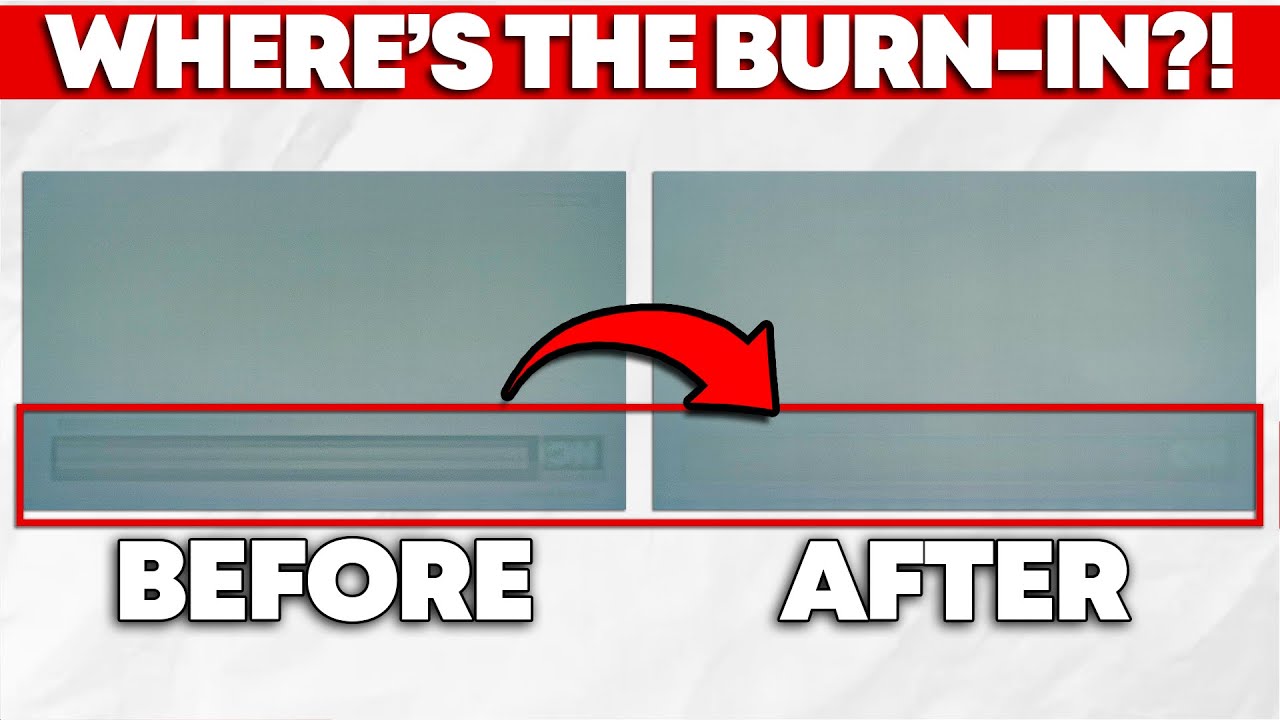
While burn-in is inherent to OLED technology, manufacturers can compensate for it through software designed to improve the useable life of your panel. Fortunately for you, manufacturers implement this well, meaning that permanent burn-in isn't that big of a concern for most folks—unless you're using an ultrawide OLED monitor, that is.
In this ...
The pic used in the thumbnail here is from them discovering "oops our testing didn't let certain monitors do proper pixel cleaning cycles" and as soon as they did the pixel cleaning the "burn in" went away
pastel cedar
oh wow yeah theres alot of pretty good options for around 600 rn and some just peeking over to 750
should I just stick with the ktc?
misty gyro
If you're getting into the $700 range https://pcpartpicker.com/product/wywypg/alienware-aw3423dwf-342-3440-x-1440-165-hz-curved-monitor-aw3423dwf
That's frequently named "the best gaming monitor, period" and it's got all the benefits of both OLED and ultrawide displays.

Alienware AW3423DWF 34.2" 3440 x 1440 165 Hz Curved Monitor (AW3423DWF)

MSI SPATIUM SSD’s: https://msi.gm/MeetSPATIUM
ANZ Promotion: https://msi.gm/GetPoweredbyMSI
Support us on Patreon: https://www.patreon.com/hardwareunboxed
Join us on Floatplane: https://www.floatplane.com/channel/HardwareUnboxed
Buy relevant products from Amazon, Newegg and others below:
Alienware AW3423DW - https://geni.us/ymsAf
LG C1 OLED - ...
More recently they moved their monitor content to a new channel
https://youtu.be/YCD54ytiIR4?si=K02j6-QeqYYNlvsD

Support us on Patreon: https://www.patreon.com/hardwareunboxed
Join us on Floatplane: https://www.floatplane.com/channel/HardwareUnboxed
Buy relevant products from Amazon, Newegg and others below:
Asus ROG Swift OLED PG32UCDM - https://geni.us/wN9RQ
MSI MPG 321URX - https://geni.us/gd3t
Dell Alienware AW3225QF - https://geni.us/RPdr
LG 32GS95UE...
misty gyro
misty gyro
https://youtu.be/YleSuwK8vR4?si=MY0N1LzPrEOPSxOe
Plus a "2 years later" review of this one https://youtu.be/uRx3rqDNuuk?si=uzQOdUeHgHPGWUx3

Support us on Patreon: https://www.patreon.com/hardwareunboxed
Join us on Floatplane: https://www.floatplane.com/channel/HardwareUnboxed
Buy relevant products from Amazon, Newegg and others below:
Alienware AW3423DW - https://geni.us/ymsAf
Alienware AW3423DWF - https://geni.us/6Pecf
Samsung Odyssey OLED G8 - https://geni.us/C99e1
MSI MEG 342C Q...
pastel cedar
ah yeah I need to stick to 27 inch due to physical limitations
misty gyro
misty gyro
More recently they moved their monitor content to a new channel
https://youtu.b...
Check out this vid then, they cover some of the newer models
Lots of 27" variants came out last year, and continue to come out this year
pastel cedar
Alienware AW2725DF seems good might go with that after some more searching
rancid cedar
looking for a new monitor, never had a curved one before. are they better? i do 3d modeling, bit of coding, movies, and play some games (nothing major in gaming these days). is it better to stick to what i know in a flat screen, or try one of these new curved?
misty gyro
rancid cedar
looking for a new monitor, never had a curved one before. are they better? i do ...
They are typically worse than similar priced flat panels because they're usually VA panels