#old-monitors-and-tv
1 messages · Page 14 of 1
 small warren
ye can't see stuff move right?
I'm saying oled reduces blur to nothing
it's in the tech
 surreal quarry
its just harder to see stuff clearly when stuff is in motion compared to m27q
but probally because a little bit of movement translates to lots of movement on the big screen
 surreal quarry
i think its just cause the screen is bigger
small warren
maybe this?


ah
wait I think I might know what's happening
at high refresh it'll look like this

but for 60hz it'll look more like this

 normal token
monitor im looking to get and the 6950xt I have, are those both compatiable or am I just stupid and it should be fine


 misty gyro
normal token
monitor im looking to get and the 6950xt I have, are those both compatiable or a...
misty gyro
normal token
monitor im looking to get and the 6950xt I have, are those both compatiable or a...
DP and HDMI versions are fully backwards compatible. It'll run at the speed of the slowest device in the chain.
normal token
misty gyro
DP and HDMI versions are fully backwards compatible. It'll run at the speed of t...
so would running hdmi over dp or viseversa give any performance change?
misty gyro
What specs for the monitor?
normal token
felix said i should get this over m27q https://www.amazon.com/MSI-G272QPF-Compatible-Displayport-Adjustable/dp/B0C4MQYV67/ref=sr_1_1?crid=2V9KYWQJ5V59W&keywords=MSI+G272QPF&qid=1706768108&s=electronics&sprefix=%2Celectronics%2C334&sr=1-1&ufe=app_do%3Aamzn1.fos.f5122f16-c3e8-4386-bf32-63e904010ad0

MSI’s G272QPF gaming monitor delivers you an elevated gaming experience. The monitor comes equipped with a 27" Rapid IPS display that supports up to 2560 x 1440 (QHD) resolution. The G272QPF can operate at up to a 170Hz refresh rate and 1ms (GTG) response time. The G272QPF is NVIDIA G-Sync compat...
obv ill be using my 6950 once i get a new case that fits it lol
misty gyro
Yeah use DP, HDMI is limited to 144Hz on that monitor
normal token
small warren
oh I thought the 2.1 was the monitor lmao
no sorry I should of specified
 silent epoch
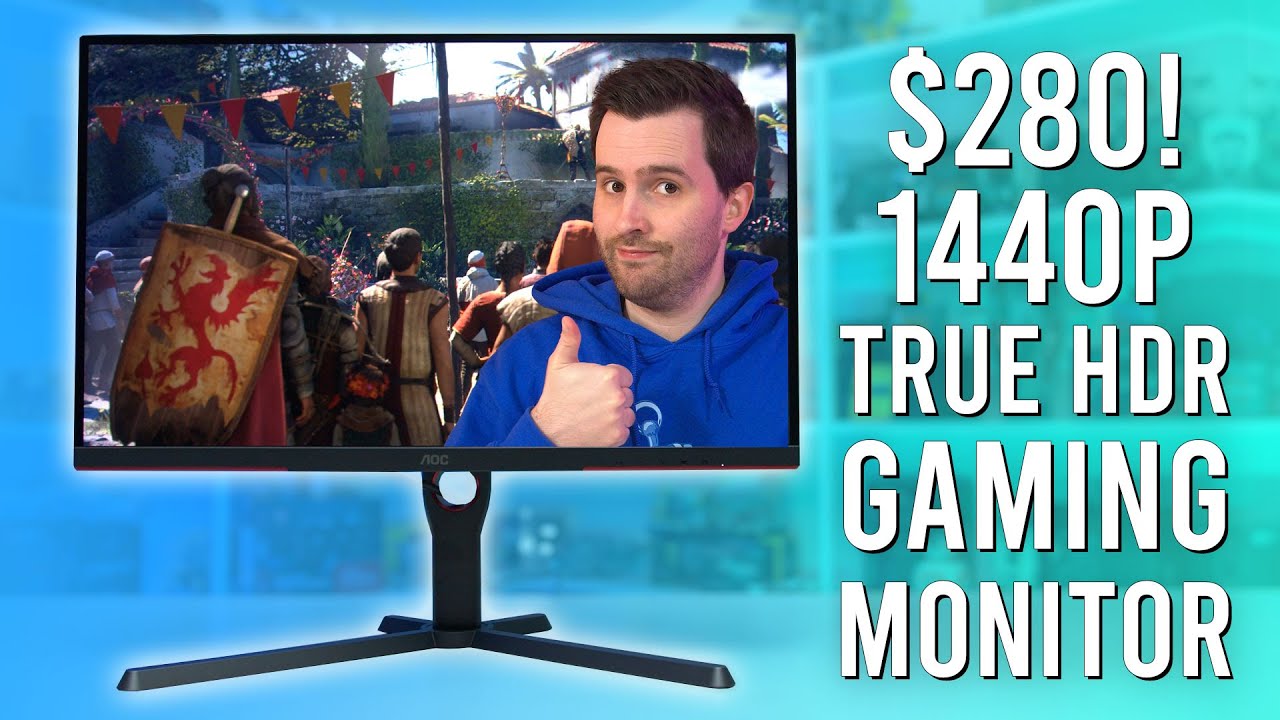
Support us on Patreon: https://www.patreon.com/hardwareunboxed
Join us on Floatplane: https://www.floatplane.com/channel/HardwareUnboxed
Buy relevant products from Amazon, Newegg and others below:
AOC Q27G3XMN - https://geni.us/iaqBe
Acer Nitro XV275U P3 - https://geni.us/oWxmf
Acer Nitro XV275K P3 - https://geni.us/kDEq1
Cooler Master GP27U - ...
 errant edge
I haven't seen true hdr, but hdr on my x27q looks pretty nice
 carmine bloom
silent epoch
https://youtu.be/XbQ8Pe4WVxc?si=G69U8k5uXJLiFLlg
carmine bloom
silent epoch
https://youtu.be/XbQ8Pe4WVxc?si=G69U8k5uXJLiFLlg
Was debating getting this monitor.
Is Mini LED at a good state?
silent epoch
carmine bloom
Was debating getting this monitor.
Is Mini LED at a good state?
Well....this one doesn't have a bunch of local dimming zones. That's just an entry level monitor.
carmine bloom
silent epoch
Well....this one doesn't have a bunch of local dimming zones. That's just an ent...
I mean, it's more than an IPS, regular VA or QLED :p
silent epoch
carmine bloom
I mean, it's more than an IPS, regular VA or QLED :p
Still better..I would try it out
carmine bloom
I mean more as in the amount of dimming zones
surreal quarry
someone I know just got this monitor @carmine bloom , I'll let you know what they think after a week
 tight zenith
I’m having trouble with my monitors not displaying. Does anyone know how to fix that?


 raw ingot

normal token
small warren
Bro I don’t know ppl have recommended me both
 quartz sandal
normal token
Bro I don’t know ppl have recommended me both
quartz sandal
normal token
Bro I don’t know ppl have recommended me both
They're both great, if you don't need a kvm I'd get the MSI, cheaper and doesn't have some of the awkwardness of the m27q due to it being bgr instead of rgb
 visual girder
4090 can show its worth on this, right?
 errant edge
Yes
visual girder
Okay. Just double checking all my parts.
errant edge
Could do oled for 700 if you're interested in one

Acer Predator X27U bmiipruzx 27.0" 2560 x 1440 240 Hz Monitor (UM.HXXAA.001)
 prime sun
Not to mention that one has a higher refresh rate
quartz sandal
visual girder
4090 can show its worth on this, right?
imo at least go larger if you wanna go 4k
visual girder
quartz sandal
imo at least go larger if you wanna go 4k
Using a smaller desk, so I’d like to stay south of 30”
quartz sandal
visual girder
Using a smaller desk, so I’d like to stay south of 30”
tbh id just get a 240hz 27" monitor then
or get a bigger desk 😅
you cant even see pixels on a 27" 1440p monitor
misty gyro
But bigger number better
visual girder
I’m stupid
I’ll just get the oled
quartz sandal
visual girder
I’m stupid
I’ll just get the oled
Nah it's fair, just most people don't realise you can't really see any pixels anyway, imo smallest 4k possible should be 32"
 visual girder
@misty gyro got a link?
misty gyro

MSI’s Optix MPG341QR gaming monitor delivers you an elevated gaming experience. The monitor comes equipped with a 34" IPS display that supports up to 3440 x 1440 (UWQHD) resolution. The Optix MPG341QR can operate at up to a 144Hz refresh rate and 1ms (MPRT) response time. The Optix MPG341QR is NV...

Gigabyte M34WQ 34.0" 3440 x 1440 144 Hz Monitor (M34WQ-SA)
The gigabyte would be pretty good https://www.rtings.com/monitor/reviews/gigabyte/m34wq

RTINGS.com
The Gigabyte M34WQ is a 34 inch ultrawide monitor with a fast 144Hz refresh rate. It's part of Gigabyte's M Series gaming monitors, designed with both productivi...
errant edge
visual girder
<@396513761550270464> got a link?
since you said under 30", https://pcpartpicker.com/product/W6QKHx/msi-g272qpf-270-2560-x-1440-170-hz-monitor-g272qpf

MSI G272QPF 27.0" 2560 x 1440 170 Hz Monitor (G272QPF)
visual girder
Sweet. Now I just need to find a desk.
small warren
If you're going with that last one please don't use a 4090
errant edge
fair
small warren
Be stuck using like 70% of your gpu 80% of the time
visual girder
misty gyro
The gigabyte would be pretty good https://www.rtings.com/monitor/reviews/gigabyt...
Picking this one @small warren
misty gyro
It's also $650
small warren
Eh?
misty gyro

Gigabyte M32U 31.5" 3840 x 2160 144 Hz Monitor (M32U)
small warren
Oh ew
small warren

Acer XV322QK V 31.5" 3840 x 2160 144 Hz Monitor (UM.JX2AA.V04)
visual girder
misty gyro
https://pcpartpicker.com/product/ny3gXL/gigabyte-m34wq-340-3440-x-1440-144-hz-mo...
How does this compare
Better resolution?
misty gyro
It's 4k but personally I don't recommend Acer monitors because of their intentionally confusing model names
small warren
Lol
Yeah that last part, I've not seen before
Um.jx2aa.v04
They're adding more codes again
visual girder
So if I get that exact coded one
I should be better off?
misty gyro
And of course if one digit is off in the model it's suddenly a VA monitor instead of IPS
visual girder
small warren
Imo yeah, or downgrade gpu
never
small warren
If you bottleneck it with the monitor then a higher tier gpu is absolutely pointless
visual girder
I will frick every game I come across with that 4090
misty gyro
If you use a 4090 to play destiny at 1440p I will never forgive you
I'll take it as a personal insult
small warren
misty gyro
If you use a 4090 to play destiny at 1440p I will never forgive you
Double from me, as a 4090 owner
D2 runs at 4K in the hundreds of fps
On not even 4090
visual girder
I 100% will
But I also have like 50 other games like Witcher 3’s deluxe edition I would love to play, but my 1080 wouldn’t let me run
misty gyro
As long as you do the remix mod and crank the RT up it can be slightly challenging
misty gyro
My 3080 ti handles witcher 3 with a couple dozen mods including the RT mod at 1440p just fine though
visual girder
small warren
1080 ran D2 really well in my experience, old as piss game
It ran on kind of high at 60 fps consistently
small warren
I had it at 4K for a long time on my 1080
But that's just how things were
Back then people were still playing with the idea of 4k on a gpu
But the 4090 is well and truly a 4k card
Anything less and you aren't using it properly
misty gyro
Except on the only CS2 that matters (cities skylines 2)
Nothing can get you more than 20 fps late game in that
 misty gyro
Maximum load on everything
Oh and some of the settings were inverted, set low and it loads high detail 🙃
Set high and it loads low
small warren
Lol
quartz sandal
misty gyro
If you use a 4090 to play destiny at 1440p I will never forgive you
Nono don't worry it's for lethal company
quartz sandal
misty gyro
Except on the only CS2 that matters (cities skylines 2)
I hate the way that city skylines think they can take the CS monicor as if CS hasn't had it since like 1999 
 lucid topaz
Yo i have a 4060/i7-13700F if any1 has reccs for a monitor. Eventually getting a 4080s and ideally prepping for GTA 6 at 4K.
errant edge
lucid topaz
Yo i have a 4060/i7-13700F if any1 has reccs for a monitor. Eventually getting a...
Then are you asking for a 4k recommendation?

Dell G3223Q 32.0" 3840 x 2160 144 Hz Monitor (210-BDBK)
This would be a better experience imo
https://pcpartpicker.com/product/qfpQzy/acer-predator-x27u-bmiipruzx-270-2560-x-1440-240-hz-monitor-umhxxaa001
Acer Predator X27U bmiipruzx 27.0" 2560 x 1440 240 Hz Monitor (UM.HXXAA.001)
lucid topaz
Ok nice
I like running a dual monitor setup which do u think would be more ideal
@errant edge running these currently https://www.bestbuy.com/site/sku/6402359.p?skuId=6402359
lucid topaz
errant edge
Then are you asking for a 4k recommendation?
Yea ideally i think thats what i want at this point. I have a 4k tv that i mounted but just doesn’t make sense for gaming so want good fps at 4K but also the experience like u mention
@errant edge https://www.bestbuy.com/site/sku/6511336.p?skuId=6511336this the other one im using rn
errant edge
What type of games do you play?
If you keep that 4k one as a side monitor, you could use it to play story games and non multi player games where you care more about graphics than fps, and then get an OLED for multi-player games. (That's just an option, if you would rather have the 4k high refresh then do that)
quartz sandal
lucid topaz
Yo i have a 4060/i7-13700F if any1 has reccs for a monitor. Eventually getting a...
Just an fyi a 4060 is gonna run 4k low settings as smooth as gravel
small warren
@quartz sandal I'm struggling to read that
I think I get what's being said
It's not great
quartz sandal
small warren
<@191276897227898880> I'm struggling to read that
Sorry picked wrong prediction for keyboard or something I'm just awake and don't remember adding an extra even
Fixed
 quartz sandal
small warren
Running run even
quartz sandal
small warren
Running run even
Shush this was literally me when i wrote it
 normal token
@small warren what was that msi monitor you sent me
was it this? https://www.amazon.com/gp/product/B0C4MQYV67/ref=ox_sc_act_title_2?smid=ATVPDKIKX0DER&psc=1
MSI’s G272QPF gaming monitor delivers you an elevated gaming experience. The monitor comes equipped with a 27" Rapid IPS display that supports up to 2560 x 1440 (QHD) resolution. The G272QPF can operate at up to a 170Hz refresh rate and 1ms (GTG) response time. The G272QPF is NVIDIA G-Sync compat...
small warren
Ye
normal token
small warren
Ye
what kind of dp should i use with it does it matter
 worldly anchor
Thoughts on the cooler master Gp27q?
small warren
Depends how much
quartz sandal
normal token
what kind of dp should i use with it does it matter
comes with a DP cable
worldly anchor
small warren
Depends how much
399 pounds
prime sun
Jesus thats heavy 
quartz sandal
personally id rather spend that type of money on a 240hz monitor
worldly anchor
at 1440p for that money?
quartz sandal
worldly anchor
at 1440p for that money?
https://uk.pcpartpicker.com/products/monitor/#r=256001440&D=240000,540000&P=2,7,9&sort=price&page=1 3 options for same price, 1 under
Choose A Monitor
prime sun
Unless youre like a full on pro shooter player is there even a point for any hz above like 120 😭
misty gyro
Generally no
Many people can't tell the difference between 120 and 165, and most can't tell above 165
misty gyro
 pearl osprey
Best panel type for gaming?
pearl osprey
Best panel type for gaming?
OLED
What budget for the monitor recommendation
pearl osprey
Around $300
misty gyro
This is the cheapest 32" 1440p 240hz
https://pcpartpicker.com/product/dbV2FT/msi-mag325cqrxf-315-2560-x-1440-240-hz-curved-monitor-mag325cqrxf

MSI MAG325CQRXF 31.5" 2560 x 1440 240 Hz Curved Monitor (MAG325CQRXF)
You don't want 1080p at that size, you can see the individual pixels
I also would not particularly recommend that monitor for well lit rooms, it's rather dim at a little over 100 nits
normal token
prime sun
Jesus thats heavy <:jensen2:750957116017344513>

also @small warren I ordered that monitor it should be here tomorrow
I love free trials of prime
small warren
Neat
 daring flame
Anyone got the new Alienware QD OLED 32" 4k 240hz monitor? What do you think? Just ordered one as my last monitor finally crapped out so I went all in. Seemed to check all my boxes and more so I hope to have it in a couple of days.
small warren
If I'm not mistaken
That uses DSC for bandwidth above 4K 120hz
That specific monitor
If it's not DP2.0 or DP2.1 then it definitely is
prime sun
Whats the lifespan of an oled compared to an lcd, as pricey as they are id hate for burn in and such to be a problem
errant edge
prime sun
Whats the lifespan of an oled compared to an lcd, as pricey as they are id hate ...
@silent epoch
You know better than me
small warren
prime sun
Whats the lifespan of an oled compared to an lcd, as pricey as they are id hate ...
Search up rtings burn in testing and you'll find the specifics of each
Even monitors
prime sun
Ah sick, thank you
misty gyro
prime sun
Whats the lifespan of an oled compared to an lcd, as pricey as they are id hate ...
The rtings burn in testing is a worst case scenario. They've been running them through the test for a year which is more like 5 years of regular use, and only a couple screens had noticeable burn in.
As long as you let the pixel cleaning features run they're fine to use long term.
prime sun
Good to know
silent epoch
prime sun
Whats the lifespan of an oled compared to an lcd, as pricey as they are id hate ...
LCDs will last longer, but it's still a very hard question to answer. Recent OLEDs are more durable than previous models, unfortunately the latest type has only been around for a few years, but they've been advertised to last longer than ever. The issue of burning is hugely overblown. All you really need to do is just make sure that you vary your media.
prime sun
My media doesnt have anything to do with the fearmongering of burn in, i was just genuinely curious. Me talking here is varying my media and taking in other accounts on subjects like it 😭
silent epoch
prime sun
My media doesnt have anything to do with the fearmongering of burn in, i was jus...
Soo far I have 1100hrs on my LG ultra-gear OLED...no problems so far
It's just as good as the day when I got it
I've had it for a year
prime sun
I didnt think oled would have much of issues with it, so glad to hear that
 prime sun
I always buy products with long good warranties since often those are the products that least need em
silent epoch
Smart
 pallid forum
Hi everybody
normal token
i got it
pearl osprey
misty gyro
Unless you're going to use it for something that doesn't support 1440p like a streaming box then at that size you really can't tell the difference between 4k and 1440p
Plus that's a cheap VA panel for the price of a very good 1440p IPS
4k you want at least 32" to get any benefit
errant edge
pearl osprey
Thoughts on this https://www.amazon.com/ASUS-VG289Q1A-Adaptive-Sync-FreeSync-Dis...
Are you using it as a side monitor? If you're planning to use it for your competitive first person shooters i would highly advise against it
pearl osprey
errant edge
Are you using it as a side monitor? If you're planning to use it for your compet...
Yea im going to use it as a side monitor
But im still trying to find a good gaming monitor for 240hz
errant edge
pearl osprey
Yea im going to use it as a side monitor
What's going to be displayed on it?
If its just gonna be discord and Google and such I'd just go 1080/1440
https://pcpartpicker.com/product/8KyV3C/acer-v277u-270-2560x1440-75-hz-monitor-v277u
https://pcpartpicker.com/product/4Zrqqs/asrock-cl25ff-245-1920-x-1080-100-hz-monitor-cl25ff

Acer V277U 27.0" 2560 x 1440 75 Hz Monitor (V277U)

ASRock CL25FF 24.5" 1920 x 1080 100 Hz Monitor (CL25FF)
For main I'd still say
https://pcpartpicker.com/product/xNTZxr/dell-g2524h-245-1920-x-1080-280-hz-monitor-g2524h
https://pcpartpicker.com/product/fWkWGX/lg-27gp700-b-270-1920x1080-240-hz-monitor-27gp700-b

Dell G2524H 24.5" 1920 x 1080 280 Hz Monitor (G2524H)

LG 27GP700-B 27.0" 1920 x 1080 240 Hz Monitor (27GP700-B)
pearl osprey
errant edge
What's going to be displayed on it?
Movies,videos etc
I want my gaming monitor to be atleast 27 inches with 240hz ips panel
errant edge
pearl osprey
I want my gaming monitor to be atleast 27 inches with 240hz ips panel
That's what the last one I linked is
Otherwise you'd probably be looking for a 1440p monitor
errant edge
pearl osprey
Movies,videos etc
Hm, so you wanted 4k for the movies I'd imagine. The 1440p one would have a clear image, but if you're set on what you want I believe this is decent
https://pcpartpicker.com/product/W4cG3C/msi-optix-g281uv-279-3840-x-2160-60-hz-monitor-optix-g281uv

MSI Optix G281UV 27.9" 3840 x 2160 60 Hz Monitor (Optix G281UV)
misty gyro
Most of the time "4k" doesn't mean the content is actually in 4k. For example, even if you pay extra to netflix for the 4k streaming you're probably still only getting 720p.
The only time you can be sure the content you're watching is actually 4k is if it's on a blu-ray
pearl osprey
errant edge
Hm, so you wanted 4k for the movies I'd imagine. The 1440p one would have a clea...
Can you find a 32inch similar to that one?
errant edge
pearl osprey
Can you find a 32inch similar to that one?
None that are ips under 350
Actually none that are ips until $400
pearl osprey
Ohh ok
Im confused on fps and hz
If im playing on a 165hz monitor and my pc can do more fps
Am i only going to see 165 fps?
errant edge
pearl osprey
Am i only going to see 165 fps?
Its... not exactly like that but also yes? Basically, refresh rate is how fast the image on the screen refreshes
The screen might refresh but the frame in the game hasn't changed, so maybe you'll only see 160 fps at 165hz through a period, and then another time see 164.
misty gyro
Freesync and gsync are designed to help with that when you're running below the refresh rate. They make the screen wait to refresh until the GPU is ready to send a frame.
surreal quarry
surreal quarry
someone I know just got this monitor <@299338121131327499> , I'll let you know w...
ok @carmine bloom the AOC monitor is GORGEOUS. The colors are amazing and responce times are good. Very good viewing angles. She mostly plays games like the forest and cult of the lamb so its hard to say about motion blur but the games look amazing. The blacks are dark but meh, I think oled spoiled me. Overall though it's MUCH nice than my m27q hehe
it is very vibrant
tbh i kinda wanna get it myself
misty gyro
"Blur" (ghosting or reverse ghosting) would be quite noticeable in a fast paced game like cult of the lamb.
Black levels are the major weakness for IPS and coming from an OLED I can see you noticing it more.
surreal quarry
misty gyro
"Blur" (ghosting or reverse ghosting) would be quite noticeable in a fast paced ...
it's VA
also miniled. I just dont think we turned local dimming on
misty gyro
Ah miniled, the acceptable kind of VA at least
carmine bloom
misty gyro
Ah miniled, the acceptable kind of VA at least
QLED is acceptable too 
 acoustic badge
MSI Optix G273 27" Class FHD IPS Gaming Monitor (Renewed) https://a.co/d/19jYjmK
Opinion on it? They r refurbished but specs don’t seem bad
Also does anybody have experience with this one https://www.walmart.com/ip/KOORUI-27-inch-2K-QHD-144Hz-1ms-Curved-Gaming-Monitor-Adpitive-sync-Technology-100-sRGB-Computer-Monitor-HDMI-DisplayPort-Black-27E6QC/1570018785 I heard some people experience more ghosting with this one but i was wondering I was wondering if anybody knows abt it
errant edge
acoustic badge
MSI Optix G273 27" Class FHD IPS Gaming Monitor (Renewed) https://a.co/d/19jYjmK
Good buy
Wait no
That's fhd
Nvm
I'd try for this, if you can
https://pcpartpicker.com/product/W6QKHx/msi-g272qpf-270-2560-x-1440-170-hz-monitor-g272qpf
MSI G272QPF 27.0" 2560 x 1440 170 Hz Monitor (G272QPF)
Monitor is one of the last things I'd cheap out, it displays the machine you spend hundreds, if not a couple thousand, putting together
acoustic badge
U said that as I was abt to try n find a cheaper option
errant edge
There's some alright cheap options, but for cheaper I'd go 24" 1080p
What gpu do you have?
acoustic badge
Here is the thing I’m already going slightly over budget for it and to be realistic I’m on t( verge of just waiting another month to get a monitor which means it would be sitting there
Planning on getting 7800xt
Getting all parts by end of month
errant edge
What about getting 1080p for now, and upgrade down the line?
Also mind sharing the list you're looking at so far?
acoustic badge
Yeh one sec tho
Idk I know the 160 Walmart one i showed may have ghosting problems but I was thinking of getting that or the 27inch one u said yes to at first. I rlly would prefer a 27 inch n I heard 1440p is better with the setup I have
S that’s only reason I have been leaning toward those
Ram will have same specs but switching to a white one that is like 10 bucks more. And reason for 2 gpu is idk which to choose lol
errant edge
It's more than that, basically the higher the resolution, the more load on gpu and the less load in cpu (or same load on cpu, if you're gpu limited a lot.)
acoustic badge
Rest is pretty much final
It would be used strictly for gaming which is despite me technically being able to spend less on a gpu n still do decent I would highly prefer this gpu
errant edge
Beyond a certain point, you're spending more on your gpu to get the same results, like 7800xt would perform similarly with the 6800 at almost $100 less at 1080p paired with some cpus
But getting 1080p for now and saving for a while to get a good 1440p is better than spending more on a low quality 1440p monitor now
acoustic badge
What’s the 680l called is it just 6800 XT. As u see I have no clue what I’m halfway talking abt
errant edge
6800 and 6800xt are both gpus, 6800 is around 15% worse
acoustic badge
I heard difference between 1080 and 1440 rlly isn’t that noticeable besides outlines of certain objects upclose, in ur option true?
So go with 6800xt?
errant edge
Could save a bit w this
https://pcpartpicker.com/product/YwbTwP/id-cooling-se-214-xt-682-cfm-cpu-cooler-se-214-xt-argb-white

ID-COOLING SE-214-XT 68.2 CFM CPU Cooler (SE-214-XT ARGB WHITE)
errant edge
acoustic badge
I heard difference between 1080 and 1440 rlly isn’t that noticeable besides outl...
No not at all
Also nah
acoustic badge
Already bought cpu cooler. It’s arriving tmrw .
acoustic badge
But isn’t that due to ur ips panel
acoustic badge
Considering difference between ips n va is drastic at that lvl
errant edge
But also the image clarity, I didn't even realize I was seeing pixels on my last monitor. It was like night and day
And its also a good quality panel, it's the HP x27q
It's worse than the msi one I linked tho
acoustic badge
To be fair my last pc was a all in one n I was playing Val at rlly low sittings
Which is one reason as to why I’m not to picky but mostly just confused lol
errant edge
This is a surprisingly good monitor, despite the brand
https://pcpartpicker.com/product/DqQKHx/koorui-24e3-240-1920-x-1080-165-hz-monitor-24e3

KOORUI 24E3 24.0" 1920 x 1080 165 Hz Monitor (24E3)
Main game I play is val, and I can vouch how big of a diff it was
That's actually what made me realize how nice it was. Specifically my first game after the upgrade was pearl lmao
Don't know why I remember that
Oh also
Check out the phanteks g360a, it's very similarly priced rn
(Case)
acoustic badge
Alrdy bought a case n I love the way it looks but lemme check
errant edge
7600xt is low key a joke
acoustic badge
Idk what that is but lower number equals worse to me
errant edge
7600 is good value
It's exact same as 7600xt just less vram
16gb won't be utilized at that tier of gpu anyways, at least not enough to justify the price
Especially since that tier of gpu is kind of designated towards 1080p atp
acoustic badge
Does 6800 XT come in white?
errant edge
Yeah but they're not in stuck often anymore
I haven't seen them be well priced for a couple of months atp
You could look for a used 3080/6800xt+ as well
Can be found around 325-425
The lower end of that is if you're lucky tho
errant edge
acoustic badge
Only 519 tho so cheaper then sapphire one of 7800
4060 ti really bad
At times it even loses to 3060 ti, bc nvidia is stupid
acoustic badge
Ngl I feel obligated to stick with the 7800xt I get there r cheaper options but I am kinda picky on gpu cooler
errant edge
At like sub $350 for 8gb version or sub $400for 16gb they're decent depending on what they're being used for
errant edge
acoustic badge
Ngl I feel obligated to stick with the 7800xt I get there r cheaper options but ...
Yeah when wanting a white gpu cheaper options aren't very common
acoustic badge
Sucks liking white😔
errant edge
There's always the option of painting one yourself, but I understand not wanting to
acoustic badge
Mfs charging 20 more minimum lol
If my budget was higher I would of switched power supply to white aswell but it’s not possible
Don’t trust myself enough😭
errant edge
I mean there's this, but 6800 perf and 4gb less vram
https://pcpartpicker.com/product/kPvD4D/asrock-steel-legend-oc-radeon-rx-7700-xt-12-gb-video-card-rx7700xt-sl-12go

ASRock Steel Legend OC Radeon RX 7700 XT 12 GB Video Card (RX7700XT SL 12GO)
Like 15% worse than 7800xt I think?
acoustic badge
So performance wise besides it jus being somewhat worse then the 7800xt I know vram is important for games so would that still slow me to play most games like r6 and rust n Val on high settings?
errant edge
12gb is plenty
acoustic badge
Because despite me already being slightly over budget as u said with monitor I wouldn’t wanna get that gpu when I could slightly go over now n just chill later
errant edge
7800xt could have 12gb and it wouldn't be utilized in all but a handful of games at 1440p, and they're badly optimized
acoustic badge
Idk what u said but I got one more question lol
This is last one lol

Give your chassis an instant makeover with Cooler Master’s Vertical Graphics Card Holder Kit V3 White! Supporting cases ranging in size from mATX to ATX, this remastered design allows unprecedented compatibility with various builds and setups. A PCIe 4.0 riser cable is included to assist the inst...
Could this fit the 7800xt and or the one u just sent
And with that said could both and or atleast one comfortably sit in this case
errant edge
I'm sorry I've absolutely no clue. Felix probably would
I dont know much about risers and mounting kits, I've never looked into them
acoustic badge
Felix sounds like he knows what’s up what’s his username not gonna dm prob but just curious
errant edge
I'd say ping him or wait to see him
acoustic badge
Thx😎
 errant flax
acoustic badge
Idk what u said but I got one more question lol
errant flax
acoustic badge
Idk what u said but I got one more question lol
12GB is more than enough vram. The only cases where it all gets utilized at QHD resolution is in a handful of very poorly designed games is what, Bacca is trying to say.
Most games would probably only use like 8GB in my experience.
acoustic badge
Thx
acoustic badge
Part List - AMD Ryzen 5 7600, Radeon RX 7800 XT, Montech AIR 100 ARGB MicroATX Mid Tower
Above is my setup
Haven't built is yet but slowly getting the parts. With my GPU n my setup someone told me I should get a 1440p monitor. With that said t there any Decent 1440p monitors that are under 180 and preferably around 27inch
Size matter slightly more then performance to me which I know is stupid but I rlly would prefer a 27inch n a curved is a plus plus. I know this request is very unlikely n a bit of contradictions but if u know any plus send
 visual pilot
acoustic badge
Haven't built is yet but slowly getting the parts. With my GPU n my setup someon...
visual pilot
acoustic badge
Haven't built is yet but slowly getting the parts. With my GPU n my setup someon...
Not exactly the best but it's cheap, curved, and 27in
acoustic badge
I get it’s va and everybody hates va but I actually think it’s pretty good
Will check out a few vids tho to see how the ghosting is
errant edge
visual pilot
190$
https://www.newegg.com/p/N82E16824012064
Gs27qc is really bad
It's g27q but with a complete ass panel, like it's impressive how bad they made it from what I remember
visual pilot
errant edge
It's g27q but with a complete ass panel, like it's impressive how bad they made ...
It's different from g27qc? I assumed it was just a rebrand of the g27qc
errant edge
visual pilot
It's different from g27qc? I assumed it was just a rebrand of the g27qc
I think its the cheaper version of g27qc actually
visual pilot
Really? What happened to the g27qc then
errant edge
I'm not sure

RTINGS.com
The Gigabyte GS27QC is the newer version of the Gigabyte G27QC, and they have many of the same specs, but there are some differences. The GS27QC is an upgrade in gaming performance as it has an overclock to 170Hz, and it also has better motion handling with less smearing. That said, the GS27QC also downgrades in a few areas, particularly with of...
Apparently it's gone up since I last checked
It used to be like a 5.6 in gaming
So basically worse g27qc
errant edge
acoustic badge
I get it’s va and everybody hates va but I actually think it’s pretty good
If you can the extra $30 for the msi one, it's far better
This is $10 more and better
https://pcpartpicker.com/product/p8zXsY/acer-nitro-xv1-xv271u-270-2560-x-1440-180-hz-monitor-umhx1aa301

Acer Nitro XV1 XV271U 27.0" 2560 x 1440 180 Hz Monitor (UM.HX1AA.301)
acoustic badge
Opinion on this one
Upped budget for it slightly
Also one u sent I actually like
 obsidian oak
Check this out on @Newegg:GIGABYTE 34" 144Hz 2K Curved Gaming Monitor 1ms FreeSync Premium, UWQHD 3440 x 1440 VA 1500R Display, (MPRT), 90% DCI-P3, VESA Display HDR400, 2x DisplayPort 1.4, 2x HDMI 2.0 G34WQC A-SA https://www.newegg.com/p/N82E16824012046?Item=N82E16824012046&Source=socialshare&cm_mmc=snc-social-_-sr-_-24-012-046-_-02092024
Thoughts on this one?
acoustic badge
What is the ghosting like on the one u liked
Ofc still there
But like is it super noticeable as the others?
errant edge
errant edge
This is $10 more and better
https://pcpartpicker.com/product/p8zXsY/acer-nitro-...
This one?
Ghosting is much less prominent, better colors, overall just better display quality
errant flax
errant edge
Ghosting is much less prominent, better colors, overall just better display qual...
what exactly is ghosting with monitors?
errant edge
This explains better than I can
https://www.lenovo.com/us/en/glossary/monitor-ghosting/?orgRef=https%253A%252F%252Fwww.google.com%252F
Learn what monitor ghosting is and how to fix it. Enjoy a better viewing experience with our comprehensive guide on the anatomy of monitor ghosting and how to prevent it.
acoustic badge
True bacca what's ur opinion on 27 inch 1080p monitor ( I plan on switching after a few months but would have for atleast 5 months but would prob switch around 5 months mark most likely
Because I plan on switching I'm not looking for rlly high high quality this early on but also looking for something that wouldn't look to wonky. I heard my setup would be best with a 1440p but jus curious on what u think
errant edge
I'd still go 24" for 1080p for now, but in the end it's your choice
acoustic badge
Ok thx
After checking size of my last monitor I think 24ingh is finr
My last one in total was like 22 and the jorder was massive. So the pixels didn't even g on that far
acoustic badge
errant edge
I'd still go 24" for 1080p for now, but in the end it's your choice
Is the g24f 2 good?
Felix suggested it but said to ask u or smth
errant edge
Depends on price but yes
This is a very solid monitor and is relatively cheap rn
https://pcpartpicker.com/product/DqQKHx/koorui-24e3-240-1920-x-1080-165-hz-monitor-24e3
KOORUI 24E3 24.0" 1920 x 1080 165 Hz Monitor (24E3)
Unless g24f 2 is within like $15 I would just save the money, especially since you're going to upgrade to 1440p within the year
Prime day, black Friday, and cyber Monday we normally see some pretty nice monitor deals. The last two black Fridays we've had good quality 1440p monitors as low as $125-150
I got my x27q for I think $175 after tax
acoustic badge
Wait ur right 😭
Idk why I forgot about black Friday deals all other days were stuff gets plummeted by a decent amounts
The g24f was like 140 so I'ma go with the one u suggested
errant edge
acoustic badge
Idk why I forgot about black Friday deals all other days were stuff gets plummet...
Ye especially monitors we typically see at least a couple well priced deals
Two black Fridays ago we had an nzxt 1440p 165hz at $120, x27q at like 145. This last one we had 27q around 160 and a few other similar specced monitors around 150-170. We also had 1440p 240hz around 250 for a good few months.


 mortal yoke
can someone help me find a monitor under $200, at least 1080p, and at least 144hz?
prime sun
What size screen do you want?
mortal yoke
prime sun
What size screen do you want?
23.8 preferably but 27 works as well
prime sun
mortal yoke
23.8 preferably but 27 works as well
KOORUI 24E3 24.0" 1920 x 1080 165 Hz Monitor (24E3)
Hows this
If you look up bacca was just talking about it
We love bots oop
mortal yoke
prime sun
https://pcpartpicker.com/product/DqQKHx/koorui-24e3-240-1920-x-1080-165-hz-monit...
thanks
errant edge
mortal yoke
can someone help me find a monitor under $200, at least 1080p, and at least 144h...
Over budget
https://pcpartpicker.com/product/W6QKHx/msi-g272qpf-270-2560-x-1440-170-hz-monitor-g272qpf
MSI G272QPF 27.0" 2560 x 1440 170 Hz Monitor (G272QPF)
Acer Nitro XV1 XV271U 27.0" 2560 x 1440 180 Hz Monitor (UM.HX1AA.301)
mortal yoke
thanks
prime sun
errant edge
Over budget
https://pcpartpicker.com/product/W6QKHx/msi-g272qpf-270-2560-x-1440...
I have the acer monitor here, really good ass monitor, only gripe is the glare at some viewing angles
silent epoch
misty gyro
 surreal quarry
$800 for a 27in qdoled, not bad
 fading wyvern
my 165hz ips has been feeling a little too gray recently i must say
Any idea what the subpixel layout is?
small warren
Not without knowing the exact monitor
quartz sandal
fading wyvern
Any idea what the subpixel layout is?
If you have m27q it's bgr
fading wyvern
quartz sandal
If you have m27q it's bgr
talking about msi's new qd oled lineup
sorry if it seemed like i was talking about my monitor
quartz sandal
Ohh yeah it did lol
quartz sandal
fading wyvern
talking about msi's new qd oled lineup
I'd give a good old Google
fading wyvern
i wa sin the car when i posted; was being lazy
quartz sandal
Smh
 small warren
Grb
 lime peak
Anyone got any idea when will the PG32UCDM be back in stock?
misty gyro
No one here works for Newegg so we don't have any inside information like that
misty gyro
lime peak
what about the Wegg staff?
You can ask @true iron but it's not their department so no promises
normal token
@small warren
is there a reason my monitor only goes to 165hz
and not the advertised 170
small warren
Probably some OC setting you shouldn't bother with cos overshoot
normal token
small warren
Probably some OC setting you shouldn't bother with cos overshoot
But my 5hz
small warren
Lol
visual pilot
Might also be cable bandwidth related
 fallow perch
hello, could anyone let me know if this a decent tv for the price? https://www.ebay.com/itm/335196616074. or if anyone knows one better i'm looking for a 65' under $750 120hz+ would be nice but i understand it may not work for my budget thanks
misty gyro
fallow perch
hello, could anyone let me know if this a decent tv for the price? https://www.e...
Signs point to no, that's not a good one.
https://www.rtings.com/tv/reviews/lg/qned80-2022

RTINGS.com
The LG QNED80 2022 is the entry-level model in LG's 2022 mid-range QNED lineup. It sits below the LG QNED85 and combines quantum dot technology with LG's proprie...
Below average at best
fallow perch
misty gyro
Signs point to no, that's not a good one.
https://www.rtings.com/tv/reviews/lg/...
ok if you have any recommendations lmk
misty gyro
It's been a while since I checked, looking now
I'm in the market myself at a similar price point so this is beneficial to me too
misty gyro
fallow perch
ok if you have any recommendations lmk
https://www.rtings.com/tv/reviews/vizio/quantum-pro-qled
https://www.amazon.com/gp/product/B0CGS22D35

RTINGS.com
The Vizio Quantum Pro QLED is a midrange LED TV released in 2023. One of only two Vizio TVs released in 2023, at least at the time of publication, it replaces th...

A new era of color and brilliance with unparalleled Quantum Color (QLED), mesmerizing brightness, and superior contrast. Whether streaming or gaming, you’ll enjoy high speed WiFi 6E and an unmatched Wide Viewing Angle + Anti-reflective Film. Every seat in the room will be a premium spot for those...
That'll probably be what I end up going for too tbh, as long as it's still in stock. It's also at walmart.com, but not in stock on Newegg (except from an overpriced third party reseller).
fallow perch
thanks ill look into it, i dont know if id buy it full price but if its the best i can find ill do it
misty gyro
Then again this one has better HDR
https://www.rtings.com/tv/reviews/hisense/u7k-u7-u75k
https://www.bestbuy.com/site/hisense-65-class-u7-series-mini-led-qled-4k-uhd-smart-google-tv/6541872.p?skuId=6541872

RTINGS.com
The Hisense U7K is a lower mid-range 4k TV released in 2023 and sits between the Hisense U6/U6K and the Hisense U8/U8K in the company's 2023 ULED lineup. It repl...
I can search a little below the budget range too, $650 or so you start to see good ones if you know where to look
You can get this one open box from Best Buy for quite a deal, there's a couple at stores near me so check by you too.
https://www.bestbuy.com/site/tcl-65-class-q7-q-class-qled-4k-hdr-smart-tv-with-google-tv/6538137.p?skuId=6538137

RTINGS.com
The TCL Q7/Q750G QLED is a mid-range TV and sits right below the TCL QM8/QM850G QLED and above the TCL Q6 QLED in TCL's 2023 lineup. It's a QLED TV equipped with...
That should give you a few options to think about, let me know if you have any other questions
fallow perch
misty gyro
That should give you a few options to think about, let me know if you have any o...
i think i would still pick up the original LG. i could see how it doesn't hold up at its original price but for $600 after tax 65 inch 120hz + 2 year warranty it seems good enough for me until demand slows and a better deal comes around
misty gyro
Check out that last one I linked then. Open box options were $580-600 near me and it's a very good TV.
fallow perch
misty gyro
fallow perch
https://www.amazon.com/TCL-75Q650G-Accelerator-Streaming-Television/dp/B0C1J5228...
Pretty decent for primarily gaming but below average for watching movies and such
https://www.rtings.com/tv/reviews/tcl/q6-q650g-qled

RTINGS.com
The TCL Q6/Q650G QLED is TCL's budget Q-series TV in 2023, sitting below the TCL Q7/Q750G QLED and TCL QM8/QM850G QLED, and above the cheaper TCL Q5/Q550G QLED. ...
fallow perch
misty gyro
Pretty decent for primarily gaming but below average for watching movies and suc...
decided to go a little over budget and get a LG B2 OLED for a little under $1000
misty gyro
Those are nice, that works
fallow perch
thanks for your help though
misty gyro
For the record
https://www.rtings.com/tv/reviews/lg/b2-oled
High marks in every category

RTINGS.com
The LG B2 OLED is a mid-range OLED TV, replacing 2021's LG B1 OLED. It sits between the LG A2 OLED and the LG C2 OLED in LG's 2022 lineup and is extremely simila...
small warren
Try to avoid constant content like persistent ui with the B2
Over time it still has burn in issues
It's in the rtings burnin category iirc, all the 2022 gen ones still have a ways to go
Or alternatively avoid high brightness outside of like movies
misty gyro
https://www.rtings.com/tv/reviews/lg/b2-oled#test_16344
Testing shows a fair bit of burn in but that's equivalent to about 3-5 years of use with a lot of static content
RTINGS.com
The LG B2 OLED is a mid-range OLED TV, replacing 2021's LG B1 OLED. It sits between the LG A2 OLED and the LG C2 OLED in LG's 2022 lineup and is extremely simila...
small warren
Ye
I mean this is typical oled care really
If you want to avoid it essentially permanently then just use lower brightness most of the time
For 1000 nit display like LG woled, running anywhere near or under 50% brightness should look fine most of the time
fallow perch
it will really only be used in low light and i dont intend to idle it
small warren
Even the 300 nit oleds look excellent in low light
Very bright
You should be fine then, just worth passing the info on so you can make it last
misty gyro
Pretty much just leave HDR disabled and it's fine. SDR is limited to 400 nits which is less than half the max of the screen.
small warren
The great thing with oled is the high contrast, so unlike fighting some backlight bleed on pretty much any other panel in existence, the blacks are consistent
So yeah you really won't need to boost it to 1000 anyway
i.e 100% brightness
 dawn breach
hey guys,
any recommendations for a monitor for content (films, netflix) consumption around the 500-700USD range?
My current situation is that I play games on my PC but watch movies with my MacBook cos of how nicer the screen is
errant edge
dawn breach
hey guys,
any recommendations for a monitor for content (films, netflix) consu...
Are you going to be gaming on this display whatsoever?
dawn breach
errant edge
Are you going to be gaming on this display whatsoever?
will use the gaming monitor for that
errant edge

Asus TUF Gaming VG289Q 28.0" 3840 x 2160 60 Hz Monitor (VG289Q)
That'd be plenty
What's the gaming display? This could be a pretty big upgrading depending on what it is
https://pcpartpicker.com/product/W6QKHx/msi-g272qpf-270-2560-x-1440-170-hz-monitor-g272qpf
MSI G272QPF 27.0" 2560 x 1440 170 Hz Monitor (G272QPF)
dawn breach
errant edge
What's the gaming display? This could be a pretty big upgrading depending on wha...
oh, these look dope! im using the AOC 24G2 monitor for most of my competitive gaming btw so the MSI one might be the better pick for me
thanks a lot!
errant edge
You can even do an OLED around $700 if you're very into competitive gaming
Or an IPS 1440p 240hz for $310
misty gyro
Acer Predator X27U bmiipruzx 27.0" 2560 x 1440 240 Hz Monitor vs. AOC AG276QZD 26.5" 2560 x 1440 240 Hz Monitor
2 OLEDs at the top end of that budget
You can even game on them , 240Hz
240Hz on an OLED is probably more like 360Hz on an IPS
Near instant response times, perfect blacks for deep colors
errant edge
With much faster response time
dawn breach
ok i didnt know OLED was an option
misty gyro
They've really come down in price with these new ones
errant edge
Yup, though newer, cheaper ones are supposed to be coming down in price
Likely going to be lower refresh rate options as well
dawn breach
dang. might just wait for a good 144hz one then. but ill go check out the other ones suggested irl to see how i feel about them
though OLED is pretty killer
misty gyro
I'd be interested in the 4k 240Hz ones if any of them have DP 2.0 so they don't use DSC
I'm nit picky lol
errant flax
misty gyro
I'd be interested in the 4k 240Hz ones if any of them have DP 2.0 so they don't ...
Can a 4090 and like a 7800x3D even push that many frames?
small warren
In some games
Absolutely not all
But the problem of the 4090 is dsc above 4k120
240hz wouldn't look great
errant flax
Gotcha.
misty gyro
errant flax
Can a 4090 and like a 7800x3D even push that many frames?
If you don't run max settings, absolutely
 proper viper
what's the recommendation for a monitor to pair with a 4090. i currently have an odyssey g9 and i'm looking to downsize as i hate how big it is and i'm not a fan of curved monitors. it'll be used primarily for gaming.
small warren
@proper viper https://pcpartpicker.com/product/cN3gXL/acer-xv322qk-v-315-3840-x-2160-144-hz-monitor-umjx2aav04
Acer XV322QK V 31.5" 3840 x 2160 144 Hz Monitor (UM.JX2AA.V04)

Gigabyte AORUS FV43U 43.0" 3840 x 2160 144 Hz Monitor (AORUS FV43U)
Or an LG C2/C3 and use it at a medium brightness for hdr
The 42" ones go around, 900-ish iirc?
Not really smaller, but narrower and taller instead
proper viper
thank you!
proper viper
small warren
<@894356918909407262> https://pcpartpicker.com/product/cN3gXL/acer-xv322qk-v-315...
you recommend 144hz over 240hz on 4k?
misty gyro
With a 4090 you're limited in refresh rate at 4k because nvidia decided not to include a DP 2.0 port
small warren
proper viper
you recommend 144hz over 240hz on 4k?
Yes because dsc makes for a blurry mess
misty gyro
You can get higher refresh but yeah the DSC compression can be bad
small warren
As Fal'cie pointed out, no native 240hz support
4090 for the most part runs 144 at reasonable settings anyway
errant edge
I want some other people's opinions on this
I almost exclusively play valorant, not for money or anything but I play it a lot competitively
I want to get a new second monitor, currently I'm doing 1440p165hz and 1050p 60hz. Would it be worthwhile to get 240hz as the new one and use it for my main display instead?
The other options I've been considering are a cheaper OLED once the cheaper models are out, just the cheapest IPS screen I can find that isn't crap (prolly $50-70 range,) or a 4k 60hz monitor for story mode games and such where I don't really care about fps/refresh rate
If it was you, what would you go with?
errant flax
Personally I would choose the monitor that best suites the game I play most. So here's what I'd do.
- High refresh for games I play competitively such as Fortnite, Halo Infinite, Call of Duty.
- Good color/contrast (oled) for story games
All that being said, if you waited for a cheap oled like a 144hz QHD I think that would be the best of both worlds since honestly at the end of the day good skill can overcome the 240hz/144hz gap.
misty gyro
The 240Hz OLEDs are the cheapest options right now oddly enough
errant edge
Yeah im not buying an oled unless it's sub 400
Even that's pushing it, with a 4k60hz IPS costing as low as 150
prime sun
Yalls opinions on this monitor? https://www.bhphotovideo.com/c/product/1741852-REG/philips_27e1n8900_27_16_9_4k.html
surreal quarry
prime sun
Yalls opinions on this monitor? https://www.bhphotovideo.com/c/product/1741852-R...
ive never heard of this brand
surreal quarry
prime sun
Yalls opinions on this monitor? https://www.bhphotovideo.com/c/product/1741852-R...
i'd honestly get this https://www.rtings.com/monitor/reviews/asus/rog-swift-oled-pg27aqdm

RTINGS.com
The ASUS ROG Swift OLED PG27AQDM is a 27-inch, 1440p gaming monitor. Along with the Corsair XENEON 27QHD240, it's the main competitor to the LG 27GR95QE-B, as al...

Asus ROG Swift OLED PG27AQDM 26.5" 2560 x 1440 240 Hz Monitor (90LM08Q0-B01AB0)
 fossil gust
errant edge
The other options I've been considering are a cheaper OLED once the cheaper mode...
fossil gust
errant edge
The other options I've been considering are a cheaper OLED once the cheaper mode...
If you already have a 1440p165 that you're somewhat happy with I'd, wait for OLED to drop to your price range. I think the big OLED monitor wave is starting and hopefully prices will fall
errant edge
misty gyro
The 240Hz OLEDs are the cheapest options right now oddly enough
Do you think there'll be 60hz OLEDs?
small warren
there's one linked above
misty gyro
There's 5 on pcpp, https://pcpartpicker.com/products/compare/K4snTW,Xcwypg,g692FT,WCH7YJ/
Asus ProArt PQ22UC 21.6" 3840 x 2160 60 Hz Monitor vs. LG 27EP950 27.0" 3840 x 2160 60 Hz Monitor vs. LG 32EP950-B 31.5" 3840 x 2160 60 Hz Monitor vs. Asus ProArt Display PA32DC 31.5" 3840 x 2160 60 Hz Monitor
small warren
don't forget 8k oleds
errant edge
Ah
I feel like the response to this will be the magic 8 ball gif, but what about cheaper 1440p 60-75hz oleds
Like in the 250-350 range
misty gyro
They'll be premium priced products for a couple years while they figure out their manufacturing processes
small warren
real
or potentially doesn't even get cheaper at all and remains the "premium tier"
we've had OLED for a very long time now
misty gyro
Also possible, at least until the next best thing comes along
small warren
granted, in multi-thousand dollar tvs
real
when that happens I'll be a total OLED simp

like I am the QLED simp rn
errant edge
Ah sad
I'll probably go for 4k60hz or whatever pops up on sale on a prime day or on black Friday then
Ty for the info
 inland mirage
what is alienware's warranty on monitors?
misty gyro
It depends on the model
quartz sandal
They'll say it on their site for the specific model
 mellow fossil
small warren
don't forget 8k oleds
mellow fossil
small warren
don't forget 8k oleds
When you buying me one?
prime sun
What about mine too
 cursive dawn
I can get at least $140 dollars off with my employee discount. What do you all think?
https://www.qvc.com/samsung-q60c-55-qled-smart-tv-galaxy-earbuds-%26-2yr-warranty.product.E322625.html?sc=CRT
prime sun
Still dont think its worth

HomeToolVille
Samsung QE55Q60CAUXXU 55 Inch Q60C QLED 4K HDR Smart TV 2023 Discover the immersive world of Samsung QLED 4K TVs - a revolutionary viewing experience that goes beyond ordinary television. At Samsung, we believe that a TV should not just be a device for watching, but a source of inspiration, awe, and complete immersion.
Youd be paying over 200 extra for some wireless earbuds when you could just get this and a pair of kbears for a fraction
cursive dawn
I didn't even consider that I could buy it without the ear buds
 quartz sandal
small warren
https://uk.pcpartpicker.com/product/wFMMnQ/aoc-q24g2abk-238-2560-x-1440-165-hz-m...
quartz sandal
small warren
https://uk.pcpartpicker.com/product/wFMMnQ/aoc-q24g2abk-238-2560-x-1440-165-hz-m...
Just seems so pointless
visual pilot
It must be for the csgo players that stick their face into their monitor
misty gyro
I'm not so sure even that makes sense. They'll usually play at some odd resolution below 1080p so they get as many fps as possible.
visual pilot
misty gyro
I'm not so sure even that makes sense. They'll usually play at some odd resoluti...
They'll stretch it so 1 pixel becomes 3 or 4 pixels so its easier to see
errant edge
Specifically people's heads ^
 fleet rivet
Hello, just bought a GIGABYTE G32QC Monitor, mainly doing flight simulation, but I'm having kind of black ghosts on all black objects when panning as if there is a black shadow being dragged behind every black moving object!
small warren
Sounds like a terrible case of overshoot
Did you overclock the monitor Hz
Or set the response time to like extreme or something
Things like that often trigger monitor overshoot and for some examples it can be disgustingly bad
fleet rivet
No, all settings to default, out of box
Tried different modes of overdrive, nothing helped
small warren
Hmmm
RMA maybe
I've heard the QC monitors can be quite mid for VA smearing
Sorry I thought it was just the G32Q
QC it's likely related to it being VA
fleet rivet
So that's how it is?
small warren
fleet rivet
So that's how it is?
I mean unless you're using like, frame gen at really low fps
I don't think there's a whole lot else to say
You'll get a lot of ghosting with frame gen and certain levels of dlss/fsr
fleet rivet
So sad
 tribal spire
LG 27GP850P-B for 143k HUF (395 USD converted, including 27% VAT)
or
Gigabyte M27Q X for 221k HUF (612 USD converted, including 27% VAT)?
small warren
first one is ips?
small warren
the first one
those prices are wild tho
any cheaper options
is there a 1440p MSI QD panel
tribal spire
small warren
is there a 1440p MSI QD panel
https://ipon.hu/shop/termek/msi-g274qpf-qd/2187672
175k HUF (pretty much smack dab in the middle of the prev 2)
iPon Computer
Nézd meg az iPon szédületes Monitor kínálatát! MSI G274QPF-QD típusú 27”-es IPS paneles Fekete színű monitor 2560 x 1440 (WQHD)...


 small warren
tribal spire
https://ipon.hu/shop/termek/msi-g274qpf-qd/2187672
175k HUF (pretty much smack d...
small warren
tribal spire
https://ipon.hu/shop/termek/msi-g274qpf-qd/2187672
175k HUF (pretty much smack d...
worth it
it's QLED
tribal spire
quantum dots right?
tribal spire
hm
small warren
better than both
tribal spire
GRE good enough to regularly drive 100+?
tribal spire
:3
exclusively starts playing Starfield
JK
I'd probably try it at least but
not the game I'm most into
small warren
it's on game pass so you don't need to spend a cent
tribal spire
tru
but yeah GRE seems pretty based
KVM is nice tbf
but I guess it's not mandatory
small warren
oh no just get the QLED
it's amazing if it's included for no extra
don't bother otherwise
misty gyro
Buy a separate KVM if you need one, that price difference is not worth it
misty gyro
As long as it supports the resolution and refresh you're going for then the rest is just options
small warren
kvm just lets you use multiple devices with one mouse and keyboard when it's on a monitor
tribal spire
https://ipon.hu/shop/termek/delock-displayport-14-kvm-switch-8k-30-hz-usb-30-vel-es-audioval/1912851
Okay this is DP 1.4 and USB 3.0
iPon Computer
Nézd meg az iPon szédületes KVM kínálatát! Ez a Delock KVM kapcsoló kényelmes megoldás két DisplayPort kimenettel rendelkező...


really expensive tho
small warren
yeah it's not really worth it
it's great when the monitor has it
but not really worth any extra
tribal spire
tbf I'm likely to only have one computer for a while
misty gyro
It's an addon you can get later when you need it then
tribal spire
I'd only move to having two when I can afford the 7800X3D+ 4090 setup
small warren
by the time you have that, you'll move on from the monitor anyway
misty gyro
Or do what I do and (gasp) press a button to switch inputs and switch to my wireless mouse/keyboard
It's a really minor thing for most people
tribal spire
Wireless peripherals are a lot more expensive is the problem
misty gyro
I got mine for the price of free from upgrading customers at work 10 years ago lol
I just counted and I have 6 mice and 8 keyboards, all functional. Some of them are PS/2 which is very useful on occasion.
small warren
ok I scanned that entire website
@tribal spire apart from the QLED, this is the only other reasonable thing
iPon Computer
Nézd meg az iPon szédületes Monitor kínálatát! A Gigabyte M27Q a világ első kvm-mel szerelt gaming monitora.
Az utolsó láncszem...


 tribal spire
misty gyro
Or do what I do and (*gasp*) press a button to switch inputs and switch to my wi...
tribal spire
misty gyro
Or do what I do and (*gasp*) press a button to switch inputs and switch to my wi...
I'm really, really eyeing Keychron stuff tbf
But expensive
small warren
the rest are all meh or way over budget
tribal spire
small warren
https://ipon.hu/shop/termek/gigabyte-m27q/1880218
Aight good to know
small warren
I wouldn't pair either of those screens with a 4090 either
tribal spire
that one has a KVM built in
But probably worse image qual
tribal spire
small warren
I wouldn't pair either of those screens with a 4090 either
evidently
small warren
yes it is worse
the QD is definitely better
it's QD + IPS
which is very new stuff
small warren
kvm is definitely the losing side in that discussion imo 💀
tribal spire
heh
small warren
by the time you have the other pc, you'll upgrade monitor anyway
tribal spire
Sticking with the MSI then
I'm not against paying slightly more for better image qual
small warren
alr
 echo cosmos
Hey guys, is there a monitor arm that allows for easy horizontal adjustments? I have a 34 curved and 27 flat monitor I wish to slide to the center depending on the game I’m playing but most arms don’t allow this without messing up height or rotation
fossil gust
echo cosmos
Hey guys, is there a monitor arm that allows for easy horizontal adjustments? I ...
I don't have any specific model/brand suggestions but this style might be sort of what you're looking for? I think the height is locked, not sure about angle

 uneven stone
hmm
1440p, 180hz, 0.5ms, FreeSync, 27" monitor for $189.99
silent epoch
Doesn't mean it's good
uneven stone
What's that supposed to mean?
small warren
A lot of panels can be quite questionable in their quality from review
Always look for reviews and information to confirm it's good, the numbers aren't themselves reliable
uneven stone
The only review there that is actually an issue with it is this
Cons: - When set to 180hz using display port, there would sometimes be some visual noise on the screen in lines 1 pixel wide, spread out on the screen. It's relatively minor, but after switching to HDMI, I haven't seen this issue since. Don't know if it's a cable issue or a port issue, but if you want the 180hz, I would see if it does the same thing.
Oh it also doesn't adjust vertically
Acer Nitro VG271U
small warren
I know that one
VG271U is the much older variant to VG272U
The 272 version reviews extremely well, but the 271u is so old and information is so scarce it's a fair suggestion to say that the age gives it away as possibly not a great panel at all
It's something like a 2020 monitor
uneven stone
oh
small warren
Only very recently have monitors started to trend to generally being quite good
uneven stone
Amazon thinks it's 1600 x 1200 💀
small warren
But I would wager vs the other options, probably a skip
uneven stone
Okay
I'm a little surprised this thing has lasted this long and still works as well as it does tbh
Got it for $135.06 exactly after tax, 1080p, 144hz, 1ms
small warren
I have I think only one monitor left that's a 2020 model
An old LG model, good for editing, but warm colour profile
Quite nice to look at, it's definitely vivid
But it's also still pretty accurate
uneven stone
Apparently this thing is from 2018
uneven stone
small warren
But it's also still pretty accurate
I think this thing is too, but all of the comparisons I have were originally meant for work and the rest are just plain old
small warren
Ye
Monitors have made huge leaps in the last few years
It's not even just the introduction of OLED
Natural progression is seeping in, we're starting to get at the more budget/mid-high level some great options
For example we have seen our first QLED (first?) for under 400 now from MSI
It's IPS QLED iirc
 hidden olive
Good afternoon everyone. I am new to this chat. I have a question. I am in the market for a new gaming monitor. Preferably 27 inch. I currently have two LG 27UL650 and a ps 4 pro. I plan on purchasing a ps5 soon and want to get a new monitor. Which monitors do you guys recommend. Thanks
misty gyro
PS5 Pro should be out in a few months, so how soon is soon?
And what kind of budget do you have?
One of the new 27" OLED screens is the easy best recommendation but they're pricy
hidden olive
I plan on waiting for the ps5 pro. No more than $800
misty gyro
hidden olive
I plan on waiting for the ps5 pro. No more than $800
In that case, more OLED monitors will be coming out in the near future but as of today's prices you can easily get a 1440p 27" OLED.
https://www.amazon.com/dp/B0C9L9MQF3

Fasten your seatbelt: Infused with the latest eye care technologies and a blisteringly fast 240Hz refresh and up to 0.01ms pixel response time. The Predator X27U delivers you a WQHD (2560 x 1400) OLED. Add AMD FreeSync Premium to the mix and your gaming experience will be unbeatable! This 27-inch...
hidden olive
Even though it’s not a 4k monitor
misty gyro
First of all the 4k on the PS5 is a lie, it's upscaled from 1080p
Second, you'll get better frame rates at 1440p
errant edge
very noticeably better too
misty gyro
And third, you won't be able to tell the difference between 1440p and 4k at 27" (unless you sit 6 inches from the screen)
You're much better off getting a 1440p OLED than getting a 4k LCD of any type
hidden olive
Thank you guys
cursive dawn
What do you all think of TV carts, like this one:
https://www.amazon.com/Maiproo-Rolling-Smartboard-Ajustable-Heavy-Duty/dp/B0C1S93VGY

Our Rolling TV Stand is made of high-quality materials and is designed to fit most flat-screen TVs up to 70 inches. It features a sturdy and durable construction that can support up to 100 LBS, ensuring that your TV is safe and secure. The stand is equipped with four heavy-duty casters that allow...
Why is the link so long?
misty gyro
Because it's a referral link
It includes things like what you looked at before that, what you have in the search bar, etc
You can delete '/ref=' and everything after
 nimble patrol
Is a 3060ti going to be able to handle 1440p over 100fps? I want to upgrade from 1080p bc it looks really blurry
also does dlss look alot better at 1440p bc if i can use it without making my game look terrible it would negate alot of the performance drop
silent epoch
all depends on settings
misty gyro
Depends on the game but a lot of them yeah
The biggest concern for me would be the 8GB of VRAM since several games fill that even at 1080p
 fierce geyser
Whats the cheapest and most color accruate monitor? I just need it for content creation and I dont really care if its bad for gaming
misty gyro
What color space are you going to be using primarily
Something that's got 100% sRGB range might not be good for DCI-P3 or Rec.2020
fierce geyser
misty gyro
What color space are you going to be using primarily
Srgb
misty gyro
fierce geyser
Srgb
102% sRGB coverage out of the box
https://www.amazon.com/gp/product/B09JFGMV7F?th=1
https://www.rtings.com/monitor/reviews/asus/vg246h

Designed for intense, fast-paced games, ASUS VG246H is a 23.8” Full HD gaming IPS display with an ultra-fast 1ms (MPRT) response time and 75Hz refresh rate to give you super-smooth gameplay. It features FreeSync technology to eliminate screen tearing and choppy frame rate and ELMB for sharper ima...

RTINGS.com
The ASUS VG246H is a pretty basic 24 inch monitor with a 1080p resolution. Marketed mainly as a gaming monitor, it has outstanding low input lag for a responsive...
 nova talon
hello
good nite
i got a probleam
my computer does not give a video signal, through displayport only through hdmi
this is my monitor
lg ultragear 24gn600-b
my specifications
GTX 1050 ti
AMD ryzen 5600g
14 GB RAM
silent epoch
so DP isnt working
misty gyro
Possibly a bad cable or port
misty gyro
14GB of memory though? How did you manage that? 4+4+4+2?
nova talon
the DP WORKS when my pc are on with hdmi
misty gyro
Interesting. Maybe a DDU is in order then.
misty gyro
?ddu
 dapper socketBOT
DDU (Display Driver Uninstaller) Guide by Pato
https://github.com/NeweggTechie/Graphics-cards/wiki/How-to-use-DDU

GitHub
Contribute to NeweggTechie/Graphics-cards development by creating an account on GitHub.
misty gyro
dapper socket
DDU (Display Driver Uninstaller) Guide by Pato
https://github.com/NeweggTechie/G...
This
nova talon
OOH
nova talon
misty gyro
This
oooh nice
misty gyro
So you'd run that as it says in the guide, and after that you can install the latest driver version again. Hopefully that helps. If you have questions, feel free to ask.
nova talon
Thank you so much my friend
misty gyro
I didn't even notice rtings started doing projectors, but that's awesome! https://youtu.be/VpyrrWAnrFw?si=HQQvCz1qRgxYf8fv

As of February 13th, 2024, you can now finally visit us as your first stop on your projector buying process after years of asking us for it. After ten years of testing displays, we know that brightness is one of the cornerstones of the overall viewing experience. As is contrast. Both metrics help you understand the basics of the display: how bri...
visual girder
Projectors are just really expensive for good quality
misty gyro
Sure, the good ones are expensive. But what about the bad ones that straight up lie about their specs and are still expensive?
An informed consumer can make better choices
 kindred umbra
wonder how the projector market will change with the normalzation of larger tvs
misty gyro
Projectors are still significantly cheaper than massive TVs

 errant edge
nimble patrol
this one?
errant edge
nimble patrol
this one?
Nah one sec
MSI G272QPF 27.0" 2560 x 1440 170 Hz Monitor (G272QPF)
 neon niche
what’s the difference in DP and HDMI?
 grizzled moss
Display ports are better for gaming while the hdmi ports are for all sorts of gaming
neon niche
grizzled moss
Display ports are better for gaming while the hdmi ports are for all sorts of ga...
appreciate it
errant edge
neon niche
appreciate it
That's just not true
There's multiple versions of DP and hdmi
The newer versions of each can do higher resolutions at higher refresh rates
I forget exactly which, but either the last version of hdmi or the one before it can't do more than 1440p@144hz
Or 4k@60hz
tribal spire
errant edge
I forget exactly which, but either the last version of hdmi or the one before it...
HDMI 2.0 is locked to 4k60
2.1 can do 4k120 iirc

The big difference is VRR support iirc
You need DP for Gsync/Freesync, while the open-source version COULD use with HDMI
but in general, DP allows for better VRR while HDMI can work with more devices (like consoles)
misty gyro
tribal spire
HDMI 2.0 is locked to 4k60
2.1 can do 4k120 iirc
That's assuming it's ACTUALLY 2.1 and not just the sneaky 2.0 bandwidth "2.1" port, which the HDMI forum sees no problem with thereby encouraging deceptive marketing.
 left lichen
So I hope this is safe to ask. If I were to hook my PC up to a tv instead of a monitor would that be ok?
I bought a dell monitor but I didn't have built in audio so I had to buy a sound bar so whenever I have to replace my monitor I may just use a small flatscreen tv instead
 severe dirge
left lichen
I bought a dell monitor but I didn't have built in audio so I had to buy a sound...
severe dirge
left lichen
I bought a dell monitor but I didn't have built in audio so I had to buy a sound...
You can, but monitors are generally better for PC use. Especially when gaming. I'd stick to a Soundbar/monitor combo .
 fallen sage
left lichen
I bought a dell monitor but I didn't have built in audio so I had to buy a sound...
fallen sage
left lichen
I bought a dell monitor but I didn't have built in audio so I had to buy a sound...
You can set up your PC display to a TV also
severe dirge
fallen sage
You can set up your PC display to a TV also
Bruh.
fallen sage
Hmm That's Good
raw ingot
TV often has worse response time than monitors tho
Mind that
A soundbar would be better
 deep viper
does anyone know how i would exactly achieve the exact same contrast and vibrance of downloaded shutterstock video as its original?
just name the hardware components i need and ill get them
 maiden wedge
I am surprised there exists 540Hz monitors is the more Hz the better
errant edge
no
an OLED 1440p 240hz is better
better being subjective, but theres almost no scenario 540hz IPS is better
small warren
Higher hz isn't necessarily better
As the change of the panel type itself can give a huge boost to responsiveness in a way that more hz could barely measure up to (i.e OLED >>> VA/IPS/TN)
Whole goal of going to higher fps is to improve the responsiveness and fluidity to begin with so
misty gyro
deep viper
does anyone know how i would exactly achieve the exact same contrast and vibranc...
That would be up to the uploader and the website. Most of the time you can't control what you download, it's compressed by the website resulting in things like black crushing.
misty gyro
maiden wedge
I am surprised there exists 540Hz monitors is the more Hz the better
There's very, VERY few cases where a $600 1080p 540Hz monitor would be preferred over a $600 1440p 240Hz OLED. Those cases are limited to esports games that can actually hit over 500 fps, and runs on the assumption that those games are the only thing you're playing.
tribal spire
raw ingot
A soundbar would be better
actually
2.1 PC speaker set
vs
Soundbar
 cunning finch
Hey i need to get a new monitor but im using this one for my ps5 anything suggestions for decent priced good monitors
misty gyro
What kind of budget are you looking at?
cunning finch
misty gyro
What kind of budget are you looking at?
Id like to keep 300 or less tbh its ony for my ps
misty gyro
cunning finch
Id like to keep 300 or less tbh its ony for my ps
https://www.dell.com/en-us/shop/dell-27-gaming-monitor-g2724d/apd/210-bhxc/monitors-monitor-accessories
https://www.rtings.com/monitor/reviews/dell/g2724d#test_1426

Dell
Shop the Dell 27" Gaming Monitor (G2724D), featuring QHD Fast IPS and VESA Display HDR™ 400 technology, and height-adjustable stand. Or view all computer monitors at Dell.com.

RTINGS.com
The Dell G2724D is an entry-level gaming monitor with a 27-inch screen and 1440p resolution. It has a 165Hz refresh rate, and it's designed for gamers who need a...
misty gyro
It's a cheap VA panel so that sounds about right with poor colors
visual girder
@nimble patrol what's your budget for a monitor
nimble patrol
Under $220
misty gyro

The 27” Ultra Gear QHD IPS 1ms 144Hz monitor is G-Sync Compatible and has a 3-Side Virtually Borderless bezel. Other features includes: Tilt / Height / Pivot Adjustable Stand.
Much better IPS monitor
A few bucks makes a big difference
nimble patrol
Thanks
errant edge
For some cheaper options, these are solid too
https://pcpartpicker.com/product/W6QKHx/msi-g272qpf-270-2560-x-1440-170-hz-monitor-g272qpf
MSI G272QPF 27.0" 2560 x 1440 170 Hz Monitor (G272QPF)

Acer Nitro XV1 XV271U M3bmiiprx 27.0" 2560 x 1440 180 Hz Monitor (UM.HX1AA.301)
I meant that for ps5 person
errant edge
misty gyro
https://www.amazon.com/dp/B07YGZL8XF
I thought that's the one with the smearing issue?
 mystic token
I'm trying to decide between these 2 monitors. My goal is to use the monitor for gaming/photo editing while still staying under a $400 budget if possible
LG 27-inch QHD 165Hz 1ms Nano IPS Gaming Monitor with G-SYNC/FreeSync https://a.co/d/brV6ZS2
MSI G274QPF-QD, 27" Gaming Monitor, 2560 x 1440(QHD), IPS, 170Hz, FreeSync Premium, HDR400, HDMI, Displayport, USB C, Tilt, Black https://a.co/d/6axPWKv
I'm also open for suggestions
mystic token
Thx
misty gyro
errant edge
I thought that's the one with the smearing issue?
I don't think so, but I could be wrong https://www.rtings.com/monitor/reviews/lg/27gl850-b-27gl83a-b

RTINGS.com
The LG 27GL850-B/27GL83A-B is a very good 1440p monitor. It has an outstanding response time, quicker than most 144Hz monitors we've seen. This results in except...
The only difference between the 2 models is one has a USB hub
errant edge
Ah alr
errant edge
@small warren
https://www.newegg.com/p/24-012-079
misty gyro
I'd hesitate to recommend that, the new "S" models seem to be cheaper panels that have ghosting problems
There's no solid reviews that I can find yet to be sure
errant edge
misty gyro
I'd hesitate to recommend that, the new "S" models seem to be cheaper panels tha...
Rtings had them very low iirc
small warren
Yeah no beat on those atm
misty gyro
errant edge
Rtings had them very low iirc
When I looked rtings only had the VA curved model, GS27QC or whatever.
silent epoch
Hm

Support us on Patreon: https://www.patreon.com/hardwareunboxed
Join us on Floatplane: https://www.floatplane.com/channel/HardwareUnboxed
Buy relevant products from Amazon, Newegg and others below:
LG 32GS95UE - https://geni.us/XugJNA
LG 32GS95UE on LG.com - https://bit.ly/4amBil3
Dell Alienware AW3225QF - https://geni.us/RPdr
MSI MPG 321URX - h...
raw ingot
1080p tho
misty gyro
Still nice for people that want that 480Hz experience, but only sometimes
 remote vapor
If I get a super ultra wide with pbp, and have two displays side by side (PC / PS5), will the PC have to be set every time to go into 16:9 aspect ratio to fit, or will it know to change to that size display from the 32:9 it would enjoy if it was enjoying the monitor to itself?
misty gyro
Depends on the monitor
remote vapor
It’s the 49” super ultra wide qd OLED by gigabyte that recently came out.
errant edge
Opinions on this?
https://pcpartpicker.com/product/JnV2FT/gigabyte-aorus-fo27q3-270-2560-x-1440-360-hz-monitor-fo27q3

Gigabyte AORUS FO27Q3 27.0" 2560 x 1440 360 Hz Monitor (FO27Q3)
Looks great
misty gyro
That's one of those new models, isn't it? I haven't seen any recent OLED launch that was poorly received.
Only DP 1.4 again though, disappointing
Oh yeah that hasn't even launched yet so very recent lol
misty gyro
But it's also (supposedly) more prone to burn in
silent epoch
That purple tinting effect bothers me if this generation didn't get rid of it
tribal spire
new gen QD-OLEDs did afaik
misty gyro
It's improved at least but not eliminated
kindred umbra
does anyone plan on doing glossy woled aside from dough's gorilla glass finish ?
cursive dawn
raw ingot
too much money for what it is
on amazon they're below 100

The AOC 24B2H2 is a 24-inch B2 series monitor with vivid imagery and all the essentials you need for home, office, and gaming. It features a slim profile and a 3-sided borderless panel for a modern, sleek design and seamless multi-monitor setup. Thanks to the IPS 178/178 degree extra wide viewing...
not 27 inches but
1080p is better on 24" and less
but if you so wish, it's $99 for 27"
cursive dawn
The one I linked was 2560 x 1440
raw ingot
oh
right

Hey Guys, I’m KOORUI TO PLAY IS TO CREATE KOORUI 27'' gaming monitor designed for game player, with ultra-fast 144Hz refresh rate and 1m ultra-fast response, the screen eliminates image tearing, tailing and motion blur, creating advantages for all gamer and instant decision-making during the gam...
this one's decent iirc
nvm, it's va
ips ones are decent from em
idk about va
errant edge
its solid
its $120 on amazon warehouse
g27f 2, while 1080p and 27in, is $85 on amazon warehouse
nice panel, but bad pixel density
cursive dawn
Would bad pixel density be good for old people with bad eyes?
fossil gust
It would mean things would look bigger without having to get closer to the monitor
So yes, less eyestrain
raw ingot
you can combat it with scaling
cursive dawn
That MSI monitor I linked is down to $125
errant edge
which?
errant edge
Is it ips?
If not this is pretty solid VA, but used
https://www.amazon.com/gp/aw/d/B0B1B3VZLD/ref=ox_sc_saved_image_4?smid=A2L77EE7U53NWQ&psc=1

Hey Guys, I’m KOORUI TO PLAY IS TO CREATE KOORUI 27'' gaming monitor designed for game player, with ultra-fast 144Hz refresh rate and 1m ultra-fast response, the screen eliminates image tearing, tailing and motion blur, creating advantages for all gamer and instant decision-making during the gam...
cursive dawn
Mine is IPS
errant flax
Out of curiosity are there any good OLED Ultrawides? Use is content creation and gaming so at least QHD and preferably 144hz or higher.
I am figuring out which monitor I like then setting a goal to save up the approximate amount needed.
fading wyvern
errant flax
Out of curiosity are there any good OLED Ultrawides? Use is content creation an...
https://www.lg.com/us/monitors/lg-34gs95qe-b-gaming-monitor?gad_source=1&gclsrc=ds there will probably be a equal or better qdoled but here’s lg’s newest woled

LG USA
Discover the 34-inch Curved OLED Gaming Monitor that features 240Hz Refresh Rate and 800R Curved Display. Find reviews, specs, and more for 34GS95QE-B.
maiden wedge
OLED, TN, VA, IPS which is better for competitive gaming
Googling doesn't help because each website gives a different answer
fading wyvern
Oled is pretty much the all around best display tech
fading wyvern
IPS is solid
There are some tn panels that are decent
But ips and oled are the go too
errant edge
Tn i can confidently say is always not the correct choice
VA if you absolutely only want curved
There's good va panels, but they tend to be more expensive than solid ips panels
And generally ips would be the better choice
OLED is best period
fading wyvern
*there are curved ips and oled screens (ips is much rarer and expensive)
errant flax
fading wyvern
https://www.lg.com/us/monitors/lg-34gs95qe-b-gaming-monitor?gad_source=1&gclsrc=...
Gotcha.
Anyone here have experience with curved screens? I am wondering how that will affect tasks such as Coding, and 3D modeling in things like Blender.
misty gyro
Curved screens can cause an image to appear slightly distorted when you take modeling into account
cursive dawn
How much more demanding on my system will it be to swap my secondary monitor from 27in 1920 x 1080 60hz to a 27in 2560 x 1440 100hz?
misty gyro
It'll use a couple more MB of video memory but that's it
It doesn't take much processing just to run a display, I run the secondary off my integrated graphics
visual girder
@misty gyro is this monitor worth $130
 fossil gust
errant flax
Anyone here have experience with curved screens? I am wondering how that will a...
fossil gust
errant flax
Anyone here have experience with curved screens? I am wondering how that will a...
I have used 3 curved displays and liked them quite a bit. Most are not a very aggressive curve and are quite pleasant to view. If you are sitting at the right distance there should be little to no distortion
The one linked up there is a much more agressive curve though
800R
I believe mine are around 1500-1800R
fossil gust
fossil gust
800R
This would probably be more aimed towards gaming, especially sim racing
errant flax
Are there any good OLED ultrawides under $1,000? Also is Burn-In still a concern? I leave my PC on 24/7 but with monitor set to sleep after 10m.
errant flax

Alienware AW3423DW Monitor curvo para juegos Quantom Dot-OLED de 34,18 pulgadas, 3440 x 1440 píxeles a 175 Hz, curvatura 1800R, gris a gris real de 0,1 ms, relación de contraste de 1 millón:1, 1,07 mil millones de colores, luz lunar. Brillo: 250 cd/m2 ( típico) ; 1000 cd/m2 (pico) . Consumo de en...
This Samsung one is the cheapest and only one within $1,000 that I have found.
https://www.amazon.com.mx/SAMSUNG-DisplayHDR-FreeSync-Streaming-LS34BG850SNXZA/dp/B0BLF2RWNV/ref=mp_s_a_1_24?crid=1T3Y1ISSNY83I&dib=eyJ2IjoiMSJ9.Vh4MH5zL-Msejmt990JSPu1YiBXw1X6tKKp3HMuhP6Gt9eRcRE6r0pjtZ3auI0WtVmhRz8oUcjjN33M0J2BkO48JhOy6fRNLyteYHArKQvd7xF1zLxONXYgULQapYvs9vk5BghuNjTMP7C6U_TA1hSXvmTqoijrUUXBvrzFLZnyUZ3JOr6AW9Nr67dd87QmmfDLJO0hOyLhF-GB--X8KxA.Tq0I33DKDARMl5W2bb7Na_yHb8AEaE0GI8moRuxozUY&dib_tag=se&keywords=oled+monitor+hdr10&qid=1712237825&s=electronics&sprefix=oled+monitor+hdr10%2Caps%2C179&sr=1-24&ufe=app_do%3Aamzn1.fos.a9e70178-7411-4f75-8d83-e6796a165895

La serie MSI ARSENAL GAMING (MAG) está diseñada para brindarles a los jugadores la ventaja que necesitan para dominar el campo de batalla virtual. Inspirada en la robusta durabilidad y la confiabilidad inquebrantable de los equipos de grado militar, la serie MAG está diseñada para brindar una def...

SAMSUNG Monitor de juegos curvado OLED de 34 pulgadas de la serie G85SB con tecnología Quantum Dot, WQHD, 175Hz, 0.1msrt, Smart Hub con juegos en la nube, AMD FreeSync Premium, DisplayPort, HDMI, USB-C (LS34BG850SNXZA)
errant flax
errant flax
Are there any good OLED ultrawides under $1,000? Also is Burn-In still a concer...
Regarding the burn-in question. Wondering if that's still a common issue or even a issue at this point?
fading wyvern
Optimum put out a banger video https://youtu.be/fkGtsatPGT4?si=zUInZgoI32dGLGJ8

Check prices on Amazon below
current monitor recommendations
Insane value $115 monitor: https://geni.us/oi8Vb
Top 1080p / 240Hz: https://geni.us/v5WRy
Best 1080 360Hz: https://geni.us/xjDHU
God-mode 540Hz: https://geni.us/IOFySD
Top OLED 240Hz: https://geni.us/WVQ6Z0S
ASUS 4K 32" OLED: https://geni.us/xEfsYfQ
LG 32GS95UE: https://bit.ly/3VsGAHj...
fading wyvern
errant flax
Regarding the burn-in question. Wondering if that's still a common issue or eve...
It is still an issue. The tech itself will always have this issue
errant flax
Also I am fine with curved after having thought through the fact that I have a flat monitor I can use if I wanna check for distortions on the side (assuming I get a curved one)
fading wyvern
There’s steps you can use to reduce it and increase screen life
fading wyvern
Rtings has a pretty long test running, and it depends on screen on time+ how much static scenes you’re viewing
If you just have like a word document open 24/7 for like a couple weeks it’ll be burned in
errant flax
static being completely static right? or does low-change count such as when programming on a dark screen
fading wyvern
It would have to be completely static
errant flax
I have my computer set to close my screen after 10m of inactivity.
fading wyvern
You’ll be fine
errant flax
oh okay good.
errant flax
errant flax
Found this MSI one for about $160 cheaper.
https://www.amazon.com.mx/Monitor-Gam...
any known ups or downs on the MSI and Samsung oleds I linked?
fading wyvern
It’s likely using the same panel you could try looking them up individually on a review site
errant flax
Just noticed. Both say "True Black HDR 400" compared to the usual "HDR 400" is that a different kind of HDR or just marketing words?
fading wyvern
So the cheaper option would be better; that’s marketing
True black hdr is anything oled hdr
errant flax
Oleds can all remake HDR 10 can't they?