#old-monitors-and-tv
1 messages · Page 12 of 1
 smoky thicket
 sick pivot
Was I wrong??
 lethal flicker
Is this a good gaming monitor?

Besides the fact it's 4k, is it better than this monitor (the one I have currently)?

 errant edge
lethal flicker
Is this a good gaming monitor?
errant edge
lethal flicker
Is this a good gaming monitor?
4k is much more demanding on the gpu than 1440p
I wouldnt try 4k on anything less than a 4070 ti or 7900xt, and even then you likely won't have a good experience in a couple new releases
What gpu and cpu do you have?
lethal flicker
errant edge
What gpu and cpu do you have?
Radeon 7800 xt and an AMD 5 7600
errant edge
Def not 4k
errant edge
lethal flicker
Radeon 7800 xt and an AMD 5 7600
What are you looking to spend?
This is $145 which is kinda unbeatable value wise
https://www.walmart.com/ip/Acer-Nitro-27-1500R-Curved-WQHD-2560-x-1440-Gaming-Monitor-170Hz-1ms-Black-ED270U-P2bmiipx-New/2064886971
lethal flicker
$300-$500, but I want something that'd be much better than the one I already got.
errant edge
What do you already have
lethal flicker
The one below the gigabyte one
errant edge
That's 1440p right?
lethal flicker
The HDR on it is so horrible. It makes the screen so dark it's not even worth using it
And yes
errant edge
For your hardware there isn't really anything better than that that would be worth it for you
lethal flicker
I guess
errant edge
One second
https://pcpartpicker.com/product/TxddnQ/gigabyte-m27q-x-270-2560-x-1440-240-hz-monitor-m27q-x there's this, but the 240hz wont really help you atm

Gigabyte M27Q-X 27.0" 2560 x 1440 240 Hz Monitor (M27Q-X)
Maybe check reviews on this versus the m27q-p, both should have good hdr
https://pcpartpicker.com/product/HLH7YJ/benq-mobiuz-ex2710q-270-2560x1440-165-hz-monitor-ex2710q

BenQ MOBIUZ EX2710Q 27.0" 2560 x 1440 165 Hz Monitor (EX2710Q)
lethal flicker
I'll check them both out. Thank you
 silent epoch
Don't think of HDR if you don't have either an OLED or a MiniLED with enough dimming zones
 misty gyro
silent epoch
Don't think of HDR if you don't have either an OLED or a MiniLED with enough di...
misty gyro
silent epoch
Don't think of HDR if you don't have either an OLED or a MiniLED with enough di...
Did you mean "don't"
 livid mason
Could anyone help me with a new desk set up I'm looking for a new 1440p 240hz monitor With like a couple stands for the desk
Cause I already have a monitor it's 160hz 1080p And I would like a 1 monitor potrate one montior landscape
And the stands aswell
I don't know if these
stands I could buy on Amazon would work for the monitors
Would appreciate any sort of help
 quartz sandal
Most monitors that aren't super budget come with VESA mounting holes, so you'd need to give the monitor brand and model you currently have
And 1440p 240hz monitor is basically guaranteed to have vesa mounting but no harm to double check
livid mason
quartz sandal
And 1440p 240hz monitor is basically guaranteed to have vesa mounting but no har...
Ahh alr
livid mason
quartz sandal
Most monitors that aren't super budget come with VESA mounting holes, so you'd n...
What kind of monitor arms would you recommend then?
For those 2 monitors
And like a laptop stand
quartz sandal
I'd recommend a gas lit one from Amazon should run you about 50$
For a laptop stand, personally i recommend a dj laptop stand, gives proper elevation
livid mason
quartz sandal
I'd recommend a gas lit one from Amazon should run you about 50$
So I would need 2 of those
For both monitors?
And they can go portrait?
This is the montior I currently have

It has VESA I think

Let me know what you think @quartz sandal
🙏🏿
quartz sandal
livid mason
It has VESA I think
It does yep
livid mason
🫡
quartz sandal
livid mason
Looks tood just have a quick look at reviews, should have people saying if you can do vertical monitor with it
livid mason
🫡
 torpid current
I just got a c1 fr my ps5 I am not an expert on settings to do any video suggestions idk who to listen to
misty gyro
torpid current
I just got a c1 fr my ps5 I am not an expert on settings to do any video suggest...
Color calibration and such will vary a little from screen to screen, but you can use this to get a good start on it
https://www.rtings.com/tv/reviews/lg/c1-oled/settings
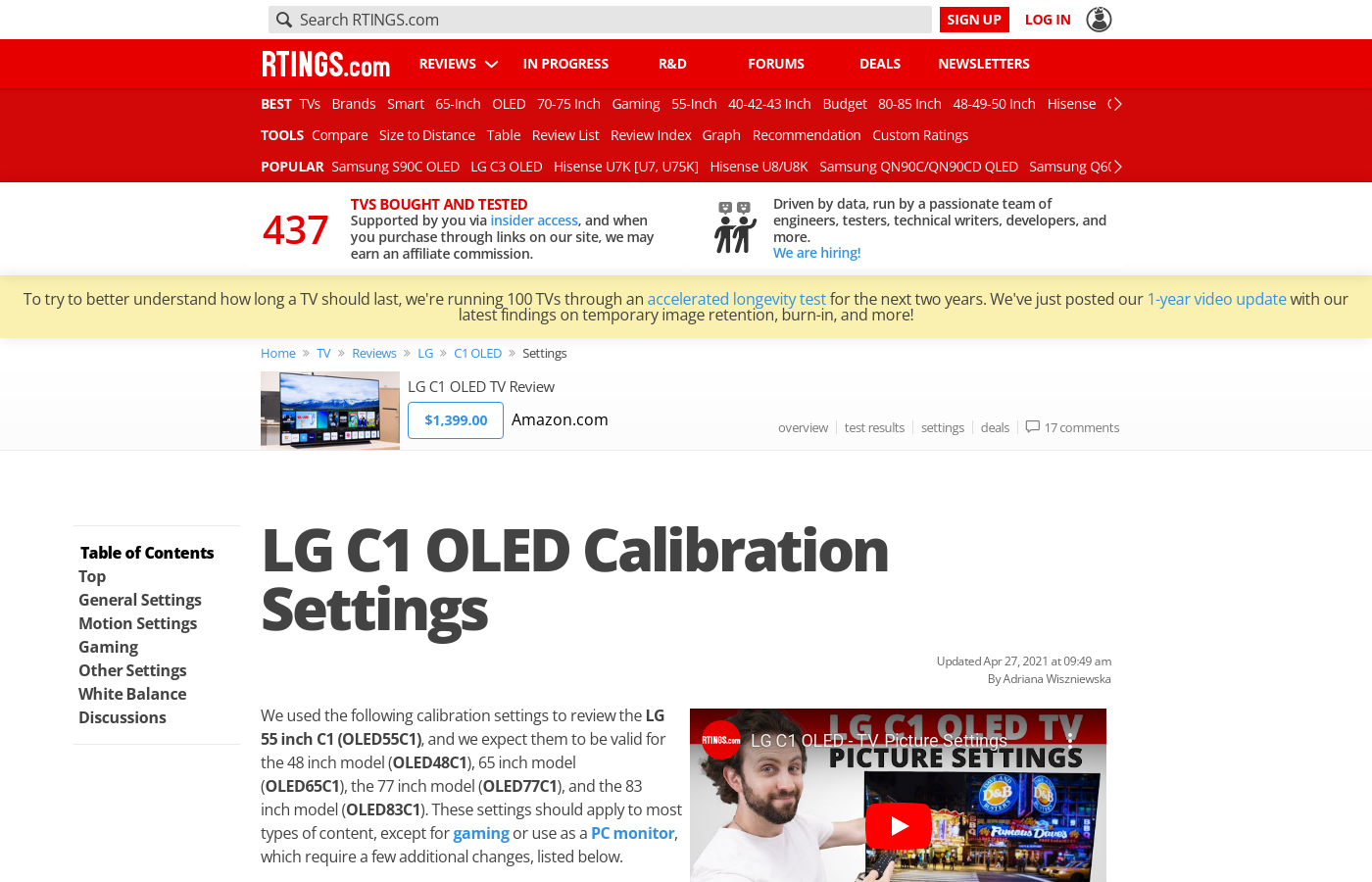
RTINGS.com
We used the following calibration settings to review the LG 55 inch C1 (OLED55C1), and we expect them to be valid for the 48 inch model (OLED48C1), 65 inch model (OLED65C1), the 77 inch model (OLED77C1), and the 83 inch model (OLED83C1).
torpid current
misty gyro
Color calibration and such will vary a little from screen to screen, but you can...
Thx mate
 broken bramble
What should be my default monitor refresh rate? 59.94 hz vs 60 hz?
errant edge
it does not matter
misty gyro
 topaz cloud
Could anyone here help troubleshoot my monitor?
topaz cloud
Could anyone here help troubleshoot my monitor?
Describe the issue and what you've tried so far
topaz cloud
well its fixed rn but its done this before and i dont really know how to fix it again, so when i turn my pc on my monitor just turns on and off over and over again but it still detects the displayport is connected. and i bought a new dp cable but that still didnt do anything. but when i was checking if the power cable needed to be replaced i used an hdmi cable which worked then i switched it back to display port with the hdmi still plugged then it started working again
@misty gyro sorry forgot to hit reply
misty gyro
Hmm. Maybe try windows key + alt + B next time, it resets your video drivers


 north obsidian
romania
north obsidian
yea more hz
errant edge
the second one at 122 isn't bad compared to the US
but rn, with tiktok shop you can get a better monitor for $90
north obsidian
in romania too?
errant edge
nah, unfortunately it's US only
errant edge
np, if you find any other options and want opinions on them feel free to ping me
north obsidian
will do 👍
north obsidian
errant edge
but rn, with tiktok shop you can get a better monitor for $90
can you tell me how to shop from tiktok? im actually curios about prices there
errant edge
it's on mobile only, it shows up at the top of the main page between the for you page and following
 zealous gazelle
can someone help me decide between 2 monitor i see on costco for sale lol
27gr75q-b.aus vs g274qpf
https://www.costco.com/.product.4000218339.html (LG)
https://www.costco.com/msi-27"-wqhd-ips-nvidia-g-sync-gaming-monitor.product.4000203457.html (MSI will be on sale later date near black friday)
ive had good experience with LG monitors so i probably feel safe to go after LG one but MSI one i had bad experience with laptop which i ended up doing exchange return 6 times due to dead pixels... (7th one was ok)
my question is
- which monitor between the two is better ?
- between LG and MSI which are more reliable brand? (just to see if i just had bad time with microcenter back in the day and if MSI brand gotten better since...)
- if you pick lg or msi monitor can you tell why you pick one over the other?
thank you!
 velvet viper
Tryna get a 3rd 27" monitor, and a second one that's also curved (1000R) this one seemed like a good deal, it also wasn't $300-$800+
But it seems to be like the only one with these specs and at less than $200. So idk if I should keep shopping or what, but I'm tempted to get this and want to ask here if it's good or not
 errant edge
velvet viper
Tryna get a 3rd 27" monitor, and a second one that's also curved (1000R) this on...
errant edge
velvet viper
Tryna get a 3rd 27" monitor, and a second one that's also curved (1000R) this on...
Dark Matter™ by Monoprice™27" QHD Gaming Monitor2560x1440P (QHD) Maximum Resolution, IPS Panel, 165Hz Refresh Rate, 2ms (OD)The new vibrant Dark Matter 27-inch IPS panel with QHD reso
If that's gonna be your gaming monitor, also depends on your gpu
1080p doesn't look great at 27" due to pixel density, but if you want curved and 27" 1080p that's not a bad price
Though also with tikok shop, there's this
 velvet viper
I got a GTX 1080 Ti, and would eventually like three curved monitors side by side
errant edge
Then I'd stick to 1080p, though if you have any plans to upgrade gpu could get one 1440p with two 1080p and use the 1440p one as a side monitor till then
This would be good https://pcpartpicker.com/product/nVVmP6/dell-s2722dgm-270-2560x1440-165-hz-curved-monitor-210-azzp

Dell S2722DGM 27.0" 2560 x 1440 165 Hz Curved Monitor (210-AZZP)
velvet viper
Alrighty
velvet viper
Does that Asus bezel free kit really only work for flat monitors?
 raw ingot
yes
velvet viper
Damm
 fossil gust
errant edge
This would be good https://pcpartpicker.com/product/nVVmP6/dell-s2722dgm-270-256...
fossil gust
errant edge
This would be good https://pcpartpicker.com/product/nVVmP6/dell-s2722dgm-270-256...
I have this, been pretty happy with it. With the right overdrive setting the VA ghosting isn't too bad. Great contrast, though out of the box colors needed some calibration.
Stand has a cable routing hole which is kinda nice
Got mine for like $165 though, there might be better options for $200
 errant edge
Other ones better
north obsidian
130$, is it a good monitor?
 errant edge
Yes
 ornate cloud
can anyone recommend a good dual monitor arm that's white, durable, and can support two ultrawide monitors
 severe depot
do you guys recommend a good 27inch 2k 144hz monitor, a lot of the ones I'm seeing on amazon have varying prices, some starting at $180 and there is a razer one going for like $700. I don't know if these prices indicate higher quality or if its raised just because its a name brand. Just wanted to know if anyone has a good 27inch 2k 144hz monitor they are satisfied with
misty gyro
If you don't want to spend too much, G27Q.
If you want a few more bells and whistles, M27Q-P
There's not a lot that are significantly better until you get into the $700 range
severe depot
so would that razer monitor for $700 be significantly better
I only ask cause its on sale on newegg for like $500 but I want to make sure the money is worth it
its actually like a really big discount but I just want to make sure nothing is like wrong for it to be having the price cut so low
misty gyro
severe depot
so would that razer monitor for $700 be significantly better
No that's a case of pretending the price is higher than it is and then it's always "on sale", it's not actually that good. The next step up would be an OLED monitor, they've been starting around $700 on sale lately.

Acer Predator X27U bmiipruzx 27.0" 2560 x 1440 240 Hz Monitor (UM.HXXAA.001)
severe depot
do you know if burn is a common problem for most people , one game i play a lot has a pretty static hud and i'll usually play it for 2-4 hours straight, burn in is probably the main reason I held off on a OLED
misty gyro
severe depot
do you know if burn is a common problem for most people , one game i play a lot ...
It's a pretty rare problem these days, it can take a few years to notice anything and the modern pixel cleaning tools are great.
 rustic lark
who has a great price on a monitor through these black friday sales ? i should of took advantage of the verizon sale and grabbed something wild with the 75% off smh
errant edge
rustic lark
who has a great price on a monitor through these black friday sales ? i should o...
What are you looking to spend?
 misty gyro
ornate cloud
Should i buy it
misty gyro
ornate cloud
Should i buy it
G7 isn't worth that, might as well get the OLED for $700 at that price point. It's 10x better.
ornate cloud
misty gyro
G7 isn't worth that, might as well get the OLED for $700 at that price point. It...
for OLED, im afraid of screen burn-ins
misty gyro
It's not 4k but it really does make a huge difference
Burn in is becoming a more rare problem
ornate cloud
i care more for 4k than OLED
misty gyro
Have you played a game on oled before
ornate cloud
on my OLED switch yea, lol
misty gyro
It's night and day difference, 0 ghosting, perfect pixel accuracy, instant response times
And infinite HDR dimming zones because every pixel can just turn off
ornate cloud
what about mini LED
misty gyro
It can be better than IPS in some cases
But not as good as oled
More local dimming zones means better HDR
ornate cloud
i found this but not sure if it's OLED and it's 43" that's too big screen size lol
oh that's mini LED
well, 43" is too big for my gaming needs

 radiant rapids
Absolute best monitor for 27” $500? I want good HDR/wow factor. 240, 1440p, good response rate/whatever else is important for gaming. Wondering if I should hold out for OLEDs to drop more
errant edge
m27q-x, but it's mid value when 27qs is $300
https://pcpartpicker.com/product/zQyH99/msi-g274qpx-270-2560-x-1440-240-hz-monitor-g274qpx
https://pcpartpicker.com/product/TxddnQ/gigabyte-m27q-x-270-2560-x-1440-240-hz-monitor-m27q-x

MSI G274QPX 27.0" 2560 x 1440 240 Hz Monitor (G274QPX)
Gigabyte M27Q-X 27.0" 2560 x 1440 240 Hz Monitor (M27Q-X)
misty gyro
Good HDR is a hard ask in that price range tbh
Best you can really get is like 7/10 without going with a lot more dimming zones
rustic lark
errant edge
What are you looking to spend?
Im not even sure … I’m a graphic designer , I don’t game , I have a b.s lg monitor , I kinda wanted a curve monitor .. I just don’t want to break the bank … I can spare about $100-175. What would be my best selection with such a tiny budget
errant edge
https://pcpartpicker.com/product/FtZ9TW/acer-cb272u-smiiprx-270-2560x1440-75-hz-monitor-umhb2aa005
Or https://pcpartpicker.com/product/FtZ9TW/acer-cb272u-smiiprx-270-2560x1440-75-hz-monitor-umhb2aa005

Acer CB272U smiiprx 27.0" 2560 x 1440 75 Hz Monitor (UM.HB2AA.005)
@rustic lark
errant edge
??
1080p at 27" isn't good, especially for a graphic designer, and the tradeoff for 165hz won't matter for them
 visual girder
🫡
errant edge
rustic lark
Im not even sure … I’m a graphic designer , I don’t game , I have a b.s lg monit...
This would also be a good option btw https://www.amazon.com/dp/B0CDCJTXLP

In competitive gaming, every frame matters. Introducing Acer's SH272U gaming monitor - the WQHD resolution monitor that can keep up with your game play. Through AMD FreeSync technology, the game’s frame rate is determined by your graphics card, not the fixed refresh rate of the monitor, giving yo...
visual girder
@errant edge would you mind giving me a good monitor under $140 for this build?
Ignore the monitor in there, just placeholder.
errant edge
Sure one sec, also did you buy the cpu/mobo yet?
visual girder
They’re on their way, stuck in transit hell, but coming
errant edge
Ah alr. If it wouldn't cost you anything and you'd be fine with waiting a bit longer, 12600kf is $140
https://pcpartpicker.com/product/CDfxFT/aoc-24g2spe-238-1920-x-1080-165-hz-monitor-24g2spe this would be fine, or the last one I linked

AOC 24G2SPE 23.8" 1920 x 1080 165 Hz Monitor (24G2SPE)
visual girder
I did find that, and as much as I would like to, I’ve been told by a few people that me mainly just gaming would have little to no use for an intel CPU.
Also, would you be able to find one a bit bigger? I have some vision problems, and bigger screens make it easier to game
errant edge
Brand doesn't really matter for cpu, but the 12600kf performs better. It depends on the games you play
Especially if you go 1080p, it would matter
Itd look like this, but its up to you https://pcpartpicker.com/list/WZGGPF
Part List - Intel Core i5-12600KF
This wouldn't be bad https://www.amazon.com/dp/B0CDCJTXLP
In competitive gaming, every frame matters. Introducing Acer's SH272U gaming monitor - the WQHD resolution monitor that can keep up with your game play. Through AMD FreeSync technology, the game’s frame rate is determined by your graphics card, not the fixed refresh rate of the monitor, giving yo...
100hz instead of 165, but its not as big of a difference as it sounds. 27" and 1440p, so it'll look better
visual girder
I play a lot of Destiny 2, and a lot of graphical overhauls of older games. The occasional modern game as well.
errant edge
12600kf would be decently helpful then
You also get a better quality mobo outta it at same price
visual girder
My case is an ATX case, would that mini ATX still be available for all my stuff on it?
Since I do have that 6700xt elite
errant edge
Yep, could even do mitx with an atx case
Also if you'd be interested, you can get the same psu off of tiktok shop sold by newegg for $61-67 or so after a coupon
errant edge
On the app tiktok they implemented a shop feature, newegg sells some stuff through it
To promote the tiktok shop they sometimes have lower prices on their listing then on their actual site, and then tiktok additionally gives all users coupons
So can get some really nice deals
visual girder
Ah, I do not have tiktok. Frick.
errant edge
Like the rm750e for such a low price
If you're able to download it on a phone, there's nothing blocking new accounts from using it
And getting the same coupons
Can also get a decent 2tb ssd for like $40-45
The p34a60
visual girder
I’ll give it a look.
errant edge
Also while it is still 1080p at 27", with bad eyes it's less likely to matter for you so this is decent

Oh also apparently rm750e is even cheaper now, $50.8 after coupon
visual girder
errant edge
Oh also apparently rm750e is even cheaper now, $50.8 after coupon
Mines at 69.99:(
errant edge
visual girder
Mines at 69.99:(
After coupon?
Or before
Either way still a really nice price for that psu
If you didn't find the coupons they should be on the homepage of the shop
visual girder
After.
errant edge
Ah, could try making another new account and seeing if it's different
Oh also with saving money from this, could put the money towards a better monitor if you'd like to
Could do 32" 1440p, if you'd want that big
Off tiktok either of this, not on tiktok
https://pcpartpicker.com/product/JPrYcf/gigabyte-g27q-270-2560x1440-144-hz-monitor-g27q
Or https://pcpartpicker.com/product/3HkgXL/lg-32gn600-b-315-2560x1440-165-hz-monitor-32gn600-b


Gigabyte G27Q 27.0" 2560 x 1440 144 Hz Monitor (G27Q)

LG 32GN600-B 31.5" 2560 x 1440 165 Hz Monitor (32GN600-B)
topaz cloud
misty gyro
Hmm. Maybe try windows key + alt + B next time, it resets your video drivers
I just came back to this cause it started doing it again lmao
silent epoch
soon the world will know OLED
misty gyro
Should be good if it's similar to the other HP models with similar names.
 maiden wagon
lol falcie you already told me XD but yeah I all ears form everyone
yeah I am thinking
its form this line up!
2023
misty gyro
This is why screen burn in shouldn't scare people away from OLED. The 5% gray isn't realistic, it's to emphasize what you're looking at. The 50% gray is more realistic.
https://youtu.be/Fa7V_OOu6B8?si=sQX6sg621bpdzbRv
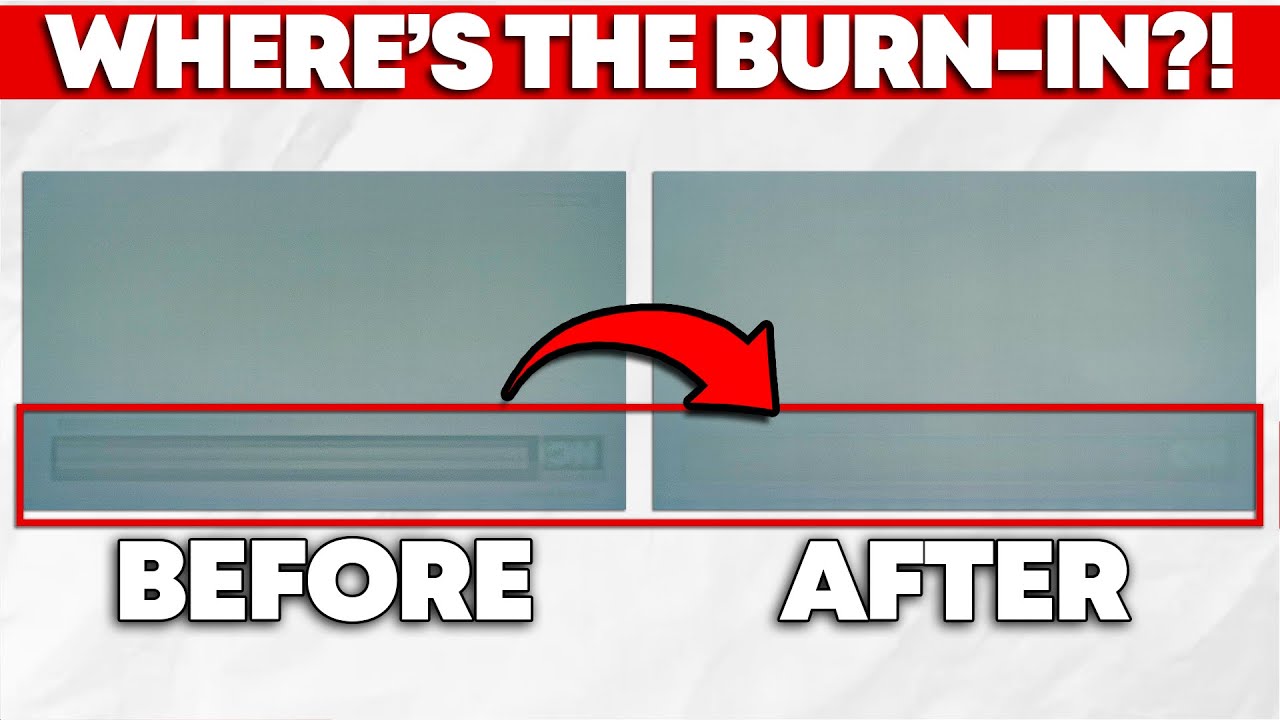
While burn-in is inherent to OLED technology, manufacturers can compensate for it through software designed to improve the useable life of your panel. Fortunately for you, manufacturers implement this well, meaning that permanent burn-in isn't that big of a concern for most folks—unless you're using an ultrawide OLED monitor, that is.
In this ...
raw ingot
damn
maiden wagon
raw ingot
damn
You reacting to the link I posted or the video
raw ingot
the vid
 astral tendon
how's sceptre's reputation? I haven't seen them outside of Amazon
I'm looking to get an ultrawide maybe 32-24". I'd like to be able to use both my 560 and 3060 computers with it and saw sceptre has some more budget-friendly options
misty gyro
astral tendon
how's sceptre's reputation? I haven't seen them outside of Amazon
They're the super budget brand that most people avoid because they're not very good for the price, even if it is lower price
maiden wagon
hey guys!
umm so I noticed something with my new montior
so my desktop alot of the icons got smaller?
how to I make them big again?
 small warren
Right click > display settings > scroll down to zoom level > increase it
maiden wagon
oh so just do the scale?
add me really quick felix
just so I can show oyu
or is it just doing scale?
maiden wagon
small warren
Right click > display settings > scroll down to zoom level > increase it
?
maiden wagon
oh so I have to change it to 125 to make it like if it was nomarl 1080p interesting
would that effect things in game or is this just for the deskstop?
astral tendon
misty gyro
They're the super budget brand that most people avoid because they're not very g...
Oh alright, thank you.
 odd umbra
Curious, first time doing a dual monitor set up. I am seeing everyone linking deals on 27" monitors, but seems to be not that much more for a 32-34". Is there a specific reason other than price that there aren't many deals being posted for 32"?
Also, my 2nd (old monitor) is a 27", any reason I couldn't do 32" vs keeping the new one 27" like the other
https://www.dell.com/en-us/shop/dell-32-inch-curved-gaming-monitor-s3222dgm/apd/210-azzr/monitors-monitor-accessories?gacd=9684992-1102-5761040-266906002-0&dgc=ST&SA360CID=71700000111444217&&gad_source=1&gclid=EAIaIQobChMIzIv-naHYggMVTDrUAR0Nbg6BEAQYAiABEgJQzPD_BwE&gclsrc=aw.ds
This was the one I was looking at, not normally looking at Best Buy, but seems like a really solid monitor and great price?

Dell
View the Dell 32 Inch Curved LCD Gaming Monitor (S3222DGM), the curved gaming monitor with 165Hz refresh rate, or shop all Gaming Monitors at Dell.com.
errant edge
I'd do this imo https://pcpartpicker.com/product/s3RwrH/msi-optix-g32cq4-e2-315-2560-x-1440-170-hz-curved-monitor-g32cq4-e2

MSI Optix G32CQ4 E2 31.5" 2560 x 1440 170 Hz Curved Monitor (G32CQ4 E2)
But either is fine
odd umbra
What about maybe with another $100-150 more budget worth going to 4K?

31.5” screen with stunning lifelike 4K resolution: The three-sided ultrathin bezel design in 4K UHD (3840 x 2160) resolution lets you enjoy immersive viewing in incredible clarity and fine detail with 4 times the resolution of Full HD. Supports HDR content playback to elevate your entertainment.
As example
 gilded aurora
Any good tvs onn sale rn?
i wanna get a 4k oen
odd umbra
https://pcpartpicker.com/products/monitor/#F=787400000,863600000&X=0,40219&P=2&G=10000000000,3000000000000&D=120000,540000
Ok, I THINK I know what I am looking for and narrowed down my search in Partpicker. Down to 5 monitors, would love opinions on which way to go. Sticking to the $300-400ish price range. 32" or bigger, don't care if it's curved or not.
Would love a couple of opinions so I can put this overanalyzation to rest and make a decision lol
Choose A Monitor
(Haven't bought a monitor in over 10 years)
misty gyro
gilded aurora
Any good tvs onn sale rn?
i wanna get a 4k oen
TVs are one thing you shouldn't buy at black friday, they sell cut down models with fewer features and weaker processors
gilded aurora
oo ok
misty gyro
odd umbra
https://pcpartpicker.com/products/monitor/#F=787400000,863600000&X=0,40219&P=2&G...
Any of those except the Samsung would be great monitors. Another option to consider is the M27Q-X, it's 240Hz and currently $410 but has gone below $400 pretty recently, it might go on sale again this week.
Here's some rough ideas on where a few of those monitors place compared to each other.
https://www.rtings.com/monitor/tools/compare/msi-optix-mag274qrf-qd-vs-gigabyte-m27q-x/19535/31657?usage=3623&threshold=0.10
https://www.rtings.com/monitor/tools/compare/dell-g3223q-vs-lg-27gp83b-b/32378/24342?usage=3623&threshold=0.10
And here's why NOT to get the Samsung https://www.rtings.com/monitor/reviews/samsung/odyssey-g5-g55a-s27ag55

RTINGS.com
The Gigabyte M27Q X is a bit better than the MSI Optix MAG274QRF-QD. The Gigabyte has a higher native refresh rate, resulting in slightly clearer motion overall. The Gigabyte is also more accurate out of the box and has better connectivity, with high bandwidth USB-C and a built-in keyboard, video, and mouse switch.
RTINGS.com
Compare the Dell G3223Q and LG 27GP83B-B monitors

RTINGS.com
The Samsung Odyssey G5/G55A S27AG55 is a mid-level 1440p gaming monitor. It's part of Samsung's 2021 Odyssey gaming lineup, and it replaces the Samsung Odyssey G...
errant edge
odd umbra
https://www.dell.com/en-us/shop/dell-32-inch-curved-gaming-monitor-s3222dgm/apd/...
This just went on sale btw, nice price for it https://www.walmart.com/ip/LG-32-Ultra-Gear-QHD-2560-x-1440-Gaming-Monitor-165Hz-1ms-Black-32GN600-B-Aus-New/406688031
odd umbra
Appreciate the thoughts. I actually ended up splurging and going 4K IPS for $399 - $50 coupon they were offering

In competitive gaming, every frame matters. Introducing Acer's XV322QK gaming monitor - the UHD (3840 x 2160) resolution monitor that can keep up with your game play. Through AMD FreeSync Premium technology, the game’s frame rate is determined by your graphics card, not the fixed refresh rate of ...
errant edge
odd umbra
Appreciate the thoughts. I actually ended up splurging and going 4K IPS for $399...
Nice, though just as a heads up for gaming that puts more strain on your gpu
For more recent demanding titles 4070 to/7900xt/3090/6950xt and similar are entry level for 4k
odd umbra
errant edge
Nice, though just as a heads up for gaming that puts more strain on your gpu
So it seemed like that monitor was the best specs to price and will use until it breaks (like is 8 years old).
I currently have a 2080 and play older games, but I plan to build a new computer next year which will be more up to date and think this will be best for when I do that.
Think I did well? You for sure know better than me I had to have someone help me lol
errant edge
odd umbra
So it seemed like that monitor was the best specs to price and will use until it...
2080 would certainly struggle with 4k, but it really just depends what old games. You can always downscale resolution in the meantime if you feel the need to
Certainly wasn't the worst choice you could've made
radiant rapids
Would any of the sub $500 monitors be a big step up from my https://store.acer.com/en-us/27-gaming-monitor-xg270hu
misty gyro
radiant rapids
Would any of the sub $500 monitors be a big step up from my https://store.acer.c...
That's a TN monitor. There's $200 monitors that are superior to it because TN is nearly 20 year old tech.
If you want to stick with 1440p, I'd suggest this https://pcpartpicker.com/product/TdbRsY/hp-omen-27qs-270-2560-x-1440-240-hz-monitor-omen-27qs
For 4k probably this https://pcpartpicker.com/product/dTJp99/gigabyte-m27u-sa-270-3840-x-2160-160-hz-monitor-m27u-sa

HP OMEN 27QS 27.0" 2560 x 1440 240 Hz Monitor (Omen 27qs)

Gigabyte M27U SA 27.0" 3840 x 2160 160 Hz Monitor (M27U SA)
 cerulean mountain
Yall think this tv is worth trying out? Can't find any reviews on it....
https://elementelectronics.com/tv/450-series/element-70-4k-uhd-hdr-google-tv-frameless
Striking 4K Ultra HD picture resolution, built-in smart Google TV platform, and HDR compatible 70-inch frameless Element TV. Start streaming today!
They are only 300 bucks in a store next to me.
radiant rapids
misty gyro
That's a TN monitor. There's $200 monitors that are superior to it because TN is...
Thanks…what if one didn’t need anything higher than 144 1440…any better color qualities?
https://www.amazon.com/LG-27GL83A-B-Ultragear-Compatible-Monitor/dp/B07YGZL8XF/ref=mp_s_a_1_3?crid=1KQO5MBWLREWG&keywords=lg+ultragear+27&qid=1700847859&sprefix=lg+ultra%2Caps%2C198&sr=8-3 wondering how the picture quality of this stacks up

Immerse yourself in your favorite games with this fast IPS monitor featuring a 1ms (GtG) response time, wide viewing angles, and high color accuracy with sRGB 99%. See moving objects on the screen more clearly with a high native 144 Hz refresh rate and 1ms Motion Blur Reduction. NVIDIA G-SYNC and...
misty gyro
radiant rapids
https://www.amazon.com/LG-27GL83A-B-Ultragear-Compatible-Monitor/dp/B07YGZL8XF/r...
RTINGS.com
Compare the LG 27GL83A-B and HP OMEN 27qs monitors
radiant rapids
misty gyro
https://www.rtings.com/monitor/tools/compare/lg-27gl83a-b-vs-hp-omen-27qs/1627/3...
https://www.bestbuy.com/site/lg-ultragear-27-nano-ips-qhd-1-ms-g-sync-compatible-monitor-with-hdr-black/6451081.p?skuId=6451081 maybe this? Nano IPS>IPS?

Best Buy
Shop LG UltraGear 27” Nano IPS QHD 1-ms G-SYNC Compatible Monitor with HDR Black at Best Buy. Find low everyday prices and buy online for delivery or in-store pick-up. Price Match Guarantee.
misty gyro
RTINGS.com
Compare the LG 27GP83B-B and HP OMEN 27qs monitors
radiant rapids
misty gyro
https://www.rtings.com/monitor/tools/compare/lg-27gp83b-b-vs-hp-omen-27qs/24342/...
HP looks better despite not being nano ips huh
Sounds like nano ips is just LG marketing
misty gyro
Yep
torpid current
What oled 27 inch I should get I have a really hard time deciding
misty gyro
They all use the same panel so they'll be very similar
torpid current
I currently play on console but I want to get a good pc when I have the money for it in the future the lg has hdmi 2.1 but matt finish..
silent epoch
Get the LG
 mild shore
What about this one? https://www.newegg.com/acer-xb273u-gsbmiiprzx-27/p/0JC-000P-00HP9 Seems like a crazy good deal
The one im thinking about getting anyways. Anyone have any reason why not to get this one? I cant find it on Rtings. Only the GX version which is the 240 hz one
 rain latch
Is it normal for other HDR monitors do this?
Have HDR enabled, enter a game full screen with HDR on, exits the game to desktop and the monitor just dims like low.
turn on and off the HDR or the monitor and its back to normal
misty gyro
rain latch
Is it normal for other HDR monitors do this?
Have HDR enabled, enter a game full...
That's common in cheaper HDR monitors. You can usually fix it by pressing windows key + alt + B, which resets the video drivers.
misty gyro
rain latch
that cheap?
Cheap on the HDR spectrum is pretty much anything under $600. It takes a VERY high end monitor to do HDR correctly, with lots of dimming zones and high max brightness.
An easier way to get good HDR is to buy a TV like the the LG C series
Which is still exorbitantly expensive
rain latch
misty gyro
Cheap on the HDR spectrum is pretty much anything under $600. It takes a VERY hi...
or Corsair Xeon?
rain latch
okay, drop few suggestions if you could please?*
and I'll just save it for future purchase - will save up to buy it later.
misty gyro
What you can call "true" HDR starts at the HDR 10 rating, which doesn't happen on monitors generally because it requires a LOT of power to get to 1000 nits, so it's more commonly found on TVs that can hide and cool a larger power supply.
rain latch
Interesting
misty gyro
If you've experienced HDR content on a tuned HDR 10+ rated TV you'll see the difference
10+ is a decent step up from 10 also
rain latch
Alright
misty gyro
I'm trying to get suggestions but my internet is being slow
These 3 have the best HDR you can get on a sub-$800 monitor (at least out of the hundreds of monitors this site has tested)
https://www.rtings.com/monitor/reviews/dell/alienware-aw3423dwf
https://www.rtings.com/monitor/reviews/lg/27gr95qe-b
https://www.rtings.com/monitor/reviews/asus/rog-swift-oled-pg27aqdm

RTINGS.com
The Dell Alienware AW3423DWF is a 34-inch ultrawide QD-OLED monitor. It's a similar model to the Dell Alienware AW3423DW, which was released before. There are a ...

RTINGS.com
The LG 27GR95QE-B is a 27-inch, 1440p gaming monitor with an OLED screen. It's one of the first OLED gaming monitors to feature a 240Hz refresh rate, and thanks ...

RTINGS.com
The ASUS ROG Swift OLED PG27AQDM is a 27-inch, 1440p gaming monitor. Along with the Corsair XENEON 27QHD240, it's the main competitor to the LG 27GR95QE-B, as al...
rain latch
I've heard good things about Alienware DWF 😄
misty gyro
It's great if your GPU can handle ultrawide
rain latch
4070ti here
misty gyro
It'll be a little difficult for that
rain latch
I can just tune down to 144hz if it works
misty gyro
Because when you increase your field of view more things render on screen, so the overall load on the GPU is higher than if you were running 4k
rain latch
Ah, I will be only running at 1440p
misty gyro
In which case I'd suggest the asus one
It manages to nearly hit that 1000 nits you want as a minimum for true HDR
The LG only gets about 650
misty gyro
Can't deny Asus can make quality stuff (when they want to)
rain latch
true
I thought this was true HDR when I got LG ultragear
but nah
Kinda disappointed but its still better than MSI Optix G273q
misty gyro
rain latch
I thought this was true HDR when I got LG ultragear
Sadly it claims the HDR10 certification on a technicality, in that it can receive and decode the HDR10 signal, but it only hits about 500 nits. Which is well below "true" HDR.
rain latch
the true HDR starts at 1,000 nits and above
No wonder when I saw HDR brigthness settings that said 1,000 nits or 2,000 or 2,500 when I was fiddling around the settings in Callisto Procotcol
misty gyro
Yes, it needs that much brightness to make the colors pop, and without the correct brightness level it can make the image look washed out with inaccurate colors
misty gyro
RTINGS.com
The Corsair XENEON 27QHD240 and the ASUS ROG Swift OLED PG27AQDM use the same panel, but there are a few differences. The ASUS gets much brighter, especially in HDR, and colors look more vivid thanks to its improved color volume, so its overall picture quality is better. However, the Corsair has a few extra features that the ASUS doesn't have, l...
The HDR in particular would be noticeably better on the Asus
rain latch
Wow thats a extensive test charts
misty gyro
They're one of the best sources for real reviews
They don't take sponsorships or free monitors or anything either, they buy everything themselves and use paid memberships to cover it
misty gyro
Even things like blenders and vacuums
Though your access to those reviews is limited unless you have that aforementioned membership
 radiant rapids
Should I care about hdmi 2.1? I have a 7900 xtx
silent epoch
radiant rapids
Should I care about hdmi 2.1? I have a 7900 xtx
Not really. BOTH HDMI 2.1 and DP 1.4 can do up to 4k 120hz 10+ bit color..
Just worry about DP 1.4
Console users are the only ones that should show concern if they have a 4k compatible 120hz TV.
All they have is HDMI
astral tendon
What’s a good monitor to get that’s 29” 1080p ultra wide with 120-165hz?
I can only find ones that have 75hz
silent epoch
@astral tendon whats your budget and what GPU do you have?
astral tendon
I have 3060 maxq and want to spend $200 max
I do not have space for 34” and my gpu cannot handle 1440p hence why I picked out the specs above ^
silent epoch
Hmm
misty gyro
astral tendon
What’s a good monitor to get that’s 29” 1080p ultra wide with 120-165hz?
120-165 doesn't seem to be available, they're all old models or sold out.
There's this that's 200 Hz and isn't a crappy VA panel.
https://pcpartpicker.com/product/b8gFf7/asus-rog-strix-xg309cm-295-2560x1080-220-hz-monitor-90lm07n0-b011b0

Asus ROG Strix XG309CM 29.5" 2560 x 1080 220 Hz Monitor (90LM07N0-B011B0)
misty gyro
The cheaper ones are all VA and over $200, and at that point you might as well get 1440p because the good ones start at $200
radiant rapids
That omen 27qs deal didn’t last, but eyeing this one for a good 240hz 1440 with good colors https://www.bestbuy.com/site/sku/6555703.p?skuId=6555703
Doesn’t seem to be reviewed on rtings yet
 hasty pier
guys should i buy the LG C3 {1300$} or LG B3 {1000$}
small warren
C is better for games and other stuff afaik
but try looking for discounted last year models
It shouldn't be unrealistic to get a C2 or C1 or equivalent for under $1000
that is, if you're considering like, 42 - 55"
hasty pier
small warren
C is better for games and other stuff afaik
im not gonna game on it
it's just for streaming
small warren
like movies and stuff?
hasty pier
ye
hasty pier
ill just go with the b3 then
small warren
alr
hasty pier
thanks
ornate cloud
anyone have Samsung 4K Oddysey G7 monitor?
for some reason it is not detecting RTX 4080 (displayport)
4080 works with my 1440p ultra wide but not the 4K monitor…
ornate cloud
misty gyro
A lof of monitors default to HDMI in
i changed it to displayport
won’t detect
misty gyro
Reboot now that you've changed the input so the GPU re-detects
ornate cloud
misty gyro
Reboot now that you've changed the input so the GPU re-detects
nothing changed
does rtx 4080 require a firmware update or smth? i don’t have geforce experience installed but i do have the geforce control panel
misty gyro
No, GPU firmware shouldn't have anything to do with it. Drivers maybe but not likely. Possibly monitor firmware.
I'd try another port and/or cable
ornate cloud
misty gyro
No, GPU firmware shouldn't have anything to do with it. Drivers maybe but not li...
this is the cable i have, i am pretty sure its compatible

VESA Certified DisplayPort Cable 1.4, Capshi 8K DP Cable 10 FT (8K@60Hz, 4K@144Hz, 1080P@240Hz) HBR3 Support 32.4Gbps, HDCP 2.2, HDR10 FreeSync G-Sync for Gaming Monitor 3090 Graphics PC (Grey)
misty gyro
Is this the regular G7 or the Neo G7
misty gyro
ornate cloud
https://a.co/d/cyakx5i
this is the cable i have, i am pretty sure its compatibl...
Some people are saying the DP ports aren't aligned well and they fixed it by just pushing it in more. Either on the GPU or monitor.
radiant rapids
misty gyro
Some people are saying the DP ports aren't aligned well and they fixed it by jus...
https://www.lg.com/us/monitors/lg-27gr83q-b-ultragear-monitor I can get this for $325, that seems to be a good deal
LG USA
Discover the 27" UltraGear™ QHD Gaming Monitor that features G-SYNC® Compatibility and 1ms w/ 240Hz Refresh Rate. Find reviews, specs, and more for 27GR83Q-B.
misty gyro
Yeah that's not bad at all based on the specs
radiant rapids
And then maybe oled next Christmas lol
ornate cloud
misty gyro
Some people are saying the DP ports aren't aligned well and they fixed it by jus...
i’m gonna kms. the GPU isn’t detected again
this happens every time when i restart my pc
 bronze basin
anyone know a good monitor for my gpu? i have a rx 6800
 silver flare
You guys hypes up for the 24 hrs stream 2morrow?
silver flare
Yes, Newegg is doing a 24 stream for Cyber Monday.
 small canopy
What do they do on stream?
small warren
Lay new eggs or something idk I've never watched the show
 finite belfry
I was told to avoid bad monitors, is this a bad one?
 errant edge
Yes and no
1080p at 27" isn't ideal
Bad pixel density, likely to see pixels
If you're looking specifically for 1080p 27" that's not terrible but I think there's better
finite belfry
Oof, VA panel, that’s a negative I heard
Trying to find one that’s gsync compatible since I have a 1660 super and I’ve been told that’s important
finite belfry
errant edge
1080p at 27" isn't ideal
Bigger, smaller, or either
errant edge
https://pcpartpicker.com/product/cYpzK8/asus-tuf-gaming-vg249q1a-238-1920-x-1080-165-hz-monitor-vg249q1a
https://pcpartpicker.com/product/Zcqrxr/msi-g244f-238-1920-x-1080-170-hz-monitor-g244f
https://pcpartpicker.com/product/gmytt6/msi-optix-g2412-238-1920-x-1080-170-hz-monitor-g2412
https://pcpartpicker.com/product/yCYmP6/gigabyte-g27f-2-270-1920-x-1080-170-hz-monitor-g27f-2

Asus TUF Gaming VG249Q1A 23.8" 1920 x 1080 165 Hz Monitor (VG249Q1A)

MSI G244F 23.8" 1920 x 1080 170 Hz Monitor (G244F)

MSI Optix G2412 23.8" 1920 x 1080 170 Hz Monitor (G2412)

Gigabyte G27F 2 27.0" 1920 x 1080 170 Hz Monitor (G27F 2)
Gsync and free sync are rhe same thing, don't worry about it
It used to be important, isn't anymore
finite belfry
I knew the tech are similar, just wasn’t sure if it would play together since AMD and Nvidia love to “fight” lol
errant edge
Nah dw about it
misty gyro
It used to be that nvidia tried to lock out free sync and restrict you to gsync but now modern gsync is literally the same as freesync, it just means they tested it.
errant edge
If you were planning to upgrade gpu anytime soon and would be willing to spend more on monitor, this is nice for the price https://pcpartpicker.com/product/w44Zxr/hp-omen-27q-270-2560-x-1440-165-hz-monitor-780h5aa

HP OMEN 27q 27.0" 2560 x 1440 165 Hz Monitor (780H5AA)
finite belfry
errant edge
If you were planning to upgrade gpu anytime soon and would be willing to spend m...
I was so close to upgrading! I just don't use my PC that much right now and I'm applying to medical school so my time is gonna fall off a cliff lol
errant edge
Ahh fair
finite belfry
Right now I'm on a 21.5 inch 1080 60 monitor, any of these will be a decent upgrade
errant edge
Yeah 100%
finite belfry
errant edge
1080p at 27" isn't ideal
This is funny, most of the 1080 monitors on sale are 27" lol
errant edge
The g244f at $110 is pretty nice
radiant rapids
Im second guessing my decision to go 1440p, and thinking 4k 144 may be more enjoyable
misty gyro
I wouldn't call 4k "enjoyable" on any GPU, even the 4090 struggles at high settings in some modern games.
odd umbra
Got this monitor https://store.acer.com/en-us/nitro-xv2-gaming-monitor-xv322qk-kvbmiiphuzx
Got it all set up with dual display now. I haven't ever used HDR, but when I turn it on everything just looks faded and washed out.
Googled a little bit, says to scroll the bar from my HDR/SVR brightness settings, but does nothing.
I am assuming it's something simple that I am missing?
misty gyro
Yes the "something simple" is that the monitor is just bad at HDR. It only peaks at around 400 nits which isn't bright enough to make the HDR content show correctly. It's what we refer to as "fake HDR."
odd umbra
Even though my DirectX says that my monitor is capable of HDR10?
I guess what I am asking is, what setting am I supposed to change to so that I have the most optimized or best picture settings on? Literally going from a 10 year old monitor to this, so I haven't ever used any newer display settings before lol
misty gyro
HDR10 has such low requirements it's a joke
All it has to do to qualify for HDR10 is get to 400 nits and be able to decode a HDR10 signal
HDR10+ is the one that gets to 1000 nits
odd umbra
Maybe I don't need HDR then, really just trying to get the best quality picture for my games. Nothing crazy high end, still running a 2080 as well.
silent epoch
OLED is the only good path of HDR
fossil gust
OLED HDR is beautiful
Though sometimes I'm scrolling Instagram reels at night and get flashbanged by an HDR one lol
misty gyro
silent epoch
OLED is the only good path of HDR
I retract my 
https://www.rtings.com/tv/reviews/hisense/ux
Almost 3500 nits, 5000 dimming zones. Excellent contrast, as you'd expect from a high quality VA panel.
OLED still does it better overall but can't get nearly that bright, so it's pretty close.

RTINGS.com
The Hisense UX is Hisense's highest-end TV in 2023, and it sits above the Hisense U8/U8K in the company's ULED lineup. It's a limited release and, in some ways, ...
silent epoch
misty gyro
I retract my <:teebeeH:710506780974776390>
https://www.rtings.com/tv/reviews/hi...
Only brightness and longevity are the benefit of MiniLED....yes
 kindred umbra
perceived brighness still can be a little better on oleds on certain scenes
misty gyro
Because of the contrast yes
But rtings measured that one at 400,000:1, even though it's advertised at 250,000:1, which is fantastic for anything that's not oled
misty gyro
They're getting pretty low yeah (as far as high quality giant screens go)
misty gyro
I had a pretty nice $1000 65 inch TV. Until my 4 year old threw the PS4 controller at it.
Now the PS4 is connected to my old 1080p TV I got on clearance for $120 from best buy 15 years ago
kindred umbra
i heard rumors that sharp might come back to the us market
with a qd oled on par with sony
misty gyro
That would shake things up a bit. Maybe Samsung will stop playing games and make something actually worth the money.
small canopy
My Friends Monitor: Was working fine yesterday, turned it on and this happened
 misty gyro
Unplug the video cable from both ends and plug it back in.
Try another device plugged into another port.
kindred umbra
if samsung can improve their processing, get rid of the connect box and get DV then itll be good
radiant rapids
Is it possible a bad monitor could cause gpu to crash?
I was gaming on one monitor, watching a video on the second. Was having performance issues, screen blacking out, fps stuttering. Now no video on 2nd monitor with two different hdmi cables. I’m able to plug the cables into a different monitor and get monitor from the same output on the gpu.
Windows is detecting the monitor and acting like it’s there, but the monitor isn’t picking up any video
So turning it off and then on (the monitor) fixed it. Still weird
Something funky is going on
finite belfry
errant edge
The g244f at $110 is pretty nice
Great deal indeed!

 long sable
finite belfry
Great deal indeed!
long sable
finite belfry
Great deal indeed!
is that a 27" or a 32"
finite belfry
24”
long sable
finite belfry
24”
its nice I'm a huge MSI fan. I've owned two of their Laptops. I have their headset,gpu and MOBO
finite belfry
long sable
its nice I'm a huge MSI fan. I've owned two of their Laptops. I have their heads...
I have the mobo and I’m pretty sure I have a GPU too lol
long sable
finite belfry
I have the mobo and I’m pretty sure I have a GPU too lol
if I didn't get good deals on my PSU, SSD, and Monitor those would be MSI aswell
I got really lucky on my monitor way back when. its a 32" LG Ultragear 1440p monitor for only $199
errant edge
finite belfry
Great deal indeed!
Glad you like it, did you turn it to 170hz from 60 in display settings?
finite belfry
errant edge
Glad you like it, did you turn it to 170hz from 60 in display settings?
Windows called it 165, but yep!
errant edge
Yeah same difference, just the cable limiting it likely but it's irrelevant
 real chasm
will plugging both of my monitors in my gpu hinder my performance vs putting my second monitor into my mobo's integrated graphics?
errant edge
real chasm
will plugging both of my monitors in my gpu hinder my performance vs putting my ...
Not unless you're running something that consumes system resources on the second monitor
Like watching YouTube might drop your frames by like .1% since it's using your gpu a bit. But that's irrelevant
radiant rapids
I wish they’d come out with like, 144 oled for bang for buck image quality
errant edge
radiant rapids
I wish they’d come out with like, 144 oled for bang for buck image quality
I'd say within 3 years we have $350 oled
This is really well priced, 4k 144hz IPS https://www.ebay.com/itm/275019896582?epid=11052551642&hash=item4008769706:g:UxgAAOSw-DxhiVUY

eBay
Acer Nitro XV2 - 31.5" Display 3840x2160 IPS 144Hz 16:9 1000:1 1ms GTG 400 Nit.
radiant rapids
I've got a cheap Dell 4k 32 on the way, gonna use that for work and see how it feels. I switched from 24 to 27 in 2019 and it took a long time to get used to.
I was also looking at mini LEDS, but i feel like those are phasing out
the text layout is kind of a concern in case i take it on the road and use the same setup for both work and gaming. rn at home i have two desk setups
radiant rapids

INNOCN 27" Mini LED 4K 160Hz Gaming Monitor UHD 3840 x 2160p 1ms IPS HDR1000 HDMI 2.1 Computer Monitor, 99% DCI-P3, USB Type-C Connectivity, Pivot Sensor, Height Adjustable Stand - 27M2V
errant edge
I would take m28u over that any day of the week personally
https://pcpartpicker.com/product/JK26Mp/msi-mag-274upf-270-3840-x-2160-144-hz-monitor-mag-274upf
https://pcpartpicker.com/product/RgFmP6/hp-omen-27k-270-3840-x-2160-144-hz-monitor-780g8aaaba
https://pcpartpicker.com/product/GzWzK8/gigabyte-m28u-280-3840x2160-144-hz-monitor-m28u-sa

MSI MAG 274UPF 27.0" 3840 x 2160 144 Hz Monitor (MAG 274UPF)

HP OMEN 27k 27.0" 3840 x 2160 144 Hz Monitor (780G8AA#ABA)

Gigabyte M28U 28.0" 3840 x 2160 144 Hz Monitor (M28U-SA)
This is also interesting https://pcpartpicker.com/product/ncqrxr/aoc-agon-pro-ag274uxp-270-3840-x-2160-144-hz-monitor-ag274uxp

AOC AGON Pro AG274UXP 27.0" 3840 x 2160 144 Hz Monitor (AG274UXP)
This I'm posting bc I find it funny, how tf you gon use a 47" monitor https://pcpartpicker.com/product/sGQcCJ/lg-48gq900-b-475-3840x2160-120-hz-monitor-48gq900-b

LG 48GQ900-B 47.5" 3840 x 2160 120 Hz Monitor (48GQ900-B)
radiant rapids
errant edge
https://pcpartpicker.com/product/JK26Mp/msi-mag-274upf-270-3840-x-2160-144-hz-mo...
Interesting, there’s two hp 27” 4K 144hz monitors. 27k and 27u
radiant rapids
Oh wow the 27k is only $209 on Amazon rn
fossil gust
radiant rapids
Oh wow the 27k is only $209 on Amazon rn
$209 4k144?
 edgy lion
Anyone know what to use to clean a monitor screen without leaving streaks?
radiant rapids
fossil gust
$209 4k144?
It was a glitch or something, it’s back to full price now
fossil gust
Ah
radiant rapids
Haha oh well
 warm mica
which monitor would be better..

i tried comparing them but theyre so similar
or this one https://www.bhphotovideo.com/c/product/1750216-REG/acer_um_ce3aa_v01_34_curved_qhd_165hz.html/specs
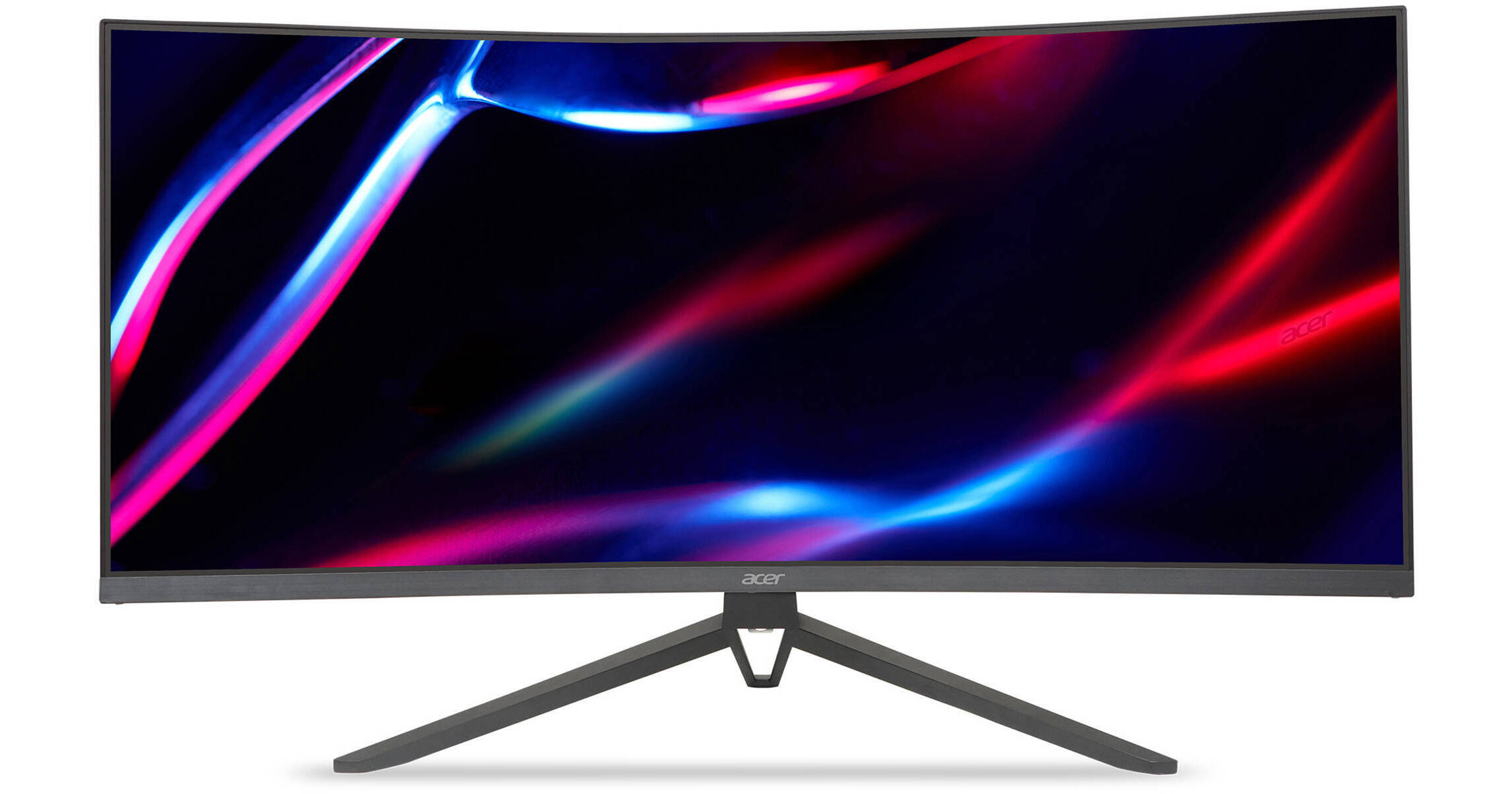
Buy Acer 34" 1440p 165Hz Curved Ultrawide Gaming Monitor featuring 34" 21:9 VA Panel, 2 x HDMI 2.0 | 2 x DisplayPort 1.4, 3440 x 1440 at 165 Hz, FreeSync Premium Technology, Up to 0.5 ms (GtG) Response Time, 4000:1 Contrast Ratio, 300 cd/m² Brightness, 16.7 Million Colors Supported with HDR10, 1000R Curvature, Dual 2W Speakers & 3.5mm Audio-Out....
misty gyro
warm mica
which monitor would be better..
The asus is by far better, most odyssey models are trash https://www.rtings.com/monitor/tools/compare/samsung-odyssey-g5-c34g55t-vs-asus-tuf-gaming-vg34vql1b/22248/22299?usage=3623&threshold=0.10
The acer is a brand new model, nothing is known except the claimed specs which are often exaggerated. It's not even in stores yet.
RTINGS.com
The ASUS TUF Gaming VG34VQL1B and the Samsung Odyssey G5 C34G55T are very similar as they're both 34 inch ultrawide monitors with a VA panel, a 3440 x 1440 resolution, and a 165Hz refresh rate. Gaming-wise, the ASUS performs better because it has significantly faster response times, and it isn't as buggy as the Samsung when it comes to VRR and i...
errant edge
warm mica
or this one https://www.bhphotovideo.com/c/product/1750216-REG/acer_um_ce3aa_v01...
I think the panel on this one is better https://pcpartpicker.com/product/pvrRsY/dell-s3422dwg-340-3440x1440-144-hz-curved-monitor-210-azep

Dell S3422DWG 34.0" 3440 x 1440 144 Hz Curved Monitor (210-AZEP)
warm mica
misty gyro
The asus is by far better, most odyssey models are trash https://www.rtings.com/...
oh wow thanks i didnt know that.. thought samsung was good
warm mica
errant edge
I think the panel on this one is better https://pcpartpicker.com/product/pvrRsY/...
ill check this out
misty gyro
errant edge
I think the panel on this one is better https://pcpartpicker.com/product/pvrRsY/...
Quite similar to the asus https://www.rtings.com/monitor/tools/compare/dell-s3422dwg-vs-asus-tuf-gaming-vg34vql1b/24247/22299?usage=3623&threshold=0.10
RTINGS.com
The ASUS TUF Gaming VG34VQL1B is slightly better than the Dell S3422DWG overall, but the Dell might still be better for some people. The ASUS has better contrast and a slightly faster refresh rate, as well as slightly better ergonomics. The Dell, on the other hand, has much better black uniformity and a faster response time at 60Hz.
errant edge
Also an ultragear which that line tends to be good, but that is 100% not true across the board https://pcpartpicker.com/product/pt3NnQ/lg-ultragear-34gp63a-b-340-3440-x-1440-160-hz-curved-monitor-34gp63a-b
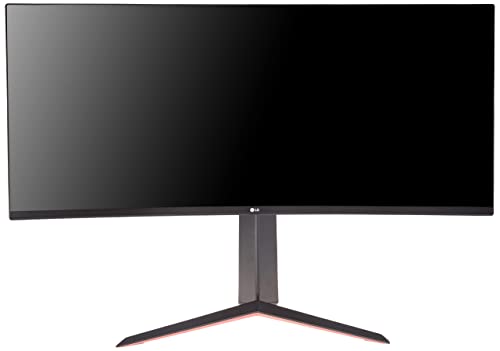
LG UltraGear 34GP63A-B 34.0" 3440 x 1440 160 Hz Curved Monitor (34GP63A-B)
errant edge
Does it have to be uw btw?
errant edge
Downside with curved is VA, but one sec
warm mica
ah yeah i know.. wish they had more IPS panels
misty gyro
Curved IPS is so expensive you might as well get OLED
warm mica
got any recommendations for that?
also is it hard to switch from curved to flat do you know?
errant edge
What gpu do you have?
warm mica
4070
misty gyro
Depends on the curve you're used to. If it's not a dramatic curve you'll barely notice.
errant edge
warm mica
also is it hard to switch from curved to flat do you know?
It took me like two days to adjust from 24 curved to 27 flat
warm mica
gotcha.. is it something that you dislike sometimes or is it actually better? i just dont wanna regret it
misty gyro
IPS is just overall superior for gaming due to naturally better response times and other factors
VA has contrast going for it and that's it
warm mica
i have an m32qc right now and id like to get another but they jacked up the prices
errant edge
warm mica
gotcha.. is it something that you dislike sometimes or is it actually better? i ...
I dont regret it whatsoever, but it was also a huge upgrade overall, 24 1080p VA to 27 1440p ips

LG 32GP750-B 31.5" 2560 x 1440 165 Hz Monitor (32GP750-B)
warm mica
errant edge
https://pcpartpicker.com/product/Rcwypg/lg-32gp750-b-315-2560x1440-165-hz-monito...
oh wow yeah that a good upgrade
errant edge

Gigabyte AORUS FI32Q 31.5" 2560 x 1440 170 Hz Monitor (AORUS FI32Q-SA)

Dell G3223D 31.5" 2560 x 1440 165 Hz Monitor (210-BEJF)
warm mica
is dell a good brand? I heard that they werent that good
errant edge
Not sure if the gp750 is better than the g3223d
misty gyro

errant edge
Brand doesn't matter much, for monitors they have some good options just depends on price
The aorus one, I know the 4k oled version is amazing
I believe that version is too but I could be wrong
warm mica
awesome thanks
@misty gyro so the dell and asus you compared are the same resolution but the dell supports 4k? why is that? am i reading that wrong?
misty gyro
warm mica
<@396513761550270464> so the dell and asus you compared are the same resolution ...
The PS5 thought it supported 4k but that's either a mistake on Sony or it's auto scaling.
warm mica
misty gyro
The PS5 thought it supported 4k but that's either a mistake on Sony or it's auto...
oh awesome thanks just curious
hows this one?
 languid totem
Can I ask a question related to projectors here ?
misty gyro
Yeah
bronze basin
i need a new monitor but idk what to get i don’t want nothing to expensive but not trash
like a 250$
 surreal quarry
bronze basin
like a 250$
surreal quarry
bronze basin
like a 250$
any specfic things you are looking for, refresh rate, resolution, size etc...
misty gyro
Gigabyte G27Q 27.0" 2560 x 1440 144 Hz Monitor vs. LG 27GN800-B 27.0" 2560 x 1440 144 Hz Monitor vs. HP OMEN 27q 27.0" 2560 x 1440 165 Hz Monitor
surreal quarry
and for what purpose? Daily use, gaming?
languid totem
misty gyro
Yeah
thanks I'm asking for someone who's looking for a short-throw under 2K
that's all they told me lol
I think this is their 1st projector,
and it'll likely be put in their basement, media/entertainment man cave
I recommended a few based on some quick googling,
but that's likely inadequate given the many factors involved in picking a projector
bronze basin
gaming i just want one that will go good with my gpu
i don’t really know about all that monitor stuff
fossil gust
bronze basin
gaming i just want one that will go good with my gpu
what gpu?
warm mica
Does anyone have pics of a setup with (2) 32” curved monitors and (1) ultra wide 34” monitors? Trying to figure out best way to set them up together
misty gyro
The best arrangement will depend on what you're using each screen for and how much desk space you have, because each of those monitors is rather large
warm mica
Yeah very true.. the 32” ones will just be for discord and web browsing and the ultra wide is for gaming.. i have a decent desk i think its 48” it was a really good butcher block from lowes lol
bronze basin
amd radeon RX 6800 @fossil gust
misty gyro
warm mica
Yeah very true.. the 32” ones will just be for discord and web browsing and the ...
You'll have a hard time fitting all the monitors horizontally because the horizontal length of the 34" ultrawide is 32" including the bezel. Each of the 32" ones have a vertical height of 16" so even if you put them vertical on the sides of the wide one, half of each will hang off the desk which might not work with some stands.
fossil gust
bronze basin
amd radeon RX 6800 <@358383085181730826>
I'd probably reccomend a 1440p 144/165hz panel. VA has better contrast, IPS has faster pixel response times (less smearing)
Oh I'd look for Freesync as well, though I think that's becoming a pretty common feature even on budget panels
radiant rapids
Seems a good value for 1440p at $159. Thinking of grabbing one as a gift.
 warm mica
Hey! I have the VG34VQL3A and its HDR but I cant get it to work.. ive looked up so many things.. it just says HDR not supported in the windows
fossil gust
It's only HDR400 so probably not worth bothering tbh
bronze basin
Read reviews and buy Samsung 27" FHD IPS Computer Monitor, AMD FreeSync, HDMI & VGA (T350 Series) - Dark Blue/Gray at Target. Choose from contactless Same Day Delivery, Drive Up and more.
something like that?
radiant rapids
bronze basin
https://www.target.com/p/samsung-27-34-fhd-ips-computer-monitor-amd-freesync-hdm...
That's not a great pick imo, if you're gonna stick to 1080p, maybe go smaller screen. Regardless of screen size, if your gonna go 1080p, should def go more than 75hz. I don't think that Samsung is really meant for gaming
 radiant rapids
bronze basin
radiant rapids
bronze basin
this one on paper is much better suited for gaming, in fact i'm eyeing it myself, but im not an expert.
170hz, 1440p
bronze basin
yso that would be a good one for my gpu?
misty gyro
warm mica
Hey! I have the VG34VQL3A and its HDR but I cant get it to work.. ive looked up ...
What would be considered "good" HDR starts at around $600. Anything less than that just isn't bright enough, making HDR content look washed out or oversaturated.
bronze basin
pk thank you
warm mica
misty gyro
What would be considered "good" HDR starts at around $600. Anything less than th...
what would be an example of "good" HDR?
monitor wise or such
radiant rapids
warm mica
what would be an example of "good" HDR?
OLED
At the $600 price point, perhaps Fal'Cie is referring to Mini LED models
warm mica
radiant rapids
OLED
interesting, thanks
misty gyro
Yes mini led can get pretty bright, but it still depends on the exact model.
But with OLED starting at $700 you might as well jump to that
warm mica
misty gyro
But with OLED starting at $700 you might as well jump to that
oh alright, thanks.. didnt know that i appreciate it
misty gyro
Honestly it looks pretty bad on your bog standard $200 HDR 400 monitor, I say from experience. I don't even use it on mine now.
warm mica
misty gyro
Honestly it looks pretty bad on your bog standard $200 HDR 400 monitor, I say fr...
what the HDR on the OLED called?
radiant rapids
Monitor shopping is painful
misty gyro
Oh dang it's back up to $800. It'll probably go on sale again soon.
https://pcpartpicker.com/product/qfpQzy/acer-predator-x27u-bmiipruzx-270-2560-x-1440-240-hz-monitor-umhxxaa001
Acer Predator X27U bmiipruzx 27.0" 2560 x 1440 240 Hz Monitor (UM.HXXAA.001)
radiant rapids
Yea monitor prices are crazy
misty gyro
And that's the cheapest high refresh (120+) OLED right now
misty gyro
warm mica
what the HDR on the OLED called?
HDR10 or 10+
warm mica
misty gyro
HDR10 or 10+
ohh okay thanks
radiant rapids
you can get the alienware ultrawide oled right now for $800, seems look a good choice
or wait tbh
misty gyro
10+ is the ideal, it requires at least 1000 nits of brightness instead of the 400 required by HDR400
Most HDR content is optimized for about that brightness too
warm mica
misty gyro
Most HDR content is optimized for about that brightness too
oh wow alright.. ill look into that

 dawn karma
hey i recently bought a benq xl2566k and when im in my pc desktop when i click the joystick behind the monitor for settings its says 360hz but when i launch a game for example fortnite it switches to 240hz. what can be the problem?
misty gyro
dawn karma
hey i recently bought a benq xl2566k and when im in my pc desktop when i click t...
Is it set to 360hz in your GPU driver settings?
dawn karma
@misty gyro yap in the nvidia control panel its also 360hz
misty gyro
What resolution, cable, and GPU?
dawn karma
i have a 3 monitor setup 2 monitors and 1 tv. the main 360hz is DP and the second 144 is HDMi. can the difference in cables can be the problem?
res is 1920x1080 gpu is 3070
misty gyro
Nvidia does have a known bug mixing refresh rates like that
You can try setting the 144 to 120 so everything is a multiple of 60, that helps some people
dawn karma
ok i changed the second monitor to 120 and also in the manage 3d settings i set preferred refresh rate to highest available ill see if that fixes anything
dawn karma
@misty gyro when get into a game its still says in the monitor joystick interface 240hz but when i alt tab and go to nvidia contol panel it says 360 also if do hz test it also says 360
misty gyro
Then I guess the monitor is buggy, maybe there's a firmware update
dawn karma
misty gyro
Then I guess the monitor is buggy, maybe there's a firmware update
i tried to update but its still does the same. also disconnected my tv and 2nd monitor from the gpu and tried the benq alone and it does the same thing
misty gyro
dawn karma
i tried to update but its still does the same. also disconnected my tv and 2nd m...
Ok, how many fps can you get in game if you turn it down to minimum settings? If you can't get more than 240 then it doesn't matter either way, but if you can get 300+ then you can tell for sure what refresh is running at by enabling vsync. If it limits you to 240 fps locked with vsync on then it's at 240hz.
misty gyro
That's the best way to find out for sure which device is bugged
If you're still above 240 with vsync on then the monitor is wrong
dawn karma
When I activate v sync what should i cap my fps at?
dawn karma
misty gyro
If you're still above 240 with vsync on then the monitor is wrong
Ok i just enabled v sync and i get 120 fps capped even when in game its capped at 360. Also the monitor itself says 120 at the UI
@misty gyro Also when i play full screen windowed it says 360hz as it should. What can be the problem?
misty gyro
The game has to be overriding the frequency setting. Is there something in the display options to change the fps cap or frequency/resolution combo?
dawn karma
misty gyro
The game has to be overriding the frequency setting. Is there something in the d...
i dont think so
dawn karma
misty gyro
The game has to be overriding the frequency setting. Is there something in the d...
lmk if you have any idea how to fix it
@misty gyro nvm i fixed it by changing the scaling in the nvidia control panel from display to gpu
rain latch
hi Fal'Cie
rain latch
I'm aware that you said 4070ti is underpowered if I get DWF due to more render field of view, what if i kept stock values or does that just expands due to the 34" Ultrawide?
misty gyro
The way you would do that is by setting a non-ultrawide resolution, which defeats the purpose of the ultrawide
rain latch
I could get DWF from Best Buy and see how it goes..if its not very smooth. can return it with best buy's extended returns
misty gyro
Because if you set the resolution to 3440x1440 some games don't know what to do and just stretch what's on screen, which looks like garbage unless you also increase FOV
You can give it a go if you like
rain latch
Another issue is I have VESA mount monitors, the max weight with 2 monitor is 30.80 or something
so DWF + MSI 1080p = 30.30
rain latch
misty gyro
Because if you set the resolution to 3440x1440 some games don't know what to do ...
I see
misty gyro
rain latch
so DWF + MSI 1080p = 30.30
DWF weight without the stand is 13.1 lbs (6kg)
rain latch
Ah doable
oh 3440x1440 i didnt realize that
thing is i have to keep both monitors locked at 144hz or less or i will have weird stutter problems
misty gyro
That's fine, you can set that
rain latch
would that help decrease the load on GPU?
misty gyro
No
It just decreases the bandwidth requirement for the cables and ports
The GPU renders the same either way
rain latch
Gotcha
misty gyro
rain latch
Gotcha
It's $200 cheaper on Dell than it is at Best Buy, I just noticed https://www.dell.com/en-us/shop/alienware-34-curved-qd-oled-gaming-monitor-aw3423dwf/apd/210-bfrp/monitors-monitor-accessories
Dell
View the Alienware 34 Inch Curved QD-OLED Gaming Monitor (AW3423DWF) featuring VESA DisplayHDR TrueBlack 400, or shop all Gaming Monitors at Dell.com.
rain latch
oh dang no 27" curved screen
rain latch
Wow
small warren
structural design was made for qled, not microled or (tbc) oled
it deforms itself under heat from the microleds and cracks
the G7 doesn't have this issue
rain latch
alright
misty gyro
rain latch
oh dang no 27" curved screen
Unfortunately no, but 27" isn't really big enough to need it
 small warren
G7 is qled
it's quite good
for a near oled experience
wouldn't buy it for anything over like 450 tho
misty gyro
Yeah it's the next best thing for sure
There's always the double wide, going in the opposite direction of size lol https://pcpartpicker.com/product/pn26Mp/samsung-odyssey-g95sc-490-5120-x-1440-240-hz-curved-monitor-ls49cg954snxza

Samsung Odyssey G95SC 49.0" 5120 x 1440 240 Hz Curved Monitor (LS49CG954SNXZA)
Double 1440p at 240hz is impressive
misty gyro
oled
small warren
yeah the verdict is still out there on that one
small warren
I always wait a good few months with any oled
you want to know it lasts after all
there's some hot trash oled, and some well managed oled
misty gyro
small warren
yeah the verdict is still out there on that one
It's only HDR400 so I wouldn't put any bets on it being amazing, but it's cool for those that want the two monitor experience without the bezels
rain latch
misty gyro
There's always the double wide, going in the opposite direction of size lol http...
 small warren
hdr400 is a good sign
means they won't crank the nits to wearing levels
the LG GR is the same
misty gyro
Fair point, but I would have liked to see HDR10 at that price
small warren
not incredibly bright but better life in it than most other panels
my honest opinion is
while hdr1000 is nice?
it gets old
misty gyro
That's 10+
misty gyro
HDR10 just needs to be able to read and translate a HDR10 signal and get 400 nits, 10+ needs that and 1000 nits
rain latch
there is HDR levels? didnt know
small warren
but oled gets good life out of barely hitting hdr 400
misty gyro
Yeah that perfect contrast ratio does wonders, even if it's not super bright
small warren
I like the LG GR
got to preview it a few months ago
it's honestly good enough even with hdr400 max
like 350 nit peak
if you aim for a dark viewing experience it's great
misty gyro
rain latch
there is HDR levels? didnt know
There's a LOT actually
 rain latch
HDR1400
rain latch
damn
misty gyro
2000 and 5000 are unofficial and if you see them they're lying
rain latch
looking at Rog Strix Swift
small warren
tbf
rain latch
its HDR 10?
misty gyro
Yeah but there's no official DisplayHDR 2000 certification so anyone that advertises that is automatically sketchy
They can get the 1400 cert and then say "up to 2000 nits" and that's fine
There's some that have put fake HDR2000 labels on boxes though
misty gyro
rain latch
looking at Rog Strix Swift
HDR1400, casual $2500 https://www.viewsonic.com/us/xg321ug-32-elite-4k-uhd-144hz-ips-g-sync-gaming-monitor-with-mini-led-hdr1400-nvidia-reflex-and-99-adobergb.html

ViewSonic Store
32 Inch 4K UHD (3840x2160p) Quantum Dot IPS G-Sync Ultimate gaming monitor with 400-nits and thin bezels
144Hz (OC) refresh rate and 3ms (GtG) response time for ultimate gaming experience
1152 mini-LED backlighting zones, true 10-bit color depth and VESA DisplayHDR 1400
NVIDIA Reflex provides enhanced system optimizations that deliver the lowest...
misty gyro
Mini LED gets BRIGHT
rain latch
imagine opening up Light Discord theme on that bad boy
small warren
misty gyro
HDR1400, casual $2500 https://www.viewsonic.com/us/xg321ug-32-elite-4k-uhd-144hz...
and see I'd put that lower than an oled
 rain latch
Enchanted flash bag
misty gyro
Yes but that's not the point lol
radiant rapids
Got my HP 27q in. First time gaming on an IPS panel. The negative characteristics of IPS panels are definitely noticeable…kinda dark around the edges. Can’t complain for $150 I guess, but not sure I’ll keep it. On the plus side, colors are definitely more rich than my older acer TN monitor.
misty gyro
Wait until you see the difference in motion clarity
That's where IPS shines compared to VA and TN
radiant rapids
Wondering if it’s worth the hassle to upgrade to a 240hz version
Not sure if 165 to 240 is worth $100+
misty gyro
It's not, unless you're in the top 0.1% of fps gamers
radiant rapids
I’m top 35 percent maybe
60 vs 144 definitely is super noticeable
It’s confusing trying to search for monitors with better image quality vs just higher measured gaming specs
The grayish blacks also kind of stink
misty gyro
This can help https://www.rtings.com/monitor/tools/table

RTINGS.com
Check our Monitor Table Tool to see all our reviews. Easily select and compare products, and use our filters and sorting options to find the best Monitor for your needs. Example: Check our TV Table Tool to see all our reviews. Easily select and compare products, and use our filters and sorting options to find the best TV for your needs.
You can hit "add column" and add tests and specs you're looking for
IPS etc would be under "pixel type"
radiant rapids
Almost seems like a good VA might be worthwhile at low to mid range prices, if strictly for gaming. More inky blanks, no?
I guess it may even depend on the type of game
misty gyro
Yeah it depends. A good VA can be ok if you're doing mostly single player stuff, but IPS response times are so much better for fps and other fast paced games.
radiant rapids
Makes sense
I see why the smaller LG oled TVs are so popular
Great as an addition to a battle station if you just want something for kicking back with a controller. As a semi sweaty gamer tho, I don’t think I’d ever settle on that large of a screen for mouse and keyboard use
Seems weirdly dark in the corners depending on scene, almost like I’m looking through a straw. Honestly hard to tell if it’s an effect of the game I’m playing sometimes
 misty gyro
That's just an edge lit monitor thing
 small warren
What screen is this
radiant rapids
 small warren
Mike, if you just put a white background on the screen
radiant rapids
small warren
What screen is this
Omen 27q
small warren
Is it all white or nah
Like can you notice a very distinct brightness difference across the screen when the monitor is at full white
When I mean distinct I mean like, "this isn't bright at all" "looks more brown than white almost"
Sort of thoughts
 small warren
That looks ok to me
It's hard to tell in pics, but when the difference is more like, night and day? Then you'd have a fault
I've experienced this first hand
But led backlit can have edge inconsistencies in brightness
It's very normal
radiant rapids
Yea, not a faulty unit, just normal IPS characteristics I suppose here
radiant rapids
Ya im debating whether or not I should bother trying to find a better midrange option or just hold out for an OLED monitor when it’s more doable
small warren
I'd check out reviews
X27q, X27, 27q
All should be indicative of your panel
rtings would be the best place to look
You could do QLED as well
OLED great, QLED more affordable
radiant rapids
MiniLED?
Seems like every monitor has issues lol
4k mini led for $550 new https://www.bestbuy.com/site/sku/6539416.p?skuId=6539416
 wise topaz
The 2 look almost similar in most areas? Any suggestions?

 radiant rapids
wise topaz
The 2 look almost similar in most areas? Any suggestions?
radiant rapids
wise topaz
The 2 look almost similar in most areas? Any suggestions?
The KVM switch in the gigabyte could be very nice if you’ll be using multiple devices on it
wise topaz
Itll be just a single device
fossil gust
I believe the gigabyte has a better IPS panel
oh maybe not
acer has better response times
https://www.rtings.com/monitor/reviews/gigabyte/m27q-rev-2-0
https://www.rtings.com/monitor/reviews/acer/nitro-xv272u-kvbmiiprzx

RTINGS.com
The Gigabyte M27Q rev. 2.0 is a budget-friendly gaming monitor. With a 27-inch screen and 1440p resolution, it's mainly focused on gaming as it has a max refresh...

RTINGS.com
The Acer Nitro XV272U KVbmiiprzx is an excellent 1440p gaming monitor. It uses an IPS panel with wide viewing angles, and it has excellent ergonomics, meaning yo...
wise topaz
fossil gust
acer has better response times
Yup that is why I was leaning towards the acer!
 lunar shadow
is this a good deal? i hesitate to trust samsung for good quality deals
its for an artist who also wants to play bg3 and thats probably it lol

Samsung Electronics America
Discover the latest features and innovations available in the 34 inches ViewFinity S50GC Ultra-WQHD 100Hz AMD FreeSync™ HDR10 Monitor.
 quasi hinge
Hello I am on Newegg website and I am looking to purchase this monitor I just would like to know if it it compatible with my Xbox x/s.
Check this out on @maiden pewter:AOC 27" Curved Frameless Ultra-Fast Gaming Monitor, FHD 1080p, 0.5ms 240Hz, FreeSync, HDMI/DP/VGA, Height Adjustable, 3-Year Zero Dead Pixel Guarantee, Black, 27" FHD Curved (C27G2Z) https://www.newegg.com/p/0JC-0016-00345?Item=0JC-0016-00345&Source=socialshare&cm_mmc=snc-social-_-sr-_-0JC-0016-00345-_-12112023
fossil gust
Anything with HDMI and/or displayport should work
You might look into a 1440p 144/165hz panel. I don't think there's much reason to go 240hz on a console
Or 1080p 144/165 if you have a series S
misty gyro
A console can't go above 120hz so yeah it'll work but you won't get the full use out of it
Might as well get a cheaper one
ornate cloud
does anyone know how to fix screen tearing and ghosting?
this is my monitor and i have rx7900xtx with displayport: https://www.bestbuy.com/site/samsung-odyssey-g7-32-4k-uhd-ips-amd-freesync-premium-pro-g-sync-compatible-smart-144hz-1ms-gaming-monitor-black/6519680.p?skuId=6519680
i tried cs and val, both have screen tearing when i move my mouse super fast on the screen
and..
im not sure if this is ghosting:
misty gyro
You've got a little bit of ghosting but nothing too crazy. It's almost impossible to get that to go away completely without super expensive monitors, but playing around with your overdrive settings in the monitor OSD can help you find the balance between response rate and accuracy.
 visual pilot
Freesync or just going v-sync will deal with screen tearing
misty gyro
Usually
ornate cloud
ok let me try
visual pilot
Generally faster response rate settings = more ghosting
misty gyro
Yeah but they have to be able to put "1ms" on the box so they put a crazy, unusable overdrive mode that barely gets 1.3ms response on a single gray to gray transition
ornate cloud
visual pilot
Generally faster response rate settings = more ghosting
wow, it fixed it
i put response time to Extreme
fixed by putting it in Standard
 misty gyro
Yep that'll be the most accurate setting
misty gyro
misty gyro
Yeah but they have to be able to put "1ms" on the box so they put a crazy, unusa...
Extreme is this
ornate cloud
if faster and extreme settings exist, why if they cause ghosting?
misty gyro
Marketing mainly
Because no one can tell the difference between an average latency of 5ms and 15ms, especially not with the rest of the system's latency
But fps gamers think getting the lowest latency possible will get them more kills
So they market to those people with the "1ms" stuff
ornate cloud
i see
fossil gust
For some panels the slightly higher settings can reduce ghosting
I have a couple VA monitors that I believe have less ghosting when overdrive is at the mid setting
 indigo berry
Even if they say it's 1ms response time it's higher than that on 90% of the monitors, even with highest setting
rain latch
@misty gyro got the DWF
and its real nice
the question is
should i keep HDR ON or off
misty gyro
Depends on the game and your preferences
rain latch
I like HDR
but downside is
is HDR brightens up when i try to take a snipping screenshot
rain latch
and DWF offers 165hz, 100hz or 60hz
there's no 144hz option to just matcah with my 144hz 1080p side monitor
rain latch
Ah, messing around DWF monitor settings enabled true 1k hdr
 errant flax
Are VA panels good if they support a HDR10 rating?
fossil gust
errant flax
Are VA panels good if they support a HDR10 rating?
The downside to VA is the response times, HDR isn't going to make those better
errant flax
Was wondering more for color but good point.
radiant rapids
Just saw a clip of the new Alienware OLEDs
They look awesome
If they come out in January I’m buying one
1440p 360hz glossy qd oled
 errant edge
radiant rapids
1440p 360hz glossy qd oled
errant edge
radiant rapids
1440p 360hz glossy qd oled
My guess is $1600
radiant rapids
errant edge
My guess is $1600
Oof I hope not
I was gonna guess $1200
I will accept $1400
It’s a Samsung qd oled panel and the 55 inch from Samsung is $1500
Different tech im sure
errant flax
radiant rapids
4k 240hz oled? sign me up!
radiant rapids
errant flax
4k 240hz oled? sign me up!

misty gyro
Too bad you can't use 4k240 on any nvidia cards without compression because they only have DP 1.4a ports. AMD 7000 cards have DP 2.0 so they can do full 10 bit 3840x2160 240Hz without compression, assuming the monitor has the correct ports and the cable is good.
(Don't even bother trying to find a compatible HDMI option, even if 2.1 theoretically supports it most "2.1" devices only have 2.0 bandwidth)
radiant rapids
I want a 4k 28” gaming spec oled
errant flax
misty gyro
Too bad you can't use 4k240 on any nvidia cards without compression because they...
Yes rip indeed.
Also tbf unless you play older games, there is no way in hell you are getting 240hz on 4k unless maybe you use lowest settings and lowest graphics settings possible.
Hopefully 5000 series supports DP2.0 and has the perf to do 4K@240Hz on medium settings no DLSS on recentish games.
misty gyro
Hollow knight at 4k240 would be crazy tho
 daring thicket
I don’t think I’d see much of a difference from 120hz on a 2d metroidvania game
misty gyro
You probably wouldn't see much difference in any game tbh
daring thicket
i see the difference in fortnite
misty gyro
A small difference if any. Some people can see it more than others so I shouldn't generalize like that.
Then again there's also the placebo effect to consider. The only way to avoid that is with a blind comparison, have someone else set the refresh to a few different values and see if you can rank them correctly.
daring thicket
anyways, silk song when
gilded aurora
ViewSonic - ELITE XG341C-2K 34" LCD UWQHD FreeSync Gaming Monitor i can buy this for 500$ but i already got a gigabyte m27qx 240 hz 1440p
should i just buy a tv
errant edge
I mean if you're looking for a uw you can get ips from $220-350 or so
https://pcpartpicker.com/product/pt3NnQ/lg-ultragear-34gp63a-b-340-3440-x-1440-160-hz-curved-monitor-34gp63a-b VA curved
Ips flat 34" https://pcpartpicker.com/product/ny3gXL/gigabyte-m34wq-340-3440-x-1440-144-hz-monitor-m34wq-sa
Ips flat 40" https://pcpartpicker.com/product/ny3gXL/gigabyte-m34wq-340-3440-x-1440-144-hz-monitor-m34wq-sa
LG UltraGear 34GP63A-B 34.0" 3440 x 1440 160 Hz Curved Monitor (34GP63A-B)

Gigabyte M34WQ 34.0" 3440 x 1440 144 Hz Monitor (M34WQ-SA)
 oblique pecan
 fading wyvern
good.
radiant rapids
oblique pecan
https://www.bestbuy.com/site/acer-nitro-xf243y-23-8-ips-lcd-180hz-freesync-monit...
Way better than the random $110 monitor I bought over the summer
 pearl otter
Can someone recommend a monitor to me? I'm looking for something roughly 15-20 Inch. And that isn't hard to see at wired angles. It is my second monitor and use it to stream media. the current one I have now in the position it is in when the color is dark I can't see anything almost like a oil reflection.
errant edge
pearl otter
Can someone recommend a monitor to me? I'm looking for something roughly 15-20 I...
Budget?
pearl otter
Thanks for responding @errant edge I'd perfer if it was under $100 but I'd be willing to spend more money I'd just need to save up a little first. Thanks again
errant edge
https://pcpartpicker.com/product/GLm323/acer-sb220q-bi-215-1920x1080-75-hz-monitor-sb220q-bi
https://pcpartpicker.com/product/QJKKHx/lg-22mp410-b-215-1920x1080-75-hz-monitor-22mp410-b
Acer SB220Q bi 21.5" 1920 x 1080 75 Hz Monitor (SB220Q bi)

LG 22MP410-B 21.5" 1920 x 1080 75 Hz Monitor (22MP410-B)
Smaller is hard to find
pearl otter
thanks!
 torpid geode
Recommendations for any decently priced monitor for media watching? Good display, fine with 60hz, want to use it for editing and beginner color grading
torpid geode
small warren
Or do you want something a bit more well rounded
can you elaborate on that
i'm probably not that professional so it's more of just wanting a 2nd monitor with accurate colors and a decent display
misty gyro
torpid geode
i'm probably not that professional so it's more of just wanting a 2nd monitor w...
Define "accurate" because those kinds of professional monitors vary a lot in cost, but generally the ones that cover the largest color spaces are super expensive.
The HP 27Q would make for a decent enough entry level creation monitor and it's not very expensive. If you want more, you're going to need to look at better HDR monitors because they'll have better color spaces. They need the extra brightness to display the extra colors.
torpid geode
misty gyro
Define "accurate" because those kinds of professional monitors vary a lot in cos...
sure that would probably be more than enough for me, thanks!
visual girder
errant edge
https://pcpartpicker.com/product/GLm323/acer-sb220q-bi-215-1920x1080-75-hz-monit...
I have this first monitor
It is complete bootycheeks
@pearl otter
I 100% suggest going for the other
pearl otter
thanks everyone for the information and helping, Mr Roomba you recommend LG 22MP410-B 21.5" 1920 x 1080 75 Hz Monito? just want to make sure.
quartz sandal
pearl otter
thanks everyone for the information and helping, Mr Roomba you recommend LG 22MP...
I would not recommend getting under a 24" monitor
 tribal ruin
Hi
 torpid notch
im thinking of getting this as my main monitor, but im not sure if theres anything good at that price, https://www.amazon.ca/gp/product/B07YGZL8XF?tag=rtings-c-mn-20&ie=UTF8&th=1 is this my best option?
seems like a good deal if that sale is real
errant edge
torpid notch
im thinking of getting this as my main monitor, but im not sure if theres anythi...
Gigabyte G27Q 27.0" 2560 x 1440 144 Hz Monitor (G27Q)
torpid notch
what is the differnce between these?
errant edge
The panel quality on the LG one is not the best. It's known for really bad smearing and image quality
G27q is very solid, it's one of the go to recommendations around here
errant edge
Imo not worth that bit saved
torpid notch
okay then ill just buy a new one
torpid notch
i meannn 30 bucs is 30 bucs ha
errant edge
Worst case scenario with open box is if it has issues you return it
radiant rapids
 fading wyvern

errant flax
radiant rapids
This seems really nifty.
 errant edge
Tn is out of the question
Ips and VA it depends on the specific model
But generally ips
quartz sandal
And even then technically va gets better blacks etc so it's ips vs VA
Yesn't is your answer
quartz sandal
Tn is by far the worst tho
small warren
TN is just hilarious
quartz sandal
small warren
OLED really
Well yes but they're like stupid expensive
small warren
Would rather crt
small warren
quartz sandal
Well yes but they're like stupid expensive
Yes but the best panel doesn't have "for the money" written in it

quartz sandal
Tbf my old tn monitor, bad viewing angles but if it's your main monitor pretty good especially considering the price of it like 8? years ago
quartz sandal
ornate cloud
which panel best for Vertically mounted ?
Vertically mounting doesn't depend on panel type really
quartz sandal
small warren
Yes but the best panel doesn't have "for the money" written in it
Great argument however you smell
small warren
I'll great argument however u in a minute
small warren
quartz sandal
Vertically mounting doesn't depend on panel type really
Text clarity mayb
quartz sandal
small warren
Text clarity mayb
Well yeah but it's gonna be same as traditional mount
small warren
ornate cloud
i got OLED
Oled tbh not the best for text clarity
Image and motion clarity yes
But depending on the text size can be a little unclear
Also you got an oled for a vertical screen?
Use it as your main dude wth lol
errant edge
ornate cloud
i got OLED
For how much?
There's only one oled 1440p 240hz panel, so brand is irrelevant
This is $620 https://www.bhphotovideo.com/c/product/1772478-REG/acer_um_hxxaa_001_predator_x27u_27_gaming.html

Buy Acer Predator X27U bmiipruzx 27" 1440p HDR 240 Hz Gaming Monitor featuring 27" 16:9 OLED Panel, HDMI 2.0 | DisplayPort 1.4 | USB-C (90W), QHD (1440p) 2560 x 1440 at 250 Hz, FreeSync Premium, 0.03 ms (GtG) Response Time, 1 Million:1 Static Contrast Ratio, 1000 nits Peak Brightness, 1.07 Billion Colors with HDR10, Integrated Speakers, USB Hub ...
ornate cloud
small warren
Use it as your main dude wth lol
the thing is my main is a 4K
i like crisp text more than deep blacks
and i game in 4K
ornate cloud
errant edge
For how much?
i got one from my local best buy for 650
OLED 165 hz 34”
not bad

wait i feel like this dope wtf
i can lay side ways in bed and watch content
LMFAO
this is actually insanely convenient
no need to hold my phone in bed anymore
misty gyro
Get an app to control your mouse from your phone and you don't even need to get up to change the show
ornate cloud
misty gyro
Get an app to control your mouse from your phone and you don't even need to get ...
remote desktop prob does the trick fine
errant edge
ornate cloud
OLED 165 hz 34”
Meh
If you're happy then nice
Imo I'd rather 27" 1440p 240hz especially for a vertical mount, but obviously I'm not you
ornate cloud
should i connect the vertical monitor with iGPU?
instead of using both ports of my GPU
errant edge
It's up to you, it won't really make a difference in performance
Unless you're going to be running games on both at the same time
small warren
It doesn't
 coral rapids
small warren
It doesn't
coral rapids
small warren
It doesn't
so freesync and gysnc dont matter? what if i have a older gpu
small warren
If the monitor is new enough they are basically the same thing
Like you don't even need to consider it even more
coral rapids
small warren
Like you don't even need to consider it even more
could you help me look for one?
 old arch
Literally almost all monitors are just freesync ("models") for a number of years now & you'll just enable gsync in the Nvidia control panel since they're generally "gsync compatible".
coral rapids
old arch
Literally almost all monitors are just *freesync* ("models") for a number of yea...
where at in the control panel?
coral rapids
old arch
Literally almost all monitors are just *freesync* ("models") for a number of yea...
so it doesnt really matter which one i chose
errant edge
torpid notch
could my 6700xt push 1440p gaming? at 144hz?
Yes
All 6700xts have 12gb vram
misty gyro
You might not get 144 fps to take full advantage of the monitor, depending on the game, but it will definitely be compatible
torpid notch
great yeah i just got the monitor
torpid notch
my screen keeps going black every time i tab out, also i cant change the refreshrate from 60 to 144
i changed it on my actual computer but not cs
small warren
torpid notch
my screen keeps going black every time i tab out, also i cant change the refresh...
That sounds like you have hdr running
Auto hdr will switch to hdr when you turn on a game, and the screen will go back
small warren
It will give you a better viewing experience if you have a good hdr monitor
So it's good to keep
small warren
Turn on hdr completely in your display settings if you want it to stop swapping to black screen
Yeah g27q is decent
small warren
Ye so if you turn it on
HDR won't change between off and on
(auto hdr)
Instead
It will always be on
So it won't flick to black
Makes your desktop look a bit better too
torpid notch
when i tab?
small warren
Ye restart and see
If it still does it then it may be something else like the driver still opting to pause the gpu
torpid notch
yeah game looks nice but still blacks out