#old-monitors-and-tv
1 messages · Page 11 of 1
 radiant rapids
 errant edge
Imo it isn't worth going oled until it's cheaper or you're a very big pc enthusiast
Ips is plenty good for us normies
And yeah I believe the hdr is better on that LG monitor than the 27qs
radiant rapids
@errant edge would you say this LG is better than the similarly priced MSI offering?
errant edge
Yeah
Similar in quality but the LG one is a bit better
Could check rtings.com between the four monitors if you'd like to
See the pros and cons of the different options
 sick pivot
PLEASE ive tried every store known to mand and none will price match the hyperx 27 inch gaming monitor from microcenter is there a store that i havent tried yet?
The only one i havent tried was walfart
sick pivot
And im waiting on an answer from adorama
radiant rapids

 radiant rapids
That LG monitor went oos quickly
sick pivot
WHAT WEBSITE PRICE MATCHES WITH MICROCENTER
IM GOING INSANE
Im trying other websites and all of them say they can’t price match with microcenter
errant edge
sick pivot
WHAT WEBSITE PRICE MATCHES WITH MICROCENTER
IM GOING INSANE
The only one that I can think of that would even consider it is best buy. Which you have tried
sick pivot
Best Buy shows the HYPERX 27 inch monitor out of stock
errant edge
I'm sorry but asking here again and again isn't going to help you, unfortunately it does not sound like you're going to be able to price match it
It sucks but sometimes there isn't any way to do it
sick pivot
Wait does new egg price match?
 misty gyro
no
sick pivot
OOF
misty gyro
Not unless it's specifically stated on an item
sick pivot
where would it state it?
sick pivot
Does amazon adjust the price
misty gyro
They might but I don't think that's an official policy
sick pivot
I would have to contact support?
misty gyro
Yes
sick pivot
oof i gues im off to wait again
misty gyro
Black friday and cyber week are coming up next month
Unless you need it today it might be worth waiting
sick pivot
Well idk if the microcenter deal is going to last that long i was seeing if i could get it for that price plus shipping
But possibly tuesday i will be in the area of a microcenter so im not 100% sure
sick pivot
misty gyro
Black friday and cyber week are coming up next month
knowing my luck i would get it from micro center and find out its cheaper those days
sick pivot
misty gyro
Black friday and cyber week are coming up next month
NOW THE PRICE CHANGED WHEN I FOUND A STORE THAT COULD PRICEMATCH
errant edge
sick pivot
NOW THE PRICE CHANGED WHEN I FOUND A STORE THAT COULD PRICEMATCH
This is a refurb, but it is similar in quality https://www.amazon.com/dp/B09QFGWF7H?ref_=cm_sw_r_apin_dp_TTP30A6AC4B8VRSG429W

Take your entertainment and content creation experience to the next level with the Nitro XV272U Vbmiiprx 27" 16:9 FreeSync QHD IPS Monitor from Acer.
Otherwise gotta wait for black Friday cyber Monday, or just a random sale between now and then
sick pivot
I’m gonna probably wait I have had a lot of issues with refurb items
misty gyro
The difference between monitors and TVs? The typical feature sets are the primary difference.
Monitors focus on things like refresh rate and response times, while TVs have smart features like AI upscaling and apps.
It's totally possible to use a TV as a monitor and vice versa. The LG C2 makes an excellent large monitor, for example.
errant edge
radiant rapids
Jokes aside what’s really the difference?
4k 43in worse panel quality and lower refresh rate
So it would actually result in a worse gaming experience so I wouldn't recc it over the other ones we talked about, unless you would actually make use of that big of a display
radiant rapids
Nah
I just barely have gotten used to 27” lol
We will see if black Friday brings anything good
sick pivot
What day is Black Friday
errant edge
November 24th
sick pivot
errant edge
November 24th
i just confirmed we might be in the area of a microcenter now is the hyper x 27 inch monitor still worth it at 250? ive seen a lot say original price was outragous but when it was under 200 it was fine to purchase
misty gyro
sick pivot
i just confirmed we might be in the area of a microcenter now is the hyper x 27 ...
Which microcenter? So I can check what's in stock there
Also don't forget they often have new customer deals, I've seen people walk out spending $100 less than they thought on a CPU/mobo/mem. Might get up to $50 off on a monitor.
sick pivot
misty gyro
Which microcenter? So I can check what's in stock there
North jersey paterson i think it is
sick pivot
errant edge
Is it 1440p 144hz-165hz?
165hz and its 249 it shows
misty gyro
sick pivot
North jersey paterson i think it is
This one maybe, they'll have new user coupon for at least $25 off making it a lot closer to $200 or less. https://www.microcenter.com/product/626571/acer-nitro-xv272u-27-2k-wqhd-(2560-x-1440)-170hz-gaming-monitor
sick pivot
I mean im getting paid tommorow not sure how much but it should be around 250
 old arch
Never forget the $175 x27Q. 
sick pivot
misty gyro
This one maybe, they'll have new user coupon for at least $25 off making it a lo...
its not the question of if i have enough for it i was asking if it is wort it about 200 ive seen a ton of people have mixed opinions about it
errant edge
This is also nice if you want a larger display https://pcpartpicker.com/product/Rcwypg/lg-32gp750-b-315-2560x1440-165-hz-monitor-32gp750-b
misty gyro
sick pivot
its not the question of if i have enough for it i was asking if it is wort it ab...
The acer has more features and is generally considered a better monitor, that's why the hyperx was only recommended at the discounted price.
sick pivot
errant edge
This is also nice if you want a larger display https://pcpartpicker.com/product/...
that wouldnt work im only able to fit one 32 inch in and its a smart tv AND BEFORE ANYONE GOES SAYING ANYTHING I HAD A BROOM FALL AGAINST THE SCREEN 4 TIMES AND NO SCRATCHES OR CRAKCS
sick pivot
misty gyro
The acer has more features and is generally considered a better monitor, that's ...
I was going with the hyperx because of the mount because the mount i have im not sure can handle a 27 it took me 2 hours no instructions and a few left over parts to get it
and even with a 24 inch you bump it wrong and the monitor leans foward alot
misty gyro
sick pivot
I was going with the hyperx because of the mount because the mount i have im not...
The acer is only 5kg without the stand
sick pivot
thats what my current 24 inch weighs i believe
idk i guess whatever they have when i go in is what i get then
misty gyro
As long as it's IPS
sick pivot
Both are IPS XD
misty gyro
Yeah I mean make sure whatever is there that you get is IPS, because they have a lot of VA panels too that might distract you.
Because cheap
sick pivot
misty gyro
Yeah I mean make sure whatever is there that you get is IPS, because they have a...
Ill message tommorow probally when im in the store
errant edge
sick pivot
Ill message tommorow probally when im in the store
As a bit of a different suggestion
You can get a 32" 1440p 240hz monitor for $250 with tiktok shop
But again 32" issue
This is the listing, sold by newegg

- new user coupon
Sorry, $260
misty gyro
Gotta account for shipping and tax tho
errant edge
Free shipping, and ye tax
sick pivot
errant edge
Free shipping, and ye tax
tax is a pain
errant edge
Yeah, it's up to you. That one is overall better, but more annoying to buy and more expensive
Though depending on your gpu it might not even make a difference
sick pivot
since im gonna be halfway from the microcenter up north im either going with the 27 inch hyperx or acer
im on a laptop its a rtx 3060
errant edge
Bare minimum to make use of 1440p 240hz where it'd actually matter you'd likely need 4070 ti/7900xt minimum, unless you play a lot of esports
Yeah nah
To be honest unless you have plans to upgrade you'd probably want to stick to 1080p
sick pivot
Yea i did the research 1440p on 120hz should be fine
i dont play intensive games often
sick pivot
Well with what i found is 4k would definintly not work but 1440p is like inbetween depending on what games
errant edge
1440p I wouldn't consider below a 3060 ti/6700xt for most people
sick pivot
but i would say like 80% of my day is just sitting on chrome and edge
errant edge
But if you play like esports and other non gpu heavy games, or older games you should be fine
sick pivot
20% of my day is roblox/minecraft/krunker.io
errant edge
sick pivot
but i would say like 80% of my day is just sitting on chrome and edge
Work related?
sick pivot
errant edge
Work related?
school related
errant edge
You might want to look for a very nice panel then, since you're spending so much time on it
sick pivot
Im on home instruction so i get to use my own laptop for it
errant edge
I'd spend an extra $30-50 to have a better viewing experience if that much time is spent looking at it, but overall it's up to you
sick pivot
Well doesnt microcenter often help you decide if your not sure?
errant edge
M27q-p is a very nice panel and is same price as that acer one on tt shop
errant edge
sick pivot
Well doesnt microcenter often help you decide if your not sure?
Not a clue
I've never been
sick pivot
errant edge
Not a clue
Yea tommorow is my first time even really going into one of those ive only seen youtube videos on it ive never noticed there was one up north from me
errant edge
My closest is over 3 hours away
sick pivot
OOF
yea if it was anything above an hour i would still be bugging stores for price match
im lucky ill be like around a 30 minutes away from it tommorow so im able to make it there
well if trafic is goood tommorow it would be around 30
 fossil gust
Acer support says:
I am happy to assist you with the return of the unit, however, the return will be for a refund as our system physically does not have the capability to process replacements/exchanges. To obtain a replacement, the item will need to be repurchased.
gg boys
sick pivot
Question does anyone know if the asus rog zephrus g14 2021 eddition laptop charger brick is sold at microcenter ive searched and havent found informaiton on it
misty gyro
They might have universal charging bricks where you change the tip to match your laptop
The high wattage ones get expensive though
 shell fog
How do I make it to the display is like sized correctly
 errant edge
Update drivers/download drivers if you haven't yet, but otherwise in windows display settings
misty gyro
shell fog
How do I make it to the display is like sized correctly
Disable overscan in the monitor settings
 misty gyro
I can never keep track of who has what lol
shell fog
It’s fine, is there any setting like that for amd?
shell fog
misty gyro
https://www.amd.com/en/support/kb/faq/dh2-022
Got it thanks you
Also where do I find what setting are good in the Radeon software?
misty gyro
That's more what the in game settings are for
misty gyro
The driver more controls things like filtering mode, smoothness, multi threading
shell fog
Ok makes sense
misty gyro
You can override anti-aliasing settings so it ignores what the game sets too but you shouldn't ever need that
sick pivot
I’m gonna flip out they changed the price as soon as I was about to start heading there
It’s 299 now
sick pivot
Nope not going to microcenter
 low maple
How would you rate the 3 Monitor setup from 1 to 5?

 daring thicket
low maple
How would you rate the 3 Monitor setup from 1 to 5?
daring thicket
low maple
How would you rate the 3 Monitor setup from 1 to 5?
might as well count this as a 4th monitor at that point

 snow flint
anyone elses RGB controler glitch their monitor?
just insalled some strips and when i go to change the color it flickers my 2nd monitor
shell fog
Why is like when I move my character around the screen becomes blurrry?
misty gyro
shell fog
Why is like when I move my character around the screen becomes blurrry?
Either the game has motion blur or the monitor is just bad with motion. You can set a higher overdrive setting in the OSD and see if it helps.
fossil gust
shell fog
Why is like when I move my character around the screen becomes blurrry?
Might be TAA
Or a combination of TAA with the things Fal said
shell fog
How do I set up dual monitors?
I don’t have a display port cable
Can I plug in a hdmi to my other monitor?
misty gyro
Yes
errant edge
might have to change output, but a lot of monitors dont have speakers
and almost all of the ones that do have terrible ones
shell fog
I think mine does
Idk
Lemme check if mine has audio
Cuz it does say in audio output it’s connected
Idk
It doesn’t work
misty gyro
Did you set your audio device to the right default? For some reason Windows likes to switch mine to the virtual Steam devices
shell fog
misty gyro
Did you set your audio device to the right default? For some reason Windows like...
I did I think
Whatever tho imma use headset
low maple
daring thicket
might as well count this as a 4th monitor at that point
Nope, the rules i applied are as such:```
- the device must be at least 720P
- the device must show what the image is supposed to be as if it is a real monitor
- has to be fast endought to display at least 30Hz
and that Temperature/Air miosture sensor device doesn't count as such
sick pivot
misty gyro
Did you set your audio device to the right default? For some reason Windows like...
Ok micro center is going to drive me insane now it’s back to 249
misty gyro
They're trolling you specifically lol
sick pivot
Yea there’s a rep hiding here Saying OOO LETS MAKE HIM INSANE
I guess if it’s the same Saturday depending on my schedule I would be able to get it
low maple
sick pivot
Yea there’s a rep hiding here Saying OOO LETS MAKE HIM INSANE
a drive is drving me insane because CrystalDiskInfo said caution
And windows went in to "Woah, let me scan the drive and repair if needed on the next restart"
misty gyro
That's not a good sign
low maple
misty gyro
That's not a good sign
Yup, it continued to work, but i happened to have a SSD lying around since just a short time (i put one PC to retirement from SheepIt)
and the ssd happened to be an intel ssd
if i'm right
Yup:
 snow flint
I just put some RGB strips in, When i went to change the color it messed up my monitor
its now flickering
anyone know a fix
and when its not blank
its like starry

1800R curved monitor with 3000:1 contrast ratio provides a truly immersive viewing experience. Featuring a glossy black finish and simple stand, the monitor boasts AMD FreeSync and Game Mode technology which allows users to enjoy smooth images, even during the fastest moving scenes. Power Consump...
sick pivot
misty gyro
That's not a good sign
Would it be possible to find just this part of the cord if it’s changeable?

This is the part of the charger cord that goes into the brick but the part that is almost broken is near the charger tip would this part be able to be swapped out?
misty gyro
Is it able to be removed easily? If not it's probably hard wired and you'd need some soldering skills to fix it
sick pivot
misty gyro
Is it able to be removed easily? If not it's probably hard wired and you'd need ...
thats not the part that is broken the part that is is
 misty gyro
Yeah, is that part of the cable removable from the brick?
 small warren
From what I know about asus power bricks
To my knowledge that part isn't removeable
misty gyro
In which case you'll need to cut it open and do some surgery, or replace the whole unit
small warren
Yeah
Unless I'm stupid and it's a plug
But I've pulled pretty hard on my monitor power brick before
Same design
Not prepared to pull harder for science
Laptop brick is the same
I'm pretty sure it is anyway
sick pivot
OOPS wrong channel its my laptop charger
sick pivot
misty gyro
Yeah, is that part of the cable removable from the brick?
Yea with how unlucky i have been the past few weeks i dont want to try and yank it
misty gyro
It would come off easily if it was meant to be removed
misty gyro
sick pivot
SO YAY ME I GOT TO SPEND MORE MONEY NOW

Watch this video to see how to fix your damage laptop charger cord.
Want to EARN FREE money while shopping online? Over 2500 stores.
SIGNUP BONUS when you use my link. Join NOW and receive $30 when you spend at least $30 before taxes! Must be done within 90 days of signup.
FOR USA receive $30USD
https://www.rakuten.com/r/KEVINP1127?eeid=28187
...
It's dead simple to fix if you have even a little skill with your hands
 viral umbra
Hello I want a dual monitor setup with 2 monitors 1920 x 1080 One vertical and one landscape dual monitor arm included bahrain i got 212 Usd I don't want shipping out country cause fees If possible 75HZ and above
errant edge
If you bought off tiktok shop you could do cheaper and or better for the second one
@viral umbra
viral umbra
thanks
 pine slate
Yo my laptop display is 120 and my external is 144, if i reduce it from 120 -> 60 will it cause any instability or whatnot? I've heard of it before
misty gyro
There's some bugs related to running multi monitor but you should be ok with that
pine slate
Ok cool thankyou, I just dont want any extra power consumption if i dont need it
and performance too
misty gyro
The main one to be concerned about is stuttering caused by different refresh rates. You can usually fix that by making sure each monitor runs at a multiple of 60, so one at 60 and one at 120.
This is only if you do get that bug
pine slate
Is it normally gpu frame stuttering in programs or visually anywhere?
misty gyro
Anything with fast motion, so you could tell by dragging a window around in circles
pine slate
Ok no issue then, good
 normal token
whats a good dual monitor combo along with monitor desk arm? main monitor would be used for primarily for gaming and media consumption, secondary for stuff like discord/mulitasking. hoping for 1440p on the main and 1080p on secondary, and not to completely break the bank? I just know nothing about monitors so I apologize if this sounds like a stupid question
errant edge
normal token
whats a good dual monitor combo along with monitor desk arm? main monitor would ...
What's the budget?
I dont know monitor arms but I can make monitor suggestions
normal token
errant edge
What's the budget?
500ish if thats reasonable. prob like 24-27inch monitors
errant edge
Kk one sec
Could go 1440p 240hz for the main one at that price point, but thats very much overkill for a 6700xt
Overkill on anything worse than an xtx/4080
For main monitor
Or there's options on tiktok shop
Can get a decent 1080p 144hz monitor for $60 from BenQ with a coupon

@normal token
There's also some 1440p 240hz options for like $250 on tiktok
 normal token
errant edge
There's also some 1440p 240hz options for like $250 on tiktok
normal token
errant edge
There's also some 1440p 240hz options for like $250 on tiktok
does 240hz mean that it can only show 240 fps
or am I dumb
errant edge
Refresh rate is how often the screen refreshes. Typically a gpu that isn't capable of 240 fps you wouldn't bother with 240hz
It's also hard to tell the difference between 240hz and 144hz, it mostly will only matter in games like valorant and csgo and even then not much. But considering after a coupon it's $260 and not much more than the 144-170hz option, it's not a bad choice
normal token
i dont really play shooters like that so that doesnt matter much to me imo
just want something that has a really nice picture
errant edge
Then you might want to spend the extra for the m27q or m27q-p

$270 before coupon, $250 after
Really nice monitor
The -p has a bit better panel, $280 before coupon
normal token
errant edge
The -p has a bit better panel, $280 before coupon
have a link on hand?
errant edge
Are you willing to buy off tt or nah
normal token
errant edge
Are you willing to buy off tt or nah
maybe
errant edge
Bc tiktok shop links don't work, it shows full price instead of the discounted price
normal token
just the link is fine, I can decide on tt later
errant edge
You'd have to search m27q yourself, its the first two results. I'll grab the links elsewhere, one sec
The g27q is also on tiktok shop, $210 before coupon
M27q is just a g27q with a higher quality panel and a bit higher refresh rate
Better color accuracy and such
The m27q-p is a better m27q, there was a minor issue on the m27q that the -p fixes but I forget what it was
All three of them are very nice monitors though
 errant edge
Sorry yeah, pato or someone else would be able to explain better
normal token
i want a monitor layout like these I think


ill have to look into monitor arms next, those default stands are kinda goofy lol
ty for your help
errant edge
Yeah np, happy to
 torpid current
Is there any other oled 27 inch with hdmi 2.1 other then the lg 240hz I play on console it’s a must
small warren
yes but the lg is the cheapest and they all use the same panel
so no real difference
normal token
What are good dual monitor arms that don’t wobble that much if at all if I were to type/bump my desk
 fading wyvern
honestly none. thats mostly the quality of the desk
most if not all will keep your monitors still just dont go super duper cheap
normal token
Any you recommend?
fading wyvern
any preference on looks? theres either the one pole thing or the split Y looking arms
https://www.amazon.com/Heavy-Duty-Adjustable-Computer-Monitors-EGCM1/dp/B082MLVXRR/ref=sr_1_15?keywords=monitor%2Barm&qid=1698084491&sr=8-15&th=1 (single pole) https://www.amazon.com/HUANUO-Dual-Monitor-Stand-Adjustable/dp/B07T5SY43L/ref=sr_1_9?keywords=monitor+arm&qid=1698084491&sr=8-9&ufe=app_do%3Aamzn1.fos.006c50ae-5d4c-4777-9bc0-4513d670b6bc(the y)

ErGear Dual Monitor Desk Mount, Fully Adjustable Dual Monitor Arm for 2 Computer Screens up to 32 inch, Heavy Duty Dual Monitor Stand for Desk, Holds up to 17.6 lbs per Arm, Black, EGCM1

HUANUO Dual Monitor Stand, Adjustable Spring Monitor Desk Mount for 13-27 inch, Dual Monitor Mount Holds Max 14.3lbs, Computer Monitor Arms with Wide Range of Motion for Home Office
errant edge
normal token
What are good dual monitor arms that don’t wobble that much if at all if I were ...
Hey check #tech-deals
The monitor is not as good as the m27q, or g27q for the matter
But it is another option
normal token
fading wyvern
any preference on looks? theres either the one pole thing or the split Y looking...
will both allow me to vertical mount my secondary if i so choose to
normal token
errant edge
Hey check <#500102969702875156>
ill have to watch a review on it
 small canopy
I have a 240 hz 1080p 27 inch monitor rn. I play on a for a team in valorant. I can legit count the pixels on my screen and it has started to bother me. Is it worth it to upgrade to 1440p 240hz, I also want to try a 24 inch bc I have only played on 27 or should I stick with 27. Lmk and give you your best recommendations.
small warren
it kinda is worth going to 1440p if your pc can handle it
clarity and colour count for a lot, almost as much as responsiveness and the amount of hz do
what gpu have you got mate?
small canopy
3060 ti, not sure if it is a stretch for valorant tho
misty gyro
It definitely won't hit 240 fps at 1440p
small canopy
Fr?
small canopy
Low, competitive fps stuffs
small warren
you could measure your gpu usage using something like hwinfo64
when you play
I'd say if it's average like, 50, 60%? it could possibly do 1440p
but the greater question is
you going up is a picture quality change
so on one hand you'd have a much clearer experience, but not really lathering any of the settings on would be counter intuitive
models of characters not really clear, motions and fluid effects are pixellated/2d, etc etc
I'd ask yourself how big of a deal would it be to not only not have screen door, but also better clarity in general
(screen door is when you can count pixels)
cos if that doesn't seem worth it, you could do a 240hz 1080p 24"
but imo those are still not too sharp
misty gyro
Eh ok after looking into it at 1440p low you should be able to do decent fps, but your lows might be pretty bad? Guessing that depends on hardware. Overclocking memory usually helps.
small canopy
Yeah, I have to buy a new monitor either way because mine is getting old, scratches, black light bleed. Just trying to figure out
small warren
my recommendation for someone who plays comp val would be seriously two options, one's discontinued
the LG OLED would be the perfect choice if you had the budget, but I would suggest a bit of a beefier gpu to use it
small canopy
Oh?
small warren
LG 27GR95-something-something
forgot the full name
it's obvious which one though
ultragear oled
1440p 240hz
small canopy
Yeah I see it
small warren
there's a good reason tho, OLED is hands down the snappiest pixel response time
practically instant
misty gyro
Definitely. If you're serious about playing competitive OLED is a game changer.
small warren
and the clarity of the panel is second to none almost
but, that's if it was in your budget
small canopy
misty gyro
Definitely. If you're serious about playing competitive OLED is a game changer.
Fr?
misty gyro
Fastest response times possible basically
small warren
you're able to see things better, and the responsiveness is just that little bit better
small canopy
That would be a massive upgrade from what I have played on
small warren
small warren
yes, if you can afford it 😂
stay with me here LOL
small canopy
I got the 💰
small warren
so as Fal said, it would probably work on the 3060ti
but I would also consider a possible gpu upgrade as well
maybe not even a clear upgrade either
something maybe slightly better
small canopy
Yeah, I was in for an upgrade eventually anyway. I bought a 13600k and just was cheap and didn’t gpu upgrade yet
small warren
other things as well, like the keyboard you could run optical
misty gyro
1440p low you're looking at 400 fps in low action areas
It's the lows that really matter tho
small canopy
Yeah, what 1% and .1% gunna look like
small warren
running nvidia reflex boost would help a lot too, but brute fps from amd can overcome that (they also have proper anti lag on the way)
I feel like a 6950
I feel like a 6950, 6800xt would be good here
small canopy
I have never used amd and I do not know specs on em but I’ll give it a look
All I looked at was a 4070 ti and those so expensive
small warren
6950xt is a fair bit cheaper
or rather 6900xt is definitely a lot cheaper
@small canopy what power supply do you have? I'd need the exact model
https://pcpartpicker.com/product/cRNxFT/lg-27gr95qe-b-265-2560-x-1440-240-hz-monitor-27gr95qe-b
https://pcpartpicker.com/product/Hg92FT/xfx-radeon-rx-6800-16-gb-speedster-swft-319-video-card-rx-68xlaqfd9
https://pcpartpicker.com/product/rfV2FT/asrock-challenger-oc-radeon-rx-7800-xt-16-gb-video-card-rx7800xt-cl-16go
https://pcpartpicker.com/product/gbXV3C/asrock-phantom-gaming-oc-radeon-rx-6950-xt-16-gb-video-card-rx6950xt-pg-16go
monitor + any of these 3 gpus imo
along with making sure the power supply is up to task
probably the 7800XT as the prime choice
misty gyro
AV1 goes hard for streaming too
small canopy
small warren
<@336977861758156801> what power supply do you have? I'd need the exact model
Not home, will make sure my power supply can handle what i choose
small canopy
👍
small warren
sometimes really high power/gold can be total garbage cos the governing standards don't factor things that matter like surge protection
 small warren
evga is an ok start, lol
misty gyro
As long as it's not like, N1 or W1 lol
small warren
ye
small canopy
I think it was a supernova one
Ik it 800 or above as my last one was 700 and i upgraded from it
misty gyro
Supernova would be at least a C tier
small canopy
I think i will buy the LG one out of all of em. I have heard really good things about it from other enthusiasts reviews
Just gotta figure gpu upgrade
My lows in valorant rn are 400 fps, would i even need an upgrade rn?
misty gyro
Those lows with what average
small canopy
550-650
misty gyro
Hmm, you could probably hold about 200 at least for lows at 1440p
You can always get the monitor now and test it yourself
Then you can see if you need to upgrade
small canopy
If my lows arent below 180 i dont really care
I just dont wanna dish out 1500 at once
what gpu should i get down the line, i dont wanna spend over 800 on one. Consider that i got a 13600k
fading wyvern
https://youtu.be/hMzCnEhfB18?si=CphNVStFSXMTDaNp -great video for some context
Check prices on Amazon below
LG OLED 27": https://geni.us/Rc1Ocr
ASUS 1440p 360Hz: https://geni.us/zbGIBZ1
Great value 1440p option: https://geni.us/Dnd4lo
Zowie 360Hz: https://geni.us/Nqa8
LG 27GR95QE on LG.COM: https://bit.ly/3XInv26
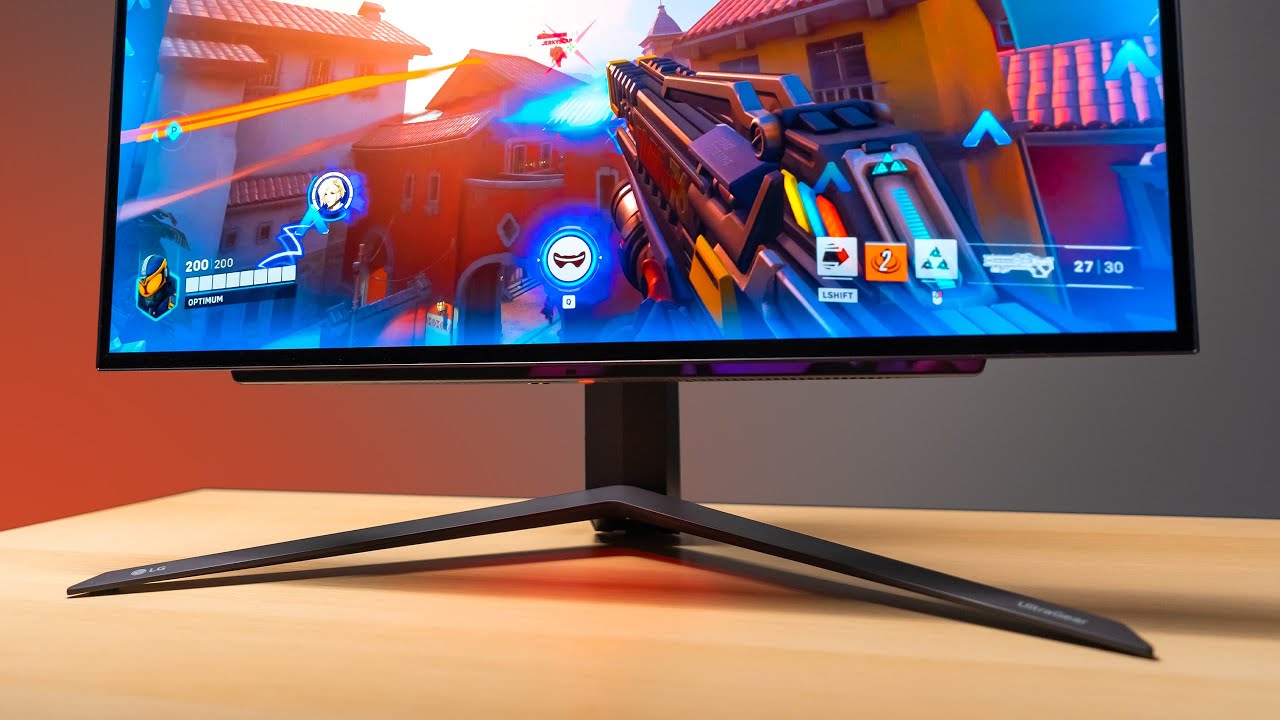
OLED has finally made it's way into a 27" form factor. The result is almost perfect.
need a new wallpaper? ...
small canopy
This the guy i found about that monitor a few months ago LOL
I dont see a point in the upgrade to a 6800 besides the vram, the 7800 XT I do
U think 7800xt would be good?
small warren
7800xt is a decent jump over the 3060ti
6800 is a fair bit of a jump but not what I'd consider a true upgrade
it would likely do 1440p just fine tho
misty gyro
Quite sizable jump for the 7800 XT, plus you get AV1 if you stream
small canopy
Any other recommendations b4 i make it final lol
small warren
well you no'd the 4070ti
which is like, barely anything I'd recommend new nvidia
I guess...
a used 3080?
used 3080 ti?
small canopy
Well best price to performance, a newer AMD card is better than NVIDIA no?
small warren
I mean a used amd card beats all
misty gyro
New AMD is better than new Nvidia for value
small canopy
I have only owned a 2060 and 3060 ti both bought new, so i shouldnt be worried about buying used?
small warren
not really?
if you check the sellers out, make sure they have a good record
use a proper middleman like paypal goods and services
make sure it works before you get it
and exchange in a public place
small canopy
Im about to scam some kids mother on facebook marketplace real quick
small warren
if you can hit all those marks you're unlikely to get ripped off
small canopy
Yeah ill look around, the money as i said isnt the problem. The problem is im a cheap mf
small warren
good problem to have if you ask me

if you still think the monitor is a bit steep let us know
it really is a bit of a gamechanger though
even regular 540hz screens don't match the response of a 240hz oled
yes 540
and then you get all the oled benefits

small canopy
Above 240 i dont give af about
I would rather have clear image and better contrast at thist point
VG279QM 280hz i using rn
small warren
then yeah for sure consider changing up the gpu when you upgrade then
small canopy
It has its problems after a few years as i upgraded from its predecessor a 144
small warren
1440p high/ultra 240fps .1 lows would be wayyy better than smudgy 1080p 240hz low
small canopy
Yeah, the VG279QM was really good a few years ago for 300$ price tag 280hz. Now it seems like it has fallen
small warren
I think it's also the mindset is changing
cos hardware is getting better, but the fps gains are becoming less apparent the higher you go
so QoL is starting to become just as helpful
small canopy
Bro ngl, i have used a 360 and a 500 hz monitor. 360 slight difference in single player not online, 500 no difference
I JUST WANT TO SEE
small canopy
I reached out to a friend who asked me if i wanted to buy his 4070 ti. Just replied to me and he wanna sell it so i may pick up a 4070 ti for 600
Welp
small canopy
Yeah
fossil gust
I watched a video from Optimum about a 540hz panel. iirc he said he could notice a significant difference from 240hz. It might be a 'trained eye' kinda thing
small warren
would pitch that above any of the others
small canopy
fossil gust
I watched a video from Optimum about a 540hz panel. iirc he said he could notice...
I just play overwatch csgo clone and shoot heads for money idk
small warren
fossil gust
I watched a video from Optimum about a 540hz panel. iirc he said he could notice...
he was referring to motion blur iirc, but oled still has the response advantage
and the lg has ulmb2 iirc
small canopy
I wont notice a different i would think. what i will notice is me throwing out this monitor i have rn
fossil gust
yeah I think 1440p 165hz or 240hz is a pretty sweet spot right now
small canopy
Yeah, i had a bunch of friends tell me to stay on 1080p because its been the standard for competative fps. I just want clear display
fossil gust
with GPUs getting more powerful I think 1440p will become more common (for esports, not just generally)
small canopy
I definitly have looked into oled b4. Just they been so expensive and now that u can get a 240 oled for the price of a 120 oled from 3 years ago
May convince me
small canopy
fossil gust
with GPUs getting more powerful I think 1440p will become more common (for espor...
Yea
With no point to play lower res in valorant i wanted to do it
Real talk how much hotter my room gunna be with a 4070ti vs a 3060ti 😂
fossil gust
"I play 4:3 stretched res so my enemies look bigger" like bro maybe try a higher resolution
small canopy
Cs i can see playing stretch but valorant just ur hud gets stretched
as a former cs enjoyer
fossil gust
small canopy
Real talk how much hotter my room gunna be with a 4070ti vs a 3060ti 😂
probably not thaaat bad
small canopy
Yeah, wondering when i bring pc home for winter from dorm bc my parents like the house being retirement home hot
dad cranks the heat up to 76 like its nothing
My 3060ti never breaks 63 bc it triple fan and bottleneck but idk
fossil gust
how are you bottlenecking a 3060ti?
fossil gust
oh
small canopy
Yeah, i had a 9700k b4
so i upgraded to 13600k bc fps shooter for cpu
but now I WANT MORE
alr ty to all you guys who helped i have class in 6 hrs so ima go to bed
fossil gust
gn
small canopy
U saw what i have rn?
@small warren I added you so i can remember to tell u my power supply as i can tell u next weekend
small warren
small canopy
<@101107951401455616> I added you so i can remember to tell u my power supply as...
Just drop it in here when you get the time mate, we have a few helpful souls around here, one of the other guys will pick up what we left off on
small canopy
I more did it so I don’t forget, but will do
For real y’all are more useful than anywhere else. I recommend the Newegg server for all my friends with tech problems 😂
small warren

small canopy
I have turned away from oled due to me rather wanting a better ability to do productivity on the side, I am looking for 2k 240hz still. Specifically the XG27AQMR. Any other good options I am unaware of?
More budget I looked at GIGABYTE M27Q X 27" 240Hz, but havent heard much about it
fading wyvern
small canopy
I have turned away from oled due to me rather wanting a better ability to do pro...
https://www.rtings.com/monitor/reviews/best/240hz rtings always has great suggestions, take your time and check out all your options, the m27q is pretty popular in this discord btw 

RTINGS.com
The best 240Hz gaming monitor we've tested is the ASUS ROG Swift OLED PG27AQDM. It's a fantastic gaming monitor that combines incredible motion handling with excellent picture quality, so you get the best of worlds in performance and picture quality.
errant edge
small canopy
I have turned away from oled due to me rather wanting a better ability to do pro...
M27q-x, 27qs, and one sec I'll grab the linkz to the two im forgetting the names of
This one is really nice, it's on sale rn. I'd say it's the best choice out of the options I listed https://pcpartpicker.com/product/6WBzK8/lg-ultragear-270-2560-x-1440-240-hz-monitor-27gr83q-b
 silent epoch

Support us on Patreon: https://www.patreon.com/hardwareunboxed
Join us on Floatplane: https://www.floatplane.com/channel/HardwareUnboxed
Buy relevant products from Amazon, Newegg and others below:
LG 27GR83Q - https://geni.us/OZ5u
MSI G274QPX - https://geni.us/Kj1mgh
Acer Nitro XV272U W2 - https://geni.us/asDo
Gigabyte M27Q X - https://geni.us/...
small canopy
silent epoch
https://youtu.be/Z-1zV7MYT4U?si=_qcPqGMyRw4H9UhS
Saw this, you think it is better than XG27AQMR?
small canopy
lol
From what i know the XG27AQMR has the best overall stats for response, ghosting etc
But it is 600
Compared to the LG27GR83Q which is 350 on 30% sale rn
silent epoch
small canopy
Saw this, you think it is better than XG27AQMR?
The XG27AQMR is slightly better
When it comes to response time
small canopy
No other drawbacks for the LG?
I did not check about ghosting for the LG
But i assume it is good along with the other LG monitors
ah nvm i found it
Slightly worse compared
Overall price to performance the LG wins at the discount it is at tbh
silent epoch
Yep
And it has ELMB i think
I would get the LG because of the price
$600 for an LCD? Questionable nowadays
Might as well go OLED for a few more hundred dollars
errant edge
Yeay $250 less it's a no Brainer
silent epoch
Becca agrees. This is good
small canopy
Sidenote for QOL, LG monitor is cleaner look with stand and everything which i appreciate. Also the software for the monitor on this one doesnt have a dumb remote so I can dig it 😂
silent epoch
Right right
small warren
small canopy
I have turned away from oled due to me rather wanting a better ability to do pro...
the 27gr is godly for productivity
lol
perfect colour accruacy
infinite blacks
really clear picture
OLED OP
small canopy
Text read is terrible,,
no?
I am sure contrast/color accuracy/response time is great, but the price to the benefits seem better to invest elsewhere to me unfortunately. I will be buying the downgraded brother
small warren
text read is ok
wouldn't call it terrible
my impression of the 27gr was like literally looking through a window
it was that crisp and clear
but ig if you don't want to go that high it's fine
there are cheaper options
my favourite the Q-X was discontinued
errant edge
M27q-x for $410 on wegg isn't bad
fossil gust
https://youtu.be/eLr0MctXRsY?si=Ft_IA_JMNVKC1BEq
This is back in stock after his last video about it made it sell out
https://www.amazon.com/KOORUI-Adaptive-Frameless-DisplayPort-Adjustable/dp/B0BQ1WCQT2/

Check prices on Amazon below
Insane value $115 monitor: https://geni.us/oi8Vb
Top 1080p / 240Hz: https://geni.us/v5WRy
Midrange 1440 / 240Hz: https://geni.us/fyRyv
Best $600 1440p: https://geni.us/eKRZ
Best 1080 360Hz: https://geni.us/xjDHU
God-mode 540Hz: https://geni.us/IOFySD
Top OLED 240Hz: https://geni.us/WVQ6Z0S
I've reviewed a lot of goo...

Specifications: Display size: 23.8 inches Resolution : 1920 x 1080 Brightness (Max): 250cd/m2 Screen technology: IPS Response Time: 1ms MPRT Refresh rate: 165Hz Connections: HDMI1.4*2, DisplayPort 1.4, headphone output Audio input: 3.5mm mini jack Contrast Ratio (DCR): 20000000:1 Contrast Ratio:...
silent epoch
small canopy
Text read is terrible,,
I have the monitor...you really don't notice it
You have to be 3-4 in away to see it
misty gyro
Cleartype is a windows built in feature
I use it on everything because it can only make it better
 kindred umbra
i see
kinda off topic, but tvs is part of this channel, anyone have sound system recs for home theater
i think i narrowed down my pics for non av receiver setups but wanted more advice
misty gyro
Budget? Size? Wired vs wireless? How many channels?
I'm off to bed but answering those will be a solid start to figuring out your needs and best options
kindred umbra
mb for the late reply, but 5.1 minimum and as wireless as possible
budget somewhat nonexistent, aslong as its worth
torpid current
500$ budget must have hdmi 2.1 1440p any suggestions? 27-32 inch 120hz
errant edge
torpid current
500$ budget must have hdmi 2.1 1440p any suggestions? 27-32 inch 120hz
can do much cheaper
https://pcpartpicker.com/product/JPrYcf/gigabyte-g27q-270-2560x1440-144-hz-monitor-g27q
https://pcpartpicker.com/product/k8GnTW/gigabyte-m27q-270-2560x1440-170-hz-monitor-m27q
https://pcpartpicker.com/product/3HkgXL/lg-32gn600-b-315-2560x1440-165-hz-monitor-32gn600-b
https://pcpartpicker.com/product/6WBzK8/lg-ultragear-270-2560-x-1440-240-hz-monitor-27gr83q-b
27" budget option, nice 27" option, 32" option, 240hz 27" optioin
torpid current
Thx
misty gyro
You don't need HDMI 2.1 for 1440p 120hz, 2.0 does just fine even a 10 bit color depth
torpid current
They all should have crosshairs Yh?
misty gyro
144Hz+ you do need 2.1
torpid current
misty gyro
You don't need HDMI 2.1 for 1440p 120hz, 2.0 does just fine even a 10 bit color ...
Hdmi 2.0 looks worst on console
misty gyro
Most 2.1 ports are renamed 2.0 ports anyway because HDMI spec is wack
torpid current
torpid current
They all should have crosshairs Yh?
What about this
small warren
Life's Good
Uh, asus, gigabyte, samsung iirc
Sure there's others, LG probably has it cos it's a pretty normal gaming feature
torpid current
I am asking fr a friend I want to get the oled lg soon
What do you think about it
small warren
Oh the oled I could ask about for you
misty gyro
Crosshairs on OLED is a bad idea, it'll burn in
small warren
@silent epoch does your screen have crosshair options
silent epoch
Yes
torpid current
small warren
<@350124341238824960> does your screen have crosshair options
Na lol just my friend wants crosshairs he plays rust on console it’s pretty important there
Idc about it I just want to know if the lg oled is good ppl said it’s very dim
silent epoch
Pixel cleaning is rather effective... shouldn't be much of a problem @small warren
misty gyro
Hmm assuming the scheduled cleanings even trigger
Rtings is having trouble with that
A lot of them don't if it's on for less than ~4 hours
silent epoch
It's exactly 4 hours
small warren
silent epoch
Pixel cleaning is rather effective... shouldn't be much of a problem <@101107951...
Wha why ping me
silent epoch
That's their problem
small warren
I was asking about crosshair
torpid current
I’ll tell you my experience with burn in I have c1 and 6-8k hours on it and nothing yet
silent epoch
Yessss
small warren
Ok good
So likely all ultragear have it then @torpid current
And fwiw btw, the LG OLED is dimmer than the other ones but it's also proven not to have longevity issues. And the brightness, having seen it myself, is actually pretty bright
silent epoch
small warren
Can you add a crosshair with the firmware on the monitor
Wait....as a custom crosshair that isn't built in yet?
small warren
I would call the brightness a non issue
small warren
silent epoch
Wait....as a custom crosshair that isn't built in yet?
Like one not in the game, just by monitor overlay
silent epoch
Oh sure sure
torpid current
I also play console so that’s why I want the lg and the Asus oled is 300$ more and doesn’t have hdmi 2.1
small warren
Ok we good then
silent epoch
You have like 4-5 options to choose from
torpid current
Lg is 900 here
torpid current
I don’t want to say things will get political
small warren
Oh
OH
Ok no it's cool
Yeah, we don't want that
💀
Well if you see a 240hz oled in your region, go for the cheapest you can find
They're all LG panels
So basically same hardware underneath just a different seller
torpid current
Should I wait fr any upcoming oled
small warren
Imo no
Better to pick an oled proven from burn in testing
Than one that's brand new
torpid current
I heard lg is going fr 480 hz oled 27 inch I don’t think anyone will ever need to upgrade from that
small warren
I mean the 240hz already has a responsiveness on par with 540hz screens
torpid current
Pretty much tbh
small warren
Unless motion blur is a bit of a thing for you, the OLED is second to none imo for esports or comp
You get a clear 1440p screen, snappy response and amazing colour
When I looked at it myself it felt like I was looking out a window into another world
Not even exaggerating
torpid current
Tbh i play on ps5 1080 on my c1 and it feels like I play on 4k lol
torpid current
What’s the difference between w oled and qd oled?
small warren
Woled and qd oled are completely different
I don't have the time to explain atm tho
🙏
Sorry
torpid current
What better fr gaming bottom line?
small warren
Woled imo
Qd oled too young of a tech
Promises to be better but hasn't proven to be yet
And also woled just beats anything for responsiveness
I gotta go mate, good luck tho 👍
torpid current
Thx gb
kindred umbra
Qd oled looks better for sdr gaming imo but woled def the safer pick long term
misty gyro
Yeah that white subpixel makes for very bright HDR and less burn in
kindred umbra
i have my panel at 80 brightness or so with no complaints but my environment isnt the brightest
i still wanna swap over to qd oled whenever they get non ultrawides though
errant edge
sick pivot
I’m gonna flip out they changed the price as soon as I was about to start headin...
You're gonna hate me
$180
sick pivot
DONT MENTION IT EVERY SINGLE TIME SOMEONE MENTIONS IT IT CHANGESD
PLEASE
I STILL HAVENT BEEN ABLE TO GET TO MY SCRAP GUY YET AND MAKE IT TO MICROCENTER
sick pivot
errant edge
You're gonna hate me
MY LUCK HAS BEEN SUPER BAD THIS WEEK
small warren
@errant edge @misty gyro any suggestions on an UW 34" screen? 1440p
I'm looking at m34wq and asrock pg34wq15r2b (good GOD shorten your name asrock)
G34wqc is off the table due to bad panel perf from the curved G lineup
small warren
Apparently both too expensive
Nvm, I combed it all now
He can't really afford it
silent epoch
A techie who needs help. What has this world come to.
silent epoch
small warren
I'm looking at m34wq and asrock pg34wq15r2b (good GOD shorten your name asrock)
The m34wq is the way till this day. Nothing good enough has popped up in recent times
small warren
pretty much yeah
I combed the whole spectrum under about $450
nothing popped up except for this electriq qled
it had good specs but I couldn't find any good reviews
I rarely find myself recommending an UW so I never really keep myself up to date there
 cerulean mountain
Anyone else having trouble with the new Steam UI looking "Deep fried" when HDR is enabled? Like it looks normal until I launch a game (with HDR enabled in game) but if I shift+tab or go to desktop all the colors look super oversaturated (and nearly illegible) and if I disable HDR in game everything goes back to normal. Wondering if it could also be a monitor issue?
Here's an example, guess it can't be a monitor issue if a screenshot shows it
 silent epoch
What monitor do you have?@cerulean mountain
cerulean mountain

LG USA
Discover the 27-inch UltraGear QHD HDR Monitor that features G-SYNC® Compatibility and IPS 1ms Response Time . Find reviews, specs, and more for 27GP83B-B.
silent epoch
cerulean mountain
https://www.lg.com/us/monitors/lg-27gp83b-b-gaming-monitor
have you tried updating your drivers?
is this the first time youve used HDR?
cerulean mountain
yep i pushed a firmware update to it, most recent gpu drivers, windows 11 auto HDR on (also tested with it off and still had same results). I've used HDR on console but not much on pc.
for some reason my monitor gets a lot darker in sRGB
I also used two different GPU's in two different systems just swapping the monitor around and the same thing happens on both
silent epoch
well sadly that monitor is certified for only 400nits, HDR isnt going to look good anyways.....but the oversaturation is a software issue, also the color gamut matters. @cerulean mountain
your best bet is to just shut it off
cerulean mountain
gotcha, will do. guess i need to splurge and get an OLED if I want to use HDR
silent epoch
cerulean mountain
gotcha, will do. guess i need to splurge and get an OLED if I want to use HDR
for real. thats what im doing
you need a HDR600 mini-led monitor at least
never go lower
@cerulean mountain
 lethal flicker
Anyone know any great gaming monitors (2560x1440 minimum) that has great HDR and color
silent epoch
The great HDR is OLED
That's just the nature of reality
Now good HDR on an LCD...I have to look it up
 surreal quarry
lethal flicker
Anyone know any great gaming monitors (2560x1440 minimum) that has great HDR and...
surreal quarry
lethal flicker
Anyone know any great gaming monitors (2560x1440 minimum) that has great HDR and...
a budget would also be helpful
lethal flicker
$400. I'm willing to go a little higher if the monitor is worth it
surreal quarry
for that budget probally nothing to great in HDR, you really need good local dimming (or perfect like oled)
The best would prob be https://www.rtings.com/monitor/reviews/dell/alienware-aw2724dm but thats for overall gaming. I would not get this for HDR

RTINGS.com
The Dell Alienware AW2724DM is a budget-friendly 27-inch, 1440p gaming monitor. Part of the Alienware gaming monitor lineup, it's a lower-end model than the Dell...
 rustic holly
Hello experts, I've a very layman doubt. I've got 165hz refresh rate monitor that I tend to use as an external screen to my 4060 nvidia laptop. I don't have a display port on the laptop..only have one HDMI 2.1 and one usb-c 3.2 gen 2 port available for display. Which port and cable combo should I use to get the max fps from my monitor? Appreciate your insights
errant edge
rustic holly
Hello experts, I've a very layman doubt. I've got 165hz refresh rate monitor tha...
Hdmi would be fine, it wouldn't change anything
Though your laptop might also have a mini display port
rustic holly
With HDMI to HDMI, I was able to configure 144hz refresh rate via windows display settings. Not sure how to get it to 165 hz
rustic holly
errant edge
Though your laptop might also have a mini display port
These are the only ports my laptop has: 1xUSB 3.2 Gen 1, 2xUSB 3.2 Gen 2, 1xUSB-C 3.2 Gen 2, HDMI 2.1, Ethernet (RJ-45)
errant edge
rustic holly
With HDMI to HDMI, I was able to configure 144hz refresh rate via windows displa...
Well first 144 to 165 really isn't any different, no person could tell the difference
rustic holly
I believe I need some other port combo cable
errant edge
But with nvidia control panel I think you could "overclock" the panel to 165hz by setting a custom resolution
rustic holly
errant edge
Well first 144 to 165 really isn't any different, no person could tell the diffe...
Ah yes that's true, just don't wanna lack anywhere and use the max of it, I'll test with valo..hope it goes well
rustic holly
errant edge
But with nvidia control panel I think you could "overclock" the panel to 165hz b...
Gotcha mate I'll look into it, thanks for your time and thoughts 🍻
small canopy
silent epoch
https://youtu.be/Z-1zV7MYT4U?si=_qcPqGMyRw4H9UhS
Bought it, been using it
Game changing
silent epoch
Perfect..glad you like it. What's your first impression?@small canopy
misty gyro
A good monitor can make all the difference
errant edge
I was surprised how much "better" I got in val from my old monitor to an x27q, refresh rate didn't even change
Just the clearer image helped me aim a lot better
small canopy
silent epoch
Perfect..glad you like it. What's your first impression?<@336977861758156801>
I have only used 1080p. Bro the text font looks different bc it is actually accurate 😂. SO GOOD
small canopy
errant edge
I was surprised how much "better" I got in val from my old monitor to an x27q, r...
Yeah I play for a team in valorant, hoping the 2k will make all the difference, qol stuff
errant edge
My two monitor upgrades were 1050p60hz TN to 1080p 165hz VA to 1440p 165hz IPS
errant edge
small canopy
Yeah I play for a team in valorant, hoping the 2k will make all the difference, ...
For premier or professional?
small canopy
I went 1080p 120 1080p 240 and now 1440p 240. We livin
small canopy
errant edge
For premier or professional?
Pro
errant edge
You fine with sharing the name of your team?
Also 1440p 240hz for professional val sounds like the perfect sweet spot
small canopy
I worried about 3060 ti handling it
errant edge
Since it's so non demanding 1440p vs 1080p doesn't really matter
small canopy
320 fps average
errant edge
Oh nah my 3060 ti pushes upwards of 300
small canopy
Very good
errant edge
Hey same setup
small canopy
Lol
errant edge
Ddr4 for mine though
errant edge
Lmao
One sec
Part List - Intel Core i5-13600K, GeForce RTX 3060 Ti LHR, Phanteks Eclipse P360A ATX Mid Tower
Though the hdd is coming out soon
small canopy
errant edge
You fine with sharing the name of your team?
I'll tell u in a min I walking and is snowing bad
errant edge
Ah yeah keep your hands warm
silent epoch
small canopy
I have only used 1080p. Bro the text font looks different bc it is actually accu...
Honestly 1440p is all people need. With how messed games are getting at 4k, it's not even a need.
errant edge
I just can't believe that a 4090 isn't even enough for some games at 60 fps 4k already
Like that's insane
$1600 just to have to turn your settings down barely over a year after launch
sick pivot
errant edge
Ah yeah keep your hands warm
I finally got paid today but I can’t make it to microcenter I have to do it on shipping or is there a better deal
 errant flax
errant edge
I just can't believe that a 4090 isn't even enough for some games at 60 fps 4k a...
errant flax
errant edge
I just can't believe that a 4090 isn't even enough for some games at 60 fps 4k a...
Sounds like 4090 is better suited for 1440p in newer games now lmao.
small canopy
errant edge
One sec
Part List - Intel Core i5-13600K, GeForce RTX 3060 Ti LHR, Phanteks Eclipse P400A Digital ATX Mid Tower
errant edge
sick pivot
I finally got paid today but I can’t make it to microcenter I have to do it on s...
You open to ordering off tiktok shop?
It's sold and shipped by newegg
If so do one of these and then a new user coupon, should be ~$150 and ~$200

 silent epoch
errant flax
Sounds like 4090 is better suited for 1440p in newer games now lmao.
silent epoch
errant flax
Sounds like 4090 is better suited for 1440p in newer games now lmao.
This is why I'm still going to play 1440p with a 5090
4k never
errant edge
Remember when people said 3080 was good for 4k
errant flax
I've been debating if I should go QHD or 4k because my monitor's anti-glare is wearing out and with this I think QHD may be my upgrade.
errant edge
I'm pretty sure a 3060 12gb does better at 1080p than a 3080 12gb does at 4k
Also wasn't 3060 ti said to be good for 1080p entry level 1440p 3070 was good for 1440p entry level 4k lmao
And 3060 ti definitely is good for 1440p
silent epoch
errant flax
I've been debating if I should go QHD or 4k because my monitor's anti-glare is w...
CoughOLEDcough
Damn who said that
silent epoch
For older games it's not bad
errant flax
silent epoch
CoughOLEDcough
$$$
silent epoch
😔
errant flax
Especially in MX.
silent epoch
Right
errant flax
Whatever it costs in US goes up around 33% in MX.
errant flax
errant edge
But 3070 and 3080 at 4k is hilarious
my 3070 struggles in 1080......
Who the heck plays 4k on a 3070?
....... 😕 just why
 sick pivot
errant edge
You open to ordering off tiktok shop?
sick pivot
errant edge
You open to ordering off tiktok shop?
Just my luck I go into Walfart to add money to a visa gift card and guess what there was absolutely 0 gift cards in the store
Walmart I meant to say
fossil gust
errant edge
And 3060 ti definitely is good for 1440p
it's a little on the edge, I'd call it a great 1080p card that can do 1440 ok
(speaking from experience with a 3060ti at both 1080 and 1440p)
 hasty pier
who has some time to help me find a new monitor
errant edge
hasty pier
who has some time to help me find a new monitor
Budget, target resolution, what you're looking for in a monitor and country?
hasty pier
usa
1440p
300 dollars
i already found a great one
but it has a low contrast ratio
only 1000:1
which is average
it's the gigabyte m27Q-P
i tried to find something with the same specs but higher contrast ratio but tbh they're all 400 or more
errant edge
hasty pier
it's the gigabyte m27Q-P
M27q-p is among the best priced monitors for what you get
Though also as a heads up, a 2060s won't really handle 1440p very well for a lot of recent and semi recent games
2080 ti is starting to struggle in some titles even
hasty pier
future proofing
ima upgrade within this year so ye ill need to future proof
ASUS Global
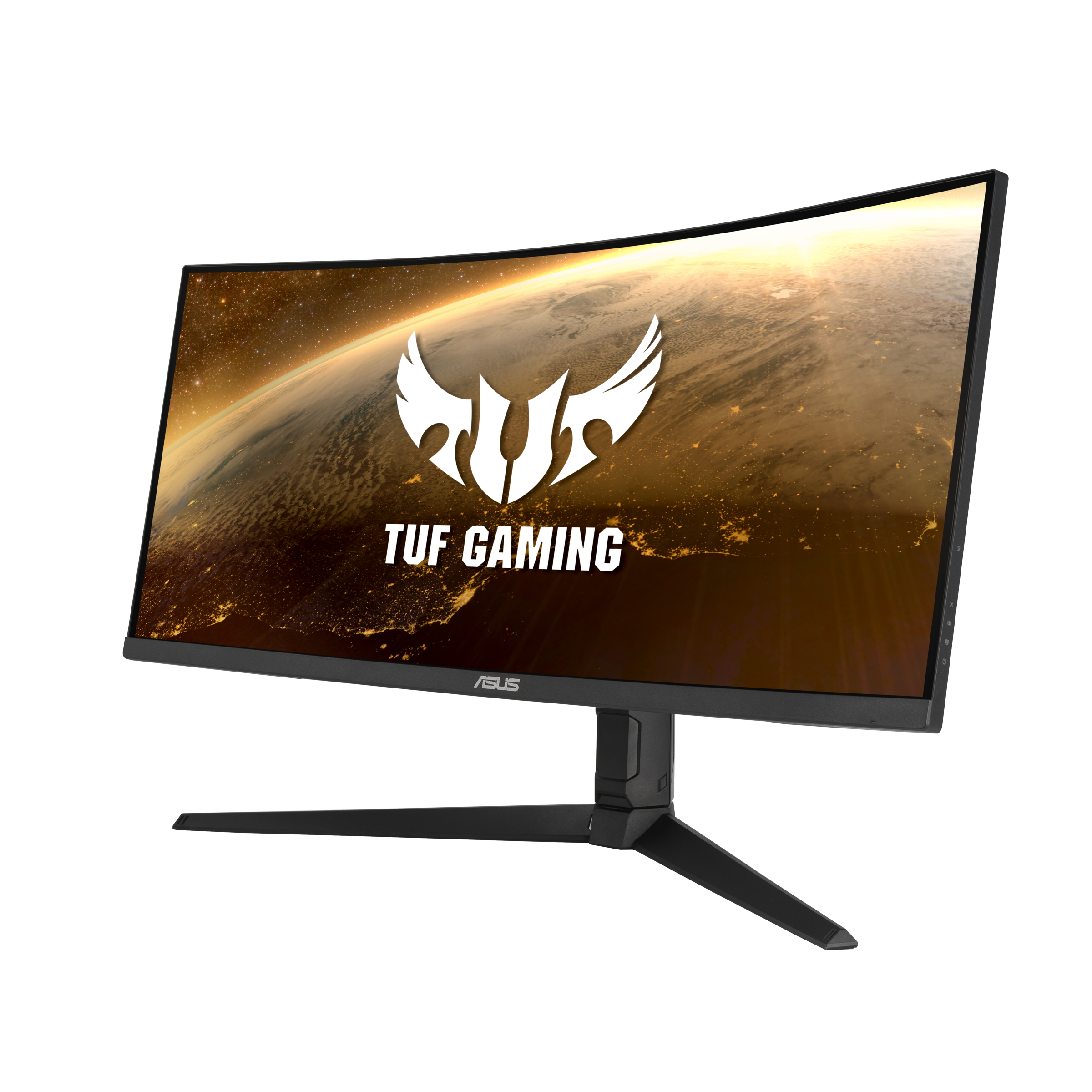
TUF Gaming monitors are ideal for competitive gamers on a budget, delivering a carefully selected set of high-end gaming features at palatable prices. Immaculate visuals are now within reach.
what abt this
seems really good
errant edge
Do you already have a monitor?
M27q-p is much better
G27q, m27q are also great
If you want to save money, you can order off tiktok shop. There was a decent 1440p high refresh monitor there for $177 before coupon, and everyone gets a new user coupon which should take $20 off
hasty pier
errant edge
Do you already have a monitor?
no i moved across the globe
i got my pc parts with me
i got a new case and psu and fans
now i only need a new monitor
hasty pier
errant edge
M27q-p is much better
really?
specs seem better on the asus one
unless im missing something
hasty pier
errant edge
If you want to save money, you can order off tiktok shop. There was a decent 144...
not a fan
only amazon or bestbuy or microcenter
errant edge
hasty pier
specs seem better on the asus one
Check rtings.com
Use their compare tool
Advertised specs don't really mean much, aside from resolution and refresh rate. Even panel type isn't as important as a lot of people think, there's va panels that are better than a good handful of ips monitors
kindred umbra
Anyone see the new qd oled monitors that’ll release sometime next year
hasty pier
errant edge
Advertised specs don't really mean much, aside from resolution and refresh rate....
i found this monitor
what do u think of it
errant edge
It's good, m27q and -p are better, but depending on price different it might be better value
hasty pier

Equipped with an immersive, curved 32" WQHD (2560x1440) Rapid VA panel (1000R) with 170Hz refresh rate and 1ms response time, the MAG 325CQRF-QD Curved Gaming monitor provides a competitive edge over most opponents.
this
@errant edge
alright nvm barely any reviews
but i found some comments and it said it has really bad smearing
ima just go with the m27q p
i feel like that is the best thing
errant edge
hasty pier
i feel like that is the best thing
Yeah, it pretty much is for anywhere around the price. G27q is also great at $210-220 if m27q-p is $300
errant edge
If you're doing more than gaming it's pretty worth it
Just gaming I'd say it's a toss up, but if it works for you then it works for you
hasty pier
i mean ill watch movies on it from time to time
but ill probably just use my tv for that
errant edge
Eh, it's up to you. M27q-p is definitely noticeably better than g27q
Just a matter of if the difference is worth the money to you
errant edge
One more thing yo consider, depending on what you plan to upgrade to
1440p 240hz monitors are in the $300-350 area
If you go to a 7900xtx/4080/4090 or a comparable or better next gen gpu, it'd be worth it
hasty pier
really anything besides 144 hz is unecessary as the human eye barely differenitiates anything at that pt
errant edge
Also a good point
Just that powerful of a gpu is sleeping a lot of the time at 1440p 144-180 fps
hasty pier
ye ik but eh
im gonna wait for the 50 series
i hope they get rid of that new connector
hasty pier
well im not buying a new psu
i literally just bought one as i moved
it's the evga gt supernova 850 watts
got it for 120$
hasty pier
lol
errant edge
I got mine from b stock for $50
hasty pier
well damn
errant edge
$120s a bit much, but solid psu
hasty pier
i mean the msrp is 150
errant edge
There's better for around $100-110, but its certainly not the worst I've seen
hasty pier
it was on sale at bestbuy
errant edge
I saw someone spend $115 on a bomb the other day
Ah yeah, best buy tends to have solid products just expensive
hasty pier
a what now
errant edge
A psu that is prone to killing pcs or catching fire
hasty pier
errant edge
Ah yeah, best buy tends to have solid products just expensive
i mean if im buying below msrp then eh idrc
errant edge
The GT is B tier, but its a very solid B tier
hasty pier
a tier gets expensive
errant edge
You could run a 4090 on that no problem, I'd imagine a 5080 at the very least too
Cheapest rn is xpg core reactor 850 at $105
hasty pier
they're gonna drop the wattage fs
errant edge
50 series did improve on wattage
40*
You could run a 4090 on a good 650 fairly easily
hasty pier
ye and they should lower it down even more on the 50
what they did with the 30 was just to surpass amd
errant edge
Eh, as long as they don't bring back the transients of 30 series
hasty pier
i hated the 30 series
im glad i got the 2060 super and im planning to stay on it until the 50 series
if the 50 series disappoint me
ima buy an amd
amd is just getting better and better every year
hasty pier
errant edge
I saw someone spend $115 on a bomb the other day
took me a while to understand what u meant there
LMFAO
which psu did he get
probably a gigabyte
 past berry
need a monitor for around 100-170 euros for 1080p n around 144hz
misty gyro
What country
 mental vale
Mars
past berry
misty gyro
What country
spain sorry for late reply
errant edge
I'd probably say https://es.pcpartpicker.com/product/QpDQzy/aoc-24g2spaebk-238-1920-x-1080-165-hz-monitor-24g2spaebk

AOC 24G2SPAE/BK 23.8" 1920 x 1080 165 Hz Monitor (24G2SPAE/BK)
sick pivot
errant edge
I'd probably say https://es.pcpartpicker.com/product/QpDQzy/aoc-24g2spaebk-238-1...
Is there a store that you know would price match micro center pricing
errant edge
Best buy is the only chance you'd have
sick pivot
OOF there out of stock on the hyperx monitor
i havent been able to make it to microcenter
and the shipping is outragous
errant edge
There have been other deals popping up
There was a decent moniprice monitor with similar specs for $160 or so
This isn't terrible https://pcpartpicker.com/product/jfrqqs/asrock-pg27q15r2a-270-2560-x-1440-165-hz-curved-monitor-pg27q15r2a

ASRock PG27Q15R2A 27.0" 2560 x 1440 165 Hz Curved Monitor (PG27Q15R2A)
sick pivot
Im still trying to get a 2k resolution one i know falcLe said no va panels only go for ips
sick pivot
errant edge
There have been other deals popping up
Also one questions does microcenter change the price only for one day on some items the other day it went to 250 then the next day it was back to normal
errant edge
it varies
some sales last a few minutes, some last until a certain number of the item has been purchased, some last months
sick pivot
errant edge
There have been other deals popping up
any on bestbuy besides that one
errant edge
I mean if you're ordering online there's plenty of options, specifically at best buy I'm not sure
Except for sales best buy tends to have pretty bad pricing to be honest, and im now working at one lol
sick pivot
I mean all im trying to find is one under 240 that is 2k
I just dont know which ones are actually good ones
sick pivot
whats nanoIps
errant edge
Faster response time ips I think
errant edge
I'd take the g27q over it personally
sick pivot
What about asus?
ASUS TUF Gaming 27” 1440P HDR Monitor (VG27AQ3A) – QHD (2560 x 1440), 180Hz, 1ms, Fast IPS, 130% sRGB, Extreme Low Motion Blur Sync, Speakers, Freesync Premium, G-SYNC Compatible, HDMI, DisplayPort https://www.walmart.com/ip/5002122524
errant edge
Thats ntb, one sec
Let me compare it to g27q
The two are similar, g27q has better hdr
Otherwise near identical
https://pcpartpicker.com/product/p8zXsY/acer-nitro-xv1-xv271u-270-2560-x-1440-180-hz-monitor-umhx1aa301 this might be better, it's a new panel so not on rtings yet

Acer Nitro XV1 XV271U 27.0" 2560 x 1440 180 Hz Monitor (UM.HX1AA.301)
sick pivot
errant edge
Thats ntb, one sec
question i have seen the 4k resolution monitors slightly cheaper than 2k would it be bad if a 4k monitor gets pushed back to 2k to run on ?
errant edge
sick pivot
question i have seen the 4k resolution monitors slightly cheaper than 2k would i...
Yes
Also those would be 60 hz
There's no shot you're getting 4k high refresh less than at the extreme extreme bare minimum 375 maybe with an open boxed offer
But $450 is a more fair low end estimate
 quartz sandal
If you're gaming the only reason you should be buying a 60hz monitor these days is you're buying a 2nd hand 1080p one and you're on a really low budget tbh
sick pivot
errant edge
Yes
i found something local i could negoitiate on is this good? https://www.facebook.com/marketplace/item/182330210761813/?ref=saved&referral_code=null i know its a va panel but from reviews i think this one is good to get

Brand new curved gaming monitor
errant edge
Yeah that'd be fine
 grave drum
Is the gigabyte m32u any good? I have the potential to get it for very cheap, currently using an odyssey g5 and I'm not very happy with it.
errant edge
grave drum
Is the gigabyte m32u any good? I have the potential to get it for very cheap, cu...
Yes it's really nice, what gpu do you have though?
grave drum
3060ti
errant edge
Yes but why spend that much on a monitor when there's $220-260 options that are just as good but 1440p
grave drum
Yeah we talked about the m27q pro
errant edge
Yeah thats just as good of quality as the m32u
Do you just want 32"?
If so there's a good few 1440p 32" options
Around the same price
M32q comes to mind, which is m32u but 1440p, but its normally overpriced
grave drum
32 would be nice, I just seen a m32u on an Amazon return site brand new and was gonna bid on it
errant edge
How much is it?
grave drum
Current bid is 20$
errant edge
And downscaling looks worse than a native 1440p monitor most of the time
grave drum
But I'd expect it to go around 200$
errant edge
That don't sound right, what's an Amazon return site?
I'm assuming not warehouse since that doesn't have bids
grave drum
They buy Amazon returns and resell them by auctioning them off
grave drum
I've used it a lot
errant edge
If so go for it
grave drum
I got a 2500$ office chair for 300$
errant edge
errant edge
And downscaling looks worse than a native 1440p monitor most of the time
Just keep this in mind
grave drum
Brand new still sealed in box
errant edge
What type of office chair is $2500 lmao
grave drum
Steelcase gesture
errant edge
Does that also cook you food and massage your back
grave drum
Unfortunately no
I know someone who got an LG OLED monitor not sure what model for 180$ works like new
errant edge
Well, if that m32u doesn't work out take a look at these
https://pcpartpicker.com/product/xMstt6/dell-g3223d-315-2560x1440-165-hz-monitor-210-bejf
https://pcpartpicker.com/product/Rcwypg/lg-32gp750-b-315-2560x1440-165-hz-monitor-32gp750-b

Dell G3223D 31.5" 2560 x 1440 165 Hz Monitor (210-BEJF)

LG 32GP750-B 31.5" 2560 x 1440 165 Hz Monitor (32GP750-B)

MSI Optix MAG321QR 31.5" 2560 x 1440 165 Hz Monitor (Optix MAG321QR)
Pretty sure the cheapest LG oled is either $750 or $800
grave drum
Yeah they got a crazy deal on it
errant edge
Could you send me a link to the website in dms? Not for the m32u, I'm way too broke to buy anything rn lol
Just for future use
grave drum
It's local pretty sure but I will
 quick edge
Anyone recommend a good 4k Oled gaming monitor? Tag me pls
quick edge
I have a 7900xtx GPU
errant edge
quick edge
Anyone recommend a good 4k Oled gaming monitor? Tag me pls
Cheapest 4k oled is over $1100

Acer Predator CG48 bmiiiipuzx 48.0" 3840 x 2160 138 Hz Monitor (CG48 bmiiiipuzx)
lethal flicker
Is this a good gaming monitor? I'm very tempted to get it
 errant edge
lethal flicker
Is this a good gaming monitor? I'm very tempted to get it
errant edge
lethal flicker
Is this a good gaming monitor? I'm very tempted to get it
It's not great panel quality, a lot of smearing I believe
errant edge
sick pivot
i found something local i could negoitiate on is this good? https://www.facebook...
sick pivot
errant edge
https://www.walmart.com/ip/Acer-Nitro-27-1500R-Curved-WQHD-2560-x-1440-Gaming-Mo...
I might be smart with my money this time im trying to find ways to flip things to make profit
I’m stuck between getting old office pcs and gpus or finding stuff normally on fb
errant edge
$145 for that is pretty unbeatable except for rare used deals
sick pivot
When did I get the anime tag??
misty gyro
sick pivot
What did I just click I was falling asleep on my phone
 raw ingot
sick pivot
raw ingot
sick pivot
Well Theo if you see this happy birthday! I am not sure if you guys have that rule against @smoky thicket
misty gyro
Ping him, he doesn't bite
Just for this though don't bother people normally unless you see them active, that's just general discord etiquette
Isn't that right @smoky thicket you old fart? You left your teeth in my glass again!
sick pivot
🙂
 smoky thicket
 misty gyro
lol happy birthday man