#old-monitors-and-tv
1 messages · Page 10 of 1
 chilly dawn
 chilly dawn
LG didn't wanna pay to be certified
(Cheapos)
I remember reviews saying something about text being hard to read
Idk, looks fine to me
Maybe I don't sit close enough tho
 misty gyro
That's usually solved with a trip into the microsoft cleartype menus anyway
 silent epoch
chilly dawn
I remember reviews saying something about text being hard to read
silent epoch
chilly dawn
I remember reviews saying something about text being hard to read
People are spoiled
misty gyro
Well when you have a nearly static image displayed on parts of the screen 12 hours a day burn in is a real concern
chilly dawn
I only game for a few hours at a time
And normally it's always different games
As long as I use those pixel shift, thingies I should be fine
Screen cleaner something in the settings
chilly dawn
I'll do pixel cleaning after every game session or something
It is weird seeing a game with this much motion clarity
chilly dawn
silent epoch
People are spoiled
People who just test high end tech all day I assume
silent epoch
chilly dawn
I'll do pixel cleaning after every game session or something
waogh woagh...dont
its automatic
its every 4 hours of use
silent epoch
dont...youll reduce the panel's life
chilly dawn
Ah
silent epoch
let it do it automatically
chilly dawn
Where would i set that
For options it's screen move, image cleaning and pixel cleaning
silent epoch
once you shut off the screen after more than 4 hours , it goes into pixel cleaning mode
chilly dawn
Ah so whenever I just turn off the PC and monitor it'll do it?
chilly dawn
Ah
So when I'm done, just turn it off as normal
And after 4 hours of being off, it'll do it?
chilly dawn
And I'm not good at reading
silent epoch
so after 4 hours of run time, just before you shut off the screen you will see a prompt that tells you that pixel cleaning will begin. after that youre required to not turn it back on for at least 10 mins @chilly dawn
chilly dawn
Ah
So just every 4 hours of it collectively being on
Kinda catching on them
Then
It'll just happen over time
silent epoch
Yeah... every 4 hours
silent epoch
Yes
 small warren
So you have to stop every 4 hours
chilly dawn
Well
silent epoch
You want burn in? 👀
small warren
It won't let you ignore it?
chilly dawn
small warren
So you have to stop every 4 hours
Tbh I don't think I game that long in one sitting anyways
Small price to pay for black to not look like gray
silent epoch
small warren
So you have to stop every 4 hours
It only does it when you shut it off even after more than 4 hours has passed
small warren
Oh ok
I was thinking it interrupted everything

That would hardcore turn me off if it did that
silent epoch
small warren
I was thinking it interrupted everything
That would suck lmao
small warren
Ya
chilly dawn
Middle of a game
"Hey moron we gotta turn your pixels off right now"
silent epoch
You get used to it
chilly dawn
I'll live
silent epoch
But damn can 4 hours go by like it's nothing
silent epoch
Yep
chilly dawn
That was the main thing I've been wondering about
It's probably why OLED came to ultra wide first
You have the luxury of ultra wide, but can do 16:9 or 4:3 when needed
And the border won't be that ugly grayish black
silent epoch
Yeah
silent epoch
But right now there isn't one ultra wide I would jump on
chilly dawn
I just can't fit ultra wide
silent epoch
Either the pixel density is too little or it's a QDOLED panel that appears a bit grey in normal lighting conditions
chilly dawn
And that Alienware specs wise looks amazing, I just think their designs are dumb looking
small warren
QD OLED is still rubbish
silent epoch
It's not good yet
Would be dumb to get it now
LG knows what's up
So to speak
@small warren join the OLED Cult
small warren
You'll never take me
chilly dawn
small warren

chilly dawn
Gotta clean off the old stand that my monitor used to be on
List it on FB marketplace for like $150 and call it a day
It wasn't an amazing monitor
But a 1440p 165hz monitor would probably sell fairly quickly for that cheap
silent epoch
small warren
You'll never take me

 silent epoch
In what form?

 small warren

chilly dawn
Hence why I say most phones
silent epoch
🤢
small warren
If we wanted to go by number it's lcd nokias
small warren
silent epoch
🤢
Haven't lived the 2000's life
silent epoch
small warren
Haven't lived the 2000's life
I did
small warren
Nothing beats hearing your tv
chilly dawn
I grew up on a dookie Samsung I'll live
Old Samsung that was stepped on by my horse
Truely eventful
silent epoch
small warren
Nothing beats hearing your tv
Bruh.....I remember the HDTV transition that happened in 2007 or O8 in the US. I was shocked how the ringing noise was gone 😂
It was soo quiet
chilly dawn
All I remember TV wise as a kid was always the hissing my TV had when I tried to watch VHS tapes
Glad that's gone
silent epoch
We really improved alot
silent epoch
I'm grateful that older tech paved the way to what we have now
chilly dawn
small warren
Bruv my old cathode box used to squeal
Drop tv on foot
You're not walking for a month on said foot
silent epoch
small warren
We also went way backwards
In a few ways
But Micro-OLED will save us all!!!
small warren
That's what they said about QD OLED
chilly dawn
I curse you with early 2000s tv that looks like SpongeBob
small warren

small warren
chilly dawn
I curse you with early 2000s tv that looks like SpongeBob
SpongeBob was best viewed on a 2002 box
chilly dawn
 silent epoch
small warren
That's what they said about QD OLED
silent epoch
small warren
That's what they said about QD OLED
Felix.....you don't understand
small warren
silent epoch
Felix.....you don't understand
I've been betrayed too many times to understand

silent epoch
small warren
I've been betrayed too many times to understand
It's the holy Grail of TV tech....it will be perfect in every way imaginable. I'm a strong believer
small warren
chilly dawn
Too many buttons for a child to use this remote
How can you not miss pitch shifting
silent epoch
It would make OLEDs now look and feel like trash
small warren
Watching SpongeBob in 3 octaves higher was something else as a child
chilly dawn
There will always be something better later, I'll appreciate the good I have now
silent epoch
After that what I want is holographic displays because they're nothing else beyond for 2d screens
small warren
chilly dawn
There will always be something better later, I'll appreciate the good I have now
I have been betrayed too many times by marketing lol
silent epoch
chilly dawn
There will always be something better later, I'll appreciate the good I have now
Why I didn't care about not buying the monitor
silent epoch
small warren
I have been betrayed too many times by marketing lol
the 2030s will be great 
chilly dawn
And realistically for some tech
Some things I can't imagine getting much better
(mainly smart phones)
silent epoch
Unless we have massive world collapse by then
chilly dawn
When your phone loads 30% faster, and that means it loads Twitter 0.09 seconds faster sure
silent epoch
chilly dawn
Some things I can't imagine getting much better
Smartphones aren't going to get any better
They're boring
chilly dawn
Tech channels will run out of bad and cheap androids to make fun of
silent epoch
Just keep adding a better camera and people will buy whatever
silent epoch
Apple 🗑️
chilly dawn
Yet nothing fundamental has changed in 6 years
silent epoch
They don't innovate on anything. They just see what other companies found successful and take it as their own
I'll never get an iphone
chilly dawn
I get wanting an ecosystem or whatever
But like
YouTube ad block on mobile >
I rest my case
silent epoch
I always see people getting iPhones as having a sheep mentality.
Don't just buy it because of the brand. Smh
silent epoch
chilly dawn
I get wanting an ecosystem or whatever
I've heard it's good, but it's not a must have or a need
silent epoch
Me to
Google Pixel 6 pro
Well I'm not a shill
I just buy what works and is usually under appreciated
 kindred umbra
I tried pixel for a bit but imo Samsung does android the best
Somehow Samsung has android more optimized than google themselves
 orchid berry
https://www.gigabyte.com/Monitor/G24F-2#kf
https://www.asus.com/displays-desktops/monitors/gaming/vg248qg/techspec/
ASUS VG248QG Gaming Monitor - 24”, Full HD, 0.5ms*, overclockable 165Hz (above 144Hz),G-SYNC Compatible, FreeSync Premium
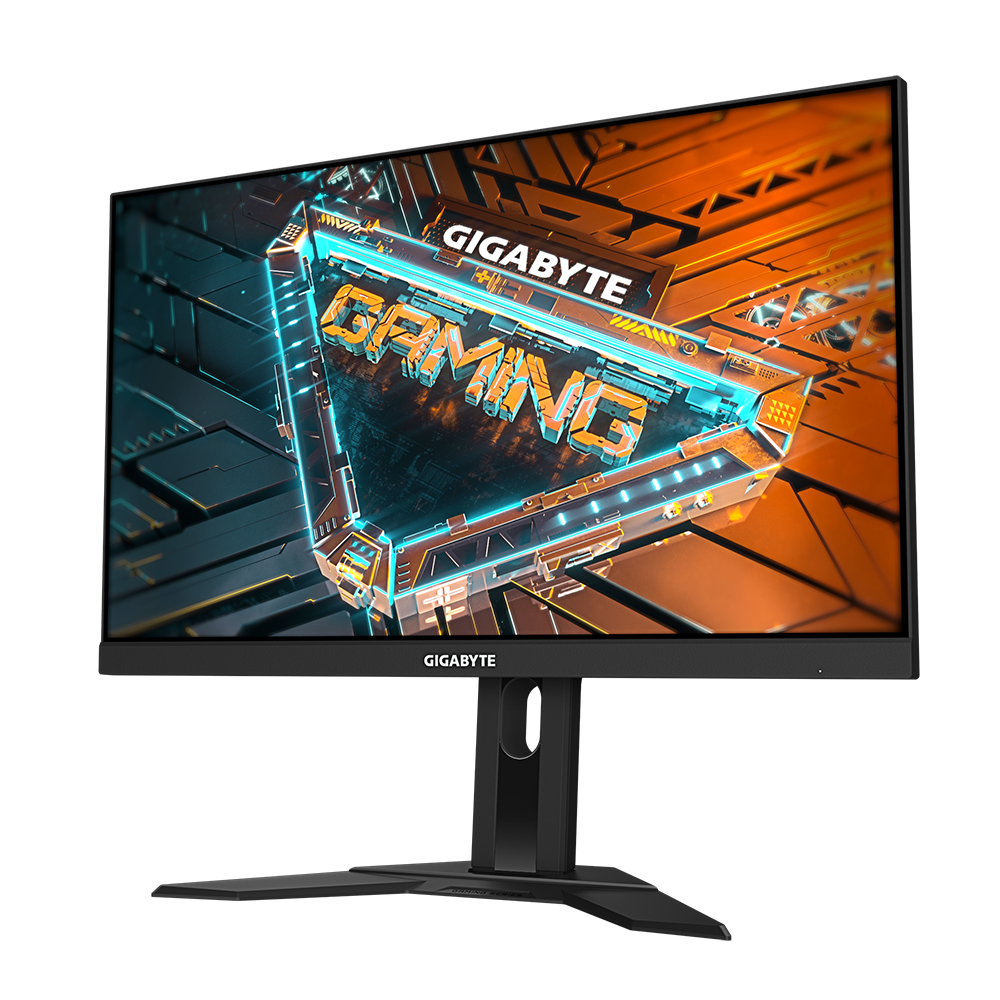
GIGABYTE
Features FHD with 8-bit color SS IPS panel with 1ms & OC 170Hz Black Equalizer & Aim Stabilizer GameAssist & OSD Sidekick Auto-Update & PiP/PbP Power Board...
which on would yall reccomend
kindred umbra
Finally pulled the trigger on one

 raw ingot
oooh nice
small warren
QDOLED still has horrible burn in issues
You'll be waiting for a while for something that lasts like the 27GR
kindred umbra
small warren
QDOLED still has horrible burn in issues
i get protections plans for dirt cheap so i wouldnt have to worry about it and gen 2 qd oleds panels are supposedly a lot better
small warren
Wait for burn in testing before you say that
kindred umbra
fair
small warren
I haven't seen any on rtings yet that are qdoleds that hit the durability of next gen oled
kindred umbra
but i still get the protections for cheap enough for me not to worry about it
small warren
But that shouldn't be a thing you need to think about tho 💀
kindred umbra
i mean i hav the same mindset for that with woled
small warren
I buy anything not oled I don't think about burn-in protections
small warren
Even still, I wouldn't wager on it with the expectation to replace it in 4 years
I'd stick with what's reliable
small warren
Both QLED and OLED now are at the point of widely usable
QD OLED needs to prove itself to meet that
small warren
kindred umbra
for me, the protection is basically a free upgrade for me
I'd do this with the 27GR
Even in 4 years the GR will still be pretty extreme
kindred umbra
if woled were visually as nice as woled tvs or qd oled monitors i think i would be satisfied
i might jus be spoiled by my c2
kindred umbra
if there were a 32in variant i would of prob gone down that route
small warren
Fair
kindred umbra
depending on how much they improve woled panels next year, i think within 2 years itll be perfect
small warren
Probably
 vital mica
lg 24gn60r-b or gigabyte g24f
vital mica
so gigabyte makes better monitor now that lg?
I'll check version 2 if it's available
whats the difference between version 1 and 2?
vital mica
yeah version 2 is available
vital mica
I have a 4060
small warren
Yeah that works as a fine match
vital mica
okay thanks my dude I was planning on getting the LG one but saw the gigabyte on Facebook
small warren
No worries
small warren
I encourage you to look at reviews if you want a second opinion
But yeah it's supposed to be very good at a cheap-ish price
small warren
That's quite good yeah
 brave pivot
Who is try this monitor
https://www.lg.com/us/monitors/lg-32gq750-b-gaming-monitor
 trim brook
ppi lovers
 sour ruin
my monitor is flickering. i've restarted, checked the connections, switched cords with my other monitor and checked drivers. is my monitor dead?
It's only dark colors on the outside of that box

Only dark colors outside the box flicker. The blue background flickers on the darker right side, though you can't really see that in the video
k this is weird
After this I entered my pin and it stopped flickering
silent epoch
Hm
 boreal cloud
what is a good monitor for 100 bucks or less
small warren
@boreal cloud go back to the list I sent with the 6700xt, put 6700 in it instead, add G24F 2, done.
Good pair that, gpu and monitor
small warren
Not g24f 2 good
But g241 and g242 are good
No idea if g2412 is a reiteration of those two above
 errant flax
What are some good WQHD or UHD monitors around $300-400?
My monitor's film is starting to really show some wear so I am looking into replacing it.
Also considering just QHD if the price is good.
 surreal quarry
errant flax
What are some good WQHD or UHD monitors around $300-400?
surreal quarry
errant flax
What are some good WQHD or UHD monitors around $300-400?
honest a bit dated, could go https://www.rtings.com/monitor/reviews/lg/32gp850-b

RTINGS.com
The LG 32GP850-B is an excellent gaming monitor and part of LG's UltraGear gaming monitor lineup. The fast refresh rate delivers an outstanding response time, ev...
oh both are old, but the lg scores a bit better
boreal cloud
found this monitor on newegg and was gonna get the G24F 2 but it’s out of stock so would this one be good too?
 errant flax
surreal quarry
honest a bit dated, could go https://www.rtings.com/monitor/reviews/lg/32gp850-b
errant flax
surreal quarry
honest a bit dated, could go https://www.rtings.com/monitor/reviews/lg/32gp850-b
..... $400??? Seems a bit pricy for QHD.
Are Innocn monitors okay?
raw ingot
boreal cloud
found this monitor on newegg and was gonna get the G24F 2 but it’s out of stock ...
no it's va, don't get it
innocn, not enough info on em
so i wouldn't gamble on em
hmm, wait
rtings has reviews of at least one innocn monitor
only for the 27MV2, a 2160p (4k) mini led monitor
it's great but $799, ouch
might as well get the lg ultragear oled
boreal cloud
alrighty
surreal quarry
errant flax
Are Innocn monitors okay?
I’ve never heard of that brand, so probably not
boreal cloud
does anyone know a budget $100+ 1440p monitor
surreal quarry
boreal cloud
does anyone know a budget $100+ 1440p monitor
whats the max u are willing to spend
"budget" can mean many things to different people
errant flax
Gotcha.
surreal quarry
errant flax
Gotcha.
https://www.rtings.com/monitor/tools/table input your parameters into here. Then watch an actual NON-SPONSORED review by like monitors unboxed

RTINGS.com
Check our Monitor Table Tool to see all our reviews. Easily select and compare products, and use our filters and sorting options to find the best Monitor for your needs. Example: Check our TV Table Tool to see all our reviews. Easily select and compare products, and use our filters and sorting options to find the best TV for your needs.
i had the link right the first time I promise
raw ingot
boreal cloud
does anyone know a budget $100+ 1440p monitor
$100 and 1440p don't go together, lower your expectations to 1080p
boreal cloud
surreal quarry
whats the max u are willing to spend
180 maybe
surreal quarry
yeah thats not gonna happen unless u go look on ebay
boreal cloud
raw ingot
$100 and 1440p don't go together, lower your expectations to 1080p
yeah im ready to buy 1080p but if the option to get 1440p is available I’ll do it
200?
surreal quarry
boreal cloud
200?
actually got some not bad options https://www.rtings.com/monitor/tools/table
RTINGS.com
Check our Monitor Table Tool to see all our reviews. Easily select and compare products, and use our filters and sorting options to find the best Monitor for your needs. Example: Check our TV Table Tool to see all our reviews. Easily select and compare products, and use our filters and sorting options to find the best TV for your needs.
24in is pretty small tho
oh damn the link didnt work, one sec
surreal quarry
surreal quarry
actually got some not bad options https://www.rtings.com/monitor/tools/table

RTINGS.com
surreal quarry
boreal cloud
is the difference between 1440p and 1080p that big
for 27in or above yes
but keep in mind 1440p requires more gpu power to hit the same fps than 1080p********
boreal cloud
Ah
 old arch
The ppi is only 1/2 the story. Add 3" more screen diag & it helps see stuff easier, especially in MP fps games & some others
surreal quarry
i agree, bigger is better
boreal cloud
never thought about it like that
boreal cloud
yeah i heard that 1080p doesn’t scale well on really big monitors
I might just go with a 27 inch 1080p monitor
old arch
Going off word of mouth, 25" should be your max for 1080p. Unless you sit a decent space from monitor.
boreal cloud
ok
errant flax
I use 24in 1080p. Even at this if you have really sharp eyes you can notice the pixels slightly from 2.5-3ft away.
boreal cloud
is that good or bad
old arch
Not all monitors are created equal also. 20/20 and gotta be within about 18" to see the pixels on mine easily. 27" 1440p is just my 2nd screen because it was a good deal & 27" 1080p isn't the best.
boreal cloud
Are the g27f 2 and g24f 2 monitors the same but just different sizes
old arch
If both IPS, then sort of yes. G24F seemed to be quite popular.
boreal cloud
Yeah they both have the same features
G27F 2 is 27 inches and the G24F 2 is 24
10 dollar difference too so that’s nice
 wise mulch
Hello, I'm looking for a monitor for a mid-range PC build (running ryzen 5 7600 and rx 6750 xt). ideally specs would be 27 inch display, 1440p resolution, and at least 144hz refresh rate. Panel type doesn't matter too much for me. Budget preferably not over 400$
i've narrowed my choices down to these:
Acer Nitro XV272U Vbmiiprzx - $230
Samsung Odyssey G5 S27AG50 - can get price to $240
Samsung Odyssey G7 C32G75T - can get price to $400 but i'm not sure if it's overkill for my needs (most likely can't run games up to 240hz)
Gigabyte M27Q - $280
Any recommendations (or another choice i didn't list)?
 quartz sandal
wise mulch
Hello, I'm looking for a monitor for a mid-range PC build (running ryzen 5 7600 ...
quartz sandal
wise mulch
Hello, I'm looking for a monitor for a mid-range PC build (running ryzen 5 7600 ...
If you're in the US, at current pricing your best option are
https://pcpartpicker.com/product/qcxRsY/lg-27gn800-b-270-2560x1440-144-hz-monitor-27gn800-b
https://pcpartpicker.com/product/W6QKHx/msi-g272qpf-270-2560-x-1440-170-hz-monitor-g272qpf
If you are more of an esports player, this 240hz is a pretty good option too
https://pcpartpicker.com/product/TdbRsY/hp-omen-27qs-270-2560-x-1440-240-hz-monitor-omen-27qs

LG 27GN800-B 27.0" 2560 x 1440 144 Hz Monitor (27GN800-B)

MSI G272QPF 27.0" 2560 x 1440 170 Hz Monitor (G272QPF)

HP OMEN 27QS 27.0" 2560 x 1440 240 Hz Monitor (Omen 27qs)
wise mulch
quartz sandal
If you're in the US, at current pricing your best option are
https://pcpartpicke...
i'm not an esports player, my setup most likely can't even run most games at 240hz anyways unless i have very low graphics
this acer nitro monitor looks very appealing for it's price
https://www.amazon.com/Acer-Vbmiiprx-Zero-Frame-Agile-Splendor-Overclock/dp/B09R26XXFW/ref=sr_1_3?crid=38M6NF5Z21U0H&keywords=acer+nitro+xv272u&sprefix=acer+nitro+%2Caps%2C198&sr=8-3
how would you say it compares to ur choices?

In competitive gaming, every frame matters. Introducing Acer's XV272U gaming monitor - the WQHD (2560 x 1440) resolution monitor that can keep up with your game play. Through AMD Radeon technology, the game’s frame rate is determined by your graphics card, not the fixed refresh rate of the monito...
quartz sandal
Pretty sure that's a good model
 errant edge
boreal cloud
yeah im ready to buy 1080p but if the option to get 1440p is available I’ll do i...
errant edge
boreal cloud
yeah im ready to buy 1080p but if the option to get 1440p is available I’ll do i...
LG 27GN800-B 27.0" 2560 x 1440 144 Hz Monitor (27GN800-B)
oh pato alr linked it
errant flax
VA vs IPS I have gotten some confusing answers.
So if I understand right, VA has better contrast and deeper blacks whereas IPS has more accurate colors and respose time?
errant edge
yes
errant flax
How much of a increase in color accuracy and response time does IPS have over VA?
 visual pilot
Depends on the panel
errant flax
Oh okay.
How much would a good WQHD monitor with high refresh 144+ and good panel cost?
errant edge
I'd probably go for 4k on a 4090, no?
Or 1440p 240hz?
1440p 144hz seems a little silly with it
silent epoch
oh a 4090. he needs at least 1440p 240hz
errant flax
Yeah true. Wondering because I am gonna buy the galax 4090 for my birthday and then I am gonna look into a monitor to pair it with.
errant edge
M32u pog
silent epoch
well we always have to start with what your budget range is.....
errant flax
Been considering WQHD because I do a lot of coding and I am getting back into modelling both of which benefits from screen realestate.
 errant flax
$400 is the upper limit of what I am able to spend on a monitor.
That's a 2-3 month's of pc salary for me from work....
errant flax
My plan is to get the 4090 then wait for 8950x and buy that to help give some insight into what monitor I should be able to run.
I noticed the curved version of the one you linked is cheaper.
errant flax
hmmm actually I will use the flat one since curve might screw it up for modeling use.
errant flax
Besides that one any other good panels?
errant flax
Thank you for helping me.
I will also look around.
If UHD is a option within $400 with good refresh I'd definitely consider that as well.
errant edge
silent epoch
VA?
Ips I believe
errant edge
errant flax
I will also look around.
HP OMEN 27QS 27.0" 2560 x 1440 240 Hz Monitor (Omen 27qs)
Cheapest I'd go, but a 4090 is just plain overkill https://pcpartpicker.com/product/qcxRsY/lg-27gn800-b-270-2560x1440-144-hz-monitor-27gn800-b
LG 27GN800-B 27.0" 2560 x 1440 144 Hz Monitor (27GN800-B)
errant flax
Gotcha.
errant edge
errant edge
https://pcpartpicker.com/product/TdbRsY/hp-omen-27qs-270-2560-x-1440-240-hz-moni...
27qs would be a much more "fitting" monitor with a 4090
silent epoch
errant flax
If UHD is a option within $400 with good refresh I'd definitely consider that a...
4K at 400 dollars...not recommended
the satisfactory ones start at 500
errant flax
Ooof well 4k isn't happening then.
errant edge
I've seen some sales that low but they're few and far between
And still not great models
silent epoch
mmhmm
errant flax
Forgot about important fees.....
What are options for QHD or WQHD within $300?

In competitive gaming, every frame matters. Introducing Acer's Nitro KG271U gaming monitor - the WQHD resolution monitor that can keep up with your game play. Through AMD FreeSync Premium technology, the game’s frame rate is determined by your graphics card, not the fixed refresh rate of the moni...
How's this?
errant flax
Oh it's va?

The ViewSonic OMNI™ VX2728J-2K is a 27” QHD IPS gaming monitor built for gaming and entertainment. Featuring a 165Hz refresh rate and AMD FreeSync Premium technology, this monitor virtually eliminates screen tearing and stuttering for fluid game play during fast-paced action scenes. An ultra-fast...
errant edge
I'd take the LG one I linked over that
kindred umbra
You can snag Msi qd monitor for like the same price as the lg or cheaper
errant flax
errant edge
Cheapest I'd go, but a 4090 is just plain overkill https://pcpartpicker.com/prod...
Oh it has HDR 10?
kindred umbra
And they perform p similarly
errant flax
errant flax
Oh it has HDR 10?
Cheapest I can get that LG monitor for is $300 before taxes and such. Is that reasonable for the monitor?
errant flax
I am in Mexico again.
errant flax
I might make a trip up to the us soonish but can't say for sure.
errant edge
Hm
silent epoch
errant flax
Oh it has HDR 10?
HDR on anything without extremally good contrast is worthless
dont bother caring about the ratings
errant edge
I enjoy hdr on my x27q for valorant and overwatch, I've no idea how the contrast is on that though lol
errant flax

El monitor UltraGearTM QHD IPS de 27" 1ms 144Hz es compatible con G-Sync y tiene un bisel prácticamente sin bordes de 3 lados. Otras características icludes: inclinación/altura/pivote soporte ajustable
This is the monitor you linked right?
silent epoch
getting tired of OW
errant flax
errant flax
https://www.amazon.com.mx/LG-Ultragear-Videojuegos-Compatible-Respuesta/dp/B07YG...
$315
errant edge
That's great
errant flax

El monitor TUF Gaming VG27AQ esta diseñado para jugadores profesionales y aquellos que buscan un juego inmersivo. con un panel WQHD (2560 x 1440) que ofrece hasta un 77% más de espacio en el escritorio que las pantallas Full HD estándar (1920 x 1080). la tecnología IPS le brinda imágenes superior...
$300
errant edge
Oh wait
errant flax
higher refresh.
errant edge
Thought it was 240hz
silent epoch
errant flax
https://www.amazon.com.mx/LG-Ultragear-Videojuegos-Compatible-Respuesta/dp/B07YG...
I had that exact monitor before this one. its a good buy
errant edge
165 vs 144 is the same thing
errant edge
If you'd consider getting an xtx or 4080 instead, 1440p 144hz would make more sense than on a 4090
errant flax
I am looking forward to being able to see more than 144 frames. I can't play sub-100 fps anymore without going nuts.
silent epoch
240 would be nice....
errant flax
errant edge
If you'd consider getting an xtx or 4080 instead, 1440p 144hz would make more se...
AMD is a absolute no go due to the apps I use. As for 4080 I considered it but I've my heart set on a 4090.
I like to make myself the person that gets what he says he's going to do done and I told myself I'd save up enough for a 4090 so that's what I plan to do.
silent epoch
do it
errant flax
AMD was very tempting at one point though I must admit up until I found out how miserably they do in things like Blender and the such.
errant edge
Ah yeah blender, amd isn't very fun for that lol
errant flax
7900XTX performs worse then a 3070.
errant edge
Yeah
silent epoch
big yikes
errant flax

LG UltraGear™ es el monitor más poderoso de videojuegos con características de alto rendimiento para llevar el juego al siguiente nivel. Con una pantalla de 31.5 pulgadas y un tiempo de respuesta de 1 MS, el Monitor 32GN600F es el UltraGear optimizado para juegos que requieren decisiones instantá...
Oh wait nvm.
32in is rather big for QHD isn't it?
errant edge
32in is fine for 1440p
errant flax
Is Sceptre a decent brand?
silent epoch
Huh
errant edge
It's the limit of what I'd have 1440p for though
errant flax
Oh it's the same ppi as my 24in fhd.
errant edge
32in is the lowest size I'd consider 4k on though
errant edge
silent epoch
Huh
@quartz sandal would know better than me so pls correct me if I'm wrong pato
On the pixel density of 1440p 32in vs 1080p 24in
errant flax
it's 91 vs 93 ppi.
errant edge
Ok I gotta go for a bit
errant flax

Viewsonic VX2728J-2K - 27" Omni 1440p 165Hz 1ms IPS Monitor Gaming Ergonomico con AMD FreeSync Premium
The reviews seem good on this.

LG 34GP63A-B UltraWide Gaming Monitor 34" IPS WQHD 160Hz 1ms MBR AMD FreeSync Premium, HDMI, Display Port, Curvo 1800R. (Reacondicionado)
this is interesting.
quartz sandal
silent epoch
Huh
24" 1080 and 32" 1440 are basically same pixel density ye
quartz sandal
errant flax
The reviews seem good on this.
Make sure you're looking at 3rd party reviews and not like customer ones
wise mulch
kinda stuck between thesee three rn:
https://www.amazon.com/Acer-Vbmiiprx-Zero-Frame-Agile-Splendor-Overclock/dp/B09R26XXFW/ref=sr_1_3?crid=38M6NF5Z21U0H&keywords=acer%2Bnitro%2Bxv272u&sprefix=acer%2Bnitro%2B%2Caps%2C198&sr=8-3&th=1
https://www.amazon.com/dp/B0C4MQYV67?psc=1
https://www.newegg.com/p/3D4-007C-00005?Item=9SIBK6TJNN4589&Source=socialshare
all three are very similarly priced and almost same specs

In competitive gaming, every frame matters. Introducing Acer's XV272U gaming monitor - the WQHD (2560 x 1440) resolution monitor that can keep up with your game play. Through AMD Radeon technology, the game’s frame rate is determined by your graphics card, not the fixed refresh rate of the monito...

Visualize your victory with MSI Optix G272QPF esports gaming monitor. Equipped with a 2560x1440, 170hz Refresh rate, 1ms GTG response time panel, Optix G272QPF will give you the competitive edge you need to take down your opponents. Enjoy extremely smooth, tear-free gameplay with built-in NVIDIA ...
errant edge
wise mulch
kinda stuck between thesee three rn:
https://www.amazon.com/Acer-Vbmiiprx-Zero-F...
Second one
Look at rtings.com for monitor comparisons
wise mulch
i tried to but rtings doesn't have reviews for the msi and ktc one i think
what makes you choose the MSI one over the other two?
errant edge
Acer nitro line as a whole just tends to not be the best, it's normally acers cheap end products
wise mulch
ah i see
how about compared to the ktc?
wise mulch
errant edge
Yeah nah msi one is better
ah how come
wise mulch
ok, ty for ur input!
errant edge
Happy to help!
boreal cloud

MSI G281UV, 28" Gaming Monitor, 3840 x 2160 (UHD), IPS, 1ms, 60Hz, FreeSync, HDR Ready, HDMI, Displayport, Tilt,
ist gud?
errant edge
boreal cloud
mb i didnt see the HZ
What cpu and gpu do you have
boreal cloud
rn or
errant edge
Are you upgrading?
boreal cloud
ok thanks
prob gonna go for that lg monitor you told me
1440p ips for $200 is kewl
errant flax
It seems I am likely to make a visit to the US not to long from now so I will wait till I am in the US to pickup a monitor.
trim brook
@silent epoch this is apparently bent the guy was talking about

 silent epoch
trim brook
<@350124341238824960> this is apparently bent the guy was talking about
silent epoch
trim brook
<@350124341238824960> this is apparently bent the guy was talking about
Not as much as I thought
 potent marsh
So I need help with a good setup opinion
I got a straight monitor thats my main monitor and I got a curved monitor that my second monitor.
I'm trying to figure out how to set my monitors. If I put it on my right side that covers my pc and the cords and cables. If I put it on my left side it covers my bathroom door and what not
Cable management sucks ik. I'm cleaning my room rn

I'm thinking I go left side for my curved but then all my cords and cables show
errant flax
potent marsh
I'm thinking I go left side for my curved but then all my cords and cables show
Go left and for the cables I recommend picking up some cable sleeves for cheap so there's only one or two cables sticking out then use zip ties to connect them.
 fossil gust
So why are 1080p projectors ~$50-100 but 4k starts at $1099?
Oh maybe that's only newegg
I see a lot of "4k support" bit that sounds like it might still project it at 1080
for example this says "4k support"
https://www.amazon.com/Projector-HONPOW-Projectors-Compatible-Smartphone/dp/B0C7G9M6NJ/

4K-Support Projector with Wifi and Bluetooth, HONPOW Portable Mini Projectors for Outdoor Movies Use, Compatible with TV Stick, Laptop, Smartphone, Xbox, PS5
In the display resolution max box it does have 3840*2160
Butin one of the videos it says 1080p native
errant flax
Is the projector for a theater room?
fossil gust
errant flax
Is the projector for a theater room?
No, just for my room. I'm in a loft with a large ceiling in front/over my bed at ~45deg and I thought it would be cool to project onto
errant flax
Oh okay.
boreal cloud
https://www.newegg.com/p/N82E16824026341 is this monitor good
errant edge
boreal cloud
https://www.newegg.com/p/N82E16824026341 is this monitor good
That looks like a really nice deal imo
Looks to be the best price for what you get for a 1080p monitor rn
errant edge
Depending on gpu this is also a good option https://pcpartpicker.com/product/qcxRsY/lg-27gn800-b-270-2560x1440-144-hz-monitor-27gn800-b
LG 27GN800-B 27.0" 2560 x 1440 144 Hz Monitor (27GN800-B)
 solar girder
i know used isnt always reliable but checking facebook marketplace or ebay can't hurt
oop that was days ago
💀
 untold forge
Is it possible to control the volume of a gaming monitor remotely? I’ve been considering getting an Xbox media remote because I watch shows on my Xbox all the time and it’s annoying only being able to control the volume of my monitor by the monitor itself…I can’t lay in bed and watch because I have to get up everytime I wanna change the volume
fossil gust
untold forge
Is it possible to control the volume of a gaming monitor remotely? I’ve been con...
Probably not since monitors are meant to be used within arm's reach. You could get a soundbar with a remote.
untold forge
fossil gust
Probably not since monitors are meant to be used within arm's reach. You could g...
How much are those? 💀
fossil gust
Idk check Newegg or amazon
Here's one for $55 https://www.amazon.com/dp/B07KFQVLZF/?tag=at88-20

Enhance your home entertainment system with the Monoprice SB-100 2.1-channel Soundbar. This 36" soundbar features 80 watts of power driving two dynamic drivers and two integrated bass drivers to deliver superior audio and room filling sound. The SB-100 design allows it to fit easily beneath your ...
 pastel cedar
I'm looking for 2 monitors:
- Total under $800
- 27-28 Inch
- Not Curved
- Similar Bezels would be a plus
- 4k
- 1440p
- Monitor Layout: https://i.imgur.com/Eu8HoAF.png (Already have #3)
1st monitor (This one would be stacked above the 2nd one):
- Good color accuracy
- Fast green response time would be a plus
2nd monitor:
- At least 144hz preferably 240hz
- IPS
Current 1st monitor pick: ASUS ProArt Display PA278CGV or LG 27UL500-W or https://www.rtings.com/monitor/tools/table/119342
Current 2nd monitor pick: Alienware AW2724DM or LG 27GL850 or ROG Strix XG27AQV or https://www.rtings.com/monitor/tools/table/119343
Misc: Other Search List
Other Notes:
- United States
- Purchase from any credited website
- New
- Monitor 1 would be an output monitor for renders and video/photo editing
- Monitor 2 would be for like gaming, daily tasks and modeling
- i9-13900k and 4090
small warren
M27Q
and
M27Q
💀
wait what is your gpu
I feel like you said 4090 so I'm gonna say 1440p 144hz is too low for that sort of gpu
pastel cedar
small warren
wait what is your gpu
im the dude thats gonna water cool the i9-13900k and 4090
pastel cedar
gotcha
small warren
you may as well use a 4080, or better still, 7900xtx
pastel cedar
well which would be good that still fit the criteria but are 4k
small warren
M32U
there isn't really a better/other choice here but M32U
then maybe a good color cheap 1080p second monitor
like a G24F 2
or HP X24ih
small warren
small warren
you may as well use a 4080, or better still, 7900xtx
reason I say this is the performance will be basically the same overall without spending the extra
due to the bottleneck
generally speaking
pastel cedar
small warren
there isn't really a better/other choice here but M32U
32 inch is too big for where im putting them
small warren
M28U then
you could do 32 inch and 24 inch tho
that should be the same relative size just about as 27 and 27
maybe a tiny bit longer
or do a vertical second monitor 
pastel cedar
No like I have shelving basically making the area my monitors go in a box so they would fit like this
 pastel cedar
oh yeah but that is just some cheapo monitor for random things
yeah i need good color on the top one as an output monitor mainly and fast speeds on the bottom monitor
 fading wyvern

GIGABYTE gaming monitors pack upscale performance into a streamlined package. The M27Q-PRO provides an immersive experience through fluid gameplay and great color accuracy and compatibility with graphic card software.
maybe a 4k like he was saying
but the pro is slightly better then base m27q and its $280 has normal rgb subpixel instead of bgr
do like a m28u main, then a m27q-p secondary 
pastel cedar
m27q-p does have great color and the m28u would be the 4k bottom monitor
pastel cedar
hmm, yeah that seems like a decent combo
144hz for top monitor seems crazy to me but honestly I dont think there are any with better color that have any lower refresh rate to ¯_(ツ)_/¯
I just need to check if the .8 inch difference will fit where im putting them since it was a pretty tight fit if I remember
pastel cedar
Have been looking at some more monitors, would the m27u still be the best for a color accurate top monitor?
Monitor 1 top choices:
https://www.rtings.com/monitor/tools/table/119413
https://www.dell.com/en-us/shop/alienware-27-gaming-monitor-aw2724dm/apd/210-bhbl/monitors-monitor-accessories#techspecs_section
https://www.dell.com/en-us/shop/dell-27-gaming-monitor-g2724d/apd/210-bhxc/monitors-monitor-accessories#techspecs_section
https://www.lg.com/us/monitors/lg-27ul500-w-4k-uhd-led-monitor#pdp_specs
https://www.asus.com/us/product-compare?ProductID=15111,22515,14520&LevelId=displays-desktops-monitors
https://www.lg.com/us/monitors/lg-27gl850-b-gaming-monitor#pdp_specs
https://rog.asus.com/us/monitors/27-to-31-5-inches/rog-strix-xg27aq-w-model/
Other innacurate search:
https://pcpartpicker.com/products/monitor/#X=100,41100&r=384002160,256001440&D=143000,500000&P=2&C=0&sort=-price&page=1
RTINGS.com
Comparison between ProArt Display PA278QV、ProArt Display PA278CV、ProArt Display PA278CGV in Display、Video Feature、Audio Feature、I/O Ports、Signal Frequency、Power Consumption、Mechanical Design、Dimensions (Esti.)、Weight (Esti.)、Accessories (varies by region)、Certificate 、Note.

Dell
Shop the Alienware 27-inch gaming monitor (AW2724DM) with a QHD display that delivers sharp visuals across wide viewing angles. Or view all computer monitors at Dell.com.

Dell
Shop the Dell 27" Gaming Monitor (G2724D), featuring QHD Fast IPS and VESA Display HDR™ 400 technology, and height-adjustable stand. Or view all computer monitors at Dell.com.

LG USA
Discover the 27" Class 4K UHD IPS LED Monitor that features HDR 10 and sRGB 98% Color Gamut. Find reviews, specs, and more for 27UL500-W.
fading wyvern
pastel cedar
Have been looking at some more monitors, would the m27u still be the best for a ...
So whatever rtings says is best is typically best, but if you’re looking for extreme color accuracy it usually comes with the extra cost of a extra qc color calibration. You’d be basically spending most of your budget on a color accurate 60hz display
pastel cedar
Hmm I see, also yeah ratings just doesn't have the top 4 I linked separately under the ratings link
fading wyvern
My personally opinion is just get 2 m27q-p’s but the resolution is a little bit low for a 4090 build.
The other issue is, is it rtings before calibration or after… the m27q is pretty well known for out the box color accuracy which is surprising
pastel cedar
I'll be using a m27u-sa under this monitor
fading wyvern
Alright that’s a good idea
It’ll be slightly bigger then your top monitor
Might set off some ocd
pastel cedar
fading wyvern
It’ll be slightly bigger then your top monitor
Only by .03 mm
Wait the m27q-p would be the bigger one by .03mm
So top one would be negligible bigger
fading wyvern
thats pretty misleading
sounds like a good plan, bezzels and style will probably match
pastel cedar
fading wyvern
thats pretty misleading <:kekw:741678350791081994>
Wdym
pastel cedar
fading wyvern
sounds like a good plan, bezzels and style will probably match
Oh yeah tru
fading wyvern
pastel cedar
Wdym
the m28u is smaller then the smaller number m27q
pastel cedar
fading wyvern
the m28u is smaller then the smaller number m27q
No I meant the m27q-p is bigger than the m27u-sa
fading wyvern
ah didnt realize there was a 27u, assumed u were talking about the 28u
old arch
Uh, m28u isn't smaller if it's in fact 28". M27q is 27", although I'm not counting bezels of course
fading wyvern
old arch
Uh, m28u isn't smaller if it's in fact 28". M27q is 27", although I'm not counti...
i misunderstood what product they were talking about, didnt even realize the 27u existed
old arch
Yea slightly confusing GB made that one also.
errant flax
I think I am gonna go with the INNOCN 27G1V 4k@144hz (155hz OC) monitor at $400. Reviews seem solid.
Worst case I'd be buying off Amazon so I can return it no questions asked if it has a problem.
On a sidenote, I am aware that 4k at 27in is small however that's good for when I need to really zoom in when doing drawings and texturing. And reason two being if the monitor is to big I can't take it on a plane as carry on.
Any known issues with the monitor?
 stuck pelican
what is the best for 300$
quartz sandal
stuck pelican
what is the best for 300$
Depends, for gaming? Content creation? Etc, what country etc
fading wyvern
M27q-p
 peak cave
Hi folks! I tried google this but I didn’t get very far. I just got a new monitor and everything’s great except on the top right and bottom left it keeps displaying these numbers. It’s not a decal or anything but it stays even when the mint or is off. Anyone know what this is? Can I remove it?
visual pilot
What numbers do they display?
peak cave
It is a Haman S2723i-27 monitor
I would show a pic but I can’t post on here. It says “2B10110” on top right and “2B10990” bottom left
I can send you an image if you want.
visual pilot
Can you check if it's a setting on the osd by using the buttons on the back?
peak cave
Sure! And uh… what’s OSD? 😅
visual pilot
On screen display
Usually used for controlling brightness and color modes and can include some random overlays
peak cave
Oh god I found something but it I’m not sure out it go to the right to select it
I can tap the button again to go down and up like an old tv but idk how to make my selected option go left
this is so hard to describe lol
visual pilot
There might be extra buttons on the bottom
Product images show some on the back but no images of bottom
peak cave
I think I figured it out but I’m not sure if any of these setting will help.
To describe it a bit more, the numbers show up even if the Monitor screen is off
visual pilot
Like are they there if PC is off but monitor is still plugged in?
peak cave
I have a laptop that I hooked to this display monitor with and HDMI cable. With the monitor turned off and even unplugged the numbers are still on the screen
Kind of like an old calculator still showing the numbers if it’s off. And it’s not a sticker.
is it okay If I send you a picture?
visual pilot
Yea, doesn't sound like it's something the monitor is displaying though, if it's still there even with power being off
peak cave
I sent you a request ☺️
small warren
Like, ink is printed on the screen??

 small warren
Is there like
A plastic film over the screen or something???
Those look like factory ink stamps
The first pic makes me feel really sus it's a film over the screen cos I see what looks like air bubbles around it
visual pilot
I think the stuff on first is just like water stains
But it does seem like ink stamps
Wonder if you could see if isopropyl alcohol can get it off
fading wyvern

raw ingot
it's likely ink
misty gyro
visual pilot
Wonder if you could see if isopropyl alcohol can get it off
NO don't use isopropyl on a monitor, it can ruin the coating
Especially if it's a glossy screen
small warren
Best monitor cleaning stuff in the world is eucalyptus oil
Australia's own stuff
Very poisonous tho don't eat it
Customer dissatisfaction guaranteed with every ingestion 
quartz sandal
small warren
Very poisonous tho don't eat it
Yummy?
fading wyvern
 quartz sandal
fading wyvern
https://tenor.com/view/you-cannot-use-toothpaste-as-thermal-paste-1984-toothpast...
quartz sandal
fading wyvern
https://tenor.com/view/you-cannot-use-toothpaste-as-thermal-paste-1984-toothpast...
 fading wyvern


 radiant rapids
Currently rocking one monitor:
https://www.amazon.com/Acer-XG270HU-27-inch-FREESYNC-Widescreen/dp/B00VRCLHYS
I want a 2nd monitor. Can I get a meaningful upgrade from the one I have for under $300? Figured it may be outdated

In competitive gaming, every frame matters. Introducing Acer's XG Series gaming monitor - the WQHD resolution monitor that can keep up with your game play. Through AMD Free Sync technology, the game's frame rate is determined by your graphics card, not the fixed refresh rate of the monitor, givin...
radiant rapids
Yea, I’m happy with 1440 144. But the colors are noticeably sub par sometimes. Was trying to decide vs cheaper 2nd monitor or more expensive one and demoting the acer
small warren
hmm
probably like
Omen 27q
or G27Q
there's a few options
M27Q if you want to splash on your purchase
 granite lynx
I have a budget of around $600 usd. Just need something that looks nice with good color that is flat and is around 27 in. Hdr would be nice.
I don’t need a crazy refresh like 240
144 is fine
Should I go 1440p or 4k?
errant edge
granite lynx
I have a budget of around $600 usd. Just need something that looks nice with goo...
What gpu and cpu do you have
If 4080/7900xtx/4090, 4k
Anything less I'd go 1440p personally
For 1440p I'd say https://pcpartpicker.com/product/k8GnTW/gigabyte-m27q-270-2560x1440-170-hz-monitor-m27q
Or https://pcpartpicker.com/product/mQbTwP/gigabyte-m27q-p-270-2560x1440-170-hz-monitor-m27q-p

Gigabyte M27Q 27.0" 2560 x 1440 170 Hz Monitor (M27Q)

Gigabyte M27Q-P 27.0" 2560 x 1440 170 Hz Monitor (M27Q-P)
This being the next step up
https://pcpartpicker.com/product/TdbRsY/hp-omen-27qs-270-2560-x-1440-240-hz-monitor-omen-27qs
HP OMEN 27QS 27.0" 2560 x 1440 240 Hz Monitor (Omen 27qs)
4k, prob this, but I wouldn't bother with 4k below 31 inches
https://pcpartpicker.com/product/GzWzK8/gigabyte-m28u-280-3840x2160-144-hz-monitor-m28u-sa

Gigabyte M28U 28.0" 3840 x 2160 144 Hz Monitor (M28U-SA)
granite lynx
Thanks 
errant edge
granite lynx
Thanks <:Shibaheart:814334943060033549>
What gpu do you have?
peak cave
visual pilot
But it does seem like ink stamps
I think I have hydrogen peroxide but idk if itll help a screen LMAO
granite lynx
errant edge
What gpu do you have?
6800xt
errant flax
granite lynx
6800xt
Go 1440p then.
errant edge
granite lynx
6800xt
Ye I'd go 1440p for sure
boreal cloud

24" LED Monitor 1920 x 1080 FHD Resolution IPS Panel Up to 165Hz Refresh Rate 1ms Response Time
 whole sorrel
I have this channel muted but before led backlighting it was common for lcd monitors to have fluorescent backlighting right
 brazen bone

Walmart.com
Arrives by Fri, Sep 22 Buy CRUA 24" 165Hz/180Hz Curved Gaming Monitor - FHD 1080P Frameless Computer Monitor, AMD FreeSync, Low Motion Blur,DP&HDMI Port, Black at Walmart.com
errant edge
Any input on this? I think new monitor by msi, looks pretty nice https://pcpartpicker.com/product/Zcqrxr/msi-g244f-238-1920-x-1080-170-hz-monitor-g244f

MSI G244F 23.8" 1920 x 1080 170 Hz Monitor (G244F)
misty gyro
Probably a successor to the G242, so if it's at least as good as that it should be decent
 willow obsidian
Hey Newegg Community,
I've got a bit of a tech hiccup and could use some guidance. I own a Huawei MateView 28-inch monitor, bought in December 2021 in Portugal, and it's been acting up.
Here's the deal: When I turn it on, it briefly flashes the Huawei logo but then goes dark and powers off within 1-2 seconds. This has been going on for about a year now.
After a chat with Huawei support, it seems the issue might be related to the charger not playing nice with the Canadian power system (I moved here recently). I'm thinking about swapping out the charger, but I'm not entirely sure.
I'm reaching out to the Newegg community to see if anyone has encountered a similar problem or has advice on finding a charger that works with my Huawei MateView monitor.
If you've got any tips, tricks, or recommendations, I'd be super grateful. Thanks a bunch for your help!
Cheers!
misty gyro
Take a picture of the power brick and I can tell you what specs to look for in a new adapter
willow obsidian
misty gyro
Take a picture of the power brick and I can tell you what specs to look for in a...
I can't share an image through here sadly– also i'm new to Discord so that doesn't help!
misty gyro
You can DM it to me
boreal cloud
does anybody know a good 1080p ips gaming monitor with speakers or do I just buy the monitor and a headset
 honest crane
Goin to college, should I bring my 27in monitor or settle for my laptop screen
errant edge
boreal cloud
does anybody know a good 1080p ips gaming monitor with speakers or do I just buy...
Def headset or separate speakers
Built in speakers are almost always trash
MSI G244F 23.8" 1920 x 1080 170 Hz Monitor (G244F)
For $10 more, but also worse panel, if you're doing competitive esports I'd say it's worth it but otherwise, the first one https://pcpartpicker.com/product/6TwmP6/asrock-pg27f15rs1a-270-1920-x-1080-240-hz-curved-monitor-pg27f15rs1a

ASRock PG27F15RS1A 27.0" 1920 x 1080 240 Hz Curved Monitor (PG27F15RS1A)
boreal cloud
ok thank
if I were to get a headset would this be good? https://www.amazon.com/SteelSeries-Arctis-Nova-Multi-System-Gaming-Headset/dp/B0B8QC25SP?source=ps-sl-shoppingads-lpcontext&ref_=fplfs&psc=1&smid=ATVPDKIKX0DER

Almighty Audio has never been more accessible, as the Arctis Nova 1P combines hardware and software to bring superior sound quality with High Fidelity Drivers, immersive 360° Spatial Audio, and a 10-band Parametric EQ for tons of customization. Bring a noise-cancelling mic to any platform with a ...
errant edge
I know f all about headsets but I have not heard good things about that
 neat cosmos
Any monoprice monitor owners that can confirm whether their model has warranty void stickers on the VESA mount?
misty gyro
Ah, you saw that video too huh?
Did you see Asrock has it in plain black and white in their policy, "if you remove the sticker it's considered damage and your warranty is void", in blatant disregard for the law?
neat cosmos
misty gyro
Ah, you saw that video too huh?
I also found a reddit comment from 7 months ago stating the same issue for the same monitor model. So either someone is bringing this "fake" issue back from the dead or there are actually at least some of the models having the issue. I want to know how big of an issue this is but kinda hard to get data on it. Monoprice subreddit mods censor threads talking about it, doesnt seem worthwhile asking there.
Also yeah saw AssRock vid. Interesting CS just said "Yeah goto FTC for all I care, bye bye now"
misty gyro
Yet another reason for me to not recommend their products. I'll shill MSI or Asus.
neat cosmos
I mean all companies refuse warranty for bogus reasons, so idk
 daring thicket
tbf its a bit hard to make money when 50% of your stuff is getting refunded
and you already know people try to get warranty returns for everything
not tryna defend them or anything but i'm def able to view corpo perspective
misty gyro
There's no defense for it, it's straight up illegal what asrock and maybe monoprice are doing. You can't refuse a warranty just because someone opened your product. You have to prove that the customer damaged it themselves somehow.
raw ingot
^
I feel guilty for taking advantage of user damage on a prebuilt I had lmao
But it was a genuine accident
And it was kinda a miracle how asus accepted it
misty gyro
Asus is that brand that's more expensive but they tend to stand by their products more in my experience
honest crane
What's a good price for a 27in 1080p monitor?
I just want a cheap but good monitor rn
I've found some for like 159 and 139, is that the limit for good monitors?
errant edge
honest crane
What's a good price for a 27in 1080p monitor?
27" isn't great for 1080p, are you set on 27"?
I'd personally do this for 1080p, but I'll find you a 27" recc in case https://pcpartpicker.com/product/Zcqrxr/msi-g244f-238-1920-x-1080-170-hz-monitor-g244f
MSI G244F 23.8" 1920 x 1080 170 Hz Monitor (G244F)
https://pcpartpicker.com/product/RdLFf7/lg-27gq50f-b-270-1920x1080-165-hz-monitor-27gq50f-b or https://pcpartpicker.com/product/XGytt6/asrock-pg27ff1a-270-1920x1080-165-hz-monitor-pg27ff1a

LG 27GQ50F-B 27.0" 1920 x 1080 165 Hz Monitor (27GQ50F-B)

ASRock PG27FF1A 27.0" 1920 x 1080 165 Hz Monitor (PG27FF1A)
honest crane
not exactly
I want a big screen but 2k might be too much for me personally
unless I can find a 27in 2k monitor for that much
errant edge
honest crane
I want a big screen but 2k might be too much for me personally
What gpu do you have?
honest crane
mobile 3070
errant edge
And yeah you probably won't find lower than $170 for a 1440p high refresh monitor
honest crane
that can't reach it's maxiimum potential
errant edge
Ah I'd stick with 1080p anyways then
honest crane
1080p on 27in can't be that bad can it?
errant edge
Eh, depends on your eye sight, viewing distance and just you in general
Personally 1080p at 24" didn't look great to me, but some people have 1080p at 27" and have no qualms
honest crane
my cousin actually had a samsung monitor 1080 with 27in
errant edge
Could be something where you don't have any issues with what you're experiencing, so it looks and feels great for you until you upgrade and then it feels like you can never go back
honest crane
though it was curved, and to be fair he does have odd preferences for gaming
 tribal spire
honest crane
though it was curved, and to be fair he does have odd preferences for gaming
tribal spire
honest crane
though it was curved, and to be fair he does have odd preferences for gaming
I can absolutely vouch for 24" 1080p, it feels AMAZING
there is no reasonable distance where you can see individual pixels (without hurting your eyes)
And it's cheaper than 27
unless you're dead set on 1080p 27", I can vouch for 24" being the best layout for it
honest crane
nah im planning on using the monitor as a tv screen as well
I'm in a dorm rn and I wanna hybrid game and watch tv with it from my bed
 lime quartz
best deal for 1440p monitor cheap? im thinking this one https://www.microcenter.com/product/671196/hyperx-armada-27-2k-qhd-(2560-x-1440)-165hz-gaming-monitor thoughts?!
 maiden wedge
Which monitors fully support Rec. 2020 color space
misty gyro
You're looking at $2500 minimum, even $1000 pro displays only do 98% dci-p3 (which is a smaller color space)
misty gyro
maiden wedge
Which monitors fully support Rec. 2020 color space
The highest rec 2020 gamut monitor I know of still only covers 84%, and it's gamut on other standards is pretty bad comparably too.
The most accurate display on a desktop monitor size screen from a consumer standpoint would probably be the Samsung Odyssey OLED G8. It has sRGB 108.9%, DCI-P3 99.5%, and rec 2020 79.5%. And it's currently discounted to $1100.
https://www.amazon.com/gp/product/B0BLF2RWNV
https://www.rtings.com/monitor/reviews/samsung/odyssey-oled-g8-g85sb-s34bg85
This is the best an average consumer can do right now. There may be made-to-order monitors hiding in Hollywood basements but full rec 2020 is a long way off from the consumer market.

Get ready to experience mesmerizing gaming with Samsung's 175Hz QD-OLED screen. Enhanced with the Neo Quantum Processor, it delivers brighter whites, deeper blacks and near-infinite color contrast, for an intensely captivating view in QD-OLED. The fastest Odyssey yet moves at electrifying speed w...

RTINGS.com
The Samsung Odyssey OLED G8/G85SB S34BG85 is a 34-inch ultrawide QD-OLED monitor with a 175Hz refresh rate. It's the manufacturer's first venture into making QD-...
Oh and this OLED is probably really prone to burn in, QD-OLED and all that. Plus only a 1 year warranty, so it's something you would have to plan to use infrequently or replace regularly to maintain color quality.
tribal spire
I just found out that Corsair is making a cheaper version of the 32UHD144
With a significantly less elaborate stand
But with higher peak brightness apparently
the 32UHD144-A
it's a good 10% cheaper than the base model
raw ingot
bleh
tribal spire
misty gyro
Oh and this OLED is probably really prone to burn in, QD-OLED and all that. Plus...
Wait isn't QD-OLED supposed to be less likely to suffer burn in?
small warren
By principle yes, by practice? ...no
tribal spire
Cuz theoretically you can achieve the same brightness and better colors without driving the panel very hard
tribal spire
small warren
By principle yes, by practice? ...no
Well that sucks
It's weird how it all pans out
Why is QD-OLED seemingly so much worse with burn in?
Does the white subpixel matter so much?
small warren
I mean
I'm not privy to the specifics?
But like all first gen cars
They have issues lol
It might be a while before qd oled gets a resounding green flag
boreal cloud
anybody know any ips 1080p gaming monitors under $150
errant edge
https://www.amazon.com/Acer-Monitor-FreeSync-ZeroFrame-ErgoStand/dp/B0BMS9DBVN/ref=pd_aw_ci_mcx_mh_mcx_views_3?
Or https://pcpartpicker.com/product/Zcqrxr/msi-g244f-238-1920-x-1080-170-hz-monitor-g244f

In competitive gaming, every frame matters. Introducing Acer's XFA253Q gaming monitor - the Full HD (1920 x 1080) resolution monitor that can keep up with your game play. Through AMD FreeSync Premium technology, the game’s frame rate is determined by your graphics card, not the fixed refresh rate...
MSI G244F 23.8" 1920 x 1080 170 Hz Monitor (G244F)
@boreal cloud
boreal cloud
ok thanks
 shell fog
Hello fellas
I have a 6700xt, should I get a 1440p or 1080p monitor for it?
If so what are some good options for 1440p?
errant edge
You could go either way, 6700xt is right around where either choice is fine
Kinda just depends what you value
1080p plus sides are cheaper and higher fps/graphics quality
1440p plus sides are better images, can go a good bit better on screen size without seeing individual pixels
shell fog
errant edge
1440p plus sides are better images, can go a good bit better on screen size with...
Honestly I wanna go 1440p
What are some budget monitors for 1440p
misty gyro
shell fog
What are some budget monitors for 1440p

Gigabyte G27Q 27.0" 2560 x 1440 144 Hz Monitor (G27Q)
Or $20 more for the M27Q which is basically the same monitor but with a couple extras like a KVM
errant edge
For a budget option this is fine, worse than the g27q though https://www.newegg.com/p/N82E16824011453?Item=N82E16824011453&Source=socialshare&cm_mmc=snc-social-_-sr-_-24-011-453-_-09302023
shell fog
misty gyro
Or $20 more for the M27Q which is basically the same monitor but with a couple e...
What’s a kvm?
shell fog
misty gyro
https://pcpartpicker.com/product/JPrYcf/gigabyte-g27q-270-2560x1440-144-hz-monit...
Damn the budget is 200?
I’ll keep it in mind tho thanks
errant edge
shell fog
Damn the budget is 200?
The one I linked is 170
shell fog
errant edge
The one I linked is 170
I saw
Thank you
How is this?
CRUA 24" 165Hz/180Hz Curved Gaming Monitor - FHD 1080P Frameless Computer Monitor, AMD FreeSync, Low Motion Blur,DP&HDMI Port, Black https://www.walmart.com/ip/1277532195
It’s 1080p
errant edge
Never heard of the brand, for monitors I tend to shy away from brands I dont know
shell fog
KOORUI 24 inch High-Performance 165Hz/144Hz 1ms(MPRT) 100% sRGB Gaming Monitor,Adpitive sync,3-Side Borderless,FHD 1080P VA Computer Monitor,HDMI/DisplayPort,24E4 https://www.walmart.com/ip/1106430519
shell fog
errant edge
Never heard of the brand, for monitors I tend to shy away from brands I dont kno...
Oh alright
errant edge
Just because a lot of the no name brands cheap out a lot on panel
One sec
There's a lot of cheap options on amazon rn
shell fog
I think I’ll stick with 1080p then cuz it’s pretty expansive for 1440p
shell fog
errant edge
There's a lot of cheap options on amazon rn
Alright lmk
shell fog
errant edge
There's a lot of cheap options on amazon rn
Also it would be nice if they are big if possible
errant edge

The PX243 is the perfect entry-level gaming monitor for you. At 24 inches, 1080p, and a 165Hz refresh rate, elevate the way you game without sacrificing too much. The slim, bezel-less design also provides a space-saving solution for all your viewing needs. The PX243 is a premier eSports gaming mo...

24" LED Monitor 1920 x 1080 FHD Resolution IPS Panel Up to 165Hz Refresh Rate 1ms Response Time
Sorry for long links I'm on mobile and it's too annoying to shorten
shell fog
It’s ok
shell fog
errant edge
https://www.amazon.com/Sceptre-FreeSync-DisplayPort-Speakers-E248B-FPT168/dp/B08...
Isn’t the pixio one same specs for less price?
errant edge
?
shell fog
Myb
errant edge
Both can do 165hz over display port, first is va second is ips, im not sure which panel is actually better though
Honestly this is better than either, but refurb https://www.amazon.com/AOC-Frameless-Monitor-Adjustable-Renewed/dp/B0BSP49Y6B/ref=mp_s_a_1_22?crid=3U12GOAC6V2TJ&keywords=1080p+monitor&qid=1696107044&refinements=p_36%3A9000-12000%2Cp_n_feature_twenty_browse-bin%3A72511692011|72511697011%2Cp_n_feature_twenty-one_browse-bin%3A73824518011|73824524011&rnid=73824515011&s=pc&sprefix=1080p+monito%2Caps%2C137&sr=1-22

AOC 24G2SP 24" Frameless Gaming Monitor, Full HD IPS, 165Hz, 1ms, Height Adjustable Stand ,Black (Renewed)
shell fog
Without display port are they less hz?
shell fog
errant edge
Honestly this is better than either, but refurb https://www.amazon.com/AOC-Frame...
What’s the difference?
Why is it better
errant edge
Hdmi would do 144 most likely, but it doesn't really matter
errant edge
shell fog
What’s the difference?
Panel quality mainly
shell fog
Aigjt I might get aoc one
errant edge
Nah you're good
shell fog
Aight
I might the aoc one or pixio or scepters depending on which panel is better
Thanks bacca
radiant rapids
You guys have xp with plugging PCs into random TVs to game? What specs should I care about? For example, the Airbnb I will be in has this tv https://support.vizio.com/s/article/V505-H9-Model-Information?language=en_US
Curious to if it would translate to a good experience for certain games, like Halo with a controller etc
The VIZIO Support homepage provides the latest trending support topics and support videos, user manuals, product registration, along with tech specs and troubleshooting steps.
It’s crazy to me 4k TVs are so inexpensive now
 sick pivot
is there any other store that sell this and that would price match it https://www.microcenter.com/product/671196/hyperx-armada-27-2k-qhd-(2560-x-1440)-165hz-gaming-monitor
errant edge
Potentially best buy but no guarantees
sick pivot
i already checked i didnt see it there
i have a microcenter in my state but its far from me
im and thats the only qhd monitor that actually is at a good price and seems to be good
sick pivot
errant edge
Potentially best buy but no guarantees
would walmart price match from online?
misty gyro
radiant rapids
You guys have xp with plugging PCs into random TVs to game? What specs should I ...
It's 4k 120Hz so it won't be too bad. I can't speak as to the quality of the panel so it could have a ton of motion blur or latency.
sick pivot
fal do you know of any other stores that sell that monitor?
misty gyro
Not anywhere that has it remotely close to that price. I just see it for $350-500
sick pivot
oof so microcenter it is then
 knotty oasis
Does anyone have any recommendations for 1440p monitors I have a Nvida 3060Ti at the moment but plan on upgrading soon.
errant edge
knotty oasis
Does anyone have any recommendations for 1440p monitors I have a Nvida 3060Ti at...
Budget?
And country?
errant edge
sick pivot
fal do you know of any other stores that sell that monitor?
I'd imagine there will be a lot of good monitor sales again on prime day
But that's not a gaurantee
errant edge
Last prime day had a $150 x27q
And it wasn't on amazon but like a $140 nzxt 1440p 165hz monitor
sick pivot
:/ I HATE AMAZON AND GOOGLE IT NEVER SHOWS ME THE G OOD DEALS
EVEN THE MICRO CENTER HYPERX IT WAS 149 EARLY IN SEPTEMBER AND IT NEVER SHOWED ME IT WHEN SEARCHING
errant edge
Take a look at r/buildapcsales and sort by new
On prime day just check there every so often
And the #tech-deals channel
knotty oasis
errant edge
Budget?
Budget prob less then 600 and country USA
errant edge
knotty oasis
Budget prob less then 600 and country USA
What gpu you planning to upgrade to?
knotty oasis
4070 TI or 4080
errant edge
7900xtx def worth it over either, it beats the 4080 for not much more than 4070 ti costs
But if you need or are set on nvidia 4080 is better value
Alr one sec
knotty oasis
errant edge
But if you need or are set on nvidia 4080 is better value
alr i think im going to get nvidia bc ray tracing 
errant edge
Few options https://pcpartpicker.com/product/JPrYcf/gigabyte-g27q-270-2560x1440-144-hz-monitor-g27q
https://pcpartpicker.com/product/k8GnTW/gigabyte-m27q-270-2560x1440-170-hz-monitor-m27q
https://pcpartpicker.com/product/6WBzK8/lg-ultragear-270-2560-x-1440-240-hz-monitor-27gr83q-b
Gigabyte G27Q 27.0" 2560 x 1440 144 Hz Monitor (G27Q)
Gigabyte M27Q 27.0" 2560 x 1440 170 Hz Monitor (M27Q)

LG UltraGear 27.0" 2560 x 1440 240 Hz Monitor (27GR83Q-B)
Could also go 4k
Also if you want a bigger monitor there's some options but I gtg for now
knotty oasis
errant edge
Also if you want a bigger monitor there's some options but I gtg for now
thanks! and do you know if there good for both gaming and video gaming
errant edge
knotty oasis
thanks! and do you know if there good for both gaming and video gaming
Yes
knotty oasis
errant edge
Yes
alr thanks 🙏
silent epoch
That new LG looks promising
shell fog
errant edge
Take a look at r/buildapcsales and sort by new
Are there any other subs with deal postings?
misty gyro
r/hardwareswap for used stuff
shell fog
misty gyro
r/hardwareswap for used stuff
I wanna use hardware swap but I don’t have PayPal
sick pivot
misty gyro
r/hardwareswap for used stuff
Question on microcenter if the nearest store shows the monitor out of stock but shipping is available who would it come from??
raw ingot
It's available from other microcenters
sick pivot
So it would come in from a different center than?
raw ingot
yes
 velvet viper
Is it possible to have two monitors as part of Nvidia Surround and then an extra monitor as its own display?
misty gyro
Yes
errant flax
What is Nvidia Surround?
 crystal pollen
I have a RX 6900 XT doing dual monitors with it can you have them at two different resolutions? One 4K one 1080?
errant edge
Yes
crystal pollen
Thank you
 zenith harbor
anyone have Samsung smart tv and were able to get out of "black screen of death"?
small warren
Death implying...well, death. No?
fossil gust
Me: 'hey my refurb monitor has a couple issues' -sends pictures*
Acer (via ebay chat): Please submit a return request via your purchase history in eBay so that we may process an RMA as well as provide a prepaid label to ship the item back to our facility.
Me: Is it possible to receive a replacement unit first and then send back the faulty one? (Have done this process with Corsair RMA before)
Acer: Hi, All returns are accepted within the return time frames. Thank you, -Gabriel, Acer Recertified Support Team
Me: That's not an answer to my question
Acer: Hi, You are able to return the unit within the 30 days return period. Thank you, -Gabriel, Acer Recertified Support Team
Is this a bot or just bad customer service?
errant flax
I think it's just bad customer service.
small warren
fossil gust
Is this a bot or just bad customer service?
Ask them again
fossil gust
"can I talk to a human"
-You have asked about the return period and return process. I do apologize if I wrongly interpreted your question. Please provide more details, so I can provide a more accurate reply.
non native English speaker I think
Or AI
AI trained to sound like customer support lol
misty gyro
They have a script of responses they're allowed to give. No better than a chat bot.
raw ingot
^
 fierce geyser
Is the color accuracy on this monitor good? https://www.amazon.com/LG-34WP60C-B-34-Inch-UltraWide-Borderless/dp/B09XTNY742

Whatever the task, the LG UltraWide Monitor unveils a panoramic view and high-performance features to push productivity to new levels. 34-Inch Curved UltraWide QHD HDR Monitor with 160Hz Refresh Rate features a wider view for working,watching, or play. Curved QHD (3440x1440) VA Display with 21:9 ...
misty gyro
The day I listen to their claimed spec is the day I sell my PC and go back to console
 old apex
Is this a good monitor to recommend for a friend? They had been originally looking at the HP X27 qc a while back but now it isn't sold new. How would this compare? Please and thank you 💙https://a.co/d/8d9GLs6

GIGABYTE gaming monitors pack upscale performance into a streamlined package. The GS27QC provides an immersive experience through fluid gameplay with 1ms response time, 165Hz refresh rate, and AORUS utility software.
errant edge
old apex
Is this a good monitor to recommend for a friend? They had been originally looki...
It's a good monitor, but there's some other good sales rn
One sec
old apex
Thanks!
errant edge
This is $20 cheaper for a bit better of a panel and otherwise very similar quality https://www.amazon.com/dp/B0BRM67RN9?ref_=cm_sw_r_cp_ud_dp_DM48ZW3T3BZM4R0KT8SS

MSI G27CQ4, 27" Gaming Monitor, 2560 x 1440 (QHD), VA, 170Hz, FreeSync Premium, HDR Ready, HDMI, Displayport, Tilt
G27q is I think $210 or $220 right now and that's better than both
$220
old apex
Awesome! Much appreciated 😁
shell fog
errant edge
This is $20 cheaper for a bit better of a panel and otherwise very similar quali...
Are there any decent deals for 1080p ones
errant edge

Unleash your potential and win sweet victories with the AOC 24G2S gaming monitor- a sleek battle station with FHD resolution, 165Hz lightning-fast refresh rate and 1ms MPRT rapid response time. With Adaptive-Sync, you get low latency, high refresh rates, and incredibly smooth graphics that react ...
Might be better on tiktok shop
shell fog
errant edge
This is really nice https://www.amazon.com/AOC-24G2S-Frameless-Adaptive-Sync-Hei...
Oh it’s new instead of refurb
shell fog
errant edge
Might be better on tiktok shop
I found a benq monitor for 165hz 80$
errant edge
Yeah and a non sus seller
shell fog
Might buy the benq one
errant edge
Either is fine, the aoc panel is higher quality
But $22 higher
Either would be a good choice
shell fog
Bro on my brothers phone the same monitor is 120
I’m getting the best deals for some reason
errant edge
Wait
Sorry I'm tired

That is a good in-between option
Any of those three, up to you
maiden wedge
Should I choose HDMI 2.0 or DisplayPort if both are supported by the monitor?
errant flax
maiden wedge
Should I choose HDMI 2.0 or DisplayPort if both are supported by the monitor?
Display Port I believe is better.
Assuming 1.4
Just double checked.
Display Port 1.4 is better.
raw ingot
but it depends on that monitor's specs too
fossil gust
fossil gust
AI trained to sound like customer support lol
Update on the monitor stuff, I asked if I could just get a partial refund instead of returning it and was offered 10% ($13) and I would lose my 90 day warranty
This makes me miss Amazon support
fossil gust
Dog what
I contacted ebay support because Acer can't understand me and only responds hours later and this happens
 fossil gust
Ok looks like that was just a result of bad connection for one or both of us. Contacted them again and they didn't leave me
Ebay support seems to agree that under their refurbished garuntee/warranty I should be able to receive a replacement unit, so they started a claim and sent the seller (Acer) an email requesting a replacement
shell fog
fossil gust
Ebay support seems to agree that under their refurbished garuntee/warranty I sho...
Do you have to send back your monitor?
fossil gust
I'm tryyna get a replacement and then send back the bad one
fierce geyser
Idk if it’s real but Samsung all in one tv has near 4000 hz at 4k i think

Samsung Electronics America
Discover the latest features and innovations available in the 146" All-In-One 4K Video Wall. Find the perfect display for you!
Cost 220000 tho
misty gyro
fierce geyser
Idk if it’s real but Samsung all in one tv has near 4000 hz at 4k i think
That refresh rate is under the "electrical" section. The specs sheet of this thing in general is atrocious. They're mixing different specs under the wrong headings.
visual pilot
I'm guessing this is the actual refresh rate, 3840 sounds like too much of a coincidence not to be something to do with the resolution
 old arch
Bingo, and of course 3840 is literally the common pixel width of a 4k screen.
fossil gust
another update on the refurb monitor: According to ebay support the seller can refuse to replace the unit and instead only accept a return & refund
time to see if the included Allstate warranty will do anything 🙃
fossil gust
fossil gust
another update on the refurb monitor: According to ebay support the seller can r...
which seems really stupid to me because it means a seller can send a "certified refurbished" item in however bad condition they want and have no real responsibility
Other than shipping costs
Hell, they could be not even touching the things, just taking new returns and turning them around to sell as "refurb"
fossil gust
Gonna see if the included Allstate warranty will get me a repalcement
Alright gotta give David at Allstate credit for bein straight up with me

(I didn't pay for the allstate coverage but he knows I got screwed either way)
radiant rapids
Is there a big upgrade from acer acer xg270hu for 300 or so? It’s 1440 144 TN panel. Colors are just ok IMO.
Thinking OLED 1440 240 perhaps.
I’d also consider a great deal on a 4K monitor but may want to also keep my 27 Inch for fps gaming etc
errant flax
radiant rapids
Is there a big upgrade from acer acer xg270hu for 300 or so? It’s 1440 144 TN pa...
IPS would be a good budget upgrade. OLED QHD 240hz is gonna cost you at least $799 last I checked.
You can pickup a IPS QHD 240hz for around 300-400$.
errant edge
radiant rapids
Is there a big upgrade from acer acer xg270hu for 300 or so? It’s 1440 144 TN pa...
Oled 1440p 240hz is $800
Ips 1440p 240hz would be a major upgrade around $300, one sec
Could also go lower refresh and bigger display with
https://pcpartpicker.com/product/Rcwypg/lg-32gp750-b-315-2560x1440-165-hz-monitor-32gp750-b
Or https://pcpartpicker.com/product/hyhFf7/acer-xv320qu-lvbmiiphx-315-2560x1440-144-hz-monitor-umjx0aav01
Oled is kinda overhyped, considering it's over 2x what a same specced monitor costs, aside from panel type
Oh UW is also an option if you want even more space, but uw is very user specific
radiant rapids
@thick latch Yea MSI seems like a good option spec wise/price wise
Kinda don't like the aesthetic of it though
I wish OLED 240 1440 was like 500
errant edge
radiant rapids
Kinda don't like the aesthetic of it though
This is very similar, if you like it more https://pcpartpicker.com/product/TdbRsY/hp-omen-27qs-270-2560-x-1440-240-hz-monitor-omen-27qs
Side by side it'd be pretty hard to notice any difference
radiant rapids
errant edge
This is very similar, if you like it more https://pcpartpicker.com/product/TdbRs...
Ehhh
Looks better
Might have to go check some out in person
radiant rapids
I like samsung but dont see anything that beats those at that price
radiant rapids
or perhaps 4k 27
maybe GIGABYTE M28U
I guess that's significantly more expensive xD
radiant rapids
on 2nd thought ill stick to 1440
errant edge
radiant rapids
I like samsung but dont see anything that beats those at that price
This just went on sale https://www.bestbuy.com/site/lg-ultragear-27-ips-qhd-freesync-and-g-sync-compatible-monitor-with-hdr-display-port-hdmi-black/6555703.p?skuId=6555703

Best Buy
Shop LG UltraGear 27" IPS QHD FreeSync and G-SYNC Compatible Monitor with HDR (Display Port, HDMI) Black at Best Buy. Find low everyday prices and buy online for delivery or in-store pick-up. Price Match Guarantee.
Very nice monitor
radiant rapids
errant edge
This just went on sale https://www.bestbuy.com/site/lg-ultragear-27-ips-qhd-free...
I was looking at it last night. $500 price point seemed nice, is it better HDR?
I found the 240 oled version open box nearby for like $680