#old-monitors-and-tv
1 messages · Page 7 of 1
 fading wyvern

 tawdry forge
@fading wyvern do u think there is a chance that could be from my pc
?
Or just monitor
fading wyvern
tawdry forge
<@149741357072777216> do u think there is a chance that could be from my pc
It’s possible it could be a gpu artifact, I don’t know exactly what you’re seeing so I can’t be sure. If you have a tv around you can always try to hook up your pc to it and see if similar artifacts appear
tawdry forge
Idk bcs it only happends when im on fastest response time
When im on normal or fast is fine but theres only ghosting
 raw ingot
That's the issue of some monitors overboosting
Cause no monitor can chieve 1ms
Unless it's oled
tawdry forge
I see
 indigo berry
Difference between Aoc 24g2spae and 24g2spu monitors? I can't find any... :/
tawdry forge
yall know if i leave it on fast
instead of fastest
would it give me a disadvantage in games
?
 tawdry forge
Hm i see
raw ingot
You can set it to normal and you won't even be at a disadvantage against others in a game
tawdry forge
i see brosky
 unborn hazel
when im playing in fullscreen sometimes the monitor does this weird thing, it turns off for around 2 seconds then turns back on it doesnt happen alot but im concerned. this happened with several games, Yakuza Like a dragon, Re4, Ds3 and a ps2 game as well. checked all the cables and everything.
is it the monitor or my gpu ded?
 misty gyro
unborn hazel
when im playing in fullscreen sometimes the monitor does this weird thing, it tu...
misty gyro
unborn hazel
when im playing in fullscreen sometimes the monitor does this weird thing, it tu...
Sounds more like a cable or port. Try switching both.
I've got a bad HDMI cable that does that. And only during gaming like you.
unborn hazel
I'm using DP, 2 weeks ago with same cable I didnt have any issue at all. and oh boy when I used HDMI it happened even when im not gaming

 kindred umbra
sheesh
 errant flax

 silent epoch
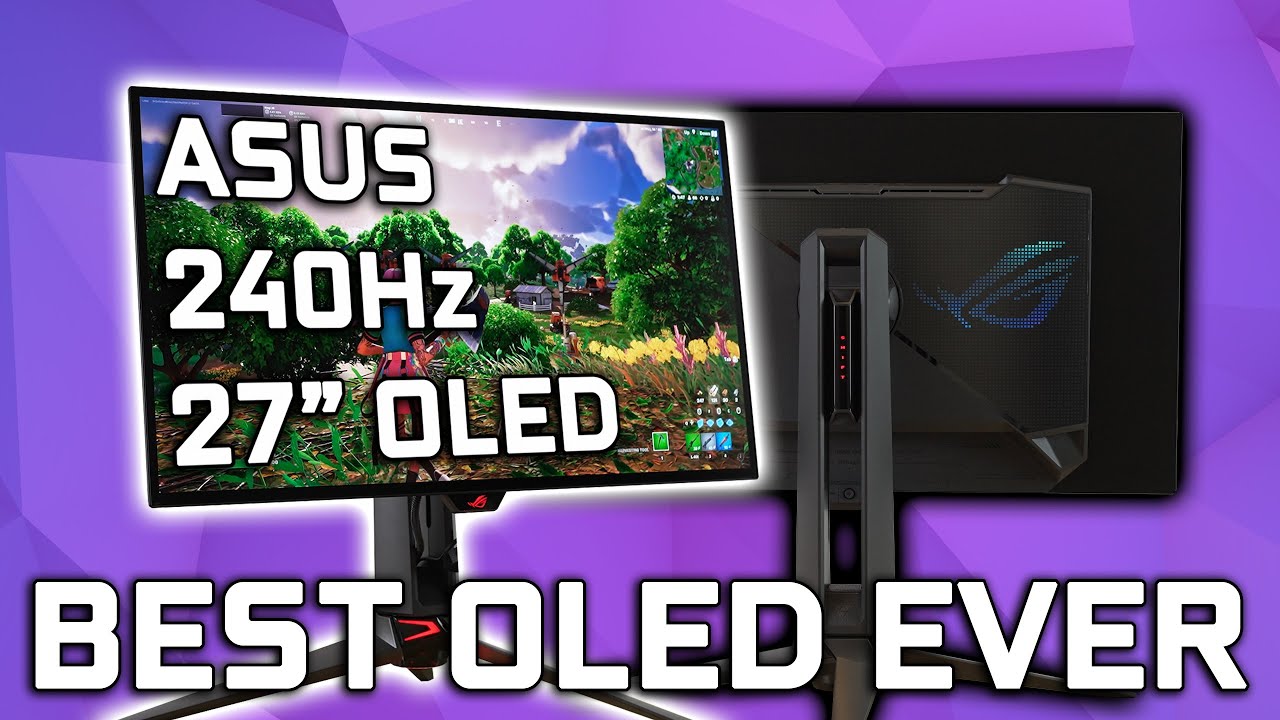
Thank you to Ruipro for sponsoring this video!
Checkout the Ruipro HDMI 2.1 Fiber Optic Cable: https://amzn.to/3Au82sS
Get access to all my ICC profiles & Discord: https://patreon.com/TheDisplayGuy
Unbelievable - ASUS 27" 240Hz OLED PG27AQDM Review
The day you’ve been waiting for is finally here because today I have the most anticipated monito...
errant flax
silent epoch
https://youtu.be/XPEHcWyfk54
QHD I presume?
fading wyvern
just asus throwing their logo on the $999 lg panel
silent epoch
errant flax
QHD I presume?
Yes
That's fine. Since a 4k panel would have been more expensive
Also most people cannot run 4k. 2k is the right decision
errant flax
true.
 umbral imp
Hello, I currently have an LG 27GL83A-B that I bought just a bit more than 2yrs ago on march 2021. But I want to go dual monitor. I was thinking of getting the LG 27GP850-B as my new main monitor and leave the gl83a-b as the secundary. Is that a good option? If not what 27" 2k 144hz+ monitor would you recommend for less than $450.
I'll run it with a rtx 3070
 surreal quarry
silent epoch
https://youtu.be/XPEHcWyfk54
surreal quarry
silent epoch
https://youtu.be/XPEHcWyfk54
better than the new LG one?
looks to be a bit brighter but 3ms more latency
bro why matte again nooooo
ok it has no colors in HDR bruh
 snow flint
https://www.amazon.com/Alienware-25-Gaming-Monitor-Height-Adjustable/dp/B0733YCKM5 has anyone tried this monitor?

Introducing all-new Alienware monitors, mice and keyboards featuring the iconic design you trust for exhilarating, immersive gaming. Whether you�re just starting your collection, or rounding out your arsenal, Alienware accessories are built to enhance your gaming experience as you journey deeper ...
FOund one on market place for 200
fading wyvern
It’s a tn panel, wouldn’t recommend it for anything other the esport titles, colors won’t be great but response times will be nice
tawdry forge
wsp yall
got a new monitor
got the ips model
msi optix g2712
but the think is
that
its probably me
that got used to it but
idk sometimes it feels that there is no 170 hz
like its a bit laggy or the smoothness dosent feel
it could be from som ?
 errant edge
Did you change the refresh rate to what it's supposed to be at?
errant edge
Have you double checked it actually changed, and didn't reset?
tawdry forge
yh
 errant edge
And could try making a manual resolution and setting it to like 144hz instead of 170
tawdry forge
why not 170?
errant edge
Sometimes if the panel can't do 165/170 properly it doesn't look as good as if it were just at 144
Though normally it just wouldn't allow it to run that hz
errant edge
Id try setting it to 144 and see how it looks
tawdry forge
ok bro
errant edge
If it looks better, great
tawdry forge
ill do it
errant edge
If it doesn't, then nothing lost, can just change it back
 maiden wedge
good display 24" ips display with VESA mount for color and viewing (2nd monitor)
budget is uhh, $150 max
lower would be nice, i just want a 2nd monitor because i deserve it lol
 topaz iris
I have this monitor and a 4090 - for some reason sometimes it flickers off - just like turns off for a moment then comes back on. Happens during games mostly, very very rarely when not playing a game. its suddenly a lot worse now.
specifically happens on games like valorant
where the sytem is capable of running tons of frames
any ideas?
misty gyro
Try disabling freesync/gsync
You don't need it when you're running way above the refresh rate anyway
So it's just using bandwidth
silent epoch
hmmm
topaz iris
okie! just disabled it in tthe monitors settings. hopefully that solves it. thank you :)
 potent marsh
hey what kind of monitors would you guys recommend for cod competitive?

ZOWIE has always believed that esports equipment should be designed with players' needs and habits in mind. Since we launched the first XL monitor for eSports in 2010, we have worked on improving the XL series in ways that allow gamers to be more comfortable in-game. The XL-K series that will hel...
i was looking at this one but idk if theres anything better for a cheaper price
errant edge
potent marsh
https://www.amazon.com/BenQ-XL2546K-Flexible-adjustment-Customizable/dp/B08G57L9...
Do you play for fun or for money
And what cpu and gpu do you have
And what's your budget/country
potent marsh
I play competitive so the plan is to hit the stage if I ever get the opportunity to.
3070ti and a 5800x3d
errant edge
Alright, so 240hz is plausible for your use case
potent marsh
And anything around 300 at most if it's possible
errant edge
1080p probably then, though if you plan to upgrade gpu within the next couple years and want to keep the monitor
1440p would be nice, but lower frames
So worse for competitive up to a certain point. If you're running a 4080 at 1080p I have issues with you, even if you play competitively lol
Alright one sec, let me take a look around
potent marsh
Yeah I need to push as many frames as possible lol
errant edge
potent marsh
And anything around 300 at most if it's possible
https://pcpartpicker.com/product/qdFbt6/dell-s2522hg-245-1920x1080-240-hz-monitor-s2522hg
I think I'd go with this one

Dell S2522HG 24.5" 1920 x 1080 240 Hz Monitor (S2522HG)
If not that, this would be second option imo. Could also wait for someone else's input https://pcpartpicker.com/product/8kNxFT/asus-rog-strix-xg249cm-238-1920-x-1080-270-hz-monitor-90lm07k0-b01ab0

Asus ROG Strix XG249CM 23.8" 1920 x 1080 270 Hz Monitor (90LM07K0-B01AB0)
potent marsh
Yeah I was looking at that rog strix one last night
fading wyvern
https://www.amazon.com/gp/product/B097S9SYM5?tag=rtings-mn-r-amazon-20&ie=UTF8&th=1 this is what rtings suggested, you could also try the 280hz in that same link

Engineered for gaming, the ViewSonic® XG2431 is a 24” Full HD monitor that features the perfect blend of speed, control and color. An ultra-smooth 240Hz refresh rate pushes FPS gaming into new territory, enabling games to run at higher frames for incredible graphic performance. AMD FreeSync™ Prem...

RTINGS.com
The ViewSonic XG2431 is a 24 inch, 1080p gaming monitor. It's the only 240Hz monitor in ViewSonic's OMNI lineup, and it comes with native FreeSync variable refre...
 small warren
XG2431 I think is recommended by blurbusters too
potent marsh
Man for a .5 ms 240 hz monitor along with the 280hz seems pretty cheap
Almost too good to be true
fading wyvern
Real world response is more like 3.6-11ms
I’d pick the 240 since rtings recommended it
potent marsh
I'm being told TN panels are best just because they have the best response timing just everything else is bad
But I feel like that's not gonna help if I play cod so I don't feel I need to buy a TN panel
errant edge
potent marsh
I'm being told TN panels are best just because they have the best response timin...
No
Tn panels are the worst
potent marsh
See that's what I'm sayin
errant edge
They were once worth it as they had faster refresh rates, but they don't even have that now
They have slower response time, worse color accuracy, worse everything
IPS is what you should shoot for, VA is acceptable depending on budget
There's other panel types like oled but I don't believe many other panel types are popular below 4k
potent marsh
Yeah I figured ips was best cause that's all I see now is ips panels
raw ingot
IPS is all around very good
potent marsh
I'm happy yall found that one on 10 percent off cause jeez that's a good deal. I'll have to hurry up. And get it when I can
silent epoch
Hmm
indigo berry
Aoc 24G2SP or itek GGF (1080p144)?
 brave pivot
Who is try those monitor and what's better?
Check this out on @Newegg:ASUS TUF Gaming 28" 4K 144Hz DSC HDMI 2.1 Gaming Monitor (VG28UQL1A) - UHD (3840 x 2160), Fast IPS, 1ms, Extreme Low Motion Blur Sync, G-SYNC Compatible, FreeSync Premium, Eye Care, DCI-P3 90% https://www.newegg.com/global/sa-en/black-asus-tuf-gaming-vg28uql1a-28/p/N82E16824281157?Item=N82E16824281157&Source=socialshare&cm_mmc=snc-social-_-sr-_-24-281-157-_-04082023
Check this out on @Newegg:LG UltraGear 27GN95B-B 27" UHD Nano IPS 3840 x 2160 (4K) 1ms (GTG at Faster) 144 Hz HDMI, DisplayPort, USB AMD FreeSync Premium Pro and NVIDIA G-SYNC Compatible Gaming Monitor https://www.newegg.com/global/sa-en/black-lg-ultragear-27gn95b-b-27/p/N82E16824026058?Item=N82E16824026058&Source=socialshare&cm_mmc=snc-social-_-sr-_-24-026-058-_-04082023
misty gyro
brave pivot
Who is try those monitor and what's better?
Check this out on @Newegg:ASUS TU...
I'm assuming this is for gaming.
What GPU would you be playing with? Anything less than a 3090 or 4080 you probably want 1440p, so you can hit those higher frame rates.
brave pivot
misty gyro
I'm assuming this is for gaming.
What GPU would you be playing with? Anything le...
What about 4070 ti?
And yes it's for gaming
silent epoch
Hhhhmmm
silent epoch
misty gyro
I'm assuming this is for gaming.
What GPU would you be playing with? Anything le...
I'm still going to play at 1440p even with a 5090
Future rtx games are going to be very demanding
 trim brook
Based take jp
 severe dirge
silent epoch
I'm still going to play at 1440p even with a 5090
severe dirge
silent epoch
I'm still going to play at 1440p even with a 5090
I like this idea
raw ingot
something something dlss 4
silent epoch
raw ingot
~~something something dlss 4~~
We'll have too many fps by then 💀
raw ingot
dlss 4 will reduce actual gpu rendering load to 7%
the rest is frame generation
basically eliminates latency issues
and ofc will be 50 series exclusive cuz hardware reasons
severe dirge
I'm ready
raw ingot
with such high end gpus i rather play 4k
severe dirge
I just realized.. I feel like my 3080 12gb is so low end compared to 40 series
silent epoch
raw ingot
with such high end gpus i rather play 4k
If it delivers the same amount of frames you can get at 1440p this gen, then it will be time. But good 4k monitors are still a big expensive
trim brook
severe dirge
I just realized.. I feel like my 3080 12gb is so low end compared to 40 series
4070 tier gpu
bruh that is not really low end lol
severe dirge
But no dlss3
trim brook
😭
raw ingot
1440p with high hz is also expensive as well
silent epoch
Hm
severe dirge
raw ingot
1440p with high hz is also expensive as well
It is?
trim brook
with frame generation hitting high fps numbers like 240 kinda feasible
silent epoch
360 and up is when it gets expensive
trim brook
even in AAA games
raw ingot
imo going above 165hz benefits nothing
if i have that much money to get such high end pc, i'd want 4k myself
 severe dirge
It's funny we were kinda having this Convo just earlier 😛
 unkempt sand
anyone have a recommendation for hdmi display cables for dual pc monitors?
small warren
unkempt sand
anyone have a recommendation for hdmi display cables for dual pc monitors?
Cheap but decent hdmi 2.1 cables
Try any half decent amazon brand like ugreen or amazon basics (yes their cables are ok)
small warren
Never heard of snowkids lol
small warren
Honestly anyone could start a hdmi cable company

But cables are cables, as long as they can handle the bandwidth they should work
unkempt sand
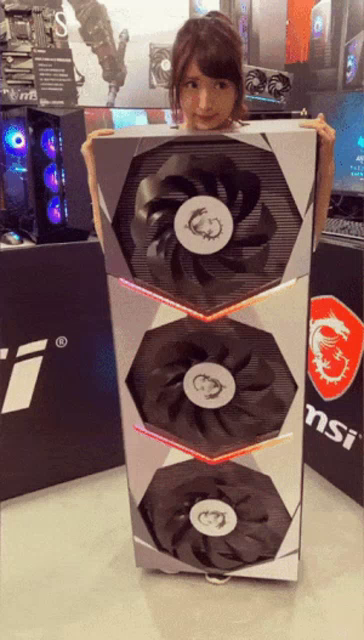
they say they have a rtx 3090 chip built in the cord, so not sure what that means but we'll see ig.
small warren
OH LMAO
I'VE SEEN THOSE

That snap is a meme
But the cables themselves are probably fine
silent epoch
3090 chip built in the cord?????????
 silent epoch
😳
 quartz sandal
What country?
 vagrant lark
Italy
I just want good colors for it
I mostly play single player games and casually some multiplayer games
Found this one, its too expensive for me, but maybe if i save a little bit more i can afford it
 quartz sandal
vagrant lark
Found this one, its too expensive for me, but maybe if i save a little bit more ...
quartz sandal
vagrant lark
Found this one, its too expensive for me, but maybe if i save a little bit more ...
I'd have a look at this one
https://it.pcpartpicker.com/product/3HkgXL/lg-32gn600-b-315-2560x1440-165-hz-monitor-32gn600-b

LG 32GN600-B 31.5" 2560 x 1440 165 Hz Monitor (32GN600-B)
vagrant lark
Ok
What about a cheaper option, do u have any recommendations
Oh wait idk why it said 380€
Lol
quartz sandal
There's also this one but it's curved
https://it.pcpartpicker.com/product/D23gXL/viewsonic-vx2718-2kpc-mhd-270-2560x1440-165-hz-curved-monitor-vx2718-2kpc-mhd

ViewSonic VX2718-2KPC-MHD 27.0" 2560 x 1440 165 Hz Curved Monitor (VX2718-2KPC-MHD)
quartz sandal
Np
misty gyro
 rocky cypress
i see m4, m6, and m8 lmao
rocky cypress
i see m4, m6, and m8 lmao
Yes
It depends on the mount used but all 3 are possible
rocky cypress

 gilded aurora
MSI MAG274QRX vs gigabyte m27qx which one is better
fading wyvern
M27qx https://www.rtings.com/monitor/tools/compare/msi-optix-mag274qrf-qd-vs-gigabyte-m27q-x/19535/31657?

RTINGS.com
The Gigabyte M27Q X is a bit better than the MSI Optix MAG274QRF-QD. The Gigabyte has a higher native refresh rate, resulting in slightly clearer motion overall. The Gigabyte is also more accurate out of the box and has better connectivity, with high bandwidth USB-C and a built-in keyboard, video, and mouse switch.
gilded aurora
fading wyvern
M27qx https://www.rtings.com/monitor/tools/compare/msi-optix-mag274qrf-qd-vs-gig...
240hz
msi one
misty gyro
Yeah that's the wrong model in the comparison
fading wyvern
Welp
It’s probably a tossup then, decide on price and aesthetics. Think there’s a review on YouTube
 mighty tide
Best 4k highish refresh rate monitor 
For reasonable price as well, not sure how much they go for
small warren
FV43U, M32U/M28U
Time to go 4K then? 💀
(I don't blame you I do the same on the XTX)
small warren
Lolol
mighty tide
I just liked seeing the numbers go up
I was on 1080P with a 3080 for a little....
But 4k is the next upgrade
small warren

4K def worth
Those 3 are on the cheaper side and my suggestion
You also have odyssey G8/G7 4K if you find it cheap
mighty tide
I can't find any comparisons between 4k and 1440p but I've heard from a lot its way bigger than you'd think
small warren
Yes
Huge ppi increase
It's better to go 32"+ for 4k
To leverage the resolution
Most people don't really see the difference at 27"
mighty tide
Really? Not sure how monitors work but I'd think higher resolution and smaller would make it like, denser
small warren
It does
You're right
But we only see that improvement so much
Until it becomes, basically inconceivable to the 99%
4K phones and laptops are basically memes because 1080p can look equally as good at that screen size for almost everyone since the pixel density is so thick
4K also looks really good on big screens anyways
mighty tide
Even 43 inch? That seems insane
mighty tide
Might pop by a store with them to see the difference in person
small warren
Absolutely, they aren't cheap, def worth some research
It would be a worthy reso for your rig tho
mighty tide
My 1440p monitor was just some random one I saw on sale 
small warren
Hey man
My first monitor splurge was a 4K 60
I couldn't run anything on it

We've all had our moments
mighty tide
FPS scaling between resolutions seems so wonky
I get 125ish at 1440p rdr2, but benchmarks say like 110 at 4k
that seems too close 😭
small warren
Probably a cpu bottleneck
mighty tide
small warren
Probably a cpu bottleneck
For me or the 4k benchmark?
silent epoch
Support us on Patreon: https://www.patreon.com/hardwareunboxed
Join us on Floatplane: https://www.floatplane.com/channel/HardwareUnboxed
Buy relevant products from Amazon, Newegg and others below:
LG 27GR95QE - https://geni.us/nINpaAB
Alienware AW3423DW - https://geni.us/ymsAf
LG C2 OLED - https://geni.us/7zsSfzp
Asus PG42UQ - https://geni.us/4...
small warren
mighty tide
For me or the 4k benchmark?
Likely yours but also some 4K games are choked on a 4090
mighty tide
Yeah my CPU usage in higher quality games is like 30-40% sometimes at low freq, dont really understand why but assuming its because of somethin weird with the GPU
Tbf most benchmarks are using like a 13900K so..
small warren
Well it's cos the cpu render can't keep up with the gpu render
Both need to be high to push a higher frame rate
mighty tide
With a 7700X? Damn
small warren
So you can run a lower reso for more fps ye, but only to a point
mighty tide
GPUs are too strong
small warren
So really pretty much any cpu rn are kneecapped by a 4090
mighty tide
Most insane problem to have
small warren
mighty tide
I get 125ish at 1440p rdr2, but benchmarks say like 110 at 4k
Some games also scale well with resolution
Nothing is black and white there are a few reasons
I'm also some rando on the internet
💀
mighty tide
It makes some sense so I'll trust you and in the end I'm almost wasting my specs at 1440P
- anything over 60 at 4k is still amazing lmao
small warren
You really want a high refresh 4k imo yeah
Or some crazy high 1440p refresh like 360hz
XTX can sort of pair well with a 240hz M27Q-X
mighty tide
Only games I play anywhere near a competitive level are locked at 60 FPS 😢
4K seems better either way. Not some crazy CSGO player
I've also seen the difference between 144 and 360 and while its noticeable its not like....game changing
Unless youre playing something competitively then I bet it's relatively noticeable
small warren
Yeah true that
It really is pretty much like that
Once you get to 144 you start to get diminishing returns real fast
Other parts of the system are also holding you back more for responsiveness at that point too
mighty tide
I've been whooped by people on a 75hz dell optiplex upgrade before so doubt itd make me much better 😭
mighty tide
small warren
Once you get to 144 you start to get diminishing returns real fast
So I've heard. Would be cool to have 500hz monitor or somethin
But 1080p for like 800?
small warren
500hz is hilarious cos there's only a handful of relevant games that will get that number lol
It will sell tho
Like 8K polling mice, there's a market
8K mice actually kinda do make a big difference tho
mighty tide
I saw some graph of the response time for different components and they've got monitor down so low that I don't really think its worth it. Isn't like GPU or CPU response the biggest part?
small warren
Ye
mighty tide
I can't find it but monitor accounted for so little compared to the rest
small warren
Basically you reduce the frametimes down to like, fractions of a second going to 144hz
Then to 240 and 360hz you cut those fractions into smaller fractions
mighty tide
I love watching 144hz vs 500hz comparisons and its literally pixels of difference
small warren
So like, 144hz is 6.9ms
Vs 60 is 16ms
A good, well over 50% improvement
240hz is 4.2ms
360hz is 2.8
500 is 2ms lmao
small warren
Meanwhile a week tuning your ram will remove a good 5-10ms
Out of your total somewhat 28-60ms system latency
And aim training will reduce your 120ms response time
mighty tide
TRUE LOL
small warren
It's like, yeah, goals ig
mighty tide
Its gotta be placebo at a certain point
small warren
Ofc
Mice upping polling rate help response significantly too
Going 1K to 8K is a good 6-8ms
mighty tide
Crazy to think that literal milliseconds are noticeable to a certain extent
mighty tide
But again knowing theres a change probably makes you notice it more 
small warren
raw ingot
so few games could handle it that high
Yesh truth, the overhead hits hard
small warren
mighty tide
But again knowing theres a change probably makes you notice it more <:shrug:1002...
Placebo and marketing lol
small warren
Callback to the 75hz optiplex players slapping on GTX 1060's
raw ingot
hell i even have issues with 250hz polling rate on my mouse
small warren
Game sense is big
raw ingot
roblox sucks butt
mighty tide
small warren
Placebo and marketing lol
Would be interesting to see like, 244hz 1k polling rate mouse vs 500hz 8k polling rate where the person doesn't know which is which
raw ingot
125hz or horrible input delay
mighty tide
small warren
Callback to the 75hz optiplex players slapping on GTX 1060's
I used to lose to a guy who played on like an 8 inch tablet screen with 30 fps 😭
At a certain extent hardware won't help
small warren
mighty tide
Would be interesting to see like, 244hz 1k polling rate mouse vs 500hz 8k pollin...
Even if you did, there are real tests that show the improvements are minimal at best
raw ingot
i would say using high dpi with good sensor is better than setting higher polling rate as in the improvement in your aim
small warren
mighty tide
At a certain extent hardware won't help
Game sense OP
mighty tide
Real and true
But maybe at the highest of highest level offline that 0.1ms will make some difference
mighty tide
well they'll find something to blame everytime
raw ingot
likely placebo effect
well there goes the whole marketing point of polling rate
it does make a diff, but it's in milliseconds
small warren
God here's another good one, system bloat
All that rgb software can make literal milliseconds
GOG always open? Bloat
Wallpaper engine? Bloat
raw ingot
i guess the milliseconds saved by switching to 8k is worth it kek
small warren
All those little things can bring as much improvement or more than going 360hz to 500hz 💀
raw ingot
definitely
i honestly kinda fell into being fooled that high polling rate means better
when good sensor matters more
small warren
It does help if you can use it properly
raw ingot
yeah if you can
small warren
Good sensors help for sure too
raw ingot
just bummed that i have to adjust polling rate for every game
raw ingot
lol
small warren
And none of it matters lmao
small warren
G305 stonk
mighty tide
I fell into the g pro bandwagon 
raw ingot
i don't even notice the "heavy" weight of 90 grams
small warren
G pro is fine, just getting on
raw ingot
the marketing for light mice seems pointless to me
small warren
If they re released the mamba I'd be all over that 90g brick
Mamba was perfect for me lol
raw ingot
just don't have noodle arms and heavy mice will be good
 small warren
You know someone with an xtrfy?
raw ingot
can't play more than 10 mins without hurting hands
small warren
That tiny mouse is like, peak fingertip
mighty tide
small warren
You know someone with an xtrfy?
not sure of which one, but its that style
mighty tide
M2K
raw ingot
it's gonna take so long before my lithium aa batt gets to be used
raw ingot
i shouldn't have hurried and bought it lmao
i think i claw or palm my mouse
don't care enough to tell the exact diff
but i feel g305 is a nice size for me
 cerulean mountain
You guys think this tv would be alright to console game on? Price is super low for some reason. Looking to upgrade from a 43" LG Nanocell tv.
 errant flax
Why do people seem to have this obsession with gargantuan tvs?...
trim brook
Put a series x on it lay back on a couch it will be quite a experience
 sick pivot
Now i have a question when a gaming monitor reaches a certant amount of hours on does it start to almost like break down entil it wont turn on anymore my lg gaming monitor has 3896 hours on and the hdmi cords are starting not to even work anymore but randomly start working idk if its the cord or not either
misty gyro
cerulean mountain
You guys think this tv would be alright to console game on? Price is super low f...

RTINGS.com
The Samsung 7 Series is an entry-level, budget 4k TV, sitting at the bottom of Samsung's 2020 4k TV lineup. It replaces the Samsung RU7100, and its competitors a...
cerulean mountain
@misty gyro wow it's actually not that bad. And it's a pretty recent review. Going to find my current tv model to see if its better or worse. Just wanting a 65 inch so I can read the text on screen from about 14 feet away.
cerulean mountain
Lol that samsung entry level TV that's a year older beats my LG 43" TV by 2 points in every category. Wish I did a bit more research earlier.
silent epoch
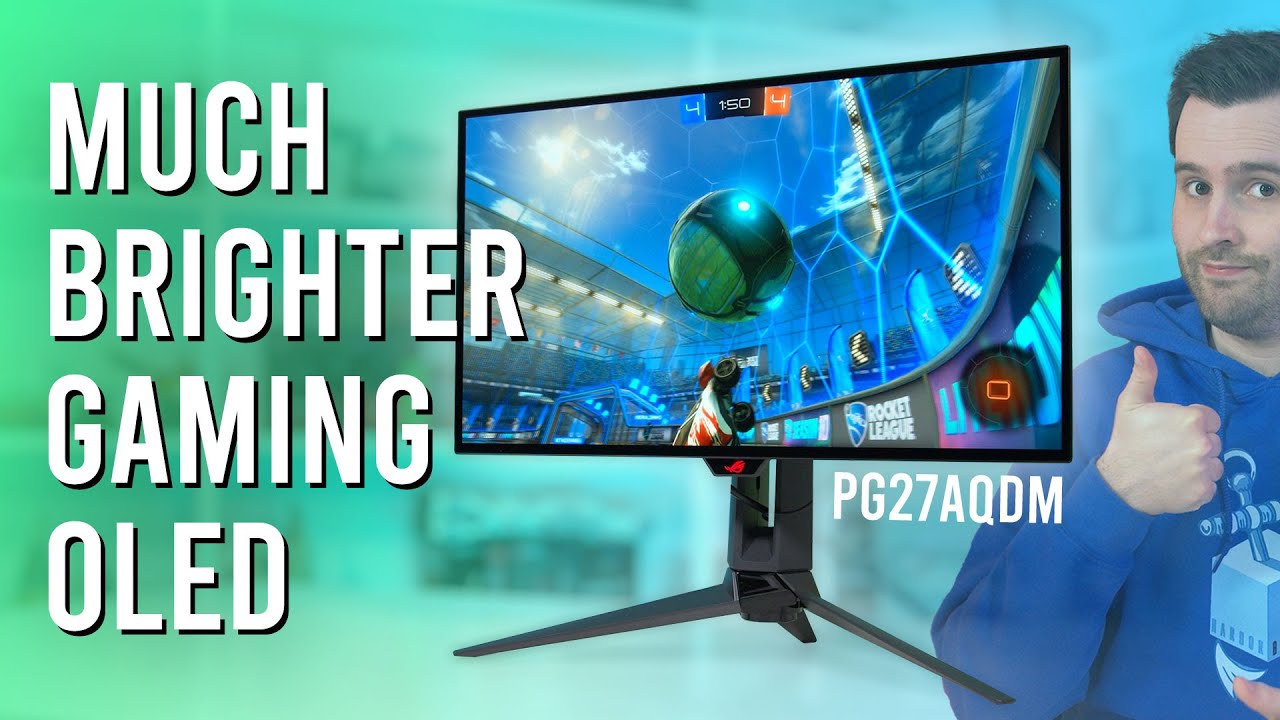
Support us on Patreon: https://www.patreon.com/hardwareunboxed
Join us on Floatplane: https://www.floatplane.com/channel/HardwareUnboxed
Buy relevant products from Amazon, Newegg and others below:
Asus ROG Swift OLED PG27AQDM - https://geni.us/XPKTTI
LG 27GR95QE - https://geni.us/nINpaAB
Samsung Odyssey OLED G8 - https://geni.us/C99e1
Corsair X...
errant flax
What's WOLED?
 quiet finch
silent epoch
https://youtu.be/R0AkfhZp70w
quiet finch
silent epoch
https://youtu.be/R0AkfhZp70w
I wish they made 32 4k woled
silent epoch
errant flax
What's WOLED?
white, red, green, and blue sub pixels
 proper lark
I got a VS17X Monitor but there is no power at all, no LED light or anything
fading wyvern
silent epoch
techie level response
kindred umbra
cerulean mountain
You guys think this tv would be alright to console game on? Price is super low f...
Not the biggest fan of the tu7000 series due to the amount of issues they give customers
and in terms of picture quality, the au8000 or q60b would compete with a nano cell 75
if you don’t wanna spend anymore then I’d recommend the uq75 which is the direct competition to the tu7000 or you could test out the newer cu7000
maiden wedge
What are good curved monitors
fading wyvern
Oled 
mighty tide
Anyone know how much full array vs edge lit actually matters? Have been looking for a 4k monitor and was talking to a friend
They hyped up full array local dimming an insane amount and there's only one 4k monitor with it and its over 1k but yknow don't know if it's worth it
 clear temple
edge lit isnt worth it for hdr
mighty tide
if HDR isn't a priority, does the extra money make sense?
small warren
mighty tide
They hyped up full array local dimming an insane amount and there's only one 4k ...
Huge huge difference
Edge lit gives really middling results in dark scenes
clear temple
mighty tide
if HDR isn't a priority, does the extra money make sense?
wouldnt this mean that local dimming wont matter for u?
mighty tide
clear temple
wouldnt this mean that local dimming wont matter for u?
they told me that it made a huge difference in quality
and showed some images that seemed sorta like it could just be marketing
 clear temple
i thing the hallo will be a bar from edge to edge
mighty tide
i dont understand the technology very well, and im gonna go to like a micro center or somewhere with displays to see myself but im not sure if its fully worth
because its like, double what i'm looking at
clear temple
mighty tide
there is haloing in full array local dimming , but its less noticable depending at the dimming zones
clear temple
mighty tide
because its like, double what i'm looking at
if you dont care about hdr u could buy a monitor without diming?
small warren
mighty tide
they told me that it made a huge difference in quality
A good resource for this are to look up edge lit tests on rtings. They have videos for this stuff and you can see the difference in person
I can tell you the difference is definitely significant
mighty tide
clear temple
if you dont care about hdr u could buy a monitor without diming?
well i dont understand the technology so i dont understand how important it is 😢
small warren
HDR expands the colour space used
clear temple
mighty tide
well i dont understand the technology so i dont understand how important it is �...
it only matters for hdr and black levels i think
mighty tide
my current monitor has fake HDR and it really does not look that good
so I just leave it off
small warren
Yeah probably some hdr 400 display lol
clear temple
because it probably has no dimming at all
small warren
So @mighty tide, imagine for local array dimming, the bit of the screen that intends to brighten up, is what brightens up yeah?
mighty tide
and edge lit is just the edge closest to it?
small warren
For edge lit, imagine a flourescent light (one of those old school bars in old buildings) lighting up the screen from the side
Ye from the closest side
It's casting the light from the side instead of underneath
So you get some glow from the source
And it can be very obvious on some displays
Local dimming helps a lot for dark scenes and hdr
More true contrast
mighty tide
well fair enough guess ill take a look at one if I can find it. only ever seen fake HDR so I have no clue if it's truly as different as people say it is
https://www.rtings.com/monitor/reviews/lg/27gl83a-b
current monitor

RTINGS.com
The LG 27GL83A-B is a very good monitor with a 27 inch, 1440p IPS screen. It delivers a great gaming experience with extremely low input lag, an outstanding resp...
i saw 1440p IPS 144hz for 250 and thought it was simple as that ngl
mighty tide
underrated demon at accidentally buying good things
welp i planned on going to 4k at some point either way since i have the hardware for it, might wait a bit to see different monitors though
 mighty tide
been recommended in every video ive seen and person ive talked to besides aforementioned local dimming fan
small warren
how heavy is the m32u
mighty tide
small warren
how heavy is the m32u
15.9lbs without stand, current arm max is 14.3
mighty tide
ehhhh around 11-12 I think
small warren

mighty tide
but im fine buying a new arm, current one was like 20 bucks on amazon and im surprised at how well it has worked
mighty tide
ive heard AA is less needed at higher PPI/resolution, is that true?
not quite sure how the technology works
small warren
not my field to ask but I think I've heard that before myself
 misty gyro
mighty tide
ive heard AA is less needed at higher PPI/resolution, is that true?
misty gyro
mighty tide
ive heard AA is less needed at higher PPI/resolution, is that true?
It depends on the game and the size of the texture files. 4k textures won't need as much AA at high res for example, but if it has 1080p textures they'll look really bad at 4k without some kind of filter.
Distant object textures also matter and vary by game, even if it does have true 4k textures
mighty tide
misty gyro
It depends on the game and the size of the texture files. 4k textures won't need...
That makes sense. Thanks! Guess I'll just turn it on and off in games and see which is better when I get a monitor :)
silent epoch
mighty tide
https://www.rtings.com/monitor/reviews/lg/27gl83a-b
current monitor
get it. i had the same exact monitor
mighty tide
silent epoch
get it. i had the same exact monitor
get what? m32?
kindred umbra
mighty tide
i dont understand the technology very well, and im gonna go to like a micro cent...
not too many stores carry monitors with full array on display but if you can’t find any you could use a x90k and x85k kinda for reference
It’s gonna be full array vs direct lit but it’s still a noticeable difference
And way more stores carry em on display
 misty gyro
maiden wedge
Good monitor? Or are there any better options
misty gyro
maiden wedge
Good monitor? Or are there any better options
Curved so it has the VA screen with noticeable ghosting. IPS is better, so the non-curved models.
 lethal musk
Hey everyone!
So I’m new to the wonderful world of OLED. That said, I recently got the 27” 240hz LG, and as I was setting it up I remember reading about some color calibration app that LG has available for download?
Is it worth trying to find and check out?
I haven’t noticed anything at all that bothers me with the monitor as it is now, just wondering if there’s maybe something to it I might be missing.
clear temple
ona a bright scene ( no blacks ) on sdr , will an oled look better than an lcd?
normal lcd, no fancy dimming zones or quantom dotes
silent epoch
lethal musk
Hey everyone!
So I’m new to the wonderful world of OLED. That said, I recently g...
Finally, someone who bought the monitor. It's called the LG Calibration Studio.
If I'm correct, it's only possible to change it in SDR, but not HDR. I'm not entirely sure
Also there's a firmware update that you have to apply that just came out.
I'm thinking of getting the LG 27GR95QE-B too..... maybe
How's the brightness for you?
kindred umbra
tragic that a c2 remote powers on/off the monitor otherwise I’d would’ve bought one already
Waiting on the Asus variant to be more readily available
silent epoch
It just pushes the LG panel harder, that might increase the speed of burn in @kindred umbra
But people say the difference is good
But seriously....burn in isn't a big issue
kindred umbra
silent epoch
It just pushes the LG panel harder, that might increase the speed of burn in <@2...
Ye, my c2 is like 3 feet away from my setup and regularly used so the remote powering it off is a deal breaker for me
But there’s been a few oled monitors that’s gone thru my store, they look really good
and they updated packaging for the 27in oled which is nice
silent epoch
Oh you the c2. Nice
The C3 I've heard is amazing with it's new MLA panel
it's brighter
 hollow nymph
silent epoch
The C3 I've heard is amazing with it's new MLA panel
hollow nymph
silent epoch
The C3 I've heard is amazing with it's new MLA panel
JUST BUY IT ALLRRRRR
kindred umbra
It’s gonna be hard to not upgrade to newer oled but I 100% don’t need it
We were supposed to get huge accommodations for the newer a80L when it drops
silent epoch
kindred umbra
It’s gonna be hard to not upgrade to newer oled but I 100% don’t need it
I agree
kindred umbra
if mini led monitors had better sdr id prob consider it since it's like half the price of oled
why does oled have to be so good
silent epoch
It just is lol
kindred umbra
ye I'm trying to cope big time
doesn't help that the place I work at has the lg 27, 45in, g8 and Alienware all in stock
silent epoch
Tempting 😬
 daring thicket
silent epoch
kindred umbra
I jus need Samsung to release a qd oled 27in
daring thicket
silent epoch
kindred umbra
I jus need Samsung to release a qd oled 27in
QD-OLED does burn in slightly faster than regular OLED
kindred umbra
silent epoch
QD-OLED does burn in slightly faster than regular OLED
Jus means I get a free guaranteed replacement with a protection plan
silent epoch
Ah yes yes
Honestly people need to understand that OLED tech won't get any better until we have Micro-LED or anything that's equivalent to it
I would say...just buy whatever you can afford, life is not a waiting game
It's short
Waiting for that Samsung might be a good idea
Hopefully not next year
kindred umbra
Ye I'ma see if anything happens around fall
misty gyro
The flaw with OLED is the O. Organic. Organic material will discolor over time and will do so faster at higher temperatures, like when you're shining a 1000 nit LED through it.
silent epoch
Water/LN2 cooled OLED when?
misty gyro
Nice choice
errant flax
if only high refresh oled didn't cost like $1,000 then I wouldn't be so afraid of buying one 😢
misty gyro
Plus short warranties, and warranties that don't cover burn in
You gotta be real careful choosing an oled
silent epoch
Best buys provides an extended warranty that covers burn-in up to 4 years
It's a little costly, but it's worth it. I'm not sure who else does that
misty gyro
Yeah this is one of those few times where I would recommend an extended warranty
Squaretrade, can we talk about this

What about it is abnormal
silent epoch
Wow all-state lol
So with warranty and these monitors being first generation ( OLED tech has been around for over 10 years and they still haven't solved the issue of burn-in, only to slow it down), would you think it's a good idea for those who want to hop the fence to purchase one?
misty gyro
If you can afford to drop a grand on a monitor you can afford to replace it later
 misty gyro
What you could do is use a cheap VA monitor as a primary and just use the OLED for gaming/movies, then you don't risk burn in from the desktop
 kindred umbra
silent epoch
Best buys provides an extended warranty that covers burn-in up to 4 years
kindred umbra
silent epoch
Best buys provides an extended warranty that covers burn-in up to 4 years
gsps are goated
you could essentially get a few tv every 4years
Free *
kindred umbra
they’re p picky about burn in tho
silent epoch
kindred umbra
gsps are goated
That's good. I wonder how good microcenter is
kindred umbra
Iirc it has to be like 3 pixels
silent epoch
kindred umbra
they’re p picky about burn in tho
What
kindred umbra
I’m not sure about burn in since it’s not common but for dead pixels, there has to be like 3-4 in order to gsp
At least for the TVs
Monitor might be dif, haven’t looked into it much
silent epoch
I see
trim brook
misty gyro
If you can afford to drop a grand on a monitor you can afford to replace it late...
Ngl that is kinda the point of dropping big money on things like monitor and headphones
You hold on to em way way longer then cpu or gpu
Specially gpu lol
mighty tide
@small warren Got the M32U-actually perfect lol
32 inches is way bigger than I thought
But in a good way, super spacious and games look insanely better
Man this thing is pretty
And I haven't adjusted colors or anything yet
misty gyro
trim brook
Ngl that is kinda the point of dropping big money on things like monitor and hea...
That's countered by the risks involved with buying the latest and greatest thing in this case.
small warren
mighty tide
Man this thing is pretty

mighty tide
It's almost certainly placebo but damn does it look good
Don't regret it at all, 4k is great!
Funny enough I get very similar performance to 1440p lol
Mightve been bottlenecked but idk
mighty tide
small warren
Oh you probably were a little bit
FSR seems a lot more usable as well for some reason, but damn is 4k nice
errant flax
mighty tide
FSR seems a lot more usable as well for some reason, but damn is 4k nice
Next step is 8k 😄
mighty tide
errant flax
Next step is 8k 😄
My wallet is crying 😭
errant flax
What's the M32U like? Considering saving up for it if I don't go with oled.
mighty tide
It's great, out of the box it looked pretty good but if you spend a bit going through settings its truly amazing. Depends on the person but it's great
HDR isn't amazing but thats not why you buy this monitor, and the FALD is good enough for me
errant flax
HDR increases brightness and contrast right?
mighty tide
I haven't seen OLED so I can't compare truly
errant flax
what does FALD stand for?
mighty tide
Full array local dimming
errant flax
Are the blacks good on it thend?
small warren
Should be yeah. It's one of the best IPS panels you can buy rn
mighty tide
I can't really speak to that since I don't have a comparison, but I don't have a single issue with any of the colors or anythin
It looks great
small warren
Blacks good enough for what it is I'm sure
mighty tide
If you find it for a good price and have the money it's 100% worth
Really nice size and stand as well
small warren
My favourite knick knack on that monitor is the kvm tho
Very handy if you ever get a second pc for your setup
mighty tide
I won't be using it for a long time but it's definitely a very useful tool if you have multiple systems
small warren
Ya
mighty tide
If I ever end up getting a PS5 or series X it'll be a lifesaver
small warren
Fr
mighty tide
but even without that it's good value afaik
the micro center i got it at was displaying it through a laptop, at 1440p
so it looked super bad
small warren
Lol
mighty tide
i told em and they said they couldnt do anything so it is what it is lol
all of their 4k monitors were like that
mighty tide
to me it looked like they were all being displayed by a single laptop and were all different resolutions
since there were a few 1440p few 4k
small warren
mighty tide
Watching some FALD demos theres some clear shortcomings of it but unless you wanna watch all black videos or somethin it's fine lol
small warren
Pretty much yeah
It's nice having that little extra tho
In dark scenes on edge lit screens the sizes would light up pretty noticeably
mighty tide
i definitely cant see like glow from around white squares, but funnily enough going through a youtube video thats all black and scrolling the war i can see the lines showing up
mighty tide
i had some friends demanding i get a G7 instead but i really dont see how much better it could get than this tbh
and def not $600 extra 😭 cost more than my GPU
small warren
G7 is nice? G7 is not an XTX screen
small warren
Oh do you mean G9
small warren
Oh neo
Yeah I'm talking the older G7
The neo is a pass
Good but no way it's worth the price it sells for
mighty tide
thas what im saying
small warren
The older G7 is 1440p 240hz and quite nice, but it's not for this level of gpu imo
mighty tide
outside of maybe content creation or productivity i dont see a reason to get the G7
or unless you got a good deal/insane amount to spend
small warren
I think that screen would be good if it cost less than an m32u
mighty tide
M32 remains the king 👑
 mighty tide
there was an open box ROG monitor but it was still like $800 and just didnt wanna risk it
small warren
Some rog's are really nice but nah, not over m32u
Pg42uq for 800 would've been pretty sweet
LG C2 OLED Evo is basically what that specific rog is
mighty tide
It was the pg32 I believe
small warren
Ah, meh
 plain vault
Anyone know how to make a background image span between just 3 monitors but also keeps a 4th with a different background which is my drawing tablet out of the span table
plain vault
small warren
Wallpaper engine is excellent for this
Thanks
 balmy plaza
What is a good 1440 p monitor for brokies
misty gyro
balmy plaza
What is a good 1440 p monitor for brokies
HP X27Q when it's on sale around $210, happens fairly often
quartz sandal
If you want curved that looks like a decent choice ye
 sonic vapor
Everyone, what is the best 240hz+, any Resolution, 1ms/0.5ms Response Time monitor for $150-$300 that we can get right now?
---I saw @errant edge's recommendation in #tech-deals for $149.99, but couldn't find any more information for that model on Rtings.com. I like to do extensive research & study real-life testing, so stats "on the box" aren't necessarily perfect unless real-life testing can be shown.
---I additionally found this monitor on Rtings.com, https://www.rtings.com/monitor/reviews/viewsonic/xg2431. It was the best recommended, but was very close to the $300 budget maximum, being $279.99 + Tax.
TL;DR: Looking for the best 240Hz monitor for Hyper-Completive eSports titles. 'Have the PC to handle it & am looking at other important stats, such as 0.5ms / 0.3ms response times as valuble too. Budget: $150-$300, good deals/lower prices preferred if the cost-to-benefit ratio is > than higher priced cost-to-benefit ratios.
errant edge
Why did I get pinged 3 times
misty gyro
Looks like they deleted and re-wrote that 3 times
misty gyro
sonic vapor
**Everyone, what is the best 240hz+, any Resolution, 1ms/0.5ms Response Time mon...
For 1080p, this one is good. It was well reviewed as a $250-300 monitor and it's $150 right now. https://deals.dell.com/en-us/productdetail/gb0n
24.5" Full HD monitor featuring a speedy 240Hz refresh rate & 1ms GtG response time, Fast IPS technology, sRGB 99% color coverage and seamless gameplay.
1440p 240Hz seems to be out of budget right now unless you get a crappy VA panel
silent epoch
VA
misty gyro
Yeah not even VA is in budget, you're right only TN
sonic vapor
misty gyro
For 1080p, this one is good. It was well reviewed as a $250-300 monitor and it's...
Out of the price to performance, would you still recommend the dell deal over the ViewSonic 0.5ms response time?
silent epoch
just to note, There are no LCD panel that can hit that low of a response time. It could get close on the fastest setting, but they're very prone to overshooting and artifacts. its a marketing LIE unless you go OLED which is way beyond your budget
sonic vapor
silent epoch
just to note, There are no LCD panel that can hit that low of a response time. I...
Hold on, so the view sonic truly is not 0.5ms response time?
misty gyro
If you put it in the fastest overdrive mode, which is usually unplayable due to ghosting, there might be a single transition from grey to grey that gets within 0.5ms
That's the loophole
silent epoch
right.
misty gyro
It's meant to be a $250+ monitor and it looks like it's on clearance, hard to beat that
sonic vapor
Let's go!
Is there really any better deal out there for a 240hz monitor?
Or is this the best we’ll see?
Because in that case I might just get one for myself too
silent epoch
i can look
misty gyro
Feel free, the next one I saw was $200 that was 240Hz IPS
silent epoch
Fal's find is pretty good
sonic vapor
misty gyro
Feel free, the next one I saw was $200 that was 240Hz IPS
You guys know how long this sale will go on for?
small warren
Advertised ms response is marketing btw
Check rtings for actual response times
It can also depend on settings, some have insane overshoot to achieve that said response
 spark gust
looking for a monitor recommendation please. Current are really bad.. Not 100% sure what specs help, but R7 3700, 2070 super, 32 RAM. Best bang for your buck?
small warren
EDIT: Nvm just 1080p is good
1080p, G24F 2, always a good price, around $150-ish
Eh actually nah, 1080p is probably the most ideal, I over evaluated the card for a moment there
G24F 2 is about all I'd recommend, solid panel that always stays at a pretty consistent low price
spark gust
Thank you! I'll look at the G24F 2
small warren
Np 
trim brook
Dodged a bullet there
mighty tide
@small warren you have the m32 right?
Have you found a way to stop that light when it’s not connected to a PC
small warren
I don't but I have an FV43U and I can turn off the standby light in the osd settings on the monitor
quartz sandal
mighty tide
Have you found a way to stop that light when it’s not connected to a PC
You can press the power button?
mighty tide
quartz sandal
You can press the power button?
If you press it while it isn't plugged into the PC it just brings up an input menu, will check out OSD settings and IG just turn it off if I turn my PC off lol
No clue why they added a huge blinking standby light
quartz sandal
Wait so you can't turn off the monitor to get rid of standby?
mighty tide
quartz sandal
Wait so you can't turn off the monitor to get rid of standby?
I can unplug it but yeah, there's no turn off button if its in standby afaik lol
When I press the little button to bring up a menu it just shows different inputs
small warren
mighty tide
When I press the little button to bring up a menu it just shows different inputs
Oh you gotta bring up the osd when it's on not when the pc is off lol
quartz sandal
mighty tide
I can unplug it but yeah, there's no turn off button if its in standby afaik lol
But there's no power button just an osd one?
small warren
Some screens do be like that, no way to turn it off off
mighty tide
quartz sandal
But there's no power button just an osd one?
Afaik
Didn't read the manual so maybe lol
mighty tide
small warren
Oh you gotta bring up the osd when it's on not when the pc is off lol
Yeah figures. Annoying either way though
small warren
A little bit I mean, if yours is like mine? You can turn the light off instead
Then it's fine lol
mighty tide
Yeah then it's fine, I used the sidekick thingy and couldn't find it but I gotta check the actual OSD
mighty tide
surely not
bios makes some sense ig, not a lot of people look at super specific settings that are under like 4 menus
small warren
Gigabyte does like, the google translate edition of pc gaming
spark gust
So, the G24F 2 is a week out on Amazon for me and I'm... Being impatient. The LG 24GN650 is on sale for $170 at Best Buy ($250 reg) seems very solid? Rtings 8.2. I have a 2070 super and r7 3700. Any input is appreciated.
errant edge

MSI Optix G2412 23.8" 1920 x 1080 170 Hz Monitor (G2412)
Afaik that's a pretty good choice
small warren
another good one @spark gust ^^^
G241/242/2412 or G24F 2
both are really good
G24F as well (tho I'd really opt for the revision)
spark gust
I'll see if I can find those sooner/local as well. It's sounding like I should be patient as rhe LG isn't worth getting today lol.
small warren
it's 24gn650-b ye?
spark gust
small warren
let's have a look..
spark gust
Looks like the G2412 is available tomorrow for $140 I can definitely wait a day for a $40 difference unless the link I posted above is a steal at that price.
small warren
I think the LG might be a bit better
tbh
But the G24F 2 is just, really good lolol
It'll be worth the week wait
spark gust
That noticeable of a difference even utilizing a 2000 series card?
small warren
yes
gigabyte has been on a roll with monitors lately
excellent panel choices, great colour and factory calibration
spark gust
Fine fine fine I'll wait haha. Appreciate the help. This Discord is incredible every time I visit.
 winged meteor
so Im looking to get a nice 2k monitor and came across these 2 options but wasnt sure which one to get. From my understanding the spectre screen isnt actually 2k and is UW HD. But would there be much of a difference between them other than the size and refresh rates?
https://www.amazon.com/dp/B07TXM7K4T?ref_=cm_sw_r_apan_dp_WGNP09DDWZXTYC695345&th=1
https://www.amazon.com/dp/B0862YHJ56?ref_=cm_sw_r_apan_dp_96R5BT76S4SSHJPQBTTJ&th=1

30" Curved Gaming Monitor 2560 x 1080 Full HD Resolution DP Up to 200Hz Refresh Rate / HDMI 2. 0 Up to 120Hz Refresh Rate AMD FreeSyncTM Compatible 3 x HDMI, 1 x DisplayPort. Without Stand (inches, W x H x D)- 27.8 inches x 12.6 inches x 4.3 inches.

27-inch Curved Gaming Monitor FreeSync support ensures a stutter-free and tear-free gaming experience at any frame rate Equipped with a curved 27" VA panel the CQ27G2 displays a detailed Quad HD resolution (2560x1440 pixels) at a screaming 144 Hz refresh rate and 1ms (MPRT) response time. Crazy I...
or would anyone recommend a better/different monitor?
small warren
sceptre is a pass
CQ27G2 iirc is very good but at 329 you can get an M27Q/M32Q and just be better off
misty gyro
Unless you really want ultrawide for something specific, it's just not as good as 16:9.
hollow nymph
small warren
CQ27G2 iirc is very good but at 329 you can get an M27Q/M32Q and just be better ...
HEY THATS MY MONITOR
mighty tide
Lol, I noticed something funny with my monitor
Whenever I change the speed of my box fan more than 2 settings it turns black for a second
They're plugged into the same power strip but it's just weird lol
sonic vapor
Guys, what's the cheapest way to run a 4k120hz signal for 40ft? The wire is going from my PC to a 4k120Hz TV across the room. The current solutions I've found have been purchasing a 40ft 4k120Hz HDMI cord, but they're >/= to $100. Any better or cheaper options? 'Not too knowledgeable about wires.
small warren
clear temple
i like how simplier moniters gets with time
first : we had a calthode gun that shoots photons illuminating the screen ,
then : we get light filtered by crystals
and now : red and gren , and blue small leds that happen to be organic
balmy plaza
Difference between ips and va panel
misty gyro
balmy plaza
Difference between ips and va panel

RTINGS.com
There are different monitor technologies that each affect picture quality in their unique way. Each panel technology has its strengths and weaknesses, and choosing the best one for you usually depends on your usage and personal preferences.
For most people IPS is far superior
balmy plaza
Is va bad?
misty gyro
VA has better contrast than IPS but IPS has better everything else in general
misty gyro
It's a 7/10
Usable but not particularly good
For that price class and 1440p I'd wait for the HP X27Q to go on sale for $210 again
Which is an 8.5/10
balmy plaza
misty gyro
For that price class and 1440p I'd wait for the HP X27Q to go on sale for $210 a...
Rate this one
misty gyro
8/10
1080p at 27 inches isn't ideal but overall it's great
balmy plaza
misty gyro
8/10
1080p at 27 inches isn't ideal but overall it's great
Oh shoot I thought it was 1440
Oh I choose the wrong one
balmy plaza
misty gyro
8/10
1080p at 27 inches isn't ideal but overall it's great
How about this one
misty gyro
Not bad for VA https://www.rtings.com/monitor/reviews/msi/optix-mag271cqr

RTINGS.com
The MSI Optix MAG271CQR is a decent 1440p monitor with a VA panel and a great design. It delivers great gaming performance, with an excellent response time, low ...
Generally all curved monitors under $1000 are going to be VA
silent epoch
hmmm
balmy plaza
misty gyro
Not bad for VA https://www.rtings.com/monitor/reviews/msi/optix-mag271cqr
How bout this
Meet MSI G274QRFW esports gaming monitor. Equipped with a 27 inch, 1440p, 170Hz, 1ms, Rapid IPS panel, and the adjustable stand. The G274QRFW will give you the competitive you need to take down your opponents.
balmy plaza
Difference between HP X27qc and HP X27q
misty gyro
Curved is VA, not quite as good overall
balmy plaza
misty gyro
Curved is VA, not quite as good overall
What
quartz sandal
balmy plaza
What
One with the c is curved and has a VA panels instead of an IPS one
balmy plaza
quartz sandal
One with the c is curved and has a VA panels instead of an IPS one
But the x27qc is like 200 and the x27q is like 300
quartz sandal
Ah it's off sale, it often goes on sale for 200-230$
 zinc mural
is this a good monitor for its price and specs ? https://www.newegg.ca/black-asus-tuf-gaming-vg27aq-90lm0500-b013b0-27/p/N82E16824236987?Item=N82E16824236987
 supple osprey
zinc mural
is this a good monitor for its price and specs ? https://www.newegg.ca/black-asu...
supple osprey
zinc mural
is this a good monitor for its price and specs ? https://www.newegg.ca/black-asu...
my preference but there’s an gigabyte ultra wide for 379.99$ with pretty similar specs if not better
i think the monitor you sent has a better panel though
supple osprey
that’s pretty nice better deal i’d say
supple osprey
lg the asus is only 1080
zinc mural
thx
and one last thing
is it really bad to play on 1440p monitor with a ps4?
im planning to buy a ps5 later on but for rn i play on a ps4
errant flax
zinc mural
is it really bad to play on 1440p monitor with a ps4?
Looked it up and personally I wouldn't recommended given that the PC equivalent of the PS4 Pro's gpu is a RTX 3050/RX6500XT
zinc mural
i have ps4 slim
errant flax
Yeah I wouldn't recommend it then. Lemme check what the PS5 equivalent is.
Can't seem to find a clear answer on the PS5's abillity to run 1440p.
From what I've read so far, it seems the PS5 is limited to 1440p@120hz whether or not you'll get that many frames in games I am not sure.
balmy plaza

Best Buy
Shop Samsung Odyssey 27” IPS LED QHD FreeSync & G-Sync Compatible Gaming Monitor with HDR (Display Port, HDMI) Black at Best Buy. Find low everyday prices and buy online for delivery or in-store pick-up. Price Match Guarantee.

All play, every day. We've redefined high definition gaming with IPS technology, 165Hz, 1ms response, AMD FreeSync™ Premium, and more colors than ever before.
Which one better
zinc mural
errant flax
From what I've read so far, it seems the PS5 is limited to 1440p@120hz whether o...
Thx. But like how bad is it to play on 1440p with ps4? Like very bad to the point it’s unplayable or not ?
balmy plaza
balmy plaza
https://www.amazon.com/dp/B0949KL83T?tag=pcpapi-20&linkCode=ogi&th=1&psc=1
So like which one better
Plz
errant flax
zinc mural
Thx. But like how bad is it to play on 1440p with ps4? Like very bad to the poin...
This is a complete guess since I haven't used a 3050 or 6500xt but I'd expect around 40fps however the good news is that if it's to high of a resolution you can set the monitor to 1080p.
errant flax
balmy plaza
https://www.amazon.com/dp/B0949KL83T?tag=pcpapi-20&linkCode=ogi&th=1&psc=1
@balmy plaza, costs a bit more though this one is better.
balmy plaza
Ok thanks
errant flax
The only real difference between the two is that the more expensive one has HDR 400 vs the HDR 10 on the samsung one.
balmy plaza
errant flax
The only real difference between the two is that the more expensive one has HDR ...
The fox anime dude told me that the hp X27q gets to 200 often
Like how often
errant flax
From what I've noticed around here maybe 3-4 months it goes on sale for a week or so.
balmy plaza
Bruh
errant flax
Honestly it comes down to how you value your time and how valuable you consider the investment to be.
balmy plaza
U got any other monitor recommendations that is 1440p and around 200
errant flax
The M27Q is a solid monitor.
errant flax
Also I need to get back to work, if your still here in like 30m I will see if I can help out a bit.
If you wanna go budget, the Pixio monitors are honestly pretty good value wise.
 old arch
hp x27q is sometimes $200ish, and as low as $170ish once in a while.
 tardy berry
i just broke my monitor........ is there any decent ones under 150$?
errant edge
tardy berry
i just broke my monitor........ is there any decent ones under 150$?
G24f, g241, g242 are my go to reccs
surreal quarry
balmy plaza
Any other monitors to buy apart from the X27q
budget and any other desired specs? also I assume for gaming
balmy plaza
surreal quarry
budget and any other desired specs? also I assume for gaming
Gaming
Like around 165 -170 hz
surreal quarry
balmy plaza
Like around 165 -170 hz
and the budget?
balmy plaza
Around 200 can be more
surreal quarry
balmy plaza
Around 200 can be more

RTINGS.com
The Samsung Odyssey G5 S27AG50 is a mid-level 1440p gaming monitor. It's part of Samsung's 2021 Odyssey gaming lineup as an updated version of the Samsung Odysse...
balmy plaza
surreal quarry
id go with this https://www.rtings.com/monitor/reviews/samsung/odyssey-g5-s27ag5...
That got to 250 before
surreal quarry
then i dont really have any recs there arnt really any great monitors with those specs for that budget, I would save up an extra $50
balmy plaza
surreal quarry
then i dont really have any recs there arnt really any great monitors with those...
Is this one good?
surreal quarry
it's ok, unless u really need a monitor now I would save up an extra $50
balmy plaza
surreal quarry
it's ok, unless u really need a monitor now I would save up an extra $50
Can you just call Hp and tell them to lower the x27q
quartz sandal
balmy plaza
The fox anime dude told me that the hp X27q gets to 200 often
Every couple weeks
 untold forge
Is there any way possible to remotely change the volume of the speakers on an asus tuf gaming monitor? Or do you have to use the buttons. I usually use a headset but if I wanna watch a show on my Xbox in bed or something it’s a hassle to have to get up everytime i wanna change the volume.
I assume there isn’t but it doesn’t hurt to ask
mighty tide
Could use windows with a wireless mouse?
silent epoch
Yes.
 worn axle
Anyone have an idea when m27q-xs come back in stock?
silent epoch
No idea. I'm waiting. That's what happens when a monitor is popular
errant flax
What does curved screens feel like on a 21:9 ratio screen?
I am considering buying a WQHD or WFHD monitor that can run 200hz or higher depending on the price.
errant flax
Mhmm gotcha.
errant flax
Are there any good IPS QHD or WQHD monitors with +144hz within $400? Preferably sub $300.
I am in MX so I'd be buying from amazon.com.mx. thanks in advance.
misty gyro
Not at that price for ultrawide nope
errant flax
Is QHD doable at least?
silent epoch
misty gyro
Yeah you can do a decent QHD 1440p panel. Availability is iffy in Mexico still.
errant flax
What's the difference between QLED and IPS?
errant flax
Ooof.
silent epoch
maybe you could push for an extra 60 dollars?
errant flax
Also just to double check, would my 5700G + 3070 be able to handle QHD or even WQHD for a while until I upgrade to like a 4090?
misty gyro
Yeah just set it to medium if you have to. It'll do high/ultra usually.
errant flax
Gotcha.
misty gyro

Juegos puros y profesionales. Juega como un profesional con el monitor para juegos UltraGear de 27 pulgadas de LG Intensidad de color y pureza de una visualización IPS con resolución QHD (2560 x 1440) y tasas de respuesta increíbles de 1 ms. Con control de juego personalizado, velocidades de actu...
silent epoch
errant flax
What's the difference between QLED and IPS?
the LEDS have a backlight, so it should be darker than ur average IPS
errant flax
silent epoch
maybe you could push for an extra 60 dollars?
Is there like a 200hz version if I am gonna spend nearly $500 on a monitor?
errant flax
silent epoch
the LEDS have a backlight, so it should be darker than ur average IPS
Would this be pretty good then?

M27Q-SA
silent epoch
100 percent
silent epoch
its not a QLED
errant flax
????
errant flax
What's the difference between the M27Q-SA and M27Q P-SA
errant flax
odd, the 170hz is around $40 cheaper.
silent epoch
idk why lol
errant flax
Out of curiosity, are there any +200hz WQHD IPS or Oled monitors in existence within about $500?
silent epoch
oled, nope. WQHD....so far, no
silent epoch
wait..500 bucks.....
errant flax
silent epoch
wait..500 bucks.....
?
silent epoch
sorry but 165hz is the highest you can get for under 500 in the US. In mexico it will be higher
144-165 is the limit
ur best bet for 200hz+ 1440p monitor is a 16:9
misty gyro
Not that most people can notice the difference between 165-ish and 240
errant flax
Does having a faster reaction speed mean I can notice the difference better?
Because I took a test a year ago that said my reaction time was about 200ms on average, and around 180 at best.
misty gyro
It's not as much a difference as you think
Total system latency at 165Hz is probably lower than your personal reaction time
silent epoch
mmhmm
misty gyro
Literally a 1ms difference according to rtings
Refresh Time between frames Minimum input lag
144Hz 6.94 ms 3.47 ms
165Hz 6.06 ms 3.03 ms
240Hz 4.17 ms 2.09 ms
silent epoch
pray for the day when MicroLED monitors come out. we will never never have to upgrade again. only 10 years away lol 😔
errant flax
are there any WQHD +160hz monitors within my price range or is the M27Q-SA likely it?
errant flax
silent epoch
pray for the day when MicroLED monitors come out. we will never never have to up...
?
silent epoch
dont worry about it ha
errant flax
I heard the term but what exactly are MicroLED monitors?
silent epoch
the true endgame to display tech
misty gyro
If OLED is Frieza's final form, MicroLED is Golden Frieza
silent epoch
imagine....Oled but with with brightness of LCDs and the refresh rate in the nanoseconds
with around 100k hours in longevity
and zero burn in
we'll see them in the 2030s for sure
errant flax
👀 really?!
silent epoch
for now at your budget, youll have to stick with IPS lol
yeah really
but we cant always be playing the waiting game. get what you can afford now
misty gyro
Yeah that's like saying "you can't do 8k 240Hz native on a 4090 so I'll wait for the 6090"
errant flax
xD.
silent epoch
waste of time
errant flax
Besides screen realistate is there any other benefit to Ultra Wides?
silent epoch
life is short
errant flax
silent epoch
life is short
Live in the moment agreed?
 smoky thicket