#old-monitors-and-tv
1 messages · Page 5 of 1
 fading wyvern
What monitor is it?
It’s only doing it chrome… maybe it’s whatever is happening on chrome. Could try turning on hardware acceleration or turning it off in chrome.
Might be messing with it somehow 
It honestly just sounds like chrome might be crashing 
 gilded aurora
fading wyvern
It’s only doing it chrome… maybe it’s whatever is happening on chrome. Could try...
gilded aurora
fading wyvern
It’s only doing it chrome… maybe it’s whatever is happening on chrome. Could try...
its already off
gilded aurora
fading wyvern
It honestly just sounds like chrome might be crashing <:PepeRealizes:10245430179...
it freezes on other browsers aswelll
gilded aurora
fading wyvern
What monitor is it?
m27qx
 errant edge
gilded aurora
m27qx
errant edge
gilded aurora
m27qx
Try changing the refresh rate back to 60hz
See if that helps with your issues
gilded aurora
okay so im rmaing my gpu
but i dont got the anti static wrap for it
do i just put it in the box>?
with the foam
gilded aurora
errant edge
Try changing the refresh rate back to 60hz
^
 sonic vapor
Guys, I need second, third, fourth, etc., Opinions on this Battle:
Which one should I get? I'd be using this TV as a Second "Monitor" for my PC to watch movies and TV Shows on. I prefer the 75" with Hisense, but also am Considering the $100 price decrease with the TCL.

Best Buy
Shop Hisense 75" Class U6H Series Quantum ULED 4K UHD Smart Google TV at Best Buy. Find low everyday prices and buy online for delivery or in-store pick-up. Price Match Guarantee.

 sonic vapor
Darvan! You're back!
fading wyvern
sonic vapor
Guys, I need second, third, fourth, etc., Opinions on this Battle:
Which one s...
So atm the score is tcl: 4 to Hisense: 0, Fal, felix and me all think the tcl is the better purchase. The screens use the same tech but one just works better.
sonic vapor
I'm in limbo deciding over here
I know the TCL beats it in every category
I just would love the 75" size
fading wyvern
It’ll be very similar performance either way
fading wyvern
Not experts lol
Just tech nerds on the internet who like toys
If the 75” is what your heart desires go for it.
It’s not a bad purchase either way
sonic vapor
You're right
How much is the performance difference?
I suppose the better question is, Is this Hisense the best price and performance I am going to get for $800?
sonic vapor
fading wyvern
If the 75” is what your heart desires go for it.
What's your say? Is this the best I'm going to get for 75"?
 small warren
sonic vapor
You're the experts after all
small warren
sonic vapor
You're the experts after all
Please don't call us that, we're discord randoms with a good knowledge base and experience, not experts lol
I still say 65"
sonic vapor
small warren
Please don't call us that, we're discord randoms with a good knowledge base and ...
Well you're certainly more experienced than me 
sonic vapor
small warren
I still say 65"
Why so?
Is the $100 price decrease and increase in stats worth the losing of 10"?
small warren
Qled is different to mini led
small warren
65" is big man
(take that out of context)
My 55 inch takes up half the room
(again pls)
sonic vapor
I'm letting my non-knowledgeable brain try to convince me to get the obviously comparatively worse and more expensive TV simply because I want a gargantuan screen
Is the TCL truly that much better?
sonic vapor
What reasons for the TCL being better truly make it so much more better?
fading wyvern
So basically the tcl will not only give you better contrast, but also much better gaming performance if you ever need it, it’s response times will be noticeably better. The colors on both are very similar but the HDR experience will be better on the tcl which can sustain much higher brightness
small warren
sonic vapor
What reasons for the TCL being better truly make it so much more better?
Rtings
sonic vapor
What things is my lack of experience making me miss?
small warren
If rtings says it's better, it's a strong reason
sonic vapor
fading wyvern
So basically the tcl will not only give you better contrast, but also much bette...
Holy crap well say less
sonic vapor
small warren
If rtings says it's better, it's a strong reason
Alright guys you're right thank you
Now I'm going to buy it before I change my mind
Anyone have an updated link?
fading wyvern

Best Buy
Shop TCL 65" Class 6-Series Mini-LED QLED 4K UHD Smart Google TV at Best Buy. Find low everyday prices and buy online for delivery or in-store pick-up. Price Match Guarantee.
sonic vapor
is that good
small warren
That is gonna have some wicked peak brightness
fading wyvern
It’s 1.2k 👀
sonic vapor
wait what
small warren
Damnn
sonic vapor
what's 1.2k
small warren
Peak nits
fading wyvern
Vs the hisenses 400
small warren
Big difference
sonic vapor
That alone is enough good GOD
fading wyvern
Yeah
small warren
Huge difference
sonic vapor
Yeah guys screw 75"
I'll get one that big when I have 5k in disposable income
Right now I'll chill with the 65" TCL
fading wyvern
fading wyvern
So basically the tcl will not only give you better contrast, but also much bette...
What I should’ve said is 4x the brightness
And darker blacks
sonic vapor
sheesh
 tribal citrus
small warren
Please don't call us that, we're discord randoms with a good knowledge base and ...
tribal citrus
small warren
Please don't call us that, we're discord randoms with a good knowledge base and ...
@sonic vapor just call them NERDS 
sonic vapor
Despite an eye-widening price, thoughts on this monitor? https://www.amazon.com/gp/product/B096YNP6ZR?tag=rtings-mn-r-amazon-20&ie=UTF8&th=1

At 49 inches wide, the Samsung Odyssey Neo G Gaming Monitor fully wraps around your view, and lets you lose yourself in whatever world you decide to call home. It features an industry defining 1000R curved screen, equipped with a cutting edge Quantum Matrix HDR 2000 panel, 240hz refresh rate, G-S...
 misty gyro

RTINGS.com
The Samsung Odyssey Neo G9 is a super ultrawide gaming monitor with a 49 inch screen and 32:9 aspect ratio. It's an upgraded model of the Samsung Odyssey G9 that...

 surreal quarry
sonic vapor
Despite an eye-widening price, thoughts on this monitor? https://www.amazon.com/...
surreal quarry
sonic vapor
Despite an eye-widening price, thoughts on this monitor? https://www.amazon.com/...
neo G9 is very good but... neo G9 OLED https://news.samsung.com/global/samsung-electronics-unveils-its-new-odyssey-viewfinity-and-smart-monitor-lineups-at-ces-igniting-the-next-generation-of-display-technology 🤤

The Odyssey Neo G9’s groundbreaking dual UHD 57” curved display paves the way for monitors in 2023 and beyond
fading wyvern
 just buy the tv
surreal quarry
sonic vapor
hm, used car, or God a monitor, which one should I get guys
do u already have a car or a monitor that is at least 90 hz?
sonic vapor
No car, 4K 60 Hz Monitor 
surreal quarry
sonic vapor
No car, 4K 60 Hz Monitor <:kekw:741678350791081994>
then i would get the car + an midrange/budget 1440p 90+hz monitor
sonic vapor
surreal quarry
neo G9 is very good but... neo G9 OLED https://news.samsung.com/global/samsung-e...
57” Neo G9 or 49” Neo G9 OLED who wins
surreal quarry
sonic vapor
57” Neo G9 or 49” Neo G9 OLED who wins
personally id go with the OLED but both are WAY to big for me. My ideal size is 27" - 32"
sonic vapor
surreal quarry
personally id go with the OLED but both are WAY to big for me. My ideal size is ...
I honestly don’t know what I’d do with 57” of real estate
surreal quarry
probally fun for racing games
but im going to college soon and will not have room for 57"
tribal citrus
just wondering anyone heard this brand Z-Edge https://www.newegg.com/black-z-edge-gaming-monitor-ug34w-34/p/3D4-004G-00015?Item=9SIAT2EJGA5827&cm_sp=Homepage_SS-_-P1_9SIAT2EJGA5827-_-01102023&quicklink=true
I saw some come through fedex
hmmm 60hz
 sonic vapor
Say, guys, how's the sound quality on this? Should I invest in a sound system? https://www.bestbuy.com/site/tcl-65-class-6-series-mini-led-qled-4k-uhd-smart-google-tv/6470277.p?skuId=6470277
Fal!!!! Good to see you again!
misty gyro
Considering rtings has it in their "sounds great" article I'd say it's good. Try it and see if you need more bass or something.
sonic vapor
I see I see
misty gyro
Personally my TCL has had good enough sound. You'll only notice a problem in certain content, mostly surround sound because duh, only 2 speakers.
sonic vapor
"Sounds" good, heh. I don't need anything fancy anyways
Just how much would a $100-$200 soundbar or equivalent truly improve one's experience, anyways?
misty gyro
Depends on your preferences. Larger speakers can get louder and can have a little more range, especially bass and sub bass
I'm not exactly one to blast dubstep and watch action movies with tons of explosions all day
sonic vapor
Could you tell me a little more about that? I don't know much about true sound and the "Audiophile" experience, so I would not be able to appreciate differences in sound
misty gyro
Bass is going to be that lower, thumping sound that you can feel in your bones if it's loud enough
Mostly explosions in movies, but depending on your preferred genre it can be critical in music
Midrange is going to be around speaking level for people with average voices.
High range treble you'll get things like car honks, crashes, screams
Depending on how they're tuned and equalized, no speaker is really going to be good at all major ranges
So true audiophile setups include things like subwoofers to cover the lower bass range
 old arch
Built in tv speakers are also crap vs what normal speakers we can buy for under $100.
sonic vapor
Have any recommendations that would be relatively cheap and a significant upgrade for this TCL?
 severe dirge
I like my soundbar with sub. Gets quite loud and has clear audio for movies, music and games. If I want to play a game where I need spatial audio to hear where footsteps are coming from I just use a headset.
old arch
Never settle. 
 lean prawn
hi fellas
—
help me out with determining a monitor to buy for my pc build. im torn between two and not sure which is the better for a mixture of casual FPS games and single player titles
—
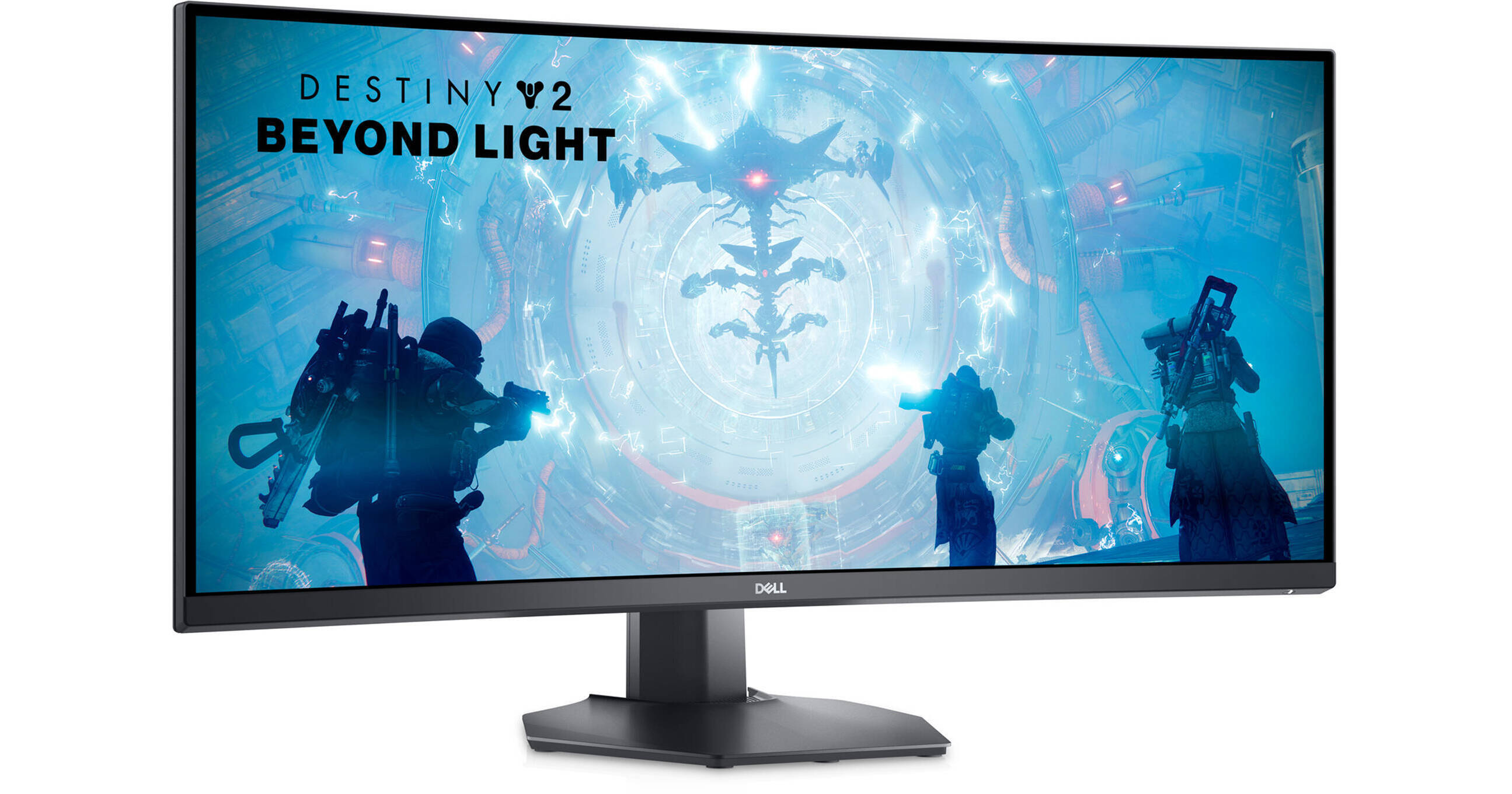
Buy Dell 34 S3422DWG 34" 21:9 Curved FreeSync WQHD 144 Hz HDR VA Gaming Monitor featuring 34" Vertical Alignment (VA) Panel, HDMI 2.0 + DisplayPort 1.4 Inputs, 3440 x 1440 WQHD Resolution @ 144 Hz, 3000:1 Static Contrast Ratio, 400 cd/m² Brightness, 178°/178° Viewing Angles, 2 /1 ms Response Time (GtG / MPRT), 16.7 Million Colors with HDR, AMD F...
—
GIGABYTE G34WQC
https://www.newegg.com/p/N82E16824012046
—
Thanks
 primal mortar

Ideal for fast action games, the LG UltraGear 23.8-inch Full HD (1920 x 1080) monitor features a 165Hz refresh rate that works with Motion Blur Reduction (MBR) technology and the 1-millisecond response time to deliver smooth graphics. Additionally, AMD FreeSync Premium reduces screen tearing and ...
is this a good budget monitor?
 mortal yoke
any good $100-$200 monitors
misty gyro
mortal yoke
any good $100-$200 monitors
You're looking at a 1080p in that price range I'm guessing? Using for gaming?
mortal yoke
misty gyro
You're looking at a 1080p in that price range I'm guessing? Using for gaming?
yeah
misty gyro
mortal yoke
yeah
Here's what my pick would be https://www.hp.com/us-en/shop/pdp/omen-25i-gaming-fhd-monitor
 primal rapids
any good 2k 144hz moniters?
 quartz sandal
Country?
quartz sandal
Uh idk what the market is like there but maybe if you could send where you'll be buying from
 silent epoch

Digital Trends
Gaming monitors have been marketed with misleading specs and branding for years. Here's where I want to see gaming displays do better in 2023.
misty gyro
Every reviewer has pointed that out for years. Like the "1ms" response time you only get in unusable overdrive modes and only in certain transitions.
fading wyvern
silent epoch
https://www.digitaltrends.com/computing/gaming-monitors-have-been-lying-to-us/
 tribal citrus
Cat
tribal citrus
😦
silent epoch
@fading wyvern do you really think 240hz is worth it? 🤔
fading wyvern
silent epoch
<@149741357072777216> do you really think 240hz is worth it? 🤔
Not necessarily, with constant updates to panels it’ll become much more normal to see higher and higher refresh rates, when that happens things like 240hz will probably be much cheaper and way more worth it. In a competitive setting though any minuscule advantage like that 2ms of latency you potentially shaved off of inputs could be worth it to the elite few
TLDR god gamers want low input latency
 small warren
Having been on 360 and 240 I wouldn't say it's worth investing in framerate
misty gyro

Thank you Seasonic for sponsoring today’s build. Learn more about the PX1300 and other Power Supplies here: https://lmg.gg/ZP4sm
High refresh monitors, force sensitive keyboards, and even gamer goo. These are all the things that are supposed to enhance your performance in gaming. But do they? We put our money where their mouth is by testing out...
misty gyro
TLDR $600 average pc got 26 ms click to photon, $11k PC got 12ms
fading wyvern
Tenz will benefit more then all of us when it comes to inputs
small warren
misty gyro
TLDR $600 average pc got 26 ms click to photon, $11k PC got 12ms
Fwiw btw I think gpu and monitor counted for most of this
small warren
Yeah the mouse and keeb would help
And I guess consequently the cpu to a small degree
But the bulk of it really comes out of the monitor framerate being absurdly high
misty gyro
It was a 360Hz vs a 390Hz I think
fading wyvern
Mouse and monitor are by far the most important for input, besides you know, the pc
herman miller is also the most important factor in input latency
misty gyro
Yep they had Linus do a dry scoop
fading wyvern
Also light latency matters so you should sit as close humanly possible to the center of your screen
 small warren
But you factor all of it in, and it's what, 5-10%? Of your total latency
fading wyvern
Eh well you could drop 10ms or so pretty easily
misty gyro
misty gyro
Yep they had Linus do a dry scoop <:kekw:741678350791081994>
11:04 for laughs
small warren
Meanwhile latency freaks are out there obsessing over ddr5 latency gains
It's chasing the superlative tbh
fading wyvern
And for the real latency freaks like myself we have fiber internet and move next to our local servers
 sage trail
not for those looking to scoop that 540hz asus monitor
small warren
fading wyvern
And for the real latency freaks like myself we have fiber internet and move next...
The real meta
sage trail
cpu needs to cook at sub 2ms frame times to hit that
misty gyro
14ms difference is imperceptible by the broadest majority of people, the average that's noticeable is around 60ms
fading wyvern
My ping in most games is 1-15ms 
misty gyro
1ms ping 
sage trail
my ping is dog crap bc spectrum 
misty gyro
Is the server on your local router or something lol
fading wyvern
Well when a bunch of 150-170ms reacters a diff of 50 ms is massive
small warren
misty gyro
14ms difference is imperceptible by the broadest majority of people, the average...
And once you pass 240hz, the frametime latency gains are fractions of a ms
It's extremely diminishing, stuff like the 8K mouse and wooting do a lot more tbh than beyond 240hz
sage trail
need 1000hz monitor to sync with my 1000hz mouse polling rate
fading wyvern
Diminishing returns aside, clarity in game is massive* lots of cs pros would set the game to 4:3 for larger targets
Even pros that moved to Val used the same type of res for better visibility
quartz sandal
misty gyro
It was a 360Hz vs a 390Hz I think
144 vs 390
misty gyro
Ah, yes that'll account for a little bit of the 14ms
misty gyro
sage trail
need 1000hz monitor to sync with my 1000hz mouse polling rate
Only 1000Hz polling? How average
Need 8000 or ur a scrub
Like me 
small warren
Laughs in 8000
fading wyvern
We need high refresh oled 
.1ms pixel response time plus a super high refresh rate 👀
fading wyvern
Qdoled is here to save us
small warren
Indood
fading wyvern
Praise
small warren
I want 42" 4k 240hz qdoled
Specifically this
I'll never get it
But the day it happens ima upgrade
 misty gyro
Last time I played a game on a projector was the last day of my senior year of high school. The retired Major in charge of ROTC was super cool. I hooked up my Wii and we did Smash and Kart tournaments. The people that didn't ditch had a blast. Good times.
fading wyvern
I have a excellent projector collecting dust on my shelf 
quartz sandal
Just use it to project things then 
fading wyvern
i need a screen and a spot for the projector
quartz sandal
fading wyvern
i need a screen and a spot for the projector <:pepehmmm:903335097305034783>
Wall ez
mortal yoke
https://pcpartpicker.com/list/hhWgfv what are some other monitors that are around the same price for better quality
Part List - Intel Core i5-12400F, Radeon RX 6700 XT, Phanteks Eclipse G360A ATX Mid Tower
small warren
mortal yoke
https://pcpartpicker.com/list/hhWgfv what are some other monitors that are aroun...
Gigabyte g24f or if you're lucky HP X27Q
quartz sandal
mortal yoke
https://pcpartpicker.com/list/hhWgfv what are some other monitors that are aroun...
If going 1080p, gigabyte g24f,
If you can spend like 50$ extra though hp x27q and x32 are 1440p
 kindred spade
Hello everyone I am looking for some help with the custom Laptop I am building out of my old bulky military laptop case it has plenty of room to hold a desktop motherboard and corresponding parts that go with it and has pre-set hole made in the case for things like the motherboard ports and SSD tray and a small graphics card if I wanted it but the problem I am running into is how to wire/solder the monitor and keyboard to the board without messing the board up and wasting a good motherboard
The board I am using is a ASUS ROG Z790-I gaming motherboard
silent epoch

Amazon Links:
LG 27GR95QE-B:
US: https://amzn.to/3GUYKZl
CA: https://amzn.to/3WvJsQU
UK: https://amzn.to/3R64y7n
International: https://geni.us/6NRPQJ
Today, I'm doing a video on the LG 27GR95QE-B 240Hz OLED Gaming Monitor Unboxing. In this video, I unbox the LG 27GR95QE-B OLED 240Hz UltraGear gaming monitor. I go over my first impressions ...
 languid escarp
I need help deciding on which monitor to acquire
- HP X27Q at $185
- Dell S2722DGM at $200
- Acer XB271HU at $200
- Acer Nitro XV272U at $200
I weight color accuracy more so than response time, as I play flight sim more often than I do csgo
silent epoch
Hmmm
Color accuracy isn't all that important for gaming
vibrancy, panel uniformity, and contrast ratio is more of a deal breaker imo
languid escarp
silent epoch
Color accuracy isn't all that important for gaming
I should also mention I game a lot in a dark environment, and these days I do a lot more work instead of gaming 😦
silent epoch
languid escarp
I should also mention I game a lot in a dark environment, and these days I do a ...
According to rtring, the Acer nitro is your best option
silent epoch
languid escarp
I should also mention I game a lot in a dark environment, and these days I do a ...
Sadly, you'll have to up your price if you want decent contrast by a few hundred dollars
OLED is what we all need at an affordable price range.
Seems like all of the 27 inch 1440p models are too dim
Even in an almost dark environment
Wouldn't recommend it for anyone who's serious about picture quality
Also the pixel layout on QD-oled (Samsung)is weird. It causes some color fringing
And texts don't look as good as an IPS If I remember correctly
I like what Theo said, to wait 2 more generations
languid escarp
silent epoch
Seems like all of the 27 inch 1440p models are too dim
I have a LG 27GL850 and I find it to be pretty great for casual gaming, but I do notice the glow at night
silent epoch
languid escarp
I have a LG 27GL850 and I find it to be pretty great for casual gaming, but I do...
I had the gl83a-b. The contrast wasn't the best but it was great for the most part
languid escarp
How does that monitor stand up against the ones I listed?
It's about a 4hr drive so I just wanna make sure I'm not wasting gas
silent epoch
The one I had was 1440p 144hz
The response time is about the same as the 27gl850 at a cheaper price. The 850 I think is better because it has a better screen for HDR....but it's fake. @languid escarp
The screen isn't bright enough
The gl83a-b is the better buy
You're not missing much
fading wyvern
If it doesn’t say 1ms response time with like a lightning ⚡️symbol next to it don’t buy it.
languid escarp
silent epoch
The gl83a-b is the better buy
I got the gl850 for $180, but unfortunately there's like nobody selling LG monitors in a 3hr radius of me
silent epoch
f
languid escarp
It's really strange, there's like 10 people selling good monitors back home but here it's slim pickings in the 4 massive cities near me
gilded aurora
Hey with my new 2k montior I got when I check the refresh rate of 240hz sometimes it pops up as 137hz or 237hz and then sometimes 240hz is it my dp cable or my Dp slots? My montior is a gigabyte m27qx
I’m gonna order a new cable but is there a specific one I should get?
 gilded aurora
Does it push out 240hz? 2k res
misty gyro
It can do 4k120 so yes
That's the highest DP version supported by all GPUs right now anyway except the new AMD RX 7000
tribal citrus
misty gyro
It can do 4k120 so yes
what can do 4k144hz
small warren
4K 120 is in excess of 2k 240hz
misty gyro
DP 1.4 can with compression
small warren
So both will run
 misty gyro
Must be nice
gilded aurora
Ight cool, ordered it
gilded aurora
misty gyro
DP 1.4 can with compression
Compression?
misty gyro
Yeah, DSC Display Stream Compression
Using that it can fit more pixels and/or frames into the same bandwidth
Most people don't notice when it's on too
silent epoch

fading wyvern

silent epoch

fading wyvern


 visual pilot
M32u is IPS???
visual pilot
Pretty sure there isn't a curved m32u?
fading wyvern
There is

The GIGABYTE M32UC Gaming Monitor packs upscale performance into a streamlined package. The M32UC provides a fluid and vibrant gaming experience in 4K resolution with 1ms response time, 144Hz (160Hz OC) refresh rate, and compatibility with graphics card software.
visual pilot
Yea it's m32uc, it's not m32u
Well, its the average consumer with contradictory info so
tribal citrus
visual pilot
Yea it's m32uc, it's not m32u
Maybe they miss named
fading wyvern
He specifically said curved anyways
tribal citrus
I asked for a pic
visual pilot
Curved and m32u are the conflicting pieces of info, I'd think the extra letter is obvious enough to list but dunno
fading wyvern
You can get to any of gigabytes M series monitors on Amazon on the same page, could’ve just been a typical consumer and not have realized the difference
visual pilot
I usually pay more attention to model than description, and it should say m32uc in pretty big letters on the box
fading wyvern
tribal citrus
nevermind hes not intrested anymore
misty gyro
After you asked for a pic? Hmmmmmm
tribal citrus
misty gyro
After you asked for a pic? Hmmmmmm
he though i was selling 2 same monitors
misty gyro
Ah
 languid escarp
silent epoch
f
languid escarp
silent epoch
f
just had one more question, since the acer nitro xv272u is VA and the hp x27q is IPS, if I played a lot of local coop games, should I go with the HP for the better viewing angles?
fading wyvern
https://youtu.be/Z-SAI_ga8dM YOOOOO Gotta buy the Porsche 

Thanks to Secret Lab for sponsoring today's video! Check them out at https://lmg.gg/SecretlabSC
Porsche is usually known for their super-luxury cars that only millionaire YouTubers can afford, but did you know that they also make monitors that only millionaire YouTubers can afford? Plouffe is here to take a look if this AOC x Porsche Monitor is...
tribal citrus
silent epoch
porSche LMAO
silent epoch

 wintry sail
Thoughts about this monitor? https://a.co/d/1x43gbS

Immerse yourself in the action with this ultra-wide, QHD curved monitor for gaming. See moving objects on the screen more clearly with a high native 160 Hz refresh rate and 1ms Motion Blur Reduction. AMD FreeSync Premium support virtually eliminates screen tearing and minimize stutter in high-res...
tribal citrus
wintry sail
Thoughts about this monitor? https://a.co/d/1x43gbS
to big
silent epoch
wintry sail
Thoughts about this monitor? https://a.co/d/1x43gbS
Looks great. It's not the best, but the contrast is below 1000:1
Kinda meh in that area
It's a fast monitor
 merry orbit
So my 1 year old ABS PC https://www.newegg.ca/abs-ali560/p/N82E16883360190?Item=N82E16883360190 with a monitor https://www.newegg.ca/p/N82E16824012018?Item=N82E16824012018 When turned on it would not display a output but after turning it on and off a few times it displayed red lines on a blank screen. I turned it off and on again left it for 20 mins and when I cam back it was on the windows login screen What do I do?
misty gyro
merry orbit
So my 1 year old ABS PC https://www.newegg.ca/abs-ali560/p/N82E16883360190?Item=...
Sounds like a bad capacitor in the monitor, if it's in warranty get it replaced. Otherwise buy a new one. It's too much hassle replacing them if you don't have microsolder tools.
I've seen some TVs have the same issue, and replaced the bulk caps in one. They're much bigger in a TV than a monitor though.
mortal yoke
https://pcpartpicker.com/product/cB3gXL/hp-x27q-270-2560x1440-165-hz-monitor-2v7u5aaabu + https://pcpartpicker.com/product/QCcG3C/sceptre-e275b-qpt168-270-2560x1440-165-hz-monitor-e275b-qpt168

HP X27q 27.0" 2560 x 1440 165 Hz Monitor (2V7U5AA#ABU)

Sceptre E275B-QPT168 27.0" 2560 x 1440 165 Hz Monitor (E275B-QPT168)
which ones better
errant edge
X27q
sonic vapor
Guys, is there any widely-known reason as to why true 4K Ultrawide Monitors seem to not exist?
old arch
4K uw is more like 5k also, just sayin. 1440p UW is almost "4k". 
errant edge
27 inch 5120x2880. What https://mobile.twitter.com/ElectroDeals1/status/1618612997265723392?s=20&t=uYKPu-J1TtKZJYEO1hWyQA

🔆27" Apple Studio Display Monitor: 5120x2880, 600 Nits, 96W Power Delivery- Tilt adjustable stand
https://t.co/VmihQjYLJk via @amazon
 Twitter
·
Twitter
·
What type of resolution
Am I being stupid or is that just nonsensical
quartz sandal
I think that's apples 5k res
 next pawn
I need help I replaced bought a monitor to replace my second one it's a Acer nitro XV272U and the other monitor is a LG ultragrear 27GL83A-B but together they are at different color and don't look the same how do I get the colors to look similar?
I tried to do color calibration but don't know what I am doing pleas pm or @ me
tribal citrus
how bad is 60hz 4k monitors reason i ask bc they seem to be VERY much cheaper then 144hz ones
M32U is $700 
if im spending that kind of money might as well get this 💀 $830
https://www.newegg.com/p/N82E16824716003?Description=AORUS FO48U 48" 4K&cm_re=AORUS_FO48U 48" 4K-_-24-716-003-_-Product&quicklink=true
this is $700 too smh

https://www.bestbuy.com/site/samsung-32-bm702-uhd-smart-monitor-with-streaming-tv-black/6504337.p?skuId=6504337 theres 60hz with tvs inside them
 tepid summit
If anyone would like to point me in the right direction with my dilemma, that would be great!
I have a Corsair Xeneon 32qhd gaming monitor which is hooked up to my Xbox Series X and my pc. The PC is running a Gigabyte Aorus 6750xt.
I am not exactly sure which of the two should be plugged into which video slot, HDMI or the DP? Does anyone have a suggestion for this ?
tribal citrus
tepid summit
If anyone would like to point me in the right direction with my dilemma, that wo...
both will work but DP will allow higher hertz
tepid summit
Thats what i thought but i get into my own head with decisions. @tribal citrus Thank you very much
misty gyro
The max refresh rate of the series x is 120hz so it doesn't matter on that display
tepid summit
But for the PC, the DP is the way to go
misty gyro
Yes
The max over hdmi is 144hz so it wouldn't be able to use the full 165. DP is needed for 165.
tribal citrus
misty gyro
The max over hdmi is 144hz so it wouldn't be able to use the full 165. DP is nee...
well on my HDMI im getting 100 and display port is 144
misty gyro
You don't have a true hdmi 2.1 connection then
 tepid summit
@misty gyro I took you recommendation on the COrsair monitor and its been absolutely fantastic, thanks!!
misty gyro
Yep that's probably a 2.0 cable that just kinda works at a little faster than 2.0 speed
Glad to hear it!
tepid summit
The monitor came with a usb-c cable. How would I connect that
tribal citrus
What corsair monitor
misty gyro

RTINGS.com
The Corsair XENEON 32QHD165 is a 32 inch, 1440p monitor with an IPS panel. It's Corsair's first monitor, and overall, it's pretty impressive. Marketed mainly as ...
tribal citrus
Ah
misty gyro
tepid summit
The monitor came with a usb-c cable. How would I connect that
It's optional but you can connect the upstream port to the PC to use the USB ports as a hub, and to update firmware
tepid summit
Ok, so if I do not have a usb-c port on my pc I can’t use that connection
tribal citrus
Bruh they charge this much and no stand
 tepid summit
Looking it up now
@misty gyro Would i then not need the DP connection or is the usb a supplementary connection
misty gyro
You'd still want the DP connection since the USB C would be connected to the motherboard and not the GPU
misty gyro
So therefore it would only work if you had onboard graphics and a USB C port and would harm your fps
Ask all the questions you like, that's the best way to learn
tepid summit
Really, i thought since type c is a newer type of connection that it would be better
tepid summit
I know i need the type c so i can control my monitor throughICUE
oh i see now
I guess what was throwing me off was my cousins reaction to me not having a type c port on my gpu. He kind of scoffed and laughed a bit lol
misty gyro
That was only a thing on Nvidia 20 series really
It's optional on anything newer
And very few take that option
tepid summit
Thanks @misty gyro
 mighty tide
Trying to find out if either of my monitors support monitor mounting but I can't seem to find it anywhere on the product page.
https://us.aoc.com/en-US/gaming/products/monitors/c24g1
https://www.lg.com/us/monitors/lg-27gl83a-b-gaming-monitor
I'm looking on both pages and I can't find anything, does that mean they're likely both not mountable?
They probably are and I'm just blind lol, but in that case I'm not sure what mount to get for them
misty gyro
mighty tide
They probably are and I'm just blind lol, but in that case I'm not sure what mou...
Both are standard VESA 100x100 mounts
tribal citrus
why is there no 4k 144hz monitor under $700
errant edge
Because they're premium?
tribal citrus
errant edge
Because they're premium?
Well they used to be cheaper before this year
misty gyro
It's called Chinese New Year and the entire country takes 2 weeks off, creating a supply issue
It'll be back to normal soon
tribal citrus
misty gyro
It's called Chinese New Year and the entire country takes 2 weeks off, creating ...
Oooo I forgot about that
tribal citrus
misty gyro
It'll be back to normal soon
I'll just wait then
 clear temple
where can i find good hdr that i can use to test a display
i want specificily hdr10+
misty gyro
clear temple
i want specificily hdr10+
HDR10+ doesn't exist in computer monitors, only TVs. The highest rated on a consumer monitor is HDR10, which the Dell AW3423DW/AW3423DWF have. Those are the highest HDR quality monitors I know of. They're QD-OLED so running them at peak brightness of 1000 nits will cause rapid burn in.
If you really want good HDR10+ with more than the minimum 1000 nits you need to look at extremely expensive TVs. Very little content will support more than 1000 nits anyway.
clear temple
I mean
I Forgot to say "videos"
Somehow
Lmao
I mean hdr videos or content
I mean hdr videos that I can use to test how good does hdr look in diffrent displays
tribal citrus
@misty gyro do you think driving 3-4 hours for a monitor is crazy? I found someone with the M32U selling $400
misty gyro
Well your car has good gas mileage so not too crazy. Just don't go alone, I'd hate to hear you were mugged/carjacked.
tribal citrus

tribal citrus
misty gyro
Well your car has good gas mileage so not too crazy. Just don't go alone, I'd ha...
it gets 40MPG it says if i put cruise control on
I drove to microcenter one time
104 miles givertake
both ways so that 208 miles and i got back home with half tank and my car has a 10 gal tank
old arch
$300 off seems a bit sus, just sayin
tribal citrus
old arch
$300 off seems a bit sus, just sayin
the normal price is $600 plus some sales go for $500 but rn with no monitors being producted like fal said price is gunna keep going up as stock gets limited
old arch
I see. Definitely a good value huh. Would fully confirm it's still available before that drive, lol. Price is 1 thing, then there's using 3-4 hrs on that round trip
tribal citrus
old arch
I see. Definitely a good value huh. Would fully confirm it's still available bef...
yea im messaging
tribal citrus
old arch
I see. Definitely a good value huh. Would fully confirm it's still available bef...
So the round trip is 8 hours
4 hours to drive there and back haha
But not a lot of people "local" selling m32u for that price
tribal citrus
@misty gyro so from my little trip I think my car gets 325 miles
I arrived at gas station with 10 miles left and 1 bar left
tribal citrus
@silent epoch did you get your monitor yet
silent epoch
nuu
tribal citrus
oh
severe dirge
misty gyro
Well your car has good gas mileage so not too crazy. Just don't go alone, I'd ha...
Or.. worse. 
I just realized this Convo was dayys ago.
tribal citrus
severe dirge
Or.. worse. <:PepeLmao:551154616172150787>
Also its only worst with my driving but if I let cruise control take ever its fine
severe dirge
How come you want to remove it?
 oak pond
How are cooler master monitors? The GM32-FQ seems to have a better price than others in that size
 kindred umbra
anyone pick up the lg 27in oled?
silent epoch
It would be wise if no one did
I'm curious why hardware unboxed hasn't reviewed the monitor yet
 light torrent
What is the best display that will me the most out of my graphics card 4090
misty gyro
light torrent
What is the best display that will me the most out of my graphics card 4090
What budget? Because I'm about to recommend a $800 monitor lol
I could go higher and pick an OLED too
quartz sandal
Personally I'd grab an m32u
errant edge

Quantum Matrix Technology, HDR 2000 and UHD resolution come together for a crystal clear picture. 240Hz refresh rate and 1ms response time support smoother game play. Matte display enables better gaming immersion. Mirroring the arc of the human eye, the 1000R curvature brings gaming worlds to rea...
sage trail
curved 🤢
 errant flax
I wish there was a place to check out what different curvatures are like to better decide which is best for the person.
quartz sandal
I believe they call it a shop, something to do with the Outside DLC i keep hearing about
errant edge
sage trail
curved 🤢
Curved or flat is personal preference
After using both, I prefer curved, but others obviously prefer flat
quartz sandal
errant edge
After using both, I prefer curved, but others obviously prefer flat

:)
clear temple

Buy a Seasonic Prime TX 1000W PSU: https://geni.us/aryiquT
Learn about the upcoming NanoLED display tech, and how it could make your next monitor or TV look better than today's screens without the high cost.
Leave a reply with your requests for future episodes.
► GET MERCH: https://lttstore.com
► LTX 2023 TICKETS AVAILABLE NOW: https://lmg.gg...
cant wait
tribal citrus
M32U best monitor
misty gyro
tribal citrus
M32U best monitor
Best for you maybe but I'd call a LG C2 far, far superior for gamers
Even that still isn't the best of the best but it's up there
tribal citrus
misty gyro
Best for you maybe but I'd call a LG C2 far, far superior for gamers
EW TV
misty gyro
Sure it's a TV but it's a TV with zero ghosting, instant response times, excellent HDR, and infinite contrast ratio.
Standard PC monitors can't come anywhere close to a good TV when it comes to HDR
tribal citrus
yea i have to play it with modes or something to be "fun"
tribal citrus
🤔
misty gyro
No really. You've got all the main features. Mining resources (which you can automate later), building bases, better combat, visit other people's bases...
Plus missions and an actual story
tribal citrus
misty gyro
No really. You've got all the main features. Mining resources (which you can aut...
whatn game is it on steam
misty gyro

Inspired by the adventure and imagination that we love from classic science-fiction, No Man's Sky presents you with a galaxy to explore, filled with unique planets and lifeforms, and constant danger and action.In No Man's Sky, every star is the light of a distant sun, each orbited by planets filled with life, and you can go to any of them you ch...
Price
$59.99
Recommendations
198799
Metacritic
61
tribal citrus
oh
light torrent
misty gyro
What budget? Because I'm about to recommend a $800 monitor lol
500-1500 is the budget
oled 4k
misty gyro
In that case here
https://pcpartpicker.com/product/9c92FT/asus-rog-swift-oled-pg42uq-415-3840-x-2160-138-hz-monitor-90lm0850-b011b0

Asus ROG Swift OLED PG42UQ 41.5" 3840 x 2160 138 Hz Monitor (90LM0850-B011B0)
A 4090 deserves nothing short of this. 4k high refresh OLED.
misty gyro
If you want a cheaper suggestion that's still great check out the M32U
If you've got a link for one go for it
small warren

Gigabyte AORUS FV43U 43.0" 3840 x 2160 144 Hz Monitor (AORUS FV43U)
misty gyro
QLED has most of the strengths that OLED has too. Most.
small warren
For half the price 
light torrent
ok yea ive been eyeballing the asus, and it does look very promising
but i think it might be too big for the desk
small warren
Big wide or big tall
light torrent
wide
small warren
There's the msi qd-oled

Alienware AW3423DWF 34.2" 3440 x 1440 165 Hz Curved Monitor (AW3423DWF)
A bit underwhelming for a 4090 tho
But would look as nice as an M32u
light torrent
hmmm, damn so im torn now with a smaller monitor and getting less performance or sacrificing desk space for a bigger display
Think i might need a bigger workspace
misty gyro
A GPU that size requires you to go big or go home, or else you'll be leaving performance on the table
 wild lichen
Good morning, i have inquiry about monitor
Every time I start up pc logo and everything shows in 2nd monitor and once it comes to login screen it switch to main monitor
same thing when am trying to enter Bios settings it displayed on 2nd monitor not main one.
How to fix this and make main monitor is main in every thing in start up and bios and every thing shows in main one?
misty gyro
BIOS is going to prioritize HDMI connections over DP connections for one
If there's multiple of the same type of connection then it'll prioritize the lower resolution one (iirc)
There's nothing you can do but reorganize your connections for that
misty gyro
ig it varies by brand?
In that case it probably prioritizes the one closest to the motherboard (which is often HDMI now that I think about it)
small warren
Idk
It's not even specific to the port order
XTX does dp display 1 and that's port 3
4090 refuses hdmi no matter what
My 3090 and 3080 also pick dp first
misty gyro
Weird, ok I guess there's not as much rhyme or reason as there used to be
misty gyro
Multi monitor gaming on a 1650
 wild lichen
alright thanks folks
surreal quarry
tribal citrus
EW TV
My dad recently got an LG C2 and it looks SOOOO good
tribal citrus
lol
 exotic matrix
should I get odyssey ark g9?
tribal citrus
Get the M32U
 solid void
Hay any one know where I can get a tv strip or board
misty gyro
A what
silent epoch
Lol

 raw ingot
what strip?
clear temple
what is the drawback of mini qled tvs , in theory , normaly content isnt white boxes in black backgrounds, the halo-ing shouldnt be that much of a problem
interms of watching movies , ik the oled have better responsetimes
clear temple
wouldnt there be away inwhich qled surpasses oled , there is a point inwhich increasing the dimming zones wouldnt matter
small warren
well QD-OLED combines the two and is extremely impressive
benefits of both
QLED also has more vibrant colours and better brightness than an OLED (OLED is typically better with darker scenes)
tribal citrus
The Verge
Samsung’s high-end gaming monitor is now available.
clear temple
btw samsung tvs dont support dolby vision
aint this a drawback for qdoled
sonys qdoled is wayy more expensive i think
errant flax
Does Burn-In on OLED still happen pretty easily?
silent epoch

For NordVPN’s 11th birthday, go to https://www.nordvpn.com/monitorsunboxed to get the two year plan with an exclusive deal PLUS 1 bonus month free AND a bonus mystery gift! It’s risk free with NordVPN’s 30 day money back guarantee!
Support us on Patreon: https://www.patreon.com/hardwareunboxed
Join us on Floatplane: https://www.floatplane.com/c...
The review you've been waiting for
kindred umbra
i thought i wouldnt like the matte finish on it but saw a 48ultra gear in store and its not bad at all
silent epoch
Mhhmm mhhmm
 honest crane
Anyone know a good 75in tv for PS5?
I prefer Samsung but I just want low latency and 75in
honest crane
Around or under 1000
misty gyro
Any OS preference for smart TV features?
honest crane
Not sure actually. I have a Roku on hand but whatever is compatible with the basics, YouTube
misty gyro
honest crane
Not sure actually. I have a Roku on hand but whatever is compatible with the bas...
Sorry about the delay, had to make dinner for the kids. This should do nicely. Full features even with HDR on and the HDR looks very decent.
https://www.amazon.com/gp/product/B0B7CRQXXN
https://www.bestbuy.com/site/hisense-75-class-u7h-series-quantum-uled-4k-uhd-smart-google-tv/6511981.p?skuId=6511981
https://www.rtings.com/tv/reviews/hisense/u7h
https://i.rtings.com/assets/products/uVzqPllQ/hisense-u7h/ps5-large.jpg

The 2022 Hisense U7H series is packed with features for tech, content, and gaming fans alike. ULED technology improves picture depth, clarity, color accuracy and motion delivering a unique experience only found in Hisense ULED television sets. The U7H gets a user interface and content upgrade wit...

Best Buy
Shop Hisense 75" Class U7H Series Quantum ULED 4K UHD Smart Google TV at Best Buy. Find low everyday prices and buy online for delivery or in-store pick-up. Price Match Guarantee.

RTINGS.com
The Hisense U7H is a lower mid-range 4k TV released in 2022. It's available in four sizes, ranging from 55" to 85", so you can choose the best size for your need...
 honest crane
Oh cool! Looks pretty good. Never tried a Hisense product before
misty gyro
They're an ok brand overall. They make good and bad like most brands. This one in particular uses a great QLED panel and a standard Google TV OS.
 chrome bear
I want to buy a gaming monitor, I have to spend 500. One of 34 inches or 39 -from 144gz to 165gz-or 240gz.
let me know which one is better.thank you.
also i have a rtx 3060 TI
chrome bear
I have to spend 500-which one is better
silent epoch
1440p. But harder to run
chrome bear
also i have a rtx 3060 TI
chrome bear
I like 34 inch-39-from 144gz -165gz-or-240gz
one that you can view at any settings and resolution on mos games.
silent epoch
Check this out on @Newegg: GIGABYTE M34WQ 34" 144Hz Ultrawide KVM Gaming Monitor, 3440 x 1440 IPS Display, 1ms (MPRT) Response Time, 91% DCI-P3, HDR Ready, 1x Display Port 1.4, 2x HDMI 2.0, 2x USB 3.0, 1x USB Type-C https://www.newegg.com/p/N82E16824012043?Item=N82E16824012043&Source=socialshare&cm_mmc=snc-social-_-sr-_-24-012-043-_-02172023
Here you go
chrome bear
let me see
silent epoch
The colors performance is good, response time is good, and it's affordable. It's what you need
And smearing is almost none existent
It's not perfect, but it's balanced
Don't expect the deepest contrast compared to a VA panel
chrome bear
and how about a 165gz
silent epoch
The price will go up if you want a good panel
chrome bear
ok -600.
silent epoch
Okay
Lets see.....
Don't expect a big difference between 144-165

This is not like the jump from 60-144
chrome bear
ok
I want something better than this at the price of about 600. such be one of curb
I have an idea but I have read the reviews that have bad pixels or defects or have to change the resolution or something like that, I don't know which one to decide on
I like some of the curbs
silent epoch
Curved displays. Hmmm
silent epoch
You're just gaming right?
For any productivity work that requires color accuracy, I wouldnt touch it
Hertz doesn't tell the whole story on how well a screen will function
Seems alright
But the screen I recommended is better over all
chrome bear
no, I'm not playing, I just want to know if this monitor is good, sorry for the inconvenience,I'm not sure what I want to spend, I have to spend 600, and I just want something better,
It's like you say, this monitor is good, better over all, if so, I'd go for this monitor if you recommend it to me.
silent epoch
@chrome bear Check this out on @Newegg: SAMSUNG Odyssey G5 LC34G55TWWNXZA 34" WQHD 3440 x 1440 (2K) 1ms (MPRT) 165Hz HDR10, HDMI, DisplayPort FreeSync Premium Curved Gaming Monitor https://www.newegg.com/34-g5-odyssey-gaming-monitor-with-1000r-curved-screen-lc34g55twwnxza/p/N82E16824022912?Item=N82E16824022912&Source=socialshare&cm_mmc=snc-social-_-sr-_-24-022-912-_-02172023
This might be the one you want.
The viewing angles and tilt adjustment are the biggest downsides
chrome bear
ok i see and is more les on money
silent epoch
Yep. Right in your price range
But like I said. It's a VA panel, the colors you see aren't very accurate
But it still creates a great image
Also it's best to use a DP on this one
chrome bear
ok
chrome bear
I read the reviews and that's why I'm here, this monitor doesn't have a good review, that's why I'm here, I don't know which one to choose.?
You say that this one is better, and it costs less than the other one, the difference in money is due to something./The viewing angles and tilt adjustment are the biggest downsides
silent epoch
The Samsung monitor that I recommended earlier, should be your best choice. It won't have the same amount of smearing and the pixel response time issues. You're not going to benefit from 165hz, 144hz is enough for most people. Ultra-wides are expensive , if you really want the ideal 165hz monitor, it would be time to look beyond the 600 dollars range
chrome bear
and what about lg, is it better than samsung, talk about prices?
silent epoch
Limited-time deal: AOC CU34G2X 34" Curved Frameless Immersive Gaming Monitor, UltraWide QHD 3440x1440, VA Panel, 1ms 144Hz Adaptive-Sync, Height Adjustable, 3-Yr Zero Dead Pixels, Black/Red https://a.co/d/c8f0yQ2

AOC Gaming CU34G2X is in a class of its own bringing an immersive 1500R curved design A brilliantly colorful VA panel and the fast 1ms (MPRT) response time into one sleek battle machine for people who demand both uncompromising speed and image quality 144hz 1ms game play 144Hz refresh and 1ms (MP...
silent epoch
chrome bear
and what about lg, is it better than samsung, talk about prices?
Brand name doesn't matter, it's the model.
The last one is linked is not 165, but it's curved
The best experience is the gigabyte M34WQ.
well I'm going to bed
chrome bear
ok well which one do I decide on the LG or the Samsung
chrome bear
ok send the link to look
silent epoch
I sent it before. But I'll send it again. You won't be disappointed
Check this out on @Newegg: GIGABYTE M34WQ 34" 144Hz Ultrawide KVM Gaming Monitor, 3440 x 1440 IPS Display, 1ms (MPRT) Response Time, 91% DCI-P3, HDR Ready, 1x Display Port 1.4, 2x HDMI 2.0, 2x USB 3.0, 1x USB Type-C https://www.newegg.com/p/N82E16824012043?Item=N82E16824012043&Source=socialshare&cm_mmc=snc-social-_-sr-_-24-012-043-_-02172023
Hands down....My top pick
Nothing compares at the price point that you recommended
You can't have everything /:
This is an IPS panel. It's superior to VA
You have better colors , better viewing angles, less input latency, faster pixel response times, and just an overall better image.
The only major downside are how blacks appear.
But that trade off is worth it......
chrome bear
how is that about the blacks that appear
silent epoch
Blacks are just blacker on VA
misty gyro
The technical term being VA has better contrast ratio
silent epoch
*darker
silent epoch
misty gyro
The technical term being VA has better contrast ratio
Had to downplay on words a bit
Just in case
It's more understandable anyways...
misty gyro
You're going to get quoted out of context don't worry
chrome bear
I understand, I mean it's better
misty gyro
That's the only main advantage of VA over IPS. I got a VA curved and I regret it. Should have paid $30 more for IPS.
silent epoch
Mmmhhmm
@chrome bear gigabyte M34WQ..wink wink
👀
Curved screens are just a gimmick
It's not going to give you a competition advantage on an already two dimensional screen
chrome bear
you guys just confuse me LoL
silent epoch
Hmm...
chrome bear
VAis more vetter the ips/
chrome bear
ok.t\y
chrome bear
ok I'm going for gigabyte, although it's not curved but it's better, I decide it doesn't matter if it's not 165, there's no difference in a 144gz.
silent epoch
Barely any
It's not worth it
Glad I could help 😊
@misty gyro I'll watch what I say more carefully LMAO
chrome bear
Thanks for your time. I appreciate it. Good evening. Greetings.👍
misty gyro
silent epoch
The only major downside are how blacks appear.
Mmmm yeah
silent epoch
💀
chrome bear
Cuestion is compatible whit my Nvidia RTX 3060TI,?--------------GIGABYTE M34WQ 34" 144Hz Ultrawide KVM Gaming Monitor, 3440 x 1440 IPS Display, 1ms (MPRT) Response Time, 91% DCI-P3, HDR Ready, 1x Display Port 1.4, 2x HDMI 2.0, 2x USB 3.0, 1x USB Type-C----------------
quartz sandal
yes but its gonna struggle ngl
quartz sandal
1440p ultrawide is a lot more pixels than 1440p and well 3060 ti is more of just a 16:9 1440p card
might not run the best
silent epoch
All depends on the game and settings
There's always a solution to getting more frames
misty gyro
DLSS is common enough now in the harder to run games
 amber hornet
silent epoch
Check this out on @Newegg: GIGABYTE M34WQ 34" 144Hz Ultrawide KVM Gaming Monitor...
amber hornet
silent epoch
Check this out on @Newegg: GIGABYTE M34WQ 34" 144Hz Ultrawide KVM Gaming Monitor...
Does the non-ultra wide monitors have good colors too?
misty gyro
The IPS ones that JP linked have good colors yes. The VA ones are meh.
amber hornet
Cool
 maiden wedge
amber hornet
Does the non-ultra wide monitors have good colors too?
maiden wedge
amber hornet
Does the non-ultra wide monitors have good colors too?
pixio px275h
thats what i use with a 3060 and it works great
30-90 FPS depending on the game
i got 60 FPS 1440p on high on life and Dying Light 2 and it looked beautiful
misty gyro
maiden wedge
pixio px275h
I don't think that's for sale any more
fading wyvern

misty gyro
Different price class but yes
fading wyvern
Wish it’d go on sale more often, buddy of mine picked up a couple m27q-p’s for 180 each
old arch
bogo basically, yea sure.
fading wyvern
old arch
bogo basically, yea sure. <:kek:585582975136301077>
*250 my b just pulled a random number from my recent sale memory

 silent epoch
Hhmm
silent epoch
fading wyvern
<:m27qstonks:894370052646776902>
No longer the best
 lost hinge
Hmm
 mighty sphinx
maiden wedge
mighty sphinx
maiden wedge
Anyone know what’s the best cheap portable “pocket” projector?
 old apex
I'ma be honest, I wouldn't trust spending money on a "cheap" "pocket" projector. Pocket projectors already tend to be pretty rough in quality
Anyone with more monitor knowledge know if this is a good one? From what I see it looks pretty good but it's for a friend and I don't wanna recommend something that would end up being a disappointment. https://www.newegg.com/p/N82E16824012018
silent epoch
/:
maiden wedge
misty gyro
I don't think that's for sale any more
you could always go for the 274 or 277 too
severe dirge
old apex
Anyone with more monitor knowledge know if this is a good one? From what I see i...
This is a great monitor. If he doesn't need the KVM feature then I'd save a good bit and go with a X27Q instead. It's same performance as the G27Q which I would recommend over the M27Q just because it's cheaper and has no KVM, except the X27Q is 165hz over the G27Q 144hz.
old apex
severe dirge
This is a great monitor. If he doesn't need the KVM feature then I'd save a good...
Oh thank you!! That is way more affordable! Just making sure, is this the correct one? https://a.co/d/4jAscXT This seems right but I'm always worried with Amazon listings especially with stuff like this.

All play, every day. We've redefined high definition gaming with IPS technology, 165Hz, 1ms response, AMD FreeSync™ Premium, and more colors than ever before.
severe dirge
old apex
Oh thank you!! That is way more affordable! Just making sure, is this the correc...
yes
old apex
Much appreciated! 😁
 odd quail
My Vizio M50-C1 just died on us today and we're pretty sad after having it for 6 years.
It's time to upgrade to a 65"er, but with a budget $500-$800. I'm looking for:
QLED/MiniLED or comparable (LG NANO)
bright, vibrant, with barely noticeable vignette.
120hz for PS5.
Dolby Vision (kinda standard now isn't it?)
Audio doesn't matter to me since I use a soundbar. So far my list is: Hisense 65U6H, Vizio M6, TCL Class-6 Series, LG NANO75.
Thanks for taking your time.
misty gyro
odd quail
My Vizio M50-C1 just died on us today and we're pretty sad after having it for 6...
I own this one personally, it's been great overall. The price on clearance now (since it's technically an older model) is perfect at $700.
https://www.bestbuy.com/site/tcl-65-class-6-series-mini-led-qled-4k-uhd-smart-google-tv/6470277.p?skuId=6470277
https://www.rtings.com/tv/reviews/tcl/6-series-r646-2021-qled
Best Buy
Shop TCL 65" Class 6-Series Mini-LED QLED 4K UHD Smart Google TV at Best Buy. Find low everyday prices and buy online for delivery or in-store pick-up. Price Match Guarantee.

RTINGS.com
The TCL 6 Series/R646 2021 QLED is a 4k TV with Mini LED backlighting. It's part of the 6 Series lineup that includes the TCL 6 Series/R655 2022 QLED, with one o...
I only have some minor issues with rapid movement in shows having some upscaling blur but that's not a unique problem to this TV.
misty gyro
You qeld the moment
In all seriousness though, that TV is one of the few large purchases I've made that I have zero regrets about
small warren
Qled is so good tho
misty gyro
(the 480p issue never happened to me using a Wii so maybe that was fixed, and the app crashing issues are as fully resolved as a smart TV gets)
misty gyro
small warren
Qled is so good tho
Real HDR too which so many other panel types struggle with, 1000 nits peak 
small warren
YES
IT'S SO BRIGHT AND VIVID
No true blacks but honestly who cares when you're close enough
misty gyro
OLED is good for color and contrast but QLED is where it's at for brightness and not worrying about burn in
small warren
Yes yes yes
misty gyro
Like this right here? Good luck on anything else. That's the entire screen pure white.

 misty gyro
Amoled is good for smartphones
small warren
Yes
misty gyro
misty gyro
Like this right here? Good luck on anything else. That's the entire screen pure ...
Actually out of curiosity I checked the rtings table and that's the highest 100% window brightness out of any screen they've tested with the exception of the Samsung Terrace which has worse colors but also gets to 1800 nits 100%
Hisense U8H gets the honorable mention here getting almost 800 nits, which, shocker, is also a ULED
odd quail
misty gyro
I only have some minor issues with rapid movement in shows having some upscaling...
I should be fine with NVIDIA Shield's upscaling AI thing.
odd quail
misty gyro
I own this one personally, it's been great overall. The price on clearance now (...
What do you think about an Open-Box item from Best Buy? lol
That's what its currently priced as
misty gyro
Open box is fine as long as it has the remote but it does show that it'll ship to a store for pickup for me
 silent epoch
Hm
tribal citrus
misty gyro
Open box is fine as long as it has the remote but it does show that it'll ship t...
What is this
misty gyro
tribal citrus
What is this <:pepehmmm:903335097305034783>
https://www.bestbuy.com/site/tcl-65-class-6-series-mini-led-qled-4k-uhd-smart-google-tv/6470277.p?skuId=6470277
It's the TV I own. I recommended it above, it's great.
Best Buy
Shop TCL 65" Class 6-Series Mini-LED QLED 4K UHD Smart Google TV at Best Buy. Find low everyday prices and buy online for delivery or in-store pick-up. Price Match Guarantee.
tribal citrus
misty gyro
I bought it when it was still $1k but it was worth it even then
Which is weird coming from me because I'm a bargain hunter
tribal citrus
I was thinking about buying TV but i use computer to watch videos
kindred umbra
class 6 is really good
i tried it for a while, but considering i sell oleds/high end mini led tvs all the time i couldnt cope lol
odd quail
@misty gyro gawwwdddamnnn this is bright! 🤣 Forget sleeping! Lol
 fallow raven
Is it worth getting a QLED/OLED 2k Monitor?
fading wyvern
It’ll look amazing. Is it worth it? Probably not. Still the tech has best in class response time and amazing clarity. The price is hard to justify when you can get a excellent ips display for 75% less. I want one anyways though
misty gyro
fallow raven
Is it worth getting a QLED/OLED 2k Monitor?
Depends how much money you have. An OLED will cost a lot more money and you'll have to replace it after a couple years from the burn in. So you can spend $250-400 and get a good/great IPS monitor that will last 5+ years or you can spend $1200 and get an OLED that will last 2.
silent epoch
Hmmm
They seem better than older OLEDs tho when it comes to burn in
As long as you vary your use you shouldn't really experience it
misty gyro
There's a few tricks to extend the life like hiding the task bar and sleeping the screen after 5 minutes yeah but you don't have to do that on other things
I'm basing the 2 years off the warranty length mostly. And the warranty doesn't cover burn in.
silent epoch
It's a very risky investment. They need to find an alternative to organic material use
kindred umbra
If you do get OLED, find a retailer that offers a good protection plan
 untold forge
my monitor has an option for Variable OD, what is it and what does it do?? It has 5 levels.
I don’t notice any true differences when changing each level
fallow raven
misty gyro
Depends how much money you have. An OLED will cost a lot more money and you'll h...
Isn’t QLED a bit better when it comes to burn in?
Or are they the same thing 😅
If I was to get an OLED / QLED which one is recommended? (For 1440p gaming)
misty gyro
fallow raven
Isn’t QLED a bit better when it comes to burn in?
Yes QLED has no burn in because it is a different technology completely. "Quantum" LED instead of "Organic". The burn in happens because of the organic material used.
OLED is overpriced but you can't match the speed and accuracy with anything else. QLED is still very good for half the price.
kindred umbra
OLED also doesn't really give you good sdr gameplay due to the limitations of OLED
Qd OLED helps but mini led would be the best option
 cold raft
all my monitors are different but their the same size but thats not reflected on the control panel
misty gyro
cold raft
all my monitors are different but their the same size but thats not reflected on...
It looks like #2 is a higher resolution, meaning a higher screen space even if it's the same size physically
misty gyro
What GPU do you have
cold raft
gtx 1080
misty gyro
Ah dang it's too old for DSR I think, let me double check
Oh wait it does
So what that can be used for is setting the other 2 monitors with lower resolution to a higher resolution, which is then scaled back down to the normal one
Then it should in theory see them all as the same screen space
misty gyro
Are your monitors set as 1080p, 1440p, and 1080p (in that order)?
cold raft
yh
misty gyro
Ok one sec I'll calculate the DSR factor you need
Actually let nvidia do that
Head here
 cold raft
.ready
misty gyro
I think it should be one of the DL scaling ones so tick any of those and apply the window
Then go into the screen resolution section and at the top you'll see dynamic super resolution options

Set your 1080p monitors to 1440p using that
That way Windows thinks they're all the same size and screen space and it should line up
cold raft
which one https://i.imgur.com/cECa5lH.png
cold raft
it worked lol ty
misty gyro
Awesome. Happy to help.
odd quail
@misty gyro my software on the new TV is bugged. Lol brightness slider doesn't work/change anything
misty gyro
Updated it to the latest version?
Probably need to change the display mode to power saving or something, that should do it too.
maiden wedge
im about to order the Acer Nitro XV271 Z 27” is this freesync monitor compatible with my nvidia graphics card?
silent epoch
Ofc
 thick kraken
What monitor would go good with this build? Like the hz and resolution?
Part List - AMD Ryzen 5 5600, Radeon RX 6650 XT, BitFenix Nova Mesh SE ATX Mid Tower


 quartz sandal
thick kraken
https://pcpartpicker.com/list/hMYWhk
quartz sandal
thick kraken
https://pcpartpicker.com/list/hMYWhk
Btw don't get the GX2 power supply , the bm2 is cheaper and a little bit better
thick kraken
quartz sandal
Btw don't get the GX2 power supply , the bm2 is cheaper and a little bit better
Is the bm2 by Thermaltake?
errant edge
Yes
thick kraken
It shows the bm2 and the gx2 are the same price
What’s the difference between the two?
But I’ve updated my parts list from the gx2 to the bm2 thank you for the suggestion
quartz sandal
Bm2 650w is 5$ less and it's just a better unit
Power supplies aren't exactly simple so i myself don't know the specifics between the two but bm2 performs better in reviews
thick kraken
quartz sandal
Power supplies aren't exactly simple so i myself don't know the specifics betwee...
Sweet thank you for the suggestion
quartz sandal
Np
 median anvil
what determines maximum resolution and max number of monitors you can connect ? is it CPU, GPU, or both ?
i'm looking to purchase an old rx550...
it has DP, HDMI, DVI. does this mean it can support 3 monitors ?
misty gyro
DVI can be split into two monitors
There's also displayport splitters
What determines the max is the GPU itself
RX 550 max resolution (combined across all displays) is 7680 x 4320, max number of displays should be 4 but there's conflicting answers there, it could be 3 or that could be them thinking the port count is the max.
silent epoch
🤔
 trim brook
22-27inch 1080p
32 inch 1440p
More then 32inch is 4k territory
Is that a good metric to go by?
kindred umbra
trim brook
22-27inch 1080p
32 inch 1440p
More then 32inch is 4k territory
27 can be both 1080p or 1440p depending on the user but it leans more towards to 1440p
32 is 50/50 imo for 1440p/4k
misty gyro
Personally I'd only do 1080p 27" as a last resort if I can't get 1440p
It comes down to viewing distance for individuals though
If you sit close you'll notice a lower resolution a lot more
silent epoch
1080p bad
silent epoch
Never go 27 inch
trim brook
kindred umbra
27 can be both 1080p or 1440p depending on the user but it leans more towards to...
Yeah I was trialling various different monitor and 27inch seemed highest sizs 1080p seems usable in
 hexed bramble
Can someone help me find a good monitor!? I've got a 6700 xt and I don't know what to get or what to look for
How's that?
I feel like 1440 would be good but I'm not sure
misty gyro
You're looking around that 350 cad price range?
https://www.amazon.ca/dp/B08FXZVJH6
This one is IPS which is better than a VA panel in nearly every way

Pixio PX277 Prime 27 inch 165Hz IPS HDR WQHD 2560 x 1440 Wide Screen Display 1440p 165Hz 144Hz Flat FreeSync Esports Gaming Monitor
hexed bramble
misty gyro
You're looking around that 350 cad price range?
Yea about but I'm honestly looking for something that can be used for a while so like better build quality
misty gyro
hexed bramble
Yea about but I'm honestly looking for something that can be used for a while so...
Here's a review from a reliable site https://www.rtings.com/monitor/reviews/pixio/px7-prime

RTINGS.com
The Pixio PX7 Prime is a very good 1440p, 27 inch monitor. It delivers great gaming performance, with an excellent response time, which results in clear motion w...
hexed bramble
hmm thats honestly a great site even though i dont understand half the things but it seems pretty good! the only downside is that its wobbly do you know how i could fix that if i get it?
you think if i wall mount it that would fit it?
actually i don't think im allowed to make holes in my wall lool
misty gyro
There's vesa mounts you can clamp to your desk
hexed bramble
like it comes with the monitor or is it separate?
misty gyro
You'd buy it separate
severe dirge
hexed bramble
would you think this would work? https://www.bestbuy.ca/en-ca/product/single-lcd...
Huanuo makes some good monitor vesa mounts for good price.
I'd cross reference prices between Newegg and Amazon.
hexed bramble
ic yea the monitor and the mount are adding up in price lool i might need to buy them at separate times

HUANUO Single Monitor Stand - Gas Spring Single Arm Monitor Desk Mount Fit 17 to 32 inch Screens, Height Adjustable VESA Bracket with Clamp, Grommet Mounting Base, Hold up to 19.8lbs
severe dirge
hexed bramble
ic yea the monitor and the mount are adding up in price lool i might need to buy...
Yeah, can always get the mount at a later time. That's what I did.
I'd also honestly go for a 2 arm mount since it's only a little more and you have the option of adding another monitor in the future without having to spend a whole lot more on another mount.
hexed bramble
severe dirge
I'd also honestly go for a 2 arm mount since it's only a little more and you hav...
yea but wouldn't it look really ugly to have a random arm sticking out? or could you detach it ?
also what do you think about the monitor fal'cie recommended to me?
hexed bramble
This is how my setup looks right now and the monitor is 27" so I don't think I can fit another monitor. I wish I could tho

2 monitors like the sweet spot one for my notes and another main one for work or like one for YouTube and one for gaming
severe dirge
hexed bramble
yea but wouldn't it look really ugly to have a random arm sticking out? or could...
The good ones have arms you can leave off.
Not sure which monitor he recced, but if falcie recced one, then it's good.
severe dirge
hexed bramble
2 monitors like the sweet spot one for my notes and another main one for work o...
With a vesa arm mount you could easily fit 2 monitors there. You could even have 1 in portrait mode which is perfect for things like internet browser, discord and such where you would be constantly scrolling to see the next bit of info.
This kinda shows what you can do with a portrait monitor.
hexed bramble
severe dirge
With a vesa arm mount you could easily fit 2 monitors there. You could even have...
the monitor i have currently is not adjustable and i cant afford two brand now monitors currently
but if i do go with that monitor ill definitely get one with the option of having two monitors for future expansions
im also gonna go check out some shops and see what they have on display
severe dirge
hexed bramble
the monitor i have currently is not adjustable and i cant afford two brand now m...
Huanuo makes a vesa adapter.
hexed bramble
Wtf lmao
errant flax
severe dirge
This kinda shows what you can do with a portrait monitor.
Needs more screen real estate.
xD.
Out of curiosity, if you guys had access to as many monitors as you wanted, how many monitors would you actually be able to make use of on a daily basis? For me it's 5.
silent epoch
 misty gyro
I also would probably only use 3
errant flax
For me it'd be,
- 2 for work and games
- 1 for discord and Deezer
- 1 for checking in on renders, recordings, and news
- 1 for live tracking on stocks and crypto
6 if you count a small thermals monitor inside the PC.
severe dirge
errant flax
Out of curiosity, if you guys had access to as many monitors as you wanted, how ...
I technically have 5 with my sensor panel in my pc. Ideally, I would like to have 5 monitors on my desk with the 6th as my sensor panel.
I do have my laptop setup on my left though with a keeb/mouse.
errant flax
I see.
My only issue is having 5-6 monitors is to rich for my blood ATM.
So I am currently using 2 with a drawing tablet acting as my 2nd one when I am not drawing.
severe dirge
silent epoch
that VA ghosting with blacks/reds is killer, yet I still find myself gaming on it instead of my IPS lol
silent epoch
🤨
severe dirge
errant flax
My only issue is having 5-6 monitors is to rich for my blood ATM.
tbh, I "was" content with the g32qc and g27q.. but I was perusing walmart one day and they had my hp 27" 1080p on sale for $20.. couldn't pass it up. Then last summer the x27q was on that super sale and I just couldn't pass that up either LOL
severe dirge
silent epoch
🤨
idk.. I can still game. It still looks good, it's just in some game scenes, you can tell the red ghosting pretty hard.
errant flax
severe dirge
tbh, I "was" content with the g32qc and g27q.. but I was perusing walmart one da...
Tbh I'd of done the same.
20$ is a steal.
small warren
errant flax
Out of curiosity, if you guys had access to as many monitors as you wanted, how ...
2 seems to be the most functional for me but it depends on the kind of work you do
Like programmers love screen real estate as much as possible
hexed bramble
That's a really good question tho lol
small warren
I like having a really large screen then a secondary for discord or temps while games
But I mainly use 1 or 2 these days cos a huge ass screen is as good as 3 regular ones 
errant flax
small warren
Like programmers love screen real estate as much as possible
Programmar, and 3D purposes.
Like when I am doing World Painter I'd use 1 screen for the 2D view and the other for the 3D rendered view.
small warren
Yeah for modelling I like having ample room for my design and then references on the other 3 corners
Then maybe even my second screen for more chrome tabs or email or discord
Big screen very useful

It's really like working with 4 smaller screens all in one
errant flax
Ngl, I kinda like the concept of the Corsair Flex Monitor for the ability to do curved during games and flat for when I am drawing or other tasks.
small warren
Idk
G9 or FV43U or C2/C3
That's as high as I'd go (high asf tbh)
Would avoid oled like the plague tho if it was for work
errant flax
The price point makes it a a definite no no for me though.
small warren
Even if they're a lot better for burn-in these days you'll still have wear when you're working on a static desktop
errant flax
small warren
Even if they're a lot better for burn-in these days you'll still have wear when ...
That's still an issue?
I thought QD-Oled fixed that.
small warren
Qd oled is a different tech
errant flax
Similar color and avoids the issues right?
small warren
Oled has an inherent issue where it uses natural luminescence with a limited life
Think of burning candles
errant flax
I see.
small warren
You can improve it but only by so much
errant flax
So Oled no matter the type isn't really suited for work unless you''re willing to replace it every time you get burn in?
small warren
Like don't get me wrong it's in all likeliness way better than it was but when you're working with documents on the screen, multiple blank windows, white pages and all that
Stuff like pixel shift isn't as helpful
errant flax
Mhmm.
small warren
I like QLED cos it gives you basically a near OLED experience without any of the wear issues
errant flax
Oh it fixes that issue?
errant flax
Is Qled different then QD-Oled?
errant flax
small warren
It uses an LED array instead
oh.
small warren
QD oled different again
QD OLED is very much on that side of better wear in as well but they don't have the conventional sizes yet
errant flax
Brain confused.
errant flax
small warren
QD OLED is very much on that side of better wear in as well but they don't have ...
So it works, just it doesn't have small form factor?
small warren
Well qd oled only really comes in big tv's or ultrawides rn
Conventional like, 27", 32" etc
errant flax
What is it like to use a ultra-wide?
errant flax
I've seen them but never tried them.
small warren
For content creation it sucks horribly
errant flax
Really?
small warren
And price is hard to justify on a lot
Yes cos your aspect ratio is screwed up
You can't just native capture 16:9 you have to edit it
Or change the screen to run that
small warren
small warren
And price is hard to justify on a lot
And this as well when there are big screens that can come in at a similar price with more physical screen real estate top and bottom instead of stretched
errant flax
So if someone does a lot of content creation they'd need a 16:9 screen as well preferably?
small warren
They'd want it yes
Some screens like the G9 have PBP which let you run it half and half
So 16:9
errant flax
My ideal layout would look like this.
left, right, middle, top, and bottom.
Side monitors would be in portrait mode.
errant flax
😄
small warren
Or igpu and main
small warren
Yesh but your psu?
errant flax
better then not enough though agreed?
small warren
Ye
You could do it with a 1200W spec too
That's more than enough + extra
Idk this is the sort of process I evolved from
I was on 2 screens, then 3, then 4
errant flax
The good 1200 watt psus I can find are like only $50 less then the HX1500I
small warren
Now I'm on 2 again
errant flax
So I honestly wouldn't mind paying a bit more for the extra juice and just to know I'll always have enough extra power to spare.
small warren
The cabling, mounting, power, cable managing on that many screens is just annoying imo
errant flax
small warren
The cabling, mounting, power, cable managing on that many screens is just annoyi...
Lmao, I can relate.
small warren
I'm honestly glad I left it behind
Much easier with 2
1 big + 1 normal
Same result less nonsense
errant flax
I have lots of peripherals, xbox, 1 monitor + the drawing tablet which has 4 cables coming out of it.
I have all my USB slots on my PC occupied.
small warren
That too