#peripherals-and-displays
1 messages · Page 30 of 1
 daring zenith
VA Panels might look blurry with ghosting, mess around with turning up the overdrive or pixel response time settings and see if that helps
 hard obsidian
 daring zenith
Would be under game adjust -> response time
It's also pretty likely it's just the source image from the ps5 not being the smoothest, but you can mess around with monitor settings to check
 hollow hatch
i need a new mic, upgrade from a samson q2u, has to be xlr, preferably under 100$ but 160$ max, i want it to have that shure sm7b style of the mic without the 400$+ price tag, any recommendations?
 soft jay
hollow hatch
i need a new mic, upgrade from a samson q2u, has to be xlr, preferably under 100...
soft jay
hollow hatch
i need a new mic, upgrade from a samson q2u, has to be xlr, preferably under 100...
My be a stretch finfine AM8
hollow hatch
soft jay
My be a stretch finfine AM8
I’ve heard multiple things from that mic, multiple people say the static from it being xlr is very noticeable
And I already us a mixer so wanna stay with an xlr option
soft jay
hollow hatch
And I already us a mixer so wanna stay with an xlr option
Welp my mic knowledge ends there lmao
 earnest zealot
Fellas I got a predator x27u from bestbuy. The dp port is kinda messed up on it and it has micro scratches out of box so o was considering returning it for a G60SD Odyssey panel but now I’m seeing that the power buttons on them just become dust after a month. Does anyone in here have that line of display and is your power button still alive
It’s apparently an issue with the g6, 7, 8, and 9
All of the ones with the joystick
 dapper adder
hollow hatch
i need a new mic, upgrade from a samson q2u, has to be xlr, preferably under 100...
dapper adder
hollow hatch
i need a new mic, upgrade from a samson q2u, has to be xlr, preferably under 100...
Rode podmic may fit your bill
It is a heavier mic though, so you may want to consider a mic boom that can handle the extra weight if your current one isn't (the cheap generic one included with budget mics will most likely not be able to hold the mic properly without you using the knob to stop it from moving)
Im not sure if it's much of an upgrade though
If you value quality more, the SE V7 should probably have a better sound quality than the podmic but it's more of a stage mic
Oh yeah there's also the at2040 which is also of a similar ish style to the sm7b
I'd recommend checking out the channel podcastage on YouTube (I think that's what the spelling was)

YouTube
Podcastage is a youtube channel that provides Gear Reviews & Tests to help you improve your podcast and youtube audio / video. Videos are released every Tuesday, so make sure to check back to see what new gear I am testing out for you. Also, don't be shy to ask questions in the comments, I do my best to respond and help in any way that I can, bu...
Se dynacaster may also be a choice you could do
(dcm6)
 west hornet
He has a lot of great in depth mic reviews
 neon root
i still dont know how to properly eq my mic 🗿
dapper adder
Don't worry, most people struggle with EQ as well
It's kinda hard to learn to do well, takes alot of practice to be able to do it quickly or even just well
That's why good mixing engineers get paid so much
 soft dune
i do got that ear tho 👂
 near pecan
Hey everyone, looking for some insight on usb-c docking stations for my home office. I recently purchased 2 Samsung 27” Odyssey G50D monitors and am looking to get as close to the QHD/180Hz they offer. It would need to support my work laptop as well as my gaming laptop. The gaming laptop has an i7 and a RTX4060.
Something like this seems like it might work well but I’ve never purchased a dock before so could use some input. Thanks! https://www.newegg.com/wavlink-69pd24-black/p/1DN-0023-00096
 vernal pulsar
So I got a question. Considering my current budget is around 100 USD, is it worth biting the bullet on the Koorui? Looking for one that'll last the longest for this price range. Oh and if yall have any other suggestions, there's two requirements. 75x75 VESA mount, and 24-25 inch screen size


Also noticed how annoyingly hard it is to find a 24 inch 1440p monitor in general
Should also point out this would also be my first 1440p mnitor if I went that route. Very used to 1080
 sinful lantern
Hey
What should I get the LG CS4 65in or the TCL C7K 65in if the LG is 285$ more expensive?
 ebon atlas
Its coming today, in a few hoursss 😄
 obsidian cypress
What are some ways to improve my computer's audio quality and volume?
My new board the audio is not as loud or quite as clear as my previous.
I already have a good headphone (AKG K701)
west hornet
the general solution is to just buy a dedicated external audio source. dac/amp combo or separates
doesn't even have to be fancy. sometimes something as simple as the phone 3.5mm dongles are enough and there are plenty of different types on the market
west hornet
near pecan
Hey everyone, looking for some insight on usb-c docking stations for my home off...
that one might not be able to fully support 180hz at 1440p but should come close. you have to look at the hdmi/dp versions and max supported output as well as the max bandwidth of the host port. personally I've used thunderbolt docks from caldigit and they have worked for me but it also depends on the bandwidth of the usb port on the laptops
near pecan
west hornet
that one might not be able to fully support 180hz at 1440p but should come close...
Close is fine, I’m just inexperienced and all of the ratings are always for 4k resolutions, so I assumed higher refresh at a lower res but wanted to make sure. I know the monitors go higher with DisplayPort, so that’s why I liked this one as a lot don’t seem to have two dp outputs
The dell dock I have from my work has 1 hdmi and 1 dp and has been able to do the full res at 60Hz over hdmi, but it doesn’t like the dp output and I get some dots scrolling the screen. Doesn’t happen with the work laptop, but that obviously isn’t running a dedicated GPU
 oak jungle
vernal pulsar
Also noticed how annoyingly hard it is to find a 24 inch 1440p monitor in genera...
oak jungle
vernal pulsar
Also noticed how annoyingly hard it is to find a 24 inch 1440p monitor in genera...
Yeah 27" is the preferred size for 1440p
Nice balance of size and pixel density
west hornet
vernal pulsar
Also noticed how annoyingly hard it is to find a 24 inch 1440p monitor in genera...
that's like me trying to find a 27" 4k oled display
west hornet
near pecan
The dell dock I have from my work has 1 hdmi and 1 dp and has been able to do th...
Ideally I would try to find reviews on the specific dock you are looking at because some have specific limitations with resolution and port speeds/functionality if the cable or port on the laptop is lower spec
on that page I couldn't even find what usb version the host port is (eg. usb3, usb4, usb5). maybe im blind idk
near pecan
I think part of the problem I’m having is there are so many that seem so similar but are all different prices so I’m struggling to differentiate them
I’ll have to look and see if I can find more information about the port from my gaming laptop
 sullen crow
ebon atlas
Its coming today, in a few hoursss 😄
sullen crow
ebon atlas
Its coming today, in a few hoursss 😄
Send pictures and thoughts on it when you use it for the first time
soft dune
vernal pulsar
So I got a question. Considering my current budget is around 100 USD, is it wort...
I have this
It is pretty good
ebon atlas
sullen crow
Send pictures and thoughts on it when you use it for the first time
its here :> unboxing
sullen crow
Again it’s gonna be hefty
sullen crow
Compared to most I’ve had even the 75% I have weighs more than most 100% keyboards
ebon atlas
unwrapped the nylon
time to open
yeah it feels hefty lol
Connected everything, currently typing from the new keyboard
dapper adder
obsidian cypress
What are some ways to improve my computer's audio quality and volume?
My new bo...
Quality - eq or better DAC, better amp may also be required
Louder - better amp/additional amp (to make your onboard DAC be able to push more power)
Your akgs are not hard to drive judging by the specifications
Only 60ohm
103db/v
Or something around that
obsidian cypress
dapper adder
Quality - eq or better DAC, better amp may also be required
Louder - better amp...
Is there a all in one solution or do I need to get multiple things?
So a Equalizer and an DAC?
west hornet
id say look at external dac/amp combos. if you eventually want to do further tuning to the sound profile you can always do software eq
dapper adder
obsidian cypress
So a Equalizer and an DAC?
Equalizer is free; you can use equalizerapo and PEACE for Eq
There are many amp+DAC combos available, my current recommendation for one of those would probably be something from either like topping or fiio
obsidian cypress
gotcha, thank you @dapper adder @west hornet
ebon atlas
sullen crow
Send pictures and thoughts on it when you use it for the first time
It feels like my typing is faster due to the height differences between my old keyboard which has taller keys
it feels smooth and im getting used to it more and more as time goes on
it is quieter than my older keyboard
sullen crow
But the thock from it is satisfying
near pecan
Hmm, a new keyboard is next for me after I sort out this docking station shopping. Gonna have to take a look at this one.
ebon atlas
sullen crow
But the thock from it is satisfying
yeah
vernal pulsar
oak jungle
Yeah 27" is the preferred size for 1440p
How long have you had it?
Crap wrong reply
soft dune
vernal pulsar
How long have you had it?
Roughly two months
 astral hare
what are yalls thoughts on the gravastar keyboards
so i found a website that has the asus xg27aqwmg in stock
its called grooves.land but it looks hell sketchy 😭
 hot junco
You had me interested for a minute there.
astral hare
like it says plus shipping and customs
so its a german site and its offical partners with asus
sinful lantern
Hey
I need help, I just bought the TCL C8K and I'm worried it won't have the standard mode preset since it's a European unit. Does anyone from the U.S have that TV and can tell me the exact settings so I can manually apply them?
near pecan
Looking at this keyboard based on some of the earlier praise I saw for Keychron, any preference on switch type for someone new to mechanical keyboards? Options are Red, Brown, and Banana https://a.co/d/0fS6Tpcw
oak jungle
near pecan
Looking at this keyboard based on some of the earlier praise I saw for Keychron,...
it's really personal preference. Red is linear (smooth, no click or bump) while brown and bananna are tactile (bump, but no click)
for gaming the recommendation has typically been linear switches. If you're gaming I would recommend a hall effect board though (magnetic switches)
near pecan
oak jungle
for gaming the recommendation has typically been linear switches. If you're gami...
Thanks for the input I’m mostly a console gamer, and any pc gaming is probably going to be with a controller. A lot of the keyboard inputs will honestly be on the 10 key as I do a lot of Excel work for my job. I looked at magnetic switches, but I have a Secretlab Magnus Pro desk and I’ve heard the magnetism of the desk mat has messed with those so I was staying away for now.
I’ll probably just go with one of the tactile ones. My wife has blue switches on whatever cheap keyboard she bought off amazon and I didn’t mind the bump, but not sure I want the constant click.
obsidian cypress
I am gonna get Mini LED. OLED just doesn't seem worth the extra with all the risks it adds for me.
This is the monitor I am looking at getting, any issues with it?
https://www.amazon.com.mx/gp/aw/d/B0FNG7ST7M/ref=ox_sc_act_title_2?smid=A1G99GVHAT2WD8&psc=1

Amazon
ebon atlas
obsidian cypress
I am gonna get Mini LED. OLED just doesn't seem worth the extra with all the ri...
i think that TCL are cheaper and same quality, worth checking i guess
obsidian cypress
ebon atlas
i think that TCL are cheaper and same quality, worth checking i guess
TCL?
dapper adder
brand
obsidian cypress
dapper adder
brand
Oh okay for some reason I thought it was a panel type
sinful lantern
I need help
I need to position my TCL C89K for 3 days and I wonder if the way I positioned it at is good or it needs adjustment to the angles


 dapper adder
you could place it in whatever position you want to as long as it's not at risk of falling
if you can pat it with a decent amount of force and it doesnt want to slide or tip over, it's good enough
safest possible option probably would be strapped to the wall
sinful lantern
I see simplest way would be to position it flat but I've heard it's risky
What do you think about this?


The thing is, I have no idea if it will move to the point it will fall down by itself...
dapper adder
sinful lantern
I see simplest way would be to position it flat but I've heard it's risky
risk of stepping/falling/tripping on it which can be worse (assuming you meant laying it flat as in like flat on the floor, and not standing up)
dapper adder
sinful lantern
The thing is, I have no idea if it will move to the point it will fall down by i...
that's why you give it a push in different directions to see how secure it is
generally the box has the center of gravity near the bottom so it's not super likely to be tipping over
the risk of leaning it against the wall like that on tile is that the tile may be slippery and cause it to slide and fall over
sinful lantern
I see
dapper adder
you could also try standing it straight and putting like a dining room chair to keep it from tipping over
those chairs typically have a fair bit of weight to them
sinful lantern
I have nothing I can use to stabilize it to be honest
dapper adder
realistically it'll probably not move by itself even if you stand it straight lmao
only risk for that is bumping into it while not paying attention
i'd assume the tv is only going to be sitting there for like a day or 2
sinful lantern
Yeah for 3 days
So you say the chances of it falling by itself in my case are very low?
In case I don't bump into it
dapper adder
stores tend to just store them standing upright as well, though typically sideways (90 to the aisles) so people bumping into them wont cause them to fall
though costco lays them forwards it looks like
 sinful lantern
Yeah I wish I could do that as well
But realistically, what do you think? Is it unlikely to fall by itself


It doesn't seem to move at all
dapper adder
try putting it straight and using a finger to try to tip the tv away from the wall
if it tips easily with like 2 fingers, then it would be better to lean, if not, then you don't need to lean
leaning makes it stick out more towards your footpath so there is a slightly higher risk of accidentally kicking it (which probably would hurt your toes more than the tv)
but if it doesnt seem to move even with you trying to disturb it, then it should be fine
sinful lantern
I mean I'm too scared to do this alone as I would need to drag it. For now it doesn't seem to move at all but I haven't tested what you said
By the way the bottom part of the TV box is just in the air

Oh and my wall is a bit uneven
 dapper adder
sinful lantern
I mean I'm too scared to do this alone as I would need to drag it. For now it do...
dapper adder
sinful lantern
I mean I'm too scared to do this alone as I would need to drag it. For now it do...
perfectly fine to drag the box
but lifting the tv onto the stand is best done with a helper
hot junco
sinful lantern
It doesn't seem to move at all
You have a dog or kids that would try to wiggle into the gap?
sinful lantern
Yes I do have a dog which is also a problem
The only thing I can think of is to put it flat horizontally
Where the screen is facing the air
But I've heard that it could be a bit risky due to gravity
What do you think I should do?
That's how I initially had it for like almost 2 days
hot junco
Maybe put something under it like a shoe if you're nervous about it slipping down.
sinful lantern
But what are the chances realistically of it falling down by itself?

 hot junco
Like a wheel chock kind of idea.
sinful lantern
For now, it doesn't seem to move at all but I'm scared that overtime it will move slightly and at some point fall by itself
And the bottom being in the air and not touching the ground, is that dangerous too?
hot junco
You could push it down into the narrower part of the hall. Then if it falls it doesn't fall as far. Are you waiting for someone to help you install it or why leave it laying around.
dapper adder
yeah they said they didnt want to do it by themselves which is fair for a 65" tv
they are not very one person lift friendly
sinful lantern
Hey
Just an update
I placed it upward but I put some heavy weights at the sides it's like sitting vertically perfectly
sinful lantern
The things I put are not touching the TV but are a few centimeters from it
sinful lantern
dapper adder
i was worried the update was about the tv falling
Hahaha
I would think that too
I'll send you a picture soon
I think that would be the safest way to put it in my case
sinful lantern
So that's how I positioned the tv box by the way, does that seem good for you if it's gonna sit here for the next 3 days? It's not touching the wall at all (I'm unable to make it touch the wall without having that ridiculous angle from before)

It didn't seem to move at all
It's basically free standing. I just need to make sure no one's gonna tip/bump into it
 bleak sluice
sinful lantern
So that's how I positioned the tv box by the way, does that seem good for you if...
bleak sluice
sinful lantern
So that's how I positioned the tv box by the way, does that seem good for you if...
 ebon atlas
sullen crow
Send pictures and thoughts on it when you use it for the first time
ebon atlas
sullen crow
Send pictures and thoughts on it when you use it for the first time
man after a week with the keyboard you recommended everything feels much smoother in comparison to the old corsair k70 mkii speed switches, i feel like i got 20%-30% faster even tho my WPM stayed the same :> yeah the thock from the keys are satisfying as well, thanks again :]
near pecan
Just to piggyback I took the recommendation you got and got myself a Keychron Q6 Pro the other day. My first mechanical keyboard and I’m quite enjoying it.
Still fiddling with my usb-c hub. Can’t get dual monitors to display with my personal laptop, but it looks like it may be a bandwidth problem as was previously suggested to watch out for. Unfortunately not something I was thinking about when I bought the laptop a few years back. Odd that it worked on the dock I got from my job though 🤷🏻♂️
 stiff sand
near pecan
Just to piggyback I took the recommendation you got and got myself a Keychron Q6...
stiff sand
near pecan
Just to piggyback I took the recommendation you got and got myself a Keychron Q6...
Keychrons are keyboards that have like 99% of the basics done right.
I have a few myself
near pecan
Yeah I’m pleased for what I need it for and the price I paid. Might buy one of those switch sample kits and see if I’d like any different switches.
stiff sand
I personally like the Wisteria V2 switches from Epomaker
sinful lantern
dapper adder
i was worried the update was about the tv falling
The TV is okay!!!
Switching from a 49 inches TV to a 65 one was a big jump
I didn't expect it to be this big
dapper adder
every inch makes a difference as they say 🤣
sinful lantern
dapper adder
every inch makes a difference as they say 🤣
I knew it was coming 🤣 😭
dapper adder
lmao
sinful lantern
But wow watching HDR and cartoons is amazing on this TV
I never remembered spongebob squarepants was so vibrant 😂
And Rick and Marty as well. These were the only series I could think of that are considered modern cartoons apart from anime
It's so good it's enjoyable to watch q cartoon at 30% brightness
But when watching the news I prefer to have it at 50% brightness cause I just like it to pop more but even 30% looks great
Even though there is really no need for that
The only annoying thing I could notice is that when I watch an HDR content the moment I go back to SDR it feels like I've lost a lot of brightness but once I leave the TV for some time and go back, I'm back to being impressed by the TV brightness.
dapper adder
to be fair, you do lose a fair bit of like dynamic range in the image when you disable.... the very apt named "high dynamic range"
it also might actually be dimmer
sinful lantern
Yes but since it gets very bright in general your eyes adapt to the new brightness and it's getting back to be very bright and not just be too dim
But yeah in comparison you lose brightness for sure
It was never blindly bright for me but it would give me some eye fatigue
When I was watching The Dark Knight
I also how the TV made it feel like the police siren lights were flashing into my room lol (it was on a dark room)
I've never experienced that in a TV, only in my monitor...
sinful lantern
dapper adder
it also might actually be dimmer
Could be especially because I had hdr set to 100% by default and normally at 50%. I guess if both were at 100% sdr would be brighter most of the time cause HDR only brightens specific things in the image
If I'm not mistaken
Like it highlights things like explosions and sunlight
dapper adder
actually
hdr brightness setting and sdr brightness settings are typically different on displays iirc
sinful lantern
dapper adder
actually
hdr brightness setting and sdr brightness settings are typically differ...
I know that in my monitor hdr is significantly dimmer but it makes things like explosions and so on much brighter compare to how it would be if it were in SDR
Sometimes it's not actually significant
dapper adder
also i do know that most hdr monitors don't get as bright on SDR content according to testing (e.g. peaks to 1200 nits on hdr but on sdr content it only goes to 1000 nits)
sinful lantern
dapper adder
also i do know that most hdr monitors don't get as bright on SDR content accordi...
Yes exactly
dapper adder
well, idk if it's most, but i've definitely seen a fair bit
sinful lantern
I'm pretty sure it's supposed to be like this
Cause if you are running HDR and playing an SDR it doesn't have all the required details like what to highlight, when to get brighter and what to dim more and so on...
From what I understood
I also know that it's more than that like the color space is different than in SDR
Hence why SDR content can look washed and weird on HDR
sinful lantern
dapper adder
also i do know that most hdr monitors don't get as bright on SDR content accordi...
But what's good about it is that it stays consistent in SDR (the brightness)
or am I wrong?
dapper adder
yeah i'd say so
sinful lantern
I just feel like in HDR things can go wrong very quick where as in SDR I don't have to fear that the image would look washed or too dim...
Of course, in my cause it's not really like that cause my TV can handle HDR pretty decently but still...
My other monitor has HDR600 I think and it looks bad
It's way too bright
 tacit pawn
any monitor recommendations from currys.co.uk ? currently got the acer nitro ed240qs3 but ive got plenty of issues with it and tbh not looking to spend anything over £180 as I dont play that often
preferably slightly curved monitor
hot junco
tacit pawn
any monitor recommendations from currys.co.uk ? currently got the acer nitro ed2...
What problems are you having with it? Would give a better idea of what you're trying to avoid.
Do you want another 1080p monitor? A 7700xt is reasonably capable at 1440p.
Does it have to be Currys or you cool with amazon, scan, etc... too?
tacit pawn
hot junco
What problems are you having with it? Would give a better idea of what you're tr...
cool with ordering online yeah, just a currys is close to me so easy option yk, uh I think 1080p is fine, only really play minecraft with loads of mods, roblox, fortnite(potato graphics bc look better), terraria, phasmophobia
and I have black squares at the bottom right corner, about an inch from bottom left and about 4 inches from the top right, red dotted line going down the whole screen about 5 inches from the right and flickers when I turn it on almost every time, even with nothing but power connected
hot junco
It's old enough to be out of warranty? That would definitely be a broken monitor if you're getting artifacting even with no display cable in.
All that stuff sounds like you'd be perfectly fine with 1440p if you want something a little bigger and a lot sharper like a 1440p 27", there are a few 24" 1440p but there are pretty limited options at that size unless stickign with 1080p. Shouldn't need to spend anywhere near that much to get something decent at 1080 though.
Are you sure you want curved? All the affordable curved will be another VA panel and while that gets you better contrast than IPS you also get black smearing and inferior motion handling compared to IPS and that could be a good tradeoff for fast paced stuff like fortnite.
tacit pawn
hot junco
It's old enough to be out of warranty? That would definitely be a broken monitor...
currys sells it without warranty - £30 extra for a 2 year care and repair plan but at the time I didnt think id need it, but its over 2 years old easily, maybe pushing 3rd year later this yesr
tacit pawn
hot junco
It's old enough to be out of warranty? That would definitely be a broken monitor...
im just really used to curved, not sure how different a flat would be tbh
it does this but on the acer screen
tacit pawn
tacit pawn
old vid from few days ago
oak jungle
tacit pawn
im just really used to curved, not sure how different a flat would be tbh
It looks weird at first but you get used to it. 24" flat is totally fine, at 27" I miss the curve a little bit but it's not bad
Ultrawide is where you really want a curve
hot junco
tacit pawn
currys sells it without warranty - £30 extra for a 2 year care and repair plan ...
https://www.acer.com/gb-en/support I'd check with acer directly and see if there is a manufacturer warranty.
tacit pawn
hot junco
https://www.acer.com/gb-en/support I'd check with acer directly and see if there...
expired August 2024 g
Gosh damn*
the monitor is 23.6" I believe and id want something similar maybe a little bit bigger like 27"
nothing too much bigger though
hot junco
tacit pawn
nothing too much bigger though
https://uk.pcpartpicker.com/list/VCPsYX
Looks like Curry's might be having a sale on msi monitors currently.
https://www.currys.co.uk/products/msi-mag-255xf-full-hd-24.5-rapid-ips-gaming-monitor-black-10276277.html £100, 300hz ips flat, 24", 1080p
https://www.currys.co.uk/products/msi-mag-27cq6pf-quad-hd-27-curved-va-lcd-gaming-monitor-black-10262258.html £150 180hz, curved (1500R shallow), 27", 1440p
I think those are all pretty reasonable options. I'd lean toward either of the Curry's ones or the LG.
I don't like curved myself. I get something similar to motion sickness reading and scrolling on curved but they are pretty much all VA as well and I prefer IPS.
Part List
tacit pawn
see I like mine slightly curved, not too much
hot junco
They'll have an R rating. Usually 1800R to 1000R, lower is more curved.
tacit pawn
no idea what my current one is tbh
hot junco
1500
tacit pawn
something like that is what id prefer then, ill take a look at the ones you sent, thank you 🙂
would you recommend IPS or VA? i dont really play competitively, rather for fun
I'm gonna try a little bit of a bigger monitor, I like the MSI MAG 272CXF 27" would, you recommend the flat for IPS or curved for VA?
curved 280hz flat 240hz but flat is IPS which is like better colours and stuff isnt it?
oak jungle
tacit pawn
curved 280hz flat 240hz but flat is IPS which is like better colours and stuff i...
IPS has better color accuracy but often looks worse to the eye than VA because it has much lower contrast.
tacit pawn
which one do you think i should go for?
I do like curved monitors a bit more than flat
oak jungle
VA struggles with pixel response times which can lead to black/grey smearing
dapper adder
Depends on content
oak jungle
Can depend on the panel quality and overdrive settings
tacit pawn
dapper adder
Depends on content
just chill gaming nothing competitive or serious tbh
oak jungle
And content yes. Darker pixels get more smear
tacit pawn
which one do you guys thinks i should get?
oak jungle
If you already have VA and don't mind it, you could get another VA
dapper adder
I personally prefer IPS
tacit pawn
I dont really notice anything with VA but that could also be because im used to it? never used an IPS i dont think
dapper adder
I also prefer flat panels generally because curved panels make your vision slightly distorted after a few hours of staring at a screen lmao
At least in my experience it did
tacit pawn
I dont really sit for hours upon hours at a time but ive never seemed to have an issue🤷♂️
like when I used to
oak jungle
dapper adder
I also prefer flat panels generally because curved panels make your vision sligh...
Fwiw I've never had this issue so probably depends on the person
tacit pawn
should i go for the 280hz curved VA panel? or will the flat ips be better for gaming?
dapper adder
At 27" or smaller, curved has pretty much no benefit
32" or larger will benefit since the monitor would be larger than your fov at the typical viewing distance
tacit pawn
ahh I see so its rather preference?
dapper adder
Pretty much
tacit pawn
ahh okay
if i was able to see IPS vs VA on the same screen I feel id see what one looks better to me but ive not seen VA being weird for me or having any smearing
yk aside from the monitor dying basically
oak jungle
27" you get some benefit from curved depending how close you're sitting
dapper adder
Also imo you'll be fine with even just 144hz monitors for casual gaming; most games you'll play probably would barely reach that fps anyways lmao
tacit pawn
honestly youd be surprised, my build gets me quite high fps in most hames
games*
at the settings i run anyways
dapper adder
oak jungle
27" you get some benefit from curved depending how close you're sitting
Average sitting distance probably is like 60-70cm away probably, even with my slightly more limited fov from glasses, I can still see the full monitor fine without moving my head (though obv it's I'm the peripheral vision so it's not focused)
oak jungle
it's less about just seeing it and more the viewing angle
dapper adder
tacit pawn
honestly youd be surprised, my build gets me quite high fps in most hames
I mean, for casual games you're typically optimising visual fidelity for frames
hot junco
Do they have display models at curry's?
tacit pawn
uh not usually for monitors as they order them in, dont keep them in stock
for tv's, phones, etc. they do
oak jungle
oak jungle
it's less about just seeing it and more the viewing angle
when I get closer (~1.5ft/45cm) to my flat 27" for comp gaming I can notice things at the edge look a little warped. Not a huge deal but noticeable vs my old curved panel
worth it for oled though 🙏
tacit pawn
honestly not sure how far I sit from my monitor, I think something like 1.5ft or 2ft
oak jungle
2ft is a more normal distance
tacit pawn
something like that I think
 frigid sparrow
Any budget dynamic microphones? I bought one I thought was dynamic but turns out it was condenser and I have a lot of backround noise so its loud
tacit pawn
ill go with the curved VA as im more used to that, not sure how id feel about a change to flat IPS
dapper adder
tacit pawn
honestly not sure how far I sit from my monitor, I think something like 1.5ft or...
2-3ft is the typical I'd wager
I use my monitor around 2.5' away I think?
Most people I see out and about are similar as well
Only exception is people with uh
tacit pawn
probably something like that then, its just like my monitor is against the wall on my desk, then im another like 10cm from my desk on my chair
think my desk is like 1.5ft thick
dapper adder
Hyperopia is the actual word lmfao
tacit pawn
close enough😝
 signal berry
Hey has anyone ever heard or use this monitor? My friend from work recently bought this and has been using it and I’ve been looking to upgrade my monitor? https://www.newegg.com/acer-america-um-fx0aa-601-24-1-tn-600-hz-nitro/p/N82E16824011528?item=N82E16824011528
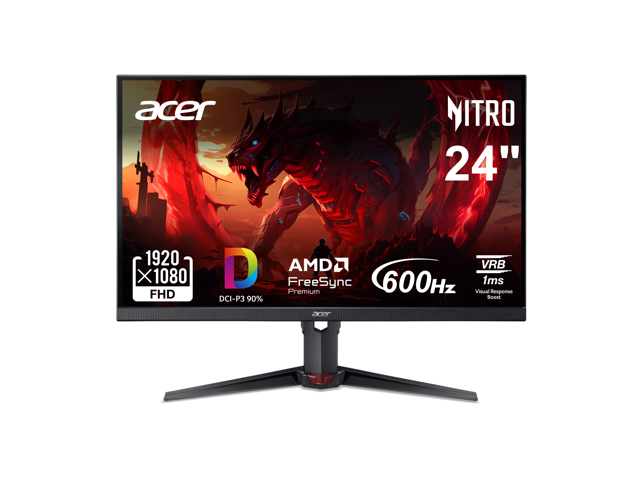
Buy Acer Nitro 24" (24.1" viewable) Full HD 1080P 600hz with AMD FreeSync Premium 0.1ms Gaming Computer Monitor with speakers with fast shipping and top-rated customer service. Once you know, you Newegg!
 honest lance
@signal berry when are your pc specs?
signal berry
Part List - AMD Ryzen 9 9950X3D, GeForce RTX 5090, Corsair 3500X ARGB ATX Mid Tower
honest lance
you could very well use that montior very well but if you are looking for something that would look better and still be low profile try this maybe
signal berry
Thank you 🙂
honest lance
no problem
signal berry
Sorry for randomly asking that lol my college competes in Collegiate for R6 and other games so was looking for a new monitor for when we have to compete from home 😄
honest lance
600hz is usually a waste cause it is very hard to see 600fps and its hard to actually hit 600fps and that one was only 1080p while this one is 400hz little easier to see but still overkill most would say and its 1440p so higher rez also and it will defiently be better for R6
signal berry
Ok that’s perfect I need it for CSGO and Apex as well so thank you very much again 😁
Also if you don’t mind me asking 2 of my teammates are also looking to upgrade their monitors can I send you both of their builds and you recommend something?
west hornet
frigid sparrow
Any budget dynamic microphones? I bought one I thought was dynamic but turns out...
What price range are you looking at
frigid sparrow
60-120 cad
bleak sluice
signal berry
https://pcpartpicker.com/list/V8NNGk
is this just the "make this for the funny" or are you actually looking at a system like this
signal berry
bleak sluice
is this just the "make this for the funny" or are you actually looking at a syst...
I actually have this system most of the parts was from my dad 🙂
Before apex asked for the build I realized I didn’t have it saved and remade it and forgot to put the monitor I have
Are you asking cause there is something wrong with my build? I was told I needed to upgrade my storage, and cooler. Also I just realized I selected the wrong ram sorry so here is the corrected list: https://pcpartpicker.com/list/6VQZLy
Part List - AMD Ryzen 9 9950X3D, GeForce RTX 5090, Corsair 3500X ARGB ATX Mid Tower
bleak sluice
signal berry
Are you asking cause there is something wrong with my build? I was told I needed...
No i was just saying if you’re gonna build this (didn’t know you already had it) you could save a lot of money on parts, don’t upgrade anything
signal berry
bleak sluice
No i was just saying if you’re gonna build this (didn’t know you already had it)...
Oh okay thank you some of the parts that I did get I got them when a discount was happening at microcenter idk why the ram is super expensive now I don’t remember it being that high priced
hot junco
Ddr5 has gone up 4-5x since September.
And if you're cool paying a bunch of money for an esports monitor I'd probably get a super high refresh oled like an xg27aqdpg or one of the msi x50 models instead of an ips.
west hornet
frigid sparrow
60-120 cad
On the upper end of your range you could do a Audio Technica AT2005USB. it also has a xlr port if you ever wanted to get a audio interface
west hornet
Some of fifines offerings are fine, im not familiar with that particular one but if you are able to find reviews that always helps. I know podcastage has reviews on a ton of mics on youtube
 hollow cipher
I have the $15 bumblebee mic which works well for me
Bare minimum of what you want from a microphone but sounds better than a headset mic
I put it right in front of my mouth for the best quality
Does need some sort of noise cancellation software tho (discord Krisp does a good job)
ebon atlas
I tried the libernovo omni today :>
it is the best chair I've ever been on, but it is just a bit better than any other comfy office chair
LiberNovo
Meet the LiberNovo Omni, the world’s first dynamic ergonomic chair featuring adaptive support, customized fit, human-interactive tracking, and flexible adjustment. Engineered to follow your movements seamlessly, it enhances comfort and posture, redefining the way you sit. Upgrade your seating experience today!
 tawny fossil
hey guys i need help with finding a good monitor for my needs. my budget is around 250$ max, i live in Europe. i have a gigabyte g24f2 that broke and i got the new tcl 25g64. my main issue with it is the resolution. this is my first miniled and the panel is way better but it is certainly less sharp than the gigabyte, even if its 24.5" compared to 23.8". other than that, the colors and contrast are amazing, but i have the local dimming turned off cause its very noticeable with 180 zones. i'm going to return the tcl but I'm looking for something 1080p or 1440p with 165hz minimum.
also, i heard that brand name doesn't matter and only the panel does, is this true?
dapper adder
tawny fossil
also, i heard that brand name doesn't matter and only the panel does, is this tr...
for the most part
we do have a "motto" here: 
i personally don't think miniled displays are worth considering anymore due to how cheap oleds have gotten; a good miniled costs as much as the cheapest oleds
bad minileds like yours is worse than regular lcd
also you say europe but your budget is in dollars?
is it 250 euros max or 250 usd max
tawny fossil
dapper adder
is it 250 euros max or 250 usd max
250 usd. also, i didnt look for miniled specifically. it was just the cheapest option with a high refresh rate and it looked interesting. also, its definetly an upgrade over my ips with the colors and contrast i would say. maybe worse than better minileds but the black uniformity is perfect and there's no bleed
like i said, only problem i have with it is the resolution and i can see a difference between 25" and 24" at 1080p
dapper adder
backlight bleed and uniformity is just panel quality and qc
and also backlight quality to some extent
tacit pawn
@hot junco I got the new monitor, msi mag 274CXF
any settings i should set in specific or just do as i like it?
oak jungle
tacit pawn
any settings i should set in specific or just do as i like it?
Since it's VA I would recommend looking for an "overdrive" setting and tuning it to your liking using the blue blur busters UFO test
It adjusts the pixel response times to try and reduce smearing
tacit pawn
blue busters UFO test?
oak jungle
*blur busters
tacit pawn
what do I do on it?
it looks blurry below 70fps
at 960 pixels/sec
looks fine to me at anything above 70fps
oak jungle
One sec
tacit pawn
and i run all my games far above 70
tacit pawn
oak jungle
One sec
okay
is there any specific settings i should change or just like put them to AI so it automatically tunes it for me while playing?
e.g its dark so it makes that area a bit brighter
i think that's what it does anyways
oak jungle
Ok you want https://testufo.com/ghosting

TestUFO: Motion Blur Test / Ghosting Test / Pursuit Camera / Pixel Response
tacit pawn
and what am i looking for exactly
none of tjem look mixed together if thats what you mean
I can see them all individually while moving
oak jungle
VA panels often smear darker colors, and monitor overdrive can help compensate
You can try and track the motion with a camera but I find it easiest to just look with my eyes as I cycle through the overdrive levels
tacit pawn
looks fine to me on fastest response time
oak jungle
Yeah some of them will "overshoot" on the highest and you get inverse ghosting. But in my experience with 3x VA panels the highest has always been best
 warm sequoia
Do you guys prefer matte or glossy finish on Oled panels?
daring zenith
main consideration is are you going to have sunlight or other bright light that might reflect off your panel
warm sequoia
true, I was just wondering what others preferred. I was just seeing videos on matte vs glossy. So I was curious.
neon root
i like matte screens so my lights arent reflecting as much. aint trynna get flashbanged irl when trying to avoid a flashbang in-game 
hot junco
I think of matte as an 'if you need it' feature. If you're playing in the dark then glossy is just better.
tawny fossil
dapper adder
backlight bleed and uniformity is just panel quality and qc
yeah well panel quality. its an upgrade over my older monitor and so are the colors except for resolution. anything better for the price or im just stuck with this until 1440p becomes cheaper or i can find a decent 24"?
tawny fossil
yeah 165hz is my minimum so that's what im looking for. i see mostly 1440p 100hz or va panels
and it needs to be reliable, so far both acer and gigabyte died on me in a year. maybe i just have bad luck
based in europe btw, i know you guys have better deals
oak jungle
Ah yeah europe market tends to be a little more expensive unfortunately
Rahhhhh🦅🇺🇸🔫 (we're actually cooked rn)
hot junco
tawny fossil
based in europe btw, i know you guys have better deals
Where at in Europe? There will be different stores and sales everywhere. If it's one of the little countries are you in the shengen to be able to use German amazon? They're supposed to have pretty good shipping prices if you are. 250 should be plenty of money to get a decent 165-180hz 1440p ips.
tawny fossil
hot junco
Where at in Europe? There will be different stores and sales everywhere. If it's...
nope no amazon just major retailers
and one more thing is idk if ill be able to run 1440p now that i've thought about it. i have an rx 7600 so its just a mid 1080p card. maybe just getting 1080p but 24" would be fine
hot junco
tawny fossil
and one more thing is idk if ill be able to run 1440p now that i've thought abou...
1080p 24" or 1440p 27" would be the good choices imo.
7600 probably would struggle in 1440p too, depends what kind of games you're playing though. If you're maxing out your gpu in 1080p then expect to lose around 30-40% of your fps going to 1440p. You can make that back with fsr upscaling but fsr 3 kind of sucks and they haven't enabled fsr 4 for 7000 gpus yet and don't seem to really want to for some reason. It's not supported in all games either.
tawny fossil
hot junco
1080p 24" or 1440p 27" would be the good choices imo.
7600 probably would strug...
i tried fsr3 and i really dont like how it looks. i can always notice a difference from native so that's how i'll run games
for rocket league, osu and other stuff yeah i can run 1440p for sure but for cs2 im not sure
 pine siren
I was thinking about getting a second monitor. Just like a 1080p monitor for Netflix and YouTube pretty much. My main monitor is 27 inches so I thought maybe I’d do the same size since I’m not sure if it’ll look bad with a smaller second monitor. Does anyone have any recommendations
dapper adder
pine siren
I was thinking about getting a second monitor. Just like a 1080p monitor for Ne...
Trick with different sized monitors is to have the second monitor be in portrait mode so you wouldn't even notice the size difference
pine siren
dapper adder
Trick with different sized monitors is to have the second monitor be in portrait...
Wouldn’t that be bad for watching media
dapper adder
I mean, if it's a secondary monitor, it wouldn't be the main focus
Anything you want to focus on should be in the main monitor
Smth like discord or yt for background audio would be on the 2ndary
 next cipher
New mouse(Ignore the trash)
 dapper adder
do you just have a lamp on your desk
obsidian cypress
I pulled the trigger and bought the 27" 240hz Mini-LED monitor from AOC.
 steel spire
chat
Am thinking of getting
a 1440p 240hz monitor
issue is Idk if my laptop's hdmi port is suitable
how do i know
also
the usb c cable has what seems to be the thunderbolt cable
will it be able to push my desired res
west hornet
check the rating on the ports and cables. like is it hdmi 1.4, 2.0, 2.1 and thunderbolt 3, 4, 5, etc
next cipher
dapper adder
do you just have a lamp on your desk
That's my nightstand

eBay
Rubber base only. No accessories included. The POWERPLAY 2 mouse module that sets up in the mouse for wireless charging is not included. Also the set lacks a cloth mouse pad. Item only. Serial numbers are recorded for verification.
Actually nvm
hot junco
steel spire
will it be able to push my desired res
If you need help looking it up we'd need the laptop model. Usually a sticker on the bottom. If you're checking yourself, HDMI 2 or dp alt mode over USB c 1.2 would be the minimum for 1440 240. Preferably hdmi 2.1 or dp 1.4 though.
stiff sand
hot junco
If you need help looking it up we'd need the laptop model. Usually a sticker on ...
this is the way
near pecan
I’ll piggy back on this because I’m still having a usb c hub problem. I have a HP Victus 16t-r100, it will not extend to two monitors when I plug it into the hub I bought recently https://www.amazon.com/dp/B0FB2VHD67?, but it would when plugged into the Dell WD15 hub I have from work.
If I turn off one monitor it shows up fine, but as soon as the second one comes on everything goes black and gets glitchy.
Should mention I’m trying to use the two display port outputs on the hub. The usb c should support DisplayPort per the specs, but it is only 5gbps.
The two monitors also display fine when my work laptop is plugged in, so I don’t think it’s the hub, but can’t rationalize exactly why my personal laptop would display with one hub and not the other.
pine siren
I’m thinking of getting a cheap 1080p 27in monitor to use as my second monitor, I found a couple options but does anyone have any recommendations?
hot junco
pine siren
I’m thinking of getting a cheap 1080p 27in monitor to use as my second monitor, ...
If you're going to have it at an angle definitely get an IPS.
27" at 1080 isn't great sharpness. It's okay but if you're used to looking at 1440p 27" then you'll likely be noticing it.
If you aren't using an arm pay attention to the stand it comes with, most cheap ones will only have tilt adjust, no side to side swivel or height adjust or option for portrait mode. Not saying you need any of that but just be aware of it.
pine siren
hot junco
If you're going to have it at an angle definitely get an IPS.
27" at 1080 isn't...
I will be using an arm and it’s mainly for like discord and shows I’m not really watching too closely. My current one is MSI so I was thinking maybe I’d get another MSI one so they match
hot junco
So the brand on the chin matches?
pine siren
hot junco
So the brand on the chin matches?
Yeah
pine siren
https://a.co/d/00U72uDT
is this a good deal?

PRO MP271A E2
oak jungle
pine siren
https://a.co/d/00U72uDT
is this a good deal?
27" 1080p isn't ideal but 120hz for $89 is pretty nice
pine siren
oak jungle
27" 1080p isn't ideal but 120hz for $89 is pretty nice
I’m just using it as a second monitor for watching YouTube and using discord. Should I get a smaller one? And if so would it look bad next to my 27in monitor
dapper adder
wtf is going on
sony is handing their bravia tv line to tcl
and panasonic is handing all their tvs (production at least) over to a different chinese company
https://www.engadget.com/home/home-theater/sony-is-handing-control-of-its-bravia-tv-business-to-chinas-tcl-120957252.html
https://arstechnica.com/gadgets/2026/02/panasonic-the-former-plasma-king-will-no-longer-make-its-own-tvs/

Engadget
Sony is ceding control of its Bravia TV brand to China's TCL as part of a new "strategic partnership."

Ars Technica
Panasonic was one of the last Japanese companies still manufacturing TVs.
oak jungle
pine siren
I’m just using it as a second monitor for watching YouTube and using discord. Sh...
It'll look alright, as a secondary I'd say it's fine. I found an even cheaper one too

Buy ASRock Phantom Gaming Computer Monitor 27" Full HD 120Hz IPS 1ms low blue light for both work and gaming compatible with VESA Mount 100 x 100 mm with both HDMI and VGA input port CL27FFA with fast shipping and top-rated customer service. Once you know, you Newegg!
pine siren
oak jungle
It'll look alright, as a secondary I'd say it's fine. I found an even cheaper on...
Thank you
 crimson dove
Looking for reccomendations for peripheral and monitor upgrades. Current PC is a 12600K and 6800XT, looking for 1440p screen (don't really need anything above 144hz) that looks great, gaming mouse and full size keyboard as well.
 covert olive
crimson dove
Looking for reccomendations for peripheral and monitor upgrades. Current PC is a...
covert olive
crimson dove
Looking for reccomendations for peripheral and monitor upgrades. Current PC is a...
How much you want to spend on a monitor?
crimson dove
covert olive
How much you want to spend on a monitor?
Price isn't really a concern, but would probably like to keep it under $500
covert olive
crimson dove
Price isn't really a concern, but would probably like to keep it under $500
Got it
Don't know much about the peripherals tho
crimson dove
covert olive
Don't know much about the peripherals tho
any help, suggestions, or just "what I should look for" would help
and be appreciated
covert olive
Ok
covert olive
crimson dove
and be appreciated

Buy MSI 27" WQHD 2K 1440P 240Hz with Adaptive Sync 0.03ms OLED Gaming Computer Monitor with Height Adjustable, Pivot, Swivel & Tilt stand MAG 272QP QD-OLED X24 with fast shipping and top-rated customer service. Once you know, you Newegg!
This might suit your needs, you can always turn down the refresh rate if it's too much 🙂
daring zenith
easiest option for mouse+keyboard is keychron
choose whatever grip and layout you want and keychron probably has it
if you want to get more involved, there are calculators for hand size and grip for mice
crimson dove
I checked out keychron, I just couldn't find one that had the asthetic I wanted. I'd have to get custom keys, which seems like a lot of hassle
dapper adder
crimson dove
I checked out keychron, I just couldn't find one that had the asthetic I wanted....
Custom keycaps is one of the easiest mods you can do to a keyboard
You just need to get a keycaps puller (technically could use other tools but the keycap puller makes it 10x easier)
daring zenith
crimson dove
I checked out keychron, I just couldn't find one that had the asthetic I wanted....
You can pull keycaps off by hand, or use anything like a key for leverage, or get a key cap puller of any shape or size, keychron also offers barebones kits if you have your own switch and keycap choices in mine, but at that point you may also start looking into other options
oak jungle
Do keychrons not come with cap pullers?
My reddragon, evga, gmmk, and monsgeek boards have all come with cap pullers
And switch pullers except the evga cause it doesn't have swappable switches
hot junco
My K8 pro came with both. I can't remember if a cheaper C2 did or not.
dapper adder
i'm not sure, i havent bought a keychron kb
they might do, cap pullers are probably like 2 cents to make
pine siren
crimson dove
I checked out keychron, I just couldn't find one that had the asthetic I wanted....
I have an aula f75 pro and I modded to put in epomaker creamy jade switches. Super aesthetic and sounds absolutely incredible for $100 and 30 minutes of super easy modding
daring zenith
oak jungle
Do keychrons not come with cap pullers?
Afaik all of them that have removable keycaps have keycap pullers, and all the hotswap ones come with a crappy switch puller, it's listed on the product page what it contains
I hate using that switch puller so if you actually want to swap the switches out, I heavily suggest that you get a separate more ergonomic one
The keycap puller is fine though
near pecan
My Q6 Pro came with cap and switch pullers. Needed to use the cap one to switch from Mac to windows keys. Was super simple from someone who’s never done it before.
 floral lake
I used to use a flat piece of metal to pry at both sides to remove keycaps lmao
Even using a fingernail combined with a 3.5mm headphone cable worked wonders
It might fly out tho, but otherwise it's safe enough to not break anything
frigid sparrow
Just snagged this for 50$ Canadian which is roughly 35$ usd

 solar raft
Cool, that’s a steal
dapper adder
For 50, that's a steal
If it was full price, it's not worth it
frigid sparrow
yessir paid 50$ Canadian
something to do me till my gpu comes lmao
truck broke down so it was delayed
dapper adder
frigid sparrow
something to do me till my gpu comes lmao
If you ever decide to want to get a shifter for the setup, don't get the Logitech one as it's practically ewaste
It is not durable at all
Get something that can connect over USB, so if you upgrade the wheel, you can continue using the shifter
My Logitech shifter only lasted about a year and a half before developing some issues, and I looked it up and apparently the switches in the shifter are actuated with thin plastic parts that snap quite often
frigid sparrow
got any recommendations?
dapper adder
I currently use a shifter from AliExpress that uses hall effect, though it's not as smooth but has a fairly good feel and costs as much as the Logitech one new (and is fully metal)
frigid sparrow
I was possibly looking into a shifter if I get bored I may sell it before then but If I find it fun Ill get one
dapper adder
It's one of those generic shifters so there's no specific brand
dapper adder
frigid sparrow
how much did u pay for yours
After tax and shipping to ontario (with a mounting clamp) it was 110cad
frigid sparrow
ill def look into it
dapper adder
But yeah, from around 6 months of using the AliExpress shifter, it definitely feels alot better than the Logitech one, but is more louder (metal on metal sounds)
There also isn't any reliability concerns that I've noticed, plus it has the ability to be switched into "sequential" shifter mode
So if you want to drive a sequential car, you could do that without the paddle shifters
More accurate to rally cars
frigid sparrow
it sucks cuz most cars got like 8 gears lmfaooo so if I get a 6 speed shifter ill have to change ur transmission on those cars like forza its easy but idk about the crew
dapper adder
You can get one with 7 gears but if you want 8, you'll have to forego the reverse gear
frigid sparrow
yeah I might just do a 6 speed and just mod the cars to have longer gear ratios
so u get full speed without needing more gears
might butcher the max speed but its all in the name of fun anyways
dapper adder
I don't think there are any conventional production cars with more than 7 gears because of the reverse gear
Most are just 6, even 18 speed trucks are 6 speed shifters with a Hi-Lo range switch
2 of them even
frigid sparrow
hmm ok
hard obsidian
what do i do?

 restive sedge
hard obsidian
what do i do?
restive sedge
hard obsidian
what do i do?
F1
hard obsidian


ehy this happening
i went into windows 11
n
it says
ftpm 2.0 is not support
obsidian cypress
I just got my new monitor. It's a 240hz 27" QHD Mini-LED panel from AOC.
While I like the colors it feels a bit oversaturated and none of my screens are remotely synced now color wise. Any suggestions on how I can tune the colors on each panel to be as accurate as possible?
obsidian cypress
dapper adder
There's probably a professional colour profile which would be more accurate
Just used the one in Display Settings. Had to lower contract a smudge and changed gamma to be higher
Whites now look very white
obsidian cypress
The color on this new monitor vs my ~6 year old IPS monitor is astonishing
oak jungle
Yeah colors tend to look a lot better on VA due to the increased contrast
obsidian cypress
oak jungle
Yeah colors tend to look a lot better on VA due to the increased contrast
I forgot this monitor (Q27G4ZMN) is VA.
Honestly feels more responsive than my IPS panel and the colors are again amazing.
Bugs me slightly that I can still spot the pixels on occasion despite being about 4 feet away.
hot junco
My first impression of my new oled, mo27q28g, isn't great.
Reading sucks but I'm going to give it a week to see if I get used to it. Got noticeably better after retraining clear type but still quite a bit worse than I'm used to.
The grey banding is also very obvious on the all grey screens but I haven't noticed anything in actual use cases so far.
High idle power is back with a vengeance though if at 240 or 280hz. Works fine at 144, my 4k 144hz used to do this right after the 7900xtx came out but they fixed that after a few months.
 obsidian cypress
hot junco
My first impression of my new oled, mo27q28g, isn't great.
Reading sucks but I'...
obsidian cypress
hot junco
My first impression of my new oled, mo27q28g, isn't great.
Reading sucks but I'...
How many displays do you use? Also yikes, your Power condumption is 3x higher than mine on the GPU and I have 3 separate panels running each with active UI elements
hot junco
Only one monitor. Using desktop dynamic refresh rate in advanced display settings gets it to calm down but moving the mouse or scroll wheel triggers an fps jump and vrr flicker every time I touch the mouse is no bueno.
Going to try custom resolution and see where the tipping point is at between 144 and 240hz.
That's got to be some kind of bug on their end.

 oak jungle
hot junco
That's got to be some kind of bug on their end.
oak jungle
hot junco
That's got to be some kind of bug on their end.
Iirc older AMD GPUs have had this issue in the past
hot junco
It did for the first 6 months or so after it came out. It was fixed though, for me at least. 4k 144 is more bandwidth than even the max 1440p 280 of this monitor so I guess it's just something tied directly to refresh rate.
dapper adder
frigid sparrow
ill def look into it
Here's what I mean by how loud it is (comparison)
Note that switching to sequential would require reconfiguration in the game settings, or a mod that allows for you to switch between the 2 modes
obsidian cypress
Loving the new QHD monitor. I am getting about 130fps average in HD2 Max settings and Supersampling.
hot junco
What was your old one?
 solemn bolt
Hey I was wondering which one I should get? https://www.bestbuy.com/product/asus-rog-strix-27-2k-oled-500hz-0-03ms-gaming-monitor-with-g-sync-freesync-and-hdr-hdmi-displayport-black/JJGHGPJCX6
The ASUS monitor is on sale for $750 and the Samsung one is on sale for $850 at a store near me
obsidian cypress
hot junco
What was your old one?
144hz IPS 24" monitor from PIXIO I got it refurbished during the GPU shortage to get the extra budget for my now sold 3070.
solar raft
If any of you fellas see a kick butt deal on a TV, I’m looking around for one. Ours rn is kinda trash. I’d like to not spend a fortune (of course), but just depends on the deal
bleak sluice
solemn bolt
Hey I was wondering which one I should get? https://www.bestbuy.com/product/asus...
Uh… I would not recommend a 500hz monitor
Save however many hundreds on this, it’s one of the top end panels

Dell Alienware AW2725DF 26.7" 2560 x 1440 360 Hz Monitor (AW2725DF)
hot junco
With oled if you're not actually getting more than that 360hz it's not really going to matter. If you're playing cs or val or something then I'd get the rog even if it was a little more expensive. They pretty much always do the best job on tuning and both of those ones you posted use the same panel and have basically the same ports.
solemn bolt
hot junco
With oled if you're not actually getting more than that 360hz it's not really go...
I play CS, Val, R6, Cod, and Overwatch for my college
solemn bolt
bleak sluice
Save however many hundreds on this, it’s one of the top end panels
https://pcp...
Oh okay thank you 🙂
hot junco
solemn bolt
I play CS, Val, R6, Cod, and Overwatch for my college
If you're realistically hitting 500 in those lighter esports games and don't mind paying more then no issue there. Whether 500 is actually noticeable over 360 is a different question If you have any way to check a display model or anything I'd do that.
Msi has a couple x50 models too and I'd check price on those, 272qp has the same sort of features as the rog and samsung, the 271qr has higher bandwidth dp 2.1 to not need to use dsc, and it has a type c with high power delivery for charging if you care about that.
solemn bolt
hot junco
If you're realistically hitting 500 in those lighter esports games and don't min...
I currently have a 1080p monitor so I have no clue what I’d be at when I switch to 1440p monitor but for all my games I believe I’m around 640-660+ fps
hot junco
solemn bolt
I currently have a 1080p monitor so I have no clue what I’d be at when I switch ...
If you're gpu limited at 1080 then typically you'd lose about 30-40% swapping to 1440p. If you are cpu limited at 1080p then it could be all the way down to 0%.
solemn bolt
hot junco
If you're gpu limited at 1080 then typically you'd lose about 30-40% swapping to...
https://pcpartpicker.com/list/FnRsJw this is my build I get higher fps in some games, but for siege I drop some fps because I have high on some settings
Part List - AMD Ryzen 9 9950X, GeForce RTX 5080, HYTE Y70 Touch Infinite ATX Mid Tower
obsidian cypress
solemn bolt
https://pcpartpicker.com/list/FnRsJw this is my build I get higher fps in some g...
Expect about a ~30% performance loss.
So if you're getting 600 fps now, expect around 400fps with worse lows
warm sequoia
is it worth using sPX mode if your monitor supports it?
astral hare
When the xg27aqwmg dropping in the us
I find it on weird sites like microless and grooves
hot junco
astral hare
When the xg27aqwmg dropping in the us
I've never seen it in the US either. I bought the same panel different coating gigabyte mo27q28g instead and I'm probably going to return it and let oleds mature for a few more years before trying another one.
astral hare
Gotcha gotcha
I js really like the glossy trueblack
Might have to settle for less tho
hot junco
There is supposed to be a glossy version of this one coming out. They had it at ces.
 whole tide
hot junco
There is supposed to be a glossy version of this one coming out. They had it at ...
whole tide
hot junco
There is supposed to be a glossy version of this one coming out. They had it at ...
Do you mean a different kind of monitor?
hot junco
whole tide
Do you mean a different kind of monitor?
They added an R on the end and made it glossy instead of matte.
obsidian cypress
To my custom keyboard enjoyers I wish to share my new Hive / Flood theme keycap #gaming message
astral hare
hot junco
They added an R on the end and made it glossy instead of matte.
wonder how much it gonna be and whens its gonna release
 mighty saddle
hey Im looking for recommendations for a good 2k monitor with good color and refresh rate. any ideas?
 vital salmon
mighty saddle
hey Im looking for recommendations for a good 2k monitor with good color and ref...
vital salmon
mighty saddle
hey Im looking for recommendations for a good 2k monitor with good color and ref...
2k as in your budget or 1440p
daring zenith
What's your budget like
mighty saddle
mmm thats sexy
vital salmon
mighty saddle
mmm thats sexy
not much better until like 400 dollars
and at that point just buy an oled
mighty saddle
honestly whats a good oled you reccomend? cause if I save just a bit more I should just get oled
im not in a rush to upgrade so I can hold off until I have enough. anything good for under $600?
daring zenith
You can get a decent oled panel at around $400, just depends on if you just want a decent panel now or getting something nice a while later
vital salmon
mighty saddle
im not in a rush to upgrade so I can hold off until I have enough. anything good...
a 1440p oled is more like 800
one worth buying anyhow
but as you said before
you dont care
just buy that while its on sale
itill do you good
then in a few years or so oleds will be even cheaper
daring zenith
vital salmon
a 1440p oled is more like 800
uh what
hot junco
Is that $800 cad? The decent 4k ones are around $800 usd.
I'm not really a big oled fan either. Not unless you're really into competitive gaming and care about the motion handling.
daring zenith
to be fair most of them are closer to $500 not $400 but ~$400 is doable on sale
hot junco
There will be a few models around $400 or even under $300 sometimes if you're cool with refurb.
vital salmon
daring zenith
uh what
a good one
if im going to buy a 1440p or 4k oled i want that for the rest of my life
if i wanna cheap out on an oled i will either not buy and oled or go 1080p
daring zenith
Unless you're going for some crazy dual mode oled panels, you're going to get a good oled panel from the $400-500 range nowadays, it's not like there are only first gen oleds at this pricepoint
It's a shame that rtings did what they did, but you can find from other reviews that you can get a great panel without splurging like that
vital salmon
daring zenith
Unless you're going for some crazy dual mode oled panels, you're going to get a ...
really
i thought that was a 1080p exclusive thing
daring zenith
..?
Dual mode 1440p panels? Stuff like this feel like the only panels """worth""" the price beyond the $400 oled panels lol
https://www.amazon.com/dp/B0G5R2QK24

27GX790B-B 27” Ultragear QHD (3440 x 1440) OLED Gaming Monitor, Dual Mode(QHD 540Hz/ HD 720Hz), 0.02ms, TrueBlack 500, NVIDIA G-Sync Compatible, AMD FreeSync Premium Pro, DisplayPort 2.1, USB-C, Black
not as in actually worth the price, but as in having a feature that makes sense for the price
oak jungle
vital salmon
if im going to buy a 1440p or 4k oled i want that for the rest of my life
Even an $800 oled is not going to last you for life
vital salmon
daring zenith
..?
no the good deals on good quality oleds
vital salmon
oak jungle
Even an $800 oled is not going to last you for life
with proper care and repair it will
oak jungle
I mean if "life" is like 1 hour a day maybe. But even the most expensive oleds today will slowly burn out
vital salmon
gonna abuse the warranty mega hard
you know there is an app that lets you do burn in fraud
like it purposely burns in your screen so it looks natural
so you can claim your warranty before it expires
oak jungle
Ok that's like a whole different thing bro. Can't just make your $800 claim without including that
vital salmon
better than chucking a rock at it
vital salmon
oak jungle
Ok that's like a whole different thing bro. Can't just make your $800 claim with...
cheaper ones have worse warranties
oak jungle
Also probably don't talk about fraud here 
 daring zenith
look if you're going to commit fraud, do it somewhere else and it doesn't matter what product you get
hot junco
vital salmon
i thought that was a 1080p exclusive thing
Where have you been seeing 1080p oleds that aren't portable/laptop screens?
vital salmon
hot junco
Where have you been seeing 1080p oleds that aren't portable/laptop screens?
dual mode ones
and portables
oak jungle
1080p dual mode is just a 4k panel running the pixels in groups of 4
I don't even see 1080p oleds on PCPartPicker
vital salmon
ye
mighty saddle
vital salmon
https://www.bestbuy.com/product/aoc-27-q27g40xmn-mini-led-qhd-180hz-gaming-monit...
Yeesh that's a bit much lol. I'll have to find one under $600
If that's even possible
vital salmon
mighty saddle
Yeesh that's a bit much lol. I'll have to find one under $600
its $180 what do you mean
mighty saddle
daring zenith
Dual mode 1440p panels? Stuff like this feel like the only panels """worth""" t...
My bad wrong link I replied to lol
I was referring to getting an OLED
daring zenith
mighty saddle
I was referring to getting an OLED
It's more than possible
https://www.newegg.com/acer-x27u-z1bmiiprx-27-wqhd-280-hz-predator-qd-oled/p/N82E16824011526

Buy Acer Predator 27" WQHD 2K 1440P 280hz with AMD FreeSync Premium Pro, 0.03ms OLED Gaming Computer Monitor X27U Z1bmiiprx with fast shipping and top-rated customer service. Once you know, you Newegg!
The $1000 one was just a ridiculous one
mighty saddle
So what's the difference between wqhd and qhd?
daring zenith
It's the same thing, it's 1440p
mighty saddle
Do all oleds have HDR? That one has it which is nice but just curious
My current one doesn't and I was sad that such a beefed up monitor didn't
dapper adder
idk about all but most should
they might not be vesa certified but should probably support showing hdr
daring zenith
They tend to have hdr400 true black, or hdr1000 with high enough peak brightness
warm sequoia
What gen QD panel does AOC Q27G41ZDF use?
bleak sluice
daring zenith
Dual mode 1440p panels? Stuff like this feel like the only panels """worth""" t...
??
 frigid sparrow
Should I be using g sync or is it better to turn it off?
and also what should I buy if my motherboard doesn't have rgb slots but my case has rgb fans?
<@&1344087154988421151>
oak jungle
frigid sparrow
Should I be using g sync or is it better to turn it off?
Definitely keep gsync on
 left hawk
mighty saddle
So what's the difference between wqhd and qhd?
left hawk
mighty saddle
So what's the difference between wqhd and qhd?
Widescreen QHD. Widescreen means 16:9
left hawk
frigid sparrow
Should I be using g sync or is it better to turn it off?
Generally on, unless you have bugs. Nvidia has long stopped caring about stable drivers so most driver features are plagued with bugs. Gsync is generally buggy with certain freesync monitors, using multiple displays, and some other things
 maiden kite
frigid sparrow
Should I be using g sync or is it better to turn it off?
maiden kite
frigid sparrow
Should I be using g sync or is it better to turn it off?
G-Sync and Freesync is to help eliminate screen tearing, even if you lock your monitor frames in display options, with GPU Control panel or in game. If youre monitor is over 144hz and your game plays above that, id turn it on.
maiden kite
frigid sparrow
and also what should I buy if my motherboard doesn't have rgb slots but my case ...
what does this mean.
frigid sparrow
maiden kite
what does this mean.
like I need some kind of hub to be able to hookup the rgb fans
maiden kite
are you saying your motherboard doesnt have those ports? almost every board does.
or are you stating it has JRGB instead of ARGB
restive sedge
frigid sparrow
like I need some kind of hub to be able to hookup the rgb fans
Corsair has a fan hub
Do you need 4 or 3 pin?
vernal pulsar
So I'm in the market for a capture card. I've had one external one in the past, but am considering getting an internal this time to free up desk space. The one I'm looking at supports up to 4k 60 FPS, and it qualifies for the motherboard I'm using. Is there any downsides to having an internal as opposed to an external though? Anyone have experience? 
Other than being less portable, of course
restive sedge
maiden kite
<@423224499849134081> how much is it
$30
frigid sparrow
the fans power up I just done have anything to get the rgb to work cuz the motherboard doesnt have any slots for it
maiden kite
so theyre connected to PWM, but not ARGB slots
restive sedge
 maiden kite


The ASUS TUF Gaming ARGB PWM Fan Hub connects up to six case fans for PWM and ARGB control, syncing cooling and lighting effects seamlessly.
restive sedge

The CORSAIR COMMANDER DUO Lighting and Fan Controller unites PWM and iCUE LINK ecosystems with a single device that is both flexible and powerful. It has two modes; as an ARGB fan controller supporting up to 12 daisy-chained PMW ARGB fans and as an iCUE LINK bridge when a System Hub is attached. ...
The commander duo supports more and has a temp sensor
hot junco
Link is proprietary corsair stuff it's not regular argb.
restive sedge
hot junco
Link is proprietary corsair stuff it's not regular argb.
I use it for wife’s thermaltake fans
They work fine
hot junco
Link uses a different plug though, you'd have to adapt it. You sure it's not a different model?
 hot junco
Hybrid? So it has both?
 hot junco
I don't really like doing argb stuff. If I am doing flips I usually just get cheapish cases with a controller/hub or daisy chain but I've used the cheap thermalright 8 port one for fancier builds a couple times.
restive sedge
I just use some Corsair fans I got in a trade and my peerless assassin
frigid sparrow
restive sedge
ique link doesn’t even get plugged in her pc
you have the same case as my gf haha
bought her the same one bahaha
but it looks quite emptier with the little itx motherboard I got
hot junco
sinful lantern
Does anyone have a keychron keyboard in here?
I have a k8 pro and I've had a c1 before.
sinful lantern
hot junco
I have a k8 pro and I've had a c1 before.
Nice. I was thinking about buying the Keychron Q6 HE 8K. I already have the corsair k100 optical switches and not sure if I should switch...
sinful lantern
sinful lantern
Nice. I was thinking about buying the Keychron Q6 HE 8K. I already have the cors...
It's been 5 years
hot junco
I don't know about that model but the only complaint I have with mine is the spacebar stabilizers aren't very good. At some point I'll stop being lazy and replace them.
sinful lantern
hot junco
I don't know about that model but the only complaint I have with mine is the spa...
It's basically an 8,000hz polling rate keyboard with magnetic switches
I actually want it more for typing but low profile keyboards are not as good for gaming if I'm not mistaken
 upbeat zenith
Should i get the MSI Mag 272QP X24 OLED? Looks sweet.
stiff sand
OLED is the way
 wintry sapphire
idk where else to put this but, i recently bought a new montior, a 27in lg ultragear 27G411A-B and i noticed some big fps drops and i honestly expected some fps loss but not like 30-40 in some games, my older monitor is just a simple 22in samsung one and both monitors are the same resolution the only thing i changed was my pc position, i placed it under my desk but even then temps arent that high enough to justify that massive fps loss
 supple swan
wintry sapphire
idk where else to put this but, i recently bought a new montior, a 27in lg ultra...
supple swan
wintry sapphire
idk where else to put this but, i recently bought a new montior, a 27in lg ultra...
at the same resolution, the monitor shouldn't affect fps. Have you used HWiNFO or any other software to see if your GPU &/or CPU temps are higher?
I suggest: download HWiNFO (https://www.hwinfo.com/download/ "Installer" -> Free Download -> Local (U.S.)); installing HWiNFO; open it & leaving it running; play a game where you've seen a considerable fps drop; play until the considerable fps drop occurs; exit; & check "Core Max" or "Core Temperatures" under the "Maximum" column & "GPU Temperature," "GPU Hot Spot Temperature," & "GPU Memory Junction Temperature" also under "Maximum" column. If any of those or even other readouts are red, that's likely the issue

Start to analyze your hardware right now! HWiNFO has available as an Installer and Portable version for Windows (32/64-bit) and Portable version for DOS.
you could also check "Core Thermal Throttling" for CPU & expand "GPU Performance Limiters" & see if it says "Yes" next to "Performance Limit + Thermal" for GPU


It's extremely unlikely that it's the new monitor's fault
wintry sapphire
supple swan
at the same resolution, the monitor shouldn't affect fps. Have you used HWiNFO o...
yeah i used mi afterburner to check temps on the games i usually play and it was the same as before but the fps dropped liie crazy on some games
i tried playign with just 1 monitor and it went up by a considerable ammount
idk why im dropping so much out of nowhere
i updated drivers too so idk what is it 😭
wintry sapphire
also a lot of weird win10 issues started happening today and they all went away after i dc'ed the monitor and cleared the cmos battery so im thinking its a monitor compatiblity issue or something
frigid sparrow
Someone able to help me lmao
Or explain something
My screen started doing this earlier and it’s been like it for months
And all the sudden I got screen burn in
And it’s slowly fading away
It like flickers and flashes
When I’m tabbed out of a game
stiff sand
how old is ur monitor
frigid sparrow
Not sure it’s power on hours is only 8000
The burn in is fading away slowly
It only started doing a burn in when the screen starting flickering when alt tabbed
Idk if you seen on that video
oak jungle
If it's only when alt tabbing that sounds less like a physical monitor issue and more like a windows or driver issue
frigid sparrow
Yeah it’s definitely a monitor issue
I just don’t know why it burned in and then disappeared slowly lol
I thought I was tripping
The flicker didn’t show in the video because it won’t show at anything below 60 fps
I recorded a video of it on 30 and won’t show up but 60 shown the flicker lmao
dapper adder
frigid sparrow
The burn in is fading away slowly
slight correction of terminology, burn in is permanent screen damage from uneven pixel wear on the display
while anything that goes away on its own would be image persistence
for your case, it would be neither, because it looks like steam is semi transparent for some reason
frigid sparrow
it's odd it slowly vanished
like I dont see it anymore
I even reset my pc and it still showed up when booting up my pc again
but staying on main in windows I watched it slowly vanish
dapper adder
weird
try to isolate the issue
try using the monitor on other devices, and also try using the pc on a different monitor
oak jungle
Also, does it happen with other programs
frigid sparrow
oak jungle
Also, does it happen with other programs
yes only when alt tabbed
its def the monitor but idk what it could be
oak jungle
frigid sparrow
yes only when alt tabbed
What about minimizing?
frigid sparrow
anytime Im in a game and alt tab it just flashes
and burns in then just goes away
oak jungle
You're not answering my question lol
If you have an application in front of another and minimize it, what happens
oak jungle
frigid sparrow
only does it when Im in a game and alt tabs
This basically confirms software not hardware issue
Reinstall drivers, maybe reinstall windows
frigid sparrow
I need some advice yall
I have a bottleneck on siege for my cpu
should I upgrade my cpu or go to 1440p
like im noticing my cpu usage high when in a call on discord
and on siege
hot junco
frigid sparrow
should I upgrade my cpu or go to 1440p
Higher cpu usage or some actual problem?
If you want more fps cpu to an x3d, if you want a sharper screen monitor. If you're fine with your current fps/performance you don't need to feel like you have to do either. You can get a good 1440p competitive gaming monitor pretty cheap now.
https://pcpartpicker.com/product/b3XMnQ/ktc-h27e6-270-2560-x-1440-320-hz-monitor-h27e6

KTC H27E6 27.0" 2560 x 1440 320 Hz Monitor (H27E6)
oak jungle
frigid sparrow
like im noticing my cpu usage high when in a call on discord
Is it actually limiting your fps or causing stutters?
frigid sparrow
It’s not limiting but it’s causing 100% cpu usage which is causing stuttering when it hits 100
frigid sparrow
<@&1344087154988421151> In your opinion to get lower cpu usage when on siege and discord call should I go to 1440p or get a new cpu
<@&525119001324683264>
daring zenith
frigid sparrow
<@&1344087154988421151> In your opinion to get lower cpu usage when on siege and...
Approx what fps are you getting?
frigid sparrow
I get over 200 fps but its on competitive games so I need the lot
daring zenith
frigid sparrow
I get over 200 fps but its on competitive games so I need the lot
What's your monitor refresh rate?
frigid sparrow
240
daring zenith
Going up to 1440p will def drop your fps
I'd probably try setting a fps cap to 180 if you can't consistently get over 200
Also make sure hardware accel is off on discord
frigid sparrow
like its no reason like fortnite and rainbow should be sitting at over 99% cpu usage its just wild to me
warm sequoia
what settings are you using?
hot junco
daring zenith
Going up to 1440p will def drop your fps
Not necessarily. If you're GPU limited at 1080p then yeah it'll be like 30-40% off. If you're CPU limited at 1080 with plenty of GPU power left in the tank then it could be same fps at 1440p.
Sounds like something else is going on to me but don't know what. Audio issues are something I try to avoid.
frigid sparrow
I've tried running high settings and low doesn't change the usage by much
tried deleting softwares and updating drivers
daring zenith
hot junco
Not necessarily. If you're GPU limited at 1080p then yeah it'll be like 30-40% o...
Theoretically, yes, but 9600x+5070 isn't a situation where you won't be GPU limited at 1440p
It's not a way to lower CPU usage without dropping fps
daring zenith
frigid sparrow
like its no reason like fortnite and rainbow should be sitting at over 99% cpu ...
What other applications are showing up on task manager in terms of CPU usage?
hot junco
In siege? Isn't that one of those 500+ fps on midrange hardware sort of games?
daring zenith
It's weird nowadays, but definitely not a 500fps game
frigid sparrow
Yeah definitely not that high anymore unfortunately lol
hot junco
I know they got an update a while ago. Did that tank it?
daring zenith
Past like 3 years of updates have been tanking it slowly and surely
frigid sparrow
That definitely did but they fixed it for the most part
daring zenith
Performance has only gone down imo
daring zenith
Stutters can be a usage thing yea
But what other applications show up on task manager in terms of CPU usage?
frigid sparrow
Cuz it’s not like a frametime stutter
Usually only siege and discord
It’s hard to use task manager to see because that uses resources up too when opened
daring zenith
Also are you using vulkan or dx11
frigid sparrow
Dx12 since siege is limited to that now
daring zenith
Could've sworn vulkan was still an option but it's been a couple months since I played
frigid sparrow
Unfortunately not only dx 12 unless there’s a option idk about
hot junco
You can use an in game overlay like rivatuner or just alt r for the Nvidia one. Or leave hwinfo 64 recording in the background.
daring zenith
frigid sparrow
It’s hard to use task manager to see because that uses resources up too when ope...
Can you take a picture with siege running and in a discord VC in the background of task manager?
Don't think any overlay lets you list processes by usage but prob doable if you take time to do it
hot junco
By process no. If you wanted to check what's causing the spiking it would have to be task manager or resource monitor afaik.
frigid sparrow
Kk ill try that out when im on it
I cant give a accurate rn cuz Im on fortnite and watching a live stream
daring zenith
frigid sparrow
Cuz it’s not like a frametime stutter
Also wait what do you mean by this, network related stuttering?
daring zenith
What kind of stuttering is it then?
daring zenith
Oh still frametime
frigid sparrow
only happens when cpu usage hits 100
daring zenith
Still sounds like what discord hardware accel does to fps tbh
frigid sparrow
ill try turning it off and see if it fixes it
frigid sparrow
Yeah still high and not even including being in a discord call
vital salmon
frigid sparrow
<@&1344087154988421151> In your opinion to get lower cpu usage when on siege and...
turn off hardware acelleration
on discord
frigid sparrow
I did I still get high usage
vital salmon
frigid sparrow
I did I still get high usage
well sorry
the 9600x is a beast for all sorts of games
but for your comp FPS 300+ fps games
you need something a little better
@frigid sparrow to fix stuttering and input latency use nvidia reflex + boost
it will limit usage to like 95% for gpu and cpu
but should stop the stutterring
and help with delayed inputs
reflex off if below 80% gpu
reflex on if above 80% gpu
reflex on + boost if above 80% on gpu and cpu
@frigid sparrow if it makes you feel any better, 200 fps is stil really good
i used to kick ass with a 60hz monitor
frigid sparrow
yeah only thing about it is that it goes from 200 ish then drops to 120-130
causing a micro stutter
vital salmon
with cpu usage that high yeah
if reflex doesnt fix it then you should probably limit your fps to something like 175
so you got some headroom
@frigid sparrow if you got some cash

Buy Refurbished: AMD Ryzen 7 9800X3D - Ryzen 7 9000 Series Zen 5 8-Core 5.2 GHz - Socket AM5 120W - AMD Radeon Graphics Desktop Processor - 100-100001084WOF with fast shipping and top-rated customer service. Once you know, you Newegg!
9800x3d for like 400 bucks
refurbished but like its a cpu
if the pins aint broken its basically new
frigid sparrow
well its am5 so no pins on it
vital salmon
frigid sparrow
well its am5 so no pins on it
pads now
vital salmon
frigid sparrow
I may just leave it for a bit make a decision between 1440p or better cpu
better cpu
1440p for esports kinda sucks
1440p for anything else though is great
if you're willing to drop 400 on a cpu/monitor
just for esports
its clear you hold it in high priority
frigid sparrow
I was thinking something cheaper idk like 7700x
hot junco
That still seems like you've got something else going on. I watched a couple recent benchmark vids and they are at 300+ easy with 9600x in siege x so even your base feels low.
vital salmon
frigid sparrow
I was thinking something cheaper idk like 7700x
that would be barely an upgrade
frigid sparrow
hot junco
That still seems like you've got something else going on. I watched a couple rec...
its hard to point out current update versus old because of the recent update with siege it tanked everyones fps
dapper adder
did you try benchmarking to compare cpu perf with other people's scores for the same cpu
hot junco
frigid sparrow
its hard to point out current update versus old because of the recent update wit...
How recent? They were both December. And I also wouldn't bother with a new cpu unless you're going to get a 7800x3d or better.
frigid sparrow
hot junco
How recent? They were both December. And I also wouldn't bother with a new cpu u...
like I think start of the month
3 weeks ago maybe
frigid sparrow
dapper adder
did you try benchmarking to compare cpu perf with other people's scores for the ...
Yes I have seems to be over average
 west hornet
Nah
solar raft
Nah
neon root
i might get one of their new mousepads
oak jungle
 thorn grove
Do we get it
thorn grove
Do we get it
Probably a great time to get the v3 lowkey
frigid sparrow
so I currently got a bottleneck on certain games
where my gpu isn't being fully utilized
hot junco
frigid sparrow
https://www.bestbuy.ca/en-ca/product/acer-27-qhd-200hz-0-5ms-gtg-ips-led-freesyn...
https://ca.pcpartpicker.com/list/yF7hMF I'd look at these. Nitros tend to be deservedly cheap.
Part List
frigid sparrow
going to 1440p from 1080p is a big save on cpu usage lol
hot junco
Kind of but indirectly. If your gpu isn't able to do as many fps because of it then the lower fps reduces cpu load.
 flint finch
Instead of 1080p dlaa you do dlss quality at 1440p
So your cpu ends up with a similar load as 1080p 
oak jungle
...resolution doesn't affect cpu load by any significant amount
1440p dlssQ might even decrease gpu load compared to 1080p dlaa
Yeah if I'm remembering correctly that Quality is 66%, then the internal res is 1440*0.66=950.4p
obsidian cypress
oak jungle
Yeah if I'm remembering correctly that Quality is 66%, then the internal res is ...
It is indeed 66%.
@frigid sparrow to be frank with you, if you're that bothered by the CPU usage, then upgrade the CPU.
warm sequoia
Damn, Q27G40XMN Mini-LED soars back too $299.99 😱
 tepid ermine
https://pcpartpicker.com/list/yRcTQP if this is my rig, can someone recc a good monitor for budget under 250$?
Part List - AMD Ryzen 5 7600X, Radeon RX 6750 XT, Phanteks XT PRO ULTRA ATX Mid Tower
flint finch
tepid ermine
https://pcpartpicker.com/list/yRcTQP if this is my rig, can someone recc a good ...
Q27G40XMN
hot junco
tepid ermine
https://pcpartpicker.com/list/yRcTQP if this is my rig, can someone recc a good ...
What sort of games do you mainly play? If you're into AAA single player stuff then you might want a different monitor than someone who mainly plays fast paced esports games like cs2 or valorant.
flint finch
180hz is fast enough that most run into skill issues before the monitor is a issue
oak jungle
Yes but IPS will have better pixel response times which can be nice for shooters
next cipher
Are there any good cheap vr headsets
oak jungle
Define good
Used quest 2s are ~ $100
They can be a pain for pcvr though in my experience
dapper adder
Current cheapest good is quest 3s (which is basically a quest 2 refresh)
Quest 2 is pretty much eol this year, with feature updates ending this year and security a little later
For a little bit more, you can get the genuinely good* quest 3
The caveat being it's still owned by Facebook and they will datamine the shit out of you which is why some people who use the quest 3 air gap it by putting it on a VLAN with no internet access; only a connection to the PC, and connecting it once in a while to update
But it's the best VR experience you can get for a relatively low price that currently is available
If you wait a little longer, the steam frame by valve will come out, but it will 10000% cost more than the quest 3
But should be worth the price
Most the other competitors are not really worth considering due to software or even hardware issues
Such as pimax with bad software and bad qc
Pico could technically be considered but I believe they've exited the VR market
Looking on Google nvm
But their next headset will be much more expensive and is not released
And their current gen is only a bit better than the quest 2
Despite having pancake lenses
There isn't really any actually cheap VR headsets that are good because the cheapest good ones are already sold at a loss by meta
And any competitors trying to undercut them do not survive since they can't make a loss on their headsets
Any headsets that are cheaper tend to be far worse headsets as well
oak jungle
I'm on hopium that the base model steam Frame will be $500-550
But iirc estimates are more like $600-700
next cipher
I js want sm cheap to play pw and beamng with
oak jungle
There's also PSVR2 but iirc it doesn't work fully on PC (no eyetracking, maybe other features too)

eBay
Sony PlayStation VR2 CFI-ZVR1 Headset & Sense Controllers for PS5 in Box PSVR2.
next cipher
Hm
dapper adder
oak jungle
But iirc estimates are more like $600-700
the estimates are more for like pre-ram/flash pricing though
oak jungle
:(
dapper adder
my estimate is like 700-800 is probably around what they would end up releasing as,
but hard to tell ngl
all we know for certain is that they originally had a design target which was to be cheaper than the index ($999) but not sold at a loss, and seemingly aiming to be better than the quest 3 out of the box
quest 3 is currently being sold at $500, and most likely at a loss for meta (even if not, probably close to it), so if valve made a quest 3 it probably would have been at least around 600 probably
the steam frame also includes what is essentially a 6ghz access point out of the box for specifically a good streaming vr experience as well, which probably isnt exactly that cheap, maybe like $40 bom (wild estimate, could be more or less)
also is technically modular, which means more parts (more manufacturing complexity)
the controllers also still have the capacitive touch sensors in it, unlike the quest's touch controllers
overall the steam frame is kinda like a more premium package, so i really can't see it being priced under $600 with usual hardware pricing
i would love to know what valve's actual pricing target was originally though
oak jungle
Yeah my $500-550 hope was kinda before it was revealed to have standalone capabilities
dapper adder
I think it was funny seeing people in some comments saying they wish valve made a wireless streaming VR headset with no processors in it and just screen and tracking
 oak jungle
Yeah unfortunately the index was like $1200 right?
Oh nvm $1000
And optics wise the quest 2 is overall better
dapper adder
though the index was pretty incredible value for the time it came out
only issue is that the launch price was the price it stayed at till eol
oak jungle
I'd still prefer if the Frame was just a pcvr headset
dapper adder
one huge benefit of the frame being wireless though is that there's no longer a cable that breaks fairly easily and costs like $100 to replace every time
oak jungle
IMO standalone VR is somewhat of a gimmick. VR is so graphically intensive that it's hard to make truely impressive games run standalone
dapper adder
though this was also one of the reasons why steam support is so highly regarded, because steam support has occasionally replaced the tether cable free of charge outside of warranty
but if you paid for it, it would be like 120 or whatever
honestly it's kind of an impressive cable
it's like what, 6 feet long or something, and carries displayport 1.4 signals, usb 3.0 signals, and power
flint finch
Ps VR 2 + Dongle probably not a bad solution
I thought of using a VR headset instead of a ultra wide for my sim rig but I need cold air to hit the spots the headset would sit on
I thought VR would be more popular in colder countries
dapper adder
VR isn't very popular overall due to cost of entry
Ok maybe it's popular relatively but it isn't really mainstream
Knowledge of its existence somewhat is but there are not that many people who go in VR regularly
And honestly
The quest 2 sucks for standalone use
It was a cheap novelty Christmas gift but majority of the user's just put it on the shelf
People with a gaming PC might use it more but the implementation of pcvr on quest in the early days especially were
Not great
It still isn't great
But it's better
flint finch
I think the ps VR 2 would have been relatively popular if the dongle was available for purchase from day one
 torpid cypress
Hey i purchased a used 27gx790a-b for $500 but it doesn’t fit my needs as a student very well, should I sell it and invest in a mini led ips monitor?
hot junco
You bought an expensive esports monitor and you want to trade it out for an expensive mediocre hdr monitor?
Mini led's advantages over regular ips would be there is basically no backlight bleed and grey uniformity problems, and you can use hdr somewhat. Ips doesn't have the contrast for good hdr even with mini led though.
torpid cypress
hot junco
You bought an expensive esports monitor and you want to trade it out for an expe...
I mean it’s like a crazy good deal it retails for $1000 cad Thats like half off retail plus he gave me the purchase transcript
I can sell it for 700 and invest in a mini led and have left over
hot junco
What do you intend to use it for? Just reading/typing class stuff, movies, games?
torpid cypress
Studying, reading documents, working, gaming with friends
My pc can’t handle 480hz except esport games anyways
And I don’t play esport games
hot junco
I tried a 1440 oled recently too and didn't like it. It sucked to read on and I went back to 4k ips. Mini led has some small advantages over regular ips like I said and if you can find another good deal on one then it should be a solid choice, new they tend to be overly expensive and not particularly good at hdr which is the main reason to want one.
torpid cypress
I also don’t play in the dark so I think miniled fits my needs as really well
hot junco
Some models can be pretty bright too yeah and that can help with glare/reflections.
torpid cypress
Im looking at this one rn

Canada Computers & Electronics
ACER 27" 2560 x 1440 (WQHD) Mini-LED IPS 320hz Gaming Monitor
hot junco
I'm not normally a big fan of nitros, acer doesn't do a great job on their budget stuff like gigabyte g series or ktc or msi mag do and they have probably the worst osd of a real brand I've tried.
But that is really cheap.
torpid cypress
Worse case is returning it right jt?
oak jungle
$400 gets you an oled. Better contrast and motion clarity, but like Covante said text can look odd sometimes
https://pcpartpicker.com/product/dvkqqs/acer-predator-x27u-z1bmiiprx-265-2560-x-1440-280-hz-monitor-umgxxaa103

Acer Predator X27U Z1bmiiprx 26.5" 2560 x 1440 280 Hz Monitor (UM.GXXAA.103)
torpid cypress
Uh I’m Canadian
oak jungle
torpid cypress
Uh I’m Canadian
Oh I'd just go for that miniLED then. Sorry, didn't notice the canada bit
torpid cypress
All good
oak jungle
310 cad for the miniled vs 600 for the cheapest oled
torpid cypress
oak jungle
310 cad for the miniled vs 600 for the cheapest oled
I bought a high tier oled for $500 but I’m not using it to the full extent
Too paranoid with burn in also so better for me to switch to a miniled I think
oak jungle
fair enough
 desert vigil
https://pcpartpicker.com/list/yvB4qd this is my build, what is the best 1440p 244hz monitor I can get?
Part List - AMD Ryzen 7 9850X3D, Radeon RX 9070 XT, NZXT H9 Flow (2025) ATX Mid Tower
I play fps games and casual too
oak jungle
desert vigil
https://pcpartpicker.com/list/yvB4qd this is my build, what is the best 1440p 24...
Acer Predator X27U Z1bmiiprx 26.5" 2560 x 1440 280 Hz Monitor (UM.GXXAA.103)
Technically not "the best" but it's at a decent price
desert vigil
oak jungle
https://pcpartpicker.com/product/dvkqqs/acer-predator-x27u-z1bmiiprx-265-2560-x-...
Know one that's 34 inches wide?
oak jungle

Acer Predator X39 39.0" 3440 x 1440 240 Hz Curved Monitor (UM.TXXAA.001)
desert vigil
OOOOOOO
hot junco
800R is pretty bendy.
flint finch
That rig deserves the Q27G40XMN more
 lament vale
flint finch
lament vale
flint finch
Any LG 27GR95QE owner here who bought it during launch ?
 ripe quarry
is this worth it? would only buy 1
would be using it for misc stuff like discord, Spotify etc. should i haggle the price?

Facebook marketplace^^^^
dapper adder
I would probably haggle a bit
 solid moss
ripe quarry
is this worth it? *would only buy 1*
would be using it for misc stuff like disc...
solid moss
ripe quarry
is this worth it? *would only buy 1*
would be using it for misc stuff like disc...
20 bucks
oak jungle
solid moss
20 bucks
That's lower than the dude's price for all 6, probably wouldn't work
I guess as a starting offer maybe but idk if I was a seller I'd laugh at that
thorn grove
 ripe quarry
https://canva.link/6g15sslninf5dr6 Is this worth it
 desert vigil
I play one FPS game and that's War Robots Frontiers, I run 350-280 fps on it with this monitor

Interested in upgrading to this https://a.co/d/04v2H7CV

The ROG Swift OLED PG32UCDM boasts a 32-inch 4K QD-OLED panel that delivers astounding visuals at a buttery-smooth 240 Hz. Powered by third-generation QD-OLED technology, the PG32UCDM delivers vibrant colors, the deepest black hues, and the brightest highlights. Plus, the 0.03 ms response time en...
It's 4k, but it's 240 hz, more than my 165hz one, I know 1440p is better for fps games, but I like Asus stuff and it's a big monitor and it's a qd OLED, heard those are good as heck
Part List - AMD Ryzen 7 9850X3D, Radeon RX 9070 XT, NZXT H9 Flow (2025) ATX Mid Tower
Build so far, brand now
If I should go for a 1440p, is there one higher than 244hz and big as well?

 left charm
if i have 400 fps but i play on 180hrtz can i only see 180 frames?
floral lake
you can see the 400 frames, but tearing can be an issue
i'd just cap the fps at 180 for a smoother experience
the pc won't have to work at its hardest all the time, which can also introduce stutters and frametime instability
oak jungle
If you're on 180hz it will only be displaying 180 frames per secomd
Fps > refresh rate can help slightly with latency but also introduces tearing so not worth it imo
floral lake
there's a lot of times where i have noticed that not locking my fps to the screen's actual refresh doesn't limit the extra frames i feel- but at the expense of very apparent tearing
maybe it's placebo, since it's only a sample of one
it's the effect of the screen trying to display the extra frames, but failing to catch up so it starts tearing all over the place
flint finch
Uhh no what you are probably feeling is your mouse click registering faster as well
flint finch
left charm
if i have 400 fps but i play on 180hrtz can i only see 180 frames?

Check GPU Prices Now:
GeForce GTX 1080 Ti: https://amzn.to/2KbTilX
GeForce GTX 1080: https://amzn.to/2Ivuh8m
GeForce GTX 1070 Ti: https://amzn.to/2wFwV6P
GeForce GTX 1070: https://amzn.to/2Kfbg7l
GeForce GTX 1060 6GB: https://amzn.to/2KfbtYb
GeForce GTX 1060 3GB: https://amzn.to/2Iaq5al
GeForce GTX 1050 Ti: https://amzn.to/2wyCqnu
GeForce GTX 10...
The numbers are different but the same principles apply
Also wow 7 years younger Tim looks the same as Tim does today
desert vigil
I need help
desert vigil
desert vigil
recieved it today, plugged it in, installed everything and it crashes when I enter task manager and when I try to play games
flint finch
Monitor crashes ?