#old-cooling
1 messages · Page 87 of 1
 noble quarry
yeah but i read the reviews and some unfortunate souls had a unit with a loose fitiing on the pump D: and most complained about the noise of the fans... which they can be replaced but they add to the overall price of the unit itself
even the high rated reviews talk about the noise
 knotty sparrow
Yes I highly recommend replacing the fans with Arctic P14 if noise is a concern.
And there's always going to be the occasional problem, that applies to everything.
noble quarry
i was inclined to go 360r from msi but theres a lot of reviews and videos about that one that talk about gunk like the enermax ones
 left pulsar
To me a big heatsink looks cleaner even if it covers 1/2 the mobo, lol. Plus, at worst someday perhaps a fan fails & the temps just creep up a bit. AK620 isn't far behind some aios. Solid $60 pick for sure
knotty sparrow
Yeah those ones are a no
 hazy crown
What are some good white rgb fans
 uncut axle
Arctic fans ftw
Maybe not the best performing fan overall, but bar none the best value fans
Very happy with my p14 pwm pst's
 marsh badge
They're actually up there in the benches
But not the best ofc, still amazing tho
Like noctua level of performance, just not as silent
As in only a few dba of difference
uncut axle
Would be better with some rubber dampeners, but not a big deal for the value you get
marsh badge
ye
knotty sparrow
Yeah for performance they're right up with the best noctua fans, just slightly louder.
knotty sparrow
Yes, that's the white model. No RGB though
If you want white+RGB maybe look at the Lian Li Uni Fans
uncut axle
hazy crown
https://www.newegg.com/arctic-cooling-acfan00131a-case-fan/p/N82E16835186211?Ite...
That's the P12 (120mm version) which is also fine, I went with the p14 (140mm version) because my case could fit them and they move more air
I don't think arctic offers RGB. Honestly if you're buying arctic, then you're buying it for the same reason as a noctua, which is performance and not RGBling, and that's where it's got way better value versus noctua
After doing a bit more perusing, I'm considering the Deepcool AK620 🤔
Thermalright seems to have a pretty compelling cooler too with the Peerless Assassin 120
oooh MC has the AK620 for $5 less than newegg 👀
knotty sparrow
Arctic does have RGB, just not for the white one
 solar sparrow
I got a question and that is that i have had my AIO on my CPU for almost a year now i would like to know when it would be ideal to replace the thermal paste on it (Also this is my first AIO which is why i am asking)
 timid carbon
solar sparrow
I got a question and that is that i have had my AIO on my CPU for almost a year ...
timid carbon
solar sparrow
I got a question and that is that i have had my AIO on my CPU for almost a year ...
3-4 years
solar sparrow
I have a can of airduster just wondering how often would i need to clean it out pretty much
knotty sparrow
solar sparrow
I have a can of airduster just wondering how often would i need to clean it out ...
How frequently you need to dust depends on how dusty your location is. Deserts for example get WAY dustier far faster.
Like Risen said, clean when it's dirty. Check it every few weeks.
 uneven solstice
Does a push/pull rad being used for exhaust have any improvement in cooling than just pull or push?
Also, can I expect a slightly warmer cpu using the rad as exhaust vs intake?
Is this true or just reddit garbage?

Because I thought someone said something about using rad as intake is brining in warmer air than non rad so that in turn makes gpu a bit warmer
timid carbon
It can make a slight difference, but nothing that actually makes a difference
as long as ur case has good airflow ur fine
and push+pull on rad depends on what fans u use but mostly ull see a maybe 2C difference
not worth it really
uneven solstice
Ok. I'm just trying to think of the best way to set up the 5000D that looks the cleanest.
uneven solstice
timid carbon
not worth it really
I have 18 fans to use up, so I may as well.
If its ok then I may side mount the rad.
timid carbon
5000d?
uneven solstice
Yeah
timid carbon
side mount best
uneven solstice
As intake?
timid carbon
side mount as exaust tho
timid carbon
yeah
uneven solstice
Thats 7 exhaust vs 3 intake?
That's a lot of exhaust I feel like, but you know way better than I do.
timid carbon
Yopu can do front and side intake as well
uneven solstice
Ok. I'll try both and give it a shot.
knotty sparrow
The problem with using intake on the radiator is the GPU will be getting warm air
uneven solstice
knotty sparrow
The problem with using intake on the radiator is the GPU will be getting warm ai...
Thats what I thought
I feel like 3 intake vs 7 exhaust is an insane ratio, but I'm not experience enough.
I also feel like with intake being right next to the exhaust that it'll just come in and then out the case before it even reaches any other part of the pc
knotty sparrow
5000D you said right? That should be front and side intake
uneven solstice
knotty sparrow
5000D you said right? That should be front and side intake
Yeah, but I'm also trying to figure where to place rad.
Rawr says in side as exhaust.
At least that's where he would put it
knotty sparrow
Top exhaust if possible is ideal but since you have both front and side you can do side intake
knotty sparrow
Yeah you'll still have the front fans for cool air
uneven solstice
Alright so maybe I'm just overthinking the thermals to much
This is just the original case I wanted when doing my first build so I want it to look the best while also getting good temps.
knotty sparrow
Understandable
timid carbon
tbh in a 5000d id just slap in front intake and side exaust aio and not even populate the rest of the spots
not great but ehhhhhh
cant be asked to buy or deal with that many fans
knotty sparrow
That would work tbh, maybe rear intake as well so the VRMs get something
 noble quarry
not much airflow from there, there is a lot of psu cables down there
at least on my 5000x
and i mean it... a lot
timid carbon
get rid of that piece
 noble quarry
in fact that piece is keeping compressed the cables on the psu shroud
uneven solstice
Actually.. idk if I can fit the LFII in the side with that thing on now that I'm looking at that pix
timid carbon
noble quarry
having a fan at the bottom not needed
might be with the config I was discussing with falcie
noble quarry
oh
uneven solstice
Looks like it'll be in the way
 noble quarry
 timid carbon
uneven solstice
Looks like it'll be in the way
timid carbon
uneven solstice
Looks like it'll be in the way
Remove it
uneven solstice
Lol
timid carbon
All the wires my pc needs with 0 room for cable management in the back

Custom built one of a kind psu shroud

:)
noble quarry
in fact the 5000 family have an awful clearance for psu cables at the back... you need to remove the hdd bays to make room
uneven solstice
Ew
uneven solstice
noble quarry
in fact the 5000 family have an awful clearance for psu cables at the back... yo...
I luckily don't have any
noble quarry
its even worse if you use the side fans
timid carbon
noble quarry
in fact the 5000 family have an awful clearance for psu cables at the back... yo...
Far better than many cases
Use zipties
Dont evade filter lad
timid carbon
My build in a garbo tier case
 noble quarry
it looks cozy
 timid carbon
uneven solstice
Jk rawr. I like it. Just not the red.
timid carbon
uneven solstice
Jk rawr. I like it. Just not the red.
It is an amd theme build
Mainly because cant switch off or change radeon logo on the gpu so i embraced it
noble quarry
timid carbon
My build in a garbo tier case
have to say, i like your push-pull mix configuration at the top
tactical placement for the tower
timid carbon
My ram needs the cooling and it helps the lil tiny cooler too
4 sticks with no airflow not great
timid carbon
noble quarry
Mine looks lonely 😐
is that an itx board
or can i just not see a large part of the matx board because gpu
noble quarry
itx indeed
timid carbon
bro
noble quarry
an hp one, very limited features... used to be an office pc
noble quarry
it was on a very small office case, by the time i won the shuffle the case was not big enough
😛
so i bought the 5000x for the upcoming upgrade in the near future
i die a little inside everyday knowing my rtx is running on a pcie gen 2
uneven solstice
Maybe 1 last question.. if I use just fans for side/front intake.. should their rpm match?
uneven solstice
noble quarry
Mine looks lonely 😐
Your build is like a midget living in a mansion lol
 wheat bane
you can have like 4 of those in there
noble quarry
yeah... lonely on t hat big case.... at the last minute i decided that the 4000x wasnt fancy enough
i desperately need a 360 aio to balance the universe
noble quarry
i have my savings on a swearing jar already.... just waiting on raptor lake to make it happen
uneven solstice
Ah nice. Id have waited, but I couldn't anymore so I went with alder.
wheat bane
so uhh
my fan sometimes makes a really annoying noise, kind of like its unbalanced, i took a look at it and sometimes it just decides to sound weird
and i was wondering
can i just change the whole thing?
is a fan good as long as it can fit in the case?
noble quarry
a fan is good as long as it moves air and dont screech
knotty sparrow
You can just swap it for a new one. I recommend Arctic P12 for 120mm and P14 for 140mm, cheap and very good.
noble quarry
yeah if they are making annoying noises better to swap them, fans are very cheap
wheat bane
thank you, ill check it out
also cuz like the fan is kinda old
and i cant run minecraft without having the fan go insane
noble quarry
yeah maybe the bearings finally gave up cause age
uneven solstice
Tbh, imo, if you have the funds.. might replace all your fans at once and have all the same, for sake of unity as well as you know they are all new and will last a while.
wheat bane
i only have one fan, i dont have a gaming computer yet
uneven solstice
Oh ok
noble quarry
well, gaming computer is just a slang, any computer can be a gaming one if it serves you for that purpose
uneven solstice
Like.. you don't have 1 fan on the cpu. 1 fan at the front and 1 fan in the back?
noble quarry
you need to replace it with another of the same size, or bigger if your case allow it
wheat bane
can i just grab all the internals and just put them in a bigger case?
noble quarry
bigger fan, less noise
noble quarry
wheat bane
can i just grab all the internals and just put them in a bigger case?
yeah i did that with mine 😛 went from a sff case to a big one... looks silly but hey... heavy air flow
uneven solstice
wheat bane
ill see if i can do something with my fan
Replace side panel with a box fan pointed inwards.
Full blast.
wheat bane
cuz like im set with everything else (maybe a graphics card would be nice, but i cant find one small enough)
wheat bane
uneven solstice
Replace side panel with a box fan pointed inwards.
why does that sound like it would work????
wheat bane
why bother with 4 fans when you can just have the noctua NF P12 REDUX
noble quarry
but... it would work
knotty sparrow
Arctic P12, it's just as good as Noctua's best fans, just slightly louder. Still quieter than most.
And with only one fan in the case you'll want as much pressure from that fan as possible, it'll deliver that.
 low pumice
redux do be slow
wheat bane
knotty sparrow
Arctic P12, it's just as good as Noctua's best fans, just slightly louder. Still...
sounds good enough
low pumice
we do need more p12 v 12x25 v gt testing though
knotty sparrow
 wheat bane
like at this rate it doesnt annoy me that it would be loud, as long as i know my pc wont over heat
low pumice
I'm waiting for GN to do it
knotty sparrow
Oh yeah, they just finished their noise isolation chamber. Definitely going to be cool, pun intended.
low pumice
yea, and I'm more concerned about 120mm fans, that's the most competitive imo, 12x25, p12, gt
also some other stuff
uneven solstice
I kinda wish my case supported 3 140mm, but oh well
 shrewd juniper
noble quarry
Mine looks lonely 😐
shrewd juniper
noble quarry
Mine looks lonely 😐
That's because that's a low end itx? Matx? Motherboard in a large premium case with lots of room to too mount rads lol
 languid gale
The budget went to the case 
shrewd juniper
Bro there is like negative vrms on that board
 rough gyro
Does anyone have issues with Corsairs Commander Pro XT or Elite? I bought an XT and 2 of the 6 RGB ports arent working
 mystic tiger
if your mobo has 2 usb ports, try the other port as weird as that sounds
or if anything in icue, change the fans from auto detect to manual
and put in the amount of fans you have and the model
rough gyro
Interestingly enough the Commander uses a header and i only have one header
mystic tiger
ye, usb header
ubs 2.0
but try the other thing i said then, switch the fans from auto detect to manual
rough gyro
The XT came with a splitter for my AIO but it still causes the issue where 2 random ports arent working
mystic tiger
the splitter should only be for the fans themselves and not the rgb iirc. i havent looked in the back of my pc in a while, i have a corsair aio,
 hazy crown
What’s the difference between a SL120 Lian li uni and a AL120 Lian li uni fan
knotty sparrow
hazy crown
What’s the difference between a SL120 Lian li uni and a AL120 Lian li uni fan
The positions of the RGB LEDs. Think of it like "Side Lighting" and "All Lighting". Neither looks best, it depends on how you'll use it.
 neat lotus
I need some help
timid carbon
neat lotus
I need some help
!ask
 unique lilyBOT
 neat lotus
timid carbon
!ask
neat lotus
timid carbon
!ask
Can I dm you about this
timid carbon
why dm?
timid carbon
neat lotus
Can I dm you about this
ask here
unique lilyBOT
 IceBear#4595 has been warned
Reason: Bad word usage
knotty sparrow
It's better to ask here in case someone else has some insight into the problem, and also some people might have a similar situation
neat lotus
It’s an oven rn
timid carbon
also i dont reply to dms unless I know you
timid carbon
neat lotus
It’s an oven rn
exact temp?
neat lotus
76 C
knotty sparrow
How are the bottom fans connected?
neat lotus
Done
timid carbon
 neat lotus
I can video chat in a voice call so u can see it
neat lotus
timid carbon
What should I look for
knotty sparrow
Find the wires running from the bottom fans and see where they lead. Judging by the micro atx motherboard I'd guess they go to a controller or splitter, which is probably disconnected/loose.
neat lotus
Is that near the back side or close to me
knotty sparrow
The wires probably run behind the motherboard tray
knotty sparrow
No I can't on this device
neat lotus
why?
knotty sparrow
It goes about 5 seconds per frame
neat lotus
Oof
Well there are zero wires I can see
None on the side of the gpu
Only 1 that plugs in
knotty sparrow
No wires coming from the fans at all?
neat lotus
No
Holdup
I’m onto something
DMs
What do ya think what wire is for?
The wires connect to my gpu
knotty sparrow
 neat lotus
I see inside
knotty sparrow
That one on the right? That's just extra for GPU power
neat lotus
My gpu powers the fans
knotty sparrow
Oh it's the GPU fans that aren't working?
neat lotus
Yes
marsh badge
hm
knotty sparrow
I thought you meant case fans below the GPU
marsh badge
you simply call them gpu fans
marsh badge
anyway, i think you should try putting a load on it
neat lotus
They are not cooling the pc so it’s at around 77 C
marsh badge
like running a game, see if it spins up at all
neat lotus
I am
marsh badge
odd
knotty sparrow
Install MSI afterburner, you can set the fans manually with that to see if they work at all
marsh badge
^
neat lotus
Where do I get that
marsh badge
look it up
knotty sparrow

MSI Afterburner is the world’s most recognized and widely used graphics card overclocking utility. It provides detailed overview of your hardware and comes with some additional features like customizing fan profiles, benchmarking and video recording.
marsh badge
it's in the msi site
marsh badge
or that link
neat lotus
One into gpu
marsh badge
where did you plug the monitor into?
neat lotus
ok
marsh badge
unless you don't want the gpu to run on that monitor
knotty sparrow
Normally you want just the GPU connected to monitors, the motherboard one is for other things
marsh badge
motherboard one uses the integrated gpu in the cpu if there's one
which seems to be your case, if the fans are working
uneven solstice
knotty sparrow
Normally you want just the GPU connected to monitors, the motherboard one is for...
For some reason when I have 2 monitors plugged into my 1650s the memory runs full tilt and the graphics runs 3/4 with 100% uptime. So I run one on my gpu and one on my cpu.
Id say driver issue, but I've DDU and reinstalled.
 merry heath
umm what is beast x53 or x63
marsh badge
kraken?
don't get any of those
just get liquid freezer ii or lian li galahad
or ek aio
 strange flume
liquid freezer ii is beast
 sacred wren
clc is on sale rn
strange flume
indeed
uneven solstice
strange flume
CLC is also beast
Where is it on sale at?
strange flume
uneven solstice
Where is it on sale at?
I can't seem to get the prices to appear properly but amazon as far as I can tell
might be my region
oh hello
that's because the price changed over the last 2 days
 uneven solstice
is 82.99 a good deal for it?
strange flume
82.99 for a good 360 aio definitely is
uneven solstice
hm
I can't decide if I want to buy it or not
I want to get parts cheap to build another pc to sell
strange flume
compare it to the LFII, you can use P12's and get similar performance and have money in pocket
or use the stock fans if noise is no issue
uneven solstice
yeah I LF2 but I'm using Antec fans which have same performance and are quieter ime
hm
Do you expect the price to go up more than 119?
because my amazon says 82.99 atm
sacred wren

EVGA CLC 280 113.5 CFM Liquid CPU Cooler (400-HY-CL28-V1)
strange flume
the 280 is also good at 62
I click on that one too I get 109 tho
I swear it's my region
uneven solstice
what region?
strange flume
Aus
uneven solstice
oh ok
strange flume
it might be currency converting
uneven solstice

The EVGA CLC 360 liquid CPU cooler has arrived! This new liquid cooler from EVGA gives you incredible performance, low noise, and robust software controls. The full copper water block pulls the heat from your CPU to the radiator, where newly designed fans, Featuring Teflon Nano bearings, effortle...
does this link say 119 for you?
strange flume
lol
 sacred wren
83 for me
uneven solstice
 uneven solstice
strange flume
lol
uneven solstice
strange flume
lol
hm I bet it's the seller
the one on mine is being sold by antonline
uneven solstice
ha
strange flume
it was my region lol
 uneven solstice
I don't wanna get this if it's going to stay this price for a while
hm, I'll have to think about it. I'm going to buy a white mobo, so that only leaves ram/cpu/cooler
strange flume
would 100% call it worth it
uneven solstice
is it compat with 1700?
strange flume
the 280 one is the best value at 62
sacred wren
^
merry heath
how mutch is the 240 bether than the 280
strange flume
280 is cheaper
sacred wren
yes
uneven solstice
is it wrong of me to buy it on sale, but calculate the total cost of the build as if I bought it full price when I go to sell it to someone?
sacred wren
no
uneven solstice
does this come with the LGA 1700 bracket? I can't seem to find the info.
Compatible with Intel LGA2066/2011/2011-v3/1200/1150/1151/1155/1156/1366 and AMD AM2/AM3/AM4/FM1/FM2/TR4.
 noble quarry
depends how long your aio was on the shelf, if you are unlucky and you get one without the 1700 bracket you must contact evga for an additional bracket
uneven solstice
noble quarry
depends how long your aio was on the shelf, if you are unlucky and you get one w...
makes sense
 minor helm
idk if this is the chat to ask this but, i got 9 ll120 corsair fans in my case
i also have that commander pro it only fits 6 fans
is there a way i can change all colors at once and speeds and stuff for all 9 or does it go 6 and 3
its highly fustrating when i have 3 fans running at different speeds and i have to change their settings individually
wheat bane
how do i know the size of my fan? like 120mm or 140mm
marsh badge
look their model up if there's branding on em
left pulsar
wheat bane
how do i know the size of my fan? like 120mm or 140mm
If a tape measure is easier for you, do that. 120mm is ~4.7" while 140mm is ~5.5"
merry heath
What is best liquid feezer ll 280. Or nzxt x63?
sacred wren
merry heath
What is best liquid feezer ll 280. Or nzxt x63?
Lf2 by far
Clc 280 is $62 atm, if you don't mind noise I would go for that
Or just replace the fans with p14s
merry heath
ok thanks
 thorny bay
merry heath
What is best liquid feezer ll 280. Or nzxt x63?
thorny bay
merry heath
What is best liquid feezer ll 280. Or nzxt x63?
Lfii... Thicker rad, better fans, stronger pump and more surface area on the block itself
It's one of the best, if not the best performing AIO on the market
merry heath
ok
thorny bay
Mainly because others use thin rads
uneven solstice

 dreamy locust
Don't know where to ask about RGB led strips but I wanted to understand this one
As you can see from the photo there is the 3 pin connector + 2 more cables
What are the 2 cables? Are they to add more current if necessary?

Maybe the 3 pin connector does provide power but if you use all the 1 meter led strip the current is not enough and you'll need more (by using the other two cables)... Am I right?
What I want to do with the led strip is cut the connector and plug the cables into a Corsair RGB 4pin connector (compatible with lighting node core) so I can control them via iCue, the "voltage adding wires" will be connected to a Molex on my PSU to provide more power since the lighting node core provides .5A per port
Just tell me if it will work
The project is to use them for a homemade GPU backplate (1070) and I want to ask you if you think 15 LEDs on a 25cm GPU will look good, or should I go for a RGB led strip with more LEDs/meter?
 bright ether
P12 or F12 for case fans?
sacred wren
p12
bright ether
i asked my grandparents to get me the p12 for my birthday, sent them this link https://www.amazon.com/ARCTIC-ACFAN00137A-Value-Pack-Pressure-Optimized/dp/B07HC782D5/ref=sr_1_3?crid=1GC6O075Y6SN&keywords=arctic%2BP12&qid=1654724376&sprefix=arctic%2Bp12%2Caps%2C39&sr=8-3&th=1https://www.amazon.com/ARCTIC-ACFAN00137A-Value-Pack-Pressure-Optimized/dp/B07HC782D5/ref=sr_1_3, and somehow got this

ARCTIC offers innovative solutions incessantly - changing impossible user requirements into new. Always focused on our customers, ARCTIC is devoted to deliver excellence through a strong dedication and a high sense of commitment. In light of the ever-changing consumer landscapes, we aspire to con...

how...
shrewd juniper
bright ether
Might have redirected this thingy can be weird on Amazon

Or they looked them up instead of the link
bright ether
shrewd juniper
Or they looked them up instead of the link
yeah they looked it up, they're old so i cant really blame them lol
knotty sparrow
F12 are still good but not pressure optimized, so just meh for liquid cooling
bright ether
knotty sparrow
F12 are still good but not pressure optimized, so just meh for liquid cooling
but for regular case fans the p12 are still better right?
languid gale
F12s are just louder and better for moving air, P12s are better for pressure iirc
shrewd juniper
bright ether
but for regular case fans the p12 are still better right?
Yes
shrewd juniper
languid gale
F12s are just louder and better for moving air, P12s are better for pressure iir...
P12 win in both, hence p12 op
knotty sparrow
If you're just air cooling then P12 still wins but not by much
 toxic ice
bright ether
i asked my grandparents to get me the p12 for my birthday, sent them this link h...
toxic ice
bright ether
i asked my grandparents to get me the p12 for my birthday, sent them this link h...
Happy birthday
shrewd juniper
I run bronze cert cpu cooler 
timid carbon
my cpu cooler is wood cert
noble quarry
man i saw the splave pc on ltt... and damn... first time seeing the icegiant cooler... pretty damn impressive
shrewd juniper
Splave pc was mega disappointing
noble quarry
yes
shrewd juniper
"best pc" not even water cooled
noble quarry
not only that... its a 12 grand pc
noble quarry
yup, checked on the site
languid gale
Does it make any sense to have 3 120 fans on the front, 2 on the bottom and then 140mm on the top and rear?
noble quarry
ltt counterpart was a 5k pc
languid gale
Or should I stick to 120s on the top and rear
noble quarry
seems like the splave signature was not that cheap
shrewd juniper
noble quarry
ltt counterpart was a 5k pc
Yeah but they put together a bad list
noble quarry
well, a non-custom build anyway... according to splave the 12 grand pc is hand-tuned down to every screw
shrewd juniper
languid gale
Does it make any sense to have 3 120 fans on the front, 2 on the bottom and then...
Wait can you use a pic of case you want with labels?
noble quarry
still, the mamooth cooler was awesome to see
shrewd juniper
noble quarry
well, a non-custom build anyway... according to splave the 12 grand pc is hand-t...
It's a quick oc with an undervolt
noble quarry
was like an aio without a pump... that thermosiphon thing
languid gale
shrewd juniper
Wait can you use a pic of case you want with labels?
It’s a Lancool II Mesh
Swapping out my RGB fans for regular
shrewd juniper
languid gale
It’s a Lancool II Mesh
Okay can you label this pic with what you're thinking?
 languid gale

Highlighted what I would use
Does it make sense to have the top as 140mms instead of 120s?
shrewd juniper
Yeah why not
shrewd juniper
I just realised how little sense that radiator scale makes
left pulsar
Yea says 280 but if you can only do 120mm wide... Also personally I'd do all 120s for closer to equal than neg pressure. Bottom fans in these cases don't really count.
languid gale
left pulsar
Yea says 280 but if you can only do 120mm wide... Also personally I'd do all 120...
Bottom fans in this case bring my GPU temps down by around 5C, I was asking about 140mm on top to see if they would cause negative pressure
left pulsar
Technically yea, partly depending on actual rpm of everything. Most people wouldn't worry about it. Personally I just dont like having the "1st" top fan at least, because I feel it sort of messes w/ or steals airflow from front fan.
shrewd juniper
languid gale
Bottom fans in this case bring my GPU temps down by around 5C, I was asking abou...
You can just run the exhaust slower than the intake
dreamy locust
Don't know where to ask about RGB devices so I'll ask here
Corsair lighting node core, the one with 6/7 outputs needed to control and power your RGB fans.
I was wondering if the voltage output was 5v or 12v
Usually a led doesn't use 12v but it could be the case, in series or parallel LEDs
I need you to give me a 100% sure answer, don't want to burn led strips
strange flume
Corsair rgb is usually 5V
low pumice
argb usually 5v
low pumice
@dreamy locust pinouts for argb

 topaz blaze
hey, i’ve been having a problem with my fans lately. since a couple weeks ago, my monitor would go black and fans would ramp up when my cpu temp got high. now, the same thing happens at random moments, like at startup when temp is fine. what would be a solution to this?
knotty sparrow
topaz blaze
hey, i’ve been having a problem with my fans lately. since a couple weeks ago, m...
That doesn't sound like a fan problem to me. It sounds like it's hard crashing and force restarting, if not windows then at least explorer. How old is the computer?
topaz blaze
knotty sparrow
That doesn't sound like a fan problem to me. It sounds like it's hard crashing a...
around 6 months.
 covert apex
What CPU Cooler do you have and what CPU?
What are your temps on idle, and under load?
 analog surge
Howdy ho, a 5 year old invaded my tomb and cursed me to the discord channels
I had a AIO problem I am fixing with a larger AIO, ie presently I have a Arctic Freezer 2 240mm vs Ryzen 5800X3D
topaz blaze
some cooler master that came with my prebuilt, and i7-11700f
topaz blaze
covert apex
What are your temps on idle, and under load?
not sure because i never really check
knotty sparrow
Use hwinfo to check temps at idle and load (like playing a game) and get back to us
Cheap cooler masters are known to have the pumps die so it's possible that's the problem
topaz blaze
knotty sparrow
Use hwinfo to check temps at idle and load (like playing a game) and get back to...
at idle, around 40c and under load, around 80c (most educated guess i could make because pc has been shutting down/fans ramped up at around 60c and lower).
knotty sparrow
Ok, what motherboard is it? You can either look on the board itself or use cpu-z to figure it out on the mainboard tab
dreamy locust
low pumice
<@792442716775514172> pinouts for argb
Thanks, when I was checking I found a (non Corsair) fake lighting node core that was listed for 12v, maybe they meant the input voltage
Thank you btw
 gray anvil
Hey, is a Peerless Assassin 120 enough to cool a 5800X3D?
knotty sparrow
No. Not even a good 240mm is enough for that chip. It was already one of the hottest CPUs around and they went and made it hotter with 3D cache.
gray anvil
Huh, I’ll have to revise my recommendations involving that chip, then (but don’t most mid-high end air coolers trade blows with or outperform 240mm AIOs?)
knotty sparrow
There's only a few on par with 240mm but none of them will beat a liquid freezer 280mm, which is usually cheaper than those air coolers
gray anvil
Even midrange world-beaters like the AK620 and Fuma 2?
knotty sparrow
Correct. It takes air coolers in the price range of $100 or so to beat $75 240mm liquid coolers, and they still can't touch a $90 280mm
gray anvil
Idk, I’d have to look further into the review data
sacred wren
gray anvil
Idk, I’d have to look further into the review data
Clc 280 is $62
It's a bit loud, but can change fans to p14s for another $20
And that should be fine for a 5800x3d
Though if you can I'd go 360mm liquid freezer ii
analog surge
you are using an air cooler on a 5800X3D?
Minimum I risk a 240mm Arctic 2 AIO
But thats top mounted because the Cougar MX410 RGB has a clear plastic front panel and no room for a 300mm VGA if I ordered a mesh panel anyway.
@gray anvilAll joking aside I ended up ordering a mesh front high airflow case and 360mm Arctic AIO to handle my 5800X3D https://www.newegg.com/arctic-cooling-pump/p/2YM-004H-00029?Item=9SIA1K6GH82112
left pulsar
knotty sparrow
Correct. It takes air coolers in the price range of $100 or so to beat $75 240mm...
To be fair, AK620 basically matches a D15. Many people also don't kbow certain 240/280mm aios like EK Elite match a 360 LF2. 
knotty sparrow
Ehhhhh, AK620 does compete with D15 but don't get the EK Elite. It's so much more money for just a couple of fans to do push/pull, and only nets a couple degrees from them max.
The regular EK is good though, just not the elite unless you want matching fans for the rest of your case lol
knotty sparrow
left pulsar
To be fair, AK620 basically matches a D15. Many people also don't kbow certain 2...
EK 360 lost to the CLC 360 at max speed, and it lost to the LFII 280 in noise normalized
strange flume
I have an EK elite, I got it for free
they gave it out to anyone who's preorders they couldn't fulfill for that lcd version they were bringing out
knotty sparrow
Free is the best price no matter what it is. As long as it doesn't explode.
strange flume
It's had close to about 200 days of 9-5 service at this point, it's been good
left pulsar
Partly depends on cpu also I'll say. LF2 by design is fine for Intel w/ their die shape, & just easily beaten on certain amd cpus afaik. I don't look too much into though.
strange flume
you can get the derbauer offset bracket for other AIO's if you have the right shape mobo to fit it
for am4
knotty sparrow
It's kinda the other way around, the LFII is better on AMD because of the offset cold plate that covers the hotspot better
strange flume
I used the derbauer one on the EK and it did indeed help
but it doesn't fit on my current board
knotty sparrow
I'd expect no less from him
left pulsar
Oh weird. Edit: nah, wasn't mixed up. EK (elite) is great, just overpriced usually.  Shows how products vary on reviews too.
 slow condor
Is there any difference between using two d5 pumps and a double d5?
knotty sparrow
What monstrosity of a loop are you making that a single D5 isn't enough?
slow condor
MoRa 420. I want to use it with a sff pc. It’s quiet and cool and takes up a small footprint.
knotty sparrow
The 420x420 radiator? I don't think there's anything SFF about that lol
shrewd juniper
knotty sparrow
Correct. It takes air coolers in the price range of $100 or so to beat $75 240mm...
Ak620 ~$60 being the exception beating out the d15 in all but 100% fans by like 2c?
slow condor
@knotty sparrow it's only 16 inches tall and 2.5 inches thick. do u not know how volume is calculated or do u think getting a 20 inch tall by 12 inch wide case to house 2 smaller rads for less cooling is better?
strange flume
Mora is pog for cooling
knotty sparrow
Ok but usually the point of sff is to make it easier to move around, and all that metal filled with liquid defeats that. I'm perfectly aware of how thermodynamics and surface area work together.
 magic sparrow
strange flume
Mora is pog for cooling
magic sparrow
strange flume
Mora is pog for cooling
Not really, it has low FPI. Way better to do 3 - 4 decent FPI 360/420 rads
strange flume
magic sparrow
Not really, it has low FPI. Way better to do 3 - 4 decent FPI 360/420 rads
Overclockers love it tho
🤷
Either suggested scenario would be overkill anyway
magic sparrow
strange flume
Overclockers love it tho
Mostly people who dont do their research or who are too lazy to buy a metal bracket, drill some holes into, and make a high FPI mora (As they dont want to deal with 3/4 separate rads). Most of the basic OCers just dont seem to know that the Mora is kinda sucky tho, based on the hype Ive seen it have.
 onyx reef
Alright what about this
IceGiant ProSiphon Elite CPU Cooler for Intel AMD Desktop Processors Compatible with Intel LGA 115x, 1366, 1200, 2011/2066, AMD Ryzen AM4, sTRX4, TR4 https://a.co/d/aInlT9D

IceGiant ProSiphon Elite CPU-Kühler
shrewd juniper
Just get an aio instead tbh
420mm arctic liquid freezer or something
Cheaper and still going to be better because of the extra surface area
sacred wren
jesus, the price on that
shrewd juniper
Yeah
sacred wren
https://pcpartpicker.com/product/mhZ9TW/arctic-liquid-freezer-ii-420-rgb-689-cfm-liquid-cpu-cooler-acfre00110a cheaper as pato said

ARCTIC Liquid Freezer II 420 RGB 68.9 CFM Liquid CPU Cooler (ACFRE00110A)
shrewd juniper
And rgb owo
bright ether
Which way would the air be flowing, arctic manual pictures are kind bad
 bright ether
Which way would the air be flowing, arctic manual pictures are kind bad
bright ether
bright ether
Which way would the air be flowing, arctic manual pictures are kind bad
ok i figured it out, air comes from the front where the logo is to the back
does the rotation of the fan matter? I want to put it so the wire is closes to the mobo heading
knotty sparrow
You can orient it however you like
bright ether
omg screwing them is is hard they screws dont wanna go in lol
i have to use my old msi ones
left pulsar
Pro tip: screw in screws while just holding fan to make the threads, then install fan to case.
bright ether
left pulsar
Pro tip: screw in screws while just holding fan to make the threads, then instal...
cant in my case
this is imposssible
left pulsar
False, but ok.
bright ether
left pulsar
False, but ok.
my front has grills where the fans goes into, and the screw screws from the inside part of the grill to the fan
solar sparrow
You did take off the front panel right
left pulsar
The fan was sitting on the ground. I meant Physically hold a fan outside of case & screw in screws then remove them so when you put fan in case it's easy to put in the screws. Fans don't start out w/ threads is why they're tough.
bright ether
ohhh
solar sparrow
Feel under the panel you there would normally be something to grip onto to yank off

@bright ether You can see here he is taking off the front panel for the fan area
bright ether
solar sparrow
<@431130469019680770> You can see here he is taking off the front panel for the ...
is this a video?
ok got it off thanks lol
left pulsar
I might've been confused on a question, but perhaps the "pre-threading" tip might help still.
solar sparrow
Before i install fans in my systems i always screw it directly on the fan a little and then install it
Just because threading the screw first time in the case feels tense so i started doing that way first but actually doing it
@left pulsar Do you think a Dell OptiPlex 7050 MT would have enough cooling in the front if i did a little mod?
I was looking at the system and on the top left area looks like it can be some kind of ventilation so was thinking of trying to do a 40mm/60mm fan mods for it
shrewd juniper
bright ether
Which way would the air be flowing, arctic manual pictures are kind bad
99.8% of time air goes in at the sticker side and out at the x pattern side
shrewd juniper
bright ether
omg screwing them is is hard they screws dont wanna go in lol
Fan screws are always self tapping ie, good workout
bright ether
shrewd juniper
Fan screws are always self tapping ie, good workout
so i create the threadsa?
my hand wants to commit die
shrewd juniper
Yes
left pulsar
Gonna make people less weak someday, even if it means them installing 9000 pc fans. 🤣
bright ether
i feel bad for people that build PCs for a living idk how they do it
knotty sparrow
left pulsar
Gonna make people less weak someday, even if it means them installing 9000 pc fa...
People will start to wonder why you have one forearm that's ripped though
shrewd juniper
bright ether
i feel bad for people that build PCs for a living idk how they do it
Power screwdrivers
Or just good workout
left pulsar
knotty sparrow
People will start to wonder why you have one forearm that's ripped though

Had to remove a lot of wrongly installed fans in this clip. 
bright ether
am i doing this right??? (mild blood)
 shrewd juniper
Sounds like you need a better screwdriver
bright ether
i do but i dont have any, i might invest in a good one
bright ether
no but my screw driver is not doing a good job
i keeps coming out of the scree no matter how much downforce I apply
solar sparrow
You need a ifixit kit
magic sparrow
shrewd juniper
99.8% of time air goes in at the sticker side and out at the x pattern side
Also 99.8% of the time fans have stickers on the back, aka X pattern side lol. Would "hub" be the better word? Idk.
shrewd juniper
Yeah i meant the logo sticker like
magic sparrow
Yeah I guess that also works. I just find that there are an okay amt of fans without stickers for the logo, and it's paint or smth idk. Yet the back is almost always a sticker no matter if front is logoless/paint logo/sticker logo.
bright ether
these seem really far back, thoughs?
 shrewd juniper
Looks fine
bright ether
yay there're spinning!!!
solar sparrow
3 fans one wire only to power it
marsh badge
sacred wren
Lmao https://www.newegg.com/p/1YF-005G-00092?Item=9SIAFSTHA76748
99 bucks for 3 fans?
wtf
sacred wren
does clc 280 come with 12th gen bracket
magic sparrow
marsh badge
99 bucks for 3 fans?
I mean hey, if Corsair can sell three poopy RGB fans for $97, I guess LianLi can sell three for $100. ¯_(ツ)_/¯
noble quarry
thats sad to see in the fans race
marsh badge
lmao fair
marsh badge
sacred wren
does clc 280 come with 12th gen bracket
im p sure it does
if not you can ask evga
noble quarry
if you are getting those on sale, chances are that they are shelved ones and likely no lga1700 on them... probably have to contact evga later for the bracket
sacred wren
marsh badge
im p sure it does
Cool ty
sacred wren
noble quarry
if you are getting those on sale, chances are that they are shelved ones and lik...
Ah, if so whatever
I'll open it soon enough and look for it, hopefully the brackets are labeled
noble quarry
yeah the big discount is totally worth the additional call to evga for a bracket later
amazon am i rite?
they are quite discounted, damn
left pulsar
$90 gets me 15 P12 fans.
solar sparrow
marsh badge
99 bucks for 3 fans?
After watching this i understand the pricing for it https://youtu.be/9hRQt_0OoCQ
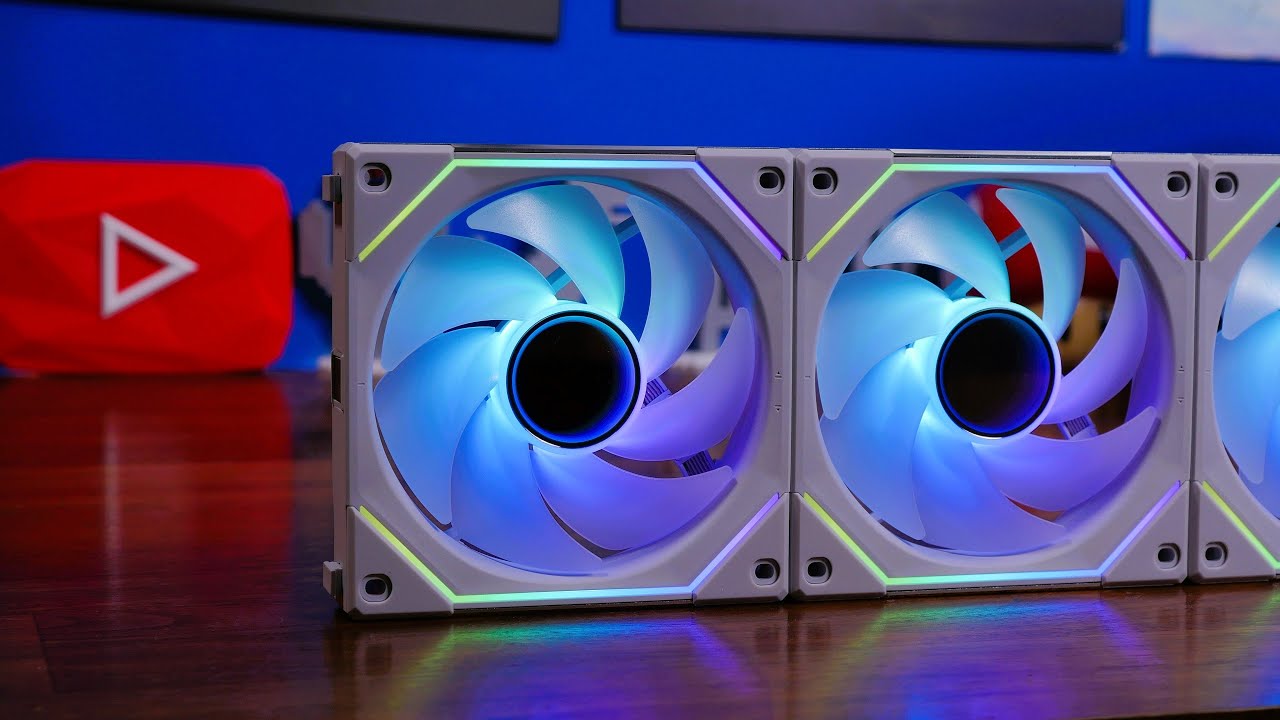
This is an unboxing and review of the @LIAN LI SL120 Infinity fans, a nice upgrade to the current line-up of Uni fans from Lian Li that essentially mixes in the best parts of Lian Li's SL120 and AL120 fans and throws in infinity mirrors for extra visual appeal.
See my installation guide here - https://youtu.be/W_ApiN_Wueg
Please note links li...
solar sparrow
Also makes the system a lot more clean looking
left pulsar
Pretty clean only having 6 or less fans in my case also.  --( not counting GPU, duh)
solar sparrow
I have 8 fans in my case lol
topaz blaze
how does the ice giant compare against 360 AIOs?
knotty sparrow
Isn't that mainly for threadripper?
knotty sparrow
topaz blaze
how does the ice giant compare against 360 AIOs?
It's worse than the NH D15 on consumer chips, it's meant for threadripper.
 strange flume
yea it is for threadripper
they're working on a 12th gen variant tho, popped up in that splave pc vid on LTT
shrewd juniper
sacred wren
Lmao https://www.newegg.com/p/1YF-005G-00092?Item=9SIAFSTHA76748
But pretty? Also that's pretty standard unifan pricing
shrewd juniper
sacred wren
does clc 280 come with 12th gen bracket
It should
shrewd juniper
noble quarry
if you are getting those on sale, chances are that they are shelved ones and lik...
Highly doubt even at this stage they would have had to been sitting on an Amazon shelf for 8? Months
shrewd juniper
strange flume
they're working on a 12th gen variant tho, popped up in that splave pc vid on LT...
You sure different variant?
strange flume
they changed the copper coldplate iirc
was a whole section in the video
lemme find it

Check out Drop's NEW Keysterine Keyboard at https://dro.ps/linus-keysterine
Use code LINUS and get 25% off GlassWire at https://lmg.gg/glasswire
Every single component in the Splave PC from IronSide has been overclocked and tuned to their absolute limits, creating what should be the absolute fastest gaming desktop money can buy.
Check out the...
timestamped
knotty sparrow
Not just a new mount but a whole new plate? That kinda defeats its purpose making that smaller tbh. There's a point where a larger cooler doesn't help if it's not moving heat off the CPU fast enough and dissipating through the find efficiently enough.
strange flume
oh yeah I'm not saying it's good, just that it'll exist
lol
supposedly it's a 9 degree improvement over the older one on 12th gen tho
shrewd juniper
Interesting
strange flume
which could honestly mean anything tbh
shrewd juniper
But just get aio kek
knotty sparrow
Which puts it a couple degrees over D15
strange flume
and possibly a cpu frame/backplate
having the radiator good enough but you also need to be wary of that alder lake bend
some AIO's are fine with it tho
not mine 
knotty sparrow
True yeah, that odd shape and large size aren't doing any favors
I'd love to see GN do pressure mapping and compare with AM4 results
strange flume
agreed, I have a definite bend in the middle of mine
You can see it when the cooler comes off, paste collecting in the upper middle
I'm going to try and fix it in the next few days with a thermalright cpu frame though
knotty sparrow
Good luck is all I will say
strange flume
It should work I think. Even with my flat coldplate I can still keep 290W under control so I don't think it's too bad rn
I want that full 310W under 95C though lol
topaz blaze
knotty sparrow
It's worse than the NH D15 on consumer chips, it's meant for threadripper.
oh i see
allg lol
 tame epoch
no embed?
in this case wouldnt it be better to just buy 1 3 pack for the controller and the rest buy the single pack
price is in CAD
uncut axle
Update, went with the DeepCool AK620
Hope this gets the job done 🙏

It was on sale, couldn't say no 😩
topaz blaze
Does getting a phanteks T30 over an arctic P12 make much of difference in temps if you're installing it for case airflow (behind a rad)?
uncut axle
I think the T30 can pull more air than a p12 in theory
Higher rpms and thicker fan if I'm not mistaken
topaz blaze
Yeah I saw a guy run some tests on them and it pushes more air
But the real question is
Does more air mean better thermals than if you just went with a budget option
bc buying 3 T30s costs more than my case

uncut axle
Not a watercooling expert, but I would imagine all things being equal it would make a marginal improvement at the least. I think having a good pump and your rad size also makes a difference
topaz blaze
EK 360 AIO
Already the best AIO on the market according to gamer's nexus tests
keeps my cpu at a nice 40C even when gaming
benchmarks pushing the CPU also allows it to sit that that temp
but I'm more concerned about my GPU as running its high fan speeds might be choking it of air
knotty sparrow
More air does not necessarily mean more cooling. More static pressure is what you want for liquid cooling.
And don't bother comparing official specs for that, everyone measures differently
 azure plume
Does it matter if your reservoir is above your radiator in a custom loop?
topaz blaze
knotty sparrow
More air does not necessarily mean more cooling. More static pressure is what yo...
Well I'm looking for airflow as my rad already keeps my CPU pretty chilly so I'm diverting my attention more towards supplying enough air for my GPU when it's fans are at 100%
knotty sparrow
azure plume
Does it matter if your reservoir is above your radiator in a custom loop?
Nope, custom loops are expected to have some air trapped so as long as something is higher than your CPU block you're fine
topaz blaze
also just for aesthetics one of my friends suggested that I run a push/pull on my rad. Will that also increase the airflow to the gpu?
knotty sparrow
Not by much
azure plume
But it does.
topaz blaze
knotty sparrow
Not by much
any good static pressure fans you have in mind?
topaz blaze

Sponsor - Check out KIOXIA SSDs for maximum performance & reliability:
BG4 M.2: https://bit.ly/2RkhFH9
XG6 M.2: https://bit.ly/3wyvKRr
CD6: https://bit.ly/39X9x5E
CM6: https://bit.ly/3fT1tqD
FANS TESTED (Amazon affiliate links)
Phanteks T30-120: https://geni.us/xzg3Af
be quiet! Silent Wings 3: https://geni.us/ZBmotPM
Corsair ML120 Pro: https://...
left pulsar

 left pulsar
Eh they're about the same price, T30 just needs to be in stock, lol. 5x the price of P12 is kinda nuts though.
dreamy locust
I want to buy thermal pads, but I don't know which one to get
0.5 1.0 or 1.5mm?
Which one is usually used in a computer?
0.5 looks really thin
I can use them for many purposes but for now the main one is to stick the GPU backplate on the gpu
strange flume
Best to measure your current ones for thickness
They can range between as thin as 0.5mm, up to 3mm for a backplate depending on the model
dreamy locust
Backplate has no model, I made it at home (still finishing) but i just wanted to know the most used ones
So I can use them for other things too
Like replacing GPU/memory thermal pads
strange flume
I couldn't be totally sure then, you'd be best making an educated guess measuring after the backplate is on I suppose?
Cos if you get the width wrong on the thick side you can flex the pcb which I'm told isn't a healthy thing to do
dreamy locust
Ok
I'll see which one is the right thickness
timid carbon
dreamy locust
Backplate has no model, I made it at home (still finishing) but i just wanted to...
what is the backplate made of?
also what gpu
dreamy locust
polycarbonate, 2 vinyl sheets, one led strip and a 1.2mm 3D printed "sheet"
dreamy locust
timid carbon
also what gpu
1070 pny xlr8
timid carbon
ok so ud basically be wasting money getting pads for the backplate
dont bother
since none of the materials ur using are thermally conductive, adding thermal pads will do nothing
dreamy locust
Okok
dreamy locust
timid carbon
ok so ud basically be wasting money getting pads for the backplate
Do you know if a normal biadhesive tape can stick the backplate to the GPU?
Considering the GPU hotspot gets to 85C
The tape may ruin with those temperatures
Or should I get particular ones?
timid carbon
unless ur moving ur pc around, you can literally just
keep the backplate on top
no need for any tape

dreamy locust
Mmh
I usually move my pc around to clean and to upgrade, I usually never open the glass because it takes forever
Gorilla tape?
Does normale tape melt with 85C? Or smell bad when heated
sacred wren
topaz blaze
bc buying 3 T30s costs more than my case
not worth the price increase
topaz blaze
sacred wren
not worth the price increase
indeed
uncut axle
I'm a DeepCool stan now. The AK620 is keeping my 5900x around 10°C over ambient while idle with clocks around 4.3-4.4 at 50% fan speed.
I saw maybe 30-40 over ambient while gaming for a little bit last night with my fan curve implemented
Price to performance compared to the NH-D15, it blows it out of the water. Got it for $55 on sale, not sure if it's still discounted on Newegg rn
shrewd juniper
uncut axle
I'm a DeepCool stan now. The AK620 is keeping my 5900x around 10°C over ambient ...
Don't forget to turn on pbo, those clocks sound a little low btw
uncut axle
shrewd juniper
Don't forget to turn on pbo, those clocks sound a little low btw
Yeah I need to go back into my bios and tweak that still
I originally had PBO set to auto lol I need to look into that more
shrewd juniper
Auto settings is fine but yeah make sure pbo itself is on
 sleek fable
how do helix reservoirs work?
does water go in the tank and helix, just the tank, or just the helix? im looking for a standalone one i have a distro with a pump i also want a tube like res and i saw the helix ones, they look cool but also a bit confusing at first glance...
azure plume
What is the best 480mm radiator? Thick
knotty sparrow
You want thick? Check out the monsta https://www.aquatuning.us/water-cooling/radiators/radiators-active/480mm/12878/alphacool-nexxxos-monsta-480mm-radiator

Aquatuning USA
The new Alphacool NexXxos radiators, a name that stands for experience and quality has come to bring a fresh breeze to the radiator market.
Every user of a water cooling system needs a radiator and everyone has different requirements...
I'll be putting a 2x180mm one of those on my custom loop
uneven solstice
knotty sparrow
You want thick? Check out the monsta https://www.aquatuning.us/water-cooling/rad...
ridiculous.... I love it.
azure plume
knotty sparrow
You want thick? Check out the monsta https://www.aquatuning.us/water-cooling/rad...
You know I do.
 thorny bay
uneven solstice
ridiculous.... I love it.
thorny bay
uneven solstice
ridiculous.... I love it.
Nah, Watercool can go one step further
Say hi to Mo-ra
 uneven solstice
thorny bay
Say hi to Mo-ra
uneven solstice
thorny bay
Say hi to Mo-ra
What kind of fan you put in that?
thorny bay
uneven solstice
What kind of fan you put in that?
It comes with 140mm fans
wheat bane
hello
so it turns out my fan is a 2.5 inch fan with 4 pins (referring to the connection, thought it meant the screws)
2.5 inches wide, 1 inch tall
and i was looking to replace it, but it was a 120mm fan that wouldnt fit, its also in a case, making the air flow go to the side instead of up
knotty sparrow
wheat bane
2.5 inches wide, 1 inch tall
Sounds like one of those Dell fans. If it's slightly more than 2.5 inches it's probably a 70mm.
shrewd juniper
strange flume
Phanteks have a T30 variant of their aio now
What's the price
 shrewd juniper
The ek elite is basically pointless over the regular rgb tbh
strange flume
It is but seeing it potentially toppled by a 360 3 fan T30 aio potentially, has me very interested
Cos the ek 360 has been slowly getting cheaper hasn't it? We could imagine the phanteks in a year or so maybe doing the same
thorny bay
strange flume
Phanteks have a T30 variant of their aio now
Has been a thing for a while now
Pump is standard Asetek gen 7
thorny bay
Who knows
knotty sparrow
shrewd juniper
The ek elite is basically pointless over the regular rgb tbh
The only reason I'd get it over regular is if you wanted the matching Vardar fans for the rest of the case
wheat bane
knotty sparrow
Sounds like one of those Dell fans. If it's slightly more than 2.5 inches it's p...
its exactly 2.5, should i get a 70mm oe should i get a smaller one
shrewd juniper
knotty sparrow
The only reason I'd get it over regular is if you wanted the matching Vardar fan...
Same, pointless in the designed use case, unless you're into cable management nightmares
knotty sparrow
wheat bane
its exactly 2.5, should i get a 70mm oe should i get a smaller one
You want a 60mm then
wheat bane
sounds good then
 outer cosmos
ive got a friend who bought a prebuilt and it bluescreens and crashes a lot while running fortnite and dying light 1
current guess is cooling is out of place
although the power supply could also be it
i probably should’ve posted this in a different channel
but is there anything else to check?
unique lilyBOT
DDU (Display Driver Uninstaller) Guide by Pato
https://github.com/NeweggTechie/Graphics-cards/wiki/How-to-use-DDU

GitHub
Contribute to NeweggTechie/Graphics-cards development by creating an account on GitHub.
sacred wren
outer cosmos
current guess is cooling is out of place
Very unlikely those could cause blue screens
I would ddu like pato suggest, if that doesn't work I'd run an sfc/scannow and a chkdsk, otherwise I'd look at the ram
shrewd juniper
Just pc turn off could be overheating tho
sacred wren
Mm
topaz blaze
@shrewd juniper What happens if you ran a push/pull with less efficient pull fans
would the pull fans become an additional layer of material that generates turbulence?
shrewd juniper
topaz blaze
<@191276897227898880> What happens if you ran a push/pull with less efficient pu...
Nope, push pull have the fans facing the same direction working together it's just that it's called that because the fans at the front are pushing air through and the fans behind the rad are pulling the air out of it
Less efficient fans would just result in worse temps/noise
topaz blaze
shrewd juniper
Nope, push pull have the fans facing the same direction working together it's ju...
nono my question is
what if I had a higher CFM fan pushing air through a rad towards one with a lower CFM
would the lower CFM fan bottleneck the higher one?
wait a sec
if its an airflow fan
then it would make little to no difference right?
uneven solstice
It wouldn't bottleneck. The higher cfm fans are pushing air through at the rate its going to regardless of what fan is on the other side. The fans that are pulling air through are going to pull air through at whatever rate they normally would. The only difference would be not as efficient airflow because the lower cfm fans aren't pulling as much air as higher cfm fans would.
If you took the rad out of the equation the answer is still the same. Like high cfm fans bringing air into the case and a low cfm being your exhaust.
I hope what I said makes sense. I've been up for about 20 hours now.
@topaz blaze
uneven solstice
topaz blaze
you're putting more stuff in front of the fan
right, and I saw what you were thinking. 😛 Maybe if the fans were on the same side of the rad (why you'd do this I have no idea) then there would be a bottleneck of the high cfm airflow going through the rad, but since they are on either side they don't affect each other.
shrewd juniper
Push pull does very little i wouldn't bother anyway
topaz blaze
shrewd juniper
Push pull does very little i wouldn't bother anyway
its for aesthetics

shrewd juniper
Pff
topaz blaze
but I wanted to improve my push fans just to increase the airflow so that if GPU fans run at a higher speed it can supply the case with enough airflow to stop it from sucking air from whatever the metal things beneath the gpu is called lol
uneven solstice
topaz blaze
its for aesthetics
100% my rad is push/pull
topaz blaze
aye
but honestly
with the EK vardars I have found that pushpull had improved the airflow in the case as they're not the best static fans
outer cosmos
sacred wren
I would ddu like pato suggest, if that doesn't work I'd run an sfc/scannow and a...
ty
it also might be that the fans are up against a corner of the room
 jagged lava
Hey I bought my PC prebuilt from a video editing company. The Case is a NZXT S340 elite and It came with 2 fans set as exhaust but no intake fans. Should I change it
sacred wren
topaz blaze
https://www.msy.com.au/adelaide/cpu-accessories/369-gamdias-chione-p2-360r-360mm...
What are you trying to cool?
topaz blaze
A Ryzen 5 2600
 gusty marten
Which one is better?
https://www.amazon.com/dp/B01N16CAKN or https://www.amazon.com/dp/B09CSXS3X4
sacred wren
gusty marten
Which one is better?
https://www.amazon.com/dp/B01N16CAKN or https://www.amazon...
clc, but its a bit loud. Youll want to replace the fans on it if you dont like the noise
its fairly easy
gusty marten
ok, ty
sacred wren
gusty marten
ok, ty
p14s pst would be good options
shrewd juniper
sacred wren
clc, but its a bit loud. Youll want to replace the fans on it if you dont like t...
I mean you can just cap the max at like 80% fan speed etc
sacred wren
fair
gusty marten
sacred wren
p14s pst would be good options
Noted ✅
topaz blaze
@knotty sparrow @magic sparrow


my stock gpu fans are 12V 0.55A
the phanteks are 12V 0.36A
I'm getting a more powerful fan that's more energy efficient than stock

magic sparrow
Yeah, kinda makes sense that GPU fans would be pretty inefficient. Tiny hub (smaller motor) and tiny blades.
knotty sparrow
GPU fans tend to run really fast on those tiny motors too, like up to 3000 rpm
magic sparrow
Ye, tiny blades means more RPM for decent airflow
shrewd juniper
My god do the FE fans run loud
topaz blaze
guys what can cool a threadripper? Just wondering for this super overkill build im doing. (not actually building it im just really bored)
does the Noctua NH-U14S?
shrewd juniper
topaz blaze
guys what can cool a threadripper? Just wondering for this super overkill build ...
For TR, at least a 360mm aio, preferably custom loop, depending on which one
 pure sparrow
Is this a trustworthy cooler?
 shrewd juniper
No
Want an rgb aio? grab the evga clc 280 for 62$ then 2 arctic p14 rgbs
Nevermind they're not in stock at the moment
:(
shrewd juniper
pure sparrow
Are you sure its gonna fit a 12400f tho?
Yes evga clc comes with lga 1700 bracket although putting an aio on a 12400f is a big waste of money
Just get a gammaxx 400 for 15 or an id cooling se 214xt for 20
pure sparrow
I just really wanted a aio for looks but ig i could do without
shrewd juniper
I mean if you don't care about rgb evga clc doesn't need new fans but i would only go aio for 12600k+
left pulsar
Funny I prefer a big tower partially for looks, although sometimes it hides ram 

pure sparrow
Do you know if aurasync is gonna work with both of these?

 shrewd juniper
pure sparrow
Do you know if aurasync is gonna work with both of these?
shrewd juniper
pure sparrow
Do you know if aurasync is gonna work with both of these?
It should do, also ser if arctic p12 rgb is cheaper btw
pure sparrow
Its a little more expensive but im going to get those bc they’re argb
shrewd juniper
P12 have argb too
pure sparrow
Yeah im getting those


 pure sparrow
So argb means i can add patterns and custom colors correct?
As opposed to just a single main color
shrewd juniper
Ye
 civic fjord
I cant see the lights on the sickleflow rgb fan
shrewd juniper
Have you connected the rgb header
shrewd juniper
Try see if it pops up in the rgb software
civic fjord
It doesent
shrewd juniper
Welp i guess return it then
civic fjord
I was seeing the@lights
Till I recently cleaned the pc so i removed the cables
And now there are no loghts
Lights
uneven solstice
civic fjord
Till I recently cleaned the pc so i removed the cables
Did you put the cables back? 
shrewd juniper
I hope intel improves the ilm for 13th gen :/
https://youtu.be/Ysb25vsNBQI

Sponsor: Linode Hosting - get $100 credit with GN (https://geni.us/UaKrUmF)
Intel's CPU socket for the Alder Lake (12th Gen) CPUs applies higher pressure on one side, causing reduced pressure between the cooler coldplate and CPU. We're replacing the stock Intel ILM (on the socket) with a Thermal Grizzly Contact Frame. Testing includes analysis ...
noble quarry
sadly the grizzly solution brings many risks for the average joe 😦
shrewd juniper
Yeah hoping they can do dual levers like x99
dreamy locust
ice
 uneven solstice
shrewd juniper
I hope intel improves the ilm for 13th gen :/
https://youtu.be/Ysb25vsNBQI
uneven solstice
shrewd juniper
I hope intel improves the ilm for 13th gen :/
https://youtu.be/Ysb25vsNBQI
Good watch
azure plume
Are there any water-cooling blocks for the 6700 xt gaming oc?
Nvm
Alphacool Eisblock Aurora Acryl GPX-A Radeon RX 6700XT
shrewd juniper
azure plume
Are there any water-cooling blocks for the 6700 xt gaming oc?
It's the biggest waste of money ever, by the time you pay for a custom loop for it you could have bought a 6900xt instead
strange flume

azure plume
But ma graphics card gets to 72° while overclocked
marsh badge
72c is pretty safe still
sacred wren
azure plume
But ma graphics card gets to 72° while overclocked
That's very safe
azure plume
Was that sarcasm or frfr?
marsh badge
it's not sarcasm
sacred wren
azure plume
Was that sarcasm or frfr?
Fr. 72c is perfectly fine
My old laptop used to get up to 90c on gpu
shrewd juniper
azure plume
But ma graphics card gets to 72° while overclocked
That's perfectly fine for a gpu
azure plume
I thought it was dangerous
azure plume
Ah, okay.
dreamy locust
azure plume
But ma graphics card gets to 72° while overclocked
That's a perfect temperature
azure plume
Nvm.
Idk what happened yesterday. But I've been playing for 2 hours now and it's only at 40°C and 52°C max.
sacred wren
i dont think thats the right temp
 compact tangle
Me either but if it’s 52 he’s in luck xd
@azure plume are you using hardwareinfo?
I think that’s what it’s called
sacred wren
hwinfo
compact tangle
Yeah
dreamy locust
Hwinfo, try checking more temps with that
compact tangle
Download hwinfo
compact tangle
azure plume
I'm using Remote system monitor
I’ve never heard of this lol
azure plume
It's so I can monitor it from anywhere without remote access to the PC.

Fps thing isn't working cuz I minimized the game.
I had it to full fan speed for everything and that was the temps I got. (Top left)
uncut axle
I just setup PBO2 on my B550 mobo, and holy smokes I'm getting huuuge performance gains while undervolting. My temps are down about 2-3 C while idle but still pulling about 100-200 MHz higher clocks. When it boosts my thermals barely budge now
@shrewd juniper Thank you for mentioning that because I looked more into PBO and found some helpful tips. I just blew my old cinebench all-core score out of the water by 7%
My thermals got a little toasty at just over 60C over room temp, but the ak620 handled it great
I'm getting as low as 12C over ambient right now. I feel like I unlocked a new level on my 5900x
 bitter abyss
How do I install water cooling
knotty sparrow
That depends on what you're trying to cool and with what cooler
azure plume
Just plug in the thing to the thing and make sure the thing doesn't do that kind of thing unless it's intentional.
uneven solstice
I regularly get 57-59c on my gpu. Very rarely goes above 60c
And thats with fans ramped at 70% at 55-65c
azure plume
Is the idle temp of a 12700k 33 - 36°c?
uneven solstice
azure plume
Is the idle temp of a 12700k 33 - 36°c?
What is your ambient temp?
azure plume
25
uneven solstice
azure plume
Is the idle temp of a 12700k 33 - 36°c?
Yes thats pretty normal
azure plume
I have a CLC 360 with 3 sickle flows.
azure plume
And they push hot air in to the case but two 140 mm fans are pushing in cool air while 3 120 push out the air.
uneven solstice
azure plume
And they push hot air in to the case but two 140 mm fans are pushing in cool air...
What case do you have
azure plume
I have the pump running at 100% and the fans at 5%.
azure plume
uneven solstice
What case do you have
Custom Ikea one.
uneven solstice
azure plume
I have the pump running at 100% and the fans at 5%.
Fans at 5 or 50%?
azure plume
5%
azure plume
5% for when CPU is at 25° and 15% when at 40 so on so forth.
uneven solstice
Thats low
azure plume
uneven solstice
So your aio is effectively just heating up without being cooled down?
I guess? Coolant temp is higher than the CPU though
90° is where it goes at 100%.
uneven solstice
Id be wanting it at 100% before 90c
azure plume
I just don't like the noise and didn't really have any heating issues because I'm scared of high numbers
azure plume
uneven solstice
Id be wanting it at 100% before 90c
I mean. Before it goes to 90° it will reach 80-90%
I'm planning on getting better fans.
Like the T30 but they are either sold out at MSRP or overpriced.
uneven solstice
I have mine set to 0-40c 40% 41-60c 60% 61-100c 100%
azure plume
Max I would do for 3 of them is $90.
azure plume
uneven solstice
I have mine set to 0-40c 40% 41-60c 60% 61-100c 100%
But that is loud.
uneven solstice
You can get good 5 pack argb for $70
Also, the fans i just mentioned aren't loud at all. Even at 60%
They are comparable to the quietness of arctic p12s
uneven solstice
azure plume
I don't want the argb
Can easily get a 3 pack of arctic p12s nonrgb for 20-30
azure plume
The T30 has more and performance is better in terms of sound do to it's thickness, no?
azure plume
uneven solstice
Can easily get a 3 pack of arctic p12s nonrgb for 20-30
Pack of 5 F12 Arctic is being sold for 300
30*
uneven solstice
azure plume
Pack of 5 F12 Arctic is being sold for 300
Yeah I meant 5 pack
azure plume
lol
azure plume
I was thinking about just getting the Arctic ones but I decided to wait and see when the T30 come back.
uneven solstice
P12s really are silent
uneven solstice
They are like the most recommended fan in this server for their price/noise level/performance ratios
uneven solstice
azure plume
https://www.newegg.com/p/1YF-000P-001P4?Item=9SIA1K6GH80857&Source=socialshare&c...

ARCTIC offers innovative solutions incessantly - changing impossible user requirements into new. Always focused on our customers, ARCTIC is devoted to deliver excellence through a strong dedication and a high sense of commitment. In light of the ever-changing consumer landscapes, we aspire to con...
P12
azure plume
But isn't CFM what's important?
Also, the cooler master sickle flow V2 is the same price as the individual Arctic fans.
uneven solstice
azure plume
But isn't CFM what's important?
The p12s have higher cfm than the f12s..
azure plume
Ah
uneven solstice
Also the p12s can reach a higher rpm
azure plume
But the F12 is quieter
uneven solstice
The p12s are literally the go to fan for people who don't like fan noise.
azure plume
What's the performance difference between the p12 and the T30?
uneven solstice
azure plume
But the F12 is quieter
The p12 and f12 have the same noise lvl
azure plume
Ah
uneven solstice
azure plume
What's the performance difference between the p12 and the T30?
What brand is the t30
strange flume
T30's are better but P12's are unbeatable performance per dollar