#old-cooling
1 messages · Page 45 of 1
 wooden skiff
wooden skiff
wooden skiff
my case is //www.newegg.com/p/N82E16811129188
mobo is //www.newegg.com/p/1HD-0086-000W3?Description=ASUS M5A99FX Pro R2.0 ATX AM3+&cm_re=ASUS_M5A99FX Pro R2.0 ATX AM3+--9SIA639B5K0108--Product
 low pumice
What CPU
wooden skiff
going off the 7 vids i saw there should be ram clearance. but gimme a sec.
AMD Performance Edition 8GB 2X4GB PC3-14900 DDR3 1866MHZ 10-11-11-30 1.65V Radeon Memory
see if i can google it
low pumice
What CPU though?
low pumice
Also, do you live in Canada?
wooden skiff
yes
low pumice
tbh I wish ram listed their height
Because Noctua is nice enough to list ram clearance but I can't cross reference
wooden skiff
i will send a pic with phone 1 sec
low pumice
Can't send pictures either, DM it to me and I'll send it for you
Anyways, according to Amazon the case has 6.7inches(~170mm) of clearance for the CPU cooler, the D15 is 165mm tall, so that fits.
low pumice
It's normal
wooden skiff
image being sent
low pumice
My case has 170mm of clearance, fits just fine
wooden skiff
do you have both fans on?
wooden skiff
wow, super clean
wooden skiff
pixel 3
low pumice
Oh interesting
wooden skiff
i didnt see both fans in your image
low pumice
anyways as you can see on the diagram the fans are the same height
That's not my picture, just a stock image I found
wooden skiff
oh
low pumice
I have really tall ram, so I moved my second fan to be over my IO/VRM heatsink
I can get you a pic tho
wooden skiff
please
also would there be any issues with the placement of my video card on that mobo
low pumice
Shouldn't be
The left side fan is pushing against the glass because it's elevated above the VRM heatsink thing so it wouldn't happen in your case
wooden skiff
i do have a blue heatsink as well
low pumice
I have some tall rgb ram
wooden skiff
to the left of the cpu
low pumice
Basically YOU wouldn't need to have it on the left
I have it on the left because my ram is too tall
wooden skiff
i see
low pumice
And the heatsink is smaller than my ram
wooden skiff
and you have no trouble closing your case?
low pumice
Your ram seems to fit under 32mm
No trouble, it's pushing a little because of the heatsink but that's it
wooden skiff
doing very poor measuring i think its 30mm or less
low pumice
Okay good
wooden skiff
26mm maybe
low pumice
So now we have confirmed that it fits, next let's figure out if that heatsink is the right choice for you.
wooden skiff
ok
low pumice
How much are you willing to spend on a cooler in CAD?
wooden skiff
egg is selling for $139.99cad
low pumice
I mean in general
low pumice
There are always other options to look at.
wooden skiff
200 max i guess
low pumice
alright that's plenty lol
wooden skiff
its annoying when your mid game and pc crashes due to excessive heat.
low pumice
Are you sure it's excessive heat?
Thermal throttling only starts at around 95c not 80c if I recall correctly
Something else could also be at fault.
wooden skiff
HWiNFO64 and RivaTuner Statistics Server say my temp is over 80c. and thats the only game that crashes the pc.
low pumice
NH-D15 is also cheaper on Amazon by the way.
https://www.amazon.ca/dp/B00L7UZMAK
So just 7 days to die crashes, and other games don't?
wooden skiff
correct
low pumice
And is it just the game freezing/crashing or does your computer BSOD and/or turn itself off?
low pumice
Alright, I think we should do some troubleshooting first before we can be sure cooling is the issue. Are you at your computer right now?
wooden skiff
also i had had water cooling before it died and no issues with that came. Just figure stock cpu cooler not strong enough.
yes for a bit
low pumice
do you have prime95?
wooden skiff
dont think so. is that a benchmark program?
low pumice
It's a stress testing program that puts a lot of stress on your CPU to cause a lot of heat and such. It's really good for checking if your CPU is at fault for crashing and stuff, because it WILL crash if your CPU was the problem.
https://www.mersenne.org/download/#download
Open something in the background that shows temperature if you're curious, and run the torture test on "Small fft"
wooden skiff
is ryzen master your program to see temps?
low pumice
and here is how you stop it
It's what I use because I overclock with it while looking at temps
anything that gives you a real-time temperature works
low pumice
Alright, if it doesn't crash during Prime95, its basically guaranteed it's not a CPU issue.
Uh I need to check actually
I don't know if it works with FX processors
wooden skiff
ok
low pumice
Yea I don't think so, I think it's only for Ryzen processors
wooden skiff
once i try do i @ you or just leave a message and who ever gets to it..
low pumice
but Hwinfo64 works
Just ask, and if no one answers in a few min you can @ me or anyone else you want to answer.
lemme just show you hwinfo64+p95 and how it would look
wooden skiff
ok. i wont be able to test till about midnight my time. its currently 4:47pm for me. so i can post tomorrow.
also how long should i be running this test? 30min?
low pumice
While my temperatures are really high, it's not crashing me.
(And yes I know I need to fix it, it's my thermal paste that wasn't applied correctly but I'm too lazy to fix it right now)
Just a few minutes works
usually when I have an unstable overclock it crashes immediately lol
wooden skiff
wow thats hot
low pumice
Yea don't worry if it goes to like 90c and doesn't crash, P95 is a worst worst case scenario compared to games
it's a heavy 100% load on every core and every thread
wooden skiff
Max core temp should be around 65 and socket 75. they are usually about 10 degrees apart anyways most of the time under load so when one is near max the other is too.
thats apparently max temp for my processor
low pumice
oh weird, I'll research into FX chip architecture then
wooden skiff
hwin says my cpu is 49 but i do have over 50 tabs open in chrome lol
low pumice
Anyways I know for Ryzen and Intel chips they start throttling and having issues above 95c
Maybe FX chips are different
 cold island
pretty sure fx chips are way lower
cold island
ya i thought it was around 60
low pumice
but you probably should try p95 first to make sure it's the CPU heat/load that's causing your crashes
And at that point, NH-D15 seems to be a good option for you. It fits, pricing is acceptable, and in stock.
 tropic vortex
Should i get 3 or 2 fans in my AIO? Debating between either Kraken Z73 or kraken x63
low pumice
You're going for the Kraken for the looks correct
low pumice
360mm provides fairly small games over 280mm, so whatever fits your case on top
because it doesn't look good when you put a 280mm rad where it fits 360mm imo
tropic vortex
Its a lian li o11x XL
low pumice
it fits 360mm on top
tropic vortex
Ah ok so 360mm would look betrer
 topaz blaze
having some trouble changing my lights on fans from a pre-build, help pls thx
low pumice
I don't think you can change lights on most fans
topaz blaze
it says on the overview of the product that it can
 barren mural
Not sure if this is the place to put it or not, but i have 3 rgb fans and an rgb light strip in my case that run on 2 separate remotes. My fan remote has decided to change my light strip instead (with the wrong buttons obviously, and the one for my light strip just doesn't do anything anymore. Anyone know how to fix the remotes?
 ocean flume
depends on the brands, but they might have a 'hold this key to pair/unpair' thing
that's what my cougar remote has
if i press and hold one of the buttons it unpairs from the controller box, and another one pairs with a controller box
 rain patio
barren mural
rain patio
barren mural
@ocean flume Thanks. I’ll see what I can do. I haven’t found any buttons or switches like that yet but I’ll give it a look
low pumice
@rain patio you going aio or custom loop
topaz blaze
how do i go about getting a custom loop?
 granite patrol
buy gpu/cpu waterblock, pump, radiator, a couple fans, and tubing
 magic sparrow
I generally wouldnt custom loop a 2060S

aliexpress.com
Smarter Shopping, Better Living! Aliexpress.com
granite patrol
only if the shipping wasnt 120 :((
magic sparrow
it is sad... but also, still like sub $350 USD for 360+240 iirc
the days of sub $300 were nice tho
granite patrol
that is true
 slim tendon
What are some good fans for cooling the top and back of my Pc ? My front panel fans and stick and fan on cpu is doing fine but the top and back get a little hot during games
Plus - how do I make sure I have my fans in the right direction
 brisk rain
@slim tendon How hot are you talking here?
slim tendon
I’ll have to check stats again but say maybe the highest I seen is 90c
brisk rain
90c is a bit high. Is that on the GPU or CPU?
slim tendon
Cpu
brisk rain
What CPU and what CPU cooler?
slim tendon
Rizan 5 gen 3, the stock cooler
brisk rain
3600, 3600x, or 3600xt?
slim tendon
3600
brisk rain
Any overclock?
slim tendon
No. But I do have Game Boost enabled from the bios of my MSI B450 Gaming Plus max motherboard
brisk rain
You'll probably benefit more from a larger CPU cooler than replaced case fans. What case do you have?
slim tendon
Metallic Gear Neo Air
low pumice
Game boost is just straight +400mhz on all cores iirc
brisk rain
I believe so
slim tendon
If I’m just doing basic web browsing or other generic tasks it stays cool or at the very least room temp (as if it was off) but if I noticed when starting games. Front panel stays cold but the top and back where fans could be installed get a little hot
brisk rain
The back and top are the exhaust, so they will get hot
fans are usually set up so that cold air comes in the front and hot air goes out the back and top
slim tendon
performance hasn’t been in any danger yet. Only been using everything for about 2 days
Thought I’ll look into something in advance to keep things cooled
brisk rain
What brand and model ram do you have?
slim tendon
Thermaltake Toughpower Z-one RGB 16gb (2 - 8gb) ddr4 -3200 (CL 16)
brisk rain
Okay, I can't find the ram height...
@slim tendon For that game boost, I would recommend getting a better cooler like the Noctua D15s
slim tendon
Alright. It should help lower temps ?
brisk rain
Yes
slim tendon
With headphones on I don’t hear my fans but noticed when I take them off I can hear them in work. Luckily the moment I end a game window they quiet down quickly
brisk rain
That's pretty much expected
slim tendon
I’ve thought about water cooling but don’t think I’ve fully grasped the process off how to refill and make sure there’s no leaks
brisk rain
Easiest way is to get an AIO and not worry about it. Totally overkill for a 3600 though
slim tendon
Most of my use was just for games , maybe a few hours a day on and off then possibly some light blender use. Doubt I’ll be making games or animations , though I’d like it. Just still renders.
Hopefully my cooling solution is enough to allow an image to be made without a burn out
 manic tusk
im trying to get an aio for my core p3. is it worth getting a 240 for 80$?
they look pretty bad build quality
 rugged nimbus
$80 can get you a very nice noctuca air cooler... I wouldn't
manic tusk
ill just keep my hyper 212.
ill use the money im not spending to get some cheap rgb fans for the side of it
rugged nimbus
Fair enough 🙂
 rose quarry
Hey all. I'm trying to ascertain how to tell what coolers will fit my cpu + mobo. Can anyone give me the "for dummies" version?
 onyx sequoia
granite patrol
onyx sequoia
granite patrol
yea should be fine
 twin urchin
dude doesn't need a $100 cooler for a 3600
get a mugen5 or shadow rock 3 for under $50
brisk rain
It's overclocked
twin urchin
its still only a 3600
brisk rain
+400MHz all cores, iirc
twin urchin
if its already not throttling with stock cooler then he doesn't need a D15
brisk rain
90C with an OC is less than ideal, and the D15 can be used in the future upgrade
twin urchin
so can either of the $50 ones
also, theres a possibility that a D15 might be too big to even fit. (i haven't been able to find max size for a cooler in the case)
brisk rain
170mm
The main issue with the d15 is ram clearance though
Hence why I recommended the D15s
The noctua should also run quieter
twin urchin
even if the OC doubles the power draw, its still well within what either of those sub-$50 can handle
brisk rain
They'll be louder though
twin urchin
probably, but they are pretty damn quiet themselves
twin urchin
not sure off the top of my head, but it won't be worth the price difference
brisk rain
I'll put it this way... the mugen 5 is as loud as AMD's cooler designed for threadrippers
Honestly, if you just want to do cheap, get the CM 212
twin urchin
mugen is like 35db under load. shadow rock 3 is similar. his case fans are probably louder. D15s is complete overkill and a waste of money for that guy.
cm212 would work too but is a meme at this point lol
brisk rain
Given that the TDP capacity of the stock cooler was not enough, noise was listed as an issue, and upgradibility was a plus, I recommended the D15S, since I considered that the best bang for the buck for the requirements. I stand behind my choice, end of discussion
twin urchin
damn, u pwnd me
 maiden delta

maiden delta
Yessir
 nimble lodge
what are your recommendations for air coolers between 100-150$ CAD price range
brisk rain
What ram and case do you have?
brisk rain
What CPU?
brisk rain
What brand and model ram?
brisk rain
Model?
nimble lodge
vengeance
brisk rain
Will you be overclocking?
brisk rain
What case?
nimble lodge
Cooler Master TD500 Mesh
that is the case i chose for now
but i am not sure if it is good
brisk rain
Let me check the inside clearance
brisk rain
PSU?
nimble lodge
corsair rmx850
brisk rain
motherboard?
nimble lodge
i am not sure
yet
i am looking for a cooler now
maybe i should come back when i have everything?
brisk rain
Cooler the main things that matter are CPU, case, and ram
The DRP4 will work, and the D15 should work
D15 would be tight though
brisk rain
D15 has more cooling capacity iirc. If you get a different case, I would recommend using that
nimble lodge
do you recommend any atx cases 130-150$ with fans?
nimble lodge
ok
topaz blaze
ok
topaz blaze
idk bout that
topaz blaze
ok
 silent sorrel
are pwm fans worth it?
cold island
yes they shouldnt be a ton more
silent sorrel
what do you recommened for a build like this pcpartpicker.com/list/Z9hchg
 stone jackal
maybe some arctic P12 PWMs
twin urchin
Pwm usually adds like $1
topaz blaze
What are the chances of an AIO cooler leaking
 spark scarab
not much really
But if its a cheap bargain bin one its a higher likely hood that it might
 gleaming fable
 autumn spire
Artic P series
 pale elbow
What excellent RGB fans should I buy for my first build? My build list has a full tower case. Any advice would be greatly appreciated.
 tired zodiac
is a cut aio fan cable fixable? aio is corsair h100i rgb platinum
tired zodiac
nevermind fellas, my father came in clutch
 jagged flare
Did he sodder
autumn spire
tbh the dark rock pro is not that great for how big it is
 wintry atlas
ok so now that my buddies actually want to look at my build im doing since u know i already got all the parts except windows...now they want to tell me that liquid cooling is more upkeep and its horrible and it could destroy my system...is this true and do any of you have a reality check as to how often i have to service the cooler all that?
 burnt goblet
long story short. Go and watch the Gamers Nexus video on that topic @wintry atlas
wintry atlas
thanks @burnt goblet as much as this guy streams his opinion every other day...i've been looking for the last 10 minutes on this video that would actually benefit me
burnt goblet
2sec

We're answering the question of whether "liquid cooling or air cooling is better," ft. the Noctua NH-D15, Deepcool Assassin III, NZXT Kraken X62 / X72 (280mm, 360mm), and more.
Sponsor: Buy Thermal Grizzly Conductonaut on Amazon (https://geni.us/1D8Eeq) or Hydronaut paste (htt...
wintry atlas
I found one that helps me find out thermaltalke is crap with everything it does...so thats good cause everything i got is thermatalke lol
Thank u !
burnt goblet
you are very welcome :)
if you have questions after watching that one, please ask :)
wintry atlas
omg @burnt goblet im not gonna lie.. anewbie like me...all these graphs and wording ..im lost..lol
burnt goblet
the long story short-ish is this:
Water VS Air is a question of trades
Water is the one that carries the biggest risk (not that it is a very likely risk, but it is possible). In that there is the chance of a leak.
wintry atlas
i finally comprehended that towards the end. Thank u so much for showing me this. Him and these other youtubers have videos that spark my interest
burnt goblet
generally, Gamers nexus does fairly informative videos. It is however required that you bring your brain and a willingness to use it :)
wintry atlas
im trying! lol I think i brought it lol
burnt goblet
:)
but that is the duality of pc building and tech like this in general.
a question can "seem" simple, but the answer is not remotely simple :)
wintry atlas
im flustered cause i literally have been posting to my friends the build im thinking of doing and at the last minute their just like oh..no u shouldnt have done that
burnt goblet
if you think about it. That tells you a number of things.
wintry atlas
Its like dude ive been learning computers and everything that i can possible understand in building a comp since the beginning of this year. I know so mucch more now...but that is also me reading article on top of articles of the best pc cases, the best gpus etc u know
burnt goblet
generally (and this is a very broad statement) there are very few 100% wrong ways of doing things.
there are however a lot of not-optimal-but-it-still-works ways
the challenge/confusion comes from people not making certain that everyone in a talk are on the same level
example: Lets say you ask about CPU choice.
wintry atlas
everyone says amd
burnt goblet
And i suggest a enterprise model of a cpu.
yes, technically that cpu is nice and all. But it also 100% the wrong thing to suggest to you
but it could work
it would be hellish expensive
but it would work
so that fits in the "not-optimal-but-it-still-works" type of situation
When someone asks for a recommendation, the first thing (imo) is to ask them what they actually need.
not what they want. but what they need.
wintry atlas
yeah exactly Ive gotten so much help from a dude on pc picker than anyone ive talked to! lol and that was his first question was what I was going to be using the computer for.
i just found out recently that they actually make cases that hold 2 comps in them. Which i wanna go that route sooner or later since I stream, so a micro/mini atx would be nice, but i wanna do more research on that route.
burnt goblet
:)
something you could do, is also have a voice chat with one of us here.
where you just ask away until you run out of questions.
(voice chat because it is quicker to answer)
wintry atlas
absolutely! and I may hit u up on that once i compile a bunch of questions! lol I'm kind of a done deal since i literally have bought everything and going to be putting it all together soon. I will have questions on actually putting it together since everyone and their mom have different ways of doing it
burnt goblet
3 pieces of advice for putting it together
read the manual
dont rush
and most importantly, dont rush.
wintry atlas
lol oh imma be a nervous wreck, imma stream it lmao I actually found videos of people building in the case i got:O
burnt goblet
generally i would ignore most videos on building
read the manual, and IF it logically does not make sense. Ask someone that you trust to actually answer you.
wintry atlas
honestly...I havent even taking stuff out of the boxes yet lol i didnt even know stuff comes with manuals anymore!
burnt goblet
the mainboard manual has just about all the info you need to start
also, side/bonus advice: Assembly and test start/boot the system OUTSIDE the case
wintry atlas
yup! dude on pc builder told me that and u only put the minimal on it so u can pin point what could be the issue. 🙂
wintry atlas
my friend her peeps told her to just snap everything in and there ya go. I rather take the extra precautions to make sure everything goes right..the first time around
burnt goblet
and depending on case, it will ofc be the cable that is the hardest to reach (if it is installed in the case that is)
cold island
ya and if something isnt going in right dont force it
wintry atlas
I would link the build im doing to give u guys an idea, i linked it in build chat..early last week, just to give u guys an idea. I'm not gonna lie...im pretty proud of myself with my budget and what ive tried to learn about components along with what I actually want out of my computer.
I found out in feb when i got a 2060 super the inwin 303 my bro built me on cyberpower pc...had no intake fans! lol so i put 3 intake fans in the bottom...sadly to say I didn't realize that until the 2060 super was fried and giving me issues to no end.
burnt goblet
:)
hm, did you have someone else post the link for you?
because i cannot see it in the search history for your name
wintry atlas
here i can send to u
burnt goblet
@copper patrol could you look at the permissions for @wintry atlas ?
seems like there might be a mixup somewhere
wintry atlas
it might be cause im still new to the discord?
burnt goblet
you should have permission to post links here (based on what i can see)
just going to have one of the mods take a look :)
wintry atlas
thank ya:)
 copper patrol
what is the issue?
burnt goblet
seems like he cannot post links?
burnt goblet
there we go :) thank you for the help @copper patrol
wintry atlas
...oh lmao
burnt goblet
shush, just bow and take the credit @copper patrol :)
wintry atlas
well maybe ur a good luck charm then i dunno lol
copper patrol
sounds good to me
burnt goblet
much preferred to a user blaming you for something at least :)
@wintry atlas please tell me that you didnt pay 800+ USD for that gpu?
wintry atlas
so with that no i did not im going through a website cuttingedgegamer...that leases them so paying 70 bucks a month for a year for it. It makes it easier for me and their only actually cashing in about 122 bucks off me
burnt goblet
okay, that is your choice. as long as you are okay with doing it that way.
wintry atlas
oh yeah:)
burnt goblet
aside from that, things are looking okay
 jolly torrent
I need a low profile cpu cooler
cold island
what price and max height?
brisk rain
Also what CPU are you cooling
low pumice
and my answer is
https://noctua.at/en/products/cpu-cooler-retail
Having received more than 6000 awards and recommendations from leading hardware websites and magazines, Noctua's heatsinks are serving hundreds of thousands of satisfied customers around the globe.
cold island
eh theres a few that can beat noctua thats why i asked max height
brisk rain
What's the skinny noctua model?
low pumice
U12s? That's 155mm tall iirc
brisk rain
I was thinking the flat one
low pumice
L12s
brisk rain
Yeah
cold island
id probably go with something like a black ridge and an rgb fan on top
l12s or big shuriken 3 would be decent too
 snow plover
I ordered a 6 pin pc fan, but all my other fans are 4 pins. My question is if I buy a fan splitter which fan splitter only come with 4 pin will I be able to connect the fan to the splitter?
maiden delta
Wdym 6 pin fan?
Sounds like a proprietary connector that your mobo most likely doesn't have
magic sparrow
I'd guess 5v RGB fan
jolly torrent
Dose anyone know of a good cpu cooler under 140 mm and 40 dollar's
pale elbow
What are the best RGB fans with a AIO cooler to buy?
topaz blaze
What are the pros and cons of aio water coolers and custom water cooling loops?
 spiral dock
Water cooling more expensive, but tends to look better and have lower temps. However LTT and other people have run tests to prove that water cooling isn’t really as worth it
low pumice
@topaz blaze AIO = Simple cheap near custom performance,
Custom = Expensive good looking hard to do high-maintenance high performance
Gamersnexus did a really nice piece on air vs aio a while ago
I suggest you go watch that if you're interested in air vs aio
but this is aio vs custom rn
cold island
if youre watercooling something price/performance is usually less of a concern than performance
 idle tiger
Maintenance is easy on a custom loop if you picked compatible metal parts and used appropriate coolant.
brisk rain
If you picked different metal, you make a little tiny battery and fun things happen
topaz blaze
I’m going to need a really good case with amazing air flow
You know why?
That
The case I have is spacious but not ideal for airflow. It’s a very... how do I say... closed off case.
That’s not that bad
It’s only really hot
stone jackal
@topaz blaze TD 500 mesh is good, and Meshify C, and that other one from Be Quiet!.
brisk rain
115 is down right chilly for a computer
 keen pond
 onyx reef
Get a big fat one @keen pond
 atomic depot
should I be worried if my cpu temp goes above 80 ?
its 70-85 when im gaming
and jumps around
ryzen 5 3600
atomic depot
says max was 94 after a game of cs go
is that bad ?
i also think my case fans are set to low i got 6 but there really quiet
 blissful pike
does anyone know how many pmw fans I can connect to the rog strix z490 e gaming motherboard?
low pumice
2 cpu fan headers 2 system fan headers and 2 pump headers
with the 2 system fan headers you can daisy chain more, or get splitters
 lusty siren
i heard those are expensive af
onyx reef
@lusty siren wait till next month 
lusty siren
how come
 viral fjord
anyone know if the silverstone PF360-ARGB's 3 fans have their ARGB cables merged or 3 separate?
nvm it's a single header
 quartz elm
When this is available is probably the best aio available you can get away with just the 240 rad one tho because of its thicker radiator
 fervent flax
I have a MSI Rx 5700xt Gaming X GPU, why might it be at 110c Junction temp at full load? obviously this is an issue.
 main cape
what are the best looking rgb fans but budget (i need to buy 6)
 gray rampart
Looking at either a Noctua NH -U12a or ASUS Ryou 120mm AIO for a INTEL 10700. Which is better and fits in a
ASUS ROG Strix Z490-I Gaming motherboard
jagged flare
@gray rampart why the 10700 and not a 10700k
if your budget isn't like 2.1k I wouldn't go with 10700
 fallen plover
Can someone help me out picking out a radiator? Looking to get one for higher demanding games.
fallen plover
Cpu
I have an i7 9700k, MB is an msi z390 a pro, case is skyline 06wr
Rn I just have 5 120mm fans.. when I run battlefront 2 it gets to about 60C which isn’t too bad but with horizon zero dawn it gets to 75-80C which is a little excessive sleep I figured a radiator might help with those numbers
burnt goblet
the simpler/cheaper option is to just get something that is not a stock intel cooler.
fallen plover
Yeah that’s what I have. Just wondered if they’re all compatible or if I need to get a specific one since I’m not very knowledgeable with computer parts.
That way I’m not out 200$
burnt goblet
a air cooler that would solve your problem should be in the 40-80 usd range.
let me just have a look at your case dimensions .
something like that solves it for you
fallen plover
The skyline 06wr is a full case. Might be fine
fallen plover
Okay I’ll look into it. Thanks 🙂
burnt goblet
no problem :) best of luck:)
silent sorrel
do i need an aio for an r53600
brisk rain
No
burnt goblet
"need" ? no.
brisk rain
The stock cooler is fine
burnt goblet
"want" ? that is your choice.
silent sorrel
can the stock cooler handle a 4.1 overlock?
cold island
depends on the chip silicon
silent sorrel
what's that?
burnt goblet
what the cpu core itself is made from @silent sorrel
what Nachos means thou, is most likely the silicon lottery
which refers to the varying quality in cpu cores.
 twilit idol
my corsair 240mm pro xt is causing my pc to not wake up from sleep, will this be a result of a power issue?
specs. i7-7700
z170k , gtx1070
EA 550 Powerblock
 little skiff
I ordered the fans for my build yesterday. I'm hoping to actually do it next month, and it looked like the fans I wanted were about to go OOS again.
 steel tusk
What fans?
 magic wave
Only fans
granite patrol

 snow yarrow
whats the of
topaz blaze
how do i check if a watercooler is compatible with a motherboard
burnt goblet
@topaz blaze check the manual of both and look at clearance numbers.
 mortal plover
What cooler should I use for 3600XT
 covert knot
Anyone know any white cpu coolers I really want the NZXT Z73 but it's in black and I have a white pc build
@ me if you have a solution pelase QQ
brisk rain
AIO or tower cooler?
maiden delta
Anyone see the new lian li sl120s?
They look like a good competitor to corsair lls. Only thing you lose is icue, which can be its own headache at times
 violet phoenix
covert knot
violet phoenix
covert knot
AIO or tower cooler?
@brisk rain AIO
 river aspen
Water cooled single stage
Will do - 45c under load with quads
And - 35c with a 10900k
 cold fossil
Does anyone know good fans (pack of 3) for a relatively cheap price
 quick pawn
Depends
cold fossil
should I elaborate on my situation then?
quick pawn
Sure
cold fossil
cool... give me a sec then
quick pawn
Ok
cold fossil
My case is a musetex 903, basically its a ok quality case with 6 rgb fans (they aren't very practical for air movement tho). I got my new graphics card 2 days ago and a new 700 wat power supply, put those in and the heat coming off the graphics card is heating up the entire case when its under load, getting temps up to 90c on my cpu (50c on graphics card which is odd) when playing games
sorry for the paragraph
 raven idol
are you looking for them to be rgb or are you cool with either one? and what's your price point for them?
quick pawn
Yes
cold fossil
I've matured
quick pawn
O
raven idol
lmfao
quick pawn
Price?
cold fossil
under 50 for a pack of 3
quick pawn
Ok
cold fossil
appreciate the help
quick pawn
https://www.amazon.com/Noctua-NF-S12B-redux-1200-PWM-Performance/dp/B00KF7PPY4 are on sale for 13$ each
would that work?
raven idol
lmao I was looking at those exact ones
quick pawn
lol
raven idol
I just pasted the link and then realized you sent it lololol
quick pawn
ok
cold fossil
looks like a deal
quick pawn
ok
raven idol
sick c:
quick pawn
nice 🙂
quick pawn
?
cold fossil
wont let me send link
quick pawn
oof
cold fossil
oh
raven idol
wack
raven idol
oh wait I also have a question
quick pawn
what
raven idol
wait
I'm so dumb I just answered my own question while typing that whole paragraph out
raven idol
it was just about whether or not I needed to buy another fan hub but like ofc because my mobo wont supprt all the fans I'm using since only three of them come with its own hub
wait idk if I worded that wrong
granite patrol
some packs of fans come with a hub
so if u bought a 3 pack it might come with one
 subtle edge
Some fans also Daisy chain so you can run three off one fan header
little skiff
These were the fans I've been waiting to come in stock, which is why I ordered them when I caught them in stock last week. By Amazon, I should be getting them tomorrow.
https://www.amazon.com/dp/B07XDYKC91
maiden delta
Lian li sl120s are coming out next month iirc
main cape
I'm looking for budget good looking rgb fans but its hard to decide when I can't look in person. Going for an actual good rgb build not rainbow puke. Any recommendations for rgb fans like thermaltake or cooler master?
 uneven halo
Is there an easier way to bend AIO tubes cause my AIO tubes do not want to bend the right way
Like would heating them up a little make them bend a little better or?
 elder lily
low pumice
elder lily
low pumice
@elder lily EVGA roboclocker, objectively best cooling with ln2
cold island
lol i mean
 light inlet
low pumice
light inlet
low pumice
@cold island you think we could get a roboclocker release date any time soon?
cold island
bruh idk
low pumice
Lel
topaz blaze
How is Cooler Master for air cooling
low pumice
@topaz blaze

burnt goblet
depends on the model
main cape
Yeah it depends on the model
cold island

low pumice
@topaz blaze All companies make both good and bad models, can't just say "oh this brand is good" and for you to buy a bad model
cold island
yeah look at asus, they have good products and then they have their amd cards which are like beyond bad
little skiff
Got my fans today and checked to make sure everything was in the box. When I finally do get to put my build together next month, it's going to look great.
 lusty wadi
nice
 final crescent
i envy ppl who can buy a component here and there, i have to get it all at once or i go crazy waiting lol
little skiff
The availability on the fans has been iffy. I was afraid if I didn't grab them while they were in stock, I wouldn't be able to get them for my build at all.
 tiny jolt
should i use the better fans on the push or the pull side of the radiator if i want push/pull config
3000rpm and 2200rpm
jagged flare
Make sure there is no evaporation
idle tiger
Don't tell the evaporator that 
 raw mango
silent sorrel
raw mango
silent sorrel
whats a good budget rgb fan
magic wave
Re @Meep he's talking about the spammer kthanx
 open rampart
I have a Corsair 275R Case and ordered a Lian Li Galahad 240 AIO. The more I look at other's builds questioning whether will be able to fit the AIO at top due to MB heatsinks/RAM. IF I have to move to front would it be better to pull air into case from there or exhaust it out the front? Main concern is if the 240 AIO will prevent adding third case fan on front. Was messing around with Corsairs Closed loop tool and they suggest to use the front as exhaust with the fans pulling through radiator which may theoretically allow me to install the three fans on front with partial radiator coverage, but of course this wont be a closed loop.
 azure crown
im very certain that you will be able to mount it up top
that should not be an issue
open rampart
If I have three fans taking in air in front and the 240 AIO at top exhausting, do I need an additional exhaust fan on back?
azure crown
so i would suggest three intake at the front, top rad exhaust
if you want it to look cool with more fans, sure, but it wont help anything
actually, i would say it would do more harm than good, because now theres less air going through your rad
open rampart
Cool. Didn't know if the rad would decrease air pressure going out by a certain factor requiring an additional fan to keep the pressure a little lower.
azure crown
you want positive case pressure, not negative
so 3 intake, 2 exhaust is fine
air will slowly, passively exhaust out the rear
open rampart
I've order a 3 pack of QL120s, but they are going to take a couple weeks for some reason. If I build now with the 2 supplied case fans on front and the rad at top will it be sufficient until the QLs come in.
open rampart
So based on your earlier comment of enough air for RAD, I wouldn't want to intake more air in from top rear would I?
 thin badge
My first go at hardline. What you think guys
thin badge
Distro plate
cold island
i was gonna say ur snowglobe looks nice but that is not in fact a snowglobe
thin badge
Its not loo
cold island
might wanna fill that hole in the wall but yeah looks nice
low pumice
Moar plaster
thin badge
Nah i am over the hole. Lol
topaz blaze
What's a good cooler to run a 10700k ?
topaz blaze
Meshify c or maybe p500a
And budget like 150-200?
I'm currently looking at the dark rock pro 4 but I'm worried if it will be enough
Everyone uses anAIO
dark rock pro 4 is really good
aio are overpriced
and they have a way higher chance of failing
fans dont fail like aios
they last a long time
@topaz blaze
low pumice
AIOs aren't all bad
topaz blaze
That's what I was thinking
I hate that with an aio it's basically 5/6 years if you're lucky before it does
Plus I don't mind the look of the drp4 in black
low pumice
they look neat, and cool a bit better
If you're a guy that upgrades every 3 years it's just fine
low pumice
if you're a guy that likes good stuff
low pumice

topaz blaze
also noctua fans are good
low pumice
@topaz blaze It's a fact that a good AIO like an Arctic freezer ii produces better temps
topaz blaze
Yeah but it's a tiny bit above budget for me
Will have to see if I can fit it
low pumice
It does cool well tho
just not the best
I suggest a NH-D15s
great for ram compatibility AND good cooling
at like 80$
topaz blaze
I can't but arctic freezers where I live so I wold need another alternative
topaz blaze
nh d15 and dark rock pro 4 and the same
but its ur choice
if u like nh go for it
if u like dark rock pro 4
go for it they both cool really well
Im preferring the drp4 bc it's black for my case
Thanks for the info
I was just worried if it was good enough for a 10700k since those apparently run hot
topaz blaze
it will
the dark rock pro will fit in a meshify c
I know. Gonna have to go with one of those short sticks like lpx
 spare ember
don't worry about cooling issues with either of those options they're suggesting
they'll work great
topaz blaze
Ok thanks
topaz blaze
Or the hyperx fury ones bc I like the looks better , also 34 mm.
It's a good thing I don't like RGB or I'd be in trouble
 languid wasp
i use regular intel fans
 dull basin
bruh
 pliant cedar
bruh
 light wave
Is 65c while gaming fine on a Ryzen 7 3700x with stock cooler?
cold island
yesss
light wave
Okay, thank you
topaz blaze
how cheap can i put together a custom water cooler for an i9 with an lga 2066 socket?
burnt goblet
@magic sparrow you up for this one?
magic sparrow
@topaz blaze We looking at GPU in the loop as well? Hard-line/softline, dual loop, how many rads, etc? Still few things to need to know about
topaz blaze
gpu is unable to be water cooled, soft tubing and 1 radiator which can be 240mm, 260mm, or 360mm
magic sparrow
Do you plan to do the GPU later on when you change it or something? I would generally not go custom loop at this point and just get a good AIO. Getting a custom loop for CPU only that's actually better then an AIO would cost a fair bit. There are decently cheap and okay custom loop options tho. But a good AIO is a lot better then what most would think
topaz blaze
i am planning on watercooling my next gpu
im planning on getting a 2070 super or 2080 ti next
 woeful sandal
3080ti
lusty wadi
doesnt exist
magic sparrow
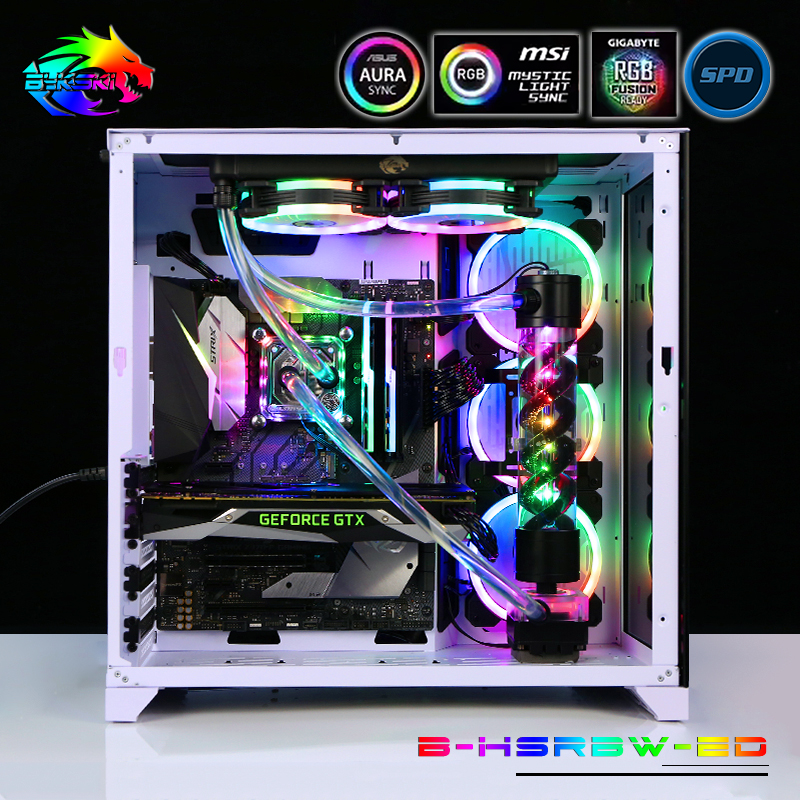
Well I like Bykski and Barrow for being not to bad in quality and being very cheap. Tho, as they are made in China shipping prices are going more and more crazy. Still cheapest option for being fairly decent, but slowly losing that point as shipping prices rise.
$220 total for CPU only kit, RGB loop and all. $335 total for CPU+GPU and 240mm/360mm kit. Given the nice discount on the fully kitted out one, it might be more ideal to wait until you get a new GPU for going custom loop
https://www.aliexpress.com/item/4000807277229.html?spm=a2g0o.productlist.0.0.846036benAy4WR&algo_pvid=a03027d0-5225-466f-8a7b-288a61dc874a
aliexpress.com
Smarter Shopping, Better Living! Aliexpress.com
 viral grove
is soft tubing or hard tubing better?
im new to water cooling
trying to learn more
cold island
one isnt "better" than another
hard tubing looks better usually but is harder to do, soft tubing is easier and more forgiving to beginners (dont have to bend tubes)
viral grove
any difference in performance and cost?
cold island
soft tubing will be a little cheaper and no performance difference
viral grove
hmm ok
magic sparrow
also maintenance difference. Hardline is very hard to do maintenance on. You cant move anything around until you drain the loop and disassemble it.
topaz blaze
Is a noctua nf-s12a a good addition to the front fans of a meshify c? Trying to keep a 10700k cool
 spare ferry
Is this pc good
CPU AMD Ryzen 7 3700x, A 7nm architecture , 8 core, 16 threads with a base clock speed of 3.6 Ghz and Overclocked Speeds of upto 4.4 Ghz, With default TDP of 65W and Max temp of 95°C.
Graphics card Gigabyte RTX 2080 Super, 8 Gb of VRAM and 3 Fans
Motherboard Asus TUF GAMING X570-PLUS (WI-FI) ATX AM4 Motherboard
CPU Cooler Corsair Hydro Series H100i RGB PLATINUM 240mm Liquid CPU Cooler
RAM Corsair Vengeance RGB Pro 32 GB (2 x 16 GB) DDR4-3600 CL18 Memory
ROM Samsung 970 Evo 1 TB M.2-2280 NVME Solid State Drive
PSU Corsair RM (2019) 750 W, 80+ Gold Certified Fully Modular ATX Power Supply
Case Corsair iCUE 220T, RGB Airflow Tempered Glass Mid-Tower Smart Case — White
topaz blaze
check #cases-psu-and-cooling
dull basin
k
topaz blaze
we talked there 2
dull basin
god i wanna rip my eyes out
 cinder heron
Are aio the water coolers? Such as the corsair along with the fan radiators?
And also do you need to put water in them cause I see them connected to the fan radiator instead.
Such as the H100I
main cape
@cinder heron yes, aio’s are the water coolers. I think some of them you may have to refill but the others are sealed. Just check the description of the one you want
subtle edge
How are the super cheap rosewill AIOs? Anyone have experience? Would it be an upgrade over my Phanteks dual fan fin stack cooler?
granite patrol
its cheaper than the hyper 212 evo lol
 feral acorn
Was looking for a deepcool LUCIFER K2 or v2 cpu cooler but notice that their discontinued and can't be found any where anymore where they that bad of a cooler that you can't get no more.
burnt goblet
its a 5 year old product
feral acorn
Okay then it must of not sold well then since I think the hyper 212 Evo is that old too
burnt goblet
aye
feral acorn
My deepcool tesseract case I don't think will fit a noctua d15 or assassin 3 cooler with my side fans installed so looking for another air cooler or a 120mm aio
The specs on both say it's a 165mm height which that case is suppose to fit but not sure completely
feral acorn
Okay didn't see that there I look again
Between the two cooler what do you think is better it's for a ryzen 2600 cpu
burnt goblet
both are overkill
if you search for the d15 and then click "service" on the noctua site
feral acorn
Yeah but will have the head room if I need it for a bigger cpu down the road when I upgrade
burnt goblet
iirc, that should give you the option for the different comp checkers
feral acorn
Okay you say they are overkill which air cooler should I be look at then if you don't mind me asking
burnt goblet
u12 /u9 are both solid options that are much more compatible
there is also the option of something like the c14
feral acorn
Okay thanks
burnt goblet
you are very welcome and best of luck :)
low pumice
:D
feral acorn
One last thing would a 120mm aio be dumb for a ryzen 2600 over a aftermarket air cooler? I can't fit a 240 rad in my tesseract case
cold island
value wise i'd rather go with a decent air cooler, but it would cool it yes
feral acorn
Okay what do you think of the Fuma 2 cooler vs noctua coolers
cold island
fuma 2 looks pretty nice for the pricepoint, i have a mugen 5 rev b from them and its been really solid on my 2600x
feral acorn
Yeah I was looking at the ninja 5 but it's to tall for my case. My cpu use to be stable at 3.8 on all cores but after I installed rysen master software. The cores range from 2.6 to 3.9 on all cores but when I manually put in my oc from bioa and it restarts windows I'm good to go till pc goes to sleep or is turn off again it's weird as hell. I'm thinking it's something with cpu or my cooler and paste
topaz blaze
Can anyone recommend good aios for a 10700k because apparently the 3000 cards are going to blow hot air into my air cooler? (Other than arctic freezer bc I don't have that in my store)
:(
magic sparrow
It'll raise CPU temps by a little tbh. Air temp isn't GPU temp and air temp will more then likely only increase CPU temp by a few degrees
topaz blaze
Hmm
Guess I'll have to see reviews for the final answer on that
Because normally I'm planning on getting a dark rock pro 4 with it
But the gamer nexus video made me worried that's gonna be a bad idea
fervent flax
I am still having an issue where my GPU junction temp is at about 110c at full load I run a 5700xt what can I do?
low pumice
what model
depending on your dedication you COULD LM it and change out thermal pads
or just get a model with better cooling
low pumice
Contact MSI then, might be a defect
Change the stock thermal compound to Liquid Metal
cold island
110c shouldnt hurt the card afaik but its not rly good
fervent flax
Yeh I used to get 80-95c but in the last couple weeks it's been at 110c
low pumice
tJunction doesn't hurt up to like 120c iirc
fervent flax
I'll call MSI tomorrow they're likely closed now.
low pumice
or file a support ticket
cold island
@fervent flax can u check vram temps?
fervent flax
Not sure how to do that but if ya teach me I'm sure I could.
cold island
@low pumice does afterburner have vrm temps?
cold island
hm
well it might be an issue with pressure https://www.overclock.net/forum/67-amd/1744970-5700xt-help-junction-temps-msi-gaming-x.html
Hello AMD , ❤ Kinda need some help regarding my 5700XT and the ever climbing junction temperatures. I have the 5700XT Gaming X from MSI and the ‘Ju
fervent flax
I'll look for it in the Radeon thingy but I only see core GPU temp and junction
The post there seems helpful thank you I'll try some of the things there after I contact msi.
fervent flax
@cold island Hey so earlier you mentioned VRAM temp and mine is sitting at 50c that okay?
cold island
that sounds good
if it was really high like 90c, then you would know its probably an issue with tightening something
 fervent flax
I really don't know how to do that i've never tried.
I'll youtube but thanks if it works.
undervolting has gotten it to close to 100c so that's better I guess and i'm stable at 2000mhz clock too so i'm not going to complain
Yikes it only worked for a few minutes lol
open rampart
So have a build in process and wondering about cooling layout. I have a Corsair 275R which has room for three fans on front, two on top, and one on rear. I purchased a 240 AIO to go at top and 3 QL120s to go on front of case. However AIO wouldn't clear ram so I had to front mount the AIO. I put the RAD on the inside which allowed me to still mount one of the stock case fans at the bottom below the AIO fans. Going to move the QL120s to the top and rear. Should I buy a higher CFM fan for the bottom front to push more air into system or will a higher CFM fan steal too much air from the AIO fans?
open rampart
No the fans are on outside and then radiator inside. Fans pulling air in front panel and pushing through rad.
Current set up. QL120s still on the way.
 normal cipher
thats gonna push hot air through the rest of your system
your intake should take in cool air, and then let it heat up for an exhaust
open rampart
AIO won’t clear ram.
normal cipher
yeah this is quite the predicament
cold island
it wont kill ur pc if the aio is in the front
rugged nimbus
You can do a reverse airflow setup if you like
normal cipher
i honestly cant think of a reasonable way to make that work, i guess just hope that less airflow and hotter air from the aio doesnt push your cpu or gpu too hot. at the most you wont be able to overclock too much
rugged nimbus
As in, pull from the front
open rampart
Yeah, but most of the benchmarks from placement have actually shown this setup works well, even better than exhaust. However, main concern is bringing in enough air for 30 series.
normal cipher
okay, maybe just do like you suggested and put your CFM fan by the AIO, and stack up on exhaust fans so you have negative air pressure?
youll just have to clean out dust a bit more often
or something like this:
 velvet stone
I need to rework the cooling in my case
azure crown
lol that pic is ooooooooooooold
normal cipher
lol, ik same concept though with his AIO in the Harddrive area
open rampart
I guess could set the top fans as intake and then have PSU set for exhaust.
 autumn nimbus
I want a positive air pressure on my deepcool matrexx 50 case and have 6 Uphere white led case fans. There are 3 fan slots on the right, two on the top, and one on the left. Can someone please help? This is my first PC build and I would highly appreciate the help.
 crisp mica
Im no expert, but you could do in through the front and back, and out through the top.
I think that would be a good basic set up.
autumn nimbus
Ok and that's positive pressure? lol im new to this
crisp mica
Youd have 4 fans pulling in, and 2 pushing out, so, yeah
autumn nimbus
Ok cool. Thank you so much
crisp mica
No problem! Im literally figuring out my fan set up as you asked
velvet stone
what is a good priced fan controler?
normal cipher
i mean theres cheap fan splitters out there
autumn nimbus
I had a question about which rotation my fan should be on the top of my case. They are outtake and facing outwards but im curios which way is top.
Does anybody know?
Like facing right, left, towards me, or towards the back of the case
or if it doesnt matter
normal cipher
You mean, just rotated on its axis? or facing forwards or backwards?
cause it only blows one way, and intakes the other way
autumn nimbus
Rotated on its axis
normal cipher
oh
autumn nimbus
I already figured the intake and outake im just curios if they need to be rotated a certain way
on the top of the case
normal cipher
no it doesnt matter, usually people just try and have the direction the power cord goes out, closest to the nearest cable management hole
or generally just the best place to hide the wire so it looks nicer
normal cipher
np
low pumice
Rosewill is a newegg brand
 rotund osprey
y’all reckon i can use a thermaltake backplate with my noctua cooler as a temporary solution? i don’t have my stock amd backplate as i got my mobo secondhand.
from what i can see the spacers are both the same length, maybe like a mm shorter
normal cipher
sounds kinda sketch, if its a temporary solution for now then I guess you gotta do what you gotta do
rotund osprey
yeah it seems to be working besides being slightly crooked, definitely a temporary solution while i find a stock backplate
thermals looks good though
burnt goblet
i would strongly recommend NOT using a different backplate unless you know exactly what you are doing.
you run the risk of basically crushing parts
 pliant berry
Is it fine to have the aio tubes on top if the aio has the pump in the rad??
topaz blaze
Can anyone explain how to put in a cpu cooler
 thin trench
Hi guys. Im looking at maybe doing a custom loop for my next build, but I have some questions. Even the custom configurators ie Corsair and EKWB are confusing to me. EKWB has an option to cool VRMs, which I am unsure if I should want, and I am also unsure of which type of tubing is the best for me. I want to make a custom loop mostly for quiet and for aesthetics, but Im also not expecting to be JayzTwoCents level of aethetics - just something that looks good. Is anyone able to give me a few pointers?
rotund osprey
you run the risk of basically crushing parts
@burnt goblet oh boy yeah gonna change that out asap
magic sparrow
@thin trench cool VRMs on mobo or GPU? mobo VRM cooling isn't really needed most of the time so I won't go for it. As for tubing, soft tubing is probs best for a beginner due to tubes being hard to bend nicely and ease of maintenance. Soft tubing can still look quite nice too. Lastly, I'd recommend Bykski or Barrow for liquid cooling parts as for a few degrees less in noise normalized perf you save half the money.
topaz blaze
I know we don't really know.. but do you guys think a noctua d15 or drp4 will cool enough to deal with the heat coming up off the 3080 top fan?
Bc I would prefer to not go aio since I don't know what case to go with it, currently looking at meshify c
 wide talon
So I got a 2700x and I just installed the Lian Li galahad 240mm AIO (top mounted) however, my temps still seem a little high (max has reached 68 while gaming) and lowers to 30C and jumps to 40C while idling and just cycles. I use core-temp to measure temperature I think I have auto OC enabled in the bios but I'm confused on why my temps get so high and if I need to update certain software. Thoughts?
low pumice
I wouldn't worry about <70c under load.
Of course, if you want to lower it further for personal reasons, you could reapply the paste using x method, manually set frequency and voltage, that kind of stuff.
 tropic fractal
so i built my water cooled pc in the NZXT H200i and its been about 5 months
how do i clean it : P
burnt goblet
simplest answer to that is this: Google it
tropic fractal
mkay thx
burnt goblet
unless @idle tiger has a handy url for a guide?
tropic fractal
hmm maybe
idle tiger
Most tech tubers have loop maintenance vids
But if you used quality parts + coolant, should be fine for years
idle tiger
I mean, if you have specific questions, links your parts list, post pics etc.
Otherwise the best answer to "how to clean it" is "with water"
low pumice
Do they have AIO or custom tho
 supple jewel
My 3900x is idling at 38C is that good?
I was thinking of getting 2 extra fans because right now I only have an intake fan and a noctua u12s
 austere elm
I am thinking of getting watercooling but dont know which one is the best for my budget like do they all work the same or is one better than the other... my budger is sub 90
supple jewel
a bit over budget and one of the best aio out there
low pumice
The only thing idle temps tell you is your room temperature
supple jewel
Oh I forgot to mention for my own question that I reached 84C while doing some blender
@low pumice
My aio comment was for @austere elm
austere elm
thx
cold island

 proper cradle
R5 3600 air cooling
What would be good to go with it
 remote kernel
Stock amd cooler/ 50$ hyper 212/ aio cooler master liquid rgb or lite 125-75$ all cad prices
proper cradle
i already have stock cooler and temps are getting above 91C
remote kernel
All cores loaded
remote kernel
I have many friends who have r5 3600 those are unusually high temps before buying cooler if check if thermal paste application was good but each processor is different and not all are the same in terms of oc and temps but r5 3600 idle with amd cooler 55-65 fully loaded 80-85 but after 90 is a thermal throttle
remote kernel
Check out hyper 212 non black runs for 45$ cdn and black rgb 60$ cdn
Ya I see
I’ve personally got a nzxt x53 on r5 3600x idle 30-35 fully loaded 60-65
proper cradle
what i would like to get is a think that tells the temp on it
so ik what the temp is 24/7
 acoustic wharf
@proper cradle my 3600 idles the same with stock cooler, i usually see it level out around 75 or 80° at load tho
proper cradle
Okay
acoustic wharf
Not to mention i made the mistake of touching the thermal paste with my finger on accident
Nice little finger print on it
Left it the way it was
wish amd would have a caution label on the box that says the preapplied paste is open
Grab it from the bottom and you get sticky fingers
Also where are you getting your temperature readings from?
If its AMD master your fine but...
Also how many fans u running and what case u use?
topaz blaze
I need 7 case fans for the 0-11 Dynamic XL , which ones should I get? I’m trying to stay under $100 for my case fans
Rgb is not a top priority
remote kernel
@proper cradle if your speaking on screen display of temps you can download a software called msi after burner i use it it can tell u temps of just about anything and FPS and all that there’s YouTube videos on how to setup not to hard
 buoyant frost
the case is Lian Li O11D XL-A O11 Dynamic XL ROG Certified
and for cpu cooling i am going for the https://www.amazon.com/gp/product/B07WNJCVNW/ref=crt_ewc_img_dp_2?ie=UTF8&psc=1&smid=A2T6N244WTLWGU
for case fans this 2xhttps://www.amazon.com/gp/product/B07HC782D5/ref=ox_sc_act_title_1?smid=A2T6N244WTLWGU&psc=1
or https://www.amazon.com/upHere-Intelligent-Addressable-Motherboard-Adjustable/dp/B07HKB1NT3/ref=pd_ybh_a_4?_encoding=UTF8&psc=1&refRID=2S0473KA7V532SZCB8YA
low pumice
dayum what's with the shipping on the P12s
I like suggesting the P12s but 10$ shipping is kinda high
buoyant frost
witch one should i get.
low pumice
P12 for just good fans
buoyant frost
ok thanks.
low pumice
It's just more expensive than usual
buoyant frost
i will live..
low pumice
It's also same fans that's on the Arctic freezer ii :D
 cyan vessel
is it ok to have negative air pressure for gaming pc (all exhaust fans?)
magic wave
it's whatever
if you can put intake fans in a case, then do it, and if there's no feasible way to create an intake because of a poorly designed case, then I guess don't
my case is like that kind of
there's a single 70mm or 50mm fan mount on the front, and a 92mm mount on the back, with the PSU on the top, so I can't just swap directions and decide to go back to front, and I need to find a niche fan size to complete the front to back fan setup
low pumice
@cyan vessel it's suggested to have balanced negative and positive airflow.
There's also testing done by LTT for completely positive and completely negative airflow
cyan vessel
oh yea i saw that video
just a random question, is it possible that it will overheat
its cause i built my friend a sleeper gaming pc, and i accidetnally put the fan that was meant to be intake, as exhuast, so just worried it will over heat and mess up the components
magic wave
should probably flip it around