#old-cooling
1 messages · Page 39 of 1
 magic wave
 eternal flint
Well
magic wave

ATX mid-tower chassis with two tempered glass windows and a preinstalled 120mm rear fan.

Versa H18 is a M-ATX micro case with an acrylic window and one preinstalled standard 120mm rear fan is included.
eternal flint
Yea
It won’t fit in that case
But for your current pc
Can’t see to find a good cooler that is small enough
Stock cooler in small enough
magic wave
it performs well enough as is
eternal flint
Ok
Just use the thermal right macho rt if you have big case
It would cool things down well
Even an i9-9900K
eternal flint
Just tell me
@magic wave
Could try and find you a cooler
Based on what you give on height
magic wave
almost 6 inches from the top of the case, with power supply above
magic wave
5 11/16
eternal flint
Ok
@magic wave
I believe I found a cooler
That’s more silent and better
Noctua NH-L9x65, 65mm Premium Low-Profile CPU Cooler (Brown) https://www.amazon.com/dp/B00VB3Y89E/ref=cm_sw_r_cp_api_i_NV6OEb6GCJAWH
Definitely fits in your case
Going to be better than stock cooler
magic wave
yeah I would've chosen that one in a rebuild
eternal flint
@magic wave
No
I mean you can do a upgrade now
@magic wave
You can also upgrade your cpu
And that cooler could also help with it
To be exact
You can upgrade to an i7-4790K
 heady gust
What’s your budget?
eternal flint
Who?
magic wave
this is H81, I wouldn't want to stay with H81 if I upgrade to the 4790K. I would want something like B85 or better, using a quality name brand board (ASUS, BIOSTAR, MSI, etc.) to justify the new CPU. H81 is limited to 16GB of RAM, and all other Haswell chipsets go to 32. At this point it is a "brand new" computer, new board and CPU, and of course PSU. It wouldn't make too much sense to separate this CPU from the Lenovo board in favor of a slightly higher end processor. The cost of staying in the same socket is way too high. It would be better to just build an AM4 6c12t computer.
and I hopped in Minecraft and cranked the render dist to 64 chunks, maxed out at around 32 thousand chunks rendered at once, roughly 5fps, at which point the chip chugs and doesn't really output that much heat, but even just loading in the first 10 thousand, when it is working snappily, it's happy at under 80 degrees all around.
currently doing CPU-Z stress
eternal flint
I see
magic wave
reached 69C on CPU Pkg
I think the tolerance is 72
stock cooler is actually a good fit in this situation lol
heady gust
I need some light-medium overclocks, and is the GAMMAXX 400 a good cooler for that?
magic wave
I will note that it's doing 3.78GHz on the stress, it would reach higher temps if it were to hit the usual 3.99/4
 flint gulch
can a hyper 212 handle a r5 3600 ocing
 river gorge
minimum
but you asked that yesterday, and already got an answer, so I don't know why you're asking again.
 jagged flare
can a 120mm radiator /cooler master 120m lite handle a 3700x
 burnt goblet
single fan radiators are generally a bad idea
burnt goblet
your first response/reaction/reason was that you used the AIO to save money
the stock cooler is the way to go for that
IF you want to use the AIO, try it.
jagged flare
no I know but since I already have one should I use it over the radiator/aio
ok you said it
 unique lilyBOT
 Naed#3611 has been warned
Reason: Bad word usage
burnt goblet
all that can happen, at worst, is that you stuff things up, and waste some time
(that is what i get for typing while not looking at the screen)
jagged flare
lol
 cold island
yes a 120mm rad would be better than the stock cooler and low-mid tier air coolers, but they usually aren't worth it for the price. just stick to the stock cooler and if you want something better get a better cooler down the line
jagged flare
nachos i'm gonna use the 120mm aio I have and then if down the line if it breaks or I need to upgrade I'll upgrade it
cold island
whats the debate here then
burnt goblet
best of luck, remember to check that your cold plate surface is big enough
 keen pebble
Hey got an alienware laptop the other day and it tends to get really hot running games and or my stream overlays any ideas on a way to cool it down some?
burnt goblet
raise it up, so that its vents are free
 stone jackal
If you’re comfortable taking it apart, check the thermal paste
But do @burnt goblet ‘s step first
keen pebble
I'll start with that and see if that helps any, how do you guys feel about cooling pads?
burnt goblet
re: cooling pads: if you absolutely must, then yes, they can help.
but imo, it is rather effed that a new system would need it
keen pebble
I feel the same way about it I just want to avoid damaging any of the components
 chilly rover
Hi, I recently bought the ibuypower snowblind s (i9-9900KF), but it runs super hot (110+, and shuts itself down of course). I bought a Cooler Master cooler (Item#: 2YM-0004-00015) to try and cool it down, but the tubes for the coolant just don't reach from the CPU to the air intake where i'll need to mount the fan and radiator. If anyone has a 2x120mm AIO radiator setup and could measure the tubing and let me know, i'd appreciate it. Tubing from base on the kit i bought is 12"
burnt goblet
@chilly rover how long ago did you buy the Snowblind?
chilly rover
ha, like 2 weeks ago
burnt goblet
talk with ibuypower
dont try and "solve" it yourself
this should be 100% covered by warranty
unless you are doing something you have forgotten to mention ?
chilly rover
nope, not overclocking it. But I have disassembled it/ reassembled it a bit. Might void warranty
burnt goblet
that is between you and ibuypower
talk with them
you might not want to
tough luck
talk with them
burnt goblet
it shows how honest you are, which was my main concern going in to this
because IF you are not willing to say what you are doing
having you messing around inside of the machine is potentially a very bad idea
and keep in mind, we cannot read your mind, but we still try and avoid giving advice that leads to damage
as for your original question: any option of placing the AIO in a different spot?
or rotating it?
chilly rover
Sure, I get it. I have experience with computer building/ repair. Just not quite wanting to build a liquid cooling system from scratch
burnt goblet
:)
chilly rover
Probably can't do much about the case. I could easily put a 1x12omm radiator on the back of the case, but if i want the 240mm, there's only one spot. the intake is on the right side of the case parallel to the mobo. the rest of the case is metal/ glass, so unless i get a saw out, there's no place to pull air in
burnt goblet
hmm
chilly rover
the coolant tubes have to go over the top of the RAM, or around.
burnt goblet
could you drop me a side on shot of the case itself?
you would have to DM the photo to me thou
chilly rover
sure
burnt goblet
because the bot will eat your links/photos (because you are not lvl 3 yet)
its our anti spam prevention :)
 magic sparrow
@burnt goblet @low pumice Well we'll get to see GN's take on the new Zalman cooler soon (screenshot from RTX voice video)
burnt goblet
i am quite looking forward to that
and thank you for the headsup on that @magic sparrow
magic sparrow
Ye, esp since GN is really going ham on their CPU cooler tests now
cold island
cant wait
 errant egret
guys i did look lot of youtubers last 2weeks looking for a costum cooling loop and dont know for quality in general and performance if i should go corsair hydro series or EKWB kits and even thermaltake makes some that looks decents . i would like to have some of your choises and opition and why ty
 copper patrol
Thermaltake is a great brand for custom loop cooling.
their fittings are some of the best
errant egret
@copper patrol thx for your opinion apreciated
 manic zodiac
cold island
manic zodiac
cold island
you dont have to refill it, you just mount it and thats it
river gorge
plug and play
magic sparrow
@errant egret Honestly just get Bykski. Much cheaper then other brands for basically same quality. $250 USD for a full CPU+GPU RGB copper loop with 360mm+240mm rads
https://www.aliexpress.com/item/32899782878.html?spm=a2g0o.productlist.0.0.5cf562285UYWPR

aliexpress.com
Smarter Shopping, Better Living! Aliexpress.com
errant egret
@magic sparrow hoo intressting thx you ill go check the reviews overall i didnt know about them
magic sparrow
The custom loop company is Bykski which is quite decent. Slightly less quality then EK in some looks but that's it. The seller is FormulaMod which is decently known through some people and is quite trustworthy
errant egret
@magic sparrow the price in intressting its enought low to make me minding about if there is a catch acctully xD thx for that link
magic sparrow
No real catch. Shipping price is a bit high, but total cost is still quite low
 sinful vapor
Is it better to run 2 360mm rads or just one for 3900x?
magic sparrow
a 240mm would probs be fine (depending on fin density/fans) usually
 rugged nimbus
Anyone have a recommendation for a good (cheap) no-thrills cpu cooler? My i7 in my work pc is running 80 degrees at idle
 idle tiger
Specs?
 low pumice
Also, budget?
river gorge
80F or 80C
idle tiger
$20 budet? Gammax 400
Video shows how various paste application methods spread out.

A quick view on different application methods including the most common products and also a look on how liquid metal spreads under pressure.
idle tiger
idle tiger
Video shows how various paste application methods spread out.
https://www.you...
cold island
our favorite german himself
 topaz blaze
Hi guys, I want to start to watercool my gaming rig. Any suggestion and parts should I buy?
 knotty geyser
@topaz blaze I recommend AIOs for your first few builds
As custom water cooling is expensive, dangerous for your parts, and hard
And unnecessary
I recommend corsair AIOs
topaz blaze
Alright sounds goods. Someone suggest me the corsair h100i platinum it's great?
knotty geyser
I personally use a NZXT, and the NZXT cam software is crap, and it doesn’t recognize the AIO 90% of the time, so my fan curve doesn’t get implemented
What cpu are you going to use
@topaz blaze
topaz blaze
3800x or 3900x
knotty geyser
That’ll work fine, I myself use a 360mm because it’s better if you wanna OC, and because a 240mm looks weird for a 360 fan section
But a 240 should be fine for OCing as well
topaz blaze
Alright sounds good. Thank you very much for the help!
knotty geyser
One thing to keep In mind with AIOs over air cooling
topaz blaze
Yeah?
knotty geyser
It has more points to fail, and if the pump fails, it’s hard to notice unless your pc starts thermal throttling
idle tiger
Go AIO for aesthetics, space constraints, or just plain preference.
knotty geyser
Same
topaz blaze
So if it fails I will hear some noice or? How can I notice?
knotty geyser
I prefer AIO for OCing as well
Your pc will either shut off a lot after turning it on
Or you’ll thermal throttle
Aka your cpu will constantly hit 100% usage
idle tiger
There are many great AIOs, air coolers, and options for custom loops alike - many are trash, many more aren't.
The more custom the solution, the larger the burden falls on the user to read the manual.
knotty geyser
Yea
topaz blaze
Ahhh ok sounds good. Should I also put some thermal paste on the end of the aio.. the part which is on the cpu. Looks like copper.
knotty geyser
They generally come with thermal paste already applied
idle tiger
It should come with some. Regardless, spend $10 on a tube of MX-4 just to have around in case you need it.
Many people botch the mount on the first build.
topaz blaze
Oh okays sound good. Mx-4 thermal paste. Sounds good. I'll note that out
burnt goblet
"And if you pull the aio off the cpu at all, you’ll have to reapply" <- no
knotty geyser
I meant after building it
idle tiger
MX-4 has a low viscosity - makes it very hard to apply "wrong"
topaz blaze
Ok.. what can I use to remove the old termal paste?
idle tiger
Paper towel/coffee filters are fine. Or alcohol spray/wipes.
knotty geyser
I use isopropyl alcohol
You’ll want to make sure the cpu and the aio are clean of it
And apply about a pea sized amount of thermal paste on your cpu
topaz blaze
Isopropyl alcool with what microfiber cloth or?
knotty geyser
Paper towel is fine
idle tiger
What cpu btw?
knotty geyser
He said a 3800-3900x
topaz blaze
3800x or 3900x/3950x
idle tiger
Draw an x with dots in the sides
topaz blaze
Ok sounds good
knotty geyser
You honestly won’t need a 3900X unless you are very intensive with a cpu
I use a 3700x and I’ve never hit over 50-60%
idle tiger
topaz blaze
Thank you very much guys! So useful.
Wow really, that's hella good
Ok so 3800x should be just fine then.
knotty geyser
Ye
idle tiger
Personally I'd go 3600 or 3900x, I have a 3700k and I regret selling both my 3900x's
$160 for a 3600 is too good
idle tiger
and 400 for a 3900x = 2x cores + double the L3 cache etc
But if you don't need it ...
knotty geyser
Generally someone who needs a 3900x-3950x would be people doing video editing
idle tiger
BF V, virtual machine work, and ya, mainly editing
topaz blaze
I do video editing.. since I have a Youtube channel.
knotty geyser
Yea
topaz blaze
Atm I have the 2600
idle tiger
I like being able to keep VM's, rdp, chromes, other junk open and running and not have to worry about muh fps
idle tiger
Do you use premier pro / after effects mostly?
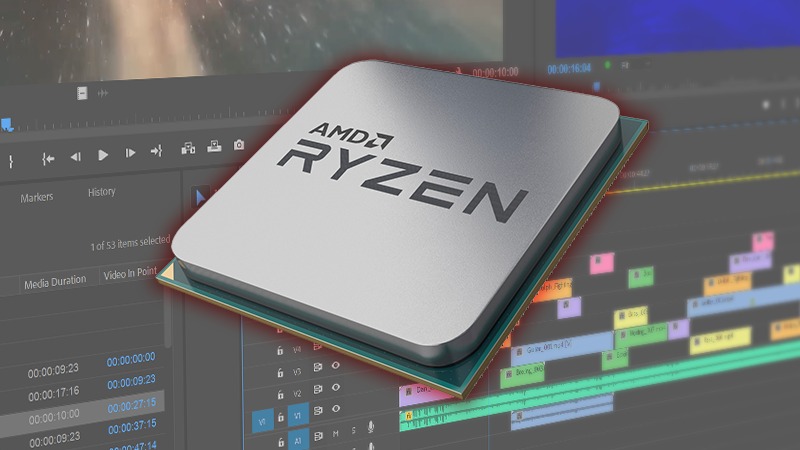
Puget Systems
AMD's new Ryzen 3rd generation processors feature both an increase in core count and per-core performance, which is exactly what Premiere Pro tends to need to get the best performance. Will this make these new chips the best choice for video editors compared to the AMD Threadr...
low pumice
@idle tiger is that GN modmat?
idle tiger
yes
low pumice
You got one?
idle tiger
I either use cardboard or a slicone baking mat lol.
I want one thogh, I like what GN contributes to the community.
rugged nimbus
@idle tiger @low pumice @river gorge
It's my work pc, soon to be passed on to someone else. Budget... preferably like under $40 but I can go up if need be. 80 degrees Celsius. Specs are meh. 24 GB of ram (two sets, I know it's not ideal), i7-3770, AMD Radeon HD 7000 series, on a Dell Optiplex 9010 (so proprietary mobo and PSU). I thought new thermal paste might help but it didn't
low pumice
I believe the gammaxx 400 is a good cheap cooler? @magic sparrow
idle tiger
I got one of those, not bad for $20
rugged nimbus
I don't need light as it's a closed case, but if it's a good cooler, whatever I suppose
Clearence might be an issue. It's a small case
idle tiger
It's a lot of people's go-to $20 cooler
I wonder if it'll still work if you bend the finstack
low pumice
oh
rugged nimbus
Any low-profile budget suggestions?
idle tiger
Will be hard to find an off the shelf, easy to install, cheap solution there.
low pumice
NH-L9i maybe
idle tiger
I'd repaste it and blow the dust out of the fan and finstack before anything.
Get some mx4
low pumice
thought they said they repasted it?
rugged nimbus
Already re-applied thermal paste, yeah... and mx4?
rugged nimbus
I'll get a can of dustoff and see if that helps
And that one's under budget on amazon, yeah
low pumice
rugged nimbus
Alright. thx guys/ I
I'll try blowing it off and otherwise buy that noctuca fan. might also help lower fan noise
idle tiger
Honestly an air compressor / leaf blower can work well, just don't overspeed any of the fans
rugged nimbus
Alright
low pumice
(make sure to hold them down or restrain them)
rugged nimbus
Ok... blowing seems to have helped a little... idling at 65-75 degrees now
magic sparrow
@low pumice It was, tho pretty sure price isnt good rn cuz human malware. Last I checked it wasnt anyways
 cursive hamlet
How normal is it to have a lot of bubbles when first setting up your water cooling loop?
I also feel like I’m gonna have to leak test for 48 hours vs the normal 24 hours :/
burnt goblet
@cursive hamlet having air in there is very normal, you dont have the experience to avoid a bunch of it. but some loops are just "annoying" to avoid air in, at the start.
re: leak test: Its your build.
there is no "normal"
its however long you feel is needed
because IF you dont test enough and it leaks later? you are the one cleaning it up.
cursive hamlet
Yeah I’m doing a 48h leak testing
magic sparrow
You can help remove the bubbles by tipping the PC around and flipping it to its sides/front/back/etc
 lusty palm
So, my pc is idling around 70c and ramps up to 100 for intensive games after applying thermal paste, could the cooler be giving out? It’s just a stock intel one but still :/
burnt goblet
nah, just a bad/underspecced stock cooler
 snow wyvern
Anyone know any good, cheap 140mm or 120mm case fans?
low pumice
@snow wyvern Arctic F12s and F14s
snow wyvern
Thanks @low pumice
low pumice
You're welcome
 maiden delta
Did you actually get banned or is that name just foresight @low pumice
maiden delta
Did you get 11 warnings?
low pumice
I have 17 total
maiden delta
😬
 muted copper
maiden delta
muted copper
maiden delta
Someone would unban you tho
cold island
🤔
maiden delta
Box
I feel like he said that the other day at least
but don't quote me on that.
Got it
Quote me all you want now
low pumice
lol
river gorge
photoshopped
maiden delta
Lies
I would never do such a deed
Especially because my dad changed his creative cloud login and I don't know the credentials anymore😂
magic wave
Lol
 ancient yew
Can anyone recommend their favorite (and quiet) case fans? My fans are so loud and starting to rattle. RGB preferred. I'm looking around right now but I wonder about actual reviews for the quietness and performance. I don't care if they're cheap or if they're Corsair prices 🤣 I'm just tired of the noise.
river gorge
@ancient yew I have INWIN Sirius Loop fans. and they are very quiet, even at max 1,800rpm
also argb (3-pin)
cold island
if you can live without rgb noctua chromax are the best fans for a ton of things
ancient yew
Thank you!
magic wave
@ancient yew You can also get silicon gromets to mount them
My computer is on right now as I lay in bed, I only notice it if I think about it, I'm fairly certain that sort of mounting hardware aides in such
The fan isn't anything special, just something that Lenovo slapped in there
The case only has two fan mount slots, one in front and one in back, which kinda sucks but airflow is just fine for what it is. I can't put another fan in there because it's some small size that I don't have spare fans which would fit.
river gorge
I doubt rubber grommets will help much
it's more fin design, and how it pushes air through radiators/mesh holes creating turbulance
ancient yew
@magic wave The rattling stopped when I disconnected one of them, I think they were just poorly made. But the actual sound of the air being pushed out is SO LOUD. It's literal white noise in my bedroom.
cold island
for rattle rubber grommets would help, reduce the rattle from plastic on case
low pumice
Or just new fans
cold island
tru
ancient yew
I will try the grommets for the rattling but I think the fans themselves are just loud. They're coolermaster fans that came with my CPU liquid cooler. I need new ones.
cold island
the majority of good fans have anti vibration pads on anyway
ancient yew
I just want something that runs quiet while maintaining performance. So I'll give those INWIN ones a try I suppose.
river gorge
@ancient yew good choice.. they are reasonably priced too 🙂
snow wyvern
Ok, so question about mounting fans. I’m going to be getting a case that can accommodate x3 top fans, x1 back fan, x2 bottom fans, and x3 front fans. What would be the best setup for 6 case fans? (If you wouldn’t mind specifying intake/exhaust that’d be awesome!) thanks in advance!
rugged nimbus
Link to case?
Positive airflow is generally better (more fans blowing in than out)
rugged nimbus

E-ATX full-tower chassis with four tempered glass windows and two preinstalled 140mm Riing Blue fans.
snow wyvern
Thanks! That's the case
rugged nimbus
What cpu cooler are you planning to use?
AIO or fan
Or custom?
@snow wyvern
Probably best to have the intake on the top, supplying fresh air to CPU and GPU and exhaust out the front, I'd say. If you can, get seven. Do 3 intake on top, 1 intake on the back, 3 outake on the front. If you have a radiator I'd have that in front, pulling air out
heady gust
Actually, you know that you should have intake in the front, right?
rugged nimbus
Why's that?
rugged nimbus
I don't think that's best tho if you want positive pressure
Unless you put an intake on the bottom
snow wyvern
I'm planning on using the 2 stock fans and 4 140mm fans and maybe add a 120mm fan for the bottom
rugged nimbus
CPU cooler?
snow wyvern
I'm looking at an Arctic Freezer 34 eSports Duo
maiden delta
I didn't see whatever the link was but you can get an rgb controller that is powered off of molex so technically yes
 analog sage
@maiden delta so I can rgb control any molex fan with a RGB controller?
burnt goblet
with a RGB controller that supports that, yes.
analog sage
The fan that I'm talking about is the Segotep Lighting 12.
with a RGB controller that supports that, yes.
@burnt goblet wdym?
burnt goblet
what it says on the tin.
taking a random RGB controller (that fx doesnt support molex) is not going to work
burnt goblet
for example
 calm flint
is it better to have a positive airflow over negative? or should I keep it neutral
 final crescent
i hear neutral or positive is the better route, def. not negative airflow
magic sparrow
depends on case
analog sage
What is "fx"?
Guys, I still need help.
 pale plover
fx is a amd cpu series
maiden delta
If you are referring to the conversation you had with naed, he wasn't not talking about cpus. He said fx as an abbreviation for, "for example"
river gorge
I've never seen FX used as 'for example
burnt goblet
it wasnt FX, it was fx
river gorge
-_-
burnt goblet
the current intel is that Intel is going to launch bla bla bla bla
 chrome cedar
whenever i see fx i think it means fx
 dense sinew
Noctua or DepCool
stone jackal
Preference
Totally depends on the models too
Generally Noctua is really good though
 wild elbow
I have the nzxt h510 in the stock fan config. I am looking to replace the top 120mm with a 140mm and the rear 120mm as well. would anyone have some recommendations as to what kind of fans i should get? i was looking at the arctic p12 and p14 but i didnt know if there were other fans that people have recommended as well.
 dusky rapids
My Cooler came with pre applied thermal paste, but I needed to take it off. So I'm not so sure what kind of thermal paste i should get. Anyone have recomendations?
river gorge
Noctua NT-H1
dusky rapids
Sooooooooooooo which of these are the best? @river gorge @eternal flint
low pumice
NT-H2
low pumice
wdym
chrome cedar

maiden delta

wild elbow
I had asked about fans yesterday but never got a response. Would anyone be able to help me today?
wild elbow
I have the nzxt h510 in the stock fan config. I am looking to replace the top 120mm with a 140mm and the rear 120mm as well. would anyone have some recommendations as to what kind of fans i should get? i was looking at the arctic p12 and p14 but i didnt know if there were other fans that people have recommended as well.
maiden delta
My bad didn't see he posted it
low pumice
lemme quickly check the supported fan sizes on the h510
low pumice
eh I hate nzxt cases so I never bother to remember their fans
Anyways
Arctic P12/p14 are great
Noctua fans are great too, but more expensive.
wild elbow
so since i am keeping the negative pressure. Would airflow or static pressure fans be what I need
low pumice
I'm assuming static pressure fans, thats why p12/p14.
wild elbow
ok. i just assumed I would be so I didnt know if there was a more optimal setup
 glossy quarry
is there anything wrong with the fractal design venturi 140/120mm fans?
 prime rain
I have a ryzen 3700x with a stock cpu fan, It runs pretty hot. I'm thinking of upgrading the cpu cooler to Be Quiet Dark Rock Pro 4
 fair narwhal
does anyone here know if the asus ryujin 360 AIO might be compatible with the new Z490 motherboards and intel 10th gen processors?
 solid matrix
I have the nzxt h510 in the stock fan config. I am looking to replace the top 120mm with a 140mm and the rear 120mm as well. would anyone have some recommendations as to what kind of fans i should get? i was looking at the arctic p12 and p14 but i didnt know if there were other fans that people have recommended as well.
@wild elbow rip, case out of stock, rly wanted it lol
wild elbow
Yeah I got lucky. Bought my whole system before there was shortages of pc components
solid matrix
yeah. i wanted to start my first build but it’s completely gone
wild elbow
You can find some on ebay that are new or open box if you want to take that route
 rocky chasm
whats your budget?
 marsh bobcat
So i was thinking of buying a Dark Rock Pro 4. Was just wondering about any clearance issues, I have Ripjaws V RAM (not low profile) and a MSI x570 gaming edge wifi mobo. Graphics card is installed on the first slot located right under the m.2 header
 rare obsidian
I recently upgraded to a ryzen 3700x and with it came a new cooler. I took out the old stock cooler I had and I didn't realize that the prism wraith cooler had a different way to mount it. I had lost the clips that came with the motherboard because the other cooler could just be screwed in. Is there anywhere I can buy new clips that work with this cooler?
 solid heath
yeah @rare obsidian
Just look up the peice
"Wraith stealth amd cooler mounting peice"
rare obsidian
Ok. I had found a few but most people said they weren't compatible because they flexed the motherboard. Ill try searching specifically for the cooler.
 delicate torrent
Is this a good cooling kit
PHORCYS PRO CA240, a full Water Cooling Kit,
Or is there a better one with rgb that is included
I want a full loop
 silent raptor
if you want a GPU block in the loop, not a lot of kits include one
delicate torrent
Yea i have to buy that separate but if i get a kit would i be able to do a full loop
Or shiuld i just buy everything separate
@silent raptor
silent raptor
yeah as long as you have the fittings and spare tubing
have you looked at stores like aquatuning? there's some good prices on kits there
 craggy shale
AIO cpu cooler help ... kraken x53 or Corsair h110i. Will be using it on a Ryzen 5 3600X in a lian li dynamic XL case. Or do I look at the x63 / h115i scenario which will also fit.
low pumice
@craggy shale why are you going for an AIO?
cold island
tbh both are overkill
craggy shale
That answers that then.
cold island
save like $130 and use the stock cooler or spend like $20 on a gammaxx 400
craggy shale
Been out of thsi game for 20yrs. Guess I got caught all up in the hype.
low pumice
Yea..
That chip is pretty cool
Only chips that 'need' watercooling is like 9900k or hedt
or benefit much from watercooling
low pumice
It's viable. For spending on aesthetics.
cold island
aio's are 99% for looks on non HEDT or high ocing
low pumice
Yea...
craggy shale
Will start with loading up the case with fans and go from there.
low pumice
Don't need to usually
2 on the front and one on the back on a conventional case is all you'll need
cold island

 foggy mural
Hey
cold island
hey hey
maiden delta
Is that for distilling water?
 forest thistle
nah its for the illegal stuff
idle tiger
Ya, Labstrong Fi-streem III
forest thistle
yup illegal. i knew it
idle tiger
People always ask me if it could be used for alcohol - idk why - but no, it'd be really hard to modify it to distill ethanol.
idle tiger
Bought it for $25 broken, fixed it, will probably sell it, but for now it's fun to use for watercooling ya.
maiden delta
Ok, very cool 😎
forest thistle
lmao. i heard water cooling needs more maintenance. is that true?
idle tiger
Than air? Yes
forest thistle
oh ok. what type of maintenance. cause they look cool and i wanna try it just i wanna know what itd be getting my hands into
idle tiger
If you use an approved coolant and don't mix incompatible metals, could go >1 year without changing fluid/cleaning.
Depends on the setup
 quaint remnant
where do i check wat size
i need for liquid cooling
or are they all the same size?
low pumice
First, why do you need liquid cooling
unique lilyBOT
 Dancemonkey#2222 has been warned
Reason: Bad word usage
quaint remnant
pc loud and gets pretty hot
low pumice
Why do you think an Air cooler couldn't do the same job for cheaper?
Because all AIOs on the market right now are overprised compared to similar air coolers.
As far as I'm aware of.
quaint remnant
because any game i play or even idle temps are pretty high
if i were 2 get one Kraken M22
low pumice
Yea i7 8700 isn't that hot of a chip
Something like a nice Nh-u12s can handle it no problem
forest thistle
Then what is a reason to get water cooling
low pumice
Aesthetics only for water cooling rn lol
low pumice
Afaik 120mm rads don't even dissapate as well as just air coolers xD
Even in cases where water makes a difference, it's barely a difference
idle tiger
120mm AIO is a very niche use case
idle tiger
Like - trying to fit an itx build inside of a PS2 case
quaint remnant
so i shouldnt get water cooling?
low pumice
You shouldn't, unless you want to drop money for little to no performance gain
quaint remnant
so that fan u suggested would be better?
low pumice
Here's a case where air came in better than water
https://youtu.be/23vjWtUpItk

Thanks, World of Tanks for sponsoring today's video! Use invite code TANKTASTIC at https://tanks.ly/2U1zt9C and get a T-127 Tank, 500 Gold, and 7 Days Premium Access.
AIO water coolers seem to be all the rage, but we're here to tell you that big air coolers are where it's at...
quaint remnant
but water cooling would be more quiet as well right
quaint remnant
whats that fan u suggested?
low pumice
Except you have pump noise too
Nh-u12s
Noctua makes some of the best fans and heatsinks out there
After all, the only noise from air cooling is fan noise. With good fans like Noctua fans, not an issue.
quaint remnant
u think 120mm would be fine
low pumice
Water cooling, you have the same fan noise, depending on the quality of the fan, and pump noise
quaint remnant
or 140
low pumice
Wdym 120mm would be fine
quaint remnant
sorry kinda new 2 this
cuz was checking on amazon for that brand
Noctua NH-D15 chromax.Black, Dual-Tower CPU Cooler (140mm, Black)
Noctua NH-U12S - Premium CPU Cooler with NF-F12 120mm Fan (Brown)
any way 2 check wat size i need
low pumice
Nh-u12s should be fine. It's usually 60$.
idle tiger
Water/AIO cool for aesthetic, space constraint, or personal preference reasons.
Pretty much covered in the linked video above
But don't feel compelled to pick up an AIO because a certain CPU absolutely needs one.
Unless it's a 3950x or something.
quaint remnant
ik this is cooling chat but think i can ask one of u guys about graphics card chat is dead
quaint remnant
i have a gtx 1060 3gb and gonna buy a graphics card tommor
MSI Gaming GeForce RTX 2080 Super 8GB GDRR6 256-Bit HDMI/DP Nvlink Tri-Frozr Turing Architecture Overclocked Graphics Card (RTX 2080 Super Gaming X Trio)
is thsi good
its 817$
low pumice
Uhh
2080 supers are usually around the 700$ range last I checked
So might be overpriced
Brb
idle tiger
The thing with zen2 chips is that they have a huge thermal density vs monolithic Intel dies
Or even zen/zen+
low pumice
You don't need trio fans :p
Dual fans cool it just fine
Yea that's true
But even so, don't we have a guy in the discord running 3950x under d15 and OCing it?
Might've been 3900x but close enough
idle tiger
Kinda silly to OC any zen2 unless for benchmark scores
low pumice
Ofc it's for benchmark scores, what else? XD
idle tiger
3900x isn't as bad
quaint remnant
i really apperciate the talk mr1111 thank u very much bro
low pumice
You're welcome
quaint remnant
theres this one called blower its a single fan
guessing its just a really strong fan?
low pumice
Not really
It can to higher speeds and become very loud, but the fan itself isn't special
Blowers arnt ideal
quaint remnant
oh see a hybrid cooler
but like u said dosent really help
what does the power link do i dont need it right?
low pumice
Blowers are just bad most of the time, they run hotter because it's single fan.
Are you asking about how the fan on the GPU is powered?
I'm sorry but I don't understand what you're asking
quaint remnant
on amazon theres like one that comes with Powerlink and doesn't
low pumice
Da heck
Oh wait
Is powerlink the L shaped power plug thing? That's just like an accessory that makes cables look nicer, does nothing else.
low pumice
Lol
quaint remnant
my bad if its a dumb question but i saw the same graphics card and its a liquid cooling hybrid
i should still stick to the regular dual fans?
low pumice
Yea regular dual fans is fine
low pumice
You're welcome
quaint remnant
oh yeah for the Nh-u12s
anyway to check waht size i need
what*
or are they all the same sizes?
low pumice
@quaint remnant like case clearance..?
Nh-U12s is a single model. There's no variations of a NH-U12s.
quaint remnant
so i should be fine cuz i was wondering if like pc cases have different sizes for fans
quaint remnant
anyway 2 check what size
low pumice
Just look up the specs of your case and they'll be a "max CPU cooler height"
Hmm nh u12s is taller than I remembered.. it's 158mm high.
low pumice
Ah
quaint remnant

low pumice
You'll find it at some point
quaint remnant
u think by a picture u can detremine if its 120mm
low pumice
It doesn't really matter the fan size
What matters rn is the case clearance between the motherboard and the side panel
low pumice
I'm not a god I can't estimate distances using a photo xD
But just google your prebuilt's name + "case"
And look up the specs for that case and find the max CPU cooler height
It's getting quite late so I'm gonna have to sleep now, if you leave your questions here, either someone will respond to you soon, or I'll get to them in the morning.
Good luck.
quaint remnant
bet good night brother
low pumice
Hmm so wanted to go to sleep 10min ago
I guess I go sleep now xD
Computers and discord is addicting
 gleaming fable
What are some nice budget fans?
river gorge
inwin sirius loop
gleaming fable
are they quiet
gleaming fable
are they three or four pin fans
gleaming fable
what does that mean sorry
gleaming fable
thanks
silent raptor
FTR those are in fact PWM fans as well, meaning the fan header connector is 4-pin
but yes ARGB is always 3-pin for its connector
river gorge
oh thank @silent raptor I didn't catch that.
silent raptor
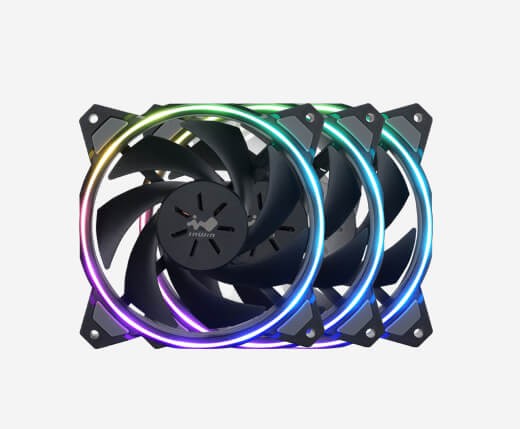 river gorge
mis read the question
They are really good fans though, for the price point
made very well.
and they are daisy chain
silent raptor
Oh that's actually an awesome feature
means you can hook multiple up to one ARGB header on your board since they connect to each other
river gorge
one fan to connect to mobo, then the other 2 connect to that fan
It can be a bit messy fiddling with the wiring, but that's a given.
silent raptor
I mean, no worse than hooking up LLs
river gorge
but they are long enough so you can literally have say two in the front.. and still connect one to the back exhaust.
still using the same headers
silent raptor
and they can actually move air, unlike corsair QLs
silent raptor
27 dBA wow
river gorge
and I've had them as radiator fans, case fans. pushing and pulling
silent raptor
I think Prismas top out at 32
river gorge
all the same, just quiet.
right now I have them on the bottom of my case pushing air in, using ekwb's fans for the rads just to test temps, but its the same
low pumice
ekwb aio
 simple anchor
So I finished my new PC recently, and I used the Wraith Spire cooler that came with my 2700X. The cooler works great but the outer ring won't sync with everything else. The fan works fine and works fine with RGB Fusion, but the ring just won't change. Can anyone help?
river gorge
if I ever scrap my soft tube loop, I'll probably snag their AIO.
silent raptor
NZXT Aers still move a lot more air, but 1. CAM, 2. a single Aer 120 costs as much as this 3 pack
river gorge
@simple anchor wrath prism?
low pumice
Might be wraith max
low pumice
Because wraith max only has red ring iirc
simple anchor
Yeah sry I'm dumb lol
simple anchor
It's the Prism
low pumice
what
simple anchor
lol
low pumice
close nuff
simple anchor
Can you send me the link to download it?
river gorge
I did up there ^
simple anchor
Oh
river gorge
you'll need to connect it the the mobo yes 🙂
simple anchor
???
river gorge
using the usb header
river gorge
sec
simple anchor
Plug in your CM Device To get Started
silent raptor
hell the in win jupiters also look pretty great too, but nobody in canada has them of the SR AIOs yet
simple anchor
Umm there's a slight problem with that,
They're both all the way at the bottom of my mobo
The only ones I have
And none that size
@river gorge I only have connecters for external USB
Or case USB
river gorge
-__-
stone jackal
That joke is probably against the rules 😂
river gorge
spew it in general chat, not when we are trying to help others here 😄
stone jackal
Lol yeah I couldn’t help myself
simple anchor
Okay but how tf am I supposed to make it reach all the way down there?
river gorge
show us your build
usually there is a notch right at the beginning of your gpu, where the PCI-E is
you can snack it between that and the mobo
that cable itself is 2ft long 🙂
more than enough
simple anchor
Yeah ik lol
simple anchor
yeah
simple anchor
How do you even do that lol I couldn't get it back off when I tried
river gorge
I do agree it was a bit of a pain in the arse to install
but you can leave it how it is, but I promise there is plenty of cable to get it down there
river gorge
what is?
river gorge
You are attempting this while it's powered down right?
you can pop the card out and run it too.
run the wire that is
 fast thicket
What do y’all think of the Corsair H100i vs the NZXT Kraken X63
idle tiger
D15
fast thicket
Honestly I hate the look big fat air coolers
fast thicket
I want to go for looks hence the aio
low pumice
I just need you to be aware you're basically throwing more and more money away.
low pumice
d15 or nothin >:D
burnt goblet
so is a AIO
low pumice
AIO just sticks out more in the rad
fast thicket
I was talking about u12 vs d15 but aight
river gorge
slowly
flint gulch
wdym
river gorge
s l o w l y
flint gulch
like
river gorge
I dunno how else I can say it..
flint gulch
s l o w
maiden delta
Lol
rugged nimbus
Quick question... I should have the intake/outake of my radiator at the bottom, right?
Does that matter? Because I have to mod my case to make it that way...
Anyone's help would be appreciated
maiden delta

jagged flare
Click lighting setup below
 fair acorn
hey guys i need some help pinpointing if these temps are ok?
would very much appreciate the help
 manic tusk
jagged flare
manic tusk
jagged flare
Is that at idel?
jagged flare
Idk 60c at idle is pretty high but you have a more power demanding processor than me
 river lichen
When I installed my 2600x I used the stock cooler and I was idling around 60c. Just swapped in a coolermaster and I idle under 40 now.
river lichen
Lemme check
 prime ocean
Ok
prime ocean
Yep
river lichen
I picked it up from microcenter, ordered the clear glass panel, they gave me the tinted glass. Didn’t feel like driving the hour back.
river lichen
I ordered 3 more rgb fans, so I can swap the rear exhaust and make it rgb, and add 2 top exhaust fans too. But they’re coming from Shanghai. Haven’t even shipped yet
prime ocean
That’s exactly what I did!
river lichen
Nah, took the pics when I installed the cooler. Got too much dog hair in the house to keep it open like that
prime ocean
Lol ok
And I just noticed that you can route the gpu power cables through that bottom hole...
river lichen
It doesn’t bother me too much, cause I can’t see the side while I’m sitting at my desk anyway, and it helps keep the light pollution down in my room at night
prime ocean
Cool
river lichen
Where did you run your gpu power cables?
 little skiff
I remain sad that the RGB fans I really wanted seem to be gone forever.
 river lichen
I’m thinking about ordering some custom cables.
I don’t like how the cable for my gpu has that extra attachment hanging off of it. I’m new to building and don’t even know what it’s for or why it’s there.
But it sticks out just before the cable runs into the case and it bugs the hell outta me
prime ocean
Yeah I feel ur pain
I have two of them
I just zip tied it to the back side of the cable hoping no one notices
jagged flare
I got the cheap coolermaster aio for 80 bucks works great idling at 29 -32 and under load I think it gets 60c
jagged flare
MASTERLIQUID ML240L V2 RGB
jagged flare
@quaint remnant there are no temps there
And also I cant tell if its normal because I dont know what you have
idle tiger
Looks normal otherwise
calm flint
what are some good liquid coolers out there that are on the cheaper side but still good and reliable?
stone jackal
Don’t get liquid...
calm flint
why?
stone jackal
Overpriced. Don’t last as long as air.
They’re really only good if you’re getting a really high end one or if you’re doing major CPU overclocking
calm flint
yeah ive heard that too, but i just dont really enjoy the look of having a cooler sticking out, any nice looking air coolers youd recommend?
stone jackal
What CPU you got and are you planning to overclock?
stone jackal
Maybe an AMD Wraith prism?
Cooler master Hyper 212 black or rgb
If you want a really beefy one: Be Quiet! Dark Rock Pro 4
Does 3300x have 65w tdp? I forgot
calm flint
yeah it does
stone jackal
Yeah so those I listed should work
calm flint
aight thanks man ill keep that in mind
 spark scarab
anyone know how to make a waterblock that covers both the GPU Processor and the VRMs? Im asking cause My Fans died and cant afford a new card at this time
I have a bunch of extra parts like heatsinks and what not from other computers and some clear lexan plastic I can use.
I would be adding it to my current setup and give the GPU its own RAD for cooling.
river gorge
that or artic gpu heatsink
OOS though
like everything I'm starting to find...er not find 😠
stone jackal
Wdym?
river gorge
heh
river gorge
makes you wonder
do they suck
or blow
fins look the other way to
so I assume suck
magic wave
they spin ccw...don't they?
stone jackal
No idea tbh
magic wave
the way their cross section/foil curves seems to suggest so
hmmmmmmmmm
yeah probably
stone jackal
If they spin ccw why couldn’t they have made normal fans?
magic wave

stone jackal

spark scarab
@river gorge So What If Now Bear with me. I cut a Piece of Aluminum to the Size I needed. Selaed it between 2 layers of the Lexan. Cut out sections for waterflow over the GPU and VRMs and screwed it down to the card using some of the original Screw holes? Would Something Like that work? Mind you there would be a third layer of the Lexan on top of everything for the In and Out connectors for the Waterflow?
Not Cuttingout the Aluminum but the second layer of Lexan that would be in the middle.
 cobalt lark
I need a good cpu cooler to overclock my 2700X and some good fans that are cheap and have rgb
Trying to get it as soon as I can because my room is getting hot and my temps are getting higher
So please respond, anyone, ASAP
river gorge
overclock, cheap, and rgb.
🤔
if your overclocking, or going to overclock, its not going to matter about your room.
it's going to stay hot regardless.
cobalt lark
That's besides my question though, scrap the rgb fans, just a good cooler and good fans
On the cheap side
But quality
burnt goblet
you are missing the point
OC = extra heat
it does not magically disappear just because you put a big cooler on it
it just moves it somewhere else
cobalt lark
sorry I meant OC my GPU
 sharp zinc
that doesn't change the fact that OC = extra heat.
cobalt lark
Can you guys just tell me some good fans and a good cooler?
That's all I'm asking for 😦
sharp zinc
for a gpu?
cobalt lark
CPU cooler and fans
sharp zinc
and this one should be like top of the line i think but also expensive https://www.newegg.com/noctua-nh-d15/p/N82E16835608045?Description=noctua cpu cooler&cm_re=noctua_cpu_cooler-_-35-608-045-_-Product&quicklink=true
cobalt lark
Thank you so much
sharp zinc
np. if the pc is causing your room to heat up it probably wont help much but if you're OCing it will help keep the cpu temps cooler.
sharp zinc
like the cpu temps themselves or like in your room?
cobalt lark
I'm playing fortnite and my CPU is running 79C with stock cooler and my GPU is 89C
No my in general PC
sharp zinc
your cpu temp is fine, your gpu temp is high
sharp zinc
do you have any fans on your pc that arent the coolers for cpu and gpu
cobalt lark
I'm getting a new GPU tho
sharp zinc
like case fans
cobalt lark
Is it only case fans that'll keep it cooler?
sharp zinc
on your gpu, probably
i mean you can water cool the gpu, but its expensive and probably not worth it on a 560
if you don't have case fans, you should get some, use positive airflow (making sure more fans are pulling air in than pushing air out), and make sure the airflow is going over your gpu. it will help keep temps a bit cooler
low pumice
Arctic accelero..? :p
low pumice
Arctic F12/F14 for airflow
cobalt lark
Or probably the MSI Mech 5700XT
Those?
And which is better, the F12 or F14
low pumice
F12 just means the size is 120mm, F14 means the size is 140mm lol
whatever your case supports
low pumice
p400a?
low pumice
p300a?
cobalt lark
p300
low pumice
p360a?
cobalt lark
p300
cobalt lark
Is 140 better than 120 cooling wise?
low pumice
..?
cobalt lark
120mm
cobalt lark
https://www.newegg.com/p/N82E16811139148 and I think I'm gonna upgrade to that case after