#old-cooling
1 messages · Page 35 of 1
 kind apex
 viral fjord
so it says 35 CFM, 1200 RPM, 120mm
kind apex
CFM is the important fan stat
viral fjord
they are the same fans that came included in the case so they are probably not high end lol
kind apex
like you would get a big improvement from changing all 4 to noctua fans since they push/pull about twice the amount of air as those fans
viral fjord
I think since I'm not trying to aggressively OC that would be overkill
 magic sparrow
CFM is a lie tho
viral fjord
also probably significantly more expensive
magic sparrow
just like TDP, it is measured differently with different companies. So dont go by CFM
kind apex
more like a half truth than a lie
magic sparrow
Will of course it isnt an actual lie, else they is doomed for false advertising
kind apex
it would be better to watch a gamersnexus video where they test all the fans themselves of course
kind apex
yeah like I said those temps are great
magic sparrow
Is there any reviewer that has some spreadsheet like the SSD or mobo ones but with standardized CFM testing?
kind apex
LOL that industrial noctua can push 124 cubic feet per minute of air. But it sounds like a helicopter taking off
viral fjord
i thought my pc would get louder from adding case fans
but its quieter at idle and same volume at load
pleasantly surprised
 torn anchor
Keeping room temp air feeding both the GPU and CPU, is easy easy to see priority - but I think it's often smart to keep GPU exhaust routed away from the cpu coolre intake
So like - people buying AIO's were like - nah, I wanna tick off the obsessive discord tech nerds even more - I'm going to hotbox my 8700k with my 2070's output.
kind apex
I will say I have always thought the last pcie slot on the mobo should be the 16x slot you know to keep the hottest two things in your pc as far apart as possible but... they didnt ask me lol
probably has more to do with trace distance on the mobo
torn anchor
It'd make the board most costly/to design/build/test by a lot to ensure 16x down there - but x299's use 16 layer PCB's for a reason haha. Even the z390 dark is a 12 layer iirc
 topaz blaze
pretty much every new HEDT board is X16 everywhere
kind apex
Just looked at the new asus hedt x299(intel) and the first 3 are 16x but not the last one 😦 however the asus x399(amd) only has 3 pcie slots and they are all 16x
torn anchor
Ya - they nearly always run at least two full x16 slots on cpu lanes ofc
topaz blaze
it depends on cpus pci lanes too
like threadripper is 64 with first and sec gen and something like 80 lanes with 3 gen
 rustic hinge
So i guess this would be the right place to ask for insight on cooling?
Long story short, im building a new computer
I have a 3600x with the wraith spire.
Am i fine with the thermal paste that's included, along with the cooler? or should I try buying a better cpu cooler and paste
 wet laurel
can some one look for a better cpu liquid cooler for me please https://www.amazon.com/EVGA-Liquid-Cooler-Cooling-400-HY-CL28-V1/dp/B074WH52BW/ref=sr_1_1?keywords=EVGA%2BCL28&qid=1578978037&sr=8-1&th=1
rustic hinge
I decided to go with the MX-4 for thermal paste
 frozen sentinel
You wont notice a huge difference in thermal paste, just applying new thermal paste in general is the biggest help, as long as its not the cheapest crap imaginable.
 burnt goblet
@rustic hinge you just gave yourself extra work for close to no benefit.
 wary wadi
Are any of the AIO coolers worth it, as opposed to something like the Dark Rock 4 or Noctua nd15?
 knotty eagle
A good 240mm will work fine. Plus side to AIO is that the heat from the CPU doesn't make it into the case if it's used as exhaust fans.
 low pumice
Though Price to Perf idk if they can match
wary wadi
So if I was to go with the NZXT h510, I could place the 240 AIO at the top of the case as an exhaust?
 modern crater
Arctic freezer 34 esports duo ($40) or scythe mugen rev b ($36)
low pumice
I mean those cant exactly compete with a d15
Because if you're comparing d15 to AIOs as options I'm assuming either OCing or just a really hot chip
frozen sentinel
Dont get sub $50 AIOs pls
low pumice
(Plusnomad those are air coolers mugen and freezer 34)
knotty eagle
No, H510 only has one fan spot at the top. Also, it's a terrible airflow case
frozen sentinel
I wasnt referring to those
modern crater
Arctic freezer 34 esports duo ($40) or scythe mugen rev b ($36)
knotty eagle
The H510 has about 2 square inches of intake space at the front for fans. I'd consider something else.
modern crater
Arctic freezer 34 esports duo ($40) or scythe mugen rev b ($36)
burnt goblet
@modern crater we saw it the first time, and the second, and yes, we also saw it the third time
wary wadi
@knotty eagle as in consider a different case?
knotty eagle
Yes, I would
Something with a better front intake for cooling
Case is small inside with very small front intake
modern crater
@burnt goblet Arctic freezer 34 esports duo ($40) or scythe mugen rev b ($36)
wary wadi
I know Gamers Nexus recommended a negative pressure setup for that case with the back fans both being exhaust.
knotty eagle
Which is oof
modern crater
@burnt goblet
wary wadi
@knotty eagle maybe something like the Meshify C?
knotty eagle
Good choice
wary wadi
Should be able to air cool that case about as effectively as an AIO I imagine.
knotty eagle
Up to you and your budget
wary wadi
Honest opinion, excluding a custom loop. Forget about budget, because I can purchase over time to spread the cost around.
rustic hinge
@burnt goblet Back at it again with all criticism, no helpful alternative. Thanks.
burnt goblet
the alternative was given when the build was put together. IF it had been worth your time to change the paste on the stock cooler (in a new build) you would have been told so at the time.
topaz blaze
Dose anyway know true thermal throttle temp for 3970x?
i looked at amd site its says 68c but when i go over Theas hole i don't clocks downclock
burnt goblet
@topaz blaze rephrase the last part of that?
topaz blaze
ok so i am just wondering where the 3970x throttles at
burnt goblet
yes, that part of the previous post is clear
as is the 68c point that the amd site tells you about
topaz blaze
interesting i don't see downclocking past 68c
burnt goblet
you loading all cores?
burnt goblet
what probe is telling you (that you are above) 68c?
topaz blaze
hwinfo
knotty eagle
Ick
burnt goblet
yes, which specific one
topaz blaze
package temps
burnt goblet
because if the one you are looking at, is not the one that amd is talking about ... things will not align logically :)
topaz blaze
which one should i be looking at?
burnt goblet
no clue without a screenshot, i cannot remember the probe names
topaz blaze
ok i send one
burnt goblet
(mainly because i have had very very limited actual hands-on time with the TR3 chips)
topaz blaze
should i post it in here or #overclocking section?
burnt goblet
if a single, then here is fine
topaz blaze
knotty eagle
Ryzen Master temps if you want to know when you're going to throttle. No other app reads temps like master.
Master reads rolling average temps that PBO uses to determine overclocks
topaz blaze
O so i should be using master?
burnt goblet
ah, that hasnt been fixed yet Bekora?
knotty eagle
No, AMD hasn't allowed anyone else to access their temps like they do in Master
burnt goblet
not that i blame them
knotty eagle
And the change to average was intentional
burnt goblet
aye, because it is inherent to PBO
knotty eagle
indeed
topaz blaze
let me use master first than
knotty eagle
Yep
burnt goblet
cheers for that info Bekora
topaz blaze
would thier be any reason why i cant open master?
burnt goblet
(was quite certain that had been fixed, must have dreamt that then)
topaz blaze
it keep saying program aborted
topaz blaze
alright i was using older version i had for 2990wx
yeah its normal for 3970x to pull past 400w right?
burnt goblet
when clocked up? yes
knotty eagle
Yes
topaz blaze
it keeps giving me that error code is their a program i should close?
knotty eagle
What error code?
topaz blaze
same one as before please reinstall
knotty eagle
AMD says to clear CMOS and run this tool from MS if you get that error
The Program Install and Uninstall troubleshooter helps you automatically repair issues when you're blocked from installing or removing programs.
Then reinstall
topaz blaze
if i load optimized defults that works same as cmos clear right?
knotty eagle
No
topaz blaze
alright thin i cleared cmos
knotty eagle
Now restart, leave it stock
run the MS tool and reinstall Master
THEN do your overclocking
topaz blaze
only thing i need to change is my is make sure i boot in raid is that ok?
topaz blaze
alright thats all i changed
so i should uninstall master before running the tool right?
knotty eagle
Yes
topaz blaze
i hope they fix booting time all these trx40 boards takes forever to boot
burnt goblet
consider how much hardware is on the boards
you are not supposed to restart them all the time :)
topaz blaze
yeah alot times if i try cold booting i wont post
so now i leave it on
do i click installing or unstalling for problem @knotty eagle
knotty eagle
installing
knotty eagle
not that uncommon from what I've read
You have ALL of the motherboard/chipset drivers installed and the latest BIOS?
topaz blaze
yes
topaz blaze
i am workstation it might be
knotty eagle
Vituralization Based Security
topaz blaze
using
knotty eagle
Bios
topaz blaze
where do i find that using msi creator?
knotty eagle
Can try this also in Windows 10

How to Enable or Disable Device Guard in Windows 10
topaz blaze
strange it won't me turn it off
topaz blaze
MSI creator
i am looking at some people saying use chipset drivers from mobo makers not amd
topaz blaze
yeah going switch drivers real quick and see if helps
is their reason to trust mobo drivers over ones from AMD @knotty eagle ?
topaz blaze
o so its basically like mobo guys validate the driver for their board to work
topaz blaze
ok master now works with supplied mobo drivers strange
topaz blaze
its 86c
topaz blaze
full blender
knotty eagle
Ah
topaz blaze
cpu
knotty eagle
so not realistic
Synthetic
Try for real world useage
Unless that's how you're using it
knotty eagle
I'd let PBo do it's thing honestly. Also, what AIO?
topaz blaze
enermax 360
knotty eagle
AIO pump speed and fan curve?
knotty eagle
Does the app show coolant temp?
topaz blaze
no
topaz blaze

that was with pbo
i am wondering if msi is setting the bios voltage to high
un load its like 1.34v
my enermax is rated for 500w
@knotty eagle i think i leave it at stock for moment
knotty eagle
Yeah
topaz blaze
at stock i reached like 67c according to hwinfo
knotty eagle
Not impressed with the Liqtech. Keep a CLOSE eye on it. Even the V2 has issues
Forget everything HWInfo told you
knotty eagle
indeed
topaz blaze
had like 700w+ heat distpation lol
topaz blaze
with pbo enable its like 420w
topaz blaze
thats why all trx40 boards have dual 8 pins need it
knotty eagle
You might consider pulling the CPU block and checking your paste coverage also
If you didn't do it the first time
topaz blaze
yeah i might put some more on
knotty eagle
Check coverage pattern
knotty eagle
Of course but it's always good to check the coverage pattern after you apply
Especially with a huge heatspreader like TR has
Also to check and see if the cooling plate is straight and not warped
topaz blaze
yeah i might do it after running blender one more time at stock
cooler was brand new
topaz blaze
yeah i have noctua d14 tr4 version as backup but i don't think it will do the job
topaz blaze
thats why i wished noctua would make a d15 or d16
knotty eagle
pretty impressive temps
knotty eagle
SLightly
topaz blaze
this error is so annoying
sometimes the app work and some times its wont
i have s2 so in long run i might invest in a loop from EK too
thinking that be my best bet
@knotty eagle you think it would best opition?
knotty eagle
Custom loop and pump is always a good option if you're up for it
I just can't trust that Enermax after all the issues
Even Version II has issues supposedly
topaz blaze
yeah i heard gen 2 only lasted like a year so i am hoping asus 420 modal comes to market soon
@knotty eagle you think noctua make a new coolers for tr4?
knotty eagle
Hard to say. TR4 is a niche socket
knotty eagle
The Dark Rock was impressive. but IMO, liquid is the way to go for that kind of wattage
topaz blaze
yeah i think once astek gets that 420 aio to market we see best temps @knotty eagle
knotty eagle
Curious to see how the AIO pump can handle that much liquid
My EVGA 360 does well on my 3700x but....TR is a whole nother animal
topaz blaze
maybe they using modifed d5 pump in aio
but yeah TR is pain to cool @knotty eagle
going put more paste on and send you a pic if that ok @knotty eagle?
knotty eagle
Check the pattern for coverage, ya
topaz blaze
@knotty eagle I sent pm
wary wadi
@topaz blaze
topaz blaze
Not made for tr4
topaz blaze
np
viral fjord
so i bought these used fans yesterday and they worked great yesterday
but today they're rattling really loudly
does that mean they're about to die
knotty eagle
Did you top mount them>
kind apex
do they even out after a few minutes?
viral fjord
yeah they just did
went from rattling at idle to normal at full load
after like 10 minutes
one of them is at the back of the top panel and one is at the bottom of the front panel @knotty eagle
kind apex
my stupid 80mm corsair ones do that
viral fjord
I just bought them so I should be able to return them if they're dying
knotty eagle
I've had fans do it mounted upside down for exhaust and just put them at the frton
viral fjord
is that just normal for corsair fans then
RPM looked normal even while rattling
I turned on my PC and walked down the hall to get some water and I could hear it rattling from the middle of the stairs
kind apex
its because they arent balanced
viral fjord
balanced?
viral fjord
I just cleaned them as thoroughly as I could yesterday
isopropyl alcohol and compressed air
they were pretty dusty on arrival since they were bought used
kind apex
like some dust stuck to one blade can throw off the balance
and even cleaning them could mess up the balance if you take some off some parts but not others
viral fjord
should I return or is it just standard stuff
I can pull them out and try cleaning again
kind apex
I would say pretty standard especially if used they arent going to just up and die on you from that
viral fjord
my compressed air was running out yesterday so I was pretty conservative with its use
but I got a new can now
kind apex
make sure you turn them off prior to cleaning
viral fjord
I'll pull them out and blast them a lot more lol
oh of course I will take them out of the system entirely and clean them over the sink
if I blast them inside the case they'll get dust on my other components
kind apex
and when you spray them put a finger on the middle of the fan so you dont push on the mount
viral fjord
sadly it will have to wait until I am home from class and done with hw
how much force should I hold it with
just enough to stop it from spinning?
or just light touch
kind apex
just a finger light touch
kind apex
they can spin just dont let it come towards the finger
barley touch
it is annoying though
I'll give you that I am planning on replacing my 80mm that does that soon
mines just loose
viral fjord
mine are very tightly screwed in
i made sure yesterday
cant budge it at all
or do you mean the fan blades are loose
kind apex
where my blades attach to motor is loose
viral fjord
oh
kind apex
yeah not the mounting
if you can touch a blade and it wobbles thats the problem
still works just annoying when it first turns on
viral fjord
well i'll update you later tonight
for now i have to get to my homework
no time to open up my pc
kind apex
lol ok
viral fjord

on the bright side loud case fans will no longer be a problem if i die from calc 3 first
 chrome cedar
true
 hidden mural
noctua NH-U12S: $59.99 - noctua NH-U12S chromax black: $69.99
hidden mural
i'm laughing because i know people who will pay for this
because i mean if you want the real RGB aesthetic noctua's air coolers are nearing the price of RGB AIOs
low pumice
D15 beige gang
Noctua is getting close to like apple I just hope they keep making good, quality, top of the line stuff
hidden mural
D15 is too much for my motherboard, it would cover my RAM
that's why i'm looking at the U12S
hidden mural
i'm guessing the U12S is going to be leagues ahead of the hyper 212 evo
considering it costs twice as much
hidden mural
i'm feeling apprehensive about the noctua mounting mechanism though
yeah my hyper T2 just isn't cutting it
unless i surround it in fans then it might
low pumice
I was running my 2700 off a d15 xD
hidden mural
lol
i should've gotten a big motherboard and case so i could D15 with the best of them
low pumice
I mean wdym big mobo
hidden mural
like full ATX
low pumice
Ahh
low pumice
I was gonna be like you dont need eATX for d15
hidden mural
it will cover my entire motherboard
 buoyant mirage
Would the dark rock pro 4 be better than the nzxt m22?
knotty eagle
Yes
buoyant mirage
Or even the Corsair h115i
knotty eagle
H115i would be comparable or slightly better
burnt goblet
@hidden mural remind me of your mainboard model again
buoyant mirage
Dark rock pro 4 is it. 😁
knotty eagle
For the money, you bet
hidden mural

GIGABYTE
AMD B450 AORUS Motherboard with 4+2 Phase IR Digital PWM, Intel® Dual Band 802.11ac Wave2 WIFI, M.2 with Thermal Guard, RGB FUSION 2.0, ALC1220-VB Audio, In...
burnt goblet
oh yes, that one
buoyant mirage
Is it going to fit in the icue 220t?
knotty eagle
Yes
buoyant mirage
Solid
hidden mural
i feel like an NH-D15 isn't going to work for that 😅
knotty eagle
It'll fit just about any mid tower or full tower
buoyant mirage
It's a compact mid tower I hope it fits
hidden mural
well i missed a screw on my motherboard when i earlier installed it so i'm gonna take my CPU cooler out and do the screw and then replace it
buoyant mirage
I don't care for the noise. I don't wanna keep my wife awake or I'd get the NH-D15 in black.
burnt goblet
@hidden mural what exactly is it that you think makes it so that the NH-D15 wont fit on your board?
hidden mural
it will cover up RAM slots
burnt goblet
D15s exists for a reason
burnt goblet
Tailored to provide superior RAM and PCIe compatibility, the NH-D15S is an asymmetrical single fan version of Noctua's award-winning flagship model, the NH-D15. Thanks to its asymmetrical design, the NH-D15S clears the top PCIe slot on most µATX and ATX motherboards. At the ...
hidden mural
i like this cooler
i will consider it
i'm going to do the surgery i must do on my computer though now
hidden mural
oh i see
so D15s might be a problem
i finally have all my motherboard screws in, of course this was a concern
was missing one
and we've got a stud for the fourth
explains why i had 7 of one type of screw
i'm gonna AFK though
hidden mural
hmm
i considered the U12S
because i figure that'll help RAM clearance
GIGABYTE
AMD B450 AORUS Motherboard with 4+2 Phase IR Digital PWM, Intel® Dual Band 802.11ac Wave2 WIFI, M.2 with Thermal Guard, RGB FUSION 2.0, ALC1220-VB Audio, In...
i'm thinking about an AIO but it's like
super expensive cooling solution for an equally priced (cheap) CPU
i don't have tall RAM
and i don't intend to get it
i have 2nd gen ryzen so i only need 3200 so i can go 3200/cl16
i can get some g.skill without heat spreaders
if it's good RAM i can OC it to 3600
hidden mural
3600MT/s is good for third generation ryzen
topaz blaze
3700x
hidden mural
yeah, that would be it
hidden mural
i'll buy a 3900X when they hit $300 later after the gen 4 reveal
hidden mural
it's gonna happen Nomad
as an early adopter you have to have been aware
what's wrong
it's on the CPU support list for my BIOS revision
my motherboard doesn't PBO
also what exactly is the VRM issue
i've always wondered what the actual issue is
missing a decent chunk?
knotty eagle
Anything 3700x and up without PBO is pointless
knotty eagle
Wanna know something?
You can set PBO to all core clock
without hardly any work
And no manual overclocking
low pumice
I'll look into it
knotty eagle
3700x, 4.3 ghz all core clock, PBO
low pumice
I did get 4.4ghz all core manual on my 3800x, not stable tho xD
low pumice
I can get 4.3ghz all core manual easily
And 4.35 is stable at like 1.45v
But I like having 4.3 all core 1.35v
knotty eagle
I just clicked a couple settings and went 4.3 all core. The trick is to set PBO to a 200MHZ beyond the spec'd top speed
OC Mode: utio Overclock
low pumice
Its just nice for me to just not mess with pbo settings
low pumice
Wait, you talking bios pbo or ryzen master
knotty eagle
BIOS
low pumice
Yea no those settings arnt there last I checked
knotty eagle
What board?
knotty eagle
Ah, that's why
IMHO, 3700X and up should be X570
At that price range, no reason not ot
low pumice
It has pbo in bios, no extra settings tho.
knotty eagle
to
low pumice
I was upgrading CPU. Had the mobo beforehand.
knotty eagle
PBO features
knotty eagle
3600 on B450 is fine. If you have the budget for a 3700x or more, a good x570 Mobo is only $30 more than a good B450
Literally no reason not to
low pumice
As I said, owned the mobo beforehand
knotty eagle
Lol, your usertag is entertaining
low pumice
Yea
knotty eagle
Ok, back to cleaning house
Guests are coming lol
My desk and office hacen't been this clean in a year
buoyant mirage
Out of the 3 in your opinion which should I get to replace my m22
buoyant mirage
10 dollars
knotty eagle
Yeah bvut $10 is $10
buoyant mirage
D15 is 10 more
knotty eagle
Same performance essentially
buoyant mirage
He's right you know.
low pumice
Well, noctua fans are usually regarded as some of the best
And ppl like noctua mounting mechanism.
Idk about drp4 mounting mechanism
Ah. I think its just small benefits for Noctua, overall DRP4 is better price to perf
buoyant mirage
I also have a 10 dollar gift card so it's going to make both even cheaper.
I like how the deepcool one looks but like the performance of the noctua fans.
 buoyant mirage
Do the Corsair ll fans rpm better than the sp ones.
knotty eagle
RPm is kinda irrelevant. CFM is what you need to look at
buoyant mirage
I mucked that all up. Well that's my next question.
low pumice
Cfm is cubic feet per minute??
knotty eagle
yes
low pumice
"Cubic meters per hour"
buoyant mirage
Don't know why Corsair says they are not icue compatible when in fact they are 🤣
low pumice
Ohh
lemme just quickly
So noctua is 1.925 cubic meter per minute
and so this much cfm
lemme go drp4
knotty eagle
Well, don't need an exact number, only which one flows more air. With the Quiet Kit, noctua flows less. WIthout, it flows more. D15 comes with Quiet Kit fans.
low pumice
and the silent wings fan are
@knotty eagle I know, but I wouldn't use it, Its silent for me without the quiet kit
burnt goblet
and unless there is more info, that is a useless info tidbit @low pumice
low pumice
yea
burnt goblet
(the picture you linked)
knotty eagle
They're quieter than the Noctua also
low pumice
which one
knotty eagle
Noctua is 24 DB or something
burnt goblet
a delta fan at 10k rpm is also 15db IF you are far enough away
burnt goblet
the silent wing fans
knotty eagle
Well, if you can find a fan manufacturer that lists distance in their DB ratings, go ahead.
burnt goblet
not saying there is any Bekora, i am saying that info needs context in general, for it to be talked about in a productive way
knotty eagle
Well, scroll up for context. 😉
low pumice
Naed I think you might've misunderstood my pic
burnt goblet
no, i am just commenting on the dba part of it
burnt goblet
not the cfm part
low pumice
Just got confused
knotty eagle
Well, all you can go by is what the manufacturers say, thus, we do
burnt goblet
re: dba: bekora, you could also go by what is tested by trusted reviewers :)
buoyant mirage
Gamers Nexus.
 manic tusk
I just installed my new cooler master hyper 212 evo black edition and my pc won’t give any video out from either of my graphics cards
I’m about to genuinely punch a hole through my entire pc
burnt goblet
mainboard model?
manic tusk
ASUS x570 I don’t know the model
burnt goblet
where are you connecting the monitor?
burnt goblet
did you flip the power switch on the psu?
manic tusk
It doesn’t have one
burnt goblet
normal reasons for this is that you "nudged" something loose while doing the change of coolers
burnt goblet
if you are 100% certain that everything is as it should be. You are out of luck.
Or you could take a breath, count to 10 and go back and do it one more time.
manic tusk
I’m very quick to anger
I got it, I don’t know how but I did.
I’m very quick to anger
burnt goblet
:)
manic tusk
Thanks @burnt goblet
burnt goblet
you are very welcome @manic tusk :)
hidden mural
think i'm buying this https://www.amazon.com/dp/B01N9X2YYN/
not immediately, probably a month ahead
also i have a tendency to become really anxious in a PC build when there are problems
because my money is limited and i can't just fix an error by RMA and then replacement
if i've bought a lot of PC parts chances are i lack the necessary things to return it
buoyant mirage
If I buy something from Newegg on eBay will I still get the rebate?

eBay
Hydro Series H100x. Liquid Cooling System. Fan Air Flow. 120.00 x 120.00 x 25.00 mm. 2 Fan Slots (120mm).
 cold island
pretty sure you dont but not 100% sure
 idle tiger
It's hard to quantify "fan noise level"
TL;DR absolute sound pressure level doesn't always match observed "loudness" or "annoying -ness" of a fan's sound profile
hidden mural
you'll hear a high resistance static pressure fan blowing through the rad
on an AIO that's a bit loud
but i've found most of the time unless you keep like tons of fans in a case, modern fans are inaudible (unless they are either sucking air through small vents or doing so through an AIO's rad
topaz blaze
What waterblock would fit the ASUS blower GTX 1080?
knotty eagle

PrimoChill - KEEPING IT COOL
The Bykski nVidia N-AS1080TI-TURBO-V2-X Full Coverage GPU Water Block is a work of art! This full coverage block, directly cools the video cards core (GPU), graphics memory (RAM) as well as the voltage regulator modules (VRM). By directly cooling these components you can achi...
 pliant basin
what would cause my computer games to flash to a black screen for a little bit and then come back and show the game
it only happens when i play a game never does it when i am doing anything else
idle tiger
TBH - for a reference pcb 1080 - you only have to block the die - I'm about to do just that.
Zip tie fan + IC heat sinks for the vrm/mem
But for less aesthetically offensive bulids - bekora's suggestion fits well
wary wadi
Are there any advantages to going with an AIO as opposed to something like a Dark Rock Pro or Noctua nd15?
 river gorge
looks
idle tiger
Zack's approval
wary wadi
So I can assume, except for extreme overclocking, the thermal benefits are negligible?
cold island

Check prices on Amazon below
Noctua NH-D15: https://geni.us/d6CDr
Chromax Noctua NH-D15: https://geni.us/ZIvFl
Deepcool Assassin III: https://geni.us/axa3
Scythe FUMA II: https://geni.us/LiaOWoS
NZXT Kraken X52: https://geni.us/XJvEAjX
NZXT Kraken X62: https://geni.us/c5AAlM
...
wary wadi
@cold island thank you, that was very informative.
 copper patrol
yees
aios have my approval
but on a serious note- they look better and you dont have to worry about ram clearance
but i have to admit, air coolers do provide the same performance for a lot cheaper 
knotty eagle
Also, they take the heat and just straight put it outside the case
Keeps case temps inside down
copper patrol
^
 silent scarab
What’s the best air cooler for cpu
knotty eagle
Depends on the CPU
For something like a 3700x, Scythe Mugen Rev B, Noctua D14/15. For something low power, Deepcool GAMMAX 400
silent scarab
I5-9600k
 merry crown
@sharp zinc
 sharp zinc
lol why post that here
silent scarab
I was gonna get the Corsair H100i rgb platinum
knotty eagle
that would be good also
silent scarab
Still thinking about it
knotty eagle
Either or would work great
cold island
Tweaked it a little if u don’t need nvenc https://pcpartpicker.com/list/bjZCDx
 zealous ice
Are there any good downdrafting AM4 coolers that don't interfere with RAM slots?
merry crown
Wrath Prism
zealous ice
can you buy those separately? my 12nm 1600 came with a Wraith Stealth
merry crown
zealous ice
these modern RGB enabled coolers have so many extra cables, why don't mobo designers just design a backward compatible single connector...
 late cove
low pumice
late cove
low pumice
@knotty eagle they got a 2600
knotty eagle
Ah
low pumice
(ryzen)
knotty eagle
use Ryzen Master for temps then
low pumice
had to look in chat logs to see what he had lol
idle tiger
coretemp for lite client, hwifo64 / aida64 for comprehensive sensor suite / same + bench suite
burnt goblet
@idle tiger you certain you are scrolled all the way down?
idle tiger
kinda - tbh - you guys are usually spot on, I just like to add info - ya, ryzen master is great these days
Core temp is my go-to for OC live monitoring, super light weight
burnt goblet
was not doubting your input mate, was just curious :)
people have been having discord go wonky (more than usual) recently :)
idle tiger
Oh ya ,I mean, sometimes I read something an hour old and it's well resolved by then
 proper hollow
Adata out here with garbage thermal designs
viral fjord
yo does anyone know of any decent RGB fans that use 12V RGB headers like the ones on MSI B450 TOMAHAWK MAX and come in either 1 pack or 2 pack
and work with mystic light
probably sticking to non RGB case fans but wanna see options
all the RGB case fans I've seen so far are 5V ARGB
viral fjord
deepcool RF120 looks great but only comes in 3 packs
viral fjord
I only want 2
think I'll just get some non RGB noctua nf-p12 redux 1700 pwm fans
anyone own those?
low pumice
I do.
They're nice
(The gray 120mm noctua fans correct? Don't quite remember the model number)
viral fjord
yeah
 supple sigil
what should idle/max temps be for a liquid cooled 8700k? i had a peak of like 76 and dont know if somethings wrong
topaz blaze
@supple sigil you have to be more specific
What cooler do you have and what fans and fan rpm
But 76 isnt too bad either way
topaz blaze
76 is reasonable then
topaz blaze
85 to 90
supple sigil
kk
 placid latch
If anyone needs any help with HVAC just @ me
 jagged umbra
@placid latch do you know of any good cheap coolers that could keep an Intel I5 8600k, Overclocked to 4.2GHz below throttling temps?
placid latch
I mean like refrigeration but you could just have an open case with nice air flow and that should be fine
topaz blaze
Is 35c cool for the ryzen 3700x
topaz blaze
Idle
merry crown
its normal
merry crown
Worry when it is 100c+ on load
topaz blaze
100? I'd say anything above 80 for gaming loads is reason to look for bad mounting or inadequate cooling
If its hitting 100* that's a major problem
manic tusk
Can anyone find me a super cheap cooler for lga1150? It’s for a 54 watt cpu I’m gonna give to my cuzo for gaming.
low pumice
212evo can be good, mugen rev b for a bit higher and better if you want.
burnt goblet
@merry crown, @topaz blaze max temp on the 3700x is listed as 95c.
 calm gale
 regal plaza
Budget?
knotty eagle
Yup. Or Arctic SIlver MX4
knotty eagle
Sup
idle tiger
MX-4 is one of the best choices for "what paste should I get" imo - it's low viscosity makes it nearly impossible to apply "incorrectly".
1 or two lines down the middle for intel, X with dots for amd are convention.
placid latch
Yeah mx4 has been great for me mine doesn't even hit 38
cold island
anyone good with custom loops? Try to finish a build, need fittings/pump advice, https://pcpartpicker.com/list/pRc3HB
here’s what I’m basing it off of https://www.reddit.com/r/sffpc/comments/dni939/triple_radiator_cerberusx/?utm_source=share&utm_medium=ios_app&utm_name=iossmf

reddit
Posted in r/sffpc by u/Unique_Material • 559 points and 64 comments
 urban sluice
regal plaza
urban sluice
regal plaza
Yeah you could get the same performance for like 500 less
And i wouldnt personally recommend an open loop on a build this nic if its your first time
manic tusk
My i3 is running at 78c how is that even possible
Intel makes the most pathetic cookers
regal plaza
Sorry
manic tusk
My Ryzen 5 vibes at 50 under a stress test
Usually 40 while gaming
Yeah running r20 it gets to.... 54 running at 3.85 ghz
26 idle
 covert hull
2700 right?
 worn trail
yea
https://www.newegg.com/cooler-master-masterliquid-ml240l-rgb-liquid-cooling-system/p/2YM-0004-00015 im thinking of this but idk
Front: 2 x 140 or 2 x 120mm with Pull Rear: 1 x 120mm
thats the radiator support
covert hull
if you dont plan on OCing, the stock cooler will be fine. Otherwise, ive heard the gammaxx 400 is a good budget option, the scythe mugen 5 rev B is a good middle ground, and the nh-d15 is a good high end option
worn trail
on the case
covert hull
oh you want to water cool?
worn trail
yea
covert hull
oh ok
covert hull
do you want rgb on just the part that attaches to the cpu or on the fans too
covert hull
ok and do you have a size you want
covert hull
or just any of those
worn trail
options?
covert hull
how much do you want to spend?
worn trail
near 100
50-100 i guess
actually i just remembered i think on planning on replacing the fans with different ones
so i don think it matters if i get non rgb fans
ill just replace them
covert hull
ok
i would probably go for the https://www.amazon.com/dp/B06XWYY83S?tag=pcpapi-20&linkCode=ogi&th=1&psc=1 as cheaper AIOs dont have great reviews
covert hull
and the last thing you want is water on your parts
worn trail
the h510
covert hull
should fit on the front
worn trail
thats 240mm
that h510 on amazon says Front: 2 x 140 or 2 x 120mm with Pull Rear: 1 x 120mm
covert hull
ya you said the front had support for 2x120 right?
worn trail
yea
covert hull
ya
worn trail
oh
worn trail
naw
how would setting it up work
would i just slap it on the cpu and the radiator on the front and boom
and it says pull
what does that mean
do i need to put distilled water in it?
covert hull
no it already has everything in it
covert hull
so ya you just put it on your cpu and screw it in to the mb, then screw it in to the front of the case
here is if you want a 120mm one
https://www.amazon.com/dp/B079JF6NDC?tag=pcpapi-20&linkCode=ogi&th=1&psc=1
covert hull
ok
covert hull
its for the 120mm version but it should be the same
https://www.youtube.com/watch?v=2CWOsegGPqs
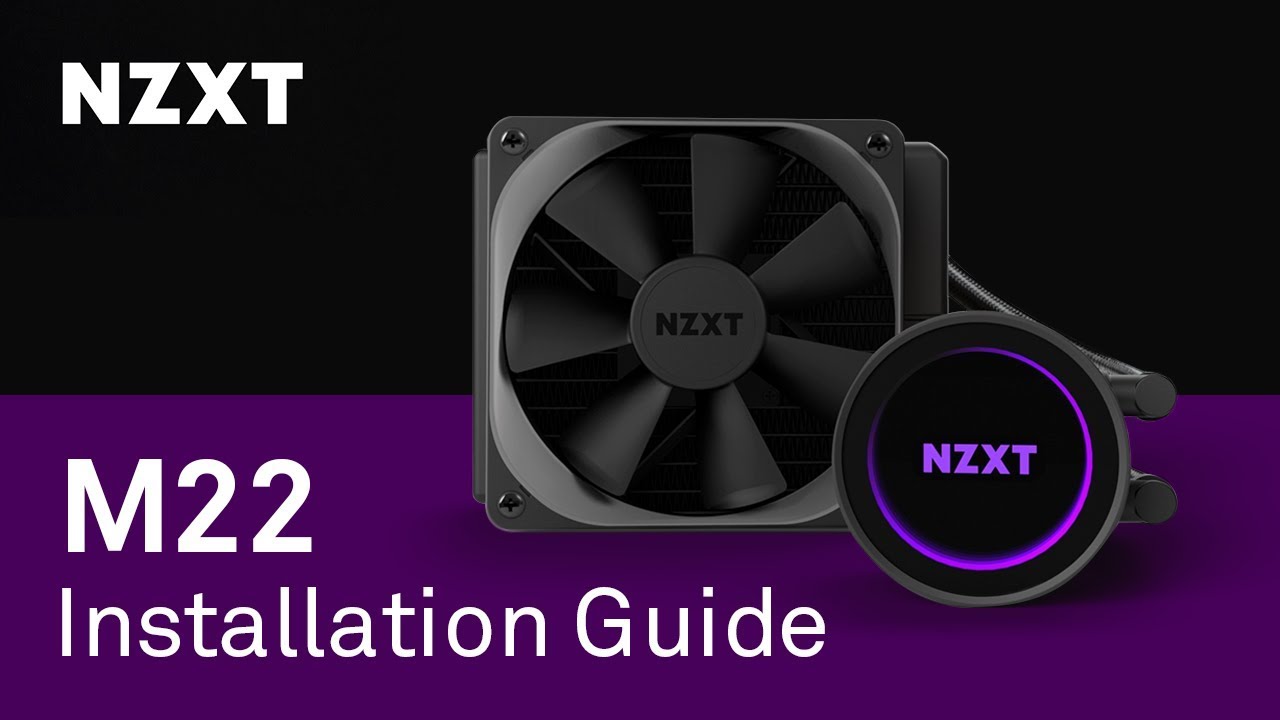
The Kraken M22 delivers NZXT’s signature RGB and infinite-mirror effects in a more affordable 120mm all-in-one CPU cooler.
Features:
● Advanced RGB lighting modes for a fully customizable and dynamic lighting experience that syncs with other NZXT HUE accessories.
● C...
just might have more screws
modern crater
So I have the Phanteks 400A digital. It has the 3 pin rgb 5v rgb cable to connect to my mobo. However, my mobo only has 12v 4 pin headers for rgb. I got LL 120 3 kit fans though so I have 6 fans. This comes with the Lightning node pro and fgb fan hubs.
Is there a way for me to connect my Phanteks rgb fans to the Corsair rgb hub?
modern crater
@manic tusk the hub supports up to 6 fans 5v. Both my corsair fans and phanteks fans are 5v
manic tusk
The internet people say no, it doesn’t work
 azure crown
So like, when I clean out my new radiators, do I need to shake them with water inside, or is just running water through em good enough
 acoustic scarab
cooler master hyper 212 evo
$34
there's also like a chinese ripoff version of it that I can't recall the name of it rn that's the same thing for even a tad cheaper
 pallid kindle
It's a good tight budget cooler
 remote canyon
But I have a 40$ budget are there not better options for the 40$
pallid kindle
I don't know much about CPU coolers, all I know is that the Hyper 212 Evo is a good decent option
acoustic scarab
for $40 yeah that's about it then
acoustic scarab
https://www.youtube.com/watch?v=19_VCwIfGmg not that bad, apparently

Amazon US Link (Affiliate): http://amzn.to/2ys8Ifx
Amazon UK Link (Affiliate): http://amzn.to/2yRkpwJ
More for less money?! Looks like a new era for AiO liquid coolers has begun.
Manufacturer: Cooler Master
Model: MLW-D24M-A20PC-R1
Full Specifications:
http://www.coolermas...
remote canyon
Okay thx
remote canyon
Will it fit in a q300l
azure crown
Yes it will fit @remote canyon
regal plaza
A u12s is overkill for a 3600X right
remote canyon
Thx
azure crown
What is a u12s?
regal plaza
Noctua?
azure crown
Oh, a CPU cooler
regal plaza
Ys
azure crown
The stock cooler is fine if your on a tight budget
regal plaza
No im not
azure crown
Then don't worry about getting an overkill cooler, whatever extra thermal headroom you purchase gives overclocking potential
Plus, it is a 95w tdp component
So it might be a good idea
regal plaza
And its not worth the x right
azure crown
Yeah
regal plaza
Mk
azure crown
The non x is only 65w tdp
regal plaza
Its only 20$ more rn....
burnt goblet
depends on what you plan to do in general
azure crown
Oh really
azure crown
From what I've seen, the extra 20 is worth it
burnt goblet
it depends heavily on budget
burnt goblet
the original MSRP difference (as in, the launch) price was 50usd
topaz blaze
Is water cooling difficult to manage?
 hollow panther
Aio or custom loop
Custom loops require occasional maintenance but are very effective
Aio’s don’t really need anything
acoustic scarab
custom loops can provide the best cooling possible, but are super expensive and look like a real hassle, really
AIOS, badda bing badda boom
merry crown
@topaz blaze AIO's you just have to clean the fans and rad but for custom water loops you do have to replace the water i think every 6 months to a year
topaz blaze
That's not too bad at all. Are they worth the price?
merry crown
Really depends on your system really
there are some air coolers that would perform just as good as a AIO
topaz blaze
I haven't yet tried overclocking. I have 4 RGB fans
The CPU usually remains at around 33c
acoustic scarab
iirc there's a slew of air coolers that perform better than water coolers
and in terms of price:performance, the majority of air coolers win
topaz blaze
I see.
acoustic scarab
the only downside to some air coolers is ram clearance, pretty much
topaz blaze
I had the perspective that water cooling was a neat premium that dedicated builders used, not the average joe
but to be fair, the average joe doesn't own a gaming pc
burnt goblet
if talking about custom loops? yes.
aio's are fairly overrated, which fits nicely with the lack of understanding a fair amount of people have about the cooling needs they have.
acoustic scarab
but they are ever so pretty 
burnt goblet
when you have an AIO in a system, with a price equal or very close to the cpu price ... something has gone VERY wrong.
acoustic scarab
that's true premium 360's are like $300 regularly
burnt goblet
was more thinking of the slew of 240/280rads with rainbow barf that get paired with 2600's
hollow panther
I have a gammax 400 on my pbo’d 2600 and it has great temps
And the cooler is like $20
burnt goblet
again, it is fine IF you want it. but you (general you) do not NEED it.
sharp zinc
lol i want it because i dont like the way most air coolers look
hollow panther
The best? Or a recommendation
regal plaza
Recommendation
burnt goblet
nh-12 is a fair one
sharp zinc
like i much prefer the look of the stock 2600 air cooler to most
burnt goblet
imo
regal plaza
not tryna custom watercool a 2070s 3600
burnt goblet
the stock is very good @sharp zinc
especially when compared to the intel side of things
sharp zinc
but i also want to OC my 2600 so ima get an aio
regal plaza
Uhhhh
get the new nzxt aio
has a lcd screen you can out stuff on
only like 250 dollars
sharp zinc
only
magic sparrow
Do multi monitor with AIO screen and mobo screen (pretty sure one mobo has it)
 quaint anchor
should I upgrade from the stock cooler on a 3600/
low pumice
depends on what u doing
topaz blaze
would you guys recommend the NZXT Kraken x53?
topaz blaze
uh oh
 dusty olive
Ok so I have an RX 580 and a i5 9600k. Why do I have temps that reach above 70 degrees
I even reapplied the thermal paste and I just got this new gpu
azure crown
What device hits 70 degrees
dusty olive
Both really
I'm thinking about getting a case fan or two
These are my normal temps
those specs you see on the right are from discord nothing to worry about
azure crown
Oh, 70C under load is fine.
topaz blaze
topaz blaze
sweet
dusty olive
@azure crown for GPU and CPU?
dusty olive
Like at most it goes up to 75
azure crown
@dusty olive if the temp goes over 85C for CPU or GPU, start to worry. Otherwise it's fine
dusty olive
alrighty
 restive sandal
So I'm planning on getting Deepcool's 240ex AIO and Im not sure if the Asus Tuff gaming Wifi has the right fan headers for it......so get extra fan headers? btw i do not have the mobo yet
topaz blaze
Does anyone have on opinion about the pc cooler moonlights?
restive sandal
and great airflow which matters most
 crisp thunder
:owoNezukoSlide: :owoNezukoSlide:
covert hull
is this list accurate? https://linustechtips.com/main/topic/891730-cpu-cooler-performance-tier-list/
Linus Tech Tips
This list covers popular or widely-available CPU coolers and focuses on out of the box cooling performance alone -- its not a list of recommendations. Quality, aesthetics, acoustics, and ease of installation arent accounted for but quality and consistency of mounting hardware...
 desert basalt
Stock cooler on my i7 6700k was a joke 🤣
Idle load (0-5%) it would jump around a range of 40-55C.
15% load it would be hovering around 60C.
50% around 80C.
Before it would reach 100% it would be thermally throttling 🤣 Re-pasted etc, it was just too small of a cooler assembly. Ordered the CoolerMaster MasterAir MA410M as a replacement. (as I’ve been running around 80% load in gaming the past month or two) I opened up the box last night and the new cooler is nearly 3x the size of the old in air volume, plus has two large fans rather than a tiny one
Whatya think my temps will be? 🤣 I’ll post a side-by-side comparison when I install it
acoustic scarab
CHONK
 cinder berry
im planning on getting an aio at the front of my case and using the top and back as exhaust which means i will only have the bottom front left for cool intake is that going to mess up my cooling
if anyone can anwser i would be very thankful as its hard finding specifics like this
 deft moth
depends on the case @cinder berry
 ionic talon
@topaz blaze is there even a motherboard anywhere under there .. only see cooling lol
topaz blaze
how good are these fans https://www.newegg.com/corsair-co-9050040-ww-case-fan/p/N82E16835181112
no, the noctua wasn't mounted to my new build yet
just showing the difference between a "large" cooler and a WTF WHY SO HUGE cooler
weighs over 3lbs with both fans on
there's almost 5lbs, maybe a bit more hanging off my motherboard between that dh15 and my video card lol
deft moth
@topaz blaze personally, depending on how many you need, I'd go the Noctua Redux route. Those ML pros are great, I just have a hard time spending THAT much on a single fan. https://www.newegg.com/noctua-nf-p12-redux-1700-pwm-case-fan/p/1YF-000T-000K3?Description=noctua redux&cm_re=noctua_redux-_-1YF-000T-000K3-_-Product&quicklink=true
topaz blaze
these are fan replacements from corsair
because i had the cooler in my system less than a week and the fan already making noise
deft moth
sometimes you get a dud
topaz blaze
thats what there sending me
the fan was making a ticking sound and its so damn annoying
deft moth
but yes, those are very capable fans
deft moth
that's their magnetic levitation tech
deft moth
just an upgraded bearing system
that's supposed to increase reliability and lower noise, even at higher RPM's
topaz blaze
thank you
deft moth
yup yup
topaz blaze
so how much better are they compared to the stock fans
deft moth
ahhh okay
topaz blaze
one of my radiator fans has a bad fan bearing