#old-cooling
1 messages · Page 34 of 1
 topaz blaze
 kind apex
thermaltake cooler maybe?
 rain pumice
don't know how to post a picture, or link it,,,, but it's a pre-built Skytech with a 240mm liquid cooled system
 knotty eagle
The other simpler option is to get one with a good air cooler
rain pumice
i'll try the website {again} --- thanks for your help and patience
knotty eagle
Welcome! I have honestly never heard of a water cooler freezing
And I honestly can't see it happen if it's inside a house
kind apex
sounds very improbable
 magic sparrow
Well it can happen if you're in a cold area with no heating at all for a few days
Which is what the guy just said, potentially losing power for a few days
kind apex
It would have to be in an ambient temp of below 8 F for a while
shouldnt get that cold in a house even if power is lost for days
insulation and all
I lost power for a week once below 0 F outside never got below 30 F in the house
now if you leave it outside or the aio was on a truck stuck in a blizzard.... I could see it
basically I'm saying unless all the water pipes froze and burst in the house the aio in the pc should be fine
 pale plover
Hey, do you think a 360 or 240 aio will fit? Recommend a cooler for me, and i do leave my pc on a lot. (I7-9700k) and yes, i realize that my fans are not the right way.
I left my pc on with a game open, only with a 120 aio..... i saw it hit 100c after i left it on for an hour
 merry crown
@pale plover from that image why are you blocking the airflow?
 coarse hatch
@pale plover you should not be hitting 100c with an aio
did you put on thermal paste
also i think your fans are backwards
they should be pulling air not pushing
 pallid kindle
Yeah he said they aren’t properly installed
pallid kindle
I don’t really know actually lol
I would fix them that would make the pc a lil cooler at least
coarse hatch
also how do you achieve 100c on a cpu with an aio
 stoic yacht
@wet bramble Thank you for the feed back. I am crunching very large data files through different comparative algorithms. A single calculation on a 6 core system can take 15 minutes to complete. Then the system is idle for just as long as I compose the next formula. So I am building a 10 or 12 core box in the hope of reducing my wait time. According to Intel, air alone can do the job, but I suspect liquid will be more reliable, and the environment is not climate controlled. In 1999, when I had a similar challenge, I found the gamming and porn industries were way ahead of the classical business sector for computer clustering, cooling, and the like. Hence I am reaching out to the forums. If this changes your thoughts, please advise.
knotty eagle
If you want water, a good 240mm or larger is recommended. SOmething like a Corsair H100i.
 burnt goblet
@stoic yacht have you looked at what architecture is most suited for your code? (asking from pure curiosity)
knotty eagle
For air, a Scythe Mugen 5 Rev B or Noctua D15.
burnt goblet
@knotty eagle you know what system he has?
 unique lilyBOT
 Naed#3611 has been warned
Reason: Bad word usage
burnt goblet
oh that "thorny thing with a bad attitude"
i would go 360mm on that @knotty eagle
because moving to that system, from what he has, enables batching things up and hopefully keeping it more busy overall
burnt goblet
meaning there is value in having a bigger "reserve" of surface to dump heat in
also, keep in mind, this is solidly in the "no no, we are 100% correct about our power numbers" era of intel PR
knotty eagle
I've got the EVGA CLC360. I replaced the fans because they're noisy but I have yet to thoroughly heat soak it even with AIDA 64
burnt goblet
you are on zen2 now @knotty eagle ?
knotty eagle
3700X all core OC to 4.3
burnt goblet
kk
 wet bramble
@stoic yacht Sounds like you've got your hands full. I don't know what your budget or funding are like, but you could get your job done a lot faster with a Sparc based system using procs that have 64 or 128 cores. I spent a lot of my life working with a team designing cooling for these systems. We used air but the systems sounded like a jet airplane at the end of a runway. Those procs would generate 500+ watts and in the 1U servers (aka the "pizza box") there would be two procs. All that aside, assuming you are stuck with Intel procs whatever cooling you use it's probably going to be pretty damn loud, with fans running at, or near, 100%. If you use air you need to be very careful about channeling the air directly to your heatsink. Consider making baffles/tunnels to do this. Having a 3D printer makes that much easier. Liquid cooling will obviate a lot of that problem but then you need to make sure the air is tunneled to the radiators. Best luck! And, Happy New Year to all 😉
 simple anchor
Are the stock thermal pads with the Wraith Stealth bad?
knotty eagle
Nah, it's just generic thermal paste
If you have something else on hand it might be worth changing it but don't buy paste just to change it
topaz blaze
Building my first PC soon and need help with cooling, I'm using a Asus tuf x570 mobo and a ryzen 7 3700x, I will be overclocking, not sure what solution would work best, obviously the cheaper the better but I'm willing to pay more for the performance
I was thinking of a dark rock 4 or a single fan aio
magic sparrow
Single fan AIOs are horrible
knotty eagle
Noctua DH15
topaz blaze
Ok Thanksgiving
 heavy lake
GAMDIAS CHOINE M1A 240R 240mm RGB All-In-One CPU Liquid Cooler how do yall rate this AIO?
Enermax Liqfusion ELC-LF240-RGB RGB 240mm AIO or this one
knotty eagle
Never heard of the first one
Stay away from the second, they build up gunk in the waterblock
heavy lake
k
trying to find one for around $100 that still has some sort of RGB in it.
dont want a single fan but anything over 240 wont fit
knotty eagle
Yeah, a good AIO for $100 with RGB is probably not going to happen
knotty eagle
lemme look
heavy lake
but realistically it looks like more like $150 is the range
knotty eagle
Nope
knotty eagle
If you're goin to spend $140 get the h100i
 cold island
yeah the captain is really solid
heavy lake
well RGB is just something i want but can wait for overall
i have a Thermaltake water 3.0 non rgb currently
but its like 4 yrs old
knotty eagle
Yeah, if you can save up a little more the H100i is a great choice
with RGB and great cooling on top
heavy lake
I think thats what im going to do
but might go with the H150i
or what ever one i seen that had the LL120s in it
it wasnt a 100 or 115
knotty eagle
H100i
heavy lake
that comes with the ML120s i thought
knotty eagle
LL120's
That's the white one but you get the idea
Sorry, the Platinum is LL120
H100i regular is ML120
heavy lake
i have a ML 120 in my case atm, i have to turn the RPM so far down not to hear it. its almost tragic lol
 coral plinth
If you dont OC a pc, would you say a medium radiator fan is fine? 🙂 Stands between these 2
 dire field
What cpu
coral plinth
Going for amd 3950x
dire field
H100i will do you just fine if you don't overclock it
coral plinth
Okey, thanks 🙂
 regal plaza
@empty stream how much were all those case fans?
 empty stream
~$180 before tax. You can get a 3-pack for $60
If I were doing it over, I'd probably get LL120s in white (and Corsair RAM too). Just because Fusion 2.0 is garbage RGB software, so I'm using 3 different RGB programs and two controllers (one connected to 6 of the fans and the other to the last 3). And from what I can tell Corsair's RGB management is much better, as long as you use pretty much nothing but their components.
But very happy with the performance of these fans
regal plaza
Mhm
So are they iCUE compatible?
Tryna build ultimate corsair build
But LL120s are sooo expensive
knotty eagle
Why do people not like the ML120's?
knotty eagle
And?
ML120's are quieter and move more air. Also, LL's shouldn't be used on a radiator, IE AIO
empty stream
They are not. These are Fractal Design fans. Only Corsair products will be icue compatible.
empty stream
If I were doing it over, I'd probably pony up the extra money to do full corsair
Or skip on RGB fans lol
regal plaza
That mine
I do need corsair fans and to replace the asus ones
But that's later
Then I'll get 2 3 packs and replace all 4 in the case and the AIOs
knotty eagle
Question: Why 3000 series Ryzen without an x570 motherboard?
regal plaza
Why would I need that
knotty eagle
SSD speed and other things coming soon
You're going to use this build for 2-4 years right?
knotty eagle
Right
regal plaza
Lemme see the price with an x570
empty stream
@regal plaza why a 2.5" SSD and not an M.2 NVMe?
knotty eagle
Good point. Another $20 for a 1TB NVME
regal plaza
Because I dont need one right now
empty stream
You can get an NVMe for like the same price
regal plaza
Yeah but 2 sata ports are disabled
empty stream
Also, pretty sure you
'll need a 5v header to use the RGB with that AIO. Which the tomahawk doesn't have
knotty eagle
SATA ports are only disabled with the 2nd M.2 slot
on the TUF board
One slot uses direct to CPU, the other uses SATA lanes
regal plaza
I'm using a different board
knotty eagle
TUF WiFi or Gigabyte?
regal plaza
Tuf
knotty eagle
Yeah, one slot doesn't affect SATA while the other does
knotty eagle
For RGB?
knotty eagle
Yes, has a 5V and a 12V
regal plaza
Sweet
empty stream
I'd go Inland Premium for the M.2 drive. Easily one of the fastest NVMe's especially for the price
regal plaza
Do the fans need a header?
knotty eagle
The Sabrent Rocket 1 TB is faster for the same price
Faster read and write speed
3400/3000
regal plaza
Ok gimme a sec
Could I possibly go down to a 2060 super and have room for other stuff?
knotty eagle
1080p gaming?
regal plaza
Yes
regal plaza
Max settings?
empty stream
Have you considered a 5700? Pretty much the same performance as 2060S but $50-$100 cheaper
knotty eagle
Streaming
regal plaza
Yeah
knotty eagle
AMD's encoder is honestly poo quality wise.
regal plaza
I'll get the 3800X
regal plaza
Yrah
knotty eagle
Great performance
regal plaza
Better MOBO?
regal plaza
Yeah but I can spend extra
knotty eagle
3600 mhz
regal plaza
I have that
knotty eagle
Just because you can spend extra doesn't mean you need to. 😉
knotty eagle
Get a better RGB case or something?
If you have extra, mebbe make it look the way you want
knotty eagle
The white one?
regal plaza
Hmmm and it would have iCUR
knotty eagle
Ya, the partpicker list
knotty eagle
You trying to get right to 2K?
knotty eagle
Ok, that's a good list
regal plaza
I just dont know about the out of box thermals
knotty eagle
WDYM
knotty eagle
Thermals will be fine with an AIO and that case
You can PBO that thing until the cows come home and even OC the graphics card
regal plaza
I'm definetly overclocking the CPU, idk about the gpu
Is it hard to overclock ram btw or whatever
knotty eagle
The Ryzen CPU's aren't really overclockable all that much
Honestly just turn on PBO and let it do it's thing
Depends on the ram
with 3600 mhz ram the fabric clock will be 1800 mhz, 1900 mhz is the top
And the performance difference is about 1-2 FPS in games
So, not really worth it
knotty eagle
Indeed!
regal plaza
What's a good 2070 super for kinda cheap? The cheapest one is asus dual evo but idk if I trust a 2 fan one
knotty eagle
EVGA for any nVidia card IMO
knotty eagle
The MSI I saw is $10 less than the EVGA
regal plaza
Oh that nothing
knotty eagle
no worries
pale plover
knotty eagle
ML240R. Better pump.
pale plover
okay, thanks. should i connect it to cpu fan or aio pump, bc if i connect it to cpu fan the bios error shows up
knotty eagle
AI pump
pale plover
yeah, if i connect it to aio pump i get cpu fan error
pale plover
where?
knotty eagle
SOmething like Ignore CPU fan, depends on the BIOS. Also, can you plug the fans in separately to a fan header?
Or are all of them on one connector to the pump?
kind apex
set cpu fan speed from N/A to ignore in bios
knotty eagle
Ah
I have a manual
Pump to AIO header
Fans to CPU Fan header
and RGB to the pump
pale plover
okay
kind apex
the reason you would want to plug the pump into the cpu fan header is because it is most likely to fail which will shut off the pc as opposed to the fans on the rad failing
kind apex
but if the pump fails it wont turn off the cpu if its not plugged into the cpu fan header
pale plover
i have my cpu fan to 100% which is where the pump is right now
thats fine with me, bc i have afterburner witch tells me my temps... but ima just plug the new one into pump header and the fans into cpu fan
 quasi copper
Wel let’s say you’re in a game and your pump fails, are you checking afterburner while gaming?
wet bramble
I don't know afterburner, but CoreTemp allows you to pin it to the taskbar and you can see your Core 0, 1, 2, 3 (you can pick one or all) and, as long as your taskbar is showing you can see your core temp/s. If you game starts getting wonky just look and see if your core temp is getting to hot. Easy solution.
wet bramble
@pale plover I assume you have an AIO. In that case you will be better served hooking the cpu_fan/s up to the cpu_fan header and hook the coolant pump up to another fan header ("AIO_fan", if you have one labelled as such) or any other fan header and set it's profile in BIOS to run at 100%. That way the cpu_fan can throttle up or down as needed (again, controlled by the profile you have set in BIOS). There should be no need for the cpu fan/s to run at 100% unless the processor is running at, or near max temperature, or if you have some temp alarm set.
pale plover
Okay
Yeah i have a crap aio. Im getting a new one soon
Btw, afterburner comes with a thing that lets you do this
cold island
bruh nice fps
wet bramble
@pale plover I think you missed my point about CoreTemp. It allows you to see the temps in your task bar at the bottom of your monitor. You don't need to have a window open to see your temps. Like this:
It's not so intrusive.
pale plover
Yes, i missed your point
topaz blaze
buy a noctua cooler. all your problems solved
wet bramble
@topaz blaze I am sure that their air coolers are great (re: Noctua) but I just wanted to say that their new (well, new in spring 2018) Noctua NF-A12x25 PWM fans are just incredible. I used a couple of these fans in a recent build - in an old case - and that system became so quiet that I have replaced all my fans in a second system with them.
 autumn solstice
@wet bramble thanks for the feedback on those, I've been really considering picking those up to replace some ML120s
wet bramble
@autumn solstice I've been a Noctua fan enthusiast for many years but this new NF-A12x family just hits it out of the park. If you read the reviews on Newegg they just about all say pretty much what I say. Yeh, sure, they are that butt ugly brown, but they are sooo quiet. I have no regrets about spending a little extra for the best. Plus, six year warranty!
autumn solstice
I mean, heck, if I'm really masochistic about it, I could just print a snap-on cover for the frame and away we go 🙂
wet bramble
Someone out there has a case that's painted two-tone brown. To match their fans.
empty stream
Yeah, that SFF Noctua build is awesome
wet bramble
@empty stream Are you saying that you have actually seen this? I was just joking 😉
What's "SFF"?
empty stream
small form factor
Feast your eyes on the ultimate Noctua build lolhttps://imgur.com/gallery/I5AlVEY?fbclid=IwAR1bBsSHMRw6316sMBLBFIMEknQHE_CGgHMAOB2cNa6SB20gAjeXUeKvYaI
 wet bramble
My HTPC build is in a Coolermaster 130 case with a mini-ITX mobo. Got a Corsair H80i v2 stuffed in it with Noctua NF-A12x25 PWM's as push/pulls. It is damn near silent all the time.
empty stream
Nice. My case is surprisingly quiet for 9x Fractal AL-12 PWMs, a reference 5700 XT, and Wraith Prism... that is until the fans spin up to full blast. lol
The loudest fan is probably the chipset fan on my Aorus Elite though haha
wet bramble
Wow, thanks for posting that! That is so cool (please pardon the pun).
Lots more pics and info if you follow that link. That person has a great - and a bit dark - sense of humor. Gotta love that.
empty stream
Yeah, I'm honestly pretty jealous of how awesome that build is
My next one will likely be similar, monochromatic and minimal to no RGB SFF, as a complete 180 from my current build
wet bramble
I get RGB, but also not a fan. There's clearly a healthy market for it. I believe that great fans and RGB are mutually exclusive. But, it's just like opinions. Everybody's got their own and just because you like it, or not, does not mean it's right, or wrong. I have always built PC's for the best combination of performance and low noise that I can get.
 acoustic scarab
I like the look of matte black with purple bits
Wanna make my pc look like an alien spaceship
So heres my question, why are Noctua fans like $30 each?!
 frozen sentinel
They are pretty much the best depending on what you look for in fans. Which is what most people would be looking for.
knotty eagle
not $2 of other components, depending on the fan. Also, the R&D to make fan blades silent isn't cheap either.
 sharp zinc
“Hear me out” I’m offended
Just get a normal white fan for cheap and a couple of sharpies
wet bramble
@acoustic scarab re:Noctua cost ... Most of their fans are $20. Only their new generation high end fans are 30. You get $5-10 worth of accessories that you don't get with other fans, including vibration damping mounts and a radiator seal/gasket that no one else supplies. Both of those items are highly engineered and they absolutely do work. I tried a push/pull config with, and without the radiator gasket and I got a clear 3 degC difference. The new material "Sterrox" was specifically designed to minimize vibration and maximize airflow. I think it's safe to say that the majority of good fans on the market are reverse engineered from Noctua. That's my opinion, but Noctua clearly leads the way in fan design.
cold island
they have to develop everything new also https://noctua.at/en/sterrox-liquid-crystal-polymer-lcp
Designed in Austria, Noctua's premium cooling components are renowned for their superb quietness, exceptional performance and thoroughgoing quality.
regal plaza
Whats the best air cooler? Non-aio, as ive been told overcllcking the 3700X doesnt do much and AIOs seem like a hassle to install
Preferably under 90
knotty eagle
Welcome
 sturdy umbra
hey guys i got a question
could i keep a i7-9700k cool with a cooler masters hyper 212
knotty eagle
Yes but the Deepcool Gammaxx 400 is half the price for the same thing 😉
knotty eagle
There's a little headroom there. If you want to overclock, I'd recommend the Scythe Mugen 5 Rev B
sturdy umbra
i was thinking about a noctua cooler
but if i could get something cheaper that is still nice
knotty eagle
Those are good too but a tad expensive
sturdy umbra
yeah
knotty eagle
The Mugen is about $50
knotty eagle
Yeah, it's a good deal right now
sturdy umbra
yeah i might go ahead and buy it in the morning
knotty eagle
Only downside is no RGB but you could always add your own fans
The Noctuas aren't either
sturdy umbra
yeah but i dont need unicorn vomit everywhere and i also dont need the extra cables
to manage
sturdy umbra
yeah it is not my favorite in pc for a keyboard mouse its diffrent for me
it lights up the keys
knotty eagle
Mine too. Right now it's all set to blue
sturdy umbra
mine is green
i might just get some like corsair fans to put on the front of the case
a bit of lighting and more airflow
knotty eagle
Those fans are good. If you don't want lights the Silent Wings and Noctua are good also
knotty eagle
Noe, kinda in the middle
I have them on my 360mm radiator
whisper quiet even under a load
sturdy umbra
ohh ok
i was thinking about a aio but i really dont got the extra 50 to 60 to spend on it and is also my first build
sturdy umbra
ok
Well thanks for the help if i got anymore questions i will ask you if you are on
knotty eagle
You're welcome!
 median patio
Any cheap 2 pack of fans that preform ok, idc about rgb.
 calm meadow
hey, does anyone know 140mm argb case fans that works with asus aura and have lighting visible on the sides of the frame like the latest Cooler Master MF120 ARGB HALO?
the MF120 ARGB HALO would be perfect but they only released 120mm
Corsair's QL140 are way too expensive and only connect to Corsair's controller
sturdy umbra
Sorry I wish I could help but I don't
calm meadow
:L
calm meadow
and i wish they didnt require their own controller
 upbeat anchor
sturdy umbra
upbeat anchor
sturdy umbra
wow i take back what i said that is exensive
 serene moon
https://www.newegg.com/p/N82E16811553037 THATS expensive lol
sturdy umbra
ohh
upbeat anchor
so it's not that expensive
serene moon
50/1=50... 160/3=>50 lol
well 169.99 but still =\
weird that link is taking me to the wrong page =\ is it showing you fans or a case?
 blissful sandal
@sturdy umbra Hyper 212 Evo is the bees knees for air coolers. Cheap too. I upgraded the fans on mine to have one on each side and it keeps my 8700 3.2 that runs at 4.2 at 17C ambient and doesnt go over 40C during raids on final fantasy 14 @ untra
Ultra*
cold island
wouldnt really say its the best for the budget rn since its like 35-40, and the gammaxx 400 is only 20
magic sparrow
@blissful sandal 212 is be far overrated. Use to be a good budget option, now it isnt
 idle tiger
$20 makes it a nice budget option imo - $35 , no way
blissful sandal
@magic sparrow what would you say is better in range of that price point? Let's say +40$
sturdy umbra
Nuclear Nachos is right the gammaxx 400 is just as good cheper as well and if you wanna spend a bit more then the 35-45 the hyper evo is spend like 50 on a mugen cooler
blissful sandal
Maybe I'm a little biased because I got it on Cyber deals in Nov
blissful sandal
Truth
sturdy umbra
if you got choked fans it doesnt matter how much money you spend on them
blissful sandal
I can say that mine is performing great.
sturdy umbra
yeah the hyper 212 is really good
blissful sandal
I also upgraded the fans on the 212 tho
sturdy umbra
yeah that can also help alot
upbeat anchor
blissful sandal
I did doubles with higher static pressure than the stock one. They were cheap road well
upbeat anchor
I have the black hyper212
it's great
I got it for cheaper too
it's not worth the 40imo
sturdy umbra
yeah its good but you can get better for like 5-10 more bucks
it is really good tho
upbeat anchor
yeah
blissful sandal
Definitely worth $20 tho. I do like that scythe. Does it come with an extra set of brackets to mount a 2nd fan?
upbeat anchor
not sure
also why are noctua black coolers so expensive rn
the black fans are usually like 10 more bucks
blissful sandal
Those clip styles look a little easier to use
blissful sandal
That's high
upbeat anchor
although it's not neweggs pricing
blissful sandal
Newegg has daily deals. That's why its the best
upbeat anchor
Yep
blissful sandal
Gnite all
upbeat anchor

sturdy umbra
goodnight
magic sparrow
@blissful sandal Can get slightly better than 212 for $20
https://pcpartpicker.com/product/hJFPxr/deepcool-cpu-cooler-gammaxx400
Or quite a bit better for $40
https://pcpartpicker.com/product/PnPKHx/arctic-freezer-34-esports-duo-cpu-cooler-acfre00061a
https://pcpartpicker.com/product/3XXfrH/deepcool-cpu-cooler-neptwinv20
https://pcpartpicker.com/product/Dg2kcf/thermalright-cpu-cooler-macho120
gammaxx 400 is better than 212 and yet the 212 is more. Simply makes the 212 a completely bad buy
magic sparrow
Yee. 212 has kept its name for a bit too long. Use to be one of the best for its price, now it isnt. However it still is an okay cooler, just needs to be like $15 or less
which is probably like used market or something
 minor linden
What custom loop config would fit in a corsair 570x/
 warped jasper
Hardline or soft tubing?
@minor linden
@minor linden I’d suggest ekwg for tubing or Corsair if it’s a Corsair case they make good water cooling stuff like there tubing the pumps and water blocks
 warped thistle
What kind of heatsink is good under $40?
warped jasper
40 is to low for a quality heat sink
burnt goblet
Depends on what you are trying to cool @warped jasper
magic sparrow
Not really. Arctic eSports Duo is $40 and is rather good
 gaunt grotto
Me: Wishing there were quality low cost 480mm radiators. Lmao
idle tiger
eBay motors has quite a few
topaz blaze
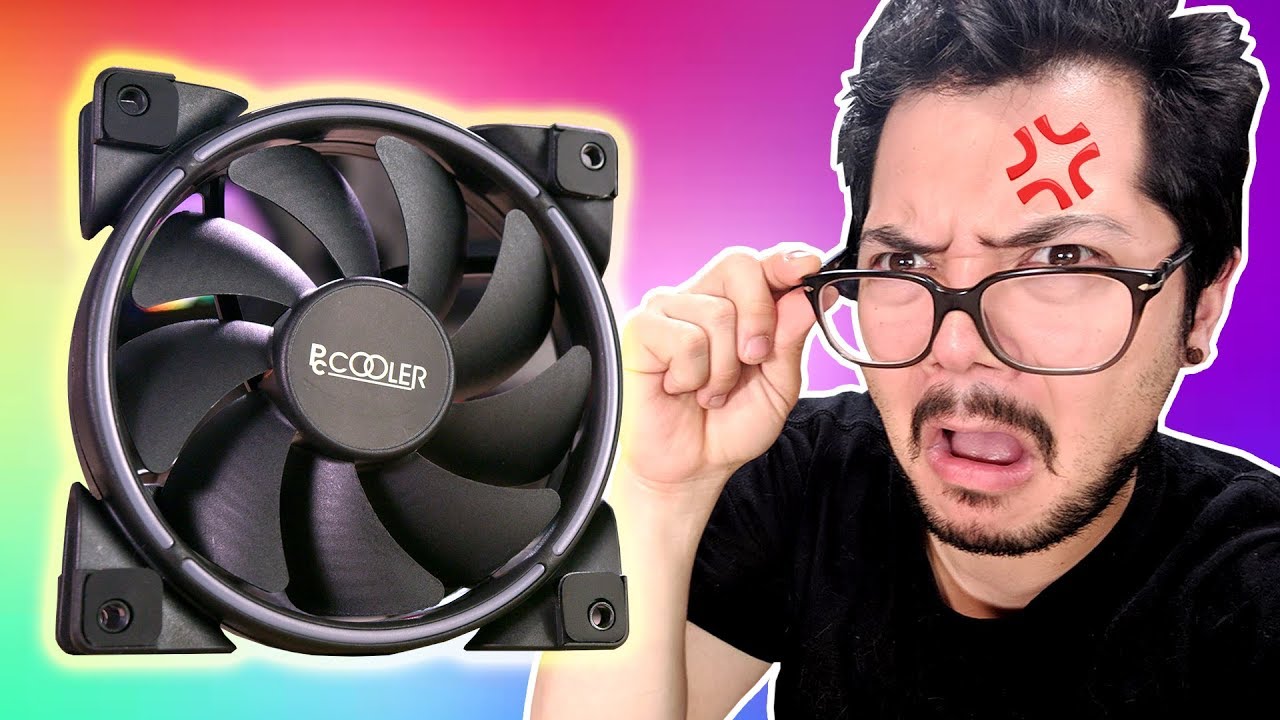
Get your first audiobook and 2 Audible Originals free when you try Audible for 30 days. Visit http://www.audible.com/bitwit or text bitwit to 500500
PCCooler Corona RGB fans on Amazon: https://geni.us/LK1p
NOTE: They've since changed the model name to "Moonlight Series" on ...
Would I be able to plug these into the rgb controller that comes with the nzxt h500i?
warped jasper
@burnt goblet I was just suggesting to him that a bigger budget would be better I already have my own custom hardline build
burnt goblet
ah, that context was lost in what you said @warped jasper :)
burnt goblet
gah! rainbows!
warped jasper
Lol
burnt goblet
not a fan of rgb :)
warped jasper
I use my just have it on red
burnt goblet
i prefer my mtb's colourful, but my system without colour
the double 90 bend tube you have (that looks like it is crooked) is that from the camera angle or?
burnt goblet
the tube that runs from behind the flow indicator that is
i will say i like the runs
certain flair to it that is not seen that often
warped jasper
It’s angled back not crooked
burnt goblet
from the flow indicator, that vertical part "looks" crooked/off, hence the question
warped jasper
It runs a little bit backwards and then stays normal but it doesn’t effect any water flow
burnt goblet
no no, it is purely visual
warped jasper
Yea it’s just for the looks
burnt goblet
i like that you have not "hugged" the components as hard as possible
a bit of air goes a long way in giving the illusion of "space" in the build
well done
burnt goblet
your gpu power cables would be nicer (imo) with full width clips across the cables
warped jasper
I could do that but that would mess up the loom when it goes into the power supply
burnt goblet
also, potentially fixed distance between them
warped jasper
Here is a pic of it before I put my red liquid in it
burnt goblet
enough rainbow for a class of unicorns :P
burnt goblet
i will take your word for it, i only have your pictures to base my statements on :)
also, you can do "assemble at the spot" clips
warped jasper
Take a look at the power supply and you’ll understand
burnt goblet
the type i am talking about, you can use easily
i think we are talking about two different things :)
 warped jasper
My workstation is pretty simple with tubing and cable management
burnt goblet
you were thinking of the "slide-on" clips right?
warped jasper
No I was just thinking of normal full clips
idle tiger
Did you build those yourself?
idle tiger
Nice, got a company?
warped jasper
No it’s all by my self I put ads up on websites and stuff
Like i talk to people who own websites and then they basically sponser me and people send me the list of parts or send me all the parts and I build the pc and send it to them
 azure crown
Lucky
 slender horizon
@burnt goblet Can you offer me some help and advice right quick?
burnt goblet
it can try
slender horizon
I just built my pc today, and I used the grain of rice method for applying my thermal paste. Right now I have installed 4 120mm fans.
My idle temps for my pc sits around 30 to 32C and under 20 to 30 percent load its maintaining a temp of 39C. Havent tested any further but I need to know if I didnt apply my paste correctly
It's the AMD Ryzen 5 2600 that I'm running now.
burnt goblet
that is fine
nothing to worry about :)
and congratulations on assembly (and not blowing it up) :)
slender horizon
I hope not. Lol, this is my first time actually applying thermal paste to a processor so I want to make sure I didnt screw it up.
burnt goblet
you didnt
slender horizon
Lol thanks, I take it people managed to really screw up their builds with improperly installing or applying something?
burnt goblet
oh yes
there are many horror stories on that front :)
ask me another day (time for sleep here now) if you are interested :)
slender horizon
I definitely will, just curious at what temperature should I start to worry? I've been told 75C or higher is worrisome
burnt goblet
considering the throttle point for the cpu is 95C, 75 is not something to worry about either
people worry about the weirdest things (the general "people" being used here)
slender horizon
Alright, I'll keep that in mind. I'm happy that so far everything is working. One last question. Lol, is there anything I should worry about, like a break in period for the processor. Not sure if that's a thing. Lol
burnt goblet
imo? no
if you ask around, i am certain you can find 10 different things to worry yourself blue in the face about
relax and enjoy your new machine mate :)
slender horizon
Awesome. I'll add ya so you can tell me about those horror stories as well. Thank you for the help once more!
burnt goblet
no problem at all :)
 solar zodiac
When mounting an aio in the front is it better to have the fans come before or after the radiator
 hidden mural
typically people mount by screwing the radiator in from the front
every time i see it
autumn solstice
@solar zodiac in theory, the difference between push (air goes to fans before radiator) and pull (air goes through radiator before the fans) is negligible.
If you know if you want intake or exhaust, it's mostly preference at that point.

 tough heath
is it normal for a Ryzen 7 3800X with wraith cooler to idle at around 60c?
knotty eagle
no, not really. do you have the latest BIOS for your motherboard?
knotty eagle
What program are you reading temps with?
tough heath
ryzen master
knotty eagle
What is it saying your idle clocks and voltage are?
tough heath
knotty eagle
The part below that......under VOltage Control
tough heath
tough heath
oh sorry
knotty eagle
That doesn't seem out of spec. I'd check your mounting and CPU fan to be sure it's proper
tough heath
while stressing it it goes up to 80c max which seems fine
knotty eagle
Yeah, that does seem OK. Just seems odd to idle that high with those voltages and clocks
tough heath
ryzen master says it's at 1.3 ghz but task manager says it's at 4.3 ghz, is that normal too
topaz blaze
whats a good liquid cooling system
topaz blaze
@knotty eagle can you help me
 worldly heath
That's way too broad of a question
what are you looking to cool? what's your budget? what's your case? Are you willing to do custom loop? Do you care about the looks? Do you care about how loud it is?
idle tiger
AIO? Or custom loop? Best answer - r507 SS chiller?
magic sparrow
Cheap custom loops arent bad. Adequate quality loop including a full copper loop, CPU/GPU block, 240mm rad, resivior, pump, RGB, soft tubing, fittings all for ~$200
topaz blaze
Would I plug this cable from my radiator pump into my cpu_fan or cpu_opt?
knotty eagle
Pump should go CPU OPT IMO, set it to 100% all the time
CPU fan should control radiator fans
topaz blaze
Ok thx
tough heath
would a upHere CCF150CF be a signifiant upgrade over a wraith cooler
tough heath
prism
knotty eagle
No
If you're going to upgrade from the Prism, need a Scythe Mugen Rev B or something
 modern crater
Is Arctic Cooler 34 Esports Duo a good cooler?
 blissful plover
cold island
blissful plover
cold island
@modern crater yeah it’s a good $40 cooler
and I can vouch for the rev b it’s a great cooler keeps my 2600x cool at silent under prime95
modern crater
@blissful plover Is your mobo in the case still?
You can probably do it if its in the case but its significantly harder
What I would do is take it out, install the brackets on the cooler, take out the old cooler by unscrewing, removing thermal paste on cpu and old cooler using isopropyl alcohol 99%, putting thermal paste on cpu, take off backplate, put cooler backplate, put standoffs if required, then install cooler by screwing it into standoffs in an X pattern
Make sure to not tighten all screws individually. Tighten them evenly or youre gonna spread thermal paste unevenly and, worse, not screw in a corner properly. Finally, plug the cooler's cabel on the mobo pins labeled "cpu cooler" and youre done
burnt goblet
@modern crater his board is out of the case
sturdy umbra
@knotty eagle i figured you would know any decent priced 120mm fans
topaz blaze
Does anyone know if a good 240mm AIO will be enough for the Ryzen 9 3950X or not?
topaz blaze
Okay good I have the X52 Kraken
knotty eagle
SHould be fine
topaz blaze
Okay thanks for the info
 harsh ermine
Questions for the smart people my friend has a i9 9900k liquid cooled
When he plays cod at max every thing it hits 70-75c is that hot for liquid cooled my i7 7700 runs at 70c with just a stock cooler
frozen sentinel
By liquid cooled do you mean an all-in-one or a custom loop setup @harsh ermine
harsh ermine
All in 1
frozen sentinel
AIOs are not in the same league as actual water cooling (Custom loops etc)
You need to get in the $120+ range just to get one that performs as well as a good air cooler. They're for show not performance per penny for the most part.
Not saying the stock cooler is good but.
harsh ermine
Thisis exactly what cooler ot is CPU / Processor Cooling Fan: CyberpowerPC MasterLiquid Lite 240mm ARGB CPU Liquid Cooler with Dual Chamber Pump & Copper Cold Plate (Intel)
frozen sentinel
Cyberpower rebranded a coolermaster product, thats interesting.
Yeah that AIO is pretty much the cheapest you can buy when I was looking to buy one
Basically trash
Its on par with a basic air cooler, let alone an actually good air cooler.
harsh ermine
I figured its running hot but it is pushing max fps with a 2080ti
On the Samsung g9 49 32:9 ultra wide
frozen sentinel
I just find it funny that a CM product that costs 45 was rebranded by cyberpower
 wary wadi
Would this be adequate for light OCing a 3600?
frozen sentinel
Yeah some light OCing no problem. U14S is not that much expensive if you can fit it though.
wary wadi
I'm looking at the cooler master h500, and according to pcpartpicker, the U14S will fit.
Says I can fit the D15, but I think that would be overkill.
frozen sentinel
Depends on your budget
I was considering moving from the U14S to D15 earlier because theres no black variation of U14S
But I have a 3950X so its a bit more of a concern.
wary wadi
The brown and red is growing on me. Think it would actually look pretty good in a black case. Little color pop without the RGB.
frozen sentinel
But to be fair, the D15 would last you for any AM4 CPU for the entire time the AM4 socket exists.
I'm okay with it, I thought Id like it, but I also individually seperately loved my EVGA XC cooler on my 2080S, and seperately loved the RGB fans that came with my case and yeah... Kind of a miss match
But to be fair its under my desk and I only wanted performance.
wary wadi
Put the red G.Skill Rip Jaws in there, be all set.
frozen sentinel
Its like RGB but every shade of a dulux colour chart
wary wadi
I think the only RGB in the build will be the included case fans for the h500, and the tomahawk Mobo.
merry crown
RGB = more performance


 frozen sentinel
Oh please stop saying such blanket terms ecks, Its specifically speed that RGB increases.
merry crown
Hey it is the facts and a lot of people on here can back that up 😛
wary wadi
I heard going all red RGB will actually melt the PC from all the speed.
frozen sentinel
My dad must have been RGB then. Learned that my mother was pregnant and took off like usain bolt.
wary wadi
👀
merry crown
Well i said more performance i never said going faster 😛
topaz blaze
😳
merry crown
If you want more speed you need to download more ram
wary wadi
@frozen sentinel
frozen sentinel
Came so hard my glasses fell off.
wary wadi
💦
 low pumice
@wary wadi it'll be just fine. H500 has 167cm max cpu cooler, d15 is 165cm.
My case has 165cm max and it isnt even that tight
wary wadi
@low pumice I just think the D15 will be overkill for my 3600, since I've never OCed before. Might OC slightly, but don't think I can go too far with b450 tomahawk max.
low pumice
Yea d15 is overkill for 3600
I have a d15 on my 3800x, 60C under load
Tho you can future proof with it
frozen sentinel
Depends if your next CPU will be AM4 or not. If it will be, D15 will tank any possible CPU you upgrade to.
low pumice
You can also do intel with just a different bracket
frozen sentinel
Honestly, I was happy to have a good cooler to OC my last CPU to the absolute max at the end of its life.
low pumice
But you cant move to threadripper bc the die is different size
wary wadi
This build will hopefully last for 3 or so years, so AMD would most likely be in a different socket by then I think.
I should probably post my build in the appropriate channel for feedback.
burnt goblet
something to keep in mind with Noctua.
IF it is possible and it fits in the thermals, they release upgraded brackets for their coolers when a new socket is introduced
tough heath
if I order a noctua d15 then replace fans by rgb ones, will it be as decent?
knotty eagle
Depends on the airflow of the replacement fans
They should be close to or equal to the Noctua fans for the same cooling
low pumice
Though securing those fans might get wierd
tough heath
whats the difference between noctua d15 and a cheap dual tower with same amount of heatpipes
knotty eagle
Airflow, quality, amount of liquid in the heat pipes, heat transfer, etc. You get what you pay for.
tough heath
ah
tough heath
opening my case made the cpu considerably cooler, i guess I'd need better case fans rather than a cpu cooler?
knotty eagle
indeed
sturdy umbra
@knotty eagle
i got a question
for a ryzen 7 3700x should i go with the scythe mugen 5 cooler or a corsair h100x aio
knotty eagle
AIO just because it's water cooling. but the mugen 5 would be great also
sturdy umbra
probably aio
ok
i figured i would get your opinnion
another thing would the 3700x be fine on a b450 tomahawk max board
im guessing it would
knotty eagle
I mean, you'd be missing out on PCI-E gen 4 but it would work.
sturdy umbra
do you know another board around that price with a pci-e gen 4
knotty eagle
$150 is the minimum I recommend for an X570 board
 dire hare
I changed the led cable for my wrath prism cooler from the old rgb header. But now the fans won't spin on
knotty eagle
Is the fan cable plugged in? And how did you change the led cable?
frozen sentinel
Some people say that the D15 heatsink is enough to keep a CPU cool enough without fans, but obviously you want fans.
low pumice
It is enough to cool without fans
I can confirm
Didn't test it under load, just idle tho
wary wadi
Are there any 120 or 140 Noctua fans that are considered a "go to"?
cold island
The a12x25 is the best 120 on the market rn
idk much about the 140’s but id assume their a14’s are decent
low pumice
the ones on my d15 are pretty nice, they're NF-A15
 ripe pollen
any air cooler recommendations for a ryzen 7 3700x?
topaz blaze
im going with liquid cooling
burnt goblet
@ripe pollen if you didnt get a recommendation: Just about any noctua you are willing to pay for. the 12, 14 and 15 are favourites of many a technician.
low pumice
So nh-d12, nh-d14, nh-d15 and respective S versions
simple anchor
Can I use the Ryzen 7 2700X stock cooler (Wraith Prism RGB) with the included thermal pad and be good if I'm not over clocking?
simple anchor
Okay that made no sence
Could I keep it cold enough to play games at a not very high temp?
 neat river
Yea
 ebon hatch
anyone know where to buy a Morpheus vega cooler? they are super rare these days
knotty eagle
CHA_FAN header
knotty eagle
SYS_FAN then
knotty eagle
Then you'll need a controller or a splitter
simple anchor
Do cases normally come with them?
knotty eagle
Some do, some don't. It's not universal
simple anchor
Corsair?
knotty eagle
Corsair what?
simple anchor
SPEC-DELTA RGB
knotty eagle
RGB splitter but no fan splitter
sharp zinc
you can buy them and the ones ive seen are pretty cheap
simple anchor
Okay and what would the RGB port be called in the manual?
knotty eagle
Something like this
It's called RGB Header
On the motherboard
Didnt' your board come with a manual?
It has pictures of where all the headers are on the motherboard
sharp zinc
oh wow ive been looking at rgb controllers which are 20-30 dollars thats super cheap lol
simple anchor
I remember seeing it somewhere but now I can't find it
sharp zinc
yeah i know i meant the ones ive been looking at are rgb. didnt know there was just basic fan splitters
outside of rgb controllers that is
simple anchor
My case came with a RGB splitter
knotty eagle
OH yeah, my NZXT came with one in the case. It's nice because you can PWM 3 pin fans with only one PWM 4 pin connected
sharp zinc
see i forwent buying a case i liked a while back (like 3 years ago) cause it came with 4 fans and my mobo only had 2 fan slots and i didnt wanna buy a controller at the time lol
simple anchor
RGB LED strip header?
sharp zinc
i think thats it but ill let bekora give you a more definitive answer cause ive only ever seen it called rgb header lol
also wouldnt you plug a normal fan splitter into a fan port instead of the rgb header?
simple anchor
Can you find one that is 2 to 1 or 3 to 1?
So the RGB header won't go into the header
Or into the board
The motherboard header is 5 pin and the other one is 4
 viral fjord
is there any reason at all to add another case fan if my temps peak 75 degrees with 2 case fans
 proud osprey
yes
 trim tinsel
75c is still pretty warm. You would last longer the lower your temperature
viral fjord
hmm ok i will buy another case fan then
viral fjord
alright I'm adding 2 case fans so I'll have 4
my case came preinstalled with 2, one in the lower front as an intake and one in the upper back as an exhaust
I should add another fan to the upper front as an intake and one in the back of the top panel as an exhaust right?
lower front
upper back
I'm a big noob at this but my understanding is that the airflow enters lower in the front then rises as it heats up and exits the back higher up?
in sort of an L shape
burnt goblet
close enough
viral fjord
is there a better arrangement
there is room for 1 more fan on the front panel and 3 on the top panel
 buoyant mirage
@knotty eagle is that deepcool fan splitter worth getting? i have 2 fans i dont have a header for
merry crown
@buoyant mirage these works great https://www.newegg.com/p/N82E16812119873
buoyant mirage
Thanks for that amazon has a 2 pack for 9 dollars
merry crown
Well i used that on my old case which worked wonders
buoyant mirage
finally got good quality fans just need to power them all now
tough heath
if i have a case fan above my cpu cooler is it better to suck air or blow air at it
 karmic igloo
for the price, the hyper 212 evo is a reallly good cpu cooler right
also on the mobo there is a pump fan header. if i run out of case fan headers can i use that header. (yes i know there are hubs and splitters but just wanna know if pump fan header will work with fans)
topaz blaze
whats a good 360mm liquid cooling
topaz blaze
will that thermaltake mount on the top of this https://www.newegg.com/black-phanteks-enthoo-pro-atx-full-tower/p/N82E16811854069?Item=N82E16811854069
@copper patrol
 copper patrol
supposedly yes
but then again a 240mm rad was supposed to fit in my case on the top and it didnt
so theres no telling really
but most likely it will
sharp zinc
how did it not fit in your case?
copper patrol
would block the motherboard
technically it can fit the 240mm rad, but thats only if you dont want a motherboard
-_-
sharp zinc
oh yeh thats a common problem from what ive seen. just saw a part of the mobo off
topaz blaze
will it fit mine
sharp zinc
bam done
copper patrol
idk
they advertise that it will
but theres no telling unless you find a review or get hands on with it
topaz blaze
im putting a atx motherboard in that case
sharp zinc
it depends on the mobo, rad, and case, and we dont have the means to measure that to tell you if it can fit lol
copper patrol
also that corsair one is good, but its the same cost as the thermaltake one but doesnt have rgb fans
¯_(ツ)_/¯
topaz blaze
i dont like that rgb crap
copper patrol
oh
well then that cosair one will be good
the pump head has rgb, but its easy to turn it off
topaz blaze
and it will fit
copper patrol
ill say it again, i do not know for sure
but they advertise that it will
im going to go do my homework now
 blissful dagger
whats up folks
so my AMD FX-6300 keeps getting up to about 140 sometimes 150 degrees Farenheight.....I've got a stock cooler on it...those temperatures are not normal i assume
topaz blaze
im running fx8350 and mine never gets above 40
upbeat anchor
yeah but temps aren't a problem until you pass 75-80 imo
hidden mural
my case fits 240mm rads but it has them kind of off-center
re: earlier conversations
idle tiger
Anyone have R22/R410a/R290 hvac experience?
topaz blaze
if i cut up my side panel and mounted a 120 mm intake fan to it would i get better thermals
only have an 80mm exaust
leave my side off
83-86c with it on 76c max with it off
idle tiger
Would a yellow jacket 4 valve 3/8 manifold for r22/410a be suitable for general use? I can't decide if I want to go for a nice gague set/hoses or try "hard mode" with a $25 set and a $60 vacuum pump.
 placid latch
Would that happen to be the titan
idle tiger
My "math" says 3 meters of .03 capilary for a 200w heat load at -20c
Ya, I think so. There are some nice 2 valve gague sets from yellow jacket at $100 though
placid latch
I would go with 410 because of how efficient it is and it is much cheaper then say 22 because of the phase out but the gauges look great and off of my head the math seems right
idle tiger
Ya, I don't have the EPA permit so R22 is probably out of reach. I do have a 15k btu, and another 8k laying around though.
Both very old and basically scrap. I have another junk r410a 5k btu unit, but the POE oil is definitely oxidized - not sure if that compressor is worth/can be saved.
placid latch
Oh yeah get a tech to take it to the plant or of course you could leak but r410a is safe to leak along 134a but dont get caught
idle tiger
Fortunately these window AC units are dirt cheap old/used in my area.
The r410a 5k unit accidentally had a wrench dropped on it, coolant loss, oops
placid latch
To make sound it more believable you could say that the vibration was grinding to of the pipe together and caused a leak
Two
idle tiger
I'll plant a tree or two 🙂 Thanks - ya these yellow jacket tools seem well reviewed.
placid latch
They are fantastic I have a couple sets snd the bluetooth one which to be honest was so worth but know they are so expensive
Most of them have a built in pt chart
 wet laurel
does sthis case hvae good cooling
https://www.amazon.com.au/Cooler-Master-MCW-L5S3-KGNN-02-MasterBox-Version/dp/B075MYYFC8/ref=pd_ybh_a_14?_encoding=UTF8&refRID=H5FGAS3094847QCAPWA8&th=1
Cooler Master MCW-L3S3-KGNN-00 MasterBox Lite 3.1 TG: Amazon.com.au: Computers & Accessories
topaz blaze
Do you guys know any good full coverage aios for threadripper minus enermax?
knotty eagle
topaz blaze
@knotty eagle alot those not full coverage only i see is EKWB which custom loop block?
knotty eagle
That's the thing, if AMD has approved it for use, it doesn't necessarily need to be full coverage
And the Cooler Masters are full coverage, BTW
Have a look at them
topaz blaze
interesting i was looking at jaytwocentz video said most those aios bad for TR
thanks again for help anyway
i think astek was showing full coverage aios too at CES so theirs hope
@knotty eagle would you trust that coolermaster version?
topaz blaze
feelsbadman it sold out
knotty eagle
All three versions? 240, 280 and 360?
topaz blaze
360
i am using 3970x
so i want big aio to cool it
@knotty eagle its only rated for 133w TR4 version would it best to wait for astek to make proper aios?
knotty eagle
What is only rated for 133 watts?
knotty eagle
Bulloney
topaz blaze
idk i was looking at amazon so i maybe it was mainstream version?
burnt goblet
dont ever trust a storefront to have accurate info
topaz blaze
i wished Newegg would restock with coolermaster tr4 than
knotty eagle
ML360 has as 320W TDP rating lol
burnt goblet
no clue, i have newer shopped there :)
topaz blaze
O
burnt goblet
shipping is a bit high
topaz blaze
makes sense
burnt goblet
kinda comes with being roughly half a globe away from their main storage facility
topaz blaze
i should be able to mount this aio with my trx40 board right?
@knotty eagle this is same aio right?
just wanna make sure before i buy it
knotty eagle
yes
burnt goblet
re: using a TR4 cooler on a TRX40 socket: the sockets are physically identical, but electrically different
knotty eagle
Noctua what?
topaz blaze
low pumice
yea nt h2
topaz blaze
i got 4 of these
knotty eagle
Yeah that's fine
topaz blaze
i am going lie kinda shock noctua don't have any D15,D16 for TR
low pumice
The thing is, it might actually just be too big
burnt goblet
@topaz blaze it IS a lot of heat
and considering that the thermal loads we are talking about are normally "solved" by a LOT of airflow (with accompanying noise levels)
it makes sense to go liquid
topaz blaze
yeah astek showed off with asus a 420 aio for TR
it had like 700w heat dissipation or something
autumn solstice
Two AMD Rome 32c processors are pretty much consistently hot enough to require the little turbine fans in the 1u to be going fairly hard, at least.
 modest cargo
is it alright for an i7 4790k to stay around 70c package temp while gaming?
 magic wave
viral fjord
magic wave
viral fjord
well i upgraded from 2 case fans to 4
just bought the same model as what my case came with
cost me $17
my peak cpu temp is now 66
not bad
now i have a question though
what effect do the cpu and gpu cooler have on the air pressure in the case
i tried to arrange my case fans for neutral pressure but i don't know how the cpu and gpu cooler affect it
kind apex
honestly not much unless you have a blower GPU
viral fjord
blower gpu?
like fan cooled?
or is it something different entirely
my gpu uses 2 fans
kind apex
single fan pushes air out the the back
kind apex
2 fan models do not push much air out of the case
viral fjord
so my air pressure should be fairly close to neutral then?
kind apex
yes you should be if all the case fans are running at the same speed
viral fjord
they're all the same model
2 intakes at the bottom of the front panel, 1 exhaust at the top of the back panel, 1 exhaust at the back of the top panel
kind apex
also neutral pressure really only adds a negligible amount of cooling
it used to be a bigger deal than it is now
viral fjord
i did a lot of googling and from what i gathered
kind apex
there are other benefits as well such as reduced strain on fans
viral fjord
people debated a lot on positive vs negative
but nobody ever said anything bad about neutral
so thats what i aimed for
lol
kind apex
its still good to try and maintain neutral but it doesnt have to be perfect
same amount of fans pushing as pulling is good enough
viral fjord
the gpu and cpu cooler are probably throwing it off from being purely neutral but i don't really have the means to account for it
sooo close enough
kind apex
they are certainly creating their own vortexes of air in the case disrupting the flow of air however it shouldnt really matter
viral fjord
in any case I'm really happy with my temps now
kind apex
thats the important thing
if was heating up beyond normal then you would need to make a change
kind apex
airflow is important
and I guess that was really my point adding another 2 more fans would do far more than maintaining perfect neutral up to the point where you cant lower the ambient temp of the inside of the case any more. Air flow is the key
viral fjord
they are all 0.38A fans which I noticed is higher than most fans but not sure what that actually entails
kind apex
would depend more on the rpms blade size and angle vs current going to fans
viral fjord
I assume more current makes them spin faster