#old-cooling
1 messages · Page 24 of 1
 strange flume
 placid oriole
kind of a newbie question but I get a ~5c difference in temp readings between what Core Temp and AMD Adrenalin display for my CPU temp, are either of these softwares properly reliable for this or is one just a bit off?

or if there's a better software for this kind of thing def let me know
 fluid lichen
placid oriole
kind of a newbie question but I get a ~5c difference in temp readings between wh...
fluid lichen
placid oriole
kind of a newbie question but I get a ~5c difference in temp readings between wh...
Hwinfo64 is what people use for more accurate readings
placid oriole
Ok neat thank you, I'll check that out later today.
 knotty sparrow
placid oriole
kind of a newbie question but I get a ~5c difference in temp readings between wh...
knotty sparrow
placid oriole
kind of a newbie question but I get a ~5c difference in temp readings between wh...
Both are accurate, they're just reading different sensors. You'll be able to see all of the sensors in hwinfo, as suggested.
 sacred wren

Thermalright AS120 VISION ARGB BLACK 66.17 CFM CPU Cooler (AS120 VISION ARGB BLACK)
@strange flume
 sacred pagoda
Is that a screen on top
$33?
Infinity mirror on the fan hub too
Thermalright just can't stop themselves can they
 untold stone
air cooling ok for the 9800x3d or should I pick up an aio?
knotty sparrow
Should be easy to air cool unless you want to dabble with overclocking
A good air cooler is equal to a good 240mm AIO these days
untold stone
alright
 sinful heart
Scythe fuma my beloved
knotty sparrow
It's been overshadowed by thermalright coolers
 coarse herald
quick question saw this today, https://a.co/d/4m5KLOg
is something like this make a difference to cooling also i cant find one for AM4 if anyone knows one would appreciate it

Thermalright AM5 Secure Frame Black V2 AM5 CPU Holder, Corrective Anti-Bending Fixing Frame, AM5 Full-fit Fixed Non-Marking Mounter, AM5 Secure Frame, CPU Cooler Standard
 sleek fox
It's been really big for LGA 1700 because of the loading mechanism being screwy
But under AM4 and AM5 you'd only really want to use it if you plan to LN2 overclock or something crazy like that
And even then it's debatable whether it'll change anything really
I'd not bother for AM4/AM5 @coarse herald
coarse herald
cool beans
sleek fox
Had to double take whether you were talking about Intel or not
coarse herald
friend and me are looking for an air cooler and concensus seems to be the peerless assassin
sleek fox
Def solid choice
@coarse herald what CPU will it go on?
If you don't mind me asking
Cuz you might be able to get away with less if it's AM5
It depends tho
Like the PA120 is really good
And it can cool most things so it's a worthy buy even if you CAN go cheaper, but ultimately it depends on what you're doing
coarse herald
one is a 5600x and the other is a 9800x3d
9800x3d is new so no current the 5600x has the stock cooler it came with
sleek fox
It should be plenty for either
 deep aspen
What would be the most demanding cpus you think the thermalright assassin spirit 120 could cool?
sleek fox
Hmmm
Probably 14600K
14700K without OC, maybe
That's my guess anyway
13/14900K(S) is out of the question methinks
There is no sane way of cooling those things
But other than that, 14700K is one I'd probably be wary of trying, but anything less pushy than that and you should be fine
7950X I'm not sure about, but I think it'd do it
sacred wren
sleek fox
14700K without OC, maybe
With fixed power limits id say yeah
sacred pagoda
coarse herald
9800x3d is new so no current the 5600x has the stock cooler it came with
5600x is ok with stock cooler but will be much quieter under a single tower like the thermalright assassin X.
dual tower like peerless assassin or phantom spirit would be better for the 9800x3d
sacred wren
https://www.amazon.com/Thermalright-Cooler-2000RPM-Screen-Resolution/dp/B0D1JYT6CG/ref=mp_s_a_1_1_sspa
@strange flume

Thermalright FW360 Black ARGB V2 CPU AIO Cooler,PC 360 Specification Water Cooler System,IPS LCD Screen with 320x240 Resolution,for AM5&Intel LGA1700/1851,CPU Cooler Comes with 2.4-inch LCD Display

strange flume
That's the warframe
It's been available in other regions for ages now
Good to see it in US finally tho
That's a good one btw
Not JUST because of the LCD
deep aspen
Only because of the LCD ong
fluid lichen
warframe?
 opaque pike
Can anyone let me know if these are normal temps while gaming i just recently build this and just want to know if it's good.
 sacred pagoda
Looks fine to me
knotty sparrow
opaque pike
Can anyone let me know if these are normal temps while gaming i just recently bu...
The spec is up to 100, and 110 on hotspot, anything less than that is fine. You're 20 degrees below the limit.
 harsh crow
opaque pike
Can anyone let me know if these are normal temps while gaming i just recently bu...
harsh crow
opaque pike
Can anyone let me know if these are normal temps while gaming i just recently bu...
So long as you are not thermal throttling you are good.
Thermal Throttling: when your component overheats so it slows itself down to avoid going over the maximum temperature.
 arctic orbit
will they make LGA1851 water blocks?
 weary raft
who
strange flume
They already exist
arctic orbit
thanks.
 trail osprey
Recommended gaming laptop cooler?
weary raft
The one built into the gaming laptop 
The cooling pads for laptops don't lower cpu temps much if at all, though it may make the chassis cooler
If you want to make your laptop run cooler, the ambient temperature needs to be cooler, rather than putting more airflow through
knotty sparrow
Yeah pretty much. If you want to actually increase the airflow through the laptop you need to remove the fan and create a duct to a strong blower of some kind so it forces air through the heatsink. Not practical at all. Laptop pads aren't for cooling your laptop, they're for cooling your lap.
weary raft
plus it doesnt actually lower temps by much even with a forced air duct, at least back when i tested
if your laptop thermals are bad, and you've been using your laptop for more than a year, it might just mean that your heatsink is clogged with dust and or the die needs a repaste
knotty sparrow
Right it's usually still limited by the thermal capacity of the heatsink
 low pumice
Main advantage of laptop pads is propping it up so the bottom fans of the laptop can get some airflow, you can achieve similar results with just propping up the laptop
sinful heart
Is there a difference between the phantom spirit and peerless assasin or is it just more thermalright bloat
knotty sparrow
sinful heart
Is there a difference between the phantom spirit and peerless assasin or is it j...
The phantom spirit has an extra heat pipe
sinful heart

knotty sparrow
So it's a little better at cooling high power chips
 nocturne summit
is the red number bad or a glitch
 knotty sparrow
nocturne summit
is the red number bad or a glitch
knotty sparrow
nocturne summit
is the red number bad or a glitch
That's bad. It probably means you have bad contact to the cooler. You might want to remount that and make sure to tighten the screws a little at a time in a crossover pattern.
I'm surprised it didn't shut off immediately at that temp
weary raft
The average max being higher than the rest of the max temps recorded is kinda interesting lmao
knotty sparrow
weary raft
The average max being higher than the rest of the max temps recorded is kinda in...
It's also saying the cores got to 0
knotty sparrow
I'd still go with the cooler remount but if that doesn't fix it then you probably should update your BIOS
nocturne summit
i think i asked in the past and people said it was a glitch. i didnt build my pc myself so id prolly mess it up even more
knotty sparrow
The only way to mess up a bios update is to unplug it while it's running so you could still do that
nocturne summit
knotty sparrow
The only way to mess up a bios update is to unplug it while it's running so you ...
i originally had amd adrenalin opened and was looking at the temps in there and then opened hwinfo could that have caused it
knotty sparrow
Yes, having multiple things ping the same sensor can cause glitches
nocturne summit
ye first noticed it like 7 months ago and stopped monitoring temps so forgot abt it
 plucky elm
Would the ID-COOLING SL360 78 CFM Liquid CPU Cooler be a good budget option for the ryzen 9800x3d
sacred wren
plucky elm
Would the ID-COOLING SL360 78 CFM Liquid CPU Cooler be a good budget option for ...
I'd suggest one of these
https://pcpartpicker.com/list/xM3q4p
Part List
The sama is only in there for an lcd display option
And there's other heatsink options if you want some
strange flume
That AIO looks good
Shame thermalright doesn't have LCD options there yet
FX360 pro also considerable @plucky elm along with Bacca's suggestions
strange flume
The LCD one looks new yeah
It'll be super overkill for a 9800X3D anyway
The new architecture has flipped vcache which has made the cpu so much colder
On my own one I idle on windows at 32C and full power, 70C
You could make do with a single tower on these new ones honestly
plucky elm
So i could get a way with a smaller aio
strange flume
Dual tower was already overkill for last gen and now this gen is much colder
Oh yeah without a doubt
plucky elm
Id like to get one with an LCD screen
strange flume
You could likely use a stock cooler even
plucky elm
So maybe a 280
strange flume
The 7800X3D could run on a stock cooler only 2% slower than on a full aio
sacred wren
Clcx 240?
strange flume
So yeah, 9800x3d will work just fine with minimal cooling
strange flume
sacred wren
Clcx 240?
Likely
plucky elm
i wish the arctic ones had an lcd
strange flume
Odds are the LCD ones tho, usually come in cheap with 360
You could get a dual tower with an lcd
sacred wren

ID-COOLING SL240 78 CFM Liquid CPU Cooler (SL240)
strange flume
That'll work just fine yeah
plucky elm
I have really never heard of the sama
strange flume
Lol
sacred wren
Theyre owned by lian li
strange flume
Sama is a Lian Li oem
plucky elm
ohhh
strange flume
Ya
plucky elm
see i didnt know that
sacred wren
Nw
strange flume
The more you know
They also make budget infinity fans
Get a 3 pack for like 18 bucks instead of 80 from the parent brand
plucky elm
damn nice
strange flume
Ya
sacred wren
strange flume
Get a 3 pack for like 18 bucks instead of 80 from the parent brand
Definition of capitalism lmao
Well
Maybe moreso consumerism
strange flume
Sama quzao, they're a Chinese based company, they helped make the Lian Li 205m
Done work for fsp, galax, and a couple others
Most of their stuff is available now but go back a couple years you could only buy most of it from taobao/AliExpress/superbuy (Chinese e-stores)
strange flume
deep aspen
And if so how efficient are they
If there's sufficient airflow available, it's the same to a normal pc more or less a couple* degrees
It's just much more compact, so less dead space for natural ventilation (If any) and also less, I guess it's like the shorthand of CAPE
APE?
Atmospheric potential energy
Within the case itself
Or for easier words, heat
So you have less air that can store less heat
Closer parts to each other cos less volume
And potentially worse airflow on top
But if you can work to those issues well, the difference to a normal liquid loop can be negligible to no different at all
A lot of overclockers don't like this potential deficit though so you'll find any extreme SFF PC's often have external rads instead
deep aspen
Damn, really well put together and i appreciate the info. I have temptations for a mitx build in the future so i wanted to know the physics of it
strange flume
Np
Yeah the important essentials for ITX is remembering to make as much fit in as small of a footprint you can
It's obvious but
In terms of watercooling it's extremely important
So ways you can reduce your need for extra this and extra that go a really long way
Pump+CPU combos help a ton
As do thick rads with performance fans
deep aspen
When you go small the more optimizations and less wiggle room for sure
deep aspen
That's why i was curious, because i can't really imagine air cooling being that great for high end builds that size
And with power draw like the 5090
strange flume
MFF has got the art down pretty well rn for high end these days
SFF still quite tough though yeah
Need very specific parts
deep aspen
Medium is what I'm rocking right now and yeah fans are very good for this size lol
I think the amount of fans i can just shove in makes a difference as well
strange flume
https://www.youtube.com/watch?v=l34iX2Li4io&ab_channel=GGFEvents
https://www.youtube.com/watch?v=7_t57oKx5C8&ab_channel=GGFEvents
https://www.youtube.com/watch?v=wuE6zecoVaI&ab_channel=GGFEvents
https://www.youtube.com/watch?v=Ukh4M9Wkn78&ab_channel=GGFEvents
https://www.youtube.com/watch?v=mjlrEXkrwGo&ab_channel=GGFEvents

We take the very popular Fractal Design Terra and create a one of a kind custom loop. Yes you may say we "cheated" with going external but there is absolutely no way to fit enough cooling internally in this chassis for modern hardware.
For the external enclosure we used the Barrow Dual 240 Radiator Box. This unit was modified quite a lot to add...

We take the Jonsplus i100 Pro ITX Chassis, strip the insides to create a minimalistic build with a touch of elegance. Stay tuned for the mod build video on this one to see how everything was done.
00:00 - Build
04:03 - System Filling
04:47- Showcase
►PC Specs - Amazon US Store - https://amzn.to/2JzK5YN
ASRock B550 Phantom Gaming-ITX - (...

Recently G.Skill sent us their new Z5i Mini ITX Case to check out. And like always, we just had to custom watercool it. I must admit this build came out better than I was expecting and depending on the how this video goes I may do a mod build video on this one as a heap of custom panels were made to tidy up the final look. And yes the glass side...
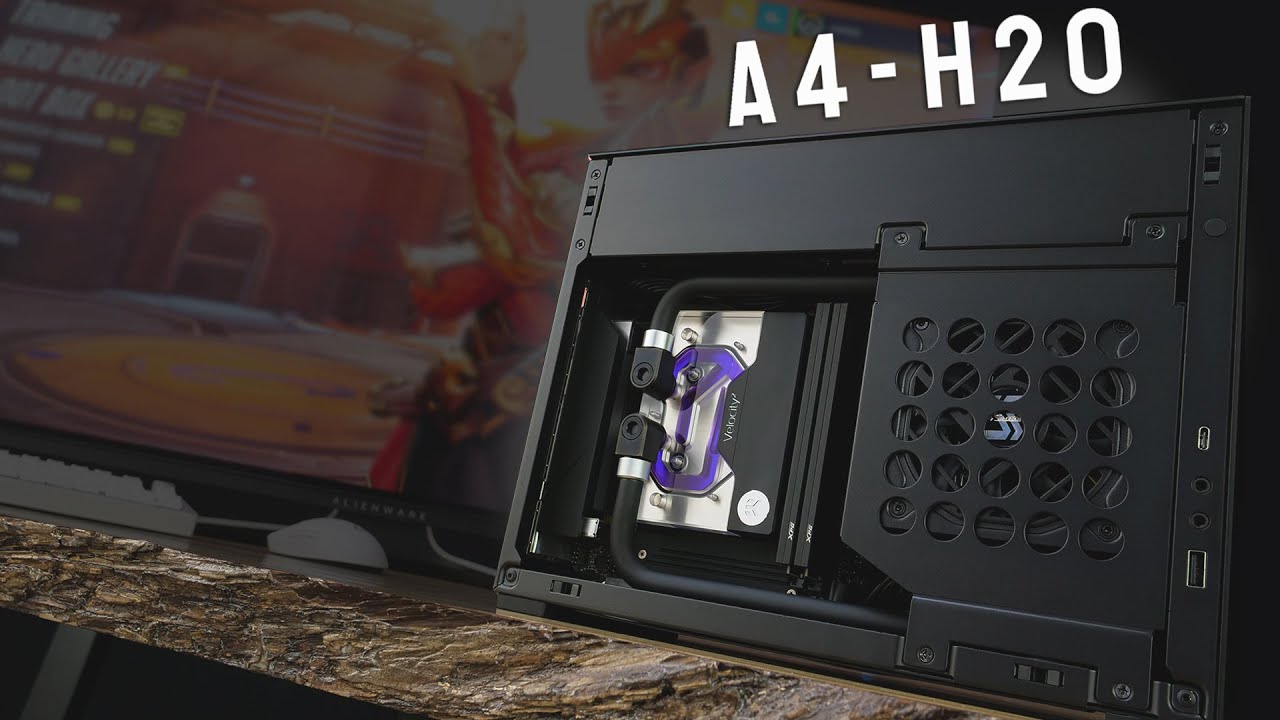
After endless messages requesting us to build in this case, we bring you our LIAN LI A4-H2O build. In this one we went with yet again a very clean look with purpose selected parts to bring you the perfect balance in SFF gaming. Be sure to stay till the end for gameplay footage and look out for our follow up video where we go over this chassis in...
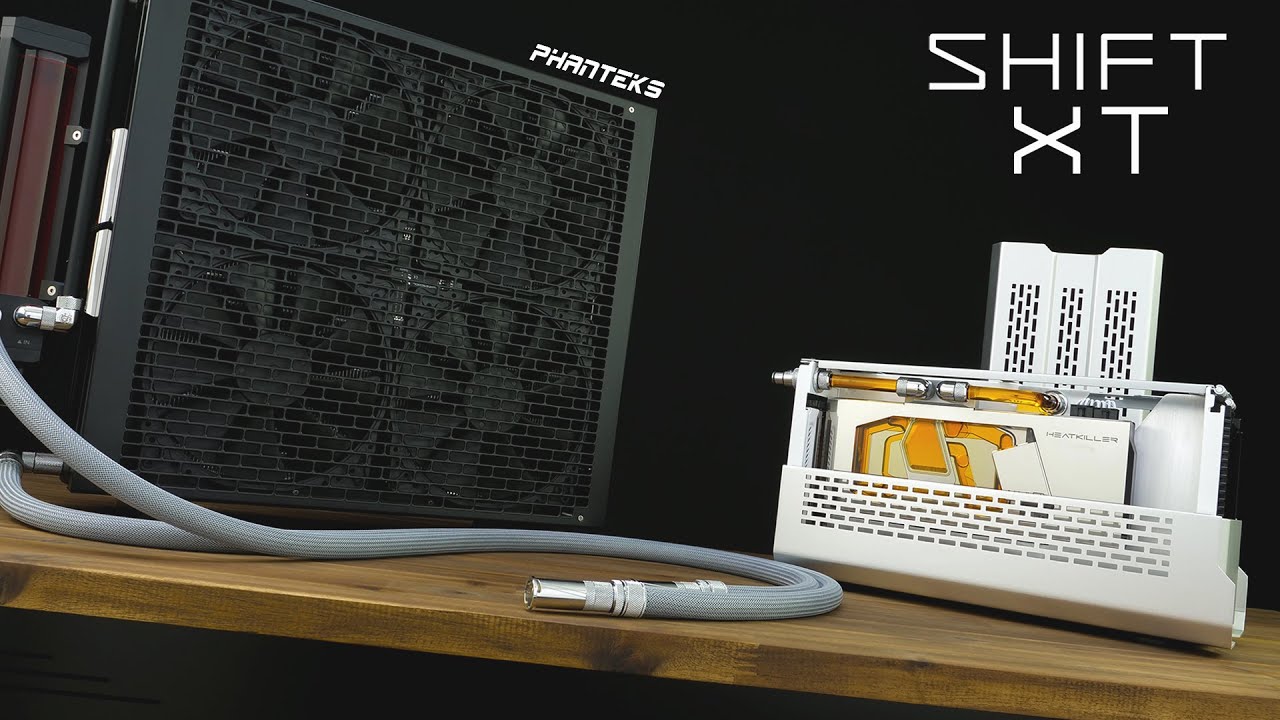
In this video we go all out to create a high editing PC in the smallest footprint possible. As said previously in our SHIFT XT review, this build is based on an external cooling solution possible for driving the 5950x and 6900 XT under maximum loads. Stay tuned towards the end of the video for some gameplay and benchmarks on this system. (take n...
Some ideas
Whoa previews

I didn't expect them that big
strange flume

deep aspen
Its late tho, have a good night lol
strange flume
Night lol
sinful heart
strange flume
Sama is a Lian Li oem
Bro this is crazy
https://www.samagears.com/products/sama-ps360-cpu-liquid-cooler

Rgb tubes

sinful heart
deep aspen
Do liquid cooled mITX builds exist?
Optimum has some crazy builds fr
 strange wharf
I learned lately you can refresh the cooling of an AIO by removing the contact plate to help it last longer, but some ppl would say you may not want to do that. What could the repercussions be 
weary raft
Refreshing the cooling?
strange wharf
Yeah draining and replacing it
Just for the sake of helping the AIO last longer
Or mayhaps giving a liquid that provides even better cooling
knotty sparrow
strange wharf
Yeah draining and replacing it
This isn't possible on many AIOs, but on the ones where it is, that's actually something that's recommended to do every 3 years or so. You have to be very careful what fluid you use, however, since the wrong one can corrode it all to hell.
Sometimes the manufacturers use the wrong fluid even (looking at you Enermax)
strange wharf
Anyone have any air cooler suggestions for an i5 14600? Done some research but I'm curious of y'all suggestions. Hoping for it to have a copper plate, preferably not to cover up the RAM, but I'll take what I can get
sacred wren
strange wharf
Anyone have any air cooler suggestions for an i5 14600? Done some research but I...
Basically any dual tower is fine, but the phantom spirit and Peerless assassin are the goto picks
Id cooling a620 i think it is is also solid, and veetro u6 pro
strange wharf
If I may, fine being acceptible, what would be beyond that?
strange flume
Another $16 gets you to "Overkill" territory
No need for that
If you don't like how it looks though, Thermalright sells dual towers for ~$35 with rgb
strange wharf
Not too concerned with RGB. I'll worry about looks afterwards
Recently I got a Lian Li liquid cooler for a total of 91 USD because I thought I'd be getting an i9 12900, so I'd guess that's on the side of overkill for an i5 14600
Although knowing my RAM slots aren't covered is a nice addition to it
strange flume
strange wharf
Recently I got a Lian Li liquid cooler for a total of 91 USD because I thought I...
Those are nice as long as the pump isn't making any concerning noises like clicking or grinding
Not too bad
strange wharf
Actually now that I think of it, you can just remove the fan form the side of the cooler to get to your RAM no?
strange wharf
strange flume
Those are nice as long as the pump isn't making any concerning noises like click...
For an i5 14600, would it make any actual significant heat differences?
strange flume
strange wharf
For an i5 14600, would it make any actual significant heat differences?
Not really at all
Once you're under the throttle point, you can get a little bit of thermal scaling on intel with velocity boost but when it's truly overkill then you won't really get close to that
So you get the same result minus maybe a few degrees
But no different experience
Velocity boost is a K chip experience btw
14600 doesn't have this iirc
So yeah it's really negligible to no different
strange wharf
Interesting
One more question, the fans on an air cooler, are they universal and you can put any fans you would like on it, or is it situational?
sacred wren
Universal
sleek fox
strange wharf
One more question, the fans on an air cooler, are they universal and you can put...
So long as they're the same size sure
I mean you can put a 120mm fan on a 140mm cooler but it's gonna look kinda ridiculous
harsh crow
I just discovered Arctics new server fans with fans.
https://www.amazon.com/ARCTIC-S12038-4-3-Pack/dp/B0DHV1FKCF?

ARCTIC S12038-4 + 3 Pack
weary raft
harsh crow
I just discovered Arctics new server fans with fans.
https://www.amazon.com/ARCT...
the fan cooled fan
harsh crow
Apparently there is a 4K and 8K RPM version with static pressure around 11 mmH2O according to this article.

Tom's Hardware
I heard you like fans, so I put a fan in your fan so you can fan while you fan.
weary raft
apparently you can get a dust cofer for the fan
aka just a plug for the fan
oh it's not even a plug
it's just a sticker
harsh crow
For reference Google says the standard arctic P12 has a static pressure of about 2.
harsh crow
weary raft
apparently you can get a dust cofer for the fan
The article had mentioned that.
weary raft
probably for the servers that have cpu and gpu cooled by the case fans
harsh crow
weary raft
it's just a sticker
?
weary raft
 harsh crow
weary raft
probably for the servers that have cpu and gpu cooled by the case fans
harsh crow
weary raft
probably for the servers that have cpu and gpu cooled by the case fans
I am curious how much better I can cool the liquid in a rad with these fans.
weary raft
not by much
harsh crow
Note I am moving to Alaska so ambient will be much colder.
weary raft
not limited by the static pressure if you're using a p12 already, the fins arent super duper dense on consumer heatsinks
harsh crow
Currently 0c in where I will be moving to in Alaska.
Btw my radiator is the LT720 AIO.
weary raft
certain types of servers (the type i mentioned for example) need very high static pressure and cfm because the air flows through all the components before being expelled through the back, with only a row of fans for the entire chassis
harsh crow
I am currently using P12 ARGB fans on it.
weary raft
so it's being ducted through the drives, the cpu heatsinks, ram packages, and gpu heatsinks (if applicable)
harsh crow
weary raft
so it's being ducted through the drives, the cpu heatsinks, ram packages, and gp...
Gotcha so it needs the static pressure to make sure everything is cooled properly?
weary raft
basically
and at the same time there's not really any noise requirements
so these fans may be annoyingly loud
harsh crow
Increased static pressure does it cause more contact with the objects or?
harsh crow
I am trying to figure out the difference between Total amount of airflow vs Static Pressure for cooling components.
sacred pagoda
as long as you have enough static pressure, more doesn't help cool better
more total airflow will help cool better
weary raft
up to a point
harsh crow
Please correct me if I am wrong.
Airflow: total volume/amount of air moved
Static Pressure: the force/pressure at which air is moved to help brute force air through dense areas to ensure contact
sacred pagoda
not really to ensure contact
weary raft
if you understand electrical more, then static pressure is like increasing the voltage to make electricity travel easier on higher resistance wire
and airflow/cfm (cubic feet per minute) is like amperage
sacred pagoda
brute force air through tight spaces yes
weary raft
harsh crow
Please correct me if I am wrong.
Airflow: total volume/amount of air moved
Sta...
you're pretty much there, but pressure doesnt increase contact with the heatsinks, it just helps the air move
it's like blowing through a small straw vs a large straw
you need to blow harder to get the same amount of air through on the smaller straw
harsh crow
Gotcha.
weary raft
heatsink fin density is what ensures maximum contact
harsh crow
I plan on getting more fans soon to replace my damaged ones.
harsh crow
weary raft
heatsink fin density is what ensures maximum contact
And the denser they are the more pressure you need to make sure air gets through?
weary raft
but the higher the fin densitiy, the more static pressure is needed (which is why there's a f12 and p12, one is optimized for low required static pressures and the other is for higher static pressures)
harsh crow
Then from there airflow is how to ensure you cool off the liquid more?
weary raft
airflow carries the heat transferred from the fin to the air away
harsh crow
Understood.
Airflow is to the volume of air moved to capture then exhaust the heat. Static Pressure is the pressure at which the air is being moved to get through dense areas.
weary raft
for a water cooling loop, there's alot of heat transfer
(ignoring the thermal paste and such) from like the cpu die (heat source) to the IHS, to the cooler coldplate to the water, to the heatsink and then finally to the air, which then may get cooled by the HVAC system of your house
any of these steps could end up bottlenecking the thermal transfer
so some people direct die cool for example, to bypass the transfer of heat through the IHS
 steel forge
If I'm giving a pc to a family member you think I should replace the AIO cooler if it's three years old or do they have longer lifespans than that?
knotty sparrow
3 is probably fine unless you can hear air pockets bubbling during normal use. Good ones go up to 5 or so before needing a refill.
steel forge
If I have a case with 1 fan on the back of the case above the motherboard IO, three fans on top the case, and a triple fan AIO in the front. Which directions should I face them?
knotty sparrow
In that case I would do top and front intake, rear exhaust
That way the exhaust doesn't overpower the intake and create negative pressure
deep aspen
Top intake is funky there for sure
strange flume
I do top intake on dan
Actually intake exhaust tbh
One side is PSU exit
I guess that makes me ultra rare weird


deep aspen
You were weird when you declared a hatred for thocc
strange flume
deep aspen
You were weird when you declared a hatred for thocc
If I stream or even just work, I need a dead silent board or I never hear the end of it
Otherwise I wouldn't mind thocc
But I have bigger priorities than thocc
I have to really thocc about things
strange flume
If everything sounded like an apple LP keyboard tbh I wouldn't mind
Chiclets are nice to me
strange flume
My first experience of a good pc involved a good low profile keyboard
strange flume
deep aspen
I've never heard of an apple LP
LP=low profile
deep aspen
strange flume
LP=low profile
Ah okay
strange flume
Apple hasn't always had the flat flush keyboards
deep aspen
Honestly i wouldnt mind a low profile
deep aspen
strange flume
They used to CHONK
I remember that
strange flume
The mice also had no scroll wheel
deep aspen
Macintosh
Apple died without steve jobs tbh
Even if he was practically a sociopath lmao
sinful heart
black arctic liquid freezer on sale rn for $90
knotty sparrow
LF 2 or 3
sinful heart
3
fluid lichen
strange flume
If everything sounded like an apple LP keyboard tbh I wouldn't mind
Keychron b1/b6 pro would like a word
Super thin scissor switches
 fluid lichen
 weary raft
strange flume
I'll scissor-
weary raft
strange flume
I'll scissor-
 steel forge
If all my other rgb ports on my mobo have 4 pins is this one ok to use? The squid adapter thing that came with my AIO only has three pins and my old AIO didn't have rgb fans. The port isn't labeled as a rgb header like the others.
 low pumice
steel forge
If all my other rgb ports on my mobo have 4 pins is this one ok to use? The squi...
low pumice
steel forge
If all my other rgb ports on my mobo have 4 pins is this one ok to use? The squi...
Is your aio argb? Sometimes also called drgb? RGB and aRGB are different and use different headers and connectors, RGB is 4 pin, argb is 3 pin
steel forge
Oh it is aRGB, I didn't realize there was a difference.
low pumice
Yea RGB uses 12v and 4 pin, argb uses 5v and 3 pins
steel forge
Thanks, it does show 5v on that header so I should be good to go.
low pumice
Yea if it's argb then that's the correct header
nocturne summit
is 95c peak gpu memory junction temp ok
nocturne summit
weary raft
it might be throttling at that temp though?
how do i check that
knotty sparrow
nocturne summit
how do i check that
It doesn't throttle until 100C, but that's a bit warm
 orchid hazel
My front 2 case fans recently stopped spinning
few days before i added this new splitter to connect the remaining fans

Winncon PWM Fan Splitter Cable 1 to 2 Converter, Black Case Fan Splitter Cable, Case Fan Power Duplicator Converter, Dual Case Fan Power Adapter, 10.6 inch (1 Pack)
@sacred wren @knotty sparrow
knotty sparrow
orchid hazel
<@654444344274845698> <@396513761550270464>
Something melted. The cables and header can only handle so much current.
orchid hazel
knotty sparrow
Something melted. The cables and header can only handle so much current.
should i just buy a fan hub then
i opened the case and checked all the wires
they are connected nothing bent or missing
knotty sparrow
How many fans do you have on one header
knotty sparrow
Oof that's way too many for one header
orchid hazel
and rest of my fans dont seem to spin that fast either
might be cause of the new fan head splitter
knotty sparrow
An efficient fan runs at about 0.12A, and less efficient ones 0.2A. The header is normally rated for 1A, so I don't recommend putting more than 5 fans on one header unless they're efficient ones like Arctic P12.
The wires also have a current limit but we don't know what that is. Cheap wires are often bad at that though.
Yes I think a fan hub is in order, unless you have a way to split up the fans onto at least 2 headers
weary raft
one header for front fans, one for top fans, and one for the rear fan
you could probably pick any that can do pwm
or alternatively, you could just use more fan headers than just one lmao
orchid hazel
weary raft
or alternatively, you could just use more fan headers than just one lmao
my mobo only has one header for system fans
weary raft
damn
orchid hazel
ye
weary raft
i've seen low end boards with more than that lmao
orchid hazel
weary raft
you could probably pick any that can do pwm
any fan hub or specifically has to be pwm?
knotty sparrow
PWM hub if you have 4 pin fans, so you can still control the fan speed
If you put a 3 pin fan on a sata powered hub then it'll just run full speed
orchid hazel
knotty sparrow
PWM hub if you have 4 pin fans, so you can still control the fan speed
ty i think mine are 4 pin
knotty sparrow
D15v2 still has a technical win but that cooler is very close
But at that price point you might as well get the 360mm aio also mentioned in the video I know you're referencing
 hoary plaza

thoughts?
the thermal paste is a pretty good one, i'll edit this comment when I know the brand and model
sinful heart
knotty sparrow
But at that price point you might as well get the 360mm aio also mentioned in th...
I just saw the gn video

strange flume
Ya it's basically the thermalright but a little more premium
The A620 SE costs $30, looks better than the thermalrights and competitive too btw
sinful heart
That aio is crazy too
strange flume
Oh yeah id cooling is the only brand even remotely close to competing with TR in the US
Deepcool would've had a chance were it not for the slip up
sinful heart
strange flume
Deepcool would've had a chance were it not for the slip up
Yeah even now I still feel the void left by deepcool
sinful heart
strange flume
Oh yeah id cooling is the only brand even remotely close to competing with TR in...
Oh mb I was talking about the suspiciously cheap thermalright aio in the gn video
steel forge
What controller or software would you guys recommend for consolidating all my case and aio fans together. Right now I have 2 different software for rgb and speed control and a mechanical switch rigged to my computers reset switch for the fan that came with the case. My three top case fans are rgb but my 3 fan AIO is ARGB.
knotty sparrow
I use Fan Control and OpenRGB personally. There's plugins for OpenRGB to control fan speeds if you wanted to consolidate more.
 harsh crow
steel forge
What controller or software would you guys recommend for consolidating all my ca...
harsh crow
steel forge
What controller or software would you guys recommend for consolidating all my ca...
Start by changing any fans that can't be controlled by the motherboard then use Fan Control and or OpenRGB like Fal recommended.
 knotty sparrow
Technically top mount is best
Front mount with tubes down is about 2dB quieter than tubes up, no performance difference
It's also impossible with most cooler/case combos
 woven vale
That won’t make air bubbles in the tubes?
Iv never done a aio cooler im nervous as heck lol
knotty sparrow
Air in the tubes is fine, just slightly more noisy
It's air in the pump you want to avoid at all costs
woven vale
Oh gotcha, and I don’t gatta buy anything extra? Like the liquid comes inside the tubes?
(Never bought or done a aio cooler so sorry for these dumb questions )😭
knotty sparrow
It's as it says on the tin, all in one
knotty sparrow
Ah. Well hopefully that model doesn't have the green slime clogging issue that other ones from that brand have had.
knotty sparrow
It happens over time
Just check the temps a couple times a month
If it jumps, it's clogged
woven vale
Frick, maybe I’ll return it and buy a cpu fan cooler instead
 supple harbor
Is thermalright still the go to for air coolers or are there better/alternative options now
supple harbor
Has tr dropped anything new or is the peerless assassin or whatever the go to still
supple harbor
Rip all the shipping times for em are pushed back pretty far
strange flume
Good cooler for $30 so yeah
supple harbor
Either will be more than enough, it's only for a 7700x
Hopefully I can find one that ships quick
nocturne summit
is it normal cpu temps to spike windows virus scan
and is 86.5c cpu die too high of a spike?
amd ryzen 7 7800x3d
google says limit is 89c but im dumb so
 simple anchor
nocturne summit
and is 86.5c cpu die too high of a spike?
simple anchor
nocturne summit
and is 86.5c cpu die too high of a spike?
That's a bit more than what I get with my Mystique (AIO)
So normal
harsh crow
nocturne summit
google says limit is 89c but im dumb so
The chip will slow itself down if it gets too hot (called Thermal Throttling). So long as you aren't staying in the high 80s during gaming you will be fine performance wise.
sacred pagoda
nocturne summit
and is 86.5c cpu die too high of a spike?
No. Anything under 95C is safe for the chip
I think 89C might be where it starts throttling
weary raft
nocturne summit
google says limit is 89c but im dumb so
I'm pretty sure it's rated for like 95c but this is the range of "safe" operating temperatures for long periods of time
Your cpu won't immediately cook itself at 95c
That's what happens at a higher temperature
In the hundreds
knotty sparrow
weary raft
I'm pretty sure it's rated for like 95c but this is the range of "safe" operatin...
No the X3D parts have tjmax set to 89 to avoid cooking the cache. The other chips are rated at 95.
weary raft
interesting
well, either way, the max safe operating temperature is where the maximum safe temperature is for normal operation
nocturne summit
ok thank you all
when it reaches unsafe temps does the throttling/ shut off happen automatically or do i need to check some option somewhere
low pumice
The auto shutdown temp is generally a different temp set at a higher temp like 105
It'll throttle above tjmax automatically
 runic pawn
Howdy, I really like the aesthetics of this fan from lian li, but it's out of stock and not sure when it will be in stock again. Does anyone have any recommendations for very similar aesthetics (side and top lighting and argb in the fan) and good performance?
strange flume
Atm we don't have a 1 to 1 better alternative as our previous recommendation seems to be out of stock
The Sama Y1203E
But if you can find it, they're better in like every way, and they should be cheap af
But the next best thing is a thermalright M12
runic pawn
strange flume
But if you can find it, they're better in like every way, and they should be che...
1 in stock on Amazon, 1 down 5 to go 😂
Thank you for the suggestion and info. I see a website suggesting estimated in stock date of February. I guess if I'm waiting for 5090 I can keep waiting on the fans to see if it's in stock by then. Thank you
strange flume
Fair enough haha
sinful heart
Should I get the thermalright s12, b12, or arctic p12
harsh crow
https://www.amazon.com/gp/aw/d/B0CR7P9Q4T/ref=ox_sc_act_image_2?smid=A3805NM77YZUAU&psc=1
I am looking to get some new fans soon and found these.
Paper specs are better than my previous Arctic P12s.
I would like to get some nice fans that have good lighting ideally with infinity mirrors or crystal themed fans.

The latest ICOLER UNI FAN JM-V2 120 case fan is different from the first generation, its lighting is more beautiful and soft, and we have upgraded its cable (with nylon mesh security, more durable). In terms of side infinity mirror splicing, the latest generation of JM-V2 has a stronger overall l...
knotty sparrow
harsh crow
https://www.amazon.com/gp/aw/d/B0CR7P9Q4T/ref=ox_sc_act_image_2?smid=A3805NM77YZ...
Never heard of that brand but the "adjusted" rating after Firefox removes bot account reviews is 1.5 star
And Amazon reports that it's a "frequently returned item"
lmao


Hard pass for me
harsh crow
ahh rip
harsh crow
knotty sparrow
Never heard of that brand but the "adjusted" rating after Firefox removes bot ac...
Recommendations?
harsh crow
knotty sparrow
Never heard of that brand but the "adjusted" rating after Firefox removes bot ac...
How does FireFox remove bot reviews?
fluid lichen
Fakespot Extension by Firefox
runic pawn
harsh crow
Recommendations?
I'm buying lian li sl inf fans
strange flume
harsh crow
https://www.amazon.com/gp/aw/d/B0CR7P9Q4T/ref=ox_sc_act_image_2?smid=A3805NM77YZ...
We've already tried these. Extremely meh but hard to find alternatives rn
sacred pagoda
Cool new pattern on the hyper 212 contact plate after it was stuck and I rotated it to try and get it off
 harsh crow
sacred pagoda
harsh crow
sacred pagoda
I don't think coolers are supposed to get stuck.... Did you use thermal glue?
knotty sparrow
It happens a lot on AM4 and older AMD sockets actually
harsh crow
guess I got lucky on my 5700G. Never had any issues like that.
knotty sparrow
Older paste and flatter cold plates were more prone to it
strange flume
It happens every single time on my 5900X unless the paste is like under 2 weeks old
To the point where I'm legitimately terrified of twisting cos the socket does nothing to hold the cpu in (It literally falls out if the board is vertical)
knotty sparrow
Yeah you probably had the second thing then, flat cold plate. It just vacuum seals to the IHS
knotty sparrow
Well AM4 just hated you then idk
strange flume
The socket just holds nothing in
Like zero grip
Ok imagine like
A screw that's like a quarter turn into a piece of wood
knotty sparrow
That little retention bar did nothing to help
strange flume
How easy it is to yank that out
Vs all the way in or half way
Am4 you can yank it out but mine just, zero effort
It's not very good fitment
The better side is not very good fitment
So it comes out very well to date
But yeah I need to pull it out on a couch or bed cos of this cos every single time I'm prying that cpu off
I wouldn't dare do it where the pins aren't rolling onto something soft
knotty sparrow
I've seen someone rip the pins out trying to do the twist trick
strange flume
I've seen the pins in a perfect circle from a twist lmao
harsh crow
You guys are making me think that AM4 wasn't so well designed...
knotty sparrow
Probably because it wasn't
AMD has been trying to keep coolers compatible since FM1 socket, and that takes a few sacrifices
harsh crow
How much time should ai give my cou to try and post before powering off the PC?
harsh crow
knotty sparrow
AMD has been trying to keep coolers compatible since FM1 socket, and that takes ...
Fair.
harsh crow
harsh crow
How much time should ai give my cou to try and post before powering off the PC?
I am having a hard time getting my PC to post.
strange flume
Cmos clear and try your saved profile again
harsh crow
Tried. I can try again though
strange flume
Expect to wait like 5-10 minutes for 64gb
harsh crow
Hold up
strange flume
Until memory context restore is working then retraining will do that
harsh crow
@strange flume I don't know what you did but thank you!!!
strange flume
???
harsh crow
Every time I have had posting issues the second I have you on the line my PC posts lmfao.
Been this way since I got this replacement
strange flume
Wait like every single time?
strange flume
Did you disable memory context restore
harsh crow
Yeah it's been disabled.
strange flume
That's why
It takes ages to retrain with it off
At the benefit of better stability
harsh crow
So not as good stability but far faster booting times?
knotty sparrow
Yeah I had you turn it off because you couldn't restart without shutting down and clearing cmos
harsh crow
strange flume
Wait like every single time?
I had been sitting here for like 20m waiting for a post, tried clearing cmos, rebooting, etc and remembered that talking to you somehow gets the damn thing to post each time.
I am trying to figure out why Tyzen Master isn't working.
Just reinstalled it.
strange flume
Sounds like you might be unstable
harsh crow
strange flume
Sounds like you might be unstable
The core I am currently trying to tune definitely wasn't.
The rest are rock solid though. Passed hundreds of iterations in VST3 and dozens of runs back to back in CC.
strange flume

harsh crow
Currently from 0-4 the co values are:
- -40
- -38
- -28
- -28
- -30
strange flume
When you've done all this add +5 to every core for redundancy or you will run into issues later
harsh crow
+5?
strange flume
I've seen it happen a thousand times
Yes
+5
+10 if you want to be extra careful
harsh crow
Because of deteriorating?
harsh crow
By random programs do you mean random programs or like the stress tests?
harsh crow
Just wanted to double check.
I hate the boot times on my rig....
Hold up I think I know the issue.
Just a hunch.
I swear if this ends up actually being the fix I don't know if I should be mad or annoyed.
strange flume
Long boot is retraining with mem context restore disabled
You want short boots then enable it again
But you can make it unstable again
harsh crow
I found the freaking issue.
harsh crow
It was because I had set the Thermal Throttle Temperature to 95...
strange flume
Why did you do that
harsh crow
strange flume
Oh dear is it degraded
It never actually applied it.
strange flume
Eh then that won't be the cause of long training
harsh crow
In windows Ryzen Master showed that the max was still 89 but bios saw it as 95.
harsh crow
strange flume
Eh then that won't be the cause of long training
Somehow it fixed it by disabling. All times in the last 2 days I had this weird training issue was when I had that enabled at 95c.
strange flume
Better hope it didn't degrade lmao
harsh crow
.
I am on the MSI X670-P btw.
harsh crow
strange flume
Better hope it didn't degrade lmao
I am confident that it didn't.
I am running the same CO values the tuned cores since before messing with that.
Well I am exhausted also it's 4am.
Run CC or VST3 overnight?
strange flume
harsh crow
I am running the same CO values the tuned cores since before messing with that.
Means nothing to me if the cpu was over 89C
Lol
harsh crow
strange flume
Means nothing to me if the cpu was over 89C
Never hit above 62.5c
strange flume
Well then you're fine
strange flume
harsh crow
Well I am exhausted also it's 4am.
Run CC or VST3 overnight?
Idk CC maybe
I'm not along for this ride I just read the occasional post and chime in when I notice something
harsh crow
Fair, fair.
On a side note I am loving the SN850X.
Been a wonderful experience being able to move massive files almost instantly and not having to put up with any sort of delay in most tasks.
strange flume
Big raid > big ssd imo
harsh crow
Thought raid caused latency issues?

 strange flume
Bai
sacred pagoda
knotty sparrow
I've seen someone rip the pins out trying to do the twist trick
Well now I'm terrified
I haven't had that happen before though, usually it comes off pretty easily
weary raft
It would probably have to be really really stuck on though
Probably will help if you run a quick stress test to heat up the paste to make it more fluid first
sacred pagoda
weary raft
Probably will help if you run a quick stress test to heat up the paste to make i...
I did this, though the paste was quite fresh anyways. I'm guessing I let it cool a bit too much between stress test and removing the cooler and that caused some sort of suction
weary raft
Nah the suction is normal, it's due to surface tension or whatever
sacred pagoda
I mean there's normally some when I take it off but this was way more than usual.
weary raft
Shearing pins off though means the paste was so stuck that it created enough force to shear the pins off though
Perhaps
sacred pagoda
Yeah it was spinning pretty easily but didn't want to release
harsh crow
This is interesting.
@knotty sparrow have you ever seen these before?
It looks like TG's Contact frame except all copper/nickel with a built in Heatspreader

Thermal Grizzly introduces the AM5 High Performance Heatspreader, an upgrade heatspreader for AMD's Ryzen 7000 processors. The heatspreader's diamond-milled precision surface made of nickel-plated copper offers 240 percent more surface area compared to the original heatspreader. As a result, the ...
knotty sparrow
Yes I've seen it. You can't use it without voiding your warranty so I never paid it much mind.
harsh crow
knotty sparrow
Yes I've seen it. You can't use it without voiding your warranty so I never paid...
does it require delidding?
knotty sparrow
Yes
 cobalt ledge
The build I am currently assembling has an i5-12400F for the CPU. It comes with what appears to be the RM1 cooler. I originally planned to use the stock cooler, but compared to AMD stock coolers this thing really isn’t filling me with confidence.
I’m debating ordering whatever the current version of the Cooler Master 212 is for this rig instead.
Thoughts?

Or perhaps the Thermalright Assassin x120 as that looks to be basically the same as the old CM 212 Evo.
sacred pagoda
cobalt ledge
Or perhaps the Thermalright Assassin x120 as that looks to be basically the same...
Any of these
https://pcpartpicker.com/product/q6H7YJ/thermalright-assassin-x-120-refined-se-6617-cfm-cpu-cooler-ax120-se-d3
https://pcpartpicker.com/product/Js2WGX/thermalright-assassin-x-refined-se-argb-6617-cfm-cpu-cooler-ax120-refined-se-argb
extra heatpipes
https://pcpartpicker.com/product/sysV3C/thermalright-burst-assassin-120-se-argb-6617-cfm-cpu-cooler-ba120-se-argb

Thermalright Assassin X 120 Refined SE 66.17 CFM CPU Cooler (AX120 SE-D3)
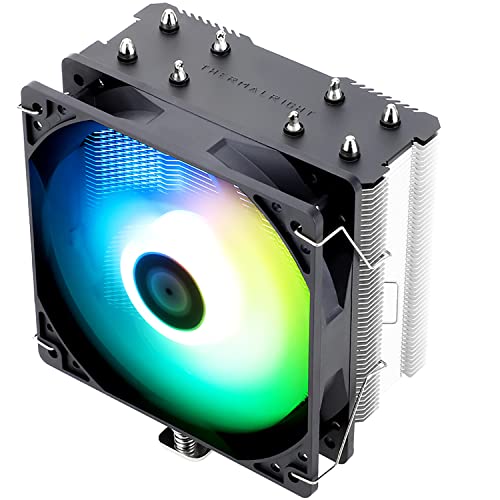
Thermalright Assassin X Refined SE RGB 66.17 CFM CPU Cooler (AX120 Refined SE ARGB)
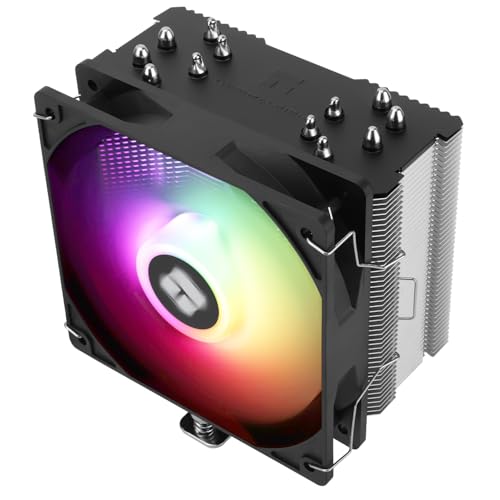
Thermalright Burst Assassin 120 SE ARGB 66.17 CFM CPU Cooler (BA120 SE ARGB)
harsh crow
Article I found with some nice fan charts.
https://www.techpowerup.com/review/arctic-p12-pwm-pst-a-rgb-120-mm-fan/3.html
 floral fern
A few years ago I bought a PC from EK Fluid Gaming. Now I'm wanting to upgrade the RX 5700, probably to an RX 7900 XTX. EK doesn't make aluminum water blocks for the new RX series. Does anyone know of one, or should I just plug the holes in my coolant distribution block and leave the new card air cooled?
low pumice
floral fern
A few years ago I bought a PC from EK Fluid Gaming. Now I'm wanting to upgrade ...
Ekwb is basically gone as a company, it'd be a good idea to just leave it air cooled
floral fern
knotty sparrow
EK isn't making much of anything anymore
I wasn't aware. Maybe I should stock up on coolant.
low pumice
You can get all the parts elsewhere from different manufacturers, but ekwb was basically bankrupt last I checked
knotty sparrow
There's a very deep rabbit hole to fall into with that
Not just bankrupt but assets frozen
low pumice

SUPPORT OUR JOURNALISM: Buy a BRAND NEW Copper-Plated Mule Mug on our store - https://store.gamersnexus.net/products/gn-copper-plated-stainless-steel-mule-mug-thermal-conductivity-of-copper
Consider grabbing one of our 3D metal emblem pint glasses to go with it: https://store.gamersnexus.net/products/gn-3d-emblem-glasses
PART 2: EXPOSING CORRUP...

SUPPORT OUR REPORTING: Buy a coaster pack, solder mat, or more at https://store.gamersnexus.net/
In this report, we close out the story on what's going on at the tech company that sold over $250,000,000 of products in its time in business. The company has been collapsing from within for years now, silently, but grew louder this year as contrac...
floral fern
No kidding? It's a Slovenian company, right? Seems like that's where it shipped from.
Glad I got mine when I did. It's been pretty awesome. Plan on upgrading the CPU fairly soon, too. At least I can do that with just some thermal paste.
knotty sparrow
Yeah they made pretty good stuff generally. It's just a shame that the leadership got greedy.
 chrome cedar
I still have a ek aio. It will probably die with my cpu
floral fern
Should I not buy my coolant from them, then? It's like $40 to ship it and I'd hate to spend that much and never get it.
knotty sparrow
I'd avoid buying from them now, generally speaking.
It's not that much better than alphacool coolant anyway
If at all
floral fern
Well crap. I'm due for a coolant change. Gotta make sure the coolant I get is compatible with the cheap aluminum components they put in their pre-built PCs.
knotty sparrow
This says it's compatible with aluminum, assuming you don't have anything else that reacts with aluminum https://shop.alphacool.com/en/shop/cooling-liquids/standard-liquids/waz-alphacool-tec-protect-2-clear-1000ml

Alphacool
Coolant for water cooling - Biodegradable - Comprehensive protection against bacteria - Lubrication for the pump
I'd advise against colored fluids, but if you did get one from alphacool not all of them have biocides in them https://shop.alphacool.com/en/shop/cooling-liquids/standard-liquids/

Alphacool
Diverse Kühlflüssigkeiten in unterschiedlicher Zusammensetzung. Klare, farbige und ultra reines Pure Water wie EV-Wasser erhältlich.
floral fern
knotty sparrow
This says it's compatible with aluminum, assuming you don't have anything else t...
Yep, that should do it! Thanks so much! Glad I came here before sending $100 overseas with little to no chance of ever seeing my products or money.
floral fern
knotty sparrow
I'd advise against colored fluids, but if you did get one from alphacool not all...
Yeah, I used the purple EK coolant in it once. With all the RGB it's really not necessary.
Just out of curiosity, does anyone know of an American company that makes decent coolant? It's 3x the cost of the coolant to ship it.
strange flume
I'll do you one better
Go look up the alphacool eco clear 1L data sheet
It'll list a formula of 4 chemicals
95% osmosis water
0.2(?)% pH stabiliser
I forgot the others lol
It's a clear fluid, you can buy everything like once for $50 and get like 8L
Make sure you flush your loop properly and you can make your own loop mix thanks to alphacool for basically nothing
low pumice
Iirc performance PCs is based in US, they have most watercooling parts
strange flume
Yeah there's a few clear fluids there that aren't too bad too
My brain really don't recall it all too well cos I just keep the alphacool formula and make my mix up from scratch
Way cheaper and on demand lol
But it's really like, 95% osmosis water, 4.2% propylene glycol, 0.8% ph stabiliser or something to that effect
And you just make a litre of it at a time
Numbers don't need to be perfect, it's a conservative mix
All you really want otherwise is a bottle you can fill into with a funnel and a straw that you can squeeze the fluid into the loop with
The first time I did it, it was a little pricey, but then every time after that, I've saved hundreds of dollars every time I maintain my loops
strange flume
strange flume
Go look up the alphacool eco clear 1L data sheet
@floral fern remembered the full name is alphacool apex eco clear 1L
The data sheet has the composition of the mix so you can literally copy it
strange flume
strange flume
But it's really like, 95% osmosis water, 4.2% propylene glycol, 0.8% ph stabilis...
Looks really close to this
floral fern
Nice! Thanks for the tips. I really wish I could stick with a watercooled GPU when I upgrade, but live and learn, I guess. I'll be doing my next WC build from scratch.
knotty sparrow
Water cooling on GPUs is pretty unnecessary these days. The massive modern air coolers are almost always overkill.
low pumice
I'd imagine the new thicc 4 fan models on the 5090s are going to perform pretty similarly to the watercooled variants
strange flume
floral fern
Nice! Thanks for the tips. I really wish I could stick with a watercooled GPU ...
Buy yourself some ZMT tubing, some quick disconnects and you can remove the gpu out of the loop equation very quickly
Same deal if you want to add a new one to it
Though as above, not a whole lot worth doing tbh
floral fern
All I need to take the GPU out of the loop is to remove the tubes and get a couple of plugs. They're already in my cart.
harsh crow
@strange flume, @knotty sparrow, I've noticed while my average temperatures have been lower it appears my peak temps have increased. Any idea why that is? I recently installed the TG Contact Frame and TG PTM sheet
strange flume
harsh crow
<@101107951401455616>, <@396513761550270464>, I've noticed while my average temp...
The ptm is curing
It should go down tho
Dunno why it's going up
harsh crow
My average temps have dropped by like 8-10c but my peak spikes have increased.
harsh crow
strange flume
Idk why spikes are higher
I have been working on my CO values. Could it be from my cores sustaining higher frequencies for longer?
I have been running core cycler and Y-Cruncher (VST3) back to back for days now.
strange flume
Idk
If average load temps drop then it's working
It won't improve from there cos it's ptm
harsh crow
average temps are definitely lower
same for idle
load temps used to be around mid 60s now I am in mid 50s.
 harsh crow
I am just not sure why temperature spikes are much higher
used to spike to around 68c now my max spikes are 76c.
strange flume
If your load temps are mid 50's you're doing better than most water loops
Spikes to 76 is a little worse than mine
Again dunno why it's doing that
I don't recommend thermal grizzly like ever
harsh crow
Oh wait, PTM isn't fully effective till it'
it is in it's phase change fluid state or whatever it was called yes?
strange flume
It cures over weeks
strange flume
strange flume
The ptm is curing
^
harsh crow
Does it transfer heat just as well in it's solid phase vs the curing phase?
Wondering because I am living in Alaska now and my room temps are usually around 16c give or take slightly.
strange flume
Idk
harsh crow
Thinking the spikes might be happening when I boot up the stress tests.
Currently for CO on cores 0-6 I am doing:
- -40
- -38
- -28
- -28
- -33
- -30
- -35
So far so good on those values.
 formal bridge
What pump res would y’all recommend to upgrade from a Corsair XD5? I have two thick 360mm radiators I think 40-45mm thick, a xc7 cpu block and I’m planning on getting a block for my gpu when tax season hits
strange flume
formal bridge
What pump res would y’all recommend to upgrade from a Corsair XD5? I have two t...
Wouldn't recommend anything
Corsair loop parts aren't bad if you ignore the awful typical prices
XD5 is a D5 res combo. There is nothing better beyond that
Integrate the gpu into the loop later, even the xc7 is still decent
Or even just run the gpu on air if you prefer, I wouldn't sunset any of those parts
As much as I don't like corsair on the whole
Anyway
formal bridge
strange flume
As much as I don't like corsair on the whole
Fair enough, the only reason I ask is because I had gone to a distro plate and did NOT like the thermals and noise but I lost the bracket for the pump res, I tore down the other d5 that came with the plate for the impeller and replaced the one in the xd5 because it had cooked itself.
strange flume
formal bridge
Fair enough, the only reason I ask is because I had gone to a distro plate and d...
What speed do you run your D5
formal bridge
I have it running at 3000rpm right now
strange flume
formal bridge
I have it running at 3000rpm right now
You should run it about 30-50% rpm
Higher can burn it out if you weren't aware
That said 3000 doesn't sound like much more than 50
formal bridge
It’s right about there, I had it for a while so I think that was part of the issue, but I typically ran it at 2500-3500 throughout its life
strange flume
I've heard D5's fail at a comically greater rate than others tbh
No one's ever told me it but I hear about it more than any other
Despite being ridiculously good
knotty sparrow
That could be sample bias. They're also the most popular kind of pump.
There's also a lot of fake ones that say D5 but aren't.
knotty sparrow
Oh sweet, Dell is getting in on solid state fans? https://www.youtube.com/watch?v=2lTWI7kfkt0

Go to http://dbrand.com/ghost to get your Ghost Case 2.0! For a limited time, get $10 off, no coupon required
Fans are great! They keep your computer cool, they spin real fast, and they're also LOUD. Luckily, Ventiva has created a new cooling solution that promises to keep your PC running fast without the loud noise of a piece of plastic spinni...
sacred pagoda
Oooh
strange flume
knotty sparrow
That could be sample bias. They're also the most popular kind of pump.
Have to be pretty crazy bias cos it's really common, like every other post has someone talking about it lol
sinful heart

 dry wren
hi! The Corsair 3500x seem interesting, but I don't want RGB fan. Did 3 x NF-A12x25 fans are good choice for it? I guess I need a fan controller too?
sacred wren
You do not need a fan controller for three fans, and I'd suggest the thermalright b12 or k12
dry wren
why? Did ther yare better than Corsair? I always knew thjat Noctua are thee best, still at an high price...
sacred wren
dry wren
why? Did ther yare better than Corsair? I always knew thjat Noctua are thee best...
Theyre renamed noctua fans
And corsair fans are one of the last options id suggest, along with corsair aios and ram
Brand name means next to nothing
runic pawn
Question for anyone with Lian Li O11D evo rgb case: Can I fit a 360mm on top, and 3x140 on side, 3x140 on bottom? Or do I need to do 120 on sides and or bottom?
Looks like I should be able to
harsh crow
Why is fan control not detecting the speed sensor for my Bottom intake and Radiator fans?
knotty sparrow
How are they wired up, and does hwinfo show them?
low pumice
Are you using any splitters or hubs or daisy chaining for them?
harsh crow
daisy chained and connected to the Fractal Torrent's built in hub. @knotty sparrow @low pumice
wait I just noticed my rad fans are not spinning
knotty sparrow
harsh crow
daisy chained and connected to the Fractal Torrent's built in hub. <@3965137615...
Only one fan on the hub will have the rpm read
And make sure the header can handle all the fans plugged into it
harsh crow
has in the past without issue
I am gonna double check the connect
can I do it while the pc is on?
knotty sparrow
You can look but don't plug anything in while on
harsh crow
brb I am gonna double check the connections
harsh crow
at least fans are spinning now
still trying to figure out why Fan Control is not detecting the sensoirs
knotty sparrow
knotty sparrow
Only one fan on the hub will have the rpm read
^
harsh crow
what I mean is that FanControl can detect the set of fans but not their speed
knotty sparrow
Yeah
harsh crow
is it because they are mix and matched?
knotty sparrow
It's a limitation of the port
knotty sparrow
One header can only read one RPM because there's only one pin for the tachometer
Is it 3 pin?
harsh crow
yes
knotty sparrow
Then don't put that one on the hub
harsh crow
It's in the pump header
knotty sparrow
Set the pump header to DC mode then
harsh crow
on my motherboard
I feel like I may have made a stupid mistake. @knotty sparrow the arctic P12s, which side of the fan is the side the air is being blasted towards?
Logo side or frame side....
knotty sparrow
frame
 knotty sparrow
That's intake yes
harsh crow
Okay good
I thought I screwed up when I remounted it during transit.
Prior* to
I found out that I messed up my exhaust fan.
My exhaust has been acting as Intakr and working against every thing else
 knotty sparrow
Not the worst mistake at least
harsh crow
Fixed it during this whole mess
I am guessing this whole mess of fans not working as they should is the reason my peak temps have been so much worse
knotty sparrow
Yes fans not spinning will have that effect
harsh crow
I am kinda amazed my load temps were in the mid 50s to low 60s lmao
knotty sparrow
I'm not
With the back and bottom intake, you'll still get some flow through the rad from the pressure
harsh crow
true
These Fractal and Deepcool fans I have found to be quite capable
and better than the Arctic fans in use
knotty sparrow
Those 180mm fans are nuts
harsh crow
I have 3 of the 140mm on the bottom
@knotty sparrow Are the Fractal Prisma Al fans good?
knotty sparrow
I moved my front 180s to the bottom and kept the 140s as spares. One of my Arctic fans started rattling so I have one on the rad now. Oh and I put one of the 140s as rear exhaust.
knotty sparrow
harsh crow
<@396513761550270464> Are the Fractal Prisma Al fans good?
No clue
harsh crow
It appears as though 180mm argb fans are like non existent
knotty sparrow
It's also really hard to find radiators that fit them
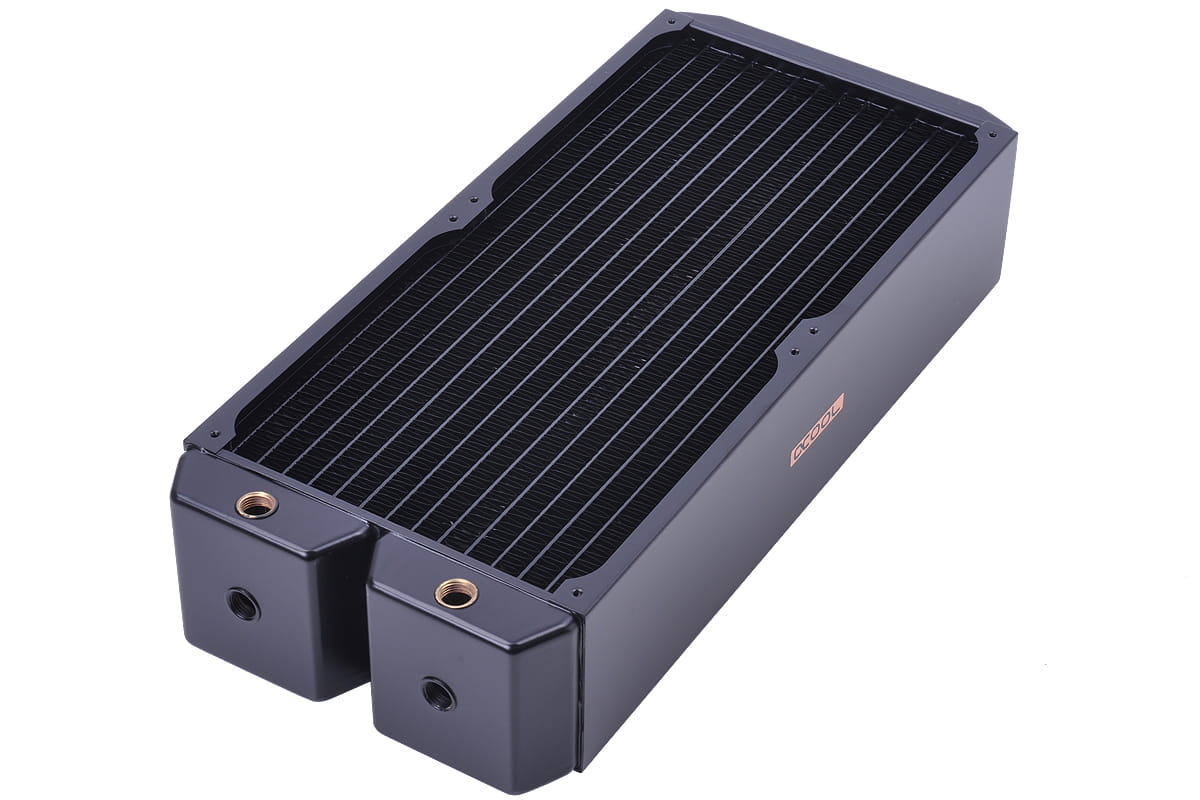
The one I found I really want to use though https://shop.alphacool.com/en/shop/radiators/180200mm/rad-alphacool-nexxxos-monsta-180mm-dual-radiator
Alphacool
The new Alphacool NexXxos radiators, a name that stands for experience and quality has come to bring a fresh breeze to the radiator market. Every user of a water cooling system needs a radiator and everyone has different requirements...
harsh crow

I feel like these would look awesome if I crushed some quartz crystals and glued them to the diffuser
turn my Torrent into a geode theme case
Oh dang
they are 38mm deep
Are there any 420mm or dual 180mm AIOs I can get that actually fit into the fractal? I feel tempted to get the prismas
knotty sparrow
knotty sparrow
The one I found I really want to use though https://shop.alphacool.com/en/shop/r...
This was 85mm thick too so that's a lot of room needed, 123mm
harsh crow
knotty sparrow
This was 85mm thick too so that's a lot of room needed, 123mm
Hmm a 5090 might be a tight squeeze haha
knotty sparrow
Nah there's still SO MUCH room
harsh crow
really?
knotty sparrow
With the front 180 fans on the max GPU length is 393mm
harsh crow
When I get new fans I won't be going Arctic. They are decent but I feel like they are also sort of lacking in the lighting and performance department compared to like the Fractal Sickleflow or Deepcool FK lineups performance wise
knotty sparrow
knotty sparrow
With the front 180 fans on the max GPU length is 393mm
Wait no I misinterpreted, this

423mm with fans, 461 w/o
knotty sparrow
Yeah it makes my 3080 ti look small
harsh crow
I have a 3070 XC3 I know that feeling
knotty sparrow
So with that monsta rad on the front there would still be 338mm of room for the GPU
harsh crow
dang
I might keep this fractal as my main case then
I am beginning to think it's actually quite capable for a custom loop
knotty sparrow
 harsh crow
knotty sparrow
harsh crow
knotty sparrow
This is yours?
knotty sparrow
No
harsh crow
awesome setup though
knotty sparrow
Just an example of what you can do with it
From this post https://www.reddit.com/r/watercooling/comments/sb2cce/new_build_in_the_fractal_design_torrent_2nd_time/
Reddit
Explore this post and more from the watercooling community
harsh crow
If I do decide to do a custom loop (I probably will) you can count on me buying another like 50lbs of quartz crystals and crushing them to line all the tubes with them
knotty sparrow
I'd go with copper piping to do a steampunk theme
harsh crow
seems we are the outliners in this community haha
knotty sparrow
Also less light in the loop means less maintenance/growth
knotty sparrow
I know that kind breaks down pretty quick, maybe 3-6 months?
harsh crow
UV makes the light reflect in the coolant correct?
knotty sparrow
You would need a blacklight and it glows
harsh crow
What is the maintenance process like?
knotty sparrow
Typically just drain, reverse flush, and refill
knotty sparrow
If you have a lot of sediment or other residue you might have to take apart the blocks to clean the microfins
knotty sparrow
harsh crow
reverse flush?
Run distilled water in the opposite direction of the normal flow so it picks up deposits better
 median edge
Be quite pure rock 2 fx good for R5 7600x??
cobalt ledge
I'm setting up a build in this case. Will the 200mm front intake and two 140mm rear/top exhaust be sufficient for good airflow?
I've only ever used 120mm fans before so I'm not sure of the capacity of the larger ones.
sacred wren
cobalt ledge
https://www.newegg.com/black-phanteks-enthoo-pro-atx-full-tower/p/N82E1681185400...
Yes that's plenty of airflow
cobalt ledge
Groovy. Thanks.
knotty sparrow
median edge
Be quite pure rock 2 fx good for R5 7600x??
Plenty good enough
 kind latch
Hello everyone. I have a Thermalright Frozen Notte 240 with two Noctua NF-A12 fans cooling my PC. The issue I'm having is that I can't keep my temps low, even when idle.
https://pcpartpicker.com/user/schiquito/saved/fyw8Hx
Here's my full build. Could anyone help me figure out the issue?
knotty sparrow
The list is private
kind latch
knotty sparrow
The list is private
Oops, let me fix that.
kind latch
knotty sparrow
The list is private
Should be good now
sleek fox
7600X runs hot
95°C is the target under load
I have the same chip, it's normal
You want to watch clock speeds instead of temps for measuring performance
knotty sparrow
Right, what temps are you running at? Under 95 and it's fine. I'd expect 75-80 at full load.
sleek fox
I wish I ran that temp kek
kind latch
73.9c at full load for Helldivers 2
knotty sparrow
That's not any level of concern at all
sleek fox
You have absolutely no problems
I run 85 degrees when gaming on my single tower air cooler
kind latch
The issue I'm having is that the game crashes after installing this cooler. My previous tower cooler had no issues keeping things cool. When I boot the game my fans go nuts.
kind latch
A couple of days ago. Nothing else has changed since except the coolers.
sleek fox
But then you'd not be running at 73 degrees
Fans going nuts is normal tho
I don't think the game crashes because of the cooler
kind latch
Yeah, I made sure to handle that first thing because I've heard so many stories of people not removing the plastic lol
knotty sparrow
It's possible you have a bad mount
kind latch
How can I check to make sure I'm getting full contact with the CPU?
sleek fox
I'd probably remount it just in case anyway
kind latch
I thought about buying a stress plate so everything is flat and even.
knotty sparrow
How did you tighten down the cooler? One screw at a time or in a crossover pattern?
sleek fox
Did you follow the manual?
kind latch
knotty sparrow
How did you tighten down the cooler? One screw at a time or in a crossover patte...
Cross over.
kind latch
sleek fox
Did you follow the manual?
I did even though it was in broken English
sleek fox
Should be simple enough to remount honestly
kind latch
And for the record the listing online says it is built for AM5 but the manual only mentions AM3 and 4
knotty sparrow
Yes that's correct
It's the same mount for several sockets now
FM2+ to AM5 iirc
kind latch
I have another question regarding the pump for this cooler. It's a three pin female connecter, does the orientation of it plugged into my four pin CPU_OPT port matter?
weary raft
the tab is offset so you cant put it in wrong on the 4 pin header
kind latch
weary raft
the tab is offset so you cant put it in wrong on the 4 pin header
Okay, thanks.
strange flume

Tom's Hardware
Thermalright did it again, raising the bar for value and performance.
Now on top 👌
sleek fox
Gonna be interesting on price against an LF3 of the same size
Here anyway
But yeah that's just
Wow
sinful heart
Wow thats really cheap
Is there one without the screen
The software isnt hideous either
It looks lightweight
strange flume
sinful heart
Is there one without the screen
They have tons but whether they give us this updated version's coldplate on the older skus or not is up to them
Might be a while before we see the new skus that perform like this one
There's nothing wrong with the other skus tho
Most are really good already
sacred pagoda
thermalright just doesn't miss
harsh crow
@knotty sparrow how oversized is your arctic aio for mounting inside the fractal torrent? I am trying to figure out what 420mm aips will fit because when I replace my fans I would like to switch them all to 140mm fans and maximize on the torrent's expandability.
Ahh yikes.
 harsh crow
Whoa Alphacool makes some really cool AIOs
How is the Alphacool Eisbearer Pro and Eiswolf lineup? If I recall they serve as a modular AIO that can be upgraded down the line into a Custom Loop.
harsh crow
strange flume
Extremely expensive for minimal benefit
Is it a good way for me to dip my toes into custom loops by starting with that then over time expanding by getting more rads and etc?
strange flume
Uh
It is but I wouldn't do it for the hardware you intend to run
You'll see basically no benefit
1% to 0%
For hundreds of dollars lol
harsh crow
I wish to dip my toes into custom loops at some point. I always wanted to try one.
Hardware wise, I plan to upgrade to the 5090 in about a month and probably 2-3 months after that upgrade to the 9950x3D if that releases.
I recognize the value is in no way existent
My purpose is the learning experience of a custom loop but I am afraid if I go all out on one from the start that I will likely fk something up
strange flume
Well I mean if I can't persuade you against it, don't get a gpu with LM
harsh crow
strange flume
Well I mean if I can't persuade you against it, don't get a gpu with LM
Agreed
way to risky because of leaks yes?
Twas the reason I went with PTM
strange flume
Well not just that but also just changing a cooler over from LM
It's a nightmare
And I def wouldn't LM on water
That's benchmarking level stuff
Not daily
harsh crow
Are there any downsides to the Eisbearer Pro 360mm other than $$$?
I currently run a LT720
strange flume
Worse than a thermalright
Similar to an LT720
That's no exaggeration btw you'll pay like $300 just to add a quick disconnect basically lol
harsh crow
Is it due to the pump or the rad?
strange flume
Pump and coldplate
Rads are rads
Better fpi is better but 360mm is enough for 1000W honestly
It's all in how it's used
harsh crow
How much would it cost to do the most simple 360mm or ideally 420mm loop
that's better than my LT720
I really want to try Custom Loops lmao. Even if they require maintenance I already spend like an hour a day messing with pc parts or studying them.
strange flume
In a torrent I'd do a double thick front rad
harsh crow
strange flume
In a torrent I'd do a double thick front rad
So like a Monsta rad?
strange flume
No
strange flume
harsh crow
that's better than my LT720
This is a huge ask
Cos the 7950X3D sees minimal benefit from already an LT720, it's basically capped out
harsh crow
I have every intention of upgrading to a 9950x3D if overclocking is enabled on CCD0.
strange flume
But if you want easy access to custom loops then eisbaer/eiswolf is not the best performing
strange flume
harsh crow
I have every intention of upgrading to a 9950x3D if overclocking is enabled on C...
Still doesn't enable benefit of looping
Also why
You aren't even done tuning the 7950

harsh crow
Overclocking. I enjoy it even if I suffer lmao
strange flume
That would be so much lost time man
Stop overclocking now if you intend on that
Don't waste effort
harsh crow
3 reasons.
A. I enjoy it (I am a freak I know)
B. I plan to repurpose this as a server when I upgrade
C. I'd like to make it work with the 5090 as much as possible
Side reason, I really enjoy it lmao
I am a numbers guy so seeing numbers makes me happy for some reason.
strange flume
Stop overclocking if you're gonna repurpose
You're gonna end up with so many problems if you don't daily stock lol
harsh crow
Really?
strange flume
harsh crow
3 reasons.
A. I enjoy it (I am a freak I know)
B. I plan to repurpose this as ...
Also for C, the 5090 coolers are all quite capable
I am honestly under the belief it'll be worse on water
harsh crow
really?
harsh crow
I will probably disable the oc when I repurpose it then.
strange flume
It had a slight temperature drop and a memory bin uptick going alphacool wb
Slight
SLIGHT
Like
4 degrees
Not enough to improve anything
harsh crow
I still really want to dabble in loops more out of curiosity than anything else.
strange flume
And that's at 600W
A 5090 will be even colder
Cos bigger cooler and bigger die area
harsh crow
meaning the difference will be even smaller
harsh crow
liquid graphene make a difference?
harsh crow
i mean for the cooling fluid
strange flume
Most cards are now transitioning to ptm
strange flume
harsh crow
i mean for the cooling fluid
Use glycol mixed water wtf
Don't use dies or unusual materials
You'll get loop buildup and a nightmare