#old-cooling
1 messages · Page 23 of 1
 regal plaza
 knotty eagle
This is my AIO pump
 regal plaza
I got up to 4 fans now...
Just wanna get pump and ill sacrifice that last fan lol
No clue why this is happening
knotty eagle
Your mobo drivers up to date?
 strange flume
@regal plaza checked pins yet
regal plaza
strange flume
<@330030025799761921> checked pins yet
I checked the pins in every fan and the actual mobo connector. I’m can swap two of them and then suddenly they both work or vice versa
I may have done some DIY mobo modification to fit all my loop stuff and I probably messed something up
knotty eagle
If you don't want individual control, might be worth getting a hub and just using mobo port for PWM https://www.amazon.com/ARCTIC-Case-Fan-Hub-Distributor/dp/B0887VG14J/

ARCTIC offers innovative solutions incessantly - changing impossible user requirements into new. Always focused on our customers, ARCTIC is devoted to deliver excellence through a strong dedication and a high sense of commitment. In light of the ever-changing consumer landscapes, we aspire to con...
regal plaza
I don’t need individual control. Might just get that yeah
knotty eagle
It's what I use. 140mm fronts, 120mm top, even at the same speed it's slightly positive pressure
strange flume
regal plaza
I may have done some DIY mobo modification to fit all my loop stuff and I probab...
It definitely sounds like a mix up of voltage or sense
regal plaza
strange flume
It definitely sounds like a mix up of voltage or sense
Could a fan hub possibly remedy that?
strange flume
Probable
Could also be a fried header maybe
Or gouge on the board
Rogue short on the case
Etc
 fiery bay
I got an issue of no ARGB headers and not enough USB headers, what products would y'all recommend to solve this issue? 👀
Because I need to power a fair few fans with ARGB headers.
 knotty sparrow
fiery bay
I got an issue of no ARGB headers and not enough USB headers, what products woul...
knotty sparrow
fiery bay
I got an issue of no ARGB headers and not enough USB headers, what products woul...
What do you have available? It's easy to add things if you have PCIe slots or even M.2 slots open. Worst case you could probably find a USB to ARGB cable.
 solid marsh
so 2 of my fans decided they wanted to start making grinding noise XD. any recommendations on fans? dont need water cool, im not fancy enough to need that yet haha.
 sacred wren
solid marsh
so 2 of my fans decided they wanted to start making grinding noise XD. any recom...
sacred wren
solid marsh
so 2 of my fans decided they wanted to start making grinding noise XD. any recom...
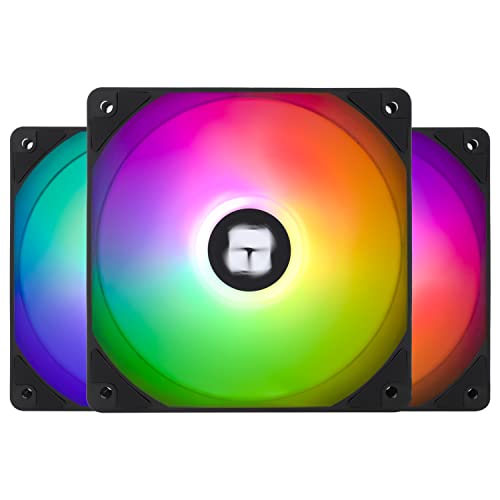
Thermalright TL-C12C-S X3 66.17 CFM 120 mm Fans 3-Pack (TL-C12C-S X3 D6)

Thermalright TL-S12 X3 47.6 CFM 120 mm Fans 3-Pack (TL-S12 X3)

Thermalright TL-B14 82.5 CFM 140 mm Fan (TL-B14)
solid marsh
thank you! one of these days i gotta get my rgb button working XD
 shrewd maple
Can someone tell me what aio i should get for my 7800x3d? I think my old kraken x53 is going out, seems noisy. Also if i replace the aio, should i replace the cooler master sickleflow fans i have. And then should i take it even further and replace the front case fans that came with my fractal north case. I want as silent of a build as possible… looks are a huge plus too. Budget unlimited
knotty eagle
Arctic Cooling 3 is the best AIO. They have an RGB version if you want that as well, it's also pretty cheap

ARCTIC, a leading manufacturer of low-noise PC coolers and components, initiated and continues to shape the trend towards quiet cooling systems. In addition to an extensive range of CPU coolers and fans for home use and servers, ARCTIC produces high-quality monitor arms, wall mounts, thermal past...
strange flume
Any thermalright aio also great
knotty eagle

ARCTIC, a leading manufacturer of low-noise PC coolers and components, initiated and continues to shape the trend towards quiet cooling systems. In addition to an extensive range of CPU coolers and fans for home use and servers, ARCTIC produces high-quality monitor arms, wall mounts, thermal past...
strange flume
Would argue better value in all but upper europe for thermalright
shrewd maple
Sweet thx ill check that out. What about the fans that come with it… use something else? Is buying expensive case fans to replace cheap stock stuff worth it?
knotty eagle
Arctic Fans are great, actually
strange flume
Don't replace the fans on any of these
strange flume
Also, for 7800x3d you could honestly do a basic single tower
Assassin spirit evo is strong enough
shrewd maple
I know… i just like the look of aio’s and willing to pay for it lol
strange flume
V2 plus is better on that
Well yeah then, aqua elite v3, frozen notte, frozen edge, lf3
If you want an lcd, evga clcx 360 + fan swap to c12c's, sub 100
shrewd maple
I will pay anything for total silence. The NZXT aio i bought and coolermaster fans i bought are either crapping out or were crap to begin with
strange flume
Some coolermaster aios are quite good
knotty eagle
AC3 has the best noise normalized cooling
strange flume
Ml240l v2, ml360 atmos, though both of these are a lot more expensive for not any better
The v2 also has a very old coldplate
So performance is here and there
shrewd maple
Ok great. AC3 looks cool. Stick with the fans that come with it. What about the case fans that came with my fractal north case, worth replacing those?
LCD on aio would be cool for sure. But the ac3 looks great without one too, price is great wow
strange flume
What is ac3
shrewd maple
Think i paid 140 for my old nzxt kraken x53 or something
Arctic liquid freezer 3 is what i thought he meant heh
strange flume
Oh lf3
shrewd maple
Ah yes
strange flume
Yeah that's a new acronym for me lol
Bit of a forewarning btw, lf3 often interferes with the top m.2 slot
shrewd maple
Haha gotcha yeah im new to all gear after year 2020 haha
shrewd maple
Oh interesting ok. My top m2 doesnt have a huge heat sink but it does have one
strange flume
strange flume
Bit of a forewarning btw, lf3 often interferes with the top m.2 slot
They have a webpage to check if it does, your board should be on there
I do still encourage the thermalright ones
Frozen edge ships with noctua fans
And it's like $55
For 360mm
shrewd maple
Sorry last question… is it worth replacing the front case fans that came on the fractal north case? Should one always replace case fans that come with the case?
strange flume
The north fans are fine
shrewd maple
strange flume
I do still encourage the thermalright ones
Will check that out
strange flume
Fractal has a couple decent choices, they're just often expensive
Not standout but more than functional
If you were gonna put them on the aio I would swap, but just for case ventilation they're good
strange flume
Np
shrewd maple
Wait…. One more lol
Differences between 2 fan and 3 fan aio’s? Mounting on top
What’s quieter… 2 fan?
strange flume
On a 7800x3d, nothing
Honestly a good 240mm will do pretty much all am5
Might struggle with a pbo 9950x
But not a 7950x
knotty sparrow
280mm would generally be slightly quieter by the nature of larger fans
strange flume
That works
Tho you're not really improving much on a 7800x3d
It will ramp fans regardless unless you use a different metric
knotty sparrow

eBay
COOLER THAN OTHER AIO WATER COOLERS: The ARCTIC Liquid Freezer II has a more efficient cool plate, pump and radiator that makes a difference among other AIO water pc fan coolers.
knotty eagle
Fan Control, set a fan profile, no fan ramp. I run mine at 55% all day err day even gaming and CPU cold
shrewd maple
240 and 280 are both 2 fan? Sorry still learning the lingo
knotty sparrow
Yes both 2 fans, different size fans
shrewd maple
Ahhh ok
shrewd maple
knotty eagle
Fan Control, set a fan profile, no fan ramp. I run mine at 55% all day err day ...
I tried doing this with my kraken x53 and it either runs at full and i cant modify the speed or im doing something wrong haha
strange flume
Cam moment
knotty eagle
shrewd maple
I tried doing this with my kraken x53 and it either runs at full and i cant modi...
Where'd you have the fans plugged in?
knotty sparrow
Probably need to set the header to DC mode if it's 3 pin
knotty eagle
Fans are PWM
shrewd maple
knotty eagle
Where'd you have the fans plugged in?
Ill have to check, not home. What header are aio fans supposed to go into, just normal fan headers i thought?
Pump goes into aio pump
shrewd maple
Ohhh maybe its this then. Could also be Pam vs dc. Ill check it all
knotty sparrow
Some motherboards will complain if you don't have something in the CPU fan header
shrewd maple
PWM*
knotty eagle
Regardless
Use Fan Control instead
Oh, forgot that has an AIO screen, you'll need CAM for that
shrewd maple
knotty eagle
Oh, forgot that has an AIO screen, you'll need CAM for that
Ur saying this because i currently have an NZXT aio?
shrewd maple
Ohhhhh
knotty eagle
Or thermalright or whatever you get
shrewd maple
Ok so new aio. Stick with fans. Plug everything into the correct headers. Fan control
I now have a project to complete tomorrow. Ty folks
strange flume
Np
shrewd maple
sent some time this morning trying to make what have work while the arctic LFC iii makes its way to my doorstep tomorrow. i love the way the new krakens look but in messing w/ CAM this morning, i hate the thought i would need CAM to control the AIO but then need to control the rest of the fans via fan control or BIOS. when i ramp the AIO up to higher speeds i hear a weird sound coming from either the AIO or the coolermaster fans i connected to it so maybe it's going out anyways. and because i disabled fan control, and i dont have an NZXT fan hub, i cant control case fans from CAM so pretty sure theyre going nuts (i think the loudest noise is case fans vs GPU fans) when i fire up diablo 4.
hate replacing stuff that should still "work" but hoping that by just replacing the AIO (and the fans i have connected to it currently) with something new that doesnt require cam, my noise problems will go away
all components were also in the correct headers
 weary raft
shrewd maple
sent some time this morning trying to make what have work while the arctic LFC ...
weary raft
shrewd maple
sent some time this morning trying to make what have work while the arctic LFC ...
what kind of sound
it could be just air bubbles getting in the pump
shrewd maple
A little cool whine sound (pump I’m guessing) and fast spinning fan noises. Clearly fans connected to AIO. But the most concerning noise that happens only periodically is what I think you explain above. Does that mean it’s on the fritz?
weary raft
shrewd maple
A little cool whine sound (pump I’m guessing) and fast spinning fan noises. Clea...
nah, it depends on how your radiator and tubing is placed
if it's top mount, there shouldnt ever be air bubble noises, and if it's front mount with the radiator hoses on the bottom, then that also shouldnt have bubble noises
shrewd maple
It’s top mount
And I did have stuff plugged into the wrong headers. I had the pump connected to CPU fan and fans connected to sys fan. Should pump go into AIO PUMP and fans into CPU fan? Does this make a difference?
weary raft
shrewd maple
And I did have stuff plugged into the wrong headers. I had the pump connected to...
A tiny bit
That could explain why your fans were so loud
By default, usually your pump speed is set to 100% all the time when the PC is on, and the fan is set to vary the speed depending on temperature for most motherboards
That could cause some weird noises
shrewd maple
weary raft
That could cause some weird noises
narrowed down the noise... its gotta be the fan? sounds like the sound id imagine a bad bearing would make and its definitely coming from one of the radiator fans. it happs in short bursts when the fans wind up as i play... also probably a sign that my settings in fan control are not set up well as my fans pulse when in heavy activity in diablo4
weary raft
shrewd maple
narrowed down the noise... its gotta be the fan? sounds like the sound id imagin...
yeah you have to set your fan curves to be more gradual or else the fans will keep ramping up and down noticeably
shrewd maple
so youre saying this aint it? lol
 shrewd maple
still big wind ups w/ this
 knotty eagle
You realize that's gpu fans only right
weary raft
your gpu will never be at under 20c realistically speaking
depending on how overbuilt your cooler is, you dont really need the curve to even get to 100% speed tbh
knotty eagle
And not case fans
weary raft
also yeah that's just the gpu fans
shrewd maple
yeah youre right i got confused. then the noise and that ramping are not related

for reference
weary raft
well, maybe not
but it also could be
fans ramping up and down constantly is more noticable of a sound than a fan running at a constant speed
because your brain kinda starts to ignore a constant sound after a while
knotty sparrow
One key setting for the curve is the step up time. That directly affects how quick it is to react and ramp up the fans. Too low and it will be constantly ramping every time the OS pings the CPU and it spikes up for a second.
"Response time" from those images. Looks to be set at 3 seconds on the GPU right now, which is probably ok, but we don't see what the AIO fans are doing.
shrewd maple
replaced the aio. its not ramping arctic liquid freeze iii is already way better than my kraken x53, super quiet and temps are great
fans are silent
but.... still have that weird sound
strange flume
Weird sound?
shrewd maple
...and its coming from the PSU??? i put my ear next to every single component and almost positive its the PSU
yeah like short bursts of crackling or something, very hard to describe
shrewd maple
no dont think so, its coming from the bottom of my pc
strange flume
Running water?
shrewd maple
i think its the psu
shrewd maple
definitely audible without headphones on from my chair, dont even have to get close
normal? or nah
shrewd maple
not really, but its in short bursts of like half a second maybe less
seems to be during like big moments in diablo 4
strange flume
It sounds like the psu fan could be on its way out
shrewd maple
RMA time then i suppose
shrewd maple
roger ok
strange flume
That's how I'd describe it
If not the psu, probably a fan of some description
You can pop the psu out of the case and run it on the desk to check
shrewd maple
true good call
strange flume
Cos sometimes you might hear the noise from somewhere, but it's not the source
Like it could be coming from the p12s on the new aio you just got
Track it down to be sure
shrewd maple
so thats definitely not normal/acceptable then yeah? like i could live with it i guess... i just feel like my pc shouldnt be making noises like this ha
shrewd maple
its 100% not the aio, i had this same sound before i replaced the aio
strange flume
Hm
shrewd maple
and i hought it was coming from the aio originally. which is part of the reason why i bought a new one
strange flume
If you record the sound we could listen to what it is
A grinding sound to me tho > pretty sure that's a fan
Like crunching grinding
Like food processor/mixer? Sort of noise, kinda
shrewd maple
no, not that extreme. ill try to record. its not THAT loud
strange flume
Alr
 low pumice
Can test one thing at a time on occt to try to narrow things down
strange flume
But occt power would push all of it
Yeah
Occt would be a bit better to work with, true
weary raft
time to remove fan shroud and cable tie case fans to the gpu heatsink ong ong fr
shrewd maple
Clear as day
strange flume
Ooo ok
shrewd maple
hear that? im not insane right
strange flume
Turn off pc. Pop that bad boi out, clean it and check it for anything it's touching
It may in fact be the gpu with a dying bearing fan
EVGA are good, they'll get you sent a new one or replace it themselves
(fan)
weary raft
kinda sounds like the clacks of a hdd lmfao
shrewd maple
weary raft
kinda sounds like the clacks of a hdd lmfao
yup bingo haha
strange flume
Gpu is loading up age of empires in the vram
shrewd maple
just gotta figure out how to open this gpu up now
strange flume
Ah nah you don't have to
Just pop it out, give it a clean
If you have a warranty still, give evga a holler
They'll take it and refurbish it if you can't fix the sound by cleaning
Kinda looks like a 3070 to me
So it may not be ramping the fans much at all
Iirc that specific model is good for ftw3
shrewd maple
3080ti
This one is an RMA, familiar w the process
Yup cleaned and same thing. RMA time
strange flume
Sadge
 floral rune
Whats the cheapest but best fan yall would recommened for the 7600x
 sacred pagoda
floral rune
Whats the cheapest but best fan yall would recommened for the 7600x
sacred pagoda
floral rune
Whats the cheapest but best fan yall would recommened for the 7600x

Thermalright Assassin X 120 Refined SE 66.17 CFM CPU Cooler (AX120 SE-D3)
floral rune
thank ya
sacred pagoda
For a tad more you can get an rgb fan as well
floral rune
no thanks, we just want something that works lol
sacred pagoda
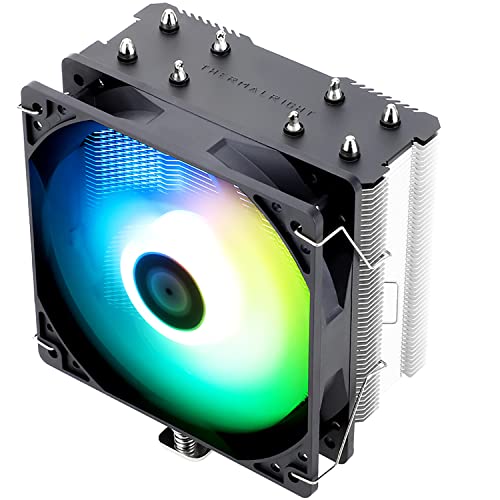
Thermalright Assassin X Refined SE ARGB 66.17 CFM CPU Cooler (AX120 Refined SE ARGB)
But yeah for the price it's great
floral rune
sounds good to me
strange flume
Anyone able to do a bit of learning on asiahorse's unifan clones? I won't be able to look today
 sinful heart
Scythe please release the white fuma

 shrewd juniper
sinful heart
Scythe please release the white fuma
shrewd juniper
sinful heart
Scythe please release the white fuma
Why? Just get a peerless assassin 120
sinful heart
Not sure if it will fit in my case
I see some n200 builds that have it but clearances vary depending on the motherboard
I just found out the peerless assassin pa120 fits with my motherboard
sacred wren
There's also the silver soul 110 and 135

 tender folio
sinful heart
Not sure if it will fit in my case
tender folio
sinful heart
Not sure if it will fit in my case
whats your case
also theres also the peerless assasin mini
 dreamy locust
Are these any good for €15?
Are the TR c12c better for €11?
 weary raft
Did some light research and it appears that the sickleflow fans are sleeve bearings?
Tr says that the c12c is fluid dynamic (specifically s-fdb; sleeve fluid dynamic bearing)
dreamy locust
Better overall?
weary raft
dreamy locust
Better overall?
sleeve bearings are the cheapest (and worst) fan bearing type
while fluid dynamic is good, though idk if sleeve fluid dynamic bearings are the regular type of fluid dynamic bearings like what arctic has 🧐
is the 11 euro per fan or for a set of 3? because if it's per fan, you might as well get the arctic p12 value 5 pack
dreamy locust
weary raft
is the 11 euro per fan or for a set of 3? because if it's per fan, you might as ...
11 for 3 fan set
dreamy locust
I feel like you cant beat that TR value
weary raft
sleeve bearing fans dont last very long
if you dont mind the noise, you're better off with dual ball bearing fans, or fluid dynamic (if you want it to be quiet)
those will last considerably longer
dreamy locust
Thanks for all the info pal
weary raft
my cousin's sleeve bearing fans that came with his prebuilt all died (there were only 2 fans) in within 3 years, while you would ususally see ball bearing fans last considerably longer
same with proper fluid dynamic
well, ball bearing ususally is the most reliable
and is also the type used on pretty much all servers
dreamy locust
What aio size would you recommend to cool a 7950x3d in a 10-15L itx case with a 4080s?
- I'd be really grateful if someone could help me find a comparison between arctic freezer 34 esports duo and 36 using the same fans. I just want to know if the heatsink has been improved by much and think about swapping to get slightly quieter operation
Otherwise I'll just test it myself. Even tho I don't really want to disassemble again
On my sort of itx build I have 3× TR c12c's + one sickleflow all daisy chained. I'll update you in the future to see which one dies first... jkjk
weary raft
honestly i dont think you would really need an aio for that? a dual tower cooler should be able to cool that sufficently, at least from what guru3d says that the max power consumption is around 162w at stock
https://www.guru3d.com/review/amd-ryzen-9-7950x3d-processor-review/page-6/#:~:text=Please note that PPT (max power consumption) is roughly 162W.
though honestly, get the size of aio that fits in your case the best, because putting a 240 aio into like, a case that could fit a 360 or whatever always looks kinda goofy
www.guru3d.com
We review the new Ryzen 9 7950X3D processor from AMD. The much-anticipated processor series comes with an added cache that will help predominantly with gaming. This processor series was designed for ...


oh itx case
dreamy locust
weary raft
honestly i dont think you would really need an aio for that? a dual tower cooler...
I also thought of that if it wasn't itx
weary raft
just fit whatever fits ig lmfao
dreamy locust
Budget is really high so ig just go for the biggest (and best) aio that can fit...?
Has to be quiet and usually <60mm air coolers get noisy
weary raft
i mean, biggest would probably be like 240 or 280 or smth idk
dreamy locust
Probably
weary raft
idk how big of an aio your case supports
dreamy locust
Need to figure out what case to get
weary raft
oh
dreamy locust
Recommendations?
weary raft
idk many itx cases
dreamy locust
I already excluded fractal terra because of the aio limitations
I was thinking phanteks evolv
If that's not too bad or too pricy.
Formd t1 also quite nice but need to check clearance for parts
low pumice
dreamy locust
+ I'd be really grateful if someone could help me find a comparison between arct...
Considering how close they perform already and how there's no major difference between the heatsinks, chances are most of the gains come from the fan
low pumice
dreamy locust
Need to figure out what case to get
Maybe a jonsbo d31, can fit 360mm if you wanted
dreamy locust
:0
That's an amazing case
- the lcd
And just 50 buck for the base version!?
Absolutely amazing recommendation, thanks
low pumice
Thank Felix, he's the big proponent of the d31
dreamy locust
Even if it's not itx I'd really love to use it in a mAtx build
low pumice
It is a nice little case, for actual itx, maybe one of the dan case cases
 ornate chasm
Question my brothers AIO is setup like this, is this ok? The fans are doing blowing out but its very tight back where its blowing and I don’t really agree having the pump up top
 tender folio
you got the fan and radiator mounted on backwards
you wanna put the fans on the bottom
also i hope you didnt pay more than 50$ for that 🙏
weary raft
tender folio
you wanna put the fans on the bottom
Doesn't matter
Oh wait blowing out
If they're RGB fans and you want to see them outside, then make them blow into the radiator
As for the cpu block, as long as the pump is below the top of the radiator, that's fine
weary raft
ornate chasm
Question my brothers AIO is setup like this, is this ok? The fans are doing blow...
If you have the option, having the radiator be top mount would be ideal
Have it also be the exhaust so it doesn't suck as much dust into the rad
strange flume
It doesn't really matter
The case is h510
Whatever goes in there bakes if total draw is over 300w
weary raft
Oh that is the h510
weary raft
💀
New case time
I see that 2.5 slot GPU with that phat heatsink
This PC gonna suffer
knotty sparrow
Maybe it's the H510 Flow, in which case it's still not great but at least it's not instant overheat
If it's not the Flow then you want every fan as exhaust and the rad on top
It's the exception to the positive pressure rule
strange flume
@knotty sparrow @sacred wren
Take note
https://youtube.com/shorts/8W1eGgJAUEU

 ruby orbit
I bought a build recommend by newegg but the cooler isn't compatible. Can someone help me find a liquid cooler that is compatible with:
ASUS ROG STRIX X670E-E GAMING WIFI AMD X670 AM5 Ryzen Desktop 9000 8000 & 7000 ATX motherboard, 18+2 power stages, DDR5, 4x M.2 slots with heatsink, PCIe 5.0, USB 3.2 Gen 2x2, WiFi 6E, AI Cooling II
AMD Ryzen 9 7900X - Zen 4 12-Core 4.7 GHz - Socket AM5 - 170W Desktop Processor (100-100000589WOF)
I got the Kraken Elite 360 but it will not work with the motherboard
sacred wren
ruby orbit
I bought a build recommend by newegg but the cooler isn't compatible. Can someon...
I genuinely wouldn't suggest any of those three
Cpu maybe if you're not gaming
Part List - AMD Ryzen 9 7950X3D
That's likely cheaper than the cpu mobo and cooler you got all around, 20% better in games, 25% better in multi core tasks
Motherboard is basically as good as am5 gets, and that heatsink is as good as heatsinks gets
If you want an aio
https://pcpartpicker.com/product/CfcgXL/arctic-liquid-freezer-iii-a-rgb-4882-cfm-liquid-cpu-cooler-acfre00144a

ARCTIC Liquid Freezer III A-RGB 48.82 CFM Liquid CPU Cooler (ACFRE00144A)
ruby orbit
I already have all the parts and like to keep returns to a minimum. I'm hoping to just swap out the cooler
sacred wren
You do you, but my guess is you overspent at least a few hundred dollars on unnoticeable differences
ruby orbit
I asked customer service about a compatible replacement and they sent me to the discord.
sacred wren
Yes newegg customer support is useless
knotty sparrow
idk why Newegg still has that build tool up, it's absolutely horrible. I've seen it recommend DDR5 memory on a DDR4 build. You can just get that AIO bacca linked, assuming the 360mm fits the case. If not there's the 280mm model.
sacred wren
knotty sparrow
idk why Newegg still has that build tool up, it's absolutely horrible. I've seen...
I'm sure they could even do some type of collab with pcpartpicker to replace it
ruby orbit
I didn't know about parts picker. Very inexperienced builder. I put my setup in there and it says the cooler is compatible, but none of the brackets fit. What am I missing?
Do I need a different bracket?
sacred wren
Yes a different bracket from the manufacturer
Or return it and get a better cooler for $200-150 cheaper
Same build, far superior cpu, far cheaper https://pcpartpicker.com/list/gv3JjH
Part List - AMD Ryzen 9 7950X3D, GeForce RTX 4090, Fractal Design Pop Air ATX Mid Tower
Just for reference
shrewd juniper
sacred wren
Same build, far superior cpu, far cheaper https://pcpartpicker.com/list/gv3JjH
Just to note the pop air might be a tight fit
 toxic canyon
woo
dreamy locust
Is the noctua nh c14s a valid cpu cooler for €30? Many say it's more of a low profile cooler, despite being one of the tallest. Are there any other options?
knotty sparrow
dreamy locust
Is the noctua nh c14s a valid cpu cooler for €30? Many say it's more of a low pr...
It's one of the best coolers that fall into the low profile category. I would only get it if you specifically needed a low profile cooler.
dreamy locust
Ill think about it
Maybe I should consider a case maximum cooler height before buying it, since not many itx get up to 115/142mm height
Wow the cooler is 9 years old, keeps up like the old d15
sacred pagoda
air cooler tech isn't exactly progressing rapidly. heat pipes + fin stack + contact plate is tried and true
Though as we've seen with Thermalright manufacturing costs have def come down
strange flume
Coldplate performance has evolved significantly over the last couple years
Manufacturers are seeing limits elsewhere in the laws of physics, so better pressure dispersion designs are making their performance prowess very apparent
 snow gulch
Just got a message that my brother bought the MSI Aegis R2 Gaming Desktop from Costco. Model: B14NUE9-683US
What cooling upgrade you guys think would be best? I was thinking of a 360mm radiator
sacred wren
I wouldnt buy a pre built just to throw an overpriced cooling solution into it
snow gulch
id rather build it myself, but it is what it is.
weary raft
let your brother suffer from the consequences of his actions (buying a prebuilt) frfr
knotty sparrow
snow gulch
Just got a message that my brother bought the MSI Aegis R2 Gaming Desktop from C...
Update that BIOS immediately or it will die, if it isn't damaged already from factory testing.
The 14900 non K uses a little less power. A thermalright 360mm aio should do the trick for about $50.
weary raft
knotty sparrow
Update that BIOS immediately or it will die, if it isn't damaged already from fa...
Though, I just thought of something
Wouldn't it be better if you didn't update it, so that Costco could replace or give you a refund if it does randomly since they have such good cs
Technically their fault for selling and not telling the user that something needs to be updated
strange flume
weary raft
Technically their fault for selling and not telling the user that something need...
No, you wouldn't be held accountable
It falls under diligence
Whether you're privy to the circumstances or not, you making the effort to prevent something, if anything, is very favourable in the circumstances of a warranty
weary raft
i mean, considering costco warranty
weary raft
idk if they would care much in that case, considering that you can return pretty much anything no questions asked
strange flume
(Albeit illegal)
Let's say
You take a gpu apart
Most brands don't want you doing that
So you took it apart to check if it's ok, but they find the damage, they would consider it violation
Albeit illegal
But on the other hand
If you ran the fans stronger to keep it cool
Or turned off the rgb to preserve them
Like updating everything, that would fall under due diligence
However if something breaks, and there's a trail to demonstrate human interference with the product in a way not considered normal behaviour, like a missing mlc
Then they'd call that a violation
Well, a lot would
Again, illegal, in a number of places
Lol
 simple anchor
If I were to get an AIO for my R7 7700X, what is considered the best?
Radiator size isn't a concern, I have a Meshify 2
I'd like it to be quiet(er), but my 7800 XT has a decent amount of coil whine so it probably won't matter much
knotty sparrow
Liquid Freezer II or III is considered one of the top for AM4/AM5 at a reasonable price. You can find B-stock on ebay for cheap too.

eBay
COOLER THAN OTHER AIO WATER COOLERS: The ARCTIC Liquid Freezer II has a more efficient cool plate, pump and radiator that makes a difference among other AIO water pc fan coolers.
eBay
COOLER THAN OTHER AIO WATER COOLERS: The ARCTIC Liquid Freezer II has a more efficient cool plate, pump and radiator that makes a difference among other AIO water pc fan coolers.
While you can technically fit a 420mm radiator on top, it severely restricts motherboard component height and memory height. It's also entirely unnecessary even for a 7950X.
And the liquid freezers are too thick to fit on top so you would need to front mount, which is fine. You could even do push/pull with the preinstalled 140mm fans.
knotty sparrow
They have a fan on the CPU block to cool the VRM
simple anchor
w h a t
knotty sparrow
It's mostly a gimmick feature but sometimes it's useful
Mostly in low airflow cases
knotty sparrow
EK is dying
simple anchor
I see they also aren't $200 anymore
knotty sparrow
As a company
simple anchor
knotty sparrow
EK is dying
Oh
knotty sparrow
You can buy it but expect zero support, warranty, or RMA
simple anchor
I like the design on EK's block and the fans, I don't like how Arctic's look much
knotty sparrow
Newer model too? https://www.amazon.com/dp/B09VGXMTK4?tag=pcpapi-20&linkCode=ogi&th=1

ARCTIC, a leading manufacturer of low-noise PC coolers and components, initiated and continues to shape the trend towards quiet cooling systems. In addition to an extensive range of CPU coolers and fans, ARCTIC produces high-quality monitor arms, wall mounts, thermal paste as well as thermal pads...
simple anchor
It's better but still eh, it might be the triangle logo
knotty sparrow
Easy fix, black tape
simple anchor
Maybe because it's a picture and not real life
knotty sparrow
RGB variant 280 https://www.ebay.com/itm/355478718067

eBay
Liquid Freezer III 280 A-RGB in black. NATIVE AMD OFFSET MOUNTING: Optimized for the multi-die chiplet design of Ryzen processors - 5mm offset for optimal coverage of the CPU hotspot, resulting in more efficient heat transfer.
knotty sparrow
If you front mount it you won't see that side of the fan
You also won't see it while it's spinning
simple anchor
Is there anything else that performs the same or similarly?
knotty sparrow
Yes but not for a similar price
simple anchor
How much more are we talking
I mean as long as it lasts and isn't ridiculously expensive I'd probably be fine with it
knotty sparrow
Well I would say deepcool mystique... but sanctions 🙃
So the Galahad II would be the other option
simple anchor
knotty sparrow
Well I would say deepcool mystique... but sanctions 🙃
Wdym?
I remember seeing something about that but I don't remember exactly what it was
knotty sparrow
US government says no one can do business with deepcool any more because they supplied fans to Russian companies
knotty sparrow
Yeah they're ok, middle of the pack perfomance

TYPE: 360mm COLOR: Black PUMP SPEED: 3200 RPM RADIATOR FINS: Single wave RADIATOR SIZE: 397.5 x 119.2 x 27mm PUMP SIZE: 74 x 74 x 69 mm INCLUDED PUMP BLOCK CAPS: Dazzle Mode,Sink Hole, Duo-Infinity FAN SIZE: 120 x 120 x 25mm FAN SPEED: 2450 RPM (Max.) STATIC PRESSURE: 3.66 mmH2O (Max.) AIRFLOW: 8...
Another thick radiator, no VRM fan this time just infinity mirror
simple anchor
knotty sparrow
US government says no one can do business with deepcool any more because they su...
How much was the 240mm Mystique before sanctions?
Found an eBay listing for $89.99
(new)
simple anchor
Oh
simple anchor
knotty sparrow
It's cheap now because you won't have any support, returns, RMA, etc
Website seems like you can still get support/RMA
knotty sparrow
Not in the US
simple anchor
Oh
knotty sparrow
And the company is dying a slow death so no guarantee if the pump dies in a year you can get support
simple anchor
Dang
knotty sparrow
Personally I would take the deal, $90 and it has the LCD and everything. It's not a huge loss if it does break.
It's not like a power supply where if it dies it takes half the system out in the process
simple anchor
Yeah lol
Not really any chance of a leak right?
Or at least not one you wouldn't notice before installing it
simple anchor
How does that happen? Like crushing a tube or pulling it too much?
Oh, this is the 240mm version
knotty sparrow
That's plenty for a 7700X
simple anchor
Okay
knotty sparrow
simple anchor
How does that happen? Like crushing a tube or pulling it too much?
Or drop it and a fitting bends
simple anchor
Should be fine when I upgrade down the line too, right? Probably a 9000 series X3D if they're even worth it when they come out.
knotty sparrow
If the 9800X3D runs like the 7800X3D does then yes.
The 7800X3D runs on the Wraith Prism.
The literal AMD stock cooler handles that chip, it's super efficient.
simple anchor
Realistic I'd probably be waiting another gen or two, but
simple anchor
knotty sparrow
The 7800X3D runs on the Wraith Prism.
Oh
Has the Wraith Prism changed since it was originally shipped?
knotty sparrow
Nope
simple anchor
lol
knotty sparrow
It's still the same as when it came with the 3700X
simple anchor
I saw there was a deal on the 5800X, or "deal" since it's only like $10 off of $189.99, might end up getting one for the computer my brother and dad use
It's using my old 2700X with the Wraith cooler that came with it
knotty sparrow
Nah, get a 5700 if you're going that route
Same processor but cheaper and you can use PBO to get it up to the 5800X
simple anchor
5700X or just 5700?
simple anchor
Well that deal isn't really a deal when Amazon has it for $160 lol
It's weird to see the 5000 series now be around the price that my 2700X was in 2020
knotty sparrow
If you're considering any AM4 chip it's worth looking at used options
The price on new is wack because it's discontinued
I'd sell you my 5800X but MSI decided I didn't need a processor any more and burned it
simple anchor
$160 sounds about right to me for how much the 2700X was new with the amount of time since it came out when I bought it
simple anchor
knotty sparrow
I'd sell you my 5800X but MSI decided I didn't need a processor any more and bur...
How did that happen
MSI PSU?
knotty sparrow
BIOS update pushed 1.5V under load into the CPU and it hard locked, never POSTed again.
knotty sparrow
CPU light lit on motherboard even after I flashed an older version back, and it worked with a different CPU, so it's definitely fried. My CPU warranty was 2 weeks expired. 💀
simple anchor

Immediately thought of that meme template
And I assume MSI support did absolutely nothing about it?
knotty sparrow
Nah motherboard was out of warranty too so they said tough luck
simple anchor
Yeah so I'll probably get that AIO, the Deep Cool one
Seems like more than anything my brother's computer needs more storage and an SSD that isn't slow
For whatever reason the 500GB 980 (Pro I think?) in it has slowed down a lot
It is kind of full but I don't think that should be slowing it down, so it might be dying
Probably get a 2TB Solidigm P44 Pro as a replacement and get rid of the HDD that's in there too
knotty sparrow
simple anchor
For whatever reason the 500GB 980 (Pro I think?) in it has slowed down a lot
Make sure the Samsung software is installed so that it can update the firmware and keep the drive from killing itself
simple anchor
🗿
knotty sparrow
If it's 90%+ full then just about any SSD slows down
simple anchor
Should I do that with my EVO PRO too?
knotty sparrow
Yes
simple anchor
knotty sparrow
If it's 90%+ full then just about any SSD slows down
Oh
Yeah really the whole thing needs more storage
One of the next things I want for mine is to replace the Samsung SSD and probably get two P44 Pros
Maybe not replace but I could keep it as extra storage and get rid of the two smaller SSDs I have
(dying) 1TB 860 EVO and a 480GB KODAK
The Kodak has a lot written and used to be my OS drive, kind of surprised it has lost as little health as it has
simple anchor
knotty sparrow
Personally I would take the deal, $90 and it has the LCD and everything. It's no...
Just ordered it. Is there anything I should know about AIO installation? Never really done it before.
knotty sparrow
simple anchor
Just ordered it. Is there anything I should know about AIO installation? Never r...
No, it's basically the same as installing an air cooler. Possibly easier since you have a larger case.
Just follow the manual
This is one of those times where you really, really want to pay attention since with CPU coolers in general, a single washer out of place means bad contact.
 hollow dome
For AIO (Liquid Cooling) do I need to refill the water in the water block? My friend told me its a liquid that apparently renew or something so you dont need to refill but it doesnt make sense to me
sacred wren
hollow dome
For AIO (Liquid Cooling) do I need to refill the water in the water block? My fr...
No
Most aios don't even give you the option afaik
An aio will last 3-5 years typically, a heatsink will last 10+, as long as it can cool your cpu I would definitely go for a heatsink
Any am5 cpu and most intel cpus with the exception of 12900k, 14700k, 13900k, and 14900k are fine with a heatsink
strange flume
Typically you shouldn't need to no
hollow dome
sacred wren
An aio will last 3-5 years typically, a heatsink will last 10+, as long as it ca...
When buying a new pc should I get a heatsink or AIO whats the difference
sacred wren
hollow dome
When buying a new pc should I get a heatsink or AIO whats the difference
What are you using the pc for and what cpu/cpus are you considering
Any am5 cpu, just get a good heatsink like the phantom spirit 120
hollow dome
sacred wren
What are you using the pc for and what cpu/cpus are you considering
top hardware gaming
sacred wren
That means nothing
hollow dome
idk i9 14900k
rtx 4090 or wait for rtx 5090
sacred wren
Part List - AMD Ryzen 7 7800X3D, GeForce RTX 4080 SUPER, Montech XR ATX Mid Tower
knotty sparrow
hollow dome
idk i9 14900k
rtx 4090 or wait for rtx 5090
I'd strongly advise not getting a 14900K. They've been offing themselves due to excessive voltage. There's potential fixes in place but they do affect performance.
Not to mention the 7800X3D is just flat out better for gaming overall. The 9800X3D is supposedly launching Oct 24, I'd wait for that. By then Intel should have their new Arrow Lake series out too, so you can compare performance then.
strange flume
I'm inclined the other way personally
AMD is gouging the price of their 7800X3D
And a launch price of $600 or $700 for a 9800X3D wouldn't be all that surprising to me honestly
simple anchor
@knotty sparrow any recommendations for fixing bubbling sounds and the sound of the pump?
I assume they're related
The good news is it's cooling
and better than with an air cooler
Idle anyway
well that's concerning
the software thinks the pump and fans are at 0 RPMs
It definitely isn't
ah you know what
is that received from the USB header?
it could be disabled 🗿

There aren't exactly text-based instructions, do I also need to plug that connector in even though I have the other one in?
I'm not even sure where I would plug that in, pretty sure I don't have a header like that
USB connector doesn't seem to have changed anything, actually turned the screen off
knotty sparrow
simple anchor
<@396513761550270464> any recommendations for fixing bubbling sounds and the sou...
Rock the PC forward and back slowly a few times with it running, then side to side. That should get rid of the larger pockets, but the smaller ones will have to work themselves out over time.
simple anchor
This sound is what I'm getting, apparently letting it sit and run for a few days is the solution
https://www.reddit.com/r/PcBuild/comments/1dlmgo0/deepcool_mystique_aio_240_bubbles_noise_help/

Reddit
Explore this post and more from the PcBuild community
simple anchor
knotty sparrow
Rock the PC forward and back slowly a few times with it running, then side to si...
Yeah it sounds like all small pockets
just a somewhat annoying sound from the pump to go with it
I love AM5 temps
knotty sparrow
You'll want this one plugged into the CPU fan so it reports the tachometer speed
 simple anchor
I think the CPU one is in a stupid place and I just plugged it into one of the three at the top
knotty sparrow
It does appear to be shorter than the other cables, likely because the CPU fan header is usually close to the CPU
knotty sparrow
The RPM will be read off whatever header you plugged into
simple anchor
lmao
simple anchor
simple anchor
it's right next to where I plugged it in
no idea what I have there now
That spot is a pain to get to
Does it matter for testing with a game?
seems like it's speeding up when it should
fans are anyway
knotty sparrow
Not really
simple anchor
damn
knotty sparrow
As long as it's triggering according to CPU temp
simple anchor
48C
Steady 59C in a Fortnite match, and in a mode with generally bad performance because of all of the effects
damn I already miss the quality of my earbuds using my old headphones for two seconds
Hasn't gone over 60 once
weary raft
wait for the aio to saturate and then adjust fan curves so that you idle at ~60 and under load at ~80 so that it's quieter 
 simple anchor
knotty sparrow
The RPM will be read off whatever header you plugged into
simple anchor
knotty sparrow
The RPM will be read off whatever header you plugged into
Actually I wonder why the fans also show 0 RPM
pretty sure they're plugged into CPU_OPT which I assume is CPU optional
ohhh
knotty sparrow
Yeah that header defaults to match the CPU header speed
 knotty sparrow
Yeah I should have asked what software you were using to read it lol
knotty sparrow
I keep mine at a steady 60% at all times
 knotty sparrow
The pump ramping up and down causes a lot of noise and wear so I just keep mine steady
60% for yours would be about 2k rpm
simple anchor
knotty sparrow
The pump ramping up and down causes a lot of noise and wear so I just keep mine ...
Is there other software I should be using to set that?
simple anchor
Fan Control is a free software that allows the user to control his CPU, GPU and case fans using temperatures.
simple anchor
That's where it comes from even when you use the download buttons on the website
!!!
 knotty sparrow
Edge? It just doesn't know good software when it sees it
simple anchor
I think it's just a Chromium thing
knotty sparrow
Make sure you actually have .net 8.0 installed, it's not included with Windows
simple anchor
I do
It was nice to see a program that actually uses 8 for once
How well does this work with hubs?
simple anchor
Whatever the hub is in the Meshify 2
knotty sparrow
Yeah that's a basic hub so it will read whatever fan is in the tach slot
knotty sparrow
It's usually the header that's a different color, or the one that has all 4 pins and not just 3
simple anchor
Well Fan Control seems to be a little confused
I can't imagine the fans would be running at 3300 RPM

yeah so that's definitely the pump at 3300
knotty sparrow
You can rename it
simple anchor
I need to shut it down and redo the cables I guess
weary raft
here's my setup for fan control if you want some inspiration
 knotty sparrow
Mine too, I have a couple more features active like mixes

The mix function is nice because I can have it monitor both the GPU core and VRAM temps and run the fans at the speed called for by the higher of the 2
weary raft
You take more temp points than I do lmao
Or actually
Fairly similar amount
Though I take vrms rather than ram temps
and i took the hotspot temp for both cpu and gpu rather than the package temp
simple anchor
So this is odd
they're in the right headers
pump is in CPU and fans are in CPU optional
Fan Control didn't detect tach in the pump
Oh okay I can manually choose
I don't seem to be able to actually control it though
Doesn't seem like pump speeds really want to drop
it's jumping now for some reason?
Maybe it just takes a bit to actually go down to low RPMs
knotty sparrow
It's also possible that you have more than one software running and it's conflicting
simple anchor
yeah apparently the assisted setup doesn't work very well
simple anchor
knotty sparrow
It's also possible that you have more than one software running and it's conflic...
Oh right, GCC
Not sure if the pump actually runs at anything different
Going from 60 to 100% still keeps it at 3300 RPM
knotty sparrow
Do you have the header set to PWM or DC mode
simple anchor
I have no idea
knotty sparrow
It probably wants DC but the default is usually PWM for the CPU header
You would change that in bios
simple anchor
Thought so
Well that's interesting
Apparently CMOS got cleared
Are low latency support and xmp/expo high band that support worth enabling?
knotty sparrow
Yes
simple anchor
Why is Fan Control not starting lol
Saw that coming
Driver state power mode failure BSoD
knotty sparrow
What profile did you enable
simple anchor
EXPO 1, switched to XMP 1 after the BSoD
simple anchor
Same as XMP
Which is what I was using fine, probably got reset when I updated the BIOS with GCC the other day
Switch to voltage on the CPU fan header doesn't seem to have done much
For some reason it's jumping up and down now though?
Setting it to 35% made it jump around
weary raft
curve too aggressive would do that
also if you have pwm fans, then use pwm control
only use voltage control for dc controlled fans
knotty sparrow
It's a 3 pin pump
weary raft
ah
knotty sparrow
So DC
knotty sparrow
Maybe unplug the USB header?
simple anchor
That stops the display from working
knotty sparrow
Hmm
simple anchor
which also wasn't doing anything with the DeepCool software closed
knotty sparrow
Well you might be forced to use the deepcool software, I didn't account for the screen
simple anchor
Well that's the thing
I can't set it there
it just displays it
Definitely on voltage mode
simple anchor
If I turn the curve off it should go back to system default, right?
simple anchor
For the pump?
knotty sparrow
Yeah
simple anchor
Even that doesn't really seem to be doing much? It's still jumping.
weary raft
What kind of jumping
simple anchor
3300 down to 2000 and lower and back
simple anchor
I'm about to reset BIOS options so it will hopefully at least not sound like a jet all night
Oh, apparently is actually locked by DeepCool
The pump speed
Doesn't really explain why GCC is running everything like 2,000 rpms
Now they think about it, my case fans aren't showing up on here
I must not be able to control the radiator fans either
knotty sparrow
The rad fans should be controllable
They just plug into the board like regular fans
simple anchor
Yeah now fan control is actually able to control them, for whatever reason before the automated setup they wouldn't actually change
But pump is definitely not controllable
knotty sparrow
I am seeing that deepcool LS coolers had an early run where you could control it, and they updated the pump later to where you couldn't. I think the mystique uses that same pump.
simple anchor
Damn Sapphire made this card so quiet
simple anchor
knotty sparrow
I am seeing that deepcool LS coolers had an early run where you could control it...
For whatever reason it just jumps around when you try to change it, trying to keep itself at 3300
I think I need to look at where the heck the fan hub is plugged in because this isn't detecting it as far as I can tell
knotty sparrow
Possibly from not getting enough voltage
simple anchor
The hub?
knotty sparrow
the pump
simple anchor
Actually I think it's showing up but the software is confused
simple anchor
knotty sparrow
Possibly from not getting enough voltage
Oh, you're saying the jumping is
knotty sparrow
yes
simple anchor
Why are some of these darker than the others?
Or why are some dark and not accessible
simple anchor
Radiator fans are that way
GPU and fan hub aren't
Pump is that way too but that makes sense
 simple anchor
Yeah, it's grayed out but apparently I can still use the slider lol
knotty sparrow
Right, you'd be able to set a curve and not have it apply that way
simple anchor
Interesting
knotty sparrow
You have chipset drivers installed right
simple anchor
GPU fans don't seem to have an interest in turning off even though they usually would at this temp
knotty sparrow
Yeah that's expected
simple anchor
I switched to the GPU controls off
knotty sparrow
It's sort of a bug, but more of a bug with the GPU drivers
simple anchor
The curve/manual control off
simple anchor
knotty sparrow
It's sort of a bug, but more of a bug with the GPU drivers
Oh
dang
Could I reinstall without the RDNA plugin so it goes back to it lol
knotty sparrow
Whenever any external software tries to control fan speeds the driver disables the 0 rpm mode and sets a minimum fan speed of about 30%
simple anchor
????
knotty sparrow
There's a workaround
simple anchor
Oh
Ah my favorite sound, bubbles on the AIO (not really)
Although the coil whine on my motherboard might be a contender for a more annoying issue, especially since the bubbles will go away after a few days
knotty sparrow
Did you try calibrating the GPU fans
simple anchor
It did that with the first calibration
And based on RPMs they're at about 30%, like you said
knotty sparrow

So the GPU graph needs to have 0% set up to the point where adrenalin says the 0% point is, and then the next step should be 30%
And you should enable ADLX in settings > edit sources
Nvidia has their own fun issues with third parties too
simple anchor
Huh
well now I can't control the radiator fans
And for some reason I can't change back to custom tuning in Adrenalin
for anything, not sure why
simple anchor
hmm
Adrenalin doesn't seem to be playing well with Fan Control
BSoD again, same driver power state error
Yeah, it's Adrenalin and FanControl conflicting
Sould I be using whatever this power connection is for the pump (System 4 Pump)?
 simple anchor
In BIOS with Smart Fan 6, setting the pump to full speed seems to undervolt or maybe overvolt it and it won't stay at 3300
I can't control the radiator fans for some reason, the only profile that changes anything is full speed and it just turns them off
Okay now I'm really confused
Radiator fans are sitting around 500 RPMs at full speed
I had to manually set it to full speed for the pump to not get undervolted for some reason
And seems like the deep cool software is controlling the fans now?
simple anchor
Okay so in BIOS it's fine, but as soon as I boot Windows it doesn't cool well even though it's at high RPMs
I think Fan Control might be the problem
simple anchor
Okay so it isn't the problem, but it also can't actually control the radiator fans
simple anchor
bro
whoever wrote this manual should be fired

The dotted lines apparently indicate anything that is required
Somehow, that extender isn't just an extender
 urban sluice
What's wrong with it
That loooks clear to me xD
Chain 3 fan
Then into the cpu fan header
simple anchor
urban sluice
Then into the cpu fan header
No, it needs the "extender" or the fans don't work right
Plugging the daisy chained fans directly in doesn't work right for some reason
They came daisy chained and the "extender" was seperate
urban sluice
You dont have it?
urban sluice
simple anchor
Plugging the daisy chained fans directly in doesn't work right for some reason
Thats not what manual says how its done
Look again
urban sluice
simple anchor
No, it needs the "extender" or the fans don't work right
Yeah like the manual says
simple anchor
Yeah, dotted lines aren't exactly clear that something is required, to me anyway
And there's no text saying what the extender actually is
G just has a picture of it folded in half
weary raft
ngl it doesnt really make sense for it to be required
unless they swapped some pins around
simple anchor
yeah, and that part doesn't make sense
knotty sparrow
Swapping pin 3 and 4 to make it a proprietary fan is a jerk move
But I have seen it before
simple anchor
It does kind of make my cable management nicer
with a longer cable
Not a ton I can do with a half an inch heatsink above the socket on the mobo
 severe moon
i5-14600k air cooler?
Thermalright Assassin Spirit 120 EVO $26
Cooler Master Hyper 212 Halo $30
Thermalright Peerless Assassin 90 SE $25
Thermalright Assassin Spirit 120 EVO Dark $20
I like the 120 EVO Dark but afraid of that price. No overclocking btw.
sacred wren
you need a good dual tower for a 14600k
phantom spirit or pa120
https://pcpartpicker.com/product/BRMMnQ/thermalright-phantom-spirit-evo-69-cfm-cpu-cooler-phantom-spirit-120-evo
https://pcpartpicker.com/product/MzMMnQ/thermalright-phantom-spirit-120-se-argb-6617-cfm-cpu-cooler-ps120se-argb

Thermalright Phantom Spirit EVO 69 CFM CPU Cooler (Phantom Spirit 120 EVO)

Thermalright Phantom Spirit 120 SE ARGB 66.17 CFM CPU Cooler (PS120SE ARGB)
out of the coolers you mentioned the 90 se is the best, followed by the 120 evo dark
severe moon
The Phantom Spirit Evo looks awesome
its $50 tho
i want like a black cooler
i guess the 120 SE looks fine
sacred wren
give me a few min
sacred wren
severe moon
i want like a black cooler
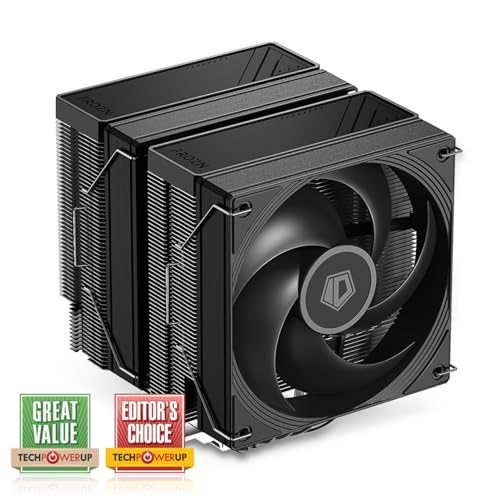
ID-COOLING FROZN A620 PRO SE 58 CFM CPU Cooler (FROZN A620 PRO SE)
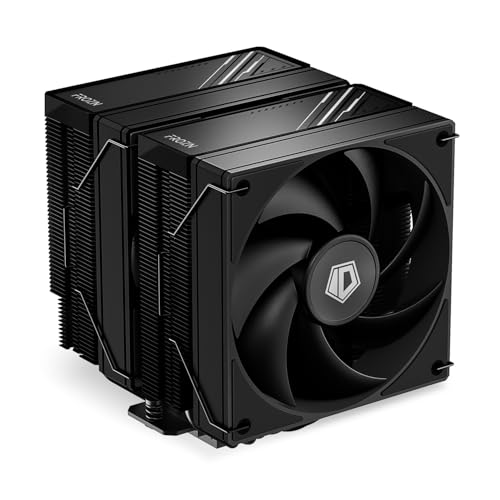
ID-COOLING FROZN A620 BLACK 78.25 CFM CPU Cooler (FROZN A620 BLACK)
regal plaza
Kinda worried about my GPU temps. This is with a 360 + 240 full custom loop

It has a few kinks in the loop but I didn't expect it to impact it this much
I assume it's probably just paste?
weary raft
regal plaza
Kinda worried about my GPU temps. This is with a 360 + 240 full custom loop
still technically within spec? though how many watts is it pulling? it might be boosting to the thermal limit, so it's not throttling
or actually
it's a mount issue
regal plaza
weary raft
still technically within spec? though how many watts is it pulling? it might be ...
415-500
weary raft
your hot spot is 100 while the rest of the die is 48c?
regal plaza
Yeah, and specifically the GCD hotspot
My friend told me it might be pump out a bad mount or just degraded thermal paste
regal plaza
sounds right to me
weary raft
is this a new build/waterblock installation
if it's a new build, chances are it's just a bad mount
if it's not new, then the thermal paste probably is a little dried out
weary raft
yeah it possibly is a bad mount
i would recommend redoing it
which gpu is this? 400-500w is a normal draw amount for a higher end gpu
weary raft
ah
regal plaza
I will say though lol, I EVC modded it so there is no backplate
Not sure if that hurts the mount a ton
weary raft
honestly
there probably isnt actually an issue? 400w is already more than base clock for the xtx i believe
it might just be boosting till the hotspot reaches the thermal limit
regal plaza
Yeah base is like 350(?). I just am annoyed by the noise lol
I doubt this kink helps though

There’s like 2 on that level
weary raft
stock power draw is 355w it seems
yeah the kink probably restricts waterflow greatly
not a small kink either
that probably reduced the usable ID to like half
regal plaza
Yeah I noticed that 😭
weary raft
regal plaza
Will probably remount with better paste and fix the kinks
honestly i dont think that the paste is the issue, because if that were bad, i would probably expect the whole die to be a bit more toastier? but asides from the hotspot, the die temp is ~50c which is normal, and doesnt really show much sign of paste going bad
the VRMs are a little toasty, but i think that's normal due to you pulling around 500w on an xtx
though if the gpu is still using thermal pads, you may want to switch to thermal putty
regal plaza
Found a few Reddit posts that recommend PTM pads for this issue but not sure. It does use thermal pads for VRM im pretty sure
Heard a lot of good and bad about PTM
strange flume
regal plaza
Kinda worried about my GPU temps. This is with a 360 + 240 full custom loop
Bad mount
strange flume
regal plaza
My friend told me it might be pump out a bad mount or just degraded thermal past...
^that
weary raft
regal plaza
Found a few Reddit posts that recommend PTM pads for this issue but not sure. It...
if you don't already have the correct thickness thermal pads that you can use, then get thermal putty, utp-8 specifically
get it before you take the gpu apart since accidentally ripping thermal pads is fairly common and you don't want to have to wait for supplies to come while your gpu sits disassembled
severe moon
Opinion on this 10 pack of fans for $20? https://www.ebay.com/itm/286035293637

eBay
ID-COOLING 120mm Black Non LED Case Fan - available in 5, 10 qty lots. Per our policy of honoring the manufacturer warranty (make and model dependent) on OEM components, we can only honor the remainder of the manufacturer warranty.
looking to blackout my lian li o11d
knotty sparrow
ID-Cooling doesn't make a single good fan I'm aware of
knotty sparrow
severe moon
Opinion on this 10 pack of fans for $20? https://www.ebay.com/itm/286035293637
For that price it's hard to pass up since they're not as painful on your wallet to replace later when they inevitably fail. Expect them to be loud.
severe moon
knotty sparrow
For that price it's hard to pass up since they're not as painful on your wallet ...
what other fans are good at low price?
PWM
The Arctic P12 PWM are $6 a fan compared to $2 a fan.
is that the cheapest i can get quality at?
weary raft
Rating says that it would be quite quiet at max speed, but trust that as much as you would trust any other for profit company to give you accurate information on their product
You'll get what you pay for
There was something better than the arctic p12 now but I forget what it was
Felix probably knows
sacred wren
Good fans
severe moon
upHere 12BK4 $4/fan
- 1800 RPM
- 86.34 CFM
- Hydraulic Bearing
- <25 dBA
Thermalright TL-C12C $4.2/fan
- 1550 RPM
- 66.17 CFM
- Fluid Dynamic Bearing
- <25.6 dBA
Arctic P12 PWM for $6.2/fan
Thermalright TL-S12 for $4.6/fan
- 1500 RPM
- 47.6 CFM
- Fluid Dynamic Bearing
- <23.2 dBA
 deep aspen
Funny i have specifically the c12c
Good argb, dont sound like my house is on fire when they turn on 🔥
severe moon
deep aspen
Good argb, dont sound like my house is on fire when they turn on 🔥
They were my original choice, but I was thinking about doing a blackout build.
 dry wren
deep aspen
dry wren
deep aspen

Thermalright Assassin Spirit 120 EVO 68.9 CFM CPU Cooler (AS120 EVO)
This is what i use
And i have basically the same processor as you
weary raft
severe moon
[**upHere 12BK4**](https://www.amazon.com/upHere-Performance-Adjustable-900-1800...
honestly pretty much all of those ratings asides from rpm cant be compared with each other
due to different methods of measurement
severe moon
weary raft
honestly pretty much all of those ratings asides from rpm cant be compared with ...
Should I go upHere 12BK4 or Thermalright TL-C12C
its basically those 2
Hydraulic vs FDB bearing
weary raft
probably the thermalright
weary raft
severe moon
Hydraulic vs FDB bearing
doesnt really matter as much as it sounds
severe moon
I hear FDB is like the best ones (quality control pending)
Only thing above is a good magnetic one
severe moon
isnt FDB bad if used in certain orientations?
like if i have them as top/bottom
its bad
weary raft
depends on the design?
technically there's only 3 bearing types
sleeve, maglev, and ball
fdb and hydraulic bearings are technically really just sleeve bearings
weary raft
a fair bit more yeah
i think it was like corsair that made one of the only maglev case fans on the market?
they cost as much as noctuas though iirc
severe moon
Asus

ASUS ROG STRIX XF 120, a 120 mm 4-pin pulse-width modulation (PWM) cooling fan that provides ultra-quiet acoustic profiles across a range of performance demands and applications. It delivers the optimal combination of airflow (up to 62.5 cubic feet per minute) and static pressure (up to 3.07 mm H...
$24 a fan is still cheaper than corsair lol
i cant believe i paid $60 for three corsair rgb fans in the past
weary raft
💀
severe moon
i was soo uninformed back then, i bought a 4k60 $600 monitor for gaming
weary raft
you saying probably means you didnt try it lmfao
severe moon
i didnt try anything
i was young and bestbuy clerk saw an opportunity to make a lot of comission
Alienware Aroura R7
severe moon
ngl it still holds up (im on my own build now)
1080, i7 7700k
I just cleaned out all the dust, probably got cancer too, and gonna try to resell it.
weary raft
the case made of more plastic than metal, and competing with the h510 for airflow frfr
severe moon
Yeah there was no extra room inside that case
Although they made it very nice to open.
The psu is on a hinge, 240mm watercooling hidden at top.
weary raft
oh wait, r7 was the more reasonable one, i think it was the r9 that was way worse
severe moon
2 fans in front, 2 on top
Blower card GPU
ngl i would probably go maglev if i wanted to spend $100+ on case fans
weary raft
anyways, get the c12c
severe moon
yerp
oh thank god they include the FDB bearing

i dont know what i would do if they didnt include the bearing
weary raft
bearings sold separately frfr
severe moon
i think its funny how amazon descriptions are written
its like for a 5 year old who doesnt even know why he needs a fan
The fan is designed to remove air from a hot CPU
Excellent air skills
deep aspen
the reason the fan removes the air is because the heat is actually bad for your computer
severe moon
the fan spins in a direction that efficienctly moves the air away from the computer
New AI fan technology
deep aspen
Sponsored by logitech
severe moon
collaboration with LinusTechTips
 fluid lichen
50 years of experience in moving air
sacred pagoda
severe moon
*Excellent air skills*
I'd bet on a poor Chinese->English translation
strange flume
severe moon
i dont know what i would do if they didnt include the bearing
Bearing type really doesn't matter ultimately, as long as it reviews well
There are all types of bearings, FDB is just the one that is commonly a little quieter than the others
I've seen DBB match FDB for some of the quietest fans ever, type really doesn't matter
That all said and done, C12C's are very good fans
They review very competitively for price, performance and noise
 abstract sluice
should i keep gpu and cpu fans in mind when calculating air pressure/flow?
strange flume
Airflow is immensely complicated
Fluid dynamics in general
You could get very vague answers trying to work the numbers out
Not without the proper real measurement probes and maybe fluid models, it's not really worth doing
Find a good few selection of fans and pick the best reviewed ones if that's your goal. Same with cases
deep aspen
air = good
deep aspen
and then sometimes you want silent
deep aspen
fan that doesnt sound like a crying baby = sanity
strange flume
Real
deep aspen
noctua my beloved
overpriced but i unironically love the color pattern
just not in a black case 😭
strange flume
I was about to say, but if you like them then fair enough
Lol
One sec
You might like this

It's hard to believe we've never used Noctua before in any of our builds. So with that said, let's see this complete Noctua themed build come to life.
00:00 - Build
04:02 - System Filling
04:55 - Showcase
►Build Specs - Amazon US Store - https://amzn.to/2JzK5YN
ASUS ROG Crosshair X670E Gene -
AMD Ryzen 9 7900X3D - https://amzn.to/46fa6T...
knotty sparrow
deep aspen
just not in a black case 😭
Chromax black
deep aspen
strange flume
https://www.youtube.com/watch?v=3hBf9TnJsSI&pp=ygURZ2dmIGV2ZW50cyBub2N0dWE%3D
unironically fire
strange flume
I think he likes the colours lol
deep aspen
no eyesore rgb
strange flume
REAL
Though I'm more of a P12m/GT clone kinda guy
Thermalright B12's are A12x25's from a different brand after all lol
deep aspen
i use thermalright
strange flume
TR is great
deep aspen
yurp


 cerulean falcon
hello, my cpu has started to over heat. PC is 3-4 years old. Running an AIO. I suspect the AIO is dead but would like some insights before I purchase a fan to replace it
weary raft
cerulean falcon
hello, my cpu has started to over heat. PC is 3-4 years old. Running an AIO. I s...
If you have thermal paste laying around, you can try repasting to see if that improves anything