#old-cooling
1 messages · Page 16 of 1
 shrewd juniper
Smh why not
 strange flume
shrewd juniper
Smh why not
strange flume
shrewd juniper
Smh why not
You thought I became techie by actual merit? Pssshhh
shrewd juniper
strange flume
You thought I became techie by actual merit? Pssshhh
Eggs dee, how much are the b12s tho
strange flume
shrewd juniper
Eggs dee, how much are the b12s tho
$12 a fan
Not the dummiest of cheap but also not like $40 a fan like Corsair for example 
But you got C12C's as an alternative if you need cheaper
strange flume
Indeed
If you want noctua levels of quiet tho, these exist
Full speed these are like, barely any louder than a p12
(Based on what I could gather from friend who bought them)
shrewd juniper
Nice
 knotty sparrow
Yes you do. It's called a plastic bag and some tape. If you know the volume of the bag and you know how long it takes to fill with air, then you know the flow rate.
strange flume
knotty sparrow
Yes you do. It's called a plastic bag and some tape. If you know the volume of t...
If I have the time to sit down and work something like this out I have the time for a second job
knotty sparrow
It's not a hard equation and the test takes 5 minutes
 idle tiger
You'd have to use a very large and thin plastic bag though to minimize innacuracy
knotty sparrow
If the bag has a volume of 10 cubic feet, and it takes 10 seconds to fill, it's 60 cfm
knotty sparrow
idle tiger
You'd have to use a very large and thin plastic bag though to minimize innacurac...
I never said it was a precise test 
idle tiger
It'd definitely give you the minimum cfm
strange flume
knotty sparrow
It's not a hard equation and the test takes 5 minutes
I'd really rather leave it to a professional and spend that time making coffee
 rotund sable
I bought thermally conductive glue 🥱
shrewd juniper
Who needs thermal paste 
 sweet lodge
rotund sable
I bought thermally conductive glue 🥱
sweet lodge
rotund sable
I bought thermally conductive glue 🥱
for optimally pulling am4 cpus out of socket 🙏
 atomic pendant
Do I need to water cool my pc if I get a radiator?
 bright ether
atomic pendant
Do I need to water cool my pc if I get a radiator?
bright ether
atomic pendant
Do I need to water cool my pc if I get a radiator?
what else are you going to do with the radiator?
Radiator is for water to pass through so it can get cooler
atomic pendant
I could still use radiators in an air cooled pc tho?
strange flume
You could, but people would be asking why they're there and you're not using them
By could I mean just have them there. You can't use them without, you know, see above
💀
bright ether
atomic pendant
I could still use radiators in an air cooled pc tho?
it would just be sitting their looking pretty
not doing anything
 sacred wren
atomic pendant
Do I need to water cool my pc if I get a radiator?
sacred wren
atomic pendant
Do I need to water cool my pc if I get a radiator?
do you mean an all in one
or a radiator
they're two different things
radiators you need to do a loop
aio can be used standalone
atomic pendant
sacred wren
aio can be used standalone
So I could have an aio to cool my cpu and have air cooling for the rest?
I wouldn't need any pumps or anything
 marsh badge
nope
aio is an all in one liquid cooler
it comes with everything assembled, fans usually not installed but they're included
 scarlet palm

I need to model a mount so i can fit this to my case

thermaltake provides plenty of models to work with
200mm, will probably just put one on the front
scarlet palm
probably a stupid idea but what if I used like a nylon thread
and kinda suspended them offset from the front of the case
scarlet palm
I just realized one of these fans might make a great look for a case designed to look like a jet engine
An itx
scarlet palm
200mm but they say 230mm
 digital wedge
scarlet palm
digital wedge
scarlet palm
That's a lot of mounting hole options lol
scarlet palm
digital wedge
That's a lot of mounting hole options lol
yeah its like a sponge
I dont think I should use the twine I have
get some nylon
 light fog
Can't lie by saying I haven't used zip ties before.
 hasty willow
I need some good fans that are rgb and fairly quiet
reasonable price
less than $20 a fan
knotty sparrow
I see your $20 a fan and raise you $5 a fan https://pcpartpicker.com/product/vq6p99/thermalright-tl-c12c-s-6617-cfm-120-mm-fans-3-pack-tl-c12c-s-x3-d6
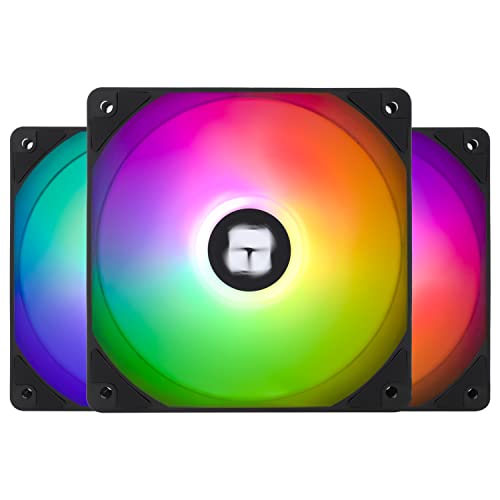
Thermalright TL-C12C-S 66.17 CFM 120 mm Fans 3-Pack (TL-C12C-S X3 D6)
hasty willow
knotty sparrow
I see your $20 a fan and raise you $5 a fan https://pcpartpicker.com/product/vq6...
aw hell nah
i dont want no $5 fans
💀
knotty sparrow
They're actually good fans though, they're on the pinned list
knotty sparrow
They're on clearance or something lately, they used to be more like $15 a fan
knotty sparrow
If you wanted to spend more these would be my picks https://pcpartpicker.com/products/compare/FQ6p99,4YddnQ,4zxRsY/
ARCTIC P12 PST A-RGB 0dB 48.8 CFM 120 mm Fans 3-Pack vs. Lian Li ST120 69.17 CFM 120 mm Fans 3-Pack vs. Deepcool FC120-3 IN 1 61.91 CFM 120 mm Fans 3-Pack
hasty willow
thank you
@knotty sparrow and specific ones you would reccomend? like which one of the 3 you gave would you pick
knotty sparrow
Probably the Lian Li
knotty sparrow
Especially if you have any liquid cooling
knotty sparrow
If you're looking for 140 this is the pick right now https://pcpartpicker.com/product/jx2WGX/fractal-design-aspect-14-rgb-41-cfm-140-mm-fans-3-pack-fd-f-as1-1406

Fractal Design Aspect 14 RGB 41 CFM 140 mm Fans 3-Pack (FD-F-AS1-1406)
hasty willow
i need two 140
one 120
and i would like them to all be same brand
so they all look the same
knotty sparrow
Ok so then 2 of these https://pcpartpicker.com/product/fJ4Ycf/arctic-p14-pwm-pst-a-rgb-68-cfm-140-mm-fan-acfan00239a
And one of these https://pcpartpicker.com/product/QpH7YJ/arctic-p12-pst-a-rgb-0db-488-cfm-120-mm-fan-acfan00231a

ARCTIC P14 PWM PST A-RGB 68 CFM 140 mm Fan (ACFAN00239A)

ARCTIC P12 PST A-RGB 0dB 48.8 CFM 120 mm Fan (ACFAN00231A)
Arctic P12/P14 fans are also good for liquid cooling, very good pressure
In general though 140mm fans are lower pressure than 120mm
 lone orchid
does anyone know if this aio would be able to fit am5 boards

The Corsair Hydro Series H100i RGB Platinum SE is an all-in-one liquid CPU cooler built for extreme cooling with a 240mm radiator and vivid RGB lighting from 48 LEDs, encased in brilliant white housing. Two Corsair LL120 RGB PWM fans run up to 2, 200 RPM, alongside an optimized cold plate and pum...
marsh badge
yes, but instead of getting that
lone orchid
i know it says am4 but i sw some threads that say lots of am4 coolers can still fit am5
marsh badge
you could get ls/lt520 from deepcool
lone orchid
marsh badge
yes, but instead of getting that
i already have it
lone orchid
i had this for awhile
light fog
marsh badge
am4 mounting hardware will work on am5 too
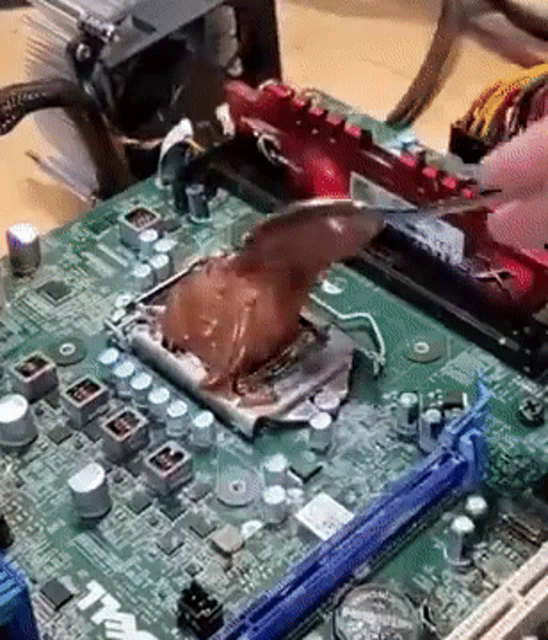
Use some good paste
And I don't mean toothpaste
knotty sparrow
 knotty sparrow
Oh you mean in that gif?
 languid gale
Far has an addiction
knotty sparrow
I was confused for a minute there lol, you're probably right
Maybe not on the timings but yeah
rotund sable
4Gbit ICs on ddr3 that are rated at 1600 are usually C10/11 iirc, and theyre all newer than 2013 or so
from what i remember off the top of my head
knotty sparrow
How can you tell all that just from a heat spreader
digital wedge


Dirty asetek after cleaning it still
This will from this point forward be my evidence aios need maintenance as often as loops but you just can't see how bad the insides are getting lol
But I seriously wish they made filling and draining more aios easier
knotty sparrow
Mine is pretty easy. LF2. No fill port but you just unscrew the cold plate.
Arctic has even said it doesn't void warranty
 uneven solstice
Galahad also has a fill port. Is noice.
 simple onyx
Guys is there a benchmark tools that tests both the CPU and GPU at the same time? If so, how long should I bench mark for until I can assume it’ll run stable at that temp?
I’m going to attempt to upscale a VHS tape quality video to 4k. I’ll divide the video roughly in 4 segments of 30 mins each. I’d assume each 30min part will take 12+ hours (it’s a thunderstorming weekend so I don’t want to keep it on the entire weekend)
But I have a ryzen 5 3600 cpu and a pulse 5700xt gpu, with the cpu cooler: peerless assassin single tower cooler
I also upgraded from a stock cooler to that peerless assassin cooler with mx4 Arctic thermal paste last week, so I have no idea how long I’d have to use the pc until the temps stabilize if needed
knotty sparrow
Run furmark and prime95 at the same time. When the temps stop going up, that's your absolute worst case maximum temp.
Both of those put an unrealistically high load on your system, real world temps will be lower. This is a worst case scenario.
simple onyx
Thanks
simple onyx
I’ll assume it’s within good temps
GPU temp: 71C
GPU Mem: 96C
CPU: 73C
15mins of stress testing
knotty sparrow
Yep looks good to me
 left pulsar
Phantom spirit/PA120 pretty decent for 12700K ya thinks? (Any other similar recs welcome)
knotty sparrow
At stock settings and only gaming, not multi core, that should be fine
sacred wren
left pulsar
Phantom spirit/PA120 pretty decent for 12700K ya thinks? (Any other similar recs...
If you wanted an aio, thermalright frozen notte 240 is as good as some 280s
And its around $55 on amazon
left pulsar
Cool. Also saw a "scenic" 280mm model at $52ish. Probably will stick w/ air for a while since I just do what Falcie said in last msg. Thnx for input.
 steel tusk
Super neat, might be something we recommend soon
https://www.tomshardware.com/reviews/lia-li-galahad-II-performance

Tom's Hardware
The strongest AIO we’ve ever tested, at a reasonable price
strange flume
Interesting. Good but basically with a loud af overdrive
Like a EK Lux with a 6th gear

knotty sparrow
They went with a thick radiator like the liquid freezer. And basically everything else is bigger/improved over the previous, also good galahad 1.
strange flume
The jet plate to me screamed the biggest change
I see the split and spread arrangement on my alphacool stuff like they've done with the 2nd gen
knotty sparrow
Yeah that's a huge change, simpler flow path for less resistance and turbulence
interesting

That's significantly better
(that's at 23C ambient, add 23 to that to get total reading)
 twin ivy
How many watts is that at
strange flume
Can we talk about how the S360 is holding up here as well
knotty sparrow
twin ivy
How many watts is that at
236
twin ivy
Oh damn
knotty sparrow
 strange flume
knotty sparrow
strange flume
knotty sparrow
That's noise normalised not unlocked pl
knotty sparrow
strange flume
Can we talk about how the S360 is holding up here as well
Never trust a MSI pump
strange flume
Unlocked PL will be 260+
strange flume
Not really, LS/LT still great
You also have TR Frozen series
That's not on this chart
twin ivy
Yeah being that I was able to do 400watts on it
twin ivy
strange flume
You also have TR Frozen series
Hmm
That's the one with the funny peltier module
knotty sparrow
strange flume
That's noise normalised not unlocked pl
Good point but they don't have a chart for max speed
strange flume
Ya
knotty sparrow
And it's not throttling anyway
knotty sparrow
I want a GN review now because this Tom's review is very lacking
twin ivy
knotty sparrow
I want a GN review now because this Tom's review is very lacking
Tom's is meh
Tech Jesus better
strange flume
knotty sparrow
I want a GN review now because this Tom's review is very lacking
It gets the point across anyway
I want mainstream to do the Notte
knotty sparrow
Yeah but it fails to answer so many questions
strange flume
True
knotty sparrow
Doesn't cover Ryzen at all...
strange flume
You can use all zen 4 on stock coolers
 twin ivy
Are u zen4
strange flume
twin ivy
Who cares about the amd users
*Casually forgets he's in a room full of Ryzen users *
strange flume
*Including himself *
twin ivy
strange flume
*Casually forgets he's in a room full of Ryzen users *
Nuhh uhh I totally haven't been through 3 different am4 cpus
strange flume
Only 3? Lucky ryzen experience
knotty sparrow
Bruh you picked the worst 3
strange flume
You know when you type it out like that it looks really dumb
strange flume
knotty sparrow
Bruh you picked the worst 3
Yeahhh LOL
knotty sparrow
Well, ok the 5500 is worse, but still
twin ivy
knotty sparrow
Bruh you picked the worst 3
Real
knotty sparrow
I will call you strange, because you are strange. And there's nothing wrong with that.
strange flume
We are all individuals!
twin ivy
There's everything wrong with that man don't let him think otherwise
knotty sparrow
But if you can't get your infinity fabric to at least 2000 on the 5900X you will suffer for it
twin ivy
strange flume
We are all individuals!
Ur just a little more of an individual
strange flume
twin ivy
Ur just a little more of an individual
Go watch monty python smh
twin ivy
knotty sparrow
But if you can't get your infinity fabric to at least 2000 on the 5900X you will...
AT LEAST???
What are you on
😭
strange flume
knotty sparrow
But if you can't get your infinity fabric to at least 2000 on the 5900X you will...
Bruv I'm on 64gb that ain't happening
💀
twin ivy
I could barely do 1866
knotty sparrow
I can get 2000, but I'm at 1800 right now because this memory doesn't like me
1900 was 100% stable
2000 could pass benches
knotty sparrow
Increased VDDP/VDDG and all that?
strange flume
It's a hole for everyone
twin ivy
knotty sparrow
Increased VDDP/VDDG and all that?
It's just hole
knotty sparrow
(but not too much increase)
twin ivy
It's like me not being able to get 4000 gear 1 stable
I think I just suck at overclocking fr
knotty sparrow
4000g1 would be pretty difficult, I'm sure that you being bad isn't the only reason
twin ivy
knotty sparrow
4000g1 would be pretty difficult, I'm sure that you being bad isn't the only rea...
Nah on my 12700k
Sorry should have clarified
strange flume
Ya it's probably only like one of three reasons
knotty sparrow
twin ivy
Nah on my 12700k
I assumed it was 12th/13th gen something or other because ryzen doesn't use gear terms
twin ivy
Yeahh
knotty sparrow
1.33 is a lot easier to run for whatever reason
twin ivy
Still not home
twin ivy
knotty sparrow
1.33 is a lot easier to run for whatever reason
So weird man
strange flume
Doesn't it depend on cpu?
knotty sparrow
Sort of? Some boards will let you pick like this
 twin ivy
I have a z690 tuf d4 pro wifi whatever
knotty sparrow
I'm not an Asus guy so you'll have to look when you get the chance
twin ivy
Yeahhh
strange flume
Asus you can choose specifically 1.00 or 1.33
strange flume
knotty sparrow
Sort of? Some boards will let you pick like this
Msi go brrr
knotty sparrow
It doesn't really matter which way the pump is oriented as long as it's a valid way to attach to the bracket according to the manual
bright ether
knotty sparrow
It doesn't really matter which way the pump is oriented as long as it's a valid ...
so what GN said doesnt really matter?
knotty sparrow
The pump is the part attached to the CPU
What GN was talking about was radiator placement
bright ether
ahh ok, today i learned!
knotty sparrow
I think the 3 pack of c12c is still $15
$19, still good price https://www.amazon.com/dp/B0BKJJM5M2

Thermalright TL-C12C-S X3 CPU Fan 120mm ARGB Case, 4pin PWM Silent Computer Cooler Fan with S-FDB Bearing Included, up to 1550RPM(3 Quantities)
15 for white
lone orchid
knotty sparrow
$19, still good price https://www.amazon.com/dp/B0BKJJM5M2

Corsair AF120 LED cooling fans combine bright LED lighting strong static pressure low noise and high airflow to deliver great cooling performance anywhere in your PC Whether it's as an intake or exhaust case fan or mounted to a Corsair Hydro Series liquid CPU cooler's radiator AF120 LED fans prov...
i have these rn
are these good enough for a 6700 and r7 7700x
knotty sparrow
Definitely
lone orchid
aight thanks
sacred wren
The thermalright ones are better for less tho
 narrow bough
i installed an aio why does it say cpu fan error?
i just built a new pc and Ethernet not connecting even though i already plugged it in
bright ether
narrow bough
i installed an aio why does it say cpu fan error?
is it plugged into cpu_fan or pump_fan. Some systems will spit out a cpu fan error if there is nothing plugged into cpu_fan. For the ethernet, you will need to install network and chipset drivers from your motherboards site
narrow bough
@bright ether board is the asus rog strix b550 a

cooler is ls720 se
@marsh badge
someone help
@merry wagon
bright ether
dont ping random people
bright ether
uhh check the manual for the aio
bright ether
narrow bough
but anyways where do i plug them <@431130469019680770>
this is so messy

looks like the 4 pin goes to cpufan
honestly just watch this guide https://www.youtube.com/watch?v=0aiDRRSfzFQ

Looking for our merch? Check out www.robeytechstore.com
Want the latest info on GPU availability or tech deals? Check out www.robeytechdeals.com
Subscribe: https://robeytechdeals.co/RobeytechSubscribe
Check out my Top Videos: https://robeytechdeals.co/TopVideos
Follow me on social!
@Robeytech - Twitter
@Robeytech – Instagram
@Robeytech – Tik...
narrow bough
thank you
marsh badge
that white small cable goes to argb header lol
narrow bough
still cpu fan error
narrow bough
i did
narrow bough
narrow bough
here you can see it plugged in behind
cpu_fan
and next to it is cpu_opt
and also @marsh badge
i plugged in Ethernet
but pc showing no Ethernet
how
marsh badge
you have to download and install network drivers for your board
narrow bough
i plugged it in it says 2.5ghz something
narrow bough
marsh badge
you have to download and install network drivers for your board
oh
so
i grab a usb?
marsh badge
yes
narrow bough
where
do u hab link
back to the other problem @marsh badge when i turn my pc on goes to bios and says cpu fan error i exit bios pc working fine
idk
marsh badge
it's nothing
narrow bough
Hey
marsh badge
just tells you that it couldn't detect any fans in the header that's used to control cooler for cpu
narrow bough
marsh badge
just tells you that it couldn't detect any fans in the header that's used to con...
ohhh
narrow bough
narrow bough
list
on what to do after building your pc
like
installing driver and stufs
stuffs
marsh badge
well just install drivers
and you're off to using it
as for drivers, you can search for your board in google
narrow bough
mobo, ssd, gpu that it?
marsh badge
and get into the site
narrow bough
okay thanks
marsh badge
nope
marsh badge
you don't need ssd control software
marsh badge
oh yeah
narrow bough
yes
marsh badge
yes
marsh badge
mhm
narrow bough
for the network drivers
marsh badge
don't forget about chipset drivers too, but it's provided in board site
same for networking
narrow bough
ohh okay
I'll just do it tomorrow 💤 almost 11pm now still have classes tomorrow 8:40am until 5:10pm
when i had a potato pc i play games like 📈 now i have a mid tier pc i play games 📉
idk
happens to everyone
marsh badge
that's also me honestly
narrow bough
@marsh badge
i saw something from google saying
i need to connect the pump to the aio header and the rad fans to cpu_fan
but in my case my pump is connected to cpu_fan and my rad fans are connected to my controller
it boots to my bio everytime i turn on my pc and i still get the "cpu fan error"
shrewd juniper
narrow bough
it boots to my bio everytime i turn on my pc and i still get the "cpu fan error"
There should be an option to disable cpu fan error, or if it's a pwm hub not usb just plug the pwm hub to the cpu fan, also if you're using a regular fan header make sure it's set to 100% all the time
narrow bough
okay thanks
 raven bane
I changed from mx-4 to mx-6 and I got worse temps by 0.5 degs
how is this even possible
sacred wren
could be your mount
raven bane
and my mx-4 was apparently one of the fake ones the "2019 edition" ones
sacred wren
or the paste needs a lil bit of on time
sacred wren
could be
raven bane
maybe I should lift the cooler and check
do I need to redo the paste if I remove the cooler
btw I didnt give any system info but 3800x on a liquid freezer II 360
marsh badge
you have to
raven bane
oh really wow
marsh badge
it breaks maximum contact when paste separate
it's okay just not optimal if paste is still new
cuz it'll squish back on anyway
raven bane
hm right
I'll just remove the cooler again and send a pic of the spread first, then I can repaste
 marsh badge
Looks like it is
raven bane
ok reapplying some didnt help
interesting wow
the fake I have is a really good fake then
some people reported 4-5 degs between that and the original and for me its nowhere close
knotty sparrow
raven bane
That's pretty clearly an uneven mount
raven bane
offset mount tho
knotty sparrow
Yeah I know
I have the same cooler
I'm talking about how it's thicker on one side than the other
knotty sparrow
Yes
raven bane
I followed the x pattern tho then theres something else I do wrong about it
knotty sparrow
How did you go about tightening the screws
I go about one turn at a time on each in a cross pattern, it takes several passes
knotty sparrow
Yes you don't want to have any screws tightened down before the others are pretty close to tight already
That's how it gets uneven
raven bane
ok, btw whats the important thing about the mount? is it the paste spread or the pressure
knotty sparrow
The cold plate needs to be as close as possible to the IHS with as thin a layer of paste as possible for optimal results
The reason being the paste may be thermally conductive, but it's still not as conductive as copper
So you want as little resistance between the 2 copper parts as possible
The paste is only to fill in little gaps
raven bane
ok -0.5 degs with re-done mount
I think I'm close to the best temps I can get with this single ccd cpu
360mm aio, mx-6, case with 10 fans
 dusty olive
Stupid question, is there a term for a CPU fan/heatsink that doesn't require screws at the back of the board?
shrewd juniper
dusty olive
Stupid question, is there a term for a CPU fan/heatsink that doesn't require scr...
nope because it doesnt exist outside of stock coolers, although on some platforms like am4 you often dont use a custom backplate you just require the stock one. Why?
some sort of screws in the board are required for proper contact
dusty olive
Well, I wanted to reapply thermal paste to my CPU but didn't want to unscrew the backpart
dusty olive
I guess they don't exist in terms of custom parts
shrewd juniper
dusty olive
Well, I wanted to reapply thermal paste to my CPU but didn't want to unscrew the...
you dont unscrew from the back, and you can leave that on anyway
dusty olive
That's what I figured. I just have a hard time removing my heatsink/fan
shrewd juniper
what is it?
shrewd juniper
212?
take of the fan, there should be screws around the corners or one on each side
that shouldnt take off the backplate
dusty olive
I only see two screws and once I unscrew them they lean one side but I can't get to the other
shrewd juniper
dusty olive
I only see two screws and once I unscrew them they lean one side but I can't get...
ah yeah you probably need to screw it back on, then do a bit one one side, swap to the other, do a bit there swap until it stops unscrewing
dusty olive
As in I can't find the other two
shrewd juniper
dusty olive
As in I can't find the other two
Pics might be helpful, sometimes there's only 2 tho if they're in the middle
As apposed to a square format
dusty olive
Will post when I get the chance
sweet lodge
dusty olive
Stupid question, is there a term for a CPU fan/heatsink that doesn't require scr...
push pin i suppose?
 stuck dome
Hi I bought a Hp victus laptop but I noticed that even if I'm not running anything the temperature ranges from 150 fahrenheit to like 170 and when I ran csgo it ranged from 170 to 180 avg. I'm pretty nervous since I assumed that a safe temperature would be in the double digits or at the very least the low 100s. I did a bit of research and I think it might be turboboosting, but I'm not sure. Any ideas?
marsh badge
stuck dome
Hi I bought a Hp victus laptop but I noticed that even if I'm not running anythi...
170f is around 76c, that's very cool actually
cpus and gpus are designed to run upwards to like 95-100c
knotty sparrow
You're thinking of celsius being under 100 safely
marsh badge
^
100 fahrenheit would be chilly
not a bad thing, but near impossible to do unless you have liquid nitrogen lol
or are idling
stuck dome
marsh badge
170f is around 76c, that's very cool actually
uh my friend who is using a computer not a laptop told me that he gets like 61c when he's running like csgo so I thought it was out of the ordinary. Like that's a 14c dif but shouldn't it be less than that? Is it really recommended for me to be running my laptop at like 68f for around 6 hrs per day?
knotty sparrow
You're half right, it's CS:GO that's the oddity here. That game is super old and very easy to run. Laptops are naturally hotter.
These computer chips are designed to be safe to run at their maximum rated temperature 24/7
marsh badge
^
knotty sparrow
Which they often will do in servers
stuck dome
alright ty. I just got really worried lol.
marsh badge
as long as thermal throttling isn't induced
which in itself is also protection mechanism to prevent permanent damage, it reduces performance
as the component has to slow itself down to prevent damage
 dreamy locust
6900xt, which one of these has a better cooling: gigabyte gaming oc or xfx speedster merc 319?
I'm guessing the the gigabyte one because of the bigger heatsink
knotty sparrow
Both are sufficient unless you're planning on starving them for air, in which case yes the gigabyte is probably a little better
strange flume
The xfx gets loud iirc
stuck dome
is it a bad idea to leave on the plastic wrap around my laptop's brick?
uneven solstice
stuck dome
is it a bad idea to leave on the plastic wrap around my laptop's brick?
Ideally you'd want to take the plastic off to reduce risk of melting it to something if the brick runs hot. Also.. I didn't think Pikachu could get any cuter until I saw your pfp.
stuck dome
uneven solstice
Ideally you'd want to take the plastic off to reduce risk of melting it to somet...
Ah ok thx for lmk. And ig peanut pikachu is pretty cute although I think its just funny cause its derpy. Ty!
dusty olive
shrewd juniper
Pics might be helpful, sometimes there's only 2 tho if they're in the middle
 dusty olive
 hasty willow
looking to get the Fractal Design North Charcoal black case
any ideas for fans that would go with it?
and do you guys know if the fans that it includes are any good?
knotty sparrow
Fractal has good fans
hasty willow
wait can I fit a 360mm aio into the fractal north
I can but I have to front mount it which will be fine
I'll need 3 120mm fans
dont need to be rgb
looking at these
 knotty sparrow
It includes 2 fans, and your AIO will have 3
 sleek fox
don't need to fill every slot tho
hasty willow
I would like to
sleek fox
like you can
But should you?
sleek fox
What does that have to do with each other?
knotty sparrow
The bottom slots barely count for anything tbh, they're blocked by the shroud
hasty willow
sleek fox
What does that have to do with each other?
msfs is a very consuming game for resourceds
so i want my computer running as cool as possible
shrewd juniper
dusty olive
First thing, take off the fan, it clips off, that's probably why you're not seeing the 2nd screw or able to get at it
sacred wren
Adding the three extra fans might make like a 2 degree difference, possibly less
hasty willow
sacred wren
Adding the three extra fans might make like a 2 degree difference, possibly less
celsius or farenheit
Ok cool so I only need to buy one fan
three on the front most likely for intake, the other three will be exhaust
knotty sparrow
You'd be perfectly fine using just the front 3 on the AIO, one on the back, and one on the top rear slot
dusty olive
shrewd juniper
First thing, take off the fan, it clips off, that's probably why you're not seei...
I see
shrewd juniper
hasty willow
celsius or farenheit
Celsius always when pc
knotty sparrow
hasty willow
its only 150 on amazon
The North? It's 140 on B&H
knotty sparrow
Ah that's a good reason then
hasty willow
- plus we got prime
hasty willow
shrewd juniper
Celsius always when pc
Nuh uh
shrewd juniper
 hasty willow
knotty sparrow
Every time you see a review of a PC component they measure in Celsius
shrewd juniper

 hasty willow

 magic sparrow
If you arent measuring temps in football fields what are you even doing in life? Simply just take the amt of joules stored in a roomtemp football field to convert between what PC reports and what human sees.
hasty willow
magic sparrow
If you arent measuring temps in football fields what are you even doing in life?...
average american
dreamy locust
Which one of these is better at cooling and which one is quieter? MSI gaming X Trio or gigabyte gaming oc (6900xt)
A better question would be which one performs better (temperatures) while running more quietly
shrewd juniper
the cheaper one tbh both very capable cards, youd have to look at reviews for that probs tho
dreamy locust
X Trio is a eBay auction so hopefully the price doesn't spike like crazy, because that would be a beautiful card, at least this time the MSI cooler doesn't suck like some other cards, still high hotspots temps but within spec so it should be good
I really like he design too
Gigabyte one looks like a brick
sacred wren
 wicked axle
pls help
wicked axle
pls help
With what
 magic wave
there, I helped 👍
sacred wren
I think you have to change a setting in bios
wicked axle
i did that i tried manual setting it and also the presets
sacred wren
I could be wrong on that it's been a while since I've set pwm fans up
wicked axle
nothing worked, they all are at 840rpm
wicked axle
yea i have a hub
sacred wren
Hm, could be the hub but I'm not sure
wicked axle
i have my argb connnecter hooked up and my pwm connector hooked up to my 4 pin
maybe
i have the asiahorse fs9002 it says they have pwm on them
sacred wren
That was my only idea, someone else can probably help you though
wicked axle
aslr thanks u
sacred wren
I don't know much about hubs
wicked axle
thakns for da help
rotund sable
knotty sparrow
Every time you see a review of a PC component they measure in Celsius
BECAUSE EVERYONE IS AFRAID OF FREEDOM
 sleek goblet
anyone ever us an air conditioner heat exchanger as a radiator?
shrewd juniper
Why would you lol
sleek goblet
cheap cooling potential!!
shrewd juniper
sleek goblet
cheap cooling potential!!
Let me introduce you to thermalright
rotund sable
sleek goblet
anyone ever us an air conditioner heat exchanger as a radiator?
Many people have converted ACs into cooling units for PC hardware yea
@idle tiger ^
idle tiger
An ac condenser is a poor water radiator, too restrictive
sleek goblet
its the cold part of the unit, almost twice as thick as aio tubing
got i0t ready to hook up to my loop
sleek goblet
it works!
sleek goblet
cinebench r23 10013 points! 7820x at 1.2295v 4.7Ghz and only 70c hottest core
 jolly cove
I am in the middle of a build with Lian li lancool 216 case
what fans are good to use on the bottom for intake? Lian li lancool 216. Already have Deepcool lt720 AIO , just need the bottom fans
sacred wren
jolly cove
what fans are good to use on the bottom for intake? Lian li lancool 216. Alread...
C12c 3 pack is $12 and very nice
sweet lodge
sleek goblet
cinebench r23 10013 points! 7820x at 1.2295v 4.7Ghz and only 70c hottest core
i cooled a 7980xe ambient to 4.8ghz 1.32v without throttling with actual radiators
7820x is the 8 core, 70c is kinda doodoo
 sacred pagoda
sacred wren
C12c 3 pack is $12 and very nice
sacred pagoda
sacred wren
C12c 3 pack is $12 and very nice
How do these compare to P12 PST's?
(besides being cheaper)
marsh badge
c12c's are rgb
sacred pagoda
oh i was thinking of a different fan mb
wait nop

Thermalright TL-C12C X3 CPU Fan 120mm Case Cooler Fan, 4pin PWM Silent Computer Fan with S-FDB Bearing Included, up to 1550RPM Cooling Fan(3 Quantities)
marsh badge
ah right
sacred pagoda
there is an rgb variant though
sacred wren
sacred pagoda
How do these compare to P12 PST's?
Theyre a lil worse but not by far
sacred pagoda
3/5 the price though
I think my TR cooler has one of those on it. Seems pretty similar to my p12s
And the RGB version doesn't cost much more at all
Fan chart needs an update
shrewd juniper
sacred pagoda
How do these compare to P12 PST's?
Pretty good, p12s don't make much sense at their current price especially since p12 have that weird issue at 800-1100 rpm
 sacred night
Got a question, my AOI came with fans on the same side as the tubes to the radiator , they blow out the front across the radiator , no way to mount it on the top due to not enough venting,
I got told I needed to turn the fans around to pull air in across the radiator, so question is, should I turn the fans around or or leave them as they are, or put them on the other side of the radiator?
Wish I could post a pic of it .
shrewd juniper
sacred night
Got a question, my AOI came with fans on the same side as the tubes to the radia...
depends on their current orientation front/back but you dont have to move the fans to theother side of the aio, whichever is fine
sacred night
shrewd juniper
depends on their current orientation front/back but you dont have to move the fa...
Cooler is located on the front of the PC I put a fan pulling air in on the back as well as on the top to give more air coming in
shrewd juniper
sacred night
Cooler is located on the front of the PC I put a fan pulling air in on the back ...
easiest would be to just DM me some pics tbh
sounds fine tho
i think
although you dont want back and top intake
sacred night
shrewd juniper
easiest would be to just DM me some pics tbh
Well with this case really had no choice in cooler app being it was only place with enough venting or space, thus the reason I put the two other fans where I did,
strange flume
It shouldn't really matter, as long as you have a balance of intake and exhaust mainly so that the inside of the pc stays relatively clean @sacred night
Or more intake than exhaust also works
If you have more exhaust than intake, temps will still be mostly the same but you'll have a much dustier pc 💀
sacred night
strange flume
It shouldn't really matter, as long as you have a balance of intake and exhaust ...
Well spent some time talking in DM with Pato, and his take was pretty much the same, except we thought it would be best if I turn the fans around on the front cooler to intake and the other two to exhaust .
not really a big deal to turn the fans around, CPU under load gaming is only running 75c to 80, so still low for a AMD 7 5800x from what I have found out, they seem to run hotter than most, but according to AMD they made them that way
strange flume
Yep, I agree with that
Having the front aio to intake also makes cleaning way easier tbh
All the dust gets stuck to the front filter and cooler/fans
Only really have to clean in one spot regularly
(unless you also have other intake spots like the side)
sacred night
strange flume
Yep, I agree with that
Well around here with 4 malamutes we end up fully cleaning our comps about 4 times a years , For a canine that is totally odorless they sure bring in any dust they can find,
shrewd juniper
sacred night
Well around here with 4 malamutes we end up fully cleaning our comps about 4 tim...
If you clean your mesh front filter more often with a vacuum cleaner i find it helps with total dust in the PC btw
sleek goblet
sweet lodge
i cooled a 7980xe ambient to 4.8ghz 1.32v without throttling with actual radiato...
Thats impressive, must have been some big rads 
 clear stump
is there a type of fan for a mini-itx or can i use normal fans
clear stump
okay
shrewd juniper
Some even take 140mm fans if you google the case the manufacturer usually has a diagram/specs listed for what fans can go where
You might find it easier with slim versions of fans depending on how big the case and parts like the gpu are
 foggy tree
can one stack fans for more airflow?
shrewd juniper
foggy tree
can one stack fans for more airflow?
Basically no
You can stack fans on either side of a radiator but it's negligible amount
magic wave
I think
shrewd juniper
If you stack them raw you're gonna get less airflow, more obstructions
magic wave
practically stacking fans just means having intake and exhaust fans in the case
shrewd juniper
magic wave
practically stacking fans just means having intake and exhaust fans in the case
I'm pretty sure they mean screwing /zip tieng them together
It's not really stacking if they're like a meter apart
magic wave
I know
it is tho
you get less airflow with only intake or exhaust, combining the two gives you moar
 worldly spruce
yeah but taping two fans on top of eachother doesnt create the mythical DoubleFan
if only
 noble quarry
 bold birch
its funny because he is going against the convection principle xD hot air is lighter than cold air, so in reality the optimal setup should be intake from below and exhaust above
shrewd juniper
noble quarry
its funny because he is going against the convection principle xD hot air is lig...
actuallyyyy
doesnt matter when its being moved by a fan
noble quarry
i mean, it takes less effort to go with the flow than against.... in this case is negible, but the point still stand 😛
you can force hot air to go down with fans if you want, but it will be easier and more efficient to move that hot air up instead and even better with fans
shrewd juniper
noble quarry
you can force hot air to go down with fans if you want, but it will be easier an...
I'm not a thermo dynamic expert but from what i heard, that it actually has 0 effect because all of the air is being moved around either way
noble quarry
me neither, maybe i was overdramatic as well 
worldly spruce
the real issue is that it makes the PC look ugly as sin
which is fine if youre not using a glass side display case
dusty olive
Is it bad if I connect two fans to the same header like this? Or should they go on separate headers?
 shrewd juniper
That's fine
 harsh crow
worldly spruce
yeah but taping two fans on top of eachother doesnt create the mythical DoubleFa...
harsh crow
worldly spruce
yeah but taping two fans on top of eachother doesnt create the mythical DoubleFa...
Out of curiosity what if you glued the fan blades together to move in unison?
shrewd juniper
You'd need roughly 25mmx1mm of glue to just glue one single fan blade lol
Assuming a 1mm glue stick would hold
But also fans even if they're supposed to be same rpm, won't be
worldly spruce
harsh crow
Out of curiosity what if you glued the fan blades together to move in unison?
No because the space between the fans becomes a wild and twisty area of turbulence for the air, right before it goes into the other fan, creating a choppy airflow instead of a nice stream
Not ideal
It would work but you'd effectively be calling for more electric power to provide less cooling
magic wave
it would probably be less bad to have three fans stacked
first fan rotates, second fan has an inverted blade and is fixed, third fan rotates like the first
 knotty sparrow
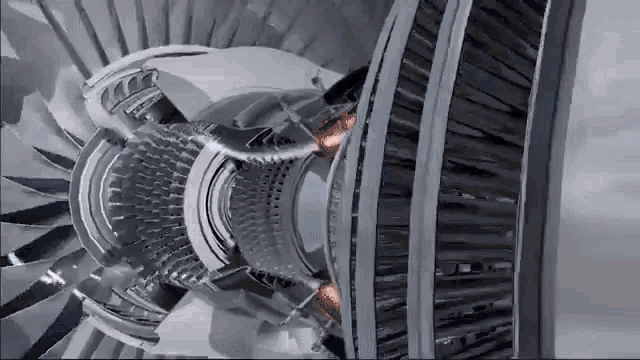
You can theoretically increase airflow by putting one regular and one counter rotating fan together, but it'll have a lot of that turbulence. 2 regular fans would do basically nothing.
The third fan idea might work in a very high rpm environment, like a server delta fan.
magic wave
turbine fans 
 simple anchor
What's this about?
 knotty sparrow
- Don't buy a hyper 212, they're outdated
- If you get an older one it might not come with the bracket it needs to fit AM5.
simple anchor
I've had it for a while
knotty sparrow
Then it's even more likely that you don't have the AM5 bracket and you'll need to buy one from Cooler Master
simple anchor
Unless Corsair ships a different AM4 bracket it seems like it should be fine
knotty sparrow
It is different from the AM4 bracket
AM4 is compatible with AM5 but only if it uses the stock clips
simple anchor
From Corsair
Yes, the AMD AM5 motherboard socket uses the same CPU cooler bracket size as the AM4 socket. This means that if you already have a CORSAIR cooler attached to an AM4 motherboard, you do not need to purchase new brackets or replace your cooler when upgrading your system to the new AM5 platform.
Not the same company so it could be different, but I wouldn't think that the sizes are different
I'm looking for something from Cooler Master about it
knotty sparrow
Right... but the Z height is different so if it uses a different bracket from the stock one it won't work
simple anchor
CoolerMaster says it works
Wait no, that doesn't include the RGB version
They should be the same though, no?
 simple anchor
Never mind again, I see they specifically say that it'll need that
So basically I need a new cooler because they also don't have a bracket available yet
knotty sparrow
Luckily equivalent performance coolers are literally only $15
simple anchor
Pure Rock 2 coolers good?
sacred wren
not for the price

Thermalright Assassin X 120 Refined SE 66.17 CFM CPU Cooler (AX120 SE-D3)
knotty sparrow

ID-COOLING SE-214-XT ARGB CPU Cooler 4 Heatpipes CPU Air Cooler ARGB Light Sync with Motherboard(5V 3-PIN Connector) CPU Fan for Intel/AMD, LGA 1700 Compatible for Desktop
Either has the same performance level as your hyper 212
simple anchor
Fractal Design Lumen any good?
simple anchor
Asetek?
sacred wren
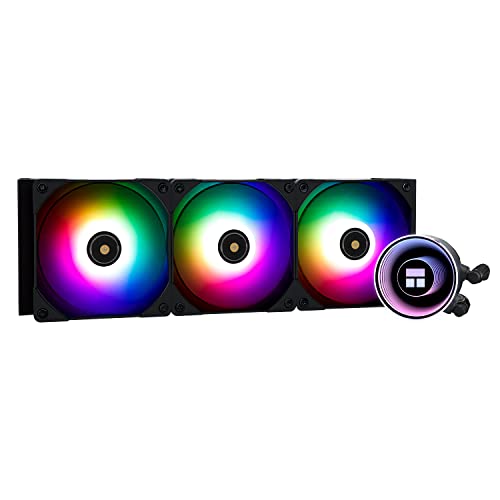
Thermalright Frozen Notte ARGB 72.37 CFM Liquid CPU Cooler (Frozen Notte 360 BLACK ARGB-D1)

Thermalright Frozen Notte ARGB 72.37 CFM Liquid CPU Cooler (Frozen Notte 240 BLACK ARGB)
only two aios I would recommend right now unless already getting smthn like a 7800x3d/4090 build
thoug on 7800x3d it wouldn't matter
so ig 13700k/13900k
simple anchor
7700X
knotty sparrow
simple anchor
Asetek?
Asetek owns the patent for pumps that most AIOs use, it makes almost all asetek pump coolers basically identical
knotty sparrow
An air cooler
Every liquid cooler will eventually need maintenance, like refilling fluid. Air coolers don't.
Granted it can take 3-5 years before you need to fill, but still
shrewd juniper
simple anchor
What would last and not be extremely expensive?
If you want something reliable and cool for cheap, thermalright ft120 is like 35$

 magic wave
looks like a cpu
knotty sparrow
 frank plover
Is that bad?
frank plover
Is that bad?
That was before laser etching so the text will fade over time, it's normal
frank plover
magic wave
looks like a cpu
i mean the Black dots on the CPU and The White dots on the Cooler...
frank plover
knotty sparrow
That was before laser etching so the text will fade over time, it's normal
i mean the Dark dots on the CPU and the White Dots on the Cooler...
frank plover
magic wave
are they sticking out prominently
they are mildly having some parts that go higher than the Surface ig...
magic wave
shouldn't be an issue if it's mild, the thermal paste should smooth the mountains and valleys
to a certain point
if it doesn't seem to be cooling as well as it should when you get it back together, perhaps it's a problem
but I'd save worry about that for later
frank plover
ye
strange flume
Yea residue like that should be fixed with paste
Hopefully you can get the specs off, the paste will fill the little spots in turn
 humble yoke
Would static pressure or CFM be more important when looking at fans?
humble yoke
Most of them will push through rads
marsh badge
Nope, those are measurements measured without a set standard in testing procedure
You're better off reading reviews
strange flume
Yeah it gives a little bit of a metric but not entirely useful at all
frank plover
strange flume
Hopefully you can get the specs off, the paste will fill the little spots in tur...
well, i actually re pasted the CPU a last time yesterday (Tube ran out) and i think it has plenty coverage... (i hope, i don't have any more Thermal Paste.)
knotty sparrow
humble yoke
Would static pressure or CFM be more important when looking at fans?
We're happy to suggest good fans if you tell us your budget and what style you're looking for. Or even if you just want the cheapest that is still good.
 strange fiber
I’m finally getting my fractal design north! Now I need to look at actual fans, I believe it fits 120 and 140 for front and top, I don’t think I’m going to get an aio for a while because am5 is silly and expensive, and my stock cooker works fine, aside from those $15 ones people keep talking about is there any fans that are recommended? I’m willing to spend $80 if it goes a little over that’s fine
Rgb support preferred and if it works nicely with msi lighting software or razer synapse that’s a super plus
I also do need to think about getting better cabling than the stock psu ones but that’s for another time
strange flume
Thermalright C12C's @strange fiber
Plug them into your msi(?) Motherboard with a cooler master fan and rgb hub
Should be about, $20 for the masterfan controller, then 2 x3 packs at like, $15? $50 all up
humble yoke
knotty sparrow
We're happy to suggest good fans if you tell us your budget and what style you'r...
No budget really but would rather not pay $100 per fan or whatever. Bright led would be preferable. Since the case has glass side panels then preferably somewhat good looking lighting. Case can use 10 120mm fans and at least 6 will most likely push through rads.
Oh right it should have somewhat good controls
Case is Thermaltake Core p6 btw
strange flume
I mean
Thermalright C12C's may be cheap but are practically amongst* the best of the best for rgb fans
near high-end performance for like $5 a fan
not stupid loud or some random drawback either like with unifans, corsair, thermaltake for example
just plain good
 wise barn
Another RGB query! I have Corsair h100x RGB 240 with all connections in the right spot using the splitter. That is plugged into my rgb header on my MSI z690 a mobo. One of two cooler fans is dimly lighting up with default rgb cycle, the other fan and pump have no lighting at all. Case is a musetex with 4 rgb fans working perfectly with the included fan hub. Any thoughts?
simple anchor
Are there any Intel chipsets that the adapter from would work on AM5?
I've seen AM5 / LGA-something on CPUs before
But I guess that might just be latest AMD and latest Intel
Cooler Master's bracket upgrade says "Hyper 212 RGB Black edition with LGA1700"
Specific model I guess?
strange flume
simple anchor
Are there any Intel chipsets that the adapter from would work on AM5?
No
AM4 is AM5
Intel uses a completely different system
And don't buy a hyper 212, terrible value in 2023
simple anchor
I've already had it
simple anchor
strange flume
AM4 is AM5
So the AM4 bracket would work?
simple anchor
Yeah, have CPU and RAM and getting a mobo on Monday
simple anchor
My 2700X has the same TDP and it cools it well
simple anchor
OH
strange flume
That can lead to both lower cooling requirements but also a higher requisite if it's insufficient
Eco mode would enable 65W mode for the cpu (or whatever the number is)
Slightly slower but much lower power
You probably don't need to do this, but if it's running quite hot and loud on the cooler then consider it
It'll make things dead quiet
There's so many iterations and revisions of the H212 it's not easy to say where in the stack you'd land for "Is this sufficient enough for a 7700x"
So more a point of caution when you put it together
simple anchor
I haven't seen my 2700X hit even 60C in forever, it might be enough
strange flume
It could very well be
Basic AM5 runs hot by design though
Poor thermal transfer does that
Bit like a self-roast
simple anchor
Like when I did it last see it do that it was handbrake running on all 16 threads because I didn't realize I had to set it to NVIDIA H.265
Oh yeah, how do you put thermal paste on an AM5 chip without getting it all over
Just the same as whatever I did for AM4?
strange flume
Here's an example of what I mean
https://arstechnica.com/gadgets/2022/10/amd-ryzen-7-7700x-review-performance-thats-great-but-a-price-that-isnt/

Ars Technica
The total cost of buying into AMD's new platform still makes it a tough sell.
This is a 7700x on a 280 aio

It's already at the thermal limit on a 280 aio stock
simple anchor
Yikes
strange flume
Which is far better than a H212
So yeah, big difference with eco mode, for maybe a 5-10% performance hit (which you'd have anyway from being cooling limited)
simple anchor
I've seen a lot of people undervolting, not sure if they even went down to eco
And it was better
strange flume
You can get similar results to stock with eco and undervolt curve optimiser
Same performance, less power
But your mileage will vary for how stable that is
strange flume
simple anchor
Oh yeah, how do you put thermal paste on an AM5 chip without getting it all over
I'm a fan of getting it all over with the spread method
Especially with poor thermal transfer, you would rather better thermal paste spread over sufficient imo
But
If you want an easy day, do dots and cross
The difference isn't significant
simple anchor
So the same as AM4 and hope it stays on the top?
strange flume
Same as AM4 and I would say definitely stays on unless you're doing some dodgy stuff
humble yoke
strange flume
Thermalright C12C's may be cheap but are practically amongst* the best of the be...
How's the software
humble yoke
What is it just controlled with, a remote?
magic sparrow
ARGB fans typically have a 3 pin ARGB connector. That will plug into a 3 pin ARGB header which is found on a motherboard or ARGB controller.
Meaning the fans rely on something else for controlling them
humble yoke
Ah yeah, I'd rather have some that use some sort of software so it works with a sync software
sacred wren
humble yoke
Ah yeah, I'd rather have some that use some sort of software so it works with a ...
What Danny just said
magic sparrow
humble yoke
Ah yeah, I'd rather have some that use some sort of software so it works with a ...
As the fans can plug into any standard ARGB header, as well as almost any non-standard ARGB header with a cable converter, it is upto the controller you plug the fans into for how the lighting will be controlled. If you plug the fans into your motherboard then any software that can control your motherboard lighting can also now control the fan lighting. If you plug the fans into a Corsair ARGB hub with a cable converter (Corsair uses non-standard connectors) then any software that can control the Corsair ARGB hub can also now control the fan lighting.
humble yoke
Oh my God I'm so dumb. I see thanks. 💀
sacred wren
You're not dumb, it's an easy mistake
humble yoke
Hmm, now what thermal paste to consider?
sacred wren
Cooler comes with some, but otherwise mx4
strange flume
MX6
knotty sparrow
Eh, not really worth for that tier CPU
High end, sure go MX-6 for the extra 2-3 degrees savings
humble yoke
sacred wren
Cooler comes with some, but otherwise mx4
Do all Waterblocks CPU/GPU come with thermal pre applied?
strange flume
On custom blocks you need to apply them most of the time
strange flume
AIO's normally preapplied yeah
humble yoke
haha cool, Ill prob just go wtih MX-6
for both gpu and cpu how many grams should I go with?
strange flume
Are you building a waterloop?
sacred wren
Are you doing a water block on your gpu?
humble yoke
Yes
strange flume
How much experience have you got with pc's my guy
sacred wren
Like custom loop?
humble yoke
A friend agreed to help me with the waterloop since hes done a couple in the past
sacred wren
All tubing, resoviours, etc?
humble yoke
yeah
strange flume
Oh ok, if he knows then ok
sacred wren
Are you alr getting the best of the best performance wise?
strange flume
Cos from our chats I wouldn't have pegged you ready for a custom loop
humble yoke
maN
strange flume
Fair warning btw, you have to empty and refill your system regularly
They come with a decent amount of extra work
And if you are using colour fluids or premix it's like paying for a netflix subscription to keep it running lol
I make my own mix, it's way cheaper
humble yoke
No yeah ik, ill most likely be using clear
strange flume
Just making sure you're ready for the commitment lol
humble yoke
and probably a small amount of uv dye but ill decide on that later
humble yoke
sacred wren
Are you alr getting the best of the best performance wise?
yeah
strange flume
I'd pass on the uv tbh
humble yoke
how come
strange flume
Cos the more you add beyond clear fluid, the more likely (generally speaking) you'll get build up that needs cleaning over time
humble yoke
ah
strange flume
So you may need to take it ALL apart after some time to scrub all the fluid debris out
Clear would be the best, imo
humble yoke
gotcha
strange flume
And if you aren't adverse to how you'd do the loop, TPV soft tubing imo is just so easy to work with
If something goes wrong you aren't draining everything for 30 minutes every time to try and work out what's wrong exactly
humble yoke
yeah ik you told me before haha
strange flume
Did I? Man I don't remember lol
humble yoke
all good
strange flume
I help too many people here
strange flume
Clear fluids can also get build-up btw, it's just far less likely
 fluid lichen
cringe helping so many people
strange flume
fluid lichen
imagine doing techie stuff
strange flume
I don't need to 
humble yoke
humble yoke
for both gpu and cpu how many grams should I go with?
Anyone got an idea? 4g?
strange flume
4g probably yep
knotty sparrow
strange flume
I help too many people here <:kekw:741678350791081994>
I feel that
 worldly spruce
Instead of dyeing the liquid why not get tubes of a color
knotty sparrow
You can do that, it's all down to how you want it to look
Some people prefer the look of the moving liquid, some are just after the color
Personally I'd go steampunk and get copper tubes, it would be a good challenge
knotty sparrow
Nah not soldered, just lots of fittings, flow meters, gauges, etc lol
worldly spruce
Is this a computer or a kitchen sink? both
strange flume
knotty sparrow
Personally I'd go steampunk and get copper tubes, it would be a good challenge
the amount of work...
if Fal dropped a copper build in here I'd elect him god LOL
magic wave
That's why you hire a plumber
 final crescent
harsh crow
Crystal tubing probably made using Selenite.
final crescent
harsh crow
Crystal tubing probably made using Selenite.
Selenite is no bueno w/ water, it will cause it to dissolve
harsh crow
Oh I did not know that.
Would be awesome to see a build made using crystal tubes.
Probably cost a fortune though.
knotty sparrow
strange flume
the amount of work... <:kekw:741678350791081994>
Imagine how heavy that would be lol. That's a "build it in place and never move it" kind of thing.
worldly spruce
But also it's a show piece
Then you end up with a very expensive paperweight that draws 600w
harsh crow
How big of a crystal geode do you guys think I'd need to build a pc system inside of?
knotty sparrow
I'd say one that would displace about 10 liters
strange fiber
harsh crow
How big of a crystal geode do you guys think I'd need to build a pc system insid...
Let them cook
A geode pc case would go hard
worldly spruce
Allow them the space and time to be creative
harsh crow
Oh okay.
worldly spruce
"Might be on to something"
 harsh crow
I got the crystals.
harsh crow
harsh crow
I got the crystals.
I have about double this back in Alaska still.
worldly spruce
A pc case sized geode would cost in the thousands, tens of thousands
Technically glass is a crystal...
harsh crow
Yeah that's the problem. Might be cheaper to buy a large sheet of crystal like what they use for tables and do a open air.
But that's kinda ruin the aesthetic.
worldly spruce
Could be neat
harsh crow
Actually. Hmm. Maybe buy a bunch of small crystals and glue them together somehow to make a geode like shape?
worldly spruce
I suppose you could jigsaw them
harsh crow
Quartz crystal points are pretty darn cheap if they are small.
 jovial sun
Use amethyst as a pc case with purple rgb
worldly spruce
Fry your motherboard via gem dust
harsh crow
I'd use a mix.
harsh crow
worldly spruce
Fry your motherboard via gem dust
?
I forgot... quartz conducts electricity right?
worldly spruce
A single gritty shard falls into your pcie slot and you hear it go CRRRUNCH
jovial sun
worldly spruce
Fry your motherboard via gem dust
Idk man just a thought
worldly spruce
Could cover it in a clear coat
worldly spruce
Make it extra shiny but not as sparkly
harsh crow
Black Sapphires are pretty neat imo. I have some sitting in the bag.
Those are sparkly and shiny.
Just had a thought.
Bismuth tubes would be pretty cool.
worldly spruce
The diamagnetism might mess with your ram timing
harsh crow
Sorry, could you explain diamagnetism? I never really studied bismuth. Just learned that it is highly resistant to oxidation, heat, and electricity.
worldly spruce
It is but it's also one of the most anti-magnetic elements
worldly spruce
The magnetic field can affect the flow of electrons through unshielded wires
And the super tiny wires under the plastic shell sometimes arent
And if the flow of electrons requires specific timing, it could get thrown off
Like how Hellicopter blades require timing so they don't smack the tail with the top
worldly spruce
It would but you could do the same thing with burnt titanium
worldly spruce
 harsh crow
I was thinking tubes covered with the bismuth crystals.
worldly spruce
Maybe if they're like near the opposite edge of the case near the glass it would be ok
Maybe it wouldn't even affect it in a big way at all idk I'm not a crystal engineer
harsh crow
I guess one way to test if I were to do this is to try the pc without any bismuth after overclocking then once I know what's stable try putting some bismuth inside near the parts to see if it messing anything up.
harsh crow
Worse case, I can use pyrite for a similarish effect.
It also has that grainy shiny look to it.
worldly spruce
Oooh a fools gold case would be cool
harsh crow
Yeah.
worldly spruce
It's lame but a plastic fake crystal would solve the entire issue
harsh crow
Yeah it would but it'd also kinda destroy the heart of such a pc though wouldn't you agree?
Not now but my end goal is to have a crystal pc made in the future once I have the $ for it.
harsh crow
Wouldn't that me more expensive?
be*
I forgot how cool Titanium Coated Quartz is.
Anyways I gotta go work now. See you later, it was fun talking.
knotty sparrow
harsh crow
I forgot... quartz conducts electricity right?
No it's an insulator
strange fiber
strange flume
Plug them into your msi(?) Motherboard with a cooler master fan and rgb hub
can you explain the purpose of the coolermaster fan and also what do i look for in a controller if im getting the c12c's
strange flume
"cooler master fan and rgb hub"
It does fans and rgb
I guess you could read it the other way lol
@strange fiber
https://www.coolermaster.com/catalog/coolers/rgb-accessories/masterfan-argb-and-pwm-hub/

The new MasterFan ARGB and PWM HUB is capable of connecting up to 6 sets of Addressable RGB (3-pin) headers and PWM headers simultaneously. It enables users to expand cooling capability and enjoy greater system performance. Its small and compact design allows you to control your PWM ARGB fans in high efficiency while still can keep your cables...
strange fiber
lol i just meant why get coolermaster fan if im going to get the c12c's, they have rgb for +$1
strange fiber
omg im so slow
strange flume
strange fiber
sorry, covid brain fog really messing w me
strange fiber
lmaooi
strange flume
It's a great hub tho, very simple, it's used as an oem part