#old-cooling
1 messages · Page 11 of 1
 sacred wren
 knotty sparrow
4x32GB is actually working at 6000 c32? Impressive. Or maybe they just didn't turn on XMP.
 harsh crow
What did I just look at.....
 simple hawk
knotty sparrow
4x32GB is actually working at 6000 c32? Impressive. Or maybe they just didn't tu...
simple hawk
knotty sparrow
4x32GB is actually working at 6000 c32? Impressive. Or maybe they just didn't tu...
Nope you can't get 4x32 past 5200 CL40 but 2x96gb works at 5200 cl38 now
I'm only using one kit of 64gb GSkill DDR5-6400 CL32 for now
knotty sparrow
I figured it was something like that
harsh crow
simple hawk
Nope you can't get 4x32 past 5200 CL40 but 2x96gb works at 5200 cl38 now
96gb sticks exist?
 naive forum
holy you do everything
 harsh crow
simple hawk
2x48GB by Corsair Vengeance, they just came out. Pretty cheap too
harsh crow
simple hawk
2x48GB by Corsair Vengeance, they just came out. Pretty cheap too
oh okay.
Thought you meant 96gb on one stick.
 shrewd juniper
simple hawk
5600 CL40 though
shrewd juniper
simple hawk
5600 CL40 though
There's 2x48gb at 7200mhz now too iirc
simple hawk
shrewd juniper
There's 2x48gb at 7200mhz now too iirc
Where? I just learned Corsair had 2x48 6600 CL36 kits too
shrewd juniper
Hmm i can't seem to find it maybe it was a 24gbx2 kit but I cannot find it
 strange flume
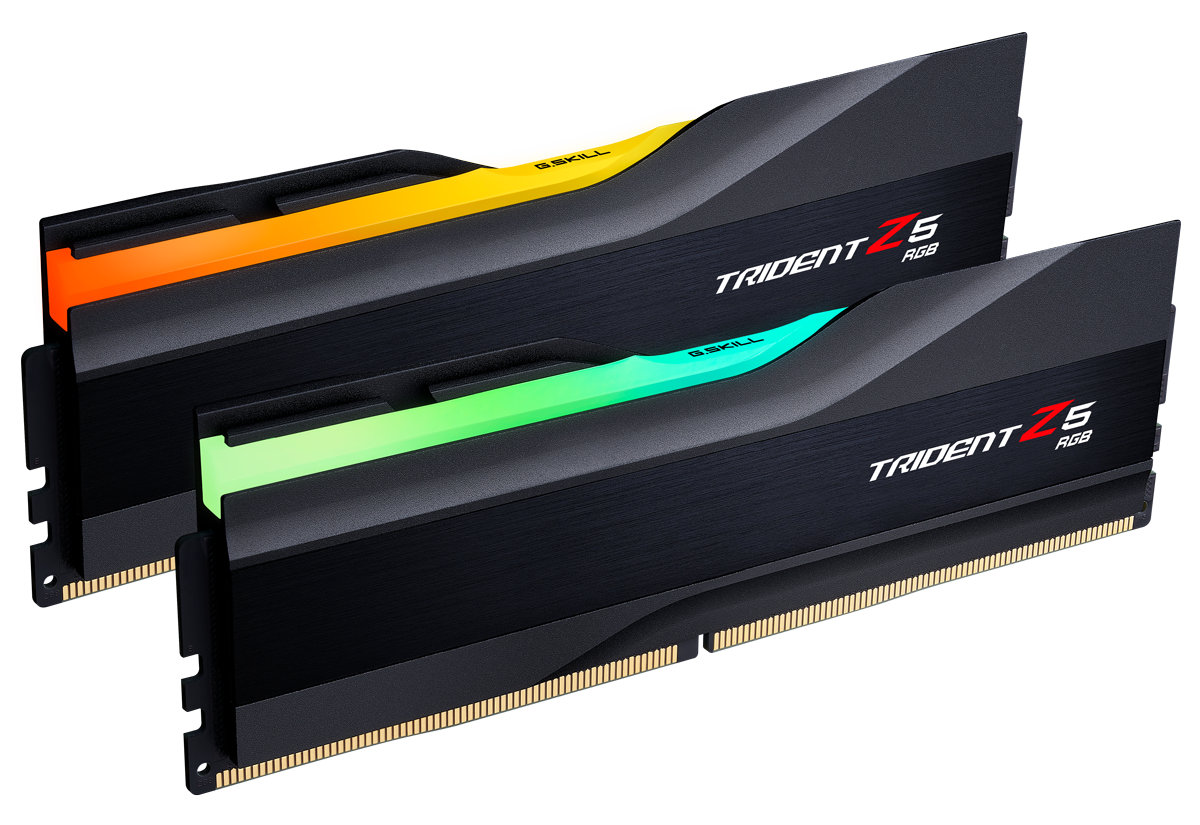
G.SKILL International Enterprise Co., Ltd.
10 March 2023 – G.SKILL International Enterprise Co., Ltd., the world’s leading brand of performance overclock memory and PC components, is announcing an extreme performance DDR5 memory kit based on the latest 24GB module capacity, with a specification of DDR5-8000 CL38-48-48 at 48GB 24GBx2 under the flagship Trident Z5 RGB series, and setting a...
harsh crow
..... How do they plan to cool that?
strange flume
harsh crow
..... How do they plan to cool that?
Well it's trident Z, so, they didn't plan any cooling 💀
If anything those heatsinks make temps worse than if they were naked
But they should have a reasonable XMP voltage, something that can definitely run
Hynix A 16gbit for example is fine with relatively high voltages, but I'm not 100% sure if these 24gb dimms are hynix yet
harsh crow
ahh okay.
shrewd juniper
strange flume
Hynix A 16gbit for example is fine with relatively high voltages, but I'm not 10...
I mean they gotta be right?
knotty sparrow
shrewd juniper
I mean they gotta be right?
Could be Micron also
shrewd juniper
knotty sparrow
Could be Micron also
I'd be surprised since they've only publicly hit 5600mhz anyway
strange flume
shrewd juniper
I'd be surprised since they've only publicly hit 5600mhz anyway
Word on the grapevine is micron is pushing over 7000 on 24gb
So could be micron
Funni sticc
shrewd juniper
strange flume
Word on the grapevine is micron is pushing over 7000 on 24gb
Smells like.... Ballistix revival

 dry wren
Hi!
is the Deepcool AK620 is good for the I7-13700 ?
Thanks
 marsh badge
dry wren
Hi!
is the Deepcool AK620 is good for the I7-13700 ?
Thanks
marsh badge
dry wren
Hi!
is the Deepcool AK620 is good for the I7-13700 ?
Thanks
ye it's good
dry wren
marsh badge
ye it's good
thanks, ordered 😃
 oblique quest
Not sure where to bring this up, but I have noticed that ever since I got a new motherboard (and CPU) my case's fan runs a lot slower. Did something go wrong?
 dreamy locust
Your fan rpm is controlled by your motherboard, usually there's a base curve which is set to make your fans run faster as the CPU temperature increases, however this curve is probably a bit different from the one that was being used on your other mobo, most of the time you'll be able to set your own in the bios but I recommend using the program "fan control" because it's just easier and you can use mixed curves
 twin ivy
dreamy locust
Your fan rpm is controlled by your motherboard, usually there's a base curve whi...
twin ivy
dreamy locust
Your fan rpm is controlled by your motherboard, usually there's a base curve whi...
The fact that my response got deleted cause I was kicked out the server 💀💀💀
dreamy locust

shrewd juniper
twin ivy
The fact that my response got deleted cause I was kicked out the server 💀💀💀
 twin ivy
I SAID PRACTICALLY THE SAME THING TOO LMFAO
oblique quest
dk why it was deleted tho; when I looked at Discord I thought that maybe the mobile side hadn't updated messages yet
twin ivy
oblique quest
dk why it was deleted tho; when I looked at Discord I thought that maybe the mob...
Oh I was messing around and got myself banned💀

 jovial flint
I can't function without Zaza
twin ivy
Oh?
 vocal moon
What are some good white lcd aios
twin ivy
vocal moon
What are some good white lcd aios
What cpu do you have
marsh badge
all lcd aios are overpriced crap
twin ivy
marsh badge
~~all lcd aios are overpriced crap~~
Yea was gonna say if they had anything below a 13700k/7900x to just get a normal aio lol
Cause unless you have the money to spend
It's not worth
knotty sparrow
It's all been said
vocal moon
twin ivy
What cpu do you have
Either a i5 13600k or i9 12900k
knotty sparrow
13600k still wins that bout in gaming yes
vocal moon
But like
I need that i9 qualification
Like telling my friends my pc runs an i5 is not that cool compared to a i9
And the i5 box loooks like crap who the unboxing experience won’t compare to the I9
marsh badge
Sacrificing performance just to have higher name is counterintuitive
Yeah and a 13600K can overclock aswell
vocal moon
I don’t know how to upgrade bios crap
marsh badge
You can update bios with a usb drive
knotty sparrow
vocal moon
And the i5 box loooks like crap who the unboxing experience won’t compare to the...
The box looks identical wtf are you smoking lol
marsh badge
^
marsh badge
It wasn't the box of yesteryear anymore
knotty sparrow

 vocal moon
I get all my un opened components
marsh badge
9900K and stuff had different boxes
marsh badge
Anyway falcie is right on that
vocal moon
And the look of an i5 is not a w
marsh badge
Ever since 12th gen the box changed to dull look
vocal moon
knotty sparrow
U got th wrong photo
marsh badge
I doubt anyone would care that you got an i5
knotty sparrow
vocal moon
And the look of an i5 is not a w
And buying last gen parts is also not a W
vocal moon

Intel Core i9-12900K 3.2 GHz 16-Core Processor (BX8071512900K)
knotty sparrow
vocal moon
https://pcpartpicker.com/product/gGH7YJ/intel-core-i9-12900k-32-ghz-8-core-proce...
That's a limited edition box, they're long gone
vocal moon
What
marsh badge
Oh right
vocal moon
knotty sparrow
So it’s gonna come in that
knotty sparrow
yes
strange flume
Yeah no more of those
vocal moon
Bro that’s the kf
vocal moon
I thought they had different boxes
vocal moon
knotty sparrow
Same thing
Ik
I thought kf was that box
And the k Wass that cool box
marsh badge
the k also uses same box
strange flume
If you want the box walk into micro center and ask for one
They'll probably give it to you
strange flume
They go through builds like milk and bread they're bound to have a spare
Don't go spending big bucks on a cpu just for the box lol
marsh badge
I don't think your friends would care too much that you don't have an i9
They'll be impressed about other aspects instead, like high fps and all
knotty sparrow
Really though, that's more of "oh you have that? ok"
vocal moon
I5 average
marsh badge
lmao yeah
knotty sparrow
It's literally marketing
strange flume
Ya and that's a marketing thing
marsh badge
Falcie is right
knotty sparrow
That's what they want you to think
marsh badge
It's marketing, led by Intel to believe
Same for any manufacturers really
AMD advertises the ryzen 9 as best
Nvidia advertises 4090 as the best and so on
strange flume
When then truth is a I5 13600K can just about match a I9 12900K in almost everything
knotty sparrow
5800X > 5950X
marsh badge
In the end it doesn't matter as long as your friends see a game run smoothly and graphically pleasing
strange flume
13600K beats 12900K in games, almost matches it in everything else
vocal moon
marsh badge
In the end it doesn't matter as long as your friends see a game run smoothly and...
I’m just gonna hide the cpu in the photo I guess
marsh badge
Why hide? It's just a pc component
vocal moon
“Valorant is a cpu runned based game so I got fps”
strange flume
Show them the fps and they'll change their minds
marsh badge
^
knotty sparrow
Then get a 9900K with the limited edition box, then you can say you have i9. Who cares if it runs worse right?
marsh badge
We're trying to not get you fallen into marketing trap
There's no peer pressure, it's just marketing pressure
strange flume
Ya
knotty sparrow
vocal moon
That’s what they would say
Don't worry about what other people think so much. Real life you don't have to care.
Wear the socks with crocs to the grocery store, idgaf
marsh badge
irl my laptop with old ass haswell cpu and nvidia gpu gets people saying wow to it lmao
it getting 60 fps in roblox is special to them
i brought it to school once during the time it was allowed
they do look at the stickers but like
it doesn't matter too much
knotty sparrow
I get wows for my laptop too but for the complete opposite reason. It's more of a "wow how is that still running" because it's 12 years old. It came with a single core processor, and this was back when you could upgrade laptops so I put a dual core in there.
marsh badge
lmao
Well anything is gonna make someone go wow in a way
It doesn't matter what it is
Even a tiny netbook from 2008 with first gen atom would bewilder someone
knotty sparrow
Upgraded from 4GB to 6GB RAM too 
marsh badge
I've been trying to find 16 gb sodimm of ddr3l
But y'know they're very very rare
I kinda wanna experiment going over 12 gigs of ram on this thing
One slot ram moment
knotty sparrow
Oh yes, but that battery life boost
marsh badge
Solderd 4 gigs
I can't get ddr3 anyway, this laptop only wants the low power ddr3
It wouldn't boot with ddr3
strange flume
Speaking of laptops I repasted the sword 15 today, the present for my bro
marsh badge
noice
knotty sparrow
I should bench my laptop, I looked it up and almost no one has benched the CPU because it was never sold OEM in the laptops
strange flume
He went from like, 80W total power on the factory paste to 150W
knotty sparrow
Yeah the only trick is getting Windows to run 😅
strange flume
Nah it's just a typical bad paste job
strange flume
You're lucky if you get a laptop that doesn't
marsh badge
the only good job you're gonna get is lm
knotty sparrow
If you're curious https://hwbot.org/hardware/processor/turion_ii_p520/
strange flume
I like the sword 15
marsh badge
msi budget laptops are overpriced here ree
strange flume
It doesn't have a lot of power in the parts but, it's not grossly loud
And it works plenty well
Half the bottom of the case is ventilated too
knotty sparrow
I think this sums up the laptop perfectly
 strange flume
GF65 is still a solid recommendation imo
marsh badge
and it's low power 1650
an already low power gpu with perf even lower
all to make it all able to be cooled with one fan
strange flume
I need to do something with that LP 1650 I have

Maybe build a super cheap nuc or something
knotty sparrow
What paste are you thinking of?
marsh badge
mx-6
knotty sparrow
Nice choice
 knotty sparrow
Yeah that's an easy top 5 too
strange flume
That's my next order
marsh badge
btw does bent fin on a heatsink fin stack affect cooling capacity at all?
strange flume
No
marsh badge
my laptop has seen.. better days
knotty sparrow
Nope
marsh badge
okay then
knotty sparrow
Unless it's bent so far it's completely blocking air
strange flume
Ya
marsh badge
then it has to do with my bad mount and paste application then
knotty sparrow
And multiple of them are bent
marsh badge
nah it's not blocking air
just a few with narrower gap
air still blows fine anyway
it probably flows better since the plastic grill is broken off lmao
previous owner definitely put it through some usage
aka beating it up
strange flume
 marsh badge
i added some damage to it by dropping it
was using a cooling pad that has a stand
didn't put stoppers up
so it slid off and dropped to the floor 
broke a clip on the body, now there's a gap i can't close
it's cosmetic tho, so no damage to anything
knotty sparrow
I'm going to use a 6k rpm fan and tape it to the vent, and a USB to 4 pin adapter.
DIY cooling pad. Complete with finger chopper.
marsh badge
lmao
I want one of those cooler master cooling pads with fans that I can mount anywhere
Blow em right into the only intakes it has
It's nowhere near the fan, oddly enough
The fan has to suck air all the way from ram and hdd cover
knotty sparrow
I'd put the lappy in the freezer for benches but the battery is shot. No charge at all.
Then again the cord is pretty long
... alright it can sit on the frozen peas with a cord hanging out
marsh badge
My laptop has reduced cpu perf thanks to the wifi card I added
Pegs cpu to 100% at first core all day long
I know this cause the issue persists despite me downgrading to win 10
But I'm already spoiled with the ability to utilize my full wifi speeds
 dusk quartz
The kraken z73 is faulty and I hate my life
It was glorious I play two games if league before I gutted it again
I did however buy another kraken, if that doesn’t work, ig I just smash the the whole thing with a hammer
you know for cathartic reasons
knotty sparrow
 fluid lichen
Don't get it for the screen bro
fluid lichen
Don't get it for the screen bro
 strange flume
Hm ok
strange flume
dusk quartz
The kraken z73 is faulty and I hate my life
If you must have a screen aio get an EK Vision Lux
At least that one doesn't suck
dusk quartz
strange flume
If you must have a screen aio get an EK Vision Lux
Is it customizable
dusk quartz
strange flume
At least that one doesn't suck
Eeeeeeeeeeee
dusk quartz
That is just a infinity mirror
dusk quartz
strange flume
Crushes a z73
I replaced the fans
dusk quartz
Where were you 8 hours ago
 dusk quartz
strange flume
Z73 is on like 6th gen asetek, can't keep up
dusk quartz
strange flume
Z73 is on like 6th gen asetek, can't keep up
I am never going over clock
strange flume
dusk quartz
I am never going over clock
Not the point either
CAM is both frustrating and insisting on it's own standards
And you want a good quality aio for this much spendature
Z73 is good, sure, but much like the H150i LCD, full of issues to get the screen to work
I've heard nothing but good things about the new EK, so I'm definitely recommending it over the other two
So if this second z73 doesn't work out, you know what to try next 🙃
Or you can take this healthier advice @dusk quartz , use an old phone and superdisplay, and have an even better lcd in your pc, then return the Z73 for a Deepcool LT720
Old phone let's you do way cooler stuff
Like dynamic wallpapers and custom aida stats
dusk quartz
strange flume
Z73 is *good*, sure, but much like the H150i LCD, full of issues to get the scre...
Yes soo much
dusk quartz
strange flume
So if this second z73 doesn't work out, you know what to try next 🙃
Most def
strange flume
dusk quartz
Yes soo much
Not to mention CAM basically stops the aio from working until you're in windows
Once I learned that, I vowed to never touch an NZXT cooler ever
dusk quartz
strange flume
Like dynamic wallpapers and custom aida stats
I thought that was just a engine you get on steam
dusk quartz
strange flume
Once I learned that, I vowed to never touch an NZXT cooler ever
I get that it has been really frustrating, but they were all sold out and I panicked when I saw it cheaper on Amazon
strange flume
It's all good man
I don't get mad with people, there's no manual for a "good pc" out there
I'm only strong with my words because I carry the experience of mistake after mistake
But I'm harmless 
💀
 raven bane
I've been having this temps "problem" for a long time, I use a R7 3800X and at first I had a Xigmatek Aurora 240 cooler, I used this for a while and my temps were like 50-60 at idle and on load 105W 85 degs with CB R23 and 110W 95 degs with prime95
then I decided to get a better and more reputable cooler, I got arctic liquid freezer II 360 (rev. 7) but I still couldn't get great temps rn my idle temps are like 44-50 and CB R23 is 125W 75 degs and prime 95 is 145W 85 degs I honestly expected better performance any ideas about why this happens?
my case has 10 fans in total and I used mx-4 and mx-5 pastes the results with liquid freezer II is with mx-5
raven bane
marsh badge
What case do you have?
this a sec
marsh badge
prime 95 is worst case scenario for any cpus
 marsh badge
Looks like O11, is it?
strange flume
raven bane
I've been having this temps "problem" for a long time, I use a R7 3800X and at f...
Those temps actually sound really good
marsh badge
From where I'm looking, the issue seems to be more where you placed the pc
But it's not an issue really
raven bane
strange flume
Those temps actually sound really good
but shouldn't this cooler do better?
strange flume
Ryzen idles high
raven bane
marsh badge
From where I'm looking, the issue seems to be more where you placed the pc
yes its collecting a lot of dust from there
strange flume
And load temps sound right for a 1 ccd high wattage
 marsh badge
smh
raven bane
oh ccds right that may be the difference bc I saw this cooler cooling more than 145W definitely on the internet
marsh badge
LFII can handle even 13900K so breh
strange flume
Wattage honestly isn't the whole story when it comes to ryzen
raven bane
even the am5 ones?
strange flume
You're running a high heat load concentrated to one CCX on this chip, so the heat is focused to one less spot
Versus the higher wattage 2 ccx's
So it's soaking it up, but it's more concentrated, so it'll be less effective
Just because the heat is less spread out
raven bane
ok so if I had a 2 ccd cpu it would be less degs in same wattage right
strange flume
It'd be less degrees more wattage
raven bane
ok or that yeah
strange flume
Have you done the offset mount?
raven bane
yes
strange flume
Yeah you should be tapping it about as well as you can
strange flume
Also mx-5 was discontinued due to separation issues
raven bane
yes I saw that it was in production for so short
marsh badge
I'd go up to mx-6
raven bane
my mx-4 is nearly empty rn so I might just get mx-6
strange flume
But yeah your load temps are fine, you're a ways off of 90-95C
Which is good
And idle is actually quite good considering
marsh badge
I'll hate repasting my laptop soon
strange flume
On full water my 5900X liked to sit at 50-60C
marsh badge
Board out operation moment
strange flume
Idle
raven bane
I also tried a small oc with 1.2875v 4.3 ghz and temps were lower around 60s in cb r23
marsh badge
yeah that's basically how it works
strange flume
raven bane
I also tried a small oc with 1.2875v 4.3 ghz and temps were lower around 60s in ...
Yeah don't do static oc
marsh badge
more spread out heat
raven bane
strange flume
Yeah don't do static oc
yes just did it for 5 mins to test the cooler but it produced less heat
strange flume
Zen 2 is similar to zen 3, suffers from degradation if FIT voltage is too high
I see, 5 minutes is ok
But yeah an option best left alone imo
strange flume
twin ivy
Mine drops to 30s
Mine would drop to high 20's if I wasn't using windows normally
Smh use ur chip for more than benching

twin ivy
strange flume
Mine would drop to high 20's if I wasn't using windows normally
Wym lol I've been running it with pbo
On windows 11
I was just playing tlou yesterday 🗿
My rooms always high 60s tho
So that could be
strange flume
I don't use eagles per donuts
Use celsius like a true international boi

What the heck ur room so cold
twin ivy
strange flume
What the heck ur room so cold
I like it cold lol
 left pulsar
High 60s cold? ...
 twin ivy
left pulsar
High 60s cold? ...
twin ivy
left pulsar
High 60s cold? ...
Well for indoors it below average
left pulsar
Put a sweatshirt on. 
 rigid hedge

Thermalright Assassin X 120 SE CPU Air Cooler, AX120 SE, 4 Heat Pipes, TL-C12C PWM Quiet Fan CPU Cooler with S-FDB Bearing, for AMD AM4/Intel 1700/1150/1151/1200
is this worth it for 21$ CAD for a 3600x ?
rigid hedge
okay thank you, buying it now
vocal moon
Y’all know when Thermaltake is gonna release the white tough liquid ultra 360 mm
shrewd juniper
nope but theres plenty of good white aios Deepcool ls720/lt720 and Lian Li Galahad would be the ones i recommend and there is this one from TT https://pcpartpicker.com/product/9xyqqs/thermaltake-th360-argb-sync-5928-cfm-liquid-cpu-cooler-cl-w302-pl12sw-a

Thermaltake TH360 ARGB Sync 59.28 CFM Liquid CPU Cooler (CL-W302-PL12SW-A)
vocal moon
shrewd juniper
nope but theres plenty of good white aios Deepcool ls720/lt720 and Lian Li Galah...
It has to has to have a lcd
shrewd juniper
vocal moon
It has to has to have a lcd
Corsair have a white aio with an lcd then i think it's like 300$ or something stupid
oblique quest
If a computer only has one case fan, is it better to use it as exhaust or can it be an intake?
sacred wren
exhaust back of case
strange flume
vocal moon
It has to has to have a lcd
Only LCD aio I'd recommend is the EK Nucleus vision, the rest are a hard pass
vocal moon
strange flume
Only LCD aio I'd recommend is the EK Nucleus vision, the rest are a hard pass
I know but like
The lcd thing is like so squarey and like I have the ek thing on it
If it was just a plain only circle
That would have been a cop
strange flume
The rest either have middling performance or stupid expensive
vocal moon
strange flume
The rest either have middling performance or stupid expensive
I pretty sure you can remove the ek square symbol thing
Is there a circle option or something
strange flume
The symbol is a circle and no idea
vocal moon
See how you can remove it
vocal moon
strange flume
The symbol is a circle and no idea

Like a new on that is like a perfect circle
Like how this is a circle
 vocal moon
Is the Asus ryuo 3 have a lcd screen or it only displays a bunch of dots
strange flume
It's an LCD but it's another hard pass of an aio imo
Nearly half the price you get a better AIO out of the EK for the same features
knotty sparrow
NZXT
Corsair will actively hurt your performance with iCue
vocal moon
Ight thanks
shrewd juniper
Corsair's performs better as an aio tho and icue isn't that bad, especially compared to nzxt cam
knotty sparrow
I still can't recommend iCue after seeing it use 100% of a 5800X core
For a static color
shrewd juniper
Wait what i thought that was a super complex design or something?
knotty sparrow
Nope just 9 fans on a static color. I'm pretty sure it was a bad version of iCue but that happens a lot more than it should.
strange flume
They're both terrible
The number of times people also have trouble even syncing those two aio's to their affiliate software is alarmingly high especially on Corsair's side
strange flume
EK vision is the play, that aio slaps
knotty sparrow
Yeah iCue will just randomly have all your stuff disappear except for one fan lol
dusk quartz
I will be really sad but the Thermaltake has lcd screen
strange flume
Ek vision best lcd aio
dusk quartz
It’s just black
strange flume
The thermaltake ones are meh
dusk quartz
It’s not fully customizable
strange flume
They will work out of the box very easily but yeah limited customisation and meh performance
That said,
If you're creative enough
They can be better than the other two
But EK vision stands above them all as the best
 magic sparrow
knotty sparrow
NZXT
Corsair will actively hurt your performance with iCue
magic sparrow
knotty sparrow
NZXT
Corsair will actively hurt your performance with iCue
Corsair controllers is more compatible with third party RGB software tho, last I checked at least.
Never use first party RGB software, none of them are good except for Aquacomputer cuz they are designed to run without software after programming them.
 sweet lodge
aquasuite my belove
d
i set my fans on aquasuite like a year ago and then uninstalled software lol, very nice
has rgb too but i dont own any rgb
vocal moon
Ok so like when installing a cpu cooler right
How do I remove pre-applied thermal paste off of the cpu cooler right and I use the alcohole thingy
What do I use to wipe it off with
Like a paper towel or a napkin or what?
knotty sparrow
vocal moon
How do I remove pre-applied thermal paste off of the cpu cooler right and I use ...
You can use the pre-applied paste, it's usually fine.
Ideally you'd have a microfiber cloth but you can use paper towels, just don't leave shredded pieces. Get the cloth slightly damp with isopropyl alcohol and wipe.
vocal moon
knotty sparrow
You can use the pre-applied paste, it's usually fine.
Ideally you'd have a micr...
When I put the cpu cooler on the cpu does it have to be like dry
knotty sparrow
Yes, any liquid will turn to steam very fast and if it's trapped by the paste it may explode
vocal moon
knotty sparrow
Yes, any liquid will turn to steam very fast and if it's trapped by the paste it...
Ight
Can I touch the thermal paste or touch the aio”a copper part when all the Pre applied thermal paste is gone
knotty sparrow
I wouldn't touch the paste, it's messy. Otherwise avoid contacting the cold plate so you don't leave skin oil residue but it's not too critical.
You can spread the paste out if you want, that helps make sure it covers the whole IHS
Just use a tool and not your finger. An old credit card works great.
vocal moon
Ight
vocal moon
knotty sparrow
Just use a tool and not your finger. An old credit card works great.
I bought some arctic thermal paste at comes with a spatula
knotty sparrow
Perfect
vocal moon
knotty sparrow
I wouldn't touch the paste, it's messy. Otherwise avoid contacting the cold plat...
So don’t touch copper part oor the thermal paste
But
I feel like
When I’m removing the thermal paste on the aio
knotty sparrow
Avoid it if you can but it's ok if you do touch
vocal moon
I will probably touch it
knotty sparrow
That's ok the alcohol will clean up the oil residue and dirt too
vocal moon
K
Thanks
So after I remove it
There will still be alcohol on it
And I get a dry paper towel
And I wipe that off to make the copper aio part dry right?
knotty sparrow
Yep that works
Higher concentration alcohol will also evaporate very quickly on its own
That's why we recommend 90%+ but you can use 70% if that's all you can get
 regal plaza
I have a 360MM rad mounted on the front of my case, and the fans are in pull on the inside so it’s pulling through the rad
Would it be ok to put them in front? There’s not a lot of clearance for PSU cables and it’s just for looks mainly but not sure how it changes performance
knotty sparrow
Perfectly acceptable
Front vs top mount is mostly a tradeoff of a couple degrees between the CPU and GPU, nothing worth noting
regal plaza
knotty sparrow
Front vs top mount is mostly a tradeoff of a couple degrees between the CPU and ...
Sorry, I worded it poorly lemme send an image.

Bad drawing but this is mostly what I mean lol
regal plaza
Ah ok sweet just didn't know! You're always incredibly helpful so thanks 🙂
knotty sparrow
I try, no problem
harsh crow
How many Arctic P14/P12 can I daisy chain to one Fan connector? Wondering because I have 9 fans to connect and 3 fan headers.
.
1 x CPU fan header
2 x system fan headers
2 x addressable LED strip headers
2 x RGB LED strip headers
1 x CPU cooler LED strip/RGB LED strip header
All fan headers are subject to support AIO_Pump, Pump and high performance fan with the capability of delivering up to 2A/12V @ 24W.
Can I daisy chain 6 arctic p12 pwm pst argb to one Fan header?
marsh badge
harsh crow
Can I daisy chain 6 arctic p12 pwm pst argb to one Fan header?
Nope
It'll melt
Max is 4-5 fans on a header
Hm nah, looks like it can actually take more?
knotty sparrow
P12 is lower power than most
marsh badge
The fans are only 0.11A
knotty sparrow
Exactly lol
harsh crow
So 6 fans will be fine on one header?
knotty sparrow
Yes
harsh crow
Should I be concerned for the argb header with that many fans?
knotty sparrow
The argb headers have more protections than the fan headers. The worst that usually happens with those is the lights at the end of the chain are dim, flickering, etc.
harsh crow
Gotcha.
knotty sparrow
If that happens you know to get an argb hub
harsh crow
I am assuming that 3 P14 pwm pst argb will be fine as well?
knotty sparrow
Yeah definitely
harsh crow
Great, I am gonna work on setting up the new system in just a little bit then.
shrewd juniper
harsh crow
.
1 x CPU fan header
2 x system fan headers
2 x addressable LED strip headers
2 ...
on gigabyte boards like 18, on regular boards like 9
harsh crow
shrewd juniper
on gigabyte boards like 18, on regular boards like 9
18 what?
shrewd juniper
harsh crow
18 what?
Gigabyte boards have 2A headers so 2/.11 = 18 :)
harsh crow
Ahh okay.
Okay probably a dumb question but is there a way I can do a fresh install of windows without needing a usb flash drive?
knotty sparrow
shrewd juniper
on gigabyte boards like 18, on regular boards like 9
My MSI board has 2A CPU and Pump headers, the sys fans are 1A
knotty sparrow
harsh crow
Okay probably a dumb question but is there a way I can do a fresh install of win...
PC reset does basically that. It wipes the Windows folder and rebuilds it from scratch. You've got the option to completely reset or keep your files that way too.
shrewd juniper
knotty sparrow
My MSI board has 2A CPU and Pump headers, the sys fans are 1A
Right but gigab have 2A all headers afaik
Like even on my b450m ds3h it had all 2A headers and that was like a $80? Board
harsh crow
knotty sparrow
PC reset does basically that. It wipes the Windows folder and rebuilds it from s...
any issues I might encounter with that?
heard there might potentially be some intel files that get kept.
 viral ruin
Anyone recommend deepcool cpu fan?
 autumn iris
Anyone able to help me diagnose some cooling issue that just started occurring? Was playing destiny when suddenly I noticed my pc was lagging so I opened hwmonitor to find that my cpu was overheating it was at 100°C and I've never had this issue before. I then restarted it and had the same issue so I tried restarting again and now at around 60°C my GPU fans seem to no longer show their RPM in HWMonitor and run at max RPM till I restart my PC. I've had this same issue before a few months back which turned out to be a bad wall plug and so I decided to try the same fix and nothing so I'm lost on what to try from here without trying to buy a new psu or gpu
Oh also tried reapplying thermal paste to the CPU before the gpu stopped working and I just tried running 3DMark and it actually stopped itself didn't even run the full test
knotty sparrow
autumn iris
Anyone able to help me diagnose some cooling issue that just started occurring? ...
Have you tried running DDU?
autumn iris
not yet kinda figured it wasnt a driver issue as i tried updating drivers and that didnt fix it
strange flume
Did the gpu also run too hot? Or just cpu
autumn iris
just cpu
strange flume
Pc or laptop
autumn iris
gpu made it as high as 60C
knotty sparrow
Updating doesn't always fix things, DDU is a near total reset
autumn iris
desktop
knotty sparrow
Try a bios update as well, or if it's up to date cmos clear
strange flume
Or stopped as in blue screen or black screen and restart
autumn iris
i heard a click noise and suddenly the fans on the gpu ramped up
autumn iris
corsair RM650
strange flume

autumn iris
650x*
strange flume
When we define the oc, is this just a regular vbios on the gpu
autumn iris
yeah
strange flume
Interesting
autumn iris
it was a overclock done by the manufacturer
autumn iris
huh
strange flume
12600K is stock?
autumn iris
yep
ive had the issue before but last time just changing the cable that connects to the wall fixed it but i tried that this time and it didnt help
strange flume
autumn iris
huh
The rm650x will click when it detects something abnormal, and switch the system off to protect it
strange flume
It didn't switch off??
autumn iris
nope
autumn iris
hot spot went as high as 72.5
autumn iris
it hasnt gone higher since so i still have all the info pulled up
strange flume
Even under load?
autumn iris
sitting around 50 atm and sometimes it does go up to the 90s
strange flume
You've repasted and it seems ok, you tightened the cooler to finger tight?
autumn iris
i felt the tubes of my AIO too when the temps first were high and didnt feel a vibration
yeah
strange flume
Ah
autumn iris
theres a vibration now though
strange flume
Ahhh
autumn iris
so seems a bit weird
strange flume
Tubes feel warm and cool?
autumn iris
just warm
strange flume
Ooooo
autumn iris
less than a year
strange flume
What aio is this
autumn iris
its an MSI i forgot the name let me find it
autumn iris
i think it is a 240 mag
autumn iris
ah fun
strange flume
I'm not 100% confident in this guess? But there's a reasonable chance the aio may have a problem
knotty sparrow
MSI has also been accused of not having all the affected models in the recall
strange flume
Especially if the aio felt HOT when it first happened
autumn iris
yeah i have a mag core liquid 240R
strange flume
Yeah it could be the aio
There's two things you can do, you can contact msi and quote the serial number
autumn iris
would that potentially cause the issues with the gpu?
knotty sparrow
Exact model that was recalled https://www.tomshardware.com/news/msi-recalls-mag-coreliquid-240r-360r-aio-coolers-due-to-sediment-build-up

Tom's Hardware
Recall comes after investigations into reports of sub-par cooling capability.
strange flume
No but if it was at 100C before then the cpu might be tripping overheating protection
strange flume
strange flume
There's two things you can do, you can contact msi and quote the serial number
The second thing you can do
If it has a plug you can open it up with
Buy 500ml of distilled water
Wrench that plug open
Flush it with hot water out maybe, 3 times?
It'll release the sediment real good
Refill with distilled water
And maybe a little anti corrosive in the mix
Reason I say this? Only on the chance they deny the recall
autumn iris
alright
strange flume
You can also go and get a thermalright phantom spirit 120 se
For $40
Dual tower cooler, a bit better
So 3 options
But yeah if I had to guess, cpu cooler
Easy way to check would be to run any cinebench and see if it immediately goes to 100
That would be telling of either pump or sediment problems
autumn iris
yeah my cpu is staying at just around 60 without load
which is apparently their threshold
installing cinebench now to try that
i also dont even know how to find the serial number either lmao
strange flume
Yeah 60 idle is awful warm even with windows bloat
autumn iris
i think its on the other side of the rad
strange flume
Yea aio would have to come out
autumn iris
fun
i hated so much trying to get it in i took it to microcenter lol
who then broke my wifi card...
strange flume
Did they replace the wifi card??
autumn iris
also yeah instant 100
strange flume
Ah
We hit the bingo then
Last things to check
Make sure the aio pump is properly plugged in, if not try a different header
Then check bios that it's set to 100%
If those check out, then rip, sounds like our bingo
autumn iris
i have it set in the cpu fan header and its properly in
i also always try to keep it at 100%
strange flume
Rip, try the alt header just in case
autumn iris
would system fan 2 work fine?
strange flume
Yeah ofc
autumn iris
alright
strange flume
They're all headers
The only thing the system may do is pop up "cpu fan error" but you can likely turn that off in bios if it's a dead header
Your bios idle should drop to like, 35C or less if the pump is suddenly working great
strange flume
Usually f6
autumn iris
That says it loads optimized defaults
autumn iris
 autumn iris
It was but I forgot what it was and already booted to windows
autumn iris
It went up to 100 but took 17 seconds instead of it doing it right away
 strange flume
Ok awesome
That sounds like it's actually kind of working now
So my next question, when you repasted
Dot, cross, dot and cross, spread?
autumn iris
I did a X
strange flume
Also, finger tightness on the corners?
autumn iris
I tightened it more with a screw driver
autumn iris
Tightened one screw a bit then moved to another one to make sure not to put too much pressure on one part of the cpu
strange flume
Screwdriver tightness is generally not advised
autumn iris
Ah
autumn iris
True
strange flume
So my suggestion, would be to fix your fan settings in bios
Run a 3dmark test first
You should pass now cos the cpu test won't catch you out
See if everything is fine
Then
I would suggest maybe repasting to check and see the condition of the aio that the bracket is still good
Then screw it back on to finger tightness if all is well
autumn iris
Fans kicked on agaij
strange flume
It should be a fair bit better with cooling
autumn iris
Again*
autumn iris
Yeah
strange flume
Did you also see memory temperatures on the gpu?
autumn iris
GPU went to 60 again and that was around when it happened also 73.6 on hotspot
Where do I see that?
strange flume
Next to hotspot and core if you can
autumn iris
Nope
autumn iris
Alright
strange flume
It's a free program
Any version is fine from the last like, year or so
Then I want you to open both it and cinebench
For occt, click on the left side "3d standard"
Set usage to 95% then press the play button on the bottom left to start the test (then again after 10 seconds)
Then if nothing happens
Hit start on a multi core run on cinebench
Looking to see if the psu trips
autumn iris
I don't see 3d standard
strange flume
Send pic
autumn iris

oh im blind
it did it
also after the first time i havent been hearing the click
i just know the fans ramp up
CPU was 40W and GPU was 240W
strange flume
So it ran both? Sorry I had to walk away for a minute
autumn iris
It did just GPU but that was what both were at when the fans ramped up
autumn iris
I'll try
strange flume
If psu clicks again then psu might have a problem
If not then it's almost certainly software related
autumn iris
The first time was the only time I heard the click
autumn iris
Alright
strange flume
Sometimes it can be a simple driver thing, or something a bad pcie cable
Or a bad psu plug
knotty sparrow
Is it a single rail psu?
autumn iris
Last time I had this problem it was a bad psu plug that was the first thing I checked when it happened again lol
Also do I do single core?
Or multi
strange flume
Multi core
autumn iris
Alright
autumn iris
Alright
strange flume
Both at once
knotty sparrow
Right I see now, RM650x. Yep single rail.
autumn iris
Yep there it goes
knotty sparrow
So it's not an unbalanced load
strange flume
It clicked?
autumn iris
Yep
strange flume
Alright were on to it now
So two suggestions
Try a different pcie plug
And swap to two cables if you're using one
strange flume
Ok then just try two different pcie plugs
autumn iris
Don't think it even let's me boot with one lol
autumn iris
Oh wait do you mean two separate cables?
strange flume
Ye
strange flume
Ye grab another cable and only use the first plug on the splitter
RMx daisy chain cables are good but nothing is infallible
knotty sparrow
If the GPU is at 240W then you're technically exceeding the spec of a single cable
strange flume
Fr
knotty sparrow
Corsair cables won't be hurt by that but I'm just saying
autumn iris
Ah
knotty sparrow
Yeah the nice type 4 bois
strange flume
So it's* shrug *
Once you're all sorted out give that same last test a go@autumn iris
Keep trying different cable combos until it works
If nothing works, the psu might be faulty
Should be well within the 650x's capabilities even considering transients with all the info we have
So if it is still struggling then it's got a problem
autumn iris
Im currently just struggling to plug in the cable to the PSU lol
knotty sparrow
RM650x should handle even a 400W transient without breaking a sweat, OCP is set at 800W iirc
autumn iris
Alright
strange flume
Happens all the time

Try 3dmark
If it doesn't crash we're good
Then you just need to fix the fan curves
strange flume
Msi makes very quiet fans when they want to
autumn iris
I also really need to clean out the case there's quite a bit of dust
Would dust affect an AIO much?
strange flume
After a couple months? No
autumn iris
Alright
strange flume
Unless you live in like a desert
autumn iris
I do have a cat though that loves to hop on my desk lol
autumn iris
Yep
autumn iris
Alright thank you!
strange flume
Np
autumn iris
also earlier i may have cut myself trying to see if the gpu fans were spinning because they said 0 RPM lol
strange flume
A necessary sacrifice 
Blood sweat and tears won over broken computer
Sucks but meh, happens a lot with pc hardware
knotty sparrow
Our scars remind us of our past trials
strange flume
A repaste with less tightness (finger tight) would probably make it even better
Provided the mounting frame isn't bent
autumn iris
alright
also does it matter much if i get all the old paste off? i had trouble removing some
strange flume
Alr
 left hamlet
Hey i am trying to repaste my latop and unexpectedly the vram had paste on it too, is it fine to use my MX-4 Arctic on it and replace the old stuff?
knotty sparrow
Yep perfectly fine
Surprised it had paste and not pads but paste works better as long as there's good contact anyway
knotty sparrow
D5 pump is always a good bet
 uneven solstice
knotty sparrow
D5 pump is always a good bet
uneven solstice
knotty sparrow
D5 pump is always a good bet
Ok cool. The only thing I was able to find in the 10 minutes I had to look was on a Ryzen 3600 or something and a Vega or whatever.
 idle tiger
Almost everyone uses a d5
uneven solstice
idle tiger
Almost everyone uses a d5
Ah gotcha. I know almost nothing about custom loops, but I figure at half price for a whole setup.. may as well get it.
knotty sparrow
Yeah seems like a great time to build that loop I always wanted but don't actually need
uneven solstice
knotty sparrow
Yeah seems like a great time to build that loop I always wanted but don't actual...
My thoughts exactly haha
shrewd juniper
Ltt has data on the id cooling 214xt in here 
https://youtu.be/g7oNuP83VXs

Try Zoho One free for 30 days with no credit card required here: https://www.zoho.com/one/lp/linus.html
Enable your creative side! Check out Moment at https://lmg.gg/ShopMoment
If you need something quickly and at an affordable price, there’s a good chance that Amazons in-house “Basics” brand has it. They’ve got all the essential items you nee...
regal plaza
Would it be considered normal for my CPU to somehow reach 88C while downloading?
I feel like I have adequate cooling but does downloading use that much CPU
It's like, 110 MB/s onto an nvme but I have a 7700X with a 360MM AIO
regal plaza
Interesting. Never seemed to do that on my old rig lol but it was way different hardware
Does speed of download matter? This is like 10x what I got on that rig so
marsh badge
The only bottleneck to your downloads would be internet or storage if it's not ssd
Yep, cpu use exponentially increases with download
strange flume
regal plaza
Would it be considered normal for my CPU to somehow reach 88C while downloading?
Zen 4 moment. Normal
marsh badge
More data has to be processed, unpacked and stuff
Assuming it's steam, the games are downloaded in packed archives
strange flume
It was probably doing something in the background that spiked the usage
regal plaza
Battle.net but the same thing happens on steam
marsh badge
They then get unpacked during the download
regal plaza
Yeah it doesn't seem to happen as much when I'm downloading to my HDD at half the speed
regal plaza
strange flume
Zen 4 moment. Normal
Truly, very interesting design
strange flume
My 5900x was so much like that
I'd move the mouse and it would jump up to 75C on full water lmao
It just sounds like Ryzen and in particular, zen 4 which is just a hot chip
marsh badge
hot chip moment
it's like the old amd days again
at least the heat comes with speed
i remember people sweating over seeing 90c on their zen 3
regal plaza
My 3600 never got over like, 60 on a single tower cooler and I got worried sometimes
Now I see 7700X on 360 rad at 90 and don't even notice
marsh badge
we get used to it 
high temps is a norm of modern pc
unless it's gpu, those things are overbuilt af these days
 magic wave
Back to the fx days are we
marsh badge
fx was very hot but no go
knotty sparrow
marsh badge
i remember people sweating over seeing 90c on their zen 3
Meanwhile, Intel at 105: 
knotty sparrow
magic wave
Back to the fx days are we
8GHz on Zen 4 with air cooling wen
uneven solstice
@magic sparrow are you awake?
magic sparrow
uneven solstice
<@207156621531545600> are you awake?
Yeah but studying for exam, then doing exam, then maybe sleeping (am tired). So not really available for in-depth help for sometime.
uneven solstice
magic sparrow
Yeah but studying for exam, then doing exam, then maybe sleeping (am tired). So ...
alrighty. Good luck on your exam. 🙂
magic sparrow
Ye thanks. What is thy question so I can answer later™️
uneven solstice
magic sparrow
Ye thanks. What is thy question so I can answer later™️
I'm looking into a custom loop. I'm having trouble understanding what all I need. I have a EK-Quantum Kinetic TBE 300 D5 PWM D-RGB - Acetal pump, but I'm unsure of what kind of fittings I will need.
the pump sizing thingy is G1/4
magic sparrow
Ye I'll do a writeup soon™️
regal plaza
marsh badge
high temps is a norm of modern pc
space heater not a joke anymore
twin ivy
regal plaza
space heater not a joke anymore
My room was how af last night playing ark lmao
regal plaza
twin ivy
My room was how af last night playing ark lmao
real sadly 😭
knotty sparrow
regal plaza
space heater not a joke anymore
It was never a joke, that's how I heated my room I was renting in college. The landlord took forever to fix the heater.
My roommate was surprised at how warm it was in there too, there was snow outside lol
twin ivy
knotty sparrow
It was never a joke, that's how I heated my room I was renting in college. The l...
Its been 2 months and our landlord still hasnt fixed it, so glad we're moving.
regal plaza
I wonder if the energy bill from running a PC that warm vs heating bill is higher
twin ivy
been using space heaters in every room
twin ivy
regal plaza
I wonder if the energy bill from running a PC that warm vs heating bill is highe...
heating bill is
knotty sparrow
Yeah central heat does the whole house, PC warms one room
twin ivy
central heating uses alot more power lol
regal plaza
Build a server you don't use
Connect it to every room through vents
Run at 100% all day
Good idea?!
twin ivy
I mean technically a computer is more efficient than a space heater since you can do more with that power consumption rather than just dissipate it into the air.
twin ivy
regal plaza
Good idea?!
no
knotty sparrow
regal plaza
Build a server you don't use
Connect it to every room through vents
Run at 100% ...
What do you think people were doing when they were mining in Winter
I never turned my central heat on at all that year
PC mining in living room, fans to move warm air to other rooms
regal plaza
Too bad mining is mostly obsolete now
magic wave
Screw central air, I want mini splits
 carmine gust
Wat is good Temps for a cpu with no cooler or the basic intel one it comes with
shrewd juniper
good temps for a cpu without a cooler is 100c kekw
the stock cooler, depends on the cpu,
carmine gust
Well I don't over clock nor do anything fancy I jus stream to twitch intel I5 8400 k
@shrewd juniper
shrewd juniper
carmine gust
Well I don't over clock nor do anything fancy I jus stream to twitch intel I5 8...
8400 should be fine on stock yeah
dont run a cpu without a cooler tho
carmine gust
Would a 240 rad be overkill if I don't overclock or do anything crazy
carmine gust
Well I have the stock intel 1 n it reads 54c I think in idol maybe i last seen
I know i7 or i9 needs a cooler for sure
shrewd juniper
when youre using it? if so thats really good
yeah the higher tier cpus usually need a 3rd party cooler of some sorts
carmine gust
Yea looking to upgrade but is there a difference between a i7 9700k or i9 9900k for editing I guess
@shrewd juniper
shrewd juniper
carmine gust
Yea looking to upgrade but is there a difference between a i7 9700k or i9 9900k ...
there is but honestly youd be better off just getting a new cpu and motherboard if you where to upgrade
carmine gust
I mean I know the i9 is better overall yea jus a whole new build on the newer gen right
13th gen
Right
shrewd juniper
heres a review with the oldest cpus in it i could find https://www.techpowerup.com/review/intel-core-i5-13400f/5.html
as you can see the 13400f even beats the 10700 which is better than the 9900k
not to mention a huge jump in single core
uneven solstice
magic sparrow
Ye I'll do a writeup soon™️
just seen this. Thank you.
 low pumice
Generally freezer ii ls720 and maybe Galahad or ek-aio
 topaz blaze
what types of case fans last the longest
harsh crow
there's also the lt720 which is the ls720 just with a different aesthetic.
magic wave
topaz blaze
what types of case fans last the longest
Maglev bearing?
Pretty much unnecessary I think
Would be cool to have fans with them tho tbh
sweet lodge
there r a good amount of fans with mag lev
only consumer one i can think of is t30 tho
magic wave
Only fans I'm interested in are Arctic P series and those aren't maglev
knotty sparrow
T30 are easily some of the best fans you can buy though
Beats the P12 in performance handily, as well as every other 25mm thick fan
That extra 5mm does mean you need to think a bit about how things fit though
magic wave
What's the pricetag per fan
If I'm gonna be buying countless fans I want them to be good, but I also want them to be affordably priced 
magic wave
knotty sparrow
But they get up to 3000 rpm in advanced mode
marsh badge
T30 is great and speedy, just expensive as heck
knotty sparrow
 marsh badge
I never knew a fan could have modes, huh
knotty sparrow
Yeah this is a rarity
It's just changing the pwm logic but still, really cool to have options
Oh and they daisy chain
You get lots of goodies and features, really getting what you paid for
knotty sparrow
P12 max was a real disappointment
marsh badge
ye lol
knotty sparrow
Good at the launch price discount though
magic wave
Probably just gonna stick with regular P series tbh
knotty sparrow
Yeah most people don't need T30s but they're still ranked among the best
P12/P14 still king price/perf
 rotund sable
knotty sparrow
P12 max was a real disappointment
rotund sable
knotty sparrow
P12 max was a real disappointment
nah its a nice fan
seemed to be a QC issue but i assume they have or will fix it
knotty sparrow
When I see confirmation of that I'll reevaluate my opinion