#old-cooling
1 messages · Page 10 of 1
 hasty willow
hi, Im looking at the Lian Li GA-360A, is there any upside to it when compared to the H150i Elite capellix 360mm?
other than it being cheaper
 sacred wren
For aios, I'd look at the lian li galahad, ls720 and lt720, EK aios, and liquid freezer ii
hasty willow
sacred wren
For aios, I'd look at the lian li galahad, ls720 and lt720, EK aios, and liquid ...
are they 360mms?
sacred wren
They all either are or have 360mm options
hasty willow
great, thanks
 proper cradle
I DONT NEED IT I DONT NEED IT I DONT NEED IT
I NEEEEEEEEEEED IT
 proper cradle
lmao
proper cradle
 strange flume
Don't sidegrade from a first gen EK that would be pointless
strange flume
Don't sidegrade from a first gen EK that would be pointless
BUT more RGB = more FPS


 knotty sparrow
Put a radiator there, I don't see a problem /s
 knotty sparrow
There's a vent, see it? It's fine
 marsh badge
Oh right
 strange flume
H510 elite had little vents too and we all know how well that went 
 low pumice
It's all a conspiracy by Nzxt to make you think your cooler isn't good enough to buy a bigger Nzxt cooler before trying to buy an even bigger Nzxt cooler
knotty sparrow
Forget 13600k, 13100 running at 95 with a 240mm aio
strange flume
I feel like the marketing team design everything at nzxt
It's like marketing claims but actually real
knotty sparrow
Right? "What do people like about our cases? Glass? Great! Add more!"
strange flume
"Optimal airflow"
- Shows arrows going through glass and metal *
strange flume
I feel bad for the helpers in the nzxt discord, they actively don't recommend these cases and now they're making it worse

marsh badge
yep
knotty sparrow
Logical next step
 marsh badge
watch people complaining why their 13400 overheats

"help my pc keeps shutting down"
shows case
 shrewd juniper
marsh badge
13600K running at a fine 95c
shrewd juniper
marsh badge
13600K running at a fine 95c
I feel offended did @strange flume tell you
marsh badge
nah just me
shrewd juniper
Wow :(
strange flume
💀
 harsh crow
knotty sparrow
Logical next step
harsh crow
knotty sparrow
Logical next step
The real question is what's the next iteration after this.
 noble quarry
a fish tank full of oil
shrewd juniper
harsh crow
The real question is what's the next iteration after this.

Just move here put pc outside
Ez
harsh crow
shrewd juniper
Just move here put pc outside
xD, I was in Truckee when it snowed, and what I did was I kept the heater off so my room was around -1 to 4.
 uneven solstice
strange flume
uneven solstice
strange flume
Where can I get this top panel?
proper cradle
uneven solstice
Where can I get this top panel?
It comes with the nzxt case
It's there elite edition
proper cradle
strange flume
WHY
Bc they have to support both party's they also have an airflow version of this case that is not glass so you have the
Airflow people
Looks good people
strange flume
All you can see is fans on the top side that makes no sense to me
 royal harness
https://www.youtube.com/watch?v=YGxTnGEAx3E The next technology for cooling devices. Nice.

At CES 2023 Gordon had a chance to chat with Seshu Madhavapeddy, the Founder and CEO at Frore Systems, about the company's solid state cooling device - called AirJet. In this interview Gordon asks about how AirJet works and the practical benefits of solid state cooling in devices like laptops and SSDs. Could this be the future of cooling?
Read ...
 rotund sable
Yea it was interesting at least
 left pulsar
Decent benching temps at night this week. Yes that's freedom units & simply Northern CA.  (Although more useful for some cpus than my gpu)
 rotund sable
radiator out window?
rotund sable
left pulsar
Decent benching temps at night this week. Yes that's freedom units & simply Nort...
have you done ice bucket
left pulsar
Not yet
proper cradle
strange flume
All you can see is fans on the top side that makes no sense to me
People like to choose looks over airflow and vis versa
proper cradle
rotund sable
why not
Ice expensive
rotund sable
lol no its not
proper cradle
Like whole bag $5
rotund sable
...
left pulsar
Yes I'll hold my mobo upside down w/ heatsink hangjng into ice bath. When cpu hits a certain temp, I'll move it a lil. -- 30-35F ambient would be pretty "nice" though
knotty sparrow
left pulsar
Decent benching temps at night this week. Yes that's freedom units & simply Nort...
I was thinking the same as I was coming home tonight, norcal too
Finally getting cold again after all the stormy weather kept it between 45-55 24/7
strange flume
You guys should hang out
left pulsar
Norcal wegg gang! Definitely nice to have a solid week of chopping extra firewood after work w/o getting rained on. Using up most of my pine supply 1st & just mixing in a bit of oak (at night). My pc far from wood stove heat. 
shrewd juniper
strange flume
You guys should hang out
Felix we should hang out, you can swim like half the world right? 
 magic sparrow
shrewd juniper
Felix we should hang out, you can swim like half the world right? <:uwuO11:10072...
magic sparrow
shrewd juniper
Felix we should hang out, you can swim like half the world right? <:uwuO11:10072...
You should swim too, in the other direction. Then you'll both swim half the world only to replace each other. Give yourself dual personalities so that you can properly replace each other and also hangout with eachother.
shrewd juniper
magic sparrow
You should swim too, in the other direction. Then you'll both swim half the worl...
Genius
strange flume
Or I could just recall my 2nd personality from over in ireland back into my brain
||Pato? No, Felix the II||
knotty sparrow
Dual personalities? Let me know when that DLC is on sale
strange flume
Newegg: Dual personality Arc, now on sale for 3.99
shrewd juniper
strange flume
Or I could just recall my 2nd personality from over in ireland back into my brai...

 raven bane
so I have a problem with my new arctic liquid freezer ii 360
I use a r7 3800x and I get really poor performance with it
when I run p95 cpu consumes 145w and cpu is 83 degs celcius
ambient temp is 23 degs
strange flume
83 sounds fine
raven bane
I feel like this is not good since my old 240mm cooler from "xigmatek" u probably never heard before was at 115W 85 degs
I expected more from this new cooler
strange flume
so a smaller rad doesn't necessarily mean worse performance
the rad just dissipates the heat
the part that draws the heat from the chip is the coldplate and paste, yeah?
if those are inherently similar in performance then you won't see a significant increase
raven bane
yeah
raven bane
hmm still I saw people cooling like 290 watts with this cooler is it still normal
strange flume
yea
different chips, different architecture, different heat generation
different heat concentration as well
raven bane
my idle temps are high as well
 raven bane
oh then its nothing I need to check
strange flume
that sounds pretty normal to me yeah
if this was a 3900X that would probably be doing about 200-ish watts
it just varies on the chip and heat concentration
did you install the offset mount as well?
raven bane
yes
strange flume
well there you go, it'll be going about as good as it can
raven bane
ok then I think its fine like this
I thought my cooler had some build problems
which would be terrible I spent 6 hours on installing this and removing the old one combined
strange flume
pump is at max speed?
raven bane
it has 1 cable so I have no idea
well
its a pwm cable
so probably it is
since pump probably runs with 12V DC power all times
if its controllable somewhere I'm not aware of
strange flume
in bios
raven bane
yes but in bios we control the fans as well with that input
strange flume
yes
absolutely
there's some performance right there
run the pump to it's own plug and set that plug in bios to max speed all the time
raven bane
and the other thing, it uses the CPU_FAN pin which is 1A I've no idea how a pump, VRM fan and 3 fans run on the same 1A pin
raven bane
wow
6
well I'll try to separate these fans but I have no idea if I have space for it in my case, it barely fit in the case
shrewd juniper
If you have a gigabyte board which usually has 2A headers instead of 1A you can do like 16 on 1 header
shrewd juniper
strange flume
you can run at least 6 off one header
Like 8 iirc
raven bane
I have an msi motherboard it has 3A on pump_fan header
shrewd juniper
.12A right?
shrewd juniper
Ye standard are 1A but gigglebyte are usually 2A
 snow wyvern
Case fans blow air out the side without the logo, right?
This is set as exhaust right now?
 knotty sparrow
Correct
snow wyvern
Just realized they have arrows printed on them lol
knotty sparrow
Except in the rare case it's a reverse flow fan
snow wyvern
Makes sense, thanks
 sweet lodge
kpx that was used on dice on die and gd900 on ihs lol

gd900 above and under ihs

i need to switch back to lm + direct die sooner or later
lm stains on the die lol

tests with running r23, ht disabled

i can drop voltage down a good bit more but nothing i do daily takes cpu over 60c so i cant be bothered
sweet lodge
i LOVE gd900 
proper cradle
sweet lodge
tests with running r23, ht disabled
more power please
im addicted to high numbers
sweet lodge
proper cradle
more power please
i can do around 1.4kW
if i enable HT and liquid metal + direct die i can push cpu alone to 800w range
proper cradle
noble quarry
still wanna see your 4080 oced to heaven kenzie 😛
No OC stock good enough
Gpu boost to 2.8GHz
noble quarry
im having the time of my life reading at the nvidia discord hehehehe

oh kenzie....
proper cradle
Oh no
noble quarry
the things i read
proper cradle
We don't talk about that
 magic wave
Heat sink? That's silly 😂 heat rises😎😎👍
rotund sable
magic wave
Heat sink? That's silly 😂 heat rises😎😎👍
 sacred wren
ag620/ak620
 toxic crest
sacred wren
ag620/ak620
toxic crest
sacred wren
ag620/ak620
Which is better
sacred wren
whatevers cheaper
sacred wren
ag620 might be a tiny bit better, but very very similar
shrewd juniper
toxic crest
ag
40$ sounds like it's a different ag cooler
toxic crest
44.99
shrewd juniper
Because there's ag400 and 500 which aren't nearly as goos as the 620
toxic crest
 shrewd juniper
Huh okay cool
knotty sparrow
Regular 5800X throttles in some games on a 240mm AIO... 3D is even worse.
Undervolting will be a must with that.
 fallen jackal
does 5600 throttles using the stock cooler? or i should use a cheap tower cooler?
knotty sparrow
Depends on what you're doing
knotty sparrow
It'll be fine on stock cooling but a little louder than a tower
 knotty sparrow
A 6 heat pipe dual tower would be more than enough lol
Too bad it doesn't fit
Still if you've got halfway decent airflow stock is fine
fallen jackal
also im planning to get a new case since how dusty my old one is
fallen jackal
knotty sparrow
Still if you've got halfway decent airflow stock is fine
https://www.amazon.com/gp/product/B08NJR8RHH/ref=ox_sc_act_title_1?smid=A1TG24VCRPTZ06&th=1 im planning to get this

The MACUBE 110 is a sleek micro-ATX case built with simplicity in mind featuring a refined magnetic tempered glass panel to show off your system.
knotty sparrow
If you're looking budget cases like that I'd recommend the MX330-G Air
fallen jackal
knotty sparrow
If you're looking budget cases like that I'd recommend the MX330-G Air
is that matx?
im looking for matx this is ATX
knotty sparrow
mATX fits fine in ATX you just get a little extra space at the bottom
fallen jackal
i dont got much space on my desk so im looking for a mATX case
knotty sparrow
Ah it's a space issue then, hang on
fallen jackal
also i want it to be quiet
the old one that i got fans were loud also as the hard drives
knotty sparrow

Buy Deepcool MATREXX 40 3FS Micro-ATX Case (Black) featuring Mini-ITX & Micro-ATX, Steel Frame & Tempered Glass Side Panel, 2 x 3.5" Drive Bays, 2 x 2.5" Drive Bays, 4 x Expansion Slots, USB 2.0, 3.2 Gen 1, 3.5mm Audio Jack, Liquid AiO Cooler Compatible, Supports GPUs up to 12.5" Long, Supports CPU Coolers up to 6.4", Three 120mm Fans Included. ...
You can always replace fans with quieter ones. You won't get great ones in budget cases like this.
I recommend Arctic P12 fans
At least this case has a vented front panel though so better airflow
If you're going to microcenter I'd recommend this one, make sure it's the Mesh variant https://www.microcenter.com/product/650076/lian-li-lancool-205m-mesh-tempered-glass-microatx-mid-tower-computer-case-black

Micro Center
Get it now! Find over 30,000 products at your local Micro Center, including the Lancool 205M Mesh Tempered Glass microATX Mid-Tower Computer Case - Black
fallen jackal
thanks
 supple harbor
were there any new/good aios announced during ces
need a 240mm aio to try to cool a 7700x
shrewd juniper
supple harbor
were there any new/good aios announced during ces
Not during CES but the deepcool lt/ls series are good and kinda recent
Personally i would ot buy a 7700x unless you're getting that free ram deal from microcenter and buying the cheapest b650, also imho 240mm aios are kinda useless when deepcool ag620/ak620 is half the price of a good one and they're close enough in perf if going aio I'd lean for 280mm/360mm unless going very sfx or something
supple harbor
shrewd juniper
Personally i would ot buy a 7700x unless you're getting that free ram deal from ...
I did get the free ram deal so it was ok and I'm stuck to 240 bc I'm doing an itx build and low profile coolers won't cut it
The ek basic would be my go to but it's discontinued. I do know they created a new one tho but I got no idea how it performs
shrewd juniper
I'd probs grab the ls520/lt520 then if pump height isn't too large
knotty sparrow
Isn't the block head removable? I thought it was
supple harbor
Is it jus an asetek or whatever pump
strange flume
The ek basic and new lux are both in house and very good. The lux is potentially better
The LT520 and LS520 are also in house iirc
If not they are definitely not asetek
marsh badge
in house design ftw
 floral rune
i have a Noctua A12x15 FLX 55.44 CFM 120 mm Fan that will just not turn on sometimes. i usually have to power cycle the computer to get it to start spinning. what could be causing this
the 2 fans that come with the Fractal Design Meshify C ATX Mid Tower Case start up fine
shrewd juniper
have you tied a different header on the motherboard?
floral rune
first i gotta see if i have another one
hold on
my mb only has 3 cha fan spots
lemme swap their spots then and see if it happens
 topaz blaze
knotty sparrow
If you're going to microcenter I'd recommend this one, make sure it's the Mesh v...
topaz blaze
knotty sparrow
If you're going to microcenter I'd recommend this one, make sure it's the Mesh v...
Did the 205M always have a mesh version or is this new?
knotty sparrow
It's relatively new, December 2020
topaz blaze
🤔
knotty sparrow
Microcenter exclusive iirc
topaz blaze
I bought my 205M very r-
ah, that makes more sense.
Thought I was fully just blind
 soft sonnet
Would the deep cool gammaxx ag400 be sufficient to cool an i5 12400f
shrewd juniper
Yep
rotund sable
@soft sonnet good pfp 
soft sonnet
Ty ty
soft sonnet
shrewd juniper
Yep
Alr ty
shrewd juniper
Np
 copper yarrow
Would a ID cooling Frostflow X cool a 13700k
shrewd juniper
It'd work but its a very old aio design and i wouldn't recommend it tbh, I'd be looking for a 280mm/360mm of one of these
Deepcool ls/lt series
Arctic liquid freezer ii
Ek aios
Lian li Galahad
knotty sparrow
$80 + shipping LFII 280 https://www.ebay.com/itm/266108572857

eBay
Condition: This is a "new other" item. Item has not been used or installed. Item is mint and complete. BULK ORDERS. We usually beat our competition! FIND A LOWER PRICE?.
sacred wren
no
toxic crest
ok
marsh badge
bk just means the heatsink is also black
 dark sigil
Will a 66.17 cfm air cooler keep a i7-12700kf cool enough to not thermal throttle?
strange flume
nope
it's the hottest 12th gen chip
almost certain it'll thermal throttle in something under an air cooler unless you reel the power limit in lol
dark sigil
So I should get a good aio?
dark sigil
Do you have any good recommendations for a broke boy?
strange flume
EK basic is about as broke as it gets or a used Arctic LF2 280mm
dark sigil
I'll look and see if I can find either one of those 2. Thank you
strange flume
minimum 280mm aio
The cheaper ones like the id cooling ones won't really cut it as well as EK basic/Galahad/LT/LS/EK DRGB/Elite/LF2
dark sigil
Is coolermaster masterliquid 280mm a good one to get? It's on sale rn apparently.
knotty sparrow
no
dark sigil
Dang
knotty sparrow
It's loud, the fans fail in under 2 years, and it's prone to pump failure too
dark sigil
My headphones are amazing so I don't mind if its a little loud. I just want something that'll keep me from thermal throttling. But fan and pump failures are where I'll say no.
rotund sable
@dark sigil are you in the US
dark sigil
rotund sable
<@304669061546246145> are you in the US
Yes
rotund sable
dark sigil
Yes

eBay
COOLER THAN OTHER AIO WATER COOLERS: The ARCTIC Liquid Freezer II has a more efficient cool plate, pump and radiator that makes a difference among other AIO water pc fan coolers.
dark sigil
I just broke down and bought a new one of those full price on amazon. 6 year warranty is pretty big
Aside from that it'll cool my processor and that was what I was looking for
rotund sable

knotty sparrow
B-stock has the full warranty too...
shrewd juniper
Rip the new one kinda meh pricing recently
 merry wagon
whats the right noctua fan to use as an exhaust fan?
F12, S12, P12?
strange flume
P12 just in general is better
F12 is very similar to it iirc
But only for unobstructed airflow
Idk about s12
S12...?

Cooler master? Noctua?
knotty sparrow
merry wagon
whats the right noctua fan to use as an exhaust fan?
F12, S12, P12?
NF-P12 is pressure optimized so that's the one for liquid cooling, NF-F12 is a balanced model between flow and pressure, NF-S12B is low pressure, high flow, at lower noise.
So you probably want NF-S12B for exhaust.
knotty sparrow
NF-A12 is also pressure optimized and performs better than NF-P12 but also costs more
strange flume
Ye but anything less than it and you should go arctic P12 basically
knotty sparrow
Unless you want that Noctua aesthetic
knotty sparrow
No there's a BIG difference there: Noctua backs it up with performance
strange flume
Fair but also still the arctic will be better
I'd get it if it was for like a fractal north case or a full blown noctua theme build tho
But if it was chromax  no way, P12 arctic
knotty sparrow
Oh no Jay made another budget case fan video
Time to see another "budget" fan shoot from $4 a fan to $20

I found these cheap fans on Amazon and decided to give them a try... check them out here -https://amzn.to/3RtlPr7
Sponsored Links:
Get an iFixit kit for yourself or someone you love at - https://amzn.to/3IDDkj9
Check out the new Corsair Xeneon Flex at https://bit.ly/CorsairJay
Get your JayzTwoCents Merch Here! - https://www.jayztwocents.com
○○...
strange flume
Antec...?
knotty sparrow
Yep Antec. I know them as a PSU maker mostly.
strange flume
Ye
rotund sable
are jay's videos getting more fun to watch these days
or is he still trying to make informational content 
I miss the skunkworks days 😢
rotund sable
well he doesnt have to shut up
he just talks about the wrong stuff
he's still a cool guy, i like him for the most part
strange flume
He spends 5 minutes reading a videocardz or wccftech article and makes a 20 minute video out of it and then needs to correct himself later 💀
I think he's awesome too, just you can tell between someone who's done their homework or not in this scenario
rotund sable

knotty sparrow
Jay's videos are a little of both, info and fun
rotund sable
he's the opposite of buildzoid
they're both extremes on the other side of the same coin
strange flume
anyone in the market for 22 AL unifans
knotty sparrow
Did they make the frame thinner on AL? Because that was the issue, all the LEDs embedded in it made them put a smaller fan in.
strange flume
ye I mean idk the exact dimension but it's basically a 120
toxic crest
Will this thermal paste that the AG620 comes with do? or should i buy a seperate thermal paste
 toxic crest
alright
uneven solstice
knotty sparrow
https://www.youtube.com/watch?v=reilj40Mcho
I liked the Antec Prizm X, but the blue LED failed after 2 months.. granted I had them solid white 100% brightness 24/7. Performance wise though were on par with arctic p12s in terms of thermals/noise.
 vital quartz
corsair ll120s still considered decent/good?
low pumice
still considered overpriced and meh
magic sparrow
Afaik they never really were considered good to anyone who properly tested them. Lot of people kinda just went "ooohh, C*rsair, it good" sadly.
That said, they work. Not a terrible product, but kinda has a terrible price.
vital quartz
any recommendations for new ones?
strange flume
Arctic p12
Always, unto death
Second only to the insanely over-priced non rgb stuff like phantek t30 or noctua a12x25
fallen jackal
can the stock cooler that comes with ryzen 5 5600x handle it?
strange flume
Yes
knotty sparrow
fallen jackal
can the stock cooler that comes with ryzen 5 5600x handle it?
Provided you feed it enough air in a decent case yes, airflow models with mesh fronts primarily.
vital quartz
any good/decent rgb options?
strange flume
P12 argb
knotty sparrow
We have a (somewhat outdated but still relevant) graphic in the pins too
vital quartz
knotty sparrow
We have a (somewhat outdated but still relevant) graphic in the pins too
ah ok ty
so lian li ST > lian li SL?
strange flume
vital quartz
so lian li ST > lian li SL?
Yes by a mile
vital quartz
noted
vital quartz
knotty sparrow
Note the bottom of the "avoid" section
my fault, completely overlooked it
assuming the li lian sl aio isnt good then
knotty sparrow
Correct, if you want the galahad it's good but only the ST version
vital quartz

Radiator Dimensions: 402×120×27 mm. Net Weight: 1705 g. Tube length: 465 mm . Pump Speed : 2550 RPM10%. Pump Connector: 3-pin. Fan Dimensions: 120×120×25 mm. Fan Speed: 500~1800 RPM10%. Fan Airflow : 64. 4 CFM. Fan Air Pressure : 2. 33 mmAq. Fan Noise : ≤32. 1 dB(A). Fan Connector: 4-pin PWM. Bea...
thats the 1 i have right now
shrewd juniper
vital quartz
any good/decent rgb options?
P12 argb like felix said and also deepcool fc120
 dreamy locust
vital quartz
corsair ll120s still considered decent/good?
dreamy locust
vital quartz
corsair ll120s still considered decent/good?
Meh
I have 4 of them in my build and I am tell you they don't do much and they're kinda loud at "high" speeds
vital quartz
dreamy locust
Meh
I have 4 of them in my build and I am tell you they don't do much and they'r...
I have 6 of them, they are loud lol
harsh crow
vital quartz
I have 6 of them, they are loud lol
Can't be louder than the fans on my EVGA CLC AIO.
snow wyvern
I want to buy some new 140mm fans for my Radiator (currently in a “pull” setup) and RGB seems to be cheaper than aRGB. Anyone have some good options to look at preferably under $40 for two fans
Looking for the best price to performance, fans can get crazy expensive
P14 PWM PST good option?
strange flume
Smh
knotty sparrow
Dead silent fans. I have mine external on my case because of a clearance snafu and I can't hear mine at all except at max speed. They're never at max speed.
snow wyvern
Glad to hear y’all have have good experience with them, currently they seem to be one of the cheapest options that’s not a no-name brand
strange flume
It's an incredible fan, I went from owning none to 3 systems full of them in the space of a couple months
I only simp for arctic fans rn
 empty gull
CORSAIR iCUE H150i ELITE CAPELLIX Liquid CPU Cooler LGA 1700 Compatible - White
Vs
iCUE H150i ELITE CAPELLIX XT Liquid CPU Cooler, White
What's better?
What would be better for a threadripper. I know a bunch of you guys will say do a custom loop but I just don't want to do that it's like 900 bucks when I already am maxed out this would be a temporary thing
360mm
noble quarry
get an ls/lt 720 or an artic freezer 2
c*rsair aios are expensive at best, mediocre at worst
knotty sparrow
Threadripper needs an AIO with a bigger cold plate to cover most of the IHS
 idle tiger
If it's TRX40, ice giants work well.
Great on WRX80 as well, but only if you lay it flat.
idle tiger
The 1700 adapter bracket is $5
sweet lodge
wouldnt a regular aio be better than an ice giant on consumer cpus?
strange flume
Yes, they have an lga 1700 version tho
Well...they said they did ages ago, idk if it's out now
sweet lodge
i wana see an ice giant + 4090 on a small mobo
strange flume
4090+icegiant ITX 
rotund sable
knotty sparrow
sweet lodge
wouldnt a regular aio be better than an ice giant on consumer cpus?
On regular consumer chips often yes. But it's meant for threadripper which has a much larger die and IHS area.
sweet lodge
what i imagined
hasty willow
Hi, I’ll have 3 top fans and 2 side fans, what should I do for intake and outtake
The top 3 are AiO
 clever berry
top fans you want as exhaust
uneven solstice
hasty willow
Wasn’t sure if that was best for temps though
Your cpu will be a tad warmer than if you ran them as intake as well as if you ran them intake on side or front panels (if you have them). However having them as exhaust (since on top) is going to be best because heat rises so it'll help vent case heat more efficiently than if you were to run them as intake (thus pushing warm air back down into the case as well as cpu heat from the rad.)
sweet lodge
having aio as intake would mean the cpu runs a bit cooler*
it'd be getting fresh ambient outside the case air
gpu would run warmer
or am i just reading what u said wrong

 viscid vapor
Im fixing up one of my Z390 gigabyte Aorus Master builds, and wondering if the following I7 cooler is good for it. Had to use a sheet metal snips, to cut off the older CPU cooler, as the release clips were unreachable due to wifi and video card. Was one of those things where the CPU cooler blocked the release tab for the video card, and the video card blocked access to the tronwire CPU cooler. I cut the bloody thing off, after I snaked a microscope camera through fan blades, and under fan, so see the grills packed with a lot of dust. Wasn't to hard to figure out why the system kept shutting down in the past, with CPU overheating. Blind spots, not even my best air compressor bits can reach. I actually bought this fan for this motherboard, but never installed it back then, as my good cutting tools were lent to my kids school, and took a few years to get them back rofl.
Check this out! https://a.co/d/d4MR0fR

SE-914-XT ARGB Cooler 131mm Height
Want to use the above on an 1151 I7 gigabyte Aorus, Z390. Not to be mistaken for my Z690 I9.
Come to think of it, does this motherboard have the same issue using all 4 ram slots like the Z690? I got to add another two sticks, as I have two away when I built the new systems, and only realized recently, I dont have enough ram for my commercial programs.
viscid vapor
Oh, the Tronwire pwm had another issue, which was why I replaced them all, or actually on everyone's system, but mine few years back. Something would die after two months, and they'd lock into rainbow setting, or no color at all. I was first to have RTX, my kids and wife GTX, and that slight size, barely made it so the release levers could be reached, so installed the above cooler in them all, except mine. Figure I check, before installing.
sweet lodge
"Had to use a sheet metal snips, to cut off the older CPU cooler, as the release clips were unreachable due to wifi and video card."
ermm for future reference - u can remove both the video and wifi cards instead hacking away at ur cpu cooler lol
vital quartz
idle tiger
The 1700 adapter bracket is $5
Are they all about the same? Or do they only have 1 or 2
shrewd juniper
There's the thermalright one and the thermalgrizzly one although I'd just get the thermalright and watch the Gamers Nexus YouTube video on how to install
hasty willow
uneven solstice
Your cpu will be a tad warmer than if you ran them as intake as well as if you r...
I might change that in the o11d evo but I’ll have them as exhaust for now
uneven solstice
hasty willow
I might change that in the o11d evo but I’ll have them as exhaust for now
Yeah, I have my AIO side mounted as intake on my o11d Evo.
vital quartz
shrewd juniper
There's the thermalright one and the thermalgrizzly one although I'd just get th...

Thermalright LGA 1700-SS2/LGA 17XX-AXP90 Mounting Kit for CPU Coolers on Intel's LGA1700 Platform, Mounting Kit for LGA1700 Socket
Is this the right one?
shrewd juniper
No that's a bracket for one of your coolers it's this one
https://www.amazon.com/Thermalright-Generation-Anti-Bending-Correction-Installation/dp/B0BG5NSHL4/
 idle tiger
vital quartz
Are they all about the same? Or do they only have 1 or 2
idle tiger
vital quartz
Are they all about the same? Or do they only have 1 or 2
Talking about the ice giant mount
vital quartz
So what do I need if I go from 9700k to a 13700k?
sacred wren
A new mobo
noble quarry
and money
vital quartz
Ah, I should of been more specific
noble quarry
pretty much
 noble quarry
the bracket depends on your aio package
and date
the bending bucke thing.... i think you mean the contact frame? no, thats more of a commodity for ocers
if your aio is old then you should contact the manufacturer for an LGA1700 bracket
if its recent then probably the bracket is somewhere in the accessory box
cause 9th gen have an lga1151 package, and 13th gen is lga1700
shrewd juniper
noble quarry
the bending bucke thing.... i think you mean the contact frame? no, thats more o...
Well even for non oc it'll drop temps a good bit
vital quartz

Radiator Dimensions: 402×120×27 mm. Net Weight: 1705 g. Tube length: 465 mm . Pump Speed : 2550 RPM10%. Pump Connector: 3-pin. Fan Dimensions: 120×120×25 mm. Fan Speed: 500~1800 RPM10%. Fan Airflow : 64. 4 CFM. Fan Air Pressure : 2. 33 mmAq. Fan Noise : ≤32. 1 dB(A). Fan Connector: 4-pin PWM. Bea...
This is what I have now
noble quarry
check if you have an lga 1700 bracket, if not then contact deepcool to get one
noble quarry
shrewd juniper
Well even for non oc it'll drop temps a good bit
yeah i worded that wrong... is a welcome plus, but not a need, thats what i meant 😛

shrewd juniper
indeed
vital quartz
Would the 1700 bracket from Amazon work? The one that was posted earlier
viscid vapor
sweet lodge
> "Had to use a sheet metal snips, to cut off the older CPU cooler, as the relea...
Not this setup you couldnt. I'll post a picture of the Tron wire cooler. It's a cheap cooler, that blocked the release tabs of my RTX.
All I cut was the sheet metal clips that lock onto the socket.
Neighbor just paid me $150 for fixing his desktop. Five years old, smelled like singed hair. He couldn't open the case due to the screws being hex, not star or thumb. Anyways, opened it up to find almost half the system packed with dust, tar, cat hair, and dog hair, and no filters. Cleaned entire thing out, gave the cards an alcohol bath, the motherboard I only cleaned the card slots. Too many components on it that wouldn't survive an alcohol bath. I know, it was more like a $600 job, but hey,, just about every ones struggling and he offered.
.
This is almost exactly like the Tronwire I cut out.
It's not like the block coolers, it's a large cone with heat sink that sits right on top of the LGA 1151 CPU. Think I paid $20 for it. Snipping a $20 cooler, is preferable to trying to reach a tool in to press the release tab for RTX sitting next to it. Only using this as a hub at home, so I don't have to slow my good system down with SATA drives. Just trying to see if the fan I already have is good for it, or if I should get something else.
sweet lodge
put putting a long screwdriver or smth else long and thing to push the release next time
viscid vapor
Nope. Cutting a $20 fan vs slipping with thin object and risk breaking traces on a board, I'll lose the $20 than take that risk.
One slip of a small tool on today's type motherboards can easily cut through 10+ traces. Not sure to mention boards of today are 4+ layers.
Fixed a neighbors old big track toy from the 80s with a cracked PCB. Adding jumpers over broken traces easy. I'd mess up a motherboard even trying that now a days
harsh crow
In other words, the cooler fell within what you consider acceptable loss to sum it up. Correct?
Tbh I would've done the same.
 formal bridge
does anyone have any specific recommendations for a waterblock for a XFX Merc 319?
 glacial crescent
no but it will want some specific authintactions
sweet lodge
any way to fit a 115X/2066 block on 1700 outside of zipties? dosent have to work amazingly, just temporarily before i get a new block
strange flume
Some 2066 work iirc
 sweet lodge
alright
actually the board im getting seems to have 115X mounting too lol

i think that is anyway
 sweet lodge
huh interesting
 strange flume
Asus wait what board
sweet lodge
strix d4
sweet lodge
690
sweet lodge
reinstall time
i use forks OS for pretesting just coz it installs stupid fast and saves a lot of time
strange flume
ALL MY XTX SCORES ARE STILL ON THERE REEEE
strange flume
I need to unbork the main OS
OH THIS IS HORRIBLE

I might not get any 3090 OC done tonight
I joke btw, the scores are saved and safe
Oh wait I think I figured it out
Evga doesn't have 5 ports like this card
Duh
Don't use the 5th port
THERE WE GO

strange flume
Ye
sweet lodge
evc?
strange flume
Nyope
I'm not doing any hard modding yet let alone this card which I'm about to ship off to someone
 severe hazel
good all black 60mm fans?
snow wyvern
These are about $9 cheaper than Arctic P14’s. I’m planning to put them on an AIO; Are the P14’s worth the extra money over them? I mostly just play games and get about 70°-75°c right now with stock ID-Cooling fans. I need two 140mm with aRGB and don’t want to pay much more than $20/fan. Prefer to work with stock ASRock RGB software
 shrewd juniper
they should be decent yeah
 twin ivy
They're only 1200 rpm but I mean should be fine
Personally I'd pay extra
But if you dont want too thats up to you
marsh badge
seem okay
sweet lodge
are those slim fans or just a bad picture
looks like 15mm thick
actually im stupid, theyre 140mm 
knotty sparrow
The angle and photoshopping is really bad on that back fan
But I think it's that weird middle plastic piece on the sides that throws off perspective
twin ivy
knotty sparrow
The angle and photoshopping is really bad on that back fan
Really bad for deepcool lol prob an older product
magic sparrow
I had to look them up to make sure they weren't 15mm. 15mm fans suck compared to 25mm+ fans.
 dry wren
hi! Did the Noctua DH-15S (single fan) is enough for I7-13700K ??? I'm affraid of the clearance for the RAM with the DH-15 (double fan)
marsh badge
It is enough, but just get AK620 for that
Dual fan but it has ram clearance for days
NH-D15 is too much money for what you get
Deepcool AK620 has silent fans
dry wren
oh yeah? gonna take a look...
sacred wren
or ag620
marsh badge
^
shrewd juniper
dry wren
hi! Did the Noctua DH-15S (single fan) is enough for I7-13700K ??? I'm affraid o...
For a 13700k I'd get at least a 280mm but I'd get ls720
glacial crescent
Kuch to gadbad hai
 wide glade
I did a push-pull configuration as an exhaust for my AIO in the 4000d airflow case and was wondering if it was viable with 3 intakes and 5 fans being exhaust
uneven solstice
wide glade
I did a push-pull configuration as an exhaust for my AIO in the 4000d airflow ca...
Is your AIO top mounted?
wide glade
Yes
shrewd juniper
push pull hardly does anything its still basically 3 in 3 out
topaz blaze
man, I can't find a case with support for frontal 140mm fans. Most are limited to 120mm and they already have the fans
topaz blaze
found it, finally
proper cradle
marsh badge
why 140mm fans specifically?
140mm are better bc bigger
low pumice
But 200mm
proper cradle
 steel bay
For a 5700x i dont need a 280mm aio cooler a cheap air cooler will do the job right
shrewd juniper
Yeah a cheap tower cooler like the deepcool ag620/ak620 will do just fine
steel bay
The aio is just overkill. Aio is more for the higher end amd cpus like 5800x3d or above as well as intel 1th to 13th gen right
shrewd juniper
Aios would be for 5800x and up yeah
And anything 13600k and up
Although with 12600k and 13600k you can get away with a high end tower cooler like the ones i just mentioned
steel bay
Thanks. This is for my friend. I have a 5600 with a cheap air cooler
shrewd juniper
Np
 spark moat
hello everyone
i dont mean to spam the chat, i apologise in advance! im in need of some help with my new gaming laptop
i need some advice. The specs seem more than ok for my basic needs, but the cpu temperature goes above 80 C degrees whithout me even playing much. Is there something i can do in regards to cooling? or should i just look for a better performing laptop?
marsh badge
what laptop is this?
spark moat
its an MSI gf3 series, i5 11th gen, geforce rtx 3050
spark moat
i see. so longterm its ok to play while temp goes over 80? and the fan blasting?
knotty sparrow
Laptop fans are a lot slimmer so they have to spin a lot faster to move enough air to cool things
marsh badge
temps aren't a concern, even while having lower is better
but anything that doesn't make cpu slow itself down means it's fine
a cpu can run 24/7 safely as long as temperature is within limits
knotty sparrow
Yep only worry when it gets to 100 or so
spark moat
i see. much appreciate it guys. its my first gaming laptop, idk that much lol. i was debating to just send it back and get an i7 or smthn. i dont know if that would make any difference
knotty sparrow
It would be hotter but not really perform much better
spark moat
do cooling pads work btw?
knotty sparrow
Sometimes. They mostly keep your lap cooler lol
spark moat
is there anything else on my behalf that i can do? any settings or upgrades?
like upgrading the ram and ssd
knotty sparrow
You could undervolt the cpu and gpu using throttlestop
That would lower temps
RAM and SSD should be upgradeable in that model
But only capacity and not speed probably
spark moat
interesting.. i shall do some homework on that throttlestop then lol! thank u
its rlly annoying.. temps are ok on medium performance but the game is just unplayable and lagging..
knotty sparrow
hwinfo can help figure that out
It'll show CPU stats like frequency and usage, memory usage, and GPU stats and any potential reason for throttling

Odds are you'll see the limit being power in a laptop. Undervolting can help with that too a bit.
magic sparrow
spark moat
do cooling pads work btw?
They typically work but not in the way most people expect. They usually give a larger gap inbetween the laptop and the "floor", esp if the entire pad is a vent. A larger gap allows for better airflow, which helps cool the laptop. The fans of the cooling pad will usually not help though.
Can get the same effect by just propping the laptop on something to also allow for a larger gap between the laptop and the surface the laptop is on.
As that is all you're doing to get the effectiveness of a cooling pad usually.
uneven solstice
magic sparrow
Can get the same effect by just propping the laptop on something to also allow f...
So if you were to somehow attach.. say.. arctic p12s to the bottom vents as well as propping the laptop up.. would that help more than just propping/having a cooling pad?? or is that essentially the same thing?
magic sparrow
uneven solstice
So if you were to somehow attach.. say.. arctic p12s to the bottom vents as well...
I haven't seen anything to show that extra fans ever help in cooling core components. They can help in cooling the chassis tho. Basically the only cooling advantage one can get is propping the laptop up a bit (apart from TIM replacement and UVing).
snow wyvern
spark moat
do cooling pads work btw?
I bought this for mine and it is wonderful: https://a.co/d/0nG7Vtj
Helped raise the screen to eye-level and improved airflow. I also put a small USB fan next to it to blow cool air to the intake and I think it helped a little. The exhaust of a laptop gets hot (had a bottle of Mountain Dew once start boiling because I set it next to the exhaust on accident, true story) and it also helped dissipate that quicker

Have you ever sit in front of your laptop working for long hours feeling pain on your neck and back? Wanna get rid of the bad posture while using laptop? This is probably the laptop stand you have been looking for You will never know how you need this until you own it Nulaxy C3 laptop stand also ...
snow wyvern
Truly. The one I linked isn’t as portable (it does come apart into 3 pieces) but it’s very well built
 stark hollow
anyone know if this cpu cooler https://www.newegg.com/asus-liquid-cooling-system/p/2YM-002J-00090?Item=9SIAUNCHXP3543 will work with this motherboard? https://www.newegg.com/asus-tuf-gaming-x570-plus/p/N82E16813119197?Item=N82E16813119197 and if not is there a cooler with a similar screen as this one ?
sacred wren
Yes, but they're both overpriced asf
stark hollow
I already have the tuff gaming x570 plus, just looking for a better cooler
shrewd juniper
stark hollow
anyone know if this cpu cooler https://www.newegg.com/asus-liquid-cooling-system...
id get the LS720 if going water cooling or arctic b stock https://www.ebay.com/itm/354516544845?

eBay
Find many great new & used options and get the best deals for ARCTIC Liquid Freezer II 280 RGB incl. Controller Intel AMD Water Cooler B-Stock at the best online prices at eBay! Free shipping for many products!
strange flume
 NEWS REPORT!
Arctic P12 MAX spotted in the wild

ARCTIC, a leading manufacturer of low-noise PC coolers and components, initiated and continues to shape the trend towards quiet cooling systems. In addition to an extensive range of CPU and GPU coolers and fans, ARCTIC produces high-quality monitor arms, wall mounts, thermal paste as well as ther...
200-3300 rpm
The fan to beat them all???


 scarlet palm
This is dumb but is there a simple way of venting hot computer air outside?
This crap is making my apartment hot.
Or better yet into a grow tent.
(Im growing tropical plants not the funny cabbage)
twin ivy
Open the window lol
scarlet palm
That is an option, but if it cold or humid out there already?
left pulsar
 shrewd juniper
strange flume
<a:redsiren:866451613811867728> NEWS REPORT! <a:blue_siren:849754936669634590>
shrewd juniper
strange flume
<a:redsiren:866451613811867728> NEWS REPORT! <a:blue_siren:849754936669634590>
 scarlet palm
left pulsar
<:kek:585582975136301077>
scarlet palm
left pulsar
<:kek:585582975136301077>
Aight good idea, game outside in frigid weather without fear of condensation.
rotund sable
shrewd juniper
https://tenor.com/view/michael-scott-the-office-steve-carell-oh-my-god-its-happe...

 regal plaza
So I bought 2 of these: https://www.amazon.com/Noctua-redux-1700-high-Performance-Award-Winning-Affordable/dp/B07CG2PGY6
with the intention of replacing my CPU fans since I didn't like how loud they were. But they seem to have come with none of the optional accessories(screenshot attached) so I can't seem to think of a way to attach them. The main thing I'm missing is something to daisy chain them, the vibration pads, and the metal brackets to connect it to the cooler.


Noctua NF-P12 redux-1700 PWM Lüfter - 120mm
I have a fan hub in my case which I could use instead of a y splitter, but any solutions would be greatly appreciated!
Cooler I have now is AK620
low pumice
regal plaza
So I bought 2 of these: https://www.amazon.com/Noctua-redux-1700-high-Performanc...
It doesn't come with those accessories, that's why it's optional, it's only listed so you know it's compatible with those accessories. You can grab some cheap y splitters, vibration pads are unnecessary, and you'll have to use whatever brackets the ak620 uses to mount it, noctua doesn't sell standardized brackets or anything like that
regal plaza
low pumice
It doesn't come with those accessories, that's why it's optional, it's only list...
Ah weird thought the optional meant it came with them and it’s optional to use them. I’ll grab the vibration pads and pull the brackets off my cpu fans, does Y splitter matter that much? Don’t wanna break anything lol
low pumice
Splitter is just for when you don't have enough headers for your fans, if you have enough headers, you don't need a splitter
regal plaza
I only have 1 cpu fan header
Is there another spot I could use? I have a fan hub and system fan headers
low pumice
regal plaza
I only have 1 cpu fan header
Did ak620 not have a splitter?
low pumice
Lol
regal plaza
low pumice
Lol
And anti vibration pads aren’t needed?
They’re like 10 bucks so if it’s noticeably louder I’m fine getting them just wanna know
low pumice
It doesn't change that much, just use it as is for now, buy it after seeing how it is now
strange flume
Ek nucleus + p12 max or t30's probably incredible ngl
knotty sparrow
T30 is still top dog but p12 max was pretty close
strange flume
Indood
Just thinking that the new aio's coming out could prolly get scary close to full water now
 rotund axle
Hi guys, do you think lian li galahad 240mm sl v2 will be okay for ryzen 7 7700x?
marsh badge
should be
knotty sparrow
rotund axle
Hi guys, do you think lian li galahad 240mm sl v2 will be okay for ryzen 7 7700...
SL is the Unifan version right? Those fans are kinda bad. They look nice but performance is not there.
rotund axle
knotty sparrow
SL is the Unifan version right? Those fans are kinda bad. They look nice but per...
If that is so bad, why people use it so much?
low pumice
looks
shrewd juniper
rotund axle
If that is so bad, why people use it so much?
If you want a better white(also have black option) aio, deepcool ls/lt 520 or 720 are better options
And cheaper
strange flume
Well they also have the galahad with the ST fans (the not unifans version)
It's the cheapest one but best performing
That one is the one that's actually good, the unifan ones are a hard pass
 quasi zodiac
Is there anyone or anywhere I can go to chat with about a cpu cooling issue? I've tried a few things to narrow the problem but I'm still having trouble.
 azure crown
just start explaining your problem and maybe someone will be able to help
quasi zodiac
Am I allowed to do so here?
azure crown
pretty much anywhere tbh
i mean, this is the cooling chat
so if its cooling related i dont see why not lol
quasi zodiac
Delete of not allowed. And sorry in advance.
I'm having a cpu cooling issue and I'm looking for a few opinions on what it could possibly be. MOST games play fine and within normal Temps (around 150-160ish Fahrenheit) but a few get up to around 200 Fahrenheit and almost instantly when loading into said games.
I've tried cleaning off the old paste and putting on new thermal paste 2 times within 7 days time with the same issue still showing up. I've checked the rpm of the pump and it seems to be running within its specifications (around 3k ish) and I shook the rad to make sure there was still liquid inside, it didn't make a loud noise but I could hear and feel that there was liquid inside of it. And I also DEEP cleaned all the fans (including gpu fans) and the rest of the components inside the case front and back.
Asus z390-a prime
Intel i9 9900k
Lian li galahad 360 fans swapped out for mf120.
I built this pc a little over a year ago and this was the 1st time any cooling issues have shown face.
I can post the rest of the build specs if needed.
sacred wren
What case do you have?
I'd make sure the pump is working/isn't clogged first off, if you put your ear near the tubing you should hear a slight hum I believe is how you check if it's working
 quasi zodiac
sacred wren
I'd make sure the pump is working/isn't clogged first off, if you put your ear n...
quasi zodiac
sacred wren
I'd make sure the pump is working/isn't clogged first off, if you put your ear n...
How do I go about seeing if its clogged? I know the pump is running, well according to the bios at least. And I can feel a very slight vibration when i grab the tube (the pump I'm assume. )
knotty sparrow
quasi zodiac
How do I go about seeing if its clogged? I know the pump is running, well accord...
You'd see excessively high temperature and potentially thermal shutdown
shrewd juniper
I'd make sure the pump is running at 100% and if that doesn't work try remounting the cooler
Or could undervolt, the 9900k is notoriously hard to cool
Could also possibly make the fan curve more aggressive
quasi zodiac
knotty sparrow
You'd see excessively high temperature and potentially thermal shutdown
Even at idle speeds? Any way to unclog an AIO? or re fill the system?
marsh badge
This just sounds more like bad cooler mount
An AIO can't be serviced, it's a closed loop
strange flume
I really wouldn't expect a galahad to clog
marsh badge
^
strange flume
You can check if one tube feels warm, one cold
If both cold, clogged
Or bad mount
quasi zodiac
shrewd juniper
I'd make sure the pump is running at 100% and if that doesn't work try remountin...
So I've re thermal pasted the cooler 2 times within the past week. My pump is set to 100% in the bios. Fan curve is already excessively high (kinda annoying)
strange flume
quasi zodiac
Even at idle speeds? Any way to unclog an AIO? or re fill the system?
Technically there should be a fill point for the galahad on like the radiator, but I kinda doubt it has issues
How much power is this cpu pulling?
quasi zodiac
strange flume
I really wouldn't expect a galahad to clog
I didn't either. Especially in a years time. Both hoses are cool to the touch.
strange flume
So it's definitely not working as intended
And you can hear a hum from the pump so pump is working
How are you mounting the cooler? Take us through your process
quasi zodiac
Yupnbios says 3k + rpm
strange flume
strange flume
How much power is this cpu pulling?
And also this
quasi zodiac
Yup bios*
strange flume
Is it idling at a low-ish temp in bios?
quasi zodiac
Uhhh it's stock no overclocking.
Yes no heat issues at all until I start to game
And only certain games.
strange flume
But bios temperature is what?
quasi zodiac
30c 40c
quasi zodiac
I've never had an issue before. And then bam all of a sudden temps..
strange flume
So take me through your repaste process
How do you do paste, how do you tighten the cooler down?
If the aio was genuinely clogged then bios you'd see high idle
quasi zodiac
So I unscrewed the AIO. Cleaned up the old paste put new stuff on the cpu side about a small pea size. Lower the AIO pump onto the cpu and evenly apply pressure while screwing down a corner little by little do each side.
strange flume
Ok
quasi zodiac
Until it's not super tight but tight enough to make contact.
strange flume
Finger tight?
quasi zodiac
Yup slightly past finger tight.
strange flume
It sounds all kind of alright tbh, if I could make a new suggestion
quasi zodiac
100%
strange flume
Just to rule out the paste job
quasi zodiac
Yeah
strange flume
Can you do it again, but try spreading the paste so it covers the ihs*
Then screw it down the same as before
Sometimes a pea size can spread poorly on some coolers
quasi zodiac
So apply to the die side of the AIO and fully cover it instead of doing the cpu side?
strange flume
Which paste is it? Is it old?
quasi zodiac
It's new corsair paste
strange flume
Which one
quasi zodiac
Uhh best buy had 2 different ones I got the more expensive one lol 1 sec I'll go grab it.
quasi zodiac
Sheesh I have the 50
strange flume
It's possible you can have a bad batch if the first couple days temps are fine but then temps go bad real fast
Ah 50 le sadge
Not terrible
But not great
Still, give it a go
quasi zodiac
Will do. It will be a but but as soon as I get the chance I'll re paste. Yesterday when I did this it was still hot. I'd get like 45 min of gaming and then ot would start to heat up around 180ish Fahrenheit.
strange flume
So it'd start ok, then get hot quite quick?
quasi zodiac
If gaming yes
strange flume
Oh yeah but that's the pea method
Oh
Hmm
I wonder
Does the xtm50 look like, really wet? When you put it on
Or is it maybe really thick
quasi zodiac
I can do normal things all day long with Bo heating issues. And yes it looks greasy wet
strange flume
Greasy wet ooo ok
And this happened with the original galahad paste?
Like, when you first built the pc
quasi zodiac
I replaced the original with a thermogrizzly paste I had when I built the pc. Ran into heat issues and had to buy more paste. I got stuck with this corsair stuff
strange flume
Was the thermal grizzly ok at first?
quasi zodiac
But the original paste job lasted about a year. I moved my setup across the room and after that started having heat issues.
strange flume
Ah yeah
Ok I think we might have hit the nail on the head
The paste could just be a bad batch
quasi zodiac
Damn you corsair
strange flume
Try buying some arctic mx-6/mx-4
quasi zodiac
I'll order it now
strange flume
Or gc extreme, nt-h2
quasi zodiac
Should I send a pic of the paste?
quasi zodiac
Like the actual paste not the tube
strange flume
Ah, you can if you want
But I mean if it goes bad in 45 minutes it doesn't sound normal at all
quasi zodiac
Agreed 100%
strange flume
Even just gaming, in fact especially gaming of all things lmao
If when you take it off, it feels like, really dry, I'd be all the more suspect
quasi zodiac
Yeah yesterday I repasted no different from when I built it just a different paste and within 15 min of the re paste ots still 190 200 degrees Fahrenheit it was very dry when I wiped it off.
strange flume
Yeah I'm really suspect it's separated and gone bad
Either really old batch or just a bad batch
quasi zodiac
Started off wet when Appling then when it's cleaned off it's like an anti seize material
strange flume
Yeah, that's what bad paste will be like
It's meant to stay moist
Maybe a bit thick when you take it off later
When you put it on this next time, do the full spread like I suggested, just enough to cover the ihs
quasi zodiac
I'll order the new stuff now and I'll be in touch. Thank you very much my friend! Should I still try the re paste method again?
With this corsair stuff
strange flume
You could, it might help? But I mean, 30 minutes of pasting for 45 minutes of ok temps
? Doesn't sound really worth the time
quasi zodiac
It sucks lol
strange flume
As long as that CPU isn't sitting near 100C/212F it's ok
When you're doing your thing
strange flume
quasi zodiac
But was split second and I home screened to try to fix the problem.
strange flume
Maybe take a little hiatus until it's good, or change the power limits in the bios to something much lower than stock
Like, 120W
For PL1 and PL2
Change it back when you repaste
But even then it might still be getting hot on less than that lmao
quasi zodiac
I'll take a pc gaming break and hit the old Xbox for a week.
You think the new paste will not help?
strange flume
I think the new paste will def help
quasi zodiac
strange flume
But even then it might still be getting hot on less than that lmao
Just got confused by this
quasi zodiac
Ahh gotcha yeah I assume it's going thru the roof it can wait for new paste.
strange flume
The fact you were fine on Kryo for a year but 45 minutes on XTM50 is very telling
Kryo is a very wet paste, and dries out in about that time (sometimes 6 months)
It sounds really like the corsair stuff is separating
quasi zodiac
Yeah I had the same thought but felt stupid after my recent adventures of repaste the world over and over haha
strange flume
Hey man, trial and error
There's no other way to know without monkeying through it lolol
When you do the repaste the next time, do a full ihs spread, just to be sure
Dot can be fine but on a 9900K especially, it's a very dense and hot chip
Full spread will bring temps down more
quasi zodiac
I greatly appreciate you mymro! And will use this method! I'll be in touch.
quasi zodiac
1 last question. Which is the best and I should order? Artic mx6, mx4, gc extreme, or nt-h2?
strange flume
I personally use and have used NT-H2 for a long time, but GC extreme is also really good
MX-6 is supposedly very good too but we haven't had anyone here try it yet
(or say they have)
MX-4 is great and super cheap
Prolly like, H2+GC>MX-6>MX-4
quasi zodiac
I'm on it.
quasi zodiac
H2 ordered. Will be here tomorrow morning. 🙌🏻
twin ivy
strange flume
MX-6 is supposedly very good too but we haven't had anyone here try it yet
We will in a few days
Just ordered some last night
strange flume
Bruv I luv u
strange flume
Not cos we're like penguins or anythin
sacred wren
Felix why isn't your penguin fully upside down
strange flume
?



 twin ivy
strange flume
HOW DID I NOT NOTICE THAT
twin ivy
strange flume
HOW DID I NOT NOTICE THAT
Cause you're alr upside down so it looks up right
sweet lodge
gd900 only good paste in existence 
regal plaza
What’s the best 360MM AIO that isn’t absolutely absurdly priced 🤔
shrewd juniper
In the US, currently it's the deepcool ls720/lt720
regal plaza
Man deepcool ruling over cpu cooling
shrewd juniper
Ikr
The arctic liquid freezer ii is slightly better especially on am4 but it's like 25$ more

ARCTIC Liquid Freezer II 360 A-RGB 48.8 CFM Liquid CPU Cooler (ACFRE00101A)
I'm blind it's 15$
https://pcpartpicker.com/product/kXwypg/deepcool-ls720-8585-cfm-liquid-cpu-cooler-r-ls720-bkamnt-g-1
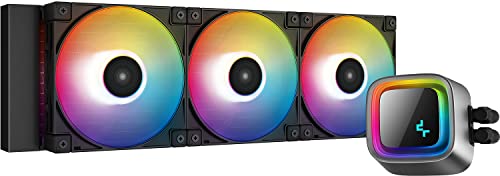
Deepcool LS720 85.85 CFM Liquid CPU Cooler (R-LS720-BKAMNT-G-1)
Also there's white versions of ls/lt720
regal plaza
Ah, I’m AM5
shrewd juniper
So choose the one you like the look of best
regal plaza
Sweet thanks 🙏
twin ivy
regal plaza
Sweet thanks 🙏
Me personally I went ls720
Make sure to set your pump speed to around 75 tho
To prevent turbulence
regal plaza
twin ivy
Me personally I went ls720
How’s it look? The pump seems weird to me
And I’ll keep that in mind thanks?

 twin ivy
regal plaza
How’s it look? The pump seems weird to me
twin ivy
regal plaza
How’s it look? The pump seems weird to me
Personally I like the look
harsh crow
twin ivy
Personally I like the look
Just me or is the pump+shroud on the Ls720 smaller then the LT720?
I have the LT720.
twin ivy
Lt 720 is a completely different design
harsh crow
I suppose.
regal plaza
Hows performance for you guys @harsh crow@twin ivy?
I have a 7700X so it gets hot as hell 😅
As well as noise, I can't really put decibels into anything personally lol
twin ivy
regal plaza
Hows performance for you guys <@217356391675985921><@852241324886720583>?
My 5700g was drawing 140 watts and it was at 70c with the fans barely kicking on lol
Was overkill for that chip
I'll let you know on this 5900x in a few days if you dont buy before than
twin ivy
regal plaza
As well as noise, I can't really put decibels into anything personally lol
Well at 100 percent its noisy as most fans are lol but if you set a fan curve it will be fairly quiet
The included fans don't need to ramp up much to move quite a bit of air
regal plaza
I have a deep cool fan rn, not sure if it's the same one but it does get quite loud after a little but it's perfect if I have headphones so
regal plaza
twin ivy
I'll let you know on this 5900x in a few days if you dont buy before than
Lmk! Don't really need it but why not
rotund sable

Gentle Typhoon 120x120x25mm 2150 RPM PWM fan #D1225C12B6ZPA The Gentle Typhoon 120 mm fan series produce especially high static pressure combined with optimized fan blade design. They are fitted with double ball bearing and boast a life span of up to 100,000 hours at 35°C. To further reduce noise...
low pumice
Reject p12 return to nidec gt
quasi zodiac
strange flume
I personally use and have used NT-H2 for a long time, but GC extreme is also rea...
I've installed the nt-h2 and gaming for about an hour now Temps steady around 130 Fahrenheit (55 celcius). It's a very different consistency from the corsair. Even different from the thermogrizzly I used the very 1st time. But once again I thank you sir. I think its safe to say that corsair paste was trash.
strange flume
quasi zodiac
I've installed the nt-h2 and gaming for about an hour now Temps steady around 13...
np man. It takes a few heads sometimes to find the answer to something. Glad we could help tbh 
twin ivy
strange flume
np man. It takes a few heads sometimes to find the answer to something. Glad we ...
🗿

 knotty sparrow

strange flume
IT'S TIME LADS
twin ivy
strange flume
IT'S TIME LADS
TIME ONCE I GET THE CPU AHHHHHH
Geuss I could try it on something else 💀
rotund sable
eat it
 knotty sparrow
Really? I thought it was for your teeth. Why else would it be called paste?
The diamond dust is just to scrub extra good
rotund sable
im going to prank someone by replacing their toothpaste with kpx
and i know exactly who to do it to 
twin ivy
rotund sable
and i know exactly who to do it to <:JJKGegePackWatch:892899245840019508>
Fork
Or your brother
 winter wedge
Anyone know the best brands to get AIO coolers from
strange flume
Deepcool
For just about anything rn
Arctic for b stock coolers
EK for aio's (basic 1st gen or lux 2nd gen)
Anything else is a pass unless it goes terribly cheap
(hopefully not for a bad reason * cough cough * MSI)
sacred wren
Lian li galahad is an honorable mention, just normally not competitive pricing compared to ls720
strange flume
Yeah rarely you get a good galahad sale
sacred wren
Deepcool castle ex is acceptable, not as good as those others
low pumice
EVGA for cheap b stock clc once in a while
sacred wren
^
harsh crow
low pumice
EVGA for cheap b stock clc once in a while
Louddd!
knotty sparrow
harsh crow
Louddd!
You're not supposed to use the stock fans on the CLC silly, you replace them with P12s
And you still end up only paying like $90 for a 360mm after the fans (when it's on a proper sale)
sacred wren
I got my clc 280 for $60, and then put two p14s on it
harsh crow
knotty sparrow
And you still end up only paying like $90 for a 360mm after the fans (when it's ...
I still have the default fans on my EVGA CLC rad.
strange flume
@steel tusk do you have the source for the PA120 SE having the wrong coldplate shape on hand?
For lga1700
 steel tusk
strange flume
<@473206416782655508> do you have the source for the PA120 SE having the wrong c...
steel tusk
strange flume
<@473206416782655508> do you have the source for the PA120 SE having the wrong c...
I can't seem to find the video (it was some really obscure Chinese review) that showed inconsistent milling (flat vs convex). It's probs still out there somewhere but I'm too lazy to look. I assume they've fixed that issue as Ive seen a good amount of the newer pa120 SE out in the wild, the updated ones. Pa120 SE also used to come with a crappy bracket for lga1700 that was beyond awful, but that seems to be fixed now. At this point from the reviews and the people I've talked to, it seems like a fine cooler to reccomend now
strange flume
Alright
Someone was asking about it, so I'll still see if I can find the review
But cheers man, revisions are welcome
Yeah google isn't very helpful
Not getting any positive hits
 somber surge
Is this fans good?? https://amzn.eu/d/hDsGraV

Continuing the SickleFlow 120 series, Cooler Master introduces the new SickleFlow 120 fan, its blades were created with larger blades and increased curvature to optimize the air flow and air pressure performance. Strengthen structural frame design with added rib housing for durability. Improved d...
somber surge
strange flume
That price isn't too bad either
U know any good fans?
With argb and 120mm
strange flume
Those look good
somber surge
OK thanks
 formal flume
Hey I've got a i5 10400f stock cooler and I am building a new pc however I need a new backplate due to my other pc having premade ones in the back case, could anyone help me of finding a back plate?
 tulip matrix
You can find a pretty inexpensive backplate for the lga 1200
tulip matrix
formal flume
Hey I've got a i5 10400f stock cooler and I am building a new pc however I need ...
Heres one https://www.newegg.com/p/13C-009Y-00029
formal flume
Is there any longer ones?@tulip matrix
tulip matrix
What motherboard are you trying to put it on
 tulip matrix
So why were you needing a "longer" backplate than the one I linked?
formal flume
I've found a square backplate Intel in my room and it was cm off from actually going together
Like it wasn't able to reach regardless the amount of pressure I did it
@tulip matrix could you help me in this situation?
tulip matrix
Actually let me see if I can find my favorite one that I've used before
formal flume
This is for a stock cooler interestingly enough
tulip matrix
I've used this before for both a I5-9400F and I5-11600K https://a.co/d/jbqnsb6

Adjustable Motherboard Backplate, CPU Heatsink Mounting Base, Radiator Holder Backplate for Intel LGA 775 1150 1155 1156 1200 1366 1700
formal flume
Yeah... I used that and won't work xd
tulip matrix
That's odd
tulip matrix
Are you saying the bracket doesn't have enough height for the screws to reach or wont fit to the socket itself?
tulip matrix
So, I might not be able to help but that is particularly odd that it didn't fit
tulip matrix
I'm sorry, wouldn't happen to know
formal flume
Would a smaller cooler do the trick?
 fluid lichen
Don't think so
formal flume
Okay so my friend came in with a big heatsink and it fitted with one metal sides but I need one more do you know how I can acquire this? @fluid lichen
For more detail it has one hole in the middle screwed
formal flume
@tulip matrix
formal flume
after struggling to find it, I've found an option, would this cooler work on my motherboard? https://www.amazon.co.uk/Cooler-Master-Xdream-I117-Cpu/dp/B005C5GNQS/ref=sr_1_6?crid=19V1QZ7KWHTFO&keywords=cpu%2Bcooler%2Blga%2B1200&qid=1679224452&sprefix=cpu%2Bcooler%2Blga%2B1200%2Caps%2C63&sr=8-6&th=1

The X Dream i117 is a low-profile yet affordable CPU air cooler with a compact heatsink. With its aluminium extrusion fins and cross-shaped design, the heatsink delivers centralised air flow and reliable heat dissipation. The quiet 95mm fan is fine-tuned for performance (36.5 CFM ± 10%, 1.55mm H2...
sacred wren
formal flume
after struggling to find it, I've found an option, would this cooler work on my ...
you need lga 1200?
https://uk.pcpartpicker.com/product/Zr8bt6/id-cooling-se-214-xt-682-cfm-cpu-cooler-se-214-xt-argb do this

ID-COOLING SE-214-XT 68.2 CFM CPU Cooler (SE-214-XT ARGB)
formal flume
sacred wren
https://uk.pcpartpicker.com/product/Zr8bt6/id-cooling-se-214-xt-682-cfm-cpu-cool...
okay
 simple hawk