#cases-psu-and-cooling
1 messages · Page 2 of 1
 upbeat dew
eps connector is like the pcie connector
is an additional power, the mobo provides power as well
 tame cape
It's additional?
Ok
But is 3.3v for CPU like converted to the CPU voltage it uses? 1.2-.3...
Does it have specific use
Or connects to specific pins on the CPU?
upbeat dew
thats the work of the vrms, they downsize to power specific voltage to the cpu
 fierce pivot
No fair :(
tame cape
But then what's the point of using 12v EPS and not 3.3? Efficiency? Heat? Idk
Or either using 12v instead of the 3.3
upbeat dew
to downsize to other voltages thru the vrm
 upbeat dew
there is a whole world inside a cpu architecture, it uses a lot of different voltages, an effin lot to work
tame cape
fierce pivot
You don't wanna have to go from 12v to 1.2v when you could go from 3.3 to 1.2v
You mean they just use 3.3 because it's better to convert?
upbeat dew
you are drowning on a glass of water
fierce pivot
Idk the ins and outs exactly but ye something like that
upbeat dew
cpus use a lot of different voltages, and the mobo cant power them all, thats why you need the additional eps to provide power to the vrms to downsize voltage to manageable leveles
tame cape
I guess 12v is used because less amps = less heat = more efficiency
tame cape
And with 12v few amperes you can provide many watts (which is required for modern CPUs)
upbeat dew
voltages the mobo cant provide directly
upbeat dew
pretty much
 hollow leaf
Makes sense.
Cant just plug the power line from the street directly into your toaster.
Gotta have something to reduce the load to a level the appliance can use.
upbeat dew
your mobo provide a lot of different voltages to your cpu, but when the cpu require more power then the vrms draw that power from the eps, downsizing those 12v to the different voltages your cpu need
tame cape
Ok.
I understand.
PSUs and voltages can be complicated sometimes
tame cape
upbeat dew
your mobo provide a lot of different voltages to your cpu, but when the cpu requ...
Aaah
Nicely explained
Good
tame cape
Could you link it?
upbeat dew
well, that explain how vrm and power phases work, maybe is not what you want xD
tame cape
It's ok, just more knowledge
upbeat dew

The basic principles of how a motherboard or GPU VRM works.
Patreon and Shirts: http://cxzoid.blogspot.co.uk/p/paypal-safer-easier-way-to-pay-online.html
The Twitch:https://www.twitch.tv/buildzoid
The blog: http://cxzoid.blogspot.co.uk/
The Facebook: https://www.facebook.com/actuallyhardcoreoverclocking
time to bed 😄
cy later nerds
 lavish crypt
Fractal Design Meshify 2 RGB vs Corsair iCUE 5000X RGB
Which one is better? Thanks.
 elfin trout
Meshify 2 RGB, 5000d airflow is better performing than 5000x
lavish crypt
$135 Corsair 5000x (corsair can send out airflow panel for free or for like 10$ on there store) from tech-deals
elfin trout
Meshify 2 ends up generally being better in standardized fan testing, so I'd take meshify 2 still unless it's a lot more expensive
lavish crypt
👌
tame cape
🤢 😂

 blissful thistle
Gross
tame cape
Can't even fit a 240 
Wait a second...
How the hell do you plug display out, VDE and MB I/O?
The RGB SSD on top of a PSU is the most cringe thing I've ever seen
no airflow
 serene siren
Dude why have a 240 when you can 120+120+120+120+120+120+120+120+120 
 thorny latch
tame cape
****no airflow****
thorny latch
tame cape
****no airflow****
There is a lot of airflow but it is just ugly
 tulip granite
tame cape
🤢 😂
tulip granite
tame cape
🤢 😂
bro this is perfect for minecraft
tame cape
 misty moat
It's a circle
misty moat
It's a circle
Exactly
tame cape
thorny latch
There is a lot of airflow but it is just ugly
If you put exhaust fans I don't think it will do it's job very nicely
hollow leaf
tame cape
🤢 😂
I can dig it


 tame cape
serene siren
Omfg
tame cape
serene siren
Omfg
Oh god it really looks like the case 😂
 sharp lintel
Does anyone know if the msi mpg a gf 650w is a good psu?
I couldn’t find it in the tier list
 mild roost
it is
 lofty pewter
sharp lintel
I couldn’t find it in the tier list
lofty pewter
sharp lintel
I couldn’t find it in the tier list
Single Rail A
 fierce pivot
It's value hasn't been very good recently tho
hollow leaf
I don't understand the difference between multi rail and single rail in terms of what they do.
elfin trout
One central thing that gives out all the power vs multiple different things that give out power to connectors separate of each other
hollow leaf
elfin trout
One central thing that gives out all the power vs multiple different things that...
Which is better?
Or is there that big of a difference?
elfin trout
Depends
 elfin trout
Multi rail can be nicer at 850w+ since it can mean more precise protections for each rail, like for each connector, instead of like the whole 12v rail, but that can also be a bad thing, as we've seen with some seasonic prime units, since each rail gets their own ocp/opp, it can also mean drawing an amount that wouldn't have tripped previously now trips, which can happen with ampere and the huge transients causing problems
serene siren

hollow leaf
Ah ok. I have the Antec HCG Gold 1kw. So it should be good with the 3080 12gb aye?
serene siren
- Mind blown so much brain ocp trips *
hollow leaf
Felix got me trippin about a new psu
serene siren
You should be fine
But lightning in the same place 3 times with issues you should buy a lottery ticket and swap psu if the pc still trippin lol
fierce pivot
hollow leaf
Ah ok. I have the Antec HCG Gold 1kw. So it should be good with the 3080 12gb ay...

hollow leaf
serene siren
But lightning in the same place 3 times with issues you should buy a lottery tic...
I did buy a lottery ticket. 50 of them. I didn't win a single $ back.
 hollow leaf
fierce pivot
https://tenor.com/view/jesse-rubinoff-sportsnet-tim-and-friends-gambling-gamblin...
hollow leaf
fierce pivot
https://tenor.com/view/jesse-rubinoff-sportsnet-tim-and-friends-gambling-gamblin...
 lofty pewter
hollow leaf
Ah ok. I have the Antec HCG Gold 1kw. So it should be good with the 3080 12gb ay...
lofty pewter
hollow leaf
Ah ok. I have the Antec HCG Gold 1kw. So it should be good with the 3080 12gb ay...
Ive heard "cool" 1.2kw PSUs trip before (EVGA/SS). Tho that could be from daisy chain 8P + multi rail PSU (Meaning, much easier to trip cuz power isnt split between the low OCP rails), also could just be they used 500w 3090s, not really much info out there.
Also note that if your PSU is old, its based on the old SS platform which is even more sensitive to transients.
Assuming you get a 450w 3080 12gb, prolly be good idea to split up the load between as many rails as possible (should be able to find rail config online). Unlikely to get issues but still apparently possible based on old reports.
hollow leaf
lofty pewter
Ive heard "cool" 1.2kw PSUs trip before (EVGA/SS). Tho that could be from daisy ...
I got a 3x8 3080 12gb. My PSU is single rail though
lofty pewter
hollow leaf
I got a 3x8 3080 12gb. My PSU is single rail though
Ah, whoop. I doubt any issues will arise tho. Haven't heard of people complaining about OCP issues for a long time.
 urban tulip
lofty pewter
Ah, whoop. I doubt any issues will arise tho. Haven't heard of people complainin...
urban tulip
lofty pewter
Ah, whoop. I doubt any issues will arise tho. Haven't heard of people complainin...
Gary had some issues with his 3080 (ti?) On a rev df
But that's multi rail only so yeah
lofty pewter
What PL was 3080, what DF was it, and did Gary split the load between the rails?
urban tulip
P sure it was a 850, not sure on 3080 model, and pretty sure he ended up balancing load
But that's the minor issue with the df
It's got another kinda issue that sucks
elfin trout
grill
 lofty pewter
Most multi rails wont work well with transient heavy loads on a single rail.
blissful thistle
Is that not screwed in
elfin trout
urban tulip
It's got another kinda issue that sucks
upside down setup most fun setup so nothing lost
urban tulip
elfin trout
grill
So add the 4000d (airflow) to the list of rev df no good cases
 urban tulip
Inwin had some on there
elfin trout
urban tulip
So add the 4000d (airflow) to the list of rev df no good cases
so add nothing of value to a list, cool
urban tulip
So basically the screw holes won't line up so you either leave it unsecured, who would do that, or just flip it so fan is up
urban tulip
elfin trout
so add nothing of value to a list, cool
Yes, just worth mentioning tho since sometimes it can be a reccomended case
Just something to keep in mind ig so people don't go crazy trying to install it lol
elfin trout
i dont reccomended
It's like corsair ram blocking top mount rad in td500 mesh
nothing of value blocking something that's good
urban tulip
elfin trout
~~i dont reccomended~~
If it said "phanteks" on it, you'd be shilling the hell out of it tbf
lofty pewter
Pic is too dark to really see PSU, but you should be able to screw PSU in. It may not rest on the bottom PSU resting thingies in the case, but it doesn't really need to.
elfin trout
urban tulip
If it said "phanteks" on it, you'd be shilling the hell out of it tbf
man you're forgetting I'm a CM case shill at heart
urban tulip
lofty pewter
Pic is too dark to really see PSU, but you should be able to screw PSU in. It ma...
Can't screw it in with fan down
Achilles heal of rev df with some cases
urban tulip
Fan grill protrudes so the holes will never line up
urban tulip
elfin trout
I really like td500 mesh and h500
LCiiM and O11 air mini best cases
elfin trout
It's like how I'm a Noctua shill at heart, it's just price doesn't usually line up to the value standards
urban tulip
No arguing that
elfin trout
urban tulip
LCiiM and O11 air mini best cases
i hate you
lofty pewter
urban tulip
Fan grill protrudes so the holes will never line up
So PSU is up too high then?
urban tulip
Yeah
elfin trout
the grill just hits the bottom of the case
lofty pewter
Can't remember, is the grill easy to take off?
 elfin trout
¯_(ツ)_/¯
lofty pewter
elfin trout
but I don't think you want to expose what is inside
Protected by bottom of case. Also fan is def inside case.
Based on that pic
urban tulip
Hei did I ever send you the "BAPC in one screenshot" pic?
lofty pewter
Nop
fierce pivot
elfin trout
fan looks to extrude slightly beyond the 'box' of the PSU
It does, was actually a pain to take out of pc, had to turn on side n stuff
 thorny kiln
anyone have the bistpower titan one o11d case?
i gotta figure out how to remove and clean out the distro plate. just @ me
 arctic crest
Anyone know how to test PSU if it's working properly or not?
Because my computer sometimes doesn't turn on (flickers and turns off) and I'm trying to figure out if it's a psu issue.
I dusted out my pc and it was working fine for like a week or so but now it's acting up again.
 sand atlas
Could be the motherboard, could be the PSU.
Try updating your BIOS.
urban tulip
Could be worth checking all connections are fully seated
arctic crest
sand atlas
Could be the motherboard, could be the PSU.
Try updating your BIOS.
I looked into updating my bios I'm kind of scared I wasn't able to find compatibility guides and I heard people saying it could damage your data.
arctic crest
urban tulip
Could be worth checking all connections are fully seated
Alright I'll try that.
It's weird cause when it works it's fine but the moment I try to turn it on there is like a 50% chance of it not turning on.
sand atlas
arctic crest
I looked into updating my bios I'm kind of scared I wasn't able to find compatib...
There's no "compatibility guide" because there's only one source for the update that'll work, and that's the exact product support page for the motherboard.
As far as data loss, that's only in extreme and unusual cases like using bitlocker but having no backup keys.
upbeat dew
or a blackout in the middle of a bios update :S thats the worst case scenario :S
lofty pewter
bitlocker worse then corrupted BIOS, BIOS is pretty easy to flash with external flasher
sand atlas
Especially easy when you have flashback
lofty pewter
Or dual (backup) BIOS (Mainly GB)
 vagrant lantern
guys is there a way to connect front io to a dell oem motherboard? ( optiplex mobo )
arctic crest
I have no idea what those things are flashback and dual bios.
sand atlas
Flashback lets you update bios without a CPU or turning it on fully. Dual bios has two chips instead of one to store the bios data, and you can switch between them as needed.
sand atlas
vagrant lantern
guys is there a way to connect front io to a dell oem motherboard? ( optiplex mo...
Is it one that has the power button physically attached to the motherboard? If yes, it's possible but will require soldering.
arctic crest
sand atlas
Flashback lets you update bios without a CPU or turning it on fully. Dual bios h...
Ohh gotcha thank you.
Oh btw for like psu testing do you know of any software I can get to test my psu if it's working properly?
I wanna do that before messing around with my motherboard or buying an actual psu tester.
sand atlas
Not anything that'll be able to tell if there's an issue before it boots up, but I usually run furmark and cinebench at the same time to test power draw. Prime95 works for CPU as well. There's also the occt power test that does basically the same thing in a nice UI.
If it's failing to start sometimes a bios update often helps, but it could be a faulty power_good signal from the PSU also.
 weary vine
sand atlas
If it's failing to start sometimes a bios update often helps, but it could be a ...
weary vine
sand atlas
If it's failing to start sometimes a bios update often helps, but it could be a ...
power_good is teh same thing as power_ok right?
sand atlas
They're interchangeable terms yeah
vagrant lantern
sand atlas
Is it one that has the power button physically attached to the motherboard? If y...
idk i saw some video on youtube that says it require a adapter for it but im looking for a way with out it ( maybe a case with out front usb will work )
arctic crest
sand atlas
Not anything that'll be able to tell if there's an issue before it boots up, but...
Sorry I took a while to respond but it boots up fine like most of the time after I dusted out my pc. It's only sometimes that it would flicker and turn back off. (Most of the time I am able to turn off psu hold power button then turn back on the psu and the pc.) I know a brief outage occurred with my pc connected directly to the wall but I want some way to test it is actually broken before sending it to coolermaster for a rma. I'll try the occt power test, I think I saw it somewhere on a forum too. Thank you!
arctic crest
Imma perform occt power test. I hope my psu doesn't fry. >.<
 river silo
anyone built in the hyte 60? trying to see if able to to vert mount my 3080 ti strix and not restrict the air flow of it
tame cape
Considering the card is basically triple slot, 56mm thick, the airflow may be restricted
serene siren
Will be. That case gives breathing room for 2 slot cards but 3 is dead against the glass iirc
arctic crest
What metrics do I need to be looking at while testing my psu? My +voltages looked normal last night but this afternoon I was unable to turn on my pc. The lights flickered and turned back off. I had to turn off psu and hold down the power button then turn the psu on to finally turn my pc on again.
My cpu and memory benchmark on OCCT was performing way below average.
sand atlas
arctic crest
My cpu and memory benchmark on OCCT was performing way below average.
OCCT is a stability test suite, not a benchmark. If there were no errors then you passed.
arctic crest
sand atlas
OCCT is a stability test suite, not a benchmark. If there were no errors then yo...
What should I look for regarding psu voltages and power draw?
All I looked at was the +12 or +5 voltages measurements.
 sweet linden
is there is a clean , futuristic lookn case that is still a rectangle
am not a fan of the cases with goofy shapes
actuall alot of cases look futuristic
i cant explain how i want it tho
i want cyberpunk like
sand atlas
Hyte makes a couple that I think match that description
 timid basin
arctic crest
All I looked at was the +12 or +5 voltages measurements.
timid basin
arctic crest
All I looked at was the +12 or +5 voltages measurements.
software is really not reliable for those kinds of readings
what you had sounds like an OCP shutdown, since it generally requires the PSU to be flipped off and on again
which can be caused by a ton of things
sand atlas
timid basin
which can be caused by a ton of things
My assumption was the power_ok signal, since it would shut off very shortly after trying to power on.
And since you're here, any idea where the EVGA P+ 1300/1600 rank?
timid basin
could be too... but normally stuff like that is OVP/OCP/UVP or alike
issue with P+ is that it's really really loud from what I can see
considering the heatsinks on them are basically non-existent
my RMx has more surface area than the 2kw version of that platform
sand atlas
Interesting. So it'll probably be relegated to B tier based on that mostly I'm guessing?
timid basin
sand atlas
Interesting. So it'll probably be relegated to B tier based on that mostly I'm g...
well, we technically don't consider noise a part in the tiering, just in the sub-tiers
but it's more of a there are better options kind of thing
elfin trout
Luke, know anything about G2/P2 issues? I remember being told something was wrong with them at one point
urban tulip
I remember the g2 550 atleast having a kinda kicker, not sure how far up in G2 models it goes
Was power ok or hold up time related iirc
arctic crest
timid basin
software is really not reliable for those kinds of readings
Ah I see. I was hoping to test it with software before sending it to coolermaster for rma because idk if the powersupply is actually the issue.
Regarding PSU to be flipped off and on it's kinda weird also because sometimes it works but other time it just flickers again and powers off.
But someone told me to hold down power button to discharge energy or something and that works like 90% of the time.
Oh yeah I don't know if you read my previous messages as well but a small outage had went through it but idk if that is the issue.
lofty pewter
elfin trout
Luke, know anything about G2/P2 issues? I remember being told something was wro...
PWR_OK didnt work as intended, just let PSU caps run out and gave voltage drop to the entire system for like >1ms (actual time is not recorded edit: voltage drop time not recorded, PWR_OK to PSU shutoff time was recorded). Its unlikely to kill components, but there is no proof to say if this is harmful to the components. When it was discovered people were much more scared about it then they should've been, so there was lots of noise about the issue. May not be my first recommendation if for someone who gets brownouts ever 5mins due to lack of info, but it's still prolly safe
hollow leaf
I'm curious. Is it possible to have my GPU hooked up to another PSU that has nothing else hooked up to it? Would it still work or does it need to be connected to the Mobo still?
lofty pewter
hollow leaf
I'm curious. Is it possible to have my GPU hooked up to another PSU that has not...
Still need to short PS-ON and ground so PSU turns on. For really old PSUs (which idk why you'd be using one, but fun fact ig) you'd need to make sure there is always a load on PSU else PSU turns off (mostly annoying for turning on PC in this specific case).
So yeah it'll work, just need to short two pins on 24P
hollow leaf
Is that dangerous? or is it like doing it on the mobo?
I would assume something like putting 1 little wire in 1 pin and same with other then touching them for a split second to turn psu on?
Would it be the same way to turn it off?
lofty pewter
No extra danger should be there (apart from the technical stuff like 2x the failure rate cuz 2x the PSUs being used, or like making sure both PSUs are off and mostly depleted before doing maintenance on PC)
As for pin shorting you need to keep them shorted to keep PSU on pretty sure.
hollow leaf
lofty pewter
No extra danger should be there (apart from the technical stuff like 2x the fail...
Gotcha. So I could essentially make a switch where when flipped, it completes the circuit, then flip again to break the circuit.
I'm kind of entertaining the idea of using this rm 750 for my PC and then using my Antec 1kw for the 4080/4090.
I'd be making sure everything was kosher though for sure.
lofty pewter
hollow leaf
Gotcha. So I could essentially make a switch where when flipped, it completes th...
Should be able to just use PSU back switch. If you like being fancy, then a 24P splitter which shares PS-ON
hollow leaf
lofty pewter
Should be able to just use PSU back switch. If you like being fancy, then a 24P ...
oh thought even with the psu back switch on, you had to short the ps on?
hollow leaf
lofty pewter
Should be able to just use PSU back switch. If you like being fancy, then a 24P ...
unless I just misunderstood this
oh I see nowww
that's cool. I'd for sure go that route
lofty pewter
hollow leaf
I'm kind of entertaining the idea of using this rm 750 for my PC and then using ...
Also potentially wont work or be helpful for two main reasons:
-Doesnt help with transient loads much, if ADA is truly transient heavy they ye hecked with 99.999% of 2.0/2.31 PSUs
-Any 12+0P adapter will be limited to 450w, the 4 data pins are required to unlock the 600w limit of the 12+4P cable (lock should be on GPU side). So at max you'll have a 525w GPU with transients prolly being the same as a 500w - 550w 3090Ti, which isnt really that bad. Unless that Antec PSU is trash with transients it should be fine for ADA given the cable limit
hollow leaf
lofty pewter
Also potentially wont work or be helpful for two main reasons:
-Doesnt help with...
what is this 12+0p/12+4P?
is that the new style of connectors for the new gpus?
blissful thistle
I'm hoping my 850 gt would be fine for a 4070/5070
Got it for $50 off b stock, so not a big deal if it isn't
lofty pewter
Nvidia made the new 12P connector (Now dubbed 12+0) kinda sorta for Ampere and was based on the upcoming 12+4P ATX connector. One should be able to plug the 12+0 cable into a 12+4 slot, but with the given limitations explained above. This was mostly cuz 12+0P had little control going on. So designs like 2x8P or 3x8P (which afaik doesnt exist) to 12+0P can exist (2x8P to 12+0P exist at least).
elfin trout
lofty pewter
PWR_OK didnt work as intended, just let PSU caps run out and gave voltage drop t...
Fun, that was probably it, do wonder how that compares to a-gf's inaccurate pwr ok
hollow leaf
lofty pewter
Nvidia made the new 12P connector (Now dubbed 12+0) kinda sorta for Ampere and w...
ah I see ok
 cunning tree
Why my pc turns on 5-10 secs after i press my power button? What might be causing the issue? I have vs 450 corsair psu
urban tulip
- Try disconnecting anything you don't need when starting it up to see if that does anything
- If it's older, cmos battery may be bad (way to find this would be having non-stock bios settings, shutting down PC, and unplugging it for 5-10 mins, then plug back in and turn on and see if all your
bios settings are still there) - Could be a corrupted bios
Probs some other things to try too, that's just what I came up with
blissful thistle
could also just need a bios updoot
cunning tree
Its a new build... My processor, motherboard and ram is new..
Running i3 10105f
Asus prime h510me
8gb ddr4 ram
Gtx 1050ti
If my bios is corrupted... Will it effect me in long run n how? Kindly explain
mild roost
If your bios is corrupted, your pc wouldn't even boot
Or something like taking long before it actually starts turning on
fierce pivot
Corrupted bios means pc no boot at all
vagrant lantern
Can I run a 6600xt on a 450w psu?
 rugged yew
how am I supposed to control the rgb on the Lancool 3?
like what software should I downloard
blissful thistle
vagrant lantern
Can I run a 6600xt on a 450w psu?
Yes
fierce pivot
vagrant lantern
Can I run a 6600xt on a 450w psu?
It it's a good one you might get away with it but there's not really any good 450ws
sand atlas
Avoid group regulated 450W since they can only do about 350W in reality
The way you tell is by looking at the sticker, and if the 12V rail can't give the full rated power it's group regulated
vagrant lantern
fierce pivot
It it's a good one you might get away with it but there's not really any good 45...
what about the thermaltake smart 500w?
is it like a decent psu?
urban tulip
No

PSU Tier List will help you to choose the best PSU out of hundreds of models on the market. From budget to the highest end Power Supplies.
Here's a great place to kinda check in to what's good or not
sand atlas
vagrant lantern
what about the thermaltake smart 500w?
That's in the "hazard to other components" tier, unless it's the 80+ white label one in which case it's the "hazardous to life" tier
urban tulip
Id get like a tuf gaming b or something to be safe
vagrant lantern
sand atlas
That's in the "hazard to other components" tier, unless it's the 80+ white label...
so what do you recommend a psu under 50$
sand atlas
For that 6600 XT and what I assume is a low power CPU?
urban tulip
I'd personally stride for the g6 650, but if that isn't possible, probs tuf gaming b 550
vagrant lantern
sand atlas
For that 6600 XT and what I assume is a low power CPU?
yes
sand atlas
This would be acceptable https://pcpartpicker.com/product/8P7CmG/evga-bq-500w-80-bronze-certified-semi-modular-atx-power-supply-110-bq-0500-k1

EVGA BQ 500 W 80+ Bronze Certified Semi-modular ATX Power Supply (110-BQ-0500-K1)
fierce pivot
vagrant lantern
what about the thermaltake smart 500w?
terrible
vagrant lantern
this one?
vagrant lantern
sand atlas
This would be acceptable https://pcpartpicker.com/product/8P7CmG/evga-bq-500w-80...
?
fierce pivot
vagrant lantern
so what do you recommend a psu under 50$
tuf gaming 550w imo
sand atlas
Is that under $50 though
elfin trout
60$ does get you G6 650w
fierce pivot

Asus TUF Gaming B 550 W 80+ Bronze Certified ATX Power Supply (TUF GAMING 550B)
fierce pivot
sand atlas
Is that under $50 though
49 :)
vagrant lantern
elfin trout
60$ does get you G6 650w
i only have 40$ rn im trying to find some dollars in my mom room
sand atlas
Oh it's non modular that's why it didn't show up in my filters
 fierce pivot
lol amazon moment
fierce pivot
sand atlas
Oh it's non modular that's why it didn't show up in my filters
for under 50 you cant really complain
sand atlas
$72 plus it arrives later than free shipping 🙃
 sand atlas
They should still take it
vagrant lantern
sand atlas
They should still take it
it takes like 20 mintues for me biking to the clostest store
sand atlas
The store brings it to the bank and the bank decommissions it
elfin trout
I mean, you could also do like
https://www.bep.gov/services/mutilated-currency-redemption

but that doesn't seem bad enough to warrant that
sand atlas
Yeah that's more like someone drew over Benjamin's face with a sharpie
vagrant lantern
They don’t have 15$ gift card in the store
sand atlas
They don't have the one where you choose how much goes on it?
vagrant lantern
sand atlas
They don't have the one where you choose how much goes on it?
25
vagrant lantern
sand atlas
They don't have the one where you choose how much goes on it?
and my bike tire is flat 😦
is there any good psu that are around 40$?
elfin trout
Not that I can see, tuf cheapest decent thing I see
vagrant lantern
elfin trout
Not that I can see, tuf cheapest decent thing I see
yeah but nwo i need to spend 30$ on fixing my bike
upbeat dew
its like deciding on a gpu or fixing our family car... hmmmm... now that i think of it.....
jk
vagrant lantern
yeah but i just cancled some orders now i have 90$ left to spend
upbeat dew
then as the guys said, tuf 550
vagrant lantern
vagrant lantern
yeah but i just cancled some orders now i have 90$ left to spend
i was looking to buy an ssd (500Gb ) but i have some 120g so i might have ot keep using that one

this one right?
upbeat dew
y
blissful thistle
vagrant lantern
i was looking to buy an ssd (500Gb ) but i have some 120g so i might have ot kee...
Could get silicon power a60 500gb
And yeah, that's it
vagrant lantern
blissful thistle
Could get silicon power a60 500gb
i have 90$ i spend 50 on psu
blissful thistle
Yeah, a60 500gb (might be 512, I forget) is like $35
vagrant lantern
blissful thistle
Yeah, a60 500gb (might be 512, I forget) is like $35
i need sata not m.2
urban tulip
Or s31 sometimes
cunning tree
fierce pivot
Corrupted bios means pc no boot at all
Hey about this.. When i turn on my pc, it doesnt show me any bios screen... Just black screen thn windows login screen appears... No bios screen.. No windows loading screen nothing... I have fast boot enabled in windows.. Google says that if bios is corrupted then bios screen doesnt show up.. But i can still login to windows n play games.. Browse internet.. Watch movies etc.. Im really confused here..
Sorry for the late reply.. I was busy at work..
fierce pivot
cunning tree
Hey about this.. When i turn on my pc, it doesnt show me any bios screen... J...
Bios screen logo is a sign of fast boot being enabled
sand atlas
cunning tree
Hey about this.. When i turn on my pc, it doesnt show me any bios screen... J...
You can get to bios through the advanced boot menu. Hold shift while you click restart.
upbeat dew
or repeatedly press "delete" and let the magic do its thing
 cunning tree
fierce pivot
Bios screen logo is a sign of fast boot being enabled
cunning tree
fierce pivot
Bios screen logo is a sign of fast boot being enabled
Disabled fast boot now... Any advantages of disabling fast boot?
fierce pivot
cunning tree
Disabled fast boot now... Any advantages of disabling fast boot?
You can access bios easier
lofty pewter
Depends which fastboot:
-Windows fastboot generally causes issues and glitches for faster Win boot times. Always ideal to disable that.
-BIOS fastboot disables certain POST checks and removes most of the "pause" time to read POST info or get into BIOS. Rarely causes issues, do whatever works for you.
cunning tree
lofty pewter
Depends which fastboot:
-Windows fastboot generally causes issues and glitches f...
Windows 10 fast startup option...
cunning tree
fierce pivot
You can access bios easier
I have only 8gb ddr4 ram... My fast start up was enabled for 22 days... When ever i start up my pc, my ram usage stays 3.6gb idle... Today when i disabled fast startup n restart windows, the ram usage decreased to 1.7gb idle..
fierce pivot
Oh well fast startup in windows doesn't really do a full shut down it kinda puts it in hybernate
sand atlas
Hybrid sleep they call it
fierce pivot
I don't like it tbh
urban tulip
Fast boot windows actually is kinda nice to leave off imo, that way the kernal actually resets when you shut off and turn back on. So if you're having weird windows glitches and crap and have fastboot, shutting down and turning back on typically won't fix if it's an issue with kernal. Restarting would be the fix, which sounds kinda weird but it's true
fierce pivot
New asus psu has cybernetics H rating 
weary vine
fierce pivot
New asus psu has cybernetics H rating <a:HmmFroge:774766267713454101>
H for hazard?
H for bomb?
fierce pivot
Idk maybe i heard wrong but sounded like h which was supposed to be silent under all loads or something?
 lapis fog
I need a cheap case with 6+ hdd bays. Any suggestions? I'm from Canada
fierce pivot

Cooler Master N400 ATX Mid Tower Case (NSE-400-KKN2)
lapis fog
No cable management
blissful thistle
Def a big hdd bay though
lapis fog
I'll consider it but looks like a 10 years old case xF
elfin trout
That's what you usually get for cheap cases with many drive bays
lapis fog
I bought a rosewill one a few years ago
It had many bays
With psu shroud
But i think it's discontinued
upbeat dew
pretty cases dont have that many drive bays
elfin trout
Something like meshify 2 is neat and has a bunch of drive bags but not exactly cheap
Enthoo pro, define R5, that kind of thing, nice but 100$+
arctic crest
Is this power supply any good?
I want to buy it as a test power supply in case main one dies.
sand atlas
It doesn't say which model it is exactly but it's probably a B or A tier model
vagrant lantern
fierce pivot
https://pcpartpicker.com/product/RkjBD3/asus-tuf-gaming-b-550-w-80-bronze-certif...
ty for saving my life
elfin trout
At that price it's meh
Could do G6 650w for 80$ or a-gf 750w for 90$
If it's gp-p LLC resonant, it's tier b, not bad, if it's not, it's tier c/d material, kinda bad
urban tulip
^^^ last i heard it was the LLC but who knows tbh, id rather get a guaranteed good unit
elfin trout
urban tulip
^^^ last i heard it was the LLC but who knows tbh, id rather get a guaranteed go...
Yeye last time Luke said they really didn't know for sure
vagrant lantern
elfin trout
Could do G6 650w for 80$ or a-gf 750w for 90$
50$ budget
vagrant lantern
15% tax
urban tulip
Tuf 550 then
vagrant lantern
urban tulip
Tuf 550 then
i got that one
 zinc raptor
So quick question. Upgrading my psu to 850 gold and modular. I am pluging a VGA into the psu that goes to my GPU. I have the single end at the GPU and the end with the 2 connectors at the PSU. Will it hurt anything or power surge or anything by having both connectors at one end plugged into the PSU?
So 2 connectors plugged into the PSU leading to 1 connector leading into the GPu
blissful thistle
Yes. you have the cable backwards
 past harbor

zinc raptor
Direction matters?
past harbor
Solid 8pin goes to psu, always
blissful thistle
no, i said that to confuse and lie to you
zinc raptor
There's nothing indicating direction and hate having that second connector dangling in view
blissful thistle
yes it matters
zinc raptor
Aight. Love the indicated rudeness. Preciate it I guess.
And FYI. The way I have it has the solid 8 at the GPU already.
So.
blissful thistle
the solid 8 is not supposed to be at the gpu
it's supposed to be the 6+2 at the gpu
past harbor
Here I actuallu have a recent pic to describe. (Left cable being only 6pin to make it perhaps more obviouz even if these are extensions).
I lot of people should watch/read a few things 1st. https://www.youtube.com/watch?v=v7MYOpFONCU

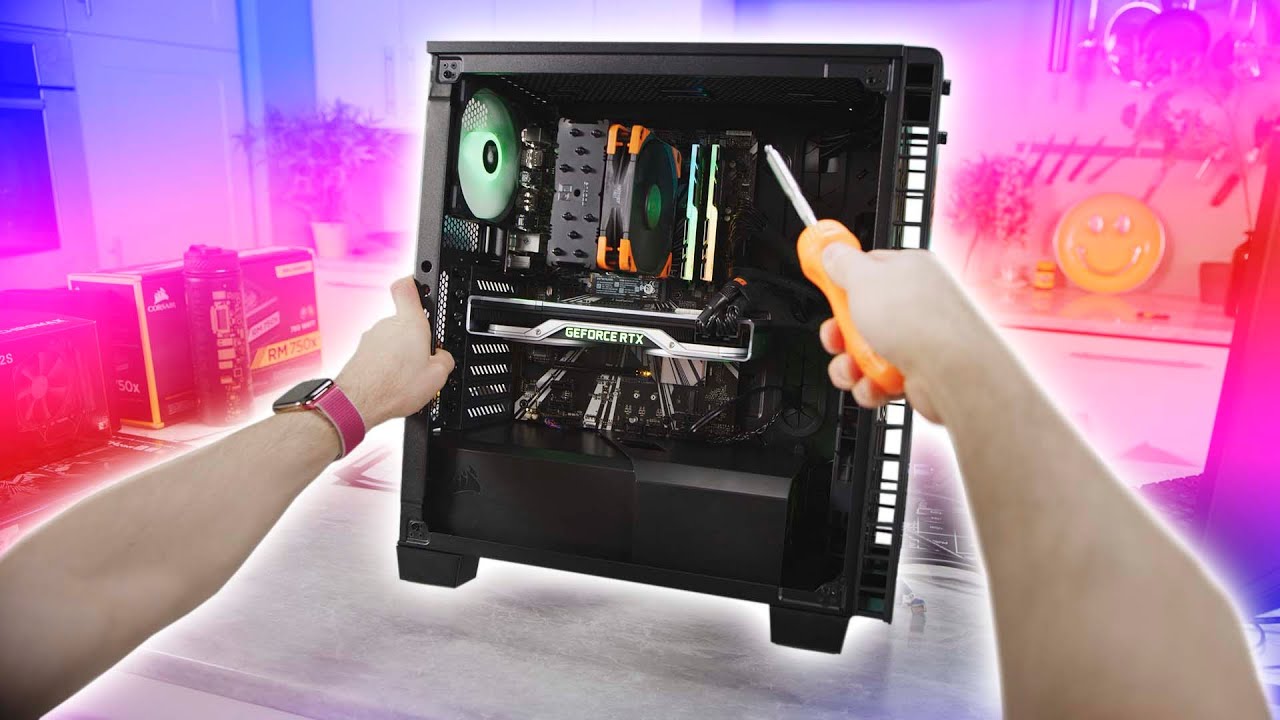
Thanks Intel for sponsoring this video! Learn more about how to build your own gaming PC at https://lmg.gg/edWob
Linus is taking the reins away from our film team and giving you his own view of building a gaming PC. This is a first person build guide featuring Intel's 9700K CPU will take you step by step through the entire build from scratch.
...
arctic crest
Should I buy a used very good psu from amazon warehouse?
Will it still have warranty on it?
upbeat dew
read the warranty on amazon warehouse items
arctic crest
I couldn't find it, it just gives you the same info as the normal new product page.
upbeat dew
your best aproach is to contact amazon itself for that
arctic crest
And if you click the "click here" for product warranty it just tells you "Please contact the seller directly for warranty information for this product. You may also be able to find warranty information on the manufacturer’s website." 
How do I contact them?
arctic crest
I posted a question but idk how to like email them.
upbeat dew
just to ask about warehouse warranty
 fierce pivot
vagrant lantern
ty for saving my life
fierce pivot
vagrant lantern
ty for saving my life

fierce pivot
elfin trout
Could do G6 650w for 80$ or a-gf 750w for 90$
Tt pf1 is nice price atm, 850w for 90$ and i saw rmx 850 yesterday for 100$
arctic crest
fierce pivot
Tt pf1 is nice price atm, 850w for 90$ and i saw rmx 850 yesterday for 100$
I checked amazon for that rmx apparenty the seller is very sketchy.
fierce pivot
Sad :(
fierce pivot
Everytime in this vid i hear seasonic ballsy for sponsorsing, must have good psu's i just think s12ii 
https://youtu.be/b3x28s61q3c

Thanks to Seasonic for sponsoring the unboxing of our new Power Supply Tester, and helping us spec it out! Buy a Seasonic Prime Platinum PX-1300W: https://geni.us/R0aH6
To prep for our upcoming Labs initiative, we ordered something more expensive than BOTH of Linus' vehicles combined... a massive Power Supply Tester worth $133,000. We can't wai...
arctic crest
Apparently interchanging psu ac cables for coolermaster may void warranty?
Also anyone know how do i package my psu for rma? Along with my psu cable?
Also if we lose our original psu cable do companies send a replacement??
fierce pivot
arctic crest
Apparently interchanging psu ac cables for coolermaster may void warranty?
They wont know unless you tell them you did so it's all good lol
fierce pivot
arctic crest
Also if we lose our original psu cable do companies send a replacement??
Originally packing if possible, you probs don't need to send back the cable although might be no harm, it depends on the company but probably not if you loose it, you can buy them for pretty cheap tho, they're just called kettle leads, a 16 or 18awg would work
 normal shadow
Is the 5000d airflow panel metal or plastic. I was hoping it would be compatible with the NZXT puck but the website doesn’t specify I think
fierce pivot
normal shadow
Is the 5000d airflow panel metal or plastic. I was hoping it would be compatible...
Metal
normal shadow
Thanks. Just finished doing my case swap for a 5000x but I still need to call for the airflow panels
arctic crest
fierce pivot
They wont know unless you tell them you did so it's all good lol
Uhh I told them.
Damn I screwed it up huh.
arctic crest
I need help I'm going to UPS in a bit. How do I ship my psu to coolermaster for rma?
I don't have original packaging.
sand atlas
What do their instructions say?
serene siren
I feel like this is a question for them more than us lol
arctic crest


They really don’t tell me much tbh.
Also is this normal?

Sorry for the bad quality photo but there’s like a pin thing missing.
past harbor
That's by design 
arctic crest
Oh ok my heart stopped for a sec.
I was like struggling so much to pull that pin out.
lofty pewter
fierce pivot
Everytime in this vid i hear seasonic ballsy for sponsorsing, must have good psu...
Also those with transients issues, but not as big of a deal as not as dangerous and SS actually tried to fix the issue. Certainly really good PR for them on average tho
serene siren
arctic crest
It says "(preferably in it's original packaging)" meaning if you don't have it, you'll have to arrange your own
Cardboard box, some paper and a large esd bag for the PSU itself would probably be ideal
arctic crest
serene siren
Cardboard box, some paper and a large esd bag for the PSU itself would probably ...
Where can I find a esd bag?
Would walmart or target carry those? I want to send the psu out asap.
serene siren
Walmart and amazon seem to have them but I don't live in the states so I couldn't tell you
arctic crest
Alright I'll check them out thank you.
Also do you happen to know if swapping ac cables really could void warranty? Because I checked with a lot of sources and people that apparently ac cables are standardized but coolermaster says it might void my warranty and is telling me to send it with my psu.
urban tulip
Ac cables are fairly standardized, not fully fully tho. Ofc that doesn't mean it will or won't go against their warranty, since that's up to the company to decide, and it doesn't always make sense for every situation. As far as I know, aslong as the ac cable uses thick enough wire (awg) for what you're unit would need on rated, and they didn't use complete crap terminals, it's fine
But yeah cooler master would have the final say on whether that effects warranty or not
arctic crest
urban tulip
Ac cables are fairly standardized, not fully fully tho. Ofc that doesn't mean it...
I got a tripp lite 18 AWG.
Fingers crossed coolermaster send me replacement. Power supplies are so expensive I really don't want to buy another one.
fierce pivot
lofty pewter
Also those with transients issues, but not as big of a deal as not as dangerous ...
Yeah i just hate the "insert brand always good mindset"
 sick viper
I feel like cardboard would be a decent way of prototyping a case before i go through the trouble of doing literally anything else
not sure what i will do about airflow though
because there will only be one opening and it will be a wide and flat one, luckily
or snuff that. If there is a case designed to be all-in-one portable much like

then i could just use that for a start
fierce pivot
Why not just get the new tiny intel nuc
sick viper
i already have a sizable gpu lol
the original idea was to fit everything into a pelican case
much like something like this
 sick viper
yeah
sick viper

aliexpress.com
Smarter Shopping, Better Living! Aliexpress.com
this could almost work
oh
not for that price lol
arctic crest
Any thoughts about this?
 minor portalBOT
 AndyLi#9766 has been warned
Reason: Bad word usage
arctic crest
What?
arctic crest
serene siren
do you need 850W?
I'm not sure tbh.
I kind of want to future proof idk if that is overkill.
 scenic lance
Hi
serene siren
5800X I could sort of understand with a 3x8 pin 3080
5700X no that's a 65W chip
I would get a 750W if you had those plans
thing is, ATX 3.0 is on the way, so PSU future-proofing is basically pointless (Let alone the concept of future-proofing to begin with)
if you're gonna pull the trigger on the new CPU and GPU, 750W should be alright
arctic crest
What is 3x8 pin?
scenic lance
arctic crest
Ohh like the power going into the gpu.
serene siren
ya
arctic crest
The 6 and 2 thing?
 arctic crest
Does the 5600x or 5700x not match well with a 3080?
serene siren
So the 3x8's are the power hungry ones, like 450W cards
5600X is fine for even a 3090
cpu's are really powerful these days
lemme find you a 750W psu
arctic crest
serene siren
5800X I could *sort of* understand with a 3x8 pin 3080
Wait so I'm still confused with this part and the 5700x part.
arctic crest
serene siren
lemme find you a 750W psu
Ok thank you.
serene siren
5700X is a 5800X but lower power
basically the same
but 5700X I could see running on a 750W
arctic crest
I was looking at the prices of 750w A-tier power supplies and they were all about 90 so I thought the 850w would be fine.
Ohh so if I had a 5800x then 850 watt would be good?
Also what is atx 3.0?
serene siren
ye I'm seeing now 750W GF1 and '22 NZXT C are both 80 so an extra 10 into an 850W is worth it
serene siren
arctic crest
Ohh so if I had a 5800x then 850 watt would be good?
wouldn't pick a 5800X over a 5700X
lol
but yeah that 850W isn't a bad idea cos it's only 10$ difference
this one
minor portalBOT
 FlexibleFelix#0713 has been warned
Reason: Bad word usage
serene siren
eh
omg in the link

or this if you decide 750W:
https://www.amazon.com/dp/B07SL9NFVS

The fully modular Toughpower GF1 series is available in 650W - 850W models and built to deliver 80 PLUS Gold efficiency. The series features a 140mm hydraulic bearing fan, Japanese capacitors and other premium components to help deliver a continuous and stable power with an ambient temperature up...
arctic crest
Is thermaltake a good company btw?
I haven't bought anything from them and worry about rma if something comes bad.
serene siren

arctic crest
Ahh ok.
serene siren
much like most companies, there are good things, and bad things
arctic crest
Wait also I saw this under speculative in the tier list.
serene siren

arctic crest
Is it still considered an A tier.
serene siren
GF1?
 serene siren
oh yeah I knew about that
arctic crest
serene siren
oh yeah I knew about that
So is that fine?
arctic crest
scenic lance
RTX 3060 i512400f god?
I think it's pretty good.
scenic lance
I’m from 🇸🇦
serene siren
arctic crest
So is that fine?
they still don't have info on the 2022 one hence it's speculated based on the 2019 one
arctic crest
Ohh I see.
serene siren
Sorry, I shouldn't have suggested it, stick to the Thermaltake ones we talked about
arctic crest
So this one is new and haven't been tested yet? 
serene siren
by the cultists yea
arctic crest
So which one should I get now?
serene siren
GF1 750 or 850 if you upgrade the other stuff
arctic crest
Ohh is low priority also included with speculative units?
arctic crest
Wait I'm so confused.
serene siren
wait the GF1 is speculative A now 
 arctic crest
How you pull that up so fast.
serene siren
I search a lot when I try to help someone 
arctic crest
Wait so the high watt ones are the untested ones?
serene siren
no?
Just stick to GF1 750W or 850W if you upgrade the cpu and gpu
if you aren't upgrading yet, then wait until you do
there might be something cheaper later

arctic crest
Power supplies are so complicated. 
serene siren
and yet there are people that will go super cheap on theirs cos they don't know how important it is lol
arctic crest
serene siren
and yet there are people that will go super cheap on theirs cos they don't know ...
Me LOL.
I went for a coolermaster mwe one.
serene siren
nah I'm talking much worse
arctic crest
It's now being sent in for rma.
arctic crest
My tweets?
scenic lance
No
 knotty mesa
serene siren
they still don't have info on the 2022 one hence it's speculated based on the 20...
knotty mesa
serene siren
they still don't have info on the 2022 one hence it's speculated based on the 20...
the NZXT C 2022??
its not speculated to be based on the prior model lol
its known to be CWT CSZ
only testing on this platfrom though its only on MSI highter wattages
so no testing on lower wattages which the C 2022 uses
the older model is just a focus
serene siren
Thank you for clarifying
 coarse sable
i am geting i3-12100F and RX 6600 and 16gb ram and H610 and like what power supply is the best?
blissful thistle
coarse sable
i am geting i3-12100F and RX 6600 and 16gb ram and H610 and like what power supp...
Depends on country
Check pins, any A, B and some C tier psus on the tier list would do fine
blissful thistle
@weary vine idk what sites to check for India
blissful thistle
coarse sable
i mean how mush power do i need
Well there's a lot more to psus than just wattage and the 80+ rating, so I'd be careful when buying
coarse sable
like do i use a 500W power supply?
blissful thistle
500w would work, but model is very important
coarse sable
do i need more Wattage
blissful thistle
No
But if the model is bad, you could end up frying your pc
Such as Thermaltake smart or evga w1/n1
Or old gigabyte pgm
coarse sable

The MWE Bronze V2 offers 80 PLUS Bronze certification guarantees an average efficiency of 88% at typical load. The new generation DC-to-DC + LLC circuit design allows the unit to convert power from the single +12V rail reliably, efficiently, and safely for a better overall user experience. For a ...
this good?
blissful thistle
B tier is fine
But I'm not sure if I'm right on what tier it is
And I'm on mobile and at work
So I can't really check
blissful thistle
blissful thistle
Check pins, any A, B and some C tier psus on the tier list would do fine
.
Check the pins
coarse sable
ok
weary vine
Ahhhh ok im back
weary vine
coarse sable
ok
sorry i got a little busy after and i didnt get time to look at sites and make you a list, but feel free to dm me ill get back to you tomorrow
scenic lance
Guys what psu should I get I am getting the evga 3070 and I have a ryzen 9 5900x. Heres what im looking at https://www.amazon.com/EVGA-Modular-Warranty-Supply-210-GQ-0850-V1/dp/B017HA3SO0/ref=asc_df_B017HA3SO0/?tag=hyprod-20&linkCode=df0&hvadid=309833041189&hvpos=&hvnetw=g&hvrand=715807397995488761&hvpone=&hvptwo=&hvqmt=&hvdev=c&hvdvcmdl=&hvlocint=&hvlocphy=9014979&hvtargid=pla-493762053545&psc=1

Introducing the latest in the EVGA Power supply line-up; The gq series. These power supplies take some of the best features from EVGA award winning power supplies, like EVGA eco fan mode for near silent operation, Japanese capacitor design and a highly efficient design, at an excellent value. The...
blissful thistle
scenic lance
Guys what psu should I get I am getting the evga 3070 and I have a ryzen 9 5900x...
gf1 750
or nzxt c

NZXT C750 (2022) 750 W 80+ Gold Certified Fully Modular ATX Power Supply (PA-7G1BB-US)
past harbor
If evga & a decent setup, I also suggest minimum G5 or GT.
blissful thistle
g5 kinda meh
doesn't handle transients super well
tho 3070 doesn't have crazy transients
past harbor
Exactly. Just saying how GQ is worse than all of these afaik. At least there's tons of options for 3070 based setups
blissful thistle
ye
 bleak holly
What are some really big and really cool cases with EATX support that can fit a 420mm rad or bigger under $800?
coarse sable

The SilverStone FARA R1 mid tower cabinet is designed with lightly tinted tempered glass side panel and mesh front panel for increased airflow. FARA R1 supports upto 280mm radiator at the front, upto 240mm at the top and a 120mm radiator at the rear to create the ultimate liquid cooling system fo...
bleak holly
Anything, falshier?
coarse sable
bleak holly
Anything, falshier?
what
coarse sable
coarse sable
https://www.amazon.in/SilverStone-Micro-ATX-Mini-ITX-Computer-Tempered/dp/B085KL...
good or bad?
bleak holly
coarse sable
what
Oh, thought this was recommendation for my request. Sorry for the misunderstanding.
coarse sable
bleak holly
Oh, thought this was recommendation for my request. Sorry for the misunderstand...
lol
np
The SilverStone FARA R1 mid tower cabinet is designed with lightly tinted tempered glass side panel and mesh front panel for increased airflow. FARA R1 supports upto 280mm radiator at the front, upto 240mm at the top and a 120mm radiator at the rear to create the ultimate liquid cooling system fo...
airflow good ?
bleak holly
coarse sable
airflow good ?
Until someone helps you out, I'd recommend watching some review videos.
coarse sable
bleak holly
Until someone helps you out, I'd recommend watching some review videos.
Yea
coarse sable
air flow
?

The MasterBox MB311L ARGB is a Micro-ATX airflow PC case pre-installed with two ARGB fans and made to be built with the latest gaming hardware. With ventilation and mounting capabilities in the front, top, and rear panels, even the most demanding components can stay cool.
fierce pivot
That's decently as well yes
coarse sable
what is better
serene siren
Probably Fara but whichever is cheaper and genuine
coarse sable
coarse sable
https://www.amazon.in/SilverStone-Micro-ATX-Mini-ITX-Computer-Tempered/dp/B085KL...
but on yt he is tell dont buy this
coarse sable
serene siren
Probably Fara but whichever is cheaper and genuine
?
serene siren
Whichever one is cheaper and a genuine seller
I'm too busy rn to look beyond the discord previews
coarse sable
ok
timid basin
blissful thistle
https://pcpartpicker.com/product/ZCQcCJ/nzxt-c-2022-750-w-80-gold-certified-full...
still waiting to see what's inside them
but NZXT isn't gonna tell me any time soon
blissful thistle
timid basin
still waiting to see what's inside them
Same as gf1 though, no?
timid basin
I genuinely don't know for anything for the C1000
and I've only seen CSZ at 1kw, nothing lower
blissful thistle
Ah
timid basin
for all I know it can be CSE, GPU-G, GPR, GPX, GPW, downscaled CSZ, CSC, CSH, GPS... or even something custom
most likely is GPU-G and GPR, CSE was custom, GPX and GPW look quite a bit cheaper, CSC and CSH were specific to Thermaltake and not that amazing, GPS has a ton of variations, most of them not fully modular, but you can make it work that way
and well, I'm yet to see CSZ downscaled
but considering NZXT doesn't talk to me and I can't get them here for a reasonable price...
elfin trout
So what I'm hearing is GoFundMe/Patreon
timid basin
We do have a Patreon, it's not even that I can't afford to
I'm waiting for one to show up at a reasonable price, until then I'm covering different units I'm interested in
For example, already reserved a Hela 850R at Silverstone
urban tulip
timid basin
but considering NZXT doesn't talk to me and I can't get them here for a reasonab...
Send me a Hof 3090 (I'm in USA so same issue) and I'll send you a c750 2022
timid basin
Lol
serene siren
 urban tulip
What can I say, I'm just a businessman
 candid oasis
im sure this gets asked a lot but... H7 or H510?
urban tulip
G360A
mild roost
yes
 fierce pivot
candid oasis
im sure this gets asked a lot but... H7 or H510?
fierce pivot
candid oasis
im sure this gets asked a lot but... H7 or H510?
Both are terrible choices
 cloud coyote
is it worth case swapping a hp pavilion tg01
sand atlas
Most HP computers you can't case swap because they use weird form factor that are just far enough off from ATX.
urban tulip
Typically, a "case swap" in dell or HP terms, roughly translates to "case + psu + maybe CPU cooler + motherboard" swap
coarse sable

Corsair CV power supplies are ideal for powering your new home or office PC, with 80 PLUS Bronze efficiency guaranteed to continuously deliver full wattage to your system. A 120 mm thermally controlled cooling fan keeps fan noise to a minimum, while a compact casing makes for an easy fit into nea...
blissful thistle
coarse sable
https://www.amazon.in/Corsair-Bronze-Certified-Non-Modular-Supply/dp/B07YVVNK6Y/...
bad
coarse sable
blissful thistle
bad
why
coarse sable
it is for a RX 6600
elfin trout
It's bad
coarse sable
AMD got G Sync?
elfin trout
Freesync
coarse sable
is it same
coarse sable
elfin trout
Effectively
and for a RX 6600 120hz good
elfin trout
?
coarse sable
elfin trout
?
monitor
sand atlas
coarse sable
AMD got G Sync?
Modern "gsync" monitors are just rebranded freesync anyway. True gsync requires a separate module that uses too much power on sleep and makes it so the monitor can't be sold in about a dozen states for failing to meet idle efficiency standards.
coarse sable
sand atlas
Modern "gsync" monitors are just rebranded freesync anyway. True gsync requires ...
Oooo
elfin trout
144hz more common
tame cape
Definitive version of my mini case, (L×W×H) 32cm × 14cm × 25cm.
Changed basically everything, (also used triangles instead of hexagons for fan holes), the case can support motherboards up to 19×23, two 120mm fans top and one 80mm back. Can support a 240mm rad if the thickness (together with the height of MB and fan) doesn't exceed 24cm. Supports every GPU below 315mm. Tfx PSU compatible only.
45mm max CPU fan clearance.


+need to add front io holes (usb, pwr, 3.5mm jack) and a hole for vde cable extension
scenic lance
Hey people
My 550W psu is starting to get up there and I’m starting to run out of wattage, I’ve been looking around and wondering, is this a good psu that won’t blow up?
I know theirs a tier list but I can’t seem to find it there
 scenic lance
elfin trout
For future reference
scenic lance
elfin trout
For future reference
No I meant like I can’t seem to find the psu on the tier list
And yeah thanks I think I’ll get RMx then
elfin trout
 scenic lance
Ohhh
Ok
Couldn’t find the specific model but I guess they’re all under one category
Good to know it’s a high tier psu
 radiant bay
Any1 know a white case with RGB fans?
radiant bay
I changed my mind as it was to expensive and I went with an 4000d airflow
serene siren
Wth 2x280 rads
hollow leaf
What would be a fair price USD for a lightly used Corsair Obsidian 900D?
 swift bone
im gonna assume its a PSU issue but my computer has just started resetting for no reason and its never done this before it just started today
fierce pivot
swift bone
im gonna assume its a PSU issue but my computer has just started resetting for n...
could be psu, what is happening though?
swift bone
my computer just resets randomly
ive only had it happen so far when im playing a game
but it shouldnt be drawing too much power cause ive had this combo of parts for almost a month with no issue
sand atlas
swift bone
ive only had it happen so far when im playing a game
Run OCCT power test, if it shuts off it's your PSU
fierce pivot
swift bone
my computer just resets randomly
Like reboots? Blue screen of death? Black screens?
 pearl oasis
Hey I’m looking to upgrade my pc I recently bought a 3080ti but my power supply doesn’t support does anyone have and recommendations? The card is 3 8pin while the one power supply I currently have is 2 6pin with one of them being +2
swift bone
fierce pivot
Like reboots? Blue screen of death? Black screens?
Complete restart no BSOD
fierce pivot
pearl oasis
Hey I’m looking to upgrade my pc I recently bought a 3080ti but my power supply ...
What country you in?
fierce pivot
swift bone
Complete restart no BSOD
Weird, did you try falcies suggestion? Also what model power supply is it
pearl oasis
@fierce pivot US
fierce pivot
pearl oasis
<@191276897227898880> US

Thermaltake Toughpower GF1 PE 850 W 80+ Gold Certified Fully Modular ATX Power Supply (PS-TPD-0850FNFAGU-1)
pearl oasis
Thank you so much
It says 2 8pin from that power source. my GPU has 3 8pin slots it’ll work with 2? Again I’m not to familiar sorry for all the questions
@fierce pivot
serene siren
pearl oasis
It says 2 8pin from that power source. my GPU has 3 8pin slots it’ll work with 2...
says it has 6 pcie cables and it has 5 slots in the psu for it so it'll definitely cater to the gpu and cpu no problems
whether that comes as pigtails or singles it's fine
fierce pivot
I highly doubt 6 singles lol
 pallid isle
Not entirely sure this is the right place to ask, but does anyone have any recommendations for cases for a Pi 4b?
The kit we got previously has a case with pretty bad cooling and the fans aren't very effective
bleak holly
What wattage PSU should I get if my plan is to OC a RTX 4090 + 13th gen I9?
mild roost
1200w+ at least
bleak holly
Gold, plat, or titanium rating?
mild roost
efficiency doesn't mean anything
sand atlas
1000W if you get one that's ATX 3.0
mild roost
it doesn't indicate quality
it only indicates efficiency
you have to look at a psu one by one
but there's a tier list pinned in this channel
sand atlas
A tier on the pinned list is what you want
mild roost
^
sand atlas
I really need to make a pcpp parametric filter list for PSU tiers... That's a project for when I have my motherboard back though
bleak holly
Got it, also would that mean I should be safe with say a 1500 watt psu?
upbeat dew
btw
no one really knows how power hungry the 4090 will be
you should wait for the official specs before jumping into any conclusions, just to be sure
bleak holly
I am guessing very hungry based on rumors.
upbeat dew
rumors only
bleak holly
upbeat dew
you should wait for the official specs before jumping into any conclusions, just...
Got it, gonna take a loot around and get a rough list made before hand just in case though.
I won't buy the parts until official specs are released.
Well, with the exception of the case.

The be quiet! Dark Power Pro 12 1500W offers 80 PLUS Titanium efficiency and world class performance due to fully digital control and frameless fan concept. The most technologically-advanced PSU be quiet! has ever built. ● 80 PLUS Titanium efficiency (up to 94.9%) ● Fully digital control (PFC, LL...
This is a good PSU I am assuming based on the tier list?
upbeat dew
if you are planning to use it for the 4090 then you should wait for the next gen of psus as well
atx 3.0
bleak holly
Do these parts usually all come out at about the same time?
upbeat dew
they should, 40 series is rumored to use the new 12vhpwr connector
and those will come with the new atx3.0 psus
bleak holly
bleak holly
"x 1PSU: Standard PS2 PSU (optional)"
What does this mean?
I am not sure what PS2 PSU means.
sand atlas
It's the form factor
bleak holly
Since it says "(optional)" does that mean a standard ATX PSU would work fine?
sand atlas
Amazon is known to have plenty of nonsense and useless/incorrect info on listings, don't worry about it
PS2=ATX yes
bleak holly
sand atlas
Amazon is known to have plenty of nonsense and useless/incorrect info on listing...
Got it, thought just incase. The case I am getting is the thermaltake tower 900.
bleak holly
sand atlas
PS2=ATX yes
Got it, thanks.
swift bone
fierce pivot
Weird, did you try falcies suggestion? Also what model power supply is it
just ran a 10 minute power test in OCCT didnt reset
fierce pivot
swift bone
just ran a 10 minute power test in OCCT didnt reset
I would try test your memory, you can use occt for that too, let if run for the whole hour, if it gets one error its unstable
swift bone
I don’t remember the exact model of power supply but it’s a 600W evga 80+ rated
swift bone
fierce pivot
I would try test your memory, you can use occt for that too, let if run for the ...
Ok
fierce pivot
swift bone
I don’t remember the exact model of power supply but it’s a 600W evga 80+ rated
Yeah that doesn't mean just anything really
swift bone
fierce pivot
Yeah that doesn't mean just anything really
https://pcpartpicker.com/product/4FH48d/evga-w1-600-w-80-certified-atx-power-supply-100-w1-0600-k1 i believe this is the model

EVGA W1 600 W 80+ Certified ATX Power Supply (100-W1-0600-K1)
also ran the memory test nothing of note to report
elfin trout
rip
 rose grove
i need help with a PSU, i really dont want to cheap out on this but i also want to stay under 100
im thinking of the Corsair RM (2021) 750W and the Gigabyte P GM 750W. (both 80+ gold)
is there any psu better than those i just listed
sand atlas
rose grove
im thinking of the Corsair RM (2021) 750W and the Gigabyte P GM 750W. (both 80+ ...
Do not under any circumstances get the gigabyte p-gm unless you feel like filing insurance claims for your house fire
rose grove
sand atlas
Do not under any circumstances get the gigabyte p-gm unless you feel like filing...
would you say that the psu that @elfin trout recomended is good?
sand atlas
The G6 is great yeah
rose grove
cool
also for my case im deciding between the p300A and the NZXT H510 Flow
i need a mid tower case and mesh front is what i mostly want
also under 100
sand atlas
P360A is a better option, more room to work
rose grove
i dont really want rgb
sand atlas
You don't have to plug it in
rose grove
im building a pc for my dad and he said he wants nothing flashy
serene siren
4000D airflow if it's still cheap doesn't come with any rgb
Stick some black p12's in it and it looks clean as hecc
sand atlas
Case prices across the board are up due to increased material prices
About 5-10% up on most models that weren't overpriced to begin with
rose grove
sand atlas
P360A is a better option, more room to work
how many fans does it come with
sand atlas
2 on the front
rose grove
120mm?
sand atlas
Yeah
rose grove
k
blissful thistle
swift bone
https://pcpartpicker.com/product/4FH48d/evga-w1-600-w-80-certified-atx-power-sup...
That's a fat replace immediately
W1 is a fire hazard
sand atlas
Straight up F(ire) tier
minor portalBOT
 Femboy Fox#1987 has been warned
Reason: Bad word usage
swift bone
oops
damn
ive had this PSU for like 1 1/2 years
thankfully my psu didnt burn down my house
 hidden thicket
Anyone know any sfx psus that have 5 pcie/cpu connectors? 850w or more?
sand atlas
Here's 2 https://pcpartpicker.com/products/power-supply/#th=5&e=6,5,4,2&A=850000000000,2050000000000&G=5,18
Choose A Power Supply
Of the two the cooler master is better
But the other one is 1000W
fierce pivot
swift bone
https://pcpartpicker.com/product/4FH48d/evga-w1-600-w-80-certified-atx-power-sup...
Best to check the actual label on the psu by taking off the back panel because you said ppl helped you pick the psu? That one is one noone should be recommending
hidden thicket
sand atlas
Here's 2 https://pcpartpicker.com/products/power-supply/#th=5&e=6,5,4,2&A=850000...
They didn't show up in your list
 craggy mirage
I figured out why GameMax has gotten such a bad rep, and why Amazon most likely banned the main seller they had. Also why they refunded my two units, letting me keep them lol. If you check the real website, and the real 1050w PS, the design is different than the 850w. All the seller has been doing, is buying the 850w model at $55, reselling it at $120, changing the name plate, easy thing to do. So people who use the PSU, thinking it's 1050w, are only getting 850w, hence why so many reports of them dying. What I find difficult to figure, is testing the power supply, because unless your running everything, there is no real way I can think of, to verify you got a real one, other than the markings or opening one up to take real readings, hence voiding the warranty. So my next question, what's a good priced reliable RGB power supply, other than GaneMax? Someone told me I don't need a 1050w, an 950w is fine. My next build, Series 12 Aorus Master LGA1700 I9, the $799 model. RGB radiator fan, non water type due to vibrations here caused two Corsair ones to slip their connection,hence leaking in machine. 64gb Ram, four 2TB NVME, 7300read/8100 Write Kingston Fury, RTX 2060TI 8GB, RGB, 9 spindle drives sata, PCI express 6 SATA adapter card since mb only has 6 SATA ports, a blue Ray player, Hauppauge VHS to AVI conversion card, 12 120mm RGB fans. Think that's it. 850w or 1050w? One thing I noticed, what happened to dual rail power supplies? Seems the few $350+ ones all say single rail.
fierce pivot
craggy mirage
I figured out why GameMax has gotten such a bad rep, and why Amazon most likely ...
Why would you go to the 12900k with a 2060 super? Or 12gb? Such a huge waste, grab a 12600k(f) or 12700(f) instead, also same goes with 64gb ram very little amount of people can use that much, and having that much can be harmful towards performance, would be better off with just a 2x16gb kit, assuming you're in the us,
This would be more than plenty for a new cpu and 2060 variant at 60$
https://pcpartpicker.com/product/W4Tp99/gigabyte-ud750gm-750-w-80-gold-certified-fully-modular-atx-power-supply-gp-ud750gm

Gigabyte UD750GM 750 W 80+ Gold Certified Fully Modular ATX Power Supply (GP-UD750GM)
Also gamemax just have horrible units
upbeat dew
craggy mirage
I figured out why GameMax has gotten such a bad rep, and why Amazon most likely ...
950/1050w psu units are pretty rare, you have more variety on the 750, 850, 1000 and 1200w as standards. Multirail units are goin extinct, single rail is the standard these days. Plus you dont need argb on your psu, it will use another valuable connector on your mobo and most of the time is hidden in the shroud anyway plus argb only rank up the price
craggy mirage
The RTX I already own. The only new parts I purchased were the I7 for my kids, and the I9 for myself. I plan upgrading the RTX layer on. If you look me up, you will see I'm the old reporter who used to promote Ultima Online and Earth and Beyond for Electronic arts back in the days, when they were the ones who set the standards for all the MMORPGs we see today. I do work now a days for multiple companies, programming, mod making on Steam, which you can find my work there quite easily. As for the KF and K CPUs, you can thank Newegg for limiting CPUs to 1 per person. When my boss offers to pay half, not just me but my kids too because they sometimes do some side jobs, I grab the offer immediately, not tell them, hey, can we wait 48 hours a few times to get all the equipment? Was already given 2k, only spent $3600 total.
For 3 builds.
When you say it's a waste. I was under the impression that the CPUs with graphics, were low end and RTX was much better. Only benefit I have had is when I need to use multiple cards, can borrow one from another machine, and that machine can still run without the card. It may not be able to play high end games for a bit, but it's just for a short time to test titles out on multiple monitors, which is rare.
If I built systems weekly, maybe I'd have chosen differently, but I tend to build them, every 6 to 7 years, and they don't get out dated as quick. Rather spend now, then go cheap and then stuck next year needing to spend when I don't have the funds. Next year won't be easy either. One of my kids graduate, prom, all the extra expenses. Better now than later.
Btw, the $799 I9 was only $534 when I purchased it. $85 promo code plus 10% off entire order.
sand atlas
hidden thicket
They didn't show up in your list
Silverstone SX1000-LPT 1000 W 80+ Platinum Certified Fully Modular SFX Power Supply vs. Cooler Master V850 SFX GOLD 850 W 80+ Gold Certified Fully Modular SFX Power Supply
craggy mirage
I send it back, unopened, 15% restock plus shipping back well over $150. I'd be saving nothing.
hidden thicket
sand atlas
https://pcpartpicker.com/products/compare/PXCFf7,vJPQzy/
cooler master only has 4... D:
I need 5 for custom cables
RIP my bank... gotta buy freaking 300 dollar psu
upbeat dew
they both have 2 eps and 6 pcie
craggy mirage
Never heard of Silverstone. Corsair, Thermaltske, Cool master, those I know, and don't see much, lately. I see a lot of brands I never heard of which is why I asked about the PSU. I been lucky from what I seen of feedback using GameMax all these years.
hidden thicket
sand atlas
Just get extensions instead of full custom cables
I have extensions but they wont allow me to use them on a daisy chain
not sure why
sand atlas
Sounds like cheap/bad extensions
craggy mirage
Oh, reason I lost trust completely with Gamax, is that seller, selling 1050w units for $120, which are really 850w, with label change. That's why Amazon booted them. When I talked with the real GaneMax manufacturer, they were willing to sell to me, but only through Alibaba. I lost count on the scams Alibaba sellers tried over the years. Overseas bank wire, that's never happening lol
$115 for their Aura sync 1050w model, plus $99 s&h each unit, regardless of how many you get. Bank wire only? I'd rather risk sending 20k in the mail to collect my 100k winnings. (The above statement is sarcasm)
Anyways, maybe I wasted money, maybe I didn't. To me my own build is like someone's car. I can't drive, so I like building a system that looks and runs perfectly, especially when I have to look at it for 7 years. I'd hate to build a crapper that I'm not happy with. Bad mood = bad work. Bad work = my next build I'll have to pay the entire bill heh.
Oh, the Phantek case I bought myself, gave to my son for his build. I went for the all glass Thermaltake.
Brb, getting links
upbeat dew
👀
fierce pivot
Nah you don't need tooo...
craggy mirage
I always gut the Thermaltske RGB system for my own. I built my wife's system last year, and not only like the easy maintenance, but how easy it is to assemble. Sadly I won't have a USB C port or my blue Ray writer, the Phantek case has that option.
hidden thicket
sand atlas
Sounds like cheap/bad extensions
Asia Horse D:
fierce pivot
craggy mirage
I always gut the Thermaltske RGB system for my own. I built my wife's system las...
Well what gpu are you looking to upgrade too? 4080 level or something
upbeat dew
also you dont need an usb-c on the case, you should have one as well on the mobo IO shield
its a welcome plus, but either way you will have one regardless
craggy mirage
Not sure yet. Current games I'm working on are Realms of Magic, OutWorlder, and Necesse. None of which require or need RTX support. Depending on next projects, and what I want to play, will be my deciding matter. The RTX I got, was only to play Minecraft RTX, and got that RGB card when it was $250. If I'm going to buy a much better version, it's going to be used for more than just Minecraft. Not mining. Will not go near that crypto pyramid.
upbeat dew
gpu mining will be dead in about 2 weeks anyway
fierce pivot
You don't need to go near mining and ray tracing isn't the only reason to get a better gpu, you can get better fps and or jump to a higher resolution or increase detail settings in game
craggy mirage
I use the C port for my equipment a lot. Having it in the rear is a pain. Having it in the front is preferred, but my experience with any case that comes with the option, the ports always short out within a year.
upbeat dew
maybe you need an external usb hub to solve those problems
craggy mirage
Your close. I run ribbon cable extensions from inside the case to front card hub. Not sure why, but when I do a full new OS install, if I use the USB, the system blue screens. If I use a sata extension from inside the case, it doesn't.
Card hub is $20. When connectors or ports break, I toss the $20 hub and plug in another.
mild roost
not quite lol
craggy mirage
Something similar to this, but has two USB C connections for my NVME enclosures. I don't like reusing an enclosure as the NVME card pins tend to wear and break easily after a few insertions. Rocket NVME killed two only after a few uses.
mild roost
but eth mining is indeed going to end
craggy mirage
Check this out on @Newegg: Multi-Function USB 3.0 Hub eSATA SATA Port Internal Card Reader PC Dashboard Media Front Panel Audio for SD MS CF TF M2 MMC Memory Cards Fits 5.25" Bay https://www.newegg.com/p/0DS-01NH-00035?Item=9SIARUCCTR4894&Source=socialshare&cm_mmc=snc-social-_-sr-_-9SIARUCCTR4894-_-09032022
craggy mirage
On phone?
mild roost
ye
craggy mirage
Nokia by any chance?
craggy mirage
One thing I had happen often with my older Nokia 7.2, would be the scrolling issue, but worse would be where wifi took over from data. I could be let's say here in #general-chat , disconnect and reconnect, and discord would still say Newegg, but I'd be connected to #general-chat in let's say Terraria. Last year I told mod in space haven, not to tell me what to do on my server, only to find out I wasn't in my server, I was in his
Or worse, if I'm trying to talk behind someone's back, to find out Im talking to their face!!! (Joke)
Anyways, with the hub, I can now make my blue Ray portable. When I replaced my clunky monitor, with a 26 flat screen with blue Ray built in and my RTX, I picked up fast the many resolution selections, which was when I noticed I needed glasses lol. Couldn't read the small fonts.
pearl oasis
@fierce pivot I got the new psu and got everything up and running just need to upgrade drivers for the new GPU thanks again for the recommendation
craggy mirage
Phantek case was a bit disappointing. No where did it say that it required its own fans and RGB components. Tag on the cables was the only thing with warning. Easy fix was to drill out the controller board, place my RGB controller board in its place, and use my pin insertion tool to swap pins around so the lighting cables that came built in, could be used with my own equipment. One thing I find hard to find, are pwm fans that actually use the motherboard fan pins. Lately every RGB fan set, carries the fan power with the fans addressable cables.
If it wasn't for the fact, one wire is used for some of the color selection and fan power, I'd have unhooked the two or 3 pins, and add a header connection to the motherboard.
Actually, going to meter the lines. Might be able to do it, adding a diode or bridge.
Bbl
blissful thistle
craggy mirage
Phantek case was a bit disappointing. No where did it say that it required its o...
What case
fierce pivot
pearl oasis
<@191276897227898880> I got the new psu and got everything up and running just n...
No prob
craggy mirage
blissful thistle
What case
I do an average of 5 new system builds, every 6 or 7 years, but on average, swap out cases for newer ones that have options I need. I'm learning that just about ever case like the Phantek, that boast RGB, fail to mention their controller or even that they have one, will only take their components. A practice old Tandy Radio Shack started very long ago. That's why I know how to beat it, and use my parts, not theirs. Most of time all they do is change pin configuration. I have since made a few male and female adapters, that change the pin order. Only fan that I can't for the life of me figure out, are the GiM fans, that seem to share power. The fans are actually pretty good visual effects, even more with Aura sync. Only thing I don't like, one in 10 spin off the spindle, held by a screw.
Brb, been procrastinating writing the manufacturer, doing that now.
blissful thistle
You wrote a paragraph and still didn't answer the question
craggy mirage
You mean which case I'm talking about? One sec.
Check this out on @Newegg: Phanteks Enthoo Pro TG PH-ES614PTG_BK Integrated RGB Lighting Control Tempered Glass Side Panel ATX Full Tower Computer Case - Black https://www.newegg.com/black-phanteks-enthoo-pro-atx-full-tower/p/N82E16811854069?Item=N82E16811854069&Source=socialshare&cm_mmc=snc-social-_-sr-_-11-854-069-_-09042022
I actually purchased this last year, and never got around to transferring my old equipment into it, but then ended up buying 3 complete rebuilds. I7 for my kids, and I9 for myself.
elfin trout
enthoo pro with rgb....?
All phanteks fans are standard fans with standard argb
if it has argb strips, dunno
craggy mirage
When I bought the case, it had no mention of the RGB controller, but inside it has a standard fan block, with another RGB that is clearly labeled, only Phantek light strips and fans
There is also no HDD led.
elfin trout
this stuff is standard argb, no need for any fancy thing as long as your mobo has argb
https://www.phanteks.com/Neon.html
no hdd led sounds like a plus to me lmfao
craggy mirage
I'm to use to the led. Used them for years to tell if something crashed or just slow as hell completing
Seems more you pay, less you get, and new gen can care less. Normal. I'm like everyone else..love the new tech, but like some of the good ole days features.
elfin trout
...?
craggy mirage
Like the missing speaker or no HDD led.
elfin trout
There's just better ways to do everything and the old ways just get in the way imo
like hdd activity isn't indicative of anything you need nowadays, if windows is on the HDD, you shouldn't be buying a 150$ case
debug leds are way better at troubleshooting anything
post codes too
craggy mirage
Well, the motherboard and Windows install DVD with no drivers, expecting you to download content, instead of providing a CD or thumb drive on a $400 motherboard, to me is a pain and inconvenient.
past harbor
Lots of msi mobos provide a usb w/ drivers, just sayin. If you're built at least one PC should know to automatically get latest drivers using another pc anyways. 🤷♂️
craggy mirage
Aorus z690
elfin trout
tbh I would rather they get rid of dvds but it's there for just in case
lofty pewter
Modern mobo + modern OS will come with usable drivers from the get go. Then you can install the latest drivers from a site instead of 2+ year old drivers.
lofty pewter
Eh, windows already comes with basic stuff. I'd rather not let windows deal with drivers that I want to install as windows rarely has the latest stuff.
sand atlas
Latest and greatest are rarely the same
 polar seal
can i get a an idea for psu cables for this Sea Sonic Focus Px https://seasonic.com/focus-px#gallery
i'm not even sure what the awg is either
i just want 3 PCIe for psu without a extra connector
craggy mirage
lofty pewter
Modern mobo + modern OS will come with usable drivers from the get go. Then you ...
The problem is, the Z690 Aorus motherboard, came with no drivers, other than what was in the bios to load the panel that's supposed to get the new drivers. Fact it comes with wifi, but not the drivers to actually connect to WiFi, very sloppy in my opinion. For me it's just easy connecting an external drive that has them already downloaded, but the venom in the forums by people who don't have a secondary system at the ready to get those drivers, I can understand their frustration. Few years back when on vacation, the manager purchased a used Asus system and windows home which had no drivers for WiFi or even their slow USB, which causes a problem. I noticed a card reader, which shockingly worked so got his driver's on my phone, and with adapter plugged the card in. He did the rest once being able to connect
sand atlas
polar seal
can i get a an idea for psu cables for this Sea Sonic Focus Px https://seasonic....
Seasonic has a compatibility list. That's an A tier so they'll be 16 gauge stock cables. https://seasonic.com/cable-compatibility#
craggy mirage
Fal, shockingly one of the 3 gamemax power supplies were actually true 1030w with Aura sync cable that works, other two were 850s relabeled which Amazon refunded me for. Been using GameMax for years, except for a Corsair 750 I use for emergency backup, though only has one cable for MB, unlike today's two. All power supplies say use their cables only, others will damage equipment. Since I never got around to actually taking a meter to test voltages, is this use only our cables a farce?
polar seal
it's the awg gage, each company has there own wire gage pretty much

 although larger wires should be safer even on psu that use smaller wires
the thing is sea sonic doesn't sell there own wires unlike evga
😓 although it would make life much more better if they placed the awg on the items pages
craggy mirage
I made Y cables for the Aura Master MB today. Expensive board boasts top of line RGB, yet only two sets of headers. Made two sets so PSU, Fans, Case lighting, and CPU fan all could be controlled by the motherboard. Would be nice if one day they made these things with passthrough.
tame cape
A awg 18 wire is pretty standard and can carry constant 300w (4+4eps or 6+2pcie)
craggy mirage
Amazons website. Do a search for full tower and get mid tower. Do a search for 16tb spindle and get pages of 3tb drives.
polar seal
craggy mirage
I made Y cables for the Aura Master MB today. Expensive board boasts top of line...
or place them also in better spots
craggy mirage
AWG, the wire gage. Once ordered a 100 foot heavy duty extension cord, pictured the orange cable. Needed it for portable AC. Got an orange extension cable made with speaker wire
polar seal
was it a 32 or soemthing?
craggy mirage
One sec
Southwire 2549SWUSA1 100-Feet, Contractor Grade, 12/3 Extension Cord, With Lighted End; Red White And Blue, American Made Extension Cord, Indoor and Outdoor Use, Water Resistant Flexible Jacket https://a.co/d/5FRRNnp

Coleman Cable 02549-USA1 American Made Extension Cord, Contractor Grade with Lighted End, Red/White/Blue, 100-Feet. Rugged 100-Feet red, white, and blue outdoor American extension cord. Contractor grade 12-Gauge extension cord is dedicated to the American contractor. Made in the USA by an America...
This is what I paid for. What I got was actually a return where the customer replaced the cord with something horrible.
polar seal
dang rip
craggy mirage
Had similar happen with an order of 4 MSI GTX a few years back. One was a swap out which MSI verrafied another registered owner. Sent a copy of the message, because they wouldn't say who it was, and Amazon sent a replacement. Ironic someone swaps something they registered.
.
MSI I'm a bit irked with. They forced an update, and now the software refuses to adknowledge the RGB of my RTX 2060ti. Try searching old versions, and the few places I went, heavily virused.
polar seal
you can try open rgb
craggy mirage
Open RGB?
craggy mirage
This I'm going to check right now. Brb
polar seal
although it can't find my RTx 3080... maybe you have better luck
i should really ask the people at evga
tame cape
2060ti? 😳
craggy mirage
Knightwolf, thanks!!!! Finally shut that off. It's nice when your on your system, but when your trying to sleep.
polar seal
😅 i know that feeling
craggy mirage
It's not the lights so much as my wife making it a point, that if she can't sleep because of my systems lights, neither can I.....
craggy mirage
tame cape
2060ti? 😳
Yup, 2060TI RTX. RGB, forgot if it's 6gb or 8. I'll have to take a look. I got mine off of Newegg while they were still $250. RGB, worked well with RTX Minecraft.
craggy mirage
Brb, checking invoice.
MSI RTX 2060 GAMING Z 6G GeForce RTX 2060 6GB GDDR6 PCI Express 3.0 x16 Video Card RTX 2060 GAMING Z 6G
Your right. I ordered a few GTX cards so my mind hickupped.
Wonder if the ram in those can be upgraded.
lofty pewter
Nvidia did a big bad for Turing. Decided that Ti didnt exist (apart from 2080Ti) and used Super
lofty pewter
craggy mirage
The problem is, the Z690 Aorus motherboard, came with no drivers, other than wha...
Also that be interesting. Usually Windows has some meh driver available to use by default
serene siren

Tom's Hardware
GeForce RTX 3090 Ti, is that you?
lofty pewter
serene siren
Idk if you saw that yet
Sounds like that was just 3090Ti, but Nvidia realized that using super was bad and they stopped
serene siren
Saving every cent and sending even the super branded ones out
Lmao
Kind of like the GTX 2080 appearing a little while ago
tame cape
lofty pewter
Nvidia did a big bad for Turing. Decided that Ti didnt exist (apart from 2080Ti)...
What were you saying?

100% real no virus
lofty pewter
tame cape
What were you saying? <:monka:919723813573361705>
Even better with GTX. Which is why I suggest getting a GT 2010Ti Super.
polar seal
craggy mirage
It's not the lights so much as my wife making it a point, that if she can't slee...
I can't sleep with any light on
craggy mirage
lofty pewter
Also that be interesting. Usually Windows has some meh driver available to use b...
That is so true. By the fact that once I added the drivers, it did a slew of updating, Id haphazard a guess that the builders DVD may have been an earlier version. They mass produce them and put in cheap packaging. I'm willing to bet, had I spent $299 on the retail plastic box one, this most likely wouldn't have happened.
scenic lance
How scared should i be to run this psu with my setup
https://www.amazon.com/dp/B08MV9694K?tag=pcpapi-20&linkCode=ogi&th=1
https://pcpartpicker.com/list/fMzJNc
blissful thistle
scenic lance
How scared should i be to run this psu with my setup
https://www.amazon.com/dp/...
Not scared
scenic lance
serene siren
is that your current build?
im taking a 1650 super from a hp pavilion and putting it into that build i made
all i have left to order is matching sticks of ram