#cpus-mobo-and-memory
1 messages · Page 259 of 1
 hollow thorn
People call it 1151v1 and 1151v2
 frosty depot
Alright. Thanks for the info. I was thinking of what upgradeable there was for the mobo, but it isn't needed.
Wish it had rgb though..
I was actually thinking though... if I have a controller that can control the rgb and is hooked through sata... do I even need to hook it up to the mobo to get color output?
hollow thorn
You need Mobo for software control
 grizzled bloom
Most separate controllers will have a remote for basic function
frosty depot
Its just gonna be a static green color.
They are my 3 argb fans with slight defect in the leds.. but work perfect as solid color.
grizzled bloom
Sure, basic remote can do that
hollow thorn
If it has one
frosty depot
Alroght cool then.
It has a button on the controller that switches through like 20ndifferent color options
grizzled bloom
I'm checking to see if there's modded bios available for that board already
frosty depot
Alright cool
grizzled bloom
Nope can't find one that's already modded. So you'd have to run the tool to mod it.
Also I really wouldn't put anything higher than a 400 tier processor on that board, like a 7400 or 9400 after modding.
frosty depot
grizzled bloom
Nope can't find one that's already modded. So you'd have to run the tool to mod ...
I appreciate you taking the time to look. I believe the 6500 in it now will be more than enough for light Diablo 3 gameplay. I was just wondering how much upgradeability there was just in case the use case became more.
grizzled bloom
With a bit of effort you could upgrade it but it also costs as much to just get a 12100f and B610
frosty depot
grizzled bloom
With a bit of effort you could upgrade it but it also costs as much to just get ...
Ah ok. Maybe in my pc world traveling if I come across a super good deal on a 7-9th gen ill nab one.. otherwise I'll just leave it as is. Seems pretty solid so far tbh.
Will probably be even better after a thorough cleaning and a repaste.
 vernal cosmos
falcie go sleep smh
frosty depot
vernal cosmos
falcie go sleep smh
If you were here to help then he'd be able to. ;)
<3
grizzled bloom
Keep in mind, the price of tech is a U shaped curve.
Your initial MSRP starts at the top.
Price goes down for a couple gens.
Then it rises as stock becomes scarce.
grizzled bloom
vernal cosmos
falcie go sleep smh
Ok dad geez
vernal cosmos
yes good
frosty depot
grizzled bloom
Keep in mind, the price of tech is a U shaped curve.
Your initial MSRP starts at...
Oh ok. So the 12100f/ board combo will end up going up in price then.
And I'll not expect the 9400 to go down..
grizzled bloom
12100 will go down first. Probably bottom out with 14th gen.
frosty depot
Ah ok
Soo then.. thats good to know I may just stick with my 12600k until the 13900k tanks... yeah?
vernal cosmos
grizzled bloom
With a bit of effort you could upgrade it but it also costs as much to just get ...
h610?
 vernal cosmos
pato go touch grass smnh
 vast meadow
frosty depot
Soo then.. thats good to know I may just stick with my 12600k until the 13900k t...
vast meadow
frosty depot
Soo then.. thats good to know I may just stick with my 12600k until the 13900k t...
Well the 13900k won't tank til it's irrelevant tbh
frosty depot
Ok. I'm not gonna lie.. I am mad at rawr for changing his name.
vernal cosmos
It was time
vast meadow
vernal cosmos
pato go touch grass smnh
But i touched grass yesterday
vernal cosmos
it had been rawr too long
frosty depot
But.. did our convo about our names mean nothing to you?
vast meadow
frosty depot
Soo then.. thats good to know I may just stick with my 12600k until the 13900k t...
The flagships always retain their value a bit better then the rest as well btw
vernal cosmos
vast meadow
But i touched grass yesterday
did u ask for conent first
frosty depot
I've had the same handle for so long..
 vast meadow
vernal cosmos
did u ask for conent first
vast meadow
vernal cosmos
did u ask for conent first
Yes i asked it for some LTT vids
frosty depot
vast meadow
The flagships always retain their value a bit better then the rest as well btw
Makes sense.
vernal cosmos
vast meadow
Yes i asked it for some LTT vids
i dont think thats consent
frosty depot
vernal cosmos
https://tenor.com/view/hmm-nope-no-i-dont-think-so-jack-black-gif-14341669
I thought there was something between us.. I guess not. I'll just pack my things..
 frosty depot
 vast meadow
vernal cosmos
i dont think thats consent
vast meadow
vernal cosmos
i dont think thats consent
You said content
vernal cosmos
frosty depot
I thought there was something between us.. I guess not. I'll just pack my things...
 frosty depot
Oof
vast meadow
vernal cosmos
i dont think thats consent
I also asked for consent
frosty depot
He said conent tbh
vernal cosmos
yeh
vernal cosmos
samsung stole the s to make a phone
vast meadow
Lol
vernal cosmos
crap forgor lunch
vast meadow
vernal cosmos
samsung stole the s to make a phone
Amung phone be like
 vernal cosmos
vast meadow
Amung phone be like
vernal cosmos
vast meadow
Amung phone be like
LOL
vast meadow
vernal cosmos
LOL
Controller cool but WAD better
vernal cosmos
Bro I love wad
vast meadow
Same
 frosty depot
vernal cosmos
Look at my gaming keyboard
frosty depot
vernal cosmos
Look at my gaming keyboard
F... I mean S....
And.. clean your keeb you weeb.
frosty depot
Lol because blasting it with a can of air every couple days is hard..
vernal cosmos
cans of air is not a thing here
frosty depot
Thats crazy
vast meadow
vernal cosmos
Look at my gaming keyboard
heeee h
vast meadow
vernal cosmos
cant be asked
I think you mean assed
vernal cosmos
that too'
vast meadow
Rawr gpu tomorrow?
vast meadow
Pogr
vernal cosmos
I gotta get parents and my pc clean in preperation for card stuff
vernal cosmos
vast meadow
Omg we can play maur der toten again in zombees
omg and standoff map
no more 30fps there


Dusty bois
vast meadow
vernal cosmos
omg and standoff map
Pogger
Jesus
@vernal cosmos quick tip, when hoovering your room just clean your mesh filtera with it
Helps with the build up
vernal cosmos
vast meadow
<@499525349109923844> quick tip, when hoovering your room just clean your mesh f...
i dont hoover my room
we no have carpets
vast meadow
vernal cosmos
we no have carpets
So? I have hard wood floor still hoover room
Hoover your room instead of sweep it then 
You'll have cleaner room anyway
vernal cosmos
Yes but we also have a roomba that does that regularly
vast meadow
But clean the dust off yo filter it helps a lot from getting into pc
vernal cosmos
I will
vernal cosmos
Rn im running pc sidepannel off
vast meadow
Bruh dust city
vernal cosmos
But i usually clean every 2 weeks
vast meadow
Effort
Bro if you're running side panel off see if you can buy one of those insect things for Windows and put it as a side panel
vernal cosmos
vast meadow
Effort
Ehh i just have to take pc outta the house and put my vaccum cleaner in blower mode
vernal cosmos
yeah 1 sec lemme sho

 vast meadow
vernal cosmos
Blower mode
vast meadow
vernal cosmos
Blower mode
Very pog that's not a thing here or at least a common one
 cerulean wadi
R2d2 vac, haha. Yea very common in usa at least. Funny the normal setup just a connector on each side instead of 1 on top like that. We have many copies of a "shop vac".  here saying shop vac is like "hand me a Kleenex" (tisssue). -- You mentioned window screen as side cover & I wish case fronts was basically just that instead of various levels of restrictive plastic

 cerulean wadi
Indeed. Hoover was pretty big in usa also for the home stand up vacs.
vast meadow
Not talking about the brand hoover that's just what we call vacuum cleaners
Haven't seen a hoover by the brand in person ever
But Henry the hoover 
Henry the hoover is actually owned by numatic international
cerulean wadi
Right, Hoover is from Ohio & 114 yrs old. That "Henry" from Britain is probably why dont think I've seen one, but of course there's ones like it. Can't always use a 5+ gal (20L) one like in my garage. 
vast meadow
Henry isn't a very good hoover but cheap and a meme tbh
Most people who have the money for it get a Dyson
Those dyson stick Hoover's are
frosty depot
vernal cosmos
But i usually clean every 2 weeks
But dirty keeb?
cerulean wadi
Also 🧢
vernal cosmos
frosty depot
But dirty keeb?
i did say usually
last time i cleaned pc was like 4-5 months
frosty depot
Jeeze
I'm about to clean this crazy nasty dusty pc
I'm totally gonna do a before/after
Its horrible
I don't think its been cleaned in over a year

 burnt spear
wtf
frosty depot
@vast meadow this means it wasn't tightened down enough right?
vast meadow
uhh prolly not
vernal cosmos
frosty depot
<@191276897227898880> this means it wasn't tightened down enough right?
it looks mounted wron g not just low pressure
vast meadow
Cooler should not be moving with plate or something
frosty depot
vernal cosmos
it looks mounted wron g not just low pressure
yeah everything on it was loose as heck. so I def think it was mounted wrong. it's almost like everything was just screwed in just enough.. Mobo/cooler/fans/psu
it was all loose
 naive pendant
apparently my x79 WS board doesnt support buffered dimms, but the "gaming" x79 board does 🤡
such a dumb design flaw, unless it's because asus had some higher-end boards they wanted people to buy at the time or whatever
 peak sail
Meanwhile I am terrified of my 5800X3D temps under a 240mm AIO
burnt spear
peak sail
Meanwhile I am terrified of my 5800X3D temps under a 240mm AIO
i would be too
peak sail
I guess I'll stress in a Cinebench
Maybe I worry too much, it will hold outfor three weeks until I get the new case and AIO
 naive pendant
anyone know some decent ram I can buy for under 120$
no rgb is preferred
I would like 32 gb but I dont think that will happen with my budget
 dull flint
for 120 usd you can get silicon power 32gb for $100
there's a couple others at that price as well
3200 c16
naive pendant
how good is that compared to something like corsair vengence 2x8 gb 3200 cl16 ram?
 naive pendant
ok thanks for the help!
dull flint
np 👍
 trim crane
does anyone know if 4000 mhz c18 is better than 3600 c16?
vernal cosmos
trim crane
does anyone know if 4000 mhz c18 is better than 3600 c16?
depends
 vagrant dagger
naive pendant
ok thanks for the help!
vagrant dagger
naive pendant
ok thanks for the help!
If you want rgb I'd also recommend oloy warhawk I love this ram 100% better than corsair with rgb
vagrant dagger
naive pendant
ok thanks for the help!
OLOy DDR4 RAM 32GB (2x16GB) Warhawk Aura Sync RGB 3200 MHz CL16 1.35V 288-Pin Desktop Gaming UDIMM (MD4U1632161DE0DA) https://www.amazon.com/dp/B089VZ97YV/ref=cm_sw_r_awdo_2M8X1BWKN6CDJ529FWXX

OLOy DDR4 RAM 32GB (2x16GB) Warhawk Aura Sync RGB 3200 MHz CL16 1.35V 288-Pin Desktop Gaming UDIMM (MD4U1632161DE0DA)
 placid lake
Got a Ryzen 5 3600X, want to upgrade to something stronger as far as VR Goes. Got s 3060TI and 32gb of ram, so I should be good on that front. I've got my eyes set on a Ryzen 7 5800x
Two questions.
1. Cooling upgrade.
Currently I've got some CM Box cooler. It blocks DIMMS and would probably be a better idea to upgrade the cooling to an AiO. I've got my teeth snared at an Arctic Liquid Freezer II. I've got a fractal design Meshify C, I'd like to mount the radiator frontwards, but that's where my intake is. Would it be a big issue as far as GPU/RAM/internal temps go if I were running my cold air in over the radiator for the CPU, then through the case and out the back?
2. How big of an upgrade is it?
My workloads are usually single threaded, or if they're multi-threaded they're pretty performance intensive. How much of an improvement should I expect?
cerulean wadi
trim crane
does anyone know if 4000 mhz c18 is better than 3600 c16?
Only in certain tasks that really want that extra bandwidth from 4000, but generally it's very close and 3600c16 does have lower actual latency.
vast meadow
peak sail
I guess I'll stress in a Cinebench
Btw cinebench is a benchmark not a stress test and also nzxt sucks and gives inaccurate readings use hwinfo64 or at least hw monitor
frosty depot
vast meadow
Btw cinebench is a benchmark not a stress test and also nzxt sucks and gives ina...
Huh, I guess I thought that it running cpu at 100% was a stress test. What should I use to stress test?
vast meadow
frosty depot
Huh, I guess I thought that it running cpu at 100% was a stress test. What shoul...
Well yes but no, stress test imo implies at least ~30 mins and even at 100% some workloads are tougher than others especially in heat gen e.g. cinebench multi core and p95 small fft will both max to 100% but will pull more power and get hotter
frosty depot
vast meadow
Well yes but no, stress test imo implies at least ~30 mins and even at 100% some...
So are you saying run both at same time?
Now you got me questioning my oc.
vast meadow
frosty depot
So are you saying run both at same time?
Nono just one is fine, for heat p95 small ffts, for stability p95 blend/occt - can't remember the config you'll want
frosty depot
Ok. I'll check out that program when I get home.
I'm so gonna dislike you if my oc isn't stable with those lol
vast meadow
Lol
frosty depot
Jk. I couldn't dislike you
vast meadow
frosty depot
Jk. I couldn't dislike you
 frosty depot
vast meadow
https://tenor.com/view/that-what-a-simp-would-say-pewdiepie-simp-gif-20150978
frosty depot
vast meadow
https://tenor.com/view/that-what-a-simp-would-say-pewdiepie-simp-gif-20150978
Nah, I'm just a
 burnt spear
naive pendant
anyone know some decent ram I can buy for under 120$
burnt spear
naive pendant
anyone know some decent ram I can buy for under 120$
32gb 3200c16 very easy for $100
burnt spear
placid lake
Got a Ryzen 5 3600X, want to upgrade to something stronger as far as VR Goes. Go...
5700x would be a better idea
It's like 2% worse than a 5800x and much easier to cool
placid lake
burnt spear
5700x would be a better idea
It's not much cheaper out here though
And the TDP is still considerable either way
But I saw a lot more people be happier with the 57
burnt spear
placid lake
But I saw a lot more people be happier with the 57
Because it has essentially thr same perf as a 5800x and is a much cooler cpu
5800x almost requires an aio, or a very good heatsink like the ak620
Whereas the 5700x is fine with a $30 heatsink
(Without ocing)
If you're ocing the 5800x you definitely need a 280mm aio
placid lake
Ooooh
I've got a hyper 212
Only reason I'd go for an AiO is silence and opening up my other two DIMMs for dual channel
That is if the 5700x is as easy as you say to cool
vast meadow
It's not hyper 212 easy to cool it's like 240mm/high end air cooler easy
placid lake
So an AiO is still a good idea
vast meadow
Whereas 5800x still gets v hot with one of the best 360mm aios
placid lake
Even with my cold ambients
vast meadow
Yes
burnt spear
placid lake
Even with my cold ambients
Hyper 212 should be fine with a 5700x stock
placid lake
whot
burnt spear
?
placid lake
Me no understando
burnt spear
Clc 280 is an aio
placid lake
Ah
burnt spear
The fans on it are meh
You can replace the fans in it with p14s so it's quieter and will run a few degrees cooler
placid lake
I've heard the Arctic Liquid Freezer II is an excellent AiO
placid lake
It also should be overkill
burnt spear
If money isn't an issue tho lf2 works great
burnt spear
What airflow issue
placid lake
placid lake
Got a Ryzen 5 3600X, want to upgrade to something stronger as far as VR Goes. Go...
My first question?
burnt spear
It would not be an issue
placid lake
Even though I'd be passing air inside the case through the radiator?
burnt spear
That actually improves airflow, assuming you're not taking out other fans to fit the aio
placid lake
The ammount of fans would be the same, and it's an airy case
burnt spear
Then similar Temps to current
placid lake
I can fit a 360mm radiator in the front
frosty depot
vast meadow
It's not hyper 212 easy to cool it's like 240mm/high end air cooler easy
The i5 6500 is a hyper 212 easy to cool:P
Well... I did put an arctic p12 on there instead of whatever wierd fan it had.
naive pendant
@frosty depot were you the one who helped me pick out my motherboard
frosty depot
naive pendant
<@913267599779971133> were you the one who helped me pick out my motherboard
I do not think so.
naive pendant
ok sorry for @-ing you
 empty phoenix
burnt spear
Hyper 212 should be fine with a 5700x stock
empty phoenix
burnt spear
Hyper 212 should be fine with a 5700x stock
Id cooling sse224
frosty depot
naive pendant
ok sorry for @-ing you
It's ok. I don't mind.
burnt spear
empty phoenix
Id cooling sse224
they already have the hyper212
vast meadow
burnt spear
Hyper 212 should be fine with a 5700x stock
Nooo it would not especially the h212 non black, the og one is even worse
vast meadow
frosty depot
The i5 6500 is a hyper 212 easy to cool:P
Ya lol
burnt spear
vast meadow
Nooo it would not especially the h212 non black, the og one is even worse
Isn't 5700x nearly as cool as the 5600x?
vast meadow
burnt spear
Isn't 5700x nearly as cool as the 5600x?
Not that good
naive pendant
burnt spear
You can replace the fans in it with p14s so it's quieter and will run a few degr...
replacing it isnt really worth it lol
the fans perform fine, they're just relatively loud
frosty depot
naive pendant
<@913267599779971133> were you the one who helped me pick out my motherboard
What motherboard did you get help picking out?
naive pendant
frosty depot
What motherboard did you get help picking out?
That’s what I’m trying to figure out that’s why I’m asking who helped me because I forgot
frosty depot
naive pendant
That’s what I’m trying to figure out that’s why I’m asking who helped me because...
Oh, ok. Do you know what CPU you want?
naive pendant
Ryzen 7 5800x
 bronze pebble
is ryzen 5000 G-series any good?
burnt spear
bronze pebble
is ryzen 5000 G-series any good?
depends on what youre building
if youre using a gpu, no theyre not
if youre running an igpu build, theyre good
bronze pebble
burnt spear
if youre running an igpu build, theyre good
They are terrible with dedicated gpus?
burnt spear
bronze pebble
They are terrible with dedicated gpus?
did you buy a pre built or something with one?
if so, its fine
but if youre making a build, its pointless to buy one
 finite elm
I wanna put a Ryzen 6000 PC in an Xbox 360 case
burnt spear
a 5600g has the same performance as a 3600, while costing similar to a 5600
while the 5600 is a good bit better
the apus are worse than their non apu counterparts
finite elm
5600g also loses PCIE gen 4 doesn't it^
bronze pebble
burnt spear
if so, its fine
nah. I have have not bought anything yet. I wanted to know the difference between the G-series and X-serues
burnt spear
might, not sure
finite elm
Pretty sure it does.
burnt spear
bronze pebble
nah. I have have not bought anything yet. I wanted to know the difference betwee...
well then, i would go for 12th gen intel
its better price/perf than amd at the moment
12400 has the same perf as a 5600 (like 2% better) and is cheaper
finite elm
yea 5000g loses PCIE 4.0
burnt spear
same with 12600k and 5700x/5800x, and 12700f/kf and 5900x
finite elm
Baka, what happened to your 6800 XT?
bronze pebble
burnt spear
same with 12600k and 5700x/5800x, and 12700f/kf and 5900x
ah okay. I see.
burnt spear
i didn't like amd ocing, and it needed a repad
and im not confident in repadding a card
also it had issues with valorant
would randomly glitch out and freeze, and yes i did ddu
finite elm
burnt spear
i didn't like amd ocing, and it needed a repad
oh mail it to me. I take. no selling, but you can send it as a present. /s
burnt spear
lol
went back to my 3060 ti and sold it for basically what i paid
lost like $15 in ebay fees or smthn
finite elm
Nice
burnt spear
bronze pebble
ah okay. I see.
whats your budget for the whole build?
and where do you live?
bronze pebble
burnt spear
whats your budget for the whole build?
I am capping it at around $2k. and I live in Louisiana.
burnt spear
kk cool
was more so asking country but that answers the question lmao
do you plan to oc the cpu at all?
oc is overclock
and do you want wifi/bluetooth included in the mobo
bronze pebble
burnt spear
do you plan to oc the cpu at all?
possibly, but I am mainly looking at standard performance and prices
burnt spear
kk
bronze pebble
and yes, wifi mainly on mobo
burnt spear
top, you think its worth including a 1000w g6 over an 850 d.f for $20 more?
finite elm
I dunno.
burnt spear
id do this https://pcpartpicker.com/list/DNCW9r
PC Builder - Intel Core i7-12700F, GeForce RTX 3080 12GB LHR, Phanteks Eclipse P400A Digital ATX Mid Tower
finite elm
I only have Superflower Leadex PSU's
burnt spear
theyre both A tiers
just a matter of the extra 150w, wont be an issue for this build but leaves room to upgrade
burnt spear
bronze pebble
and yes, wifi mainly on mobo
if you currently have a pc, i would wait before building if possible. Nvidia is supposed to be launching new gpus in july
finite elm
TBH I'd always go above what you think
burnt spear
finite elm
TBH I'd always go above what you think
i mean, the build can function on a 750w perfectly fine
finite elm
I have my gaming PC on a 850w and my workstation on a 1000W
bronze pebble
burnt spear
if you currently have a pc, i would wait before building if possible. Nvidia is ...
No. I just have a laptop. I have been wanting to get a desktop, though.
burnt spear
personally, i would wait but its up to you
bronze pebble
yeah, I only have the PC case. nothing else yet.
burnt spear
oh, what case?
bronze pebble
Phanteks Enthoo Pro
burnt spear
doesnt look like a great case
it has the half mesh front, but if possible id return it
bronze pebble
there is a decent pc case where I can still use a cd-rom drive? I know it is getting rare these days, but I am still holding onto discs I am still currently using.
burnt spear
Ahh, alright
Then it might be one or the better options, im not sure
That'll be a question for someone else
bronze pebble
ah okay. It's okay. Thanks for the tips, though.
grizzled bloom
Tell me "you'll never get the CPU" without telling me https://www.ebay.com/itm/294979957346

eBay
Find many great new & used options and get the best deals for AMD Ryzen 5 5600G 3.9GHz, 16 MB Processor, Factory sealed at the best online prices at eBay! Free shipping for many products!
 main pulsar
all the red flags on this one
 cursive epoch
sus
naive pendant
sussy cpu
 warm bolt
So something I maybe just realized. I have a 12th gen cpu running at i think about 4800mhz. But my ram is 4000 mhz ram. Would that create an issue and is that why 12th was created with the new ram in mind? Is it supposed to match between those two hardwares?
grizzled bloom
No, ram speed is totally independent of core clock speed. The only time ram should be synced up with anything is with Ryzen and the infinity fabric.
 reef schooner
Will the IMC of my CPU (Zen - 1600) give random errors if it can't handle the memory the system is using? I'm completely confused as just earlier my PC is glitching as hell and I thought my GPU is dying even though it seems to work just fine for years without OC and adequate cooling. Now it can't read the other stick of my RAM and currently stuck at 2133mhz compared on its usual 3200mhz and using full 16gb
Still unstable for some reason but now, it doesn't crashes or going BSODs just like earlier when it gives Kernel-Power error 41 on Event Viewer as well as WHEA_UNCORRECTABLE_ERROR on BSODs
vast meadow
reef schooner
Will the IMC of my CPU (Zen - 1600) give random errors if it can't handle the me...
Yes, ryzen 1000 can't do 3200mhz ram, you might be able to do 3000mhz with xmp instead if not try 2933 then if not 2667
Also run this to try fix any errors from the unstable ram
https://github.com/NeweggTechie/Windows-Troubleshooting-Utilities/releases/download/v12/Windows.Utilities.and.Fixes.V13.bat
reef schooner
I guess I'll do those later, I have to rush stuff and now I'm late because of this xD
This is the third RAM set I'm using for this system, I guess it is the CPU then.
reef schooner
vast meadow
Yes, ryzen 1000 can't do 3200mhz ram, you might be able to do 3000mhz with xmp i...
Thank you for the info duck! (Pato means duck on our language :p )
reef schooner
reef schooner
I guess I'll do those later, I have to rush stuff and now I'm late because of th...
And 2nd motherboard :p
Yeah now it's rendering BSOD at slow rate lol
vast meadow
Clear cmos, then enable xmp but manually set the speed
And don't forget to run the bat file i linked on github
 full flame
@vast meadow you have any experience troubleshooting memory issues? My brother's PC is acting up. It's a 6700k system iirc and had been working fine for years. Recently he experienced some instability. So he cleared cmos (I'm encouraging him to try this again in case he didn't do it quite right the first time)
He has an Asus z270-ws motherboard and it throws errors 53 and 55 which are for memory. I've advised him to test with known good memory
Anything else you think we should try? I don't have access to it because it's a few hundred miles away
I think he can't even get into bios atm
burnt spear
full flame
<@191276897227898880> you have any experience troubleshooting memory issues? My ...
I'd turn xmp off and see what happens
Also what speed is the ram
full flame
Relatively slow iirc like 2333 or something
If he can't get into bios he can't turn off xmp
vast meadow
full flame
<@191276897227898880> you have any experience troubleshooting memory issues? My ...
So clear cmos then he can re-enable xmp but if the xmp is too high he might not be able to run it, he should make sure it's in slots 2 and 4 and also then run test mem5 extreme anta77 profile, try with xmp off first tho and if you could let me know the xmp of the kit
vast meadow
full flame
If he can't get into bios he can't turn off xmp
Cmos reset will turn it off
full flame
vast meadow
Cmos reset will turn it off
Ok, yeah I was thinking that. I want to get him to clear CMOS again. He may not have given it enough time
But he was experiencing crashes before so I think there's some underlying motherboard or ram issue
vast meadow
full flame
Ok, yeah I was thinking that. I want to get him to clear CMOS again. He may not ...
If he is doing battery method, unplug pc from wall, take out battery, wait 5 mins then put back in
vast meadow
Should be stable as a rock then hmm
full flame
Yeah
vast meadow
Yeah get them to do it again
full flame
I'm hoping he can borrow some known good ram after clearing cmos to see if the motherboard died, or the ram did
Thanks guys, will guide him through this if he feels up for it 👍
If I was closer I'd just do it 😕
vast meadow
full flame
I'm hoping he can borrow some known good ram after clearing cmos to see if the m...
Also can try 1 stick at a time in a2/b2
And can also try increasing mem voltage/memory controller voltage but that's not as easy and shouldn't be needed for jedec ram
full flame
Yeah I think he wouldn't want to mess with ran settings manually. I think we'll troubleshoot over the phone today so I'll have him do one stick at a time
 meager elbow
i need a ram kit to upgrade my system memory with, i currently have the patriot viper steel cl19 1433 kit (PVS416G413C9K), and i want some other kit that will work with this well, with 4000mhz xmp at least; is there a good cheaper option rather than just buying the same kit?
(going from 16gb to 32gb by buying another 16gb kit)
also yes, cl19 is terrible for amd cpus because of infinity fabric or whatever it was that makes the cl into an even number
but i didn't realize at the time 
also has to be sold and shipped by newegg
vernal cosmos
meager elbow
i need a ram kit to upgrade my system memory with, i currently have the patriot ...
what cpu u got?
meager elbow
3700x
vernal cosmos
meager elbow
3700x
chance of that running 4000 mts ram at 1:1 fclk is 0
ur better off running 3600c16
vast meadow
meager elbow
i need a ram kit to upgrade my system memory with, i currently have the patriot ...
You mean 2666?
vernal cosmos
than 4000c19
vast meadow
For a sec i thought you meant ddr3 lol
meager elbow
yeah probably lmao
meager elbow
vast meadow
For a sec i thought you meant ddr3 lol
lmao
vast meadow
Tbh I'd probably grab a kit of 3200, 3600 price is bleh like 155 for a good kit that's a %55 price increase vs like maybe 10% performance in cpu bound things?
meager elbow
any recommendations on any specific models?
vast meadow
Actually I'd go with this
https://pcpartpicker.com/product/GkJgXL/team-t-create-expert-32-gb-2-x-16-gb-ddr4-3600-cl18-memory-ttced432g3600hc18jdc01

Team T-Create Expert 32 GB (2 x 16 GB) DDR4-3600 CL18 Memory (TTCED432G3600HC18JDC01)
Like 5$ more for 3600cl18 is decent
And gives you the fclk benefits
meager elbow
rip not on newegg
i'm trying to use my $15 voucher that i havent used so i want something from newegg
it's also not on amazon.ca (the specific model, there was one with cl14 and that one was $400)
double rip
wait it wasnt $400, it was $473 
vast meadow
meager elbow
i'm trying to use my $15 voucher that i havent used so i want something from new...
oh you never mentioned that or canadia smh
okey i see the wegg thing now
meager elbow
i did, though i did forget to mention canada lmao
vast meadow
1 sec
vast meadow
meager elbow
i did, though i did forget to mention canada lmao
uhh so for canada youll be spending more going newegg even after your voucher soo just save it for something else and get this

ADATA XPG GAMMIX D10 32 GB (2 x 16 GB) DDR4-3200 CL16 Memory (AX4U320016G16A-DB10)
meager elbow
even with that price, it is still decently cheaper than the ram that i currently have lmao
yeah i guess i'll get some storage instead
off of newegg
vast meadow
meager elbow
yeah i guess i'll get some storage instead
actually would get this just noticed bad subs on that one https://ca.pcpartpicker.com/product/w98bt6/silicon-power-xpower-turbine-32-gb-2-x-16-gb-ddr4-3200-cl16-memory-sp032gxlzu320bda

Silicon Power XPOWER Turbine 32 GB (2 x 16 GB) DDR4-3200 CL16 Memory (SP032GXLZU320BDA)
meager elbow
lmao it looks like it came straight from the 2010s
vast meadow
lol
if you dont like the blue i actually found this one but 7$ shipping :( https://www.newegg.ca/g-skill-32gb-288-pin-ddr4-sdram/p/N82E16820232299

Buy G.SKILL Ripjaws V Series 32GB (2 x 16GB) 288-Pin DDR4 SDRAM DDR4 3200 (PC4 25600) Desktop Memory Model F4-3200C16D-32GVR with fast shipping and top-rated customer service. Once you know, you Newegg!

Patriot Viper 4 Blackout 32 GB (2 x 16 GB) DDR4-3600 CL18 Memory (PVB432G360C8K)
meager elbow
hmmmm, i've been staring at these for a little bit, and none of them really struck me as outstanding; is the silicon power one the best one of the bunch? i mean, i don't mind the 2010 aesthetic, because nothing in my pc matches anyways, nor do i even look inside of it unless it is for maintenance lmao
 frosty bronze
ayo anybody know if there's a pcie sound card with quarter inch left and right inputs? I can't use a usb interface
vast meadow
meager elbow
hmmmm, i've been staring at these for a little bit, and none of them really stru...
All but the adata are equal
meager elbow
alright
meager elbow
frosty bronze
ayo anybody know if there's a pcie sound card with quarter inch left and right i...
i think that question should belong in #peripherals-and-displays
also while a pcie sound card is usually better than the onboard audio, a decent usb interface usually provides quite a bit better of audio quality; at least according to my audiophile friend
main pulsar
pcie suffers from its only power source being from the system PSU, hence they share the ground plane with your gpu and theres little to no isolation
so if your usb device is powered entirely from the pc, sound quality is a moot point in that regard
if its data only from the pc and is on its own psu, then in that case it would be better
assuming the ground noise even gets to an audible level
naive pendant
I need a motherboard that runs amd 5000 series proccesors does anyone have a good suggestion? Im currently looking at the x570 rog strix is that a good motherboard or no?
my budget is around 275 dollars
burnt spear
naive pendant
I need a motherboard that runs amd 5000 series proccesors does anyone have a goo...
do you already own the cpu?
naive pendant
wait @burnt spear did you help me pick out a motherboard a few days ago
burnt spear
idk
burnt spear
what cpu
naive pendant
5900x
I use it for gaming and school work and rendering stuff and programming so I figured if I wanted a new cpu might as well get a really good one and upgrade my motherboard later
burnt spear
https://pcpartpicker.com/product/3Mxbt6/msi-mag-b550-tomahawk-atx-am4-motherboard-mag-b550-tomahawk this would be fine

MSI MAG B550 TOMAHAWK ATX AM4 Motherboard (MAG B550 TOMAHAWK)
naive pendant
sweet! Does that bootleg it though?
burnt spear
depends, if you plan to do heavy ocing yes
naive pendant
I normally only oc my gpu but not to much
burnt spear
@stiff kraken could double check my suggestion
naive pendant
ok sweet
is there a way to turn off the rgb though?
looks like there is some rgb and rgb<no rgb
 stiff kraken

MSI B550-A PRO ATX AM4 Motherboard (B550-A PRO)
cheaper and will do the job just as well
naive pendant
sweet I literally have 150$ left over thanks a ton!!!
@stiff kraken I have kinda a dumb question, im new to pcs btw but it says 6gb sata does that mean my ssd wont work with the motherboard?
burnt spear
it will
stiff kraken
what is your ssd?
stiff kraken
enjoy
meager elbow
naive pendant
<@122901618369757184> I have kinda a dumb question, im new to pcs btw but it say...
6gb is just the maximum theoretical speed
 errant grail
whats the difference with 5800x3d and 5800x?
cerulean wadi
"3D" model mainly has way more cache, aka faster/better. Still $400+ though while non-3d is below $300.
errant grail
what does cache do gaming wise?
 umbral ore
When playing a game, textures are "cached" into memory so that they can be loaded very quickly and applied to models in the 3d space.
 round halo
umbral ore
When playing a game, textures are "cached" into memory so that they can be loade...
round halo
umbral ore
When playing a game, textures are "cached" into memory so that they can be loade...
This is mainly for GPUs, not CPUs
CPUs save instructions in their cache by 3 different tiers
And use RAM as a secondary, like GPUs do with VRAM
Main difference between 5800x and 5800x3d is that the x3d has a massive l3 cache, which can be beneficial
But indeed is very expensive to produce... Making it hard to justify right now unless you have a good am4 board already and are looking for the best gaming chip on the platform
For the average person right now, 12700k and 5800x offer better value
umbral ore
round halo
This is mainly for GPUs, not CPUs
Correct! Sorry, I saw 3d and didn't even think about the amd cpu lol
round halo
No worries
umbral ore
I actually have a question as well. I currently have a 3950X on an AM4 X570 mobo. I haven't done much research yet, but will the new AMD CPU's still work with that chipset? I know I can upgrade to a 5950X, but I was holding out for the next line.
vast meadow
round halo
For the average person right now, 12700k and 5800x offer better value
5700x* usually like 30-40$ cheaper for like 200mhz less or so
round halo
vast meadow
5700x* usually like 30-40$ cheaper for like 200mhz less or so
Touche
round halo
umbral ore
I actually have a question as well. I currently have a 3950X on an AM4 X570 mobo...
Next gen is confirmed to be on a new socket entirely
umbral ore
Ahh crap ok
vast meadow
umbral ore
I actually have a question as well. I currently have a 3950X on an AM4 X570 mobo...
Unless amd pull something unexpected am4 is dead but i honestly don't see the point upgrading 1 gen and sticking same core count I'd rather wait and get a new board
round halo
And regardless, 4 gens on a single socket is special already
vast meadow
I'd recommend 13th gen intel probs then you can reuse your ddr4
round halo
BIOSes already had some issues fitting this many chips on a board
Let alone if you add another gen
umbral ore
Yeah, the problem is I jumped onto the bandwagon late in the game with the backwards-compatability.
I would have gotten much more use out of it if I made the switch sooner. But c'est la vie.
round halo
Eh, 3rd gen was the first time ryzen got actually somewhat stable anyways
So you also skipped a lot of the issues early ryzen had
umbral ore
Well that's good to know. It's bittersweet. I was upgrading from an i7 3770K at the time lol
I guess the good news is that this setup should last me quite some time yet for what I do. By the time I actually 'need' to upgrade, I should be able to make a nice jump!
burnt spear
vast meadow
Unless amd pull something unexpected am4 is dead but i honestly don't see the po...
Amd announced am4 isn't dead
Theyre going to release apus on it, which 6000 series apus could beat 5000 series
umbral ore
That may be true, I can't help but doubt they would have a 3950x equivalent (Core wise) APU though. I can be completely off-base, but APU's seem like 'jack-of-all-trade' type CPU's.
umbral ore
Here's to hoping 😛
vast meadow
burnt spear
Theyre going to release apus on it, which 6000 series apus could beat 5000 serie...
Ahh right they're gonna be cut down anyway tho so not real release
Thought that was still a rumor
vast meadow
umbral ore
Here's to hoping 😛
The apus are cut down cache wise so no point anyway :/
And i doubt you'll see a 16 core apu for a bit because the apus so far have all been monolithic
umbral ore
Yeah that's what I was figuring :/ oh well.
burnt spear
i found some good budget friendly ram https://pcpartpicker.com/product/DLZzK8/crucial-ballistix-max-16-gb-2-x-8-gb-ddr4-5100-cl19-memory-blm2k8g51c19u4b
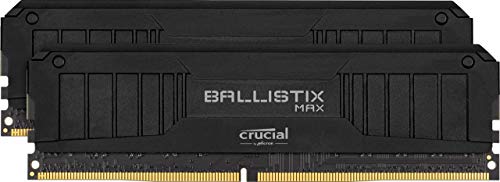
Crucial Ballistix MAX 16 GB (2 x 8 GB) DDR4-5100 CL19 Memory (BLM2K8G51C19U4B)
might go well in a 10100 or 12100 build, not sure
 urban vapor
burnt spear
i found some good budget friendly ram https://pcpartpicker.com/product/DLZzK8/cr...
urban vapor
burnt spear
i found some good budget friendly ram https://pcpartpicker.com/product/DLZzK8/cr...
Lol
vernal cosmos
vast meadow
Thought that was still a rumor
nope confirmed
vast meadow
vernal cosmos
nope confirmed
Mkay i never saw them say that officially 
vast meadow
burnt spear
i found some good budget friendly ram https://pcpartpicker.com/product/DLZzK8/cr...
Very much
vernal cosmos
vast meadow
Mkay i never saw them say that officially <:pepehmmm:903335097305034783>

Watch AMD Chair and CEO Dr. Lisa Su's keynote at Computex 2022 as she shares the company’s vision to advance the PC experience through next generation mobile and desktop PC innovations.
Discover more: https://www.amd.com/computex
Subscribe: http://bit.ly/Subscribe_to_AMD
Like us on Facebook: http://bit.ly/AMD_on_Facebook
Follow us on Twi...
timestamped
meager elbow
burnt spear
i found some good budget friendly ram https://pcpartpicker.com/product/DLZzK8/cr...
finally, some ram that will fit my budget for ram that costs half as much as my entire build
 long geyser
vast meadow
The apus are cut down cache wise so no point anyway :/
long geyser
vast meadow
The apus are cut down cache wise so no point anyway :/
Wonder when AMD will do chiplet APUs (not talking about basic iGPU versions coming out)
vernal cosmos
vast meadow
The apus are cut down cache wise so no point anyway :/
for now
soon apus wont mean reduced cache\
VERY soon
vast meadow
vernal cosmos
https://youtu.be/BRtBB2VnF8M?t=1144
Continue for many years to come can be interpreted a few different ways tho
vernal cosmos
vast meadow
Continue for many years to come can be interpreted a few different ways tho <:pe...
Yes but leaks kinda confirmed
vast meadow
vernal cosmos
soon apus wont mean reduced cache\
Source? And you mean not just cpu with igpu right? Apu implies like good igpu
vast meadow
vernal cosmos
Yes but leaks kinda confirmed
Can just mean it will still be relevant/getting security updates etc
vernal cosmos
vast meadow
Source? And you mean not just cpu with igpu right? Apu implies like good igpu
3d cache
vast meadow
Eh maybe on apus who knows
vernal cosmos
3dcache is gonna make its way through amds entire lineup
 woeful olive
hey
my amd phenom II 1100t is only showing 5 cores instead of 6
does anyone know how to fix that
 scenic solar
Check MSconfig and make sure it's set to 6 cores
woeful olive
where do i do that
scenic solar
MSconfig > boot > advanced options > change core number
woeful olive
number of processors only goes up to 5
woeful olive
where in the bios
scenic solar
What bios do you have?
woeful olive
asus
frosty depot
Are there any white ddr4 z690 motherboards that are just as good or better than the Mag Tomahawk?
woeful olive

 scenic solar
woeful olive
ignore my bios being apparently 12 years old
scenic solar
woeful olive
ignore my bios being apparently 12 years old
I'm familiar with this bios on many computers
scenic solar
woeful olive
Go back and (on top) go to advanced
woeful olive
oh nvm
in advanced the 3rd core was turned off
now it should be fine
yep

thanks
scenic solar
Np
burnt spear
frosty depot
Are there any white ddr4 z690 motherboards that are just as good or better than ...
I think there's an asus one, but I'm not sure how it compares
 shy wyvern
woeful olive
ignore my bios being apparently 12 years old
shy wyvern
woeful olive
ignore my bios being apparently 12 years old
I used to run an X6 1055T. Those phenoms were great
woeful olive
shy wyvern
I used to run an X6 1055T. Those phenoms were great
its great for free honestly
my grapics is holding it back rn
woeful olive
rn mine doesn't want to do games with its gt 730
woeful olive
shy wyvern
I still have my old phenom build
i plan on using mine as a nas or something once i have my really good pc built
shy wyvern
My home network has a nas instead that's 24TB
Any computer on the network and our phones can upload files to it
woeful olive
is that super hard to do yourself?
woeful olive
shy wyvern
Any computer on the network and our phones can upload files to it
i wanted to do that but with my own pc
 midnight pollen
if you are doing a dedicated nas build truenas is fairly easy to setup
grizzled bloom
I use an old xeon PC I got for $125, and slapped a couple hard drives in. Now it's a Plex server and storage/backup server.
midnight pollen
ye I did that for my router, got a old hp office pc for free and now use it as a router lol
 craggy silo
whats better 32 gig of ddr4 ram or 16 gigs of ddr5 ram
hollow thorn
depends on a lot of things, but right now, ddr5 just isn't that good
grizzled bloom
We're still on first gen DDR5 and the first gen always is slow, buggy, and doesn't overclock well compared to later models. That's been the historical trend for every new DDR version.
long geyser
hollow thorn
depends on a lot of things, but right now, ddr5 just isn't that good
Eh, DDR5 better then DDR4 now. Tho, at 1029471x the cost. But it do be better now. That said, idk about 8gb ddr5 DIMMs.
hollow thorn
long geyser
Eh, DDR5 better then DDR4 now. Tho, at 1029471x the cost. But it do be better no...
any testing?
vast meadow
long geyser
Eh, DDR5 better then DDR4 now. Tho, at 1029471x the cost. But it do be better no...
Cursed only half the banks
hollow thorn
I'm going off months old knowledge since I haven't really seen much new testing
although I haven't really been paying attention
long geyser
hollow thorn
any testing?
See a few people get some nice OCs now in random servers. Tho, I guess I havent made it its better then ALL DDR4 stuff. But have def seen it outdo some real nice DDR4 bdie OCs
hollow thorn
fun
long geyser
Still not worth cuz price. But Id say perf is adequate now tho.
finite elm
My friend was thinking of building a PC.
How does this list I made for them look?
They wanted a PCIE 4.0 SSD hence the SN850 but are open to suggestions
hollow thorn
s70 blade
finite elm
Any other changes?
vast meadow
finite elm
My friend was thinking of building a PC.
How does this list I made for them lo...
List is private but assuming 2tb?
finite elm
PC Builder - Intel Core i5-12400F, GeForce RTX 3070 Ti, Corsair 4000D Airflow ATX Mid Tower
1 TB, they don't play a lot of games
vast meadow
Brooo
Just get a 2tb mp33 instead of a high end drive
High end 1tb drives are pointless for gaming imo
finite elm
What about when Direct Storage finally comes
grizzled bloom
Then PCIe 5.0 drives will be relevant at that point
Direct Storage is at least 5-8 years away from wide adoption
finite elm
Dang, I won't have load times like the PS5 until then :c
grizzled bloom
Nope, game devs have to specially program their games for it. And we all know how long they take to implement new stuff directx 12
vast meadow
finite elm
https://pcpartpicker.com/list/m6JK78
I'd do this instead for ~1450
https://pcpartpicker.com/list/c4xw3y
PC Builder - Intel Core i5-12600KF, GeForce RTX 3070 LHR, Corsair 4000D Airflow ATX Mid Tower
finite elm
Valve did magic with the steam deck to get the Microsd card usable for games.
Like, actually can't tell
grizzled bloom
If it's an A1 or A2 rated SD card it'll have good IOPS for loading
A2 especially
An A2 V90 card would be
finite elm
vast meadow
I'd do this instead for ~1450
https://pcpartpicker.com/list/c4xw3y
I don't think the Microcenter has those in stock. was going to get it there with the motherboard cause its cheaper. so the price isn't correct on PCpartPicker
CPU ^
vast meadow
finite elm
I don't think the Microcenter has those in stock. was going to get it there with...
Lemme look at mc then, which one is it?
finite elm
St Louis park. its only saving 30$, CPU is only 10$ less. 12400 not the F. We have the 12600k in stock but not the 12600kf, but I guess that could work too.
vast meadow
finite elm
St Louis park. its only saving 30$, CPU is only 10$ less. 12400 not the F. We ha...
Id do this if they have the budget
https://pcpartpicker.com/list/g6kYXy
PC Builder - Intel Core i5-12600K, GeForce RTX 3070 LHR, Corsair 4000D Airflow ATX Mid Tower
Also consider 3060 ti/6700xt and 6750xt over 3070 would save some more money and would be just as good as long as not ray tracing
finite elm
Ye I sent them that list and told them the 12600k Instead of the KF at MC and the Motherboard.
Their budget is 2000$ for everything. so this is well under budget.
its weird that I still suggest the M27Q. I don't even have it
vast meadow
finite elm
its weird that I still suggest the M27Q. I don't even have it
G27q is the goto now, like 100$ cheaper, you sacrifice like 15hz and the kvm
finite elm
We can't ship the Aorus Monitors to MN
except the FV43U
and one of the others.
M27Q is available in stores here though, Best Buy and Microcenter will have them in stock
Q27Q isn't yet 😭
grizzled bloom

 upper rose
wait do ps5 load times exist
if not
theyve come a long way since the use of cds/dvds
finite elm
Spiderman PS5 has no loading screens. Not sure of other games, but a lot of exclusives will take advantage of it when they get used to the PS5
upper rose
nother question about that: does merely having an odd or hdd cause slower boot even if theyre not the boot drive?
even if the boot drive is an m.2
or is that msi being a pita
grizzled bloom
If the game files are located on the HDD yes, since they have worse random access times
upper rose
no mine are in a 2.5” ssd
but the boot drive for my linux daily is an m.2
my hdd contains console games
for use on real hardware
 wintry girder
Is 16gb still enough for modern games?
burnt spear
most of the time yes
grizzled bloom
wintry girder
Is 16gb still enough for modern games?
Good enough for just about everything with a couple exceptions, like flight sim 2020 on high settings.
 hard leaf
or any city builder with a very high amount of population... those things eat thru memory like honey
 hoary echo
this sure is a "closing google chrome" moment
 naive pendant
edge > chrome
finite elm
Edge is so much better
naive pendant
They're just in denial
 warm dune
What’s the difference between Corsair Dominator Platinum and the Corsair Vengeance Pro? And which one is better
 vital field
realistically, only difference is the lighting. dominator is suppose to be better but its corsair ram so really youll either get meh sticks or meh sticks
warm dune
Ah
vast meadow
Both are meme prices with bad timings usually and should be avoided tho
vast meadow
naive pendant
They're just in denial
I'm not in an African river 
long geyser
vast meadow
Both are meme prices with bad timings usually and should be avoided tho
99% of Corsair is meme
 limber dragon
All 4 of my Corsair ddr4 do 4533 
vast meadow
How much did you pay for those sticks tho?
And if they where on a different pcb they could probably do better
 grizzled bloom
long geyser
99% of Corsair is meme
grizzled bloom
long geyser
99% of Corsair is meme
Even Corsair B-Die is on such a bad PCB it falls way short of all other B-Die.
limber dragon
vast meadow
How much did you pay for those sticks tho?
3200c16 h8c that was like $100 in 2018-2019? and 3600c18 s4e for like $30
h8c was a2, s4e was a0
vast meadow
damm lucky af
warm dune
Is the asus Z690-A a reliable board? I see a lot of people using it in builds, but I was seeing a lot of reviews saying that after a while of using it, it doesn’t work as good and some parts die on it
I currently am looking at maybe getting the Z690-P, but I was trying to see if I could go for the white version
cerulean wadi
Msi A Pro is what many people like, or Pro A w/e it's called
grizzled bloom
Pro Z690-A iirc
warm dune
Is there a white version with WiFi?
grizzled bloom
No
warm dune
Oof
I’m trying to go for an all white build, but it’s kinda hard to find a white motherboard with WiFi
frosty depot
warm dune
I’m trying to go for an all white build, but it’s kinda hard to find a white mot...
Yeah, I'm in same boat. There is really only black/grey mobo with white heatsinks for z690 sadly.
frosty depot
warm dune
I’m trying to go for an all white build, but it’s kinda hard to find a white mot...

The ASUS ROG Strix Z690-A Gaming WiFi D4 white and silver scheme motherboard is designed with boosted power delivery and optimized cooling to cope with the demands of powerful 12th Generation Intel Core processors. Along with Wi-Fi 6 and PCI Express 5.0 for superfast transfer speeds and storage, ...
Bout the best I could find really.
warm dune
Yea I’m looking at maybe trying to get that one but idk if the reviews are true or not
frosty depot
I wish there were aftermarket heatsinks for my mag tomahawk. I really like my board.
frosty depot
warm dune
Yea I’m looking at maybe trying to get that one but idk if the reviews are true ...
It seems like m.2 ports has issues on it.
Might just be luck of the draw, but there are several reviews with that issue so.. Def something to think about.
warm dune
Yea I’m watching a video about the z690 boards and how some of them are burning up because of a Capacitor being put on backwards
grizzled bloom
That's an old issue, they've fixed it since then but if you happen to get one with it reversed you can replace it for free.
The best guess I've seen for the cause of that is someone loaded the cartridge with the caps wrong so a run of boards got made wrong.
warm dune
Ah
vast meadow
warm dune
I currently am looking at maybe getting the Z690-P, but I was trying to see if I...
The asus z690 a is fine just a bit expensive
frosty depot
vast meadow
The asus z690 a is fine just a bit expensive
The white one?
vast meadow
Ye
 reef elbow
what?
Is this a good set for a server?
- Procesador: https://www.amazon.com/AMD-Ryzen-5950X-32-Thread-Processor/dp/B0815Y8J9N/ref=sr_1_2?crid=1XY50QBTTPE2S&keywords=ryzen+5950x&qid=1653573181&sprefix=ryzen+5950%2Caps%2C227&sr=8-2 - 550$
- Memoria RAM: https://www.newegg.com/crucial-32gb-288-pin-ddr4-sdram/p/N82E16820156237?Item=9SIAKD3CYM9065&Description=ram&cm_re=ram-_-20-156-237-_-Product x 4 - 110$ x 4 = 440$
- Disco duro: https://www.newegg.com/samsung-970-evo-plus-2tb/p/20-147-744 x 2 - 180$ x 2 = 360$
- Barebone: https://www.newegg.com/asrock-1u2lw-x470-supports-intel-xeon-e-2100-processors/p/N82E16816775004?Description=asrock barebone am4&cm_re=asrock_barebone am4-_-16-775-004-_-Product&quicklink=true - 655$
vast meadow
reef elbow
Is this a good set for a server?
+ Procesador: https://www.amazon.com/AMD-Ryzen...
What would you be using the server for and that cpu and motherboard aren't compatible, and what country are you in and how much do you want to spend?
reef elbow
I want to spend like 2k, the server is to host games, and i am in spain but i am going to send all to a datacenter in miami directly, so united states
reef elbow
vast meadow
What would you be using the server for and that cpu and motherboard aren't compa...
vast meadow
reef elbow
I want to spend like 2k, the server is to host games, and i am in spain but i am...
How come you will be hosting in the US?
vast meadow
reef elbow
what? https://www.asrockrack.com/general/productdetail.asp?Model=1U2LW-X470#CPU
Oh weird it says intel in the name so i thought it was an intel one lol?
vast meadow
reef elbow
the assemble the server for me
Right but it would be way more beneficial for you to host in the EU
reef elbow
ah, it say that is support xeon
reef elbow
vast meadow
Right but it would be way more beneficial for you to host in the EU
yea... it is cheaper, and is more near me, but we need the latinoamerican community too. My partner is in southamerica too
vast meadow
Ahh
vast meadow
reef elbow
ah, it say that is support xeon
Yeah the name in the url is weird but details says am4 so 5950x should work fine
reef elbow
vast meadow
Yeah the name in the url is weird but details says am4 so 5950x should work fine
yea
it is strange hahaha
reef elbow
vast meadow
Yeah the name in the url is weird but details says am4 so 5950x should work fine
does the motherboard support nvme?
vast meadow
reef elbow
does the motherboard support nvme?
Just sata from what i can see
Also really think 128gb ram is necessary?
vast meadow
Okay up to you, for storage you'll probably need to go sata as there's only 1 pcie slot which you'll need for a gpu
 vast meadow
Oh specs on newegg said something else
Looks like there is an nvme slot too but only runs half the lanes
naive pendant
Hey guys, I was sent here by a customer service guy at New Egg who said he knew nothing about products. I need a new battery for my ThinkPad. If anyone knows batteries, here is my laptop info and tremendous thanks.
OS Name Microsoft Windows 11 Pro
Version 10.0.22000 Build 22000
Other OS Description Not Available
OS Manufacturer Microsoft Corporation
System Name CAMERA2
System Manufacturer LENOVO
System Model 20KFCTO1WW
System Type x64-based PC
System SKU LENOVO_MT_20KF_BU_Think_FM_ThinkPad X280
Processor Intel(R) Core(TM) i7-8650U CPU @ 1.90GHz, 2112 Mhz, 4 Core(s), 8 Logical Processor(s)
BIOS Version/Date LENOVO N20ET56W (1.41 ), 10/8/2020
SMBIOS Version 3.0
Embedded Controller Version 1.15
BIOS Mode UEFI
BaseBoard Manufacturer LENOVO
BaseBoard Product 20KFCTO1WW
BaseBoard Version SDK0J40697 WIN
Platform Role Mobile
Secure Boot State On
PCR7 Configuration Elevation Required to View
Windows Directory C:\WINDOWS
System Directory C:\WINDOWS\system32
Boot Device \Device\HarddiskVolume1
Locale United States
Hardware Abstraction Layer Version = "10.0.22000.527"
User Name CAMERA2\myown
Time Zone Eastern Daylight Time
Installed Physical Memory (RAM) 16.0 GB
naive pendant
Thanks!
frosty depot
So, I thought my cpu raised by 8c by top mounting my aio, but I noticed that after gaming for a good bit that the max temp it gets to isn't as high as before in the 4000D vs the 5000D.. like at first it's hotter then it like gets to a certain point then it just sits there.. example.. my cpu would get to about 64c after a couple hours playing.. now it gets to 58c after a couple hours of playing.
also, not talking to anyone in particular.. just kinda in the mood to type out my thoughts.
cursive epoch
yeah, it's normal
steady state is where temps stabilize
when the aio gets saturated enough
grizzled bloom
You can have the fans ramp up sooner and it'll be less likely to spike like that
upper rose
i realized why my 32gb memory was not being detected
my ram carts were installed correctly, but the s/n didn't align in the right order
serial numbers should be installed in an A/B/A/B format
it was honestly a stupid solution
but it works as 32gb ram now
frosty depot
grizzled bloom
You can have the fans ramp up sooner and it'll be less likely to spike like that
Wish I was home to have you check out my fan curve. It was easy for me on the gpu because I could adjust on the fly.. but for system fans I gotta go into bios.
I tried fan control, but for some reason the fans won't link to the rpm
It fails to figure out which fans go to which rpm
vast meadow


Sponsor: Get 10% off Squarespace purchases (https://geni.us/BqEpf)
AMD's official news this week included a ton of information on upcoming Ryzen 7000 CPUs (Zen 4), 3D V-Cache, Threadripper, RDNA3 and RDNA 4 GPUs, Zen 5, and more. The news covers AMD's roadmap through 2024, giving us a detailed look at the upcoming CPU release dates and new archi...
frosty depot
Wish my mobo had 1 more jrainbow header.
And I can't hook up my argb fan to the reg rgb header because it's to high voltage right?
cerulean wadi
Argb might be 12v while rgb is 5v. Idk, gotta check your stuff to be sure. I think the connectors are physically different partly for this reason.
frosty depot
cerulean wadi
Argb might be 12v while rgb is 5v. Idk, gotta check your stuff to be sure. I thi...
Argb is 5v. I believe rgb is 12v.
frosty depot
cerulean wadi
Argb might be 12v while rgb is 5v. Idk, gotta check your stuff to be sure. I thi...
The headers also look the same.
Nvm
Rgb has 4 pins
cerulean wadi
Haha. Yea they're similar. Gotcha!
 frosty depot
Yeah lol
To bad there wasn't a way to make a another argb with an adapter or something
cerulean wadi
To me it's just weird that the full DC 4pin is rgb instead of argb, but w/e. Yea there's hubs to buy maybe. My mobo has em and msrp was $300 while all fans are plain black. 
frosty depot
cerulean wadi
To me it's just weird that the full DC 4pin is rgb instead of argb, but w/e. Yea...
Yeah I thought that was weird too.
long geyser
Well, with 5v aRGB you only need one lane to send a digital signal. 12v RGB works just by powering the R/G/B power rails.
 dim cloak
Argb do be pog
frosty depot
what's an ok cheaper mobo for a 12600k?
looking for a board that can overclock a little at least.
grizzled bloom
MSI Pro B660-A if you're ok with no CPU overclock
vast meadow
was gonna recommend b660m bazooka but https://pcpartpicker.com/product/nGRYcf/msi-pro-z690-p-ddr4-atx-lga1700-motherboard-pro-z690-p-ddr4 orrr https://pcpartpicker.com/product/XRPQzy/gigabyte-z690i-aorus-ultra-lite-ddr4-rev-10-mini-itx-lga1700-motherboard-z690i-aorus-ultra-lite-ddr4-rev-10

MSI PRO Z690-P DDR4 ATX LGA1700 Motherboard (PRO Z690-P DDR4)

Gigabyte Z690I AORUS ULTRA LITE DDR4 (rev. 1.0) Mini ITX LGA1700 Motherboard (Z690I AORUS ULTRA LITE DDR4 (rev. 1.0))
same price as bazooka so might as well get some nicer vrms
frosty depot
would that ITX look insanely small in the 4000D airflow?
vast meadow
yes lol
frosty depot
idk that it matters.. but I don't see any argb headers on the pro z690-p;
I could probably just get rgb fans
wouldbe cheaper anyways
just trying to get a feel for what I can build. I think instead of building to sell the stuff I have, I'm going to build it for my girl.
she is on $800 laptop from walmart
scenic solar
Was wondering what integrated graphics my AMD 4400+ used
Just discovered it has no integrated graphics
Motherboard has one 👀
MB with iGPU are usually a bit rare
grizzled bloom
frosty depot
idk that it matters.. but I don't see any argb headers on the pro z690-p;
There's 2
Top right and bottom mid-left
grizzled bloom
MSI calls a-rgb jrgb
frosty depot
hm my msi board says jrainbow for argb and jrgb for rgb
scenic solar
I've just changed a ddr2 sodimm ram from an ACER pc (from a 1GB one to a 2GB one) but there is also another stick (should be 1GB)...
It shows only 1.75GB, could that be the 1GB ram dead? +.25GB used for iGPU?
grizzled bloom
Tried the other stick you swapped out? And on older boards sometimes slot 1 and 2 were for dual channel, double check that
scenic solar
1.25GB for iGPU is a strange amount you usually don't find
frosty depot
@grizzled bloom

 grizzled bloom
Huh. My board is different.
Anyway I double checked the specs on MSI site and it's one of each, 3 and 4 pin
scenic solar
grizzled bloom
Tried the other stick you swapped out? And on older boards sometimes slot 1 and ...
I now can't change the ram stick, I don't have the smol PC with me but I think the previous configuration (1+1GB) was half dead, I've never cared if the ram was ok and always used the pc as normal
Probably was running with .75GB (.25 iGPU) and the other stick was just sitting dead
frosty depot
grizzled bloom
Anyway I double checked the specs on MSI site and it's one of each, 3 and 4 pin
I can't seem to find this info lol
grizzled bloom
frosty depot
I can't seem to find this info lol
 scenic solar
grizzled bloom
Tried the other stick you swapped out? And on older boards sometimes slot 1 and ...
scenic solar
grizzled bloom
Tried the other stick you swapped out? And on older boards sometimes slot 1 and ...
Dual channel
.. Does that make a difference? Does it change something..
It should not, the frequency are probably not matching but it's ok, sure it is running at 667MHz
I mean they're also two different ram sticks but it should be good, one is 1rx8 and the other is 1rx16
grizzled bloom
Yes it can make a difference if it's limited to 2gb per channel or something
grizzled bloom
What board is it? I'll look up limits and proper config
scenic solar
Idk
Acer smol PC board from prebuilt pc
It's like Alienware motherboards without even an ATX format
grizzled bloom
Ok, do you have a model number for the computer? Or maybe one is printed on the board itself?
At least a chipset?
scenic solar
I don't remember
I forgor 💀
Let me see if I can find it online
It's an Acer veriton with AMD X2 4400+ 2.2GHz

😐 uff
Max 2GB
Why?

I'll put back the ram stick
grizzled bloom
The manual is totally useless on that PC too lol. It says more about using disk defrag than about the inside of the PC.
scenic solar
Always...
(btw I didn't knew much about it because it was one of the pc my dad stole brought from work)
There wasnt even a manual or anything
Just the pc
Had to make my own PSU
naive pendant
Guys Ive gotten 3 diffrent anwsers can someone give me a reccomendation for what ram to choose and tell me what to look for in ram?
hollow thorn
(you're probably about to get 3 more answers)
hollow thorn
naive pendant
Guys Ive gotten 3 diffrent anwsers can someone give me a reccomendation for what...
For what chip?
naive pendant
ryzen 9 5900x
hollow thorn
You looking to oc or no
naive pendant
no
hollow thorn
You'll probably just want to look for standard 3600c16
hollow thorn
Corsair just uses bad bins and such
Overheats, dunno, don't think they get temperature sensors, so maybe multiple b die sticks could overheat?
long geyser
hollow thorn
Overheats, dunno, don't think they get temperature sensors, so maybe multiple b ...
Which, tbf its not hard for bdie to "overheat" when being pushed
hollow thorn
Yea
naive pendant
ok thanks guys
long geyser
Tho, I highly doubt Corsair DIMMs actually overheat or anything. You just get poor quality ICs and IC binning with a premium price.
hollow thorn
long geyser
Which, tbf its not hard for bdie to "overheat" when being pushed
But with vengeance I don't think it's hard to overheat with just xmp with 4x8
long geyser
XMP 1.35v? That should be near impossible to overheat tbf
naive pendant
@hollow thorn is gskills any good
hollow thorn
There's also always the reports of sticks not hitting and all but anyways
hollow thorn
long geyser
XMP 1.35v? That should be near impossible to overheat tbf
I mean like a 1.45v 3600c14 kit or like 1.5v 4000c16 kit
long geyser
Ah, okay yeah. But isnt that kinda the case for many DIMMs? I generally do active airflow =>1.45v.
hollow thorn
naive pendant
<@278694081440251905> is gskills any good
Can be decent
hollow thorn
long geyser
Ah, okay yeah. But isnt that kinda the case for many DIMMs? I generally do activ...
Yea but some can do a bit better
naive pendant
is there a specific brand that is better then others
long geyser
naive pendant
is there a specific brand that is better then others
Generally, just get the cheapest of whatever XMP you want. Shouldnt really worry about a brand based on your usecase as its pretty simple, no OC and such.
XMP Id recommend is prolly 3600C16 to 3600C18
naive pendant
can you guys see my list with this link? https://pcpartpicker.com/user/jonzmuda/saved/#view=DjpFZL
Saved Part Lists
also is there any suggestions
hollow thorn
Private
hollow thorn
Plz don't use 212 on 5900x lol
naive pendant
is a prism good? I currently have a 2700x
hollow thorn
Not good enough
naive pendant
what is a good cooler
hollow thorn
Prob like ak620 if you don't want aio
long geyser
Any reason to go Ryzen? Intel typically better for price tbf
naive pendant
I have a amd mobo is all
ok this is a dumb question but what does aio stand for
I looked it up but I never get a clear anwser
long geyser
Still in free return window?
naive pendant
no i got it for xmass
I normally just do gaming so intel and amd I dont really see a dif
I also do rendering sometimes but hardly
long geyser
naive pendant
ok this is a dumb question but what does aio stand for
All In One. It can mean a few things depending on what you're talking about, such as a Computer Monitor or cooler. Generally the term gets used for coolers, which refers to having an All In One liquid cooler (radiator, pump, and CPU block).
naive pendant
oh I see thanks
@hollow thorn Should I get a ak620 over an nzxt aio cooler?
because the aio cooler matches my case but other then looks I know nothing about coolers
hollow thorn
Is not getting nzxt case an option?
Nzxt is just expensive for mediocre performance
naive pendant
yeah thats an option but I really like the looks of it, is there a case that looks like that?
hollow thorn
Which part of it?
naive pendant
black case and has tinted glass
hollow thorn
Meshify c has a tinted varient
naive pendant
ok ill check that out thanks
hollow thorn
PSU wise, I'd get something better, at least like cxf and ideally something like a-gf
long geyser
G5 is cheapest "Best of Tier B" in the 650w area rn
CXF is rated as same deal as G5, "Best of Tier B"
That said, too lazy to see which truly perfs better
But should move from GA as it doesnt like transients much, which is IMO kinda sucky even if it shouldnt affect you much
burnt spear
Cxf is a bit better I believe
round halo
I would pick CX-F over G5 personally, but both are a bit odd to choose right now

Corsair RM (2021) 750 W 80+ Gold Certified Fully Modular ATX Power Supply (CP-9020231-NA)
This would be my current pick
650w is a bit narrow for g6x ampere
long geyser
round halo
https://pcpartpicker.com/product/R4Gbt6/corsair-rm-2021-750-w-80-gold-certified-...
Depends if you like MIR. If not, 850w AGF do be only $5 more
round halo
Agf is listed as 100 for me
hollow thorn
Luke, would you be gamble on seeing what you get from segotep?
long geyser
750w RM is $85 MIR and $105 no MIR. 850w AGF is $110 no MIR, is what PCPP says for me at least
round halo
hollow thorn
Luke, would you be gamble on seeing what you get from segotep?
Meh, doubt they would be willing to give me the details
hollow thorn
buy one, write it off as cultist expense
burnt spear
long geyser
750w RM is $85 MIR and $105 no MIR. 850w AGF is $110 no MIR, is what PCPP says f...
G6 850 is 105 I think atm
Not much of a diff either way
 hollow flower
quick question for anyone
so I am buy the new MSI MPG z690 carbon wifi ddr5. with corsair vengance ddr5 6000mhz
hollow thorn
round halo
Also, cultists isn't a company right now
Time to register it as a non-profit?
hollow flower
I obviously will need a new cpu to run ddr5. but im torn. do i need a cpu WITH integrated graphics or not?
hollow thorn
hollow flower
I obviously will need a new cpu to run ddr5. but im torn. do i need a cpu WITH i...
It's not a need, if you can get a CPU with igpu, it's nice for troubleshooting or like quicksync or extra monitor, but it's not required.
Rip
Regulations make things annoying, too complicated
hollow flower
ohk cause im looking at intel i7-12700k (8p+4e) 12th gen
one has intergrated graphics and one doesnt. I also have an rtx 3070, single monitor set up so I guess I could just save the extra money and go without
cursive epoch
uh, only cpus with f or kf branding lacks igpu
this has been a thing since 9th gen
for ryzen, it's only g skus that has igpu
cerulean wadi
Also yes obviously an igpu isn't "needed" if we have the 3070. Simple to mostly confirm gpu is working or such
 wise quest
Double post:
Would it be wise to put a ryzen 9 3950x into my computer? I have an x470 chipset and a 450 watt psu. I know it would bottleneck my gpu.
vast meadow
wise quest
Double post:
Would it be wise to put a ryzen 9 3950x into my computer? I have ...
Depends on what x470, what price the 3950x is, what you have now, what you'll be doing with it, what gpu you have and what psu model
wise quest
vast meadow
Depends on what x470, what price the 3950x is, what you have now, what you'll be...
Msi x470 gaming plus max. The chip is $275 usd. It is listed on hws and local Craigslist. I have a 3400g now. I don’t know if it would be necessary specs wise. I was looking at getting a 3600x for the extra cores, but this one is cheaper. (I would have to research coolers though, because a 3600x could use my current default one that came with 3400g).
I have a gtx 1060 3gb, and an evga bronze 450watt psu.
burnt spear
wise quest
Msi x470 gaming plus max. The chip is $275 usd. It is listed on hws and local Cr...
I'd look at 5600 as well
Also 3600 over 3600x
Near identical perf
vast meadow
wise quest
Msi x470 gaming plus max. The chip is $275 usd. It is listed on hws and local Cr...
Just get a 5600 or 5700x new or 5600(x)/5700x/5800x if used tbh
vast meadow
burnt spear
Also 3600 over 3600x
Whichever would be cheaper
burnt spear
true
cerulean wadi
5600(x) is a good bit better than the 3600(x) or even the big 3950x depending on what you're doing.
burnt spear
Ok I'm going to be very blunt
Combining random words together doesn't make a sentence make sense
You can admit to not knowing what something is and we can explain it
vernal cosmos
How is cas latency of your ram even a little tiny bit related to how many monitors you can run
burnt spear
Refresh rate has nothing to do with ram. The speed of ram also has nothing to do with amount of monitors you're running
Speed and timings are what you're talking about
vast meadow
That's frequency
burnt spear
Refresh rate is not ram. Speed is ram
Refresh rate is how fast monitors screens refresh
vast meadow
I run 3600mhz cl14 but that is because i manually tuned it, i could run 4 monitors with 2133mhz cl22 but like
vernal cosmos
Its almost like your cpu, which uses ram doesnt display stuff...
vast meadow
If you're in the us on intel get the 2x16gb kit of g skill ripjaws 4000mhz cl19 and call it a day
burnt spear
If you want the best ram, enjoy spending 1.5k on a ram kit
vast meadow
Ram has nothing to do with how the picture will look that's graphics cardd job
No point going amd unless you already have a motherboard and are upgrading
vernal cosmos
Unless ur on an igpu, your ram is unrelated to display
burnt spear
MMMMM
vast meadow
You're not getting cl12 on ddr4 ram
burnt spear
Lower cl is better
3600c14 is MUCH better than 3200c16
12th gen is better price/perf
wise quest
That is a very subjective question lol
 12th gen beats ryzen 5000 atm,
 burnt spear
This has to be a joke
wise quest
Impossible
burnt spear
It has to be a troll
vernal cosmos
vast meadow
Latency free would require you to host the game server
And use some tech to remove all sizes and distances and make your entire computer the size of an atom
vast meadow
vernal cosmos
And use some tech to remove all sizes and distances and make your entire compute...
Understandable have a nice day
burnt spear
32gb 3200c16 for $95, 3600c16 32gb kit for $150, 4000c18 32gb kit for $130
vernal cosmos
I mean its tru tho. Travel distances add latency
You can build it out of whatever you want
If its over one atom in size, its got latency
vast meadow
If you want the best for gaming you'll be looking at a 12900ks, ddr5 6400mhz cl30, rtx 3090 ti and completely custom loop it all, is it worth it, hell no
You don't actually want the best computer because it's redicolously overpriced
vernal cosmos
@vast meadow in todays saga of nvidia hates amd, my pc no longer boots if I have monitor plugged into amd card
:)
irrelevant to you
I run an nvidia gpu with an amd gpu in the same system
cpu doesnt matter
yeah this is a troll
vast meadow
You're talking about frequency not refresh rates btw, refresh rate is how many times a second something is updated, and RAM is a balance of frequency and timings, higher frequency is better and lower timings are better
You're not listing to what we say
vast meadow
vast meadow
<:modelbrand:743668525922648165> 12th gen beats ryzen 5000 atm,
^
You don't want to go ryzen now
vast meadow
vast meadow
You're talking about frequency not refresh rates btw, refresh rate is how many t...
And need to balance price/perf too
No it hasn't
Already said intel is better price and perf atm
No lol
Adios
vernal cosmos
I MISSED SOMETHING?!
frosty depot
Lol. Yeah looks like you are talking to yourself here.
 safe citrus
any thoughts?
 vast meadow
Way to overpriced
safe citrus
AUD
safe citrus
cheapest itx board on pc part picker for LGA1200
vast meadow
Do you already have an lga 1200 cpu?
safe citrus
11400
vast meadow
Because if not you shouldn't be going 10th/11th gen
Ah shame
Can you put what parts you have in
https://au.pcpartpicker.com/list/
PC Builder
And send the link in the yellow box back?
naive pendant
is it possible to swap out the heatsinks on a ballistix? @vast meadow

i want a coomer white color to compliment the silver heatsinks my mobo has

vast meadow
naive pendant
is it possible to swap out the heatsinks on a ballistix? <@191276897227898880>
Uhh yes but that's gonna be a major pain
naive pendant
vast meadow
Uhh yes but that's gonna be a major pain
yeah no one sells em
vast meadow
naive pendant
yeah no one sells em
Not only that but taking dims off ram is a pain
naive pendant
yeah have to remove the dims?
cursive epoch
probably gonna need some heat gun
and a lot of careful pulling
assuming it's on thermal pads
vast meadow
naive pendant
yeah have to remove the dims?
I meant the heatsink of the dimms*
Or taking dimms apart
placid lake
Thermal paste suggestions?
hollow thorn
Anything decent like mx5 or nt-h2
finite elm
tooth paste
placid lake
vernal cosmos
mx4 or mx5
What about kryonaut or Mastergell proV2
vernal cosmos
placid lake
What about kryonaut or Mastergell proV2
unecessary
just get some mx4 or 5
idk about the mastergel
placid lake
vernal cosmos
unecessary
I'm trying to squeeze every bit of thermal performance since my cooler is tethering on the edge of not enough for my CPU upgrade.
vernal cosmos
but kryonaut is waste of money for most people
vernal cosmos
placid lake
I'm trying to squeeze every bit of thermal performance since my cooler is tether...
what cpu and cooler
vast meadow
placid lake
I'm trying to squeeze every bit of thermal performance since my cooler is tether...
get mx5 then
placid lake
Got a hyper212 and planning to upgrade to a Ryzen 7 5700X
placid lake
I've got pretty cold ambients all around