#cpus-mobo-and-memory
1 messages · Page 247 of 1
 hollow thorn
hollow thorn
hollow thorn
Pcpp underestimates power usage quite a bit from using listed tdp
Spikes on ampere GPUs for example make you go way over
 honest rock
Mr1111 says my parts are compatible but I think I'll have spacing issues. Meshify 2 case with top mounted AIO. The way I understand it - I'd like to go with a 420 but then I lose front top fan and rear fan and I won't have clearance for my memory (MSI EDGE Z690 with G.skill Trident Z RGB).
hollow thorn
Memory should be fine width wise
honest rock
Ooops .. I meant to say pcpartpicker says my parts are compatible not Mr1111.
 frosty bronze
lol
honest rock
So I think I have to go 360mm.
frosty bronze
I would say that too until my lil 2060KO, i7 9700k and a gross amount of rgb fans still stayed under 400w
which is really a miracle
and i've been running this pc for like 2 years
hollow thorn
honest rock
Mr1111 says my parts are compatible but I think I'll have spacing issues. Meshif...
It looks like meshify ii can do 420mm top mount without losing top fan
honest rock
Where do you see that? I'm looking here -- https://support.fractal-design.com/support/solutions/articles/4000174746-meshify-2
Fractal Design
Installation Product manual Convert from standard to storage layout Top radiator bracket - how to E-ATX support MultiBracket mounting options Remove or relocate the drive cage Removal of filters Front panel removal Secure glass panel fo...
And I think with the 420mm .. my memory is too tall -- it's 45mm tall so it sounds like it would interfere with the 420.
hollow thorn
honest rock
And I think with the 420mm .. my memory is too tall -- it's 45mm tall so it soun...
It doesn't care about memory height, just width
Mainly for stuff like vengeance rgb that's dumb and wide
honest rock
What am I missing Mr1111 -- the Meshify specs say max motherboard component height of 36 mm with a 420mm aio on top.
hollow thorn
Tbh not sure if it'll mess with front top fan though
hollow thorn
honest rock
What am I missing Mr1111 -- the Meshify specs say max motherboard component heig...
Ram height tends to be measured from the bottom of the ram stick to the top, but when ram is installed into the motherboard, it's the width you're really measuring
Although, I can't say for sure
Hm, rereading it and looking at the case again, it might actually have to deal with height
honest rock
Yup. I think I'm limited to the 360mm. I don't suppose I am losing too much.
Would be nice to go 420mm but I doubt I will overclock.
hollow thorn
Doesn't matter that much at these kind of sizes
honest rock
So here's my final build Mr1111 -- much of which you helped with since I have been asking quesitons/learning/obsessing about this for 2 weeks now. i9-12900k, MSI EDGE Z690 DDR4, G.skill Trident RGB 2x32, Evga Supernova G6 1000w, Nvidia 3090 FE, Sabrent 1tb Rocket M.2 SSD, Arctic Liquid Freezer ii 360mm top mounted, Meshify 2 case with 3 Fractal Design 140mm fans in front, and 1 140mm Artic P14 in rear.
If necessary, I bought a 5-pack of Arctic p14 fans so I have extra and can add 2 to the bottom as well.
hollow thorn
Sounds fine
 granite meadow
Which model number should I trust?
 hollow thorn
Doesn't the case come with a rear fan though?
hollow thorn
granite meadow
Which model number should I trust?
I'd trust the stickers on the sticks more, but they're at the same xmp so they're similar models anyways, it could also have a different model number for the kit of 2x16gb sticks instead of the singular sticks
honest rock
hollow thorn
Doesn't the case come with a rear fan though?
It does. I'm moving it to the front so I have all 3 fractal fans in front and putting the Arctic p14 in the rear
granite meadow
Alright. So I should be fine? The model# sticker on the outside is what's compatible with my motherboard and I just wanted to double check
hollow thorn
Yea, qvl doesn't matter much anyways
honest rock
What does this mean? The G.Skill Trident Z RGB 64 GB (2 x 32 GB) DDR4-3600 CL16 Memory operating voltage of 1.45 V exceeds the Intel Alder Lake CPU recommended maximum of 1350 mv+5% (1417.5 mv). This memory module may run at a reduced clock rate to meet the 1350 mv voltage recommendation, or may require running at a voltage greater than the Intel recommended maximum.
 grizzled bloom
honest rock
What does this mean? The G.Skill Trident Z RGB 64 GB (2 x 32 GB) DDR4-3600 CL16 ...
grizzled bloom
honest rock
What does this mean? The G.Skill Trident Z RGB 64 GB (2 x 32 GB) DDR4-3600 CL16 ...
You can safely ignore that. If the memory is rated for 1.45v it'll work just fine. That's an old warning based on older models.
honest rock
grizzled bloom
You can safely ignore that. If the memory is rated for 1.45v it'll work just fin...
Thanks Fal'Cie. After asking tons of questions and obsessing over my build for 2 weeks, all the parts have arrived or are en route.
 wispy knoll
Hows the Intel Core i5 11th Gen 11400F for gaming? I havent heard good things for th 10th and 11th series processor.
 dull flint
Perfectly fine really
honest rock
Do I need to "burn in" my new build? Dude at work says yes. But I'm not sure what value this would provide.
grizzled bloom
2060 will be fine
3000 is a tad low on the speed but shouldn't matter that much
wispy knoll
just looking for a pc for my little brother. Thanks for your info. Yeah i thought so too, but its simple to upgrade it tho lol
grizzled bloom
honest rock
Do I need to "burn in" my new build? Dude at work says yes. But I'm not sure wha...
The thermal paste won't be at max efficiency until you've used it for a while, but that'll happen over time anyway. Besides that, "burning in" doesn't matter.
honest rock
Cool. If I'm going to upgrade the thermal pads on my 3090, do I need to do that right away? Will the OEM fans become more difficult to remove over time?
grizzled bloom
Nah that can be done any time. And unless you're mining you probably won't need to change them anyway.
honest rock
Now I just need to figure out how to wire and setup all the fans.
grizzled bloom
The really bad quality pads will get a little greasy over time
Fan splitters are your friends
honest rock
Should be easy to clean off with a little rubbing alcohol or is that a no-no?
Fan splitters?
grizzled bloom
Isopropyl alcohol is preferred, high % like 99
You don't need a fan hub usually, with low power fans like p12 you can run several from a single header
The splitter lets you do that
honest rock
My case has a fan hub I think -- Meshify 2
grizzled bloom
That'll help with cable management then
honest rock
Has 3 fractal design 140s (non RGB) and I also picked up a 5 pack of Artic 140s (non RGB) and then I have the 3x120 fans from my Arctic 360 aio (a-rgb)
grizzled bloom
You could run all those on 2 headers if you had to
honest rock
I need to figure all that out -- like where does the pump wire to and where do the fans wire to, etc to optimize the cooling/noise and figure out the rgb control for the 360. None of this stuff existed when I build my last computer 20+ years ago.
grizzled bloom
There's usually a pump header, and the aio fans go on the cpu fan header. The other fans can use any other available header.
honest rock
the case fans get set to DC in the bios and everything else (arctic p14s and aio fans) get set to pwm?
grizzled bloom
If it's 3 pins, dc
4 pins are pwm
 finite elm
Someones getting lucky on hardwareswap. 😂 gonna sell them a 3900x for 200$ cause I just wanna get rid of it at this point.
 burnt spear
finite elm
Someones getting lucky on hardwareswap. 😂 gonna sell them a 3900x for 200$ caus...
burnt spear
finite elm
Someones getting lucky on hardwareswap. 😂 gonna sell them a 3900x for 200$ caus...
ayo
suddenly im on hws again
finite elm
Lol its not youuu
 shy wyvern
I was hitting 100% with 5.2ghz overclock on an 8600k, it's why I upgraded.
 tall iron
shy wyvern
I was hitting 100% with 5.2ghz overclock on an 8600k, it's why I upgraded.
tall iron
shy wyvern
I was hitting 100% with 5.2ghz overclock on an 8600k, it's why I upgraded.
I haven’t been overclocking and it’s only when I play games my cpu has been spiking wasn’t sure if it was normal
Or if it was good
shy wyvern
Yeah the 8600k/9600k are under threaded for modern games
tall iron
Ahh
tall iron
shy wyvern
Yeah the 8600k/9600k are under threaded for modern games
Do yo know anything about the asus prime z390 a
tall iron
shy wyvern
I was using z370 chipset for my CPU
Anyway I’ve noticed a red light has turned on on the mobo that I’ve never seen and only see it when the pc is shut down
shy wyvern
Debug lights tends to turn on when powered on and powered off, as long as it posts it's fine
finite elm
How much of a bottleneck would a 3050 give a 12400? lol
finite elm
😂
So I should just get the 11400 even though it'd only be like 50$ more for the 12400?
 half lava
A 12100 beats the 10/11400 in most games
 vast meadow
half lava
A 12100 beats the 10/11400 in most games
vast meadow
half lava
A 12100 beats the 10/11400 in most games
On a clean test bench, yes, in real life, the 6 core cpu would still be a better option
finite elm
saw a H670-ITX I could get for 183$(no tax) which is why I started considering it lol
finite elm
then a 12400 for 169$
vast meadow
finite elm
saw a H670-ITX I could get for 183$(no tax) which is why I started considering i...
Ooof
shy wyvern
12700 for $330 is also a great deal
Double the cores of the 12400
Although the 12700 and 12700f price has been going up and down a lot
finite elm
shy wyvern
12700 for $330 is also a great deal
eh, its a console build. I don't care for getting more than 6 cores as anything more is then just increasing the bottleneck
shy wyvern
Ah I get you
for general purpose I think 12700 (non k) is great value
better than 12600k
burnt spear
finite elm
eh, its a console build. I don't care for getting more than 6 cores as anything ...
you need to wait for the 5000 series threadripper tbh
only thing that has enough perf for you
 unreal dagger
yoo... i had to reset cmos. when i turned my pc back on. went into bios it was good for a minute. then my pc restarting itself. but couldnt see my screen.
[8:21 PM]
just black.
@burnt spear
half lava
Why did it restart itself?
unreal dagger
@half lava
its now just sitting black screen
cant get into bios
even after restarting pc.
pc is on sitting there
burnt spear
unreal dagger
its now just sitting black screen
Try reseating ram
unreal dagger
tried that. also the keyboard and mouse
arent on
as well as the monitor
@burnt spear
burnt spear
Mmm
half lava
Full system specs? New or old build?
burnt spear
Odd
half lava
It’s an older build then? Why did you have to reset cmos?
unreal dagger
its working. faulty ram stick
 cerulean wadi
eh, probably MC huh. For everyone else, at least there's the 12700F for $330.
finite elm
I wish Microcenter had an B560 Itx board in stock locally.
If I got both CPU and Motherboard I could save 20$ 😦 but they only have a Z490I and its pretty pricey
cerulean wadi
I wish MC would actually online/mail certain items, perhaps things that aren't selling well in-store.
 granite sluice
Anyway I can check if a z690 dark hero is faulty prior to ordering one 🤔
 vernal cosmos
granite sluice
Anyway I can check if a z690 dark hero is faulty prior to ordering one 🤔
vernal cosmos
granite sluice
Anyway I can check if a z690 dark hero is faulty prior to ordering one 🤔
why do you need a dark hero in the first place
 dense frost
vernal cosmos
why do you need a dark hero in the first place
dense frost
vernal cosmos
why do you need a dark hero in the first place
no one "needs" a dark hero. its all about passion
vernal cosmos
dense frost
no one "needs" a dark hero. its all about passion
forks probably needs a dark hero
vernal cosmos
granite sluice
Plus I have a Intel 12900k
dark hero is still way overkill tbh
but if you have to buy it then no
no way to check
shy wyvern
cerulean wadi
eh, probably MC huh. For everyone else, at least there's the 12700F for $330.
Yeah MC
burnt spear
cerulean wadi
eh, probably MC huh. For everyone else, at least there's the 12700F for $330.
If I chose, that's what I'd go for, since as of now i don't have any plans to oc and don't need an igpu
 final lintel
I got a z490 Aorus Elite mobo in a bundle with a gpu. What would be the best way to sell it?
vast meadow
Ebay, Facebook marketplace, r/hardwareswap subbredit
final lintel
ok thx
 loud sinew
Anyone know the best budget motherboard ram and cpu
i just need to get rid of this am3 motherboard and actually upgrade
 mild jackal
What's your budget
loud sinew
for everything in total im probably looking to spend around 300 if thats even possible
right now my fx 8350 bottlenecks on siege and I can barely keep a stable 80 fps
with all low settings
 cyan raft
What GPU do you have rn?
burnt spear
loud sinew
for everything in total im probably looking to spend around 300 if thats even po...
if you can increase budget a little bit id say 12400f and b660 prime
oh wait
is that including ram?
loud sinew
cyan raft
What GPU do you have rn?
I have a 1660
loud sinew
burnt spear
if you can increase budget a little bit id say 12400f and b660 prime
Yea I need ram too
grizzled bloom
DDR4 is cheap and you can get a decent used kit for $40 easy
burnt spear
grizzled bloom
DDR4 is cheap and you can get a decent used kit for $40 easy
suggestions on a lpx 32gb white kit of ram?
pcp shows the only one being corsair
nvm
found a crucial kit
grizzled bloom
There's also a hyperx kit that's low profile
mild jackal
burnt spear
suggestions on a lpx 32gb white kit of ram?
Not lpx, but great stuff https://www.newegg.com/oloy-32gb-288-pin-ddr4-sdram/p/N82E16820821441?quicklink=true
cyan raft
loud sinew
I have a 1660
What’s your GPU usage like?
burnt spear
Getting this ram out is annoying
Top locks are blocked by a fan, bottom are blocked by gpu
loud sinew
cyan raft
What’s your GPU usage like?
The gpu usage is normal its just that whatever game I play no matter if its a really easy game to run or not my cpu will always get bottlenecked
burnt spear
Bro
@mild jackal how am I supposed to get this ram out
The bottom locks refuse to move
Even on the empty slots
mild jackal
They might not move
hollow thorn
Sometimes, one side doesn't have locks
burnt spear
And im pretty sure I see a crease where they're supposed to fold out
burnt spear
hollow thorn
Sometimes, one side doesn't have locks
Do I just pull?
On the ram that is
hollow thorn
See if it'll come out if you just lightly pull on the side whose lock has opened
burnt spear
It's already out on the top side
Oh I see
Got it
Ty
And how do I know which way it should go in?
Push it in with a bit of force, if it doesn't click try the other way?
mild jackal
Look at the notch
burnt spear
And it should click right?
burnt spear
mild jackal
Look at the notch
Ok so
Ram is in
Now there's no display on boot, cpu and ram lights are on
@mild jackal
Does it just take a min or did I mess smthn up
Nvm found the issue
And now one of my monitors won't won't on
Not the cord
Switched two of the cords
Got it again, partially came unplugged from monitor
cyan raft
loud sinew
The gpu usage is normal its just that whatever game I play no matter if its a re...
Normal as in 100%?
burnt spear
My brain ain't working tn
Yall think this will work?

Xmp is 3200c16
Should I change voltage?
@vast meadow same kit of ram you have
Bumped it to 1.45v
vast meadow
burnt spear
<@191276897227898880> same kit of ram you have
Rev e is perfectly safe at 1.5v so yeah 1.45 should do
burnt spear
vast meadow
Rev e is perfectly safe at 1.5v so yeah 1.45 should do
Booted into windows
Was at 2667mhz
vast meadow
You're on amd? Try these primaries
 burnt spear
Gonna boot at xmp first
burnt spear
Booted at 3200 with regular xmp
vast meadow
Proc odt to 40 ohms
vast meadow
burnt spear
My brain is melted currently
The timing i have at 19, is 18 at xmp, try it at 19 will probs boot
vast meadow
Np
shy wyvern
the new windows 11 beta completely fixed the windows 11 ecore bug
never seems to boot into ecore only mode now
which is great
 obtuse estuary
Hi y'all, I have a quick question.
Will a Ryzen 9 5900x bottleneck a RTX 3060 ti?
burnt spear
obtuse estuary
Hi y'all, I have a quick question.
Will a Ryzen 9 5900x bottleneck a RTX 3060 ti...
no, but if you dont already have a motherboard 12700k is a better buy
5900x good enough for a 3090 ti, and more (though we dont actually have perf of a 3090 ti yet, i can say that confidently)
5600x enough for a 3090 at 1440p lol
mild jackal
Enable pbo and run some b-die at 3800c14, ez
 devout mothBOT
 Jaxonize#0001 has been warned
Reason: Mass mention
 dark flame
Nope
 icy field

 naive pendant
uhh
 cursive epoch
what
 midnight pollen
bruh
 young cedar
casual
 gentle acorn
Mhm
dark flame

cursive epoch
lmao
naive pendant
gg
 thorny cobalt
Wow
finite elm
What a loser
 warped scroll
wow
 lime quartz
what the HECK
young cedar
why ping me tho xd?
 azure trail
 gentle acorn
Welp
 shell veldt
wtf
dark flame
Most active this chat has been in 6 months
 wintry girder
Why am i getting pinged
icy field
incredible
wintry girder
Wtf
 peak ledge
 cursive epoch
people are gonna rush here
grizzled bloom

warped scroll
🗿🗿🗿
 humble acorn

 quaint current
darn
lime quartz
ok enough. no need to respond
 slender otter
 bronze summit
lime quartz
what the HECK
bronze summit
lime quartz
what the HECK
ban
gentle acorn
I assume they went straight down the names XD since i was pinged even
mild jackal
cursive epoch
slowmode this chat
No reason to
finite elm
wintry girder
Why am i getting pinged
cause we love you
cursive epoch
well
slender otter
Enough
cursive epoch
that was short lived then
slender otter
Channel dies
gentle acorn
Good
cursive epoch
imma skeet outta here
 meager elbow
interesting channel for people to spam ping, usually it's like in general or smth
lime quartz
its taken cared of, people. move along
gentle acorn
Same
midnight pollen
do i even want to know why that unfortunate soul was randomly pinging
 jovial flare
 lime quartz
lol
finite elm
Excited to go to Microcenter this weekend
wintry girder
finite elm
cause we love you

lime quartz
nothing to see here...
gentle acorn
Lmao
finite elm
Gonna get me a 12900k to go with my 3050
 eternal helm
whats with the pings?
 shadow seal
why was I pinged like 7 times
 river token
wtf
grizzled bloom
Robux scammer, nothing to see here
eternal helm
was it a @ everyone?
 royal pecan
[insert generic ping response anger comment]
icy field
eternal helm
whats with the pings?
just a sussy baka
river token
@gilded rapids wtf happened
finite elm
I'd have fallen for a robux scam
meager elbow

finite elm
definitely wasn't robux
mild jackal
Some people cry out for attention in strange ways..
grizzled bloom
Yes. The mass mention has an obvious scam link.
midnight pollen
xD
shy wyvern
WHOMST HAS SUMMONED THE ALL MIGHTY TULIP
midnight pollen
i blame jp he made invite here
finite elm
When you think about it. Robux was kinda the first crypto currency
midnight pollen
finite elm
When you think about it. Robux was kinda the first crypto currency
no
meager elbow
nah
finite elm
are you telling me my 5000$ worth of robux is worthless?
grizzled bloom
Take it to general people
 digital kernel
 gilded rapids
river token
<@!708048921502679060> wtf happened
gilded rapids
river token
<@!708048921502679060> wtf happened
Idk
royal pecan
mild jackal
Some people cry out for attention in strange ways..
Theo needs to cry out for more attention, fix this please
river token
bro
Why did a scammer have access to Ping Perms
Did the new admins break something
 tall belfry
 eternal turtle
WHY :(
 rocky beacon
No lmao, it was a tool that mentions each person
eternal turtle
flormbo no like 6 pongs
rocky beacon
You can't prevent people from pinging each person other than using a bot to just ban them right away after there is a mass mention
mild jackal
river token
Did the new admins break something
nah, just one of those copy paste github bots to ping as many users as they could starting from the hoisted roles
 hoary echo
is there a way to kneecap MS teams so it isnt using 45% of my cpu?
grizzled bloom
Windows 11?
hoary echo
10
 glossy dust
ah, gamer ping
grizzled bloom
Is that when you're using it?
hoary echo
grizzled bloom
Is that when you're using it?
yeah
grizzled bloom
Turn down your video quality settings, or tell it to encode using gpu
grizzled bloom
Not yet it's not
There's still not enough new, useful features and too many things are broken
10 is supported another 5 years
hoary echo
yeah, one of the games i play reports driver issues on win11
not sure if it's legit or not
grizzled bloom
There was an issue with the task scheduler and e-cores tripping anti-cheat software, especially denuvo
hoary echo
ah
i dont think it wouldve been that but thats understandable
oh no
class started 10 mins ago
grizzled bloom
Oops
hoary echo
💀
 long geyser
Does anyone know what B660 boards do BCLK OC? Seems like only ones I could find were DDR5 Strix
Wondering if anyone is looking into it more, or if it's just being left at "go buy the ddr5 strix" or smth
 arctic dome
@mild jackal Hi
mild jackal


 cyan raft
Did my discord glitch or something, I just got pinged 8 times from this channel lmao
finite elm
cyan raft
Did my discord glitch or something, I just got pinged 8 times from this channel ...
someone really needed you and you weren't here
JK there was an Autoping bot
grizzled bloom
long geyser
Does anyone know what B660 boards do BCLK OC? Seems like only ones I could find ...
Mostly ones with an external clock generator as far as I can tell. Der8auer is making a list.
long geyser
grizzled bloom
Mostly ones with an external clock generator as far as I can tell. Der8auer is m...
Yeah was wondering if there were any sources other then Der8auer cuz his list is fairly small due to only being one dude
grizzled bloom
He's building it based on other people telling him which ones work too
With pics of course
long geyser
Anywhere to see the WIP list? Looked around a tiny bit and couldnt find much
Apart from that one vid he did
 wise quest
Why was I pinged 6 times here?
naive pendant
bobux scammer
 upper aspen
 fReE rObUx
 maiden flame
I’m just curious, how good are Apple processors computer to intel and ryzen
vernal cosmos
maiden flame
I’m just curious, how good are Apple processors computer to intel and ryzen
the answer is yes.
naive pendant
my 2nd x79 board arrives today 
maiden flame
vernal cosmos
the answer is yes.
But no
vernal cosmos
maiden flame
But no
but no what
burnt spear
regular m1 i think is equal to a 10700k, but theres a lot of stuff you can do on a windows pc that you cant on a macbook
vernal cosmos
theres a bunch of m1 chips
and theres a bunch of intel and amd chips
and they cant really be compared tbh
they are 2 different architectures
different os
maiden flame
But is it possible to get an m1 that runs windows
burnt spear
at that point just make a 12600k build
vast meadow
Even if it is it would suck ass because arm for Windows bad
maiden flame
burnt spear
at that point just make a 12600k build
Oh I have a desktop right now
I’m just curious
burnt spear
vast meadow
Seems sus
burnt spear
shampoo the best thermal paste confirmed
 mint pike
I just upgrade my motherboard cpu and ram, and now my pc will now turn on
I have 2 ideas that I wouldn’t know how to fix atm
If anyone is willing to help lmk
maiden flame
I have 16gb of ram memory and it says only 10.5 available should it be that

 hearty gust
well update bios it booting now 🙂
 drowsy rune
Can I use this ram https://www.newegg.com/team-16gb-288-pin-ddr4-sdram/p/N82E16820331353?Item=N82E16820331353 with HP TG01-1022?
finite elm
I wish I could order a custom motherboard
 tiny fjord
Anyone selling a Ryzen 7 5800x
finite elm
tiny fjord
Anyone selling a Ryzen 7 5800x
we don't sell or trade here
Could try r/hardwareswap on reddit.
 grizzled bloom
drowsy rune
Can I use this ram https://www.newegg.com/team-16gb-288-pin-ddr4-sdram/p/N82E168...
grizzled bloom
drowsy rune
Can I use this ram https://www.newegg.com/team-16gb-288-pin-ddr4-sdram/p/N82E168...
Technically yes, it'll work. It just might not run full speed on your H470 chipset board.
naive pendant
burnt spear
and why would you want to anyways
the 15W TDP?
its a drop of at the very least 80 watts
Huge size difference
 oak sand
Let's say I have 16 gb in my pc right now, I have 2 slots left
If I bought 2 individual sticks of 16 and slot them in, would it work?
Bringing my total to 48
vernal cosmos
oak sand
If I bought 2 individual sticks of 16 and slot them in, would it work?
it could work
but it also might not
oak sand
would it be better to just get 2 more sticks of the same ram and have 32?
vernal cosmos
get a kit
oak sand
cause im sure 32 is enough just wondering if i could theoretically
vernal cosmos
dont get 2 seperate
oak sand
i already have 2 sticks so could I not just buy 2 of the same sticks?
vernal cosmos
you could
and
it could work
but it also might not
it could work to begin with and corrupt windows to the point of no booting
it is not the manufacturer of the stick and the speed that decides compatability
its the little black chips on the ram itself that affect it
and those can be different for even the same model of ram
same size, same speed
hearty gust
i think 32 fine but bettter off with 64 if your buy ram buy iit in pair our might run in issue
vernal cosmos
Ignore bunny
vast meadow
oak sand
If I bought 2 individual sticks of 16 and slot them in, would it work?
Will it boot up, pretty dam likely, will it be stable is the question
And that is a solid maybe
hearty gust
vernal cosmos
Ignore bunny
dO ME A favor
 ornate gust
I’m confused
So I have an ASRock B450 Pro4 motherboard. And I see that it has 2 m.2 slots. I already have an NVMe SSD In the top slot (which is PCIe Gen 3 x4) and the other slot is open (1 M.2 [PCIe Gen3 x2 & SATA3])
Ive already tested another NVMe drive in the second slot, but It didn’t work. I’m trying to get another storage module installed in there but don’t know the specific kind to get any help?
half lava
Are you using a SATA device? M.2 2 shares lanes with SATA3_3 and SATA3_4. If any are in use the others are disabled.
@ornate gust
ornate gust
half lava
Are you using a SATA device? M.2 2 shares lanes with SATA3_3 and SATA3_4. If any...
No I don’t think so, the only thing storage wise is my NVMe drive
ornate gust
@half lava
half lava
Could be a bad drive then. Have you tried the boot drive in the other slot to verify with a known working drive?
ornate gust
half lava
Could be a bad drive then. Have you tried the boot drive in the other slot to ve...
I have not, although I am worried that it might not work.
half lava
If it doesn’t you can just switch it back. Moving an m.2 is pretty easy
That escalated quickly
ornate gust
WhT the heck did I miss haha
Western Digital 1TB WD Blue 3D NAND Internal PC SSD - SATA III 6 Gb/s, M.2 2280, Up to 560 MB/s - WDS100T2B0B https://www.amazon.com/dp/B073SB2MXT/ref=cm_sw_r_cp_api_glt_i_800S9BZ5VKKAT3051WK9
half lava
ornate gust
Western Digital 1TB WD Blue 3D NAND Internal PC SSD - SATA III 6 Gb/s, M.2 2280,...
That’s overpriced and only SSD 560MB/s
Get a MP33 from Teamgroup at a minimum
ornate gust
Well I was gonna say that I have Amazon credit lmao
half lava
Are you needing to buy a 1TB m.2?
ornate gust
That’s what I’m planning
half lava
https://pcpartpicker.com/list/BCWK3t best value atm
hollow thorn
ornate gust
Western Digital 1TB WD Blue 3D NAND Internal PC SSD - SATA III 6 Gb/s, M.2 2280,...
That drive isn't NVMe, it's sata, key b+m, sometimes if there's a NVMe drive in slot 1, it won't support a sata m.2 in slot 2
ornate gust
hollow thorn
That drive isn't NVMe, it's sata, key b+m, sometimes if there's a NVMe drive in ...
Yeah I got it figured out, thanks for your input though!
hearty gust
ornate gust
Yeah I got it figured out, thanks for your input though!
that right on that mine only has one working sata port when plug in ssd in m.2 slot with the gigabyte z370p d3
half lava
hollow thorn
Just note m.2 doesn't mean NVMe
He didn’t initialize it in windows. His bios picked it up and we got it sorted.
hearty gust
half lava
He didn’t initialize it in windows. His bios picked it up and we got it sorted.
that good
 dire elbow
i need help
my pc stays at the mobo boot logo
it says media consult ig something
it doesnt boot into windows
only boots when i restart it
hearty gust
dire elbow
i need help
dose it spin our hang if it not spining try updateing bios
hearty gust
was it working fine be for our is this anew pc build
hearty gust
can you boot in to the bios
dire elbow
it alr had a win fresh install when i got it
yes i can
i set my ssd into the 1 boot option
hearty gust
dose it hang if you try loading windows install disk
dire elbow
wym by hang
hearty gust
windows logo
dire elbow
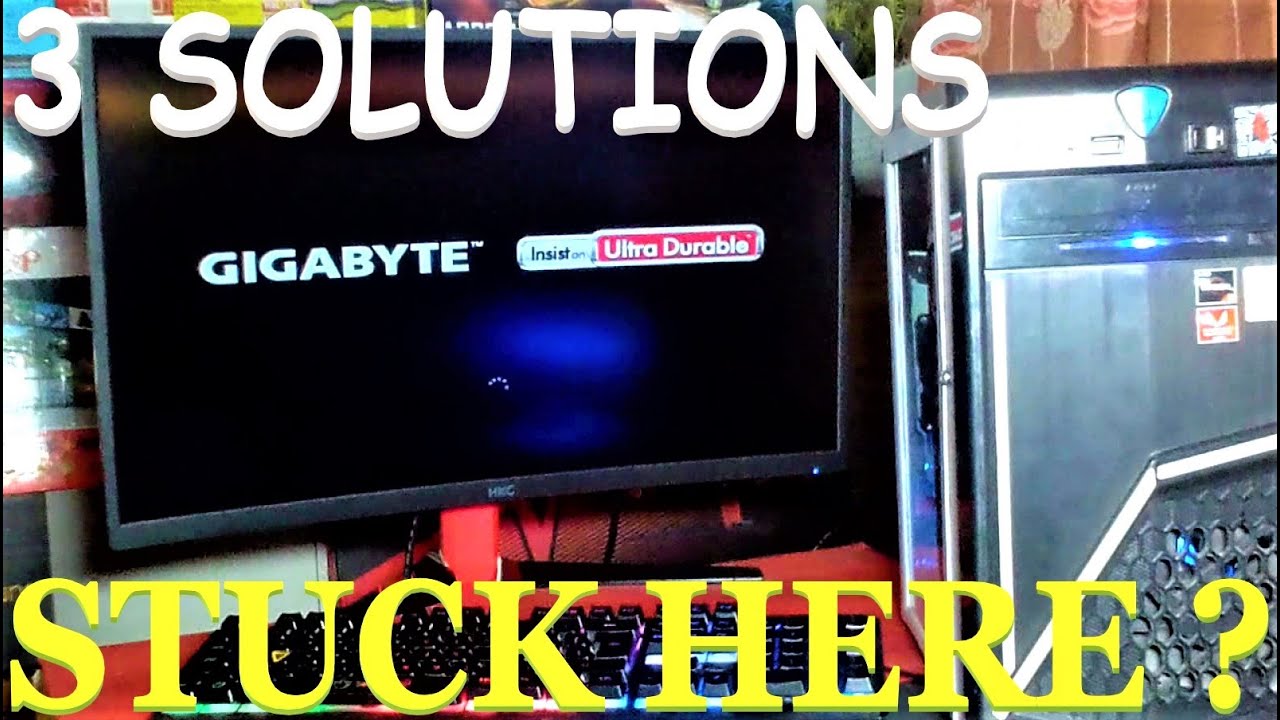
This video guys showing you how to fix stock or freeze bios logo.
Question ? Just type in comment section.
Don't forget to like and subscribe.
MORE VIDEOS:
HOW TO FIX STOCK OR FREEZE LOGO MOTHERBOARD
https://www.youtube.com/watch?v=aV6rRmOB3YY
HOW TO CHANGE 2 GB DEDICATED GPU MEMORY USAGE FOR APU
i saw this vid
hearty gust
check bios see if thear a update
dire elbow
boots
dire elbow
hearty gust
check bios see if thear a update
where i dont think so anyways
i saw a vid from the same guy with an asus board
hearty gust
what mother bord do you have
 hearty gust
make a vid of it trying to load windows
dire elbow
my bios look like these
dire elbow
hearty gust
make a vid of it trying to load windows
it loads it normaly
hearty gust
might be a bad install
dire elbow
it just wait
hearty gust
what you think can you help him
hearty gust
sure 1 min
it not going be the same
try this
Boot Disk is a complete IT Technician's or IT Consultant's data recovery package that includes powerful file recovery, data imaging, and secure data erasing set of software tools and utilities
be for i update bios on mine even this tool hang
put that ona usb stick and see if it it load
if it dose not boot with that then it bios
hearty gust
you have spaire usb drive
dire elbow
a realtek pcie thing
dire elbow
hearty gust
you have spaire usb drive
no
dire elbow
hearty gust
put that ona usb stick and see if it it load
i can boot into my pc
hearty gust
get one
dire elbow
but sometimes it doesnt
dire elbow
My pc works normaly
Yea it just does this
but
after i restart
works fine
its like
hearty gust
i reinstall windows if i was you
dire elbow
it tries to boot into something firdt time?
and it fixes?
bcs i restart
its not a hugr problem for me anyways but i was freaking out bcs yeah
hearty gust
i had some truble with my pc too be for replace the bord
i do not think it same issue
dire elbow
no my pc works perfectly fine
hearty gust
mine end up being bent pins
dire elbow
but sometimes it gets stuck on the mobo thing
hearty gust
it wood run for 7 min then shut off for no reson
dire elbow
hearty gust
mine end up being bent pins
nono mine never did that
hearty gust
ye
dire elbow
the only time my pc crashed was when i forgot to turn town val settings and i put hyper thread on lol😹😹😹😹
hearty gust
bad luck
dire elbow
my pc became an airplane
hagagah
either way my pc works fine when im in
it just doesnt boot sometimes
but after restart it does
hearty gust
if you can reinstall windows
dire elbow
yk mobo boot screens?
like the giga byte one?
it stays on that
but it works fine when i re open pc
and windows spins etc
and i get in under 10 seconds
hearty gust
but if it doing this on mother bord flash screen might be issue with the bord
dire elbow
no it says something like
Media Consult Ag
it does the thing in the vid i sent
wait hold on
that cable doesnt look in place

could that be ir
@hearty gust
hearty gust
may be
hearty gust
you mean the ssd
dire elbow
or turn off the surge protectur psu
switch
nono
i turn it off the pc so i open
the side panel
i mean get accses power off pc so i dont die
lop
lol
dire elbow
god my gpu so dirty
hearty gust
if that dose not fix it send it back for rma
you have it esy
when mine broke i had to replace mother bord twice
dire elbow
ok thank
for ur time
ok now
i replaced the
swotch
sata
and i try
first time on
it boots
good sign
ima run test number 2
and do a 3 one
i dont think its fixed
omg
2 time boots
no way
3 and last test
@hearty gust
didnt get fixed
rip

stuck on this
hearty gust
another good idea is to run this and test teh ram https://www.memtest86.com/

MemTest86 is the original self booting memory testing software for x86 and ARM computers. Supporting both BIOS and UEFI, with options to boot from USB.
dire elbow
dire elbow
it says pres f2 or del to dios
bios
see now i restart and boom

anyways ill go slerp
hearty gust
hope you get it fix
dire elbow
ty and ill come back when an actuall actuall annoyin thing happens💀
dire elbow
hearty gust
hope you get it fix
its ok if it works fine
anyways
i just dont want it to crash while on games
or it being slow
but gn
sleep well and ty
finite elm
Huh
vast meadow
finite elm
Huh
Idk they just pinged me
finite elm
ah
cerulean wadi
Input on 10-11600K + $25 to have a 10700F ? (knowing the non-K and 10gen quirks). 10gen on 5xx chipsets means losing the top m.2 slot, but no biggie I'd say. 2 extra cores seems worth it.
 smoky widget
@cerulean wadi You have any of those CPU's or not?
cerulean wadi
smoky widget
<@!742588277898608713> You have any of those CPU's or not?
Yes, have the 11600K and a z590 mobo (no ram currently). Thought maybe using 10/11 gen for 1+ years at this point in time, i7 would be smarter/better. 
smoky widget
cerulean wadi
Yes, have the 11600K and a z590 mobo (no ram currently). Thought maybe using 10/...
I do agree with the same aspect. I have a 10900K instead the 11900K or 11700K. just loose is the first M.2 slot. The I7 has more cores and threads. Just a bit slower
cerulean wadi
Cool. Yea the i7 stock turbo closes the gap on single core performance anyways, and bet I could adjust those settings up a tad if I wanted. Thnx. I'll do the 10700F tonight then return the other on Monday. Now I'm just debating getting the $100 kit of Oloy ram. Kicking myself for missing the ballistix at $90.
smoky widget
uff
well best of luck with the purchase, always sales on stuff
specially ddr4 and such
cerulean wadi
smoky widget
specially ddr4 and such
indeed
 smoky widget
I paid for 32gb for $180 G.Skill Trident Z 32 GB 3200Mhz cl15
cerulean wadi
I'm too frugal sometimes. What I resold was a $130 kit of 4000c18 G.skill. the black version of the pic I just posted was $90 for a few days a while back, lol.
hearty gust
will this m.2 work with out power for wifi and blue tooth

 dim cloak
Only from the pcie slot
vast meadow
cerulean wadi
Input on 10-11600K + $25 to have a 10700F ? (knowing the non-K and 10gen quirks)...
Yes
burnt spear
cerulean wadi
Input on 10-11600K + $25 to have a 10700F ? (knowing the non-K and 10gen quirks)...
11600=10700
hearty gust
dim cloak
Only from the pcie slot
so that card will give it power over pcie right trying free up a slot for cap card
cerulean wadi
burnt spear
11600=10700
6c12T vs 8c16T
vernal cosmos
cerulean wadi
6c12T vs 8c16T
faster 6c12t vs slower 8c16t to be fair
hearty gust
try moveing gpu still only one sata port working on my GIGABYTE Z370P D3 remove m.2 and all sata works
dim cloak
hearty gust
so that card will give it power over pcie right trying free up a slot for cap...
Yes that card draws the power from the pcie slot but a capture card uses pcie iirc so how would that free up a slot?
hearty gust
dim cloak
Yes that card draws the power from the pcie slot but a capture card uses pcie ii...
oh case the slot i whant to use has no slot acces so i whant to move wifi to that slot
so i have other slot free
dim cloak
Oh alright
hearty gust
yea
i link the item 1sec

eBay
Find many great new & used options and get the best deals for PCIe NVMe M.2 NGFF SSD to PCI-E PCI express 3.0 x4 x8 x16 adapter car.OU at the best online prices at eBay! Free shipping for many products!
this
dim cloak
Alright cool
 turbid radish
Do you guys and gals know of any mini it-x motherboards compatible with a Ryzen 5 5600G?
 limber dragon
any b550 itx should work, along with just about any x570 itx with a display out
would be safe to assume b450 itx would do too
turbid radish
It says this tho

 vital field
its fine, just means you have to update the bios if the motherboard you get has an old bios on it
turbid radish
How do you do that?
vital field
if you do have to do it, then youd just have to go to the mobo's product page and then find their bios updates and get the latest one or most stable one and put on a usb and then plug it into the mobo's bios usb port if it has one
vital field
if you have no way of accessing it other than your phone then oof but should be easy to do
theres also tutorials online if you need further instructions or help
hollow thorn
 rancid harness
no?
rancid harness
no?
with flashback you don't
rancid harness
so if I'm on 1.60, ASRock b450m pro4 with a r5 2600 rn
do I update straight to the latest bios before changing to 5600x
or in increments
cerulean wadi
Usually can do the latest, but check the mobo bios page 1st. Some say to go to 1 that's a certain age. At most would be 2 flashes I figure
burnt spear
cerulean wadi
6c12T vs 8c16T
10th gen cores vs 11th gen cores
11600k slightly better in single core slightly worse in mc
Imo not worth the extra 25$ or whatever it was, nothing ocing wouldn't cover
cerulean wadi
Yep, exactly. Cpu change to w/e. Might do the budget pick 11400(F) actually for a solid $70-80 savings.
 atomic fiber
hi
how to enable xmp on x570e
hearty gust
Omg now i got issue with head phone rip
Got this stqngw hissing sound and that all i get crap
humble acorn
atomic fiber
hi
how to enable xmp on x570e
It may be called DOCP
Anyway when you first turn on your computer follow whatever your MB's prompt to get into bios. Then in the memory or overlooking tab look for XMP or DOCP and you should be able to select your kit's profile.
atomic fiber
humble acorn
It may be called DOCP
thanks
hearty gust
im real piss right now
dense frost
hearty gust
im real piss right now
you might wanna check your spelling/grammar there
rocky beacon
 hearty gust
lol
 rocky iron
any good ram ideas, looking for like 32gb
grizzled bloom
What budget? Good kits of 32gb go for around $150-175 and the ultra budget ones go as low as $100 or less
rocky iron
I can probably do around $150
cerulean wadi
Recently saw the 3200c16 ballistix for $115ish, that's not too bad. If you want to deal with OCing/tuning ram.
rocky iron
Can u send link
grizzled bloom
This would be good with Intel
https://pcpartpicker.com/product/dqbTwP/gskill-ripjaws-v-32-gb-2-x-16-gb-ddr4-4000-cl18-memory-f4-4000c18d-32gvk
cerulean wadi
Yep, that's pretty good too.
$119 for Crucial, a full $20-30 more than it was a while ago https://www.amazon.com/dp/B083TSLDF2

Crucial Ballistix gaming memory is designed for high-performance overclocking and is ideal for gamers and performance enthusiasts looking to push beyond standard limits. With hundreds of awards, multiple E-sport championships, and numerous overclocking world records under its belt, Crucial Ballis...
rocky iron
Those both don't seem bad at all
cerulean wadi
Tbh I had that specific G.Skill then resold it. No hurry again since I just dropped the 11600K at ups. (Going 8core, or 1x400)
rocky iron
Aight thanks
vast meadow
cerulean wadi
Yep, that's pretty good too.
$119 for Crucial, a full $20-30 more than it was a ...
This is only good if they're actually gonna oc it
rocky iron
I don't bother with overclocking
rocky iron
vast meadow
https://pcpartpicker.com/product/zcH8TW/gskill-ripjaws-v-32-gb-2-x-16-gb-ddr4-36...
Damn how is that more expensive then the 4000 mhz that fal sent me
vast meadow
Tighter timings
rocky iron
Oh
vast meadow
But yeah if you're on intel the 4000 kit is a nice budget option
cerulean wadi
1.4v vs 1.35 is an extra thing I notice, but doubt it really matters. Only sold the G.Skill because I had my 11gen combo for sale. Is the gear 1 vs 2 ram stuff just on 500 series mobos and/or 11gen cpu?
vast meadow
G1/g2 is an everything thing
rocky iron
Just thinking about 12 gen intel
How long do you think it'll last from now
Like if u were to use it
vast meadow
Depends on your use case
vast meadow
And what your expectations are
rocky iron
Like
Gaming
I don't do other things
Don't stress test
Or do any cad stuff
Or whatever
vast meadow
12600k would last most people 5 years before they wanna upgrade probs
rocky iron
Okay but what if u couldn't upgrade
Do you think it'll still be good in 10 years or so
vast meadow
No cpu will be good in 10 years, usable, sure
grizzled bloom
People still game on the 4770k and that's 8 years old
rocky iron
Thats what I'm saying
I was using a 2nd gen i7 for a while
I could play games just fine
grizzled bloom
Games tend to use the gpu more than the cpu
rocky iron
Makes sense
So I'm not wondering if it will be considered "good"
But more like
Usable like u said
grizzled bloom
Totally usable
rocky iron
Like no lag on newer games
vast meadow
Uhh lag is the internet connection but you should be fine, games usually get more gpu intensive rather than cpu
cerulean wadi
Most games in cpu reviews are still not tons faster with 8core cpus vs 6core models (10/11gen). 8+ cores is a safe bet nowadays though for sure, just for future stuff or multitasking. How's this for a laugh. Though I'd give my current soon to be spare pc a thread boost for "cheap".
 rocky iron
Imagine
 main pulsar
cerulean wadi
main pulsar
cerulean wadi
Hey, it blows away my previous E8400 (2c2T). Before my big upgrade, I'm gonna repaste the 3550 & figure maybe spend $40ish on an 8thread version to try instead.

 wintry scarab
I have such regret now that I got the 11 series
8 months in and Intel was like nope, discontinuing z590 boards
grizzled bloom
That's just what intel does. 2 years per socket if you're lucky. 1 year per chipset.
naive pendant
cerulean wadi
Hey, it blows away my previous E8400 (2c2T). Before my big upgrade, I'm gonna re...
Nice. Xeons B)
What board are you using?
cerulean wadi
naive pendant
What board are you using?
This great "budget" pick, probably less than $130 when purchased instead of $160ish msrp. My cpu actually isn't too bad. Hardest time it has is the big open world stuff of Apex Legends (cpu related settings mostly Low) & would rather not be at 90-99% usage while playing that, haha(I'm sure my "1%" fps lows are pretty bad. Really curious how much vs 8MB cache & HyperThreading would help. I quick checked Ebay for other xeons but they're $60+

 naive pendant
I really like that color scheme
Reminds me of my x99 extreme6
@cerulean wadi Have you considered going Chinese x79/x99 and getting a xeon to match? Very good value for the performance imo
cerulean wadi
idk, $40 alone is cheap enough to try
 cold jasper
I keep seeing the threadripper 1900x cpu cheap on amazon?
any suggestions on motherboards?
vast meadow
Because it's old.. no point tho the board's are still expensive
vast meadow
Also the cores are supppperr slow
vast meadow
K80?
cold jasper
a tesla card
finite elm
But quad channel memory, Pato
vast meadow
https://pcpartpicker.com/list/JCdvKp
https://www.amazon.com/Thermalright-1700-SS2-Mounting-Coolers-Platform/dp/B09LTQYNSL

Thermalright LGA 1700-SS2 Mounting Kit for CPU Coolers on Intel's LGA1700 Platform, Mounting Kit for LGA1700 Socket
Would be better off
finite elm
Pato, do you think a H510 board would be fine for my console build? Or should I wait for the b560 to be back in stock? 40$ difference
grizzled bloom
For the memes https://cpu.userbenchmark.com/Compare/AMD-Ryzen-TR-1900X-vs-Intel-Core-i5-12400F/m340638vs4121

Based on 7,077 user benchmarks for the AMD Ryzen TR 1900X and the Intel Core i5-12400F, we rank them both on effective speed and value for money against the best 1,339 CPUs.
H510 is single channel and no overclocking memory right? If you've got a low end cpu it would be fine
finite elm
11400+3050. It says it can have 3200mhz memory.
grizzled bloom
Probably ok but will limit the 11400 in some things
vast meadow
finite elm
Pato, do you think a H510 board would be fine for my console build? Or should I ...
H510 will limit mem to 2666mhz
vast meadow
grizzled bloom
H510 is single channel and no overclocking memory right? If you've got a low end...
Dual channel i believe, they originally said h610 would be single but they meant 1dpc and later corrected it
grizzled bloom
Ah that's right. H510 is also 1dpc
finite elm
vast meadow
H510 will limit mem to 2666mhz

PRO series helps users work smarter by delivering an efficient and productive experience. Featuring stable functionality and high-quality assembly, PRO series motherboards provide not only optimized professional workflows but also less troubleshooting and longevity.
Why do they lie and say 3200mhz then D:
grizzled bloom
It supports 3200 with 11th gen processors
finite elm
So i should be fine with with an 11400 :p
grizzled bloom
Seems that way
grizzled bloom
Ikr
There's literally no reason for them to lock it at all except for artificial market segmentation anyway
finite elm
Would my 3600mhz ram run 3200mhz fine with xmp? Or would it be a slight struggle
vast meadow
Shouldn't be an issue
mild jackal
Why do you need to underclock
finite elm
mild jackal
Why do you need to underclock
H510 only supports up to 3200mhz.
The ram I have is 3600mhz.
mild jackal

burnt spear
 long yew
what happens if I pair RAM of different speeds?
long yew
what happens if I pair RAM of different speeds?
It'll clock to the lower speed, but thats if they're compatible
If they're not, windows could corrupt or it could straight up just not boot
 upper rose
oof
burnt spear
My windows corrupted mixing two incompatible ram kits
upper rose
does linux have that issue
burnt spear
Had to fully wipe both my drivers
burnt spear
upper rose
does linux have that issue
I'd assume so, maybe it wouldn't corrupt but idk
Itd still cause issues
upper rose
if it fits it werks?
long yew
burnt spear
If they're not, windows could corrupt or it could straight up just not boot
sounds fun
thanks for letting me know
burnt spear
long yew
sounds fun
You can check the manufacturer of the die
grizzled bloom

Atari 3/4 Size Arcade Cabinet - Full Kit: https://micro.center/96a0b
Atari Bartop Arcade Cabinet - Full Kit: https://micro.center/a1180
Micro Center Retro Arcade Builder: https://micro.center/70da0
Use code LINUS and get 25% off GlassWire at https://lmg.gg/glasswire
See what happens when you mix RAM DIMMS from different manufacturers!
Buy AMD...
burnt spear
If they're the same, they're compatible
grizzled bloom
Depending on the brand you might be able to tell from the white sticker on the sticks
long yew

also I hope MSI aren't too fussy with RMAs
they told me to after much troubleshooting so if they get upset that it's missing the CMOS battery or something I'm gonna be ticked
and/or refuse to refund instead of replace
I somehow bought 2 bad MSI boards in a row
lol
 elder harbor
Is it worth it to switch to DDR5?
vast meadow
No
 quartz oriole
DDR5 is stupid expensive and DDR4 is still fast enough to do what you want quickly
vast meadow
quartz oriole
DDR5 is stupid expensive and DDR4 is still fast enough to do what you want quick...
Fast ddr4 is actually still better in most cases
 split copper
Gotta wait for DDR5 to git gud
burnt spear
Who would buy this over a 12100 https://www.reddit.com/r/buildapcsales/comments/sos1b5/cpu_boxed_intel_pentium_gold_g7400_2c4t_37ghz/?utm_medium=android_app&utm_source=share

reddit
0 votes and 3 comments so far on Reddit
cerulean wadi
At least it has HT. For someone on an extreme budget, but I'd do w/e I could to scrounge up an extra $40ish. The G7400 is actually pretty darn good for 1080p gaming. Also as cheapo server or certain other tasks, still a huge upgrade from most older 2 & 4 core cpus, especially regarding wattage & perf per watt
burnt spear
cerulean wadi
At least it has HT. For someone on an extreme budget, but I'd do w/e I could to ...
2 core tho 
If you're pairing it with a gpu just get a 12100f for 10$ more
Intel should make a 4-6 e core cpu
Would be great for sff builds
As in just e cores
Low tdp and low temps
cerulean wadi
HT makes it act like a 4c of older cpus haha. 12100f also isn't only $10 more, & stock varies big time right now. Idk, the e cores are much weaker. They should though. Bet they'll eventually have the Ecore only cpus
burnt spear
cerulean wadi
HT makes it act like a 4c of older cpus haha. 12100f also isn't only $10 more, &...
Wait one sec I think I forgot the price of what I linked lmao
But the 12100f is 97$
No yeah its $10 more
Not in stock rn but it's been in stock fairly often for 97
cerulean wadi
I keep seeing $120ish lately, so eh. Don't act like I'm not agreeing though. :kekw:
cerulean wadi
split copper
Yeah why do they make dual cores the same price as the quad cores
Profit
 cerulean wadi
I want to see Pcore only 8core for cheaper, lol (but everything above 12400 has Ecores). Microcenter is too far. At least the 12100 & 12400 are so 
burnt spear
cerulean wadi
I want to see Pcore only 8core for cheaper, lol (but everything above 12400 has ...
That'd be nice too
Also a 12100 with 2 e cores
If they gave the 12100 2 e cores it'd be great
4 cores limits it
Would prolly beat an 11400
Might fall a bit short of 5600x, but then people wouldn't have incentive to buy 12400 unless they gave that two e cores too
cerulean wadi
Ecores would jack up their price a bit & sort of require Win11. Yep, it's funny how no Ecores is how 11600 or 11700 actually beats even the 12400 in certain tasks, but obviously not most games. 13gen & possible future 12gen cpus will be interesting.
burnt spear
cerulean wadi
Ecores would jack up their price a bit & sort of require Win11. Yep, it's funny ...
If I were to build rn, I'd go 12400f tbh
I still prefer w10, and the e cores don't have "proper" support, or atleast I don't consider them to with how buggy they are
12600k would be nice too, but 210$ mobo hurts on top of the 300$
Instead of 330$ for both cpu and mobo
cerulean wadi
burnt spear
If I were to build rn, I'd go 12400f tbh
Same, or 12600k/12700(F/K) if somehow got MC pricing. Indeed the Ecores don't help too much for gaming I think. I'll try a 4c8T xeon for a bit & watch as more B660 or cheaper z690 mobos appear. Apex Legends is the only game I have that makes cpu go 95-100% a lot, lol. For $40 thought I'd see if extra 4 threads helps any, but idk for sure.
burnt spear
cerulean wadi
Same, or 12600k/12700(F/K) if somehow got MC pricing. Indeed the Ecores don't he...
I dont plan on upgrading soon unless i get an msrp 3080
And if I do it'd be a 5600x, since I already have a b550
Wouldn't bother with a 5800x, since I don't feel like getting an aio
And it'd be a pain, since my mobo is sff
rancid harness
cerulean wadi
Same, or 12600k/12700(F/K) if somehow got MC pricing. Indeed the Ecores don't he...
I'm really confused on whether apex is CPU or GPU intensive
cerulean wadi
rancid harness
I'm really confused on whether apex is CPU or GPU intensive
Idk, and my 2nd-best 2016ish GPU is for sure picking up the slack a lot. All GPU related stuff is almost maxed out and cpu related stuff is on low. I easily get 120-150 FPS (personal frame cap, 60Hz display also) but cpu is literally 99% usage. Huge map is a part of it I figure. Well, it's a 10 yr old quad core that doesn't even have Hyperthreading. All other games I have, cpu related settings can be much higher, even Doom Eternal.
vernal cosmos
cerulean wadi
I want to see Pcore only 8core for cheaper, lol (but everything above 12400 has ...
12600 has no e cores
cerulean wadi
vernal cosmos
12600 has no e cores
Yep, those 12500 & 12600-nonK are pretty rare.
vast meadow
burnt spear
Who would buy this over a 12100 https://www.reddit.com/r/buildapcsales/comments/...
People with negative 1 brain cell?
vernal cosmos
vast meadow
People with negative 1 brain cell?
you called?
split copper
The man for the job
rancid harness
hi ive got an urgent question for bios update
im on version 1.60 currently so i need to update to 2.00 first
ive installed the drivers for that version
do i have to install the drivers to 3.10 after 2.00?

or can i just update straight to the 5600x supported bios
vast meadow
Drivers aren't bios specific
rancid harness
so ill have to download both drivers?
vast meadow
Just do whatever it tells you to
If it says update drivers before bios flash I'd do it
rancid harness
im really confused on the bios page itself
so i need version 4.60 for 5000 series support
currently on 1.60
i need to go to 2.00 first before going to 4.60 straight?
rancid harness
after 2.0?
vast meadow
Actually just do this one this is the latest
https://download.asrock.com/Drivers/AMD/AllIn1/AllIn1(v18.50.16.01_WHQL).zip
vast meadow
rancid harness
after 2.0?
Before
rancid harness
ive already downloaded the first one
so i just download the latest one again before updating to 2.0
?
vast meadow
Yeah saves you updating again later before the other bios's
vast meadow
vast meadow
https://download.asrock.com/Drivers/AMD/AllIn1/Allin1(v18.10.20_NHDA).zip
But you can do this after if you have this one done already
rancid harness
im already installing the newer one now
rancid harness
rancid harness
alright then after 2.00, can i go straight to 4.60
sorry but what's the answer for this
vast meadow
Yeah looks like you can
rancid harness
I updated to 5.30
it says "Programming success. Press Enter to reboot system"
but my keyboard and mouse don't seem to work
what do I do
is it safe to power down and on again?
@vast meadow sorry for the ping but I need an answer
wtf nvm... my mouse worked all of a sudden...
 hollow siren
I have a wi-fi dongle that does the work with no problems, is a mobo with wi-fi better than the dongle?
cerulean wadi
hollow siren
I have a wi-fi dongle that does the work with no problems, is a mobo with wi-fi ...
Depends on the comparison. Modern mobos with the Intel AX210 or similar chip are really good & no doubt way better than many usb adapters. Noticing much of an upgrade is also a variable. W/o builtin wifi, there's tons of pcie adapters with more than 1 antenna to use that should outclass a normal usb model.
split copper
I prefer the idea of having an add-in-card for WiFi rather than USB or integrated, but there's a case to be made for either
If what you have works for you then perfect
The WiFi dongles I've had that actually worked did the job just fine, and I hope they continue to
vernal cosmos
rancid harness
it says "Programming success. Press Enter to reboot system"
did u update in bios or in windows
rancid harness
in bios
for some reason after it finished my kb and mouse weren't working
I waited for a bit and it somehow worked
thank god
hollow siren
cerulean wadi
Depends on the comparison. Modern mobos with the Intel AX210 or similar chip are...
I'm using a zen cpu actually, I'm looking to upgrade my mobo to ATX , my case to an actual case with cable management space (full tower if Gog permits), more ram and more storage in the next 6 months, some of the current wi-fi boards are about 10-20 usd more expensive than the non Wi-Fi counterparts, or do they have any other cool features like better quality capacitors, etc?
vast meadow
Honestly no point getting a new motherboard without a new cpu
hollow siren
The problem is that my current video card is eating up the space for 2 sata ports xD and i hate using microATX because is so small and my hands are kinda stupid
 vocal pelican
vast meadow
hollow siren
The problem is that my current video card is eating up the space for 2 sata port...
vocal pelican
vast meadow
hollow siren
The problem is that my current video card is eating up the space for 2 sata port...
I mean if you remove the gpu you should be able to fit the cable in
hollow siren
vast meadow
I mean if you remove the gpu you should be able to fit the cable in
I mean, the gpu goes over the sata port and completely hides it... The other 2 almost touch the fan but a little zip tie made it work with no fan scraping
vast meadow
hollow siren
I mean, the gpu goes over the sata port and completely hides it... The other 2 a...
Yeah that's what i figured, usually there's still space between it and gpu tho
hollow siren
The two things that i do want to change is the case and the storage, or upgrade would be the correct word.
hollow siren
vast meadow
Yeah that's what i figured, usually there's still space between it and gpu tho
Tried it, my other 512 gb hdd is used as external because i couldn't keep it without the GPU almost tearing the PCIe port
vast meadow
Ahh rip
hollow siren
Yep, that's why i want a bigger mobo xD
My ryzen 5 5600x is cool for my current cpu, don't see myself buying a new one in less than 5 years
 vast meadow
N should be fine if you just updated bios, Y if you swapped CPU
rancid harness
now it's going past the ASRock screen and not booting to windows
vast meadow
Enter bios when booting up and check boot priority
rancid harness
yeah it's my ssd
dense frost
is there a new error message? or is the screen just blank?
vast meadow
But you can get into bios right?
rancid harness
yes
vast meadow
Uhmm can you send a screenshot of your boot priorities in bios?
rancid harness
 vast meadow
Can you hit enter to show your options
vast meadow
In my experience it should say ssd then windows boot or something after it/before it
rancid harness
 vast meadow
Hmm, was it always like that?
dense frost
clear cmos?
rancid harness
I changed xmp to 3000mhz instead of 3200mhz
and it booted?
which is weird because I updated bios and it allowed me to boot 3200mhz earlier with my Ryzen 5 2600
am I supposed to clear CMOS after changing the cpu?
vast meadow
What is your new cpu?
vast meadow
rancid harness
am I supposed to clear CMOS after changing the cpu?
Shouldn't need to but if it doesn't work no harm
rancid harness
is there anything specific to do after changing CPU?
vast meadow
Well i would enable precision boost overdrive
rancid harness
how do i do so