#cpus-mobo-and-memory
1 messages · Page 244 of 1
 finite elm
 dim cloak
All places near me have ballistix kits and they are the cheapest kits
finite elm
are there brands to avoid for memory? I've always just gone corsair, g.skillz or crucial. is silicon power geil or neo forza reliable? they would be 30$ cheaper about
finite elm
Corsair is finnnneee
 hollow thorn
Corsair sucky
hollow thorn
finite elm
are there brands to avoid for memory? I've always just gone corsair, g.skillz or...
Brand doesn't really matter, depends on the kit and die, but Corsair gets you a wide selection of random bargain bin dies where you don't know which bargain bin die you're getting because there's tons of versions of the same kit
 vast meadow
@normal haven i believe this is for you?
https://pcpartpicker.com/list/KNdc68
hollow thorn
Sure g.skill isn't much better than Corsair on lower end kits, but at least you can say it's probably cjr instead of ???????
vast meadow
hollow thorn
Sure g.skill isn't much better than Corsair on lower end kits, but at least you ...
Btw mr11 the ram i put ins xmp was 16 18 18 36 instead of 38 have you seen that much before?
hollow thorn
Ye, but doesn't say too much about the kit
vast meadow
Was thinking it's worth the 2c more than the 38 lol
hollow thorn
Like 16-16-16-36 on 3600c16 means probably b die
But on 3200, doesn't really matter afaik
vast meadow
hollow thorn
But on 3200, doesn't really matter afaik
Yeah was just interesting as there was exact same kit but 38 instead at same price
hollow thorn
¯\_(ツ)_/¯
 cerulean wadi
Ok who wants to say if I should return the 4000c18 g.skill for the $98 3200c16 Crucial? 
 - Seems like it would be for lower stock voltage partly.
 burnt spear
cerulean wadi
Ok who wants to say if I should return the 4000c18 g.skill for the $98 3200c16 C...
burnt spear
cerulean wadi
Ok who wants to say if I should return the 4000c18 g.skill for the $98 3200c16 C...
even with ocing im fairly sure the 4000 will be faster than the 3200
vast meadow
cerulean wadi
Ok who wants to say if I should return the 4000c18 g.skill for the $98 3200c16 C...
Ballistix
Seriously my 16gb kit of that can do this, not finished yet and only being held back my my imc/infinity fabric

That's not even latest yet but anyway
Also I'm limited on my mobo to 1.5v to the ram
cerulean wadi
Recall how good it did at 1.4ish? Hmm, I wonder how much being 16GB sticks would hold it back. Deffo on the fence doing the replacement though. ;)
vast meadow
cerulean wadi
Recall how good it did at 1.4ish? Hmm, I wonder how much being 16GB sticks would...
Didn't do 1.4v, rev e is safe for daily up to 1.6v without a fan and doesn't care about heat so i just cranked it
cerulean wadi
That's quite impressive. Good to hear. If I returned gskill, would I have a wegg balance or should I just order the crucial first to not miss the sale?
vast meadow
cerulean wadi
That's quite impressive. Good to hear. If I returned gskill, would I have a wegg...
Idk but I'd get the ballistix anyway as cheaper and you can lazy oc it pretty easy
cerulean wadi
vast meadow
Idk but I'd get the ballistix anyway as cheaper and you can lazy oc it pretty ea...
Ah, 3600c15 at least should be cake. Alright thnx.
vast meadow
cerulean wadi
Ah, 3600c15 at least should be cake. Alright thnx.
Am at 3600cl14 cuz ryzen but on intel that's not issue, you should be able to do 4000cl16 I'd imagine pretty easily
cerulean wadi
Good. Yeah, returning and rebuying is simple. Might as well. I know we trust ballistix a bit more than that ripjaws with fairly average specs. Great for plug n play, but that's boring. 👍
 open pewter
I just upgraded to a newer CPU, I’d there anyone that can come on a voice chat to help me because it’s not giving my monitor a signal anymore
dim cloak
Well what cpu and motherboard do you have?
dim cloak
open pewter
I just upgraded to a newer CPU, I’d there anyone that can come on a voice chat t...
First need to check compatibility then we will work through the list
open pewter
I have an ASRock B450 Steel Legend ATX AM4 Motherboard, and a Ryzen AMD 3 1200
but I upgraded my CPU to an Ryzen AMD 5 5600g
dim cloak
You might need to do a bios flash update on the mobo
open pewter
Can you come on a call to teach me exactly how bc idk how to do that at all :’)
Or texting it is fine, it’s just idk if I can follow through this
dim cloak
You might need to ping a techie on how to bios flash as I am unfamiliar with doing so myself but also ensure there is some indication that the psu is on
open pewter
Oh gotchu thank you though! Ik it turns on cause fans spin and monitor also turns on but shuts off since there’s no signal
dim cloak
Yeah so might need a new bios update
cerulean wadi
Can even make it into current bios? Extra pc also helps big time because I'll I know is getting bios file onto a flash drive then plugging in and updating
open pewter
I’m confused because if I have the old CPU in and I download the most recent bios, shouldn’t it save onto my HDD
open pewter
cerulean wadi
Can even make it into current bios? Extra pc also helps big time because I'll I ...
or do I need a separate flash drive to do that
cerulean wadi
Well you could just save bios file to desktop or somewhere, but I'm just used to accessing it from a flash drive.
dim cloak
Separate flash drive
open pewter
Oh okok
open pewter
hollow thorn
do it through bios
How does one do this :0
hollow thorn
iirc asrock is del to enter bios
open pewter
Delete + enter?
I shall try this
And can I do this with the new CPU in or the old one?
dim cloak
Do you have the new bios on the flash with the renamed bios file
Or does asrock not need that bios rename?
open pewter
dim cloak
Or does asrock not need that bios rename?
I honestly have no clue
hollow thorn
open pewter
And can I do this with the new CPU in or the old one?
With old CPU in, on boot, press del to enter bios
hollow thorn
dim cloak
Or does asrock not need that bios rename?
Steel legend doesn't have bios flashback, will have to update bios from bios
And normal bios update doesn't need renaming, but you tend to need renaming for bios flashback
 heady spruce
Upgrading to 32gb, wanted to know if i should go for 4x8gb or 2x16gb. Also should i go for a 3600 cl18 or a 3200 cl16
And what brand would be the most reliable, crucial gskill ripjaws or corsair?
 devout mothBOT
 Kellyisverycool#3625 has been warned
Reason: Bad word usage
Kellyisverycool#3625 has been kicked
Reason: Too many infractions
heady spruce
11400f and b560
heady spruce
 mild jackal
What cpu/mobo?
mild jackal
What cpu/mobo?
^
mild jackal
I think that crucial kit will suit you perfectly, again, assuming you want 32GB for <$100
You can tune some clocks/timings manually if you want to squeeze out a bit more performance, but it won't be terrible at XMP plug and play
heady spruce
Yeah theyre pretty good deals
Im getting a cl18 3600 for the same ish price
Dk if thats a better value
But i was thinking about whats better value, cl16 3600 for 150ish or cl18 3600 for 115ish or cl16 3200 for 115ish
mild jackal
heady spruce
Im getting a cl18 3600 for the same ish price
It's not, but possibly better if you just want to run xmp out of the box depending on platform
heady spruce
Gotchu thanks man
cerulean wadi
mild jackal
It's not, but possibly better if you just want to run xmp out of the box dependi...
Involves going into bios anyways yeah? I figure if someone can do that then they can at least up the ram multiplier a notch or 2 for their ez oc. (says me who's a ram noob).
mild jackal
yeah, that 3200c16 kit linked in #tech-deals will easily do 3600mhz with minimal tuning/stability testing.
 clever mango
 grizzled nacelle
@vast meadow how do you know if a memory pairs well with mixed batches?
vast meadow
The only ones you can 100% rely on are when you look at the kits timings and it has to be samsung b die, which is stupid expensive for people who don't wanna ram oc
Ballistix too as they basically stick to one die per kit
grizzled nacelle
I don't understand. same timings and "has to be samsung b die" or Ballistix?
So basically 2 lines from two manufacturers with the same timings?
vast meadow
There are certain ram timings that can only be achieved by samsung b die because it's the best basically
grizzled nacelle
What is "Samsung b die"? I am familiar with what a die is, in terms of molding and manufacturing, but I am having trouble wrapping that concept around memory sticks.
I'm Googling now.
vast meadow
grizzled nacelle
What is "Samsung b die"? I am familiar with what a die is, in terms of molding a...
Samsung b die is one of samsungs ram IC's basically the little ram chips on the stick
grizzled nacelle
Well my RipJaws V aren't on that list.
hollow thorn
grizzled nacelle
Well my RipJaws V aren't on that list.
every model can have different die, for g.skill, look at 042 code to figure out what die it is
grizzled nacelle
hollow thorn
every model can have different die, for g.skill, look at 042 code to figure out ...
So, my 042 code starts with 043 and says X8820C. It is 2x16 and reading the LTT write-up I am guessing the 88 is how they note 16GB? 20 is the manufacturer, but not Hynix (21) or Samsung (10) and C-die.
hollow thorn
grizzled nacelle
So, my 042 code starts with 043 and says X8820C. It is 2x16 and reading the LTT ...
8820C is 8Gb, 2 is Hynix, C means CJR
@grizzled nacelle bit from ddr4 oc guide on how to tell that

Dunno what LTT writeup you were reading
hollow thorn
grizzled nacelle
So, my 042 code starts with 043 and says X8820C. It is 2x16 and reading the LTT ...
Oc guide here
https://github.com/integralfx/MemTestHelper/blob/oc-guide/DDR4 OC Guide.md#label-on-sticks

GitHub
C# WPF to automate HCI MemTest. Contribute to integralfx/MemTestHelper development by creating an account on GitHub.
grizzled nacelle
hollow thorn
Oc guide here
https://github.com/integralfx/MemTestHelper/blob/oc-guide/DDR4%20O...
That's what I am seeing elsewhere, just snippits from that guide I guess. But these are 16GB sticks and they don't have "S", but an 8
 hollow thorn
grizzled nacelle
That's what I am seeing elsewhere, just snippits from that guide I guess. But th...
hollow thorn
grizzled nacelle
That's what I am seeing elsewhere, just snippits from that guide I guess. But th...
The 8Gb/16Gb are die densities, not how much capacity in the entire stick
grizzled nacelle
hollow thorn
The 8Gb/16Gb are die densities, not how much capacity in the entire stick
That is helpful.

They mention 043 here:
reddit
r/overclocking: All things overclocking go here. Learn to overclock, ask experienced users your questions, boast your rock-stable, sky-high OC and …
hollow thorn
Ye, 043 prob just some varient we don't really know, but rest should apply about the die
grizzled nacelle
Hynix C-die
hollow thorn
Cjr
Hynix just calls it cjr, and it's also nice to differentiate between different dies, there's Samsung C die, Hynix CJR, Micron rev B, slightly different way of saying things
grizzled nacelle
So if I were to order a matching pair in a month or sometime, would there be a risk of them being different in a problematic way?
cerulean wadi
I'm betting same die. My 4000 for comparison as it's 042 vs 043. Look like they made it higher density. Is higher density outright worse for OC/tuning?
 hollow thorn
Risk of them being different, yea, problematic way, eh, depends.
hollow thorn
cerulean wadi
I'm betting same die. My 4000 for comparison as it's 042 vs 043. Look like they ...
tier list here
 cerulean wadi
Makes sense. Cculus is your ram double sided sticks?
 uncut shale
Is there an Asus ROG Maximus Z690 Xtreme vs. Gigabyte Z690 Aorus Xtreme? I can't seem to find which one would be a better option.
hollow thorn
uncut shale
Is there an Asus ROG Maximus Z690 Xtreme vs. Gigabyte Z690 Aorus Xtreme? I can't...
Are those your only options...?
uncut shale
Those are the two that I am looking at. Unless there is something better in that range.
hollow thorn
What's your budget, what CPU, and what use case?
uncut shale
Budget for MB, about $1k. Case is TT Tower 900. CPU is i9 12700k.
uncut shale
OC and benchmarking. Gaming as well.
hollow thorn
You're not going to need a better board than pro z690-a at 200$ tbh
If you're going to do a ton of OCing, and will be on ddr5, maybe aorus pro for the post code at 330$
but you could also just get some post code display off ebay for like 20$
uncut shale
Will be on DDR5, I have 4 64GB of G Skill 6000 which IMO is overkill and may downgrade to 32gb
I have an Asus Hero and it's the recalled version. Yay.
Hence why I am looking for something comparable.
hollow thorn
The upside down mosfet was quite sad
mild jackal
Why not a 12900k?
uncut shale
uncut shale
Will be on DDR5, I have 4 64GB of G Skill 6000 which IMO is overkill and may dow...
4 16gb for a total 64gb* not 4 64gb
mild jackal
nvm
hollow thorn
It's just that a Hero would already be way overkill for a 12700k
hollow thorn
oh
mild jackal
If you really want to oc, go for a unify-x
Apex's are kinda cursed, I think extremes are fine
hollow thorn
Unify x is 1dpc so that's a heavily oc focused board
But unless you really want to do OC, something like Aorus Pro will still be more than enough
uncut shale
I'm looking into it now. Thanks.
grizzled nacelle
@hollow thorn @vast meadow @vernal cosmos You all are great for all the work you do helping folks around here. Thank you.
 limber dragon
uncut shale
OC and benchmarking. Gaming as well.
limber dragon
uncut shale
OC and benchmarking. Gaming as well.
Then get a unifyx or tachyon, as they are both better for overclocking than either extreme
cerulean wadi
Any word about B660 mobos being more plentiful soon?
 cursive epoch
should be available now
my country has lots of em in stock
yeah checked on newegg us
available there too
hollow thorn
grizzled nacelle
<@!278694081440251905> <@!191276897227898880> <@!499525349109923844> You all are...
You're welcome, but you're missing Forky and Fitz and the rest of the techies, everyone plays a part to do a thing
 vernal cosmos
grizzled nacelle
<@!278694081440251905> <@!191276897227898880> <@!499525349109923844> You all are...
vernal cosmos
grizzled nacelle
<@!278694081440251905> <@!191276897227898880> <@!499525349109923844> You all are...
dont mention it
grizzled nacelle
hollow thorn
You're welcome, but you're missing Forky and Fitz and the rest of the techies, e...
I've no doubt it is a larger team effort. But I haven't met Forky or Fitz and you three have engaged with me several times and been quite patient. I see the techie designation, are you all engineers? Sales reps? How diverse are your professional backgrounds?
hollow thorn
Professional background? Non applicable for most of us, we're just here because we know some bit of information we could share
cerulean wadi
grizzled nacelle
I've no doubt it is a larger team effort. But I haven't met Forky or Fitz and yo...
😄 1 of the special "Red" techies
 vernal cosmos
grizzled nacelle
I've no doubt it is a larger team effort. But I haven't met Forky or Fitz and yo...
vernal cosmos
grizzled nacelle
I've no doubt it is a larger team effort. But I haven't met Forky or Fitz and yo...
most of us are actually college students who love tech and know about it
cerulean wadi
cursive epoch
yeah checked on newegg us
THnx Foxy I Guess they're sort of showing up day by day, lol. It's because instead of 12600K I'm thinking about 12700F or 12400(F), $330 & $180 respectively. The z690 mobos are cool but no doubt B660 could be priced much lower than them.
grizzled nacelle
vernal cosmos
most of us are actually college students who love tech and know about it
Good times. Making the world a better place already. You'll do fine in this life.
 dense frost
vernal cosmos
most of us are actually college students who love tech and know about it
dense frost
vernal cosmos
most of us are actually college students who love tech and know about it
yes... ahem.. "college students"... hello fellow young people!
vernal cosmos
dense frost
yes... ahem.. "college students"... hello fellow young people!
YOU ARE THE MINORITY REEEEEEEE
grizzled nacelle
College students is a relative term. I went and finished my degree at 30.
vernal cosmos
Good on you!
cerulean wadi
grizzled nacelle
College students is a relative term. I went and finished my degree at 30.
 vast meadow
grizzled nacelle
<@!278694081440251905> <@!191276897227898880> <@!499525349109923844> You all are...
vast meadow
grizzled nacelle
<@!278694081440251905> <@!191276897227898880> <@!499525349109923844> You all are...
Yw :>
vast meadow
cerulean wadi
Any word about B660 mobos being more plentiful soon?
B660 prime is on Amazon for cheap
vast meadow
grizzled nacelle
I've no doubt it is a larger team effort. But I haven't met Forky or Fitz and yo...
I mean I'm studying electronic engineering +CS but just know about tech mainly
cerulean wadi
Oh I forgot about H670 also
grizzled nacelle
vast meadow
I mean I'm studying electronic engineering +CS but just know about tech mainly
How far along are you? Any thoughts on what comes next? Does your program provide internship opportunities?
I started the online Harvard CS course and got through some of the lectures. Ultimately I just wanted to learn rudimentary Python to automate work tasks where possible and I learned by doing. But it sure is a useful skill, even at a basic level. I would like to dive deeper, but just haven't had a need and going back to school isn't feasible right now. The tech scene here is pretty limited right now as well so that's a limiting factor
 fiery kernel
???
 burnt spear
fiery kernel
???
burnt spear
fiery kernel
???
Non current gen cpus tend to be overpriced buying from a retailer
fiery kernel
the x is cheaper which is funny to me
same with the 10400 being cheaper than the 10400f
???
devout mothBOT
 animator#4093 has been warned
Reason: Bad word usage
vast meadow
grizzled nacelle
How far along are you? Any thoughts on what comes next? Does your program provid...
I'm in year 3/4 i am going to be doing an internship around feb time, after i graduate I'll probably go right into working
vast meadow
fiery kernel
???
Just 3rd party sellers being weird cuz they haven't been in production for yearrs
fiery kernel
10400 isnt in production anymore?
fiery kernel
sure that's the top of the line but mobo prices and ddr5 is outta hand
10400 lookin tasty
burnt spear
12100 build for 400$
Could get cheaper too
12100 beats 10400 on a fresh install, without anything else open ofc
vast meadow
fiery kernel
sure that's the top of the line but mobo prices and ddr5 is outta hand
Ddr4 is a thing with 12th gen, and the rest of 12th gen have been out for like 2 weeks now
burnt spear
Also 12400f is in stock for 180$
vast meadow
burnt spear
https://pcpartpicker.com/list/n6kry4
Meh
burnt spear
vast meadow
Meh
Yeah I know you and rawr could prolly do better
fiery kernel
but 6 to quad core
burnt spear
fiery kernel
but 6 to quad core
Core count isn't all that matters
Four stronger cores vs 6 lesser ones
fiery kernel
:(
 fiery kernel
10400 and 12100 got the same boost clocks anyhow
cursive epoch
but less cores
vast meadow
burnt spear
https://pcpartpicker.com/list/n6kry4
https://pcpartpicker.com/list/V7YZBc more realistic and ideal
fiery kernel
nice lmao
vast meadow
burnt spear
Core count isn't all that matters
Tbh 10400 over 12100 for anything rather than just clean af test bench
fiery kernel
i think the 10400 will retain a strong position in budget builds for a while longer even from now
vast meadow
12400 nice
fiery kernel
but hows the stock cooler
cursive epoch
it works fine
as long case has airflow
it does okay
it got 83c under load in prime95 iirc
in an o11d
fiery kernel
loud?
cursive epoch
no
grizzled nacelle
vast meadow
I'm in year 3/4 i am going to be doing an internship around feb time, after i gr...
Definitely a good idea to get started right away, and hopefully still catch this heated job market!
grizzled nacelle
burnt spear
12100 build for 400$
$400 without the CPU.
grizzled nacelle
burnt spear
You mean gpu?
No, that parts list doesn't have the price for the CPU or GPU included.
 digital kindle
QQ: If I bought a new PC from newegg with a warranty for it, is it voided if I were to open it to install more ram?
vast meadow
digital kindle
QQ: If I bought a new PC from newegg with a warranty for it, is it voided if I w...
no
digital kindle
Sounds good. Thanks
 tepid moth
i have 8x4 ddr4 3200 cl16 memory, and am upgrading to a 5800x. would it be worth it to go 3600 speed?
vast meadow
tepid moth
i have 8x4 ddr4 3200 cl16 memory, and am upgrading to a 5800x. would it be worth...
Honestly no unless you can sell the ran for not much of a loss or reuse it
tepid moth
would there be a decent performance gain?
vast meadow
tepid moth
would there be a decent performance gain?
Yeah but not like 160$ as for 3600cl16 32gb
tepid moth
okay thank you
vast meadow
Np
cerulean wadi
Could certain mobo/voltage sensors be "frozen"? Pretty sure this is the cpu power but it never budges.
 hollow thorn
cerulean wadi
Could certain mobo/voltage sensors be "frozen"? Pretty sure this is the cpu powe...
hollow thorn
cerulean wadi
Could certain mobo/voltage sensors be "frozen"? Pretty sure this is the cpu powe...
12v is the 12v rail from the PSU
Its supposed to be constant
Its measuring the voltage on the 12v rail
cerulean wadi
Gotcha, thnx. 1 pic is someones 12V input & 2nd pic of course is gpu voltages. PSU probably isn't great, but also finding out cable extensions were definitely a possible cause to some bluescreens.

 mild jackal
12v to the cpu would be quite the overclock
cerulean wadi
yeah I know cpu gets 1v-ish, but EPS is 12v. idk, Just making someone understand their gpu and/or cpu extension is junk. Mine for comparison: (I'd worry if I saw something starting w/ 11, lol.)
 vast meadow
Benchmark or stress test?
 golden pike
benchmark
i have my 2 sets now
im gonna try to see what sort of performance differences i will get with each
vast meadow
golden pike
benchmark
Y cruncher with 10b c malloc settings or 7zip benchmark would be good, both are available on benchmate -handy software
golden pike
sweet! thank you. i will take a look right now.
cerulean wadi
golden pike
sweet! thank you. i will take a look right now.
 vast meadow
Nb
cerulean wadi
19K mips
golden pike
installing benchmate now!
golden pike
cerulean wadi
19K mips
whats that?
I have 7zip up
I see the mips thing but am i supposed to touch anything haha
or just click run
cerulean wadi
click run, after about 2 minutes or less it spits out a MIPS reading.
cinebench 11.5 is neat w/ it's older cpu scores.
 golden pike
sweet
vast meadow
golden pike
or just click run
Haven't use 7zip bench before but yeah
golden pike
Mips = million instructions per second
165915 MIPS
So i guess i just compare these mips with new RAM mips
More = better im assuming
Ill check some fps in a few games
cerulean wadi
vast meadow
Haven't use 7zip bench before but yeah
This is for who has a similar cpu, but that's unlikely these days. All core 3.8GHz w/ stock volts isn't too shabby VS the 3.3 base.
 devout mothBOT
 mastermonkey911#0896 has been warned
Reason: Bad word usage
mastermonkey911#0896 has been kicked
Reason: Too many infractions
cerulean wadi
ejecto seato cuz. https://www.overclock3d.net/reviews/cpu_mainboard/intel_core_i5-12400f_ddr4_vs_ddr5_review/11
 golden pike
cpu still hot af
without OC
lol
and reapply thermal paste
ryzen 16 cores do be kinda hot
and specifically corsair AIOs
;;
@vast meadow Does this make sense? The MIPS with the new ram, 3600mhz and 16 cas is 164216. The other ram, runs 3733mhz with vsoc OC, 18 cas though. It has more MIPS at 165915. About 2,000 more to round up. However, game FPS is more with this new RAM, and im not overclocking.
I think im gonna stick with the new in that case. Regardless, though, I am wondering - is it worth trying to OC ram OVER the marketed mhz?

left is new
devout mothBOT
`UserBenchmark is NOT a reliable source of information and has been blanket banned in many hardware communities such as r/hardware and r/intel for what started as an anti-AMD bias but has spiraled into delusion.
In fact, they tried so hard to skew results in favor of Intel's midrange that they even cannibalized Intel's own high end. For example, according to UserBenchmark, the i3-9350K is rated higher than the i9-10980XE.
For a similarly convenient quick-and-dirty hardware comparison website, we recommend using PassMark instead of UserBenchmark.
PassMark CPU comparison: https://www.cpubenchmark.net/singleCompare.php
PassMark GPU comparison: https://www.videocardbenchmark.net/singleCompare.php
Want to know more?: https://youtu.be/RQSBj2LKkWg`
golden pike
golden pike
<@!191276897227898880> Does this make sense? The MIPS with the new ram, 3600mhz ...
^
Could prob easily answer
Thank u in advance
limber dragon
mips =/= game performance
vernal cosmos
latency is what you want
lower better
mips is bandwidth related afaik
fitz is the expert here
limber dragon
then have it set to whatever gives you better render times
golden pike
The dilemma im dealin with is
3733mhz 18
3600mhz 16, but no attempt at oc'ing
cursive epoch
mips is just overall bandwidth
limber dragon
is 3733 completely stable?
golden pike
limber dragon
then have it set to whatever gives you better render times
Havent ran my second render test yet, so dont yet have confirmation on which is faster
golden pike
limber dragon
is 3733 completely stable?
Yep
cursive epoch
mips doesn't account latency
golden pike
Its supposed to run 4000
Lul
But 3733 was max i could get tried everything
But yeah
Ill def check render times
But my main question is- is it worth trying to overclock the ram running at 3600mhz to higher mhz even tho its meant to run 3600mhz? Or is that not really a thing
Thanks for the help yall 💖
golden pike
Correct
golden pike
Yes ive learned that
cursive epoch
anything above 3733 becomes unsynced
golden pike
Passed that stuff
3733 worked tho
But im talkin ab different ram now
Thats less latency
cursive epoch
it's a shame really
limber dragon
how many sticks of ram?
golden pike
4
limber dragon
and like 16 or 32gb per stick?
golden pike
32 per stick
The new ones thankfully are all@from 1 kit
The og kit was 2 kits of 32*2
limber dragon
yeah, then you're at quad rank per channel, and 3733 is as much as the imc can handle
my 5800x is the same
limber dragon
yes*
*depends on the IC, imc and board
golden pike
Interesting
 old briar
What yall think 12600k or 5600x
cursive epoch
12600k better
cerulean wadi
12700(F) if you also need/want more cores and don't care about the K.
golden pike
limber dragon
yes*
*depends on the IC, imc and board
Should i just attempt increasing mhz? Or should i also do the cpu vsoc overclock
cerulean wadi
4x32 is quite a task to oc on most mobos. :PepePopcorn:
golden pike
Id hope my mobo can handle it
Lol
Thing was expensive!
Huh
It seems like i can boot 3666 with no overclocking of the cpu
Changed nothing but the mhz
But even with vsoc at 1.2 which people say u shouldnt go over ive seen, 3733 wont happen
Now to test the stability
If its stable, ill then be dealing with
3666 and 16 cas
Vs
3733 and 18 cas
Id like to try tightening timings too
vast meadow
old briar
What yall think 12600k or 5600x
Not a fair comparison, boards for z690 cost 100$ more, question is 12400 or 5600x =12400 or 12600k or 5800x =<12600k/12700f
vast meadow
golden pike
If its stable, ill then be dealing with
3666 and 16 cas
Vs
3733 and 18 cas
After vsoc 1.15 you can see negative scaling
golden pike
3666 wasnt stable but i didnt thoroughly test
But when i tried it really messed stuff up so i think imma just stick with 3600 and keep this new set
Thanks for all the help!
vast meadow
Can you send a screenshot of zentimings?
golden pike
Not sure what that is
Right now im running anta on 3600 just to make sure the ram itself is stable
vast meadow
golden pike
Not sure what that is
Its a program that shows your voltages and timings if you're on amd
vast meadow
Yeah im asking because there's a few other voltages that can help with stability
golden pike
Ah wait i forgot to turn dcop back on after the last test messed up the system
Ill have to get that to you later on!
 peak wolf
What cpu from AMD Ryzen pairs well with a zotac 3060 gpu?
burnt spear
peak wolf
What cpu from AMD Ryzen pairs well with a zotac 3060 gpu?
why amd
do you already have a motherboard?
if you dont have a mobo already, theres not much of a point to go AMD currently
12400/f beats 5600x and is cheaper
golden pike
Real quick, i found this table in a youtube video description. A lower number in the top table is just better overall right?
https://drive.google.com/file/d/0B5ePJLHhrAUMZFBnc05TLUZMYzg/view?resourcekey=0-iI1EsmfNIO601bRt1kokZg
https://drive.google.com/file/d/0B5ePJLHhrAUMZFBnc05TLUZMYzg/view?resourcekey=0-iI1EsmfNIO601bRt1kokZg

Google Docs
cerulean wadi
golden pike
Real quick, i found this table in a youtube video description. A lower number in...
Timing or latency (ns), yes lower is always better. However, sometimes a certain speed/latency combo won't actually perform better outright
golden pike
I meany in that spreadsheet
The guy was calculating the response time of the ram
Its some equation with the megahertz and the cas latency
And he gets the data in that sheet
The data is "response time" i reckon so im assuming the lower numbers are just straight up better?
golden pike
cerulean wadi
Timing or latency (ns), yes lower is always better. However, sometimes a certain...
Thank you for this.
cerulean wadi
golden pike
Thank you for this.
Here's a laugh/tidbit: You could run 3877 at CL20 and technically have the same latency as me, but of course get double the bandwidth. No matter the latency, every program likely has a decent bandwidth (requirement) that varies for each. --2nd pic is a quick possible example of sorts. (game) Testing ram sure can be variable for sure.

 dim cloak
Wait 1080 low with what cpu and gpu cause that can vary it's such a weird way to compare it
cerulean wadi
I know, game performance already varies quite a bit sometimes. RAM can definitely effect performance depending on how bad or good it actually is. The 2666CL16 sort of shows this. I can't find it but I recently saw an even better review of various ram speeds/timings
https://www.wepc.com/tips/ram-speed/
 dim cloak
But it is also a good way to demonstrate how much ram can affect performance
cerulean wadi
dim cloak
But it is also a good way to demonstrate how much ram can affect performance
some games dont care..... 
 peak wolf
burnt spear
why amd
peak wolf
burnt spear
why amd
because my mobo is only amd compatible
golden pike
Interesting.
burnt spear
used 3600 or 5600x
 naive pendant
Im installing a b560 mobo with an i7-10700f in it with 2x8 gb 4000 mhz ram. Ik the cpu wont use all 4000, but how much can it go up to? Intel says 2933, but I've seen lots of people say it can easily go over that with a good mobo? But never heard to what max speed
vast meadow
naive pendant
Im installing a b560 mobo with an i7-10700f in it with 2x8 gb 4000 mhz ram. Ik t...
Your cpu should easily be able to run it at 4000mhz
naive pendant
@vast meadow Even though intel says it should only do 2933?
Why do they say that anyways
But thats a huge relief to hear
vast meadow
naive pendant
<@191276897227898880> Even though intel says it should only do 2933?
Yep, that's just the minimum speed it has to run, if it cannot run 2933mhz at jedec timings then it's defective that's all
 polar moth
Worth upgrading to 32gb ram kit? Also c16 or cl18
I see cl18 is tad expensive than the cl16 one
vast meadow
polar moth
Worth upgrading to 32gb ram kit? Also c16 or cl18
Depends, do you use more than 14gb of ram usually? If so yes, otherwise no.
Cl16 vs cl18 really depends on frequency and other timings, in general cl16 is better when you're comparing the same frequency eg 3200mhz cl16 better than 3200cl18 but 3200cl16 ~=3600cl18, although that depends on the other timings, that statement is only really true with the bad timings given to 3600cl18 kits at xmp
naive pendant
@vast meadow Would you recommend I upgrade my ram to 32GB? I use dual monitors, 90%of which the other is for videos and I hit 13-14 gb
vast meadow
naive pendant
<@191276897227898880> Would you recommend I upgrade my ram to 32GB? I use dual m...
Yeah if tou use about 14gb it would probably be worth it, nothing really to do with monitors just what apps you got open
naive pendant
Youtube n games mostly
@vast meadow Also one more question, since I have windows on the ssd and I linked my account to it and what not, will my new mobo boot up windows or will it go through bios first or smth?
vast meadow
naive pendant
<@191276897227898880> Also one more question, since I have windows on the ssd an...
Should boot up into windows if you already have installed ye
devout mothBOT
 MrVenomTV__#6074 has been warned
Reason: Bad word usage
MrVenomTV__#6074 has been kicked
Reason: Too many infractions
 static sphinx
Does higher CL mean better or vise versa
 dense patio
https://pcpartpicker.com/list/pHmMfP
Friend of mine has an old PC that he has been running as a mess about machine for random stuff.
He has recently gotten a 3000 series card so is going to move the 1080ti into the old machine. I had attached a part list that shows some of the basic parts in the machine. I have chosen some faster ram because the RAM that was in it was 1600MHz. I went for some 2400MHz as you can see from the link and part picker isnt saying there is any compatibility issues but when i go onto the motherboard specs on part picker and the intel site for the boardhttps://ark.intel.com/content/www/us/en/ark/products/36888/intel-desktop-board-dx58so.html?ui=BIG?ui=BIG
It says the max memory is 1600.
Is part picker reported incorrect information here with the RAM it can take? or can this actually take faster ram
quick reference guide including specifications, features, pricing, compatibility, design documentation, ordering codes, spec codes and more.
I know this wont be the most efficient machine on the planet either. It's really not meant to be. It's just a thing that has been built up of random parts over time
vast meadow
static sphinx
Does higher CL mean better or vise versa
In general worse but it depends if you trade off frequency for higher cl thats usually okay
vast meadow
vast meadow
Depends, do you use more than 14gb of ram usually? If so yes, otherwise no.
Cl16...
@static sphinx more detailed explanation
static sphinx
Thanks
vast meadow
dense patio
https://pcpartpicker.com/list/pHmMfP
Friend of mine has an old PC that he has be...
Just leave it with the ram in in, 10000% not worth spending 100£ on that
dense patio
vast meadow
Just leave it with the ram in in, 10000% not worth spending 100£ on that
Ok but say he can find some 2400 ram somewhere for cheap/free
Is it gonna work?
vast meadow
dense patio
Ok but say he can find some 2400 ram somewhere for cheap/free
Is it gonna work?
honestly it might not i dont know how good the memory controller on that is
vast meadow
I mean if it was free it would be worth a try, possibly downclock them
 pale fox

 limber dragon
60-70c for 50w is pretty warm tbh
 cerulean wadi
limber dragon
60-70c for 50w is pretty warm tbh
cerulean wadi
limber dragon
60-70c for 50w is pretty warm tbh
Normal with many stock coolers, but personally I'm rocking a decent 120 hsf. Max of 55c is pretty nice.
limber dragon
I've personally tested stock coolers, 70c is what I see at 65w in p95
Intel cpus with 95w limits hit 90s and thermal throttle due to saturating the cooler
 teal falcon
just swapped out my old cpu with a r5 5600x and installed a new aio but now when i turn my pc on, the fans turn on and the pump lights up but my monitors just keep saying "no signal" and shut off
am i missing something?
 digital fern
teal falcon
just swapped out my old cpu with a r5 5600x and installed a new aio but now when...
digital fern
teal falcon
just swapped out my old cpu with a r5 5600x and installed a new aio but now when...
What mobo do you have
?
teal falcon
asus b450m or something like that
teal falcon
ah thats it
digital fern
to get the 5000 series support?
teal falcon
how do i do that
teal falcon
basically i just load it from another pc and load it into this one?
teal falcon
like download whatever bios files from another pc and just plug it into this one
with the flash drive
digital fern
yea
naive pendant
anyone familiar with latitude 5400's
digital fern
that works
teal falcon
ah alright
and i should just be able to plug it in and it will work fine?
it will install everything automatically?
cursive epoch
not all mobos has flashback
digital fern
then plug in your USB flashdrive
cursive epoch
gotta check which exact one it is tho
cursive epoch
like which mobo are you using
teal falcon
asus b450m
digital fern
Doesn't sound high end,
digital fern
teal falcon
do i still need the flash drive with the bios update?
Yea,
then boot up your PC and press F2 or Delete.
cursive epoch
uh
cursive epoch
you gotta download bios from the site for your mobo
teal falcon
yeah i can figure that part out
cursive epoch
which is asus
teal falcon
yes
cursive epoch
just google your exact asus mobo model
teal falcon
actually i think its an asus b450m prime
m.2 drive is blocking the damn words lmao
ok but im understanding that correctly right?
teal falcon
alright sounds good thanks
cursive epoch
some renaming of the bios file might be needed
teal falcon
can i just look it up?
cursive epoch
yep
teal falcon
like a tutorial or something
aight
ill be back if i have any problems
thank you guys
digital fern
Imagine if he lost power during a bios update
teal falcon
wait hold on 1 more thing
do i install the new bios version with the new cpu or with the old one?
and i would still need the flash drive with the bios update right?
teal falcon
sorry i think im still a little confused
digital fern
did you uninstall your new cpu out of the motherboard
or remove the processor out of the motherboard
teal falcon
i swap the cpu back to the old one, go to another pc and install bios update on the flash drive, then come back and uninstall this version of the bios, swap new cpu back in, and then i plug in the flash drive and bios updates?
digital fern
teal falcon
i swap the cpu back to the old one, go to another pc and install bios update on ...
No, lemme break it down for you.
First put back your old CPU in,
boot it up,
download the bios file from your motherboards website
once finished
shutdown
and boot up into your BIOS
then it should say Flash BIOS in your BIOS
then a file should pop up
click that and download that and make sure you don't lose power on your PC.
teal falcon
digital fern
download the bios file from your motherboards website
do i have to do this on a flash drive or can i just download it to my ssd or something
digital fern
no only flash drive
teal falcon
alright
digital fern
I don't think it's possible for it to work on a SSD
digital fern
I would make sure it can still boot up to windows 10
because sometimes after a BIOS update it can mess with Boot options
teal falcon
wdym
digital fern
teal falcon
wdym
It can mess with your SSD boot options, preventing it from booting up to windows 10
teal falcon
ah ok
teal falcon
so after bios update i just need to make sure it works again?
teal falcon
with the old cpu?
digital fern
mhm
digital fern
Yep,
teal falcon
alright i should be fine lol
digital fern
worst case
 teal falcon
lmao
digital fern
If it still doesn't boot up after BIOS update @ me
teal falcon
@digital fern i have a big external hdd with some other games on it and stuff, would that work instead of the flash drive?
digital fern
teal falcon
<@434882061656915978> i have a big external hdd with some other games on it and ...
I don't think so,
Did you finish updating the bios?
teal falcon
nah im still looking for a flash drive lmao
digital fern
Mkay, lmao
 regal lichen
Is $500 CAD for ASUS ROG STRIX Z690-E GAMING WIFI MOTHERBOARD reasonable? Or the Asus Rog strix z690-F for $400 cad better? Deciding between for Asus Prime-A which is $369 ($415 CAD after tax)
teal falcon
@digital fern do you know if i need a specific bios update i need for my cpu or if the latest version works?
digital fern
teal falcon
<@434882061656915978> do you know if i need a specific bios update i need for my...
lastest version works
digital fern
Alright cool,
teal falcon
another dumb question but how do i know which file select for the update @digital fern
digital fern
it should say the files name when you download it into the flash drive
teal falcon
none of my drives are named and the file names are extremely vague lol
teal falcon
it just makes me select a storage device
digital fern
show me a picture
 digital fern
oh..
teal falcon
what did i do wrong lol
digital fern
how much storage does your flashdrive have
teal falcon
dont remember
the download was only 10 mb
im just gonna exit bios and try to move the files i guess
digital fern
lemme use google rq
teal falcon
i cant find the flash drive in the bios
oh wait my pc wasnt even picking up the flash drive either
wait a sec
digital fern
did you went into the tool selection?
teal falcon
yes
digital fern
does it say ez flash 3 or something
teal falcon
yes thats it
digital fern
now try to find the flash drive BIOS file and download it.
teal falcon
its not even detecting the flash drive
it detects all my other drives lol
im just gonna move the files and see if it works
teal falcon
blurry ass pics sorry lol

 teal falcon
trying my other drive now
digital fern
Ok
digital fern
did you plug it in when you're inside of the bios
plug it in before going into the bios
see if that works
digital fern
give me a minute
i am gonna try to figure it out,
how many gb is the other
flash drive
you have
teal falcon
i just have the 32
ok well i put the files in a folder in my ssd, but when i open the folder nothing shows up
digital fern
teal falcon
ok well i put the files in a folder in my ssd, but when i open the folder nothin...
try to follow this videos steps
Not sure if you extracted the file
and just dragged it into the flash drive
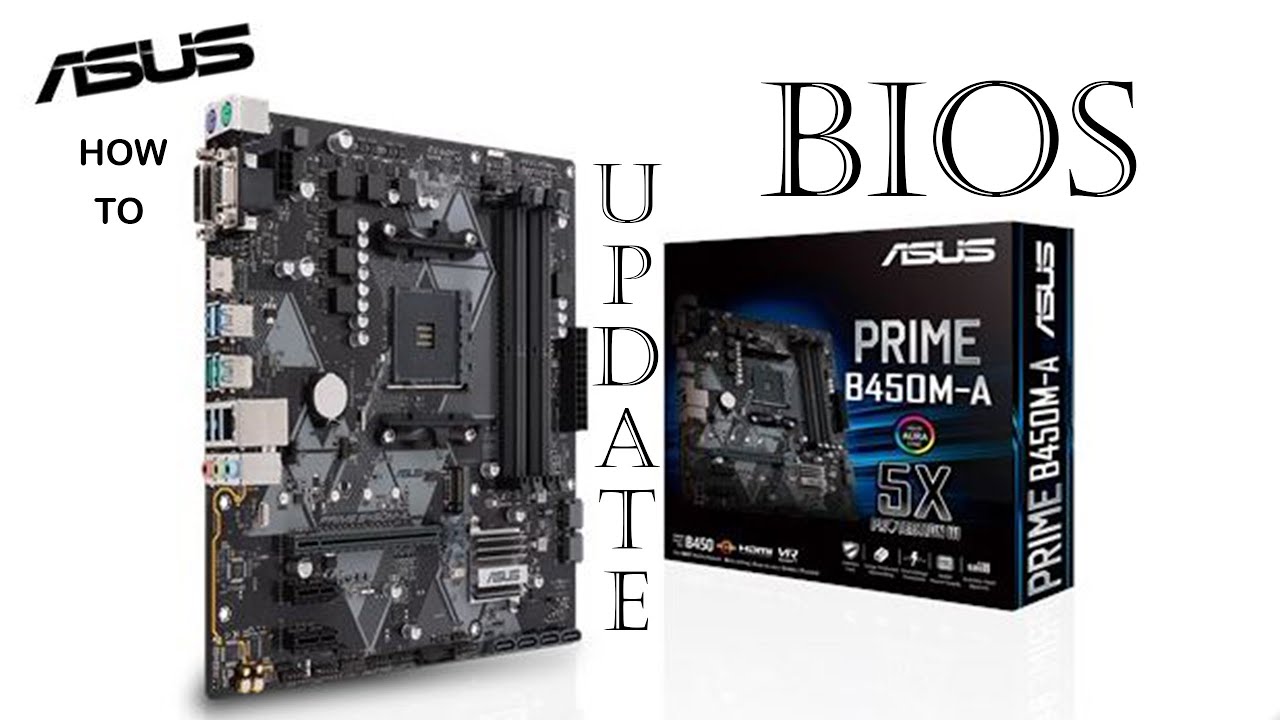
#asus#B450M-A#Biosupdate
The overall performance of your computer improves
Reduction in boot time
Fix system glitches
CPU and memory can also be adjusted
digital fern
Oh,
click on fso0
and see if you have the ASUS bios file in there
with the 2 of the flash drives
@teal falcon
then it should say ASUS-B450M-PRIME-A-####.CAP
teal falcon
the bios folder i put the files in is in my fs3 drive
digital fern
check there
digital fern
send me a video or picture of the entire fs3
wtf
wait you said folder?
not like a single file
regal lichen
regal lichen
Is $500 CAD for ASUS ROG STRIX Z690-E GAMING WIFI MOTHERBOARD reasonable? Or th...
Anyone???
digital fern
regal lichen
Anyone???
That's a lot of money for a Z690
teal falcon

 digital fern
prolly not
digital fern
teal falcon
did you name the folder called "BIOS UPDATE"
teal falcon
yeah i tried it with just the files i downloaded but couldnt find them so i made a folder so it would be easier to find
regal lichen
digital fern
That's a lot of money for a Z690
Thing is normally the rog strix versions go over $550 without tax but I can find someone selling cheaper on Kijiji, sealed with receipt
teal falcon
yes thats what i named it lol
digital fern
teal falcon
yeah i tried it with just the files i downloaded but couldnt find them so i made...
No don't put it in a folder
teal falcon
hmmm alright
i also noticed the vid showed the guy formatting his drive
could that be the problem?
digital fern
No, it shouldn't be a problem
 main pulsar
regal lichen
Thing is normally the rog strix versions go over $550 without tax but I can find...
main pulsar
regal lichen
Thing is normally the rog strix versions go over $550 without tax but I can find...

My Patreon: https://www.patreon.com/buildzoid
Teespring: https://teespring.com/stores/actually-hardcore-overclocking
The Twitch:https://www.twitch.tv/buildzoid
The Facebook: https://www.facebook.com/actuallyhardcoreoverclocking
#Z690 #motherboard #intel
you can just watch the first 6 minutes or so
 cunning ingot
teal falcon
cunning ingot
teal falcon
found it lol @digital fern
teal falcon
just had to take it out of the folder i guess
digital fern
Ah ok
teal falcon
still have no idea why flash drive wasnt working
teal falcon
yea its workin
cerulean wadi
limber dragon
Intel cpus with 95w limits hit 90s and thermal throttle due to saturating the co...
Yeah the stock coolers are junk for 90+ watt cpus, but theyrecheap
digital fern
teal falcon
yea its workin
alright after that it'll try to reboot a couple of times that's normal.
regal lichen
main pulsar
you can just watch the first 6 minutes or so
Doesn’t talk about any bring ROG ATX boards
digital fern
So don't freak out.
teal falcon
sounds good
digital fern
lol
main pulsar
regal lichen
Doesn’t talk about any bring ROG ATX boards
thats because theyre irrelevant
he explains why the Z690-A is the only board you will ever need for general use
any other board is just more expensive for no good reason
teal falcon
@digital fern ight it finished and loaded windows fine
digital fern
teal falcon
<@434882061656915978> ight it finished and loaded windows fine
nice,
teal falcon
i guess i just gotta put the new cpu back in?
digital fern
yep
cerulean wadi
teal falcon
just had to take it out of the folder i guess
Easiest for me in the past was no.folders or anything on a flashdrive, just the bios file I was gonn use. Helps that gigabyte had simple bios names too
digital fern
should work perfectly fine now,
teal falcon
sounds good
teal falcon
cerulean wadi
Easiest for me in the past was no.folders or anything on a flashdrive, just the ...
yeah but the flashdrive wasnt even being detected by the bios for whatever reason
i just put it in my ssd and it worked so idk
cerulean wadi
Certain usb ports can be funky also, like how they need drivers to even work. Sometimes I have to switch my keyboard port so it gets power quick enough to go into bios.
digital fern
@teal falcon any luck with your new CPU?
teal falcon
still putting it in lol
digital fern
E
vernal cosmos
teal falcon
yeah but the flashdrive wasnt even being detected by the bios for whatever reaso...
needs to be a fat32 pendrive
for da bios to pick it up usually
digital fern
teal falcon
no idea what that means tbh lol
Still installing?
teal falcon
yea
teal falcon
aio
regal lichen
main pulsar
he explains why the Z690-A is the only board you will ever need for general use
Looks like back to the Prime A LOL
main pulsar
regal lichen
Looks like back to the Prime A LOL
are you using DDR5?
regal lichen
main pulsar
are you using DDR5?
Yes
The rog strix z690-f for $390 cad cash seems like a very good deal he said he got from bundle so I might be able to haggle a few more dollars
 main pulsar
regal lichen
The rog strix z690-f for $390 cad cash seems like a very good deal he said he go...
main pulsar
regal lichen
The rog strix z690-f for $390 cad cash seems like a very good deal he said he go...
but thats still way too much to be paying for a motherboard
what are you using this system for?
how much ram do you need?
regal lichen
main pulsar
but thats still way too much to be paying for a motherboard
The asus z690 prime-A with tax is already $400-415
main pulsar
why would you get that board
regal lichen
Because of the stupid cooler bracket not being available with the aio lga1200
1700*
main pulsar
which AIO
regal lichen
Lian li Galahad360
main pulsar
you can contact the cooler manufacturer to get a 1700 mounting bracket
they will ship one to you
digital fern
teal falcon
<@434882061656915978>
hang on..
main pulsar
i think
digital fern
teal falcon
<@434882061656915978>
did you encrypt your storage?
regal lichen
Super delayed they’re newer products don’t even have them included yet
teal falcon
no idea what that means so probably not
main pulsar
regal lichen
Yeah I looked, says to order through Ali expires
whats wrong with that
regal lichen
main pulsar
whats wrong with that
Takes long? Time is money
main pulsar
oh, i guess shipping times
digital fern
teal falcon
no idea what that means so probably not
lemme google search some things
main pulsar
regal lichen
Takes long? Time is money
really? im willing to bet your time is not money lmao
regal lichen
main pulsar
really? im willing to bet your time is not money lmao
You won the bet
main pulsar
i suppose the ability to use a 1200 mounting bracket is nice
digital fern
teal falcon
no idea what that means so probably not
if you dont have any encryption then press Y
main pulsar
but idk, thats an additional 200 for mounting holes
digital fern
I don't see any issues here
teal falcon
alright
regal lichen
1200?
digital fern
teal falcon
alright
do you have windows 10 or 11
main pulsar
yeah, the lga 1200 socket
teal falcon
10
regal lichen
So you’re suggest better to get another board and order the bracket from Ali express?
teal falcon
oh ok
regal lichen
I always liked asus so :/
 regal lichen
Just not sure what’s the best DDR5 mobo Rather not change my mind been at this for months
main pulsar
its all about the model number
regal lichen
MSI tomahawk?
main pulsar
regal lichen
Just not sure what’s the best DDR5 mobo Rather not change my mind been at this f...
you didnt order the 1700 bracket months ago???
digital fern
teal falcon
oh ok
any luck?
teal falcon
well yeah windows booted up lol
main pulsar
anyway
regal lichen
main pulsar
you didnt order the 1700 bracket months ago???
No I should have but stupid person from store said it’s coming it’s coming then he said oh asus boards don’t need bracket
digital fern
nice ok,
regal lichen
main pulsar
https://www.newegg.com/p/N82E16813144504
I’m from Canada not sure if that plays a factor
main pulsar
that board should still be cheapest
regal lichen
Damn $299
main pulsar
when did canadian rubles become so inflated?
regal lichen
No idea I told you
main pulsar
i swear I didnt think these boards would be that much more
main pulsar
fr though, performance differences between DDR4 and DDR5 are minimal at best
cheap DDR4 board, maybe reuse your current DDR4 kit if you have one?
regardless, DDR4 is v cheap rn
teal falcon
@digital fern i think im all good now, thanks so much for all your help
digital fern
teal falcon
<@434882061656915978> i think im all good now, thanks so much for all your help
np, what was your old processor anyway?
teal falcon
r7 1700x lol
digital fern
You should give it to me
main pulsar
https://www.newegg.ca/p/N82E16813119515
if you are looking to use a 12700k or lower, this board has holes for both and is very well priced
regal lichen
main pulsar
cheap DDR4 board, maybe reuse your current DDR4 kit if you have one?
Yeah I would of went with ddr4, too late already committed too DDR5
digital fern
jk I am getting the same upgrade when my birthday comes
main pulsar
regal lichen
Yeah I would of went with ddr4, too late already committed too DDR5
just return your DDR5 kit
regal lichen
I went with 12900kf
teal falcon
digital fern
jk I am getting the same upgrade when my birthday comes
ah nice
teal falcon
yeah im excited to finally have a cpu thats a bit more on par with my gpu
regal lichen
main pulsar
https://www.newegg.ca/p/N82E16813119511
Funny the prime P was first choice before then went with A because of possible overclocking opportunities
main pulsar
regal lichen
Funny the prime P was first choice before then went with A because of possible o...
forget about overclocking
there is hardly any performance to be had
in reality
regal lichen
Why is it cuz it’s already super fast lol?
main pulsar
i mean to some extent
theres just not much more to push outta these chips
at least on an aio
 spice sluice
Do you think this is enougg
 main pulsar
have you already bought your DDR5 kit?
regal lichen
Yeah then I might as well go back to the P, it was $299 I think
Yes I got a decent deal for it like $400
Some random price error or sale
regal lichen
😂😂😂
main pulsar
if you are still within the 30 day return window
like what a waste of money
go get a 2x16gb kit that performs the same for 200
regal lichen
The DDR4 kits I was looking at was already $300 something
main pulsar
regal lichen
The DDR4 kits I was looking at was already $300 something
still too much
digital fern
spice sluice
Do you think this is enougg
Never hurts to have too much
cerulean wadi
regal lichen
Why is it cuz it’s already super fast lol?
Turbo boost eats into oc headroom.
regal lichen
Ok so should I just stick with basic board than like the Prime-P and forget about overclocking the 12900kf?
regal lichen
I’ll check return date might be close
Holiday return policy too
Gotta sleep, thanks for the insights
main pulsar
find rams from here
i would suggest any of the kits in the 200-220 range i suppose
actually i can just add that to the filter
 elfin bolt
Hey. I'm trying to add some ram to my aurora r12 and not sure whats compatible. Can anyone point me in the right direction?
hollow thorn
Do you know what motherboard you have?
static sphinx
@elfin bolt ^^
 halcyon otter
I am extremely new into pc things and i dont have much knowledge in pc parts does the 12600k support 3600mhz ram
vast meadow
Yes
halcyon otter
alright thx
vast meadow
halcyon otter
alright thx
Avoid 3600cl18 kits or memory tho, basically the same as 3200cl16 but more expensive, aim for 3600cl16
Shouldn't cost much more either
devout mothBOT
 cuhrqly#4003 has been warned
Reason: Bad word usage
cuhrqly#4003 has been kicked
Reason: Too many infractions
vast meadow

Support me on Patreon:
https://www.patreon.com/der8auer
Save 10% on your iFixit purchase: DER8AUER10
https://eustore.ifixit.com/der8auer
Pro Tech Toolkit: http://bit.ly/2JOFD8f
Find my products at Caseking:
Delid Die Mate 2: htt...
grizzled nacelle
vast meadow
👀
https://youtu.be/8diXDeTDCbo
Woah, seems like an oversight on Intel's side or would it be the Motherboards responsibility to impose the restrictions?
vast meadow
grizzled nacelle
Woah, seems like an oversight on Intel's side or would it be the Motherboards re...
Seems like an asus external clock thing
grizzled nacelle
I wonder if this might cause a problem for Intel and Asus relationship?
vast meadow
Don't think so, it's just bus oc basically
grizzled nacelle
Is there any use for old components 10+ year old motherboards, 1GB DDR3 RAM, 256MB RAM, PATA HDDs?
If not what is the proper disposal for them? Searching suggested donating assuming the parts weren't torn apart. I tore down a couple old systems yesterday.
vast meadow
There's some charities that will take them and make useable for kids in 3rd world countries
 drowsy elk
Not sure which section to ask this, but im looking to replace my toasted processor, and am having trouble deciding which to get, anyone have any tips?
finite elm
drowsy elk
Not sure which section to ask this, but im looking to replace my toasted process...
Budget? Do you live near a microcenter or best buy?
drowsy elk
finite elm
Budget? Do you live near a microcenter or best buy?
400$. best buys bout an hour from me.
Looking to replace my amd 9590
finite elm
drowsy elk
400$. best buys bout an hour from me.
400$ total budget? for mobo ram and cpu?
drowsy elk
Na just the CPU
vast meadow
drowsy elk
Na just the CPU
You'll want a new motherboard and ram too, fx 9590 is old af
And ram
drowsy elk
by that point wouldnt i just buy a whole new pc
vast meadow
Not unless you had a prebuilt with proprietary parts
drowsy elk
It was a prebuilt i bought off a friend in like 2014
vast meadow
drowsy elk
It was a prebuilt i bought off a friend in like 2014
Can you see a 24 pin long connector on the motherboard?
finite elm
drowsy elk
It was a prebuilt i bought off a friend in like 2014
oh gross. you'd probably want to look into buying a new PC entirely. you can probably find a PC on ebay with no GPU for 500$
Just scrolled through, I don't see anything too good.
drowsy elk
vast meadow
Can you see a 24 pin long connector on the motherboard?
sorry, had to pull up the manual to see the board, it does have one
drowsy elk
finite elm
oh gross. you'd probably want to look into buying a new PC entirely. you can pro...
im trying to fix this before i buy a new pc for me, this ones just gonna be for sims and minecraft
finite elm
not many people will be selling FX CPU's I don't think. you could try to fit a new mobo, ram, and CPU in there but I'd be on sure myself. could definitely do an 11400 build on a B560 and 16gbs of ram for under 400$
elfin bolt
@hollow thorn Alienware 0P0JWX (U3E1)
vast meadow
drowsy elk
im trying to fix this before i buy a new pc for me, this ones just gonna be for ...
for 400$ youd be able to get a better new pc tbh
@drowsy elk do you have a graphics card ?
drowsy elk
Yeeah
vast meadow
what gpu btw?
drowsy elk
geforce 1660
vast meadow
nice gpu, hold on youre better off just building new pc for 400$ imo
do you need wifi?
drowsy elk
no
vast meadow
you got an ssd ?
drowsy elk
yeah, 500 gb ssd 2tb HDD
vast meadow
drowsy elk
yeah, 500 gb ssd 2tb HDD
https://pcpartpicker.com/list/2MHc68 here ya go, would be a massive improvement over what you have atm, just stick your storage and graphics card in with this
drowsy elk
Thanks man, i appreciate it
vast meadow
np
hollow thorn
elfin bolt
<@!278694081440251905> Alienware 0P0JWX (U3E1)
Could you use CPUz, go to the motherboard tab, and find the chipset?
 spiral fulcrum
why are there no 3990x's in stock
 grizzled bloom
Because they're no longer in production so any new condition stock would be leftover stock
spiral fulcrum
whats its alternative rn
ok I see 3995wx
well even this is so low on stock but thats only aliexpress
grizzled bloom
They're 2 years old and the new series is in production now, but it's a new socket. Leaks have been scarce too.
Or you could do epyc
spiral fulcrum
hmm epyc
yeah
actually good idea
its meant to be an editing station
and 3d modeling on various apps
so maybe higher clock of threadrippers will be better
grizzled bloom
TR can be overclocked too, epyc can't
spiral fulcrum
not even CPB?
grizzled bloom
That's basically just turbo. At stock, the all core turbo of epyc 7763 of 3.2ghz beats the all core turbo of the 3995wx of 3.0ghz despite the TR having higher max single core boost.
And they have the same tdp of 280W
 summer crescent
has amd said anything about when the new processors and mobos are coming out
grizzled bloom
The AM5 stuff? Not anything specific
5800XT comes out soon though
Should get them back into direct competition after Intel blew them away
devout mothBOT
 WsXFT#5446 has been warned
Reason: Bad word usage
WsXFT#5446 has been kicked
Reason: Too many infractions
 vernal dome
Does anyone have experience with a 5700xt and a r5 5600x together? I'm running a 2700 with that GPU and am looking for an upgrade
grizzled bloom
5600X should handle any modern gpu. 2700 might hold a powerful one back a bit.
I upgraded my 2700 to a 5800X and the difference is night and day. The 2700 was bottlenecking my rtx 2070, which is roughly equal to your 5700XT.
vernal dome
grizzled bloom
5600X should handle any modern gpu. 2700 might hold a powerful one back a bit.
I...
Ok sweet, thank you. What's your ram speed with it?
grizzled bloom
Save some money and buy used, just make sure the pics include the pins so you can see if any are bent
I've got a kit of b-die that I overclocked to 3800c14 at 1.57v
No way that my 2700 could do that
hollow thorn
grizzled bloom
5600X should handle any modern gpu. 2700 might hold a powerful one back a bit.
I...
I also had 2700 and 2070, upgraded just 1 gen to 3800x, fps did improve from 2700 to 3800x.
vernal dome
grizzled bloom
I've got a kit of b-die that I overclocked to 3800c14 at 1.57v
hooee
i probably need a ram upgrade for that though. i only got 2133mhz rn
16gb
Honestly just biting the bullet and going to a 5800x wouldnt kill me
grizzled bloom
If you did that you could just wait a couple months and get the new 5800XT with upgraded stacked cache. It's supposed to be a LOT faster.
vernal dome
If I even get the chance to buy it lol
grizzled bloom
CPUs aren't as hard to get as GPUs. Even 12th gen intel is in steady supply.
burnt spear
i wonder how hot the 5800xt will be
grizzled bloom
Supposedly not much hotter, the substrate and IHS are thinner to get the cache in there so better heat transfer
elfin bolt
hollow thorn
Could you use CPUz, go to the motherboard tab, and find the chipset?
Chipset Model ID4C43
hollow thorn
well that's still just nonsensical, guess I was expecting a bit too much from alienware
hollow thorn
elfin bolt
Chipset Model ID4C43
What does it say here?
 elfin bolt
hollow thorn
Could you use CPUz, go to the motherboard tab, and find the chipset?
elfin bolt
hollow thorn
Could you use CPUz, go to the motherboard tab, and find the chipset?
Chipset Vendor Intel
Chipset Model ID4C43
Chipset Revision 01
thats from speccy
Southbridge Vendor Intel
Southbridge Model Z490
Southbridge Revision 00
hollow thorn
Oh that's what I was looking for, z490 is good
How much ram are you looking to have in total? 32gb? @elfin bolt
elfin bolt
i'm looking to add 64. 2 x 32
hollow thorn
In that case I would replace what you currently have with just a new kit of 2x32
elfin bolt
from what ive read it's u-dimm. what is that and who makes it
hollow thorn
Basically, its just normal ram
you can slap in a simple kit like this
https://www.amazon.com/dp/B08688GFPD

Patriot Memory’s Viper Steel memory modules are designed with true performance in mind. Built for the latest Intel® and AMD™ platforms, the Viper Steel series provides the best performance and stability for the most demanding computer environments. The Viper Steel utilizes a custom designed high ...
elfin bolt
so 3200 g skill would work?
hollow thorn
Sure, but I believe that'll be cheaper
elfin bolt
cool. i'll take a look. i appreciate the help
vast meadow
grizzled bloom
If you did that you could just wait a couple months and get the new 5800XT with ...
Btw they're calling it 5800x3d (awkward name but yeah)
dense frost
vast meadow
Btw they're calling it 5800x3d (awkward name but yeah)
marketing people make the weirdest decisions. "XT" already exists.
vast meadow
Yep
 limpid heart
Atleast they didn’t call it the XD
grizzled nacelle
I was surprised when I pulled out an old Pentium 4 and found the pins on the CPU.
naive pendant
So I installed a new mobo, the 560m Aorus pro ax, and it wont detect any wifi/internet connections. Im assuming it doesnt have its so called antenna but all I got was these in the box with a disc, but somone said I need a ethernet and download the wifi drivers off the website?
 vast meadow
naive pendant
vast meadow
naive pendant
There definitely should be antennas im the box, if there's not contact who you bought it from and the antennas improve signal, you can use the WiFi without them tho, you might need to download the drivers off the website on your phone/other pc and laptop and move over with usb, usually easier than connecting to ethernet
naive pendant
Apparently it was the non ax version on yhe box
@vast meadow
And yeah I can do that. But would I still need an antenna or smth or should I just get a pcie wifi adapter?
vast meadow
naive pendant
Apparently it was the non ax version on yhe box
Then you ordered the wrong thing or they sent you wrong thing
naive pendant
The manual said ax, but on my order it was the non ax
I was going by ax the entire time
So I thought I had the ax board but they just stuck the manual for it in there anyways
naive pendant
@vast meadow So as a last resort or I have to completely dissamble my pc for a new mobo, how good would a usb wifi adapter be? My internet is terrible overall and I barely go over 100 mb/s half the time
vast meadow
I haven't had any luck with usb adapters, pcie ones that have ax2000 are what you want
naive pendant
@vast meadow My gpu covers over the pcie slot for it
vast meadow
Ahh well you can try find a usb one with ax2000 don't know if they make them tho
naive pendant
@vast meadow So nvm, the one where it normally fits is covered, but would it fit in a pcie x16 slot?
I have two
devout mothBOT
 No more Fortnite#6808 has been warned
Reason: Bad word usage
No more Fortnite#6808 has been kicked
Reason: Too many infractions
vast meadow
naive pendant
<@191276897227898880> So nvm, the one where it normally fits is covered, but wou...
yes
pcie is backwards compatible in versions and in slot size
 vast meadow
naive pendant
<@191276897227898880>
vast meadow
naive pendant
<@191276897227898880>
Yes it would be a good idea although it should be picked up by windows default driver, I'd get one with ax2000 though btw
naive pendant
Ax2000? Is there a specific one orrrr?
vast meadow
ax2000 is the wifi chipset
naive pendant
Ohhh
Is there any you can recommend?
I already spent 4 hours getting the mobo and stuff in
I dont wanna spend another 6 to remove and put a new one in for a wifi one
vast meadow
Sorry i meant ax200*
vast meadow
https://www.amazon.com/AX200NGW-802-11ac-3000Mbps-Ultra-Fast-Affordable/dp/B081N58RMV this looks good

Wi-Fi 6 Gig+ AX200 BT 5.2 WiFi Card AX200NGW 802.11ac/ax 2.4Gbps MU-MIMO OFDMA Miracast PC Wireless Network Adapter Ultra-Fast Affordable Next-Gen Built-in PCIe Gaming Wifi
Could probably find cheaper tho
naive pendant
Ill look for cheaper ty
How about this?@vast meadow
Arrives on a day I can actually enjoy my first weekend off
vast meadow
Btw this screenshot has adress and can tou link
naive pendant
Oops
halcyon otter
guys can ddr5 ram motherboards support ddr4 ram ?
vast meadow
No
devout mothBOT
 RascaraxTGH#6230 has been warned
Reason: Bad word usage
RascaraxTGH#6230 has been kicked
Reason: Too many infractions
spice sluice

 obtuse estuary
Should I save up for the Ryzen 9 5900x or should I just get the Ryzen 7 5800x? The Ryzen 9 is like 150CHF more so idk
burnt spear
obtuse estuary
Should I save up for the Ryzen 9 5900x or should I just get the Ryzen 7 5800x? T...
what are you doign with your pc
and what gpu do you have/want
obtuse estuary
I currently have a MSI RTX 3060ti, but I'm probably gonna upgrade to a 3080 in the future
and I'm mainly using it for gaming
Oh and idk if this helps but I have a Corsair H100i RGB Platinum SE 240mm AIO
vast meadow
obtuse estuary
Should I save up for the Ryzen 9 5900x or should I just get the Ryzen 7 5800x? T...
If you don't already have an am4 board, neither, 12600k or 12700k
And if you're already on Ryzen, wait for 5800x3d imo
 empty vessel
hello. i'm new here, but rather old. i built an MSI Z270 gaming M7 system with an i7-7700 cpu a few years back. windows 11 doesn't like my cpu. can i upgrade the cpu to an i7-9700K on this mb or do i have to replace the entire mb to make this work? many thanks.
hollow thorn
Technically possible with modding, but would rather reccomend a new platform in general and going to something like 12400
The chipset and socket should not be compatible with a 9700k but people have modded the socket before to make it work
 severe zodiac
Hey guys I need some help as I need a new mobo and I found a manufacturer refurbished aorus pro on jw computers for a great price but they seem to have old screenshots of gigabytes motherboard page and it says that it only supports 1st and 2nd gen Ryzen cpus but the current page for the board says it supports all ryzen cpus
hollow thorn
severe zodiac
Hey guys I need some help as I need a new mobo and I found a manufacturer refurb...
What chipset
hollow thorn
It can support newer CPUs with a bios update, but doesn't have flash back and it's refurb so I wouldn't trust it
severe zodiac
Yea just wanted to ask for another opinion
Thanks bro
Same place has a sale on the board so I'm gonna get that
hollow thorn
severe zodiac
Hey guys I need some help as I need a new mobo and I found a manufacturer refurb...
If you're going to use Zen 2/3, a new b550m pro vdh wifi isn't that bad at 120$
severe zodiac
Okay
hollow thorn
It's just that b450 not great when you could get a b550 board
severe zodiac
I'm in Aus so Aus dollars might be different
severe zodiac
hollow thorn
It's just that b450 not great when you could get a b550 board
Apreciate it
hollow thorn
It's 150aud
severe zodiac
Yea not bad