#cpus-mobo-and-memory
1 messages · Page 242 of 1
 finite elm
 vast meadow
Yes
finite elm
Most of the effort comes afterward cause you gotta replace the oil
 rocky beacon

Puget Systems
Build your own computer, mini pc, and server at Puget Custom Computers. We build for your workflow.
There is some info on this page
finite elm
I just think its really cool
Would be a nice like HMPC for the living room. guests would be curious ( not that I have any friends 😦 )

 naive pendant
for a i7 12700K what would be a good mobo that had good price/performance and ram?
ddr4 or ddr5
 dim cloak
I7-12700K would pair well with ddr4 3600mhz cl16 from crucial ballistix at a great price and the mobo i wouldnt have a clue
As their isnt much of a performance boost from ddr5 and its much cheaper and ddr4 boards are also cheaper than some ddr5 compatible mobo
naive pendant
thats what I thought, ddr5 has great speeds but I have a trident Z(?) 32 GB (16 x 2) 3200mhz and thought it was great
 burnt spear
dim cloak
As their isnt much of a performance boost from ddr5 and its much cheaper and ddr...
burnt spear
dim cloak
As their isnt much of a performance boost from ddr5 and its much cheaper and ddr...
3600c16 beats current ddr5 I believr
For most cases
dim cloak
naive pendant
thats what I thought, ddr5 has great speeds but I have a trident Z(?) 32 GB (16 ...
It will suffice for you
 celest anchor
burnt spear
3600c16 beats current ddr5 I believr
celest anchor
burnt spear
3600c16 beats current ddr5 I believr
It doesn't, you need something faster
 hollow thorn
3600c16 beats jedec ddr5 afaik
hollow thorn
Does alder lake have any issues with doing gear 1 on high freq ddr4?
 cerulean wadi
hollow thorn
3600c16 beats jedec ddr5 afaik
cerulean wadi
hollow thorn
3600c16 beats jedec ddr5 afaik
Jedec ddr5 seems like ddr3 latency though
celest anchor
ddr3 was better
ddr3 was 1600 8-8-8 jedec, ddr4 3200 20-20-20 and ddr5 6400 46-46-46
Timings go up up up
Imagine 3200 16-16-16 jedec on ddr4
hollow thorn
imagine 6400 32-32-32 jedec on ddr5
cerulean wadi
Jedec was that good? I ran 1866 cL10, yikes
hollow thorn
Does jedec usually come back with better profiles as the process matures?
celest anchor
no
hollow thorn
since there's multiple jedec profiles for ddr4 3200 for example, like cl20 and cl22
cerulean wadi
hollow thorn
since there's multiple jedec profiles for ddr4 3200 for example, like cl20 and c...
That's funky tbh
celest anchor
On the bright side ddr5 goes to 8400 jedec
So eventually jedec stuff will get fast
cerulean wadi
It's funny effecttive ram speed has gotten way higher than cpu clock.
celest anchor
it's also funny how much lower real ram clock is
hollow thorn
I mean, w smth like aida64, you can compare your CPU's cache against memory so
You can see that memory is still behind in bandwidth compared to l1/l2/l3
celest anchor
well yeah l2 and l1 are into the TB/s
hollow thorn
Will we get to qdr, that's the question for memory
celest anchor
Funny how ddr5 6000 runs at just 375mhz physically
hollow thorn
the controller?
celest anchor
controller would be 3000 or 1500 (g1 g2)
hollow thorn
as in, doesn't ddr5 get an on board controller or whatever now?
actually no that was just power delivery, nvm
weird
celest anchor
I get like 3TB/s cache
cerulean wadi
celest anchor
it's also funny how much lower real ram clock is
You mean compared to before ddr was ddr/qdr & it was just sd/rd ram? Idk, sometimes it seems like marketing because ddr5-6000 looks better tha. Ddr5-3000 or 1500 & obviously we can't go back from this
celest anchor
I mean physical internal clock
ddr5 6400 would be 400mhz, same as ddr4 3200
DDR4 was the only gen where it went up
clocks are just double what they were 20 years ago
DDR4 doubling it was actually why ddr4 sucked so badly
 hallow matrix
 cursive epoch
yes
 regal lichen
Can anyone recommend me a 32gb DDR4 ram for this build? Thanks https://pcpartpicker.com/list/NG3Tbh
vast meadow
regal lichen
Can anyone recommend me a 32gb DDR4 ram for this build? Thanks https://pcpartpic...
https://pcpartpicker.com/list/yRsGmk I'd do this
regal lichen
vast meadow
https://pcpartpicker.com/list/yRsGmk I'd do this
It says its for AMD Ryzen would that matter? this is showing up $211.99 in Canadian is that still reasonable?
vast meadow
regal lichen
It says its for AMD Ryzen would that matter? this is showing up $211.99 in Canad...
Ohh if you're in canada use ca.pcpartpicker.com btw and also for ryzen is just marketing, if you're in Canada I'd do this instead https://ca.pcpartpicker.com/list/HzyC2V
regal lichen
vast meadow
Ohh if you're in canada use ca.pcpartpicker.com btw and also for ryzen is just m...
oops didn;t know theres a CA pcp lolol thanks! Looks like minor changes liek the SSD, and Yes i already ordered and received the Corsair RM100X PSU last time you told me 🙂
Is the Ram considered the fastest for DDR4? or were basing it on value and performance?
vast meadow
regal lichen
Is the Ram considered the fastest for DDR4? or were basing it on value and perfo...
Value and performance
regal lichen
Can you give an option for more performance but value taking some hit? just want to compare
vast meadow
regal lichen
Can you give an option for more performance but value taking some hit? just want...
https://ca.pcpartpicker.com/product/BZwqqs/gskill-ripjaws-v-series-32-gb-2-x-16-gb-ddr4-3200-cl14-memory-f4-3200c14d-32gvk
Would be the only other one I'd consider rest are too expensive
regal lichen
vast meadow
https://ca.pcpartpicker.com/product/BZwqqs/gskill-ripjaws-v-series-32-gb-2-x-16-...
Oh i dont know my knowledge i thought i should be aiming for higher frequency like DDR4-4000 mhz isnt bigger the number the better?
vast meadow
regal lichen
Oh i dont know my knowledge i thought i should be aiming for higher frequency li...
Yes but latency and other timings are a larger factor too, you could easily overclock this to 4000mhz tho
regal lichen
vast meadow
Ohh if you're in canada use ca.pcpartpicker.com btw and also for ryzen is just m...
Wow I swear I saw an additional $15 off coupon for the canadian site, now its gone....
vast meadow
Possibly
 devout mothBOT
 wippjohnson#8468 has been warned
Reason: Bad word usage
wippjohnson#8468 has been kicked
Reason: Too many infractions
 eager lance
ok nice
 lime solar
is crucial ballistix ddr4 3000mhz BL2K8G30C15U4B compatible with asrock b550m pro4 and/or ryzen 5 3600? i'm confused because crucial lists it as compatible, but asrock doesn't
hollow thorn
Yes, ASRock only lists specific kits that they've tested on the QVL, just because sticks aren't on the list doesn't mean they're not compatible
lime solar
oh ok, thank you
vast meadow
 hoary jackal
is there a way I could update the driver on my old i7 2600?
hoary jackal
is there a way I could update the driver on my old i7 2600?
It would be your motherboards chipset drivers and yes if you can
https://www.intel.com/content/www/us/en/support/detect.html
This should auto detect them for you

Intel
The Intel® Driver & Support Assistant helps keeps your system up-to-date by detecting when updates are available.
vast meadow
hoary jackal
would it make any difference in performance?
Ehh well there's probably at least some security patches, no harm anyway
hoary jackal
I'll do it tomorrow
 upper rose
question: why does extra ram freeze my pc?
im at 32gb now
all cards are plugged in correctly
are ryzen 3 cpus not compatible with 32gb ram?
the mobo recognizes all four cards as identical
...
okay now it's working
after a few cycles of powering off and on despite having frozen several times
cerulean wadi
probably was different timing, clocks, voltage on 1 channel or something. That reminds me my boot hang on the spinning white dots for an extra 20+ seconds so I need to reset the bios or something.
cerulean wadi
I know, tough to tell when we don't actually adjust anything and just restart pc or reset settings.
upper rose
yeah it's weird
should i have let it breathe beforehand?
or would the power cycling have helped anyway
cerulean wadi
no idea.
 ember marten
If your sticks don't have the same memory chips and PCB, there can be issues with getting the memory to work at rated speed (or even JEDEC).
Even if you buy the same exact memory model twice, you're not guaranteed to get the same memory chips (or even the same number of memory chips).
After restarting multiple times, your motherboard trained easier settings that allowed it to boot with memory. It might not be stable though, you may wish to run a memory test
 topaz lava
Why won’t my ram go to the full 3600 and is instead stuck at 2133
 somber girder
have you tried to enable xmp in bios
topaz lava
Xmp 1 or 2
 drowsy nymph
You may have to completly disconnect power.
topaz lava
I have A-xmp 1 and 2
drowsy nymph
try both
won't hurt it
see what each one reads and you choose which one you like.
 grizzled bloom
somber girder
if i remember correctly, some mobos might not even support xmp?
grizzled bloom
somber girder
if i remember correctly, some mobos might not even support xmp?
It depends on the memory rating, capacity, and number of sticks more. Intel CPUs are also able to run faster memory with less penalties, AMD tends to top out around 3800 because of infinity fabric.
cerulean wadi
I made progress. I think I did good on this sale I almost missed, because the 3600 CL16 is closer to $200 usually.
 naive pendant
anyone know why the i7 12800k is better than the i9 11900k?
cerulean wadi
11900K was mostly like an oc'd 11700. it lost 2 cores vs the 10900 I think
naive pendant
cerulean wadi
11900K was mostly like an oc'd 11700. it lost 2 cores vs the 10900 I think
ahh but why make the i7 significantly better and cheaper, doesnt make sense
scratch price
its $50 more at the moment with a newegg sale, the i9
cerulean wadi
which 2? (I thought most sales just ended 8 minutes ago but perhaps not ) 🤘

 cerulean wadi
It's just progress, that 12gen is a better buy.
naive pendant
fr
grizzled bloom
Both 11900k and 11700k are garbage and should not be considered
naive pendant
yeah i never did
cerulean wadi
10gen missing out on the 1 m.2 slot stinks, but oh well. not like many of us are gonna have more than 2 m.2 drives in 1 pc I bet.
naive pendant
I plan on making a fully decked out pc (nothing like a 3090 or i9 but and i7 and 3080 ti)
grizzled bloom
10700k is actually able to match or beat 11700k in most tasks, and 11900k loses badly to 10900k in stuff that matters
naive pendant
thats hilarious, intel made a mistake lol
grizzled bloom
For gaming, the 12700k or even 12600k are better choices. Pair with DDR4, to avoid early adopter issues.
naive pendant
grizzled bloom
For gaming, the 12700k or even 12600k are better choices. Pair with DDR4, to avo...
thats what im doing, 4x8 32GB CL16 3600mhz
ember marten
Get 2x16 Crucial 3600 cl16
naive pendant
well i have the ram already
grizzled bloom
Respectable memory. Good balance on cost and performance.
Yes 2x16 is technically easier for IMC but the 12th gen can handle it.
cerulean wadi
hmm, should I cancel my order of ballistix to save $7 on another color? I didn't notice that the white kit was $115 but other kit was $122.
naive pendant
ive had it for awhile I would need to stop by my office to get it but I have it
naive pendant
cerulean wadi
hmm, should I cancel my order of ballistix to save $7 on another color? I didn't...
if no cancel fee and the $7 is worth it sure but as long as it is the same specs
grizzled bloom
If white memory won't stand out too much in your build, sure. But yeah same or better timings.
cerulean wadi
idk, everything else is sort of dark probably. both kits are the 3200 C16. Nah, maybe not worry about it.
naive pendant
well if its worth it for you its really just how you would want it to look like
cerulean wadi
ONly thing light colored being ram would stand out way too bad I figure
grizzled bloom
Don't expect to set any speed records with that memory. Depending on the game you might get frame drops and stutters.
cerulean wadi
yeah, 3600 C16 is like double the price vs this current sale.
grizzled bloom
I've got a 16gb kit like that. It's usable but depends on what you play.
naive pendant
cerulean wadi
yeah, 3600 C16 is like double the price vs this current sale.
how much ram and how many sticks? I can try and find some
also cost
grizzled bloom
For most people 32gb isn't worth it anyway
cerulean wadi
 grizzled bloom
You can get a low bin b-die 16gb kit for $120 that'll outdo that by a mile

 naive pendant
cerulean wadi
naive pendant
cerulean wadi
ty . I submitted the cancel request. I partly like 2x16 because then later on I don't have to worry about 4x8 acting up. I currently have 32GB even if it doesn't overall help me much now.
grizzled bloom
grizzled bloom
I think that one is b-die or rev.e, either way awesome die
Confirmed 100% b-die
cerulean wadi
which is better? I'm not a crazy OC'er but starting w/ that stock clock/timings is good for sure
grizzled bloom
4000 c16 is insane, to the point where you might not be able to run it on some board/cpu combos
 grizzled bloom
The best I could do with my b-die kit on amd was 3800 14-15-14, and that's with "unsafe" voltages
The good thing about b-die... There isn't really an unsafe voltage. I've seen them do benchmarks at 1.7v
cerulean wadi
I see, dang, going a ways above jedec for ddr3. Seems overall AMD is more finicky about high ram speeds though
grizzled bloom
Jedec ddr4 is a joke by now. Much like jedec ddr5 isn't any better than a half decent ddr4 kit.
cerulean wadi
Many reviews act like 3600 C16 is the big sweet spot. even at stock 4000 CL16 should be nice (or lower speed and adjusted timing)
grizzled bloom
The reason amd is more picky is due to the infinity fabric on the cpu. It runs at a speed 1:1 with the memory, and going too high it gets unstable. You can desync it but you'll have a massive latency penalty.
cerulean wadi
z590 this time.
grizzled bloom
Intel doesn't have the same concerns. Worst case you switch command rate to 2T. At 4000 speed it's probably running on gear 2 already by default.
ember marten
rkl and ADL need gear2 after 4266
which is similar to running desynced on AMD, but not quite as bad
cerulean wadi
ember marten
rkl and ADL need gear2 after 4266
What do you think w/ 10gen by chance?
grizzled bloom
Ah it was 4266? I knew it was around there somewhere.
Even at 4000 c16 it can do gear 1?
cerulean wadi
I think z490 doesnt support 11 gen, but z590 can take all 10/11 in lga1200 huh? EDIT. Already have z590 mobo btw. thnx for info.
grizzled bloom
Z490 can do 11th gen with bios update
ember marten
grizzled bloom
Ah it was 4266? I knew it was around there somewhere.
Even at 4000 c16 it can do...
my 12700k tops out at 3900 G1 1T. Might be able to do higher with 2T, haven't tested yet
(without bCLK tweaking)
grizzled bloom
Interesting. And that's the same imc as 11th gen.
cerulean wadi
Any idea about what this is? Since it's c18, but 4K instead of 3600 that's common.
 grizzled bloom
Not a very good bin, that's what it is. 18-22-22 is pretty bad, but still better than 3600 18-21-21
ember marten
I would guess hynix or mid-bin RevE
grizzled bloom
It's g.skill, I haven't seen them use too many micron dies
cerulean wadi
oh yeah I quickly read a bit and people say it's lower binned samsung B-die or something. Just took a glance at it.
grizzled bloom
Careful looking at those Amazon reviews, they show reviews for other models too
No way is it b-die under $100
cerulean wadi
Indeed, I was on a couple forums. NE canceled my order so I can pick again. Probably the 4K-C16* you showed.
cerulean wadi
Something interesting, a 4x8 kit I just saw is cl17 instead of 16, no doubt the extra strain (on IMC?) from either 4 sticks or double capacity per stick. ----Yep, 2x8 seems like the pick tonight
 lusty tartan
Yes 2x8 is what I would go with as well
cerulean wadi
Floppa doesn't need to see these msgz.
 foggy zephyr
Hello and Happy new year,
im looking to upgrade the ram in my PC i currently have 2 4gb sticks. i was looking at the G.SKILL Ripjaws V Series 32GB. but im scared that its not the correct one that is compatible with my PC. im hoping to run this by someone before purchasing. i currently am on an intel 17 7700 processor, i believe my motherboard is an ASUStek H110m-3/m.2. if the product i picked is not correct is there one that can be recommend to me that will work with my computer? sorry if this is not a good place to ask, im not the best at knowing the in and out of computers.
 wheat salmon
foggy zephyr
Hello and Happy new year,
im looking to upgrade the ram in my PC i currently ha...
wheat salmon
foggy zephyr
Hello and Happy new year,
im looking to upgrade the ram in my PC i currently ha...
The H and B series motherboards (unless it's B560 or B660) has ram locked at 2400 or 2666 mhz frequency, i7-7700 is a bit older ddr4 though and only supports 2400mhz speed. Luckily ram you purchase is backwards compatible down to 2133mhz so anything you buy now a days should work. Check the maximum ram capacity of your H110 motherboard though
To see how many GB you can add
cerulean wadi
2x16GB + 2x8GB is a sketchy combo though.
wheat salmon
I did 2x4 + 2x2 for a long while and it worked
foggy zephyr
i dont think i have 4 slots on my motherboard so this is to replace the current 16gb i ahve
cerulean wadi
People will have to think when they mention 40GB in PC
wheat salmon
As long as you make sure the timings and frequencies are good it's good enough to limp along
foggy zephyr
okay thank you for clarifying
wheat salmon
Oops misspoke I mean "the same"
hollow thorn
The mobo page kinda sucks, looks like just 2133 support?
wheat salmon
hollow thorn
The mobo page kinda sucks, looks like just 2133 support?
Oof
hollow thorn
dunno, the page is just really bad
 wheat salmon
Lol
hollow thorn
ASUS USA
ASUS Prime series is expertly engineered to unleash the full potential of AMD and Intel processors. Boasting a robust power design, comprehensive cooling solutions and intelligent tuning options, Prime series motherboards provide daily users and DIY PC builders a range of performance tuning options via intuitive software and firmware features.
cerulean wadi
ah 5 days left! Did see 10600KF brand new on NE/amazon for $210 though. hmm?
 wheat salmon
cerulean wadi
ah 5 days left! Did see 10600KF brand new on NE/amazon for $210 though. hmm?
wheat salmon
cerulean wadi
ah 5 days left! Did see 10600KF brand new on NE/amazon for $210 though. hmm?
Or i5-10400 for $156 (more cores, faster speed)
Than the i7-7700
Oh wait I'm dumb
Lol
Ignore me
cerulean wadi
No MC near, tons of people get like a 10700K for $200 even. 
wheat salmon
I thought we were still discussing 7700
vast meadow
cerulean wadi
ah 5 days left! Did see 10600KF brand new on NE/amazon for $210 though. hmm?
Have a look on r/hardwareswap btw
cerulean wadi
oh man a month ago someone sold a new 10700K for $162. (after they got it from an MC grand reopening.)  - EDIT: many on there are $240ish shipped. I'm lookin.
wheat salmon
73°C stabilized in prime95 isn't bad for a R9 5900x right?
wheat salmon
grizzled bloom
73 on p95 is excellent
On air 👌
vast meadow
wheat salmon
On air 👌
im guessing you dont have pbo on then?
hollow thorn
wheat salmon
73°C stabilized in prime95 isn't bad for a R9 5900x right?
which p95 test, blend isn't aggressive at all, smallfft is what gets hot
wheat salmon
vast meadow
im guessing you dont have pbo on then?
Nope it's stock besides 1900fclk
Small FFT
vast meadow
wheat salmon
Nope it's stock besides 1900fclk
ahh yeah that would explain it, you should turn on pbo, missing out on extra perf
wheat salmon
Just tweaked my fclk and ran p95 to check stability
hollow thorn
for testing fclk, largefft is probably going to better for that
wheat salmon
Ah
Well I did 8hrs small FFT and no WHEAs
Would errors show up in large fft that would be missed by small fft?
grizzled bloom
Yes
wheat salmon
Oki I'll try it overnight tonight
hollow thorn
smallfft stresses core, largefft stresses memory controller
wheat salmon
Aaah ty
 faint ferry
I experience low gpu and cpu usage when playing. I have a 6700xt and 5800x with PBO enabled. Anyone know a fix to this?
grizzled bloom
What's your memory?
hollow thorn
And what game?
faint ferry
3600Mhz 32gb Corsair CL18
Happens mostly on Rust
hollow thorn
what res and what kind of usage are you looking at?
faint ferry
1920x1080. CPU is around 30% and GPU fluctuates at 30-60%
FPS stays the same on low and high settings
grizzled bloom
Is that single core or overall cpu?
hollow thorn
CPU usage sounds about right, Rust doesn't do multithread too well (Assuming overall)
faint ferry
alr
faint ferry
grizzled bloom
Is that single core or overall cpu?
I assume that I have one core being used max and the rest are low
grizzled bloom
If that's the case you have a cpu bottleneck. How's your temps and frequencies on cpu?
Some games will just heavily hit one thread with a couple lighter threads, and barely use the gpu past a point.
hollow thorn
btw what kind of fps are you looking at
vast meadow
Make sure it's nothing weird settings wise in the game too
faint ferry
temps are 60 - 70c and max ghz for 1 core is 3.9ghz and the rest are low or "sleep"
I get like 120 fps on all low and high settings
grizzled bloom
1080p tends to rely more on the cpu as well. Higher resolutions tax the gpu a lot more.
hollow thorn
yea could be cpu bound
grizzled bloom
Whoa 3.9ghz is way too low
hollow thorn
maybe try no pbo
grizzled bloom
You should be hitting 4.6ghz at that temp
hollow thorn
perhaps you had some pbo settings that you accidentally changed at some point
faint ferry
alr
i disabled pbo and it boost my fps by like 20 fps, all cores are being used now but are all under 4ghz. would overclocking fix this?
saw this from ryzen master
vast meadow
faint ferry
i disabled pbo and it boost my fps by like 20 fps, all cores are being used now ...
dont use ryzen master
i would enable pbo in bios and enable motherboard limits
faint ferry
Im on CPU-Z rn and it says my channel for memory is dual but I have 4 sticks of memory, you think this is the problem, perhaps those extra 2 sticks werent compatible?
because i bought 2 packets of 2x8
instead of one single 4x8
or how can I make sure all cores are being used to their expected ghz
since thats whats causing the fps to be low
I have some cores high and some low
vast meadow
faint ferry
Im on CPU-Z rn and it says my channel for memory is dual but I have 4 sticks of ...
nope theres only 2 channels, the other 2 slots are daisy chained
faint ferry
Wait
In my bios it says target CPU speed is 3800mhz
How do i fix this
Maybe this is why my cpu speed is low
Nvm
 wise quest
See posts, photos and more on Facebook.
If it’s still available, is this a good deal? I’m trying to make a NAS server and am looking for parts/a whole computer for it. I already have a hard drive.
hoary jackal
vast meadow
It would be your motherboards chipset drivers and yes if you can
https://www.int...
well, thanks but it seems they gave up on this motherboard chipset in 2015
 limpid gulch
putting this here bc ive waited 40 minutes for a response in #old-cooling and havent even seen anyone typing there
ive been playing roblox all day long and these are my temps and im just now realizing that i should either get a new cpu cooler or new thermal paste. which one should i get?

62℃ for cool people
hoary jackal
you have the stock cooler?
limpid gulch
yeah i havent put thought into a new cooler
what makes it more complicated is i have a slimmer computer
instead of around 7 inches thick its around 4
hoary jackal
ah I know those PCs
limpid gulch
 hoary jackal
the stock cooler is more than enough for my i7 2600, doesn't really get hot
i see you have a 4770k
limpid gulch
this cpu and the stock gpu has been through hell and back
hoary jackal
you have a better CPU than me, and I have a better GPU than you lol
limpid gulch
the gpu got overclocked when i changed some settings even though thats pretty much impossible
but what i want to know is should i replace the thermal paste or the cooler
hoary jackal
I overclocked my gtx1050ti and it gets to like 78-80 degrees max
limpid gulch
ive never touched the thermal paste before
and the cooler is like some really crappy cooler that needs this plastic shroud around it, i dont know how to describe it
hoary jackal
you could try looking for a skinny cooler thats better than the stock one
limpid gulch
it looks kinda like this but it isnt disgusting

you can see the plastic shroud around the cooler
what is its purpose
i wanna know that
hoary jackal
maybe so it only sucks in cold air to blow on the heatsink
limpid gulch
so a piece of plastic with foam will filter the hot and cold air?
limpid gulch
probably to keep the air from the exhaust fans from sucking out all the air going through the cpu cooler
but that wouldnt make sense because there isnt an exhaust fan
hoary jackal
you could try to take it off
limpid gulch
if its there it has to have a purpose so i dont really want to mess with it
again do i try getting a cpu cooler or a tube of thermal paste
limpid gulch
thats going to be really hard for me to get my hands on but ill attempt to get one
hoary jackal
you could also buy a used one
limpid gulch
good idea
limpid gulch
i know but ive only seen a tube of thermal paste pretty much never
and ive only seen thermal paste in the old family pc that nobody has used in two years
hoary jackal
get a good cooler, even if it doesn't fit, cut a hole through the panel so it can stick out
hoary jackal
or just remove it
limpid gulch
remove the side panel entirely?
hoary jackal
why not
limpid gulch
that is the worst idea ever and i make some pretty bad ideas
hollow thorn
limpid gulch
what is its purpose
Fan ducts like that can help temps, a conventional application for example here
https://youtu.be/57voVXMWjW8
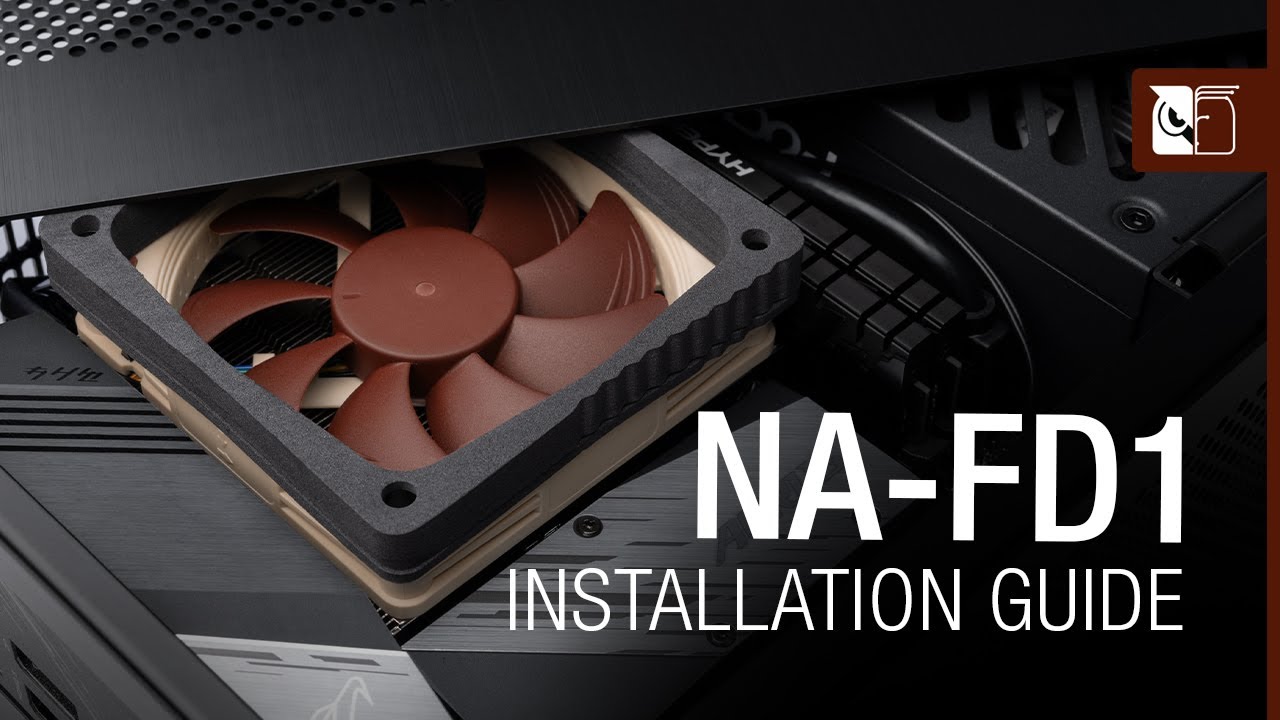
The NA-FD1 fan duct kit makes it possible to significantly improve the performance of Noctua NH-L9i and NH-L9a series CPU coolers in Small Form Factor (SFF) environments where there is a gap of 5mm or more (up to 45mm) between the cooler and a perforated top or side panel. Bridging this gap, the duct prevents the cooler from taking in hot air fr...
limpid gulch
i plugged two 9 volt batteries together to see what they did and thats a better idea
faint ferry
https://gyazo.com/1f75b127c70e4b1ea3c48d3ab9164ba3
is the only way to fix this is too overclock the core ratio
 limpid gulch
hollow thorn
Fan ducts like that can help temps, a conventional application for example here
...
limpid gulch
hollow thorn
Fan ducts like that can help temps, a conventional application for example here
...
what socket
hollow thorn
What
hollow thorn
faint ferry
https://gyazo.com/1f75b127c70e4b1ea3c48d3ab9164ba3
is the only way to fix this i...
No, they're just idling
limpid gulch
what socket
hollow thorn
If you're really bothered by your CPU idling just use smth like throttlestop
hoary jackal
isn't it just a fan
limpid gulch
even while running a few small programs + discord and chrome this is still my temp

55℃ bc im a loser that cant spell farenhiet
limpid gulch
ok
hollow thorn
Also, might also be a better idea to use smth like hwinfo64 instead of whatever that is
limpid gulch
ive been trying to look at some coolers for something this size and all i see are pictures of my pc and this
 hollow thorn
Understandable
limpid gulch
i get why bc this was a refurbished pc
naive pendant
Alright I am picking out a LGA1700 mobo and was wondering out of these boards which is the best for a i7 12700K paired with 32 GB 3600 mhz CL16 4x8 ram
ram and now cpu are bought already
cursive epoch
I would do whatever's cheapest
It doesn't matter, any z690 works as well long as it ain't biostar
 merry prawn
I’m having some trouble with my ram, I changed the frequency in the bios from the 2133mhz to its advertised 3600mhz and it’s making an electric buzzing noise when in game
merry prawn
Ok, so i just tested it out in a match and it’s not that bad, but in the lobby, it’s really bad
But it’s from the psu though right?
Not the gpu?
merry prawn
I just thought it was the psu because the gpu didn’t make any noise before the ram frequency change, I played a couple matches no problem
Is there a way of trying to reduce it and could I warranty it for the issue
 limber dragon
faster ram -> cpu can do more -> gpu can do more
merry prawn
Oh ok
cerulean wadi
Coil whine (on gpu) is sometimes more noticed at super high fps or something like that.
merry prawn
So I could try reducing the game quality to draw less power?
It’s on ultra right now but it’s an older game so it didn’t really do that much to start with
 vernal cosmos
cursive epoch
It doesn't matter, any z690 works as well long as it ain't biostar
vernal cosmos
cursive epoch
It doesn't matter, any z690 works as well long as it ain't biostar
Z690 ddr4 gigayte ram training go brrrrrr
cursive epoch
then it's gpu
cerulean wadi
merry prawn
So I could try reducing the game quality to draw less power?
Fps limiter (with afterburners rtss would be good)
cursive epoch
the way to limit coil whine is usually to cap fps
like mentioned above lel
my laptop does have a very faint coil whine when it's charging
only noticeable with the laptop's off tho
cerulean wadi
Gtx 260 had massive coil whine at 200+ fps (older games duh)
 cerulean wadi
Afterburner, get the rivatuner statistics server thing open & use it to cap fps to below 200 and/or a few fps above your refresh rate. Not at pc for a bit.
Gear (settings button), check in there.
cerulean wadi
merry prawn
 cerulean wadi
RTSS is the best fps limiter in my experience
merry prawn
Still a faint buzz but not nearly as bad
cerulean wadi
then you can maybe turn vsync totally off or adjust it to a certain setting, like simply "extra frames are dropped"
 merry prawn
That was already off
I’m the game at least
In*
How do I turn on the frame rate in the on screen display
I was able to get the temp but I don’t even remember how I did that lol

 merry prawn
Ok I got it
Thank you for the help guys
I was starting to panic about rma-ing my gpu 😅
cerulean wadi
i know theres tons of settings to fuss with for ab/rtss. For now i also have hwinfo doing some osd stuff at same time. 
 warm bolt
For some reason my pc keeps running bad every once in a while like when my old cpu used to get throttled but it is only running on 15-30% usage. The only thing I notice is that the frequency is showing at like 130% could that be the cause?
Like my stats will literally be somewhere around this and it will be running slow and pausing for a few seconds.
 warm bolt
I mean that is just the basic task manager stats.

@vernal cosmos
This is where I am having issue.
vernal cosmos
Thats just boosting
Over base clock
What cpu and ram you got
I could try to explain the stutters
warm bolt
12700k and gskill 4000 mhz 16 cl
Adn my pc is running like sht rn.
Not even running much.
vernal cosmos
Dont evade the filter please
vast meadow
warm bolt
For some reason my pc keeps running bad every once in a while like when my old c...
Did you mount your cooler properly?
 shy wyvern
warm bolt
12700k and gskill 4000 mhz 16 cl
shy wyvern
warm bolt
12700k and gskill 4000 mhz 16 cl
Restart. It's a bug with alderlake that occasionally happens with the windows 11 scheduler. It causes the CPU to use ecores only. Go into task manager and click on advanced than processes then right click the CPU and click logical cores
If the last 4 cores are the only things being used restart the PC
Happens to me at around 1/3 of boot ups
But I can usually tell from how long it takes to get into windows
cerulean wadi
12400 is gonna be the A.L. to skip. Deffo happy with lga 1200 now
finite elm
cerulean wadi
12400 is gonna be the A.L. to skip. Deffo happy with lga 1200 now
Which did you get?
cerulean wadi
finite elm
Which did you get?
If I went w/ ne/zon & current pricing(dang 11gen price jumped up so idk). 3-4 days left on 10700k listings, & r/hardwareswap needs a bunch of luck.
 finite elm
Oh good luck
 summer nexus
so basically i have 16gb of 3000mhz ram, should i buy the same kit and have 32gb of 3000mhz ram, or should i toss the 300mhz and just go with 16gb 3200mhz
i find myself at 50% ram usage without even running games
i have a ryzen 5 2600x and a rx 570 8gb if that helps at all
vast meadow
summer nexus
i find myself at 50% ram usage without even running games
you should buy neither if youre only at 50% ram usuage
just leave as is
summer nexus
and i often leave game open when im multitasking
devout mothBOT
 Feyhe#6969 has been warned
Reason: Bad word usage
summer nexus
oops
oloY shii ram

OLOy DDR4 RAM 16GB (2x8GB) 3000 MHz CL16 1.35V 288-Pin Desktop Gaming UDIMM (MD4U083016BJDA)
vast meadow
Yeah you should be fine running the same kit just run test mem 5 extreme anta once you get it to make sure stable
summer nexus
so better to double ram than increase 200mhz
vast meadow
No real difference between 3000 and 3200
cerulean wadi
6 % more ram bandwidth by itself is like 1% fps increase (imo) 
limpid gulch
why is there a shroud around my cpu cooler
naive pendant
Wait, EVGA made a second am4 motherboard?
I saw lots of people talking about EVGA x570 dark but they did an x570 ftw also and I didn't know it until I just saw somebody trying to sell one
vast meadow
Yeah stupid pricing tho
naive pendant
Gonna build my son a PC for his birthday
Trying to decide if I want to get him an am4 CPU and let him use my old motherboard, or get him an old Intel ddr3 platform, since I can get him like a 4690k with a motherboard and ram for the same price as like an athlon 3000g without any ram
Or, third option, I can just upgrade my CPU and give him my 3600.
I don't think my fiancee would really like me buying a 5800x just to build our son a PC he's hardly gonna use anyway though
cursive epoch
limpid gulch
why is there a shroud around my cpu cooler
what cooler do you have?
limpid gulch
cursive epoch
what cooler do you have?
sorry for being really late, ive had a busy day, but i dont know
this is a picture of basically the same cooler

not mine
limpid gulch
im also super concerned because ive been letting my pc cool off but i forgot to turn it off. it hasnt been running anything, just running chrome and discord, and the temperatures stay in the upper 40 degrees.
limpid gulch
im just concerned as this is getting old
and the thermal paste has never been changed
limpid gulch
cursive epoch
40c is fine for idle
but if 40c is normal is around 70c normal for playing games with pretty much the same graphics as roblox right after startup normal
cursive epoch
as cpu load goes up
so does temp
it doesn't sound wrong to me
as long as it doesn't heat up too much it's fine no matter how quickly it does that
limpid gulch
alright i guess but imma keep an eye on these temps bc i dont trust the cooler at all
warm bolt
shy wyvern
Restart. It's a bug with alderlake that occasionally happens with the windows 11...
Aww fr? That sucks.
warm bolt
vast meadow
Did you mount your cooler properly?
Yeah it's not overly hot. Well no more than usual what you guys told me was fine.
Yeah so I don't really know much about max frequency but why am I shooting above 100% max frequency literally just with VMware and a game launcher open with no game or VMs running?
Like this is what it is showing rn with next to nothing running.
 warm bolt
Ok so where would I see when it is potentially bugged out from ecores and the scheduler then when my pc is running really bad but only using like 15% cpu and 20-30% memory?
cursive epoch
i honestly unno
warm bolt
I mean if that is the issue. I'm just trying to figure out why my brand new cpu is acting like my old 4 core cpu that was getting hard throttled at 15% usage.
cerulean wadi
Heck, run cinebench or 3dmark with task manager open then could compare performance to similar rigs. (Ignore any gpu scores of course)
shy wyvern
warm bolt
Ok so where would I see when it is potentially bugged out from ecores and the sc...
Go into like the performance view on normal task manager and go look at what cores are active
cerulean wadi
yep, like so. poor me w/ only 4 total cores or threads,  (for now, 16 threads here I come).
 vast meadow
naive pendant
Gonna build my son a PC for his birthday
Trying to decide if I want to get him a...
vast meadow
naive pendant
Gonna build my son a PC for his birthday
Trying to decide if I want to get him a...
Sounds like you should go 4690k
 cyan raft
naive pendant
Gonna build my son a PC for his birthday
Trying to decide if I want to get him a...
cyan raft
naive pendant
Gonna build my son a PC for his birthday
Trying to decide if I want to get him a...
I’d say the third option is the best one for you
 valid pebble
regal lichen
valid pebble
regal lichen
I havent seen DDR5 go on sale, is this a ok deal? https://www.newegg.ca/g-skill-32gb-288-pin-ddr5-sdram/p/N82E16820374305?Description=ddr5&cm_re=ddr5-_-20-374-305-_-Product
too bad the 6000 speed isnt on sale
devout mothBOT
 cheetos#0827 has been warned
Reason: Bad word usage
 misty obsidian
Garbage quality picture but my lga1700 finally came in the mail a month later

CPU currently mounted with the regular old Lga bracket that fits 1155, 2011 etc
largened the mounting holes with a drill bit to make it somewhat fit
proper bracket is a nice to have at this point xD
one of the mounting screws is a bit crooked but 3 out of 4 are nicely straight
misty obsidian
CPU bracket installed, didn't have any thermal paste so I used mayo
vast meadow
You gotta be joking
misty obsidian
vast meadow
You gotta be joking
ahahah yeah, about the mayo but not drilling the bracket
vast meadow
misty obsidian
ahahah yeah, about the mayo but not drilling the bracket
Good, mayo was the bit i was worried about lol
misty obsidian
but for real, making a grill cheese sandwich and coating the outside with mayo makes it insanely crispy and tasty
maybe it would make my CPU more crisp
there's a mode in my BIOS that makes all the CPU p-cores ramp up to the same clock at the same time, wondering if I should turn that on
haven't tried any overclock settings yet, getting ~75c after an hour of prime95
less than 75c actually
grizzled bloom
Having all the cores at max frequency like that will make it run hotter when gaming or doing other things that don't use every core. It would only potentially be useful for editing or benchmarking.
misty obsidian
Alright, trying out +1 boost ratio to all cores
Without the "all cores at same boost" mode

 vast meadow
misty obsidian
pato being the sandwich police right there
vast meadow
misty obsidian
pato being the sandwich police right there
No that was too the crisp cpu lol
finite elm
Hows your 3070?
finite elm
Why are you playing on ultra
shy wyvern
Because I'm addicted to visuals
I'd rather have locked 30fps with everything cranked up
(45 for first person faster paced stuff)
Hence why 2060 big garbage
shy wyvern
800 watt potential now

Also the 8 pins are in there correctly, the pins are soldered at an angle compared to each other because MSI quality control be jank
That 10 degree angle of each drives me crazy now that I've noticed it
cerulean wadi
Looks like a couple ports on my psu also. Also, hmm
 cerulean wadi
Idk if I want pciE 4 ssd support & the top m2 slot or the 600K 😅
 sweet urchin
is teh ASUS PRIME B560-PLUS any good
finite elm
cerulean wadi
Idk if I want pciE 4 ssd support & the top m2 slot or the 600K 😅
11400 vs 10600k?
cerulean wadi
finite elm
11400 vs 10600k?
Yep. Whatcha think? Obviously K cpu + Z590 would decide the choice for many people. NE/Amazon would be much easier/quicker than hunting a possibly used i7 😅
finite elm
cerulean wadi
Yep. Whatcha think? Obviously K cpu + Z590 would decide the choice for many peop...
Why not go for the best of both worlds and get a 11600k? ;P
cerulean wadi
finite elm
Why not go for the best of both worlds and get a 11600k? ;P
You're right, actually just double checked & $28 more is close enough. Not on NE though . Gonna see if a localish place can price match also for a quicker pickup. 🤘
shy wyvern
cerulean wadi
You're right, actually just double checked & $28 more is close enough. Not on NE...
Honestly, if you're doing this, I'd keep entering shuffle and trying to get a gpu + z590 combo lol
cerulean wadi
shy wyvern
Honestly, if you're doing this, I'd keep entering shuffle and trying to get a gp...
I might, but I already have a good mobo that was $65-off & yesterday ordered a decent priced set of 4000c18 ram 👍
 trim galleon
Ok so I ordered a new motherboard but then remembered that I would need a new product key for windows 10 because my current one is OEM and can’t be reused. Where can I find windows keys?
cerulean wadi
Try em 1st, pretty sure my key was oem. Either way windows activated easily just by logging into main ms account
grizzled bloom
11600k is the highest tier 11th gen worth getting. It's actually a little better than 10600k, has the 11th gen benefits like gen 4 pcie, and the best of the integrated graphics for the socket.
summer nexus
10600kf vs ryzen 5 5600x
grizzled bloom
10600kf is lower price for almost as good performance, but for raw power 5600X is better
cerulean wadi
cursive epoch
rather wait for 12400 :p
Hopefully retail reviews get better. ES didn't look good
 halcyon relic
how much do used r7 3700x go for?
 rigid condor
Is it ok for me to put ram in my motherboard when it’s in the case
I worry about breaking the board
cerulean wadi

vast meadow
shy wyvern
Because I'm addicted to visuals
In most games it's identical to high and looks basically like low or medium anyway lol
vast meadow
summer nexus
i5 11400 only 190
Been like that for ages, no rush
vast meadow
trim galleon
Ok so I ordered a new motherboard but then remembered that I would need a new pr...
You should be able to reuse if you link your Microsoft account to your windows account
cerulean wadi
Welp, I bought the 11600K. Might not arrive for 3 weeks. Cooler will be FS140.
burnt spear
cerulean wadi
Welp, I bought the 11600K. Might not arrive for 3 weeks. Cooler will be FS140.
how much?
cerulean wadi
burnt spear
how much?
The average 230+tax, but 5% back later by using a certain card. $28 over that 10600KF seemed worth it. I'm really interested in testing out some 4GHz ram, even if I end up just putting it at 3600 c15 or thereabouts.
 young cedar
shy wyvern
too bad 12th gen is so expensivfe
young cedar
shy wyvern
too bad 12th gen is so expensivfe
most of the 12th gen isnt even "that" expensive, the 12600k is a good price but its an oof when you realise the mobo cost nearly the same as the cpu
cerulean wadi
Plus, most of em use ddr5.
vast meadow
nah about 50/50 but ddr5 bad ddr5 is more expensive than good ddr4 so we'd be recommending ddr4 anyway id reckon
limber dragon
young cedar
most of the 12th gen isnt even "that" expensive, the 12600k is a good price but ...
looks at my 12600k, 2 $500 mobos and 2 kits of ddr5
shy wyvern
young cedar
most of the 12th gen isnt even "that" expensive, the 12600k is a good price but ...
That's what I meant, motherboard entry points are garbage rn
vast meadow
msi a pro is nice
shy wyvern
It's honestly a great board
I also had the z370 a pro before this
They make great entry level boards for whatever chipset
cerulean wadi
shy wyvern
They make great entry level boards for whatever chipset
$100ish would be entry level price, lol
vast meadow
ryzen 7000 ihs
 vast meadow
 finite elm
vast meadow
ryzen 7000 ihs
finite elm
vast meadow
ryzen 7000 ihs
Pretty
vast meadow
Ehhhh
burnt spear
did yall see the 6000 series apu perf amd announced at CES?
said up to 2x the perf as 5000 series
burnt spear
burnt spear
said up to 2x the perf as 5000 series
the 6800u supposedly gets 59 fps on far cry 6 with fidelity fx
they can also do rtx, though i wouldnt reccomend it lmao
burnt spear
finite elm
https://www.newegg.com/intel-core-i5-12400f-core-i5-12th-gen/p/N82E16819118360?D...
ooh
finite elm
I3 12100F is 129$ 😮
burnt spear
thats amazing
finite elm
quad cores are back 😄
burnt spear
how does the 12100f perform?
burnt spear
according to a quick google search it beats 10400 in gaming
cerulean wadi
Undercutting 10/11400 by a few bucks is good at least
vast meadow
finite elm
179????
uhhhh is that supposed to be out yet?
burnt spear
those prices are amazing
finite elm
12700F, 12700KF, 12600KF and 12900KF are also available
I didn't know if they were new or not
 finite elm
 vast meadow
finite elm
Apparently
vast meadow
finite elm
Apparently
i cant find it anywhere else but preorder b&h lol think wegg might have accidentally listed now instead of later/tomorrow or something
finite elm
So what you're saying is I should buy it? ;P
cerulean wadi
Haha uhd 730? Wth intel
 cerulean wadi
Yes
vast meadow
vast meadow
https://tenor.com/view/joey-tribbiani-matt-leblanc-no-no-no-what-nooo-friends-gi...
 finite elm
Nah I don't need it.
cerulean wadi
Almost equals 12600 w/ E-cores disabled?
finite elm
wanna get a smaller GPU first before I worry about doing another build.
vast meadow
cerulean wadi
Almost equals 12600 w/ E-cores disabled?
Probs games very similar
I'm tempted
cerulean wadi
vast meadow
Probs games very similar
Yep, and won't have the quirk of ever using E-core instead of P-core. I'll be watching for reviews.
 glass plover
How about those new amd cpus
vernal cosmos
glass plover
so if I have a 3700x
5600x/5800/5900x/5950x/5800x 3d
are all upgrades
5600x for gaming
shy wyvern
12400f for 170-180 is insane
vernal cosmos
vast meadow
Well depending on game 5800x3d
nah across all of em
5800x3d beats a 3700x at everything
vast meadow
vernal cosmos
5800x3d beats a 3700x at everything
Ohh yeah but you said 5600x for gaming and tbh i dont think they should downgrade cores either
vernal cosmos
vast meadow
Ohh yeah but you said 5600x for gaming and tbh i dont think they should downgrad...
5600x ties with a 3700x multi core and beats in single core so technically still an upgrade tho
vast meadow
vernal cosmos
5600x ties with a 3700x multi core and beats in single core so technically still...
Yeah but they might not be as careful of user with closing tabs etc as you or me
vernal cosmos
fair
ud be surprised how many things i always have open in the background tho
usually have like 5 chrome tabs open 24/7
and like 22 tray programs
not even joking lmfao

all those are on startup
23 to be exact
actually
its 22
one is the eject thingie
thats a big part of why im upgrading to 32gb ram
i see 7gb used on desktop
on desktop

@vast meadow
vernal cosmos
oh this is a debloated install
ive just heavily bloated it with use
with programs i need
and stuff for customisation
vast meadow
vernal cosmos
ive just heavily bloated it with use
Yeah but did you try debloat script?
vernal cosmos
Which one?
vast meadow
vernal cosmos
Which one?
just paste iwr -useb https://git.io/debloat|iex into PowerShell
vast meadow
It's decent
cerulean wadi
Ok for a daily pc or not really?
vast meadow
cerulean wadi
Ok for a daily pc or not really?
Yeah main things they git rid of is xbox n stuff heres the github for it they mention what they strip
https://github.com/Sycnex/Windows10Debloater

GitHub
Script to remove Windows 10 bloatware. Contribute to Sycnex/Windows10Debloater development by creating an account on GitHub.
Yeah you paste the script and it gives you the gui
Run as admin btw
cerulean wadi
Ok cool. Don't have tons (important) on my current boot drive anyways. I'll check it out
vast meadow
cerulean wadi
Ok cool. Don't have tons (important) on my current boot drive anyways. I'll chec...
You can blacklist(untick stuff you wanna keep) and then do remove with custom blacklist or whatever
 golden pike
Hey pato just wanted to drop by and say thanks again. my 128gb DDR4 is running great at 3733mhz and 18 CAS (havent tried lowering that, dunno how really). Looking good, happy with it. System is stable and the ram is fast. Thanks again. It was a good deal for the price too, even though I expected to run at 4000
@vast meadow
cerulean wadi
golden pike
Hey pato just wanted to drop by and say thanks again. my 128gb DDR4 is running ...
Which ram? I bought some 4000C18 ram but expecting to run at 3800ish for stability
 viral dust
https://www.amazon.com/gp/product/B081XWLQKS/ref=crt_ewc_title_dp_1?ie=UTF8&psc=1&smid=ATVPDKIKX0DER tryna get this and i got a PRIME H310-PLUS motherboard wondering if this is good or if theres something else i can get

CORSAIR VENGEANCE RGB PRO Series DDR4 memory lights up your PC with mesmerizing dynamic multi-zone RGB lighting, while delivering the best in DDR4 performance and stability. Every module boasts ten individually controlled RGB LEDs, while wire-free design makes installation simple. Take control wi...
grizzled bloom
H310 is going to be limited to jedec speed memory anyway
It makes zero difference what kit you get
 cosmic matrix
Anyone recommend a guide video they like for what difference your mobo actually makes in performance?
i.e. motherboard buyers guide
grizzled bloom
There's far too many variables to consider for that to be less than an hour long video
The cpu of choice is the biggest factor
Low power models don't need as many power phases or vrm cooling, so you can get away with cheaper boards.
Then there's the chipset to consider, again related to the cpu, especially on intel, and the various features offered by each tier of chipset.
vast meadow
golden pike
Hey pato just wanted to drop by and say thanks again. my 128gb DDR4 is running ...
Np
vast meadow
cerulean wadi
Which ram? I bought some 4000C18 ram but expecting to run at 3800ish for stabili...
They're ram was fine it was because they had ryzen
vast meadow
viral dust
https://www.amazon.com/gp/product/B081XWLQKS/ref=crt_ewc_title_dp_1?ie=UTF8&psc=...
https://pcpartpicker.com/product/P4FKHx/silicon-power-16-gb-2-x-8-gb-ddr4-3200-cl16-memory-sp016gxlzu320bdaj5 just get this kit and save the money
golden pike
my 5950x silicon isnt good enough to reach 3800mhz
cerulean wadi
Cool. Was just curious because 128GB is quite a bit to hit that speed/CL with. 🤘
vast meadow
cerulean wadi
Cool. Was just curious because 128GB is quite a bit to hit that speed/CL with. �...
Yeah loose timings tho
 proud kayak
Yoo, I've just started looking into building a new pc in the last few days. I'm thinking about getting a 12700k and this mobo https://www.amazon.com/ASUS-Z690M-Plus-D4-motherboard-Thunderbolt/dp/B09JRW446Z . My use is 1440 high refresh rate gaming, music production, and light video editing. Does this seem like a good choice? Sorry if dumb question, I've been trying to catch up on what's going on with pc building these days after having not paid much attention in years.
 dense frost
yes. good start
vast meadow
But that board will do
vernal cosmos
golden pike
my 5950x silicon isnt good enough to reach 3800mhz
its not the 5950x being bad, its the amount of ram you have
128gb is not easy at all to run
golden pike
I did sooo much research that day
vernal cosmos
if you run only 16gb or so you will be able to hit 3800 easy
golden pike
many forums were stating that the infinity fabrics cant do the 1900mhz on almost all 5950x
but idk
anything
ill take ur word for it
vast meadow
golden pike
many forums were stating that the infinity fabrics cant do the 1900mhz on almos...
Nah it's just not on 128gb
golden pike
cuz i did also read more ram is harder to run fast
vast meadow
Yeah
vernal cosmos
yee
golden pike
still worth
i was doing some tests and im happy af with my purchase
happi happi
helps a lot in after effects
vernal cosmos
did you run tm5 extreme anta?
golden pike
yes
vernal cosmos
the whole thing?
golden pike
yessir!
golden pike
yep :)
dense frost
vast meadow
I'd personally opt for one of these
https://pcpartpicker.com/product/GvmmP6/msi-...
prime is the same as the one he linked just ATX 😅
vernal cosmos
u should be good thrn
golden pike
thank you for your help back then!
vernal cosmos
Yep no problem
golden pike
should I try lowering the CAS or is that not really a thing or worth
i never touched the timing s
know nothing about it
vernal cosmos
dense frost
prime is the same as the one he linked just ATX 😅
headphones are out for delivery rn pog
dense frost
vernal cosmos
headphones are out for delivery rn pog
are they using a mule to deliver them? come on MAN!
vernal cosmos
golden pike
should I try lowering the CAS or is that not really a thing or worth
id recommend pulling cas latency down at least
reduce it by 2 and run TM5 overnight
reducing by 1 has no effect on amd unless gdm off
which makes ram harder to run
vernal cosmos
just get those to as low as is stable
 vernal cosmos
golden pike
what does lowering the CAS require
vernal cosmos
golden pike
what does lowering the CAS require
more voltage if ur die scales well with voltage
vast meadow
dense frost
prime is the same as the one he linked just ATX 😅
I'm aware but you get better audio and stuff
vast meadow
vernal cosmos
did you run tm5 extreme anta?
I helped them with it 🙂
vernal cosmos
did you get em to edit config to actually use 128gb ram?
it uses 16 on default extreme anta
vast meadow
vernal cosmos
id recommend pulling cas latency down at least
Doubt they will it's probs some hynix die and already has loose af timings
vernal cosmos
noob
golden pike
memory was at 100% the whole time
and usin all of it in task manager
idk if that answers ur question
vernal cosmos
oh cool so it actually did something smart for once
golden pike
i didnt change anything
though
yes
but i def checked and it was at 100 as well as the cpu :D
golden pike
sweet.
yall are the best really
I have every day been grinding solving issues Ive had with this new build
but its lookin and feelin great so far :D
not done yet tho
currently learning more about amperage with my aRGB lights
might blow up the house by accident
lol
dense frost
how.. how many RGB lights do you have? 😆
vernal cosmos
 burnt spear
Is intel supposed to have a new igpu for their mobile 12th gen cpus?
If so, will it be able to at all keep up with the rdna2 apus?
dense frost
we have to wait for reviews
but my guess is that no, RDNA2 igpus are going to be king of the hill
burnt spear
I also wonder what the improvement will be like on 7000 series apus, if they are going to exist
If they do it'll be atleast 18 months before we see them
Itd prolly be about the improvement of 3000 series apu go 5000 series
It's there, but not huge
dense frost
The way AMD are going, I dont think desktop APUs are a priority, probably because it will eat into their GPU market. the current track record for APUs based on zen+ and onward is not encouraging
vast meadow
burnt spear
Is intel supposed to have a new igpu for their mobile 12th gen cpus?
770 for the 12500 and up, 730 on the 12400 and down iirc, with the celeron and pentium getting 710
vast meadow
dense frost
The way AMD are going, I dont think desktop APUs are a priority, probably becaus...
Apus for amd have always been a secondary thing afaik
dense frost
you're right
golden pike
vernal cosmos
just get those to as low as is stable
which one am I changing
lol
just the one that says 18 to 16 right?
proud kayak
vast meadow
I'm aware but you get better audio and stuff
Hey thanks for replying. I'm trying to keep it limited to micro ATX. When you say you get better audio on the Asus PRIME Z690-P, are you referring to the surround sound connections?
vernal cosmos
yeah
or rather
do the next one
as low as it gets
and keep going down the list
for all these
this order
 dense frost
I feel like this needs to be pinned or something. literally the simplest mem oc instructions I have ver seen.
vast meadow
proud kayak
Hey thanks for replying. I'm trying to keep it limited to micro ATX. When you sa...
Pretty much, possibly a better chip but if you wanna keep it to matx that's fine then basically no competitors for z690 matx
proud kayak
vast meadow
Pretty much, possibly a better chip but if you wanna keep it to matx that's fine...
I gotcha. It probably wouldn't be a worse chip than whatever is on this board from 2013 would it? https://www.amazon.com/ASUS-GRYPHON-Z87-microATX-Motherboard/dp/B00CRJS6OY
Very much a layperson here, really appreciate the tips
hollow thorn
I think Pato meant better sound chip, but well, sound chips don't matter if you use a standalone dac, which you should be doing anyways if you care about audio quality
burnt spear
dense frost
The way AMD are going, I dont think desktop APUs are a priority, probably becaus...
I thought about that a bit ago but completely forgot about it, that's a good point
hollow thorn
Anything on z690 is going to beat z87 CPU performance wise anyways
burnt spear
Before I saw a leak saying 6000 series was mobile only I was wondering what the point of 6400/6500xt was if an apu performed very similar
vast meadow
6400 is oem only btw
hollow thorn
Apu doesn't perform that well yet, looking at 5700g for example, still just like a 1030 level
burnt spear
Yeah I saw top saying that
cerulean wadi
proud kayak
I gotcha. It probably wouldn't be a worse chip than whatever is on this board fr...
Better in everyway. Onboard sound isn't something to worry about nowadays.
burnt spear
hollow thorn
Apu doesn't perform that well yet, looking at 5700g for example, still just like...
6000 series apus are twice as good as 5000 series apus
According to AMD at CES
We still have to wait for real world benches
Supposedly yhe 6800u can run far cry 6 at 59fps with fidelity fx
I forget what settings they said, 1080p
hollow thorn
No benchmark numbers no good but well, even if they're dramatically better, I don't see them being better than like 1660 level
burnt spear
hollow thorn
No benchmark numbers no good but well, even if they're dramatically better, I do...
Neither do I
hollow thorn
Which smth like 6500 would be trying to beat
burnt spear
But 6500 xt is what, 1660s level? 2060?
vast meadow
Tbf 1650 super level is more than plenty for a lot of people tho
hollow thorn
Yea it'll be good either way for either product
burnt spear
I'm picking up a 6000 series laptop when they're on shelf
Using mining money on it kekw
Currently have 620$ in my acc
hollow thorn
Should be fun
burnt spear
Yeah im excited to get rid of my school laptop
vast meadow
Sure i wanted like a 1660 super or something along those lines and ended up only finding a 3070 lol
burnt spear
150$ dell latitude with too many issues to count
dense frost
vast meadow
Tbf 1650 super level is more than plenty for a lot of people tho
thats what theyre going for. bascially they said "mahjority of users use 580x and 1650, so here is a new version of that"
vast meadow
dense frost
thats what theyre going for. bascially they said "mahjority of users use 580x an...
Yep
burnt spear
Not looking for a dgpu, since I need a decent battery life
vast meadow
burnt spear
Hoping to find a decent laptop around 700$
700 will get you nice laptop tbf
hollow thorn
Thing is, it's much easier to get a 3060 new than 2060 new at a good price, and I think AMD is trying to do something similar but with like 580
burnt spear
vast meadow
700 will get you nice laptop tbf
Just depends on pricing on the new apus
And availability
dense frost
burnt spear
Not looking for a dgpu, since I need a decent battery life
get a mac if youre not gaming and the apps will allow.
burnt spear
dense frost
get a mac if youre not gaming and the apps will allow.
I hate macos
And its going to be used for a bit of gaming
dense frost
me too, but the M1 macs are unbeatable in daily perfomance
burnt spear
Just need smthn that can run val and such
burnt spear
dense frost
me too, but the M1 macs are unbeatable in daily perfomance
And cost a kidney
dense frost
ah, okdoki
hollow thorn
M1 performance is good, but again just for Marcos purposes
burnt spear
More so am sick of my school laptop and want smthn to run my games if I'm going to be spending the money anyways
burnt spear
hollow thorn
M1 performance is good, but again just for Marcos purposes
Marco do be needing high performance
Lol
vast meadow
dense frost
me too, but the M1 macs are unbeatable in daily perfomance
Uhhhhhhh apart from the memory leaks
hollow thorn
Marcos good for stuff like photo and video editing, and m1 is good at that
vast meadow
Also macos is limiting
burnt spear
I hope to God I don't need video editing anytime soon
hollow thorn
I know autocorrect is correcting "macos" to Marcos but I'm too lazy to change it now
burnt spear
It's so tedious
burnt spear
hollow thorn
I know autocorrect is correcting "macos" to Marcos but I'm too lazy to change it...
I'm just messing with you lmao
burnt spear
Autocorrect is a pain
hollow thorn
Calling it Marcos is kinda fun though
burnt spear
6000 series laptops will probably hit the shelf mid-late January, with a wider selection mid February
burnt spear
hollow thorn
Calling it Marcos is kinda fun though
Marcos sounds like an ice cream brand
Idk why
hollow thorn
Marcos is a pizza chain
burnt spear
Never heard of it
dense frost
its also a car?
hollow thorn
There was one near where I lived
burnt spear
It's also half of a game
hollow thorn
Marco also should be a decently common name and therefore a good amount of things named after that
vast meadow
burnt spear
It's also half of a game
Half?
vast meadow
🤦
dense frost
😆
hollow thorn
The explorer?
hollow thorn
or the Marco Polo bridge incident?
burnt spear
burnt spear
I forget I'm not super active here anymore
Certain people made sure of that :)
dense frost
no no! there are no stupid jokes, just people with no sesne of humour. thats my philosophy
burnt spear
dense frost
no no! there are no stupid jokes, just people with no sesne of humour. thats my ...
I have a sense of humor, it just sucks
hollow thorn
Don't need to be active to have fun
burnt spear
I kinda miss being active here but when people are going to be rude, disrespectful, and straight up bigoted to your face and then you get told off by an admin it's just not worth it
hollow thorn
There's always different sides to everything and one day you might end up opposing the majority
naive pendant
burnt spear
Not looking for a dgpu, since I need a decent battery life
Acer swift x
6 hours of gaming performance
Up to 16 not gaming
Prices start at 700$
@burnt spear
 jovial charm
Does anyone know why my dimm slot 4 ram is making that light? It's just a single red light at the top and bottom of the ram.
 vast meadow
Icue moment
vast meadow
jovial charm
Does anyone know why my dimm slot 4 ram is making that light? It's just a single...
Check icue
jovial charm
Icue says it's streaming light to the ram like I have it set to, the lights being shown on the ram does not look like the lights being shown in icue
vast meadow
jovial charm
Icue says it's streaming light to the ram like I have it set to, the lights bein...
Try restart icue?
grizzled bloom
Reseat memory and clear cmos. Memory rgb is always finicky.
jovial charm
Is there a way to clear cmos without taking out the mobo battery?
Cause I have a chipset heatsink over my cmos battery.
grizzled bloom
Yes, if your board has a clear cmos button or jumper you can turn it off, leave the power supply on, and press/jump for 10 seconds.
grizzled bloom
Reinstall icue
If that still doesn't work you'd have to go nuclear and reinstall windows. I had to do that with mine.
cerulean wadi
Imagine when we only use nvme stuff 
vast meadow
jovial charm
This is the longest Uninstall I've ever had.
Sounds like icue lol
finite elm
cerulean wadi
Imagine when we only use nvme stuff <a:pepesquid:753094175985238017>
I have 1 Hard drive for bulk storage. other than that I only have SSD's
jovial charm
cerulean wadi
Imagine when we only use nvme stuff <a:pepesquid:753094175985238017>
I have a 2tb 980 pro
cerulean wadi
finite elm
I have 1 Hard drive for bulk storage. other than that I only have SSD's
Same. $25/TB or less still makes hdd an easy pick for backup/bulk. Will be neat going from sata ssd + hdd to nvme + sata ssd 🤘
jovial charm
grizzled bloom
If that still doesn't work you'd have to go nuclear and reinstall windows. I had...
I haven't installed icue yet, but the lights are still red.
cerulean wadi
Probably lucky at least 1/2 of the sticks are working then. 
regal lichen
Let’s gooo now I just gotta be selected for the 3080 for todays shuffle!!! Then all I need is the Mobo!
 devout mothBOT
 GOJO#9215 has been warned
Reason: Bad word usage
GOJO#9215 has been kicked
Reason: Too many infractions
lime solar
my computer wont post, the motherboard is giving a cpu and dram led light, and ive tried everything i found before. anything you smart people here can help me with? im using an asrock b550m pro4, ryzen 5 3600, and 16gb crucial ballistix ddr4 3000
i can send a video if needed
grizzled bloom
I'm assuming you've tried clearing cmos already.
Since your board doesn't have flashback you could bring it in to a microcenter or local shop and have them update the bios.
lime solar
the closest microcenter is 1300 miles away, and google isnt being very helpful atm but ill see what i can do
wheat salmon
lime solar
my computer wont post, the motherboard is giving a cpu and dram led light, and i...
Did u try just 1 ram stick or a different cpu?
lime solar
ive tried every stick i have in every slot, but i dont have another cpu to test with
im having someone come over tomorrow to take a look at it, but i worst case i need to buy a new cpu and/or mobo, which sucks bc i just got my mobo a week ago
 drowsy elk
Hey guys, quick question, is there somewhere I can see a compatability list for my motherboard? I think i accidently ordered the wrong processor
cerulean wadi
drowsy elk
Hey guys, quick question, is there somewhere I can see a compatability list for ...
Which mobo?
shy wyvern
drowsy elk
Hey guys, quick question, is there somewhere I can see a compatability list for ...
For all Intel motherboards, search "___ chipssty" (whatever one you got, like b560 for example) and click on the ark.intel link
Then you can scroll down to compatible processors and see all compatible CPUs!
For amd we can just let you know, amd is super cross gen friendly
vast meadow
lime solar
im having someone come over tomorrow to take a look at it, but i worst case i ne...
You should be able to return/rma your motherboard you shouldn't have to buy a new one
naive pendant
Looking to up my ram to 32gb(2x16gb) I have tuf gaming B460M motherboard with i7. Current ram is 2666mhz. Can I use ram that is 3200mhz? want to make sure before I purchase, thanks for your help.
vast meadow
naive pendant
Looking to up my ram to 32gb(2x16gb) I have tuf gaming B460M motherboard with i7...
You can use ram that is 3200mhz but it will lock at 2933, what country are you in i can recommend a kit?
naive pendant
vast meadow
You can use ram that is 3200mhz but it will lock at 2933, what country are you i...
USA
vast meadow
naive pendant
USA
naive pendant
vast meadow
https://pcpartpicker.com/product/DVcG3C/neo-forza-faye-32-gb-2-x-16-gb-ddr4-3200...
thank you for your help
vast meadow
Np
 warped geode
hello, I have a i5-9400f and 1660, and 16 gigs of ram. whenever I play Apex without anything else open (no VB Audiomeeter/Discord/Browsers) I get around 150 fps, but when I open discord, my fps immediately dips and it starts stuttering even with V-Sync. The counter says I get slightly below 60 fps. Is there something that's bottlenecking or a part of my system that's being throttled?
vast meadow
warped geode
hello, I have a i5-9400f and 1660, and 16 gigs of ram. whenever I play Apex with...
Try changing from gpu acceleration on if it's off, off if it's on, it's in advanced settings
cursive epoch
^
warped geode
Thanks, will do so
cerulean wadi
shy wyvern
For all Intel motherboards, search "___ chipssty" (whatever one you got, like b5...
So many people think it's easier to not tell us which mobo & ask help like this instead of just checking their mobo book or website. 😅
naive pendant
Hey so, I'm having a slight issue with my i5-6600k.
It's supposed to turbo boost up to 3.9ghz stock. It does not. It only goes to 3.6ghz under a full load - It's temps are below 40 degrees. I suspect a motherboard issue but HWiNFO won't launch to tell me my chipset - I think it's B250 Chipset.
The motherboard is a Gigabyte B250M-DS3H. Is there a compatibility issue I didn't know about? And is there anything I can do to make my CPU run at it's max performance without buying a new motherboard/CPU?
I'm currently checking for a BIOS update so I'll keep y'all informed.
So, I have found the latest version but I can't update it - It says the program cannot be ran on my PC. Annoying.
Unless... I'm supposed to do this via USB aren't I...
I have a USB hanging around, I'll check
cerulean wadi
Bios shouldn't be update within windows. The file is put on a a flash drive then updated from inside the bios. Check cpu frequency settings in bios. I'm also thinking that B250 mobo/chipset is the limiter.
naive pendant
cerulean wadi
Bios shouldn't be update within windows. The file is put on a a flash drive then...
I'm thinking Chipset too. But in the overclocking settings in the motherboard itself it allows selecting 39 as the multiplier for the CPU core clock so I'm unsure why it would allow me to select it as an option if it won't actually go that fast
Don't mind me just having minor issues with my USB (I forgot to plug in the USB 3.0 header...)
Just updated the bios to F9
cerulean wadi
Tbh bios update might fix it, but might not. Modern cpus are smart & could be a temp issue or mobo/psu not giving enough power. Also TDP is at base clock so that's why I mention it. 39x was on just 1 or 2 cores usually. Anything using 3 or 4 cores might make it run at a lower multi. Base clock is the only guarantee.
naive pendant
cerulean wadi
Tbh bios update might fix it, but might not. Modern cpus are smart & could be a ...
I have a 750 watt power supply and my old CPU was able to take 120 watts from it no problem, but that was a different generation of cpu entirely, I’ve just updated the bios and it appears I’m no longer stuck at 3.6 - honestly your guess is as good as mine on this one because the ‘updated’ bios was exactly the same as the one that was already on it… it was all default settings before I updated so…
Okay now this is weird
I booted windows and I did see 3.73ghz in task manager. But now I’m hitting it with a load… only 3.57
I’m looking at CPU-Z and it’s telling me the same
So I appear to have a ‘lazy’ cpu lmfao
“But I don’t wanna work that hard…”
cerulean wadi
Task manager often doesn't show cpu speed well. You can use cpuz and/or hwinfo64. Oh yeah you mentioned 3.6 full load. Well double check in bios because they don't usually do the full 3.9ghz on all 4 cores when loaded.
naive pendant
Hey woah I’m hitting it with a game and not a stress test and now I’m seeing over 3.6ghz. But the CPU utilisation is only 40%??
Im confused I need an adult
So… Less = more?
WAIT NO
Omfg… I know what I’m mistaking here
This CPU only boosts to 3.9ghz on ONE ACTIVE CORE.
cerulean wadi
3.9 would be with only 1 or 2 cores used. Doing 3.9 on all cores would need more power than they planned for. Also, that non-Z series mobo is probably holding back the 6600K
naive pendant
3.8 on two cores, 3.7 on three cores, and 3.6 on quad core.
I’m actually stupid
I even saw that in the motherboard settings
cerulean wadi
Lol, people gotta read it for themselves  It's still like this even with 12gen
naive pendant
Can I use overclocking to make it go 3.9ghz all core?
Or would I need a different chipset at that point
This is why AMD is better isn’t it lmfao
cerulean wadi
Well you can get closer. Should be like me w/ a Z mobo & nonK cpu. Check in bios. You can at least up each setting 2 or 3 multis