#cpus-mobo-and-memory
1 messages · Page 209 of 1
 elfin warren
B550M ac
Is this a prebuilt or you build?
In this screen you're on P.120, are you on 1.80 now?

Also when you press the power button and it fails to boot, are any of the 4 red Post Status checker lights on? They're on the bottom edge of the MB near a fan header
 burnt spear
That's the screen that I can go to, but its still booting right now
burnt spear
Oh the post status checker lights are on
elfin warren
Which one
burnt spear
I dont have a glass panel so I can't see
elfin warren
Ah, we need to see which one so we can figure out why it's hanging on POST
burnt spear
Can I open it while it's on?
elfin warren
Of course
elfin warren
Yeah to the left of a fan header
burnt spear
 elfin warren
and to the right of a USB connector
burnt spear
The red there is where it's coming from
burnt spear
It's two to the right of a pwm connector
elfin warren
Need to know which ones exactly, there is writing on the board above each light
elfin warren
NO problem
burnt spear
Dram and cpu are both on
I forced shut off now, im guessing I have to reseat the ram?
elfin warren
No, that means BIOS is having an issue with the CPU possibly. What BIOS version are you on again?
burnt spear
Idk
elfin warren
Need to find out if possible
burnt spear
I'm gonna throw the other ram back in since I already have it open
And I was planning on it anyways
elfin warren
Dropping speed like that is a rather large performance decrease but OK
Is this a prebuilt BTW?
burnt spear
It was
elfin warren
From what company?
burnt spear
Skytech screwed me over so it's basically a custom build nkw
burnt spear
Only things left from it are the 3000mhz ram, gpu, cpu, cpu fan, and wifi card
Nah I got it off reddit
elfin warren
Got it
 devout mothBOT
 dior.#5084 has been warned
Reason: Bad word usage
dior.#5084 has been kicked
Reason: Too many infractions
burnt spear
Rip
 vast meadow
The slower ram should take slightly longer too boot 
burnt spear
Well if the ram won't go in ig I'll just leave it out
elfin warren
make sure you have the slot and the notch lined up
burnt spear
But I can't even get bios up
vast meadow
burnt spear
Well if the ram won't go in ig I'll just leave it out
Probs need to rotate the ram 180°
elfin warren
burnt spear
But I can't even get bios up
For now, remove power from the power supply
unplug it
Remove the button cell battery for 1-2 minutes
reinstall the battery, plug the PC back in and boot it up to the BIOS
While you do that, I'll check the manual for notes
burnt spear
Wait
When I plugged it back in and pressed the power button it turned back on immediately
Red lights turned off
burnt spear
Give me a minute
elfin warren
I'd also like to set everything back to defaults and ONLY turn on XMP since yo manually played with ram speeds before
burnt spear
Gotta turn it back off I let it boot to the password screen
elfin warren
Just get to Windows and restart from the login screen
elfin warren
Ya
take out the CMOS battery
after you unplug it from the wall
reset everything to default
burnt spear
Yeah
elfin warren
Battery pops up
elfin warren
LOL!
burnt spear
Alr I put it back in since it's been a while
burnt spear
Oop
elfin warren
Use a knife or tweezers or fingernail file or something?
elfin warren
let er chill for a couple minutes
Yes it clears the settings
Then boot back to BIOS and check version
burnt spear
Alr
Ig I'll use this time to clean it
Oh ffs
Ran out of compressed air
It's been about 3min am I good to throw it back in?
elfin warren
Ya
burnt spear
Alr turning back on
The red lights came right back on
Oh fun now irs different lights
Vga and boot
I got into bios though
Oh the lights went off when the boot menu came up
elfin warren
Yeah
It's normal for the lights to go on and off while you boot
it's when they stay on and no boot there's an issue
elfin warren
Ya
burnt spear
God-
elfin warren
I got that from the pic
elfin warren
Go to WIndows and grab the BIOS file and put it on a USB stick https://www.asrock.com/mb/AMD/B550Mac/index.asp#BIOS

Supports AMD AM4 Socket Ryzen™ 3000, 4000 G-Series and 5000 Series Desktop Processors*; Supports DDR4 4733+ (OC); 1 x PCIe 4.0 x16, 1 x PCIe 3.0 x16, 1 x PCIe 3.0 x1; Graphics Output Options: HDMI; 7.1 CH HD Audio with Content Protection (Realtek ALC1200 Audio Codec), Nahimic Audio; 4 x SATA3, 1 x Hyper M.2 (PCIe Gen4 x4); 8 x USB 3.2 Gen1 (4 x ...
elfin warren
Don't update it from within Windows
Put it on a USB drive and do it from within the BIOS
burnt spear
I dont really have something to pull it off with because my laptop is fully reset
elfin warren
Sure
burnt spear
Should I turn on xmp?
burnt spear
Also can I close the case?
elfin warren
Staying on?
burnt spear
Thought they were, they went back off
elfin warren
Yes, that's normal
Lights will come on and go off while it boots
It's only an issue if they stay on and you don't boot
burnt spear
Thought it was done booting mb
Lrts see if I can find a USB stick lmao
Got one
Is 8gb enough?
elfin warren
Yeah once you do, DL the file. it will be zipped. Unzip it. Take the B550MAC.80 file out and put it on the USB drive. Reboot to BIOS and update from there
8 GB more than enough
elfin warren
Yeah, extract/unzip same same
burnt spear
it only gives me the option to unzip to c drive
not even my external, let alone flash
nevermind im stupid, ignore that
elfin warren
It's fine
burnt spear
its extracting to the flash drive now
elfin warren
Well
You need to take the file out of the folder
and put it on the flash drive
when it's done
burnt spear
its a zip in the flash drive still
even tho i extracted it to the flash drive instead of just transfered it
wait maybe it copied both to it?
elfin warren
Right click - Extract All
Take the file out of the folder and put it on the root of the drive
 elfin warren
Is the .80 drive on the root of the USB, IE you open the USB drive and it's there?
Or is it still in a folder?
burnt spear
its on the root of it
burnt spear
alr
burnt spear
as in restart with windows?
burnt spear
alr one sec
elfin warren
Instant flash
burnt spear
im deleting a ton of files on it in case something messes it up
not a ton maybe 2gb worth
alr restarting lets hope this works this time
Alr back in bios
How do I update from bios?
elfin warren
Leave it open until we are done
burnt spear
Kk
Once it's updated, should I boot it to make sure it's working correctly or can I turn on xmp right after
elfin warren
It'll restart
burnt spear
Ah
burnt spear
Kk
burnt spear
Any testing I should do after that?
elfin warren
See if it boots without lights staying on
burnt spear
Rebooting now
It ignored me pressing delete
Oh because it isn't registering my keyboard as plugged in
Restarting agaib
Ffs it won't see my keyboard as on until it boots fully
elfin warren
Are you plugged into the front panel USB?
elfin warren
Noice
burnt spear
Thank whatever god is out there
elfin warren
We good?
burnt spear
I think so
elfin warren
SAweet
burnt spear
Oh wow that also helped my Temps
It was getting over 70 even idling for whatever reason, sitting at 54 now
As in those Temps after the new ram speed
elfin warren
Probably the bios reset
elfin warren
Absolutely
burnt spear
Gets here tmrw at 10 so lucky me gets to open it up again
elfin warren
Lol!!!
devout mothBOT
 BullBoii#7864 has been warned
Reason: Bad word usage
BullBoii#7864 has been kicked
Reason: Too many infractions
 leaden mirage
One of my sticks died and thinking of getting a new kit with a lower latency, rn the one is running 3733 at cl16, think it's worth getting a trident z neo at 3600, cl 14 and then oc'ing it to 3733?
 fading mauve
i hope my pc will work when i get the new board
 hollow thorn
leaden mirage
One of my sticks died and thinking of getting a new kit with a lower latency, rn...
hollow thorn
leaden mirage
One of my sticks died and thinking of getting a new kit with a lower latency, rn...
Remember, mixing sticks runs at the lowest speed and highest latency between them
vast meadow
leaden mirage
One of my sticks died and thinking of getting a new kit with a lower latency, rn...
Not cl14 really worth the premium for most people tbh, if you haven't oc'd ram before I'd say don't bother
vast meadow
hollow thorn
Remember, mixing sticks runs at the lowest speed and highest latency between the...
And not guaranteed to work, but sounded like they wanted to throw out/sell the working stick
hollow thorn
They said one stick so I thought they're keeping the rest, not sure
fading mauve
@vast meadow sorry for the tag if i putted my old hardrive in if 7 didn’t boot is there a way to put windows on
vast meadow
fading mauve
<@!191276897227898880> sorry for the tag if i putted my old hardrive in if 7 did...
Yeah, don't see why it wouldn't but as long as you got a different pc and a usb stick ye, windows media creation tool
leaden mirage
Was just gonna toss the stick or give it to a friend who only has one 4gb stick that they could just throw in a drawer, but ig one just came loose by sitting on the floor since it’s working now after I reseated both
elfin warren
No motherboard BIOS has Windows
fading mauve
really
elfin warren
no, WIndows is on a hard drive or SSD
BIOS can hold about 20 MB of information, nowhere near enough for an operating system
 brazen crater
ey yow is i7-11700 with b560 tomahawk nd hyperx 3200 cl16 has no issues or smthn?
and if anyone here has that cpu what's the max power draw? can't find a bigtime reviewer reviewing that cpu
 vernal cosmos
brazen crater
ey yow is i7-11700 with b560 tomahawk nd hyperx 3200 cl16 has no issues or smthn...
vernal cosmos
brazen crater
ey yow is i7-11700 with b560 tomahawk nd hyperx 3200 cl16 has no issues or smthn...
are you asking if those parts are compatible?
because if that is what you intended on asking, then yes they are
vernal cosmos
brazen crater
and if anyone here has that cpu what's the max power draw? can't find a bigtime ...
should be 130W max
maybe 135
vernal cosmos
11700k peaks at 150
 celest anchor
no it doesn't
11700 PL2 is 224W, and it'll hit that
anandtech had the 11700K hit 300W
iirc
vernal cosmos
 vernal cosmos
5800x looking great
celest anchor
at least it isn't the 11900K with ABT, that's like uhm 390W
vernal cosmos
SHEESH!
celest anchor

INTEL 11代處理器選購要領 CPU規格及效能篇
完整解說 新一代CPU各種上下限
10/11代不同cpu在設計上的差異
I wish I was pulling that out of my ass
celest anchor
So yeah, 11900K no ABT is 89C 282.6W, with ABT it's 388.44W 114.5C
tested by toppc himself
vernal cosmos
shouldnt go over 130-140 while gaming tho right?
celest anchor
oh it will
these chips are hungry
the bad gaming IPC makes them really need to suck down power
vernal cosmos
even with all that power draw they still suck lmao
celest anchor
yup
if they were on 10nm they'd be great
Intel would have been able to do another 10 core
That pulled less power, had more mt, st and slightly better gaming perf
vernal cosmos
other than the 11th gen i5s intel doesnt make any sense to buy this year
celest anchor
Intel should have just pulled tgl R0 and made that the 11900K
vernal cosmos
even the 11600k isnt a great deal because with a mobo added, the 5600x turns out cheaper
celest anchor
tgl R0 as the 11900K would make it a good chip
vernal cosmos
and still clocks the 11600k
celest anchor
vernal cosmos
even the 11600k isnt a great deal because with a mobo added, the 5600x turns out...
5600x is also faster
vernal cosmos
vernal cosmos
and still clocks the 11600k
yep
celest anchor
I don't know why Intel hasn't just thrown tgl R0 into an lga1200 form factor, they could do it
vernal cosmos
From what GN tested an overclocked 11600k barely keeps up with stock 5600x
celest anchor
it'd get close ish
I really want to see a gaming bench of the 11900KB, that thing will probably beat everything in games
vernal cosmos
celest anchor
I really want to see a gaming bench of the 11900KB, that thing will probably bea...
yee
 vernal cosmos
Ahhh I see
brazen crater
vernal cosmos
are you asking if those parts are compatible?
yes ty bro and uh can I that cpus full potential? without buying a z variant mobo?
it's not a K so I guess b560 iz fine
vast meadow
brazen crater
it's not a K so I guess b560 iz fine
Yeah if it's non k b560 is fine as long as it's a mid range like asus tuf r something
Cuz b560 is a mess thanks to intels specs
brazen crater
b560 tomahawk to be exact
brazen crater
celest anchor
without pl
wait what's PL?
celest anchor
power liimt
brazen crater
celest anchor
anyways, the 11700 is a stupid cpu
why doe
celest anchor
price point
celest anchor
11700 is dumb because of the chips that are cheaper then it
 vast meadow
5800x be 450 tho
brazen crater
msrp?
vast meadow
But yeah you could get 10700/10850k for that
brazen crater
hmm wait lemme see
vast meadow
brazen crater
msrp?
Ye and retailing for
 celest anchor
don't convert currencies then
vast meadow
^ prices are diff in diff reasons and tax in US isn't included in price etc
brazen crater
for school nd casual gaming
vast meadow
@brazen crater how much in Philippines currency do you want to spend
vast meadow
On just the cpu?
brazen crater
brazen crater
no tf
i tot the whole system
vast meadow
And what price would 11700 be?
vast meadow
That's fine lol
vast meadow
I'd say get 10700 for 16k
vast meadow
Non k is 16
brazen crater
wait
brazen crater
bruh 10700kKF for 17
vast meadow
Up to you
devout mothBOT
 Cyser0#3018 has been warned
Reason: Bad word usage
vast meadow
F has no integrated graphics tho
brazen crater
yes
my plan is also to wait for the gpu prices to come at a reasonable price so def have an igpu
vast meadow
So don't get any f chip then
vast meadow
brazen crater
Intel Core i7-10700 for 17.2?
Went for shower rq
brazen crater
bruh just found a 15.9 10700 on a local site
vast meadow
vast meadow
https://ph.pcpartpicker.com/product/dLK2FT/intel-core-i7-10700-29-ghz-8-core-pro...
There's 1 here for 16.8k
vast meadow
brazen crater
bruh just found a 15.9 10700 on a local site
Oh nice
vast meadow
If getting non k just a b560
vast meadow
Ahh that looks good then the mobos on pcpp is meh
Yeah you can always get from newegg if the local out of stock r sum
brazen crater
any vid comparin 10700k nd non k?
vast meadow
Ehhh no diff unless overclocked
brazen crater
or it has smol or negligible differences
celest anchor
it can be big with power limits
brazen crater
heck nah
celest anchor
 brazen crater
maybe when below 200 watts
vast meadow
Yeah but b560 tomahawk wont have power limits so will be fine
Or will be able to remove easy
vast meadow
brazen crater
but eh I think dis 10700 will do just fine
It will ye
brazen crater
noice won't be havin problems den
brazen crater
brazen crater
but eh I think dis 10700 will do just fine
for like 2-3 yrs
should i opt for a 750 psu while waitin for a gpu or no
brazen crater
3080 
vast meadow
I'd go 850w then
brazen crater
hmm
I think 500 watts will do me just fine nd will buy a new psu when I buy a gpu
an ok move or no
vast meadow
brazen crater
I think 500 watts will do me just fine nd will buy a new psu when I buy a gpu
Nana no point buying twice, will be more expensive
brazen crater
vast meadow
Nana no point buying twice, will be more expensive
wanted seasonic but no 850 only 750availabe, found a coolermaster of 850
reviews say it's bad nd stuff so kinda worried
Cooler Master MWE GOLD 850 FULL MODULAR V2
 vagrant mist
 vast meadow
brazen crater
vast meadow
brazen crater
They just got a faulty unit or something lol, the cables being stiff is a good thing, i can vouch for the revolution df it's been perfect
brazen crater
I see I see
oi is this white variant of seasonic gx 850 good or eh
cant find blacccc
nvm, made my mind goin for seasonic gx850
ty @vast meadow
brazen crater
ok the reason why I want 11th gen coz of pcie 4.0 that's prolly it the rest eh
pcie slot for gpu in b560 is in pcie 3.0 right
vernal cosmos
You will see literally no noticeable difference between the 2
brazen crater
exactly
brazen crater
brazen crater
pcie slot for gpu in b560 is in pcie 3.0 right
I guess am right
vast meadow
I run my 3070 pcie 3.0 no difference between mine and vintages for example
And vintages is pcie 4.0
brazen crater
context
oh
reviewer
sooo in msi's website it's in gen 4 but if I install a 10th gen cpu it will automatically be a gen 3?
lane
nd stuff
vast meadow
Yeah afaik
 obsidian spoke
Can anyone help, please? I'm looking for 8 GB DDR3L SDRAM memory, but all I can find is DDR3L SODIMM. This is for a laptop.
vast meadow
obsidian spoke
Can anyone help, please? I'm looking for 8 GB DDR3L SDRAM memory, but all I can ...
Sodimm is the correct form factor for most laptops afaik, what laptop is it?
obsidian spoke
HP Pavilion Notebook 15-ab259nr N5R55UA
fading mauve
i just hope my old hardrive can boot into 7
elfin warren
Old drive with a new motherboard and CPU?
Probs not
Unless it's the exact same motherboard
fading mauve
it’s the same cpu i was dealing with a dell mobo i will be getting a msi board with the same cpu
elfin warren
Then it probably won't boot due to different motherboards and river requirements
I'd plan for a reinstall
CPU doesn't matter, motherboard does
fading mauve
i can use my windows 7 disk and upgrade to 10
fading mauve
if that works Vintage
 hardy moon
fading mauve
i can use my windows 7 disk and upgrade to 10
hardy moon
fading mauve
i can use my windows 7 disk and upgrade to 10
I’d just copy down the windows 7 activation code for it, then install windows 10 using a usb then put in the code
fading mauve
i thought i needed the windows 10 key @hardy moon
hardy moon
fading mauve
i thought i needed the windows 10 key <@!403698294892789780>
Windows 7 key should work too
vernal cosmos
hardy moon
Windows 7 key should work too
Not any more
That thing ended a while back right?
fading mauve
dang
vernal cosmos
Its worth a try tho tbh
fading mauve
yeah if my hardrive boots to 7 i can install 10
which will probably be the home edition
that’s a other way Ness
vast meadow
fading mauve
i thought i needed the windows 10 key <@!403698294892789780>
You don't need to activate windows tbh you just gotta deal with the default windows background
fading mauve
upgrade from lga 1155 @vast meadow one up
 vast meadow
nice
fading mauve
i am going to do it will is this a newer board
elfin warren
Do you have an 1151 CPU?
elfin warren
What cpu do you have vs what's in that board though? Just because newer doesn't always mean better. 😉
fading mauve
lga 1155 3470
elfin warren
Right but what CPU is in that motherboard combo?
brazen crater
Ey yow intel cant handle quadchannel
Their site said its only 2 max ram stix or eh
 grizzled bloom
brazen crater
Their site said its only 2 max ram stix or eh
grizzled bloom
brazen crater
Their site said its only 2 max ram stix or eh
That doesn't mean only 2 sticks will work, you can do multiple sticks per channel
brazen crater
 vast meadow
Mem channels not = mem sticks
grizzled bloom
brazen crater
2 chanels is 4 sloyta
Not always, I've seen some dual channel compatible things with only one slot
vast meadow
Well it could technically be 6 or something but yes but no, it can be 2 or 4 usually
vast meadow
grizzled bloom
Not always, I've seen some dual channel compatible things with only one slot
.......
brazen crater
The speed doe
grizzled bloom
vast meadow
.......
Yep, that was about my reaction too
vast meadow
But you cant dual channel when there's one slot lol
vast meadow
Mac be a pc lol
brazen crater
Ur fine
brazen crater
vast meadow
But you cant dual channel when there's one slot lol
Ye doe
fading mauve
older 2012
vast meadow
fading mauve
just a dam i mac
Pc=personal computer which the mac is lol
brazen crater
fading mauve
older 2012
Ow
grizzled bloom
brazen crater
The speed doe
On Intel max memory speed is determined by both the CPU and the chipset of the motherboard. Prior to the new 500 series, you needed a Z motherboard to run faster memory, but if you got a locked processor (non k) your memory speed could still be limited on a Z board. The same is true in reverse, a "k" processor on a non "z" chipset would be limited in speed too.
Intel makes you pay the overclock tax. Even though there's literally no real reason to. Even XMP memory speeds are treated as overclocking on Intel.
fading mauve
should i buy that board tuesday @grizzled bloom
i have ddr3 sticks
i can’t play any games
elfin warren
Depends on what CPU is in that board. 3470 is no slouch and the H110M will need DDR4
grizzled bloom
fading mauve
upgrade from lga 1155 <@!191276897227898880> one up
This one? It's DDR4 only iirc
elfin warren
So you'll need to buy RAM at the least
fading mauve
yikes
elfin warren
Need to know what CPU is in in though since it's not listed
Might be a celeron
Might be a 6700K or something
grizzled bloom
H110m seems to be limited to DDR4-2133
elfin warren
Ye
fading mauve
i will stick with 1155
the one for $109 has 4 ddr3 slots
will be 8gigs
i think
@grizzled bloom
burnt spear
i think everything is working
gonna test it at full load
fading mauve
i am like meh
 grizzled bloom
Not worth the price imo
fading mauve
best offer
grizzled bloom
I could get a 16c/32t xeon in a full PC for around $100
fading mauve
what can i find
grizzled bloom
You said you're looking at which socket again? 1155?
grizzled bloom
Ok I'll take a look and see what I can find
 grizzled bloom
i3 4160 is one of the worst processors of the generation
 elfin warren
Your 3470 is still faster
grizzled bloom
The chipset itself supports DDR3 or DDR4 but the motherboard will only support one or the other, it's a physical limitation
fading mauve
ok if i can unscrew the dell cpu fan
it does have a Proprietary connection to the motherboard
i can buy thermal paste for the $109 board i can offer $80 swap that cpu out and put the 3470 in
grizzled bloom
That would work
fading mauve
it’s local i can swap it out for my cpu

it has windows 10 drivers
i will do this one and switch cpu with mine
it has 4 memory ports
it will be 3 times faster Fal
elfin warren
3 times faster than what?
fading mauve
3450 cpu
elfin warren
The 3470?
fading mauve
it has a 3450 in that board
elfin warren
3470 isn't a whole lot faster than a 3450, just a little bit
fading mauve
ok
i have not used my pc in a week so far
anything will do
the ones that press i have to unscrew mine to get it out
tuesday morning i am getting it
should i leave that cpu in rather then switching Vintage
burnt spear
Is this ram alright to run with hp 3600mhz? https://www.newegg.com/oloy-8gb-288-pin-ddr4-sdram/p/N82E16820821319?item=N82E16820821319
Planning on grabbing 2
elfin warren
Depends on what speed your existing ram is?
elfin warren
Do you know the timings on the current kit? Like C16 or C18?
burnt spear
Also @elfin warren my 3600 went from 9122 to 9338 with the se-224 xt multi core
Not a clue
burnt spear
Is 9338 average for a 3600?
Still seems a little low for multu core but idk cinebench well
elfin warren
Ya, 9300 is where it should be in Cinebench
burnt spear
Oh sick
Doing single core now
Let me see if I can find the timings on the ram one sec
The hp ram is cl18
elfin warren
Ok, that Oloy should be fine then, same speed and timings
burnt spear
elfin warren
Ok, that Oloy should be fine then, same speed and timings
The fan was annoying af to put on
elfin warren
Yeah the clips can suck
burnt spear
I dropped the heatsink and it bent in two places but I fixed it mostly, and it wasn't that bad
Needle nose pliers ftw
Wasn't that
The back plate kept moving
Had to have my brother hold it with a screw driver through the hole
elfin warren
Ohhhh, I installed mine new outside the case
burnt spear
Yeah with it being added it was awful
Somehow I didn't break the mobo even after i dropped an 8 ounce acrew driver on it
Hopefully I put enough thermal paste on, I think I did but first time doing it on I kinda just guessed lmao
burnt spear
I did smthn close to that in the center and then some small dots towards the corners
burnt spear
Yeah about that
elfin warren
Sounds great to me
elfin warren
sweet
burnt spear
Thank you so much for all the help and the time
hollow thorn
X method best method
elfin warren
burnt spear
Thank you so much for all the help and the time
Welcome!
hollow thorn
But thermal paste is thermal paste, if it works, it works
burnt spear
That was it btw

Tiny compared to the se
1234 on single core, barely above the 7700k mark in here
grizzled bloom
hollow thorn
X method best method
Spreading > X pattern by 0.2 degrees
hollow thorn
grizzled bloom
Spreading > X pattern by 0.2 degrees
hey, x method best lazy method
grizzled bloom
Well there a nice asterisk* for you
 formal ice
those clips are annoying
brazen crater
grizzled bloom
On Intel max memory speed is determined by both the CPU and the chipset of the m...
But I think it by enabling xmp will do just fine
vernal cosmos
brazen crater
But I think it by enabling xmp will do just fine
XMP above 2666 doesnt work for i5s on a b460 or lower board
grizzled bloom
brazen crater
But I think it by enabling xmp will do just fine
Sure but if your platform is limited to 2133 or 2666 enabling XMP only tightens the timings slightly
brazen crater
10700, b560
grizzled bloom
We were talking about pre-500 chipsets
 brazen crater
Aight good to know
grizzled bloom
Ok. That still doesn't apply to the H110M we were talking about before. The 560+ chipsets are different, I already acknowledged that.
 grizzled bloom
Correct. B560 allows you to OC memory as much as you like, including XMP.
vernal cosmos
Falcie whats the max that a 10700 should handle
ram speed wise?
4000mhz ish?
more?
grizzled bloom
Do you want the literal or practical answer?
vernal cosmos
real world
grizzled bloom
4400
brazen crater
dang
vernal cosmos
brazen crater
Y 2933 here doe
ignore
brazen crater
Wait so the guys having b460 mobos didn't oc their mems?
grizzled bloom
Many modern boards you can simply enable an XMP profile for 4400 and the bios handles the rest, including ring ratio and base clock
grizzled bloom
brazen crater
Wait so the guys having b460 mobos didn't oc their mems?
Correct, that's why every tech on the server recommended B560 over B460 the minute it launched
brazen crater
Makes sense
grizzled bloom
That was Intel's response to AMD allowing overclocking of every kind on all CPUs and motherboards
 grizzled bloom
Intel traditionally charged more for "k" sku processors and "z" series motherboards, which were both required to overclock.
Now that AMD caught up to (and surpassed) Intel, they have to attract more of the market their way again.
brazen crater
maybe lessen the power consumption 
vernal cosmos
A series allows mem OC but not CPU OC yeah?
grizzled bloom
The next Intel chips seem to be 10nm, and they look promising so far. Intel measures gate size differently than AMD does, so Intel 10nm is more like AMD 7nm.
brazen crater
releasing it on Q4 dis year?
grizzled bloom
brazen crater
releasing it on Q4 dis year?
No they just launched their 11 series this year, 12 will be next year sometime maybe
They still have to work out the kinks with DDR5 and such
brazen crater
That would be cool
grizzled bloom
vernal cosmos
A series allows mem OC but not CPU OC yeah?
Officially, yes, but mods allow for CPU overclocking
vernal cosmos
Ahh yep makes sense
brazen crater
Obv am not an old dude or an adult but did the ddr4 ram pricec back in the day insane or reasonable
prices*
brazen crater
2014? Or 15
vernal cosmos
don remember year
brazen crater
Ah ok
grizzled bloom
When DDR4 launched every kind of memory spiked in price, especially once AM4 launched. Even DDR3 doubled in price for some reason.
vernal cosmos
Whaaa?
brazen crater
Stucc between waiting on am5/12th gen ddr5 stuff or just get a pc dis year
Yeah 2nd or 3rd might be good
grizzled bloom
The first DDR5 chips will be about as fast as the best DDR4 chips. They will only improve from there. That's how it always has been.
vernal cosmos
AHHH THOSE MEMORY GEN
brazen crater
grizzled bloom
The first DDR5 chips will be about as fast as the best DDR4 chips. They will onl...
Ey yow noice
vernal cosmos
Im stupid nvm
brazen crater
Nah its ok
grizzled bloom
vernal cosmos
Im stupid nvm
The topic did switch pretty fast
brazen crater
I wonder if many peeps will goto ddr5 as it launches
brazen crater
Sleep
vernal cosmos
Just woke up
grizzled bloom
Not in the US time zone^
grizzled bloom
Good guess with this being a US based server, I'm west coast so I'm up for a couple more hours
brazen crater
Cali doood
brazen crater
Bruh if ddr5 nd stuff is coming out later this year then we will have pcie 5.0 too or no
Next year*
grizzled bloom
PCIe 5.0 spec is already out
It's just up to Intel and AMD to add support to their chipsets now, and it's looking like second gen boards will likely support it
 grizzled bloom
Not the next gen processors, but the motherboards that come with the ones after that
The next next gen
grizzled bloom
Oh BTW PCIe 6.0 is already in final spec process, it's just waiting for ratification from the board
As of November
brazen crater
Dang tfw pcie 4.0 is short lived
grizzled bloom
No kidding, it's looking like maybe 3 chipset generations will have support. And we're not even done saturating a 3.0 x16 link for graphics yet.
brazen crater
Yes yes
 limber dragon
isnt alder lake supposed to do pcie5?
brazen crater
Will the next gen gpus be in PCIE5?
grizzled bloom
limber dragon
isnt alder lake supposed to do pcie5?
Last I heard they were delaying it due to issues with trace length compatibility
Sapphire Rapids (Xeon) they were testing with back in October, and from what I can tell it's back on track for Alder Lake so you're right
limber dragon
trace length is a simple fix
hollow thorn
brazen crater
Will the next gen gpus be in PCIE5?
There's no reason to, we can barely saturate pcie 3.0 x16, not to mention pcie 4.0 x16, unless they want to add more gimmicks, GPUs won't need pcie 5.0 for a bit
grizzled bloom
hollow thorn
There's no reason to, we can barely saturate pcie 3.0 x16, not to mention pcie 4...
Well, technically with the increased available bandwidth you can run more GPUs with the same number of lanes
As well as other parts that share lanes
hollow thorn
grizzled bloom
Well, technically with the increased available bandwidth you can run more GPUs w...
I mean, we are still at the point of basically barely using pcie 4.0 x8 at max
And also, that's one of the server/hedt platform things, just straight up more lanes
grizzled bloom
Sure but that also means you can run the same GPU on 5.0 x4 without saturating, allowing more lanes for nvme or other stuff
hollow thorn
Though it'd be interesting if they can modify the m.2 slot to take 8 lanes
grizzled bloom
More likely they'd do drives that perform like good gen 4 drives, but take half the lanes in gen 5 mode
brazen crater
Hmm
grizzled bloom
A Chia farmer's best friend now that I think about it
vernal cosmos
Everything cool till people make ramdrives on high capacity DDR5
grizzled bloom
Hey what do you think I'd be doing with 2TB of DDR5-9000
hollow thorn
Tightening timings
grizzled bloom
Nah that would be my game drive right there lol
grizzled bloom
Even better, have my server sit close enough to use a 100Gb link effectively and use the server as my game drive, with no overhead on the gaming PC
vernal cosmos
grizzled bloom
Hey what do you think I'd be doing with 2TB of DDR5-9000
thats like 2 warzone installs
hollow thorn
Lol
grizzled bloom
hollow thorn
It's going to be what, 512gb a dimm?
16 LRDIMMs, 128GB each
For the theoretical max of 2TB on a single Xeon/Epyc processor
(Oops forgot the dies are stacked on the LRDIMM so it's 8 sticks with extra height on each for 256GB)
hollow thorn
grizzled bloom
16 LRDIMMs, 128GB each
Oh you're talking what already exists, though we were talking about ddr5 things :p
grizzled bloom
Lol ok I'm a little behind on the new stuff, but this is not consumer grade stuff

 timber bloom
the costs though
celest anchor
it's nothing for servers
otherwise they wouldn't already be using 256GB ddr4 dimms
celest anchor
well yeah, no average consumer buys registered memory
timber bloom
Well ECC is becoming a norm soon
grizzled bloom
celest anchor
well yeah, no average consumer buys registered memory
Every stick of DDR5 will be ECC tho
timber bloom
AMD is adopting some forms of it
celest anchor
And unregistered ddr4 goes to 32GB sticks and DDR5 128GB
It's a different kind of ECC
It's not the same as proper ecc that includes another chip
hollow thorn
grizzled bloom
Every stick of DDR5 will be ECC tho
Not quite
celest anchor
That'll still be a separate thing
hollow thorn
It's on-die ecc
celest anchor
The ECC we are getting is like what is already present on GDDR6
hollow thorn
The weird stuff
Video explanation:
https://youtu.be/XGwcPzBJCh0
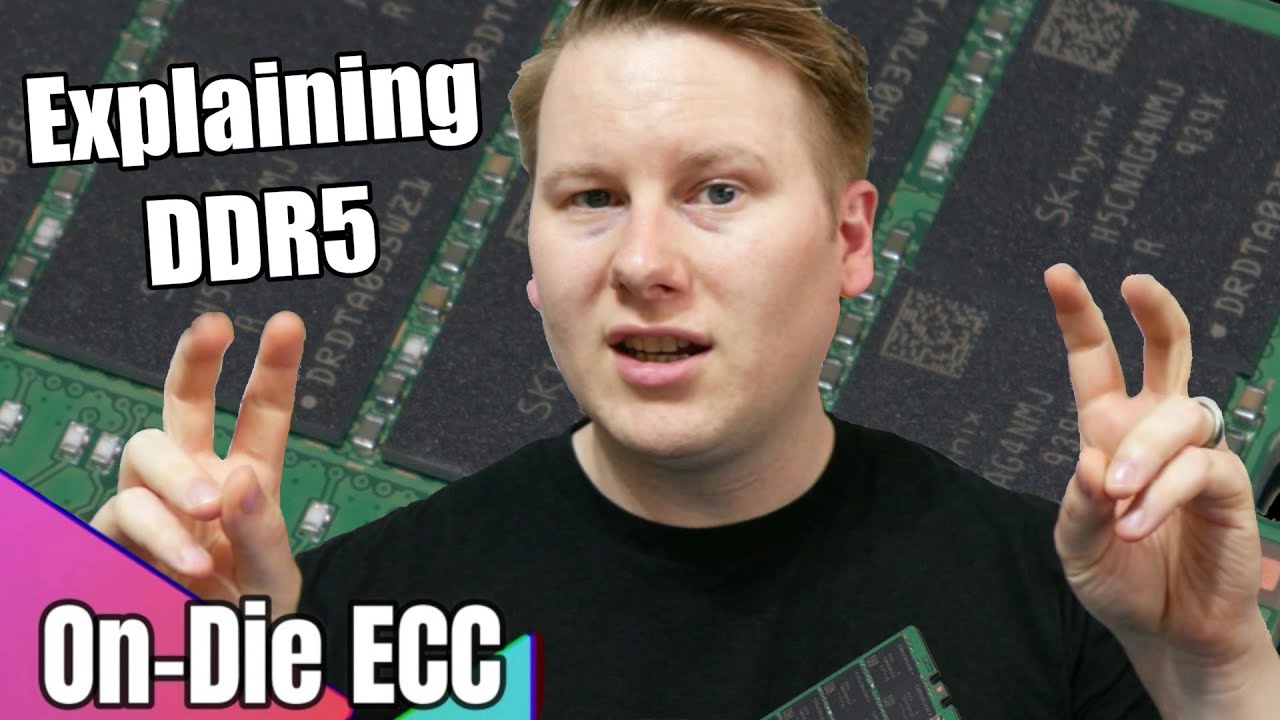
DDR5, when it was announced, had a new feature called 'On-Die ECC'. Too many of the press, and even the DRAM company marketing materials misunderstood this important technology. It is not traditional ECC, and in fact won't do much if you really need an ECC system. Here's what it really does.
0:00 On-Die ECC
0:17 What is ECC
0:38 Memory Does t...
celest anchor
There will be DDR5 dimms with an 80bit bus for ECC, just like 72bit bus for DDR4 ecc
80bit bus due to two 40bit channels, with 8 bits each for ecc
So technically the real high end ddr4 has 288GB of ram, but only 256GB is usable due to 32GB being for ECC
hollow thorn
Wonder if jedec will ever make just higher performance standards so we can have ecc sticks at better frequency and latency :p
celest anchor
well there used to be nice jedec standards
if ddr4 ones were as tight as ddr3 we'd have 3200 16-16-16 jedec
hollow thorn
What happened?
hollow thorn
Beyond just what's necessary?
celest anchor
jedec went 400 2.5-3-3 -> 800 4-4-4 -> 1600 8-8-8 -> 3200 20-20-20 -> 6400 46-46-46
For the tightest spec with clocks doubling
hollow thorn
Ick
Wonder if it'll become the norm for people to just oc ecc memory for hedt platforms
celest anchor
probably not
though some servers already do hire people to overclock stuff
which is neat
since the ddr4 spec for voltage is 1.14v ~ 1.26v, ddr4 has to work at jedec at 1.14v, so some servers undervolt to that
hollow thorn
Hm
Haven't really looked at any of the ddr5 standards, is it going to be using lower voltage specs than ddr4?
celest anchor
1.1v
grizzled bloom
Jedec is 1.1v yeah, but XMP will be higher as usual

 celest anchor
that's from the datasheet
grizzled bloom
They're already working on DDR6, no official specs from jedec yet but expected launch is around 3-4 years from now
celest anchor
further away then that
devout mothBOT
 topsen#7664 has been warned
Reason: Bad word usage
topsen#7664 has been kicked
Reason: Too many infractions
 dim cloak
F
 fading mauve
oh
what board will be good
i am not sure if i can take out the cpu heatsink from the dell
??
elfin warren
IDK about the Dell, don't see why you couldn't take the heatsink out. If you're asking if it will work on a different motherboard, have to see pics
fading mauve
or i will get one with the heatsink
i think they have the intel heatsinks on the boards
elfin warren
If you buy a new motherboard it won't come with a cooler. Coolers come with new CPU's
New as in, in the box new
fading mauve
this is the only new one i can find i can do a price offer

how much should i offer
i can offer $80 i hope i have enough stand off screws
 ionic hamlet
I swear, the prices you're hitting... maybe you should seriously think about buying something newer.
fading mauve
like what model @ionic hamlet
elfin warren
Could get an entire 4770K machine with 16 GB of ram and an ssd for $279 https://smile.amazon.com/Dell-Optiplex-9020-Certified-Refurbished/dp/B076X6QRTD
Amazon.com: DELL Optiplex 9020 Small Form Business Desktop Tower PC (Intel Quad Core i7 4770, 16GB Ram, 240GB Brand New SSD, WIFI, Dual Monitor Support HDMI plus VGA, DVD-RW, WIFI) Win 10 Pro (Renewed)']: Computers & Accessories
Could proably even do better in the local market
fading mauve
i am done with business computer
elfin warren
You're still investing into really old tech tho, it's not really an upgrade per se.
ionic hamlet
An Intel 4000 series is just ancient at this point. There's used hardware that's better than that.
fading mauve
oh
 vernal apex
10850k or 5900x? Friend said he didnt have a budget originally was looking at 5950x. They are looking for a gaming/streaming system already has a 3070-Ti coming.
Micro Center is ~20 minute drive meaning I can easily get a 10850k for $300 plus tax which compared to the $600+ for the 5900x I can't see that being worth an extra $300 for 2c4t maybe something I'm not thinking of.
vast meadow
Well the cores a lot faster
vernal apex
Well even 10900k either or
vast meadow
10900k waste of money
elfin warren
Can't beat the 5900x for single core gaming speeds but IMO it's not worth an extra $300. There's about a 20% speed difference in single and multicore
vast meadow
10850k is like 10900k -100mhz
elfin warren
5800x probs
MSRP $449, sometimes on sale
Just get a good cooler for the 10850K, preferably an AIO. They're hot
vernal apex
Yea likely. But definitely the 10850k is a better buy for half the price.
elfin warren
It is
vast meadow
Yeah 10850k way better value imo
vernal apex
Extra money can be spent for a board with great overclocking capabilities and a nice 360mm aio or something
vast meadow
Ehh no point after a certain extent
Unless you wanna try ln2 oc
10900k would be desired then
vernal apex
Gotcha. Thats what I thought between 10850k and 5900x good to get second opinions though.
Didnt think $300 was getting much more than 2c4t and slightly faster speeds on them.
burnt spear
elfin warren
5800x probs
Check out r/hardwareswap I've seen some go for 350$ on there before
And they go for 400$ basically daily, just make sure you follow the sub rules to prevent scams
vernal apex
I've used r/hws in the past idealy just going to go to MC but who knows.
 naive pendant
I am having Dell Inspiron 15 5558 laptop and planning to change my HDD to ssd, I want to know whether SAMSUNG 870 EVO Series 2.5" 500GB SATA III V-NAND Internal Solid State Drive (SSD) MZ-77E500B/AM will fit or not
devout mothBOT
 AntiGrated#7965 has been warned
Reason: Bad word usage
AntiGrated#7965 has been kicked
Reason: Too many infractions
 cursive epoch
naive pendant
I am having Dell Inspiron 15 5558 laptop and planning to change my HDD to ssd, I...
cursive epoch
naive pendant
I am having Dell Inspiron 15 5558 laptop and planning to change my HDD to ssd, I...
It'll fit right in
Wait lemme check
Yep, should fit
Also don't need to get samsung
WD blue or crucial mx500 are cheaper
 remote grove
I'm trying to upgrade my RAM on my DDR3 machine but I don't know much about compatibility. IT says that I have 16GB with two of these...

So would this be a good match?

 halcyon relic
Think you need a new motherboard
Nvm that is still ddr3
As long as it’s ddr3 you should be fine
Check your motherboard manual to see how much it can use
 hollow coral
I was wondering if someone could help figure out if the ram im looking into buying is compatible with the motherboard I have
halcyon relic
hollow coral
I was wondering if someone could help figure out if the ram im looking into buyi...
What is it
Most motherboards specify what architecture it supports (ddr3 vs ddr4)
And will also specify the maximum GB it supports
remote grove
halcyon relic
Check your motherboard manual to see how much it can use
I can't believe I forgot to just check the motherboard spec sheet! Thanks for that, it can support 32GB so it's time to spend so more money on this old box!
halcyon relic
remote grove
I can't believe I forgot to just check the motherboard spec sheet! Thanks for th...
np 😛
vernal cosmos
remote grove
I can't believe I forgot to just check the motherboard spec sheet! Thanks for th...
I would go with faster ram over more ram after 16GB
16 is more than enough for any game
more perf from faster ram than more ram at that point
remote grove
I'll worry about that on my next build. 😉
cursive epoch
It doesn't really matter for ddr3 tho
 carmine pasture
One message removed from a suspended account.
One message removed from a suspended account.
carmine pasture
One message removed from a suspended account.
One message removed from a suspended account.
elfin warren
Well
There's a ton of those
Go to the motherboard manufacturers website and get from there
vast meadow
elfin warren
Go to the motherboard manufacturers website and get from there
Do they not have an auto thingy?
elfin warren
Realtek? Not from what I've seen
vast meadow
Ahh shame
vast meadow
Stoopid realtek
vernal cosmos
My sister had a laptop with realtek wifi
It was so bad that I spent my own money and got an intel one because I couldnt stand it when I used it a few times a month
vast meadow
Oof
vernal cosmos
I upgraded her entire laptop soon after but besides the point
vast meadow
Lol
 cyan raft
How big of a difference is it between the 5800x and 5900x?
elfin warren
For...what purpose?
Like, gaming won't notice a difference
Rendering a video will
elfin warren
For CAD it will matter, for Gaming it won't
So it's 50/50 right now lol
The 5900x shows as 30% faster multicore in Cinebench
so might be worth it
And Geekbench
 mild jackal
Lot of cad is pretty single threaded, blender/video stuff will take advantage of it though
mild jackal
Fusion360 is notoriously single threaded
cyan raft
Rhino 7 uses multithread
cyan raft
Is the difference between the 2 worth $180?
mild jackal
Need to specify your use case
mild jackal
Catia can definitely use GPU acceleration, depends what you're doing with it
cyan raft
Both which I know take advantage of multiple threads
I know that much that’s why I’m mostly focusing this cpu on Rhino
Y’all think I should get the 5900x?
mild jackal
quick google sounds like rhino 7 generally makes good use of more cores, I say go with the 5900x, 5950x if you can afford it
well, this thread says otherwise https://www.reddit.com/r/rhino/comments/hhwr65/which_computer_specs_to_prioritize/
I mean, really cant' go wrong with a 5900x, both have some of the best single core speed in the market anyway
So you're not trading that for multicore
cyan raft
I think the 5950x is a bit overpriced for what it is
5900x is still reasonable
But also the 5800x is only $380 so it’s tempting
5900x is $550
Actually the extra 4 cores will be helpful
5900x it is thanks
hollow coral
halcyon relic
What is it
I was looking to see if the Corsair Vengeance LPX 16GB (2x8GB) DDR4 DRAM 3200MHz would work om my Odense2-k motherboard
limber dragon
yes it will
limber dragon
sure, ddr5 should be out by then, so you'd get to choose between a big upgrade, or a discounted upgrade
 spring sphinx
limber dragon
sure, ddr5 should be out by then, so you'd get to choose between a big upgrade, ...
spring sphinx
limber dragon
sure, ddr5 should be out by then, so you'd get to choose between a big upgrade, ...
what abt prime day
limber dragon
what about it?
hollow thorn
Am5 isn't coming for another few months
naive pendant
limber dragon
sure, ddr5 should be out by then, so you'd get to choose between a big upgrade, ...
DDR5 is gonna have a big learning curve in terms of performance
probably shouldn't adopt it really early unless you need an powerful iGPU for whatever reason
cursive epoch
^
celest anchor
naive pendant
DDR5 is gonna have a big learning curve in terms of performance
learning curve? 
celest anchor
hollow thorn
Am5 isn't coming for another few months
more then that, won't be till next year
vast meadow
celest anchor
learning curve? <:thinkies:807875039100928010>
Well it's not gonna start out much faster than ddr4 atm, just like ddr4 started at 2133
celest anchor
it will
DDR4 is basically DDR3+
DDR5 isn't just basically DDR4+
It's a big step foward
cursive epoch
uh