#cpus-mobo-and-memory
1 messages · Page 189 of 1
 gentle acorn
Is it worth 4th gen PCIe to go 11th gen Intel or should I stick with going with a i9-10850k?
 naive pendant
Is there benchmarks and reviews on 11th gen intel already?
gentle acorn
No idea
 elfin warren
No real benchies yet
gentle acorn
Alright
elfin warren
Honestly, the only reason to PCI-E gen 4 is for drives and those are so overpriced it's not funny
FOr GPU's it doesn't matter
gentle acorn
Alright
I’ll stick with the 10850k then
$400 for the i7 when I can get the 10850k for $320….
elfin warren
Heckuva deal
gentle acorn
Yeah
naive pendant
Btw it seems 3200 mhz cl18 is rare in Canada lol. Its out of stock everywhere
I might go for 3200 mhz cl16
elfin warren
Oh, that's good too
naive pendant
Yeah might go for that. Cuz 3600mhz cl16 is $50 more 🥸
elfin warren
3600 18
naive pendant
Thank you
 worthy dome
naive pendant
Btw it seems 3200 mhz cl18 is rare in Canada lol. Its out of stock everywhere
worthy dome
naive pendant
Btw it seems 3200 mhz cl18 is rare in Canada lol. Its out of stock everywhere
you can always get 3200 c16 and oc it to 3600 c16
elfin warren
Maybe, depends on what chips are on it
 woeful sail
best cpu for rtx 3070?
elfin warren
5600x, 10400F, etc. All be fine
woeful sail
cool ty 
elfin warren
Even a 3600 would be fine
elfin warren
No,
 vast meadow
5800x is just not great value wise but still good
elfin warren
Yea, $150 for two more cores, then 5900x for another $100 for 2 cores
Not terrible but not bad
Intel 10850K seems to be the sweet spot now with sales
 limber dragon
10900kf if there's a mc close to you
woeful sail
at mc?
elfin warren

Micro Center
Get it now! Find over 30,000 products at your local Micro Center, including the Core i9-10900KF Comet Lake 3.7GHz Ten-Core LGA 1200 Boxed Processor
O.o
woeful sail
sheesh
elfin warren
Too bad nearest MC is like, 20 hours from me XD
woeful sail
Same here
naive pendant
worthy dome
you can always get 3200 c16 and oc it to 3600 c16
Im not experienced in overclocking Ram. 😬. I’ll have to do my research.
worthy dome
naive pendant
Im not experienced in overclocking Ram. 😬. I’ll have to do my research.
you can just watch a YouTube video, its fairly easy
 warped scroll
Does anyone know how to set my PCIe speed from 4.0 to 3.0 in my B550 Taichi’s BIOS? I looked it up and still can’t find it
gentle acorn
Closest microcenter to me is an hour lol
limber dragon
worthy dome
you can always get 3200 c16 and oc it to 3600 c16
quite a few ICs in the 3200c16 kits will never be able to do 3600c16. C-die nope (most common 3200c16), AFR nope (second most common 3200c16)
 full flame
elfin warren
No real benchies yet
full flame
elfin warren
No real benchies yet
Well except for this one: https://www.anandtech.com/show/16535/intel-core-i7-11700k-review-blasting-off-with-rocket-lake
Since some places are already selling 11th gen chips there are some legit reviews, just not the full set of reviews one would want
 elfin warren
The one where they had ram speeds screwed up lol?
full flame
Did they? I hadn't heard about that
elfin warren
lemme see if I can find the info
full flame
Sounds good. It's certainly best to look at several reviews in case there's something funky with a few. That's the danger of looking at an early review like this
elfin warren
GN reviewed it also but very minimally
full flame
Yeah, I remember seeing that but can't remember their conclusions
 grizzled bloom
There was something on GN I think about gear 1 mode vs gear 2
elfin warren
Yeah
full flame
Yeah, this: https://www.youtube.com/watch?v=AgFlB0HG_84
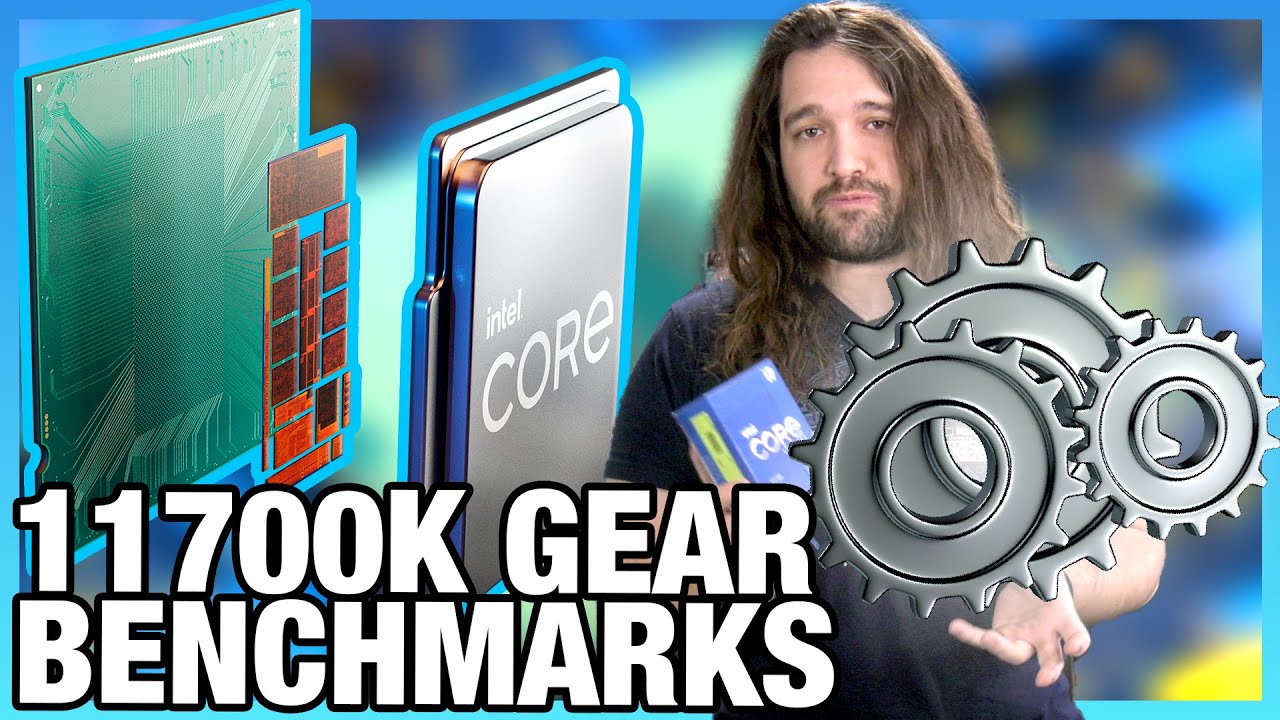
Intel's Core i7-11700K CPU has been in our hands for over a week now, but we focused our initial CPU benchmarks on Intel's new memory Gear 1 & Gear 2 modes.
Sponsor: Buy Corsair's 5000D Airflow Case on Amazon (https://geni.us/cnVP60)
Intel's Core i7-11700K CPU technically gets announced later today, but we bought one at retail with the help of ...
It's not a full review though
grizzled bloom
They're not really doing full reviews until the BIOS are updated more, should be within the week for their preview board versions
grizzled bloom
They were expecting at least one more though
limber dragon
GN also messed up with that video imo, you can run 2:1 on intel and only have slightly worse latency, while on amd you're limited to the IF's bandwidth
AMD: 1:1 is always best
Intel: 2:1 will most likely be better
elfin warren
Didn't he bench it both ways tho?
limber dragon
afaik he benched the same memory frequency for 1:1 and 2:1
which you'd never run 2:1 if you can 1:1 at low memory speeds
elfin warren
I get what you're saying. I also think they're minimizing testing due to NDA even though that's a retail CPU
limber dragon
or they just dont understand that intel's on a dual ringbus for it, and gear 1 vs gear 2 is synced vs unsynced rings
synced rings cant handle high memory speeds and ranks
warped scroll
elfin warren
Advanced - Onboard Accessories - PCIE Redriver
if you mean "onboard devices confirguration" (I don't have onboard accessories) its not there
elfin warren
PCIE REdrive isn't listed there?
warped scroll
nope
elfin warren
Hmmm, should still be somewhere in there tho
warped scroll
I see nothing about PCIe
In a different section I saw one that said "PCIe configuration" or something but it only let me select x16, x8x8, x4x4x4x4, etc
warped scroll
yeah
warped scroll
 warped scroll
am I dumb
elfin warren
NO, this board BIOS is dumb
warped scroll
factual
elfin warren
What BIOS you on?
warped scroll
how do I tell?
grizzled bloom
This is why I don't like Asrock, this right here exactly. Unintuitive doesn't begin to describe this BIOS.
elfin warren
Yeah, I had one of their boards. One.
warped scroll
usually their BIOS's are fine for me, but idk ive never gone farther than XMP
P1.10
elfin warren
IDK
warped scroll

warped scroll
what does that mean 
warped scroll
alright gotchu
elfin warren
I did find a DL for a BIOS form Asrock support
That enables it but that was a long time ago
Should be added by now
warped scroll
alright im gonna need a reminder of how to update bios
I dont wanna try BIOS flashback again cause that scary
lemme watch video
elfin warren
Exctract that DL
Take ROM file out, put on thumbe drive
Go to BIOS, Tools, Instant Flash
warped scroll
root?
warped scroll
yeah
elfin warren
If that doesn't work, there's a custom version in this Reddit thread but it's older https://www.reddit.com/r/ASRock/comments/jz6w3k/asrock_b550_phantom_gaming_itx_cant_set_pcie_speed/
reddit
2 votes and 9 comments so far on Reddit
warped scroll
this look correct?

 elfin warren
Ye Ye
warped scroll
set it to gen 3 then?
elfin warren
Riser Card I presume?
warped scroll
indeed
warped scroll
lol so save and exit and "do the riser card thing" i.e. install it?
elfin warren
Save and exit
Boot to Windows
to make sure it works
then shut down and install riser card
warped scroll
oh i see
im actually having windows install troubles on this machine anyways so hopefully the update fixed that 
elfin warren
Hmmmm, k lol
warped scroll
it actually did work lmao
naive pendant
Hey. If I plan to OC my Ryzen 3600. Am I fine with a cheaper Air Cooler? Like perhaps Hyper 212?
 pale mist
The 212 is interesting
When it was introduced it was top dog in the core 2 era
And then sustained many mnay years
And while I like the black and RGB hyper
Its just from a bygone era, not really good at anything now
 nimble spindle
Hello
Can I change the i5 processor to the i7 processor later in ABS devices?
I mean abs master gaming pc
 glossy dust
nimble spindle
Can I change the i5 processor to the i7 processor later in ABS devices?
glossy dust
nimble spindle
Can I change the i5 processor to the i7 processor later in ABS devices?
idk if it uses oem board but if same socket and generation, it'll fit and work
 eager shore
oh they left bruh
vast meadow
glossy dust
idk if it uses oem board but if same socket and generation, it'll fit and work
Yeah and as long as it ain't like a h series mobo 🤮
glossy dust
vast meadow
Yeah and as long as it ain't like a h series mobo 🤮
i'm disgusted to that emoji

vast meadow
Lol same but didn't realise i had access to this emoji 
 summer marsh
what mobo and memory should i get with 1070ti i5 10400f 16ram?
i know there is b560 but i cant find it
https://www.amazon.de/-/en/ASRock-B560-PRO4-4DDR4-LGA1200/dp/B08VH3DX2N/ i found this but is it overpriced?
glossy dust
summer marsh
i know there is b560 but i cant find it
on april most b550 and z590 will be available
glossy dust
summer marsh
https://www.amazon.de/-/en/ASRock-B560-PRO4-4DDR4-LGA1200/dp/B08VH3DX2N/ i found...
it's fine. I expect B560 to have the same pricing as B550s
summer marsh
yes i only can buy from .de since delivery is max 20 euros
 grim hornet
32gb 3600 latency 18 or 16gb 3600 latency 16
summer marsh
@elfin warren i have a question can u give me a m2 memory for around 60$ish
on amazon.de
glossy dust
summer marsh
<@!618616722840223754> i have a question can u give me a m2 memory for around 60...
what capacity?
summer marsh
500gb
it can be bigger idk
but i dont want the samsung i know its fast and powerful but i have limited budget
since i cant find a b560 mobo at a good price
glossy dust
summer marsh
since i cant find a b560 mobo at a good price
no you just won't find any b560 yet
the processors for it is still not out
grim hornet
Which mobo would match perfectly with the 3070/i9 10850k? (No special properties needed)
summer marsh
glossy dust
wd black sn750
is it good with 1070ti and i5 f?
glossy dust
grim hornet
Which mobo would match perfectly with the 3070/i9 10850k? (No special properties...
any Z490/Z590 boards there that's at least $200
glossy dust
summer marsh
is it good with 1070ti and i5 f?
cpu and gpu doesn't concern storage compatibility
summer marsh
glossy dust
cpu and gpu doesn't concern storage compatibility
oh
glossy dust
no
grim hornet
glossy dust
any Z490/Z590 boards there that's at least $200
There is nothing cheaper than that?
glossy dust
grim hornet
There is nothing cheaper than that?
you won't like to have a cheap Z board
 void jolt
glossy dust
any Z490/Z590 boards there that's at least $200
void jolt
glossy dust
any Z490/Z590 boards there that's at least $200
At least?
That’s a falsehood
glossy dust
void jolt
At least?
prolly coz i don't see z boards quiet often
void jolt
Do a lil bit more research please
grim hornet
glossy dust
you won't like to have a cheap Z board
What about the msi one ?
glossy dust
ye i'm doing it rn lol
grim hornet
Msi mpg z490 atx
glossy dust
ye
void jolt
How expensive is the MPG Z590?
glossy dust
gaming edge?
glossy dust
grim hornet
Msi mpg z490 atx
specify lil bit more?
grim hornet
void jolt
^
grim hornet
I dont need any special properties
void jolt
For a 10850k, all you really want is something that can overclock decently
And something that won’t burn up when you try to do so
glossy dust
do you only need the cores and speeds of 10850k?
grim hornet
I never overclocked, i dont think that i would do that in the future
glossy dust
u already have 10850k?
grim hornet
Not yet
void jolt
If you are getting a 10850k, I would still go with a higher end board
vast meadow
^
 vernal apex
glossy dust
do you only need the cores and speeds of 10850k?
vernal apex
glossy dust
do you only need the cores and speeds of 10850k?
He was going to be Gaming/Streaming as well as doing some Video/Photo editing.
glossy dust
ok so he just need its cores ig
look for the reviews for that msi meg z490 gaming plus
hard to opt on cheaping out the board while having 10850k
coz as i can see the "cheaper" z490 options could prob be for 10600k and 10700k that works kinda less than the 10850k
glossy dust
Boards to consider include: MSI Z490 Tomahawk and Z490 Gaming Edge Wifi, Gigabyte Z490 Aorus Elite, Asus TUF Gaming Z490 Plus. All should be sufficient for the 10850K, even with an overclock, it's just a matter of what features/ports you want and what manufacturer's BIOS you find most agreeable.
z490 gaming edge wifi imo
shouldn't be too cheap if overclocking isn't necessary
grim hornet
Alright, i will have a look on them
 rocky forge
 vast meadow
Depending on which processor they got, the 5600x and 5800x are available from amd directly last time i checked
 ashen thorn
I got my 5600x from B&H photo 2 weeks ago.
 wary gulch
Hey everyone. Can i get some opinions on a 5800X vs a 3900X? I currently have a 2700X on a B450 and thinking about upgrading to X570 but weighing price to performance on CPUs
 hollow thorn
Well, what will it be used for?
wary gulch
I mostly just edit in 4K and play like Cold War Zombies/Multiplayer
I use DaVinci Resolve for editing.
I multitask a lot though when managing website and editing videos for friends of mine. Not sure if that changes opinion. Plan to upgrade to at least a 3070 as well, currently running 1660 Super
vast meadow
wary gulch
Hey everyone. Can i get some opinions on a 5800X vs a 3900X? I currently have a ...
Imo 5800x is bad pricing, if you're editing the 5900x would be a better choice (and it's better value)
eager shore
yee if the 3900x and 5800x are at the same price wherever you're buying, buy the 3900x if you need/want the extra cores, and 5800x if you want more game fps
 harsh night
what is the i7 8086k?
elfin warren
40th anniversary CPU that was kinda meh
harsh night
elfin warren
40th anniversary CPU that was kinda meh
wdym 40th anniversary
were there other 40th anniversary cpus?
elfin warren
40th anniversary of the 8086 CPU
 main pulsar
harsh night
main pulsar
harsh night
should you go 9600k or 10400f id they are the same price?
harsh night
vast meadow
9600k doesn't have hyperthreading
im talking about just gaming, and if we were going to oc the 9600k to the max speed we can get
vast meadow
harsh night
im talking about just gaming, and if we were going to oc the 9600k to the max sp...
Hyperthreading is still better and the 10400f will have a instructions per clock increase over the 9600k
harsh night
vast meadow
Hyperthreading is still better and the 10400f will have a instructions per clock...
what if we got the 9600k to 5ghz?
vast meadow
Also gl getting a 9th gen mobo that's cheaper than b460
harsh night
vast meadow
Also gl getting a 9th gen mobo that's cheaper than b460
well i would get b560 but ok
vast meadow
harsh night
what if we got the 9600k to 5ghz?
You'd need a z motherboard to overclock
vast meadow
harsh night
well i would get b560 but ok
Well yes but they're not fully out yet
harsh night
vast meadow
You'd need a z motherboard to overclock

eBay
You may also be interested in. We do believe those are the worthy approaches to shape STARLIT PARTNER your most trusted source of computer products. City of Industry, CA 91748. 901 Canada Court.
also that
150 for that mobo aint bad
vast meadow
I mean you can get z490 boards for that price
harsh night
vast meadow
I mean you can get z490 boards for that price
no?
vast meadow
harsh night
no?
Yeah you can
harsh night
idc about that'
vast meadow
And it's also not from ebay
vast meadow
Still hyper threading would make a diff
And to get to 5ghz you'd need a beefy cooler
harsh night
im watching a vid
vast meadow
You'd be better off getting a 10400f and a id cooling 224 xt or something imo
vast meadow
10400 has more l3 cache hyperthreading and runs cooler
vast meadow
The extra you're going to spend cooling the 9600k you'd be able to get a 10600 for lol
harsh night
vast meadow
The extra you're going to spend cooling the 9600k you'd be able to get a 10600 f...
i dont need to oc to get better performance
so ill just use my u12s and be on my way
thanks though!
harsh night
vast meadow
Ohh didn't realise you had a u12s already
my friend is getting a arctic 240mm and is selling his u12s for 50 to me
vast meadow
The u12s redux literally retails for 50 but i mean ¯_(ツ)_/¯
 glossy gate
is it worth it to get a z590 asrock over this? its 10 bucks less. -https://www.google.com/aclk?sa=l&ai=DChcSEwj71MPY4cTvAhWTvsgKHWdLB1MYABAEGgJxdQ&ae=2&sig=AOD64_26nAo9y2NkOMMGnggxJe2JRWmZCA&ctype=5&q=&ved=2ahUKEwi86rnY4cTvAhWVGVkFHZjEDSQQww96BAgDEF8&adurl=
glossy gate
harsh night
my friend is getting a arctic 240mm and is selling his u12s for 50 to me
thats good for overclocking right
 hardy moon
harsh night
my friend is getting a arctic 240mm and is selling his u12s for 50 to me
hardy moon
harsh night
my friend is getting a arctic 240mm and is selling his u12s for 50 to me
Why would you get u12s when you can use id cooling se xxt
glossy gate
vast meadow
And to get to 5ghz you'd need a beefy cooler
is a 280mm Arctic lf2 good to oc a 10600k to 5ghz?
harsh night
cuz i can get one for 50
vast meadow
harsh night
no?
https://www.amazon.com/dp/B07Y88BNYZ?tag=pcpapi-20&linkCode=ogi&th=1&psc=1
The redux, and the u12s and the se 224 is same as but cheaper
vast meadow
Dropped phone and accidentally hit enter mid sentence
glossy gate
patokav
hardy moon
harsh night
?
The id cooling one for 30 bucks is cheaper than the noctua
vast meadow
glossy gate
is a 280mm Arctic lf2 good to oc a 10600k to 5ghz?
Yeah, imo overkill, a decent air cooler would do fine but if you want asthetic
harsh night
hardy moon
The id cooling one for 30 bucks is cheaper than the noctua
i got someone who will give it to me for 40 (i said 50 he said he go lower)
glossy gate
vast meadow
Yeah, imo overkill, a decent air cooler would do fine but if you want asthetic
would you mind suggesting one? that could help me spend more on parts
hardy moon
glossy gate
is a 280mm Arctic lf2 good to oc a 10600k to 5ghz?
It’s a pretty decent cooler, could probably get 5.1 on 2 cores I would guess
vast meadow
harsh night
i got someone who will give it to me for 40 (i said 50 he said he go lower)
glossy gate
lol i need to research what that means
harsh night
glossy gate
would you mind suggesting one? that could help me spend more on parts
scythe fuma 2
glossy gate
for gaming is it better for a few cores to oc or all or one
vast meadow
glossy gate
would you mind suggesting one? that could help me spend more on parts
An id cooling se 224 xt
harsh night
vast meadow
https://www.amazon.com/Noctua-NH-U12S-Performance-Cooler-redux-1700/dp/B08WPDD6G...
yeah someone would sell me the black one for 40
glossy gate
vast meadow
An id cooling se 224 xt
which one is better than the two @harsh night
vast meadow
glossy gate
for gaming is it better for a few cores to oc or all or one
All cores to stable frequency
glossy gate
ok
harsh night
glossy gate
which one is better than the two <@!759563886646001756>
scythe fuma 2 is better performance
glossy gate
what would that be
hardy moon
The scythe is better but not by much
vast meadow
harsh night
scythe fuma 2 is better performance
Yeah but se 224 xt is better value and 10600k is only 65w chip
hardy moon
10600k would do fine with the se 244 rx
vast meadow
And it's not worth an extra 20
hardy moon
vast meadow
And it's not worth an extra 20
30 actually
harsh night
vast meadow
Yeah but se 224 xt is better value and 10600k is only 65w chip
true but the se 224 wont get the 10600k to 5ghz
hardy moon
harsh night
true but the se 224 wont get the 10600k to 5ghz
I bet it would
vast meadow
hardy moon
30 actually
Scythe is 60?
hardy moon
vast meadow
Scythe is 60?
Yeah
glossy gate
i would pay that for it
vast meadow
harsh night
true but the se 224 wont get the 10600k to 5ghz
If the 224 wont the scythe will only drop by a few degrees
glossy gate
what ab the cooler master aio? its like 80
harsh night
hardy moon
I bet it would
not all core
hardy moon
I wouldn’t go for it
glossy gate
ok
vast meadow
glossy gate
i would pay that for it
Id cooling se 224 xt is only 30, basically same perf as scythe
glossy gate
ok
hardy moon
glossy gate
ok
I have an 240mm aio on my 10600k and I couldn’t get 5 ghz without super high temps
glossy gate
rlly?
harsh night
vast meadow
Id cooling se 224 xt is only 30, basically same perf as scythe
how can a single tower 4 heatpipe cooler be the same performance as a dual tower 6 heat pip cooler
glossy gate
hardy moon
I have an 240mm aio on my 10600k and I couldn’t get 5 ghz without super high tem...
what aio tho
glossy gate
o
lol
but could the scythe do better?
is it even worth the oc
for games like cod and r6s and valorant
hardy moon
glossy gate
but could the scythe do better?
Scythe could do a couple of degrees better than the is cooling but with id cooling you have better ram clearance and such
glossy gate
im getting corsair ballistix ram
vast meadow
glossy gate
for games like cod and r6s and valorant
A small bit but not thar much
glossy gate
glossy gate
is it worth it to get a z590 asrock over this? its 10 bucks less. -https://www.g...
can someone answer
glossy gate
vast meadow
A small bit but not thar much
ok but a 10600k is worth it over the 10400
vast meadow
harsh night
how can a single tower 4 heatpipe cooler be the same performance as a dual tower...
You can add an extra fan to the se 224
hardy moon
glossy gate
ok but a 10600k is worth it over the 10400
Well depends
vast meadow
glossy gate
ok but a 10600k is worth it over the 10400
If you don't already have, imo no
glossy gate
o
harsh night
vast meadow
You can add an extra fan to the se 224
im still getting the u12s for 40
vast meadow
Well depends how tight your budget is
vast meadow
harsh night
im still getting the u12s for 40
Fair but for airfrosty i was talking to
harsh night
vast meadow
Fair but for airfrosty i was talking to
ok
vast meadow
glossy gate
still torn here
Send a pc part picker list and we will see
glossy gate
k
harsh night
how does the u12a perform so well?
are you sure that a 280mm aio will fit in that case
hardy moon
@glossy gate i think this would be better https://pcpartpicker.com/list/9sHhLP
glossy gate
k
hardy moon
More storage
glossy gate
that memory is cl16:(
hardy moon
You wouldn’t think it, but 500gb ssd gets filled pretty fast
hardy moon
glossy gate
that memory is cl16:(
Better than 3000 cl15
glossy gate
tru
hardy moon
3200 cl16 is pretty good spot for intel rn
 split copper
Just do decent groundskeeping
 glossy gate
yup
vast meadow
glossy gate
here-https://pcpartpicker.com/list/mv8YYg
https://t.co/oYT4EczlRs the i7 10700 is 40$ more if you can afford it
 icy field
or a kf which is like $50 more
glossy gate
im good with the 10600kf but thx
glossy gate
vast meadow
https://t.co/oYT4EczlRs the i7 10700 is 40$ more if you can afford it
is it better performance than the 10600k?
vast meadow
well yes but youre not gonna save much
glossy gate
theres a b560 that i had in mind with my 10400 for 110
i tweaked it a bit
changed the storage to fit my needs and the case
vast meadow
well 10400 would be a slight downgrade but whats your budget for your pc?
glossy gate
is the id cooling one reccomended to me ok for the 10700?
vast meadow
yeah the id cooling se 224 should handle the 10700 just fine
glossy gate
k
fanks
and this willl be fine-https://pcpartpicker.com/product/QzYmP6/asrock-b560-pro4-atx-lga1200-motherboard-b560-pro4
vast meadow
can you send the whole list?
glossy gate
yes
it ok?
my budget is like 1050
max 1100 but would like to stay under
ping me when u answer please
vast meadow
glossy gate
https://pcpartpicker.com/list/Lzk6gt
It looks alright yeah why did you put 300 for peripherals tho?
vast meadow
Ahh fair
Yeah i think that's best yours going to get, you already have the gpu im guessing?
glossy gate
yessir
fanks bro
what would a good wattage be for it? no one answered in cases and psu
vast meadow
750 should be g
glossy gate
k
glossy gate
cl15 3000 mhz ram vs 3200 cl16? for a i7 10700 on a b560 board.
elfin warren
3200 is intels sweet spot
 mint geyser
Is the jump from an i5 to an i7 (mobile) worth $150? I found two laptops with 3060s, but one of them is an i5 w/ 8gb ram while the other is an i7 w/ 16 gb ram
 wise forge
would think it depends on what your going to do with it
eager shore
mint geyser
Is the jump from an i5 to an i7 (mobile) worth $150? I found two laptops with 30...
which i5 and i7?
grizzled bloom
Make sure it's not a BGA (soldered in place) CPU, very common for mobile devices
mint geyser
both are 11th gen mobile cpus
mint geyser
grizzled bloom
Make sure it's not a BGA (soldered in place) CPU, very common for mobile devices
im not upgrading cpu, just tryna buy a new laptop
its the msi gf65 vs the asus tuf dash 15
grizzled bloom
Whether it's worth the jump depends on what you're using it for. If just gaming, an i5 is plenty. If you're doing streaming/editing, i7 is worth it.
mint geyser
light gaming/ cad
grizzled bloom
cad will definitely like the extra cores
limber dragon
mint geyser
Is the jump from an i5 to an i7 (mobile) worth $150? I found two laptops with 30...
I'd go for the i7 based off it having double the ram
8gb is really pushing it for modern systems
harsh night
Some people...

 digital kernel
In gaming it probably will
elfin warren
Single core it def will
digital kernel
Because it has higher single core speeds
 digital kernel
Nvidia dropped the tesla branding, it's just called an A100 now
I don't personally own one, I just work with them
harsh night
Oh but it does exist?
digital kernel
Yup
harsh night
Data centee acceleration right
digital kernel
Yup
void jolt
That’s Bob’s job
harsh night
What is data center acceleration
digital kernel
I'm a sysadmin for some small research/education systems
harsh night
And why it need 80gb vram
digital kernel
Because some of the jobs you run in HPC need multiple terabytes of ram, so you need as much as possible on each individual card
harsh night
Is a100 a dual gpu
digital kernel
No, just a single GPU. It has support for MIG though, so you can split it up into up to seven virtual GPUs
void jolt
You know you can look up everything you need to know about the A100, right?
It’s literally on Nvidia’s website
Speaking of, the Tesla GPUs mostly use HMB dont they?
Formerly Tesla*
digital kernel
Some do yeah
void jolt
Not all of them?
harsh night
Whyd the drop Tesla it's kinda a cool name
digital kernel
I think there's a low end one that doesn't, can't remember the model rn
digital kernel
harsh night
Whyd the drop Tesla it's kinda a cool name
Elon probably
 digital kernel
Especially when Tesla is one of their biggest customers?
harsh night
It was a joke but they are?
harsh night
True
harsh night
void jolt
Making their own silicon
Isnt everyone...
void jolt
Same with Amazon, although I think they already did that
digital kernel
Amazon has been using custom CPUs for years now, yeah
void jolt
Years?
void jolt
I thought it was just in the last year that they started using their own silicon for the Alexa devices rather than Nvidia silicon
digital kernel
I don't know about that, I was just thinking about their datacenter stuff
void jolt
Ah
AFAIK they just started using their own CPUs for that
But I haven’t really been keeping up in that area
harsh night
It's funny that AMD website broke on 6700xt launch
harsh night
Yeah buts its AMD they have their own server cpus I just found it funny
digital kernel
void jolt
AFAIK they just started using their own CPUs for that

AWS Graviton (Alpine AL73400) is a 16-core ARMv8 SoC designed by Annapurna Labs for Amazon's own infrastructure. The chip was first unveild by Peter DeSantis during Amazon's AWS re:Invent 2018. These processors are offered as part of Amazon's EC2 A1 instances. The Graviton features 16 Cortex-A72 cores organized as four quad-core clusters, all op...
grizzled bloom
Isn't any first generation product usually crap?
digital kernel
Yup
grizzled bloom
Which is exactly why I won't be upgrading until second gen AM5, if not third, not only a new socket but new RAM and everything. DDR4 was a rough launch. Time to do it all over.
digital kernel
elfin warren
I'm on 3700x for now
grizzled bloom
Oh yeah my last chip was a 2700, night and day difference going to 5800X
elfin warren
I was worried my CPU crapped out but it was just a bad BIOS
grizzled bloom
Lucky it was a fixable issue then
elfin warren
You have no idea
One core was toast, dropping to 1.5 ghz under load any time PBO was on
I thought i nuked it and was getting ready to buy a new CPU
 mild jackal
grizzled bloom
Isn't any first generation product usually crap?
mild jackal
grizzled bloom
Isn't any first generation product usually crap?
eh, core 2 duo, x58/core i7 first gen, first gen ryzen/epyc, all pretty great
pale mist
And the first TR
grizzled bloom
First gen Ryzen was kinda meh, lots of little bugs that made it annoying, especially in the RAM controller and IF
mild jackal
Just had to settle for 3000cl14 or something
Less aggressive if you wanted to run 64GB or something
grizzled bloom
That quad core tho
mild jackal
I'm a huge fan of 2nd gen i5, 2500k
Most chips will do 5 ghz bench, 4.5 ghz daily on air
pale mist
I always forget about anything not either haswell or whatever first gen was
I either go 980x or some haswell xeon
mild jackal
First gen was nehalem, 4th gen was haswell
elfin warren
I had a pair of 4690K's humming along at 4.3 ghz for years
Wife just ditched hers for a 10600K
pale mist
771 pisses me off big time
mild jackal
771 is ~2008 era lol, ~7 years earlier lol
mild jackal
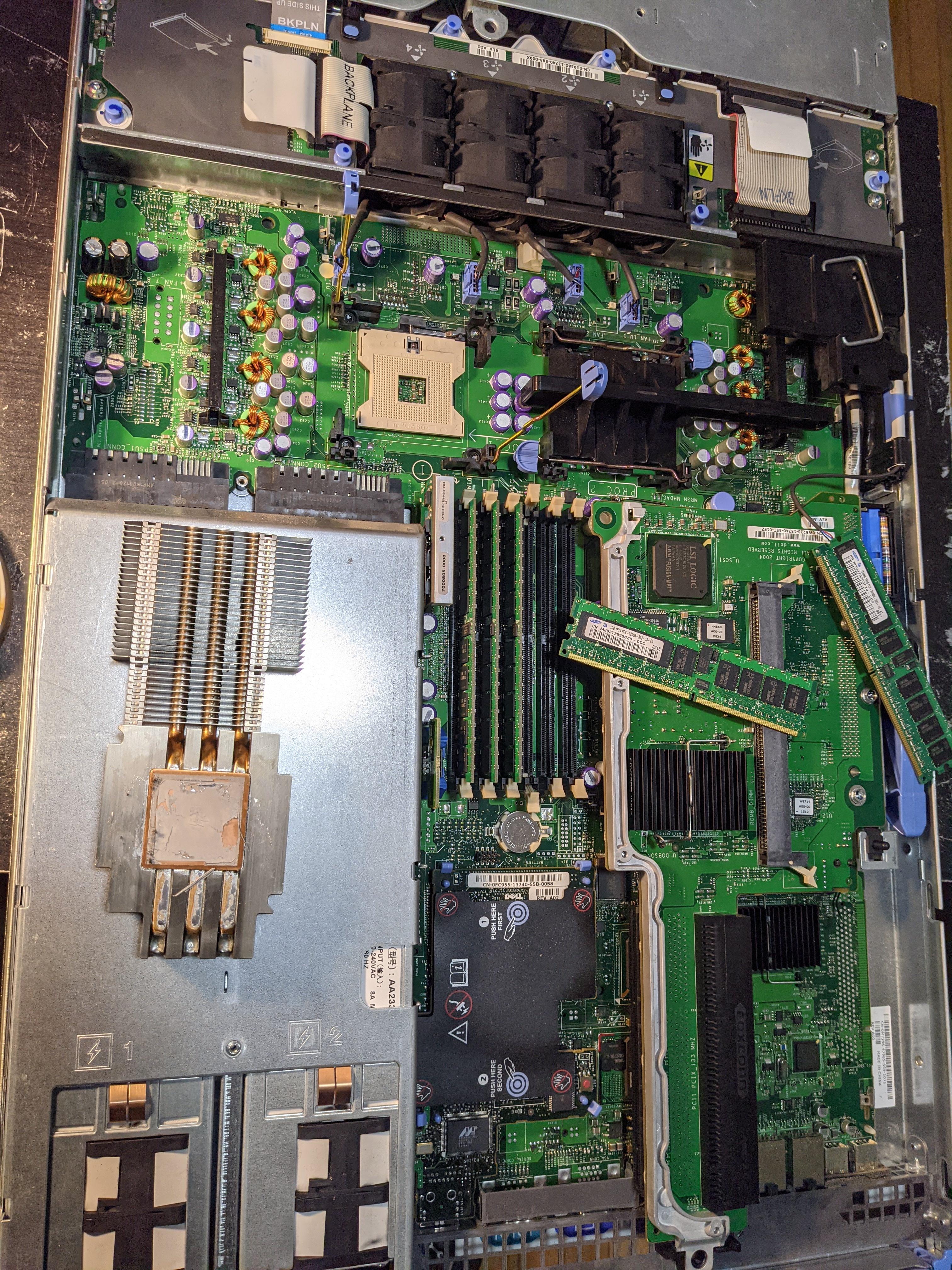
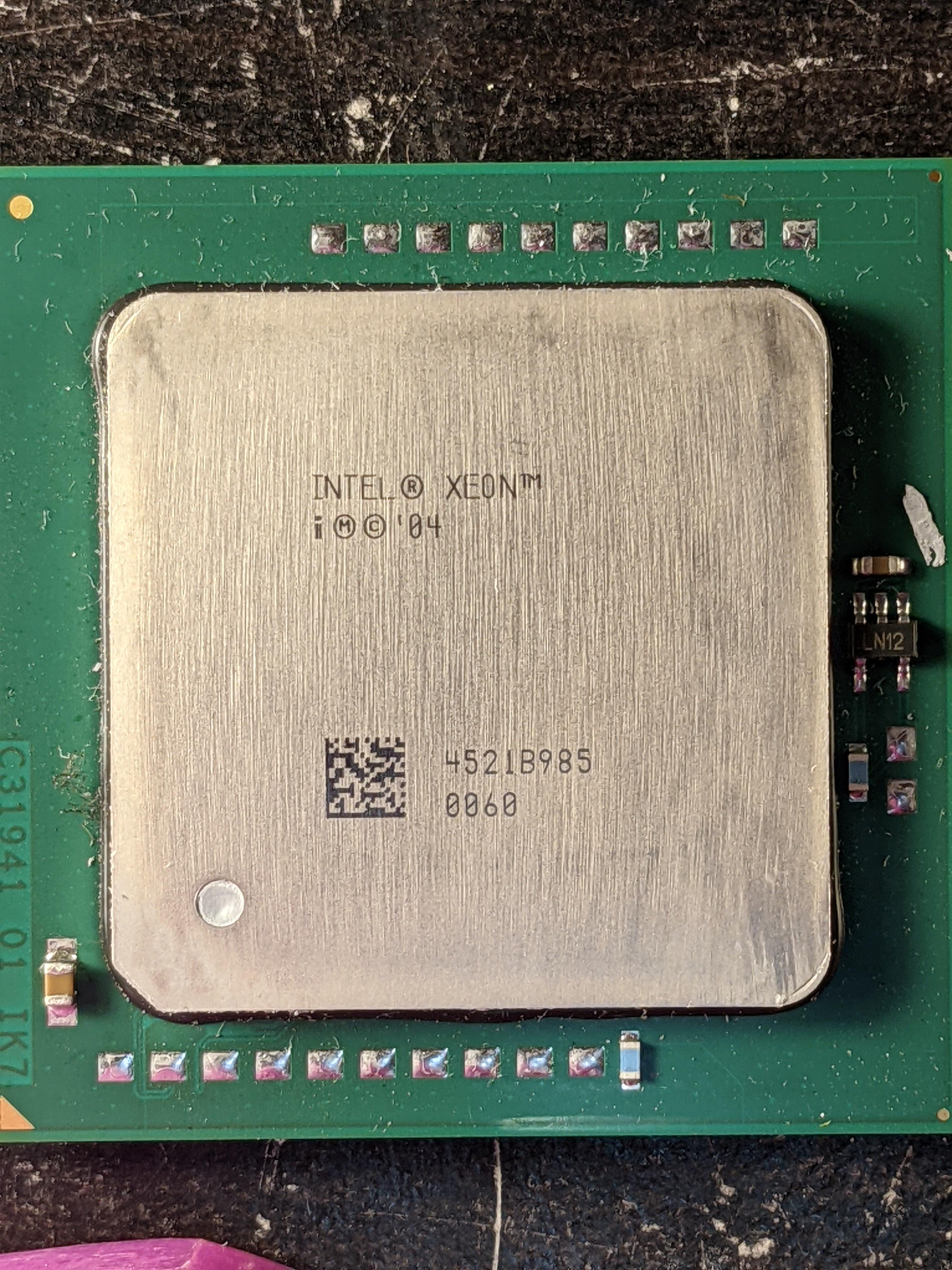
You want to see old? https://i.imgur.com/JoG1eH7.jpg
https://i.imgur.com/JjQPUHS.jpg
 pale mist
Only an 04?
mild jackal
haha, old to me
pale mist
Well its 2 years older then me
But i work w so much old stuff i forget
Got some pent.2 xeons
Mmmm card CPUs
pale mist
Trying to get into it
I wish there was that for GPUs
The amount of stupid old and obscure GPUs taking up clutter
mild jackal
pale mist
Ok just joined
Hopefully that new ROG 775 board I just bought will get some multipliers tuned tonight
 nova hornet

Our review of the Intel Core i7-11700K Rocket Lake CPU has finally arrived. These benchmarks compare the Intel 11700K vs. 10700K, AMD R5 5600X, R7 5800X, R9 5900X, and more.
Sponsor: Get 10% off Squarespace purchases (https://geni.us/BqEpf)
Grab a GN Mouse Mat or Toolkit (LOW ON STOCK!): https://store.gamersnexus.net/
We recently published a ne...
lmao oh no, 11700K gets the "waste of sand" award
grizzled bloom
If some of these early benchmarks are accurate to final performance, the 11700k could be lower performing than the 10700k in certain games
naive pendant
I think I’m just gonna go for a 5900x these 5950 prices are ridiculous
@grizzled bloom whoever thought going the route they did with the 11700k was a great idea, should be fired
Absolutely pathetic.
grizzled bloom
Also the person that said "we can only do 8 cores at this speed" needs to be fired
naive pendant
Intel shows they’re lagging behind. I was expecting some sort of come back but dropped to 8 from 10. Like bro.
grizzled bloom
If by "lagging behind" you mean "completely left in the dust with no idea what direction to go", yes
mild jackal
8 cores already makes an enormous die at the current 14nm process
Larger than the 10900k
grizzled bloom
Exactly the problem. AMD has been innovating while Intel has basically stagnated.

 barren ice
All rams are compatible ryt?
@hollow thorn @grizzled bloom @elfin warren plz tell me I’m ordering
vast meadow
Technically no, as long as your cpu is from the Last few years it's compatible with all ddr4 ram yea
 midnight pollen
And the cpu/mobo support the speeds
vast meadow
Yeah but it can always run at lower speeds
Not ideal but technically it will work lol
 toxic skiff
Anyone have any experience with ShopBLT?
Some people claim to have gotten a good deal on there, but this is the first I'm hearing of it
 zealous storm
So the 11700k has lower FPS avg values than ryzen 5000 series but higher 1% and .1% lows. How does that work
Is that just down to the game being more optimized for one platform over the other?
vast meadow
¯_(ツ)_/¯
No point going 11th gen imo just wait for 12th
It's coming like September or something anyway
glossy dust
no benches for 11400 vs 10400 yet but imma wait
but either way, i'm gonna take 10400f coz a b560m is already here. bundle it with 1650S and 3600mhz ram and it'll be great
naive pendant
I ordered a 11700k lol
eager shore
smh
hollow thorn
Maybe not a great idea
naive pendant
Whats bad about it tough
split copper
Yea
naive pendant
It only Costs 30 euro's more than a Ryzen 5 5600x and i get 2 extra cores and better performance
eager shore
fair
naive pendant
Ryzen 7 5800x Costs 100 euro's more and is around same performance
naive pendant
Can you show soms screenshots
hollow thorn

barely better here

worse here

slightly better in gta 5
But there's a bunch of other benchmarks you could find comparing them
it's just not a real uplift in terms of overall performance
Anandtech does a lot more games and has charts up, here's a link to the article @naive pendant
https://www.anandtech.com/show/16535/intel-core-i7-11700k-review-blasting-off-with-rocket-lake
naive pendant
Ok
vast meadow
naive pendant
It only Costs 30 euro's more than a Ryzen 5 5600x and i get 2 extra cores and be...
5600x is bad value tbh, 10700k better value
naive pendant
Guys know any educational videos to learn about the anatomy of a mobo or electrical ciruits on a PCB?
hollow thorn
@naive pendant This is a good vid, buildzoid should also have other bits on other mobo bits
https://www.youtube.com/watch?v=oDRHV3qtSWc

The basic principles of how a motherboard or GPU VRM works.
Patreon and Shirts: http://cxzoid.blogspot.co.uk/p/paypal-safer-easier-way-to-pay-online.html
The Twitch:https://www.twitch.tv/buildzoid
The blog: http://cxzoid.blogspot.co.uk/
The Facebook: https://www.facebook.com/actuallyhardcoreoverclocking
naive pendant
hollow thorn
<@456226577798135808> This is a good vid, buildzoid should also have other bits ...
Thank you, ima watch it in a bit.
hollow thorn
@naive pendant There's also this, but it's mainly about smartphone PCBs
https://www.youtube.com/watch?v=Z2LgmIGE2nI

What is inside of PCBs? Smartphones have dozens of components, and they are all connected thru a vast labyrinth of wires inside the PCB! So how exactly do PCBs work?
PCBs may be incredibly complex, however, they are rather easy to design and order. For a quick turnaround and inexpensive option for buying any variety of PCB, consider PCBWay...
naive pendant
Thank you. Ill watch those in a bit, today I am a bit curious about vrms so thanks for showing me a video about it!
hollow thorn
:)
 molten vortex
I need advice. I have an ancient machine, a Dell Precision M6500. I want to convert it to being DDR4 compatible. Is there a compatible mobo that will let me do this?
If my Dell 6500 cannot be converted to DDR4 compatible by changing mobo, What is the best DDR3 1333 memory available that would work?
I know it can run four 8 gb stiucks but not what specific brand is best and available?
hollow thorn
Well, it's the CPU that really limits you for which generation of ddr ram it supports, if you want to have ddr4 memory, you'd likely have to swap the board, the cpu, and the ram.
Brand doesn't matter too much for ram, most of the brands use generally the same chips that are made by the main memory manufacturers like Samsung and Micron
molten vortex
This is why I asked about a compatible mobo. Is there one that I can swap out that would be otherwise compatible and I realize this will require swapping out the CPU and RAM as well.
hollow thorn
Well, that'd depend on how much you're willing to spend, if the computer uses a standard 24pin atx power connector, and what CPU you want to upgrade to.
molten vortex
Is there a compatible, with what I have here, DDR3 CPU that is better than the 940?
I was thinking about an Asus gaming mobo.
 slate phoenix
https://www.amazon.com/gp/product/B07J6Z9KJ2/ref=ox_sc_act_title_2?smid=ATVPDKIKX0DER&psc=1
This good for oc a i9 9900k
hollow thorn
@molten vortex Actually, give me a moment, I'm still trying to figure out if it takes desktop or laptop boards, since it does seem thick enough to use a desktop board, but might use a mobile processor..?
Laptop board would make it basically impossible to swap in a new board and processor that'll work.
@molten vortex Can you tell me if the computer has a i7-940 or a i7-940xm? I can't seem to find anything about what CPU it uses, or what board it uses...
940 is a desktop chip, 940xm is laptop.
molten vortex
IT is a mobile workstation
hollow thorn
Ah, that makes things complicated, I assumed it might've been using a desktop board from the thickness of it...
molten vortex
Right now it's running an 820.
glossy gate
i710700f vs 10600k?
molten vortex
Mr111 Device name is DESKTOP-NECC3MH
glossy gate
anyone?
hollow thorn
I'm unfamiliar with the hardware, so it's taking me a bit to figure it out, but if it has a I7-840QM, it seems the processor is removable according to Dell's service manual, and because of the I7-840QM, I'm guessing it's running off the QM57 chipset, supporting up to a I7-940XM. Moving on from that, there's 4 slots supporting DDR3-1333 (Not sure max support, just listed support of 1333)
hollow thorn
Got it, looks like it doesn't change that, also, according to Intel's page on the 840QM, 1333mhz is max supported memory freq. But this bit on Intel's page on the 840QM is confusing me, I'd have to look to see if it's 8gb max per module or 8gb max total supported ram.
 split copper
Ark kinda sucks
hollow thorn
Ark is nice for some info
It looks like max memory capacity per channel, since I'm finding a source saying it's 4x4gb is the max supported capacity
molten vortex
32 gigs RAM sorry, product ID is 00330-80000-00000-AA23,C427F7476F51 device ID is C43 DD8BF-FE84-423C-AE96-
Board can go up to 940XM, 32gb 1333 RAM has 820 at present
hollow thorn
Interesting, Dell's support page and other sources are not being very helpful at the moment.
molten vortex
The Precision Mobile Workstations were/are basically portable desktops
They didn't make a huge number of any given model.
Super durable
hollow thorn
Oh wait, I misread your previous message, thought you said a 840, but the same things should apply to 820QM. But it does look pretty durable.
molten vortex
It will support either 16gb 1600 or 32 gb 1333
hollow thorn
I'll get on with some 4x8 ddr3 sodimm product suggestions then.
molten vortex
This is my "sleeper" hotrod project, like a Cadillac Allante with a 365 HP dualturbo engine.
hollow thorn
Fair enough
2 kits of this should work. Can't find any recognizable 4x8gb kits for some reason.
https://www.newegg.com/g-skill-16gb-204-pin-ddr3-so-dimm/p/N82E16820231531
molten vortex
The 940XM is the top core this board will take. That's why I'm wondering if I can swap in a DDR4 mobo,
hollow thorn
I'll try to see if I can find anything on motherboard upgrades for the PC, these precision mobile workstations still somewhat of a foreign concept to me...
molten vortex
It's a concept that doesn't really seem to have caught on much, except for those who stumble into them. Lenovo makes mobile work stations too. I think the general improvement in laptops has made the need for a separate class less than pressing.
any thoughts on upgrading internal speakers?
hollow thorn
I can't seem to find any boards that's made for the M6500 that'll support later generation chips, it seems it really didn't catch on much. I did find something about possible GPU swaps, and a note on a forum about possibly needing a better heatsink if it was upgraded to a 940xm.
molten vortex
They wewnt on to make a 6600-6800 before going to the 7****** series
I'm wondering if, because it's a MWS , it can utilize regular desktop mobos.
hollow thorn
Nothing on what exactly the internal speakers are, all I can see is this

Well, from a shot of the motherboard, it does not take standard desktop power connectors, so that'd be impossible to swap in a desktop board from what I can tell.

I'll grab a B560 pro4 as an example, practically all modern desktop boards use a 24pin atx connector that's located here.

And also, the ram modules are mounted sideways on the M6500, and uses sodimm modules to save space in terms of height, which means desktop board with full height ram modules likely wouldn't fit
 velvet stirrup
Whats a good cpu to Pair with a 3080
eager shore
at what resolution will you be playing
if 4k then a 10400f and above will be fine ngl
velvet stirrup
1440p 144hz
eager shore
5600x would be ideal if you're just going to game
velvet stirrup
Thanks for the help
 trail furnace
I need some like urgent techie help
Basically i need to know if i got the wrong mobo, cooler mix
slate phoenix
https://www.amazon.com/gp/product/B07J6Z9KJ2/ref=ox_sc_act_title_2?smid=ATVPDKIKX0DER&psc=1
This good for a 9900k?
plus can i oc with it?
 chilly cargo
Hey all looking for some help with the current build I'm doing right now, I purchased an ASUS Prime Z490-A along with an i5-10600kf CPU, I seated the CPU and RAM into the MOBO but when I go to turn it on to test, the MOBO RGB and other lights turn on but no fans spin, I noticed there's an additional 4-pin Power connector beside the 8-pin one, my PSU does not have a cable to hook into this at the moment, could that be why nothing works?
hollow thorn
It is not, a 10600kf will run just fine off just the 8 pin EPS cable.
@chilly cargo Try checking various cables again, if RGB light turns on but no fans, maybe check if you have the 24pin fully plugged in, it requires a bit of force to fully plug in.
chilly cargo
I checked and rechecked all the cables, I'm starting to think either the MOBO arrived DOA, or the PSU (recycled from a couple builds ago) has called it quitts
hollow thorn
Well, time for a precautionary reset cmos, are there any debug LEDs?
chilly cargo
none lit up, you are referring to the top right-ish of the MOBO?
 chilly cargo
yea, none of those lit up
hollow thorn
Do any of them light up?
Hm
I would double check the 24pin again just in case then, the LEDs should at least light up temporarily whenever you turn it on
Maybe check the PSU side
chilly cargo
one sec I'll go do that quick and see what happens
@hollow thorn This channel wouldn't let me send a picture? I DM'd you one
everything is unplugged from it currently, just trying trying to get a fan spinning so I can pin-point where the issue is


 hollow thorn
Alright, just check the mobo connector on the PSU side is plugged in correctly
The debug LED should be powered by the power coming from the mobo 24 pin, that's why I'm spending so much time on it
chilly cargo
makes sense for that to happen, the only things that light up right now are those RGB's in that pic and the green power button bottom center
so that's why I'm really confused by what's happening here
hollow thorn
Well, reset cmos never hurts when things don't make sense
https://www.intel.com/content/www/us/en/support/articles/000025368/processors.html
Intel
Defines CMOS technology and how to clear CMOS using the jumper or battery methods.
Battery method
chilly cargo
seems like I just remove the battery and set it back in
hollow thorn
It's unplug PC, remove battery, press power button a few times to help drain power, wait a few minutes, then put battery back in
basically power cycling
chilly cargo
sorry got sidetracked with a "Honey-Do" list
battery is out, will put back in shortly
same results when the battery was put back in
 dim gate
Would a Ryzen Threadripper 1920x be enough to run 8-9 Ark servers and a minecraft server all at once? I think it will be but just want to ask around
grizzled bloom
That's the 12c/24t one? Probably enough yeah, allocating 2 threads to each server.
limber dragon
I wouldnt recommend using a zen TR for a server tbh
even a 9900k would do better
or a 3900x
glossy gate
sry im new to pc's
what are server pc's?
are they like the kid said for game servers?
void jolt
Server PC is a PC made to run a Server
hollow thorn
A server is just a host really, any PC can be a server, some are just built more catered towards various server workloads
dim gate
@limber dragon Why so?
hollow thorn
For example, your average PC can probably run a Minecraft server, but there's no way it's going to host Amazon's entire network
I believe because 1st gen TR IPC is just kinda relatively crappy
limber dragon
zen1 was really bad single core wise, and your instances of the servers are going to suffer from it
hollow thorn
Passmark time for comparisons
https://www.cpubenchmark.net/compare/AMD-Ryzen-Threadripper-1920X-vs-AMD-Ryzen-9-3900X/3062vs3493
Both are 12c24t, one is Zen, one is Zen 2
Also 3900x is consumer but yea
dim gate
I see, but what about the core difference between 9900k and TR 1920x
Wouldn't that be a pretty big difference in server performance just because of the amount I would be running?
hollow thorn
Eh, 9900k has less cores and threads, just faster single cores
I prob would go 3900x or 1920x at that point if you're planning on just a larger sheer number of servers
(Sure each server will be slower, but there's the difference between running and not running)
void jolt
hollow thorn
I prob would go 3900x or 1920x at that point if you're planning on just a larger...
Large number of virtual servers*
hollow thorn
smh
dim gate
Idk about the 3900x, it is 2x the price I found a threadripper for. If I found a 200$ threadripper would that be more worth it than the 3900x?
hollow thorn
I use servers as relating to software 99% of the time
void jolt
Depends on the threadripper
hollow thorn
1920x
eh
3900x is a fair bit better but
1920x also needs an expensive mobo iirc
dim gate
True, let me go check mobo prices with cpu
hollow thorn
whew
dim gate
?
hollow thorn
Cheapest sTR4 board is 213$ on wegg
dim gate
Ok yeah, 3900x would be more worth. Thank you everyone 🙂
hollow thorn
@void jolt TRX for later chips
mild jackal
No reason to go threadripper unless you need the lanes or memory bandwidth
Or have budget for 24 cores etc
void jolt
Mhmm
hollow thorn
ye
dim gate
Ye, 3900x looks like the better deal so far.
void jolt
Not much reason for 24 cores on most home servers anyways
mild jackal
3900x or used 9900/10900 for cheap is what I'd do
void jolt
I concur
hollow thorn
3900x might have decent used pricing
void jolt
But my opinion doesn’t hold much weight here so 
dim gate
Well running many ark servers may need 12~+. I can barely find any documentation on how much they require otehr than "al ot"
dim gate
Barely anything I can find for ark dedicated servers
void jolt
Comparing Ark to Rust as far as servers go, I know you can’t run a single Rust server on a measly two 3900x cores, so take that info as you will
dim gate
Yerah, ark will probably need 12+ for the usage I want.
hollow thorn
I mean
@void jolt how big kinda Rust server you thinking
2 3900x cores with HT should do fine for you average like 15 player server
ofc it wouldn't really do for 150 players
dim gate
50 players each server and 9 instances running at once for the ark servers
void jolt
hollow thorn
2 3900x cores with HT should do fine for you average like 15 player server
Like
A decently sized server
hollow thorn
hm
void jolt
Nothing too major but more than 20 people
Friends and friends of friends
That type of thing
hollow thorn
Fair ig
dim gate
Would a b450 work fine for the 3900x? I could go X570 but want to cut costs
hollow thorn
B550
dim gate
Any large increases on performance or anything else that justifies B550?
void jolt
X570 is an overclocking board
B550 has better and more PCIe lanes
Just overall better in every aspect tbh
And not much more expensive
hollow thorn
B550 generally around same price for b450 for more upgradability and more features
Also 100% out of box compatibility compared to b450 on Zen 2 but ye
dim gate
I see. Thank you
chilly cargo
@hollow thorn - It was a dead CPU power cable, got one from a buddy and everything worked
thanks so much for the help
hollow thorn
Fair, good thing that got sorted out :)
 lusty idol
quick question, which is better for a variety of things. Intel or Ryzen?
Work, games, videos, etc
lusty idol
Without worrying about price
elfin warren
Ryzen then is king for now. Still waiting on 11900K tests, etc.
lusty idol
hm.
elfin warren
5000 series has better IPC, therefor faster single core
lusty idol
so the more expensive usually means better lol
elfin warren
So 5800x is better for single core things, like every day use, while 3900x is better for multi core things, like video encoding, photo editing, etc
SOmetimes it does, other times it doesn't. Generally the NEWER things are better
And therefor more expensive
lusty idol
but isnt 7 older and more expensive? A little confusing but I get it. It's the technical stuff that it's better for in certain situations.
elfin warren
The first number is the generation
IE, 3 is older than 5
3900x is older, 5800x is newer
lusty idol
oh.. the 9 was throwing me off
elfin warren
Yeah, the second number is related to core count
lusty idol
core count doesn't matter?
elfin warren
Not always
lusty idol
either way a new cpu would be better for me lol
elfin warren
IPC = Instructions Per Clock. if a CPU has better IPC< it can overcome higher core counts due to more work being done in the same amount of time
elfin warren
Yeah, there's a lot to CPU's when you really dig in
lusty idol
I would just need it for work and games. All a man needs lol
elfin warren
I mean, what kind of work?
Photo/video editing or just general spreadsheets and word doc stuff?
lusty idol
I personally would do a ton of tabs watching the news and stuff.
elfin warren
Honestly, 5600x is the sweet spot then
lusty idol
To see if the market goes down on a certain thing
lusty idol
I'll do amd since it's better than intel
it more of a multi i think
but honestly if it works and isn't slow im good lol
lusty idol
Yea if I get the newest stuff I would not upgrade for 10 years and wouldn't need to probably.
well as long as my storage stays in my pc I can replace the other parts yea?
lusty idol
also
If I build a fresh pc from new parts, do I need to buy like a windows installation?
I've heard of it but I'm a dumb dumb and can't remember
elfin warren
Do you have WIndows 10 now?
elfin warren
Then no, just link that Windows 10 install to an MS account
Then reinstall
and sign in with the same account and boom, activated
lusty idol
So use my same account here and it's all good?
elfin warren
Um, let me get you a guide so you understand
elfin warren
You want to link Windows 10 to an account
IE, email account
Then when you reinstall, sign in with that account to Windows and it will reactivate
lusty idol
does a new pc that is built have a default operator system?
elfin warren
If you just buy all the parts and put them together, it doesn't come with an OS
If you buy one already built, it should come with an OS
elfin warren
Yes
Or if you have a PC that already has WIndows 10, you can transfer it to the new machine
lusty idol
I would wanna transfer all my old stuff to the new one but I'm not sure how I would do that.
elfin warren
That gets a little complicated. The best way is to just get a new drive with all of your parts. Put that in the new machine, Install Windows on it. Then put your old hard drive in the new computer and just move your stuff where you want it
lusty idol
so like an external hard drive almost and move it?
I don't really have anything important. Just memes and steam stuff
elfin warren
Nah, literally put the old hard drive into the new PC so you'd have 2 drives
lusty idol
oh
elfin warren
Then move over the stuff you want or leave it where it's at
lusty idol
I could do that, then have a hard drive thats 2 tb so it makes up for the other one being there
elfin warren
Yep
lusty idol
I see a thing that is 10 tb for a single hard drive
I've only seen 2 tb though. What does that mean?
elfin warren
I'm not quite understanding what you're asking. There are 10 TB hard drives but they're expensive. Much more common are 2-4TB hard drives
lusty idol
yea, I'm looking at pre builts for fun and it was an option
elfin warren
Gotcha
elfin warren
You too!
 trim crane
Have you guys heard anything about the upcoming Ryzen 7 5700g APU?
grizzled bloom
trim crane
Have you guys heard anything about the upcoming Ryzen 7 5700g APU?
Nothing but leaks like this, which may or may not be accurate
https://wccftech.com/amd-ryzen-7-5700g-8-core-cezanne-desktop-cpu-benchmarked-4-8-ghz-overclock/

The latest benchmarks of AMD's Ryzen 7 5700G 8 Core Cezanne Desktop APU have leaked out & shows impressive performance increase over Renoir.
trim crane
oh okay thanks
void jolt
grizzled bloom
Nothing but leaks like this, which may or may not be accurate
https://wccftech.c...
That would be pretty poggers
How much tho??? 
limber dragon
all core is about the same as a 5800x pbo vs 5700g pbo in timespy
grizzled bloom
 limber dragon
ES are always cheap because they dont clock well
also dont listen to any of the igpu benchmarks, the drivers are still messed up
trim crane
I just bought a 5600x but I don't have a gpu yet so if the 5700g comes out in a month or so, it wouldn't be too bad haha
I think at least
void jolt
Only real selling point is an integrated GPU, no?
grizzled bloom
Could be cheaper too, with the mature process and socket
limber dragon
void jolt
Only real selling point is an integrated GPU, no?
not really a selling point, since you only have x8 for a dgpu, and for zen2 you had like half the cache too
void jolt
So what are you saying exactly?
That’s it’s just a Zen3 CPU that performs like a Zen2 CPU?
Both with GPUs?
grizzled bloom
We'll just have to see how it stacks up closer to launch. It could be epic (haha) or a flop.
void jolt
I’m low key betting on it being good
Not great but good
Like a 8 core Intel CPU, without an F
 livid sparrow
...So you mean an 8-core K Intel CPU 
grizzled bloom
With the 11 series maxing at 8 cores that's a VERY broad range now
livid sparrow
I dunno, if the 11700k proves to be the theme of 11th gen, it might be just be better to say a 10th gen 8-core
void jolt
Eh
grizzled bloom
I'm pretending the 11700k doesn't exist yet until they get the next BIOS and microcode updates
limber dragon
void jolt
That’s it’s just a Zen3 CPU that performs like a Zen2 CPU?
its a zen3 cpu with half the cache.... compare a zen2 cpu to a zen2 apu
grizzled bloom
I want to know where they pulled their Cinebench R20 score for the 5900X from. 629 single core is rookie numbers, my 5800X gets more than that easy.
grizzled bloom
That would make sense, after all that's what Intel wants you to think, except the rated boost max for the 5900X is 100 MHz higher than the 5800X in single core load.
I will also say that my motherboard increases the boost max automatically by 50 MHz by default, no changes.
 wheat halo
Oh sorry i thought it has lower single core boost my bad
 frank leaf
i have been weighing getting the 11900 or the 5950, but reading a lot on crashes, reboots on the 5900/5950s...anybody seeing good stability, no game crashes, no idle reboots, etc? Seems AMD RMA process is rough, and I really don't want to have stability issues with the bios updates, etc.
 carmine pasture
One message removed from a suspended account.
One message removed from a suspended account.
One message removed from a suspended account.
carmine pasture
One message removed from a suspended account.
One message removed from a suspended account.
One message removed from a suspended account.
slate phoenix
wait can some one suggest a mobo with built in wifi for 9900k about 150$
 stiff ermine
I need help. I have been trying to solve this for 3 days.
Ryzen 5600 Processor
ASRock 4500 HDV MB (I updated driver)
GeForce GTX 1050 Ti on GP107-A GPU (I updated driver)
16GB RAM
Here is the error message I get when it crashed:
When Minecraft is open the entire screen will go blank (but game play goes on!) every 90 seconds are so. The screen goes blank for about 1.5 seconds.
when I use GeoForce to screen record the glitches they don't show.\
The temp is at 84 degrees F
eager shore
slate phoenix
wait can some one suggest a mobo with built in wifi for 9900k about 150$
z390-a pro + a wifi card should be about $150
carmine pasture
One message removed from a suspended account.
eager shore
carmine pasture
One message removed from a suspended account.
check the connectors if you haven't
slate phoenix
eager shore
z390-a pro + a wifi card should be about $150
I dont understand mobo branding could you link it
carmine pasture
One message removed from a suspended account.
eager shore
slate phoenix
I dont understand mobo branding could you link it
not a lot of <$150 z390/70 boards tbh
eager shore
carmine pasture
One message removed from a suspended account.
wdym by "the glue"
carmine pasture
One message removed from a suspended account.
eager shore
dm a pic
glossy dust
slate phoenix
wait can some one suggest a mobo with built in wifi for 9900k about 150$
i dunno bout 300 series chipsets and what bord is good on 9th gen lol but here.
over the budget but tbh good boards with wifi really isn't cheap (tht's 9900k and you'll want to put in on a good Z390 board and that's not so cheap.
https://www.newegg.com/ASUS-TUF-Z390-Plus-Gaming/p/13-119-153
or buy this with a good m.2 wifi card or something
https://www.newegg.com/p/N82E16813145094
carmine pasture
eager shore
dm a pic
One message removed from a suspended account.
eager shore
yee, it's thermal paste, not glue
slate phoenix
eager shore
https://www.amazon.com/gp/product/B07J6Z9KJ2/ref=ox_sc_act_title_1?smid=ATVPDKIK...
i can go over but not over 200
glossy dust
slate phoenix
i can go over but not over 200
then my first suggestion
eager shore
oh then go with the board ophiuchus linked
slate phoenix
glossy dust
then my first suggestion
that looks good thx
wait i can oc with it right?
eager shore
yee
slate phoenix
pog thx
glossy dust
slate phoenix
wait i can oc with it right?
Z boards is for unlocked intel CPUs
 frozen basin
im looking to buy a cpu with a budget of 400 dollars what should i get?
naive pendant
frozen basin
im looking to buy a cpu with a budget of 400 dollars what should i get?
what plataform you looking for?
am4(amd), lga 1200(intel)