#cpus-mobo-and-memory
1 messages · Page 167 of 1
 tacit hemlock
 elfin warren
Use fans to adjust temps
tacit hemlock
Gonna adjust that in bios rn
elfin warren
👍
 pulsar hill
It won't let me edit the second number
elfin warren
If your integrated graphics is set to AUTO, set it to Disabled, it might be reserving memory
pulsar hill
Where would I find that? It should definitely be disabled since I've got a 2600x that ain't got integrated graphics
elfin warren
Under Chipset header
pulsar hill
elfin warren
It's not even there, that's good
Reading through the manual
To see what other memory reserving settings there are
tacit hemlock
ok so, pump was at 100%, I was wrong, but my fan's rpm was decently low. I upped it, however temps didn't change. It showed 44c in bios but after I booted up and checked via nzxt cam software it showed the cpu at 60c. I'm not overly fond of cam however occt doesn't even see the cpu for some reason. Are there any other monitoring software's I could use?
 main pulsar
@pulsar hill are you using task manager to see ram speed and capacity in windows? go get something more reliable like hwinfo64
pulsar hill
I am using task manager, but I feel like regardless of what program I'm using to view it, it doesn't solve that half my memory is going to system reserved right?
tacit hemlock
hwinfo says 58
main pulsar
you should double check with a real program
pulsar hill
I'm gonna do a random and just take both my sticks out and put them back in the slots where the other was. Just swap their positions
tacit hemlock
Something seems off tho because the aio radiator is exhaust in my case and the air is actually kinda cold lol
pulsar hill
As expected, that didn't change anything. Should I try running it with only one stick installed?
main pulsar
the system detects 16gb of ram
how its broken up isnt a hardware level issue
leave the ram sticks where they are, nothing you do to them physically will fix anything
pulsar hill
So what should I do on the software level to fix this
Should I do the registry edit this guy did?

Facebook: https://www.facebook.com/BossBrosHumor
Donate?
(BTC): 38fwJE17rydYESrX9CjVgP5cU83Qr4ShwQ
(PayPal): paypal.me/VitanF
Here are three different ways of solving your hardware reserved memory / ram issue. This error is quite common so i hope some of you will also have different solutions. Please comment the solution if you find it so othe...
elfin warren
From some more reading that I've done
It might actually be a bad stick of RAM
If the MSCONFIG thing doesn't work
pulsar hill
Should I try booting up the machine with just one stick installed?
main pulsar
if its a bad ram stick, that could help you determine which it is
pulsar hill
I have removed one stick
I'm... Not getting video output
All the fans are spinning but I don't think it's even posted
main pulsar
if the dimm is bad it probably halted mid post
or it could just be memory training
that does take longer than most people expect it to
elfin warren
Yes
pulsar hill
But earlier when I tested the ram using that one windows tool, it found nothing wrong
I had accidentally pressed yes to test it before you said not to
elfin warren
Windows memory tool is kinda oof
main pulsar
well, try the other dimm in the same slot
pulsar hill
Ima turn the machine off and back on one more time with this dimm
UM
POWER BUTTON IS DOING NOTHING
main pulsar
yeah, the system is halted
you can either just flick the psu switch or hold the button
pulsar hill
Holding isn't working either. Flipping the switch
main pulsar
you gotta hold it for like, 10 seconds
of course, sometimes the system really is buggered up and you have to unplug it
pulsar hill
I put the other stick in
Working perfectly aside from it being 2666 MHz
Gonna reboot and try the other stick one more time
But with this stick, I'm only getting 53.3 MB hardware reserved
tacit hemlock
Ok, nzxt cam was the issue. Uninstalled it and I'm idling at 38. Kinda funny how bad it is lol
pulsar hill
I just talked to Amazon support, and it seems I'm about to have to print a return label.
On the next kit I get, I'm just going to start testing the ram before I dive right into putting them both in my system
Testing one stick at a time, it'll save so much time
 sacred furnace
Ram is 3200 mhz and I enabled XPM profile and it says 3200 mhz on BIOs but on CPUZ it only says its on 2200 mhz
what is happening?
 supple monolith
Grr. My system won't post when I put my ram to adv speeds
time to hit the rmas ig
 stray raptor
https://www.newegg.com/gigabyte-x570-aorus-elite/p/N82E16813145160 , or https://www.newegg.com/gigabyte-x570-gaming-x/p/N82E16813145161 Which One would be better and has 6 channel audio and RGB support??
 drowsy shard
I'm trying to pick a mobo for my first pc but im kinda lost on what to pick
was looking at the msi b550 gaming plus, got good reviews on pcpartpicker but 1 youtuber completely bashes it
pulsar hill
Well, what features are you looking for in a mobo and does it have what you want?
Just choose whatever fits your needs and doesn't have a ton of horrendous reviews
drowsy shard
pulsar hill
Well, what features are you looking for in a mobo and does it have what you want...
I have no clue
pulsar hill
Well, what bare bones features do you want? What do you want out of your PCIE slots? How many usb ports are you wanting? 2 or 4 ram slots? What sort of warranty does it have? Do you want WiFi or Bluetooth built in? Will it support newer CPUs?
When you have a general idea of what you want, you can get anything that fits it
drowsy shard
well i was going by the reviews on pcpartpicker which said the msi b550 gaming plus was a good board
pulsar hill
I've heard it's pretty good as well, but I personally can't say anything about it.
pulsar hill
Does the budget fit the b550?
drowsy shard
it does
but people are saying i could better get a b450 and wait till AM5 comes out
and upgrade
pulsar hill
I personally have a b450 board and it's served me pretty well, but it's the gigabyte b450 DS3H. I got it cause it was super cheap and supported the ryzen 5 2600x, and everything else was just a bonus. But I'm not sure I can personally recommend it because there are better more expensive options
drowsy shard
im thinking about getting a r7 3700x
so a b550 doesnt require a bios update in order to use it
but then the problem is which b550
pulsar hill
Honestly, I can't give you a definitive answer. Any b550 board will work. Maybe you can just take some quick glances of the io they have and decide off of that?
elfin warren
B450 and X570 won't either, just FYI
 hardy moon
@drowsy shard if something has io you like and decent reviews while being in your budget then it probably won’t matter what board you choose. The only other difference is size and the rgb and front io headers
Unless you are over clocking
drowsy shard
elfin warren
B450 and X570 won't either, just FYI
b450 does require a bios update for ryzen 3000 series
drowsy shard
hardy moon
<@106395359755907072> if something has io you like and decent reviews while bein...
well i was looking at msi specifically cuz it has a 20 euro cashback + free AC valhalla untill tomorrow
elfin warren
Boards have been shipping with 3000 series compiant BIOS's for months now
drowsy shard
and since the boards have good reviews on pcpartpicker it looked nice
 charred venture
lol i bought a A320 board a couple months ago with 3000 series ready bios
drowsy shard
until i googled them and 1 youtuber completely bashes the boards
charred venture
you have to be level 3(?) to post links
drowsy shard
and he also bashes the b550 tomahawk
drowsy shard
i dont like msi either
drowsy shard
drowsy shard
well i was looking at msi specifically cuz it has a 20 euro cashback + free AC v...
but this got me looking into msi
charred venture
understandable
 hollow thorn
I like MSI :(
charred venture
i dont :/
hollow thorn
This vid?
https://youtu.be/LCtj2XwRvYQ
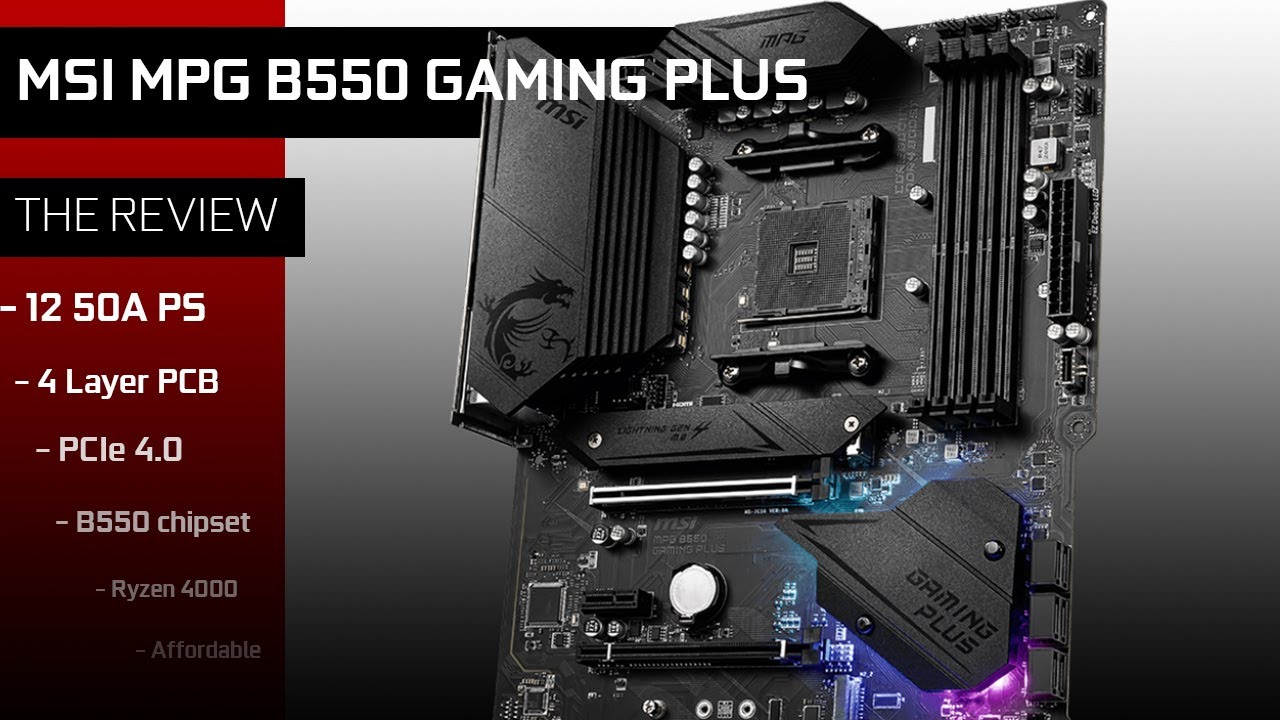
Buy the MPG B550 GAMING PLUS: https://amzn.to/39PqVKz
When looking at its UNIFY and TOMAHAWK series, MSI’s has shown real manufacturing progress. So why is the MPG B550 GAMING PLUS such a miss?
Its previous X570 version had the very same issues: Inadequate PCB (4 PCB layers instead of 6) and dangerously hot PCB temps. Disappointingly, so does...
@drowsy shard the man bashes the board without any testing numbers :(
 slate glen
if im getting a motherboard for the ryzen 7 3700x for under $190 should I get a b550 or x570? I need a motherboard with wifi also
elfin warren
X570 TUF WIFI
drowsy shard
hollow thorn
This vid?
https://youtu.be/LCtj2XwRvYQ
Yes sir
slate glen
elfin warren
X570 TUF WIFI
https://www.amazon.com/gp/product/B07SXF8GY3/ref=ox_sc_act_title_2?smid=ATVPDKIKX0DER&psc=1 oh so would this be good
elfin warren
yes
slate glen
okie thanks
elfin warren
yw
hollow thorn
@drowsy shard I couldn't find any testing on that "review" of the board, seemed more like a video looking at the board than reviewing it :P
drowsy shard
could i also get a b450 instead?
the asus rog strix for example
ASUS ROG STRIX B450-F GAMING this one
 runic dagger
Simply asked.... what adverse effects could possibly come from mixing ram... 1x16GB 2400 is in rn... i have an 8GB stick also 2400
elfin warren
Dual channel won't work with different sized ram
elfin warren
no
runic dagger
ik the 8G stick timings are listed 16 across the board and the 16 thats in reports (in speccy) 17 across
could a difference in timing have any ...... avoid at all costs problems
or just any adverse effects in general
elfin warren
Possibly, need to set it at the slowest listed timings
Else one will be "overclocked" and might pitch fits
runic dagger
im just... yeah ,,, k,,,, yeah got it i misread cause i just transitioned displays and my eyes were still adjusting ig lol
so adjusting those... without a bios intended for it will it be difficult or just not streamlined?... i should be able to independently adjust sticks right?
 hidden cobalt
Which should I buy for my nas build?
MSI H77MA-G43 for $75
Or a Asus P8Z77-V LK for $90
Not sure what might give me the best feature set for a nas. Was looking at ebay auctions but got sick of losing so just going for a buy-it-now
 wind field
I am just going to use a raspberry pi for a nas station seems like it would be used for some work but mostly home things
 austere spade
Hey guys I'm new here and I just wanted to know if anyone here could help me out. I have an OMEN Obelisk Desktop 875-0xxx and I want to upgrade the graphics card to something that can run games like AC Valhalla or Cyberpunk at max graphical settings. I know that I probably have to update a few parts for this to be possible but if someone here could give me some ideas on what I can do I'd really appreciate it. (I'm a bit of a newb at this kind of stuff so sorry if this is all obvious questions xD_
 waxen comet
Okay, what did I mess up? I downloaded the newest non-beta BIOS from the MSI website using my mobo, placed the file into a thumb drive, and then flashed the bios to update. Now my comp auto boots into the bios upon turning on and the boot LED is on. I’ve taken the battery out for a few minutes and it’s still auto booting into bios instead of windows
The thumb drive is not plugged into the comp when I boot up
waxen comet
waxen comet
Okay, what did I mess up? I downloaded the newest non-beta BIOS from the MSI web...
Turns out it wasn’t an issue I did whew Decided to download the bios update before the one I flashed and windows boots up again
Must be a bad update?
 long acorn
elfin warren
X570 TUF WIFI
long acorn
elfin warren
X570 TUF WIFI
I have this board, it's pretty good, and quite well made. The manual is also very clear and easy to read. @slate glen you would be well served by the X570 Asus Tuf Gaming Wifi (or non-wifi versions, in 'plus' or non-plus moniker). Best Buy also stocks the board and will generally price-match, but Newegg may still have a better price especially if there's rebates and no risk of Covid from being near the store.
Every time I've passed up Asus and gone with a different motherboard vendor (for my main PC), over half the time the boards fail for some strange reason or another, where the ASUS boards almost never die and are downright almost impossible to kill unless you deliberately try to (e.g. install in case with a hammer!).
 night kite
Should I upgrade my i56400 to an i76700 or just upgrade cpu to a ryzen 5 3600 and change the mobo too
Itll cost me bout 60bucks extra to do the ryzen option
long acorn
In other news, GOOD NEWS, good news for Ryzen owners: ASRock just added support for Vermeer 5000-series chips on 300 series chipsets, now the other motherboard vendors will have to follow suit. https://wccftech.com/asrock-amd-ryzen-5000-cpu-bios-support-on-x370-b350-a320-motherboards/ Link should be safe for work but comments at the bottom aren't actively moderated so skip those if reading in company.

ASRock has released BETA BIOS support AMD Ryzen 5000 'Vermeer' Desktop CPUs on its X370, B350 & A320 line of motherboards.
@night kite It depends what you are doing with the PC as far as use, if it's gaming, a 6-core Ryzen is nice, and definitely worth the extra dough over a quad-core intel chip, but I would hold off until Vermeer Ryzen 5000 series is supported better on older motherboards so you can get something on the cheap (you should look for a motherboard with 'bios flash back' option so you can update the BIOS to accept a newer CPU that was made after the board was, without needing a compatible CPU already installed to do the update).
That said a local brick and mortar store can do the BIOS update, too, if you have a board without BIOS flashback feature.
Also, you should let us know what kind of RAM (speed wise) you have already in your Skylake PC.
runic dagger
so uhm ehrm.... idk if i should be worried or excited
long acorn
There's a lot of games out there that won't make use of the extra 2 cores on a Ryzen 3600/3600x/5600x processor, but also, at the same rate, the Ryzen AM4 platform allows most users / most motherboard to upgrade to a 16-core 32-thread 3950x / 5950x or more affordable 12-core 24-thread 3900 (OEM) 3900x / 5900x processors if the need should arise that they need more from their PC.
night kite
@long acorn currently bought the tower used but it has 16gb 2133mhz ddr4
I figured I'd have to upgrade ram when I can bc I know how much ryzen loves fast ram
Current laptop has 16gbs of 3200mhz ram in it
long acorn
That RAM is going to definitely injure the performance of the Ryzen processor a little bit, though it's not the end of the road, you can always get a better RAM kit later when it's on sale and stick that 2133mhz stuff back in the other tower (OR you can try overclocking the RAM if you know how to do that, and know the risks associated with that). Don't overclock RAM or attempt to do it without backing up your treasured files and anything else you don't want to lose, as with overclocking sometimes Windows can end up corrupted and not be able to boot or repair itself.
runic dagger
I uh,.... mixed memory is showing up automagically in dual channel mode... theres a 16GB Samsung and 8GB ADATA... same speed... all at 17-17-17 (the slower of the 2, though the other is only 16-16-16 so negligible i think
night kite
So for the most part upgrade cpu and mobo to ryzen
runic dagger
this shouldnt be working.... right?
hollow thorn
it can
long acorn
If that 2133mhz RAM is MICRON chips, you can look at the timings, and lower those timings and or raise the MHZ speed (timings = latency, lower is better, obviously MHZ speed is higher-is-better). Micron chips don't mind timings tightened often provided you don't mess with the 3rd number on the timings - that's the one that always causes instability.
runic dagger
hollow thorn
it can
any suggestions for testing to help ensure it is infact stable or should it likely be and i just use it like this and hope it doesnt suddenly decide to just like...... yeet my work
hollow thorn
occt or memtest86 to test stability
runic dagger
and out of curiosity.... would you expect anything to be more likely in this config then if they were.,.. well expected to work together
long acorn
@runic dagger Provided you're using the slowest stick in the first slot (slot 0) on channel A (the first channel in a dual channel system, reference your motherboard manual for it's location), you should be okay.
You CAN mix and match memory, but in a perfect world we don't recommend doing that. If you get memory errors with memtest or other cpu-heavy benchmarks (errors that aren't due to overheating! be wary of that on intel systems), then you know it's not happy. If you get weird instability, the same - obviously it's telling you it's not a happy computer.
That said, I can't tell you how many times I took a random handful of memory out of the junk drawer and stuck it in a PC and laughed as it was just fine.
Intel systems and AMD systems that are in the last few generations can not only map dual channel to two different makes of RAM, they can also map dual channel HYBRID mode which means you don't have dual channel loaded with equal sticks, and will give dual channel speed up to the difference between the ram stick sizes and then single channel past that for the remainder.
runic dagger
oh thats awesome
night kite
Thats really neat tbh
runic dagger
on that bob, do you thinnnk that a xeon has a better chance of putting up with it or worse (or indifferent)
i mean no ECC obviously so.. yaknow
hollow thorn
It's looked down upon because half of the time, it just wont work, but as long as it works, it works.
long acorn
There's only roughly half a dozen memory manufacturers out there now. JEDEC is the memory standard consortium, and there's a standard for a reason. Generally, it's the motherboard that's being picky if there's instability or the CPU just getting floundered with two different speed types of RAM installed and not knowing what to do (the latter causing it generally not to boot at all but with a beep code repeating ad-infinium).
ECC needs to be supported by both the CPU memory controller and the motherboard, and the motherboard will always list this as a feature if so.
If the system boots into Windows, it's generally a good start on the right foot for things working OK.
Be wary of running PRIME 95 on intel machines that are still using the stock orb-shaped (flower) downdraft cooler (the one we all despise), as it cannot handle fpu/avx-heavy processes for more than a few seconds. The machine will overheat and BSOD / shut off to save itself from damage. Please know that going in, and you can use something like CINEBENCH (CINABENCH?) to test it.
runic dagger
ahh
hollow thorn
:P Prime95 is supposed to kill stress the heck out of the CPU though
runic dagger
hm so...
long acorn
HWINFO and MSI AFTERBURNER are both fairly reliable applications for keeping an eye on system temperature values when doing testing, it's good to have one of these (But not both please) running in the background while you test. HWINFO will give more info but MSI AFTERBURNER has a 'better fancy look'.
hollow thorn
But anyways prime95 smallfft (The one that turns your CPU into the sun) isn't the one that stresses the IMC, and I think in this case we'll want to test the ram itself with OCCT/Memtest86 to start off
long acorn
CINEBENCH is FREE and can be downloaded freely from the internet. I forget the website, but surely GURU3D dot com has it in the download > benchmark utilities section.
runic dagger
so im looking at timing tables (as reported by speccy at leasst) and,, one sec let me pull a screenshot
hollow thorn
(Don't use speccy please)
runic dagger
lol why not use it... im not using it for testing or anything are you saying in general or for testing
long acorn
Yes, Small FFT's in PRime 95 is the one that roasts the intel CPUs. It actually gets my 3950x (that's aircooled) up to just a hair over 80C if I leave it run long enough. Still, 80C is pretty darn good, thanks Noctua, customer for life!
hollow thorn
tbh I don't like Cinebench as a stress test because a lot of things can be cinebench stable but not completely stable, and crash immediately under P95 and other good stress tests
@long acorn It gets my 3800x up to around 90c, and spikes as high as 180w power draw lol
runic dagger
so why are 8 and 9 the same except CAS.... also (this is the 8GB stick thats listed 16 16 16) is that JEDEC being brought to match the other stick or is that independant (the only difference between the tables for each stick is the adition of that xmp line)
long acorn
I have my 3950x at stock settings and it refuses to go over 139.x watts, or at-least I've never noticed it go over that and I've had it 5 months now. My 3700x I had just before this chip (which I loved!) was so quiet on the Noctua D15-s (single fan offset model) that I couldn't hear the machine at all until I put my head to it or within 16 inches of the tower. I was shocked, though the 3700x is a 65w chip. I am whole-heartedly amazed time and time again the amount of work this machine can do with as little noise and heat as it throws out and never makes a fuss.
@runic dagger The timing tables are read on the stick by the motherboard from a little SPEED (spd) chip on the RAM stick itself. Each stick has one, but it generally reads only the speed from Slot 0, the first slot on the first channel. So always put the slowest stick in the 1st slot.
The board CAN read the other SPD chips, but generally sets the speed for all the ram using the stick in the 1st slot.
hollow thorn
@runic dagger the bit about not using speccy is because it's generally not very accurate
something like CPUz, HWINFO64, AIDA64, etc, do better
runic dagger
long acorn
<@!230631951806103552> The timing tables are read on the stick by the motherboar...
but so these tables are not just referencing what its running at but totally independant? meaning that this 8GB stick actually has identical default timings discounting that XMP profile?
long acorn
Putting slower sticks in other slots and a faster stick in slot 0 may cause either instability (random errors that have no consistency other than the computer stops functioning right) or will cause a no-boot / no-post (no video output) situation. Both is bad, so always put the slowest stick 1st.
slate glen
@long acorn oh ok, thanks for letting me know. I feel sure about getting this board now, it also did have a lot of good reviews. $190 seems pretty good for a x570 with wifi.
long acorn
Batches of RAM chips are binned to like values and made into RAM sticks, if you have two different sticks from two different 'brands', they may work together or may not, they may overclock or not, nothing is promised. It's one of those 'insert sticks into motherboard and push the button', and play it by-ear so to speak.
runic dagger
and thats the same reason why even 2 of the same brand labled the same and all have an (albeit slim correct me if im wrong) chance of just kinda... not liking each other?
hollow thorn
Also, JEDEC timing tables on there are just on there, if you have xmp set, they won't use jedec default timings and such
runic dagger
hollow thorn
Also, JEDEC timing tables on there are just on there, if you have xmp set, they ...
though the XMP being on the ... lower ranked slot.. it bypassed that?
hollow thorn
lower ranked..?
runic dagger
higher number slot
long acorn
Since the memory is listing at 1.2v, most modern processors (if your motherboard allows this!) will handle up to 1.35v without issue, so you may be able to overclock your memory. This is best tried one stick at a time, and then when done, put in both sticks and use the lowest-common-denominator (between the two sticks, the highest timings / slowest mhz you got from testing both sticks individually). Then you should be able to get some free speed. Same thing to the other guy who had 2133mhz memory. Sometimes the only differences between 2133mhz/2400mhz 1.2v sticks and 3200mhz~3600mhz 1.35v sticks is the packaging label and the stuff programmed into the SPD (speed) chip on the RAM sticks.
hollow thorn
Well, usually the 2400mhz 1.2v sticks are the older worse binned sticks too, timings matter when looking at that
runic dagger
oh nice... i mean... i dont think im neeeeding ram speed right now so i think ill keep it like this at least for now (if i was just looking to get better speed id push the one stick i just need a bit more ... capacity.. at the moment
i think at least
now i just wish i could somehow have the gpu linked to a ram stick lol.... (ikikik thats a whole nother thing just saying i wish it was that simple)
long acorn
With timings, lower = quicker / better. Think of these as wait cycles the processor must wait to access the data / store the data before it can do anything else with the waiting core.
With SPEED in Mhz / Ghz, obviously higher is better.
A memory kit with Cas Latency (timing) of 16 at 3200mhz will be the same speed as a memory kit with Cas Latency of 18 and 3600mhz or Cas Latency of 15 at 3000mhz. There will be no difference, or the difference will be well within 'margin of error' when benchmarking.
runic dagger
or vice versa on that last one..
yeah i watched some stuff and learned that earlier
until then i used to wonder why our timings are higher now then on older ram
hollow thorn
(That bit ignore Infinity fabric on Ryzen, with IF on Ryzen, frequency matters more)
long acorn
Intel systems benefit from RAM overclocking much, much less than a Ryzen system. This is because the internal communication between cores and the IO die on the cpu (where the PCI-E lanes and other things connect to on the processor) on a Ryzen CPU is directly linked to the RAM speed and latency. Fast RAM makes Ryzen scream, but it does little beyond 2~4% on most intel systems.
runic dagger
how... please elaborate
hollow thorn
Default on Ryzen has IF run 1:1 Infinity Fabric clock to Ram clock (which you should leave it at), and the higher ram clock means the higher Infinity Fabric clock, and faster Infinity Fabric leads to more performance
3200MT/s ram runs at 1600mhz, with 1:1 mode, the Infinity Fabric would run at 1600mhz to match
compared to say
3600MT/s ram running at 1800mhz, with 1:1 mode, the Infinity Fabric would run at 1800mhz to match
runic dagger
im actually extremely interested now because im on this.... decommisioned.. workstation rn with an RX580 (apparently 4GB) and had 16GB ram in it (and a Xeon 1240v6) but hoping to get a ryzen mobo/chip here in the next few months or so
long acorn
@hollow thorn Keep in mind infinity fabric speed ratio of other than 1:1 were implemented in Ryzen 3xxx 7nm designs. Going at or over 3800mhz on 3xxx Ryzen drops the ratio, 5xxx Ryzen doesn't drop ratio of IF to RAM speed until 4000mhz. Not all Ryzen 5xxx chips can do 3933~4000mhz though so keep that in mind.
hollow thorn
Well it doesn't automatically do it
it's just IF on 3rd gen doesn't go usually over 1900mhz
And there's no good testing on the IF freq binning on Zen 3 chips yet afaik
long acorn
@runic dagger I would likely consider you should look at a video card upgrade before processor unless you KNOW you need a processor. If it's a 6-core 12-thread or better XEON with a 3.x ghz clock speed or better, you shouldn't jump through too many hoops to go Ryzen until after getting a faster video card (The RX 480/580 isn't a slouch by any rate, but it's not really enough for newer games on higher settings above medium).
runic dagger
so is IF measured at the single sided (ig not half but technically true) speed (as opposed to the Double of DDR)
its only a quad core i already considered that
hollow thorn
Well, ram is supposed to be measured at half the transfer speed for it's operating frequency
IF never gets doubled
runic dagger
i also stream from it (though... been thinking recently, maybe my NUC thats been having some issues with the USB power tripping MAYYYY be able to just run thru the cap card to it)
hollow thorn
I mean, if you're streaming with it, that's even more reason to get a new GPU that has NVENC lol
runic dagger
hollow thorn
Well, ram is supposed to be measured at half the transfer speed for it's operati...
supposed to... but is it?... bigger number sells better (thats why right)
long acorn
@hollow thorn Ryzen 5xxx IF frequency is always* at-least capable of 3900mhz, unless it's an edge-case, really bad or defective chip, or there's something else in the system preventing it from remaining stable through no fault of the CPU. Now, this isn't set in stone, but it's just a hair above the Ryzen 3xxx chips which almost always could do 3800mhz~3866mhz IF frequency. Ryzen 5xxx however has much less latency and there-for is a better performer.
elfin warren
Amd doesn't have encoding processors like nVidia does
runic dagger
as much as i want a new gpu i can work with what ive got there, im constantly pinning the CPU though
elfin warren
Also, you were lucky to get a 3xxx series that would hold a stable 1900 FCLK
long acorn
runic dagger
supposed to... but is it?... bigger number sells better (thats why right)
DDR memory reads on the rising and falling sides of a clock cycle, that's what DDR means. Double Data Rate. This is converse to the SD (single data) RAM we used to use back when it was the Pentium / Pentium II / Pentium III days in the late 90's.
runic dagger
ik they dont... again though if i just use my capture card that i used on the xbox using the nuc to stream while doing other things... if i just use the nuc as a dedicated stream system (which was the original plan for it when i won it almost 18 months ago
hollow thorn
@long acorn Yea the bit I'm commenting on is we don't really have testing/data on where the "sweet spot" most chips can reach is at, like we know we can do 1900mhz+, like Zen 2, but we don't really know how much further
runic dagger
long acorn
DDR memory reads on the rising and falling sides of a clock cycle, that's what D...
that much i learned quite a while ago
hollow thorn
@runic dagger It's more about ram actually being 3200MT/s and we just call it 3200mhz, even though it's actually operating at 1600mhz as it's operating clock :P
long acorn
hollow thorn
<@!389229180723920896> Yea the bit I'm commenting on is we don't really have tes...
Best I've gleaned from reviews is not to buy 4000mhz kits because not all chips will do that on the IF / CPU IMC. I believe you'd be better off if buying the higher models (of processors!) though, but yields are yields and hence random by nature. Not sure if we'll ever really know unless someone like SILICON LOTTERY bins a very large (3-digit amount) sample base of the same chips or at-least same family / generation of chips.
hollow thorn
would be interesting to see some people like silicon lottery start getting data on IF clocks
long acorn
Yeah but I don't think we'll get that right away, Silicon Lottery has stated in the past that they don't want to do AMD CPU binning because they're binned very tight, not as much room as intel chips (used to) have. Now CPU's from both manufacturers are put out much close to their ceilings of ability, though Ryzens are closer to this limit out-of-the-box but they can still overclock a little bit.
However, I will mention that new AMD BIOS updates for 5xx series chipsets (and limited availability for 4xx series, varies by vendor!) have this 'Ryzen (boost) Curve Optimizer' feature that lets you not only keep boosting / power save if you wish, but lets you customize every aspect of how the cpu cores boost under load VS the amount of cores loaded / in use - though this is still subject to motherboard and CPU (internal) power budgets. These power budgets in wattage and time duration can be customized on a per-board basis and sometimes completely overridden which again varies by vendor.
Both the motherboard and the processor can freely say 'okay I give up' regardless of settings on most boards, to prevent damage or instability, but again this can sometimes be completely overridden by the motherboard breaking or faking communication between board and CPU. It's still nice to have that much control though, so you can keep your single-threaded burst speeds while still enjoying quite most of the overclocking performance.
Ryzen processor users are generally recommended NOT to update BIOS on a working system unless:
You are upgrading to a Ryzen 5000 series processor, 4000 series processor, or other newer processor that's not currently supported on your current BIOS revision.
You are experience difficulty setting up your RAM or booting with your RAM installed (or lesser but still happens 'unable to overclock RAM' over stock JEDEC).
You are experiencing system stability or compatibility issues.
You are experiencing difficulty using, viewing, or editing settings in the BIOS.
hollow thorn
Well, stability issues also a point that is fixed with AGESA updates
long acorn
elfin warren
That's every BIOS update warning ever
I just felt obligated for liability reasons when mentioning BIOS updates/updating and so-forth; this is for the benefit of somewhat or wholly inexperienced users who are building or recently built their machine but have not yet updated to a newer BIOS version.
Don't want anyone to go and update BIOS and then the magic smoke comes out, followed by a finger and unhappy people pointing at me saying 'HE DID IT!'.
elfin warren
that's not really a thing anymore unless you lose power
It's much more reliable than the old days of writing EEPROMs
 shrewd geyser
does anyone know what computer cases support ASUS Intel WS X299 SAGE LGA 2066 DDR4 SSI CEB Motherboard (90SW0070-M0EAY0) ?
 final sandal
Someone tell me Zadak Shield works with Asus Dark Hero...
 devout fiber
can a toothbrush damage a motherboard, asking for a friend
 jagged remnant
devout fiber
can a toothbrush damage a motherboard, asking for a friend
jagged remnant
devout fiber
can a toothbrush damage a motherboard, asking for a friend
if the pins are ok then no problem, but go for expensive toothbrush, it can do the job smoothly
devout fiber
aight thanks
devout fiber
elfin warren
Possibly
Wdym by possibly?
elfin warren
Toothbrush bristles are stiff
Stiff things on motherboards aren't a good combo
best to use a soft paintbrush or a makeup brush for dusting
devout fiber
Aight thanks for the help
elfin warren
YW
 noble geode
Can you upgrade motherboards? (As in get a new one)
elfin warren
Yes
noble geode
Ok
elfin warren
Have to do some work in Windows first but it will transfer over
 mystic oasis
is there intel i5 3570k amd equivalent
 naive pendant
So I'm building a new pc but I don't know which cpu I should get
Should I get an i9 10850k or the ryzen 7 5800x?
 haughty briar
hii
any idea where in the package i should see far cry 6 promo code ? i just open my 5950X
cant see any promo code just pure box of 5950X with cpu and some text papers
 hybrid shard
Rysen imo, depends on the price tho
So if I have an existing kit of 2 sticks of 8 gb ram I can add 2 more sticks of the exact same kit correct ?
haughty briar
lol
"no promo code for far cry for israel country"
wtf
5950X without promo code LOL
anyone else buy 5950X and not "eligible" for promo code?
 cobalt meteor
F in chat
 gentle acorn
Check this out on @Newegg: ASRock B550 Phantom Gaming 4 AM4 AMD B550 SATA 6Gb/s ATX AMD Motherboard https://www.newegg.com/asrock-b550-phantom-gaming-4/p/N82E16813157935?Item=N82E16813157935&Source=socialshare&cm_mmc=snc-social-_-sr-_-13-157-935-_-12312020
Does this have the automatic XMP BIOS feature I just realized my current motherboard has it but I was curious if this would as well
elfin warren
Auto XMP?
Every motherboard has XMP but you have to turn it on yourself in the BIOS settings
AMD calls it DOCP
gentle acorn
Alright
elfin warren
Fun fact: Running XMP on Intel systems voids your warranty
Don't tell them you did it
gentle acorn
Well I’m switching from Intel lol
elfin warren
XD
gentle acorn
Don’t plan to return it or anything
I currently have a MSI Z390 -A PRO
Also would a M.2 WiFi be better than a WiFi card? I currently have a WiFi card but was curious if it would be better at all as I just realized the motherboard I’m getting supports it
Alright
 shell coral
for the x570 aorus elite rev 1 combo with the 5800x, is it already updated to the correct bios version?
elfin warren
No, will need update
elfin warren
QWell, hang on
elfin warren
If it has flashback
No need to boot, just install USB with BIOS file and push button
I'm checking now
"Q-Flash Plus update BIOS Without Installing CPU, Memory and Graphics card"
SO yeah, all good
Just get the BIOS on a USB stick first
😉
shell coral
i have to take out my cpu first apparently
elfin warren
Yeah, best way
shell coral
and it’s gonna be rly annoying bc I also have to take out my AIO
elfin warren
Because
boards are produced, sit in warehouse, then sit in store until sold
Stock is 3-6 months behind
shell coral
finally
it’s updating
woop woop
I rly needed no cpu
well that sucks
I have to install my AIO again lmao
elfin warren
Not so bad though
 bright fog
Hey guys I need some help just built my new pc and can't get it to post. The light indicator for cpu not detected is on. What could be causing this?
bright fog
Oh okay
elfin warren
Hopefully your board has bios Flashback so you can update without needing a CPU?
bright fog
Yeah it's a msi x570 gaming edge with WiFi and cpu is a ryzen 5 5600x
elfin warren
Put bios on USB drive
put USB drive into USB port
Power motherboard and use the BIOS flashback button
Then wait, it takes a while
bright fog
Ok thanks was getting tired of this build
The bios on the usb by itself right because I have a usb but it also has windows 10 on it but I don't want to delete that and download it again
elfin warren
won't touch windows 10
bright fog
Oh okay thanks
 urban ferry
had a question about a motherboard, my brother is looking to build a PC and I wanna go mitx for this build, and this motherboard looks great to me (for the price) but the only thing im concerned about is the WiFi. On my motherboard, i only get 30mbps with the built in wifi, which is horrible considering on my dedicated wifi card i get around 200mbps
elfin warren
Well, that will depend on your router
urban ferry
adding a dedicated wifi card would be impossible (dont want to use burification) on that mitx board
elfin warren
My Wifi does 780 mbps because I have AC1600
If your router is only Wireless G, that's why the slow connection
Should be Wireless N or better
hollow thorn
Some built in wifi are pretty bad, lemme check on that one
elfin warren
That should be WiFi 6
hollow thorn
Yes
elfin warren
Still, should at least be N for 300 mbps
hollow thorn
Iirc it has to do with being dual band or single band
elfin warren
"Supports IEEE 802.11a/b/g/n/ac"
Yes,
Router/modem has to be set up properly though to get good speeds
Spread spectrum, etc
That's my onboard WiFi
Just an example of what you can do with a proper setup
urban ferry
elfin warren
"Supports IEEE 802.11a/b/g/n/ac"
my motherboard supports the same thing... but as i said earlier i still only get 30mbps lol
urban ferry
i forget, but i dont think its an issue with the router since my dedicated wifi card gets 200mbps
elfin warren
5 ghz or 2.4?
hollow thorn
Like this here
urban ferry
this is the dedicated wifi card im using https://www.asus.com/us/Networking/PCEAC68/
elfin warren
That doesn't matter much
go to the card settings and make sure it's set for Wireless N only
80 mhz spread
Or 40
urban ferry
where would i find that setting?
elfin warren
Right click WiFi symbol
Open Network and Intenet settings
Click Change Adapter options
hollow thorn
Also, side note, the 433mbps max wifi card is what's built into the b550m-itx
urban ferry
only options are enabled, disabled, or auto for the 20/40 one
elfin warren
auto then
urban ferry
wait, that was for the asus one
sorry
im on the built in intel one now
i think this is the setting im looking for?
switch it to N right
elfin warren
No, AC is proper
urban ferry
oh
bright fog
Hey sorry to bother you again @vintageRacer79 but do I download the latest or is there a certain one
bright fog
Yeah sorry for not being specific okay thanks
shell coral
so uh
I upgraded my bios on my GIGABYTE AORUS ELITE X570
to f31
and now it won’t boot
what do I do
I used qflash btw
the case lights work but when I press the power switch it doesn’t
like well
the case lights are always on
but when I press the power button it won’t boot on
like what do I do
I doubt it’s dead bc it booted up before
didn’t display anything but still booted up
everything is plugged in
hollow thorn
reset cmos
shell coral
how do I do that tho
hollow thorn
Intel
Defines CMOS technology and how to clear CMOS using the jumper or battery methods.
battery method is universal
Intel page because it's easy to find
shell coral
if I reset cmos do I have to install bios again
elfin warren
no
shell coral
I can’t get it out of the holder LMAO
shell coral
I am
it came out but not completely
like it’s still in
and I can’t get it out of the holder
nvm I didn’t push far enough lol
 ruby laurel

shell coral
aight I reset cmos
still not booting up
I’m gonna try and downgrade to a different version and see if that works
didn’t work
bruh
it’s just not powering on
 small urchin
So I have the following and would like help:
Aorus x399 Pro
AMD TR 1920x
There is a yellow triangle icon on the network contoller and the system isnt recieving internet.
@digital kernel
 digital kernel
Have you checked the system devices?
small urchin
that is the info found in device manager
 tribal glade
ok which motherboard should i get, i am thinking of these 4 options:
Asus prime b550-plus
ROG strix b550-f gaming
MSI MAG b550 Tomahawk
Gigabyte Aorus Pro
digital kernel
Not in device manager, check if the raw device is being detected
elfin warren
I think windows needs some updates first
digital kernel
What windows version is it?
elfin warren
One for 1803 and 1904
digital kernel
Oh crap
digital kernel
Yeah, first step would be to update that
elfin warren
Yup
digital kernel
@small urchin you got an android?
elfin warren
Need a custom windows install
digital kernel
Wait, why is it a custom windows install? That's always asking for problems
long acorn
tribal glade
ok which motherboard should i get, i am thinking of these 4 options:
Asus prime...
Asus almost always makes good boards unless you go super-duper cheap, Gigabyte Aorus name is almost always good too.
Pick whichever of those two has the best features for you.
small urchin
Sorry had to switch to mobile discord
digital kernel
Do you have an android
small urchin
How do I check raw device
I rather not try to do it through my phone
Do you think a full reinstall on win would fix it?
digital kernel
Android is for ethernet tethering so you can install updates
digital kernel
I'm not about to remote debug an out of date windows network problem :)
So let's get this thing up to date
small urchin
But how does that work if it has network issues
digital kernel
You can get an internet connection over usb when you have your phone plugged in
long acorn
shell coral
I upgraded my bios on my GIGABYTE AORUS ELITE X570
Remove everything from the motherboard including any USB devices you have plugged in other than your keyboard. Just keep any video card, one stick of RAM, and nothing else plugged in except power plugs. Use a screwdriver across the power pins (momentarily) to start the board (if it does not have an in-built power button on the board). Derp, of course leave the CPU in there too and it's cooler.
elfin warren
Ah
Missed it
Wait
How do install a pinned cpu wrong???
Without bending pins..... i dont wanna know
digital kernel
Don't worry about it
small urchin
Okay tethered
small urchin
Wouldn't let me search for network updates but windows is updating
digital kernel
Also do an automatic scan for every driver in the device manager
And make sure you're on wifi, not data for your phone
I made that mistake once
small urchin
How do I make sure it's on wifi
digital kernel
Turn off data
small urchin
Just have my phone connected to wifi
digital kernel
Then you're good
long acorn
@shell coral If nothing makes the system bootable, The motherboard CD that came with your gigabyte AORUS will have a release-day BIOS on it, if you have an optical drive you can hook that to the board and follow BIOS FLASH BACK (BIOS recovery) feature instructions, or place the BIOS BIN FILE on a USB (otherwise empty) stick and select that when the system boots into recovery mode. You may have to change BIOS FILE the name to a special name if it's on a USB stick for the machine to see it. If your system does not have BIOS FLASH BACK / recovery feature, you may have to talk to RMA / service department at Gigabyte.
If memory serves correctly, that board SHOULD have a BIOS RECOVERY feature, and Gigabyte support and the motherboard manual can tell you how to make use of it. Follow instructions exactly and you should be able to fix it IF the bios needs to be recovered / was un-fixable through other means.
EDIT: You may have a button on the back-plate of the motherboard, or a special USB port with which to put the USB stick into for this to work, again, read your manual.
small urchin
Ok updating
digital kernel
Let those updates roll in, then reboot and check for more updates. If it asks if you want 2004, say yes
long acorn
wouldn't touch a Windows updates tech support issue with a 10 foot pole. :x
long acorn
<~~~ deliberately BROKE his Windows updates even though he has a valid legit copy of Windows 10 Pro Retail. If it's not broke, don't fix it.
digital kernel
The motherboard lists windows support, right?
elfin warren
Update first. Then drivers.
digital kernel
Okay
long acorn
@small urchin You may need to manually install the driver from your motherboard support CD. I hope you have an optical drive. They're useful.
Also, make sure to have the chip set drivers installed first for best results.
All x399 motherboards are supported on Windows 10. It's Windows 7 and sometimes 8.1 that has dodgy support / no support.
Also, look on the motherboard manufacturer's forums for issues with that, likely someone already had that very issue.
digital kernel
It might be necessary to manually install the driver, yes
I'd avoid using the CD though
long acorn
Why avoid using the CD? If you're just installing a driver, you can update that driver later via the internet if required. Don't install all the bloatware though.
digital kernel
It's usually out of date and they have less options
Just get the one from the website
long acorn
@digital kernel Less options than having a non-functional ethernet port? As I said, you can update later. Using the one on the CD will make sure it works and isn't broken in some way.
digital kernel
https://www.gigabyte.com/us/Motherboard/X399-AORUS-PRO-rev-10/support#support-dl
Drivers are available here. Once you've got the updates done, get the most recent driver here
GIGABYTE
AMD X399 Gaming Motherboard with RGB Fusion 2.0, Addressable LED Strip Support, Triple M.2 Direct From CPU, 120dB SNR ALC1220, Intel GbE LAN with cFosSpeed,...
small urchin
Which driver specifically?
digital kernel
Lan and chipset
small urchin
I also found my external drive so I can do via cd
I tried both LANs already and it wouldn't take
digital kernel
Like I said, don't bother with cd
Chipset first
Then now that windows is up to date, try lan again
small urchin
Windows is still updating
digital kernel
Let it finish first then
long acorn
Windows 10 automatically updates drivers that it finds matching hardware ID's for. However, in edge-cases or less-used platforms such as certain HEDT and server / enterprise custom boards, it won't always find what it needs. I almost always use the drivers on the CD first, then let it update as-needed or manually update things (best) from the website once I am sure the system is properly functional, with the exception of sometimes having older drivers broken due to Windows 10 updates (that happens too). The reason Windows 10 couldn't update the current network driver is due to not finding a valid hardware ID that matches.
digital kernel
Or you could just get the up to date driver from the site
long acorn
Yes, sure, great to get one off the website, but some folks only connect to the web via ethernet connection to the internet on their PC, which can be a tad difficult if the network controller is not functional. I've got to go though, blood pressure pill is making me drowsy.
digital kernel
That's why we have the USB bridge set up
digital kernel
Nice
small urchin
So chipset next?
digital kernel
Yup
digital kernel
Just the most recent
small urchin
Device driver and manually search for driver?
And do I need to extract files?
And where do I try to install the chipset driver to?
digital kernel
Download the driver from the website, and then in device manager select the option to install your own driver
digital kernel
Same place you check for driver updates
small urchin
That changed after the updates
digital kernel
There should be an option to have windows find it and then another option to find it yourself
digital kernel
Chipset should be under firmware, Yes
small urchin
Should I extract the folder or is it fine zipped
small urchin
digital kernel
Was there no option to find your own driver?
small urchin
There was and that what it said after I selected that driver
small urchin
Install that on the network controller or network adaptors?
small urchin
Not showing up in the downloads section in device manager but is in the win explorer
digital kernel
Okay
small urchin
Still no, I tried before doing windows updates and it wouldn't take it
elfin warren
Is this s new board or second hand?
small urchin
Second hand hence why I'm trying to figure it out to see if there's a board issue
small urchin
But it seemed to have worked when they sent me pics
small urchin
How do I access that?
digital kernel
Off the top of my head, no clue
Try right clicking on the network thingy on the task bar
small urchin
I have a wifi card in it too
digital kernel
Ah, so we didn't need to tether it after all 🤣
small urchin
Yea but it's not using that card for some reason?
Like if I unplug it it says no internet
digital kernel
Wait, Did you unplug the card while the computer was on?
small urchin
Nope
digital kernel
Okay
small urchin
And doesn't find anything hardwired either I think
digital kernel
A bit worried there
digital kernel
What options do you get if you right click on the little network connection icon in the lower right?
small urchin
digital kernel
Open settings
It looks like it's detecting ethernet
Did windows come installed?
small urchin
digital kernel
Change adapter options
digital kernel
Hit install
naive pendant
Hey, I just installed a R7 3800x, and, for some reason, the CPU temps are randomly spiking
small urchin
digital kernel
Client
small urchin
@digital kernel I'll pm you so we don't spam so this guy can also get answers
naive pendant
Wraith spire
small urchin
Nothing for client
digital kernel
Protocol next
naive pendant
How do I check those?
shell coral
how do I set up wireless network on windows?
digital kernel
naive pendant
How do I check those?
Easiest way is to look at the fan
naive pendant
When I booted up a game, it hit like 80 something, but I didn't get to see what it was before it shut off
digital kernel
What PSU?
naive pendant
CX550
digital kernel
Corsair?
naive pendant
yes
digital kernel
How many hard drives and fans?
naive pendant
Only 1 case fan and 1 m.2 nvme ssd
digital kernel
Any overclocking?
digital kernel
Which b450?
naive pendant
Asrock B450m-HDV
naive pendant
3600mhz
digital kernel
Is xmp on?
naive pendant
yes
digital kernel
Turn it off and see if the computer still crashes
naive pendant
Ok, brb
I’m very confused
“The 3700X is a $320 USD 8-core, 16-thread mid-range Ryzen 3000 series CPU. Out of the box, the 3700X, 3600X and 3600 achieve similar quad core speeds but the 16 threaded 3700X is 30% faster at multi-core computations than the 12 threaded 3600X. Comparing the 3700X to Intel’s i7-9700K shows that, when overclocked, the 3700X is 26% faster at 64-core computations but 13% slower for gaming and desktop (sub eight core performance). Unlike lower end Ryzen 3000 SKUs, the 3700X comes with a half decent cooler but AMD should not have bothered since a $20 aftermarket cooler is still quieter, easier to change, and better at cooling. With a Gammaxx 400 cooler we were able to maintain a 43.25x OC during our EFps tests. We had to use a fixed clock OC (rather than Offset/PBO) to avoid significant frame drops in Fortnite. With strong single-core scores, the 3700X should offer very strong gaming performance but in reality it is let down by its memory controller, which, although significantly improved over previous Ryzen iterations, still has limited bandwidth and high latency. The heavily hyped 3700X, paired with a 2060S, offers real world gaming performance comparable to the $80 USD entry level 4-core, 4-thread Intel Core i3-9100F. At $320 USD, the 3700X offers reasonable value to full time media encoders but general desktop users, gamers and even streamers should look elsewhere. Streaming with dedicated hardware such as NVENC or a separate stream PC will nearly always result in fewer dropped frames. The 3700X severely bottlenecks a 2070S: gamers should investigate the 9600K, which is both cheaper and faster.”
digital kernel
Hi very confused
naive pendant
Putting aside the fact that I own this cpu, the review I just sent seems kind of
Wonky
digital kernel
Where is it from?
naive pendant
They seem to be really really bad at reviewing
digital kernel
All AMD CPUs are garbage according to ub
naive pendant
Yikes so they’re shills
digital kernel
Their editorial team seems to be run by 13 year olds
naive pendant
That’s kind of hilarious
@digital kernel still crashed
Got a bit further into the game and maintained like 66 deg for the most part, but crashed
digital kernel
This is their ranking
naive pendant
Should I underclock my ram?
or something
idk
They really said the 3700x offers real world performance equivalent to the 9100f

Yikes so they’re really bad
elfin warren
Morons
digital kernel
@naive pendant try running a ram test
digital kernel
Google how to run the windows memory test
 pale mist
just curious, I am making a 2nt gen xeon budget gaming build, and it says it is a 2011-3. will that work with a machineist x79 2011 mobo?
ruby laurel
naive pendant
They really said the 3700x offers real world performance equivalent to the 9100f
They said my threadripper is worse than 9100f
ruby laurel
pale mist
just curious, I am making a 2nt gen xeon budget gaming build, and it says it is ...
Hell yea xeons
naive pendant

Hey All, in this video I show how to slow down the fan for the Ryzen series of processors.
For reference, I have a Ryzen 3700x.
For some reason, my CPU temperatures were running high, and the fan was running fast and loud in order to cool the chip. It turned out the "minimum processor state" was cranked to 100%, and turning that down fixed the ...
What does the setting this guy changes do?
Is this like a nice fix or is there some power compromise that you make by changing the setting
@digital kernel No problems with ram
elfin warren
Not giving up any performance so long as you don't change the max
ruby laurel
pale mist
i am starting to be an alibaba boi, thanks tech yes city
gronse
aliexpress master race
naive pendant
R7 3800x is running at 1.4Volts idle, how do I fix that
elfin warren
It's fine
Don't worry about
LOAD voltage is what you worry about withthose
1.4 vdc idle is just fine
elfin warren
Ehm
ruby laurel
elfin warren
What motherboard?
naive pendant
yep
did last week
the one before the 4th gen support
Is it a beta bios version?
Not to interject since idk what’s going on but
elfin warren
What does it show in Task manager for your processor?
naive pendant
R7 3800x
elfin warren
Hmmmm
brb
Did you download and install all the drivers from your motherboard manufacturer?
naive pendant
yes
elfin warren
Everything but Promontory
naive pendant
Is 2400rpm good or bad for the fan speed?
elfin warren
Well
naive pendant
Friend says that's too low
elfin warren
update all this stuff
elfin warren
Then see how it changes temps and such
Becuase there are special power palns for Ryzen for WIndows
That you're installing. 😉
elfin warren
YW
naive pendant
@elfin warren volts went down to 1.1, now they're fluctuating at between 1.1 and 1.4, and temps are going as high as 77 and as low as 51
is that fine?
naive pendant
let me try running cinebench
elfin warren
If it's 70-75 it's 100% ok
Also, make sure you have a Ryzen power plan selected in Windows
Search Power Management
naive pendant
Stock, wraith spire
naive pendant
Um wait, maybe I read wrong
naive pendant
ok im just stupid, it's a prism
elfin warren
Ok but still
it shouldn't be getting that hot
Something is wrong
I don't think it's mounted correctly
naive pendant
Should the power plan be on Balanced or Performance?
naive pendant
elfin warren
I don't think it's mounted correctly
Might be it, had to buy mounting brackets off of amazon
naive pendant
Lost them (。_。)
naive pendant
I mean they're just standard mounting brackets
and I think it's installed correctly
idk
ill try reinstalling
naive pendant
there is
elfin warren
Ok
naive pendant
that's what they're connected to
elfin warren
brackets look like this?
naive pendant
These ones
elfin warren
naive pendant
elfin warren
Plastic back plate?
naive pendant
yes
naive pendant
I mean
naive pendant
not plastic
elfin warren
good
elfin warren
Ye, I'm thinking it doesn't have good contact with the CPU
Temps should be 70C under load
I would double check your work
naive pendant
yeah let me try reinstalling
elfin warren
Make sure the lever is flipped the right way
naive pendant
should be flipped right, correct?
naive pendant
Hey, if I reinstall and something still seems off, do you mind if I ping you?
elfin warren
Go ahead
 ocean crypt
What mobo do you guys recommend for 3090?
ocean crypt
I got a b550 aorus master right now
elfin warren
nDeed!
ocean crypt
Overclocking in the future won’t be dramatically affected right?
elfin warren
Might want to use the additional 4 pin power slot for that
ocean crypt
Planning on keeping stock for couple years until i need to oc
Okay then sweet
Is there a reason why people recommend a x570 or have those motherboard themselves?
Because if i got a 3090, bang for buck is out the window 😅.
Just curious
ocean crypt
Mhhmmm okay
So futureproofing oc to suck every little performance won’t kill my cpu and gpu on a b550 board.
elfin warren
Shouldn't
ocean crypt
That’s reassuring. Thanks 😊
elfin warren
YW
naive pendant
So, I think it's fine now
50 deg idle
I did a cinebench and it hit 81, but didnt crash
naive pendant
seems to be fluctuating a lot tho
hollow thorn
prime95 time? >:D
hollow thorn
Should prob try prime95 smallfft
elfin warren
Ye, I'm at 4.3 1.3volts ish
hollow thorn
bios, not RM
hollow thorn
lemme see how high p95 can spike with 4ghz 1.25v
naive pendant
Upgrade
elfin warren
From?
naive pendant
2600
elfin warren
Ok so JUST cpu
naive pendant
yes
elfin warren
And it was fine before
naive pendant
yes
elfin warren
What power supply?
elfin warren
what GPU?
naive pendant
Rx5700
elfin warren
Mmmmm, cpu temps not bad?
Cuz
AMD says minimum 600W for 5700XT system, recommended 700W.
2600 doesn't pull the power that the 3700x does
ruby laurel
based
elfin warren
So, this might be a power issue
naive pendant
it's nonxt
elfin warren
I know
That's what I'm looking at
"Minimum 600W (recommended 700W) PSU with up to an 8-pin + 6-pin PCI Express Auxiliary connectors. This PSU recommendation is only for one Radeon RX 5700 series GPU installed per system. Additional GPUs will require more capable power supplies. Minimum of 8 GB of system memory, 16GB is recommended."
naive pendant
ah
elfin warren
I'm thinking
550W was on the edge for the 2600
But now with a 3800
Not so much
Especially when you load the CPU AND GPU yeah?