#cpus-mobo-and-memory
1 messages · Page 166 of 1
 naive pendant
naive pendant
naive pendant
My friends internet is the the kilobytes
naive pendant
LOL “only 300”
naive pendant
I’m at my friends house and we’re trying to get games installed on his pc and it’s going at about 800 kilos a second
Taking FOREVER
 elfin warren
OML
naive pendant
Ikr
naive pendant
elfin warren
OML
And we’re trying to get WARZONE and Star Wars downloaded is the bad part
The time estimate is like 2 days

Now we’re looking at sub 500 kilobytes a second
 magic cedar
naive pendant
Now we’re looking at sub 500 kilobytes a second
magic cedar
naive pendant
Now we’re looking at sub 500 kilobytes a second
F
Just wait 2 days lol
 celest ginkgo
Whats up yall. I need some guidance. I have a i7 9700f on a Gigabyte B365M Ds3H WiFi board. Air cooled. And im noticing that under really no load is the only time my cpu is running at 4.5, As soon as i open up cinebench and start a multi-core run the clock drops to 3.5 or so SOLID and the usage shoots straight up to 100. Temps arent realy an issue as it sits at about 59-60 under load steady.
Or so i think, I dont have any form of heatsink on the VRMs so idk if thats causing the issue i havent really changed to much in the bios as i dont know where to single out the issue and all windows power settings are set correctly
 compact sun
anyone in here help me get my asus crosshair hero viii to see my xpg spectrix d60g memory at the right speed?
compact sun
it wont see anything other than 2666
naive pendant
elfin warren
DOCP
Double over current protection?
naive pendant
Oh
 ruby laurel
I AM THE EXCEPTION 
elfin warren
Me too, X570 all the things
ruby laurel
tfw my 4 nvme slots arent enough
compact sun
last update i see for 2020/12/07 versopm 3003 and thats whats on it
elfin warren
Ah, there's a BETA version showing for me
ruby laurel
all full of 2tb drives
magic cedar
And im only using 1
compact sun
well guess ill try that....probably blow up my system.... only thing be left is my reboks......and $20....just like bootsy....!
magic cedar
Go buy some 8tb nvme ssds lol
elfin warren
AI OverClock Tuner for DOCP
Change AI Overclock Tuner to AUTO
Change memory freq to your ram freq
compact sun
ok ill try that after i dl this beta....asus told me not to dl it....lol
compact sun
maybe they will work out the kinks and put out the reg one in a few days....
im just gonna return the memory
compact sun
ya, let me get on discord in my laptop and ill reboot this one
elfin warren
I'm leaving in about 20 minutes to see fam so....if I don't reply, that's why
But DOCP should see it
If it's good name brand stuff, BIOS should see it and be able to clock it
compact sun
i cant find one in that pricerange that is on the "asus approved list"
elfin warren
What price range?
compact sun
paid $300 for 2 8g sticks, they are gonna charge me a $60 restock fee...
elfin warren
Oof
I'd try the BIOS settings a bit more then
And honestly, that ram is overkill for an AMD system. 3600 C16 or 3200 C14 is the sweet spot
If you make the ram faster, you have to desync with the FCLK which makes things actually slower
compact sun
ya their cust service sucks 🙂
 pale fiber
Had read some promising reviews on the Silicon Power stuff I ordered, hope it turns out okay. Only did 2x16GB of 3200 CL16. Not pushing any envelopes.
ruby laurel
yeah ive heard good things about SP in general
compact sun
now i got to try to figure out how to change the light color on my radeon 5700 xt video card....not seeing it anywhere in the Adrenalin ap
ruby laurel
amd gpu 🤮
compact sun
runs a lil better than my 1080 seahawk 🙂
bought everything back in july, just never put it together till this week 😄
pale fiber
hey at least you bought it when things were available.
I bought my parts over the last month and now I can't find a GPU without sacrificing my first born to pay for it.
compact sun
ya, its trumps fault!
 deft inlet
GIGABYTE B550 AORUS ELITE V2 or GIGABYTE B550 AORUS ELITE AX
 hollow thorn
Aorus elite ax
compact sun
what memory would ya recommend for that board with a ryzen 7 3950?
compact sun
and i cant seem to find a 1000w corsair rgb power supply....
hollow thorn
Aw alright
 grand knot
my pc is detecting both sticks of ram and running them at advertised speeds but the dram light is on my pc works perfectly fine and runs well
i also have dummy sticks with only rgb no ram from corsair
could that be why?
ruby laurel
yes
its like wtf im powering something but its not showing up
must be bad ram
if that makes sense @grand knot
 oblique pulsar
Crap i asked for 3600mhz memory and i got 3200mhz sam brand but Would i have to return and get 3600mhz
I have corsair vengeance rgb pro 3600 cl18 and he got cvrp 3200 cl16
Should i be fine if i put the cas latency at 18 and oc to 3600?
(I already have 3600mhz ram on ryzen)
 hallow matrix
I just put together a new PC and I get no display whatsoever instead the DRAM Light is on, My mobo is Tuf x570 gaming plus and my RAM is 2x8 corsair lpx vengeance, Any help or solutionz to my problem?
 pale mist
@elfin warren fixed the problem, someone commented on the PCPP page that had the same board. you have to move the dimms to a2 and b2
 near cave
Question , so are the audio jacks on the back of motherboards rca?
 hidden cobalt
Is there any big difference in chipsets in any given gen? Looking for a board for my i7 3770 and not sure whats different between Z77 H77 and B75
I just know pcpartpicker says they are compatible without bios updats
pale mist
@hidden cobalt well on intel it goes Z>B>H
they bring diffrent things to the table but since it is such an old chipset just get the Z they are similar prices at this point. dont worry, older i7s still pack a punch.
I can do 60fps gaming on a i7 980x
 midnight pollen
near cave
Question , so are the audio jacks on the back of motherboards rca?
midnight pollen
near cave
Question , so are the audio jacks on the back of motherboards rca?
no, modern mobos use 3.5mm jacks
 humble crescent
yall think the gigabyte h310m 2 got a support 4th gen intel cpu 🤔
 devout mothBOT
 Gin#2002 has been warned
Reason: Bad word usage
 humble crescent
its doom
near cave
midnight pollen
no, modern mobos use 3.5mm jacks
Ok thank you wasn’t sure if I needed to buy a rca cable because I didn’t want to plug my new speaker in my pc on the front panel
hollow thorn
yes
ruby laurel
BH is fine
shame theyre super racist 
but theyre fine to buy from and their support is good
ruby laurel
racially segregated bathrooms 
 timid stratus
the black ones r
they say expected restock in 2-4 weeks
off bnh
and the red is disgusting
hidden cobalt
@pale mist thanks for the explanation. I'm using it for a nas build. So I don't need crazy features. But if z is the best then I'll go with that :)
ruby laurel
hidden cobalt
<@494666865335992330> thanks for the explanation. I'm using it for a nas build. ...
did someone say nas

pale mist
(she loves storage)
hidden cobalt
I can tell by the name hahaha. Im slowly falling in love with being a data hoarder
Got a bunch of files on salvaged hard drives right now trying to get this server going, but it has been rough going
ruby laurel
hidden cobalt
I can tell by the name hahaha. Im slowly falling in love with being a data hoard...
hell yes
what u planning on running?
hidden cobalt
Was looking at freenas but probably going to test a few different is configs to see what is the easiest for me to manage
Open to any and all suggestions at this point
Gotta wait for my second mobo, so got plenty of time to learn
ruby laurel
hidden cobalt
Was looking at freenas but probably going to test a few different is configs to ...
unraid cute
dm me with any and all questions
 lone oar
https://www.newegg.com/asrock-x570-aqua/p/N82E16813157897?nm_mc=AFC-RAN-COM&cm_mmc=AFC-RAN-COM&utm_medium=affiliates&utm_source=afc-Future%2BPublishing%2BLtd&AFFID=2294204&AFFNAME=Future%2BPublishing%2BLtd&ACRID=1&ASUBID=tomshardware-us-8254647423614388000&ranMID=44583&ranEAID=2294204&ranSiteID=kXQk6.ivFEQ-4dFHcHQCD1LLyeZi2ECz1w does this motherboard have water cooling lmao
 ebon garden
How is is the i7 9700k??
pale mist
to be fair cant find anything better new at the price lol
not the best tho
still very fast
 split copper
Sure beats an E-450
ebon garden
Is the i7 9700k better than a ryzen 5 3600? This is my first build.
split copper
9700K better single thread, 3600 better multithread @ebon garden
That's usually how it goes with Intel and AMD
 neat dew
Should I save up for a RAM upgrade? I have a Ryzen APU since I normally just play eSports titles. rn I have a 2666mhz 8gb stick should I save up for 2x8gb with 3200mhz?
 wind karma
even one more 2666mhz stick will be a big improvement
dual channel will give a decent boost to cpu performance
 proven lynx
Dual channel and faster memory will really benefit, could be a 10+ fps increase depending. And with dual channel it'll increase even more
neat dew
Alright thanks! Well if u want my Processor spec its the Ryzen 5 4650G. For some reason the market share on this is absurdly low
Well the price is insane anyways
proven lynx
It's decently better than the 3200G (which is now like $200 again? Something like that) so I guess if you need an APU it works, shame tho
Check your MOBO's QVL for the best matches for your RAM BTW, may even be able to find a good price on RAM at faster frequency that works
neat dew
True
 charred venture
yea def get dual channel/faster ram
will be 100% worth it
esp in esports titles it'll really help with frame dips
 graceful elm
do cpus undervolt as well?
naive pendant
b450 chipsets with a updated bios can run the new amd cpus right?
naive pendant
Some do some don't
elfin warren
They all should have the updated BIOS available now if it's not an OEM board
 full rose
do usb 3.1 ports really make a difference in games and stuff cause im wondering if i should spend the extra 20 dollars for more usb 3.1 ports
on a mobo
naive pendant
Msi z370 good with an i9 9900KF
elfin warren
Mmm, should really go z490 with that
 raw abyss
I'm trying to get my hands on an asus rog crosshair viii x570 dark hero. Are those motherboards hard to come by just like the rtx 3000 series?
elfin warren
Yes but can I ask why?
Cosmetics or?
There is honestly no reason to spend $300 on a motherboard unless it's for your looks preference or high end overclocking
 full willow
My buddy has a i5-6600K and currently has a MSI B150M Mortar MB that seems to be bottlenecking his OCing. Anyone have any recommendations for a better alternative MB in that regard?
Or should he upgrade completely?
raw abyss
I want that mobo to overclock my 5950x
naive pendant
if u want a dark hero only look on asus website
set up a script to check if its in stock every 2 seconds
they have somewhat good anti-bot prot
so when u get notified from ur script u should be able to checkout
raw abyss
Bruh scalpers and bots are also going after that mobo?
raw abyss
Which one?
full willow
Dark Hero
raw abyss
Its very good for overclocking and has a bunch of features
If your into overclocking your cpu and taking it to its fullest extent
Then yes
Very good mobo
full willow
Yeah, at this point ANYTHING should be an upgrade from my current i5 3570K @ 4Ghz 😅
raw abyss
Lol
I had the regular hero but returned it for the dark hero
Because the dark hero has better power delivery
To the cpu
 raw abyss
I really want to push my 5950x to its fullest extent
full willow
What kind of cooling are you using?
raw abyss
But the dark hero is only really for enthusiasts that want to overclock and take advantage of all its features to make it worth what you paid
I'm going to use an aio
full willow
Ah, I see. I'm still new to OC in general
raw abyss
I've never really done it but going to do it
full willow
But I paid enough for that 5900X so I would be interested in getting the most out of it
 noble geode
What’s the difference between a 16gb 3200MHz and a 16gb 3600MHz
raw abyss
Speed lol
noble geode
Witch is better
raw abyss
If the 16gb 3600mhz kit is a lot more expensive than the 16gb 3200mhz kit then I wouldn't
But the price nowadays between those is isn't that big
Also what cpu do you have? Intel or amd?
raw abyss
Well the zen architecture for ryzen takes advantage of high speed ram
noble geode
So it’s better to get the 3600
raw abyss
If its only $4 more yes
noble geode
Ok
raw abyss
What kit are you getting?
noble geode
T-forceVulcan Z
hollow thorn
Uh
I don't think a 1600af is going to like 3600mhz
I think it might still have 1st gen IMC
noble geode
Then what do I get
raw abyss
My bad, didn't know that
hollow thorn
Just get 3200mhz cl16
noble geode
Ok
raw abyss
Was the other 3600mhz kit cl18?
Thats probably why the price difference was not that big
noble geode
Never mind the 3200 is out of stock
raw abyss
Bruh
noble geode
There is only 3000 and 3600 now
raw abyss
There are other brands like corsair and g skill that have 3200mhz cl16 kits
 bold hedge
hey so is it ok to mix RAM brands and different frequencies? Like if I have a crucial 2666 and a Corsair 3000 could I use them both on the same PC?
noble geode
But I can upgrade my cpu later on right?
raw abyss
What mobo do you have?
noble geode
What’s a mobo
raw abyss
Motherboard
hollow thorn
@bold hedge compatibility might be weird, and ram will run at the lowest speed of any kit.
elfin warren
You can Cookies but it will all run at the slowest speed
noble geode
B450 AORUS PRO
bold hedge
so itll run at 2666 then?
hollow thorn
You'll get support up to Zen 2 for sure, Zen 3 support is iffy.
It might, or it won't boot, that's the compatibility being weird bit.
raw abyss
You would have to get the upcoming bios update for a b450 before you try and put a zen 3 chip in there
noble geode
So I can upgrade my cpu later on?
hollow thorn
@raw abyss not for certain
Some boards just won't get the beta bios
All up to the manufacturer if they want to give their b450 boards Zen 3 support
raw abyss
Depends on what b450 you have?
raw abyss
noble geode
So I can upgrade my cpu later on?
Up to zen 2 but zen 3 is not for sure yet
hollow thorn
MSI is promising it on all boards iirc, ASRock most of their boards, but don't think we have any real statements from Asus or Gigabyte
raw abyss
I see
noble geode
Is gen 2 good
elfin warren
Gen 2 what?
noble geode
Zen 2
raw abyss
Yes
noble geode
So I can upgrade to a better zen 2 cpu later on?
raw abyss
Yes
noble geode
Oh ok
raw abyss
Zen 2 is basically when amd started to beat intel in certain things
Mostly in productivity
noble geode
Ok thanks guys
raw abyss
Np
 rotund lance
What is the difference between g.skill Trident Z RGB gtzrc and gtzr sticks?
 scarlet basin
I have a 10980xe and an asus prime a-ii and looking to upgrade the mobo-thoughts on the ASUS ROG Rampage VI Extreme Omega?
 mild jackal
Don't buy that board for that chip
 main pulsar
what is the asus prime a-ii not doing for you that the other one does?
mild jackal
You'll blow up the vrm
scarlet basin
The prime runs extrememly hot and the vrms throttle the second I try to overclock
mild jackal
Get the strix-E II if you want asus
elfin warren
Listen to Forks. Forks knows
main pulsar
scarlet basin
The prime runs extrememly hot and the vrms throttle the second I try to overcloc...
ez, dont overclock.
scarlet basin
meh i kinda want to
mild jackal
The apex* was designed when intel said x299 would top out at 10 cores
*fixed
scarlet basin
oh
mild jackal
Then intel made an 18 core chip
main pulsar
scarlet basin
meh i kinda want to
well then, new mobo time
scarlet basin
oh yea i meant the extreme omega
so that ones alright right?
which would u recommend?
any brand works
mild jackal
I use an x299 dark because it was 170 new, vrm is plenty for 18 cores on ln2
extreme omega would be great, but I'd imagine they're $600+
scarlet basin
i want to like watercool and not have to upgrade this system for a while
i have money to spend
mild jackal
Do you have 8 sticks of memory?
scarlet basin
yes
mild jackal
Perfect
scarlet basin
ok ty!
hollow thorn
I felt a pong
rotund lance
hollow thorn
Usually C ending means different lower end die
F4-3600C16D-32GTZR and F4-3600C16D-32GTZRC
 heady cliff
What a good mother board for 5800x
 mental bronze
What’s the difference between H410 and B460?
elfin warren
Ram speed and upgradability
mental bronze
Ok thx
mental bronze
Ok
scarlet basin
ok i have a quesiton
@mild jackal sorry to ping you but youve become my go to guy lmao
in terms of this mobo i bought it and now I need a case
I currently have a 680x which is an atx case
on pcpartpicker it says that an eatx board will fit in this case
that doesnt seem right to me, will it actually fit?
mild jackal
Try searching pcpartpicker's completed builds database for x case and y mobo
So you went with the omega? nice
scarlet basin
yup
thanks!
i found a great deal on it on ebay
it was 400 dollars in perfect condition
mild jackal
Very nice, ya, the only real con to that board is the price, lol
scarlet basin
only downside is it didnt come with the dimm.2 module but I think I can find that second hand somewhere
im planning to watercool
mild jackal
yep, those are generic
Btw, one side of the heatsinked dimm.2 module is very poorly mounted
scarlet basin
got it
mild jackal
The heat spreader will put far too much pressure on the ssd
scarlet basin
kk
mild jackal
Idk if the omega uses the same dimm.2 I have on the z490 apex, but /shrug
scarlet basin
long story short i needed this computer fast so I cheaped out on some parts, like the cooling and mobo ect so now im just going down the list upgrading as I can
I have a titan xp galactic empire as well
im thinking of selling it because those go for around 1500 on ebay right now
prob gonna wait until the gpu market is more stable though
pale mist
Well, he does live up to his name
In the top middle
Ooh, thats smart
I am more of a paperclip fan but IDK
pale mist
I also like those little things seasonic gives you, nice guys over there
If only their PSUs didn’t blow up after a couple months
 acoustic mural
why are you eating your power supply
 next lava
yummy
mild jackal
The seasonic in the pic has been running almost continuously since 2011
Just needed to replace the fan
pale mist
Yeah, i just got unlucky
I have been useing a antec 850 watt since 2008 in my testbed
Some PSUs just work
mild jackal
You daily a k5000? why?
mild jackal
Lol, nice, ebay?
pale mist
Nah, a buddy with a dad who edits and he just had a 980 x k5000 kicking around
Sold the i7 and took the quaddro
ruby laurel
pale mist
If only their PSUs didn’t blow up after a couple months
ikr seasonic sucks imo
have had nothing but bad experiences
mild jackal
My 850 prime ultra titanium just started tripping OCP with a 3700x at idle + 3090 at load
Swapped it out for a 850 T2, zero issues
I've never even benched/abused/etc this psu, just been an overkill solution for my daily for ~2 years, loud high pitch coil whine since I got it
And seasonic wants me to pay shipping to RMA
🤮
I know n=4 for me, but a flagship unit experiencing those issues and them expecting me to pay for rma is a bad experience
mild jackal
TBH, I still recommend seasonic units, I think I just got unlucky
Antec's current 1kw flagship uses seasonic internals, as do the corsair ax1000, many asus ROG thor units, etc
pale mist
Vintage antec tho
mild jackal
Ya anything delta is solid, I've had nothing but good experiences, n= 5, with my fsp EVGA units
I have a soft spot for $200 ebay 1600 T2's
ruby laurel
mild jackal
I have a soft spot for $200 ebay 1600 T2's
all my server stuff is delta/fsp
only had one failure
and to be fair that psu was a trooper
24/7 almost hitting overcurrent for like 3 years
and who knows what it did before that
 stark turret
Will the 5950x work by default with a new ASUS Crosshair VIII mobo?
Got the CPU but still waiting on the mobo that will be here tomorrow
pale mist
Uuh i think you might need a bios update but try it first
Some dont but most do
Wow rich kid
main pulsar
stark turret
Will the 5950x work by default with a new ASUS Crosshair VIII mobo?
i mean, thats something you should have figured out before you bought 1200 dollars in parts lmao
considering you pretty much already have the parts, you can just test it to see if it works or not
ruby laurel
main pulsar
i mean, thats something you should have figured out *before* you bought 1200 dol...
lmao dont logic them
main pulsar
they're learning
ruby laurel
they already bought it itll be a learning experience
main pulsar
its important

ROG Crosshair VIII Formula
this webpage is your best friend
it has links to everything you need to know
stark turret
main pulsar
i mean, thats something you should have figured out *before* you bought 1200 dol...
I wouldn’t be asking here if I knew and in the past, if the CPU isn’t supported in a mobo with non-updated BIOS, there wouldn’t be a post
stark turret
main pulsar
considering you pretty much already have the parts, you can just test it to see ...
If you look at what I asked, I said I got the CPU and still waiting for the mobo
stark turret
main pulsar
it has links to everything you need to know
Saw this but not clear on the BIOS part. Will there be a post even if the cpu isn’t supported yet?
main pulsar
stark turret
I wouldn’t be asking here if I knew and in the past, if the CPU isn’t supported ...
im telling you your mistake, know before you buy
stark turret
Been a while since I built a PC. Many years back. Not sure how well the new mobos behave now with unsupported CPU
main pulsar
stark turret
If you look at what I asked, I said I got the CPU and still waiting for the mobo
you basically already have them, you cant not get them anymore
main pulsar
stark turret
Saw this but not clear on the BIOS part. Will there be a post even if the cpu is...
depends on when you ordered the board and other things outside your control, its probably fine
stark turret
main pulsar
im telling you your mistake, know before you buy
It’s not a mistake. I’ve made some basic searches and I’m aware 5950x are supported, just not sure what BIOS the mobo will be when it gets here
main pulsar
well, i wouldnt know either lol, so dont ask the question in the first place i guess
i would say theres a really good chance that youre fine
but update the bios to the latest one regardless
stark turret
You don’t have to answer though if you don’t know. Doesn’t need to be a know-it-all person
main pulsar
no one would know, thats my point
stark turret
No need to insult people asking questions either
stark turret
main pulsar
no one would know, thats my point
How’d you know no one would know? You know all the people here?
main pulsar
what bios revision is on a motherboard you ordered on amazon? we can only make assumptions
that board could have been sitting in a warehouse for a whole year
stark turret
I ordered from Newegg
main pulsar
same difference
stark turret
Reason why I’m on the Newegg discord channel
 vivid pewter
no one is going to know when your specific mobo was produced, so can't be sure what bios your board will be running
stark turret
In case the mobo’s current firmware doesn’t support the CPU, would it still post so I can update the firmware? It wasn’t possible many years back
vivid pewter
From my experience, if the mobo does not have the bios to support the cpu then it would not boot. Hence why they created bios flashing capabilities without a cpu needed.
stark turret
Cool thanks
proven lynx
Shame, Frys had an A8 9600 for $20, too slow
 sacred furnace
hello
my g skill ripjaws v 2x 8 gb 3200 mhz ram is running on single channel
how do I fix this?
they are in slots 2 and 4 should I move it to 1 and 3?
proven lynx
Check your motherboard manual first I'd say, some motherboards have different slots for dual-channel if I remember right but usually 2 and 4 work most of the time with newer MOBOs
sacred furnace
the gigabyte b450 I have says the ram slots are in the order 2413 so I put the 2 next to each other
proven lynx
Only other thing I can think of is one of the RAM sticks running at a speed it can't handle, that's happened to me with my pair of RAM sticks (one can run at 3600Mhz but the other the PC won't boot with 3600Mhz). You put the sticks next to each other?
sacred furnace
ye
u put it in slots 2 and 4 vor 1 and 3 right?
I put it in bc this is what manual says
proven lynx
They should be parallel then so yeah that's about right, sounds like this is outta my control so I can't help much with that, sorry, someone else it gonna have to take those reigns
sacred furnace
I guess ima try r/buildapc
 jagged remnant
Help me choose a cpu guys,
i5 4690k or i7 3770k or i7 4790
sacred furnace
isnt highest usually best?
I mean give us more info...
what ur gonna do with the pc, budget, etc
 vernal apex
jagged remnant
Help me choose a cpu guys,
i5 4690k or i7 3770k or i7 4790
vernal apex
jagged remnant
Help me choose a cpu guys,
i5 4690k or i7 3770k or i7 4790
Do you want to Overclock, what are you doing with the system, what GPU is being paired with the system, will you be streaming? Sure we can say iX-XXXX is better but what the user will be doing is more important than what CPU is objectivley better.
 soft magnet
10700 (none K)
Z490 MSI Gaming Plus
32GB 3200
(£570/$660)
OR
3700x
B550 TOMAHAWK
32GB 3200
(£545/$655)
Paired with a 3070 (mainly used for gaming 1440P)
vernal apex
Will you be streaming?
@soft magnet
The i7-10700 will have around 10% more FPS (without GPU) compared to the R7 3700x. Intel is generally used more when your strictly gaming but the R7 3700x is better when it comes to programs like CAD.
The main difference comes down to the motherboard the R7 3700x works perfectly fine with a cheap $80 motherboard while the i7-10700 even for the chepest LGA 1200 motherboard is around $150 the last time I checked.
naive pendant
Anyone know how the 3700x overclocks? Are you able to get a significant gain from it or just a couple frames
vernal apex
naive pendant
Anyone know how the 3700x overclocks? Are you able to get a significant gain fro...
Are you using a dedicated GPU? If so then your not going to get a lot more out of it unless the game is a CPU demanding game
elfin warren
3700x doesn't have an integrated gpu so........
vernal apex
Nvm I just can't think today I'm thinking of the G series from AMD which have their own APUs. So then on my earlier point no your not going to get much more FPS unless its a CPU demanding game
naive pendant
Ok lemme rephrase
How much extra performance would I be able to squeeze out of a 3700x
elfin warren
Not much. Turn PBO on and kinda forget about it. It doesn't OC well.
naive pendant
Ah nice
 autumn fern
Hello folks, I am building a new PC for my daughter. I have a B550 mobo, 16GB Patriot Viper 3600mhz ram, 500GB 970 EVO Plus, and a case. (dont remember which). I need to decide on a CPU and GPU otherwise a G series CPU. I was considering the 3400g, but they are out of stock or way overpriced right now so I am leanign towards a lower tier GPU and a lower tier ryzen CPU. Anyone have any suggestions? I would greatly appreciate the help! Trying to stay around ~$400 US
She plays low graphics steam games. Nothing intense, though she may if she had a more capable computer.
vernal apex
autumn fern
Hello folks, I am building a new PC for my daughter. I have a B550 mobo, 16GB Pa...
You could look for a used R5 2600x ($100 - $150) and a GTX 1070 ($200 - $250)
New you would be looking a R5 3600x ($200 - $250) and maybe an RX 580 ($200 ish)
autumn fern
Probably not a bad idea going used actually.
I cant find any 580's for that price. Hopefully that changes soon.
 harsh dust
Hey fellas I'm looking for a good lga 1151 motherboard for my i7 9700k and msi seahawk x 2080 with room for at least 64 gigs of ram size isn't really a concern however budget friendly would be nice its going in a thermaltake lvl 20 ht
I'm primarily MSI parts and would love to stick to em but willing to work with whats available
autumn fern
MSI Z390-A PRO is budget friendly and a solid board.
 unreal solar
would a 9400f bottleneck 1070 ti
vernal apex
unreal solar
would a 9400f bottleneck 1070 ti
Answer is yes and no. It's pretty much impossible to have a system with 0% bottleneck so the PCMR community has pretty much said anything over 10% is considered a bottleneck. With the listed specs I would assume around a 4% @ 1080p, 2% @ 1440p, and 0% - 1% @ 2160p (4k)
 lone ridge
hollow thorn
lone ridge
hollow thorn
B550m pro vdh wifi or B550 aorus elite ax depending on the budget
jagged remnant
sacred furnace
what ur gonna do with the pc, budget, etc
For gaming
jagged remnant
vernal apex
Do you want to Overclock, what are you doing with the system, what GPU is being ...
For gaming
vernal apex
Yea for gaming I wouldn't recomend any of them unless you have a dedicated GPU
At this point they are all 6+ generations old
unreal solar
@vernal apex i think ill get a 9400f rn i have a 9100f
graceful elm
I'm trying to increase my ram speed but my pc won't post past bios when I do
Wack
Do I have to change stuff other than memory frequency in order to stabilize it?
naive pendant
vernal apex
The i7-10700 will have around 10% more FPS (without GPU) compared to the R7 3700...
for 1080p fps wouldn't matter
gpu dependant
naive pendant
soft magnet
10700 (none K)
Z490 MSI Gaming Plus
32GB 3200
(£570/$660)
OR
3700x
B550 TOMAHA...
just buy 10700
whats the price for the K ?
naive pendant
10700 is still a good cpu
5600x equivalent if u actually buy the right ram
Either way hes on 1440p
 woven epoch
I'm not sure what's going on, Whenever i play games on my pc i, my pc goes Blue Screen and it says "CRITICAL_PROCESS_DIED"
Here's the specs:
Cpu: Ryzen 5 3600
Mobo: B450m Hdv r4.0
ruby laurel
have you tried making the process not die?
woven epoch
Already updated it to it's current version
naive pendant
reinstall
woven epoch
Understood, will see if it works. Maybe it's because of Compatability issues with Cpu and Mobo ?
woven epoch
Thanks, i'll go check it out and by any chance do you know which one is it or it's just "uninstall all and reinstall all" type of thing
 wind field
Can someone help me i am trying to find a x570 motherboard that has a plug in spot for my usb type c port on my case
elfin warren
wind field
Ok thanks
What's a better buy a ryzen 3 3200g or for around 5 dollars more a ryzen 5 3600 and 2 more cores sounds like the ryzen 5 to me
elfin warren
3600
wind field
Yea I am kinda trying to get my computer budget down because it would be very very nice to have a gaming computer and I figured get a place holder cpu and gpu and stick with everything else I have on the list
All I can say is the ryzen 5 will say nice and cool under the cooler
wind field
I was thinking ryzen 5 because it would be able to hold up to most the games I would be playing and give me something with a little more power as I save for a r9 5950x
elfin warren
I mean, it's the better processor for sure
wind field
Yep
And some of the games I want to play will hit it hard
I just do not know what gpu to use for a place holder
 random ledge
Is MSI MAG B460 TOMAHAWK ATX LGA1200 a good motherboard for amd ryzen 5 3600? Asked it in graphic cards but its preferable if i ask here
split copper
LGA1200 is Intel
random ledge
Ok
random ledge
Tryna get a rtx 3070 build
elfin warren
Ye, Tomahawk B450/550 AM4
elfin warren
Yes
random ledge
Kk
ruby laurel
elfin warren
Yes
i used to make ppl mad by having 64gb of ram in single channel 
 vernal kindle
elfin warren
vernal kindle
elfin warren
IPC = instructions per clock
 unique jewel
I was wondering how many amps the fan header on the b450 tomahawk max can pull
elfin warren
1 amp per header
unique jewel
ok thanks
wind field
Hey @elfin warren buy seem to be willing to help would a MSI D6 GAMING X GeForce GTX 1650 4gb run a heavy modded minecraft mod like sky factory 4 or something like that?
I know it's a question more for the gpu chat but I can't get any info there
ruby laurel
wind field
Hey <@618616722840223754> buy seem to be willing to help would a MSI D6 GAMING X...
cpu more important unless ur using hella shaders
wind field
No
ruby laurel
yes
wind field
I am going to use a ryzen 5 3600 as a place holder for a ryzen 9 5950x and 32gb of ram
 rich elm
Guys I accidentally brought my motherboard into the shower what do I do
rich elm
Ok thx
 half egret
Anytime ;).
 young ember
can anyone help me i have a asrock x370 Professional gaming motherboard, trying to find ram that compatible and rgb
 river ledge
@fast maple get clapped nerd https://youtu.be/2AsisYSmc6I
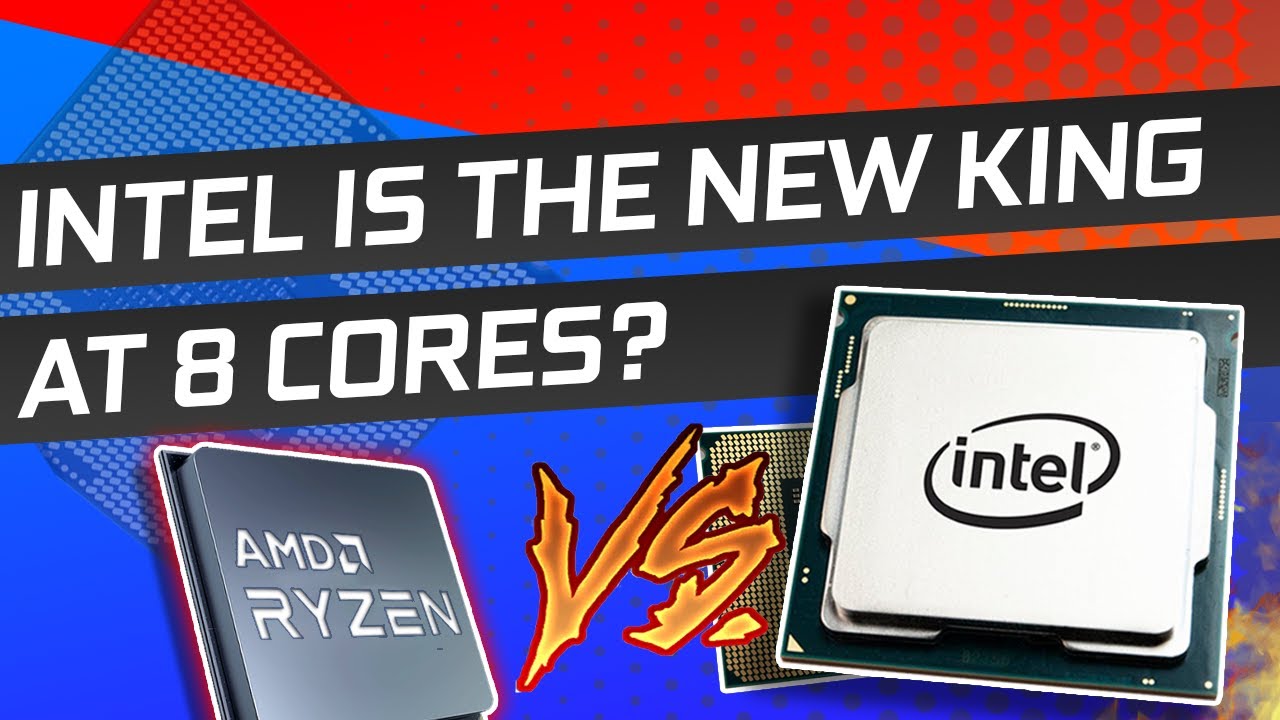
Let’s get started with Intel. The company has been in a steady downfall in the desktop space, there's no question about that. Ever since I’d like to say Zen+, their offerings have become less and less interesting when compared to AMD. And in the last year, their stock prices have been going down steadily. A year ago, it was 70$ a piece and now i...
jagged remnant
hollow thorn
<@757225956250484837> why only those 3 options
Im trying to build an urgent pc for my use
Those 3 fits in my budget
ruby laurel
need to gamer NOW
what were the cpus?
i want to help u but not enough to scroll up
 ruby laurel
jagged remnant
Those 3 fits in my budget
ruby laurel
jagged remnant
Those 3 fits in my budget
the best one in there, the 4790, gets owned by a 10th gen i3
like not even close
jagged remnant
ruby laurel
why those cpus
I know i can move up to ryzen 3 or i3 latest gen but those build will cost me double with the budget i have now
ruby laurel
it wont actually
jagged remnant
One more reason is i already have some parts like storage,ram,power supply
hollow thorn
@jagged remnant what's the budget
jagged remnant
Converted to usd is around 250 bucks
naive pendant
I assume you already have a motherboard?
hollow thorn
@jagged remnant what country
ruby laurel
because honestly going off of used markets most places
10100 costs the same as 4790
ram is around the same
and boards too
unless ur using some oem board
jagged remnant
hollow thorn
<@!757225956250484837> what country
Malaysia
jagged remnant
naive pendant
I assume you already have a motherboard?
Actually yes, but i tried with my older build, no display
- Mobo light is on
- Cpu fan turning
- Already tried to adjust the RAM and Video Card
But still no display
I think i shud buy cpu+mobo combo
elfin warren
Which motherboard light?
jagged remnant
It has an led indicating it has power supply
elfin warren
What board?
jagged remnant
Asus P8H61-M PLUS V3
naive pendant
Where them 5950x at
jagged remnant
i3-3220
GT 610
4GB DDR3
500w psu
ruby laurel
pure power
elfin warren
And you have everything spinning but no video out yeah?
jagged remnant
yeah
elfin warren
is the monitor plugged into the motherboard or the graphics card?
naive pendant
river ledge
<@!721577362247909446> get clapped nerd https://youtu.be/2AsisYSmc6I
hardware leak channels 
elfin warren
Without a speaker to plug into theboard to hear beeps, it's hard to troubleshoot the older stuff
jagged remnant
ahhh
elfin warren
No LED's to say what's wrong
Need a small speaker to plug onto the board and count the beeps
jagged remnant
i have a speaker, but usb type
jagged remnant
ouh i am seeing it for the first time
elfin warren
If you have an old pC laying around, might have one in it
jagged remnant
Is this the one?
elfin warren
The other thing you can do is unplug it from the wall. Remove the button cell battery and wait a few minutes. Put it back in and try and start the PC again
Yes but that's hard soldered to the board
jagged remnant
Yeah
jagged remnant
elfin warren
The other thing you can do is unplug it from the wall. Remove the button cell b...
Will try
elfin warren
Actually, that's PCI lol
jagged remnant
Haha
river ledge
naive pendant
hardware leak channels <:steveconfused:722597717465104414>
There is no hardware leaks channel
naive pendant
i mean, channels who talk news about hardware leaks
most of them are clickbait tho
 elfin warren
Plug your VGA cable into the GPU
jagged remnant
elfin warren
Plug your VGA cable into the GPU
Still no display
elfin warren
Did you take the battery out for a few minutes with it unplugged from the wall?
elfin warren
That is entirely up to you
It will help with troubleshooting that's for sure
But me, personally
I'd take everything out not needed for boot
Drives, GPU, just leave in CPU and RAM
Minimize it
elfin warren
Take out the ram
Shoudl still get a BIOS POST screen
Oorrrr.....maybe not
NOt sure TBH
jagged remnant
Im not sure either
I plugged in my mouse into the board, it didnt light up
Is it the I/O part spoilt?
elfin warren
Might be a bad motherboard then or just not initialized.
TBH, without the beeps it's hard to say for sure
jagged remnant
Okk
elfin warren
Tried the RAM stick in the other slot?
jagged remnant
elfin warren
Tried the RAM stick in the other slot?
Done
elfin warren
Or a different stick of ram?
jagged remnant
I have only one stick
elfin warren
Oh
 vast granite
Anyone have an msi mobo and crucial rgb ram that can control their rgb with dragon center or the mod utility
Ping me if you do pls
jagged remnant
Now i've only connected the push start button, cpu and ram on the board
jagged remnant
Still not working
elfin warren
Well, it's one of those three
WIthout beeps or some other way to test, it's hard to tell
jagged remnant
Okk i'll wait then
elfin warren
If you ahve another system to test components in, I'd recommend that
pale mist
If i had to put my money on anything the Ram is prob the culprit
I have so much ddr2 and 3 if your in AK i might pay you to take it lol
elfin warren
XD
jagged remnant
pale mist
I have so much ddr2 and 3 if your in AK i might pay you to take it lol
too far haha
ok what if i upgrade it to newest gen
ryzen 3
8gb ram
rx 570
jagged remnant
i3-3220
GT 610
4GB DDR3
500w psu
pale mist
Hmm
The cpu is capable of more than the 610 but that is pretty far gone
A new-ish one might be better
jagged remnant
i was planning for,
cpu: i7-3770
gpu: rx 570
ram: 16gb ddr3
still old but better than what i have now
jagged remnant
I have two mobo in mind,
- GIGABYTE GA-Z77-DS3H
- MSI ZH77A-G43
naive pendant
i7? eh
xeon is a better option unless you find a I7 for cheap
rx 570 is nice but get it used, they mostly have great/alright lrice
jagged remnant
naive pendant
i7? eh
xeon is a better option unless you find a I7 for cheap
rx 570 is nice but...
but the motherboard is hard to get here
split copper
I have DDR3-1600 CL11 in my trailer park H81 board and
ruby laurel
xeon is cute
split copper
I want to get a new kit of 1600 CL9
Just don't know how memory support would work
And it's not a consumer board so I don't have a manual for it
The bios doesn't have any memory settings
ruby laurel
split copper
And it's not a consumer board so I don't have a manual for it
oem or server board?
split copper
Oem
Lul
Lenovo type beat
Trying to find a product number in any pictures I have of it
I have p/n for a nearly identical board with more features, difference probably doesn't matter for ram stuff
But, there's no manuals
 lethal glacier
Is 48-49 Celsius normal for an idle cpu temp?
lethal glacier
No overclock. 7 3700x
elfin warren
What cooler?
lethal glacier
Stock
lethal glacier
Do I load into a game to find that out?
lethal glacier
It’s maxing out at 77 Celsius
lethal glacier
Sweet. Thank you!
elfin warren
YW
 pulsar hill
I've got a small problem on my hand in regards to my memory and mobo
elfin warren
?
pulsar hill
I just upgraded my memory to 16 GB of 3200 ddr4 on my b450M DS3H
In Windows it shows 8.1 GB are being reserved, and it's only running at 2666 MHz
And I can't enter the bios because I was stupid and enabled ultra fast boot
elfin warren
Reset CMOS
pulsar hill
wait a minute i think i just fixed my fast boot issue by downloading that gigabyte app center
elfin warren
Either use the jumper on the pins or remove the battery for 3-5 minutes
pulsar hill
elfin warren
with it unplugged from the wall
pulsar hill
YOOOO THAT WORKED
elfin warren
With regard to the high reserved memory, there's a fix for that too
pulsar hill
what's the fix for the memory thing?
elfin warren
Winkey+S, msconfig, enter
Boot Tab, Advanced Options
Uncheck the Maximum memory box
pulsar hill
? Is it not a bios issue? I assumed it was because it was also running way slower than it should
elfin warren
Probably a windows issue
Speed is definitely BIOS
Reserved memory probably Windows
pulsar hill
Alright so I'm definitely gonna check that out in windows settings
Any ideas on how I'm gonna set my memory to the right click?
*clock
elfin warren
intel or AMD?
pulsar hill
AMD
pulsar hill
Aight so I hit profile 1
pulsar hill
I believe so
pulsar hill
Ok it's booting into windows, surprisingly.
I was sure I had just messed up my bios lmao
pulsar hill
Yep, windows still shows 2666 MHz. But while I'm here, I guess I should go to msconfig
elfin warren
Yeah, check that
pulsar hill
There is no check on max memory
elfin warren
If you haven't updated BIOS, grab that too while you're there
and update it when you restart
pulsar hill
elfin warren
Just let it sit. Best to do BIOS updates with a USB drive in the BIOS itself
I never trust the OS BIOS updates
elfin warren
Put it on a thumbdrive
pulsar hill
empty one?
elfin warren
Reboot, go to BIOS, then update from there. Probably called EZFLASH or something
Yeah, empty one
Also, if that file is ZIPPED
Some motherboards like the ZIPPED file and not the uncompressed but I can't remember which ones
elfin warren
Ye
pulsar hill
good?
elfin warren
yeah
pulsar hill
Alright, so is Q-flash the right thing to use?
elfin warren
Ye
elfin warren
Nice
pulsar hill
I may be being picky but for a program that's only 16 MB in size this thing is taking awhile
elfin warren
It looked right, what RAM is it?
pulsar hill
Adata xpg 1
pulsar hill
Oops
elfin warren
What motherboard?
pulsar hill
gigabyte b450m ds3h v1 i beliebe
elfin warren
There are some ADATA kits on the QVL
SO that's good news
But only at 2666 from what I'm seeing
Owait, wrong column lol
Stand by
pulsar hill
alright then, its unfortunate, but the best my cpu can handle anyhow is 2933, so theres not a huge different between 2666 and 2933 ig
so the main issue im worried about now is the memoery thing
oh?
elfin warren
These are the compatible kits
devout mothBOT
 vintageRacer79#5330 has been warned
Reason: Duplicated text
pulsar hill
Aight. I still haven't checked the bios yet
Hopefully the update should get this all going nicely
elfin warren
THis time just let it do it's thing until you get back to the POST screen
Once you get back to POST enter the BIOS again to be sure it stuck
pulsar hill
Definitely should do that, yes.
elfin warren
If it didn't, try manually setting it up instead of XMP
pulsar hill
Really stupid question, but atm I have the ram in alternating slots. That's how it's supposed to be right?
Not side by side?
elfin warren
Yes, that's correct
pulsar hill
Aight just making sure I have way too little actual hands on experience with this stuff and it's nothing like the simulations in school
random ledge
Compatible cpu fpr msi mag tomahawk b460 LG1200?
elfin warren
Yes
random ledge
Kk
pulsar hill
The simulations were always perfect. Ram issue? You either have a dead stick or put it in the wrong slot. Nothing was ever a software issues unless it was a lab centered around a specific software issue. It never taught how to actually diagnose an issue yourself haha
Also xmp is disabled in bios so that's fun. Let's re enable that
pulsar hill
Ah gotcha.
So I have now turned xmp on. The fans have spun up and gone quiet about 2 times. Now I see the bios flash. And now windows is bootinf
Booted
pulsar hill
unchanged in windows
pulsar hill
I think?
elfin warren
Ok, I found a little tidbit for you to try
In the settings, there's a DRAM Power Down setting
Turn it OFF
Or disabled
pulsar hill
In which settings?
pulsar hill
Aight I'm back. I had to do something irl. Bouta be back at the computer
elfin warren
kk
pulsar hill
Could putting ram into A1/B1 slots fix anything?
elfin warren
no, that will make things worse lol
pulsar hill
Oh damn aight
elfin warren
What about Gear Down Mode?
pulsar hill
Power down enable is set to auto. I disable that?
elfin warren
Yes
pulsar hill
Disabled
elfin warren
Try XMP again with that disabled
pulsar hill
Xmp is still set to profile 1
pulsar hill
Which says it should be 3200 MHZ but it still wants to keep it at 2667 MHz but honestly, main priority is getting 16 GB used by windows
elfin warren
Yeah, save and exit
pulsar hill
No dice, still 7.9 GB in windows
elfin warren
Speed good though?
pulsar hill
8.1 hardware reserved.
Speed is still 2666 MHz
elfin warren
what CPU?
pulsar hill
Ryzen 5 2600x. Max ram speed it supports is 2933
elfin warren
Have to set XMP to 3200 settings then manually set 2933 speed.
pulsar hill
Oh huh
elfin warren
But the 8 GB reserved thing
pulsar hill
Aight. But will getting the speed right fix the reserve?
hollow thorn
Some bioses just doesn't allow you to do manual once you set xmp
pulsar hill
If it means anything, bios says there's 16 GB, no qualms there
hollow thorn
Just windows things
Usually a restart gets rid of it for me, but I'm assuming it's staying an issue for you...
pulsar hill
It's staying an issue. Yes. Msconfig had no check
Also yeah, bios won't let me edit the ram speed with or without xmp enabled
Oh it will let me edit it but it's very rude about it
 tacit hemlock
What are good idle temps for a 5800x?
tacit hemlock
I was getting about 64-68 on a kraken x73. (ik that sounds horrible). I'm now on a 240 ek aio and getting about 58
elfin warren
Still sounds high
tacit hemlock
ya
elfin warren
Pump speed 100%?
tacit hemlock
no