#cpus-mobo-and-memory
1 messages · Page 156 of 1
 neat estuary
 tribal harbor
makes total sense 😄
neat estuary
You could likely get all the parts you need for a system for around 400$ if you use your 1080
the GPU nowadays is the most expensive part of a gaming system
tribal harbor
yeah..i wouldnt trade it or not use it..lol
 alpine hawk
anyone have an idea on a fix for pc reboot when launching games that require easy anticheat?
 ionic skiff
best itx motherboard for z490? it looks like its between the asus strix and the gigabyte aorus
but idk the difference between them
 gritty meadow
from memory, its IO thats the difference @ionic skiff
 patent jewel
I had a 5600x in my amazon cart but then I go to the cart and it just says that a problem with the items in your cart has occurred. 😦
ionic skiff
the prices are only 10 cad different so is it just worth getting this asus one since its asus
 tall belfry
Welp, Asus is now having their mobo product engineers to resolve my issue. I have a little prediction of b550 bios instability with the new Ryzen 5000s series
 tardy sentinel
tall belfry
Welp, Asus is now having their mobo product engineers to resolve my issue. I hav...
tardy sentinel
tall belfry
Welp, Asus is now having their mobo product engineers to resolve my issue. I hav...
Whats your issue? I got a STRIX B550F with a DRAM light every other startup & unsuspend.
tall belfry
My lights don't indicated any hardware error. So still don't know what's happening. Also no physical damage to the board. Again working with Asus engineers
 desert sundial
ya boi got a r9 5900x 
 violet zealot
Nice, pulling all the good stuff
 ebon nimbus
ok so im asking because im completely oblivious to this... for cpu and mobo compatibility all that matters is the socket right? because I have a msi mpg z390 gaming plus and im thinking about getting the i9 9900k
ebon nimbus
ah if you dont mind could you explain what else comes into play
 deep vigil
For compatibility @ebon nimbus ?
ebon nimbus
yep
deep vigil
Theres socket and chipset
Socket is the place where the cpu sits so it the socket is different then it wont work
ebon nimbus
yup so like the LGA 1151
deep vigil
Is a socket
violet zealot
Correct
ebon nimbus
Thanks! 😛
 vague lotus
What's the difference between these two:
https://www.newegg.ca/amd-ryzen-9-3900x/p/N82E16819113103?Description=ryzen 9&cm_re=ryzen_9-_-19-113-103-_-Product
https://www.newegg.ca/amd-ryzen-9-3950x/p/N82E16819113616?Description=ryzen 9&cm_re=ryzen_9-_-19-113-616-_-Product
The more expensive one seems to be a worse product so why is it more expensive?
 gentle fulcrum
the 3950x has 4 more cores
violet zealot
They've both gone up in price though, MSRP for both of those is 499 and 749 respectively 
Oh my bad it's Canada I forget 
vague lotus
Would this be a good motherboard to go with a ryzen 9 and an rtx 3080? https://www.newegg.com/asus-tuf-gaming-x570-plus/p/N82E16813119197?Item=N82E16813119197&nm_mc=AFC-RAN-COM&cm_mmc=AFC-RAN-COM&utm_medium=affiliates&utm_source=afc-PCPartPicker&AFFID=2558510&AFFNAME=PCPartPicker&ACRID=1&ASID=https%3A%2F%2Fpcpartpicker.com%2Flist%2F&ranMID=44583&ranEAID=2558510&ranSiteID=8BacdVP0GFs-zeOnrPRxCKf4zXcsnlgpvQ
 hollow thorn
5900x or 3900x
vague lotus
3900x
vague lotus
I assume that would be better if I wanted the 5900x
 modest oyster
ya boi
hollow thorn
For the sole reason of bios flashback button
vague lotus
Can't you just remove the battery to do that manually?
hollow thorn
because there's no way to update bios without a CPU on the x570-plus
@vague lotus unless you have some interesting tools to physically flash the bios chip itself to update it, uh, not really..?
Bios flashback and reset cmos are different things
Flashback allows you to flash a new bios on
reset cmos just clears the settings
modest oyster
Quick question: xmp profiles on AMD board - rather no problem or I need to expect some manual stuff
hollow thorn
No problem
When there is a problem, it's the fault of the ram manufacturer (aka. no fault by design)
modest oyster
👍
vague lotus
Do you think I should go for the 5900x instead?
modest oyster
I wanna drop G.Skill Trident Z RGB 2x16GB CL16 3600Mhz on b550 asus board with ryzen 3600XT. Actually got them already, tomorrow gonna install when got access to pc
hollow thorn
Very hard to get your hands on one, so that's your own question to ask.
If you can get your hands on one, it's very noticeably better.
vague lotus
I mean, I can wait til they are in stock again
hollow thorn
Fair
vague lotus
I assume they will be eventually
hollow thorn
Eventually, yea, but who knows, people tend to not like living on uncertainty :)
modest oyster
Building pc this year kinda difficult, all the good stuff already released but nothing on stock
vague lotus
Yeah all the parts I want are sold out lol
modest oyster
I guess eventually like February or march will start some
vague lotus
my current computer gets the job done though. It works for 95% of the things I want it for
vague lotus
isn't the 1080ti the same price as the RTX 3090 but just way less powerful?
modest oyster
Used can get below 300quid
hollow thorn
MSRP it was ~700usd
modest oyster
I'm in uk
hollow thorn
3090 is 1500usd MSRP
and 1080ti is two generations apart from 3090, so it's a very very different comparison
vague lotus
Well same price as the 3080 then
modest oyster
Got 960m in laptop tho
hollow thorn
1080ti performance is around a 2070 super
2080ti performance is around a 3070
modest oyster
So that will be big jump ;)
hollow thorn
So 1080ti to a 3090 is not a very nice comparison in terms of performance :)
hollow thorn
eh, somewhere around there
 rapid thunder
@cedar leaf @violet zealot @copper berry I am pleased to announce my build is now almost complete and is fully operational. The only part I'm waiting on is my 6 TB HDD for mass storage. I'm using an SSD for a boot drive and I must say it feels like night and day relative to my HDD boot drive from the old build.
Here's the complete build. https://pcpartpicker.com/user/ThelVadam4321/saved/fvfqmG
modest oyster
I'll loose some just because the way will be installed but still I just want to experiment a bit with that
Also need some PSU to power that beast up.
 cedar leaf
rapid thunder
<@!708870603142070293> <@!164898441007333377> <@!284454276066181120> I am please...
cedar leaf
rapid thunder
<@!708870603142070293> <@!164898441007333377> <@!284454276066181120> I am please...
Yay!!
vague lotus
I'm looking at the specs for the 3900x and the 5900x and they seem to be identical? You said there's a big difference in performance though, how can you tell?
hollow thorn
@vague lotus Single core performance is made up of two parts, iPC, and frequency
the thing they don't list is iPC, and that's where Zen 3 got a pretty damn big jump compared to Zen 2 :D
@vague lotus Take a look at this, specifically the single thread score
https://www.cpubenchmark.net/compare/AMD-Ryzen-9-3900X-vs-AMD-Ryzen-9-5900X/3493vs3870
gentle fulcrum
@hollow thorn so with the big jump, the 3700x is pretty close to the 5600x?
vague lotus
Single thread is good for old or simplistic programs that are power hogs right?
things that don't have multi threading
hollow thorn
Yes
@vague lotus It's for everything basically
multi thread is just single thread, except you squish them together :D
vague lotus
lol
I dunno, it's expensive but I might go for that one. I want something that's good for dwarf fortress
One of the most deceptively system intensive games around
vague lotus
17% increase in the 5900x
You've helped me decide today that I'm not ready to buy yet x.x thanks lol
hollow thorn
:)
 deft helm
Hey
I have Hyperx fury ram and it is not going past 2133 with a-XMP on either profile with my x570 gaming edge WiFi MSI board
Does anyone have any ideas as to why?
hollow thorn
How do you know it's not going past 2133mhz?
hollow thorn
I suggest you try at least cpuz
 next dawn
yoyo
I got a ryzen 5 3600 and I am getting 70-80 celcius
is this bad
next dawn
umm
hollow thorn
Cinebench isn't a stress test
next dawn
how long will my cpu last
hollow thorn
lmao
next dawn
2 terrabyte hardrive
hollow thorn
h510 do make it slightly hawt
hollow thorn
download this and run the stress test with smallfft
https://www.mersenne.org/download/
it'll very likely help with temps if you're woried
next dawn
the link or taking off teh side panel?
hollow thorn
side panel
@next dawn Prime95 will make the CPU go xtrahot :P
it's a stress test
stress test tells you worst case scenerio
next dawn
ight
im scared
its at 90 celcius rn
its about to blow up lmao
fk 93 ceclius
abt to reach max
wut do it do
do i stop it
does it stop by its self
 fallen lynx
it will throttle to keep temps down
hollow thorn
lel
next dawn
thank you for ur time MR1111
hollow thorn
You're welcome
next dawn
lol, i have a 50 dollar gift card, black friday rn and i dont know what to upgrade
hollow thorn
Dunno, maybe ram..?
 ember knot
Is there any specific thermal paste I want to be getting or does it not matter at all
OR any I should avoid
 lethal glacier
It does matter
ember knot
Oh?
lethal glacier
I was recommended nt-h2
lethal glacier
Yes
ember knot
Aight, I might as well get these, thanks
lethal glacier
Np
 snow holly
ASRock B450M PRO4 AM4 AMD Promontory B450 SATA 6Gb/s Micro ATX AMD Motherboard
for this mother board, there is pcie power connector next to the m.2 ssd
does that need plugged in from the PSU?
 terse ice
Huh? A pcie power connecter on the board?
lethal glacier
@snow holly I’m goin to dm you unless you can send photos in this server
The only connectors are the 8 pin cpu and 24 pin motherboard power
snow holly
nvm, its not a pcie power connector
deft helm
quick questiobn
if i have 2x4 gb of crucial ram, can i add 2x4 gb of corsair vengeance and they will work correctly at the lowest of the two clockspeeds right?
 thin dagger
would u guys buy on b&h or wait for it to restock on newegg?
 blissful dragon
are 12+2 phase vrms enough for a 5900x?
I saw a mobo with 12+4 phase but I dont really was to lose an m.2 slot
(12+2 for x570 aorus ultra vs. 12+4 for rog strix x570-e )
imo I think yes, I just wanted some input from others
thin dagger
the -e one is 14+2 and I think it should be enough for a 5900x at stock anyway
the mobo recommended was the x570-e (https://www.xtremegaminerd.com/motherboards-for-ryzen-5900x/)

As 5900X is also overclockable, you can increase the clock speeds to 5.0GHz if you know how to do it correctly. For doing this properly, I don't recommend going with any random X570 motherboard
blissful dragon
@thin dagger the -e is enough or the ultra?
I’m not gonna push it past its stock 4.8Ghz, that’s why I was askin
thin dagger
the -e seems to be enough and recommended so I would feel pretty good buying this one but try reading more reviews on it to be sure
 void jolt
If I buy a 5100mhz pack and clock it at 3600mhz on Zen3 would it have the normal effect of a 3600mhz pack?
thin dagger
wym normal?
blissful dragon
Remember the latency on those kinds of kits
blissful dragon
thin dagger
the -e one is 14+2 and I think it should be enough for a 5900x at stock anyway
Funny enough I saw that the gigabyte aorus pro is a good fit for most people (aorus ultra is a beefed up version of the pro)
I will indeed do more research
blissful dragon
:>
 hidden cobalt
I know this is a question about ancient tech, but what is the difference between a i7 2600 and a i7 3770.
Looked up performance comparisons and they look to have only a miniscule difference between them.
Ohh that is kinda a biggie
thin dagger
nanometers I guess?
hidden cobalt
The power draw is almost double on the older model.
gritty meadow
@hidden cobalt its not that simple
have a read if you are curious @hidden cobalt
hidden cobalt
Checking it now. Looking to build a cheap nas using some salvaged parts, but the cpu/mobo combo I need to buy. Just trying to weigh my options with previous gen hardware
Currently bouncing around trying to see what the best bang for the buck would be for a used previous gen
 empty stratus
Trade
gritty meadow
@hidden cobalt if you "just" need it for a nas. depending on what you want it to be able to do. you can easily go many generations back
 west fiber
can anyone tell me if g.skill tridentZ rgb memory F4-3600C18D-64GTZR 65 GB (2 x 32GB) is compatable with the asus rog strix Z490-E motherboard please?
 zealous fable
Does a micro ATX motherboard look bad (disproportionate) in a mid tower case?
 cinder sphinx
just got my msi mag x570 tomahawk wifi. read the manual and it stated that i can update bios without the need of cpu. now my question is can i use a usb 3.0 flash drive to plug into the flash bios usb port on the mobo to update bios or i should use a usb 2.0 flash drive just maybe because of compatibility?
hollow thorn
Shouldn't matter, just a usb stick will work
 naive pendant
Hey, could someone help me? I would like to know what is the best mobo for Ryzen 7 2700X CPU.
 vivid pewter
Should I check if I mobo has the bios to support zen 3 already and install the cpu or should I just flash the bios before even installing the cpu?
violet zealot
Typically they would put a sticker on the box if the bios was flashed for the latest cpus
violet zealot
Yes, it is
 modest cove
naive pendant
Hey, could someone help me? I would like to know what is the best mobo for Ryzen...
modest cove
naive pendant
Hey, could someone help me? I would like to know what is the best mobo for Ryzen...
Asus TUF gaming X570-plus
Its a great mobo
And I have one for my 2700x
Just dont get a b550 board (they don't like Ryzen 2k series)
naive pendant
aight tyyy @modest cove
 quasi fractal
Hi! I had a quick question about RAM compatibility (I'm moderately tech savvy, but this is my first build).
Is this RAM (F4-3600C16D-32GTZRC) compatible with the ASUS Strix B550-e or X570-e motherboards and a Ryzen 5800x? https://www.newegg.com/g-skill-32gb-288-pin-ddr4-sdram/p/N82E16820232906
I checked the QVL and couldn't get confirmation. I know there's a "Neo" version of this RAM available, but I prefer the look of the one I linked to the Neo. If it's compatible, is there anything different I'd need to get it working when I finally start my build?
modest cove
I think it'll work, DDR4 is DDR4. Unless the Ram is registered ECC but thats for xeon systems and servers
As for the mobo
Just check if the bios is flashed to one compatible for Zen 3 Cpus
Either from factory or do it yourself
quasi fractal
Cool, thank you! I figured I'd have to flash the mobo. Both have that flash bios with a USB function, so it seems easy enough to just DL the update and do it myself.
I guess a follow up: Am I going to run into any limitations with the B550-e that might nudge me toward the X570-e instead? Price difference will be about $80 after rebates, making the B550 cheaper.
Build is primarily for gaming, recreational use, and work (occasional Photoshop, heavy website crawls using tools like Screaming Frog, massive spreadsheets, lots of browser tabs open at any given time, etc.). The B550 appears to have all the connections I'll need. Not sure if there's some other minor detail I've missed in my research.
violet zealot
B550 is the better deal then. Really the only benefit with X570 is getting pcie gen 4 on the chipset itself.
Which is probably why it needs the chipset fan
 pliant cypress
or b450/x470?
quasi fractal
Ok, great. Thank you! 🙂
snow holly
gritty meadow
<@!782029108749926406> where on the board are you talking about?
i was confused, but good news is that i figured it out and the build is now working!
 silent widget
Anyone here?
Have a tough problem, wasn't solved last time I visited this server. Computer basically hard resets or shuts off when idle for 2-3+hrs.
silent widget
yep....
Motherboard; Gigabyte x570 Aorus master v1.0
RAM; 1 kit (2x8, 16gb) G.SKILL F4-3600C16-8GVKC
PSU=750W, M.2 NVME Samsung 970 1TB
CPU is 3950x
modest cove
Hmmmm
silent widget
Computer will randomly restart whenever it is idle for just 2-3hrs. This also occurs sometimes during startup (1/10), and happens in both windows-10 and Ubuntu 20.1. Windows event viewer will indicate Critical Event 41 (Kernel-Power). The numerous WHEA-errors (Event-19).
I'm almost certain at this point it's the CPU....
silent widget
- Manually adjusted memory timings (XMP, Levels 1/2/3, default 2133Mhz)
- Manually removed/replaced memory in slots 1/3 OR 2/4, also tested 2nd identical kit.
- Swapped Power supply (corsair 750W for known working Corsair 600W)
- Re-installed windows 10 and Ubuntu OS 20.1
- Removed/replaced CMOS batter in motherboard.
- Swapped graphics card (5700xt for known good RX480)
- Set PICE to 3.0 vs. 4.0, manual Bifurcation
- Swapped SATA and NVME drives
- Attempted different BIOS version (F20 thru current F30)
- Adjusted numerous BIOS settings for memory, Fast boot, USB, ethernet, etc.
- Turned off windows power supply/hibernation schemes
- Updated all drivers (AMD Ryzen, AMD GPU, Realtek Lan, NVME, SATA, raid etc.)
silent widget
GIGABYTE has offered to RMA the motherboard. G.SKILL (RAM) has no clue. AMD hasn't responded to any of my technical requests.
fallen lynx
and what is your idle CPU temps?
silent widget
Yeah, I have two kits, tested separately, both pass
I'm tempted to run MEMtest for days thoughs
fallen lynx
you need to do the one that does like 4 passes at 1 hour+ each
silent widget
Typically 45-52C, maybe 60 if gaming for a long time.
silent widget
I can set that up tonight, but I really don't think it's the RAM.
Yeah, I really don't think reseating the cpu changes anything.
fallen lynx
if it passes the longer memtest86 (where you boot to usb) then RMA the MB if they are already going to let you
hollow thorn
hm?
silent widget
Windows event log does have some unique Kernel-power errors, and WHEA errors.
hollow thorn
It's a might-as-well thing, reseating a few things.
silent widget
True
I reseated the CPU last month
I found a really long reddit post on this same issue, seems to be effecting a lot of x570/Ryzen 3000 users
Any other ideas please let me know? I think it would be best after all this time to just RMA both CPU and Motherboard.
silent widget
What's you reasoning on the CPU?
Occasionally these hard resets will also trigger Event 55(Kernel-Processor-power), 32 times, for every processor on the chip. Online users have informed that this caused by a faulty CPU. What's odd is I get these errors in windows event log throughout the day.
On Wednesday I was installing an updated AMD drive, and the whole computer froze for a good 5-7 seconds, with all monitors turning on/off, afterwards the even log was flooded with around 400+ kernel errors, followed by the Kernel-Power issue.
*Driver
silent widget
I agree.
fallen lynx
but its more likely to be anything else other than that
pliant cypress
either should work fine, x470 for more high end
silent widget
it seems unlikely that the motherboard (x570 master) would be causing idle restarts/shutdowns.
Why would this occur when the computer is idle (no load) vs. intensive gaming, or video editing?
fallen lynx
depending on what part is faulty, its entirely possible that the system load is completely meaningless to what is making it restart
silent widget
My only other though is to try another PSU, one with two 8-pin EPS12v??
fallen lynx
your MB has two 8-pin EPS connectors?
silent widget
This is frustrating, soo many components could be broken here....impossible to really know without sending them back.
Yeah. Gigabyte x570 Aorus master, although feedback tends to indicate that only 8-pin needs to be connected.
*only 1x 8-pin needs to be connected. I have both connected, but my other PSU (600W) only has 1x connector. It is possible to purchase/use a splitter cable.
fallen lynx
if you currently have both connected then you should have more than enough
have you tried disconnecting any non-esssential SATA or USB devices?
silent widget
I'm going to swap the PSU again, set the memory to default (2333mhz), then leave Ubuntu running overnight. If it resets It would have to be either the motherboard or the CPU.
fallen lynx
you need to do the longer memtest86 (usb boot)
silent widget
Yes. Feedback on this specific MB did indicate that SATA controller could be causing the issue.
I disconnected all SATA/USB, minus the rear ports for Keyboard/Mouse.
I'll re-accomplish a cold Memtest tomorrow.
Thanks for your help tonight. I'm not real confident that this is going to work out. Been troubleshooting this for several months. Really wish AMD or GIGABYTE would offer better tech support.
 gloomy nest
Is a core i5-9600k similar to a ryzen-5 3600x? I wanted to get the 3600 or the 3600x, but they're kinda pricey now.
violet zealot
It isn't, they're both 6 cores; but unlike the 3600 the 9600K does not have SMT or as Intel calls it Hyperthreading which basically makes each core more efficient at multi-tasking so it has 12 threads, where as the 9600k only has 6
Look at the comet lake options from Intel if you want to go that way, like the 10400 and so on
gloomy nest
Okay thanks
neat estuary
The 3600 has been hitting Walmart and Amazon for 180$. It sells out within minutes but it restock frequently over the last 3 days.
gloomy nest
It has? Online it says its like $309
 deft stream
trident z or corsiar vengance ram
hollow thorn
If it's Trident z against vegeance rgb, Trident z easily
hollow thorn
Corsair needs to make the Vegeance rgb thinner
It's wide for no reason and can interfere with stuff
like top aio mount
:P
deft stream
maybe i can return them xd
well the corsair ram was cheaper at the time
so i feel a little bit better
fallen lynx
you mean shorter?
tardy sentinel
RGB tax = $ + taller
I'm returning my Corsair RGB DIMMS for non RGB because my b550f wont POST every other boot...and they're stupid tall
I'll just get another RGB fan above the DIMMs to light up that part of my mobo better. Worst case I have to buy an LED strip to plug into a RGB header to get the lighting I want.
May not matter if I wind up with a double fan CPU cooler covering DIMMs anyways
hollow thorn
@fallen lynx no, width is the problem
 normal tapir
Any type of updates on when dark hero gonna get restocked?
 ocean crypt
b550-e strix for 369aud or b550 aorus master for the same price? any ideas which motherboard would be worth that price
only looking to change to aorus master since the sale
matched the motherboard price
 fickle flax
@ocean crypt we had a guy with the same choices as you, and i recommended the aorus master
neat estuary
Aorus Master is the better board.
silent widget
Do bios XMP settings need to be setup correctly to run USB memtest?? or does memtest do this for your?
Computer will start hard shutdown/reboot when idle for 2-3hrs. Still can't find the issue after testing two separate/identical memory kits.
I think i've isolated the problem to memory, but both kits pass memtest (4hrs). The idle reboots only occur when XMP (default profile 1, or 2) is enabled. Have no idea how to manually tweak memory timing/voltage (beyond 3200), and this still produces idle resets. Oddly, XMP profile-3 is stable in Ubuntu, but not windows. There is a healthy reddit post (200+) with other users who have this exact problem in x570 and 3000's ryze CPUs. I think I need to RMA the memory, but not (yet) the motherboard.
These are my system Specs if anyone has any ideas. I'm not getting timely feedback from either AMD, GIGABYTE, or G.Skill
CPU:AMD Ryzen 3950x
Motherboard; Gigabyte x570 Aorus master v1.0
RAM; 4x memory sticks of G.SKILL F4-3600C16-8GVKC
PSU=750W, M.2 NVME Samsung 970
*Correct, RAM is 2x kits (tested Separately), of G.Skill F4-3600C16-8GVKC
**Correction
fallen lynx
wouldn't width be the distance between DIMM slots? i don't see how that could be an issue that would prevent an AiO from fitting. RAM height off the MB is usually what would interfere with an AIO, no?
@silent widget do you have mismatched memory?
or its 4x8 of all the same thing?
silent widget
No, i chatted with @neat estuary a few days ago, pulled all memory, and tested each kit separately (paired by serial number)
I did attempt all 4x memory sticks in default mode (23333 mhz), no issues but obviously well below the performance I paid for.
fallen lynx
are you sure one of the pairs isn't 3600 C18?
silent widget
@fallen lynx we chatted yesterday about USB memtest, all those passed with no errors.
Yes, both pairs are identical, purchased from Newegg this time last year.
Serial numbers are in squence (for each kit). Oddly, the default speed varies between the sets, one is 2133, the other is like 2144, but it's such a small margin.
The feeling I get is that GIGABYTE did not pass this kit, but G.SKILL says it's compatible (with my motherboard and CPU). Literally no idea where to go from here. G.Skill has not been helpful (for several months). And NEWEGG stated that I can email them to possible leverage the manufacturer to provide a refund?
fallen lynx
its kind of weird that you have more than one XMP profile
silent widget
Online research indicates that there are actually two (identical) profiles for this kit....no idea why Motherboard has a 3rd (profile-3) option, or why that produces stability in Ubuntu. It is only slightly higher 3648Mhz?
fallen lynx
you should probably try setting the normal XMP profile and then reducting the timings back to c17 or c18
not sure excatly where you would do that in gigabyte bios
silent widget
Voltage should be 1.35, XMP always puts this closer to 1.38v, feedback tends to indicate this should be higher at 1.4v but this is where my expertise fails
This is the odd part, if I set XMP, but than manually set any memory timing/voltage the motherboard will crash when I initiate save/restart. The display drops, but the motherboard stays turned on (trying to calibrate memoyr??), I then have to hard power off. But BIOS is completely reset (hard looooong beep) upon powering back on.
I don't think it's possible to enable XMP, but then manually change memory settings??
Appreciate all your help btw, you've gotten me further than anyone else on this issue. GIGABYTE has provided feedback, but honestly they recommended and RMA, I don't want to kill that time (6-8 weeks) just yet.
neat estuary
This man will be a expert in the field. Give it 6 months 😅
silent widget
This is my 11th build 😉 never had these issues until I went back to AMD (with this build last year). I'm actually a hackintosh developer. I normally run VMs, which is why I wanted the 3950x (16-core). But these idle restarts/shutdowns are killing my time.
neat estuary
Try the from scratch approach on manual overclocking. Loosen all timings to max. Then max clock speed, set voltage to 1.45. Then start to bring the timings down. You should be able to find videos on this.
silent widget
Should I really have to manually overclock to get the RAM to function at default XMP? Feedback online tends to indicate this is a known problem with G.Skill.
I can go that route, but i'm worried I'll just kill more time chasing a memory (v. motherboard) stability issue.
The WHEA and Kernel-Power errors with the processor (not producing a hard shutdown/restart) are also rather concerning.
neat estuary
Well. You are putting together two different kits that where specifically tuned in XMP for the kit. So when you apply it it will apply settings to a second kit that’s not the same. And I’ll have to be brutally honest. If you want stability in 32gbs of ram then you need to buy a new 2x32gb kit.
silent widget
AMD hasn't responded on this, but my hierarchy is Memory first, bios second, CPU last.
No, kits are no longer combined. I'm testing each kit separatley (with bios cmos flash when swapping).
Sorry, though I mentioned that.
neat estuary
I see. Ok. Good. Are both doing it?
silent widget
Yeah, that's why this appears to be a compatability issue with the vendor (G.skill).
It's on their QVL though.
neat estuary
Hmmm. This is sometimes fixed with a bios update. Did you?
silent widget
This is a pretty solid motherboard ($360), so I wouldn't think this is the board.
Yeah, also tried depricating to F20 bios (current is F30H, for 5000 series Ryzen 3)
neat estuary
Ya you have a good board.
I know it might feel like throwing good money after bad. But I would buy a new kit of ram, try to sell the others or whatever. If this isn’t it then I would RMA the cpu
silent widget
The reddit post I found on this was fascinating, the Kernel-Power errors are uniquely linked to memory as well. But may not result in reset/shutdown. I've rulled out PSU and SATA/USB connections.
neat estuary
See i don’t understand this field. I’m a Windows guy.
And my experience comes from building my very first PC and spending 6 months on ram tuning because of similar issues.
silent widget
I wish G.Skill would take some responsibility here. Two separate kits, both past USB memtest, neither are stable....I should probably ask for a RMA on the memory....right?
neat estuary
They will exchange them. But not refund.
silent widget
Windows is a pretty fantastic product IMHO, and it's getting better. I would actually tell you to try Linux mint (or similar distro), just to test out that (almost always free) capabilities, and there are tons of fantastic capabilities out there.
neat estuary
One problem specific to Asus I have is the bios software for windows. Call them hooks. They are absolutely terrible and result in bios resets too at times
Armoury Crate.
silent widget
The beauty really is that now with Docker you can pretty much put any server/client platform on any system. I have a 2007 windows Xp virtual machine with almost 300 games on it. Family loves it and I can run 2-4 separate instances for multiplayer.....you just login from your laptop via a web interface (home network is Gig-e). lots of future potential here.
Should I try a different, C18 G.Skill kit?
Thinking a combined, 32gb, 2x stick kit, that is 3200 or 3600 C18
neat estuary
Another problem I had with a B550 Aorus Pro was when it would restart,sleep, shut down it would not power back on without a cmos reset. About once a week. I Returned this one for a ASUS and the ram that didn’t work on that one worked perfectly on Asus.
3600 cl18 is superior
All I have used so far is Gskill. But Crucial Ballistic is also great
silent widget
Yeah, GIGABYTE had similar feedback that this could be cause by poor power management, but CPU/memory intensive tasks (Gaming, video editing) produce no hard restarts (XMP-1 or XMP-2). So the idle nature of this issue is really confusing.
I think GIGABYTE was quick to offer an RMA because this board (x570 master v1.0) was basically upgraded to v1.1 and v1.2 within just 4 months. Presume this was mostly due to USB 3.1 power (10amp) power supply.
neat estuary
That’s why I switched to Asus. I didn’t know other boards from Gigabyte where have similar issues. Good to know
They did!!!?? Dude jump on it
silent widget
Yeah, but that's another 6-8 weeks without my super computer.....is that worth my time (to also put it back together and troubleshoot for several more hours, days, weeks) vs. just another RAM swap
The number of hours i've spent trying to figure this out is staggering (probably 30+hrs). That far exceeds any cost (400-$500) in replacement parts.
neat estuary
If your motherboard is the core issue. Then ram won’t fix it. But you could get lucky. Honestly you are in a nightmare situation that gets about 1 in 30 pc builders.
silent widget
I'm gonna let you go, thanks for your help. I think I'll trouble shoot the RAM timings, but then likely order a new (32gb kit), and try to RMA the other two kits.
neat estuary
I wish you luck mate.
silent widget
Thanks, I'll check back in, are you here full-time?
neat estuary
@silent widget no I just hang out occasionally
ebon nimbus
just a quick question, whats the difference between this https://www.newegg.com/core-i9-9th-gen-intel-core-i9-9900k/p/N82E16819117957 and this https://www.newegg.com/intel-core-i9-9900k-core-i9-9th-gen/p/N82E16819118147?&quicklink=true
violet zealot
The packaging
violet zealot
The nonahedron or whatever it's called version is the initial release, at the time it was their premium option at the top of the stack
The plain looking box is a repack at a significant discount that's all it is
naive pendant
and it was their first release (top one) looked really nice
but tbh noone is ganna keep that case haha
i believe it was a glass case they shipped it in
violet zealot
I don't think it's glass, that'd be weird. It's probably just acrylic
naive pendant
somethn see through
i remember in their demo it was a see through that snuggked the cpu
violet zealot
The i9 w/motherboard bundle is a pretty good deal
 glad lodge
Does anyone here know if the Dark Hero VIII mobo still needs to update the bios?
 main pulsar
the better question is why do you need the Dark Hero VIII?
as for the answer to your question: https://rog.asus.com/motherboards/rog-crosshair/rog-crosshair-viii-dark-hero-model/helpdesk_cpu/
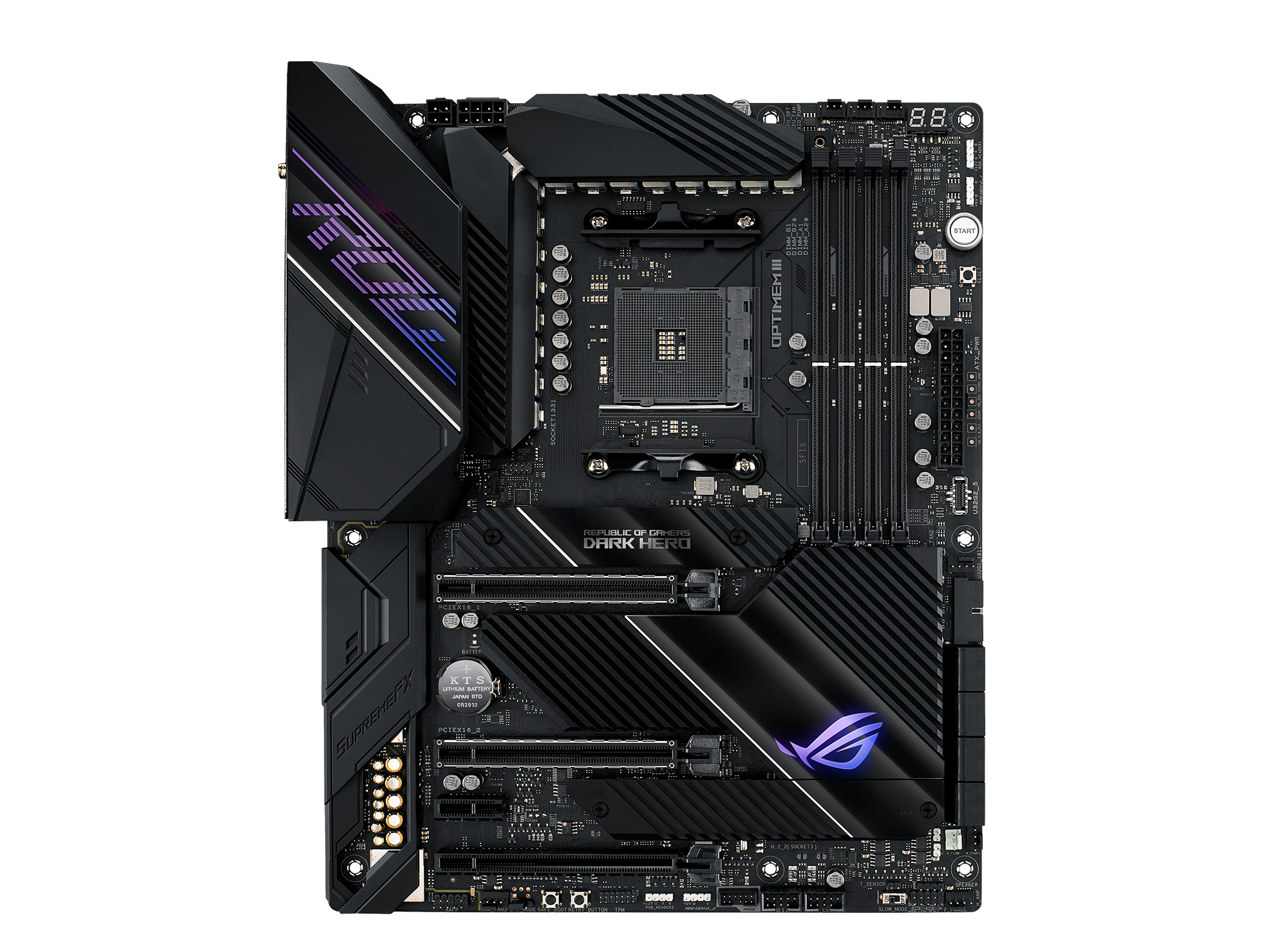
AMD Ryzen 3000 series ATX motherboard with Aura Sync, SupremeFX, ROG Audio, Dual M.2, Realtek LAN, Wifi , M.2 heatsink and USB 3.2 Gen 2
glad lodge
Thank you!
naive pendant
How will i be able to update bios on my mobo if i get the ryzen 5x 5600?
ocean crypt
fickle flax
<@!233923997094379520> we had a guy with the same choices as you, and i recommen...
Thanks. Purchased the aorus master board 😃
violet zealot
naive pendant
How will i be able to update bios on my mobo if i get the ryzen 5x 5600?
It depends on the motherboard, motherboards that are new from the factory will have the latest bios revision and will not need an update. But older stock will need an update, a lot of them now have a feature that allows you to flash the bios without the cpu. All you need is power and a usb drive
deft stream
I've heard some good and bad things abt the asus prime z-390 p but i still bought it, hoping i dont have any issues
gentle fulcrum
If I’m going to be doing video/phot editing and using reshade on some games. Should I go with a 5600x or 3700x? I feel like 3700x is a bit faster for some of these tasks but not sure
violet zealot
gentle fulcrum
If I’m going to be doing video/phot editing and using reshade on some games. Sho...
The single core performance is notably faster on the 5600X, but the extra cores will be a notable advantage in some cases. I think it will age better too
gentle fulcrum
Waheew! So now i only have to wait for a 3070 to be available xD
violet zealot
I don't think it's really a bad idea either way, but the 3700X might be the better deal I think
gentle fulcrum
Yeah, i know they both are good for gaming but I only do 1080p so i think the difference doesnt matter at that resolution
fallen lynx
congrats!
 tribal yoke
ima have no money
fallen lynx
Congrats!
 frozen schooner
Man, its been hell trying to figure out which 570 to get for the 5900
Wanted the Dark, but thats oss and scaplerland now
violet zealot
gentle fulcrum
Yeah, i know they both are good for gaming but I only do 1080p so i think the di...
Actually for 1080p, typically you're cpu bottlenecked so the 5600X would give better performance every time
gentle fulcrum
Even for video recording and what not?
frozen schooner
@gentle fulcrum @violet zealot agree 100% just went through a bunch of benches, its significantly better
gentle fulcrum

violet zealot
For Video recording? I don't think that matters
But for pure 1080p gaming
The 5600X will net better performance all the time
frozen schooner
Pure gaming its as good or beats a 10900k
gentle fulcrum
Okie dokie
violet zealot
Like if you were going 1440
violet zealot
Then the difference wouldn't matter too much I think
violet zealot
There would be a difference, but it wouldn't be huge
Yeah for a 3070 it makes more sense too
frozen schooner
@glad lodge you got a lead on where to buy the dark?
 tawny hemlock
I'm unsure about something
I'm trying to not spend alot of money so with my r5 2600 I decided on the b450 tomahawk max a while ago, but haven't purchased it yet
But the asrock b450 steel legend ATX version is on sale for 90
I'm not sure what to go with because I'm seeing alot of stuff about the VRMs being bad on the steel legend
violet zealot
I don't think it's the VRM so much as the heatsinks aren't designed well
fallen lynx
they are a little small on that one
tawny hemlock
I saw stuff saying they arent nearly as good as on the tomahawk max for overclocking and stuff
I'm mostly just really unsure if the steel legend is actually worth it rather than getting the tomahawk max because of the vrm stuff
 copper pike
Do pins in the mother board can be fixed?
gritty meadow
@tawny hemlock will you be trying to OC the pants off the cpu?
if no, then dont bother with the Tomahawk
tawny hemlock
I'm not sure how much I would want to OC
gritty meadow
consider this: are you on the stock cooler?
tawny hemlock
Yeah
gritty meadow
then dont bother
gritty meadow
just about anything really
tawny hemlock
I couldnt find anything online about whether or not I would be in the clear with the atx steel legend
gritty meadow
will it work? yes
tawny hemlock
But can I trust it
gritty meadow
as much as you can trust any other piece of hardware
tawny hemlock
I dont know if my case choice makes a difference for what mobo I should choose but I've chosen the h510
gritty meadow
please post your pcpp list :)
violet zealot
Never listen to Reddit 
tawny hemlock
I dont really go on reddit anyway
violet zealot
Case choice is kind of subjective, it's not going to be the end all for the core performance
But, it is important if you value good thermals
gritty meadow
is that wifi adapter still in its packaging?
tawny hemlock
I already have a psu
It isnt even here yet
I cant use ethernet
Its in too weird of a spot
gritty meadow
then go for wifi on the board instead
tawny hemlock
Also my wifi is hot trash
gritty meadow
because as it is, per the list, you are paying 128 for a mainboard with wifi
violet zealot
Wifi is like maybe 20 bucks added typically
gritty meadow
he is limited by the cpu in that @violet zealot
b550 boards dont support 2000 series chips
violet zealot
Oh I know, I wasn't suggesting that
gritty meadow
and the b450 boards are slowly disappearing from the channel
@tawny hemlock how much of that list has actually arrived?
tawny hemlock
I've had the cpu for a bit
That's all
The other 3 things were ordered 2 days ago
Now that I think about it I should have asked about my list a long time ago
gritty meadow
its double the storage
and the ssd is leagues faster
re: gpu: no need to avoid it
the 1660 super chip is a cool running chip
tawny hemlock
Yeah I avoided Seagate because I saw people saying it doesnt run as well as the wd blue
gritty meadow
from what i can see of your old list, this is a upgrade across the board
and i just made a change to the ram too
2sec
https://pcpartpicker.com/list/4nbgPV <- there you go @tawny hemlock
 warped scroll
What RGB software do I need to download for older MSI motherboards?
Cause Mystic Light is only for the really new stuff and won’t work on this H270 Gaming M3
gritty meadow
no idea @warped scroll, the manual doesnt say?
tawny hemlock
I guess I should've expected that my parts list wouldn't be as good as I thought since I've never actually build a pc
I know a couple people that have but I dont think they know as much as I thoguht
gritty meadow
@tawny hemlock look on the positive side of things: You didnt come here AFTER you had built it :)
gritty meadow
buyers remorse is very real :)
gritty meadow
nothing i can do on that front @tawny hemlock
warped scroll
gritty meadow
no idea <@!513480752739123230>, the manual doesnt say?
The manual! :o. I always forget that you can get it online
tawny hemlock
I'm glad psu shrouds exist since I'm poor so I have a non modular 500w bronze
 scenic jasper
I am currently looking to purchase a new MOBO, CPU and Graphics Card...
Currently, I'm running a MSI Z170A Gaming M5 with an i5 6500 and a RX480
I would like to go to an i7-9700K or an i9-9900K.. Right now I'm looking at my current board, and I believe I can support the i7 as is... That said, if I moved to the i9, would the current RAM I have also be compatible?
hollow thorn
Well, Z170 would be LGA1151v1, it won't be able to support any 9th gen chips
and iirc LGA1151v1 would be ddr3
9th gen would be LGA1151v2 and ddr4
scenic jasper
I would obviously be looking at a different mobo, but the new mobo would require the same memory type?
Mine is DDR4
warped scroll
Yes
gritty meadow
its ddr4 @hollow thorn
hollow thorn
hm
warped scroll
hollow thorn
and iirc LGA1151v1 would be ddr3
Can be Ddr3. Usually ddr4
scenic jasper
hollow thorn
alright
gritty meadow
https://www.msi.com/Motherboard/support/Z170A-GAMING-M5#support-cpu <- @scenic jasper
Welcome to the MSI Global official site. We are the top Gaming gear provider.
hollow thorn
I thought all lga1151v1 was ddr3, fun.
gritty meadow
manufacturers site is the only place to go for confirmation on support
never trust a vendor site
scenic jasper
Ahh, fair, just a sec 🙂
neat estuary
Will other Motherboard software work on my Asus then Armoury Crate? That software is a crock of doodoo
gritty meadow
and as you will see in the link, it tops out at the 7700k
you cannot post non-newegg/pcpp links yet
scenic jasper
Sucks
gritty meadow
you are still new to the server
gritty meadow
its our anti-spam bot in action
scenic jasper
No worries
gritty meadow
the link i posted is for your board
scenic jasper
So, the RAM would be good despite going to the i7 or the i9 then?
gritty meadow
the ram would work with any board that uses ddr4 yes
would it be a good choice? that depends on the cpu etc
scenic jasper
So, let's say I took on the i9 then
scenic jasper
And went with this board: https://www.newegg.ca/p/N82E16813144300
gritty meadow
your board tops out at 7700k
scenic jasper
I know... I'm trying to lay down the hypothetical for the RAM now
So if I did that board, with the i9 and the current RAM, would I be okay?
gritty meadow
in theory, yes
https://ca.pcpartpicker.com/list/ <- put your parts into this
that makes talking about things a LOT easier :)
i mention that site, because the board you listed, at that price, is just silly
scenic jasper
What board do you recommend? And sorry, this is the i9 I meant to say
i9-10850K Comet Lake 10-Core
That was my bad
gritty meadow
any particular reason you are going intel?
scenic jasper
Too many damn tabs open
Honestly, cause I know it will 100% work with my D14
I believe the D14 does work with the AMD
gritty meadow
it does
scenic jasper
But I've never touched an AMD CPU before
I'm down if you can give me a good comparison CPU
scenic jasper
When I search that, I get 3 products
One is sold out, the other is 694...
And the other is 599
Are they all the same?
gritty meadow

thats a review of the different models
will give you some idea about why we ask :)
scenic jasper
That's fair
TBH, when I do a comparison of apples to apples
The i9 at the same prices out performs it
gritty meadow
in what?
gritty meadow
wrong cpu
scenic jasper
?
hollow thorn
5900x is what we're talking about
gritty meadow
not 3900x
hollow thorn
3900x loses pretty easily
scenic jasper
Why did the site give me the link for 3900 then
gritty meadow
because you clicked the wrong thing?
gritty meadow
we are not newegg :)
scenic jasper
Ahh... Don't know how this discord runs, you're just a tech dude on here helping out?
gritty meadow
aye, all are volunteers
scenic jasper
Did not realize... Sorry about that
gritty meadow
aside from the 4 in newegg staff group :)
nothing to be sorry about :)
its part and parcel for us :)
scenic jasper
So the 5900 is not even available and it looks like that cpu is about a grand Canadian
So, because of that, I'd rather take the i9 atm
gritty meadow
nah, that is just newegg being silly (if they are listing it as 1k cad)
and yes, i know its listed as out of stock
but price is the reason for the link :)
scenic jasper
Hmm, still steeper than I'd like... I agree it's probably better, but I'd rather take the i9 for the cost
Fair
Plus, I'd have to wait on Noctua to send me the new mounting brackets
So, if I was to take on that CPU, what MOBO would you guys recommend? for this i9-10850K
I have a M2 already as well
gritty meadow
just about any z490 board will work for you
its a question of what you want it to be able to do
tawny hemlock
Naed after adding in the price I got my psu for that build you sent is 4 dollars cheaper for alot more storage, so thank you
gritty meadow
you are very welcome @tawny hemlock
scenic jasper
Looks like this is my best bet for MSI at least: https://www.newegg.ca/p/N82E16813144300?Description=mpg z490&cm_re=mpg_z490-_-13-144-300-_-Product
Given all the things I want with it
gritty meadow
scenic jasper
Are you able to see the system builder once I build it?
scenic jasper
Let me set the rest of it up... Give ma s ec 🙂
gritty meadow
please dont make it in the newegg builder
scenic jasper
Not going to 🙂
Also, this is the RAM I have
That was my last purchase from them for RAM
 spare gyro
Thinking of picking up Check this out on @Newegg: G.SKILL TridentZ RGB Series 32GB (4 x 8GB) 288-Pin DDR4 SDRAM DDR4 4000 (PC4 32000) Desktop Memory Model F4-4000C15Q-32GTZR https://www.newegg.com/g-skill-32gb-288-pin-ddr4-sdram/p/N82E16820232973?Item=N82E16820232973&Source=socialshare&cm_mmc=snc-social-_-sr-_-20-232-973-_-11292020
gritty meadow
just plot it all into pcpp @scenic jasper :)
gritty meadow
its fine
scenic jasper
So this is the link: https://ca.pcpartpicker.com/list/WdFNy4
The RAM and Cooler and M2 already are purchased
So, it's just mobo, gpu and cpu
My current PSU is 750
gritty meadow
you are aware the GPU is a in-store backorder right?
scenic jasper
For all stores it seems.. Canadacomputers and Newegg
Booo
Is there something comparable?
scenic jasper
Never purchased from ASRock before... Any good? Gigabyte has been stellar on any tech support I've had
gritty meadow
it does not really matter
ive worked with all of them
hence why i said what i did above :)
scenic jasper
Fair
gritty meadow
mass production is mass production
you might be unlucky, you might be lucky
but there is not anything glaringly wrong with that model from what i know
scenic jasper
Thanks!
gritty meadow
and just so you are 100% informed
scenic jasper
Is going out of my way to use pc part picker to find the cheapest viable?
gritty meadow
you are aware that there are new cards on the market?
scenic jasper
Yeah, I was hoping that this would drive the price of these cards down
gritty meadow
but that stock is hell?
scenic jasper
Stock is hell?
gritty meadow
there is demand that strips all stock
scenic jasper
For sure
gentle fulcrum
stocks
gritty meadow
i just wanted to make certain that you are aware of it
because it would not be fair to not tell you
scenic jasper
I know that stock and prices change as things go, but are you telling me cause the prices haven't gone down yet?
gritty meadow
im telling you, because much faster cards are available
but they are just not in stock
gentle fulcrum
30 series card op
scenic jasper
Ahh... I hear you but I don't want to spend 1k on a card right now 🙂
gritty meadow
@gentle fulcrum cad
scenic jasper
I'm in CAnada
gritty meadow
availability
gritty meadow
so, before you laugh at someone, please read first @gentle fulcrum :)
scenic jasper
That's why I'm saying, I have to play a different game to buy cards than in the states...
gritty meadow
and to answer the pcpp question: its a viable site to look at what the price is in many different shops
just be aware that you have to check that the stock is actually there
scenic jasper
I typically use logicalincrements cause it deals with CAD really well
gritty meadow
because it is ONLY reporting what it gets told by the vendors
scenic jasper
I hear you
I've ordered lots of parts before for many computers, my real struggle, is that it's been like 5 years since I've had to put one togetehr, so a lot of the information I was looking for was frustrating to wade through, it's why I was talkingt o you guys tbh
gentle fulcrum
wait why is it so much more expensive in canada than usa?
gritty meadow
and that is a fair reason to talk with us :)
scenic jasper
And we have to import, even though we are sometimes shipping from Canadian places to American places
LMAO
gritty meadow
hey, none of you have AUS prices
gentle fulcrum
so u could potentially wait for 3060
gritty meadow
those are bonkers
gentle fulcrum
o.o
scenic jasper
I know for a fact that ATI is HQed in Canada, yet we do not benefit from it at all
gritty meadow
ATI does not exist anymore
scenic jasper
They are AMD now
 devout mothBOT
 Mantagonist#3830 has been warned
Reason: Bad word usage
scenic jasper
Any case.. Thanks for the help @gritty meadow that will be my 3 things I get hopefully in the next few days
Thank you for all the help!
gritty meadow
you are very welcome @scenic jasper , best of luck with the build :)
remember to pickup some thermal paste too
scenic jasper
Can't wait to play cyberpunk 🙂
gritty meadow
if you dont have it already
gritty meadow
:)
have a good CB inspired tune to tide you over with https://www.youtube.com/watch?v=cV3HfIWKAU0

A dark synthwave-flavoured song inspired the world of Cyberpunk 2077 & Cyberpunk Red!
Subscribe! http://www.youtube.com/subscription_center?add_user=miracleofsound
- DOWNLOAD LINKS BELOW *
SUPPORT ME ON PATREON: https://www.patreon.com/miracleofsound
DOWNLOAD/STREAM:
Spotify: https://open.spotify.com/user/ph9sn9cfy1dvb1db9vv8hlveg/playlist/4b...
scenic jasper
Ohh, I've been fully engulfed in all the new wave/outrun music for along time now. I hope we get to see some carpenter brut, vangelis and similar music going forward!
With the game
gritty meadow
:D
scenic jasper
Becoming an old man Naed...
gritty meadow
we all are
gritty meadow
aye
Gavin normally does that
if you dont know that creator, you are in for one heck of a treat
 cinder gazelle
Can someone help me find a good 500 GB M.2 SSD that works with the ASUS Maximus Hero VIII board
hollow thorn
Sure, try MP34
vivid pewter
Just came in decided on the this for the slightly better thermals than the elite because I live in Arizona and it gets hot here
cinder gazelle
Is $61 for a WD SN750 a good price? @hollow thorn
 grizzled fable
can anyone point me in the right direction to a good motherboard for an 1151, i5-6400K?
For gaming.
Need to replace the MOBO that I burnt up
 jaunty wadi
hollow thorn
it's good
jaunty wadi
hollow thorn
it's good
Is that a better drive than the Samsung evo?
jaunty wadi
Oh ok thank you
Lol “read your manuals”, lol I asked about where my other m2 slot is on the board, and the manual pointed it out way right away
I was searching google and YouTube , which wasn’t helpful lol
hollow thorn
:)
tribal yoke
ik
adromada or whatevee it is, they selling for 350 and newegg and amazon are out of stock
grizzled fable
I can't find a H110, 170, or 270 chipset intel mobo to save my life
 split copper
try adding "waldo" or "wally" to the search terms
devout mothBOT
 AV8R_Owen#9999 has been warned
Reason: Bad word usage
split copper
😳
naive pendant
I'm trying to buy my parents a system and this a good motherboard https://www.amazon.com/dp/B07HC779JH/ref=cm_sw_r_u_apa_fabt1_dMgXFbDD3V521?_encoding=UTF8&psc=1
 rigid condor
will this motherboard work with intel 11th gen it says lga 1151
violet zealot
10th and 11th gen Intel is on LGA 1200
violet zealot
Well, there's pretty cool Z490 motherboards probably
This is the latest equivalent
violet zealot
That's marketing nonsense, that's not even possible under normal circumstances
rigid condor
theres only 2 ram slots
violet zealot
That's using LN2 liquid nitrogen to cool the CPU
violet zealot
I'm not sure, but it does look like the intention is to watercool it. So it would be a complete waste to get it if that is not your intention
 inland bramble
I'm interested in buying a Ryzen 5000 series cpu and a MOBO. Most of the MOBOs currently available say probably need a bios update for 5000 compatibility, and it seems like I would need a compatible ryzen cpu to bootup and update the bios. Am I better off just waiting until new X570 start shipping with the bios, or buying a used cpu to run the update?
violet zealot
So a pretty common feature is actually the ability to flash the bios without a cpu
You'll have to look for it when you're shopping for motherboards, most of the MSI boards have it
 brave path
Shall I get the same ram to get 32 gig instead of 16 I have Corsair vengeance 3200mhz or get higher 3600mhz 16 ram idk what ram I’m going to get
tribal yoke
hold on my brain isnt working rn lemmi think
ok so, get the 3200mhz ram so u got 32gb and then overclock to 3600mhz if u using ryzen
tribal yoke
i think ram speed overclocking isnt hard, i dont have a pc so idk about overclocking but im sure you coukd watch some youtube videos becuse 3200mhz is fine for ryzen, 3600mhz is ideal
violet zealot
It's limited by the kind of memory quality you have
Not just any 3200 kit will easily get to 3600
violet zealot
So the options are, get the same kit and double capacity. Or get a new kit that's faster and higher capacity too?
I mean the latter would be better, but the former would be cheaper and would be fine
3200 isn't slow, it's the rated speed that's expected for Ryzen anyway
It's just not the sweetspot
Though in terms of latency 3200 CL14 is = 3600 CL16
brave path
Well I have 3200 CL16
violet zealot
So you could try using 1usmus's Ryzen Dram calc and figure out if you can tighten the timings for your memory
It requires knowing what kind of memory it is though, Micron, Hynix, Samsung
Then there's different qualities like B-Die is the best for Samsung, E-Die is the best for Micron
brave path
It’s Corsair vengeance
violet zealot
LPX?
brave path
Yep
violet zealot
Is this the exact kit? https://www.newegg.com/corsair-16gb-288-pin-ddr4-sdram/p/N82E16820233859
brave path
Yep
violet zealot
I got the same one, but it's 3000. I think they use different memory depending on the batch
It could be Micron or Samsung not sure if they use Hynix though
In my case it was a Micron D-die
And I was able to clock it to 3200 at CL14
Looser subtimings though
brave path
I don’t understand any of that but ok 
violet zealot
I don't understand half of it tbh, I punched in the info and let the calculator do the work
Then just copied it into the Bios for the memory and it worked
I did have to figure out the specific memory using another program called Thaiphoon Burner though
brave path
ok thanks
tribal yoke
im getting cl18 ram cus the difference between cl16 and 18 is 0.6 miliseconds
 burnt notch
Mobo bios count as software or mobo
 toxic river
is the t force ram a good choice?
tribal yoke
ye its ok
 static forge
I have ryzen 7 5800x with asus b550m plus (wifi) for sell contact me
naive pendant
this seem fine for doing full ryzen build?
https://www.amazon.com/gp/product/B088W57M4J/ref=ox_sc_act_title_1?smid=ATVPDKIKX0DER&psc=1
 oblique yew
i got the mATX version of that and it's doing good so far.
naive pendant
good to hear, i went ahead and talked to a friend about it and seems to be a sturdy choice so i went with it
plus not a bad deal with cyber monday going on
 lusty trail
I just bought some new ram that is 3200mhz, but my current ram is only 3000mhz. Is that gonna be any problem when I combine those two, and if so what's the easiest way to fix it?
I've tried to find help on the internet, but I had a hard time understanding the answers I got...
 stark laurel
It's gotta be the same everything, timing, Cas latency, speed, first word latency, everything
fickle flax
lusty trail
I just bought some new ram that is 3200mhz, but my current ram is only 3000mhz. ...
its better that the ram in your system be similar to each other so that everything will run smoothly
stark laurel
Like if you know the exact model of your RAM right now, I'd get that same model
lusty trail
yeah ok... But isn't it possible do underclock the 3200mhz to 3000mhz?
That's what I've heard
fickle flax
how many sticks of 3200mhz and 3000mhz do you have?
lusty trail
2x 8gb 3000 and 2x 8gb 3200
fickle flax
and why not match the existing 3000mhz or upgraded all your ram to 3200mhz?
fickle flax
might be worth a read
Tom's Hardware Forum
Hello there.
I currently have a G.Skill TridentZ RGB 3000MHz 8GB ram stick. I want to upgrade my ram to 16GB. So I'm willing to buy another 8GB stick of ram. But unfortunately, I can't find a 3000MHz ram at this moment, the only available option for me is to buy a ram stick of 3200MHz...
also this
lusty trail
That's exactly what I've been looking for! Thank you 🙂 I will be looking into that
 autumn furnace
All of a sudden, as im looking to upgrade my computer, and have my cart filled with the items i would like to buy, my ram, which has been fine for years goes from 16gb, to showing up as 8gb in windows and the bios, not even just usuable 8, installed 8 gb of ram
Since im upgrading it, i don't know if its entirely neccacary to try and fix it rn or just deal with it until I build the new one
Cause it works but its just half the ammount of memory in the actual computer for now
violet zealot
You might have installed the memory incorrectly so it isn't registering the other stick, either in the wrong slots or they're not in properly
naive pendant
is it easy to update bios if I get the new ryzen 5000 series cpu?
 prisma nymph
If you motherboard has a bios flashback button, yes
Or if you already have a ryzen cpu
naive pendant
https://pcpartpicker.com/list/y9Pwqp is this a good build and does this mobo bios have flashback button
prisma nymph
Is there a reason you need the x570 board compared to a b550?
Because there might be one somewhere, and I’m just blind but I’m really surprised I don’t see a bios flashback
 boreal tundra
How can i use a flash back button and does Msi B-550 A Pro have it ?
naive pendant
im building my first pc and i dont really know the difference between those two.
prisma nymph
But the b550 aorus pro ac has one
naive pendant
https://pcpartpicker.com/list/phJJkX is it better now with b550 aorus pro ac?
I would change that ram to cl16
Aside from that, the build is decent.
 tacit hemlock
hey @hollow thorn the 10850k is on a crazy sale rn so I copped one for my friend and I'm trying to decide on mobo. You think the Aorus z490 Elite AC is a good pair? I don't really see an objection but i just wanted to double check lol
normal tapir
What’s the difference between x570 hero and the dark hero? Also is it worth it to wait for Dark hero?
gentle fulcrum
is it worth waiting fro 5800x over 3900x?
im doing that lovely 1080p gaming and some video editing/recording
 spiral bane
So my friend is putting a nee motherboard and cpu in his build but the ez debug light flashes
deep vigil
@spiral bane could you be more specific on the mobo?
Also if it is a msi board I belive there should be a word next to the light lit up
 tawny needle
hollow thorn
tawny needle
hollow thorn
Should be fine
@tacit hemlock don't think there's anything wrong with it, on mobile rn, I assume you've checked vrm tier list already?
spiral bane
Idk not mine
deep vigil
@spiral bane can you ask him tk check which light the light is on?
It should be next to one of the following
deep vigil
Tell him to make sure the cpu 8/4 pin is connected
Then if that doesn’t work I would try re installing the cpi
spiral bane
So take the cpu out and putting it back in
spiral bane
He said there is only a 8pin no to plug in no 4
There is a 8 pin but not a 4 pin @deep vigil
tacit hemlock
hollow thorn
<@354316598439313419> don't think there's anything wrong with it, on mobile rn, ...
I actually didn't lol im lazy
hollow thorn
I'll check then
tacit hemlock
thx
hollow thorn
Looks good
hollow thorn
Lel nor do I
tacit hemlock
lol
hollow thorn
Esp on mobile
 fallen bridge
so I’m the one with the CPU that won’t detect I’ve tried resocketing like 10 times and my plugs seem fine so I need both the 8 and 4 pin for it even to detect?
fallen bridge
I have be 8 pin in and everything my CPU easy debug light keeps coming on not sure what to do pins look fine
spiral bane
He is also building it on carpet🤦
lethal glacier
Do you have an extra cpu power cord? I built mine and the 1st cpu power cord was defective lol
fallen bridge
I just unplugged a old motherboard and used same power cord
lethal glacier
Gotcha
fallen bridge
and as long as I’m not like dragging my feet on the carpet with socks on and I touch the case first I should be fine
If I really think it’s he CPU intel will definitely send me another one if I contact them they are really good about it
lethal glacier
Could try using it with the old mobo if compatible.
fallen bridge
sadly it’s not I can try to bring my pc somewhere and check by doing that but I don’t want to have to do that
autumn furnace
@violet zealot The computer was working for about 2 years with a couple cleanings in between but i have never taken the ram out of the slots since i built the thing
I did, and tried reinstalling them but they still didn't register the other 8 gigs of memory
All of a sudden while I was just using the computer it seemed oddly slow so I checked task manager and it said that there were only 8 gb of ram installed on the comptuer
computer*
lethal glacier
Well I guess the only thing left would be to contact whoever about warranty. As long as power is plugged in where it should be and cpu is in and locked down without bent pins of course.
@fallen bridge
fallen bridge
okay thanks
 last lynx
Hey dudes, Im tryna order a ASUS X570-E ROG Strix Gaming AMD AM4 ATX Mobo but where I originally intended to order it form was microcenter after realizing they dont have it in stock I'm considering ordering it from a site called "nextwarehouse" Only reason why im posting this here is cause I wanna know if the site is legit or not.
 edgy egret
i wouldnt
devout mothBOT
 BiggerOof#1716 has been warned
Reason: Bad word usage
edgy egret
seems like a bad company from what i see
last lynx
got it, thanks for the heads up.
fallen bridge
Does anyone know if maybe my cpu isn’t detecting because my motherboard is in forced diagnostic mode and can’t post so it’s really my motherboard not knowing what’s happening and not the cpu?
hollow thorn
Why that kit
 oblique pulsar
Because i already have a 3600mhz ram
that exact same
i already have 16
and i want to get 32
@hollow thorn
@edgy egret asus isnt i use a b450 mobo its really good i would recommend plus they dropped the price on it finally
 median badge
what are good cpus that would go well with the 3070
 sonic maple
anything above ryzen 5 3600 or intel i7-8700k imo
pliant cypress
3600/5600x should be fine with 3070
sonic maple
just copped a ryzen 9 3900XT for $300 tho😳😳
violet zealot
The game performance difference in games between those cpus aren't really huge. Though I do think more threads is important for longevity
 cloud idol
.png)
 tough wyvern
Honestly a 3600 is fine with my 3080 right now.
I put a 3600 in this computer as a placeholder while my 5900x is on backorder, and it's not had an issue anywhere really, other then some productivity stuff which I already expected with a 3600.
Nothing game related though.
 supple cradle
No drop on AMD Ryzen 9 5950x?
 south swan
This is going to sound really dumb, so feel free to laugh. But when a motherboard advertises 1,000 megabit per second Ethernet, will it actually cap out at that speed, or does the real limit vary by board?
 gritty ocean
it should realistically cap at 1 gigabit, yeah
it might go a BIT over
but it really depends on what you're using for ethernet
south swan
Ok, thanks 🙂